Tag Archives: Apple, Mac, iPod and iPhone

iMobie Releases Update for Free MacClean 3: Clean iTunes Backup for More Mac Storage Space

MacClean 3

LOS ANGELES, Calif., April 19, 2016 (SEND2PRESS NEWSWIRE) -- iMobie Inc. has added a new feature to its Mac-care software - MacClean 3, still for FREE. Not just cleanse and optimize Mac, it now can retrieve gigabytes of more disk space by removing unneeded iOS backups stored in iTunes. With a whole new EL CAPITAN makeover, now it's easy for users to clear, tune-up and protect a Mac with this all-in-one free app.

"Stuff you never think about hangs around in your OS X system, and your Mac space has been swallowed constantly by junk," said Frank Kong, CEO of iMobie. "And your Mac becomes cluttered and storage crunched as time goes by. That's why we have developed MacClean to thoroughly cleanse and smooth out your Mac. And now, we have introduced a new feature to regain more Mac space by reorganizing iTunes backups."

What's new in updated MacClean 3?
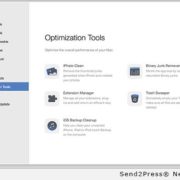
MacClean 3 now lets users to manage all iTunes backups saved on Mac OS. Since iTunes creates several backups on Mac when syncing with iPhone in long-term use, this is a storage waste -- especially for those who own several iOS devices. With the newly updated MacClean, users can review all iTunes backups with date & volume, and then remove those unneeded or outdated ones from Mac. Thus, they can easily regain gigabytes of free space on Mac in an instant.

More Highlight Features:

Easy Cleanup:
MacClean cleans all types of junk out of Mac in a few taps, and offers tools to trim Mac deeper. It allows removing old large files, duplicates, unused language files and reorganizing extensions, and more.

OS X Optimization:
Gigabytes of redundant data accumulated in daily use could cause a cluttered and retarded Mac. With all-round optimizing functions, MacClean 3 can sweeps them all and keep Macs running like new.

Security Protection:
MacClean fully protects users against all potential threats with constantly updated virus database. It moves suspicious files to quarantine and wipes out malicious cookies to avoid risks.

Privacy Care:
MacClean 3 helps users erase the sensitive personal info left on Mac. It clears up user's footprints in recently opened apps and files; cleans cookies, cashes, history, passwords in web browsers; and shatters files with no way to recover.

Pricing and Availability:
MacClean 3 is completely free of charge. No catch, no hidden costs, no in-app purchases. You can download it directly from https://www.imobie.com/macclean/download.htm .

Notes to Editors:
To facilitate your review and writing, iMobie has prepared a comprehensive media page with detailed introduction of MacClean 3 and a handful of hi-def graphics you may need: https://www.imobie.com/macclean/resource.htm .

About iMobie Inc.:
iMobie Inc. was established in 2011, and located in Tianfu Software Park (China), a place gathering a great many talented software engineers. For more information, visit https://www.imobie.com/ .

*PHOTO: Send2Press.com/mediaboom/16-0419-macclean-300dpi.jpg

Twitter: @iMobie_Inc #MacClean

To view the original version on Send2Press Newswire, visit: https://www.send2press.com/newswire/imobie-releases-update-for-free-macclean-3-clean-itunes-backup-for-more-mac-storage-space-2016-0419-04.shtml.

NEWS SOURCE iMobie Inc. :: This press release was issued on behalf of the news source (who is solely responsible for its accuracy) by and Copr. © 2016 Send2Press® Newswire, a service of Neotrope®.

EaseUS New 9.9 Mac Hard Drive Recovery Solution Comes with Bootable Media Available for Any Emergency in Data Recovery

Data Recovery Wizard for Mac

NEW YORK, N.Y., April 6, 2016 (SEND2PRESS NEWSWIRE) -- EaseUS has announced that its new Data Recovery Wizard for Mac 9.9 continues to innovate in the Mac data recovery software field with Bootable Media available now when OS fails to start. Besides, lost files can be restored directly from Time Machine backup drive in time. The RAW recovery in 9.9 version recognizes more file types exactly and speeds up the whole procedure.

After a long period research and public survey, EaseUS finds out that 30% users who take data recovery on Mac get caught by OS bootable trouble in which system is unable to boot up and there is no response on Mac OS X. EaseUS Data Recovery Wizard Bootable Media for Mac makes it remarkably simple to recover all lost files even when system crash occurs and OS X cannot be launched.

At the same time, Data Recovery Wizard for Mac with Bootable Media, which only USB disk is capable of now, together takes on data recovery course in a safer way especially for those lost files stored on system disk, because that it protects original data from any further operations which may cause more severe damages.

Likewise, Mac data recovery from Time Machine backup drive in this 9.9 edition attracts much public attention for its ease-to-use and effectiveness. Except for restoring deleted files from Trash, from formatted hard drive or lost partition, setting up Time Machine backup drive is pretty helpful as a rapid rescue matter when data loss happens. Backing up crucial photos, documents, video, music, audio and emails regularly to Time Machine in advance allows to directly get all lost data back in time effortlessly and restore Mac immediately.

Under RAW recovery that is usually used for serious data loss situations, more file types can be retrieved exactly. Also data recoverability and scanning speed increase to a large extent. This in-depth recovery progress contributes to the repair success.

EaseUS Mac hard drive recovery solution is an easy way to settle down complicated data recovery project that is accessible for different data loss cases. Intuitive UI design of the 9.9 edition leads all restoring operation go more smoothly where less professional IT skill is enough.

EaseUS Data Recovery Wizard for Mac 9.9 available at: http://www.easeus.com/mac-data-recovery-software/.

About EaseUS Software:

EaseUS provides professional IT solutions for home, education and SMB users, service providers in data recovery, backup, system optimization and partition manager on both Windows and Mac platforms. Founded in 2004, EaseUS has established itself as a fast-growing international company with over 100 million wonderful users in the world. For more information, please visit http://www.easeus.com.

"EaseUS" is registered trademark of CHENGDU Yiwo Tech Development Co., Ltd.

Twitter: @easeus_software

To view the original version on Send2Press Newswire, visit: https://www.send2press.com/newswire/easeus-new-9-9-mac-hard-drive-recovery-solution-comes-with-bootable-media-available-for-any-emergency-in-data-recovery-2016-0406-03.shtml.

NEWS SOURCE EaseUS Software :: This press release was issued on behalf of the news source (who is solely responsible for its accuracy) by and Copr. © 2016 Send2Press® Newswire, a service of Neotrope®.

Latest Power Data Recovery Tool for iOS from MiniTool Solution Ltd

MiniTool Mobile Recovery for iOS

VANCOUVER, Canada, March 23, 2016 (SEND2PRESS NEWSWIRE) -- MiniTool Solution Ltd., a well-known software development company based in Canada, announces MiniTool Mobile Recovery for iOS version 1.1. This application is designed for data recovery from iOS devices such as iPhone, iPad and iPod touch. With help of this easy to use software, user can recover lost data from unexpected deletion, virus invasion, reset all settings, system upgrade and logical damage.

Three functions in MiniTool Mobile Recovery for iOS:

Recover from iOS Device: it can help to recover lost messages, contacts, call history, WhatsApp, notes, calendars, reminders, bookmarks, etc from iOS devices. Lost files could be recovered by using this software as long as these files are not overwritten by new data.

Recover from iTunes Backup: it retrieves data from the iTunes backup. For users who have backed up data in iOS devices, they can restore the important files by using this module.

Recover from iCloud Backup: it is capable of recovering data from iCloud backup files. If users have backed up their data from iOS devices to iCloud or auto backup has been made before data loss, this function can help to get the lost data back.

Main features of MiniTool Mobile Recovery for iOS:

Compatible with Windows OS and Mac OS: User can choose to run this application either from Windows OS or from Mac OS.

Optimization on User Interface: All interfaces in this software are neat, friendly, and concise.

Powerful Functions: No matter files were lost due to accidental deletion, iOS upgrade failure, factory restore or white apple, etc.. MiniTool iOS data recovery tool will find and fully restore all files.

Recover Various Types of Files: This tool is able to recover media data as well as text data from all iOS devices. Including Media data: photos, app photos, videos, photo stream, voice memos, message attachments Text data: messages, contacts, call history, WhatsApp, calendar, notes, Bookmark and app documents.

About MiniTool Solution Ltd.:

MiniTool Solution Ltd. is a professional Canadian software provider whose products include data recovery software, partitioning tool, etc. MiniTool Solution Ltd is dedicated in researching computer technology to serve users better. For more detailed information about MiniTool Mobile Data Recovery for iOS, please visit http://www.minitool.com/ios-recovery.html.

Company name: MiniTool Solution Ltd.
Address: Suite 1500 - 701 West Georgia Street
Vancouver, British Columbia, V7Y 1C6, Canada

Website: http://www.minitool.com

*PHOTO for media: Send2Press.com/mediaboom/16-0323-minitool-screen-300dpi.jpg

Twitter: @Mini_Tools

To view the original version on Send2Press Newswire, visit: https://www.send2press.com/newswire/latest-power-data-recovery-tool-for-ios-from-minitool-2016-0323-02.shtml.

NEWS SOURCE MiniTool Solution Ltd :: This press release was issued on behalf of the news source (who is solely responsible for its accuracy) by and Copr. © 2016 Send2Press® Newswire, a service of Neotrope®.

M3 Mac Bitlocker Loader – Easily Access Bitlocker Encrypted Drive on Mac Computer

M3 Mac Bitlocker Loader

NEW YORK, N.Y., Feb. 24, 2016 (SEND2PRESS NEWSWIRE) -- M3 Data Recovery Software, one of the world's leading data security solution providers, today announced the release of M3 Mac Bitlocker Loader V3.5 - transfer large amounts of data between a Bitlocker encrypted drive and Mac computer with fast speed.

In our digital life, data security is very important. Using TrueCrypt is not secure as it may contain unfixed security issues, while Microsoft Bitlocker is a more secure way to protect sensitive data, so TrueCrypt unexpectedly recommended that users drop its product and shift to Microsoft's Bitlocker. However, Bitlocker is only for Windows OS; so for Mac OS X users, how to transfer Bitlocker protected sensitive data from Windows to Mac computer? With M3 Mac Bitlocker Loader, accessing a Bitlocker encrypted drive is easy.

As a file transfer app, M3 Mac Bitlocker Loader provides a reliable and easy-to-use way to complete Bitlocker protected sensitive data exchange between Windows and Mac: just supply unlock password and mount Bitlocker encrypted drive as a regular drive on Mac computer, then transfer data from Bitlocker encrypted drive to Mac computer; or transfer data from Mac computer to Bitlocker encrypted drive.

M3 Mac Bitlocker Loader is a handy application designed to open, unlock, read, access, write and decrypt Bitlocker encrypted external hard drives and USB flash drives on Mac computers, no matter what Mac hardware platform you're on -- Mac Mini, MacBook, MacBook Pro, MacBook Air and iMac -- everything is good to go.

With M3 Mac Bitlocker Loader, Mac OS X becomes the ultimate forensic resource, allowing access to external drives encrypted with Bitlocker under Windows Vista, Windows 7, Windows 8, and Windows 10.

As Bitlocker is a cross-platform alternative tool, M3 Mac Bitlocker Loader is fully compatible with Mac OS X 10.11 (EI Capitan), 10.10 (Yosemite), 10.9 (Mavericks), 10.8 (Mountain Lion), 10.7 (Lion), 10.6 (Snow Leopard) and NTFS, FAT32, exFAT file systems.

Availability:

M3 Mac Bitlocker Loader available at: http://www.m3datarecovery.com/mac-bitlocker/ .

About M3 Data Recovery Software:

M3 Data Recovery Software is one of the world's leading and professional data security solution providers in Windows data recovery, Windows RAW drive recovery, Mac data recovery, Bitlocker encrypted drive data recovery, and more. Its main products are M3 Data Recovery for Windows, M3 Data Recovery for Mac, M3 RAW Drive Recovery, M3 Bitlocker Recovery and M3 Mac Bitlocker Loader.

For more information, please visit: http://www.m3datarecovery.com

To view the original version on Send2Press Newswire, visit: https://www.send2press.com/newswire/m3-mac-bitlocker-loader-easily-access-bitlocker-encrypted-drive-on-mac-computer-2016-0224-04.shtml.

NEWS SOURCE M3 Data Recovery Software :: This press release was issued on behalf of the news source (who is solely responsible for its accuracy) by and Copr. © 2016 Send2Press® Newswire, a service of Neotrope®.