Tag Archives: FRP bypass

[1 Click] Easy Bypass of Realme FRP with iToolab UnlockGo (Android) V7.8.0

NEW YORK, N.Y. /ScoopCloud/ -- iToolab, a leading software provider, is excited to announce the release of iToolab UnlockGo (Android) V7.8.0. This update allows you to easily bypass FRP on all Realme devices, including Realme C11, C30, C33, C35, and more.

"There are more and more users need to bypass Google FRP lock on Realme devices," said Jack Ma, the CEO of iToolab. "However, after doing some researches, we found the existing methods are complicated. That's why we released a new version of iToolab UnlockGo (Android) to help Realme users to bypass FRP easily."

EXPLORE KEY FEATURES OF ITOOLAB UNLOCKGO (ANDROID) V7.8.0

Easily Bypass Realme FRP

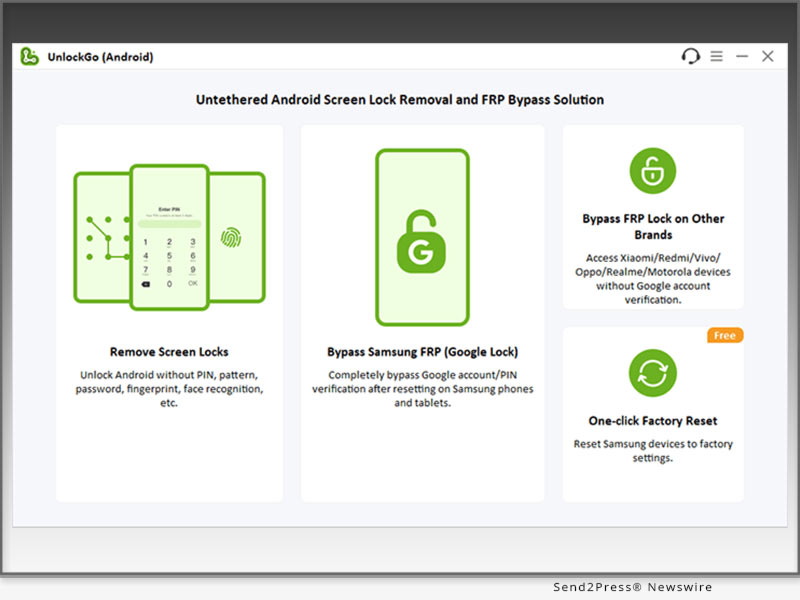
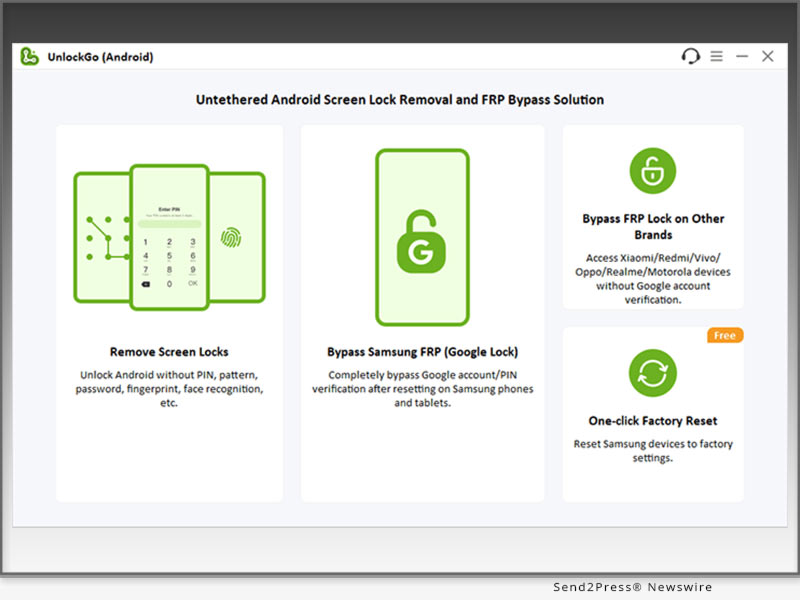
UnlockGo (Android) allows you to bypass Realme FRP in 1 simple click. You don't need to go through complicated steps.

High Success Rate

The tool offers 2 different options to bypass Realme FRP, which guarantee a high success rate up to 99%.

Wide Compatibility

UnlockGo Android Unlocker supports all Realme devices running Android 5-14. And you can install the program on Windows or Mac computer.

No Restrictions After Unlocking

After unlocking the device, you can enjoy full functions of your Realme phone. And the best part is you can sign into another Google account to enjoy all Google services.

Explore full features and get UnlockGo (Android) free now: https://itoolab.com/android-phone-unlocker/

Price and Availability

* The new feature is available on V7.8.0. For unregistered users, you can visit the official website of iToolab UnlockGo (Android) and download the latest version to try. For registered users, you can enjoy a free lifetime update.

* The program supports bypassing Google lock on Samsung Android 5-14, most Xiaomi/Redmi devices, vivo Android 10-12, OPPO Android 5-13, Motorola Android 11/12, and Realme Android 5-14.

* The program is sold with different license types, including 1 Device Plan, 1 Month Plan, 1 Year Plan and Lifetime Plan. The prices are $14.95, $29.95, $39.95, $49.95, respectively. In other words, the longer you own the license, the cheaper it will be.

iToolab is holding a giveaway to celebrate the release of iOS 18 and iPhone 16. It offers a big discount of UnlockGo (Android). You can visit the link to enter the event: https://itoolab.com/sales-promotion/

For more information visit https://itoolab.com/buy/unlockgo-android-for-windows/

About iToolab

iToolab is a software development company founded in 2008 to help iOS and Android users solve various issues with leading-edge smartphone tools for repair and recovery, unlocking, and more. As of now, iToolab is serving 130+ countries and has been trusted and recommended by some leading tech sites and users worldwide. iToolab is a trusted one-stop shop for smartphone utility apps.

For more details, please visit:

Website: https://itoolab.com/

YouTube: https://www.youtube.com/c/itoolab

Facebook: https://www.facebook.com/itoolab

X/Twitter: https://x.com/IToolab
News from IToolab Co Ltd

Toolab, a leading software provider, is excited to announce the release of iToolab UnlockGo (Android) V7.8.0. This update allows you to easily bypass FRP on all Realme devices, including Realme C11, C30, C33, C35, and more.

Related link: https://itoolab.com/

This version of news story was published on ScoopCloud™ (ScoopCloud.com) - part of and © the Neotrope® News Network - all rights reserved.

The Best Samsung FRP Bypass Tool Download for PC from Tenorshare

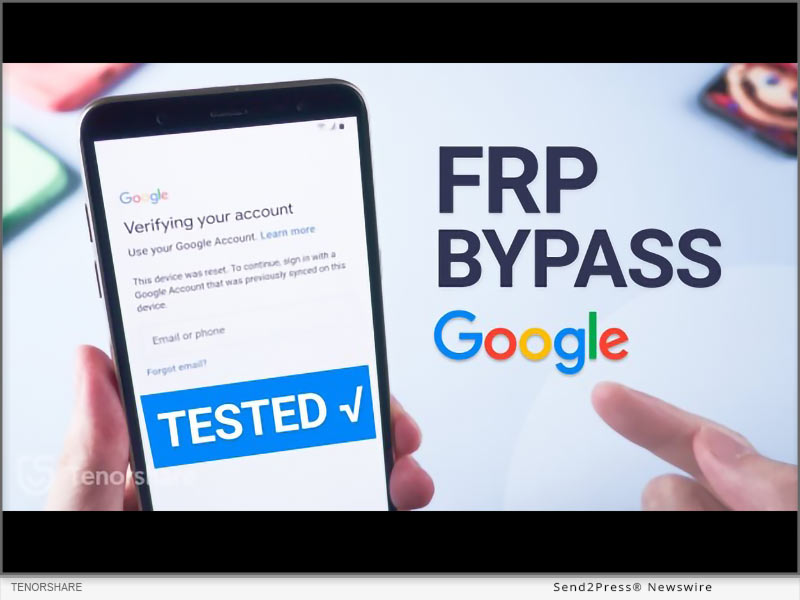
NEW YORK, N.Y. /ScoopCloud/ -- In various scenarios, the need for a Samsung FRP Bypass Tool becomes evident, says Tenorshare. Forgetting Google account credentials or encountering a lack of information when dealing with a pre-owned Samsung device are common situations. Additionally, after performing a factory reset and experiencing software issues, the Factory Reset Protection (FRP) lock may activate.

In the above mentioned situation, a reliable Samsung FRP Bypass tool is particularly important to bypass the FRP Lock in case you are locked out of your device.

Must-Know Tips About Samsung FRP Bypass Tool

Before using any FRP bypass tool for PC, it is important to keep the following in mind:

* Read online reviews, compare features, and verify the developer's reputation before investing when choosing FRP bypass tool Samsung.

* Download top Samsung FRP tools directly from the developer's website, avoiding third-party sources that might contain malware.

What is the Best and Top Samsung FRP Bypass Tool?

The best Samsung FRP bypass tool for PC is Tenorshare 4uKey for Android.

It is a safe, reliable, and easy Samsung FRP tool that seamlessly removes the FRP Lock from your Samsung device in minutes.

The best part about this FRP Samsung tool is its user-friendly interface, which makes it easy for beginners to bypass FRP lock on Samsung. Plus, when using it, you don't need the help of other apps like TalkBalk or Alliance Shield.

It is 100% secure and has a high success rate. You can rest assured that it does not come with any risky Samsung FRP bypass APK tools.

When you get this FRP bypass tool for PC free download, compatibility is not an issue, as it works with all Android versions, including 14, 13, 12, and earlier,

But that's not all! This FRP Samsung tool also helps remove all sorts of Android lock screens and factory resets early Samsung device without data loss.

And lastly, their tech support gives prompt responses.

How to Use Tenorshare 4uKey for Android Samsung FRP Bypass Tool?

Here are the steps for Samsung FRP tool download and use:

* The first step is the FRP bypass Samsung download from the official website for Tenorshare 4uKey for Android.

* Launch the tool, connect your Samsung device to your PC, and select "Remove Google Lock (FRP)" from the interface.

* Select the Android version your Samsung phone is running on and click "Remove Now."

* Follow the screen instruction and go to the welcome screen on your Samsung device

* It will take several minutes for the FRP Lock removal process to complete

And that's how you use this Samsung ADB Enable tool alternative to remove FRP Lock!

Video Guide: https://www.youtube.com/watch?v=iWukc7DnoiA

About Tenorshare

Tenorshare is a tech company specializing in software to help you regain lost data, manage your devices, recover passwords, and fix problems on your iOS, Android, Windows, and Mac gadgets.

Learn More: https://www.tenorshare.com/samsung/samsung-frp-tool.html

YouTube: https://www.youtube.com/@TenorshareOfficial

Facebook: https://www.facebook.com/TenorshareOfficial/

News from Tenorshare Co. Ltd.

In various scenarios, the need for a Samsung FRP Bypass Tool becomes evident, says Tenorshare. Forgetting Google account credentials or encountering a lack of information when dealing with a pre-owned Samsung device are common situations. Additionally, after performing a factory reset and experiencing software issues, the Factory Reset Protection (FRP) lock may activate.

Related link: https://www.tenorshare.com/

This version of news story was published on ScoopCloud™ (ScoopCloud.com) - part of and © the Neotrope® News Network - all rights reserved.
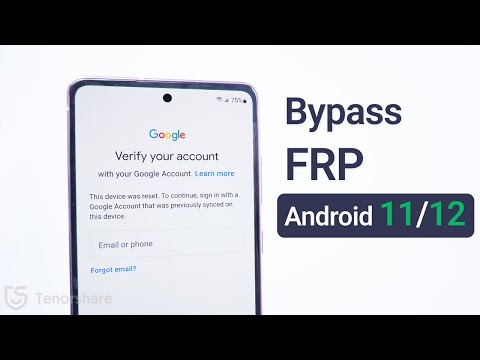
Three Steps to Bypass Vivo FRP Bypass

NEW YORK, N.Y. /ScoopCloud/ -- If you did a factory reset on your Vivo smartphone or forgot your Google password, you will be unable to access your device due to Factory Reset Protection (FRP). Many Vivo users face this problem and look for a simple, effective solution. "Tenorshare has introduced 4uKey for Android, a user-friendly tool that enables Vivo users to vivo FRP bypass without any hassle, supporting all Android models and versions," said a Tenorshare spokesperson.

VIDEO (YouTube): https://www.youtube.com/watch?v=S8ztXj_MrHs

Is it possible to Remove the Google FRP lock?

FRP (Factory Reset Protection) is a security feature designed to protect your device in case of unauthorized access. It can be bypassed using specialized tools like FRP Bypass unlocker.

Best Vivo FRP Bypass Tool-Tenorshare 4uKey for Android

Tenorshare 4uKey for Android is a powerful tool that can bypass FRP vivo on devices. It Can remove screen locks like PIN, pattern, password, fingerprint, and face lock, compatible with Android 5-14 and Windows 11/10/8.1/8/7, and macOS 14.

https://www.tenorshare.com/unlock-android/vivo-frp-bypass.html

1. Dedicated features of Tenorshare 4uKey for Android

Bypass FRP lock

Effectively Bypass vivo Google account without a password or Google account is easy.

Remove Android Password

Remove Android password, PIN, pattern lock, fingerprints, and face recognition. Also, remove screen lock on Vivo devices without data loss.

Wide Support & Compatibility

It supports Samsung, Xiaomi, Redmi, Vivo, OPPO, Realme, and Huawei FRP bypass and Compatible with 6000+ Android devices with a wide range of Android OS versions up to Android 14

No Technical Skills Required:

You don't need technical expertise to use this tool effectively To quickly bypass FRP Vivo.

2. How to use 4ukey for Android to bypass vivo FRP (step by step)

To perform FRP bypass vivo Google account using Tenorshare 4ukey For Android, follow these steps:

* Step 1: Connect your phone to the computer, and open 4uKey for Android.

* Step 2: Select "Remove Google Lock (FRP)" by choosing "Android version (11/12/13)" and pressing "Start."

* Step 3: Follow the on-screen instructions download the firmware package on your computer and click "Start Remove."

* Step 4: After the removal, you can set up your Vivo device as new.

Can we unlock Vivo Screen lock without a password?

If you have forgotten your Vivo screen lock password, you may wonder if you can unlock it without passcode. The answer is yes if you use Tenorshare 4uKey for Android. This tool can remove any type of screen lock on Vivo devices without password or Google account.

About Tenorshare 4ukey for Android:

Tenorshare 4uKey for Android is the ultimate solution for your Vivo unlock needs. It can bypass Vivo FRP lock and unlock your device without a password or Google account. It is developed by Tenorshare a leading provider of data recovery and password management solutions.

More information: https://www.tenorshare.com/

Facebook: https://www.facebook.com/TenorshareOfficial/

X/Twitter: https://twitter.com/Tenorshare_Inc

YouTube: https://www.youtube.com/user/TenorshareOfficial/videos

TikTok: https://www.tiktok.com/@tenorshare_tech_tips

News from Tenorshare Co. Ltd.

If you did a factory reset on your Vivo smartphone or forgot your Google password, you will be unable to access your device due to Factory Reset Protection (FRP). Many Vivo users face this problem and look for a simple, effective solution. "Tenorshare has introduced 4uKey for Android, a user-friendly tool that enables Vivo users to vivo FRP bypass without any hassle, supporting all Android models and versions," said a Tenorshare spokesperson.

Related link: https://www.tenorshare.com/

This version of news story was published on ScoopCloud™ (ScoopCloud.com) - part of and © the Neotrope® News Network - all rights reserved.