Tag Archives: image editing

The Newly Updated User Interface of HitPaw Watermark Remover V2.0.0 Provides a Better User Experience

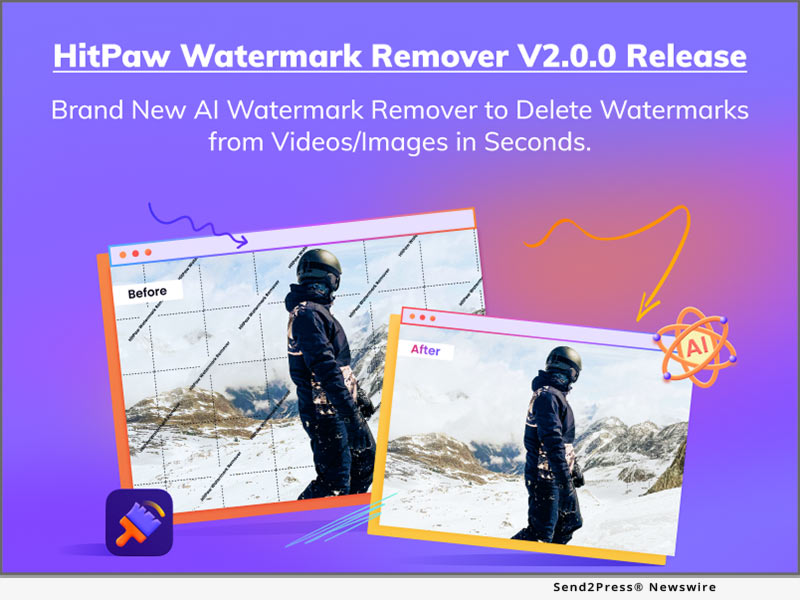
NEW YORK, N.Y. /ScoopCloud/ -- HitPaw recently has released HitPaw Watermark Remover V2.0.0. The latest version of HitPaw Watermark Remover is coming up with the totally brand-new User Interface for a better user experience. Additionally, HitPaw Watermark Remover V2.0.0 now supports more than 10 languages, making it more hospitable and clear for people around the world. HitPaw also reduced the learning curve by optimizing the operation flow.

Let's find out the wonderful features of the Update for HitPaw Watermark Remover:

* Brand-New User Interface for Immersive Experience

The novel interactive design of HitPaw Watermark Remover provides an immersive experience to enhance the user experience. Users can concentrate better and more quickly and do more with less effort when using a dark interface.

* Simple Operational Procedure for Efficient Work Flow

The process of work flow has been streamlined by HitPaw Watermark Remover. Users can now drag files directly to HitPaw Watermark Remover without first choosing whether they are videos or photos, or even all together at once. Additionally, HitPaw Watermark Remover has the ability to immediately save any changes made to the current file, so users do not need to worry about the adjustment being lost while switching to another file.

* Add User Guidance to Lower the Learning Curve

The lucid user manual added by HitPaw Watermark Remover will help users when they launch the program for the first time. Users can utilize hints to better understand what this function does since HitPaw ensures that every user may get their hands dirty quickly.

* 10 More Languages are Supported Now

More than 10 languages, including Hindi, Japanese, Indonesian, Dutch, Turkish, and more, are added to and localized for use in HitPaw Watermark Remover. Users can change the software's language to reflect their mother tongue, making it more hospitable to users from other nations.

Compatibility and Price:

HitPaw Watermark Remover is now compatible with Windows including Win11 and Mac OS Monterey. Its pricing starts from $6.99 per month, $9.99 per year, and $25.99 for the lifetime.

For more information checking, you can visit:
https://www.hitpaw.com/purchase/buy-hitpaw-remove-watermark.html

About HitPaw:

HitPaw is an emerging software company specialized in files compressing, video editing, screen recording, watermark removing, image editing, photo enhancing, etc. We help users turn their inspiration into reality so that we can generate more ideas to make the world be full of more creativity.

To know more, you may visit https://www.hitpaw.com/about.html and https://www.hitpaw.com/

Our Social Media:

YouTube: https://www.youtube.com/channel/UCQwRggaotgiMcPbiCOsJeBA

Facebook: https://www.facebook.com/hitpawofficial

Twitter: https://twitter.com/HitPawofficial

Instagram: https://www.instagram.com/hitpawofficial/

Pinterest: https://www.pinterest.com/hitpawcom/
News from HitPaw

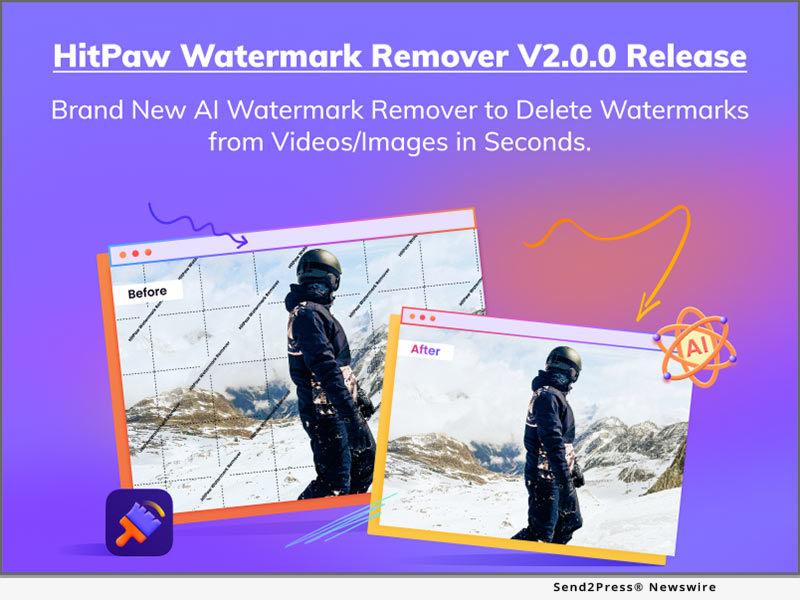
HitPaw recently has released HitPaw Watermark Remover V2.0.0. The latest version of HitPaw Watermark Remover is coming up with the totally brand-new User Interface for a better user experience. Additionally, HitPaw Watermark Remover V2.0.0 now supports more than 10 languages, making it more hospitable and clear for people around the world. HitPaw also reduced the learning curve by optimizing the operation flow.

Related link: https://www.hitpaw.com/

This version of news story was published on ScoopCloud™ (ScoopCloud.com) - part of and © the Neotrope® News Network - all rights reserved.
HitPaw Photo Enhancer Update Helps Fix Old Photos with Portrait Reconstruction

NEW YORK, N.Y. /ScoopCloud/ -- To meet people's needs of fixing their blurred and pixelated images, HitPaw has proudly announced that HitPaw Photo Enhancer has been updated with powerful features making photo editing as easy as possible. HitPaw Photo Enhancer is enabled with Artificial Intelligence (AI) which can help users to adjust an image's sharpness, contrast, exposure and resolutions. With a user-friendly User Interface (UI), people can master how to use HitPaw Photo Enhancer without external guidance.

LET'S DIVE IN THE NEW FEATURES OF THE UPDATE:

1 - Improve the Portrait Reconstruction Model

The main update for HitPaw Photo Enhancer is to improve the portrait reconstruction model, which is aiming to fix the old photos. There are noise and pixels in old photos because it is taken by the old devices or compressed by social applications like Twitter, Facebook, and WhatsApp. With Portrait Reconstruction Model, Artificial Intelligence will learn what is the in the old photo first, and reconstruct the pixels so that the old photo looks like more clear and sharp.

2 - Three AI Models for Different Situations

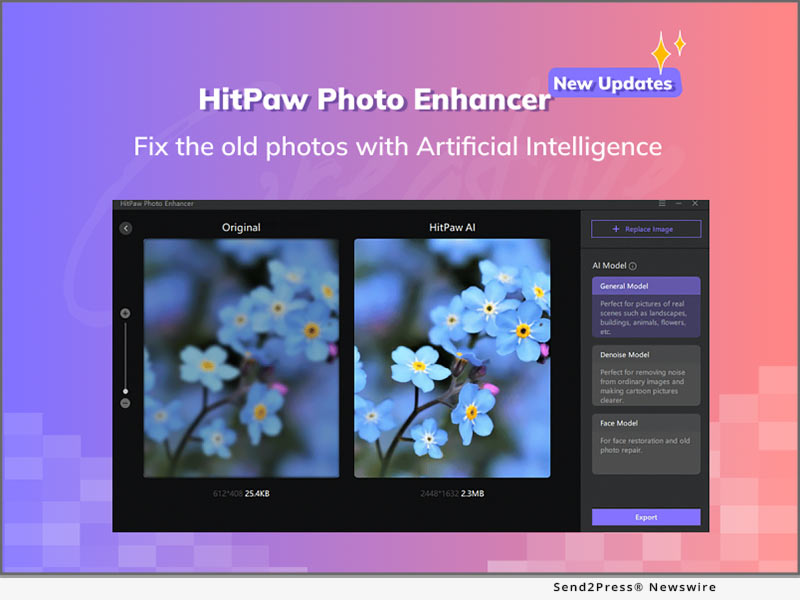
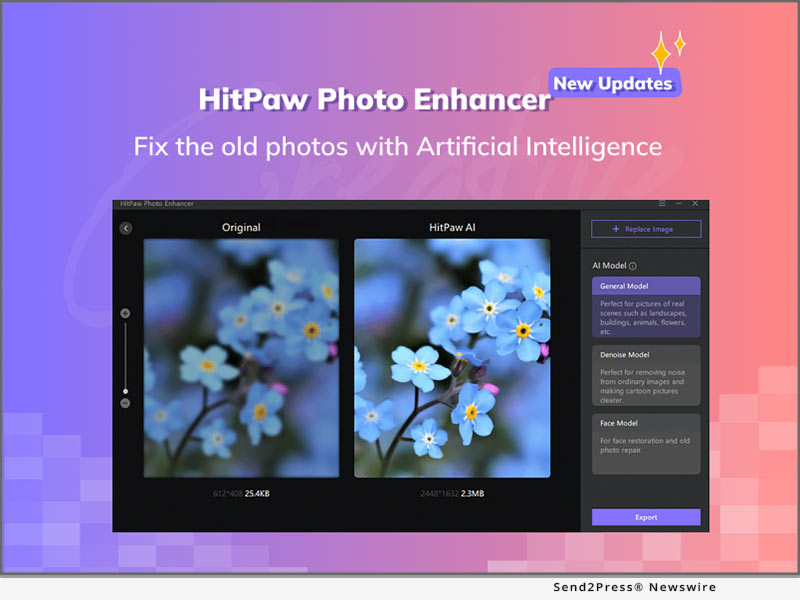
There are 3 AI Models to serve any kind of purpose. The most powerful model is Face Model, which is specialized to upscale photos like selfies. Denoise Model is aiming to remove the noise in the pictures, especially the photos taken at the night. Last but not the least, General Model is perfect for the landscape, buildings, animals, and flowers.

3 - Batch Photos Processing

HitPaw Photo Enhancer supports batch images processing, which allows users to upload unlimited files to process in one time. Users can save their time and improve the efficiency, especially when there are tons of photos need to upscale.

4 - Download Speed Increase

With this update, the software pack has been optimized, which increases the download speed so that HitPaw Photo Enhancer will be downloaded when people don't even realize it.

Compatibility and Price:

HitPaw Photo Enhancer is now compatible with Windows 11/10/8/7 (64-bit OS) and its pricing starts from $8.99 USD for a month plan.

For more price information and feature information, you can visit https://www.hitpaw.com/purchase/buy-hitpaw-photo-enhancer.html.

About HitPaw:

HitPaw is an emerging software company specialized in video editing, screen recording, watermark removing, image editing, photo enhancing meme-making, etc. We help users turn their inspiration into reality so that we can generate more ideas to make the world be full of more creativity.

To know more about HitPaw, you may visit https://www.hitpaw.com/about.html

Main website: https://www.hitpaw.com/

Our Social Media:

YouTube: https://www.youtube.com/channel/UCQwRggaotgiMcPbiCOsJeBA

Facebook: https://www.facebook.com/HitPawofficial

Twitter: https://twitter.com/HitPawofficial

Instagram: https://www.instagram.com/HitPawofficial/

Pinterest: https://www.pinterest.com/HitPawvideoeditor/

News from HitPaw

To meet people's needs of fixing their blurred and pixelated images, HitPaw has proudly announced that HitPaw Photo Enhancer has been updated with powerful features making photo editing as easy as possible. HitPaw Photo Enhancer is enabled with Artificial Intelligence (AI) which can help users to adjust an image's sharpness, contrast, exposure and resolutions. With a user-friendly User Interface (UI), people can master how to use HitPaw Photo Enhancer without external guidance.

Related link: https://www.hitpaw.com/

This version of news story was published on ScoopCloud™ (ScoopCloud.com) - part of and © the Neotrope® News Network - all rights reserved.