Tag Archives: Windows utilities

Driver Booster 10: Up-to-date drivers reduce 75% of system crashing, freezing, and PC issues

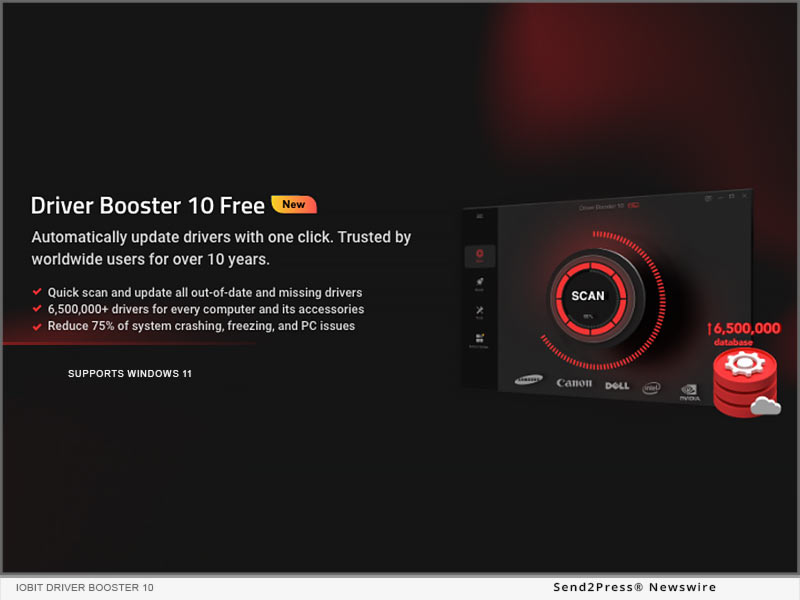
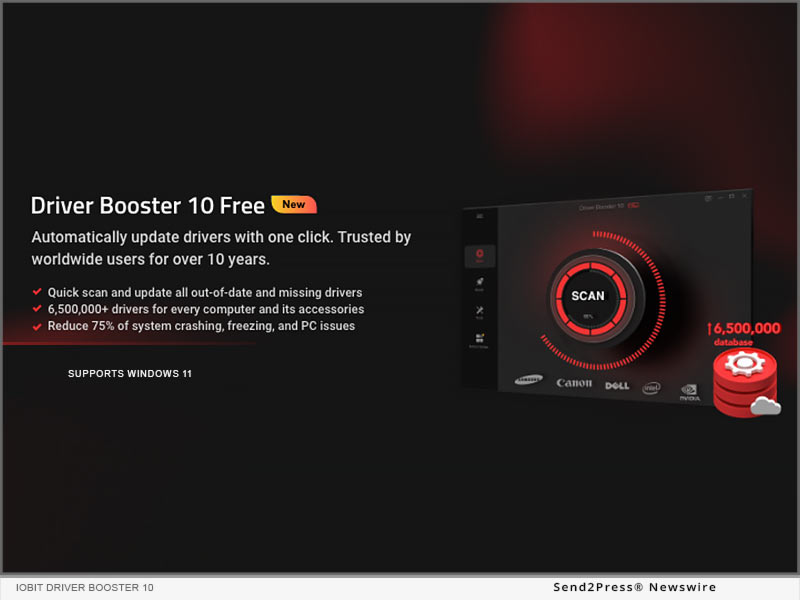
SAN FRANCISCO, Calif. /ScoopCloud/ -- IObit, the world's leading system utilities, and security software provider, today unleashed the new Driver Booster 10, a free driver updater that can automatically scan and update over 8.5 million drivers and game components to boost Windows PC performance with fewer crashing, freezing, and other common issues. Over 38 million users worldwide recommend Driver Booster as a must-have utility. It can automatically keep all drivers for each computer and its accessories up-to-date to boost computer performance and gaming experience.

A large and secure online drivers database makes Driver Booster 10 stand out from its competitors. To make sure all drivers on users' Windows PC are in the correct and latest versions, Driver Booster 10 comes with a larger database to automatically check and install over 8.5 million device drivers and game components in one click.

And all the supported drivers are provided from the manufacturers' official websites or Windows and have passed WHQL as well as strict IObit Review Rules for the sake of driver security and authority. Driver Booster 10 also optimized the scanning and installing engine, which saves users a lot of time by automatically scanning and updating broken, missing, and outdated drivers at a 20% faster speed than before. Even when there is no internet connection, the whole process of driver installation can also be completed as scheduled.

Driver Booster 10 is also a one-stop solution to help users to detect and fix common but bothersome driver-related problems on Windows PC/Laptop. There is a dedicated tab called Tools offering various inbuilt tools to fix these common issues and errors. With the full-around enhanced "Fix No Sound", "Fix Bad Resolution" and "Fix Network Failure" free tools, users can simply diagnose and troubleshoot Windows devices issues like no sound, network failure, bad resolution, keyboard stuck, jittery mouse, disk crashes, printers freezes, etc., to reduce 75% system crashing, freezing, and PC issues for a smoother PC.

"Driver issues are the typical reason for crash PC performance which will also bring inconveniences to users' life. It's not easy to keep track of all computer drivers by users themselves. Thus, it's necessary to have a tool like Driver Booster 10 to do that," said Bing Wang, Product Director at IObit, "IObit keeps spending effort on core advanced driver updating technology, offering users a free and efficient method to stay up-to-date with the latest drivers automatically and fix common Windows issues of sounds, connections, resolutions, crashes, freezing, etc. Always maintain a stable and smooth Windows PC for users."

Driver Booster 10 is now available on IObit. It can fully support Windows 11, 10, 8/8.1, 7, XP, and Vista.

Learn more: https://www.iobit.com/en/driver-booster.php

About Driver Booster:

Driver Booster 10 is a must-to-have driver updater trusted by worldwide Windows PC users over the past 10 years. It provides users with a comprehensive solution to detect over 8,500,000 device drivers and game components in one click and keep them always up-to-date. Apart from updating drivers, Driver Booster 10 also enables the best one-stop solution to help users restore the system, check system information, and fix common but headache issues of no sound, network failure, bad resolution, and many other device errors.

About IObit:

Founded in 2004, IObit provides consumers with innovative system utilities for Windows, Mac, and Android OS to greatly enhance operational performance and protect their computers and mobile devices from security threats. IObit is a well-recognized industry leader with more than 100 awards, 500 million downloads worldwide.

Learn more: https://www.iobit.com/
News from IObit Software

IObit, the world's leading system utilities, and security software provider, today unleashed the new Driver Booster 10, a free driver updater that can automatically scan and update over 8.5 million drivers and game components to boost Windows PC performance with fewer crashing, freezing, and other common issues.

Related link: https://www.iobit.com/

This version of news story was published on ScoopCloud™ (ScoopCloud.com) - part of and © the Neotrope® News Network - all rights reserved.
4DDiG Introduces Windows Boot Genius – Its New Multifunctional Windows Tool

NEW YORK, N.Y. /ScoopCloud/ -- Windows update is necessary, but sometimes it comes with a black screen, a system stuck in repair mode or an operating system breakdown. Here Tenorshare 4DDiG comes to the rescue with its newly launched Windows Boot Genius. No matter what OS problems, booting issues, or other computer problems arise, it provides users with all kinds of practical solutions.

Windows Boot Genius Features

Windows boot genius is the best Windows tool that can fix corrupted or damaged systems in multiple ways. Allow local and domain users to reset forgotten passwords, restore data from crashed hard drives, and move partitions and disks quickly. Here are some of its features:

Password & Key Recovery

It allow users reset forgotten Windows login passwords and recover lost product keys. Additionally, by cleaning invalid system registry keys and repairing corrupted files, this tool facilitates easy access to the computer!

Data Recovery

It can recover lost, damaged, or formatted digital photos, documents, and other important files with 3 steps.

Backup & Restore

Using a full-featured and user-friendly backup and restore option to back up the critical data or system, auto-recover lost files, etc.

Partition Management

Efficiently create, clone, format, delete and edit partitions in the hard drive for better data organization with its management feature.

Clone Partition & Disk

It also supports data wipe and file recovery, making it the master of all your partition needs.

Data Wipe

It can permanently erase the content of a hard drive which aim to protect users' privacy and prevent others from accessing confidential data.

How to Repair Windows with Windows Boot Genius

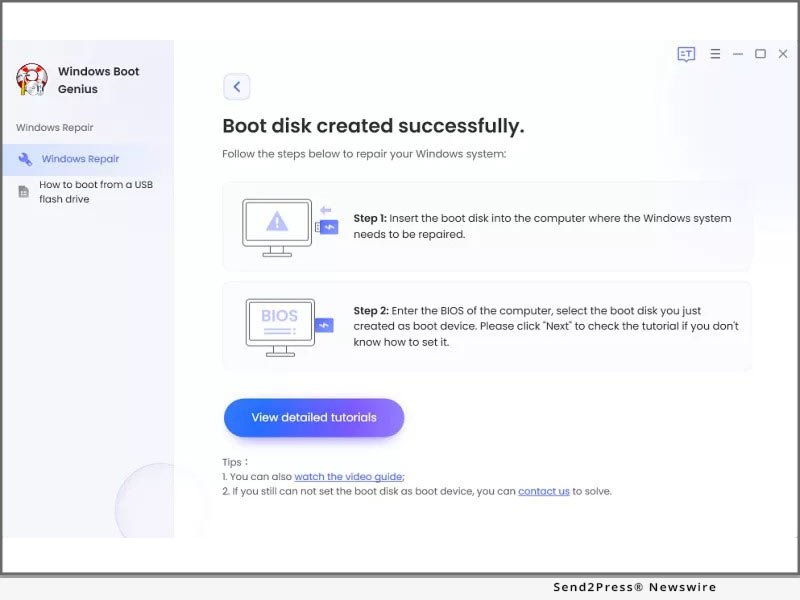
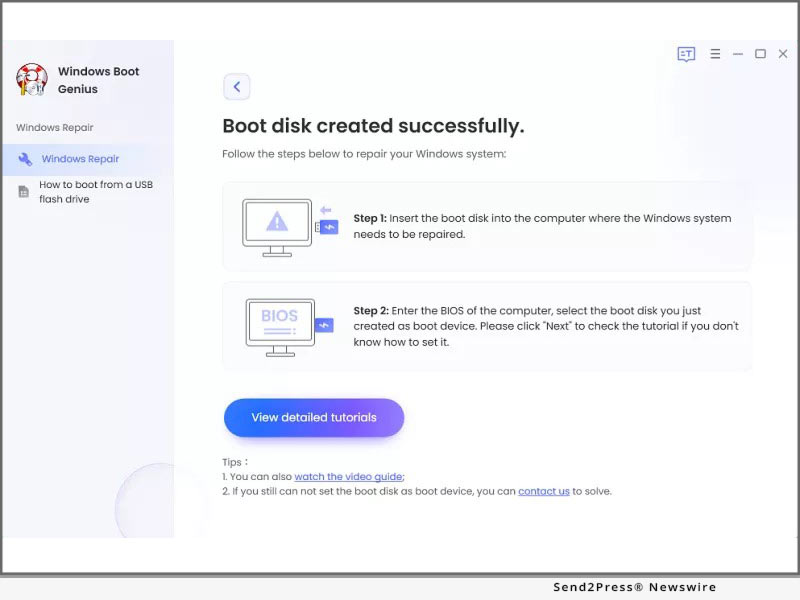
Booting from a CD or USB to repair a Windows can be tricky. However, Windows Boot Genius can help you repair it within 3 steps:

* Step 1: Launch Windows Boot Genius on your Windows and prepare a workable PC and a use to create a bootable disk.

* Step 2: After successfully make a bootable disk, connect the USB Flash drive to the computer and boot it from the bootable disk.

* Step 3: Then Windows Boot Genius will be launch automatically, follow the on-screen guide to repair Windows.

Windows Boot Genius is the most all-inclusive Windows utility in the market, covering everyday Windows actions, such as resetting passwords & product keys, data recovery, backup, and much more. It is designed with multiple functions and options to make it easy but also powerful for ordinary users and experts.

For more details, visit: https://4ddig.tenorshare.com/windows-boot-genius.html

Follow on Social Media at:

Facebook: https://www.facebook.com/4DDiG/

Twitter: https://twitter.com/Tenorshare4DDiG

YouTube: https://www.youtube.com/channel/UCQZ9C1IzQB1bgMXmGw7s5bw

Pinterest: https://www.pinterest.com/4DDiG/

News from Tenorshare Co. Ltd.

NEW YORK, N.Y., Sept. 6, 2022 (SEND2PRESS NEWSWIRE) -- Windows update is necessary, but sometimes it comes with a black screen, a system stuck in repair mode or an operating system breakdown. Here Tenorshare 4DDiG comes to the rescue with its newly launched Windows Boot Genius. No matter what OS problems, booting issues, or other computer problems arise, it provides users with all kinds of practical solutions.

Related link: https://www.tenorshare.com/

This version of news story was published on ScoopCloud™ (ScoopCloud.com) - part of and © the Neotrope® News Network - all rights reserved.
Driver Booster 8: The Best Driver Updater and Works Well with NO Internet Connection

SAN FRANCISCO, Calif. /ScoopCloud/ -- IObit, the world's best driver updater software provider, today unleashed Driver Booster 8, the new driver updater can work well without internet connection and the database has been enhanced to make sure more than 4.5 million device drivers can be safely and accurately updated.

Many users complained that they cannot update drivers when they have no internet connection, which may be caused by missing/faulty network drivers or current network drivers are not being compatible with a new updated/reinstalled system. To help those users solve the problem, Offline Driver Updater officially joined in the new Driver Booster 8.

This new tool can download and install drivers without network connection. And to make the whole process more clearly, Driver Booster 8 lists a brief instruction at the bottom of the tool as a reference.

Driver Booster 8 also improves a lot on its core feature: the database. The latest version 8 has a larger database which supports 4,500,000 + device drivers and game components. While helping users update missing, faulty and outdated drivers, Driver Booster 8 offers two solutions to help them get the right drivers. Solution one, scan the latest drivers first, that is suitable for users who'd like to enjoy the latest features and more premium game experience; Solution two, scan most stable drivers first, that is suitable for users who prefer to stay at the most stable device.

To ensure the safety for both of solutions, all drivers in its database are coming from the official manufacturers' website and have passed both Microsoft WHQL test and IObit test.

"According to TechRadar's article: Windows 10 has killed off driver updates via Device Manager," said Bing Wang, Product Director at IObit, "it could be harder for common users to get the latest device driver. Driver Booster 8 is a more suitable choice for those users and even for all PC users, as Driver Booster includes all fresh but safe drivers in its Database, it is easiest to use, and it can help users solve common driver issues like no sound issue and network failure problem."

Driver Booster 8 is now available on IObit and Softonic. It can fully support Windows 10, 8/8.1, 7, XP and Vista.

About Driver Booster 8

Driver Booster 8 is a great driver-update tool which updates outdated, faulty and even missing drivers and game components fast and accurate. With the super large database (4,500,000+), Driver Booster 8 can offer users 2 solutions on detecting and installing drivers, no matter you prefer to enjoy the latest features or prefer to have a most stable drivers, you can get your most suitable solution here. And no need to worry about safety, as all drivers in the large database come from the official manufacturer's website and have passed both Microsoft WHQL test and IObit test.

Besides expanding the core database, Driver Booster 8 has the following outstanding features: Offline Driver Updater and Auto Driver Update. Far more than that, at least 9 useful tools are offered to fix the most common headache problems like no sound, network failure, bad resolution, and device error ... In a word, Driver Booster 8 is a must-have tool to update drivers, boost games, and fix common PC problems.

About IObit

Founded in 2004, IObit provides consumers with powerful system utilities for Windows users. It is a well-recognized industry leader with more than 100 awards, 500 million downloads and 10 million active users worldwide.

Learn more at: https://www.iobit.com/

Media Contact:
IObit
Nicole Qin, (415) 813-2995
PR Manager
press@iobit.com

News from IObit Software

IObit, the world's best driver updater software provider, today unleashed Driver Booster 8, the new driver updater can work well without internet connection and the database has been enhanced to make sure more than 4.5 million device drivers can be safely and accurately updated.

Related link: https://www.iobit.com/

This version of news story was published on ScoopCloud™ (ScoopCloud.com) - part of and © the Neotrope® News Network - all rights reserved.