Author Archives: PDFgear

PDFgear Launches TextaVoice, a Truly Free Text-to-Speech Solution Challenging Expensive TTS Apps

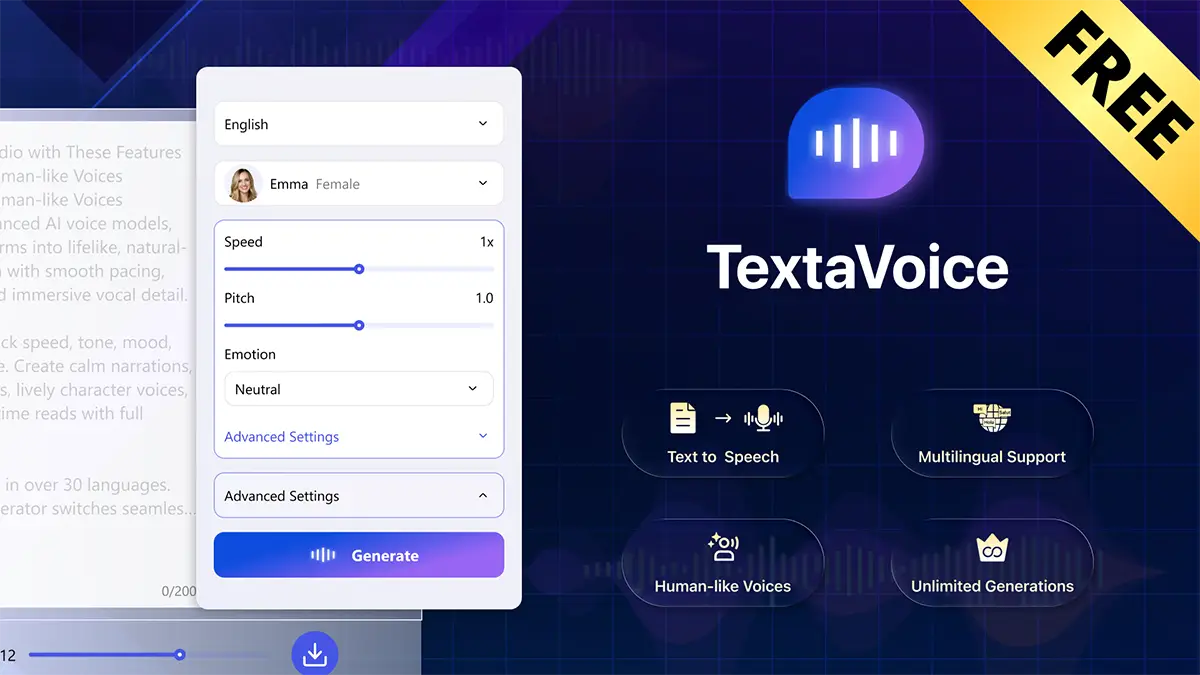
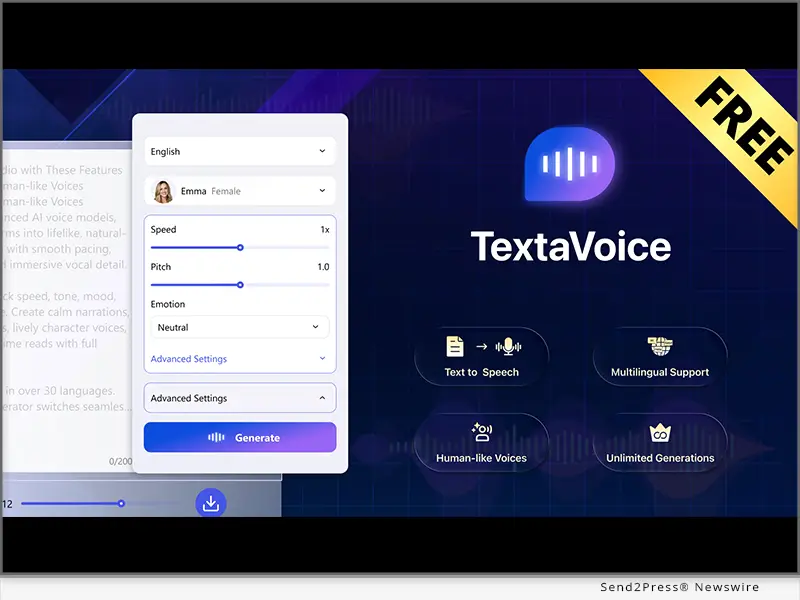
LOS ANGELES, Calif., Feb. 2, 2026 (SEND2PRESS NEWSWIRE) — PDFgear announces the launch of TextaVoice (TextaVoice.com), a completely free text-to-speech tool that turns text into natural-sounding audio in seconds. It provides online text to speech services with no sign-up, no ads, and no usage limits.
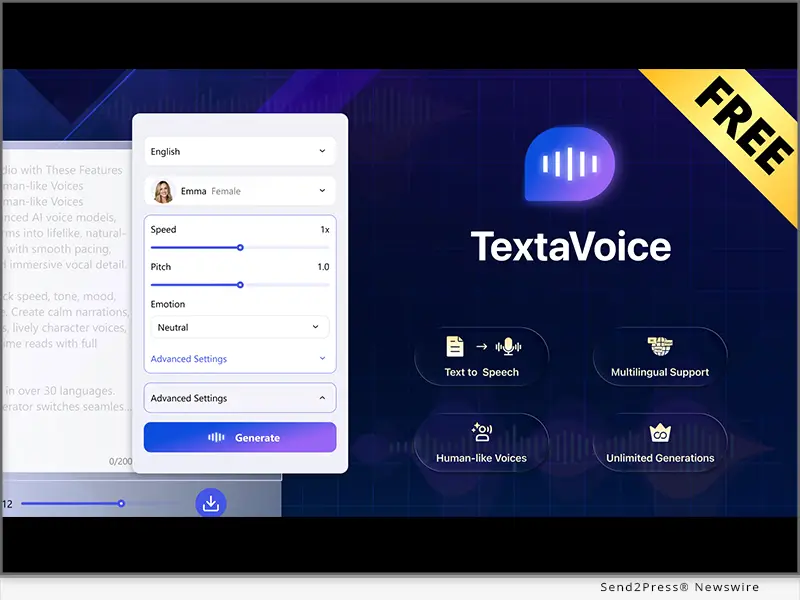
PDFgear Launches TextaVoice, a Truly Free Text-to-Speech Challenging Expensive TTS Apps
Image caption: PDFgear Launches TextaVoice,.

Many text-to-speech tools advertise free tiers, but they often come with tight limits such as character caps, conversion credits, and fewer voice options. Some also require sign-up before users can fully try the product. These barriers slow down people who simply want to generate audio and move on.

TextaVoice challenges that approach by removing the usual restrictions, allowing users to convert right away and download the audio with no strings attached. Users can generate lifelike audio from text with up to 2,000 characters per conversion.

WHO MADE TEXTAVOICE

TextaVoice is built by the team behind PDFgear, a widely recognized free alternative to Adobe Acrobat. Trusted by millions, PDFgear products are known for being powerful, easy to use, and genuinely free.

TextaVoice carries that same product philosophy into text-to-speech. In the same way PDFgear’s online tools became a reliable solution for PDF tasks, it aims to offer a simple, frictionless text-to-speech experience users can rely on.

WHAT MAKES TEXTAVOICE DIFFERENT

Free and unlimited: No subscriptions, credits, or usage limits

Human-like voice quality: Natural speech with smooth pacing powered by Advanced AI Model

Voice controls: Adjustable speed, pitch, and emotion

30+ languages and 236 styles: Multilingual output with a wide range of voice characters

Fast MP3 export: Ready for videos, podcasts, training, and social clips

Commercial use allowed: Royalty-free audio with no attribution required

“TextaVoice is designed to deliver clearer, more natural, and more expressive speech,” said a TextaVoice spokesperson. “It uses neural voice models with prosody modeling to control timing, emphasis, and intonation for more lifelike delivery. This is our initial release, and we plan to keep improving it over time. We’re making it free so more people can try it, share feedback, and help shape the product.”

AVAILABILITY

TextaVoice is available now at https://www.TextaVoice.com/. Users can paste text, select a voice and language, and generate instantly downloadable audio.

ABOUT TEXTAVOICE & PDFGEAR

TextaVoice is developed by the PDFgear team, creators of an AI-powered PDF suite trusted by millions for being free, powerful, and user-first. TextaVoice brings the same user benefit first approach to AI voice. Powered by advanced neural voice models, it turns text into clear, natural-sounding audio across multiple languages and voice options.

Learn more: https://www.TextaVoice.com/

MEDIA CONTACT:

blair_zhou@pdfgear.com

MULTIMEDIA:

Image link for media: https://www.Send2Press.com/300dpi/26-0202-s2p-textavoice-300dpi.webp

Image Caption: PDFgear Launches TextaVoice.

NEWS SOURCE: PDFgear


This press release was issued on behalf of the news source (PDFgear), who is solely responsible for its accuracy, by Send2Press Newswire. Image, if any, was provided by the news source and not this website or the wire service. Information is believed accurate, as provided by the news source, but is not guaranteed.

To view the original story, visit: https://www.send2press.com/wire/pdfgear-launches-textavoice-a-truly-free-text-to-speech-solution-challenging-expensive-tts-apps/

Copr. © 2026 Send2Press® Newswire, Calif., USA. -- REF: S2P STORY ID: S2P132693 NOREL-3B
 

PDFgear for iPad Brings Liquid Glass Design and Best Free PDF Editing to Everyone

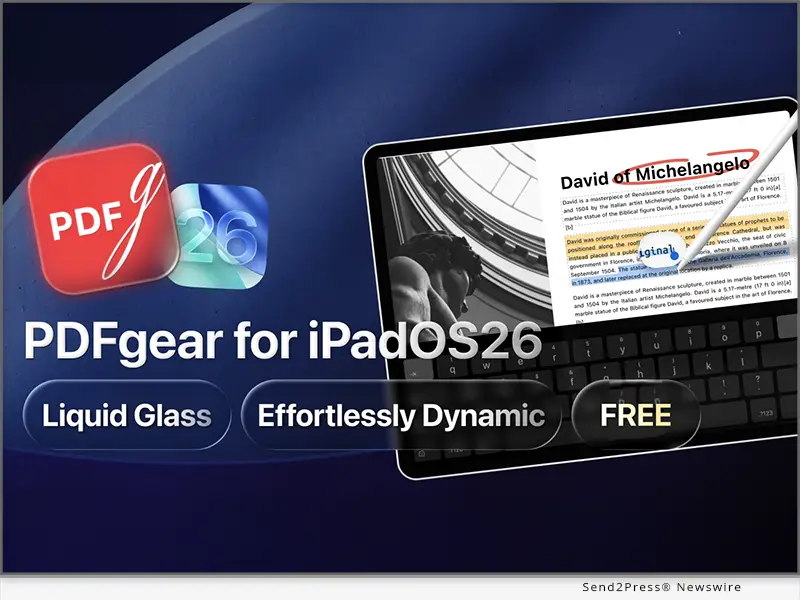
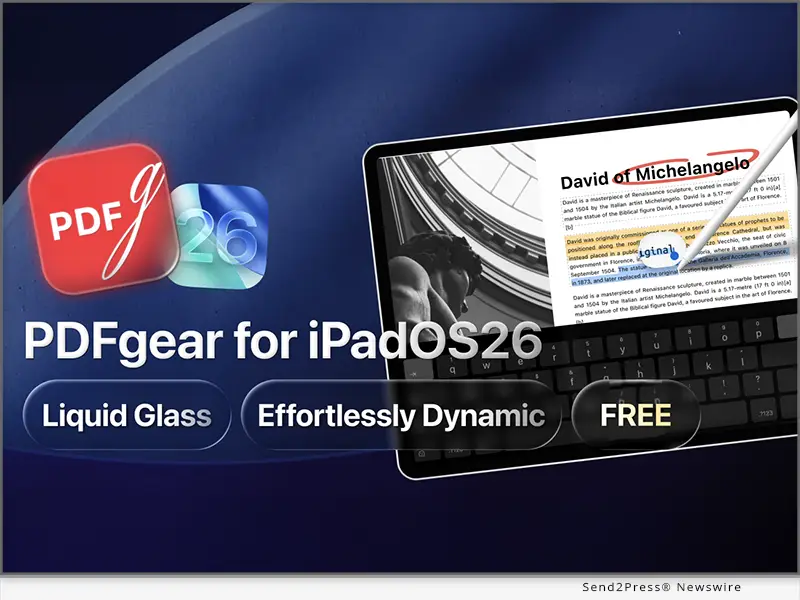
LOS ANGELES, Calif., Nov. 13, 2025 (SEND2PRESS NEWSWIRE) — PDFgear today introduced a stunning new version for iPadOS 26, reimagining how PDFs look and flow on the iPad. Built on Apple’s Liquid Glass design language, the new version delivers a fluid, dynamic PDF editing experience. With refined visuals and intuitive multitasking, PDFgear for iPad offers users a more productive, elegant way to work with PDFs.

PDFgear for iPadOS 26
Image caption: PDFgear for iPadOS 26.

PDFGEAR FOR IPAD: WHAT’S NEW AND HOW IT TRANSFORMS?

Beyond a refreshed interface, PDFgear for iPad delivers an optimized experience that puts control, flexibility, and speed at users’ fingertips.

A New Menu Bar can now be accessed with a simple swipe, giving users instant access to key tools and workspace options.

Multi-window support allows users to open and manage multiple PDFs at once, switch between documents, compare files side by side, or move one to the background.

The Search bar is redesigned to make finding documents more intuitive. Users can search across Files, Recents, or Favourites, preview results and locate their files with a single tap.

With the support for trackpads, mice, and keyboard shortcuts, PDFgear transforms the iPad into a true desktop-class PDF editor built for office productivity.

POWERFUL PDF EDITING CAPABILITIES

Beyond the new design, PDFgear for iPad remains a powerful and complete PDF solution. Users can view documents, edit text and images directly, annotate, fill forms, E-sign and manage pages. It also supports file conversion, compression, and AI-powered document assistance that summarises and explains content instantly.

PDFGEAR’S FREE MODEL AND SAFETY

Unlike most PDF editors that lock features behind paywalls, PDFgear offers an extensive, professional-grade PDF toolkit for completely free.

As PDFgear’s user base continues to grow, some competitors have attempted to discredit it by spreading false claims about the product. According to the company’s official statement, PDFgear has been targeted in a coordinated online smear campaign involving fabricated posts and disinformation spread across Reddit communities.

“It’s easy for people to assume that free software might come with malware, but that’s not the case,” said a PDFgear spokesperson. “PDFgear has no malware or spyware, and we always put user privacy first. Every version is verified clean by VirusTotal, one of the most trusted global malware scanning platforms.”

Despite the attacks, PDFgear remains committed to innovation and its mission to provide powerful, secure, and accessible PDF tools for everyone.

AVAILABLE NOW FOR EVERYONE

The new PDFgear for iPadOS 26 is now available at PDFgear’s official website and App Store.

ABOUT PDFGEAR

PDF GEAR TECH PTE. LTD. is dedicated to developing innovative software that simplifies document management. With a strong focus on user experience and cutting-edge technology, PDFgear has provided millions of users worldwide with powerful, easy-to-use, and completely free PDF tools—becoming one of the most popular PDF software brands globally.

NEWS SOURCE: PDFgear


This press release was issued on behalf of the news source (PDFgear), who is solely responsible for its accuracy, by Send2Press Newswire. Image, if any, was provided by the news source and not this website or the wire service. Information is believed accurate, as provided by the news source, but is not guaranteed.

To view the original story, visit: https://www.send2press.com/wire/pdfgear-for-ipad-brings-liquid-glass-design-and-best-free-pdf-editing-to-everyone/

Copr. © 2025 Send2Press® Newswire, Calif., USA. -- REF: S2P STORY ID: S2P130987 NOREL-3B


Microsoft Lens is shutting down, but a 100% Free PDF scanner app awaits

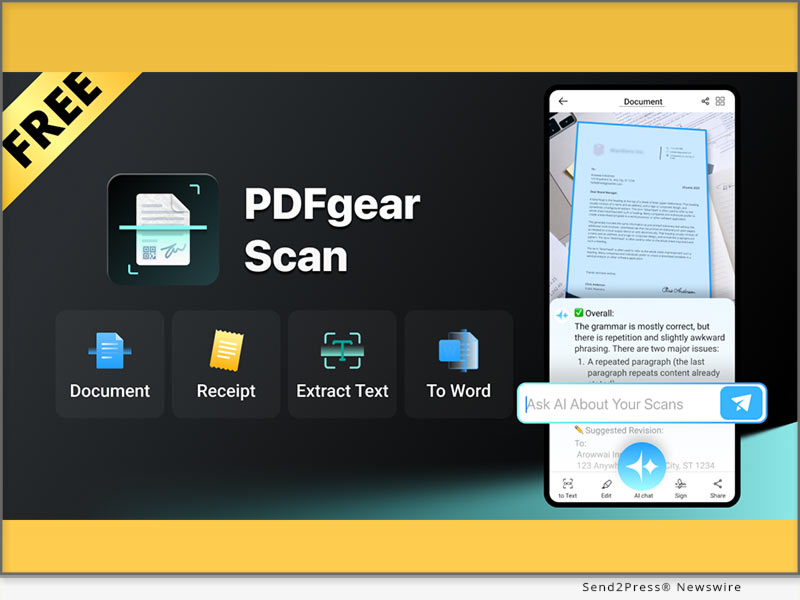
PDFgear Scan could be the best alternative to Microsoft Lens because it matches the core functionalities users rely on

LOS ANGELES, Calif., Aug 14, 2025 (SEND2PRESS NEWSWIRE) — Microsoft has confirmed that Lens, its popular free mobile scanner app, will be retired starting September and be removed from app stores by mid-November this year, says PDFgear. As a result, millions of Lens users will soon be looking for an alternative, ideally one that offers the same experience and remains free to use.

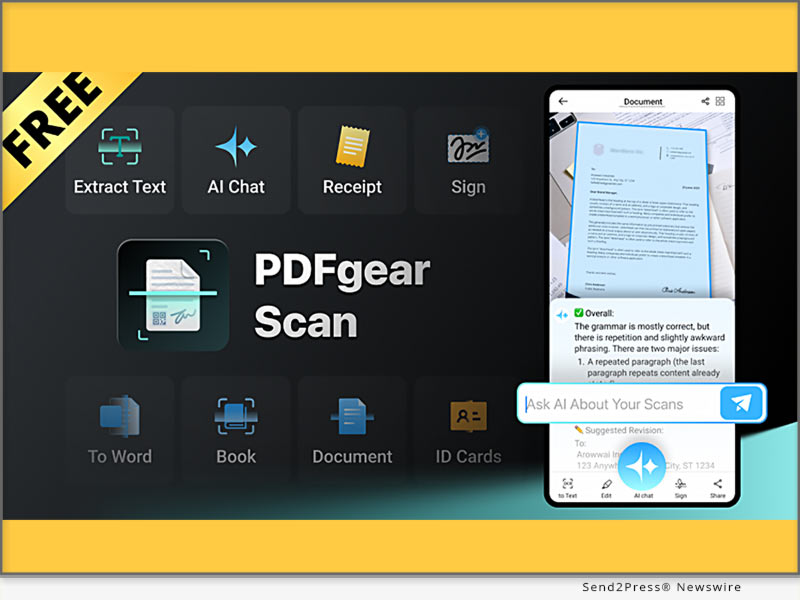
PDFgear Scan
Image caption: PDFgear Scan.

WHAT HAPPENED TO MICROSOFT LENS?

Over the past decade, Microsoft Lens has evolved from its beginnings as Office Lens on Windows Phone to amass over 92 million downloads, becoming a widely trusted mobile app known for its simple, powerful, and free scanning and conversion features.

The reason Microsoft is retiring Lens is part of its strategy to consolidate standalone utilities into its AI-driven app, Microsoft 365 Copilot. On its support page, it recommended that users migrate to the Copilot app, which also offers a built-in scanning feature. However, Copilot lacks key Lens features many users rely on, including direct saves to PowerPoint, Word, and OneNote, business card scanning to OneNote, read-aloud, and Immersive Reader integration.

ARE THERE FREE LENS ALTERNATIVES THAT TRULY WORK?

Apparently, the best alternative to Lens is not Microsoft’s own Copilot. People naturally prefer a dedicated scanning app over a multi-purpose AI platform where scanning is only a secondary function. While options like Adobe Scan, Apple Notes, and Genius Scan exist, most of them lock key tools behind paywalls or lack advanced capabilities like OCR and auto classification.

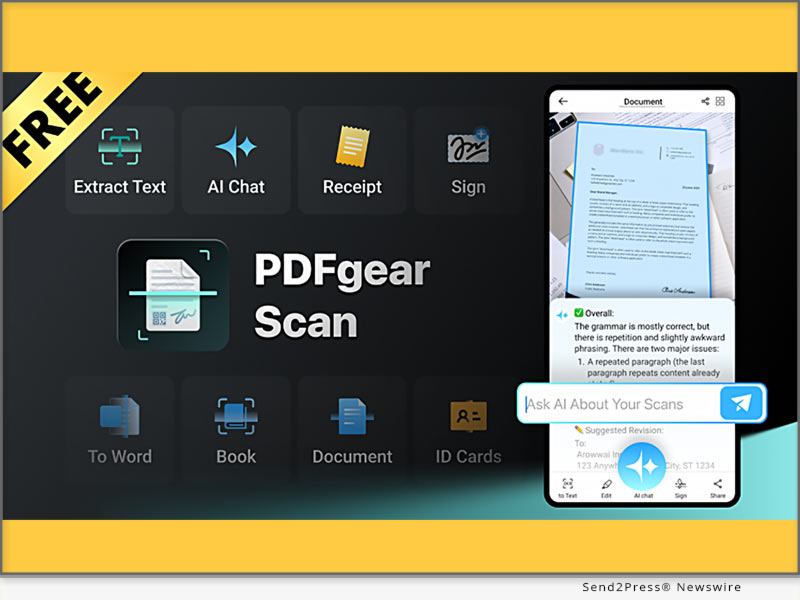
Among them, PDFgear Scan is the exception. It is a feature-rich, dedicated scanner app that turns paper documents into clean, editable digital files. Even better, it’s completely free, with no ads and no usage limits.

The company also addressed concerns about why its popular PDF editor and scanner app are offered for free.

IS PDFGEAR SCAN THE BEST FREE SCANNER TO SWITCH TO?

PDFgear Scan should be the best alternative to Microsoft Lens because it matches the core functionalities users rely on Lens while adding advanced capabilities that go far beyond basic scanning.

Smart Scanning: Automatically detects edges and crops, with specific scanning modes for contracts, receipts, IDs, and bar codes.

AI-Powered: The built-in AI can analyze scanned content and provide instant answers and summaries through chat.

PDFgear Scan is available for free download on Google Play and App Store.

Microsoft killing off Lens reflects big tech’s tendency to fold standalone tools into large AI platforms at the cost of speed, simplicity and users experience. In contrast, small, focused developers like PDFgear can seize the opportunity and stay competitive by excelling in a specific domain and putting users’ real needs first.

Learn more about PDFgear: https://www.pdfgear.com/

ABOUT PDFGEAR

PDF GEAR TECH PTE. LTD. is a company dedicated to creating innovative software solutions that simplify document management. With a focus on user experience and cutting-edge technology, PDFgear aims to empower users worldwide with PDF tools that enhance productivity and collaboration.

NEWS SOURCE: PDFgear


This press release was issued on behalf of the news source (PDFgear), who is solely responsible for its accuracy, by Send2Press Newswire. Image, if any, was provided by the news source and not this website or the wire service. Information is believed accurate, as provided by the news source, but is not guaranteed.

To view the original story, visit: https://www.send2press.com/wire/microsoft-lens-is-shutting-down-but-a-100-free-pdf-scanner-app-awaits/

Copr. © 2025 Send2Press® Newswire, Calif., USA. -- REF: S2P STORY ID: S2P128472 NOREL-3B


PDFgear Scan, Finally, a Completely Free AI Scanner App for All

Scanning, editing, OCR, and AI chat in one app

LOS ANGELES, Calif., July 21, 2025 (SEND2PRESS NEWSWIRE) — PDFgear today launched PDFgear Scan, the world’s first free AI-powered scanner app. The app turns paper documents into clean, editable digital files like PDF or Word in seconds. More impressively, it comes with no ads, usage limits, and no cost. With this launch, PDFgear Scan sets a new benchmark for mobile scanning by combining AI with truly free access for everyone.

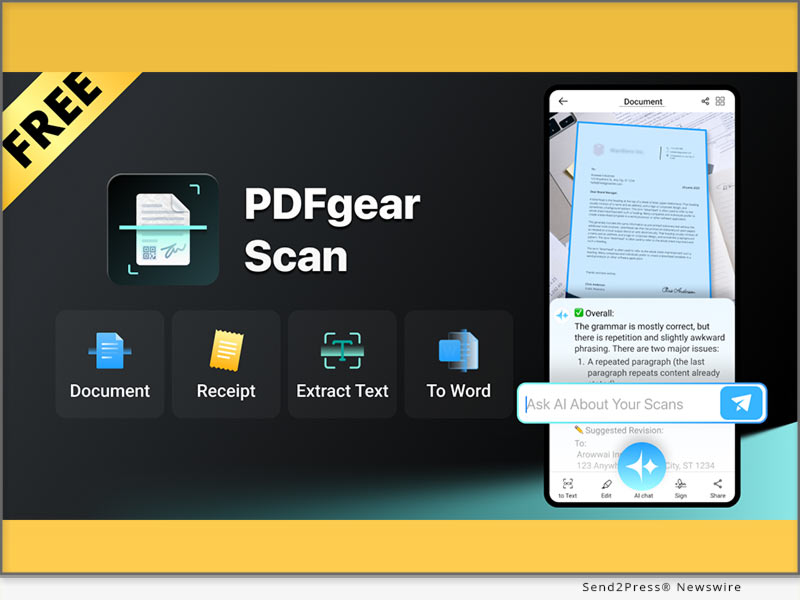
PDFgear Scan, Finally, a Truly Free AI Scanner App for All
Image caption: PDFgear Scan, Finally, a Truly Free AI Scanner App for All.

WHAT SETS PDFGEAR SCAN APART?

  • All-in-One: Scanning, editing, OCR, and AI chat in one app
  • Completely Free: No cost, no features behind paywall
  • No Ads or Limits: Fast, clean and distraction-free
  • AI-Powered: Instantly analyze and answer questions

KEY FEATURES AND UPDATES

Smart Scanning: Auto-detects edges and crops for sharp and high-quality results. With dedicated scanning modes for contracts, receipts, IDs, and bar codes.

OCR and Editing: Convert scans to editable text with powerful OCR, add e-signatures, and export as PDF, Word, and more.

Receipts to Expense Reports: Automatically classify receipt items into expense reports to simplify budgeting and reimbursements.

AI Analyze Scans: The built-in AI can analyze scanned content, answer questions, and provide step-by-step explanations for tasks like math, homework, or instructions.

Filters and Signatures: Multiple filters to enhance the quality. Create and insert signatures.

Doc Management and Sharing: Add, rotate, delete, and reorder pages with ease. Share scanned documents in formats like PDF, Word, Images, or long images.

HOW PDFGEAR KEEPS AI PRACTICAL?

PDFgear pioneered AI integration in 2023 with the first AI PDF chatbot. Now, PDFgear Scan again brings that innovation to its mobile scanner app. Users can ask questions, get summaries, extract key details, or solve school academic questions by interacting with scans.

ANOTHER FREE APP? PDFGEAR’S ONGOING MISSION

When PDFgear launched its first product, the PDFgear PDF editor, it did what others wouldn’t: a premium PDF editor for completely free. That move quickly earned PDFgear a strong user base and decent reputation.

“Many scanner apps claim to be free, but flood users with ads or pressure them to pay at every turn,” said a PDFgear spokesperson. “PDFgear Scan continues our ongoing mission to provide simple, useful, and accessible tools that get things done without drama or frictions.”

So far, PDFgear hasn’t charged users anything, which often leads to the question: How is it free? The company has made its position clear that PDFgear is not chasing quick profits. Instead, it is focused on delivering real value.

Though optional premium features may be added in the future, core tools will remain free and accessible to all.

AVAILABLE NOW

PDFgear Scan is available for download on Google Play for Android, the App Store for iOS, and from the PDFgear Scan official website.

PDFgear Scan Website: https://www.pdfgear.com/scanner-app

ABOUT PDFGEAR

PDF GEAR TECH PTE. LTD. (“PDFgear”) is a company dedicated to creating innovative software solutions that simplify document management. With a focus on user experience and cutting-edge technology, PDFgear aims to empower users worldwide with PDF tools that enhance productivity and collaboration.

NEWS SOURCE: PDFgear


This press release was issued on behalf of the news source (PDFgear), who is solely responsible for its accuracy, by Send2Press Newswire. Image, if any, was provided by the news source and not this website or the wire service. Information is believed accurate, as provided by the news source, but is not guaranteed.

To view the original story, visit: https://www.send2press.com/wire/pdfgear-scan-finally-a-completely-free-ai-scanner-app-for-all/

Copr. © 2025 Send2Press® Newswire, Calif., USA. -- REF: S2P STORY ID: S2P127872 NOREL-3B


PDFgear Launches its World-First Local Processing Online PDF Tools for Superior Privacy and Speed

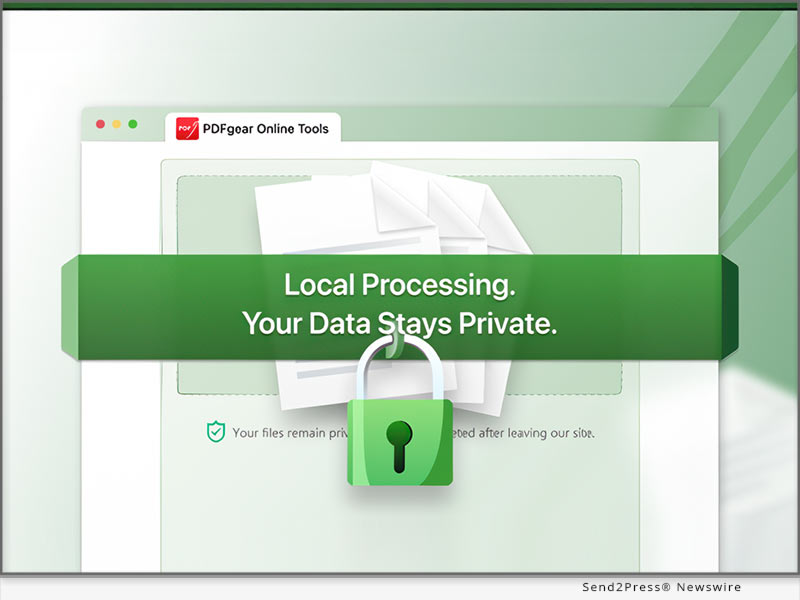
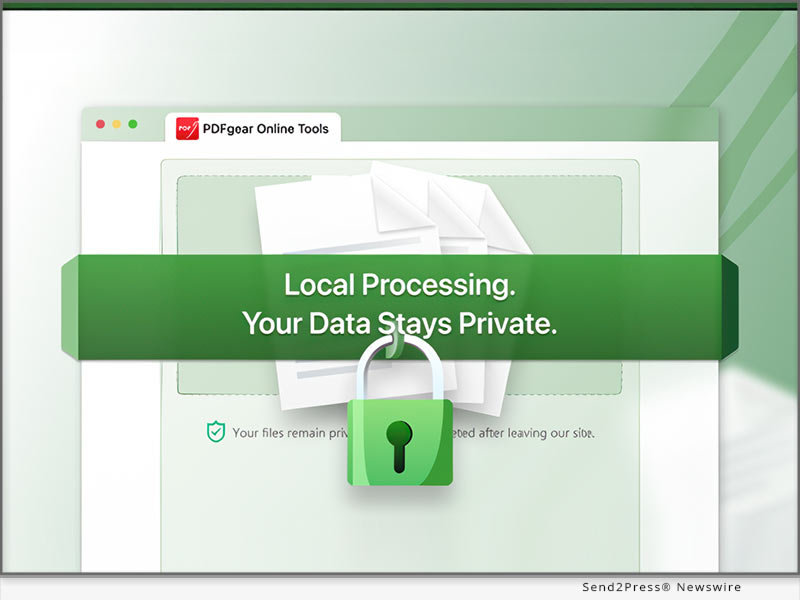
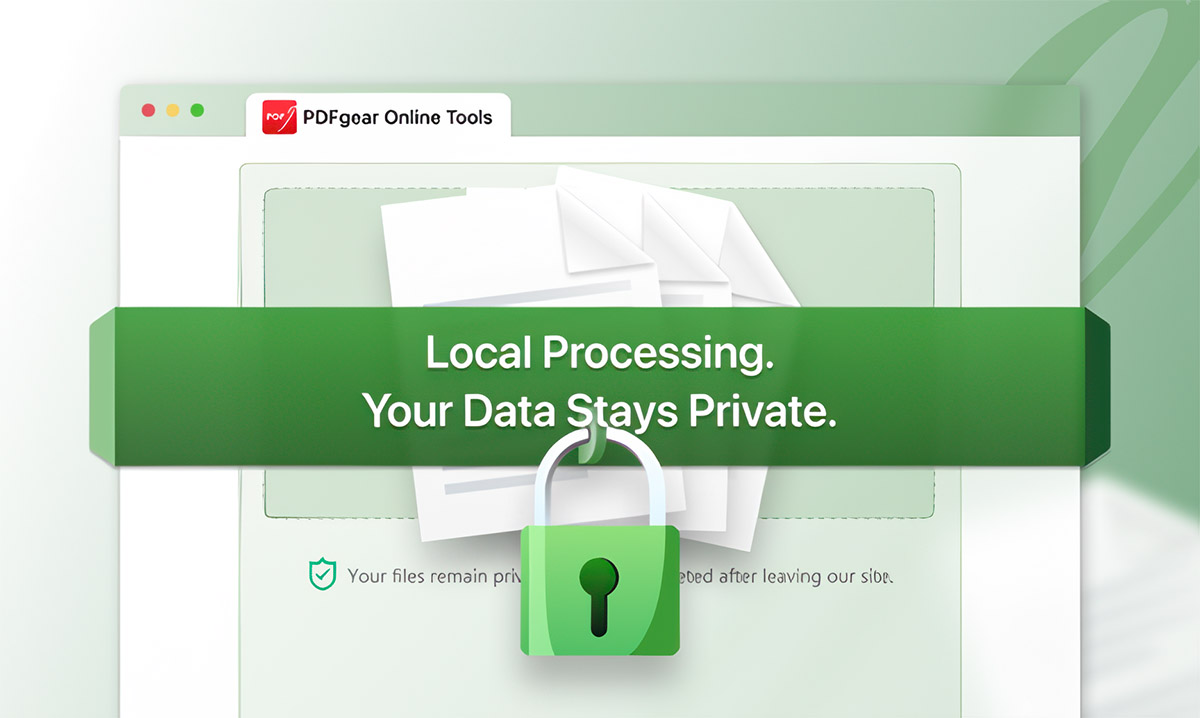
LOS ANGELES, Calif., April 2, 2025 (SEND2PRESS NEWSWIRE) — PDFgear, a leading innovator in PDF solutions, launched a groundbreaking set of browser-based PDF tools designed for exceptional privacy and speed. The tools enable users to make changes to PDFs locally in browsers without uploading data to external servers. This launch redefines online PDF manipulation by protecting user privacy while maintaining high performance.

PDFgear Online PDF Tools
Image caption: PDFgear Online PDF Tools.

DATA SECURITY CONCERNS IN CLOUD-BASED ONLINE PDF TOOLS

A recent Malwarebytes report revealed 644,869 sensitive files exposed in a publicly accessible cloud container, including personal data like property ownership, criminal records, and background checks. This also reflects the prevalent security concerns for users of cloud-based PDF management tools.

PDFGEAR INTRODUCES FIRST CLOUD-FREE ONLINE TOOLS

Mainstream browser-based apps require users to upload files to external servers for functions like merging and splitting, falling short in data privacy, network reliance, processing speed and file size limitations.

PDFgear’s secure online PDF tools leverage modern web technologies on the front end to process files entirely in user’s browser. No server uploads, significantly reducing the risk of data exposure. The user workflow stays the same, only with the underlying technology enabling faster performance and enhanced data security.

USER BENEFITS BEYOND JUST SECURITY

1. Total Privacy and Security
Processing files locally in the user’s browser without uploading them to a server means sensitive documents remain completely private.

2. No File Size Limits
Unlike many online PDF tools, PDFgear’s secure online tools allow users to edit documents of any size without limitations.

3. Instant Edits and Faster Results
With processing happening directly on the user’s device, time spent on file transfer, server-side processing, and downloading is significantly reduced.

4. Minimal Data Usage
The streamlined approach loads only essential webpage elements, making it ideal for mobile and low-bandwidth environments.

PDFGEAR’S SECURE ONLINE TOOLS ARE AVAILABLE NOW

PDFgear Secure Online PDF tools include 5 essential online tools as part of the initial offering. Committed to user privacy, the company plans to expand its secure toolset based on real-time feedback and evolving user needs. Like all PDFgear Online PDF Tools, the new secure online tools are completely free to use.

  • Online Delete PDF – Remove unwanted pages from a PDF
  • Online Split PDF – Split a PDF into multiple files.
  • Online Extract PDF – Select and extract specific pages from a PDF.
  • Online Crop PDF – Adjust page margins and trim PDF content.
  • Online Add PDF Pages – Add new pages to existing PDFs.

The secure online tools can be especially valuable or privacy-focused professionals, such as businesses and enterprises, educators and students, and users in privacy-sensitive regions.

About PDFgear

PDF GEAR TECH PTE. LTD. is a company dedicated to creating innovative software solutions that simplify document management. With a focus on user experience and cutting-edge technology, PDFgear aims to empower users worldwide with PDF tools that enhance productivity and collaboration.

Learn more: https://www.pdfgear.com

IMAGE LINK: https://www.Send2Press.com/300dpi/25-0402-s2p-pdfgear-300dpi.jpg

Caption: PDFgear Online PDF Tools.

MEDIA CONTACTS:
blair_zhou@pdfgear.com
amelie@pdfgear.com

NEWS SOURCE: PDFgear


This press release was issued on behalf of the news source (PDFgear), who is solely responsible for its accuracy, by Send2Press Newswire. Image, if any, was provided by the news source and not this website or the wire service. Information is believed accurate, as provided by the news source, but is not guaranteed.

To view the original story, visit: https://www.send2press.com/wire/pdfgear-launches-its-world-first-local-processing-online-pdf-tools-for-superior-privacy-and-speed/

Copr. © 2025 Send2Press® Newswire, Calif., USA. -- REF: S2P STORY ID: S2P125202 NOREL-3B


PDFgear, the Most Popular Free PDF Editor, is Finally on Android for All

LOS ANGELES, Calif., Nov. 18, 2024 (SEND2PRESS NEWSWIRE) — The renowned software solution innovator PDFgear today introduced the Android version of its free PDF editor. This anticipated and sought-after update is finally in place. With that release, PDFgear became the only free and AI-powered PDF editor that works on all mainstream platforms including Windows, Mac, iOS, and Android.

PDFgear for Android
Image caption: PDFgear for Android.

In a marketplace saturated with generic offerings, PDFgear distinguishes itself as a one-of-a-kind PDF editor with its powerful features, free and cross-platform nature, integration with bleeding-edge AI, and reliable performance.

A WIDE RANGE OF CAPABILITIES

PDFgear for Android delivered an unparalleled document management experience for Android users through the ease of use and impressive functionalities:

  • Edit text and images in PDF
  • Merge, split, and extract pages from PDF
  • Convert PDF to/from Word, JPG, Excel, PPT, and more
  • Compress PDFs to significantly reduce file sizes
  • Chat with, summarize, rewrite, and translate PDFs using AI
  • Fill out and sign on PDF forms on mobile
  • Annotate, highlight, strikethrough, and underline PDF
  • Drag and drop page thumbnails to reorder PDF pages

THE ONLY FREE PDF EDITOR FOR ALL OPERATING SYSTEMS

In recent years, PDFgear has gained immense popularity with its free-to-use nature, which sets it apart from the majority of its counterparts that usually hide key features behind a paywall.

Now with that Android release, users on all kinds of devices can leverage this free and powerful PDF editing solution to manage their PDF works on the go, without spending a dime.

According to the official statement, the decision to provide this service at no charge is primarily a strategic move to build a user base and gather valuable feedback, and PDFgear is currently financed by healthy initial investments.

INTEGRATION WITH CUTTING-EDGE AI

PDFgear always stands as a pioneer in integrating AI into PDF editing & reading. Earlier in 2023, it was the first software provider to introduce a groundbreaking AI PDF chatbot.

Now PDFgear app helps users do a variety of things with AI:

  • Summarization: Quickly condense lengthy documents into concise summaries.
  • Translation: Users can translate PDF content into over 100 languages.
  • Proofreading: The tool identifies grammatical errors and suggests corrections.
  • Explanation: For challenging passages, the AI provides clear explanations.
  • Rewriting: Rephrase or restructure specific text sections to improve clarity and readability.

Available Now

PDFgear for Android is now available on the Google Play Store. Users can start enjoying the full suite of features immediately without any hidden costs or limitations.

Learn more: https://play.google.com/store/apps/details?id=com.pdfeditor.pdfeditorandriod

About PDFgear

PDFgear is developed by PDF GEAR TECH PTE. LTD. is a company dedicated to creating innovative software solutions that simplify document management. With a focus on user experience and cutting-edge technology, PDFgear aims to empower users worldwide with tools that enhance productivity and collaboration in handling PDFs.

For more information about PDFgear and software download, please visit: https://www.pdfgear.com

MEDIA ONLY CONTACTS:
blair_zhou@pdfgear.com
amelie@pdfgear.com

NEWS SOURCE: PDFgear


This press release was issued on behalf of the news source (PDFgear), who is solely responsible for its accuracy, by Send2Press Newswire. Image, if any, was provided by the news source and not this website or the wire service. Information is believed accurate, as provided by the news source, but is not guaranteed.

To view the original story, visit: https://www.send2press.com/wire/pdfgear-the-most-popular-free-pdf-editor-is-finally-on-android-for-all/

Copr. © 2024 Send2Press® Newswire, Calif., USA. -- REF: S2P STORY ID: S2P122352 NOREL-3B


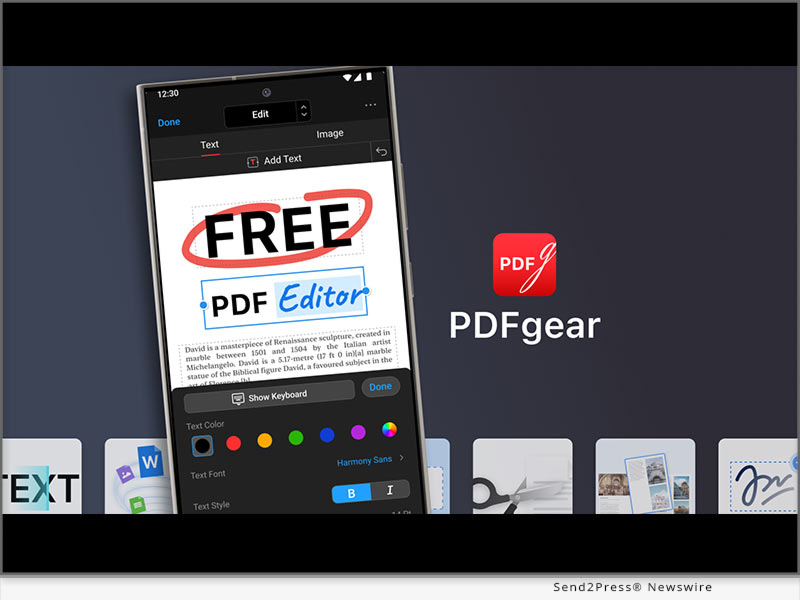
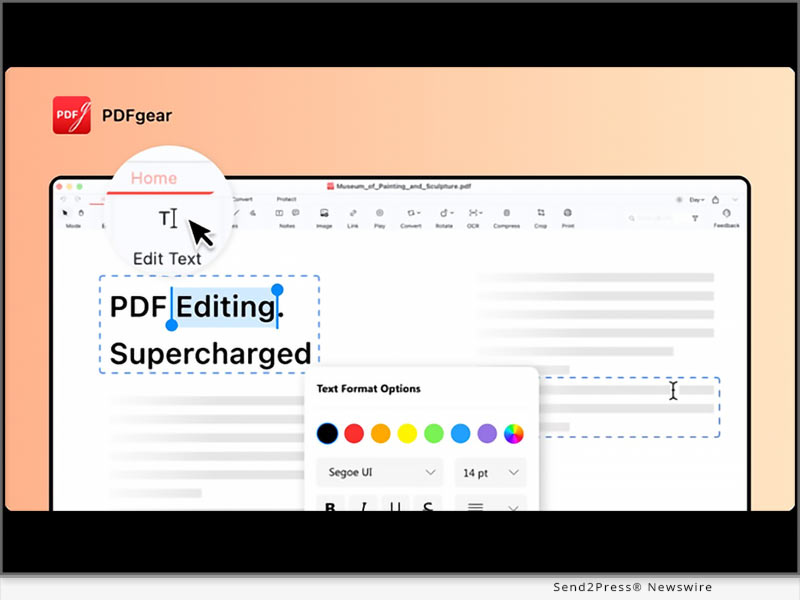
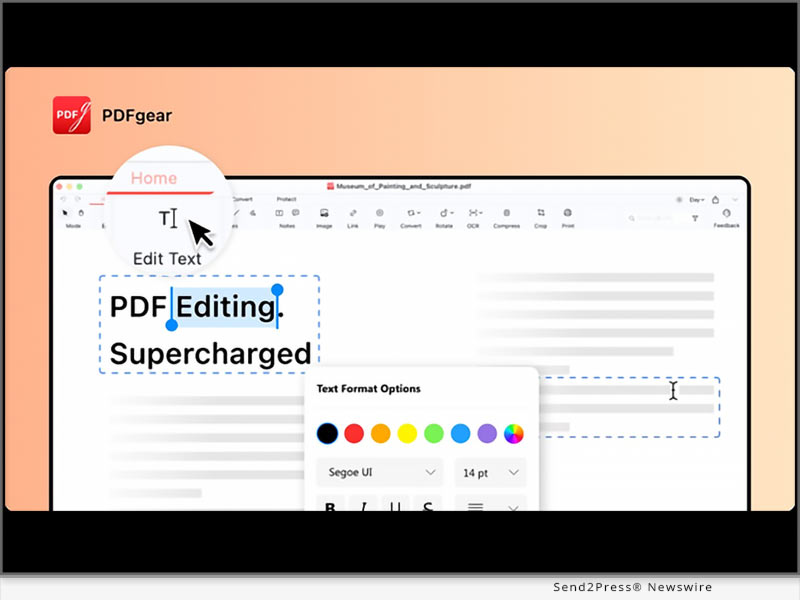
PDFgear Brings a Completely Free PDF Text Editing Feature Solution

LOS ANGELES, Calif. /ScoopCloud/ -- PDFgear, a leading provider of PDF solutions, announced a piece of exciting news for everyone who works extensively with PDF documents. The company has introduced a free and comprehensive text editing feature in its PDF editor software, which enables users to instantly modify, format, and manipulate text within PDF documents, without expensive subscription-based software.

This innovative offering aims to deliver costless PDF text editing solutions to paperless document working in different industries.

PDF Text Editing Made Free

Unlike premium PDF editing software like Adobe Acrobat which often charges for text editing capabilities, PDFgear delivers a full set of pro-level PDF text editing features to global users for free.

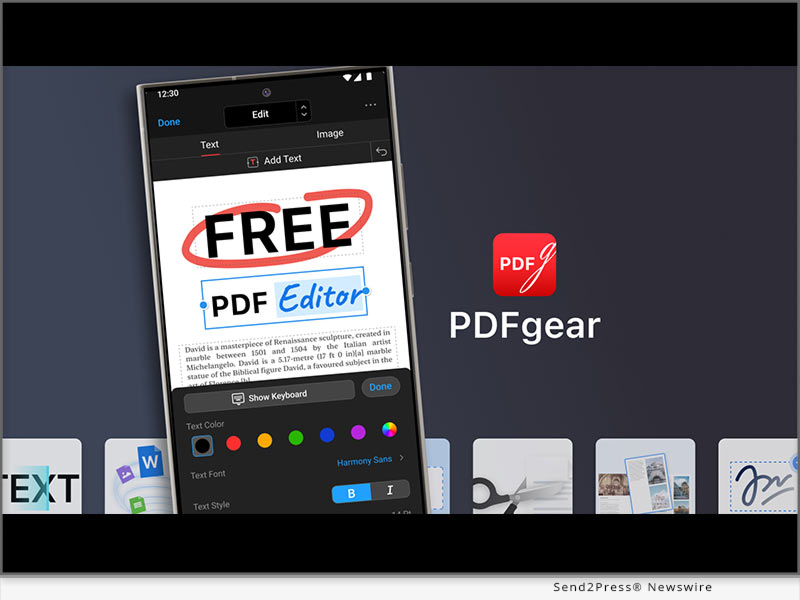
Users can effortlessly replace, add, delete, move, and rearrange text, and change fonts/typefaces, all without compromising the original formatting of the document.

"Our goal with PDFgear is to make PDF text editing accessible to everyone," said Patrick, head of product at PDFgear. "We understand that while PDFs are ideal for sharing, they have been challenging to edit. With our free text editing feature, users no longer have to rely on expensive software to make changes to their PDFs. Meanwhile, we have made the process as simple and intuitive as possible, resembling the familiar experience of editing a Microsoft Word document."

Powerful and Flexible Text Editing

PDFgear's text editing feature offers a wide range of benefits and flexibility. Users can instantly select text in a PDF and make edits without inserting text boxes or using alike workarounds.

The ability to insert, replace, delete, move, and rearrange text allows for quick and precise modifications to the content.

Additionally, users have the freedom to customize text formatting, including text fonts, styles, sizes, and the underlining and strikethrough for annotations.

For those who solely look for changes in the content, the original formatting of the text in your PDF document is retained throughout the editing process.

Comprehensive PDF Editing Solutions

In addition to text editing, PDFgear provides extensive PDF editing features, enabling users to insert images, fill out PDF forms, manage page numbers, add signatures and comments, remove or add watermarks, highlight text, etc.

Edit Text in Scanned Document PDFs

PDFgear goes beyond conventional PDF editing capabilities by incorporating cutting-edge OCR technology.

This enables users to convert scanned PDFs to fully editable Microsoft Word documents, and PDFgear ensures precise text recognition and extraction from scanned PDF documents.

And PDFgear's OCR feature is free of charge as well.

Learn more: https://www.pdfgear.com/pdf-editor-reader/

About PDFgear:

PDFgear is a leading provider of PDF solutions. PDFgear focuses on innovative features and user-friendly design and offers a comprehensive suite of free tools to empower individuals, businesses, and organizations to work efficiently with PDF documents.

For software download or more information about PDFgear, please visit: https://www.pdfgear.com/

News from PDFgear

PDFgear, a leading provider of PDF solutions, announced a piece of exciting news for everyone who works extensively with PDF documents. The company has introduced a free and comprehensive text editing feature in its PDF editor software, which enables users to instantly modify, format, and manipulate text within PDF documents.

Related link: https://www.pdfgear.com/

This version of news story was published on ScoopCloud™ (ScoopCloud.com) - part of and © the Neotrope® News Network - all rights reserved.