Tag Archives: Android OS

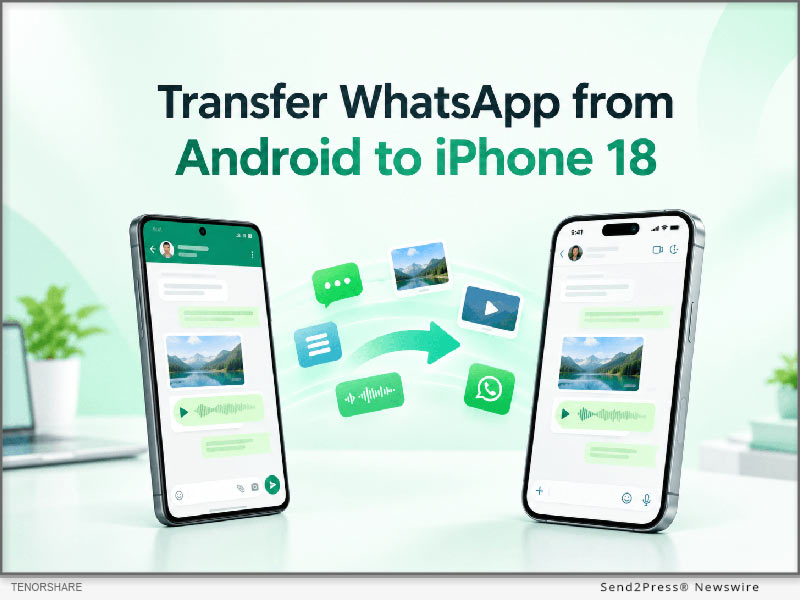
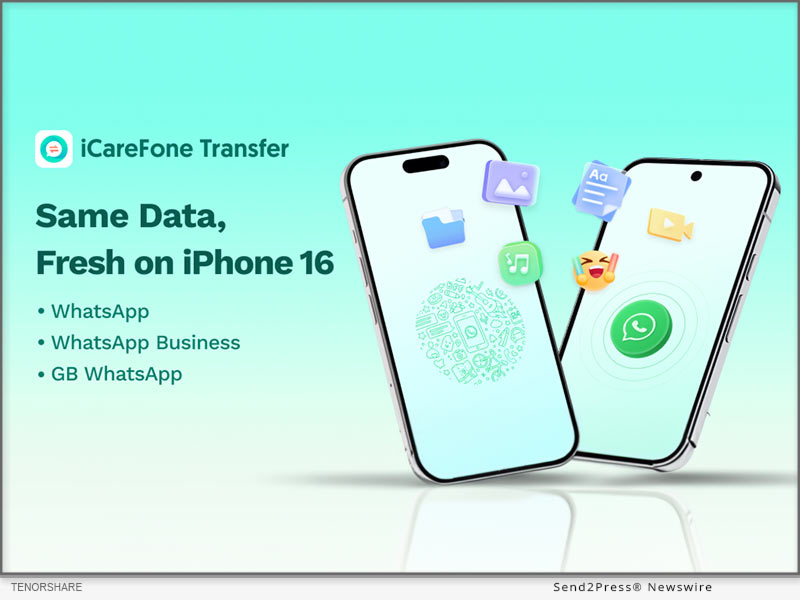
Tenorshare Guides: How to Transfer WhatsApp from Android to an iPhone 18 Pro

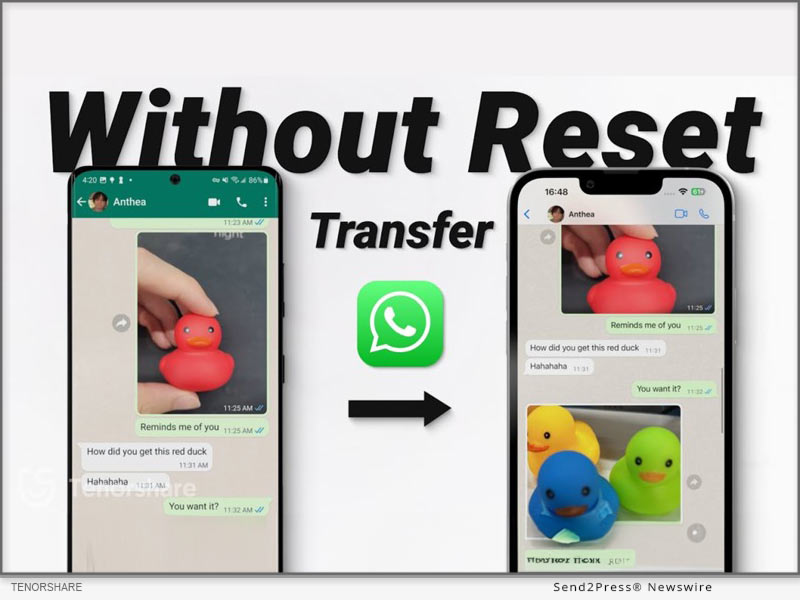
Tenorshare iCareFone Transfer software is for those who want to transfer WhatsApp from Android to iPhone without factory reset

NEW YORK, N.Y., Sept. 18, 2026 (SEND2PRESS NEWSWIRE) — Tenorshare has just put out a detailed new guide that walks you through exactly how to transfer WhatsApp from Android to iPhone 18 Pro. The resource addresses common challenges with cross-platform WhatsApp transfers, including how to preserve chats and media when moving data to an already set up iPhone. It provides practical solutions to help users transfer their important WhatsApp data safely and avoid data loss during an iPhone upgrade.
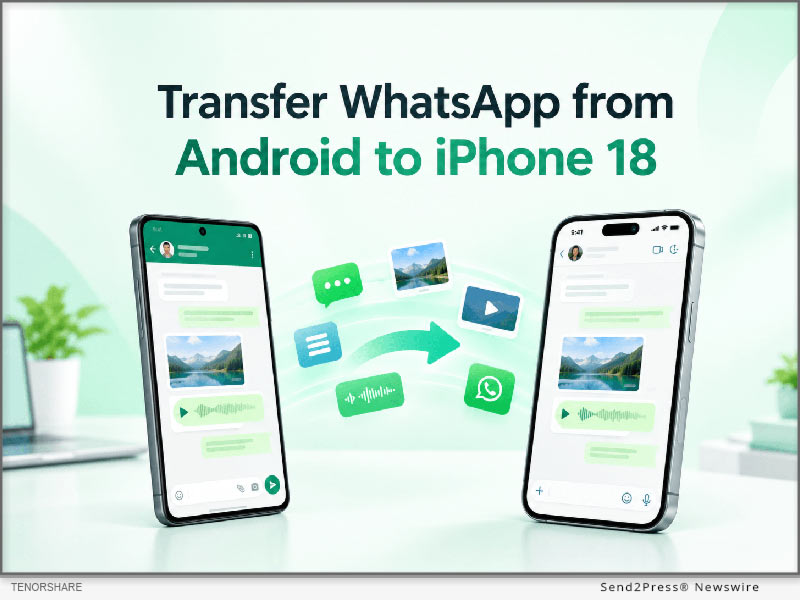
How to Transfer WhatsApp from Android to iPhone Including iPhone 18
Image caption: How to Transfer WhatsApp from Android to iPhone Including iPhone 18.

“The main purpose of this guide is to offer a clear roadmap for mobile users who want to keep their messaging history intact,” said a Tenorshare spokesperson. “When upgrading to iPhone 18 Pro, our goal is to help users preserve their important WhatsApp data and avoid the data loss issues that can come with device upgrades.”

For those users who are looking for a direct software solution to transfer WhatsApp from Android to iPhone, the guide introduces Tenorshare iCareFone Transfer as the main method. This software is for those users who want to transfer WhatsApp from Android to iPhone without factory reset. As the utility is completely compatible with existing iPhone 18 Pro setup, users don’t need to erase the existing iPhone data.

The app is designed to transfer WhatsApp messages from Android to iPhone securely, ensuring that text conversations, media files and attachments make their way across platforms without a hitch. iCareFone Transfer is a great choice for users who want to transfer WhatsApp chats from Android to iPhone in a complete way in a desktop-controlled environment.

The transfer process with the use of this software consists of exactly three steps:

Step 1: Connect Android Phone and iPhone to Computer.

Step 2: Backup WhatsApp data and Confirm Account Information.

Step 3: Directly transfer selected data to iPhone 18 Pro.

The guide references Move to iOS as the default option in passing for users asking how to make this transfer free of charge. But Move to iOS is typically used when you first set up your iPhone, so if your iPhone is already set up, you may need to erase it first.

Consumers can refer to the guide and choose the right way to transfer according to the state of their iPhone, whether it has been set up or still in the original factory state.

To learn more about the recommended tool and read the full guide, users can visit the iCareFone Transfer product page at: https://www.tenorshare.net/ads/icarefone-whatsapp-transfer-backup-restore-2.html or download the app at Play Store.

About Tenorshare

Founded in 2007, Tenorshare is an international software company that specializes in data management, system repair, password recovery and device transfer solutions. The company builds utilities that help smartphone and computer users secure their digital data.

For more information: https://www.tenorshare.com/

Facebook: https://www.facebook.com/TenorshareOfficial/

X/Twitter: https://twitter.com/Tenorshare_Inc

YouTube: https://www.youtube.com/user/TenorshareOfficial/videos

NEWS SOURCE: Tenorshare Co. Ltd.


This press release was issued on behalf of the news source (Tenorshare Co. Ltd.), who is solely responsible for its accuracy, by Send2Press Newswire. Image, if any, was provided by the news source and not this website or the wire service. Information is believed accurate, as provided by the news source, but is not guaranteed.

To view the original story, visit: https://www.send2press.com/wire/tenorshare-guides-how-to-transfer-whatsapp-from-android-to-an-iphone-18-pro/

Copr. © 2026 Send2Press® Newswire, Calif., USA. -- REF: S2P STORY ID: S2P138290 NOREL-3B
 

Coolmuster Counters Rising Cloud Fees with Subscription-Free Android Backup Solution

Coolmuster Android Assistant introduces several distinct operational advantages for full data sovereignty

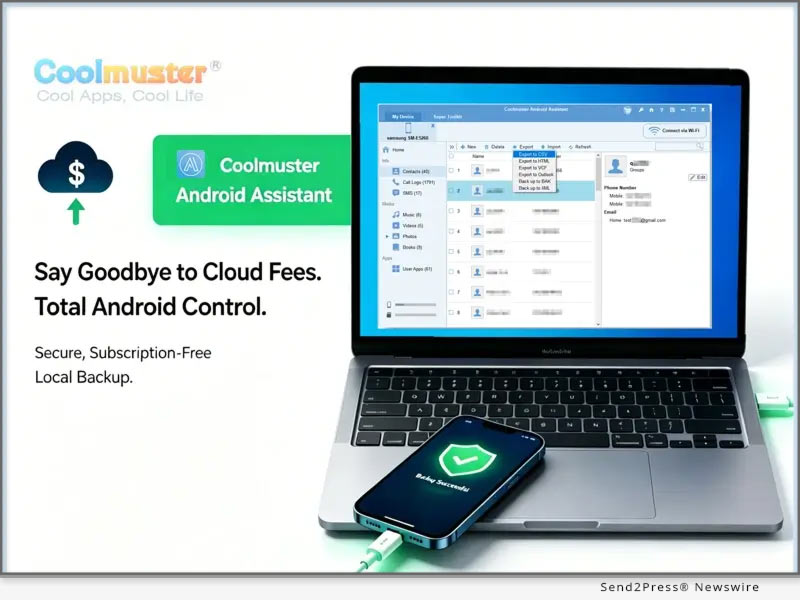
SHENZHEN, China, June 23, 2026 (SEND2PRESS NEWSWIRE) — As cloud subscription fees climb and privacy concerns reach an all-time high, global utility developer Coolmuster today announced a major update to its flagship software, answering a critical consumer question on how to back up an Android phone without relying on third-party remote servers. Coolmuster Android Assistant offers a secure, offline alternative, providing granular local data control and subscription-free security for global users.

Coolmuster Counters Rising Cloud Fees With Subscription-Free Android Backup Solution
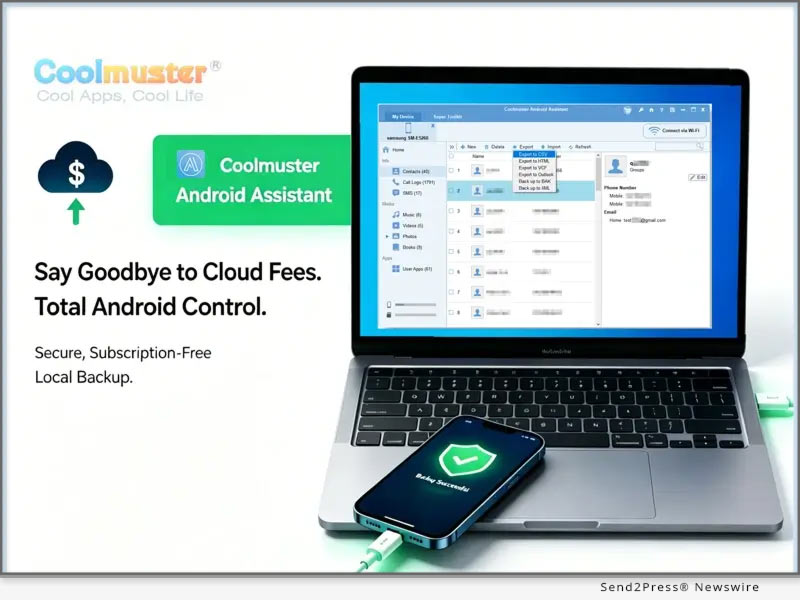
Image caption: Coolmuster Counters Rising Cloud Fees With Subscription-Free Android Backup Solution.

For years, standard market protocols for Android backup restore procedures have depended heavily on automated cloud background syncing. While convenient, these automated cloud solutions often act as a closed system, depriving individuals of granular visibility and professional Android data management capabilities. Coolmuster Android Assistant directly addresses this gap, making it effortless to transfer Android files to PC or Mac computers offline.

GRANULAR VISIBILITY AND DIRECT LOCAL CONTROL

Coolmuster Android Assistant introduces several distinct operational advantages for full data sovereignty:

1. Granular Preview and Selective Transfer

Instead of rigid, all-or-nothing restoration packages, Coolmuster displays all device data on the desktop screen. Users can browse individual text messages, call logs, photos, contacts, etc., selecting precisely which files to transfer.

2. Human-Readable Export Formats

Rather than saving encrypted system files, data is exported into universal formats like HTML, CSV, XML, or VCF. This makes personal data instantly accessible, easy to print, and useful for legal or professional archiving.

3. Two-Way Desktop Management

Beyond backups, the software acts as a full Android data management tool. Users can batch back up Android photos, organize contact directories, and reply to SMS messages directly using a computer.

“Our goal is to offer users a local, offline alternative to cloud-based backup,” said a Coolmuster spokesperson. “By storing backups directly on a PC or Mac via USB or Wi-Fi, users can avoid recurring cloud fees and keep their personal data within their own devices. This update also improves transfer stability, making the process faster and more reliable.”

SYSTEM COMPATIBILITY, PRICING, AND FATHER’S DAY EVENT

Compatible with Windows, Mac, and all major Android OS versions, this Android desktop manager, Coolmuster Android Assistant, offers a free trial, with flexible paid licensing starting at $29.95. To thank users this Father’s Day, Coolmuster offers free software giveaways and a 20% discount on select products at the official Coolmuster Giveaways page.

Learn more: https://www.coolmuster.com/

Watch the video demonstration on how to back up Android phone data to a computer here: https://youtu.be/JgUMFeREjIo

ABOUT COOLMUSTER

With a Trustpilot score of 4.6/5 and over 2 million customers in 160+ countries, Coolmuster is a recognized global software provider. Its portfolio covers intuitive, powerful solutions for Android/iOS data management, office productivity, utilities, and multimedia.

Committed to delivering seamless global accessibility, Coolmuster provides fully adapted regional platforms and localized services across its official websites in English, 日本語, Deutsch, Français, Español, Português, Italiano, 简体中文, 繁體中文, 한국어, Русский, Bahasa Indonesia, and Türkçe.

Social Media

Facebook: https://www.facebook.com/coolmuster

X (Twitter): https://x.com/coolmuster

YouTube: https://www.youtube.com/mycoolmuster

TikTok: https://www.tiktok.com/@coolmuster

NEWS SOURCE: Coolmuster


This press release was issued on behalf of the news source (Coolmuster), who is solely responsible for its accuracy, by Send2Press Newswire. Image, if any, was provided by the news source and not this website or the wire service. Information is believed accurate, as provided by the news source, but is not guaranteed.

To view the original story, visit: https://www.send2press.com/wire/coolmuster-counters-rising-cloud-fees-with-subscription-free-android-backup-solution/

Copr. © 2026 Send2Press® Newswire, Calif., USA. -- REF: S2P STORY ID: S2P136367 NOREL-3B


TunesKit Android Unlocker Released – Remove Android Screen Locks without Passwords

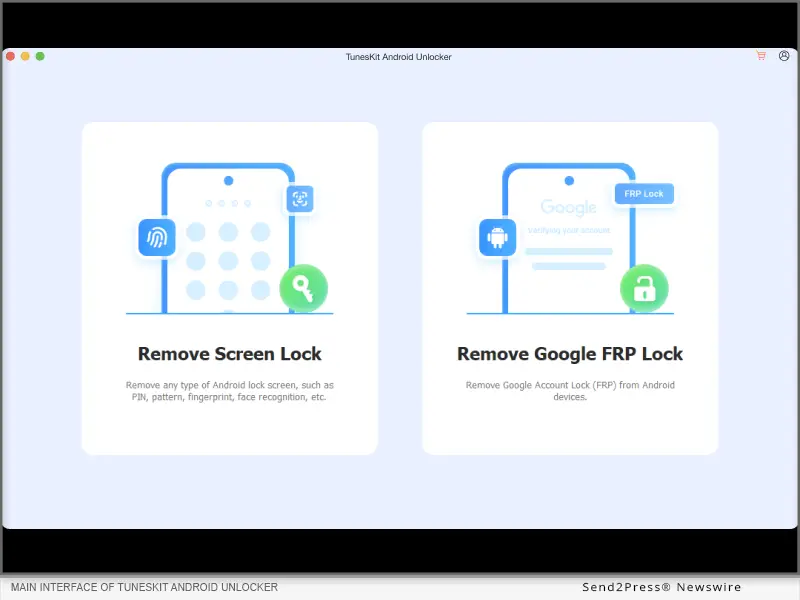
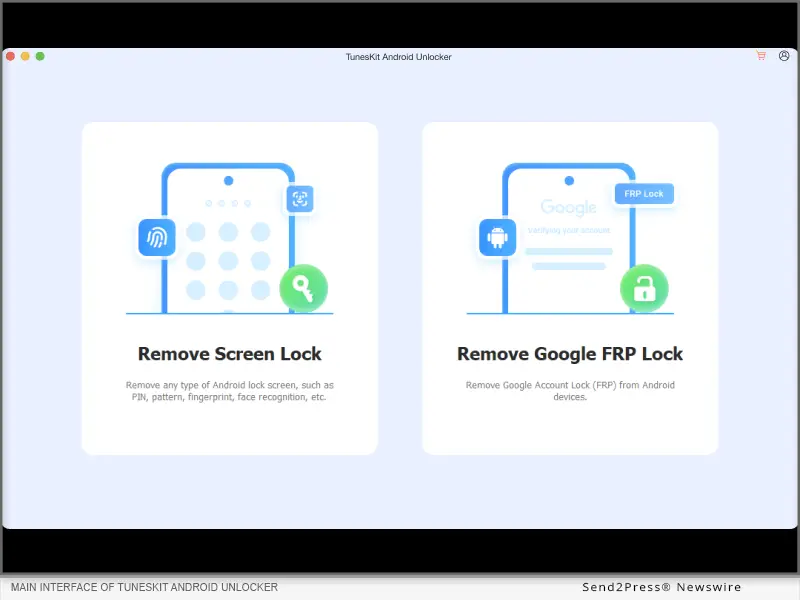
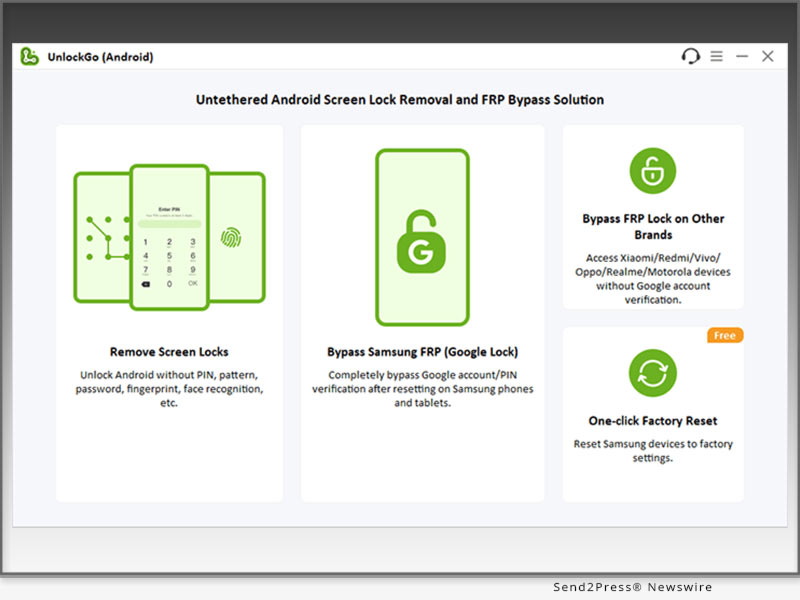
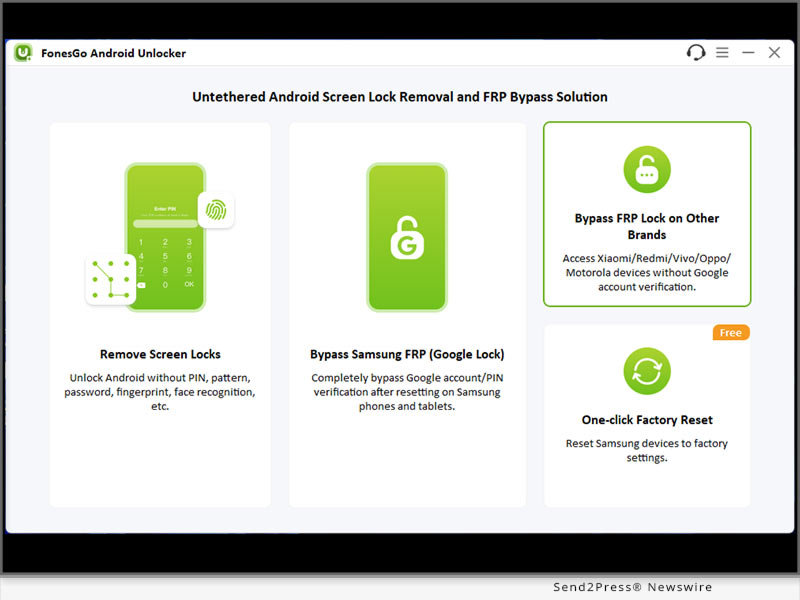
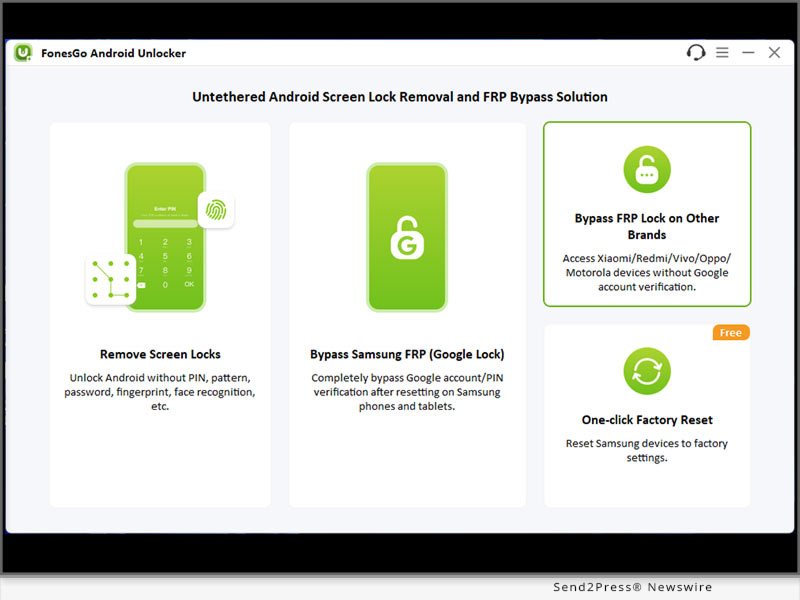
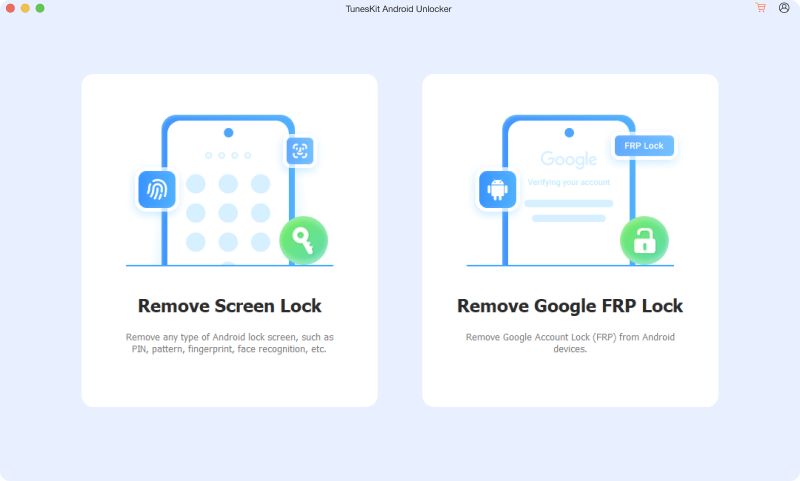
HONG KONG, Dec. 29, 2025 (SEND2PRESS NEWSWIRE) — TunesKit, a leading software developer dedicated to providing top-notch utility solutions, is proud to announce the official release of its latest product, TunesKit Android Unlocker. This powerful tool offers Android users a secure, efficient, and user-friendly way to remove various types of screen locks and bypass Google Factory Reset Protection (FRP) without requiring a Google account or password.

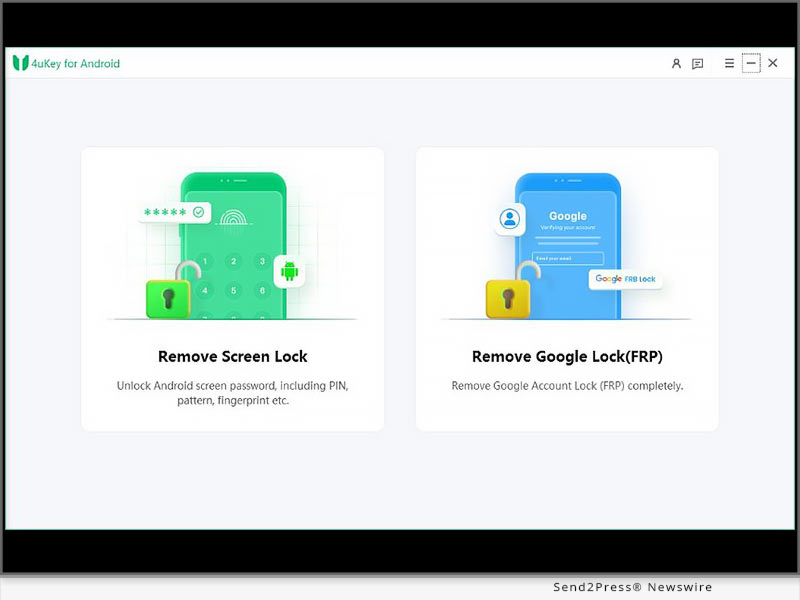
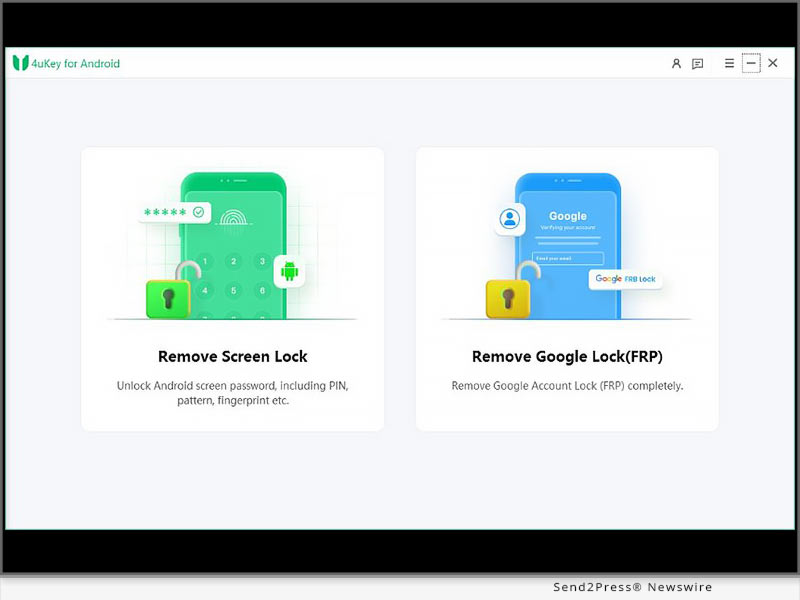
Main Interface of TunesKit Android Unlocker
Image caption: Main Interface of TunesKit Android Unlocker.

In an era where smartphone security is paramount, users often employ complex PINs, patterns, and biometrics to protect their data. However, this security can become a double-edged sword when passwords are forgotten, screens are cracked, or second-hand devices are purchased with existing locks. Recognizing this growing demand for a reliable recovery solution, TunesKit has engineered the Android Unlocker to rescue devices from accessibility limbo, ensuring users can regain full control of their phones and tablets in minutes.

TunesKit Android Unlocker is engineered to handle a comprehensive range of unlocking scenarios. Whether the device is locked due to multiple incorrect password attempts, a broken or unresponsive touch screen, or a second-hand purchase with an unknown passcode, this software provides a seamless remedy.

“We understand the panic and inconvenience that comes with being locked out of your digital life,” said William Garcia, Product Manager at TunesKit. “With TunesKit Android Unlocker, we wanted to create a tool that bridges the gap between high-level security and user accessibility. It is designed to be powerful enough to bypass sophisticated locks but simple enough that anyone, regardless of their technical expertise, can use it safely at home.”

WHAT’S NEW IN TUNESKIT ANDROID UNLOCKER?

  • Unlock Android devices’ screen lock with ease
  • Bypass Google FRP lock without password
  • Utilize industry-leading recovery technologies to ensure the highest probability of successfully bypassing locks
  • Boasts compatibility with lots of Android device models

PRICING AND AVAILABILITY

TunesKit Android Unlocker is now available for download on the official TunesKit website. The software offers a free trial version for users to test compatibility. For full unlocking features, TunesKit offers flexible pricing plans to meet different needs, including a One-Month License: $29.95, One-Year License: $39.95, and a Lifetime License: $59.95.

TunesKit Android Unlocker is compatible with Windows and Mac. For Windows, it is available for Windows 11, 10, 8, 7, and XP. For Mac, it is available for macOS 10.11 or above.

Learn more: https://www.tuneskit.com/android-unlocker/

ABOUT TUNESKIT

TunesKit represents a team of passionate developers committed to providing global users with the best utility and multimedia software. With a focus on customer experience and technological innovation, TunesKit has served millions of users worldwide with products ranging from system recovery and unlocking solutions to video recording and editing tools. The company prides itself on offering reliable, secure, and easy-to-use software backed by professional customer support.

SOCIAL MEDIA

YouTube: https://www.youtube.com/@tuneskit_official

Facebook: https://www.facebook.com/TunesKit

X: https://x.com/TunesKit_Soft

TikTok: https://www.tiktok.com/@tuneskit_ios_solutions

IMAGE link for media: https://www.tuneskit.com/images/android-unlocker/main-interface-mac.png

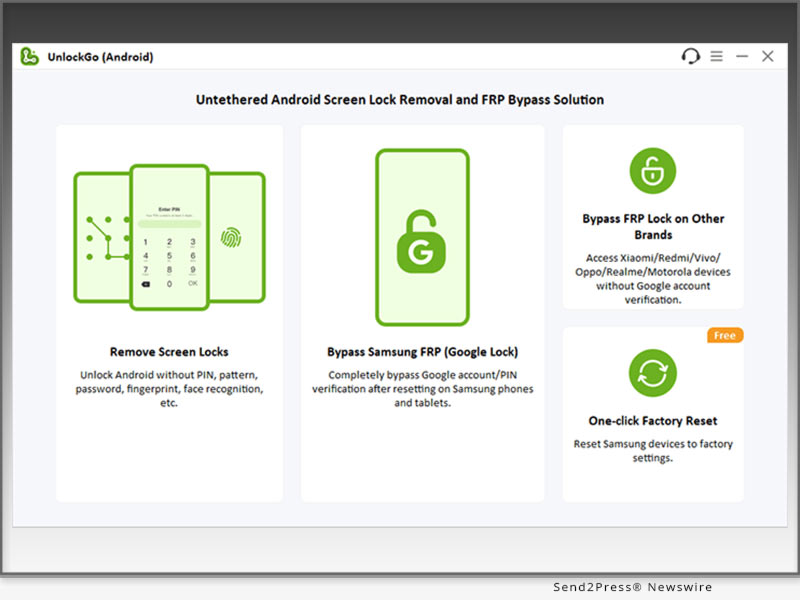
Image caption: Main Interface of TunesKit Android Unlocker.

NEWS SOURCE: TunesKit Software


This press release was issued on behalf of the news source (TunesKit Software), who is solely responsible for its accuracy, by Send2Press Newswire. Image, if any, was provided by the news source and not this website or the wire service. Information is believed accurate, as provided by the news source, but is not guaranteed.

To view the original story, visit: https://www.send2press.com/wire/tuneskit-android-unlocker-released-remove-android-screen-locks-without-passwords/

Copr. © 2025 Send2Press® Newswire, Calif., USA. -- REF: S2P STORY ID: S2P131992 NOREL-3B


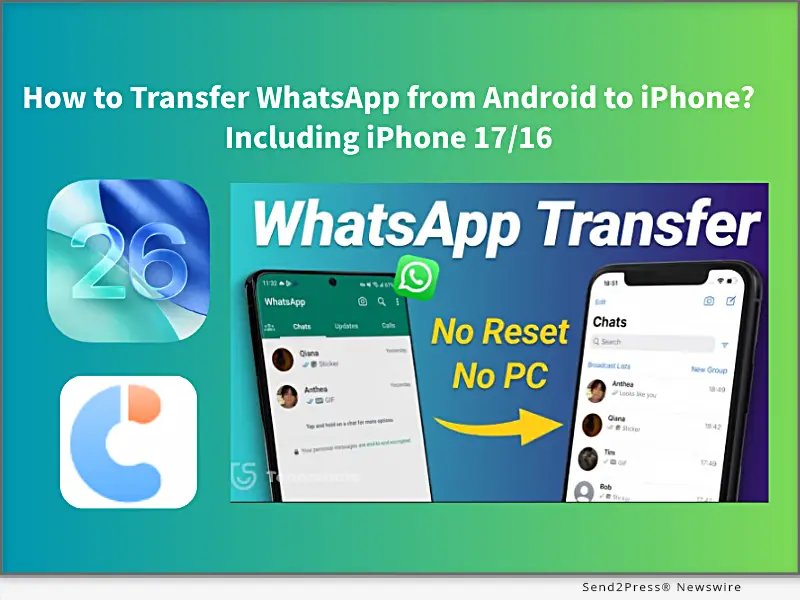
How to Transfer WhatsApp from Android to iPhone? Including iPhone 17/16 [FREE]

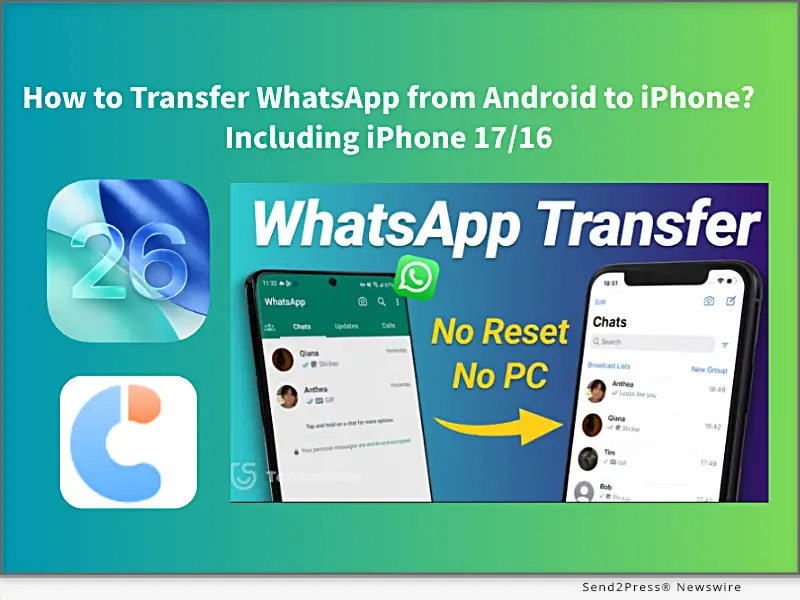
NEW YORK, N.Y., Sept. 23, 2025 (SEND2PRESS NEWSWIRE) — iPhone 17 is making people excited, but how to transfer your WhatsApp data to the new one? In this guide from Tenorshare, I’ll walk you through how to transfer your WhatsApp from Android to an iPhone in 5 minutes.

Tenorshare: How to Transfer WhatsApp from Android to iPhone Including iPhone 17/16
Image caption: How to Transfer WhatsApp from Android to iPhone Including iPhone 17/16.

HOW TO MOVE WHATSAPP FROM ANDROID TO AN IPHONE?

There are 2 simple, quick, and effective methods to switch your WhatsApp messages, images, and videos to an iPhone. One method requires factory resetting your iPhone, and the other does not. Let’s get started.

METHOD 1: TRANSFER WHATSAPP CHATS TO IPHONE 17 VIA MOVE TO IOS APP [FREE, BUT NEEDS RESET]

Using the Move to iOS app to transfer WhatsApp chats from Android to iPhone is Apple’s official free method and works best if you have a new iPhone 17 initial setup or don’t mind resetting the iPhone to factory settings. However, it requires the same phone number on both devices, and some data will be lost after resetting, or may not transfer completely.

Steps to use the Move to iOS APP:

Step 1. Install the Move to iOS app on Android.

Step 2. Enter the code, select WhatsApp to transfer.

Step 3. Then download WhatsApp on your new iPhone 17, sign in, and restore your chats.

METHOD 2: TRANSFER ALL WHATSAPP DATA FROM ANDROID TO IPHONE VIA TENORSHARE ICAREFONE TRANSFER [100% SUCCESS AND NO RESET]

If you don’t want to lose your iPhone that already has photos, settings, and other data, Tenorshare iCareFone Transfer is the best choice to transfer all WhatsApp data from Android to iPhone without a factory reset.

Unlike the official Move to iOS method, Tenorshare iCareFone Transfer is a professional WhatsApp data transfer tool that works across multiple scenarios, including Android ↔ iPhone, iPhone ↔ iPhone, and Android ↔ Android, to import all WhatsApp data without data loss and keep 100% original details.

  • Fixed iPhone 17 Move to iOS not working and Move to iOS stuck on 1-minute,, issues.
  • Free iOS 26 WhatsApp backup to a computer, and supports transferring data from GB WhatsApp to standard WhatsApp.
  • Transfer fully migrates chats, images, videos, emojis, and attachments, with a 100% success rate.
  • Supports restoring WhatsApp backup from Google Drive to iPhone.
  • Compatible with all iPhone and Android devices.

STEPS TO TRANSFER WHATSAPP USE TENORSHARE ICAREFONE TRANSFER:

Step 1. Download and install Tenorshare iCareFone Transfer on your computer (Windows/Mac).

Step 2. On your Android device, enable USB Debugging: Settings → About phone →Enable Developer options → USB Debugging.

Step 3. On your iPhone, disable Find My iPhone, and connect both the Android and iPhone to the computer.

Step 4. Launch iCareFone Transfer and select “Transfer WhatsApp“ to transfer WhatsApp data in minutes.

ABOUT TENORSHARE

Transferring WhatsApp without resetting will be difficult, but Tenorshare iCareFone Transfer provides a simple way to migrate WhatsApp from Android to iPhone without resetting, with 15 years transferring iOS solution experience.

NEWS SOURCE: Tenorshare Co. Ltd.


This press release was issued on behalf of the news source (Tenorshare Co. Ltd.), who is solely responsible for its accuracy, by Send2Press Newswire. Image, if any, was provided by the news source and not this website or the wire service. Information is believed accurate, as provided by the news source, but is not guaranteed.

To view the original story, visit: https://www.send2press.com/wire/how-to-transfer-whatsapp-from-android-to-iphone-including-iphone-17-16-free/

Copr. © 2025 Send2Press® Newswire, Calif., USA. -- REF: S2P STORY ID: S2P129502 NOREL-3B


iToolab WaTracker Released: Track WhatsApp Last Seen Status in Real Time

iToolab WaTracker Is Now Available: A Powerful Tool to Track WhatsApp Last Seen

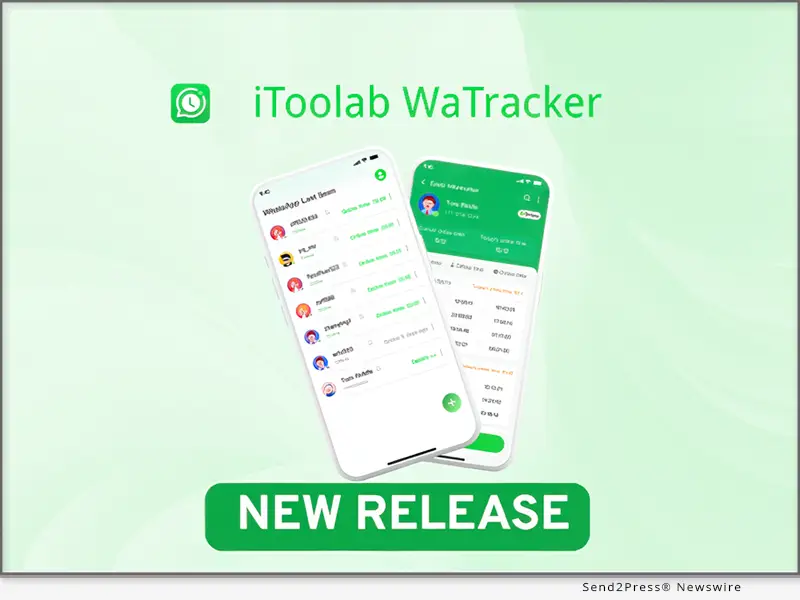
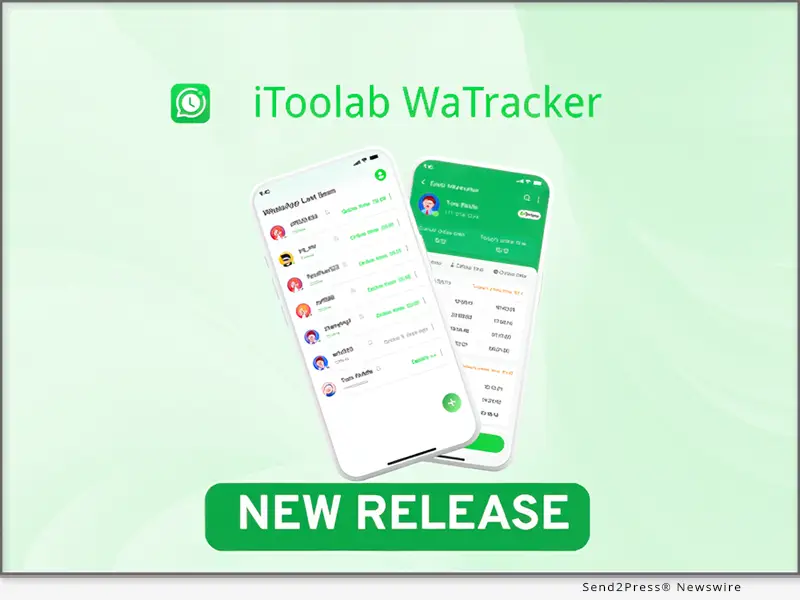
NEW YORK, N.Y., Sept. 22, 2025 (SEND2PRESS NEWSWIRE) — iToolab, a leading developer of innovative software solutions for mobile devices, has released a new WaTracker app. With the launch of this new app, WhatsApp users now can track Last Seen status without opening chat, and get accurate online/offline notifications in real time.

iToolab WaTracker Release: Track WhatsApp Last Seen Status in Real Time
Image caption: iToolab WaTracker Release: Track WhatsApp Last Seen Status in Real Time.

WHAT IS ITOOLAB WATRACKER?

1 – Best Last Seen Tracker for WhatsApp

Do you want to see if someone is online on WhatsApp without opening the chat? It’s possible with iToolab WaTracker. Whether you suspect your spouse of cheating, or want to know if your child goes to bed on time, WaTracker allows you to check the Last Seen status secretly.

2 – More Than a Last Seen Tracker

– WhatsApp does not have a built-in feature to notify you when a contact comes online. If you want to get real-time and accurate notifications when your crush/business partner is online, WaTracker is always the best choice for you, ensuring you never miss any online status changes. You can add multiple contacts to strengthen and improve your relationships.

– Helping your child build good online habits is very important. WaTracker provides detailed history reports to help you analyze the usage patterns. Increasing the offline activities to help reduce the screen time.

3 – Other Features at a Glance

  • Easy to use: Add a contact and start monitoring in seconds.
  • Safe and secure: The other user won’t know you’re checking them on WhatsApp.
  • Private first: The tool won’t collect, store, or share your personal information.

HOW TO USE ITOOLAB WATRACKER?

It’s really easy to strengthen the bonds with your contacts. Just follow the steps below:

Step 1: Run WaTracker on your Android device and add a contact.

Step 2: Follow the onscreen instructions to link your WhatsApp account.

Step 3: Tap the “activation” button to track WhatsApp contact.

Full guide here: https://itoolab.com/guide/how-to-use-seenchecker/

PRICE AND AVAILABILITY

  • The new WaTracker app is available on Google Play. You can install the app on any Android device. And it’s fully compatible with all versions of WhatsApp.
  • It offers a flexible pricing model with weekly and monthly plans to meet different user needs.

ABOUT ITOOLAB

iToolab is a software development company founded in 2008 to help iOS and Android users solve various issues with leading-edge smartphone tools for repair and recovery, unlocking, and more. As of now, iToolab is serving 130+ countries and has been trusted and recommended by some leading tech sites and users worldwide. iToolab is a trusted one-stop shop for smartphone utility apps.

For more details, please visit:

Website: https://itoolab.com/

YouTube: https://www.youtube.com/c/itoolab

Facebook: https://www.facebook.com/itoolab

X/Twitter: https://x.com/IToolab

NEWS SOURCE: iToolab Co Ltd


This press release was issued on behalf of the news source (iToolab Co Ltd), who is solely responsible for its accuracy, by Send2Press Newswire. Image, if any, was provided by the news source and not this website or the wire service. Information is believed accurate, as provided by the news source, but is not guaranteed.

To view the original story, visit: https://www.send2press.com/wire/itoolab-watracker-released-track-whatsapp-last-seen-status-in-real-time/

Copr. © 2025 Send2Press® Newswire, Calif., USA. -- REF: S2P STORY ID: S2P129478 NOREL-3B


New iToolab WatsGo App Release: Fast Data Transfer to iPhone 17

iToolab WatsGo App Debuts: Quick Data Transfer to iPhone 17

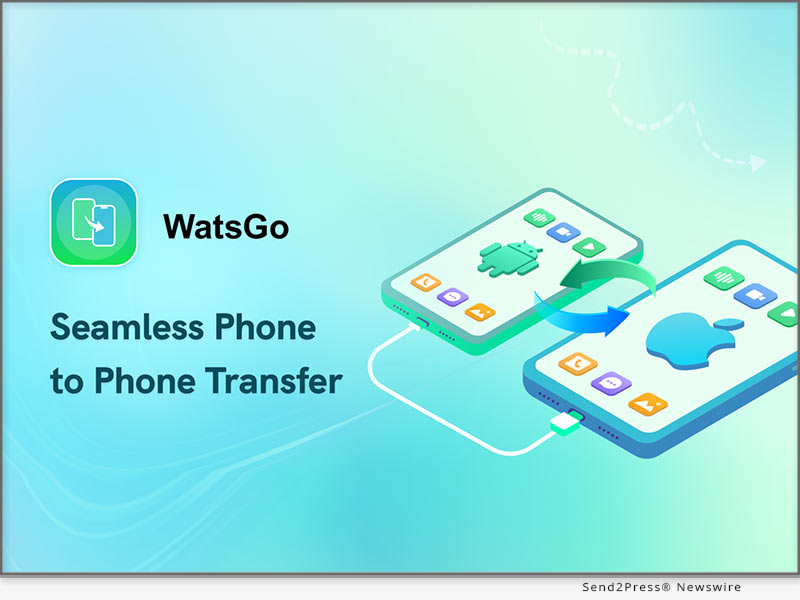
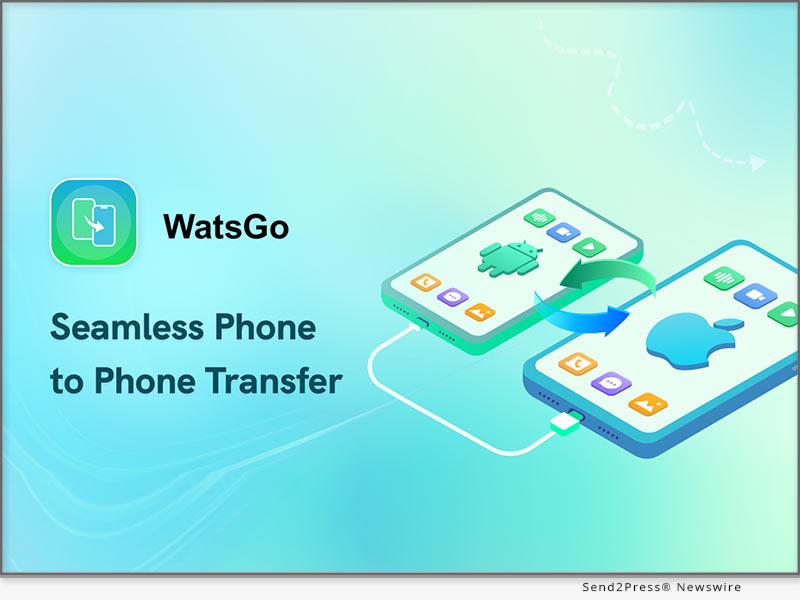
NEW YORK, N.Y., and HONG KONG, Sept. 11, 2025 (SEND2PRESS NEWSWIRE) — iToolab, a trusted name in mobile utility software, has officially introduced its WatsGo Phone Transfer App. This dedicated app is a top choice for transferring data from Android to iPhone without needing a factory reset, Wi-Fi, or Bluetooth. Being more intuitive and efficient than the old methods, it simplifies the whole procedures involved in technical issues.

New iToolab WatsGo App Released! Fast Data Transfer to iPhone 17
Image caption: iToolab WatsGo App Debuts: Quick Data Transfer to iPhone 17.

WHAT IS WATSGO – PHONE TRANSFER?

WatsGo, developed by iToolab, lets users seamlessly transfer WhatsApp, media, contacts, and other essential data between iOS and Android. Unlike manual methods, it provides a direct, efficient solution with zero data loss—no cloud backups or computers required.

KEY FEATURES OF WATSGO – PHONE TRANSFER APP

  1. Cross-Platform & OS Support: Smooth, efficient transfers between Android and iOS devices, covering both old and new systems.
  2. WhatsApp Transfer: Move WhatsApp and WhatsApp Business chats and media without any data loss issues.
  3. No Reset: Transfers data without requiring a factory reset on the target iPhone device.
  4. Fast & Reliable: Average speed of 35MB/sec ensures quick transfers while maintaining full data integrity.
  5. Comprehensive Data Support: Transfer images, videos, audio, documents, SMS, and call logs seamlessly with flawless compatibility.
  6. Global Access: Multilingual support in 16 languages for worldwide users.
  7. Secure Transfer: Moves data locally, as there is no internet use, and privacy and security are guaranteed.

HOW TO USE WATSGO – PHONE TRANSFER APP

Download the WatsGo App – Get WatsGo app for Android from the Google Play.

Install & Launch – Open WatsGo app and select the “Phone to Phone” option on Android.

Set Transfer Direction – Choose “Android to iPhone” from the pop-up menu to specify transfer direction.

Allow Permissions – Grant required access permissions for files, location, Wi-Fi, and nearby devices on Android.

Connect Devices – On iPhone, download WatsGo via TestFlight and scan the QR code to pair both phones.

Start Transfer – Select data types to transfer and tap “Transfer” to begin moving files securely.

Monitor Process – Watch transfer progress on both devices; avoid closing the app until completion.

Complete Transfer – Tap “Completed” after the process finishes to safely end and verify data on iPhone.

Get started: https://play.google.com/store/apps/details?id=com.luckydog.chatsgo

FINAL PRICE AFTER DISOUNT:

1-Month Plan: original $19.95, now $9.95

1-Year Plan: original $49.95, now $29.95

Lifetime Plan: original $79.95, now $39.95

More info: https://itoolab.com/buy/chatsgo-for-android

DEVICE COMPATIBILITY:

iOS: iOS 13-26: iPhone 6 Plus and above

Android: Android 9-16: Xiaomi, Samsung, Samsung Tablet, Redmi Note, Huawei, OPPO, vivo, OnePlus, Motorola, Sony, LG, Realme, Micromax, ZTE, Google Pixel

ABOUT WATSGO APP

iToolab WatsGo – Phone Transfer is made to be a unique product for any user who is upgrading devices or platforms. With its fast speed and broad compatibility, it ensures an effortless data migration experience. Supported with almost all forms of Tier-1 data, such as WhatsApp, contacts, media, SMS, and call logs, the app remains 100% accurate. Trusted by users worldwide, it reflects iToolab’s commitment to delivering innovative mobile tools.

Official website: https://itoolab.com/phone-transfer-app/

YouTube: https://www.youtube.com/@iToolab/videos

Facebook: https://www.facebook.com/iToolab

NEWS SOURCE: iToolab Co Ltd


This press release was issued on behalf of the news source (iToolab Co Ltd), who is solely responsible for its accuracy, by Send2Press Newswire. Image, if any, was provided by the news source and not this website or the wire service. Information is believed accurate, as provided by the news source, but is not guaranteed.

To view the original story, visit: https://www.send2press.com/wire/new-itoolab-watsgo-app-release-fast-data-transfer-to-iphone-17/

Copr. © 2025 Send2Press® Newswire, Calif., USA. -- REF: S2P STORY ID: S2P129263 NOREL-3B


AnyGo Android Latest Update: How to Spoof Pokémon GO Location on iPhone with Bluetooth Mode

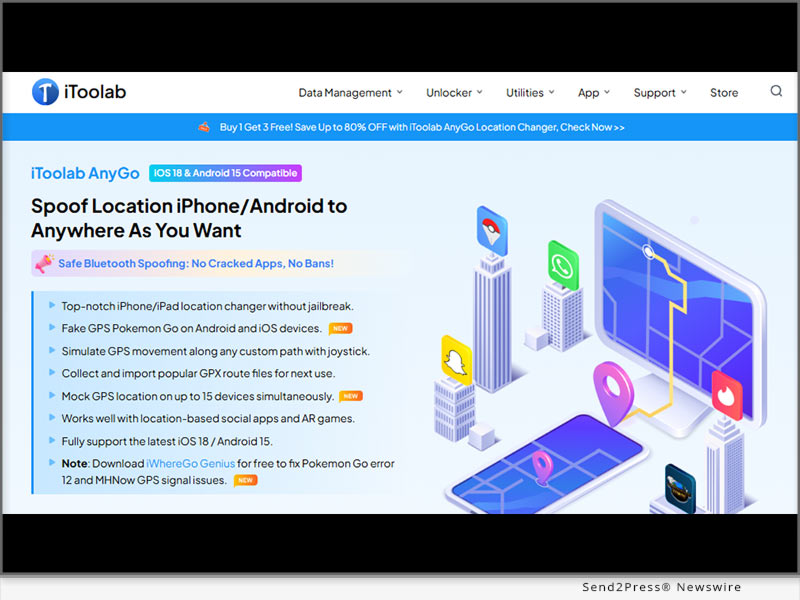
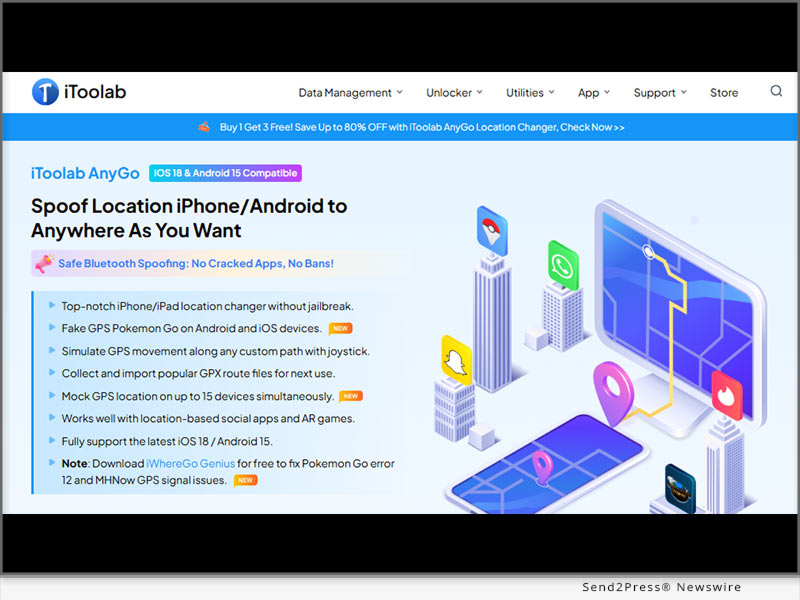
NEW YORK, N.Y., March 24, 2025 (SEND2PRESS NEWSWIRE) — In 2025, Pokémon GO iOS players want to explore the world, but Error 12 often gets in the way. iToolab AnyGo – Location Changer offers a seamless solution for iPhone and Android, letting players catch and battle Pokémon anywhere. Plus, the new AnyGo Android Bluetooth Mode lets you spoof iOS locations easily without jailbreaking.

How to Spoof Pokemon GO Location on iPhone with Bluetooth Mode
Image caption: How to Spoof Location on iPhone with Bluetooth Mode.

MEET ITOOLAB ANYGO

iToolab AnyGo is a Pokémon GO spoofer for game players and anyone who needs to modify their GPS location. It lets you explore different places virtually, without actually being there. If you’re looking to get information about how to change location on iPhone to catch region-exclusive Pokémon or test location-based apps, AnyGo makes it easy. No jailbreak, no root, just seamless location spoofing that keeps your account safe.

WHAT MAKES ANYGO STAND OUT

What’s New in the AnyGo Android App V3.2.2 Update

  • Built-in iOS Bluetooth Mode to fake iPhone location – AnyGo for Android App now supports GPS spoofing on both iOS and Android devices, offering seamless location modification.
  • No Cracked POGO&MHN Version Required: Works with the official game versions, no mods or cracks needed, ensuring safety and compatibility.

CORE FEATURES

  • Instant Teleportation (Fly Mode) – Move to any location instantly by its Pokémon GO walking hack, perfect for fast in-game exploration.
  • Wireless Location Spoofing – Change locations via Bluetooth, eliminating the need for USB connections.
  • Safe & Secure (No Jailbreak/Root Required) – Enjoy risk-free GPS spoofing on both iOS and Android without modifying your device.
  • Error 12 Resolved – Now fully compatible with iWhereGo POGO Genius, a powerful solution that eliminates the Error 12.
  • Expanded Game Compatibility – Now works with Monster Hunter Now (MHN) and other location-based games, such as WhatsApp, Tinder, Snapchat and so on.
  • Built-in Cooldown Timer – Ensures safe teleportation by following Pokémon GO’s cooldown rules.
  • 360-degree Joystick Control – Navigate with ease using a Pokémon GO joystick for precise movement in Pokémon GO.
  • Smart Anti-Ban Protection – Advanced detection avoidance helps minimize the risk of penalties.

HOW TO DOWNLOAD & USE ANYGO ANDROID BLUETOOTH MODE

  1. Download & Install – Grab AnyGo for Android App from the official site and follow the setup steps.
  2. Connect iOS via Android Bluetooth Mode- Open Bluetooth mode to link your iOS device.
  3. Start Spoofing – Pick your location on Android device, and explore freely!

ABOUT ITOOLAB ANYGO

iToolab AnyGo is a trusted GPS location changer with over 2.8 million downloads worldwide and a customer base of 1 million+ satisfied users across 200+ countries and regions. Designed for location-based apps and AR games, AnyGo provides a safe, reliable, and user-friendly experience.

With 24/7 customer support, it allows users to explore new locations, test geo-restricted apps, and enhance gaming experiences like Pokémon GO and Monster Hunter Now (MHN) without risking detection.

LEARN MORE:

Official Website: https://itoolab.com/

Facebook: https://www.facebook.com/itoolab

X/Twitter: https://twitter.com/IToolab

YouTube: https://www.youtube.com/@iToolab

NEWS SOURCE: iToolab Co Ltd


This press release was issued on behalf of the news source (iToolab Co Ltd), who is solely responsible for its accuracy, by Send2Press Newswire. Image, if any, was provided by the news source and not this website or the wire service. Information is believed accurate, as provided by the news source, but is not guaranteed.

To view the original story, visit: https://www.send2press.com/wire/anygo-android-latest-update-how-to-spoof-pokemon-go-location-on-iphone-with-bluetooth-mode/

Copr. © 2025 Send2Press® Newswire, Calif., USA. -- REF: S2P STORY ID: S2P124929 NOREL-3B


MocPOGO Win 7.9.0 Released! Spoof Your Location in Pokemon GO on iOS without Cracking

NEW YORK, N.Y., March 6, 2025 (SEND2PRESS NEWSWIRE) — Exploring new Pokémon GO locations without leaving your home has never been easier. MocPOGO, the ultimate location-changing tool, lets players move freely in-game without any physical effort. The latest 2025 update – V7.9.0 brings cutting-edge features, including Bluetooth connectivity,enhanced support for original POGO and MHN, improved anti-ban protection, and multi-device support, making it the go-to solution for iOS and Android users.

MocPOGO Win 7.9.0 Released
Image caption: MocPOGO Win 7.9.0 Released.

WHAT IS MOCPOGO

MocPOGO is an advanced GPS location spoofer designed for Pokémon GO players who want to explore new regions without moving via spoof location on iPhone. It supports iOS and Android with real-time teleportation, customizable paths, and Bluetooth mode for iOS 17 and above devices. With multi-device support, joystick navigation, and anti-ban protection, it ensures a seamless experience with no jailbreak or root required.

WHY CHOOSE MOCPOGO FOR LOCATION SPOOFING

With MocPOGO, changing your Pokémon GO location is effortless. This fake location app lets you teleport anywhere instantly, making it easier to catch rare Pokémon and explore new regions. More than just a location spoofer, MocPOGO is the ultimate Pokémon GO iOS spoofer, ensuring a seamless, realistic, and safe gaming experience without detection.

WHAT’S NEW IN THE LATEST UPDATE OF MOCPOGO 2025?

  • Bluetooth Mode (iOS 17 and above) – Wireless location spoofing for added stability and convenience.
  • No Cracked Version, Lower Ban Risk – Support original POGO and MHN and improve anti-detection technology, keeping your account safer than ever.
  • Expanded Game Support – Not only for Pokemon GO, Monster Hunter Now, but also for other location-based apps.

HERE’S WHAT MAKES IT STAND OUT:

  • Fix “Failed to Detect Location 12” Error – Overcome the common Error 12 in Pokémon GO for smooth, uninterrupted gameplay. MocPOGO pairs with iWhereGo POGO Genius to fix this error and enhance location spoofing stability.
  • Support Multi-Modes for flying – Move anywhere in seconds with teleport mode, two-spot mode and multi-spot mode.
  • Cooldown Timer for Safety – Stay undetected by following Pokémon GO’s cooldown rules.
  • Joystick Navigation – Take full control of your in-game movement with an intuitive on-screen joystick.
  • Multi-Device Compatibility – Spoof locations on up to 15 devices simultaneously.

[NO CRACKING] SPOOF YOUR POKÉMON GO LOCATION IN JUST 3 SIMPLE STEPS

  1. Install MocPOGO – Download the app from the official website and install it.
  2. Establish a Connection via Bluetooth Mode – Link your phone to your computer via Bluetooth, USB or Wi-Fi for a stable connection.
  3. Set Your Location and Teleport – Enter a destination in the map, tap ‘Teleport,’ and start playing from anywhere in the world.

ABOUT MOCPOGO

MocPOGO location changer is the ultimate tool for changing your GPS location on iOS and Android without jailbreak or root access. Whether you’re playing Pokémon GO, Monster Hunter Now, or using social apps. The latest update adds bluetooth support, multi-device spoofing, and a cooldown timer for safer gameplay.

LEARN MORE:

Official Website: https://mocpogo.com/

YouTube: https://www.youtube.com/@MocPOGO/videos

NEWS SOURCE: MocPOGO Co., Ltd


This press release was issued on behalf of the news source (MocPOGO Co., Ltd), who is solely responsible for its accuracy, by Send2Press Newswire. Image, if any, was provided by the news source and not this website or the wire service. Information is believed accurate, as provided by the news source, but is not guaranteed.

To view the original story, visit: https://www.send2press.com/wire/mocpogo-win-7-9-0-released-spoof-your-location-in-pokemon-go-on-ios-without-cracking/

Copr. © 2025 Send2Press® Newswire, Calif., USA. -- REF: S2P STORY ID: S2P124541 NOREL-3B


PromoCodie Launches Google Chrome Extension to Enhance Online Shopping Savings

KOWLOON, Hong Kong, Feb. 19, 2025 (SEND2PRESS NEWSWIRE) — PromoCodie, a leading online coupon platform, has launched a new Google Chrome extension designed to simplify the way users find and apply coupon codes while shopping online. This innovative tool ensures that customers can automatically access the best discounts available without the hassle of manually searching for promo codes.

PromoCodie
Image caption: PromoCodie, a leading online coupon platform.

REVOLUTIONIZING ONLINE SAVINGS WITH AUTOMATION

Finding valid coupon codes has long been a frustrating experience for online shoppers. Many deals are expired, unreliable, or difficult to locate. PromoCodie’s Chrome extension eliminates this problem by automatically detecting and applying working discount codes at checkout, helping users save time and money with minimal effort.

With a single installation, the extension integrates seamlessly with thousands of online stores, ensuring that shoppers never miss a chance to maximize their savings. Whether purchasing fashion, electronics, travel, or household essentials, users can enjoy effortless discounts without interrupting their shopping experience.

KEY FEATURES OF THE PROMOCODIE CHROME EXTENSION

Automatic Coupon Application – No more searching for codes. The extension scans for and applies the best available discount instantly.

Wide Store Compatibility – Works with a vast range of e-commerce websites, covering major retailers across various categories.

Real-Time Updates – Users always have access to the latest and most effective promo codes.

One-Click Savings – Simple, fast, and convenient—shoppers just install and let the extension do the work.

WHY THIS EXTENSION IS A GAME-CHANGER

In an era where inflation and rising costs impact consumer spending, every discount counts. The PromoCodie extension allows shoppers to unlock savings effortlessly, ensuring they get the best deal without wasting time on manual searches.

“Our goal is to make online shopping as convenient and cost-effective as possible,” said a spokesperson from PromoCodie. “With this extension, we are taking the frustration out of finding discounts, helping users enjoy seamless savings on their favorite products.”

HOW TO DOWNLOAD AND USE THE EXTENSION

The PromoCodie Chrome extension is now available for free in the Chrome Web Store. Users can install it within seconds and immediately start enjoying automated savings at checkout.

For more details and to download the extension, visit https://www.promocodie.com/

About PromoCodie:

PromoCodie is a trusted platform dedicated to helping shoppers find the best coupon codes and discounts across thousands of online stores. By continuously innovating, PromoCodie is making online shopping smarter, more efficient, and more affordable.

NEWS SOURCE: PromoCodie


This press release was issued on behalf of the news source (PromoCodie), who is solely responsible for its accuracy, by Send2Press Newswire. Image, if any, was provided by the news source and not this website or the wire service. Information is believed accurate, as provided by the news source, but is not guaranteed.

To view the original story, visit: https://www.send2press.com/wire/promocodie-launches-google-chrome-extension-to-enhance-online-shopping-savings/

Copr. © 2025 Send2Press® Newswire, Calif., USA. -- REF: S2P STORY ID: S2P124174 NOREL-3B


2025 Top Pokemon GO Spoofer for iOS and Android: iToolab AnyGo Guide

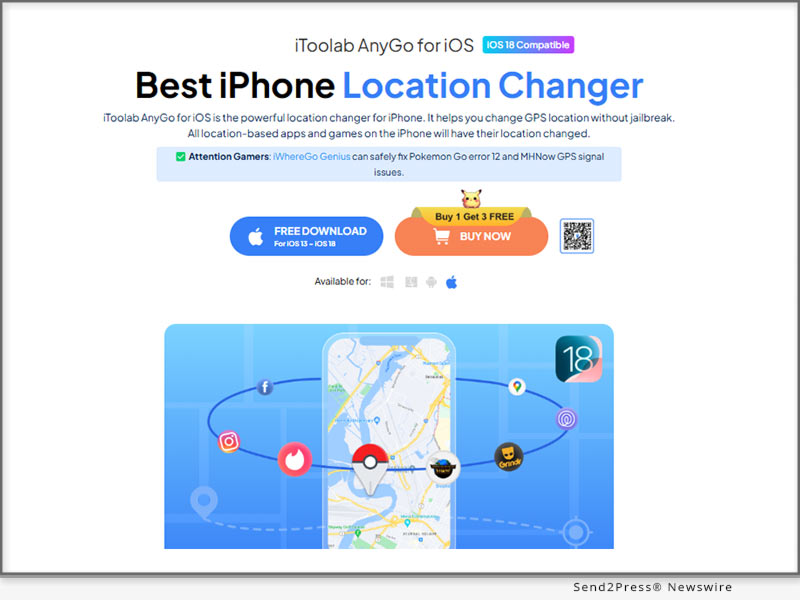
NEW YORK, N.Y., Feb. 3, 2025 (SEND2PRESS NEWSWIRE) — Pokémon GO has captured the hearts of millions, encouraging players to get outside, explore, and hunt for rare Pokémon. But not everyone has the time or means to travel far and wide to catch region-exclusive Pokémon or join special global events. That’s where iToolab AnyGo steps in — a smart and simple solution for iOS users in 2025. With iToolab AnyGo, you can enjoy the thrill of exploring new locations without ever leaving your home.

iToolab AnyGo for iOS
Image caption: iToolab AnyGo: a smart and simple solution for iOS users in 2025.

WHY SPOOF YOUR LOCATION IN POKÉMON GO?

In Pokémon GO, some Pokémon and events are location-specific, limiting players who can’t travel. This Pokémon GO iOS spoofer lets you explore distant locations, catch rare Pokémon, and join events virtually. With tools like iToolab AnyGo, you can enhance your gameplay effortlessly.

KEY FEATURES OF ITOOLAB ANYGO

iToolab AnyGo is packed with powerful features that make GPS location spoofing smooth and safe. Here’s what sets it apart:

  • Fixed “failed to detect location error 12”: Resolves Pokémon GO’s Error 12 having a smooth and uninterrupted location spoofing.
  • No Jailbreak or Root Required: Works smoothly on iOS and Android without modifying your device.
  • Multi-Mode with Customized Speed: Teleport, Two-Spot, and Multi-Spot modes let you change locations and simulate movement with ease.
  • Import GPX Routes: Do you already have a specific path in mind? Import a GPX file and let this Pokemon GO spoofer follow it seamlessly.
  • Multi-Device Support: Mock GPS location on up to 15 devices simultaneously.
  • Favorites and History: Save frequently visited locations and keep track of past movements for quick access.
  • Cooldown Timer: Avoid detection by following smart cooldown guidelines that prevent sudden, unrealistic location changes.

HOW TO USE ITOOLAB ANYGO FOR POKÉMON GO SPOOFING ON IOS

Getting started with the Pokemon GO joystick hack is quick and straightforward. Here’s how you can begin your Pokémon GO adventures with it:

  1. Download and Install: Head to the iToolab website and download AnyGo for iOS. Follow the simple instructions to set up the program on your computer.
  2. Connect Your Device: Plug your iPhone into the computer using a USB cable. Open AnyGo and click “Start” to begin.
  3. Choose a Location: Use the map interface to enter the location you want to explore. Click “Go,” and your device’s GPS will instantly update.
  4. Simulate Movement: To move naturally, choose the “Two-Spot Route” or “Multi-Spot Route” modes, select your start and end points, and adjust the speed.

About iToolab:

iToolab is a leader in creating mobile solutions that simplify life for users. Their tools are designed to enhance everyday experiences, making technology more accessible and user-friendly. With iToolab AnyGo for iOS app, they continue to deliver reliable and innovative software that helps players unlock the full potential of Pokémon GO and other location-based applications.

Learn More:

Official Website: https://itoolab.com/

Facebook: https://www.facebook.com/itoolab

X/Twitter: https://x.com/IToolab

YouTube: https://www.youtube.com/@iToolab

NEWS SOURCE: iToolab Co Ltd


This press release was issued on behalf of the news source (iToolab Co Ltd), who is solely responsible for its accuracy, by Send2Press Newswire. Image, if any, was provided by the news source and not this website or the wire service. Information is believed accurate, as provided by the news source, but is not guaranteed.

To view the original story, visit: https://www.send2press.com/wire/2025-top-pokemon-go-spoofer-for-ios-and-android-itoolab-anygo-guide/

Copr. © 2025 Send2Press® Newswire, Calif., USA. -- REF: S2P STORY ID: S2P123752 NOREL-3B


ScoopCloud Newswire

Best Pokémon GO Joystick iOS 18 and Android 2025 [0 Ban Risks]

NEW YORK, N.Y., Jan. 15, 2025 (SEND2PRESS NEWSWIRE) — As the hunt for Shiny Pokémon becomes even more challenging in Pokémon GO, PoGoskill Android App V1.1.0 provides the perfect solution for safely spoofing your location without a computer. With the best Pokémon GO GPS joystick, you can easily explore the map, ensuring smooth gameplay without the risk of bans.

PoGoskill Big Update
Image caption: PoGoskill Big Update.

WHAT’S NEW IN POGOSKILL ANDROID APP V1.1.0?

Bluetooth Mode: With Bluetooth integration, iOS trainers can effortlessly pair with an Android device to safely spoof their location in official Pokémon GO. No cracked versions are required!

Game Mode: Supports Android users to safely spoof Pokémon GO/Monster Hunter Now without a PC.

Fake GPS Joystick: Freely control avatar movement with 360-degree rotation and smooth navigation in locked directions.

HOW TO SPOOF POKÉMON GO LOCATION SAFELY WITH JOYSTICK?

To safely spoof your Pokémon GO location using a joystick, you can use a reliable spoofer like PoGoskill. This tool allows you to easily simulate your location on both Android and iOS devices without the risk of getting banned.

Here’s how it works:

  • Instantly change your GPS location without a computer.
  • Fix the “Pokémon GO failed to detect location 12” error on iOS/Android.
  • Adjust your movement speed and set multiple locations to simulate realistic routes.
  • Prevent bans with a distance-based cooldown timer.
  • Fully compatible with all Android and iOS versions, including iOS 18 and Android 15.

Steps to Spoof Pokémon GO Location Safely with a Joystick:

  1. Download and install PoGoskill from Google Play.
  2. Select either Game Mode or Bluetooth Mode.
  3. Activate Joystick Mode to start spoofing your location smoothly.

POGOSKILL NEW YEAR SALE 2025 – SAVE UP TO 87%!

From January 15 to February 10, enjoy incredible savings of up to 87% OFF on PoGoskill! Enhance your Pokémon GO adventure with the best joystick and safe location spoofing. Click here for more details and to grab the deal before it ends!

About PoGoskill:

PoGoskill is the best Pokémon GO spoofer for both Android and iPhone, allowing you to spoof your location securely without a PC. With the best Pokémon GO joystick, it provides smooth navigation and precise control, ensuring a ban-free experience while you explore new areas and catch exclusive Pokémon.

More information: https://www.pogoskill.com/

YouTube: https://www.youtube.com/@PoGoskill

https://www.youtube.com/@PoGoskillJapan

https://www.youtube.com/@Pogoskill-TW

X/Twitter: https://x.com/PoGoskilloffice

NEWS SOURCE: PoGoskill


This press release was issued on behalf of the news source (PoGoskill), who is solely responsible for its accuracy, by Send2Press Newswire. Image, if any, was provided by the news source and not this website or the wire service. Information is believed accurate, as provided by the news source, but is not guaranteed.

To view the original story, visit: https://www.send2press.com/wire/best-pokemon-go-joystick-ios-18-and-android-2025-0-ban-risks/

Copr. © 2025 Send2Press® Newswire, Calif., USA. -- REF: S2P STORY ID: S2P123413 NOREL-3B


An Industry First! Revolutionizes Pokémon GO and Monster Hunter Now Spoofing with Major December Update [NO PC]

Effortlessly Fake Your Android Location without a Computer with the iAnyGo Fake GPS APP

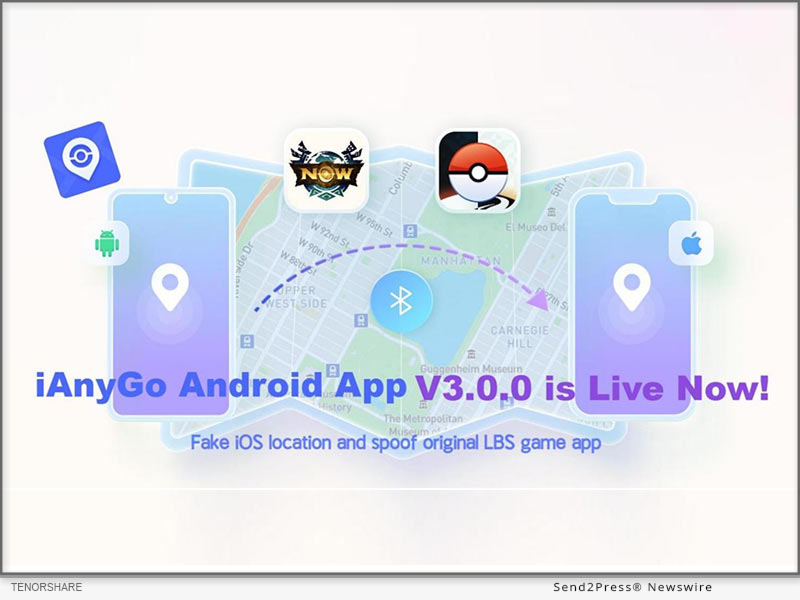
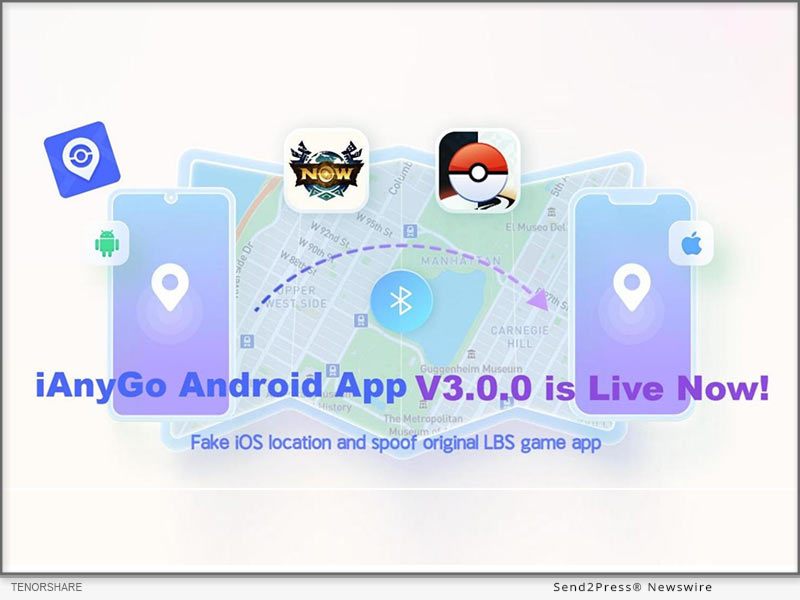
NEW YORK, N.Y., Dec. 20, 2024 (SEND2PRESS NEWSWIRE) — iAnyGo Android App V3.0.0 Update: We are excited to announce the release of Tenorshare iAnyGo Android App V3.0.0, packed with several new features and improvements designed to enhance user experience and functionality.

iAnyGo Android App
Image caption: iAnyGo Android App.

NEW FEATURES:

  • Modify iOS Device Location Introducing the new “iOS Bluetooth Mode.” Now, you can modify the GPS location on iOS devices and enjoy LBS games without the need for cracked apps;
  • UI Optimization The user interface has been optimized to offer a more streamlined and intuitive experience for all users;
  • New Video Tutorials To help users get the most out of the app, we’ve added comprehensive video tutorials, guiding you through the app’s features and functions.

This update promises to improve usability, safety, and the overall user experience. We encourage all users to explore the new features and enjoy an enhanced gaming and spoofing experience.

KEY FEATURES OF IANYGO FAKE GPS APP:

iOS Bluetooth Mode:

  1. Open iOS Bluetooth Mode The first time you use this feature, you’ll be prompted to grant permission.
  2. Connect Bluetooth Devices Pair your Android and iOS devices via Bluetooth.
  3. Modify iOS Location Once connected, through the iAnyGo Android App you can easily fake your GPS location on iOS devices and enjoy authentic LBS game apps without the need for cracked versions.

Android Game Mode:

  1. Prepare Game Mode Delete the previously downloaded game package before opening “Game Mode.”
  2. Install Customized Game Version Activate “Game Mode” and follow the app’s instructions to install a customized version of your game.
  3. Enjoy Spoofing You can enjoy effortless spoofing, perfect for Pokémon GO enthusiasts in Android device!

Teleport:

  1. Launch the App Open the iAnyGo app and select your desired location on the map or enter a specific address.
  2. Spoof GPS Location Click the “Target Location” icon to instantly spoof your GPS location to the selected destination.

Single or Multi-Point Movement:

  1. Single-Point Routes Automatically planned when you select a destination.
  2. Multi-Point Movement Customize your movement route, adjusting the speed and selecting the sport mode that suits your preferences.

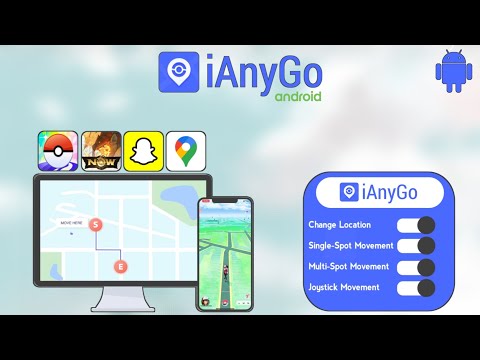
Joystick Movement:

  1. Activate Joystick Click on the joystick to enable movement control.
  2. Move in Any Direction Drag the central control point in any direction to simulate virtual movement.

This update significantly enhances both the user interface and functionality of iAnyGo App, making it easier and safer for you to spoof your location and enjoy your favorite games. We invite all users to explore these new features for a smoother, more efficient experience.

About Tenorshare:

Tenorshare is a leading software company focused on data recovery, system repair, and mobile solutions, dedicated to user satisfaction and innovation.

NEWS SOURCE: Tenorshare Co. Ltd.


This press release was issued on behalf of the news source (Tenorshare Co. Ltd.), who is solely responsible for its accuracy, by Send2Press Newswire. Image, if any, was provided by the news source and not this website or the wire service. Information is believed accurate, as provided by the news source, but is not guaranteed.

To view the original story, visit: https://www.send2press.com/wire/an-industry-first-revolutionizes-pokemon-go-and-monster-hunter-now-spoofing-with-major-december-update-no-pc/

Copr. © 2024 Send2Press® Newswire, Calif., USA. -- REF: S2P STORY ID: S2P122997 NOREL-3B


PDFgear, the Most Popular Free PDF Editor, is Finally on Android for All

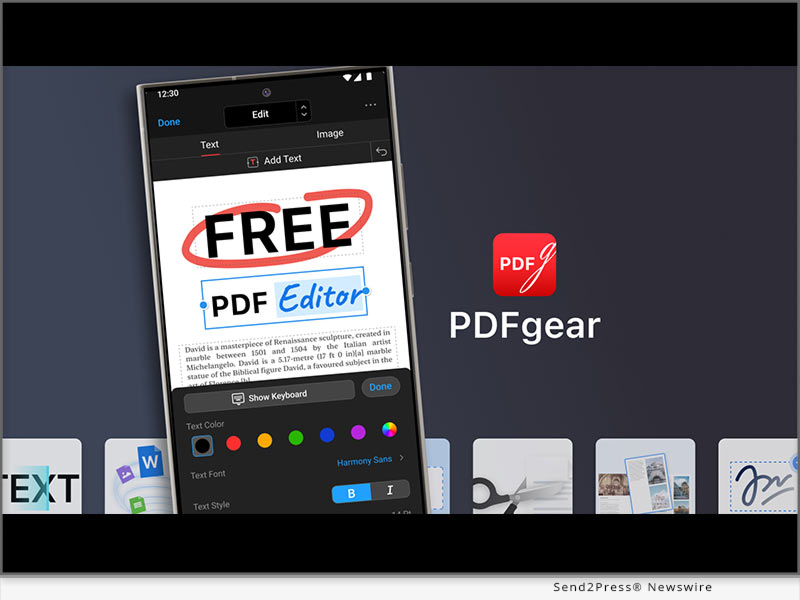
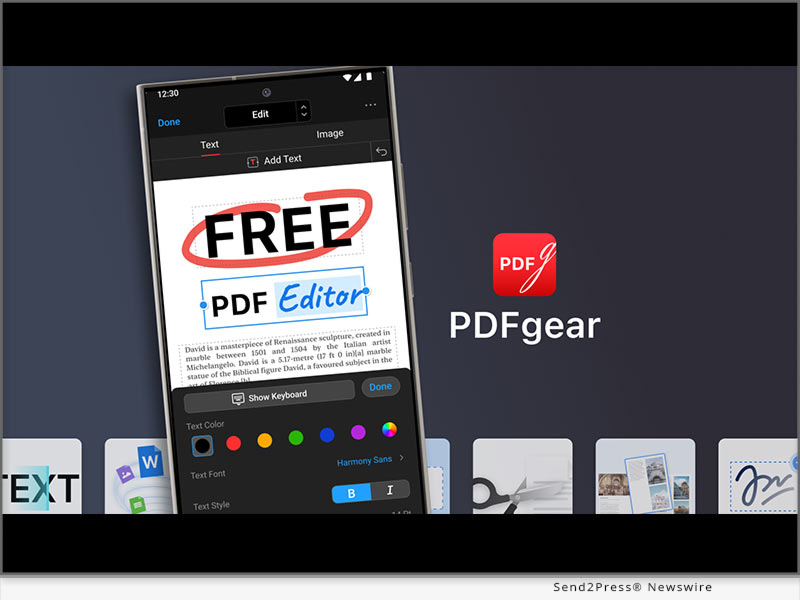
LOS ANGELES, Calif., Nov. 18, 2024 (SEND2PRESS NEWSWIRE) — The renowned software solution innovator PDFgear today introduced the Android version of its free PDF editor. This anticipated and sought-after update is finally in place. With that release, PDFgear became the only free and AI-powered PDF editor that works on all mainstream platforms including Windows, Mac, iOS, and Android.

PDFgear for Android
Image caption: PDFgear for Android.

In a marketplace saturated with generic offerings, PDFgear distinguishes itself as a one-of-a-kind PDF editor with its powerful features, free and cross-platform nature, integration with bleeding-edge AI, and reliable performance.

A WIDE RANGE OF CAPABILITIES

PDFgear for Android delivered an unparalleled document management experience for Android users through the ease of use and impressive functionalities:

  • Edit text and images in PDF
  • Merge, split, and extract pages from PDF
  • Convert PDF to/from Word, JPG, Excel, PPT, and more
  • Compress PDFs to significantly reduce file sizes
  • Chat with, summarize, rewrite, and translate PDFs using AI
  • Fill out and sign on PDF forms on mobile
  • Annotate, highlight, strikethrough, and underline PDF
  • Drag and drop page thumbnails to reorder PDF pages

THE ONLY FREE PDF EDITOR FOR ALL OPERATING SYSTEMS

In recent years, PDFgear has gained immense popularity with its free-to-use nature, which sets it apart from the majority of its counterparts that usually hide key features behind a paywall.

Now with that Android release, users on all kinds of devices can leverage this free and powerful PDF editing solution to manage their PDF works on the go, without spending a dime.

According to the official statement, the decision to provide this service at no charge is primarily a strategic move to build a user base and gather valuable feedback, and PDFgear is currently financed by healthy initial investments.

INTEGRATION WITH CUTTING-EDGE AI

PDFgear always stands as a pioneer in integrating AI into PDF editing & reading. Earlier in 2023, it was the first software provider to introduce a groundbreaking AI PDF chatbot.

Now PDFgear app helps users do a variety of things with AI:

  • Summarization: Quickly condense lengthy documents into concise summaries.
  • Translation: Users can translate PDF content into over 100 languages.
  • Proofreading: The tool identifies grammatical errors and suggests corrections.
  • Explanation: For challenging passages, the AI provides clear explanations.
  • Rewriting: Rephrase or restructure specific text sections to improve clarity and readability.

Available Now

PDFgear for Android is now available on the Google Play Store. Users can start enjoying the full suite of features immediately without any hidden costs or limitations.

Learn more: https://play.google.com/store/apps/details?id=com.pdfeditor.pdfeditorandriod

About PDFgear

PDFgear is developed by PDF GEAR TECH PTE. LTD. is a company dedicated to creating innovative software solutions that simplify document management. With a focus on user experience and cutting-edge technology, PDFgear aims to empower users worldwide with tools that enhance productivity and collaboration in handling PDFs.

For more information about PDFgear and software download, please visit: https://www.pdfgear.com

MEDIA ONLY CONTACTS:
blair_zhou@pdfgear.com
amelie@pdfgear.com

NEWS SOURCE: PDFgear


This press release was issued on behalf of the news source (PDFgear), who is solely responsible for its accuracy, by Send2Press Newswire. Image, if any, was provided by the news source and not this website or the wire service. Information is believed accurate, as provided by the news source, but is not guaranteed.

To view the original story, visit: https://www.send2press.com/wire/pdfgear-the-most-popular-free-pdf-editor-is-finally-on-android-for-all/

Copr. © 2024 Send2Press® Newswire, Calif., USA. -- REF: S2P STORY ID: S2P122352 NOREL-3B


Unable to Change Location on iPhone or Android? Try MagFone Location Changer!

MagFone announces the launch of Location Changer for iPhone and Android, helping users to change the location on iPhone and Android devices without jailbreak or root

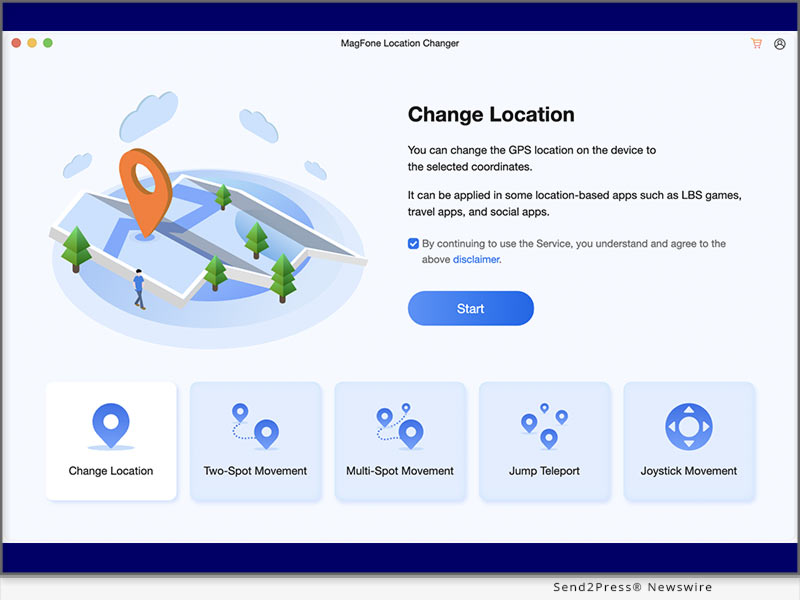
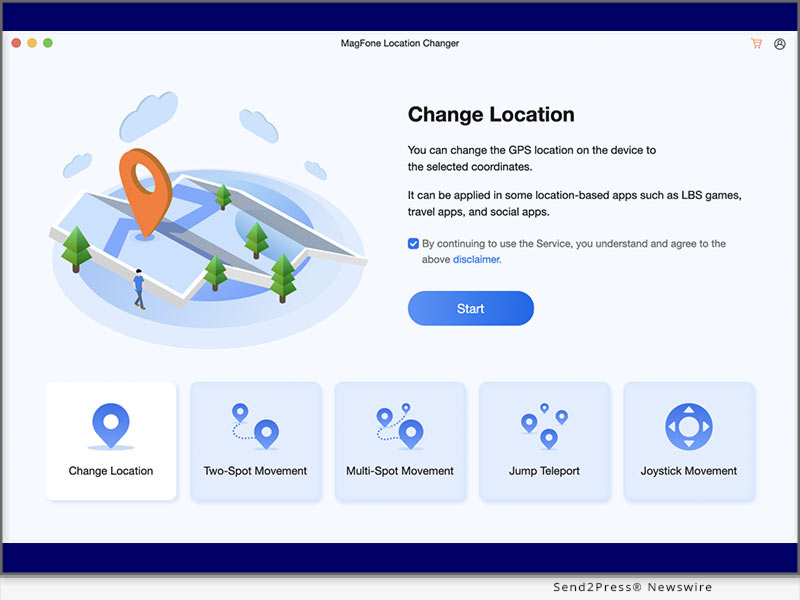
KOWLOON, HONG KONG, CHINA, Nov. 18, 2024 (SEND2PRESS NEWSWIRE) — MagFone, a leading provider of software solutions for iOS and Android users, is excited to announce the release of MagFone Location Changer. This tool is designed to help users change their location on both iOS and Android devices without jailbreak or root. With this tool, users can open up new possibilities, whether for accessing location-specific content, navigating in a different area, or simply exploring virtual locations.

Unable to Change Location on iPhone or Android? Try MagFone Location Changer!
Image caption: Unable to Change Location on iPhone or Android? Try MagFone Location Changer!

Promotion Video: https://youtu.be/ho38NQyovMU?si=yNeTplm8srjNTimi

Changing your location on an iPhone or Android phone can be useful for various reasons, from accessing region-specific content to protecting privacy while browsing. But in fact, it is not as easy as you think to change your location on your iPhone or Android phone. In this case, a great location changing tool like MagFone Location Changer can let you do it with ease. With the help of MagFone Location Changer, you can change your location on your iPhone or Android phone to anywhere swiftly or easily. Read on for more details.

CHANGE YOUR IPHONE LOCATION OR LOCATION ON VARIOUS ANDROID DEVICES EASILY

Location services are a built-in feature on smartphones that use GPS, WiFi, and mobile networks to determine your position. Using MagFone Location Changer can mock your location on your iPhone or Android phone. The following are the main features of MagFone Location Changer.

1. Change iPhone/Android Location with Ease

Without jailbreak or root, MagFone Location Changer can help you change your iPhone location or mock your location on other Android devices in one click.

2. Simulate GPS Movement Based on Your Demand

When you have a demand of simulating GPS movement, MagFone Location Change is a good choice as it can simulate walking, cycling, or driving at a uniform or variable speed.

3. Get Flexible GPS Movement in Several Modes

By offering several modes, MagFone Location Changer enables you to simulate GPS movement along with your customized routes and movement speed on your mobile device.

4. Work with Most Location-Based Apps like Pokemon

Whether to mock location on location apps like Tinder or play geo-based games anywhere like Pokemon Go, MagFone Location Changer can help you do it with ease.

5. No Technical Skills Needed and 100% Secure

Designed with a user-friendly interface, this tool doesn’t require any technical knowledge. Even though you are a newbie, you can quickly use this tool to change your location.

6. Support the Latest iOS and Android Devices

Compatible with the latest iOS and Android version, MagFone Location Changer helps you change your location on any kind of iPhone or Android device.

HERE’S HOW TO CHANGE YOUR IPHONE LOCATION BY USING MAGFONE LOCATION CHANGER

Have a free trial, without any loss.

Step 1. Run MagFone Location Changer on your computer, then connect your iPhone or Android phone to the computer through a USB cable or WiFi connection.

Step 2. Enable Developer Mode on your mobile device and select the Change Location option on the main interface of MagFone software.

Step 3. Select a location on the map you want to teleport or enter the address in the search bar to find your target location.

Step 4. Click the Start Modifying button, then your location on your mobile device will be changed to your required location.

Learn More:

How to Change Location on iPhone without VPN

How to Change Location on Android Device with Ease

About MagFone:

MagFone Location Changer strives to help users who want to change iPhone location or mock location on Android devices without jailbreak or root. With several different modes to simulate GPS movement, it empowers users to get flexible GPS movement easily and quickly.

YouTube: https://www.youtube.com/@magfone

Facebook: https://www.facebook.com/magfone/

X: https://x.com/magfone

NEWS SOURCE: MagFone


This press release was issued on behalf of the news source (MagFone), who is solely responsible for its accuracy, by Send2Press Newswire. Image, if any, was provided by the news source and not this website or the wire service. Information is believed accurate, as provided by the news source, but is not guaranteed.

To view the original story, visit: https://www.send2press.com/wire/unable-to-change-location-on-iphone-or-android-try-magfone-location-changer/

Copr. © 2024 Send2Press® Newswire, Calif., USA. -- REF: S2P STORY ID: S2P122339 NOREL-3B


Get Pokemon Go Joystick for Fun with 2024 Android 14 Support

Effortlessly Fake Your Android Location without a Computer with the iAnyGo Fake GPS APP

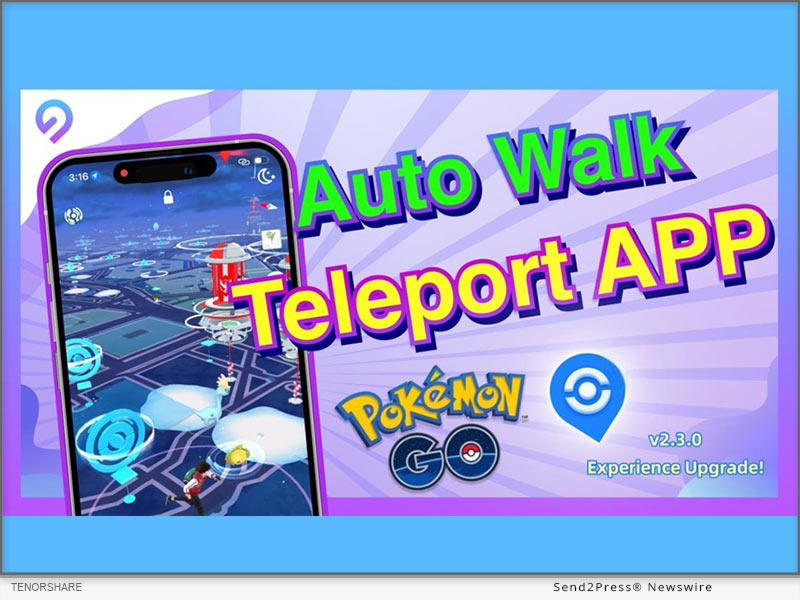
NEW YORK, N.Y., Oct. 29, 2024 (SEND2PRESS NEWSWIRE) — We are thrilled to announce a significant update to our app, designed to elevate user experience and streamline functionality. The latest version (2.3.0) of iAnyGo Fake GPS APP from Tenorshare is now available on Google Play. This update introduces several innovative features to enhance how users interact with the app.

Effortlessly Fake Your Android Location without a Computer with the iAnyGo Fake GPS APP
Image caption: Effortlessly Fake Your Android Location without a Computer with the iAnyGo Fake GPS APP.

WHAT’S NEW IN IANYGO ANDROID APP V2.3.0?

  • Functional Experience Optimization: add newcomer quick guide;
  • Speed Memory Function: to Avoid repeated operation by users;
  • Joystick Setting: Joystick size can be adjusted at will;
  • Joystick Mode Optimization: movement direction locking, convenient for players to operate.

These enhancements will significantly improve user satisfaction and engagement. The update is now live, and we encourage all users to explore the new features and enjoy a more seamless experience.

INTRODUCING IANYGO FAKE GPS APP: THE ULTIMATE POKÉMON GO SPOOFER FOR ANDROID

The iAnyGo Fake GPS App is a versatile tool designed to help users fake their GPS location seamlessly on Android devices without the need for a computer. With features tailored for gamers, including joystick movement, GPS location changes, and Multi-Spot movement, it’s the best spoofing method for Android.

KEY FEATURES OF IANYGO FAKE GPS APP:

Game Mode:

  1. Delete the previously downloaded game package before opening “Game Mode.”
  2. Activate “Game Mode” and follow the app’s instructions to install a customized version of your game. Enjoy effortless spoofing, perfect for Pokémon GO enthusiasts!

Teleport:

  1. Launch the iAnyGo app and choose a location on the map or enter an address.
  2. Select the “Target Location” icon. Then your GPS location is now successfully spoofed.

Single or Multi-Point Movement:

  1. Single-point routes are automatically planned upon selecting a destination, while Multi-Point Movements can be customized.
  2. Adjust the speed and sport mode to suit your needs.

Joystick Movement:

  1. Click on the joystick option.
  2. Drag the central control point in any direction for virtual movement.

OTHER POPULAR APPS FROM TENORSHARE

Tenorshare iCareFone iOS App

This app enables wireless data transfer between your iPhone and PC. Its smart cleaning feature allows for quick scanning and easy removal of unnecessary files, optimizing your iPhone’s performance.

Tenorshare iAnyGo iOS App

Spoof Pokémon GO on iOS 18 without a computer using the Tenorshare iAnyGo iOS App (compatible with iPhone 16). No jailbreak or root access is required to change GPS locations.

Tenorshare iCareFone Transfer to iPhone App

Unlock seamless WhatsApp transfers with this App! Click-based transfer of WhatsApp between Android and iOS without a computer.

About Tenorshare:

Tenorshare is a leading software company focused on data recovery, system repair, and mobile solutions, dedicated to user satisfaction and innovation.

NEWS SOURCE: Tenorshare Co. Ltd.


This press release was issued on behalf of the news source (Tenorshare Co. Ltd.), who is solely responsible for its accuracy, by Send2Press Newswire. Image, if any, was provided by the news source and not this website or the wire service. Information is believed accurate, as provided by the news source, but is not guaranteed.

To view the original story, visit: https://www.send2press.com/wire/get-pokemon-go-joystick-for-fun-with-2024-android-14-support/

Copr. © 2024 Send2Press® Newswire, Calif., USA. -- REF: S2P STORY ID: S2P121840 NOREL-3B

 

[MocPOGO Updated] The Best Pokemon GO Spoofer for iOS 18 and Android 15 in 2024

NEW YORK, N.Y., Oct. 29, 2024 (SEND2PRESS NEWSWIRE) — With the 2024 iOS 18 and Android 15 update, MocPOGO wants to announce new features to optimize spoofing Pokemon GO. MocPOGO, a leading spoofing app, has been diligently working to ensure excellent stability and seamless compatibility with the newly released operating systems.

Best Pokemon GO Spoofer for iOS 18 and Android 15 in 2024
Image caption: Best Pokemon GO Spoofer for iOS 18 and Android 15 in 2024.

It brings a host of exciting enhancements for a smooth experience and more realistic gameplay. Players can now explore, catch rare Pokemon, and battle in Gyms across various cities, thanks to the advanced Pokemon GO spoofer for iOS and Android solution. No more legwork to move from point A to B!

WHAT’S NEW ON MOCPOGO POKEMON GO SPOOFER FOR IOS 18 AND ANDROID 15?

  • Compatibility with the recently released iOS 18 and Android 15 operating systems. It also works with other previous iOS and Android versions.
  • No jailbreaking is required for iOS or rooting for Android devices.
  • A permanent fix for the “failed to detect location (Pokemon GO Error 12).”
  • Supports 100+ location-based games (Pokemon GO, MHN, etc.) and GPS apps like Instagram, Tinder, Maps, Life360, etc.
  • A built-in timer display to track spoofing activities and avoid triggering cooldowns, which can lead to detection.
  • In-app GPS joystick control to better manage the avatar’s movements in all directions, 360 degrees.
  • Speed control between 3.6-108 km/h to make movement simulations like walking or cycling appear more natural.
  • Players can import Pokemon GPX route files from friends for collaborative game exploration and help them earn more in-game rewards.

HOW TO SPOOF POKEMON GO WITH MOCPOGO SPOOFER ON IOS 18 AND ANDROID 15

Pokemon GO fans can spoof location with the dedicated MocPOGO iOS app, the MocPOGO Android APK, or the MocPOGO for PC tool. Here are the steps to spoof Pokemon GO locations on iOS 18 and Android 15 on PC:

Step 1: Download and install MocPOGO

First, install the MocPOGO spoofing software program on a laptop or desktop. It is free to download from the MocPOGO official product page.

Step 2: Spoof Pokemon GO on iOS 18 or Android 15

  1. Connect the iOS 18 or Android 15 device to the computer via Wi-Fi or cable.
  2. Enter the details (name or coordinates) of any location in mind.
  3. Change the location of the iOS 18 or Android 15 device easily and quickly.
  4. Play Pokemon GO using the new destination. This includes catching Pokemon, accessing Pokestops and Gyms, joining far-distant raids, and so much more.

Remember to practice responsible spoofing by adhering to cooldowns and avoiding excessive location jumps.

LEARN MORE:

https://mocpogo.com/iphone-location-changer-app/

https://mocpogo.com/android-gps-spoof-app/

About MocPOGO Pokemon GO Spoofing App:

MocPOGO is a trusted developer/provider of advanced solutions for changing locations on smartphones. It provides a stable environment for seamless teleporting and GPS movement simulations on Pokemon GO. Players can enjoy the game on the latest iOS 18 and Android 15 with more virtual adventures at their convenience.

LEARN MORE: https://mocpogo.com/

View More Guides on MocPOGO YouTube Channel: https://www.youtube.com/@MocPOGO

NEWS SOURCE: MocPOGO Studio


This press release was issued on behalf of the news source (MocPOGO Studio), who is solely responsible for its accuracy, by Send2Press Newswire. Image, if any, was provided by the news source and not this website or the wire service. Information is believed accurate, as provided by the news source, but is not guaranteed.

To view the original story, visit: https://www.send2press.com/wire/mocpogo-updated-the-best-pokemon-go-spoofer-for-ios-18-and-android-15-in-2024/

Copr. © 2024 Send2Press® Newswire, Calif., USA. -- REF: S2P STORY ID: S2P121835 NOREL-3B
 

UPDATED: Best Way to Transfer WhatsApp from Android to iPhone 16 Without a Computer

NEW YORK, N.Y., Oct. 23, 2024 (SEND2PRESS NEWSWIRE) — As the iPhone 16 hits the market and sells out quickly, users are eager for a seamless way to move their WhatsApp chats from Android to iPhone. The transition has always been tricky, but Tenorshare is here to simplify it.

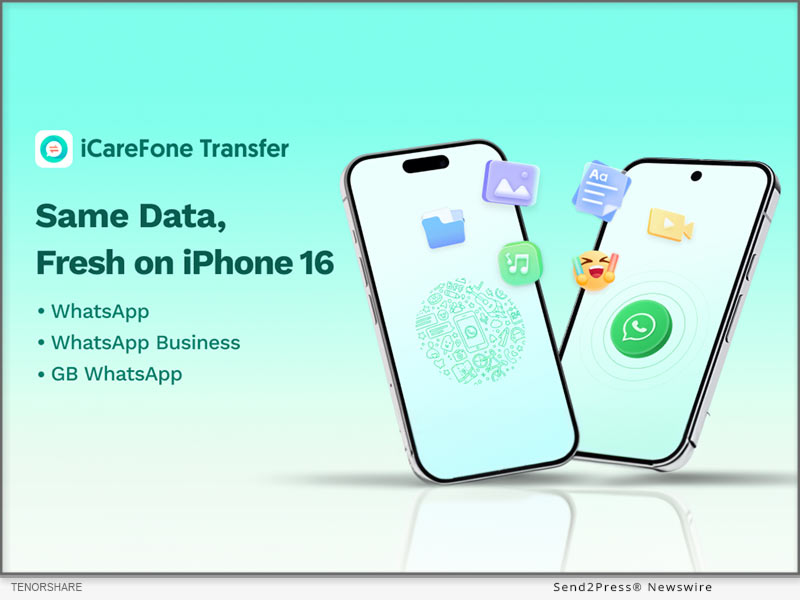
Tenorshare iCareFone Transfer
Image caption: Tenorshare iCareFone Transfer.

Best Way To Transfer WhatsApp From Android To iPhone 16

With Tenorshare iCareFone Transfer App, you can effortlessly transfer WhatsApp chats from Android to iPhone 16. Experience a quick migration without resetting your device.

KEY FEATURES OF THIS TOOL:

:: Comprehensive WhatsApp Data Transfer

Transfer WhatsApp data between Android and iPhone effortlessly, without a computer. Just a few clicks to move messages, videos, images, files, audio, and stickers smoothly.

:: Versatile Transfer Methods

Transfer WhatsApp chats conveniently using an OTG cable for Android to iPhone or Wi-Fi for Android to Android transfers.

:: High-Speed Data Transfer

Experience fast transfer speeds of up to 35 MB/s, ensuring efficient data migration without long waits.

:: Cross-Platform Device Compatibility

Transfer data across multiple platforms: Android to iPhone, iPhone to Android, or Android to Android. Compatible with the latest iOS 18 and Android 14, covering most.

How to Transfer WhatsApp with the iCareFone Transfer App?

Here’s a step-by-step guide:

  • Step 1: Launch the iCareFone Transfer app and click “Transfer WhatsApp Data.”
  • Step 2: Allow the app access to your WhatsApp backup folder and choose the most recent backup.
  • Step 3: Select the specific WhatsApp data types you want to transfer (such as messages, images, videos, etc.).
  • Step 4: Connect your devices and trust the connection when prompted. Once everything is set, the transfer process will start immediately.

Other Hot Features in the iCareFone Transfer App

  • Easily download WhatsApp video and photo statuses for free.
  • Chat in WhatsApp without saving contacts – simply enter the number and start chatting.
  • Seamless transfer of WhatsApp Business, and GB WhatsApp.
  • Merge WhatsApp chats from Android to iOS in one click.

Price of iCareFone Transfer App

Though packed with multiple features, this WhatsApp Transfer tool is still priced at an unbeatable rate.

  • iCareFone Transfer App – 1 Month: $16.99
  • iCareFone Transfer App – 1 Quarter: $29.99

About Tenorshare:

Tenorshare’s iCareFone Transfer App is a trusted tool for seamless data transfers between iPhone and Android devices. With millions of global users, it offers secure, fast, and easy WhatsApp migration, perfect for those upgrading to the latest iPhone 16 or switching platforms. Its reliability and user-friendly design make it a go-to solution for hassle-free transfers.

More information: https://www.tenorshare.com/

YouTube: https://www.youtube.com/@TenorshareOfficial

Facebook: https://www.facebook.com/iCareFoneTransfer

NEWS SOURCE: Tenorshare Co. Ltd.


This press release was issued on behalf of the news source (Tenorshare Co. Ltd.), who is solely responsible for its accuracy, by Send2Press Newswire. Image, if any, was provided by the news source and not this website or the wire service. Information is believed accurate, as provided by the news source, but is not guaranteed.

To view the original story, visit: https://www.send2press.com/wire/updated-best-way-to-transfer-whatsapp-from-android-to-iphone-16-without-a-computer/

Copr. © 2024 Send2Press® Newswire, Calif., USA. -- REF: S2P STORY ID: S2P121684 NOREL-3B
 

How to Spoof Pokemon GO On Android Without Computer and with Android 14 Supported

Effortlessly Fake Your Android Location without a Computer with the iAnyGo Android APP

NEW YORK, N.Y., Oct. 10, 2024 (SEND2PRESS NEWSWIRE) — The latest version (2.2.0) of iAnyGo Android APP from Tenorshare is now available on Google Play, offering users a better experience with slight adjustments in functionality – a new message notification bar. Players can participate in activities more comfortably and conveniently, maximizing the efficiency of hatching eggs.

Spoof Pokemon without Moving with Tenorshare
Image caption: How to Spoof Pokemon GO On Android.

WHAT’S NEW IN IANYGO ANDROID APP 2.2.0?

  • Message Notification Bar: Checks the status of iAnyGo and issues an alarm at the end of the simulated Auto Walk.
  • Notification Bar Control Panel: Adjust the status and speed of the simulated Auto Walk at any time

ABOUT IANYGO ANDROID APP

iAnyGo Android APP is a versatile tool that allows users to fake their GPS location on Android phones without needing a computer. Its main functions include joystick movement, changing GPS location, and Multi-Spot movement, providing a comprehensive solution for location spoofing.

KEY FEATURES OF IANYGO ANDROID APP

Game Mode

  1. Delete the game package downloaded before open “Game Mode”.
  2. Turn on the “Game Mode” and install the customized version of the game via the app’s guide . Then you can enjoy the spoofing!

Teleport

  1. Open the iAnyGo App and choose a location on the map or enter an address.
  2. Select the “Target location” icon.
  3. Your GPS location is now successfully modified.

Single or Multi-Point Movement:

  1. Single-Point Routes are automatically planned after selecting a destination. Multi-Point Movements can be manually set up for moving routes.
  2. After setting the route, customize the speed and sport mode.

Joystick Movement

  1. Click on the joystick option.
  2. Drag the center control point in any direction for virtual movement.

OTHER POPULAR APPS IN TENORSHARE

Tenorshare iCareFone iOS App

Tenorshare iCareFone: Phone Transfer & Clean,this App can transfer data between iPhone and PC wirelessly. And smart cleaning, one-tap quick scan of your phone to help quickly clean up your iPhone.

Tenorshare iAnyGo iOS App

Tenorshare iAnyGo iOS App to spoof Pokemon GO on iOS 18 without a computer (iPhone 16 Supports). It’s the same as the iAnyGo Android App, with no jailbreak/root required to change GPS locations!

Tenorshare UltData Android App

Tenorshare UltData Android App is an Android data recovery app that can recover deleted photos, videos, documents, audio, and WhatsApp files from internal and SD card storage. It can conduct deep scans and then provide preview-based data recovery.

About Tenorshare:

Tenorshare is a leading software development company specializing in data recovery, system repair, and mobile solutions. With a commitment to innovation and user satisfaction, Tenorshare delivers high-quality software products designed to meet the evolving needs of its global customer base.

NEWS SOURCE: Tenorshare Co. Ltd.


This press release was issued on behalf of the news source (Tenorshare Co. Ltd.), who is solely responsible for its accuracy, by Send2Press Newswire. Image, if any, was provided by the news source and not this website or the wire service. Information is believed accurate, as provided by the news source, but is not guaranteed.

To view the original story, visit: https://www.send2press.com/wire/how-to-spoof-pokemon-go-on-android-without-computer-and-with-android-14-supported/

Copr. © 2024 Send2Press® Newswire, Calif., USA. -- REF: S2P STORY ID: S2P121400 NOREL-3B

 

How to Transfer Data from Android to iPhone 16 [Quickly]

NEW YORK, N.Y. /ScoopCloud/ -- The iPhone 16's launch has generated excitement, with users eager to experience its advanced Apple Intelligence and 48MP Fusion Camera. As more people upgrade, the need to transfer essential data-like contacts, photos, and messages-from Android devices to the iPhone 16 has become increasingly important, says Tenorshare.

In response, this guide presents 3 different methods, providing users with a range of options to easily transfer to new iPhone 16.

PART 1: HOW TO TRANSFER DATA FROM ANDROID TO IPHONE 16 AFTER SETUP?

Transferring data from an Android device to the iPhone 16 after setup is made easy with Tenorshare iCareFone iTransGo. This tool allows users to transfer data without resetting the device or losing any existing settings. Here are some top features:
* Easy to Use and Quick - One-click automatic transfer makes moving data between Android and iPhone fast.
* Safe With No Data Loss - Transfer without resetting your iPhone or overwriting existing data.
* Supports All Types of Data and Selective Transfer - Choose only specific file types to move.
* Wide compatibility - Supports 8,000+ Android devices and all major iPhone models, including latest iOS and Android versions.

Bonus Tips

Like iCareFone iTransGo, Tenorshare also offers a simple iCareFone to selectively backup data to a computer and restore it to your iPhone 16 without resetting. So, that's another choice for iPhone 16 data transfer.

HOW TO TRANSFER DATA FROM ANDROID TO IPHONE USING CABLE VIA ITRANSGO:

Step 1: Launch iCareFone iTransGo on your computer. Then, plug in your Android and iPhone to same PC. Enable necessary permissions and click "Start."

Step 2: Select data, scan, and transfer data to iPhone 16.

PART 2: HOW TO TRANSFER DATA FROM ANDROID TO IPHONE 16 WITHOUT CABLE?

If you want to know how to transfer contacts from Android to iPhone 16 via Bluetooth, meaning without cable, Apple doesn't allow that. However, you can use WiFi for migration. But it's time-consuming and requires resetting iPhone. Here's how to transfer data from Android to iPhone via WiFi:

Step 1: Launch Move to iOS on your Android, and enter code from your iPhone 16.

Step 2: Join a temporary WiFi network on your iPhone. Then, select data on Android, and move it to iPhone 16.

PART 3: HOW TO TRANSFER DATA FROM ANDROID TO IPHONE 16 FOR FREE?

Another way to transfer to iPhone 16 from Android for free is through iCloud. But this method is time-consuming. Here's how to transfer data from Android to iPhone 16 via iCloud:

Step 1: Download files from Android to PC, then from PC to iCloud.com.

Step 2: Next, enable iCloud syncing on your iPhone to access data.

About Tenorshare:

Tenorshare prioritizes innovation, safety, and high-quality software to help users achieve their goals efficiently. With iCareFone iTransGo, you can easily transfer data from an Android device to the iPhone 16 without the need for a reset.

Learn more: https://www.tenorshare.com/products/icarefone-itransgo.html

YouTube: https://www.youtube.com/@TenorshareOfficial

Facebook: https://www.facebook.com/TenorshareOfficial/

News from Tenorshare Co. Ltd.

The iPhone 16's launch has generated excitement, with users eager to experience its advanced Apple Intelligence and 48MP Fusion Camera. As more people upgrade, the need to transfer essential data-like contacts, photos, and messages-from Android devices to the iPhone 16 has become increasingly important, says Tenorshare.

Related link: https://www.tenorshare.com/

This version of news story was published on ScoopCloud™ (ScoopCloud.com) - part of and © the Neotrope® News Network - all rights reserved.

How to Transfer Whatsapp from Android to iPhone without Factory Reset from Tenorshare [iPhone 16 Supported]

NEW YORK, N.Y. /ScoopCloud/ -- For a long time, Android users have found it difficult to transfer their WhatsApp content to old iPhones. This is because Apple doesn't allow you to transfer WhatsApp from Android to iPhone without factory reset, says Tenorshare. However, there are numerous ways to transfer WhatsApp without resetting. We'll share 3 most popular ones with you.

HOW TO TRANSFER WHATSAPP FROM ANDROID TO IPHONE WITHOUT FACTORY RESET IN MINUTES [EASY]

If you're short on time Tenorshare iCareFone Transfer can move WhatsApp from Android to iPhone without factory reset in a few minutes.

Below are key features:

* High-Speed Transfer - Can transfer WhatsApp Business from Android to iPhone without a factory reset, and merge WhatsApp on both devices.

* Secure and Private - Ensures your privacy by securely backing up, restoring, and managing WhatsApp data on your computer.

* Comprehensive Backup & Restore - Lets you back up, restore, and manage data from WhatsApp, WhatsApp Business, GBWhatsApp, Kik, Viber, and Google Drive and export chat history as HTML files.

* Support the latest iOS 18 and iPhone 16/14/13/12 and Earlier Models - Compatible with all iOS versions, including iPhone 16, and Android models from version 2 to 14.

HERE'S HOW TO MOVE WHATSAPP FROM ANDROID TO IPHONE WITHOUT FACTORY RESET WITH TENORSHARE ICAREFONE TRANSFER:

Step 1: Open iCareFone Transfer on computer. Choose "WhatsApp."

Step 2: Then, attach Android and iPhone to PC. Pick "Transfer." Select WhatsApp data and transfer it successfully.

HOW TO TRANSFER WHATSAPP FROM ANDROID TO IPHONE WITHOUT FACTORY RESET FREE?

If you're looking for a free method to transfer WhatsApp chats from Android to iPhone without factory reset, you can try Google Drive Backup and Manual Export. However, this won't fully integrate the chats into WhatsApp on iPhone but gives you a readable backup.

Here is how:

Step 1: Open WhatsApp on your Android device and go to "Settings > Chats > Chat backup." Back up your chats to Google Drive and export the desired chats.

Step 2: Email the exported chats and view them on your iPhone.

HOW TO TRANSFER WHATSAPP FROM ANDROID TO IPHONE WITHOUT FACTORY RESET OR COMPUTER?

"Email Chat" is a good option to move WhatsApp from Android to iPhone without factory reset. But it doesn't allow direct restoration to WhatsApp and can only move chats:

Step 1: Open WhatsApp, choose "Settings" > "Chats" > "Chat History." Tap "Export chat."

Step 2: Select your contact, choose your email address, and send chat. Then, log in to your account to receive it.

About Tenorshare:

Tenorshare iCareFone Transfer offers best solution to migrate WhatsApp from Android to iPhone without factory reset, allowing selective recovery. The smartphone solution provider behind this innovation, Tenorshare is holding a Giveaway Event to celebrate release of iOS 18. Users will get a great chance at winning iPhone 16 by taking part in Tenorshare iOS 18 & iPhone 15 events.

YouTube: https://www.youtube.com/@TenorshareOfficial

Facebook: https://www.facebook.com/TenorshareOfficial/

News from Tenorshare Co. Ltd.

For a long time, Android users have found it difficult to transfer their WhatsApp content to old iPhones. This is because Apple doesn't allow you to transfer WhatsApp from Android to iPhone without factory reset, says Tenorshare. However, there are numerous ways to transfer WhatsApp without resetting. We'll share 3 most popular ones with you.

Related link: https://www.tenorshare.com/

This version of news story was published on ScoopCloud™ (ScoopCloud.com) - part of and © the Neotrope® News Network - all rights reserved.

Best Tool to Spoof Location on Android Without Using a Computer | FonesGo Android Location Changer

NEW YORK, N.Y. /ScoopCloud/ -- We are glad to announce the release of FonesGo Android Location Changer, the ultimate solution for anybody looking to simply spoof GPS location. This App provides a simple and user-friendly approach to mock location on Android without the need for a PC or root.

"FonesGo is excited to introduce a groundbreaking tool designed to enhance your mobile experience," says a FonesGo spokesperson. "Our innovative solution allows users to change their phone's location without the need for a computer, providing unprecedented convenience and flexibility." Don't miss the chance to experience the future of mobile technology firsthand.

WHAT FEATURES DOES FONESGO LOCATION CHANGER HAVE?

1. Spoof Location without Computer

With FonesGo Android Location Changer, you can set your GPS location to anywhere in the world without the need for a computer, using only your Android device. Allowing you to change your location anytime, anywhere.

2. Explore Location-Based Apps

You can use FonesGo Android Location Changer to break the geographical restrictions of applications and unlock more new experiences! It can not only spoof the location of games such as Pokemon Go, but also freely simulate the realistic movement.

3. Protect Your Privacy

Privacy can be easily exposed online. FonesGo Android Location Changer can protect your privacy in all aspects by preventing apps from tracking your true location. Especially on some social and dating apps, so you can enjoy it with more peace of mind.

HOW TO SPOOF LOCATION ON ANDROID?

For use with the FonesGo Android Location Changer, simply follow these 3 steps:

1. Install the app on your Android device after downloading it.

2. Search for a specific location you want to spoof.

3. The map will show the location you enter and click "Teleport".

Congratulations! Now your GPS location will be transmitted to the destination in one second.

More info: https://fonesgo.com/guide/how-to-use-location-changer-android-app/

Pricing and Compatibility:

FonesGo Location Changer is the most affordable location spoofing solution for Android users. It has attributes that make it valuable.

Pricing:

1-Month plan: $9.95 per month

1-Quarter plan: $19.95

1-Year plan: $39.95

Lifetime Plan: $59.95

Compatibility:

Brands: Samsung, Xiaomi, Motorola, Huawei, Wiko, Google, nePlus, Realme, OPPO, etc.

Android OS: Android 14, Android 13, Android 12, Android 11, Android 10, Android 9 Pie, Android 8.0

About FonesGo:

FonesGo is a leading software development company focusing on mobile phone/computer solutions. We aspire to improve the mobile experience for people all around the world by focusing on innovation and user-friendliness. And provide simple, effective, and professional solutions for Android, iOS, and PC devices.

For more details, please visit:

More information: https://fonesgo.com/android-gps-spoof-app/

Facebook: https://www.facebook.com/fonesgo

YouTube: https://www.youtube.com/@fonesgo

News from FonesGo

We are glad to announce the release of FonesGo Android Location Changer, the ultimate solution for anybody looking to simply spoof GPS location. This App provides a simple and user-friendly approach to mock location on Android without the need for a PC or root.

Related link: https://fonesgo.com/

This version of news story was published on ScoopCloud™ (ScoopCloud.com) - part of and © the Neotrope® News Network - all rights reserved.

[1 Click] Easy Bypass of Realme FRP with iToolab UnlockGo (Android) V7.8.0

NEW YORK, N.Y. /ScoopCloud/ -- iToolab, a leading software provider, is excited to announce the release of iToolab UnlockGo (Android) V7.8.0. This update allows you to easily bypass FRP on all Realme devices, including Realme C11, C30, C33, C35, and more.

"There are more and more users need to bypass Google FRP lock on Realme devices," said Jack Ma, the CEO of iToolab. "However, after doing some researches, we found the existing methods are complicated. That's why we released a new version of iToolab UnlockGo (Android) to help Realme users to bypass FRP easily."

EXPLORE KEY FEATURES OF ITOOLAB UNLOCKGO (ANDROID) V7.8.0
Easily Bypass Realme FRP

UnlockGo (Android) allows you to bypass Realme FRP in 1 simple click. You don't need to go through complicated steps.

High Success Rate

The tool offers 2 different options to bypass Realme FRP, which guarantee a high success rate up to 99%.

Wide Compatibility

UnlockGo Android Unlocker supports all Realme devices running Android 5-14. And you can install the program on Windows or Mac computer.

No Restrictions After Unlocking

After unlocking the device, you can enjoy full functions of your Realme phone. And the best part is you can sign into another Google account to enjoy all Google services.

Explore full features and get UnlockGo (Android) free now: https://itoolab.com/android-phone-unlocker/

Price and Availability

* The new feature is available on V7.8.0. For unregistered users, you can visit the official website of iToolab UnlockGo (Android) and download the latest version to try. For registered users, you can enjoy a free lifetime update.

* The program supports bypassing Google lock on Samsung Android 5-14, most Xiaomi/Redmi devices, vivo Android 10-12, OPPO Android 5-13, Motorola Android 11/12, and Realme Android 5-14.

* The program is sold with different license types, including 1 Device Plan, 1 Month Plan, 1 Year Plan and Lifetime Plan. The prices are $14.95, $29.95, $39.95, $49.95, respectively. In other words, the longer you own the license, the cheaper it will be.

iToolab is holding a giveaway to celebrate the release of iOS 18 and iPhone 16. It offers a big discount of UnlockGo (Android). You can visit the link to enter the event: https://itoolab.com/sales-promotion/

For more information visit https://itoolab.com/buy/unlockgo-android-for-windows/

About iToolab

iToolab is a software development company founded in 2008 to help iOS and Android users solve various issues with leading-edge smartphone tools for repair and recovery, unlocking, and more. As of now, iToolab is serving 130+ countries and has been trusted and recommended by some leading tech sites and users worldwide. iToolab is a trusted one-stop shop for smartphone utility apps.

For more details, please visit:

Website: https://itoolab.com/

YouTube: https://www.youtube.com/c/itoolab

Facebook: https://www.facebook.com/itoolab

X/Twitter: https://x.com/IToolab

News from IToolab Co Ltd

Toolab, a leading software provider, is excited to announce the release of iToolab UnlockGo (Android) V7.8.0. This update allows you to easily bypass FRP on all Realme devices, including Realme C11, C30, C33, C35, and more.

Related link: https://itoolab.com/

This version of news story was published on ScoopCloud™ (ScoopCloud.com) - part of and © the Neotrope® News Network - all rights reserved.

[No Computer] Most Advanced Pokemon Go Spoofing Apps on iOS and Android

NEW YORK, N.Y. /ScoopCloud/ -- Tenorshare, a leading software solution provider, is delighted to unveil version 2.9.0 of their popular iAnyGo iOS App. This upgrade introduces key improvements that enhance user experiences. Now users can share routes and coordinates and follow others' favorites!

"With iAnyGo iOS App version 2.9.0, two major updates provide increased flexibility and community interaction. Now, the users can share favorite locations, follow other players' favorite spots, personalize profiles with custom avatars or nicknames, and join our Discord channel, where sharing routes or coordinates could win free licenses!" said Tenorshare's CEO, while introducing the new features.

WHAT'S NEW IN IANYGO 2.9.0?

* Support for Sharing Favorite Locations: Users now have an easier time sharing favorite spots with their fellow players in the Pokemon Go spoofing app - making collaboration and exploring new areas even simpler than before!

* Track Others' Favorite Locations: With this update, users can follow others' favorite spots more closely for an engaging, community-driven experience.

* Custom Avatar and Nickname Creation: Players can now personalize their iAnyGo profiles by setting custom avatars and nicknames - adding more of their personality into their gaming experience!

* Join Our Discord Server and Unlock Exclusive Rewards: join iAnyGo Discord community and share routes and coordinates. If your post gets more than 10 likes, you will get 3-day free license for iAnyGo!

HOW TO SPOOF POKEMON GO ON IPHONE

Using the iAnyGo iOS App is straightforward for newcomers. Follow these three easy steps.

Step 1: Download the iAnyGo iOS App. If you use the app for the first time, you need a computer to install the app. And you can reset the app's validity every seven days. The computer will no longer be needed.

Step 2: Launching the iAnyGo app, selecting "Change Location," inputting desired coordinates, and then using the joystick movement simulation feature allows users to explore various areas without physically moving around in the game world.

Step 3: Launch Pokemon Go on your device and locate your character within its new environment after downloading and installing it. Now, you can catch rare Pokemon, visit nearby PokeStops, and participate in raids without leaving home!

HOW TO SPOOF POKEMON GO ON ANDROID

The iAnyGo also supports Pokemon Go spoofing on Android devices. Here's how you can get started:

Step 1: Download and open the iAnyGo Android app from the Play Store.

Step 2: Use the map or search bar to select the location you want to teleport to, then tap the "change-location" icon to instantly change your GPS location.

About Tenorshare:

Tenorshare specializes in iOS, Android, Windows, and Mac platforms, focusing on core technology research. It is a highly-reputed and leading software provider with millions of users that use its tools and services related to data transfer, data recovery, system repair, unlocking phones, and many more.

More information: https://www.tenorshare.com/

Facebook: https://www.facebook.com/TenorshareOfficial/

X/Twitter: https://x.com/Tenorshare_Inc

YouTube: https://www.youtube.com/user/TenorshareOfficial/videos

TikTok: https://www.tiktok.com/@tenorshare_tech_tips

News from Tenorshare Co. Ltd.

Tenorshare, a leading software solution provider, is delighted to unveil version 2.9.0 of their popular iAnyGo iOS App. This upgrade introduces key improvements that enhance user experiences. Now users can share routes and coordinates and follow others' favorites!

Related link: https://www.tenorshare.com/

This version of news story was published on ScoopCloud™ (ScoopCloud.com) - part of and © the Neotrope® News Network - all rights reserved.

[NEW] The 2024 Best Pokémon GO Spoofer for iPhone and Android | Tenorshare iAnyGo

NEW YORK, N.Y. /ScoopCloud/ -- Tenorshare is excited to announce the launch of the 2024 edition of iAnyGo, acclaimed as the best Pokémon GO spoofer for both iPhone and Android users. This latest update ensures that iAnyGo remains at the forefront of location spoofing technology, providing users with a safe, reliable, and effective app for enjoying Pokémon GO without geographical limitations. So, if you're looking for a Pokémon GO spoofer, here it is!

According to a Tenorshare spokesperson, "iAnyGo continues to be the safest and most dependable Pokémon GO spoofer available, offering a 100% success rate for all users."

This highlighted the tool's cutting-edge features, which set it apart from competitors in the market. With its user-friendly interface and strong security measures, iAnyGo ensures that users can enjoy their Pokémon GO experience without any risk of bans or technical issues. The positive feedback from users reinforces iAnyGo's position as the leading choice for location spoofing.

FULL GUIDE TO SPOOF IN POKÉMON GO WITH TENORSHARE IANYGO

iAnyGo's new features are designed to improve user experience and ensure smooth gameplay. The Pokémon GO spoofer allows users to change their location effortlessly, making it easier to catch region-specific Pokémon, access gyms, and participate in events that would otherwise be out of reach.

Tenorshare has provided a comprehensive guide to help users get started with iAnyGo. This step-by-step guide guarantees that even those new to spoofing can easily manage the process. Just look at how you can work this Pokémon GO spoofer free.

Step-by-Step Guide:

1. Download and install iAnyGo on your device.

2. Open the application and connect your device.

3. Choose your desired location on the map.

4. Confirm the location change and start playing Pokémon GO with your new coordinates.

Key features include:

1. Navigation and Straight Modes for realistic or precise movements.

2. Speed Justify to mimic natural movement and avoid bans.

3. History Collection for quick access to past locations.

4. Keyboard Control Direction for enhanced gaming control.

Try the infinite trial for 60 minutes for Pokemon Go spoofer iOS, Mac and Windows. Perfect for exploring iAnyGo's capabilities and improving your experience by being the best Pokémon GO spoofer.

For a visual demonstration, watch the tutorial video here - https://www.youtube.com/watch?v=Coc0a7szWds

Enjoy Tenorshare iAnyGo Spoofer 20% Off!

To celebrate the launch, Tenorshare iAnyGo is offering a special promotion. With the code TSWOW20OFF, users can enjoy a 20% discount on iAnyGo. Visit the official Tenorshare website to take advantage of this limited-time offer.

Learn more: https://www.tenorshare.com/products/ianygo-change-gps-location-iphone.html

About Tenorshare:

Tenorshare iAnyGo is a leading software provider dedicated to developing high-quality utility software. Focusing on data recovery, system repair, and iOS/Android solutions, Tenorshare continues to deliver innovative products that simplify and enhance digital life for users worldwide.

For more information about Tenorshare and their range of products, visit: https://www.tenorshare.com/

Stay connected with Tenorshare on social media for more Pokémon GO spoofer news:

Facebook: Tenorshare Official - https://www.facebook.com/TenorshareOfficial/

X/Twitter: @Tenorshare_Inc - https://x.com/Tenorshare_Inc

YouTube: Tenorshare Official YouTube Channel - https://www.youtube.com/user/TenorshareOfficial/videos

News from Tenorshare Co. Ltd.

Tenorshare is excited to announce the launch of the 2024 edition of iAnyGo, acclaimed as the best Pokémon GO spoofer for both iPhone and Android users. This latest update ensures that iAnyGo remains at the forefront of location spoofing technology, providing users with a safe, reliable, and effective app for enjoying Pokémon GO without geographical limitations. So, if you're looking for a Pokémon GO spoofer, here it is!

Related link: https://www.tenorshare.com/

This version of news story was published on ScoopCloud™ (ScoopCloud.com) - part of and © the Neotrope® News Network - all rights reserved.

MocPOGO Pokemon GO Hacks Updated: Fixes Failed to Detect Location Error 12

NEW YORK, N.Y. /ScoopCloud/ -- Attention Pokemon GO enthusiasts! Have you tried changing your GPS location but encountered an error saying "failed to detect location 12 Pokemon GO"? The recent June 7th update to version 315.2 is likely the cause. It seems it added advanced location monitoring that could be disrupting Pokemon GO spoofing. Fortunately, a new Pokemon GO hack has emerged! You can now use MocPOGO together with iWhereGO POGO Genius to bypass the Pokemon GO location error 12. This works on Android and iOS without rooting or jailbreaking. But you may ask, how do MocPOGO and iWhereGO POGO Genius work to solve the problem? Let's find out!

MocPOGO Teams Up with iWhereGO POGO Genius to Spoof Pokemon GO Location Easily: The MocPOGO and iWhereGO Genius collaboration is a game-changer in playing and faking Pokemon GO location. It helps to resolve the issue of not detecting the current location 12 signal to ensure smooth gameplay.

However, although iWhereGO POGO Genius supports most flyer software on the market, we recommend you use it in conjunction with MocPOGO for more security. MocPOGO is currently the best Pokemon GO spoofer iOS, making this the safest and most stable combo available.

Learn more: https://mocpogo.com/iphone-location-changer-app/

SIMPLE STEPS TO FIX POKEMON GO ERROR 12 - FAILED TO DETECT LOCATION

Both the MocPOGO Pokemon GO spoofer and iWhereGO POGO Genius are straightforward tools, and any player can use them as follows:

Step 1: Download iWhereGO POGO Genius for free on your computer, log in with your credentials, and connect your device using a USB cable. iWhereGO is safe to install and the onscreen instructions help to complete the installation successfully.

Step 2: Install MocPOGO on your computer and connect your device for instant GPS spoofing on Pokemon GO.

* To teleport your Pokemon GO character, search or click on your new location on the map and click "Go." Your game's location will change instantly, bypassing the "failed to detect location 12 Pokemon GO" error.

* To simulate GPS movement, select the two-spot mode, click on the new destination on the map, and click "Go." Your Pokemon GO game avatar will now walk and follow the set route.

Step 3: Enjoy Pokemon GO using the new location. When you're done, restart your device to restore the GPS location changes to your real-time location.

Level up your Pokemon GO experience with the MocPOGO location spoofer. Check it out today and apply promo code MOCPGPRO to take advantage of the exclusive 20% discount!

About MocPOGO:

MocPOGO is a trusted provider of smartphone solutions for GPS location spoofing. When paired with iWhereGO POGO Genius, iOS and Android users can change their GPS location seamlessly. So, gamers frustrated by the "failed to detect location 12" error in Pokemon GO can now rejoice and enjoy more virtual adventures from the comfort of their home.

Visit the MocPOGO official site: https://mocpogo.com/ and check out iWhereGO.

View More Guides on MocPOGO Youtube Channel https://www.youtube.com/watch?v=52u0Ei1AVWU

News from MocPOGO Studio

Attention Pokemon GO enthusiasts! Have you tried changing your GPS location but encountered an error saying "failed to detect location 12 Pokemon GO"? The recent June 7 update to version 315.2 is likely the cause. You can now use MocPOGO together with iWhereGO POGO Genius to bypass the Pokemon GO location error 12. This works on Android and iOS without rooting or jailbreaking.

Related link: https://mocpogo.com/

This version of news story was published on ScoopCloud™ (ScoopCloud.com) - part of and © the Neotrope® News Network - all rights reserved.

[Not Banned] Failed to Detect Location 12 Error Fixed by iToolab AnyGo Pokémon GO Spoofing App

NEW YORK, N.Y. /ScoopCloud/ -- Pokémon GO enthusiasts, rejoice! If you've been facing the frustrating "Failed to Detect Location 12" error while trying to spoof your GPS location, we have great news. The latest updates in June 2024 have introduced advanced location monitoring, making it difficult to spoof locations. However, with the powerful combination of iToolab AnyGo and iWhereGo Genius, you can now bypass this error seamlessly on both Android and iOS devices, without the need for rooting or jailbreaking.

iToolab AnyGo and iWhereGo Genius: The Ultimate Duo for Pokémon GO Spoofing: The collaboration between iToolab AnyGo and iWhereGo Genius is dedicated to resolving the "Failed to Detect Location 12" error, ensuring a smooth and enjoyable Pokémon GO experience.

These tools are especially designed to help players spoof their GPS location on iPhone effectively, enabling them to explore new territories and catch rare Pokémon from the comfort of their homes. iWhereGo Genius is also free and safe.

HOW TO FIX "FAILED TO DETECT LOCATION 12" IN POKÉMON GO

Here's a step-by-step guide on how to use iToolab AnyGo and iWhereGo Genius to fix the location error and enjoy uninterrupted Pokémon GO gameplay:

Step 1: Install iToolab AnyGo and iWhereGo Genius

First, log in to your Apple account and install both iToolab AnyGo and iWhereGo Genius on your iOS device. Follow the onscreen instructions to set your iPhone to developer mode. This setup is crucial for enabling the advanced spoofing features.

Step 2: Connect Your Device

Open iToolab AnyGo on your computer and connect your iOS or Android device using a USB cable. The software will detect your device and prepare it for location spoofing.

Step 3: Teleport to a New Location with iWhereGo Genius

Launch iWhereGo Genius and enter the desired location or coordinates in the search box. This will allow you to teleport to the new location instantly. Click "Go" to change your location within Pokémon GO, effectively bypassing the "Failed to Detect Location 12" error.

Step 4: Simulate GPS Movement

Use iToolab AnyGo to simulate GPS movement at custom speeds. You can use the two-spot mode for basic location changes or the multi-spot mode for more complex routes. This feature is perfect for exploring different areas in Pokémon GO without moving from your location.

Step 5: Enjoy Your Game

With your location set, enjoy exploring new areas and catching Pokémon in Pokémon GO. When you're done, simply restart your device to revert to your real-time location.

Learn more: https://itoolab.com/gps-location-changer/ and https://iwherego.com/pogo-genius/

ENHANCE YOUR POKÉMON GO GAMEPLAY

iToolab AnyGo and iWhereGo Genius offer a range of features that make spoofing your GPS location in Pokémon GO easy and effective. These include:

* Instant teleportation to any location

* Simulation of GPS movement with custom speeds

* Multi-spot routes for comprehensive exploration

* Joystick control for better in-game navigation

About iToolab AnyGo:

iToolab AnyGo is a leading provider of GPS location spoofing solutions for smartphones. It allows both iOS and Android users to change their GPS location effortlessly, making it easier to explore new areas in location-based games like Pokémon GO. Combined with iWhereGo Genius, players can say goodbye to the "Failed to Detect Location 12" error and enjoy more virtual adventures.

For more details, visit the iToolab official website: https://itoolab.com/ and Youtube Guide https://youtu.be/BFMwXO0ozT4?si=T9x2w3GSNLjbc4Ds

News from IToolab Co Ltd

Pokémon GO enthusiasts, rejoice! If you've been facing the frustrating "Failed to Detect Location 12" error while trying to spoof your GPS location, we have great news. The latest updates in June 2024 have introduced advanced location monitoring, making it difficult to spoof locations. However, with the powerful combination of iToolab AnyGo and iWhereGo Genius, you can now bypass this error seamlessly on both Android and iOS devices, without the need for rooting or jailbreaking.

Related link: https://itoolab.com/

This version of news story was published on ScoopCloud™ (ScoopCloud.com) - part of and © the Neotrope® News Network - all rights reserved.

[Fixed!] Failed to Detect Location 12 on Pokémon GO While Spoofing GPS

NEW YORK, N.Y. /ScoopCloud/ -- On June 7, Pokémon GO updated to version 315.2, likely adding advanced location monitoring that disrupts current location spoofing tools. Many gamers now see a "failed to detect location 12 Pokémon GO" error when trying to change their location. However, iAnyGo team has finally found a resolution for this error. Tenorshare iAnyGo used in conjunction with PoGo Wizard can now bypass location monitoring to spoof location on iOS and Android devices without jailbreaking/rooting.

But how does iAnyGo and PoGo Wizard work to fix "failed to detect location 12" error. Let's find out!

PART 1: IANYGO AND POGO WIZARD PARTNERSHIP PLEDGES TO SOLVE POKÉMON GO LOCATION SPOOFING ERRORS

The combo of Tenorshare iAnyGo and PoGo Wizard now allows you to fix "failed to detect location 12" error for a smooth Pokémon GO gameplay. PoGo Wizard used to have instability issues, causing some Pokémon GO accounts to be locked.

After four improvements, the latest version, PoGo Wizard Beta 4, released on June 21, is much more stable with no reported account bans.

"We're concerned about your account safety and this is currently the most stable and safe solution available in the market," says a Tenorshare spokesperson.

PART 2: FULL GUIDE: FIX FAILED TO DETECT LOCATION 12 BY USING TENORSHARE IANYGO + POGO WIZARD

For iAnyGo to fix "failed to detect location 12" error, you'll need to download it as well as PoGo Wizard on your computer, then follow instructions below:

Step 1: Install iAnyGo on your computer. Then, join PoGo Club Discord group to get PoGo Wizard for free and install it as well.

Step 2: Next, log in with a secondary Apple ID or Google account, and click "Install PoGo" to install Pokemon GO (beta 4) on your device.

Step 3: Next, log in to cracked version of Pokémon GO, open iAnyGo, and change location. You will be able to fix "Pokémon GO error 12" successfully.

Check out full guide to fix "failed to detect location 12 Pokémon GO" error with Tenorshare iAnyGo:

(VIDEO): https://www.youtube.com/watch?v=Coc0a7szWds

Learn more at: https://www.tenorshare.com/products/ianygo-change-gps-location-iphone.html

PART 3: ENJOY TENORSHARE IANYGO GO FEST 2024 GIVEAWAY

You can now fix "failed to detect location 12" error with iAnyGo at a far lower cost than before. Tenorshare has introduced a "Pokémon GO Fest 2024 Giveaway" with discounts for you and your team and deals like buy one, get three free. You also get exclusive chances to win tickets, and learn top tricks and tips for catching more Pokémon. Learn more at: https://www.tenorshare.com/pokemon-go-fest-giveaway.html

About Tenorshare:

The "failed to detect location 12 Pokémon GO" error is the major woe for gamers wishing to play Pokémon GO from comfort of their home. However, Tenorshare iAnyGo and PoGo Wizard offers a lethal solution to fix this error, preventing account ban. With 85,482,249 satisfied customers worldwide, Tenorshare has long established itself as a leading provider of smartphone solutions to address user problems effectively.

More information: https://www.tenorshare.com/

Facebook: https://www.facebook.com/TenorshareOfficial/

X/Twitter: https://twitter.com/Tenorshare_Inc

YouTube: https://www.youtube.com/user/TenorshareOfficial/videos

News from Tenorshare Co. Ltd.

On June 7, Pokémon GO updated to version 315.2, likely adding advanced location monitoring that disrupts current location spoofing tools. Many gamers now see a "failed to detect location 12 Pokémon GO" error when trying to change their location. Tenorshare iAnyGo used in conjunction with PoGo Wizard can now bypass location monitoring to spoof location on iOS and Android devices without jailbreaking/rooting.

Related link: https://www.tenorshare.com/

This version of news story was published on ScoopCloud™ (ScoopCloud.com) - part of and © the Neotrope® News Network - all rights reserved.

The Best Way To Fake Location On Android Without Computer: iAnyGo Android APP

NEW YORK, N.Y. /ScoopCloud/ -- The latest version (2.6.5) of the iAnyGo Android APP by Tenorshare is now available on Google Play, offering users an enhanced experience with minor functional adjustments. This powerful GPS location spoofer is designed to meet various needs, such as using fake GPS for games like Pokémon Go, enhancing privacy on WhatsApp, and more.

Scenarios for Using Fake GPS

Fake GPS can be incredibly useful in numerous scenarios:

* Gaming: Change your location in Pokémon Go to catch region-specific Pokémon.

* Privacy: Use a different location on WhatsApp to protect your real whereabouts.

* Travel Apps: Test location-based apps without physically being there.

* Social Media: Share different locations on social media to protect your privacy or add an element of fun.

About iAnyGo Android APP

iAnyGo Android APP is a versatile tool that allows users to fake their GPS location on Android phones without needing a computer. Its main functions include joystick movement, changing GPS location, and Multi-Spot movement, providing a comprehensive solution for location spoofing.

How to Fake Your Location on Android Without a Computer?

VIDEO: https://www.youtube.com/watch?v=3AJtouuHCUs

iAnyGo Android App Download Guide

1. Go to Google Play and install the iAnyGo app.

2. Open the iAnyGo app and agree to the "Service Agreement and Privacy Policy."

3. Set iAnyGo as a mock location app via the given popup on the screen.

4. Open Settings and enable Developer options. Search for "Select Mock Location App."

5. Choose iAnyGo as the mock location app. Once set, you're ready to explore the advanced features.

Key Features of iAnyGo

Change GPS Location

1. Open the iAnyGo app and choose a location on the map or enter an address.

2. Select the "Target location" icon.

3. Your GPS location is now successfully modified.

Multi-Spot Movement

1. Click the Multi-Spot Movement button at the right.

2. Select or search for coordinates to customize the movement route and click on "Start Moving."

3. Use the undo or reset function to adjust the route as needed.

4. Adjust the speed at any time during movement (1km/h to 30km/h).

5. Notification appears once the destination is reached.

Pokémon GO Game Modes

1. Click on the Pokémon Go game mode.

2. Download the custom mod of the game via the app's redirect.

3. After installation, enjoy spoofing in Pokémon Go.

Joystick Movement

1. Click on the joystick option.

2. Drag the center control point in any direction for virtual movement.

Real-time virtual movement is displayed on the screen, with adjustable joystick control panel size and location. Speed and destination can be changed at any time.

For further information, please download and experience.

Free Download iAnyGo: https://ianygofakegps.onelink.me/sQfH/id91vhat

Facebook: https://www.facebook.com/profile.php?id=61554896956540

Website: https://www.ianygo.com/

News from Tenorshare Co. Ltd.

The latest version (2.6.5) of the iAnyGo Android APP by Tenorshare is now available on Google Play, offering users an enhanced experience with minor functional adjustments. This powerful GPS location spoofer is designed to meet various needs, such as using fake GPS for games like Pokémon Go, enhancing privacy on WhatsApp, and more.

Related link: https://www.tenorshare.com/

This version of news story was published on ScoopCloud™ (ScoopCloud.com) - part of and © the Neotrope® News Network - all rights reserved.

How to Unlock a Nokia Phone without Password in Minutes

NEW YORK, N.Y. /ScoopCloud/ -- "Whether you have forgotten your Nokia phone's screen lock password or have it carrier-locked to a network, there are several foolproof ways to help unlock it," says Tenorshare. In this guide, we will discuss how to unlock Nokia phone using alternative 3 ways.

So read on for detailed guidance on unlocking your Nokia phone.

WHEN DO YOU NEED TO UNLOCK NOKIA PHONE WITHOUT PASSWORD?

Before we demonstrate how to bypass screen lock on Nokia phone, let's consider some common scenarios where this may be necessary:

* If you have forgotten your lock screen password.

* If your Nokia phone has a SIM lock on it, and you need to switch carriers or are traveling.

HOW TO UNLOCK A NOKIA PHONE WITHOUT PASSWORD EASILY IN MINUTES?

If you're looking for a reliable way how to decode a Nokia phone, we suggest using a Nokia hard reset tool like Tenorshare 4uKey for Android. Here are its key features:

* Removes all sorts of screen locks, like passwords, patterns, PINs, and face and fingerprint IDs.

* Easily factory resets your device without the password.

* It is easy to use with a high success rate.

* Compatible with almost all Android phones, including Samsung, Vivo, Huawei, Sony,Realme, Tecno and more.

Here's how to unlock a Nokia mobile phone:

* Launch Tenorshare 4uKey for Android and select "Remove Screen Lock."

* This will initiate the screen lock removal process.

* Next, follow the on-screen instructions to put your device in Recovery Mode for factory reset.

* Your Nokia phone is now ready to use without a password.

Learn more: https://www.tenorshare.com/products/android-password-reset-tool.html

HOW TO UNLOCK NOKIA PHONE PIN CODE WITHOUT PC?

Method 1: Use the Code

If you want to unlock a Nokia phone without a PC, you can use the unlock code method.

But what is the master code to unlock Nokia phone? To get the code, you can contact your carrier and request them for it.

However, this method may take 2 or 3 days, as the customer service representative will first verify your information, forward your request, and then send the code.

Method 2: Use IMEI Number

The next method is to unlock Nokia phone with IMEI number free. If you don't want to use a Nokia pattern unlock tool, you can contact an online unlocking service, enter your IMEI number, region, Nokia model and other details. Once your request is processed, you will receive an unlock code via email.

While this unlock Nokia phone free method is widely used by people, the success rate can vary, and there's a chance that the unlock might not work for your specific device.

About Tenorshare:

Tenorshare is a software company that offers tools to help with various system and data management issues in iPhones and Androids.

So, if you're looking for ways how to factory reset Nokia phone when locked or how to unlock Nokia phone from your carrier, Tenorshare 4uKey can help.

Learn more: https://www.tenorshare.com/unlock-android/how-to-reset-nokia-phone.html

YouTube: https://www.youtube.com/@TenorshareOfficial

Facebook: https://www.facebook.com/TenorshareOfficial/

News from Tenorshare Co. Ltd.

"Whether you have forgotten your Nokia phone's screen lock password or have it carrier-locked to a network, there are several foolproof ways to help unlock it," says Tenorshare. In this guide, we will discuss how to unlock Nokia phone using alternative 3 ways.

Related link: https://www.tenorshare.com/

This version of news story was published on ScoopCloud™ (ScoopCloud.com) - part of and © the Neotrope® News Network - all rights reserved.

Fake GPS Location on iOS 17 without a PC | PoGoskill iOS App

NEW YORK, N.Y. /ScoopCloud/ -- PoGoskill, the leading GPS location spoofer software, has released the iOS App with iOS 17 compatibility. With the launch of the PoGoskill iOS app, iOS users can now change the GPS location directly through their iOS devices.

PoGoskill is a powerful GPS location spoofer that provides a 1-click interface to change GPS location to any coordinates without jailbreak/root. It provides a joystick to simulate 360° GPS movement in AR games. It offers GPS spoofing for all location-based apps, including Pokémon GO, WhatsApp, Monster Hunter Now, Facebook, and similar others.

PoGoskill iOS App

PoGoskill iOS App offers a 1-click change of GPS location. Its interactive map allows you to pinpoint the exact location to spoof GPS location. It can stimulate 360° GPS movement with the joystick in AR games, like Pokémon GO and Monster Hunter Now. It supports adjustable movement speed and offers a cooldown timer to avoid frequent location spoofing. In addition, it supports autonomous movement at specified routes. It can also export/import GPX files to create customized routes.

Learn more: https://www.pogoskill.com/buy-ios-app.html

PoGoskill Android App

PoGoskill Android App can spoof GPS location on Android phones without root. It can change location to any street, city, or country without physically walking/moving. It makes playing AR games fun with a joystick and game mode. Furthermore, its cooldown timer and adjustable movement speed keeps GPS spoofing safe.

Learn more: https://play.google.com/store/apps/details?id=com.tenorshare.transfer&referrer=af_tranid%3Di6yfQcaV5PJEoTUHkbonqQ%26c%3Dhwh-send2press-20240402%26pid%3DBlog&pli=1

PoGoskill Win & Mac

PoGoskill Win & Mac software provides an easy and safe way to change location on iPhone/Android through PC. It offers four special modes, i.e., teleport, two-spot, multi-spot, and joystick modes. Its intuitive interface provides a convenient way to change location, adjust movement speed, and stimulate real-time GPS movement with the joystick.

Learn more: https://www.pogoskill.com/buy-pogoskill.html

About PoGoskill:

PoGoskill is a highly reputed software company known for its top-notch GPS spoofing software solutions for iOS and Android users. With over 100 million users, its software solutions are widely used for spoofing Pokémon GO and Monster Hunter Now to maximize the gaming experience without walking. Overall, PoGoskill is a trusted and reliable GPS spoofer software provider, especially for AR games.

More information: https://www.pogoskill.com/

YouTube: https://www.youtube.com/@PoGoskill

News from PoGoskill

PoGoskill, the leading GPS location spoofer software, has released the iOS App with iOS 17 compatibility. With the launch of the PoGoskill iOS app, iOS users can now change the GPS location directly through their iOS devices. PoGoskill is a powerful GPS location spoofer that provides a 1-click interface to change GPS location to any coordinates without jailbreak/root.

Related link: https://www.pogoskill.com/

This version of news story was published on ScoopCloud™ (ScoopCloud.com) - part of and © the Neotrope® News Network - all rights reserved.

How to Easily Bypass FRP on Motorola Phone with FonesGo Android Unlocker

NEW YORK, N.Y. /ScoopCloud/ -- Similar to other Android devices, Motorola phones and tablets also have Google FRP lock. If you reset a Motorola device to factory settings without removing the Google account, you'll need to enter the correct Google account email and password to activate the device, says FonesGo.

After verification, you can access the device and enjoy all services. Everything seems okay until you purchase a second-hand Motorola device and the previous owner didn't take off his Google account before resetting.

You don't have to be worried since we're here to help you.

3 SIMPLE STEPS TO BYPASS GOOGLE FRP LOCK ON MOTOROLA

It's time-consuming to find a working method that can bypass Google FRP lock on all Motorola devices, but not anymore. FonesGo Android Unlocker, a powerful unlocking tool, just released a new version to support Motorola FRP bypass. Now, let's check how to bypass Motorola FRP with a computer.

Step 1: Free download FonesGo Android Unlocker on your Windows or Mac computer. After installation, run it and choose "Bypass FRP Lock on Other Brands".

Step 2: Connect your Google-locked Motorola device to the computer with a USB cable. Then select your device brand on the program to move on.

Step 3: Follow the on-screen instructions, then you can easily remove Google FRP lock from Motorola devices completely.

You can also check the full guide here: https://fonesgo.com/guide/how-to-use-android-unlocker/

WHY SHOULD YOU CHOOSE FONESGO ANDROID UNLOCKER

* FonesGo Android Unlocker is a powerful and trusted password unlocking tool for all Android devices. Let's check some main features of it:

* Whether your Android phone is locked with a PIN/pattern or the screen is broken and can't be unlocked, FonesGo Android Unlocker can help you unlock the device easily.

* Apart from removing various screen locks from 6000+ Android devices, it can also remove Google FRP lock from Samsung, Xiaomi, Redmi, vivo, OPPO and Motorola devices.

* It's compatible with Windows and Mac systems, and the latest Android 14 as well.

PRICE

* FonesGo Android Unlocker is free to download. However, you need to purchase a license plan to enjoy all functions.

* The program is sold with different license types, including 1 Month Plan, 1 Year Plan and Lifetime Plan. The prices are $29.95, $39.95, $49.95, respectively. In other words, the longer you own the license, the cheaper it will be.

For more information, you can visit: https://fonesgo.com/buy/android-unlocker-for-windows/

About FonesGo:

FonesGo is committed to developing easy, effective, and professional solutions for Android, iOS, and computer devices. As of now, the company has assisted millions of users to regain access to their devices. You can rely on FonesGo if you have any issues on your mobile phone or computer.

For more details, please visit:

Website: https://fonesgo.com/

YouTube: https://www.youtube.com/@fonesgo

Facebook: https://www.facebook.com/fonesgo

X/Twitter: https://twitter.com/FonesGo

News from FonesGo

Similar to other Android devices, Motorola phones and tablets also have Google FRP lock. If you reset a Motorola device to factory settings without removing the Google account, you'll need to enter the correct Google account email and password to activate the device, says FonesGo.

Related link: https://fonesgo.com/

This version of news story was published on ScoopCloud™ (ScoopCloud.com) - part of and © the Neotrope® News Network - all rights reserved.

Tenorshare iCareFone iTransGo Updated to Transfer Data from Apple iOS to Android

NEW YORK, N.Y. /ScoopCloud/ -- After the Samsung Galaxy S24 Ultra launch, there's an increased demand to transfer data from iPhone to Samsung. To address this need, Tenorshare, a top Smartphone Solutions specialist, has just unveiled iTransGo. This cutting-edge software enables a trouble-free phone-to-phone transfer without resetting.

YouTube video: https://youtu.be/zNAI-WNVzbw

"Switching from iOS to Android can be problematic because of Apple's strict policies and the need for resetting. But now, with iTransGo, you can easily transfer data from iPhone to Android without resetting," says Tenorshare's CEO.

"Our continuous software updates aim to address these challenges and smoothly transfer files from iPhone to Android. Tenorshare's goal is to simplify the process of switching between iOS and Android."

WHAT FEATURES DOES TENORSHARE ICAREFONE ITRANSGO HAVE?

Transfer contacts from iPhone to Android and other data without resetting!

* Transfer messages from iPhone to Android and other data without setup.

* Transfer data from iPhone to Android without data loss.

* Supports 2000+ Android devices.

* Supports current Android 14 and iOS 17 devices.

* Choose data you wish to transfer.

* Merge transferred data on target device without overwriting.

* Privacy protected and secure.

* High success rate and quick transfer.

* No need for an internet connection.

How to Migrate iPhone Data to Android?

Now, let's come to the most important part: how to send pictures from iPhone to Android and other data with iTransGo. Here are the steps:

Step 1: Connect both your Android and iPhone devices to your computer.

Step 2: Follow the on-screen instructions to enable necessary permissions.

Step 3: Choose the data you need to transfer, and the tool will move it from iPhone to Android successfully.

Device Compatibility

* Android device brands - Samsung, Xiaomi, Huawei, OPPO, Motorola, Yiga, VIVO, Google, LG, Asus, Sony, Lenovo, HTC, Meizu.

* Android system - 5~14.

* iOS system - iOS14~17.

Price of Tenorshare iCareFone iTransGo

Individuals License:

* 1-Month - $19.95

* 1-Year - $39.95

* Lifetime - $49.95

Business Plan:

* 1-Year - $59.95

You also get a 20% discount coupon on iTransGo and all Tenorshare products for the New Year.

Learn more: https://www.tenorshare.com/purchase/buy-icarefone-itransgo.html

About Tenorshare

It can be problematic to transfer contacts from iPhone to Android and other data due to Apple's strict rules and the need to reset the phone. But with Tenorshare iCareFone iTransGo, you can seamlessly transfer calendar from iPhone to Android and other data after setup without any resetting or data loss. Tenorshare, the smartphone solution provider behind this tool, is dedicated to crafting innovative solutions to make life easier for Android and iPhone users.

More information: https://www.tenorshare.com/

Facebook: https://www.facebook.com/TenorshareOfficial/

X/Twitter: https://twitter.com/Tenorshare_Inc

YouTube: https://www.youtube.com/user/TenorshareOfficial/videos

TikTok: https://www.tiktok.com/@tenorshare_tech_tips

News from Tenorshare Co. Ltd.

After the Samsung Galaxy S24 Ultra launch, there's an increased demand to transfer data from iPhone to Samsung. To address this need, Tenorshare, a top Smartphone Solutions specialist, has just unveiled iTransGo. This cutting-edge software enables a trouble-free phone-to-phone transfer without resetting.

Related link: https://www.tenorshare.com/

This version of news story was published on ScoopCloud™ (ScoopCloud.com) - part of and © the Neotrope® News Network - all rights reserved.

FonesGo Location Changer Available! How to Change Location on iPhone and Android

NEW YORK, N.Y. /ScoopCloud/ -- We are pleased to announce the introduction of FonesGo Location Changer, the ideal option for anyone who wants to easily mock GPS location. This tool provides a simple and user-friendly way to spoof location on iPhone and Android.

Youtube video: https://youtu.be/L1j8cgilKnA?si=5wRn1_PyrDtOU-VM

"FonesGo Location Changer is here to revolutionize the way you interact with your devices," says a FonesGo spokesperson. "With the ability to alter your GPS Location at your fingertips, you can now explore new vistas, and make the most of location-based apps." Don't pass up this fantastic opportunity to improve your mobile experience.

WHAT FEATURES DOES FONESGO LOCATION CHANGER HAVE?

1. Spoof Location to Anywhere

With FonesGo Location Changer, you may set your GPS location to any place in the globe. This tool allows you to teleport your device to any location you like. It is the best GPS location changer for iOS devices without jailbreak.

2. Explore Location-Based Apps

Many apps provide location-specific features. You can unlock these functionalities with FonesGo Location Changer, giving you access to a whole new world of possibilities. It can spoof Pokemon Go locations and fake Pokemon Go walking on iOS and Android devices. Also supports changing location on most dating and social apps.

3. Protect Your Privacy

Privacy is more vital than ever before, and FonesGo Location Changer will help you protect it. It may be used to prevent apps from tracking your true location, ensuring your location remains private.

How to Spoof Location on iPhone & Android?

It's as simple as 1-2-3 to use the FonesGo Location Changer:

1. Install the app on your computer after downloading it.

2. Connect your Android or iPhone to your PC.

3. Choose your preferred location and click to adjust.

That's all! Your GPS Location will be transmitted to your selected destination in a moment.

More info: https://fonesgo.com/guide/how-to-use-location-changer/

Pricing and Compatibility:

FonesGo Location Changer is the most affordable location spoofing solution for Android and iOS users. It has attributes that make it valuable.

Pricing:

1-Month plan: $9.95 per month

1-Quarter plan: $19.95

1-Year plan: $39.95

Lifetime Plan: $79.95

Compatibility:

Windows: Win 11/10/8.1/8/7

Mac: 13 (macOS Ventura), 12 (macOS Monterey), 11 (macOS Big Sur), 10.15 (macOS Catalina), 10.14 (macOS Mojave), Mac OS X 10.13 (High Sierra), 10.12 (macOS Sierra)

iOS: ios 7.0- ios 17

Android: Android 7.0-Android 14 (All Android devices)

About FonesGo:

FonesGo is a leading software development company focusing on mobile phone/computer solutions. We aspire to improve the mobile experience for people all around the world by focusing on innovation and user-friendliness. And provide simple, effective, and professional solutions for Android, iOS, and PC devices.

For more details, please visit:

More information: https://fonesgo.com/location-changer/

Facebook: https://www.facebook.com/fonesgo

YouTube: https://www.youtube.com/@fonesgo

News from FonesGo

We are pleased to announce the introduction of FonesGo Location Changer, the ideal option for anyone who wants to easily mock GPS location. This tool provides a simple and user-friendly way to spoof location on iPhone and Android.

Related link: https://fonesgo.com/

This version of news story was published on ScoopCloud™ (ScoopCloud.com) - part of and © the Neotrope® News Network - all rights reserved.

Three Steps to Bypass Vivo FRP Bypass

NEW YORK, N.Y. /ScoopCloud/ -- If you did a factory reset on your Vivo smartphone or forgot your Google password, you will be unable to access your device due to Factory Reset Protection (FRP). Many Vivo users face this problem and look for a simple, effective solution. "Tenorshare has introduced 4uKey for Android, a user-friendly tool that enables Vivo users to vivo FRP bypass without any hassle, supporting all Android models and versions," said a Tenorshare spokesperson.

VIDEO (YouTube): https://www.youtube.com/watch?v=S8ztXj_MrHs

Is it possible to Remove the Google FRP lock?

FRP (Factory Reset Protection) is a security feature designed to protect your device in case of unauthorized access. It can be bypassed using specialized tools like FRP Bypass unlocker.

Best Vivo FRP Bypass Tool-Tenorshare 4uKey for Android

Tenorshare 4uKey for Android is a powerful tool that can bypass FRP vivo on devices. It Can remove screen locks like PIN, pattern, password, fingerprint, and face lock, compatible with Android 5-14 and Windows 11/10/8.1/8/7, and macOS 14.

https://www.tenorshare.com/unlock-android/vivo-frp-bypass.html

1. Dedicated features of Tenorshare 4uKey for Android

Bypass FRP lock

Effectively Bypass vivo Google account without a password or Google account is easy.

Remove Android Password

Remove Android password, PIN, pattern lock, fingerprints, and face recognition. Also, remove screen lock on Vivo devices without data loss.

Wide Support & Compatibility

It supports Samsung, Xiaomi, Redmi, Vivo, OPPO, Realme, and Huawei FRP bypass and Compatible with 6000+ Android devices with a wide range of Android OS versions up to Android 14

No Technical Skills Required:

You don't need technical expertise to use this tool effectively To quickly bypass FRP Vivo.

2. How to use 4ukey for Android to bypass vivo FRP (step by step)

To perform FRP bypass vivo Google account using Tenorshare 4ukey For Android, follow these steps:

* Step 1: Connect your phone to the computer, and open 4uKey for Android.

* Step 2: Select "Remove Google Lock (FRP)" by choosing "Android version (11/12/13)" and pressing "Start."

* Step 3: Follow the on-screen instructions download the firmware package on your computer and click "Start Remove."

* Step 4: After the removal, you can set up your Vivo device as new.

Can we unlock Vivo Screen lock without a password?

If you have forgotten your Vivo screen lock password, you may wonder if you can unlock it without passcode. The answer is yes if you use Tenorshare 4uKey for Android. This tool can remove any type of screen lock on Vivo devices without password or Google account.

About Tenorshare 4ukey for Android:

Tenorshare 4uKey for Android is the ultimate solution for your Vivo unlock needs. It can bypass Vivo FRP lock and unlock your device without a password or Google account. It is developed by Tenorshare a leading provider of data recovery and password management solutions.

More information: https://www.tenorshare.com/

Facebook: https://www.facebook.com/TenorshareOfficial/

X/Twitter: https://twitter.com/Tenorshare_Inc

YouTube: https://www.youtube.com/user/TenorshareOfficial/videos

TikTok: https://www.tiktok.com/@tenorshare_tech_tips

News from Tenorshare Co. Ltd.

If you did a factory reset on your Vivo smartphone or forgot your Google password, you will be unable to access your device due to Factory Reset Protection (FRP). Many Vivo users face this problem and look for a simple, effective solution. "Tenorshare has introduced 4uKey for Android, a user-friendly tool that enables Vivo users to vivo FRP bypass without any hassle, supporting all Android models and versions," said a Tenorshare spokesperson.

Related link: https://www.tenorshare.com/

This version of news story was published on ScoopCloud™ (ScoopCloud.com) - part of and © the Neotrope® News Network - all rights reserved.

Top Ways for Huawei FRP Bypass in 2023 [Updated]

NEW YORK, N.Y. /ScoopCloud/ -- If you find yourself locked out by FRP on Huawei and are searching for effective solution how to unlock FRP lock Huawei. Many Huawei users face this problem when they reset their devices or forget their Google credentials. Fortunately, there is a solution that can help you bypass the FRP lock on Huawei with ease. "4uKey for Android is a reliable tool that helps Huawei users bypass Huawei FRP without hassle. It supports all Huawei models and Android versions and is user-friendly," says a Tenorshare spokesperson.

What is FRP lock on Huawei and Can you Bypass it?

FRP, or Factory Reset Protection, is a security feature that prevents unauthorized access to a device after a factory reset. It requires entering the previously set Google account and password. Bypass Huawei FRP can be a daunting challenge, but with the right tools, it becomes a manageable task.

How to Bypass Google Account on Huawei with FRP Bypass tool

Tenorshare 4ukey for Android is an efficient Huawei FRP bypass tool. It can unlock Huawei smartphones without requiring a Google account or password. There are clear instructions that guide you through each step.

1 - Features of Tenorshare 4ukey for Android

Google Account Bypass Without Password:

4uKey for Android excels as a top-notch FRP lock removal tool, allowing you to bypass Google FRP lock on locked-out Samsung devices

Safe and Secure

The 4ukey for Android is 100% virus-free and safe to use. It won't damage your device or data.

Wide Compatibility

The FRP bypass tool tool is compatible with over 6,000 Android devices. It supports a wide range of Android OS versions, up to Android 14.

2 - How to use 4ukey for Android to bypass FRP (step by step)

Step 1: Launch 4uKey for Android after connecting your phone to the PC.

Step 2: Choose "Android version (11/12/13)" under "Remove Google Lock (FRP)" and click "Start."

Step 3: Follow the directions on the screen and click "Start Remove."

Step 4: You may now reset your handset to factory settings after the removal.

Learn more:

https://www.tenorshare.com/products/android-password-reset-tool.html

https://www.tenorshare.com/unlock-android/huawei-frp-and-id-bypass-tool.html

Additional Tips: How to Bypass Huawei Screen Lock without Google Account?

If you want to bypass Google account Huawei without using your Google account, you can also use 4uKey for Android to do that. 4uKey for Android will unlock your Huawei device in minutes.

About Tenorshare:

Tenorshare is an international software company with over 10 years of experience in developing utility tools for iOS, Android, Windows, and Mac platforms. Its amazing product, 4uKey for Android, helps users unlock devices and bypass FRP lock.

More information: https://www.tenorshare.com/

Facebook: https://www.facebook.com/TenorshareOfficial/

X/Twitter: https://twitter.com/Tenorshare_Inc

YouTube: https://www.youtube.com/user/TenorshareOfficial/videos

TikTok: https://www.tiktok.com/@tenorshare_tech_tips

News from Tenorshare Co. Ltd.

If you find yourself locked out by FRP on Huawei and are searching for effective solution how to unlock FRP lock Huawei. Many Huawei users face this problem when they reset their devices or forget their Google credentials. "4uKey for Android is a reliable tool that helps Huawei users bypass Huawei FRP without hassle. It supports all Huawei models and Android versions and is user-friendly," says a Tenorshare spokesperson.

Related link: https://www.tenorshare.com/

This version of news story was published on ScoopCloud™ (ScoopCloud.com) - part of and © the Neotrope® News Network - all rights reserved.