NEW YORK, N.Y., Oct. 1, 2024 (SEND2PRESS NEWSWIRE) — As users eagerly await the new iPhone 16, the demand for a easy way to transfer WhatsApp messages from Android to iPhone free has reached a new level. Traditionally, this process has been fraught with challenges due to the differences between the two operating systems, says Tenorshare.
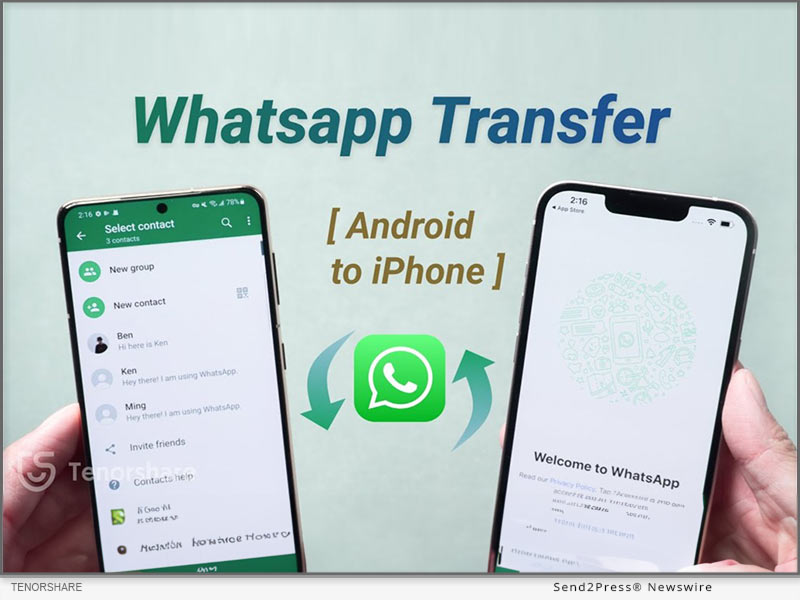
Image caption: How to Transfer Whatsapp Messages From Android to iPhone Free.
In this guide, we’ll introduce three effective ways, including how iCareFone Transfer makes this possible.
PART 1: HOW TO TRANSFER WHATSAPP MESSAGES FROM ANDROID TO IPHONE WITH PC? [EASY]
Tenorshare iCareFone Transfer is a powerful tool designed to simplify the migration of WhatsApp messages between devices with ease. You won’t need to reset it for migration purposes.
Here are this tool’s key benefits:
- High-Speed Transfer – Move entire WhatsApp/GB WhatsApp including media and attachments from Android to iPhone within a few minutes.
- Secure and Private – Merge old WhatsApp on Android with new WhatsApp on iPhone successfully.
- Comprehensive Restore – Restore Whatsapp backup from google drive to iphone. You can also choose specific file types for migration.
- Support Latest iOS & iPhone Models – Compatible with iOS 18 and latest iPhone 16 to former iPhone 9.
Here’s how to transfer WhatsApp messages from Android to new iPhone with help of iCareFone Transfer:
- Download iCareFone Transfer on a computer, then, connect Android and iPhone to a PC.
- Next, back up WhatsApp on Android, select data to transfer and log in to restore it on iPhone.
PART 2: HOW TO TRANSFER WHATSAPP MESSAGES FROM ANDROID TO IPHONE FREE WITHOUT PC?
You can transfer WhatsApp messages from Android to iPhone using WhatsApp’s built-in migration feature during the iPhone setup. However, be aware that it transfers all messages without allowing selective transfer and maintain a stable Wi-Fi connection.
Hers is how to use it to WhatsApp transfer from iPhone to Android for free:
Backup on Android: Go to Settings > Chats > Chat Backup and back up to Google Drive.
Prepare iPhone: Reset to factory settings and install WhatsApp.
Initiate Transfer: Start setup on iPhone, select transfer, and scan the QR code.
PART 3: HOW TO TRANSFER WHATSAPP MESSAGES FROM ANDROID TO IPHONE FREE WITHOUT RESET?
If you want to know how to transfer WhatsApp chats from Android to iPhone without cable, then use “Email Chat” feature in WhatsApp. However, this method only moves chat. To transfer WhatsApp chats from Android to iPhone for free, follow steps below:
Open WhatsApp on Android, head to Settings > Chats > Chat History > Email chat. Then, select chats, and send them to your logged-in WhatsApp on your iPhone.
Learn more: https://www.tenorshare.com/whatsapp-transfer-backup-restore.html
About Tenorshare
Tenorshare iCareFone Transfer makes it easy to transfer WhatsApp messages from Android to iPhone without resetting with a PC & mobile app. The smartphone solutions brand, Tenorshare is hosting a iPhone 16 Giveaway where users can win an iPhone 16 and other prizes.
YouTube: https://www.youtube.com/@TenorshareOfficial
Facebook: https://www.facebook.com/TenorshareOfficial/
NEWS SOURCE: Tenorshare Co. Ltd.
This press release was issued on behalf of the news source (Tenorshare Co. Ltd.), who is solely responsible for its accuracy, by Send2Press Newswire. Image, if any, was provided by the news source and not this website or the wire service. Information is believed accurate, as provided by the news source, but is not guaranteed.
To view the original story, visit: https://www.send2press.com/wire/how-to-transfer-whatsapp-messages-from-android-to-iphone-free-and-easy/
Copr. © 2024 Send2Press® Newswire, Calif., USA. -- REF: S2P STORY ID: S2P121224 NOREL-3B