Tag Archives: iCareFone Transfer

How to Restore Whatsapp Backup From Google Drive to iPhone [Easily]

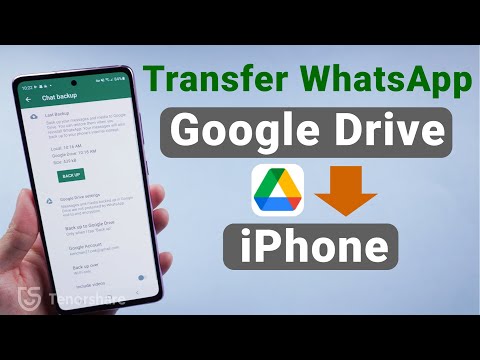
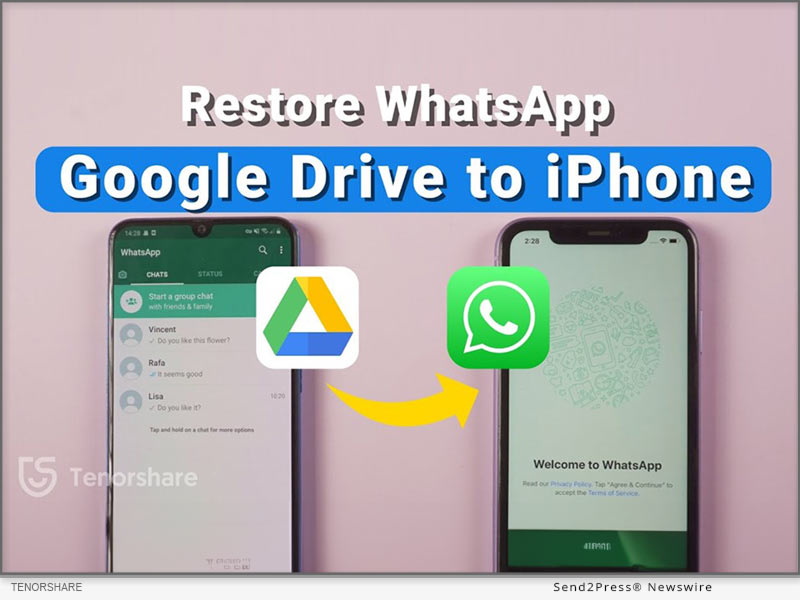
NEW YORK, N.Y., Oct. 2, 2024 (SEND2PRESS NEWSWIRE) — Migrating WhatsApp backups from Google Drive to iPhone can be particularly difficult for Android users. This difficulty arises from the differing encryption protocols and storage systems used by Google Drive and iCloud, which prevents direct transfers, says Tenorshare.
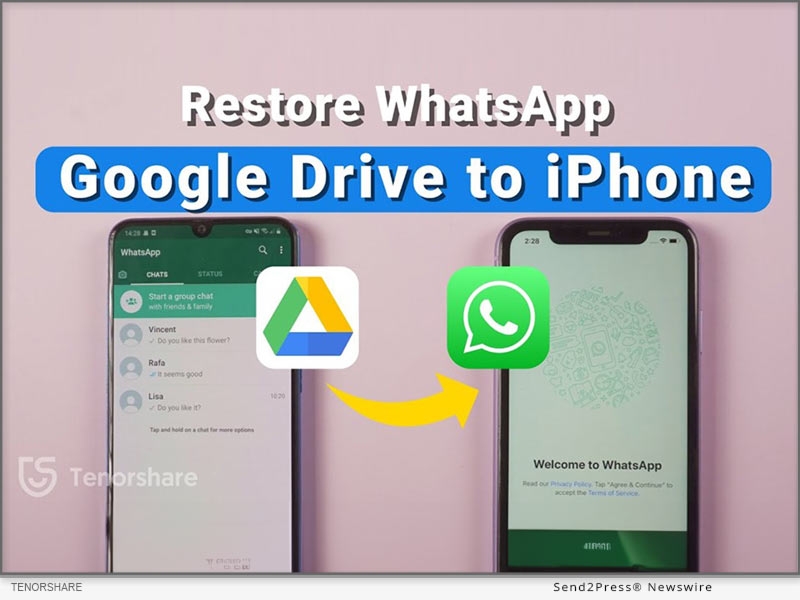
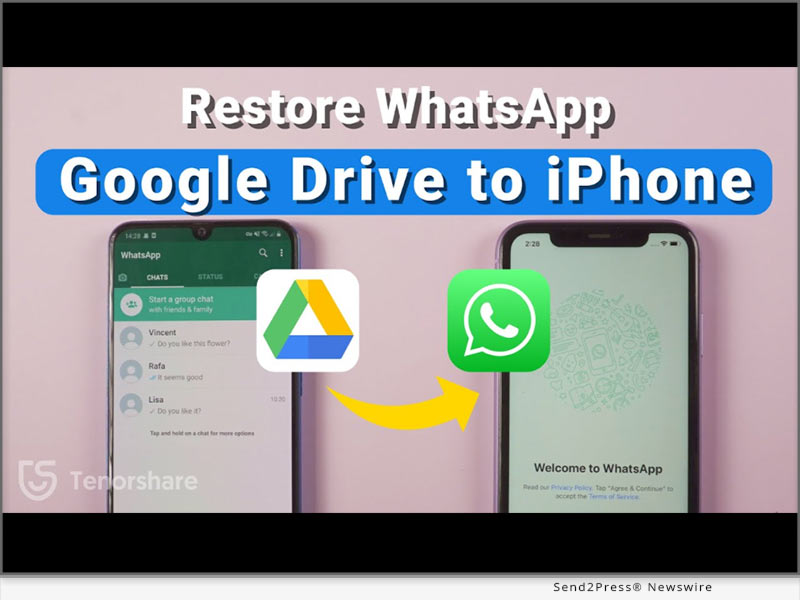
Restore Whatsapp Backup from Google Drive to iPhone
Image caption: Restore Whatsapp Backup from Google Drive to iPhone.

To address these issues, this guide will provide two different methods for effectively WhatsApp restore backup from Google Drive to iPhone.

PART 1: CAN I RESTORE WHATSAPP BACKUP FROM GOOGLE DRIVE TO IPHONE?

Yes. You can restore Google Drive WhatsApp backup to iPhone from Android. But not directly from Google Drive to iPhone. Besides, most methods to move WhatsApp backup from Google Drive to iPhone require you to reset it. However, that’s not the case with Tenorshare iCareFone Transfer.

PART 2: HOW TO RESTORE WHATSAPP BACKUP FROM GOOGLE DRIVE TO IPHONE IN MINUTES? [EASY]

Tenorshare iCareFone Transfer offers to restore WhatsApp backup from Google Drive to iPhone without resetting your iDevice and erasing its data.

Here’s what this tool provides:

  • Fast Transfer Speed – Can transfer WhatsApp with attachments and media to your iPhone within a few minutes.
  • Selective Data Transfer – Allows you to pick what files types to move to your iPhone.
  • Comprehensive Restore – Move WhatsApp files from Google Drive to iPhone and from iCloud to Android.
  • Support for Multiple Devices – Supports latest iOS, iPhone 16 and eariler models.
  • Merge WhatsApp Data – Combine old WhatsApp files with new one on your iPhone.

Follow steps below to download WhatsApp backup from Google Drive to iPhone with Tenorshare iCareFone Transfer:

Step 1: Install and run “iCareFone Transfer” on your computer. Select “Backup” and log into Google Drive.

Step 2: Choose the WhatsApp backup you want to restore, and iCareFone will download it. Verify your WhatsApp account.

Step 3: iCareFone will prepare your selected backup data from Google Drive.

Step 4: Connect your iPhone to the same PC to restore the backup. Log into WhatsApp, verify your account, and skip the iCloud restore.

PART 3: HOW TO RESTORE WHATSAPP BACKUP FROM GOOGLE DRIVE TO IPHONE FREE?

If you want to know how to restore WhatsApp backup from Google Drive to iPhone without PC for free, then use official WhatsApp method. However, you can only move WhatsApp chat minus media to your iPhone with this method. Here’s how to use it:

Download WhatsApp on your Android, sign in, and restore the backup. Then, go to Settings > Chat History, export the chat, and email it to your iPhone.

On your iPhone, open the chat as a text file. It won’t restore in WhatsApp, but you’ll have a record.

About Tenorshare

Tenorshare, a smartphone solutions brand founded since 2007, focuses on software innovations to create adaptable solutions for making life easier for Android and iOS users. With iCareFone Transfer, you can restore WhatsApp backup from Google Drive to iPhone without resetting your iDevice.

Learn more: https://www.tenorshare.com/whatsapp-transfer-backup-restore.html

YouTube: https://www.youtube.com/@TenorshareOfficial

Facebook: https://www.facebook.com/TenorshareOfficial/

NEWS SOURCE: Tenorshare Co. Ltd.


This press release was issued on behalf of the news source (Tenorshare Co. Ltd.), who is solely responsible for its accuracy, by Send2Press Newswire. Image, if any, was provided by the news source and not this website or the wire service. Information is believed accurate, as provided by the news source, but is not guaranteed.

To view the original story, visit: https://www.send2press.com/wire/how-to-restore-whatsapp-backup-from-google-drive-to-iphone-easily/

Copr. © 2024 Send2Press® Newswire, Calif., USA. -- REF: S2P STORY ID: S2P121251 NOREL-3B
 

How to Transfer Whatsapp Messages from Android to iPhone Free and Easy

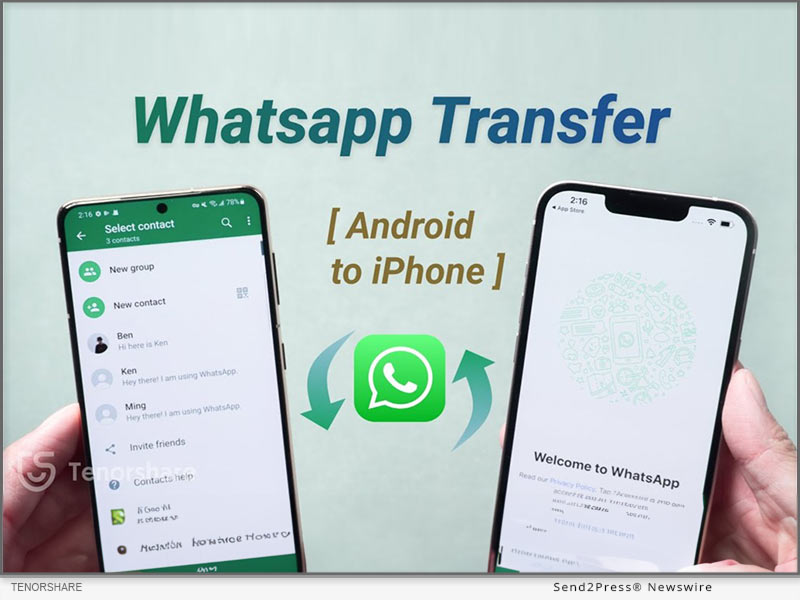
NEW YORK, N.Y., Oct. 1, 2024 (SEND2PRESS NEWSWIRE) — As users eagerly await the new iPhone 16, the demand for a easy way to transfer WhatsApp messages from Android to iPhone free has reached a new level. Traditionally, this process has been fraught with challenges due to the differences between the two operating systems, says Tenorshare.

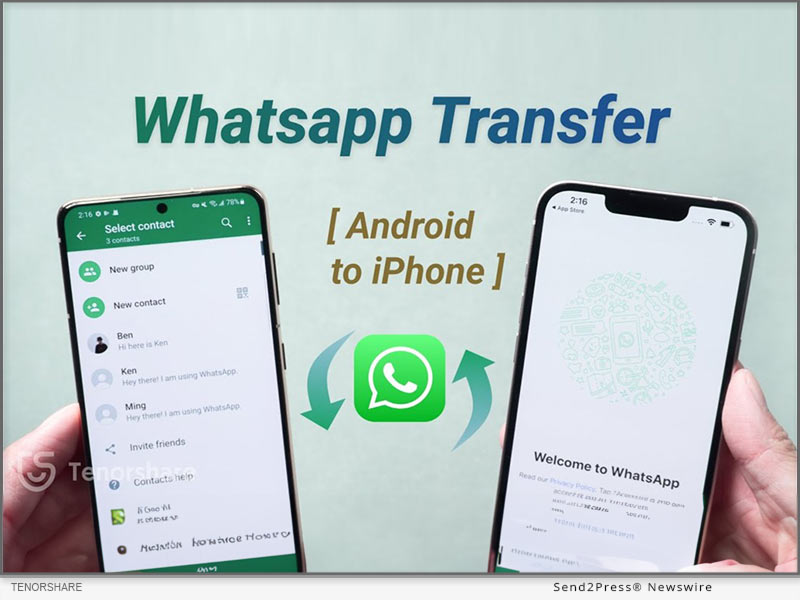
How to Transfer Whatsapp Messages From Android to iPhone Free
Image caption: How to Transfer Whatsapp Messages From Android to iPhone Free.

In this guide, we’ll introduce three effective ways, including how iCareFone Transfer makes this possible.

PART 1: HOW TO TRANSFER WHATSAPP MESSAGES FROM ANDROID TO IPHONE WITH PC? [EASY]

Tenorshare iCareFone Transfer is a powerful tool designed to simplify the migration of WhatsApp messages between devices with ease. You won’t need to reset it for migration purposes.

Here are this tool’s key benefits:

  • High-Speed Transfer – Move entire WhatsApp/GB WhatsApp including media and attachments from Android to iPhone within a few minutes.
  • Secure and Private – Merge old WhatsApp on Android with new WhatsApp on iPhone successfully.
  • Comprehensive Restore – Restore Whatsapp backup from google drive to iphone. You can also choose specific file types for migration.
  • Support Latest iOS & iPhone Models – Compatible with iOS 18 and latest iPhone 16 to former iPhone 9.

Here’s how to transfer WhatsApp messages from Android to new iPhone with help of iCareFone Transfer:

  • Download iCareFone Transfer on a computer, then, connect Android and iPhone to a PC.
  • Next, back up WhatsApp on Android, select data to transfer and log in to restore it on iPhone.

PART 2: HOW TO TRANSFER WHATSAPP MESSAGES FROM ANDROID TO IPHONE FREE WITHOUT PC?

You can transfer WhatsApp messages from Android to iPhone using WhatsApp’s built-in migration feature during the iPhone setup. However, be aware that it transfers all messages without allowing selective transfer and maintain a stable Wi-Fi connection.

Hers is how to use it to WhatsApp transfer from iPhone to Android for free:

Backup on Android: Go to Settings > Chats > Chat Backup and back up to Google Drive.

Prepare iPhone: Reset to factory settings and install WhatsApp.

Initiate Transfer: Start setup on iPhone, select transfer, and scan the QR code.

PART 3: HOW TO TRANSFER WHATSAPP MESSAGES FROM ANDROID TO IPHONE FREE WITHOUT RESET?

If you want to know how to transfer WhatsApp chats from Android to iPhone without cable, then use “Email Chat” feature in WhatsApp. However, this method only moves chat. To transfer WhatsApp chats from Android to iPhone for free, follow steps below:

Open WhatsApp on Android, head to Settings > Chats > Chat History > Email chat. Then, select chats, and send them to your logged-in WhatsApp on your iPhone.

Learn more: https://www.tenorshare.com/whatsapp-transfer-backup-restore.html

About Tenorshare

Tenorshare iCareFone Transfer makes it easy to transfer WhatsApp messages from Android to iPhone without resetting with a PC & mobile app. The smartphone solutions brand, Tenorshare is hosting a iPhone 16 Giveaway where users can win an iPhone 16 and other prizes.

YouTube: https://www.youtube.com/@TenorshareOfficial

Facebook: https://www.facebook.com/TenorshareOfficial/

NEWS SOURCE: Tenorshare Co. Ltd.


This press release was issued on behalf of the news source (Tenorshare Co. Ltd.), who is solely responsible for its accuracy, by Send2Press Newswire. Image, if any, was provided by the news source and not this website or the wire service. Information is believed accurate, as provided by the news source, but is not guaranteed.

To view the original story, visit: https://www.send2press.com/wire/how-to-transfer-whatsapp-messages-from-android-to-iphone-free-and-easy/

Copr. © 2024 Send2Press® Newswire, Calif., USA. -- REF: S2P STORY ID: S2P121224 NOREL-3B


How to Restore WhatsApp Backup From Google Drive to Apple iPhone 14/13/12

NEW YORK, N.Y. /ScoopCloud/ -- When users buy a new iPhone or switch from an Android, it is necessary to know how to restore WhatsApp backup from Google Drive to iPhone. Although restoring WhatsApp from iCloud is possible, there is no option to transfer WhatsApp from Google Drive to iPhone. This leaves them no choice but to use third-party software. Tenorshsare iCareFone Transfer is one such free tool that offers a quick and reliable way to restore WhatsApp backup from Android to iPhone and vice versa. Want to know how this amazing tool makes it possible? Let's find out.

No Way to Restore My WhatsApp Backup From Google Drive to iPhone 14/13/12?

For iPhone users, it's impossible to restore WhatsApp from Google Drive to iPhone. However, you can restore WhatsApp from backup directly with a third-party tool.

"We understand the frustration faced by users when they spend so many hours backing up WhatsApp data but are unable to restore it to their iPhones. To remedy this situation, Tenorshare has introduced the iCareFone Transfer software to WhatsApp iPhone restore from Google Drive, iCloud, and Android," says a Tenorshare spokesperson.

How to Restore WhatsApp Backup From Google Drive to iPhone 14/13/12 Free?

Due to its technological advancement and quick but reliable solution, iCareFone Transfer is highly acknowledged among iPhone users. Here's how to WhatsApp restore from Google Drive iPhone:

* Launch iCareFone Transfer on your PC and choose WhatsApp > Backup

* Download WhatsApp backup from Google Drive to the computer.

* Sign in to your Google account and choose the backup to download.

* Verify your WhatsApp account on your Android device to generate a backup.

* Once finished, select "Restore to iOS."

What Would Tenorshare iCarefone Transfer Do For You?

There are many challenges for iPhone users to face while performing how to restore WhatsApp backup from Google Drive to iPhone. Thankfully, Tenorshare iCareFone Transfer offers endless benefits for iPhone users, such as:

* Transfer GB WhatsApp data, WhatsApp, and WhatsApp Business data quickly between iOS and Android devices and HTML.

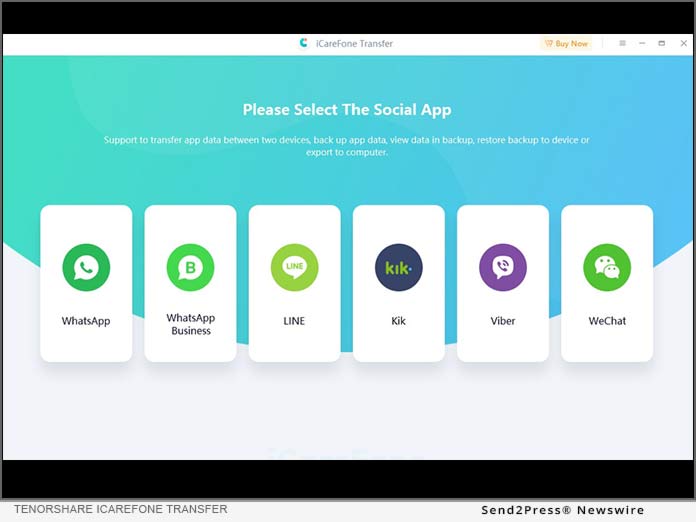
* Restore WhatsApp Business, Kik, and Viber files in one click and without data loss.

* Restore WhatsApp backup from iCloud and Google Drive directly to your iPhone.

* Supports iOS WhatsApp Google Drive, iCloud, and iTunes backup to both iPhone and Android.

https://www.tenorshare.com/whatsapp-transfer-backup-restore.html

https://www.youtube.com/watch?v=4Dh8eriyk0Y

https://www.youtube.com/watch?v=QVbxBcD7-1w

https://www.youtube.com/watch?v=nLH4W-uNrCY

https://www.tenorshare.com/whatsapp-tips/how-to-restore-whatsapp-backup-from-google-drive-to-iphone.html

About Tenorshare:

Tenorshare is a world-renowned software company dedicated to eliminating smartphone issues for both personal and business use. Since Tenorshare strives hard to improve the digital life of smartphone users with decades of in-depth research and technological adoption, Tenorshare has been trusted by more than 10 million users worldwide.

More information: https://www.tenorshare.com/

Facebook: https://www.facebook.com/TenorshareOfficial/

Twitter: https://twitter.com/Tenorshare_Inc

YouTube: https://www.youtube.com/user/TenorshareOfficial/videos

TikTok:https://www.tiktok.com/@tenorshare_tech_tips

News from Tenorshare Co. Ltd.

When users buy a new iPhone or switch from an Android, it is necessary to know how to restore WhatsApp backup from Google Drive to iPhone. Although restoring WhatsApp from iCloud is possible, there is no option to transfer WhatsApp from Google Drive to iPhone. This leaves them no choice but to use third-party software. Tenorshsare iCareFone Transfer is one such free tool that offers a quick and reliable way to restore WhatsApp backup from Android to iPhone and vice versa.

Related link: https://www.tenorshare.com/

This version of news story was published on ScoopCloud™ (ScoopCloud.com) - part of and © the Neotrope® News Network - all rights reserved.

Tenorshare Announces its Revamped iCareFone Transfer V4.0.0 for a Better User Experience

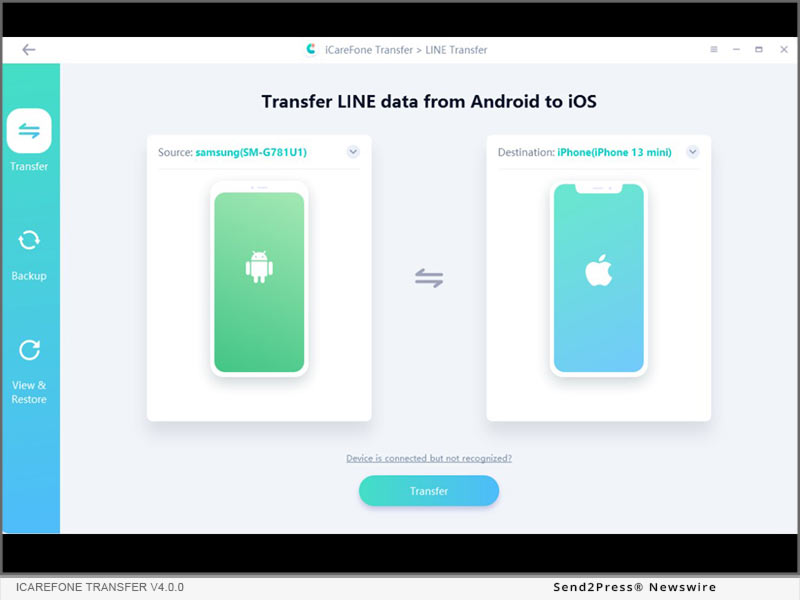
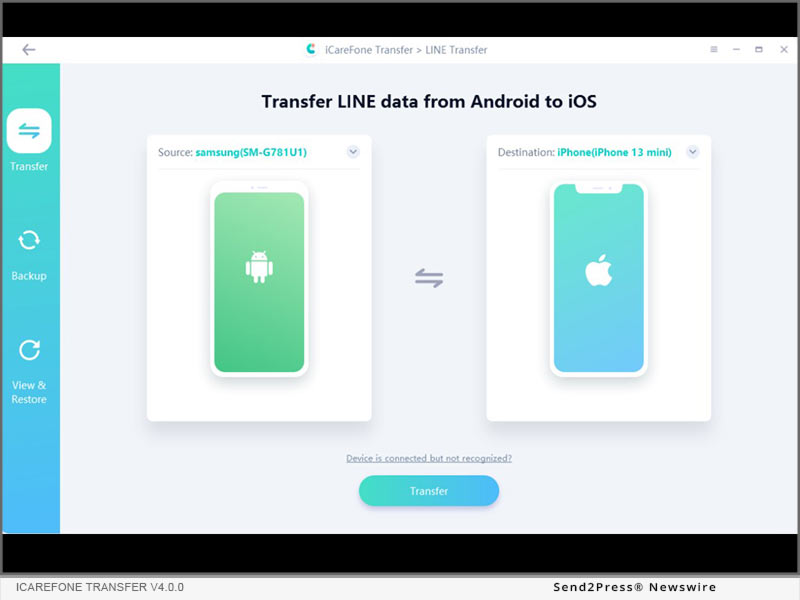
NEW YORK, N.Y. /ScoopCloud/ -- Tenorshare has proudly announced that it has launched iCareFone Transfer V4.0.0 with a new function, which provides the easiest and most effective way to transfer Line data from Android to iOS.

"There is always a need to transfer their data from Android to new iPhone, and we are dedicated to bringing users better software and better user experience. Our original intention of designing this software is for users to easily transfer WhatsApp data between different devices, but now this software has more powerful and complete functions," said Tenorshare's CEO, while introducing iCareFone Transfer V4.0.0.

MAJOR FEATURES OF ICAREFONE TRANSFER:

1. Convenient and Fast to Transfer WhatsApp:

There are many ways to transfer WhatsApp, but most of them are time-consuming and labor-intensive. iCareFone Transfer provides a new method to solve the problem that users need to transmit urgently. It supports to transfer WhatsApp and WhatsApp Business messages and attachments from Android to iPhone 13 with one click, which enhances WhatsApp users' convenience of data transmission.

2. One-Click to Backup and Restore WhatsApp & WhatsApp Business Chats to PC and Mac:

iCareFone Transfer surpasses the official solution for WhatsApp chat backup from iPhone/Android to computer/Mac with amazing speed. Only one-click, WhatsApp, and WhatsApp Business chat will be backed up to users' PC/Mac.

It also supports downloading and restoring WhatsApp backup from Google Drive to iPhone.

3. Export Backup of WhatsApp and WhatsApp Business messages and links to HTML:

iCareFone Transfer makes it possible to export WhatsApp or WhatsApp Business chats, contacts, photos, or other data as a file for viewing. The messages and links can be exported as HTML. All users' data can be exported optionally, saving their time from the very beginning.

What's New:

iCareFone Transfer V4.0.0 supports transferring Line data from Android to iPhone easily and effectively.

Learn more: https://www.tenorshare.com/whatsapp-transfer-backup-restore.html?tslateset

Price and Compatibility:

For personal 1-5 devices, it is available at $19.95. You also can buy the Lifetime license at $49.95.

Support languages: English, German, Spanish, French, Russian, Japanese, Simplified Chinese, Traditional Chinese, Portuguese, Arabic, Korean, Dutch, Italian.

Latest iOS/iPadOS 15 and Android 11 compatible.

About Tenorshare:

Tenorshare's focus is on the iOS, Android, Windows and Mac platforms and core technology study. They provide users with solutions for device content management, data recovery, password recovery, system repair and other practical mobile phone and computer essentials. Today, Tenorshare's products and services are trusted by more than 10 million users worldwide.

More information: https://www.tenorshare.com/

Facebook: https://www.facebook.com/TenorshareOfficial/

Twitter: https://twitter.com/Tenorshare_Inc

News from Tenorshare Co. Ltd.

Tenorshare has proudly announced that it has launched iCareFone Transfer V4.0.0 with a new function, which provides the easiest and most effective way to transfer Line data from Android to iOS.

Related link: https://www.tenorshare.com/

This version of news story was published on ScoopCloud™ (ScoopCloud.com) - part of and © the Neotrope® News Network - all rights reserved.

Tenorshare iCareFone Transfer allows users to Transfer WhatsApp from Android to iPhone with Ease

NEW YORK, N.Y. /ScoopCloud/ -- Tenorshare has renamed their software called iCareFone Transfer (iCareFone for WhatsApp Transfer), which provides the easiest and most effective way to transfer WhatsApp from Android to iPhone without effort.

Major features of iCareFone Transfer:

1 - Convenient & Fast to Transfer WhatsApp

There are many ways to transfer WhatsApp, but most of them are time-consuming and labor-intensive. iCareFone Transfer provides a new method to solve the problem that users need to transmit urgently. It supports to transfer WhatsApp and WhatsApp Business messages and attachments from Android to iPhone 13 with one click, which enhances WhatsApp users' convenience of data transmission.

2 - One-Click to Backup & Restore WhatsApp & WhatsApp Business Chats to PC and Mac

iCareFone Transfer surpasses the official solution for WhatsApp chat backup from iPhone/Android to computer/Mac with amazing speed. Only one-click, WhatsApp, and WhatsApp Business chat will be backed up to users' PC/Mac.

It also supports downloading and restoring WhatsApp backup from Google Drive to iPhone.

3 - Export Backup of WhatsApp & WhatsApp Business messages and links to HTML

iCareFone Transfer makes it possible to export WhatsApp or WhatsApp Business chats, contacts, photos, or other data as a file for viewing. The messages and links can be exported as HTML. All users' data can be exported optionally, saving their time from the very beginning.

What are the new updates?

1. Change the name to iCareFone Transfer.
2. Fix known bugs.
3. Online informatization of iOS devices.
4. .net repair tool (2.1.1) integration.
5. Downloader update.

Price and Compatibility

For personal 1-5 devices, it is available at $19.95. You also can buy the Lifetime license at $49.95.

Support languages: English, German, Spanish, French, Russian, Japanese, Simplified Chinese, Traditional Chinese, Portuguese, Arabic, Korean, Dutch, Italian.

Latest iOS/iPadOS 15 and Android 11 compatible.

About Tenorshare

Tenorshare's focus is on the iOS, Android, Windows and Mac platforms and core technology study. They provide users with solutions for device content management, data recovery, password recovery, system repair and other practical mobile phone and computer essentials. Today, Tenorshare's products and services are trusted by more than 10 million users worldwide. More information: https://www.tenorshare.com/

Facebook: https://www.facebook.com/TenorshareOfficial/

Twitter: https://twitter.com/Tenorshare_Inc

MULTIMEDIA:

VIDEO (YouTube): https://www.youtube.com/watch?v=QVbxBcD7-1w

News from Tenorshare Co. Ltd.

Tenorshare has renamed their software called iCareFone Transfer (iCareFone for WhatsApp Transfer), which provides the easiest and most effective way to transfer WhatsApp from Android to iPhone without effort.

Related link: https://www.tenorshare.com/

This version of news story was published on ScoopCloud™ (ScoopCloud.com) - part of and © the Neotrope® News Network - all rights reserved.