Tag Archives: WhatsApp Transfer software

Tenorshare Guides: How to Transfer WhatsApp from Android to an iPhone 18 Pro

Tenorshare iCareFone Transfer software is for those who want to transfer WhatsApp from Android to iPhone without factory reset

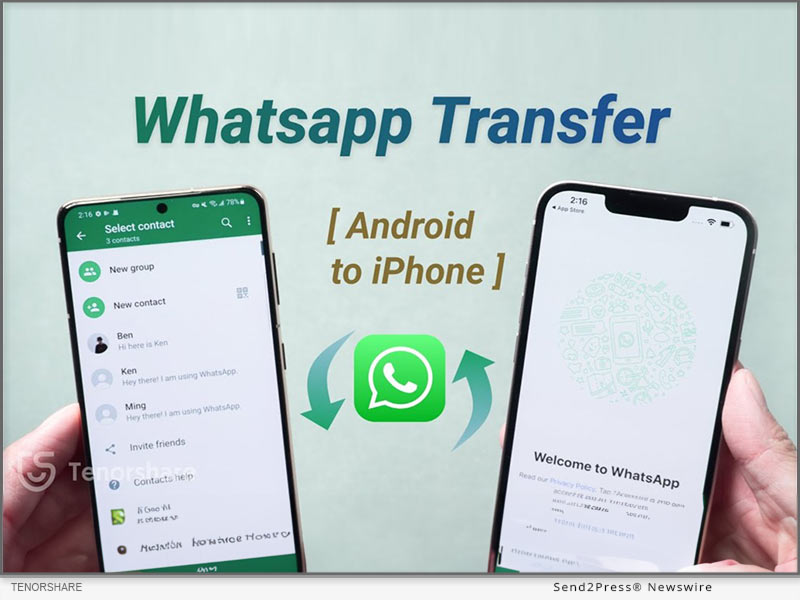
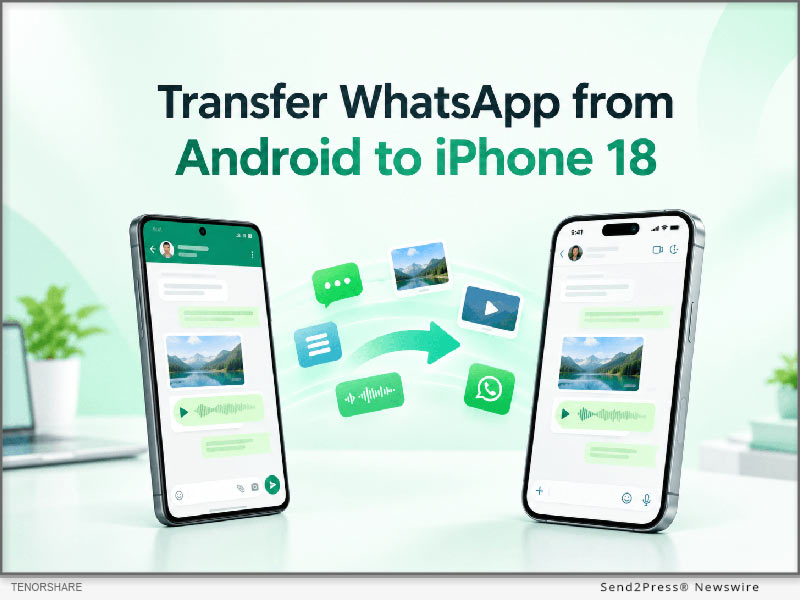
NEW YORK, N.Y., Sept. 18, 2026 (SEND2PRESS NEWSWIRE) — Tenorshare has just put out a detailed new guide that walks you through exactly how to transfer WhatsApp from Android to iPhone 18 Pro. The resource addresses common challenges with cross-platform WhatsApp transfers, including how to preserve chats and media when moving data to an already set up iPhone. It provides practical solutions to help users transfer their important WhatsApp data safely and avoid data loss during an iPhone upgrade.
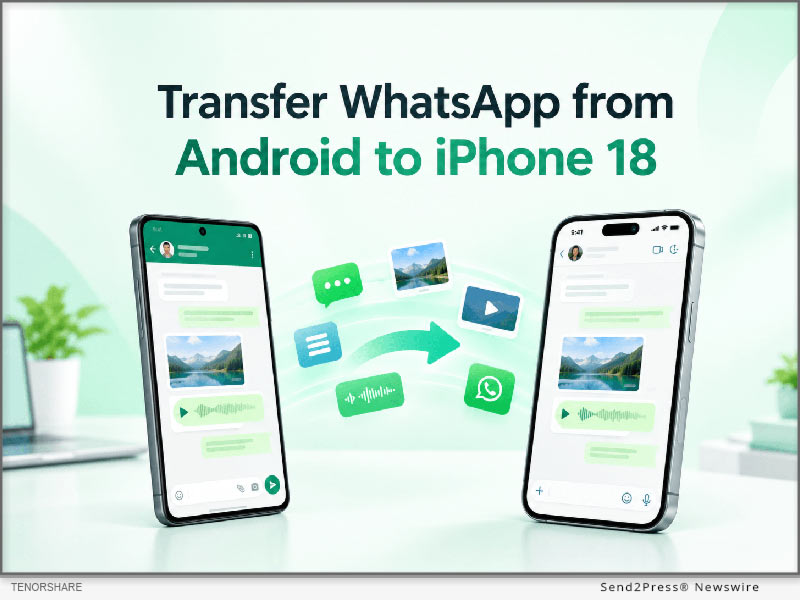
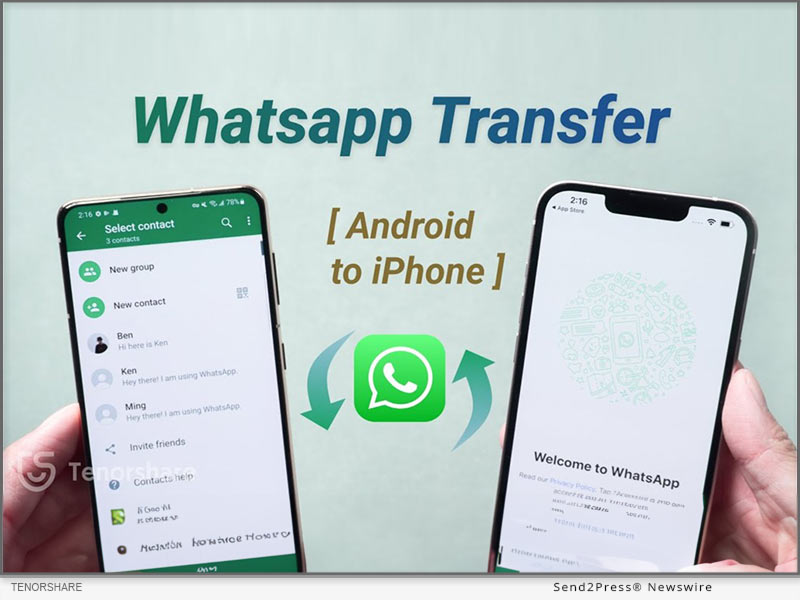
How to Transfer WhatsApp from Android to iPhone Including iPhone 18
Image caption: How to Transfer WhatsApp from Android to iPhone Including iPhone 18.

“The main purpose of this guide is to offer a clear roadmap for mobile users who want to keep their messaging history intact,” said a Tenorshare spokesperson. “When upgrading to iPhone 18 Pro, our goal is to help users preserve their important WhatsApp data and avoid the data loss issues that can come with device upgrades.”

For those users who are looking for a direct software solution to transfer WhatsApp from Android to iPhone, the guide introduces Tenorshare iCareFone Transfer as the main method. This software is for those users who want to transfer WhatsApp from Android to iPhone without factory reset. As the utility is completely compatible with existing iPhone 18 Pro setup, users don’t need to erase the existing iPhone data.

The app is designed to transfer WhatsApp messages from Android to iPhone securely, ensuring that text conversations, media files and attachments make their way across platforms without a hitch. iCareFone Transfer is a great choice for users who want to transfer WhatsApp chats from Android to iPhone in a complete way in a desktop-controlled environment.

The transfer process with the use of this software consists of exactly three steps:

Step 1: Connect Android Phone and iPhone to Computer.

Step 2: Backup WhatsApp data and Confirm Account Information.

Step 3: Directly transfer selected data to iPhone 18 Pro.

The guide references Move to iOS as the default option in passing for users asking how to make this transfer free of charge. But Move to iOS is typically used when you first set up your iPhone, so if your iPhone is already set up, you may need to erase it first.

Consumers can refer to the guide and choose the right way to transfer according to the state of their iPhone, whether it has been set up or still in the original factory state.

To learn more about the recommended tool and read the full guide, users can visit the iCareFone Transfer product page at: https://www.tenorshare.net/ads/icarefone-whatsapp-transfer-backup-restore-2.html or download the app at Play Store.

About Tenorshare

Founded in 2007, Tenorshare is an international software company that specializes in data management, system repair, password recovery and device transfer solutions. The company builds utilities that help smartphone and computer users secure their digital data.

For more information: https://www.tenorshare.com/

Facebook: https://www.facebook.com/TenorshareOfficial/

X/Twitter: https://twitter.com/Tenorshare_Inc

YouTube: https://www.youtube.com/user/TenorshareOfficial/videos

NEWS SOURCE: Tenorshare Co. Ltd.


This press release was issued on behalf of the news source (Tenorshare Co. Ltd.), who is solely responsible for its accuracy, by Send2Press Newswire. Image, if any, was provided by the news source and not this website or the wire service. Information is believed accurate, as provided by the news source, but is not guaranteed.

To view the original story, visit: https://www.send2press.com/wire/tenorshare-guides-how-to-transfer-whatsapp-from-android-to-an-iphone-18-pro/

Copr. © 2026 Send2Press® Newswire, Calif., USA. -- REF: S2P STORY ID: S2P138290 NOREL-3B
 

UPDATED: Best Way to Transfer WhatsApp from Android to iPhone 16 Without a Computer

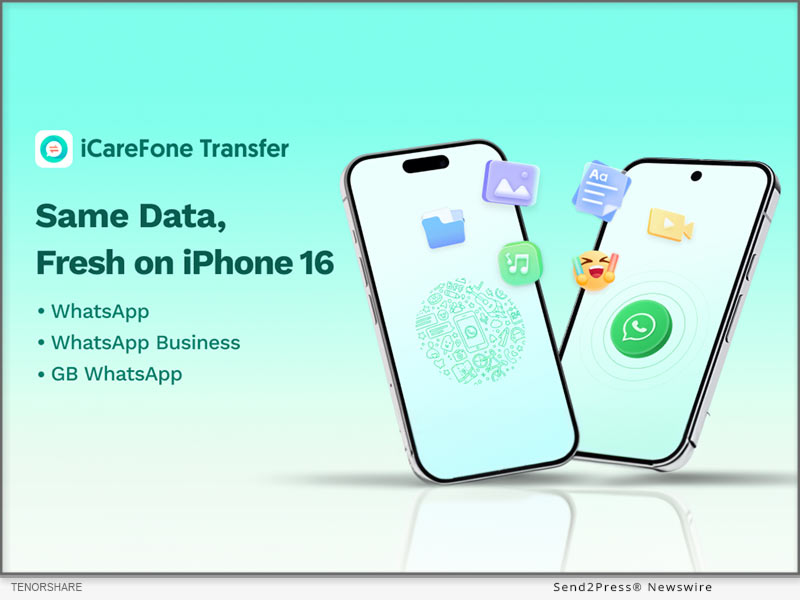
NEW YORK, N.Y., Oct. 23, 2024 (SEND2PRESS NEWSWIRE) — As the iPhone 16 hits the market and sells out quickly, users are eager for a seamless way to move their WhatsApp chats from Android to iPhone. The transition has always been tricky, but Tenorshare is here to simplify it.

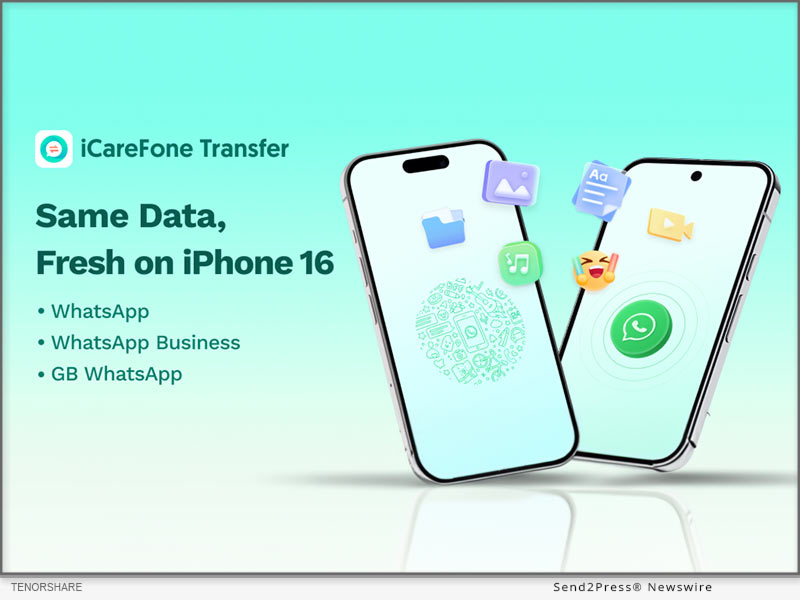
Tenorshare iCareFone Transfer
Image caption: Tenorshare iCareFone Transfer.

Best Way To Transfer WhatsApp From Android To iPhone 16

With Tenorshare iCareFone Transfer App, you can effortlessly transfer WhatsApp chats from Android to iPhone 16. Experience a quick migration without resetting your device.

KEY FEATURES OF THIS TOOL:

:: Comprehensive WhatsApp Data Transfer

Transfer WhatsApp data between Android and iPhone effortlessly, without a computer. Just a few clicks to move messages, videos, images, files, audio, and stickers smoothly.

:: Versatile Transfer Methods

Transfer WhatsApp chats conveniently using an OTG cable for Android to iPhone or Wi-Fi for Android to Android transfers.

:: High-Speed Data Transfer

Experience fast transfer speeds of up to 35 MB/s, ensuring efficient data migration without long waits.

:: Cross-Platform Device Compatibility

Transfer data across multiple platforms: Android to iPhone, iPhone to Android, or Android to Android. Compatible with the latest iOS 18 and Android 14, covering most.

How to Transfer WhatsApp with the iCareFone Transfer App?

Here’s a step-by-step guide:

  • Step 1: Launch the iCareFone Transfer app and click “Transfer WhatsApp Data.”
  • Step 2: Allow the app access to your WhatsApp backup folder and choose the most recent backup.
  • Step 3: Select the specific WhatsApp data types you want to transfer (such as messages, images, videos, etc.).
  • Step 4: Connect your devices and trust the connection when prompted. Once everything is set, the transfer process will start immediately.

Other Hot Features in the iCareFone Transfer App

  • Easily download WhatsApp video and photo statuses for free.
  • Chat in WhatsApp without saving contacts – simply enter the number and start chatting.
  • Seamless transfer of WhatsApp Business, and GB WhatsApp.
  • Merge WhatsApp chats from Android to iOS in one click.

Price of iCareFone Transfer App

Though packed with multiple features, this WhatsApp Transfer tool is still priced at an unbeatable rate.

  • iCareFone Transfer App – 1 Month: $16.99
  • iCareFone Transfer App – 1 Quarter: $29.99

About Tenorshare:

Tenorshare’s iCareFone Transfer App is a trusted tool for seamless data transfers between iPhone and Android devices. With millions of global users, it offers secure, fast, and easy WhatsApp migration, perfect for those upgrading to the latest iPhone 16 or switching platforms. Its reliability and user-friendly design make it a go-to solution for hassle-free transfers.

More information: https://www.tenorshare.com/

YouTube: https://www.youtube.com/@TenorshareOfficial

Facebook: https://www.facebook.com/iCareFoneTransfer

NEWS SOURCE: Tenorshare Co. Ltd.


This press release was issued on behalf of the news source (Tenorshare Co. Ltd.), who is solely responsible for its accuracy, by Send2Press Newswire. Image, if any, was provided by the news source and not this website or the wire service. Information is believed accurate, as provided by the news source, but is not guaranteed.

To view the original story, visit: https://www.send2press.com/wire/updated-best-way-to-transfer-whatsapp-from-android-to-iphone-16-without-a-computer/

Copr. © 2024 Send2Press® Newswire, Calif., USA. -- REF: S2P STORY ID: S2P121684 NOREL-3B


How to Restore Whatsapp Backup From Google Drive to iPhone [Easily]

NEW YORK, N.Y., Oct. 2, 2024 (SEND2PRESS NEWSWIRE) — Migrating WhatsApp backups from Google Drive to iPhone can be particularly difficult for Android users. This difficulty arises from the differing encryption protocols and storage systems used by Google Drive and iCloud, which prevents direct transfers, says Tenorshare.

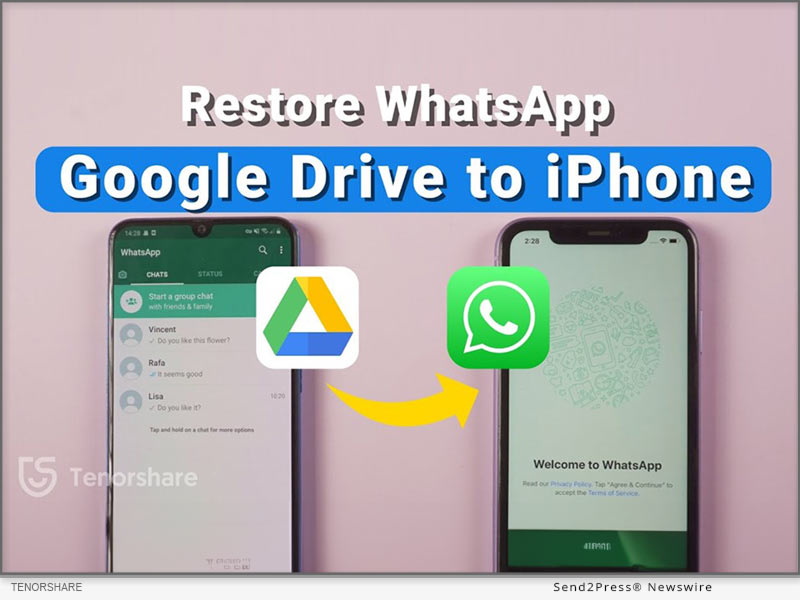
Restore Whatsapp Backup from Google Drive to iPhone
Image caption: Restore Whatsapp Backup from Google Drive to iPhone.

To address these issues, this guide will provide two different methods for effectively WhatsApp restore backup from Google Drive to iPhone.

PART 1: CAN I RESTORE WHATSAPP BACKUP FROM GOOGLE DRIVE TO IPHONE?

Yes. You can restore Google Drive WhatsApp backup to iPhone from Android. But not directly from Google Drive to iPhone. Besides, most methods to move WhatsApp backup from Google Drive to iPhone require you to reset it. However, that’s not the case with Tenorshare iCareFone Transfer.

PART 2: HOW TO RESTORE WHATSAPP BACKUP FROM GOOGLE DRIVE TO IPHONE IN MINUTES? [EASY]

Tenorshare iCareFone Transfer offers to restore WhatsApp backup from Google Drive to iPhone without resetting your iDevice and erasing its data.

Here’s what this tool provides:

  • Fast Transfer Speed – Can transfer WhatsApp with attachments and media to your iPhone within a few minutes.
  • Selective Data Transfer – Allows you to pick what files types to move to your iPhone.
  • Comprehensive Restore – Move WhatsApp files from Google Drive to iPhone and from iCloud to Android.
  • Support for Multiple Devices – Supports latest iOS, iPhone 16 and eariler models.
  • Merge WhatsApp Data – Combine old WhatsApp files with new one on your iPhone.

Follow steps below to download WhatsApp backup from Google Drive to iPhone with Tenorshare iCareFone Transfer:

Step 1: Install and run “iCareFone Transfer” on your computer. Select “Backup” and log into Google Drive.

Step 2: Choose the WhatsApp backup you want to restore, and iCareFone will download it. Verify your WhatsApp account.

Step 3: iCareFone will prepare your selected backup data from Google Drive.

Step 4: Connect your iPhone to the same PC to restore the backup. Log into WhatsApp, verify your account, and skip the iCloud restore.

PART 3: HOW TO RESTORE WHATSAPP BACKUP FROM GOOGLE DRIVE TO IPHONE FREE?

If you want to know how to restore WhatsApp backup from Google Drive to iPhone without PC for free, then use official WhatsApp method. However, you can only move WhatsApp chat minus media to your iPhone with this method. Here’s how to use it:

Download WhatsApp on your Android, sign in, and restore the backup. Then, go to Settings > Chat History, export the chat, and email it to your iPhone.

On your iPhone, open the chat as a text file. It won’t restore in WhatsApp, but you’ll have a record.

About Tenorshare

Tenorshare, a smartphone solutions brand founded since 2007, focuses on software innovations to create adaptable solutions for making life easier for Android and iOS users. With iCareFone Transfer, you can restore WhatsApp backup from Google Drive to iPhone without resetting your iDevice.

Learn more: https://www.tenorshare.com/whatsapp-transfer-backup-restore.html

YouTube: https://www.youtube.com/@TenorshareOfficial

Facebook: https://www.facebook.com/TenorshareOfficial/

NEWS SOURCE: Tenorshare Co. Ltd.


This press release was issued on behalf of the news source (Tenorshare Co. Ltd.), who is solely responsible for its accuracy, by Send2Press Newswire. Image, if any, was provided by the news source and not this website or the wire service. Information is believed accurate, as provided by the news source, but is not guaranteed.

To view the original story, visit: https://www.send2press.com/wire/how-to-restore-whatsapp-backup-from-google-drive-to-iphone-easily/

Copr. © 2024 Send2Press® Newswire, Calif., USA. -- REF: S2P STORY ID: S2P121251 NOREL-3B


How to Transfer Whatsapp Messages from Android to iPhone Free and Easy

NEW YORK, N.Y., Oct. 1, 2024 (SEND2PRESS NEWSWIRE) — As users eagerly await the new iPhone 16, the demand for a easy way to transfer WhatsApp messages from Android to iPhone free has reached a new level. Traditionally, this process has been fraught with challenges due to the differences between the two operating systems, says Tenorshare.

How to Transfer Whatsapp Messages From Android to iPhone Free
Image caption: How to Transfer Whatsapp Messages From Android to iPhone Free.

In this guide, we’ll introduce three effective ways, including how iCareFone Transfer makes this possible.

PART 1: HOW TO TRANSFER WHATSAPP MESSAGES FROM ANDROID TO IPHONE WITH PC? [EASY]

Tenorshare iCareFone Transfer is a powerful tool designed to simplify the migration of WhatsApp messages between devices with ease. You won’t need to reset it for migration purposes.

Here are this tool’s key benefits:

  • High-Speed Transfer – Move entire WhatsApp/GB WhatsApp including media and attachments from Android to iPhone within a few minutes.
  • Secure and Private – Merge old WhatsApp on Android with new WhatsApp on iPhone successfully.
  • Comprehensive Restore – Restore Whatsapp backup from google drive to iphone. You can also choose specific file types for migration.
  • Support Latest iOS & iPhone Models – Compatible with iOS 18 and latest iPhone 16 to former iPhone 9.

Here’s how to transfer WhatsApp messages from Android to new iPhone with help of iCareFone Transfer:

  • Download iCareFone Transfer on a computer, then, connect Android and iPhone to a PC.
  • Next, back up WhatsApp on Android, select data to transfer and log in to restore it on iPhone.

PART 2: HOW TO TRANSFER WHATSAPP MESSAGES FROM ANDROID TO IPHONE FREE WITHOUT PC?

You can transfer WhatsApp messages from Android to iPhone using WhatsApp’s built-in migration feature during the iPhone setup. However, be aware that it transfers all messages without allowing selective transfer and maintain a stable Wi-Fi connection.

Hers is how to use it to WhatsApp transfer from iPhone to Android for free:

Backup on Android: Go to Settings > Chats > Chat Backup and back up to Google Drive.

Prepare iPhone: Reset to factory settings and install WhatsApp.

Initiate Transfer: Start setup on iPhone, select transfer, and scan the QR code.

PART 3: HOW TO TRANSFER WHATSAPP MESSAGES FROM ANDROID TO IPHONE FREE WITHOUT RESET?

If you want to know how to transfer WhatsApp chats from Android to iPhone without cable, then use “Email Chat” feature in WhatsApp. However, this method only moves chat. To transfer WhatsApp chats from Android to iPhone for free, follow steps below:

Open WhatsApp on Android, head to Settings > Chats > Chat History > Email chat. Then, select chats, and send them to your logged-in WhatsApp on your iPhone.

Learn more: https://www.tenorshare.com/whatsapp-transfer-backup-restore.html

About Tenorshare

Tenorshare iCareFone Transfer makes it easy to transfer WhatsApp messages from Android to iPhone without resetting with a PC & mobile app. The smartphone solutions brand, Tenorshare is hosting a iPhone 16 Giveaway where users can win an iPhone 16 and other prizes.

YouTube: https://www.youtube.com/@TenorshareOfficial

Facebook: https://www.facebook.com/TenorshareOfficial/

NEWS SOURCE: Tenorshare Co. Ltd.


This press release was issued on behalf of the news source (Tenorshare Co. Ltd.), who is solely responsible for its accuracy, by Send2Press Newswire. Image, if any, was provided by the news source and not this website or the wire service. Information is believed accurate, as provided by the news source, but is not guaranteed.

To view the original story, visit: https://www.send2press.com/wire/how-to-transfer-whatsapp-messages-from-android-to-iphone-free-and-easy/

Copr. © 2024 Send2Press® Newswire, Calif., USA. -- REF: S2P STORY ID: S2P121224 NOREL-3B


The Best Way to Transfer WhatsApp Business from Android to an iPhone

NEW YORK, N.Y. /ScoopCloud/ -- Have you switched from Android to iPhone but don't know how to transfer WhatsApp Business from Android to iPhone? If you're stuck in this tricky situation, it's because iOS and its security rules can be a bit of a headache. "But there's a simple solution to this dilemma. A tool like Tenorshare iCareFone Transfer can smoothly move WhatsApp Business from Android to iPhone, especially when other solutions fall short," says a Tenorshare spokesperson.

So, how does Tenorshare iCareFone Transfer work? Let's find out.

VIDEO: https://www.youtube.com/watch?v=6O0J1q5HOo4

Can You Transfer WhatsApp Business via Google Drive or iCloud?

Yes, you can use Google Drive or iCloud to move your WhatsApp chats. But it's crucial to know you can't transfer WhatsApp Business data from Android to iPhone. This is because the encryption methods differ for iCloud and Google Drive, making cross-platform transfers impossible using these built-in methods.

To make it work, you'd need to initially store backup files in your Google Drive or iCloud. However, consider using a dedicated application like iCareFone Transfer for a simpler, quick, and convenient solution.

Best Way to Transfer Whatsapp Business From Android to iPhone

The best way to transfer WhatsApp Business from Android to iPhone without losing data is through the Multi-directional Transfer tool. It can not only move WhatsApp chats from Android to iPhone but also other data like contacts, messages, files, etc.

Here are the fabulous features of this tool:

* Restore WhatsApp Backups - Google Drive to iPhone or iCloud to Android.
* One-Click WhatsApp Backup and Restore - Restore WhatsApp, WhatsApp Business, GBWhatsApp, Kik, and Viber from backup.
* Switch WhatsApp - Transfer GBWhatsApp to a new phone or move from GBWhatsApp to WhatsApp.
* Export Backups - Export WhatsApp, GBWhatsApp, and WhatsApp Business backups in HTML format.

Here's how to use iCareFone Transfer to transfer WhatsApp Business data from Android to iPhone:

* Download and install iCareFone Transfer on your PC.
* Connect both phones to your PC and choose "Transfer."
* Type in your country code and mobile number. Hit "Verify."
* The tool will move your WhatsApp Business data from Android to iPhone.

Learn more: https://www.tenorshare.com/whatsapp-transfer-backup-restore.html

Tenorshare BlackFriday Big Sales!

Tenorshare is holding a Black Friday sale, which will run until December 7th. You can score discounts on Tenorshare iCareFone Transfer and Android & data recovery and repair tools. Simply use the provided coupon during your purchase to enjoy the discounts. Plus, there's a lucky draw for a chance to win these tools and other prizes for free. So, don't miss out!

Learn more: https://www.tenorshare.com/sales-promotion.html

About Tenorshare:

If you've switched from Android to iPhone, transferring WhatsApp Business data from Android to iPhone seems impossible. However, Tenorshare iCareFone Transfer makes it seamless, ensuring a smooth transition without data loss.

Tenorshare brand also offers a Black Friday sale discount on this tool and other data recovery software for Android and iOS users. You also get a chance to snag these tools for free in a lucky draw. So, don't miss this opportunity if you've made the switch!

Learn more: https://www.tenorshare.com/

News from Tenorshare Co. Ltd.

Have you switched from Android to iPhone but don't know how to transfer WhatsApp Business from Android to iPhone? If you're stuck in this tricky situation, it's because iOS and its security rules can be a bit of a headache. A tool like Tenorshare iCareFone Transfer can smoothly move WhatsApp Business from Android to iPhone.

Related link: https://www.tenorshare.com/

This version of news story was published on ScoopCloud™ (ScoopCloud.com) - part of and © the Neotrope® News Network - all rights reserved.

How to Transfer WhatsApp from Android to Apple iPhone Without Move to iOS 2023

NEW YORK, N.Y. /ScoopCloud/ -- It is true that many Android users are switching over to iPhones but are worried about the troublesome process of transferring applications, especially WhatsApp transfer process. You're not alone! To transfer WhatsApp from Android to iPhone, most users rely on the Move to iOS app, specifically designed for Android users. Nonetheless, in several instances, it often fails to transfer all the WhatsApp data properly. But don't worry, there's the Move to iOS alternative - Tenorshare iCareFone Transfer. It is the perfect solution to transfer WhatsApp from Android to iPhone without Move to iOS. So why wait? Keep reading to learn how it can make your WhatsApp transfer experience hassle-free!

Any Problems with "Move to iOS" to Transfer WhatsApp from Android to iPhone?

The Move to iOS app promises a smooth and secure WhatsApp transfer, but in reality, many people have encountered issues while attempting to migrate.

Compatibility issues: Move to iOS is not compatible with all Android devices and may not work properly on some specific devices, resulting in failed WhatsApp data transfer.

Limited WhatsApp data transfer: Move to iOS only transfers WhatsApp messages but not calls, photos, videos, and other media files.

Incomplete transfer: sometimes partial data transfer happens, for an unknown reason, and sometimes the process may get stuck, resulting in incomplete data transfer.

Risk of data loss: The transfer process may cause data loss or corruption, especially if your device is not connected to a stable Wi-Fi network.

Tenorshare Move to iOS Alternative to Transfer WhatsApp to iOS:

If you're searching for a reliable way how to transfer WhatsApp Business from Android to iPhone without move to iOS, Tenorshare iCareFone Transfer is a great choice. Due to its high success rate and advanced technology, it has gained popularity among iPhone users. Some standout features include:

* Transfer WhatsApp & WhatsApp Business between Android and iOS without erasing data

* Merge old and new WhatsApp messages between Android and iOS

* Selectively transfer or restore WhatsApp messages, images, videos, gifs, docs, etc.

* One-click to backup and transfer WhatsApp/ WhatsApp Business/ GBWhatsApp.

* Export WhatsApp/WhatsApp Business/GBWhatsApp backup data to HTML

Transfer WhatsApp data from Android to iPhone Without Move to iOS:

Let's find out how it works to transfer WhatsApp from Android to iPhone without move to iOS:

* Download iCareFone Transfer, and connect your Android and iPhone to your PC.

* Open the software and press "Transfer."

* Enter the country code and phone number to verify the target device.

* Press "Verify," and your WhatsApp data will successfully transfer to your iPhone.

About Tenorshare:

Are you struggling to transfer WhatsApp from Android to iPhone using Move to iOS? Tenorshare iCareFone Transfer, designed by Tenorshare, a software brand known for creating user-friendly solutions, can transfer WhatsApp from Android to iPhone without Move to iOS function.

More information: https://www.tenorshare.com/

Facebook: https://www.facebook.com/TenorshareOfficial/

Twitter: https://twitter.com/Tenorshare_Inc

YouTube: https://www.youtube.com/user/TenorshareOfficial/videos

TikTok: https://www.tiktok.com/@tenorshare_tech_tips

News from Tenorshare Co. Ltd.

It is true that many Android users are switching over to iPhones but are worried about the troublesome process of transferring applications, especially WhatsApp transfer process. You're not alone! To transfer WhatsApp from Android to iPhone, most users rely on the Move to iOS app, specifically designed for Android users. Nonetheless, in several instances, it often fails to transfer all the WhatsApp data properly. But don't worry, there's the Move to iOS alternative - Tenorshare iCareFone Transfer.

Related link: https://www.tenorshare.com/

This version of news story was published on ScoopCloud™ (ScoopCloud.com) - part of and © the Neotrope® News Network - all rights reserved.

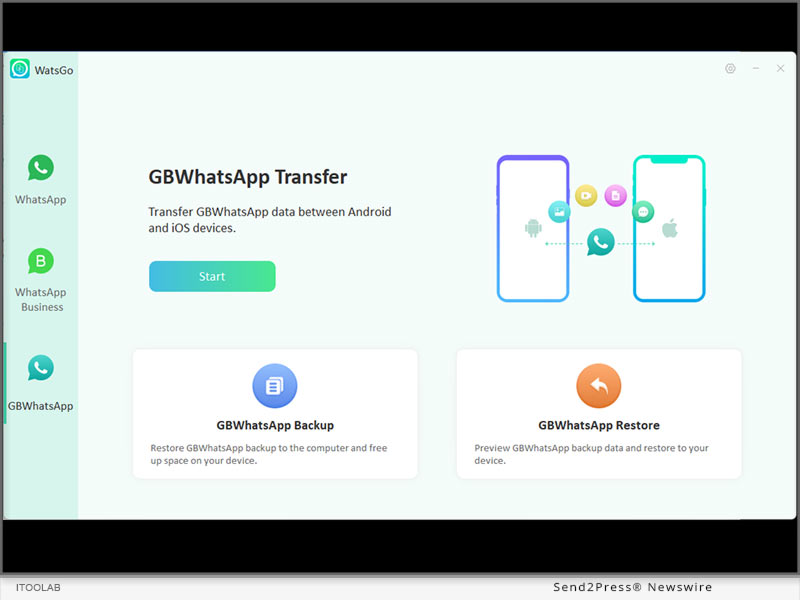
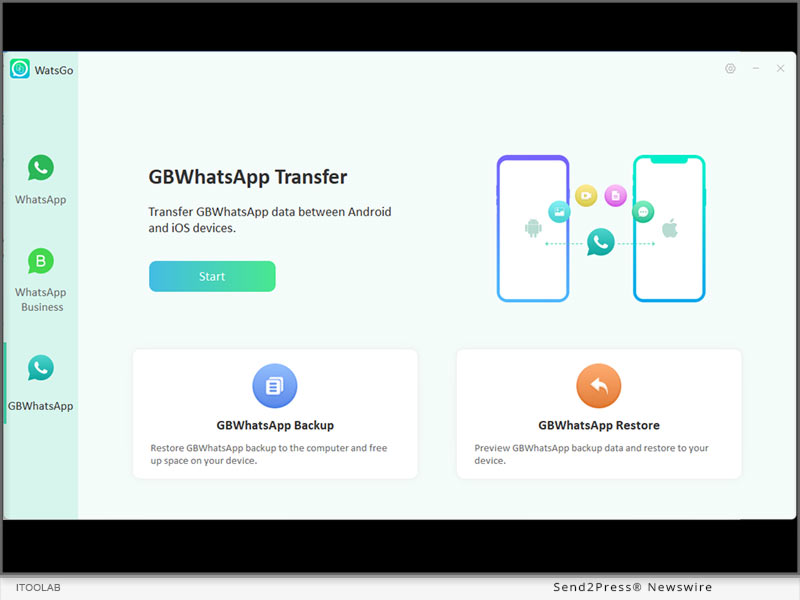
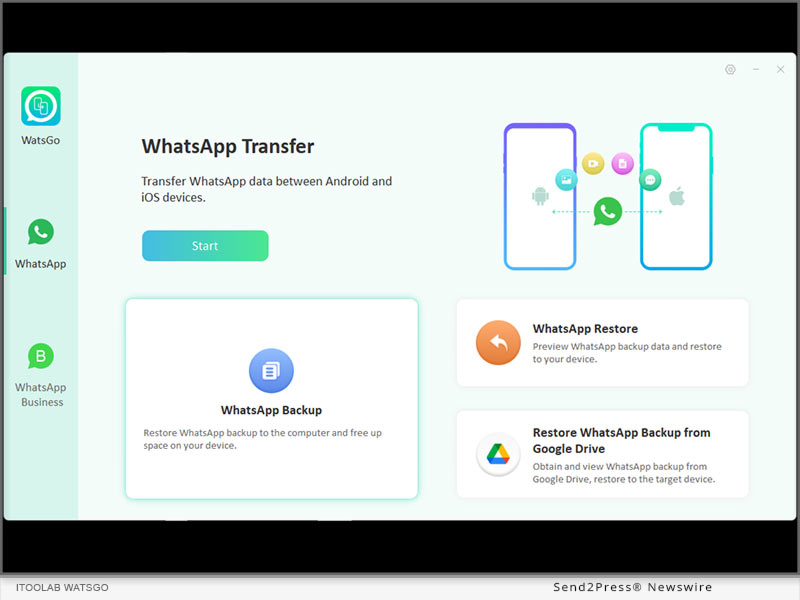
How to Transfer Data from GBWhatsApp to WhatsApp / GBWhatsApp? iToolab WatsGo V8.0.0 Released!

NEW YORK, N.Y. /ScoopCloud/ -- iToolab Co Ltd (iToolab) is known for smartphone solutions, serving more than 10 million users worldwide. iToolab WatsGo, as one of the best WhatsApp migration tools, has reached a new level: now you can transfer GBWhatsApp chats to WhatsApp! That's exactly what the new version V8.0.0 does.

"I believe that most WhatsApp users would like to use GBWhatsApp for its versatility. But the tragedy is that you're banned and you don't have a clue how to transfer all your old GBWhatsApp data to normal WhatsApp. iToolab WatsGo perfectly solves the problem in a few simple steps," said Mia Garcia, CEO at iToolab.

KEY FEATURES OF ITOOLAB WATSGO V8.0.0:

* Transfer Data from GBWhatsApp to WhatsApp on Android/iPhone

Don't want to copy GBWhatsApp data to WhatsApp by yourself or fail to move GBWhatsApp data? iToolab WatsGo guarantees you a 100% transfer success rate and whether you are a beginner or not.

* Restore GBWhatsApp Backup to GBWhatsApp without Manual Work

GBWhatsApp's biggest drawback is that you can't restore backups from Google Drive, and you have to copy and paste manually every time you switch to a new Android phone. Today, this is a new way for you to restore GBWhatsApp to new phone using a direct way. Only connect two devices, and click the start button to go.

* Backup GBWhatsApp to Computer and Restore Historical Backup Anytime

If you want to spare more space on your Android phone, then iToolab WatsGo assists you to back up GBWhatsApp to your PC. All backups will be saved to the computer for you to restore if you need them.

* View Backup in Details and Export Selected GBWhatsApp Data

After you've done the backup with iToolab WatsGo, all the messages, pictures, videos, documents, voice, etc. will be displayed for you to view. You can select single or multiple data to export to a computer. Even if you only want to restore the single data to GBWhatsApp / WhatsApp, there is no problem at all with this.

PRICE:

1-Month Plan: $16.95

1-Year Plan: $29.95

Lifetime Plan: $39.95

INFO: https://itoolab.com/buy/watsgo-for-windows/

Device Compatibility:

Windows: All systems running on Windows 11, 10, 8, 7.

Android: Android 5-13: Samsung, Huawei, Xiaomi, LG, Google, Oppo, Vivo, Motorola, Lenovo, HTC, ASUS, ONEPLUS, Sony, Vivo, etc.

iOS: iOS 10-16: All iPhone models running on the selected iOS versions.

About iToolab:

iToolab is a Hong Kong-based leading iOS and Android solution provider that's working with a vision to help smartphone users resolve various technical issues. Over the years, the company has helped millions of users fix iOS issues and regain access to their iPhones and iPads. As of now, iToolab is providing its services in more than 130 countries and has an extensive user base. The creative approach of the developers is the main reason for the high success rate of all iToolab products.

MORE INFORMATION:

Official Website: https://itoolab.com/

YouTube: https://www.youtube.com/@iToolab

Facebook: https://www.facebook.com/itoolab

Twitter:https://twitter.com/IToolab

News from IToolab Co Ltd

iToolab Co Ltd (iToolab) is known for smartphone solutions, serving more than 10 million users worldwide. iToolab WatsGo, as one of the best WhatsApp migration tools, has reached a new level: now you can transfer GBWhatsApp chats to WhatsApp! That's exactly what the new version V8.0.0 does.

Related link: https://itoolab.com/

This version of news story was published on ScoopCloud™ (ScoopCloud.com) - part of and © the Neotrope® News Network - all rights reserved.

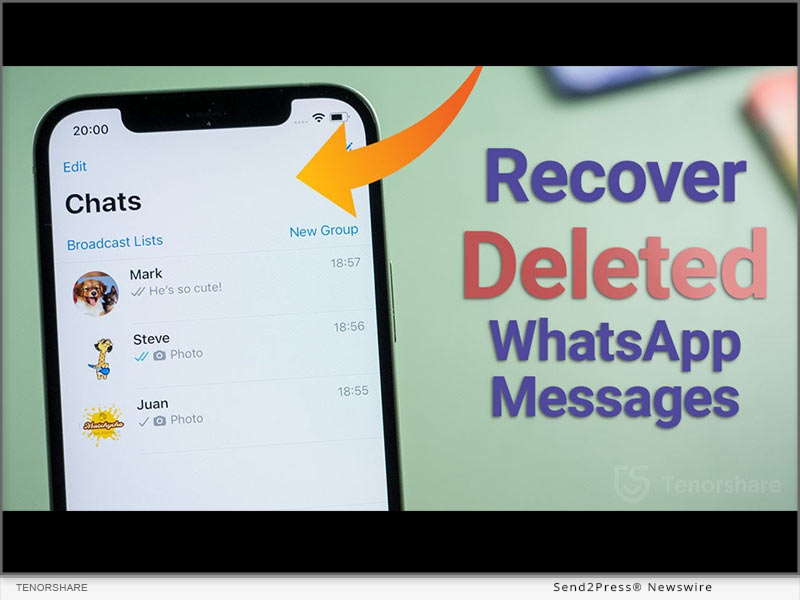
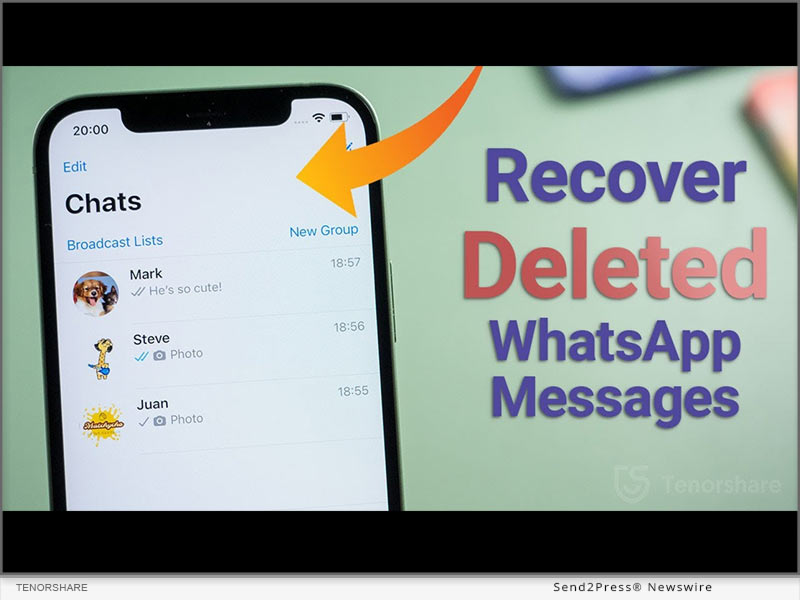
How to Recover Deleted Whatsapp Messages Without Backup on Apple iPhone?

NEW YORK, N.Y. /ScoopCloud/ -- When iPhone user accidentally delete their WhatsApp messages, a query echoes "How can I retrieve deleted messages on WhatsApp iPhone?" appears. It must be frustrating if there is no idea how to recover deleted WhatsApp messages on iPhone. Nevertheless, Tenorshare, an esteemed smartphone solutions provider, recently launched a reliable program,Tenorshare UltData WhatsApp Recovery to fix this issue. This WhatsApp Recovery software can effectively restore deleted Whatsapp messages without backup. Learn below what and how it can help in WhatsApp retrieval.

What Is Whatsapp Data Recovery Software?

"WhatsApp recovery has been troubling iPhone users for a long time when they accidentally deleted WhatsApp on your iPhone," says a Tenorshare spokesperson, "To restore WhatsApp data without needing a backup, we launched Tenorshare WhatsApp Recovery software for iOS users." Tenorshare UltData WhatsApp Recovery can get your accidentally deleted chat WhatsApp back.

It is a trustworthy tool that offers eye-popping new features such as:

* It can recover deleted WhatsApp messages on iPhone without backup.

* It can retrieve WhatsApp data like documents, images, video, audio, voice notes, and stickers.

* It can recover WhatsApp from iTunes backup.

* It also can recover old WhatsApp data without data loss.

* It offers a high WhatsApp recovery rate.

* It supports all current versions of iOS devices.

How to Recover Deleted Whatsapp Messages on Your iPhone?

With Backup

If you want to recover deleted WhatsApp messages iPhone with backup, please follow the guide. However, iCloud offers only 5GB of space for backup and doesn't restore all types of files.

Navigate to "Settings" first. Choose "General > Reset." Select "Erase All Content and Settings." Next, press "Restore your iPhone from Backup with Set up Assistant."

Without Backup

With advanced tech, UltData WhatsApp Recovery provides easy and quick WhatsApp deleted messages recovery on iPhone without backup. Here's how it works:

* Connect your iPhone to your computer.

* Select "Device > Scan."

* Choose the WhatsApp files you wish to recover and hit "Recover."

* Waiting for the WhatsApp data recovery process.

About Tenorshare:

Tenorshare, the company at the backbone of a solution, has been endeavoring to offer high-quality software products for smartphone users. If iPhone users accidentally delete their WhatsApp messages and have no idea on how to recover deleted WhatsApp messages on iPhone, Tenorshare UltData WhatsApp Recovery is at your rescue to recover all kinds of WhatsApp files without backup.

More information: https://www.tenorshare.com/

Facebook: https://www.facebook.com/TenorshareOfficial/

Twitter: https://twitter.com/Tenorshare_Inc

YouTube: https://www.youtube.com/user/TenorshareOfficial/videos

TikTok: https://www.tiktok.com/@tenorshare_tech_tips

Pinterest: https://www.pinterest.com/Tenorshare/

News from Tenorshare Co. Ltd.

When iPhone user accidentally delete their WhatsApp messages, a query echoes "How can I retrieve deleted messages on WhatsApp iPhone?" appears. It must be frustrating if there is no idea how to recover deleted WhatsApp messages on iPhone. Nevertheless, Tenorshare, an esteemed smartphone solutions provider, recently launched a reliable program,Tenorshare UltData WhatsApp Recovery to fix this issue.

Related link: https://www.tenorshare.com/

This version of news story was published on ScoopCloud™ (ScoopCloud.com) - part of and © the Neotrope® News Network - all rights reserved.

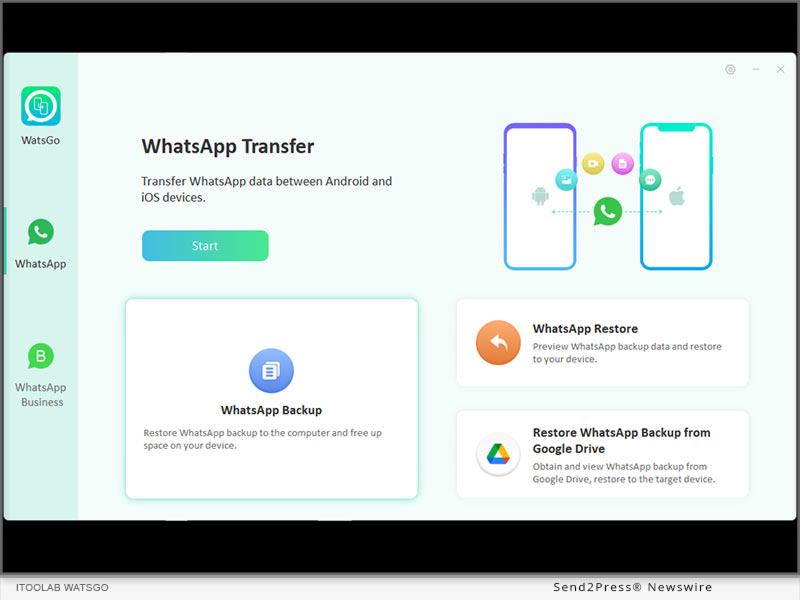
iToolab WatsGo V7.0.0 Released! You Can Download and Transfer WhatsApp Backup from Google Drive to iPhone/Android Now

NEW YORK, N.Y. /ScoopCloud/ -- iToolab Co Ltd (iToolab) is an innovative high-tech company to help users to solve smartphone issues. As iTooolab WatsGo has debuted for months, which has been trusted by millions of users around the world. Now, the new version V7.0.0 of iToolab WatsGo enables users to transfer WhatsApp from Android to iPhone using Google Drive. This is undoubtedly a big leap for WhatsApp data transfer. And this will motivate excitedly most of iToolab users.

"The majority of our users feedback that they want to move what has been backed up on Google Drive, especially WhatsApp. Now, we make it true. They can download WhatsApp backup and transfer to iPhone or Android, just select what they want to restore," said Mia Garcia, CEO at iToolab.

KEY FEATURES OF ITOOLAB WATSGO V7.0.0:

Download WhatsApp Backup from Google Drive to Computer

iToolab WatsGo won't let you take much time to accomplish the goal, just log into your Google account which has been backed up WhatsApp and download WhatsApp backup on Google Drive within minutes. This is definitely the easiest way to access WhatsApp backup in Google Drive.

100% secure and privacy kept, no record will be saved in iToolab WatsGo.

What's more, iToolab WatsGo will keep downloaded WhatsApp backup history and you can check them anytime if necessary. You can set a password for the Google Drive backup, and no one will access it.

Restore WhatsApp Backup from Google Drive to iPhone/Android

After you've downloaded WhatsApp Backup from Google Drive, you are free to restore WhatsApp backup to your iPhone or Android device. Connect your device to the computer, and then select the exact data type, follow the simple guide to transfer WhatsApp backup from Google Drive to iPhone, just as easy as A-B-C.

Learn more: https://itoolab.com/whatsapp-transfer-backup-restore/

PRICE:

1-Month Plan: $16.95

1-Year Plan: $29.95

Lifetime Plan: $39.95

More info: https://itoolab.com/buy/watsgo-for-windows/

Device Compatibility:

Windows: All systems running on Windows 11, 10, 8, 7

Android: Android 5.0-13: Samsung, Huawei, Xiaomi, LG, Google, Oppo, Vivo, Motorola, Lenovo, HTC, ASUS, ONEPLUS, Sony, Vivo, etc.

iOS: iOS 10-16: All iPhone models running on the selected iOS versions.

About iToolab:

iToolab is a Hong-Kong based and leading iOS and Android solution provider that's working with a vision to help smartphone users tackle different technical errors on their Devices. Over the years, the company has helped millions of users fix iOS issues and regain access to their iPhones and iPads. As of now, iToolab is serving in 130+ countries and has an extensive user base. The creative approach of developers is the primary reason behind the high success rate of all iToolab's products.

For more details, please visit:

Website: https://itoolab.com/

YouTube: https://www.youtube.com/c/itoolab

Twitter: https://twitter.com/IToolab

Facebook: https://www.facebook.com/itoolab

RELATED LINKS:

https://itoolab.com/whatsapp-tips/how-to-transfer-whatsapp-messages-from-android-to-iphone-using-google-drive/

https://itoolab.com/whatsapp-tips/can-i-download-whatsapp-backup-from-google-drive/

News from IToolab Co Ltd

iToolab Co Ltd (iToolab) is an innovative high-tech company to help users to solve smartphone issues. As iTooolab WatsGo has debuted for months, which has been trusted by millions of users around the world. Now, the new version V7.0.0 of iToolab WatsGo enables users to transfer WhatsApp from Android to iPhone using Google Drive. This is undoubtedly a big leap for WhatsApp data transfer. And this will motivate excitedly most of iToolab users.

Related link: https://itoolab.com/

This version of news story was published on ScoopCloud™ (ScoopCloud.com) - part of and © the Neotrope® News Network - all rights reserved.

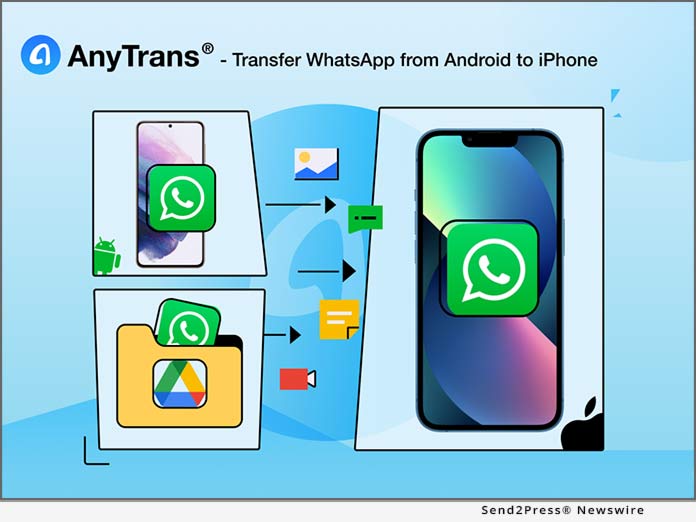
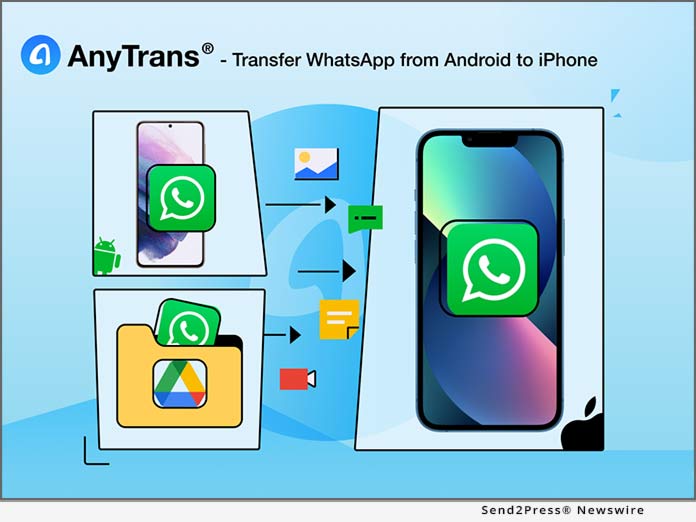
iMobie AnyTrans Makes It One-Click Easy to Transfer WhatsApp Chat History from Android Phones to iPhones Seamlessly

LOS ANGELES, Calif. /ScoopCloud/ -- Switching from an Android phone to iPhone can be both exciting and painful, especially when it comes to WhatsApp data, as there's no official solution for Android-to-iOS WhatsApp transfer yet. Given that, iMobie Inc. updated the flagship data transfer program AnyTrans on its 10th birthday, to help users transfer WhatsApp chats from any Android phone to any iPhone, including the latest iPhone 13 series and older models. Not just messages, all the photos, videos, documents, and other files in chat history can also be brought across completely.

"WhatsApp data are not just some kind of data, they're cherished memories. The conversations, photos, videos, voice messages with friends and family are tough to abandon. Although Google has officially supported the transfer from iPhone to Android, there's no luck for users who moved the other way round. So, we want to help," said Frank Kong, CEO of iMobie Inc. "We worked months to update AnyTrans, and now users can easily bring their WhatsApp history and memories from Android to iPhone."

See What AnyTrans Covers for WhatsApp Transfer:

1. Android Phone or Google Drive Backup to iPhone

No matter the WhatsApp chats are stored on the Android phone or, AnyTrans can transfer them to iPhone seamlessly.

2. Move WhatsApp Data Completely at One Go

Migrate WhatsApp messages, together with photos, videos, documents, and all other files at one go. Then, users can pick up their chats on the iPhone where they left off.

3. Support Android Phones of All Brands

AnyTrans supports moving WhatsApp data from any Android phone of any manufacturer in the market, as long as it's running Android 5.0 and above.

4. Simple, Safe, and Straightforward

Don't need to reset iPhone before transferring WhatsApp, so no risk of losing any current data on iPhone. No skills are required. You can make the transfer in a few clicks.

5. More than Just WhatsApp Transfer

More than just for transferring WhatsApp data, AnyTrans is designed to save users all the hassles in managing iPhone in daily use:

- Back up iPhone automatically and wirelessly at the scheduled frequency.

- Create custom iPhone ringtones with users' favorite music

- Batch download, install, update, or uninstall iOS apps, no need to do each app one by one

- Apart from WhatsApp, users can also transfer photos, music, messages, or any piece of data they need with simple clicks or drag and drop.

Learn more: https://www.imobie.com/landing/anytrans-whatsapp-android-to-iphone.htm

Price and Availability:

AnyTrans is available for Windows and Mac. Currently, iMobie is running a Christmas sales with a discounted price for AnyTrans from $29.99 (originally $39.99) at: https://www.imobie.com/special/christmas-campaign.htm

About iMobie Inc.:

iMobie Inc. is an advanced software developer dedicated to making digital life simpler for all iOS and Android users worldwide. Learn more: https://www.imobie.com/

News from IMobie Inc.

Switching from an Android phone to iPhone can be both exciting and painful, especially when it comes to WhatsApp data, as there's no official solution for Android-to-iOS WhatsApp transfer yet. Given that, iMobie Inc. updated the flagship data transfer program AnyTrans on its 10th birthday, to help users transfer WhatsApp chats from any Android phone to any iPhone, including the latest iPhone 13 series and older models.

Related link: https://www.imobie.com/

This version of news story was published on ScoopCloud™ (ScoopCloud.com) - part of and © the Neotrope® News Network - all rights reserved.

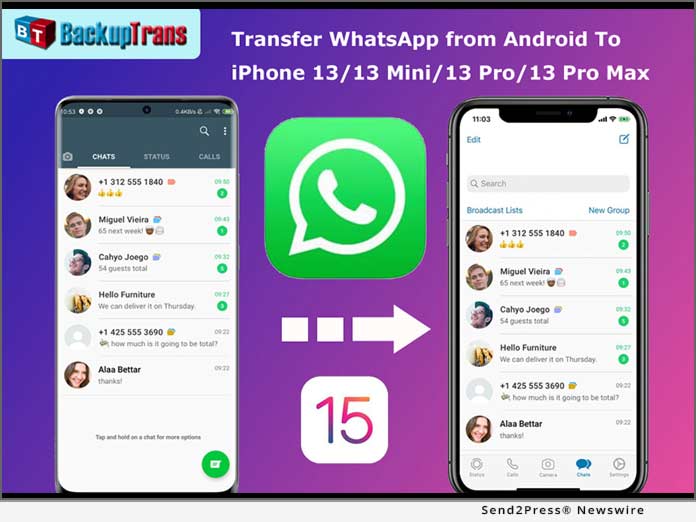
Backuptrans Updated to Transfer WhatsApp from Android to iPhone 13

NEW YORK, N.Y. /ScoopCloud/ -- Backuptrans, a leading mobile software development company, has updated Android WhatsApp to iPhone Transfer to support iPhone 13. The new version can help you easily transfer WhatsApp chat history from Android to iPhone 13/iPhone 13 Mini/iPhone 13 Pro/iPhone 13 Pro Max. Currently there is no official method to transfer WhatsApp between Android and iOS. Luckily, Backuptrans WhatsApp Transfer software makes it possible.

With Backuptrans Android WhatsApp to iPhone Transfer, mobile phone users can transfer WhatsApp chats messages from Android to iPhone in a few simple clicks. "Many smartphone users wish to migrate the WhatsApp chat history when they switch phones. That is why we create & update the software," said Eric Ng, the CEO of Backuptrans. "We create simple and innovative solutions for life."

Step by step tutorial: https://www.backuptrans.com/tutorial/transfer-whatsapp-messages-from-android-to-iphone.html

What are the new updates?

1 - Transfer, Backup & Restore WhatsApp Data (Support iOS and Android): It supports to transfer WhatsApp chat messages, including videos, images, audios attached files between iOS and Android.

2 - Fully compatible with the latest iPhone 13, iPhone 13 Mini, iPhone 13 Pro, and iPhone 13 Pro Max: It not only supports iPhone 6 to iPhone 13, but also supports various models of iPad and iPod from iOS 9 to the latest iOS 15.

3 - Export WhatsApp messages and links to PDF: You can use Backuptrans WhatsApp Transfer to export WhatsApp messages as a file for viewing. The messages and links can be exported as PDF, HTML, WORD, and TXT.

Other features have been updated including:

1 - Multi-directional Transfer WhatsApp between iOS and Android Device: Backuptrans's advanced technology and rich experience of data processing and transmission can ensure a high success rate for WhatsApp transferring.

2 - Backup WhatsApp Chats to Computer Freely & Easily: It is better to use than the official solution to back up WhatsApp chats from Android/iPhone to computer by one-click. The chats will be merged perfectly in the previous backup.

3 - Print WhatsApp Messages on Computer: Backuptrans provides a direct way to print out WhatsApp chat messages on computer. You can choose to print all chat messages or a single conversation.

Price and Availability:

For personal 3 mobile devices, it is available at $19.95. You also can buy the Family edition that $29.95 for 8 mobile devices.

Learn More: https://www.backuptrans.com/android-whatsapp-to-iphone-transfer.html

About Backuptrans:

Backuptrans Studio is a leading software development company providing mobile device software solutions. Founded in 2012, Backuptrans has been an award-winning developer especially in the mobile data transferring software and mobile device management field.

More information: https://www.backuptrans.com

Facebook: https://www.facebook.com/backuptrans

Twitter: https://twitter.com/backuptrans/

YouTube: https://youtu.be/YZQ0gfow11Y

IMAGE link for media: https://www.Send2Press.com/300dpi/21-0925s2p-backuptrans-300dpi.jpg

News from Backuptrans Studio

Backuptrans, a leading mobile software development company, has updated Android WhatsApp to iPhone Transfer to support iPhone 13. The new version can help you easily transfer WhatsApp chat history from Android to iPhone 13/iPhone 13 Mini/iPhone 13 Pro/iPhone 13 Pro Max. Currently there is no official method to transfer WhatsApp between Android and iOS. Luckily, Backuptrans WhatsApp Transfer software makes it possible.

Related link: https://www.backuptrans.com/

This version of news story was published on ScoopCloud™ (ScoopCloud.com) - part of and © the Neotrope® News Network - all rights reserved.