Tag Archives: AI Photo Editing

HitPaw FotorPea V5.5.0 Launches Updated Image Creation System with AI Realism Enhancement

HitPaw FotorPea V5.5.0: Smarter AI for Image Creation and Enhancement

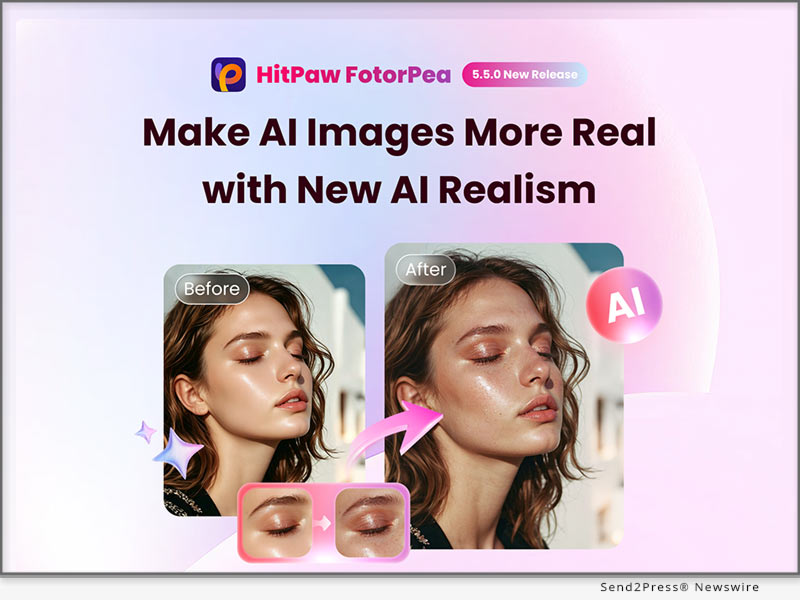
NEW YORK, N.Y., June 23, 2026 (SEND2PRESS NEWSWIRE) — HitPaw, a leading provider of AI-powered creative tools, today announced the release of HitPaw FotorPea V5.5.0, a major upgrade that transforms the platform into a fully AI Agent-driven image creation system. The new version unifies text-to-image generation, AI enhancement, and editing into one workflow, eliminating the need to switch between tools while guiding users through the entire creative process.
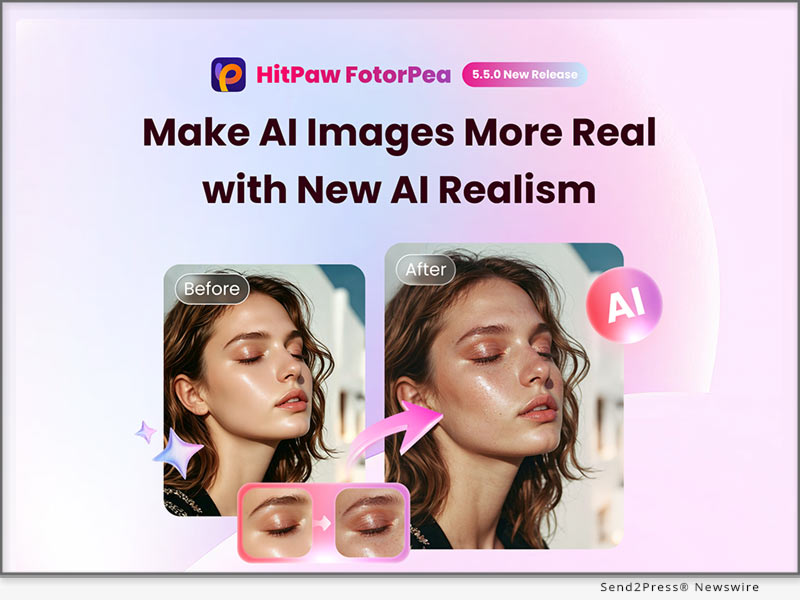
HitPaw FotorPea V5.5.0
Image caption: HitPaw FotorPea V5.5.0.

WHAT’S NEW IN HITPAW FOTORPEA V5.5.0

1. AI Enhancer: Brand-New Interface Upgrade

  • New AI Realism Model: Introducing the new AI Realism Model, it designed to reduce the artificial “AI look” and improve overall image realism in one click.
  • Auto & Custom Model System Redesign: AI Enhancer has been rebuilt with separate Auto and Custom modes. Auto Mode offers faster, higher-quality enhancement with free previews, while Custom Mode supports existing models for precise control.
  • Export Workflow Optimization: Auto and Custom results can now be exported together to the cloud for faster batch processing, with a redesigned interface for easier previewing and comparison.

2. AI Canvas: Smarter Toolbox for Creative Control

  • New AI Extender & Old Photo Restoration: Added image expansion and old photo colorization to the Image Editing Toolbox, making it easier to extend compositions and restore old memories.
  • Canvas Optimization: Improved generation stability with retry support, refined secondary layout grid, and unified local editing experience through interaction and model upgrades.

3. AI Generation: Strong Smarter Chat-to-Image Experience

  • AI Realism Model: A dedicated model that reduce the AI-generated look and improve natural realism in images.
  • Nano Banana Series Model Support: Introduced Nano Banana series models supporting 512, 2K, and 4K image quality, with adjustable aspect ratios and canvas size for more flexible generation.
  • Conversational Editing Consistency: Users can edit images directly in chat, with memory improving consistency across generations and new prompts for easier generation and refinement.

ABOUT HITPAW FOTORPEA

HitPaw FotorPea is an all-in-one AI image enhancement, restoration, editing, and generation tool. It improves image quality through enhancement, restoration, and colorization, while also supporting prompt-based image generation and tools like background removal and object editing.

COMPATIBILITY AND PRICING

HitPaw FotorPea is compatible with Windows 11/10/8/7 (64-bit) and macOS 10.15 and above. Pricing starts at $22.39/Month for Windows and $25.59/Month for Mac.

To celebrate Father’s Day, HitPaw is offering up to 50% off Yearly and Lifetime plans for a limited time.

For more information, visit:

Purchase HitPaw FotorPea for Windows

Purchase HitPaw FotorPea for Mac

ABOUT HITPAW

HitPaw is a trusted software company delivering AI-powered tools for photo, video, and audio creation. By combining advanced AI with intuitive interfaces, it empowers creators to produce professional-quality content with ease and efficiency.

Learn more: [OFFICIAL] HitPaw – AI Video, Photo & Audio Enhancer Solutions

CONNECT WITH US

Website: https://www.hitpaw.com/fotorpea-photo-enhancer.html

X (Twitter): https://x.com/HitPawofficial

Instagram: https://www.instagram.com/hitpawofficial/

Pinterest: https://www.pinterest.com/HitPawofficialwebsite

NEWS SOURCE: HitPaw Co Ltd


This press release was issued on behalf of the news source (HitPaw Co Ltd), who is solely responsible for its accuracy, by Send2Press Newswire. Image, if any, was provided by the news source and not this website or the wire service. Information is believed accurate, as provided by the news source, but is not guaranteed.

To view the original story, visit: https://www.send2press.com/wire/hitpaw-fotorpea-v5-5-0-launches-updated-image-creation-system-with-ai-realism-enhancement/

Copr. © 2026 Send2Press® Newswire, Calif., USA. -- REF: S2P STORY ID: S2P136396 NOREL-3B
 

HitPaw FotorPea V5.4.0 Launched: Unveils AI Drawing, Image Enhancement, and Smarter Canvas for Next-Level Creativity

HitPaw FotorPea V5.4.0: Brings Smarter AI Agent, Generative Image Enhancer, and Flexible Canvas

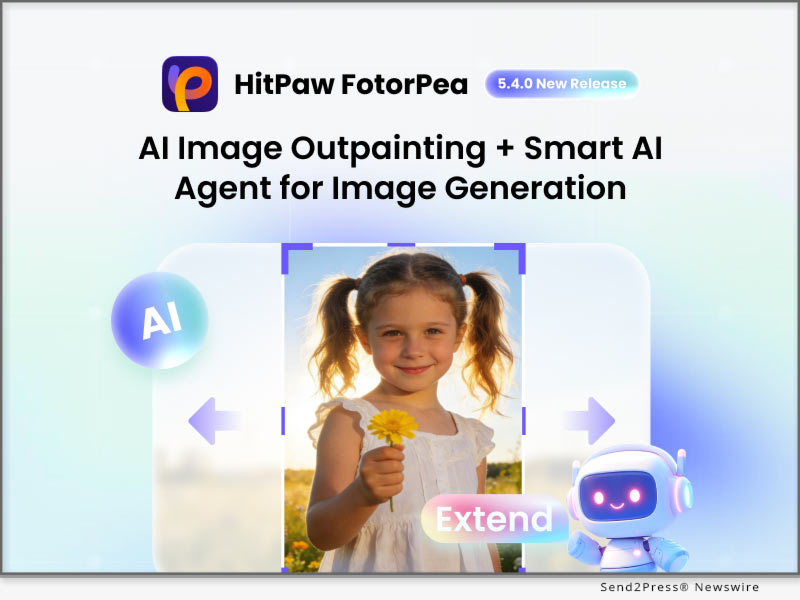
NEW YORK, N.Y., April 17, 2026 (SEND2PRESS NEWSWIRE) — HitPaw, a leading provider of AI-powered creative tools, announces the release of HitPaw FotorPea V5.4.0, featuring major updates including new AI enhancement models with Generative V2, AI Outpainting in the AI Canvas, and AI Agent for smarter image generation. This release also optimizes multiple workflows to improve efficiency and usability, empowering creators to deliver professional-quality results with greater ease.

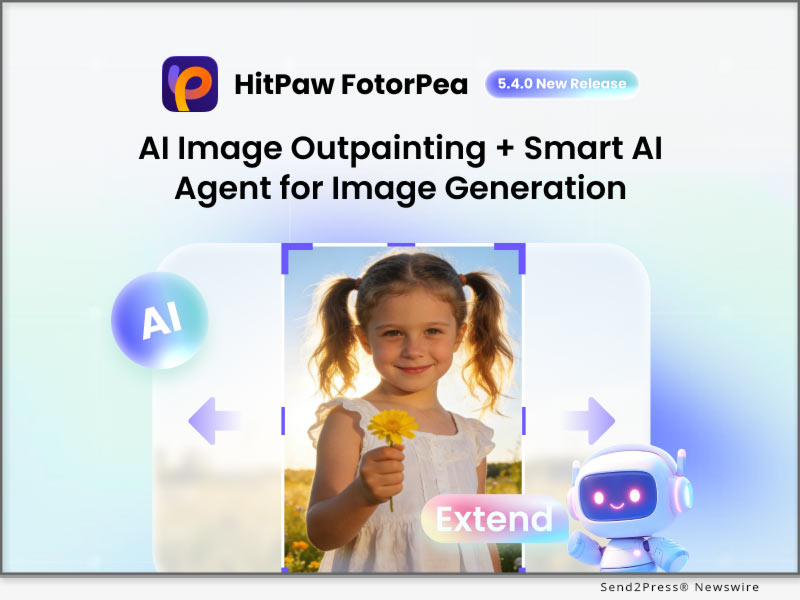
HitPaw FotorPea V5.4.0
Image caption: HitPaw FotorPea V5.4.0.

WHAT’S NEW IN HITPAW FOTORPEA V5.4.0

1. AI ENHANCER: ADVANCED MODELS FOR SHARPER IMAGES

New Generative V2 Model: Enhances low-resolution and challenging images with greater clarity and detail.

New Text Model/Low-Light Model: Improves sharpness, restores dark areas, and refines blurry text automatically.

Optimized SD Functionality: Supports history tracking, and 6x/8x scaling for efficient editing.

HEIC Import (Windows): Directly edit modern image formats without conversion.

2. AI CANVAS: SMARTER EDITING AND FLEXIBLE LAYOUTS

New AI Extender & Object Removal: Easily extends scenes and remove unwanted elements.

Smart Alignment & Grouping: Simplifies layout and content organization.

Layer & Text Editing: Editable layers, top-layer control, and precise text adjustments.

Shortcuts Handle: New shortcuts accelerates the entire workflow and one-click chat clearing streamline complex edits.

3. AI GENERATION: STRONG AI AGENT FOR HIGH-EFFICIENCY

New Contextual Dialogue AI Agent: Provides task guidance throughout the workflow, helping users generate images efficiently.

New Flux.2 Pro Model: Optimized for portraits, characters, and stylized illustrations with sharper, realistic results.

Speed Workflow: Supports 3 concurrent AI rendering tasks for faster iteration.

New AI Outpainting: Ideal for backgrounds, extended scenes, or panoramic compositions, reducing manual editing time.

ABOUT HITPAW FOTORPEA

HitPaw FotorPea is an all-in-one AI photo enhancement, editing, and generation tool built for fast, high-quality results. Leveraging advanced AI models like Nano Banana 2, it transforms text prompts into sharp, realistic images while intelligently enhancing clarity and fine details. With intuitive features such as one-click background removal and object editing, users can effortlessly refine their visuals and produce professional-grade results.

COMPATIBILITY AND PRICING

HitPaw FotorPea is compatible with Windows 11/10/8/7 (64-bit) and macOS 10.15 and above. Pricing starts at $22.39/Month for Windows and $25.59/Month for Mac.

To celebrate this major update, HitPaw FotorPea is offering a sale with a total of 20% off on both Yearly and Lifetime subscriptions for a limited time.

For more information, visit:

Purchase HitPaw FotorPea for Windows

Purchase HitPaw FotorPea for Mac

ABOUT HITPAW

HitPaw is a top-tier multimedia software company dedicated to providing smart, AI-driven tools for photo, video, and audio creation. By integrating advanced artificial intelligence with intuitive, user-friendly interfaces, HitPaw empowers creators to unleash their creativity and efficiently produce professional-quality content across various media formats.

Learn more: [OFFICIAL] HitPaw – AI Video, Photo & Audio Enhancer Solutions

CONNECT WITH US

X (Twitter): https://x.com/HitPawofficial

Instagram: https://www.instagram.com/hitpawofficial/

Pinterest: https://www.pinterest.com/HitPawofficialwebsite

NEWS SOURCE: HitPaw


This press release was issued on behalf of the news source (HitPaw), who is solely responsible for its accuracy, by Send2Press Newswire. Image, if any, was provided by the news source and not this website or the wire service. Information is believed accurate, as provided by the news source, but is not guaranteed.

To view the original story, visit: https://www.send2press.com/wire/hitpaw-fotorpea-v5-4-0-launched-unveils-ai-drawing-image-enhancement-and-smarter-canvas-for-next-level-creativity/

Copr. © 2026 Send2Press® Newswire, Calif., USA. -- REF: S2P STORY ID: S2P134668 NOREL-3B
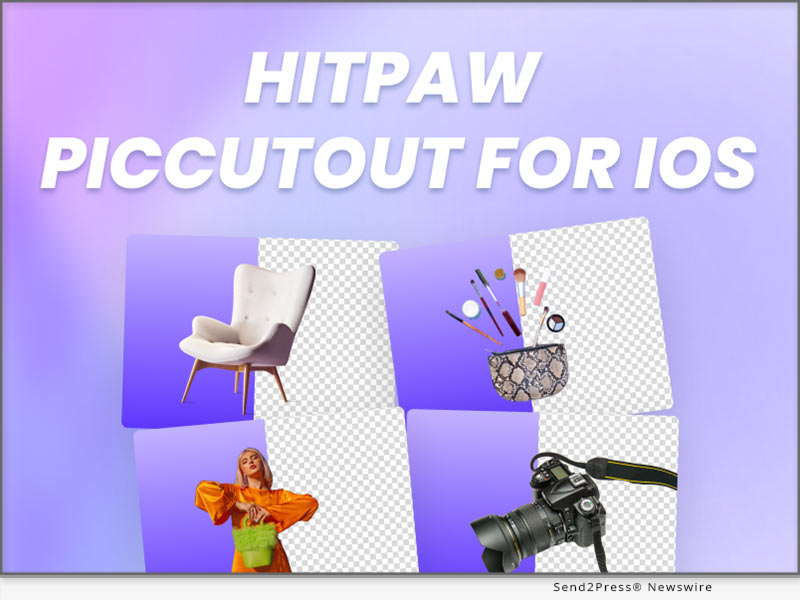
 

Big Update: HitPaw FotorPea V5.2.0 Introduces AI Canvas and Advanced RAW Image Enhancement

HitPaw FotorPea V5.2.0 Officially Released: Supporting AI Canvas Photo Editing and Advanced RAW Denoise Model

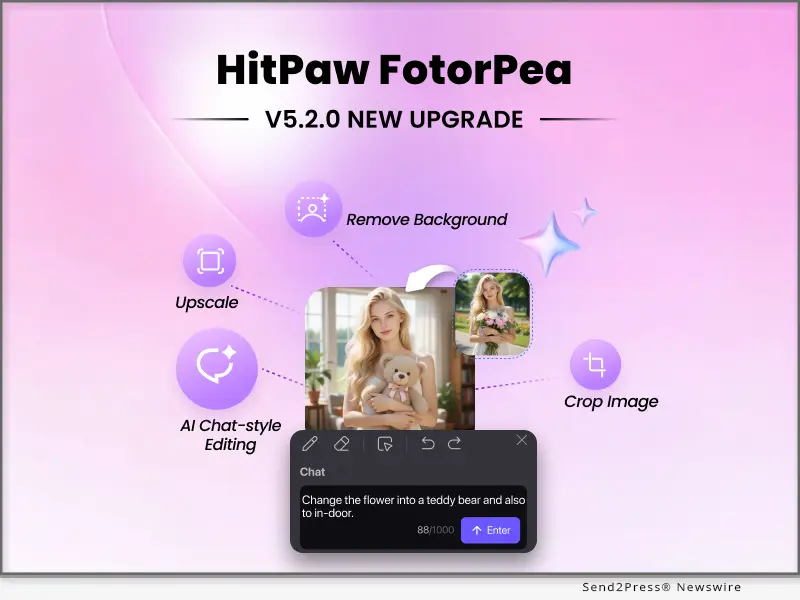
NEW YORK, N.Y., Dec. 30, 2025 (SEND2PRESS NEWSWIRE) — HitPaw, a leading provider of AI-powered creative solutions, today announced the official release of HitPaw FotorPea V5.2.0, delivering a major upgrade focused on intelligent editing workflows and professional-grade image enhancement. This version introduces the all-new AI Canvas alongside enhanced RAW image support and denoising, empowering users to edit, enhance, and create images with greater flexibility and precision.

HitPaw FotorPea V5.2.0
Image caption: HitPaw FotorPea V5.2.0.

WHAT’S NEW IN HITPAW FOTORPEA V5.2.0

1. AI Canvas: Smarter, More Flexible Image Editing

At the core of V5.2.0 is AI Canvas, a unified creative workspace designed to streamline complex editing tasks through AI automation and conversational interaction.

Key capabilities include:

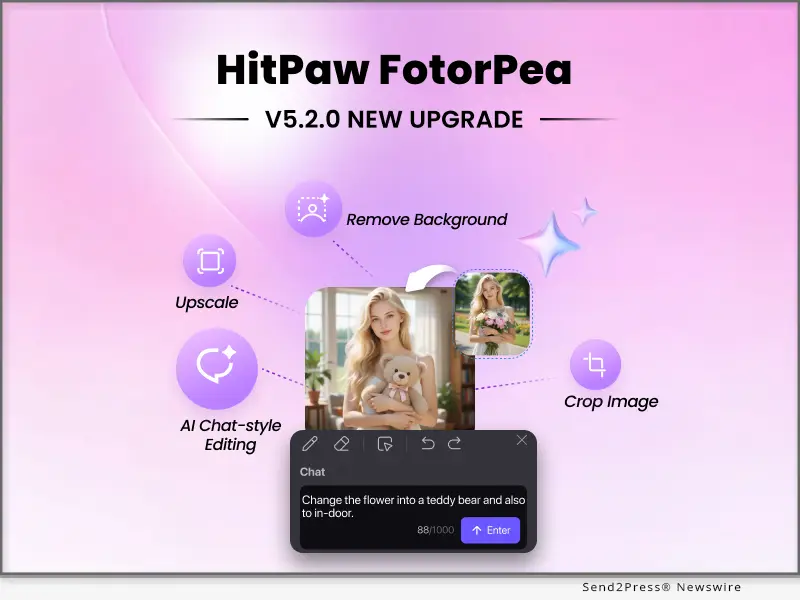
  • AI Chat-Style Editing: Edit images using natural language prompts—modify objects, replace elements, refine details, or transform entire scenes with ease.
  • Multi-Image Fusion: Seamlessly combine content, styles, or visual information from multiple images into a single cohesive result, ideal for creative design, concept visualization, and social content creation.
  • One-Click Image Upscaling: Instantly enhance resolution and clarity while preserving fine textures and image details.
  • Background Removal & Smart Cropping: Quickly isolate subjects and optimize composition, suitable for portraits, product shots, and creative layouts.

2. AI Enhancer: Professional RAW Support with Intelligent Denoising

HitPaw FotorPea V5.2.0 significantly upgrades its image enhancement capabilities with full RAW file import support, giving photographers and advanced users greater control over original image data. The newly added RAW Denoise Mode is optimized for high-ISO and low-light photos, intelligently reducing noise while preserving natural textures, sharpness, and color accuracy.

3.  AI Generator: MP4 Output for Animated AI Art

HitPaw FotorPea V5.2.0 further upgrades AI-generated artwork export from video WebP to the more widely supported MP4 format, delivering broader compatibility and smoother playback across platforms. With MP4 export, users can easily transform AI images into engaging animated content optimized for social media sharing, short-form videos, and modern digital storytelling.

ABOUT HITPAW FOTORPEA

HitPaw FotorPea is an all-in-one AI photo enhancement, editing, and generation tool built for fast, high-quality results. It intelligently reduces noise and improves clarity, color, and detail, while multiple AI models (including Nano Banana Pro) enable sharper, more realistic image generation from text prompts. With one-click background and object removal and smart editing tools for tone and effects, creators can refine images effortlessly and achieve professional-quality outcomes.

COMPATIBILITY AND PRICING

HitPaw FotorPea is compatible with Windows 11/10/8/7 (64-bit) and macOS 10.15 and above. Pricing starts at $22.39/Month for Windows and $25.59/Month for Mac.

To celebrate this major update, HitPaw FotorPea is offering an exclusive 20% discount on both Yearly and Lifetime subscriptions for a limited time.

For more information, visit:

Purchase HitPaw FotorPea for Windows

Purchase HitPaw FotorPea for Mac

ABOUT HITPAW

HitPaw is a trusted multimedia software brand dedicated to empowering users with innovative solutions for photo, video, and audio editing and enhancement. With cutting-edge AI technology and a user-friendly design, HitPaw makes creativity accessible to everyone.

Learn more: About HitPaw – All Things About HitPaw

CONNECT WITH US

YouTube: https://www.youtube.com/@hitpaw

X (Twitter): https://x.com/HitPawofficial

Instagram: https://www.instagram.com/hitpawofficial/

Pinterest: https://www.pinterest.com/HitPawofficialwebsite

NEWS SOURCE: HitPaw


This press release was issued on behalf of the news source (HitPaw), who is solely responsible for its accuracy, by Send2Press Newswire. Image, if any, was provided by the news source and not this website or the wire service. Information is believed accurate, as provided by the news source, but is not guaranteed.

To view the original story, visit: https://www.send2press.com/wire/big-update-hitpaw-fotorpea-v5-2-0-introduces-ai-canvas-and-advanced-raw-image-enhancement/

Copr. © 2025 Send2Press® Newswire, Calif., USA. -- REF: S2P STORY ID: S2P132001 NOREL-3B
 

HitPaw and PixPretty Launch Christmas Special Treats Campaign 2025, Offering Free AI Portrait Editor Access and Up to 50% Off AI Creative Tools

NEW YORK, N.Y., Dec. 18, 2025 (SEND2PRESS NEWSWIRE) — This holiday season, HitPaw, a global leader in AI-powered creative solutions, teams up with PixPretty, an emerging AI visual creation platform, to launch the HitPaw & PixPretty Christmas Special Treats campaign. This cross-brand collaboration delivers genuine holiday value to creators worldwide, combining a free AI Portrait Editor Access with exclusive discounts of up to 50% off across HitPaw’s product lineup.

HitPaw and PixPretty Christmas Sale
Image caption: HitPaw and PixPretty Christmas Sale.

HOLIDAY GIFT: FREE ONE-MONTH AI PORTRAIT EDITOR ACCESS

As the centerpiece of this Christmas collaboration, HitPaw and PixPretty are offering a limited-time holiday gift that grants users a free one-month PixPretty license. PixPretty is a professional AI portraits photo retoucher designed for high-quality enhancements, from everyday snapshots and social media photos to creative and professional portraits. With advanced AI-driven tools for facial refinement and visual enhancement, users can experience professional-grade results with no purchase required and no commitment.

This festive giveaway reflects the shared goal of both brands: making AI creativity more accessible and enjoyable during the holiday season.

CHRISTMAS SAVINGS ON HITPAW AI CREATIVE TOOLS

In addition to the PixPretty holiday gift, HitPaw is offering exclusive Christmas discounts across its most popular AI products and bundles, helping users upgrade their creative workflows during the festive season.

1. BEST-SELLING SINGLE PRODUCTS — 30% OFF

Upgrade your creative toolkit with HitPaw’s top AI solutions, now available at special holiday prices:

Product for Windows Brief introduction 1 Year License Perpetual License
HitPaw VikPea AI Video Enhancer and Generator $87.49 $306.59
HitPaw FotorPea AI Photo Enhancer and Generator $79.09 $114.09
HitPaw Univd Video Converter and Editor $27.96 $55.96
HitPaw VoicePea Real-time AI Voice Changer $27.96 $46.16
HitPaw Watermark Remover Watermark and Objects Remover $13.99 $20.99

2. BUNDLE DEALS — MORE TOOLS, BIGGER HOLIDAY SAVINGS
For users seeking maximum value, HitPaw also introduces festive bundle offers:

HitPaw Bundles Product for Windows Discount 1 Year License Perpetual License
2-in-1 Bundles VikPea+FotorPea 40% OFF $142.78 $360.58
5-in-1 Bundles VikPea + Univd + FotorPea + VoicePea + Watermark Remover 50% OFF $168.94 $388.44

These bundles are ideal for creators, professionals, and teams looking for a complete AI-powered creative toolkit at a significantly reduced cost.

A CROSS-BRAND CELEBRATION OF AI CREATIVITY

The HitPaw & PixPretty Christmas Special Treats campaign represents more than a seasonal promotion—it’s a shared commitment to empowering creativity through AI. From enhancing visuals and generating creative content to exploring new AI workflows, this collaboration delivers both practical tools and meaningful holiday value.

This Christmas, creativity is better when shared.

ABOUT HITPAW

HitPaw is a leading innovator in the AI-powered multimedia solutions sector. Known for its cutting-edge video, image, and audio editing tools, HitPaw is dedicated to providing simplicity, efficiency, and creativity in every product. Millions of creators worldwide rely on HitPaw’s technology to produce top-tier content with ease, making it the go-to platform for both professional and amateur content creators.

Learn more at: [OFFICIAL] HitPaw – AI Video, Photo & Audio Enhancer Solutions

ABOUT PIXPRETTY

PixPretty, developed by Tenorshare, is a professional AI portraits photo retoucher designed to help users achieve flawless, natural-looking results with ease. Leveraging advanced artificial intelligence, it enables fast, one-click photo enhancement and visual refinement.

Learn more at: [OFFICIAL] Tenorshare PixPretty – Professional AI Portraits Photo Retoucher

Follow Us

YouTube: https://www.youtube.com/@hitpaw

X (Twitter): https://x.com/HitPawofficial

Instagram: https://www.instagram.com/hitpawofficial/

Pinterest: https://www.pinterest.com/HitPawofficialwebsite

NEWS SOURCE: HitPaw


This press release was issued on behalf of the news source (HitPaw), who is solely responsible for its accuracy, by Send2Press Newswire. Image, if any, was provided by the news source and not this website or the wire service. Information is believed accurate, as provided by the news source, but is not guaranteed.

To view the original story, visit: https://www.send2press.com/wire/hitpaw-and-pixpretty-launch-christmas-special-treats-campaign-2025-offering-free-ai-portrait-editor-access-and-up-to-50-off-ai-creative-tools/

Copr. © 2025 Send2Press® Newswire, Calif., USA. -- REF: S2P STORY ID: S2P131868 NOREL-3B
 

Ultimate Ghostface AI Generator Free: Scream with AI Photo Editor PixPretty

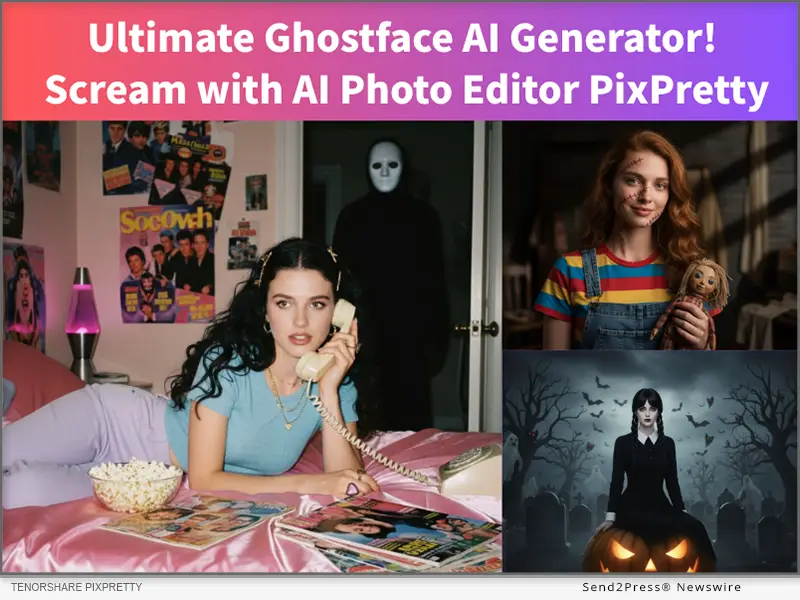
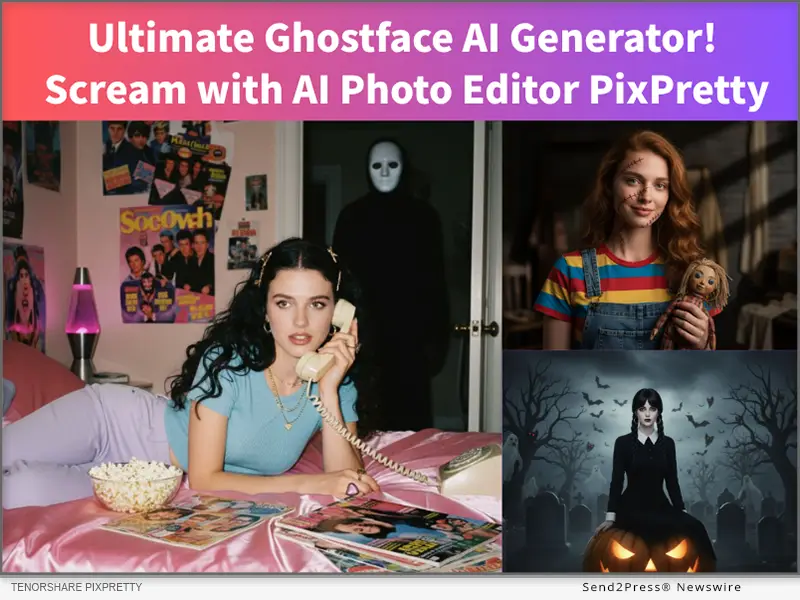
NEW YORK, N.Y., Oct. 29, 2025 (SEND2PRESS NEWSWIRE) — Excited for Halloween but tired of generic filters like Google Gemini’s promos? It’s time to unleash your spooky side with the ultimate PixPretty Ghostface AI Generator. This all-in-one AI photo Editor from Tenorshare lets you transform your selfies into horrifyingly realistic ghost face images, perfect for fans of the “Scream” franchise and anyone looking to create viral Halloween content.

Ultimate Ghostface AI Generator! Scream with AI Photo Editor PixPretty
Image caption: Ultimate Ghostface AI Generator! Scream with AI Photo Editor PixPretty.

NO 1. FREE GHOSTFACE AI GENERATOR – PIXPRETTY AI GHOSTFACE GENERATOR ONLINE TOOL

PixPretty is the best AI-Powered Photo editor in 2025. It’s Free Ghostface AI generator captures the terror and thrill of the iconic slasher look. Whether you want to recreate the classic Ghostface mask, design your own ghost face costume, or generate eerie Ghostface pictures, PixPretty makes it effortless.

With just one click, you can turn your photo into a chilling masterpiece—no editing skills or text prompts needed. Unlike traditional tools, PixPretty integrates multiple AI features into a single platform. It offers:

  • AI-powered background remover: Easily remove or Change Backgrounds for Any Image.
  • Professional Batch image editing without losing image detail.
  • Easy AI object removal to erase unwanted distractions.
  • Multiple AI action figure generator (Bandai, LEGO, Barbie, and 7 styles).
  • Free Ghostface AI generator that brings your inner scream to life instantly.

More special photo creation features will be updated in the future.

HERE’S HOW TO CREATE YOUR GHOSTFACE AI SPOOKY IMAGE FOR FREE:

Step 1. Visit the PixPretty Ghostface AI Generator online.

Step 2. Upload your selfie and pick your favorite horror style — choose from Ghostface, Vicious Red-Haired Doll, Striped Nightmare Demon, Hockey Mask Fiend, or Gothic Academy variations (with hands, dark moon, or black cat).

Step 3. In just seconds, your ghost face drawing or ghost face image will appear—ready to share on social media or use as your Halloween avatar.

Join PixPretty Halloween party: PixPretty HALLOWEEN TREAT. Make This Halloween Unforgettably Creative! This Halloween, skip the complicated edits — visit PixPretty, upload your selfie, and let PixPretty’s Ghostface AI Generator scream for you.

NO 2. GEMINI GHOSTFACE AI GENERATOR

Google Gemini is a great choice for making your Ghostface; it is free and powerful. The basic concept is to have AI generate an image of you lying on a bed with a vintage phone, dim glossy room, Ghostface from Scream lurking behind.

Steps to generate Ghostface picture with Gemini:

  1. Open Google Gemini and upload your Photo
  2. Enter a Prompt to create the Ghostface you want
  3. Then Gemini will generate ya realistic Ghostface image.

Note: The prompt needs to be specific and provide context.

ABOUT PIXPRETTY

PixPretty AI Photo Editor Made Easy. PixPretty is an AI-powered photo editing tool, which is designed to help everyone easily edit photos online with AI. We believe AI shouldn’t be just for professionals or tech enthusiasts. It should be a simple, joyful way for everyone to create, explore, experiment, and discover the endless possibilities of visual creation.

Learn More: https://pixpretty.tenorshare.ai/

https://www.facebook.com/PixPrettyAI/

https://x.com/PixPrettyAI

https://www.youtube.com/@PixPretty

NEWS SOURCE: Tenorshare Co. Ltd.


This press release was issued on behalf of the news source (Tenorshare Co. Ltd.), who is solely responsible for its accuracy, by Send2Press Newswire. Image, if any, was provided by the news source and not this website or the wire service. Information is believed accurate, as provided by the news source, but is not guaranteed.

To view the original story, visit: https://www.send2press.com/wire/ultimate-ghostface-ai-generator-free-scream-with-ai-photo-editor-pixpretty/

Copr. © 2025 Send2Press® Newswire, Calif., USA. -- REF: S2P STORY ID: S2P130530 NOREL-3B
 

Free AI Photo Enhancer, FliFlik KlearMax for Photo, offers Limited Time Free Download for New Release

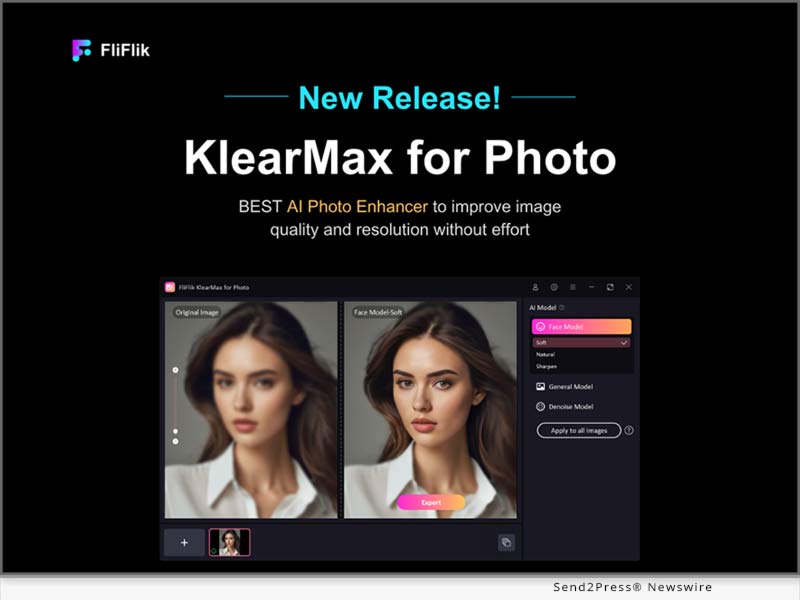
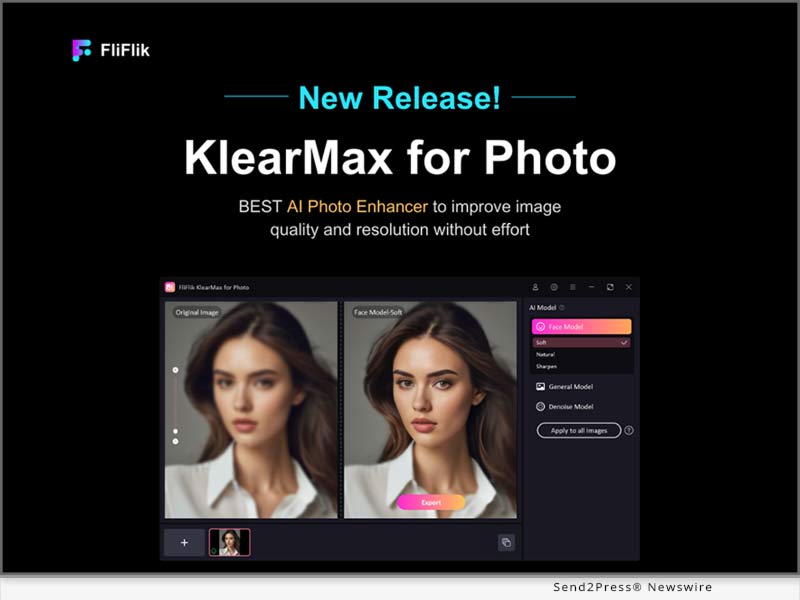
NEW YORK, N.Y. /ScoopCloud/ -- Today, FliFlik proudly announces the launch of its revolutionary AI Photo Enhancer - FliFlik KlearMax for Photo, a powerful new tool that leverages cutting-edge artificial intelligence to remove the blurry, increase resolution, and sharpen the details, turning your lackluster photos into stunning, high-quality images.

FliFlik KlearMax for Photo offers a range of features to suit your specific needs. For portraits, choose from Soft Mode for a subtle, natural enhancement, Natural Mode for a balanced improvement, or Sharpen Mode to bring out crisp details. In addition to portrait enhancement, our versatile tool includes a General Model for overall image improvement and a Denoise Model to eliminate unwanted grain and noise from any photo.

Let's explore the major features of FliFlik KlearMax for Photo:

:: Diverse AI Models to Meet All Needs

By utilizing advanced AI algorithms, KlearMax for Photo offers 3 AI models, including Face Model, General Model, and Denoise Model. The Face Model is the best image enhancer for portrait perfection, removing blur, increasing resolution, and retouching details for a flawless finish. The General Model is a versatile solution, tackling all image types-landscapes, architecture, animals, and plants-with targeted enhancements. For photos plagued by unwanted noise, the Denoise Model works to reduce the majority of noise from your photos, restoring clarity from images like animations and games.

:: Batch Image Enhancement at Once

Speed and flexibility are hallmarks of FliFlik KlearMax for Photo. Our powerful AI models are optimized for fast processing, saving you valuable time. Enhance multiple photos at once and apply different AI models to each image for tailored results. With a single click, you can transform your entire collection in seconds.

:: 100% Safe Process

We will not compromise our users' privacy. Unlike online photo enhancers, our AI photo enhancer works entirely on your device. Your photos and data never leave your computer, ensuring complete privacy and security.

:: Excellent Image Format Converter

Say goodbye to format headaches! KlearMax for Photo offers a built-in image format converter that seamlessly converts your photos between popular formats like JPG, PNG, and BMP. This effortless workflow ensures your images are always compatible with your needs.

Availability and Pricing

Right now, we are running a free Giveaway event for 6-month license.

FliFlik KlearMax for Photo: https://fliflik.com/ai-klearmax-for-photo/

The normal price will be:

1- Month plan: $19.95

1- Year plan: $59.95

Lifetime plan: $99.95

Compatibility:

Windows: Win 11/10/8.1/8/7 64-bit

macOS version will be coming soon

About FliFlik:

FliFlik is a young and dynamic brand founded by Shenzhen HappyDog Technology Co., Ltd in 2019 with a clear mission to revolutionize the digital experience for users worldwide. Our team of experienced professionals is dedicated to developing innovative multimedia software that enhances the digital lives of our users. We believe that technology should be intuitive, user-friendly, and accessible to everyone, regardless of their technical expertise.

LEARN MORE:

Website: https://fliflik.com/

Instagram: https://www.instagram.com/fliflikofficial/

YouTube: https://www.youtube.com/@FliFlik

Facebook: https://www.facebook.com/FliFlik/

News from FliFlik

Today, FliFlik proudly announces the launch of its revolutionary AI Photo Enhancer - FliFlik KlearMax for Photo, a powerful new tool that leverages cutting-edge artificial intelligence to remove the blurry, increase resolution, and sharpen the details, turning your lackluster photos into stunning, high-quality images.

Related link: https://fliflik.com/

This version of news story was published on ScoopCloud™ (ScoopCloud.com) - part of and © the Neotrope® News Network - all rights reserved.

HitPaw Photo AI V3.3.0 Introduces New ID Photo Feature for Professional Use

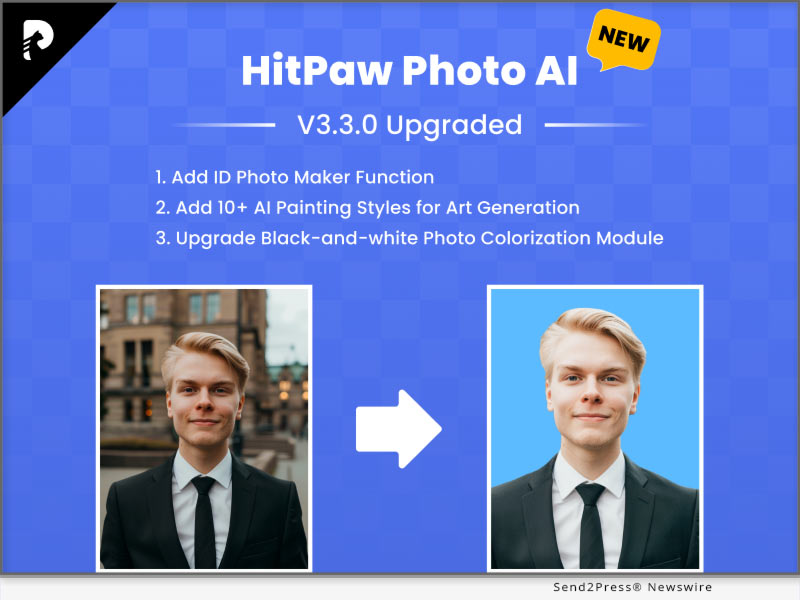
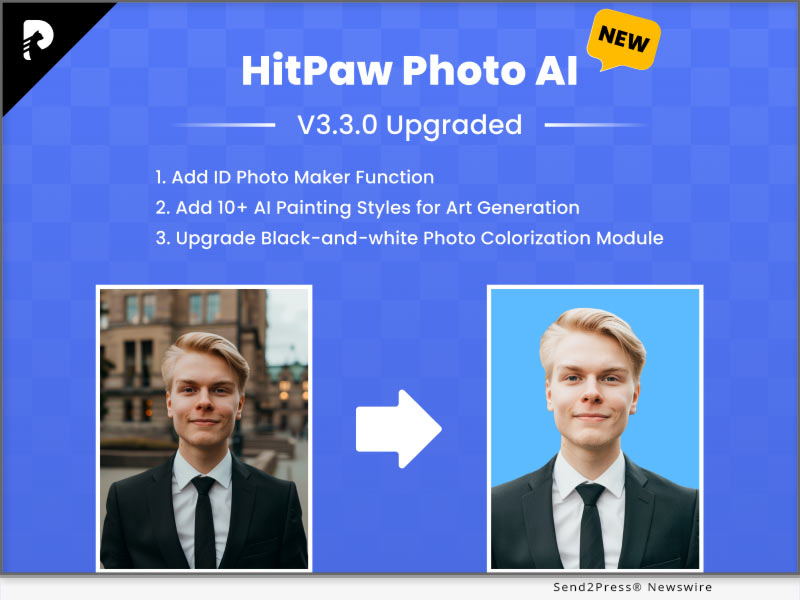
NEW YORK, N.Y. /ScoopCloud/ -- HitPaw, an unparalleled multi-media solution, announces the highly anticipated release of HitPaw Photo AI ( https://www.hitpaw.com/photo-ai.html ) V3.3.0. This upgrade goes beyond traditional editing tools with its ID Photo Maker functionality. Say goodbye to the hassle of manually resizing and formatting photos for official documents.

Whether you want to enhance facial features, remove blemishes, or change backgrounds, the new version delivers stunning results with just a few clicks, saving you time and effort while ensuring professional-quality outcomes.

LET'S CHECK THE KEY FEATURES:

* ID Photo Maker: Change Background Color and Photo Size Sample

With ID Photo Maker, you can generate ID photos that meet the exact specifications required for passports, visas, driver's licenses, and more. Simply upload your photo, select the desired template, and let HitPaw do the rest, ensuring compliance with international standards and regulations.

* AI Portraits Generation: Create Stunning Portrait Effects at Home

One of the latest additions to HitPaw Photo AI's arsenal is its groundbreaking AI Portraits feature. Leveraging the latest advancements in artificial intelligence, this innovative tool takes portrait editing to new heights. it empowers users to transform their ordinary photos into extraordinary masterpieces effortlessly.

* Added 10+ Art Styles: Inspire a Unique Touch to Your Photos

With HitPaw Photo AI's 50+ Art Styles, you can explore a wide range of artistic expressions, from watercolor and oil painting to surrealism and pop art. Unleash your imagination, experiment with different styles, and bring your creative visions to life like never before. Whether you're a seasoned artist or a novice enthusiast, HitPaw Photo AI is your ultimate tool for unleashing the full potential of your photos.

Learn more: https://www.hitpaw.com/photo-ai.html

Compatibility and Price:

HitPaw Photo AI is now compatible with Windows 11/10/8/7 64-bit and and macOS 10.15 and above. The pricing starts from $21.99 USD for a month plan.

For more price checking and information, you can visit: https://www.hitpaw.com/purchase/buy-hitpaw-photo-ai.html

About HitPaw:

HitPaw is an emerging software company specializing in video editing, screen recording, watermark removing, image editing, photo enhancing, meme-making, etc. We help users turn their inspiration into reality so that we can generate more ideas to make the world full of more creativity.

To know more, you may visit https://www.hitpaw.com/about.html and https://www.hitpaw.com/

Our Social Media

YouTube: https://www.youtube.com/channel/UCQwRggaotgiMcPbiCOsJeBA

Facebook: https://www.facebook.com/hitpawofficial

X (Twitter): https://twitter.com/HitPawofficial

Instagram: https://www.instagram.com/hitpawofficial/

Pinterest: https://www.pinterest.com/HitPawofficialwebsite/

News from HitPaw

HitPaw, an unparalleled multi-media solution, announces the highly anticipated release of HitPaw Photo AI V3.3.0. This upgrade goes beyond traditional editing tools with its ID Photo Maker functionality. Say goodbye to the hassle of manually resizing and formatting photos for official documents.

Related link: https://www.hitpaw.com/

This version of news story was published on ScoopCloud™ (ScoopCloud.com) - part of and © the Neotrope® News Network - all rights reserved.

HitPaw Photo AI V3.0.0 Offers Enhanced Features for Photo Enhancer, AI Art Generation, and Object and Background Remover

NEW YORK, N.Y. /ScoopCloud/ -- HitPaw, a pioneering AI-powered multi-media provider, announces the highly anticipated release of HitPaw Photo AI V3.0.0, a Game-Changing Upgrade to HitPaw Photo Enhancer. This revolutionary upgrade represents a significant leap, offering users a comprehensive and user-friendly suite of AI solutions in photo editing technology.

Harnessing the power of AI-based technology, the new version caters to all user requirements by offering features to enhance photo quality, generate AI-generated photos to spur creativity, and remove objects and backgrounds from photos.

LET'S CHECK THE KEY FEATURES

* Diverse Enhancement Tools: Transform Your Photos

HitPaw Photo AI introduces a wide range of tools to enhance photo quality and restore old photos, including AI face modeling, denoise modeling, colorization, color calibration, scratch repair, low-light enhancement, and various editing functions for customization. All tools operate automatically with just one click, simplifying the editing process.

* Boundless Creative Potential: Transform Your Ideas into Art

HitPaw Photo AI empowers users to realize their artistic aspirations. By providing prompts for a photo and selecting desired styles and artists, Photo AI can bring these visions to life through image creation. Unleash your creativity and transform text into captivating works of art, allowing for endless expression and artistic exploration.

* Effortless Object Removal: Refine Your Photos

Another standout feature of HitPaw Photo AI is its object remover, which not only enables users to eliminate unwanted elements from their photos, but also facilitates automatic background removal. The AI processing significantly reduces editing time, while the eraser function seamlessly caters to portraits, aged or stained photos, and general images featuring unwanted elements such as strangers and watermarks.

Learn more: https://www.hitpaw.com/photo-ai.html

Compatibility and Price:

HitPaw Photo AI is now compatible with Windows 11/10/8/7 64-bit and above. The pricing starts from $29.99 USD for a month plan.

For more price checking and information, you can visit https://www.hitpaw.com/purchase/buy-hitpaw-photo-ai.html

About HitPaw:

HitPaw is an emerging software company specializing in video editing, screen recording, watermark removing, image editing, photo enhancing meme-making, etc. We help users turn their inspiration into reality so that we can generate more ideas to make the world full of more creativity.

To know more, you may visit https://www.hitpaw.com/about.html and https://www.hitpaw.com/

Our Social Media:

YouTube: https://www.youtube.com/channel/UCQwRggaotgiMcPbiCOsJeBA

Facebook: https://www.facebook.com/hitpawofficial

X (Twitter): https://twitter.com/HitPawofficial

Instagram: https://www.instagram.com/hitpawofficial/

Pinterest: https://www.pinterest.com/HitPawofficialwebsite/

News from HitPaw

HitPaw, a pioneering AI-powered multi-media provider, announces the highly anticipated release of HitPaw Photo AI V3.0.0, a Game-Changing Upgrade to HitPaw Photo Enhancer. This revolutionary upgrade represents a significant leap, offering users a comprehensive and user-friendly suite of AI solutions in photo editing technology.

Related link: https://www.hitpaw.com/

This version of news story was published on ScoopCloud™ (ScoopCloud.com) - part of and © the Neotrope® News Network - all rights reserved.

HitPaw Photo Enhancer v2.6.0 Update Revolutionizes Photo Editing with New Enhancer Features for Stunning Results

NEW YORK, N.Y. /ScoopCloud/ -- HitPaw, a trailblazing force in software innovation, is thrilled to announce the latest release of the HitPaw Photo Enhancer. Packed with cutting-edge features, this enhancement tool takes photo editing to a whole new level, allowing users to bring their creative visions to life like never before.

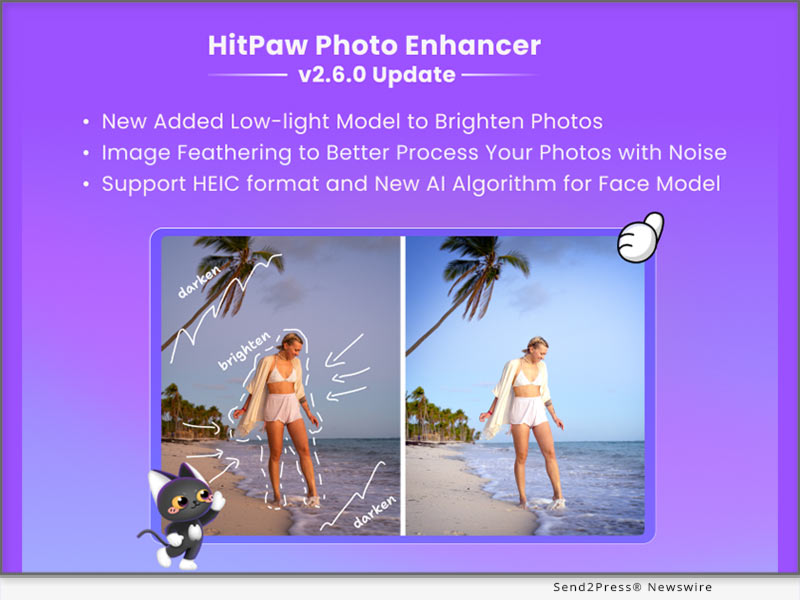
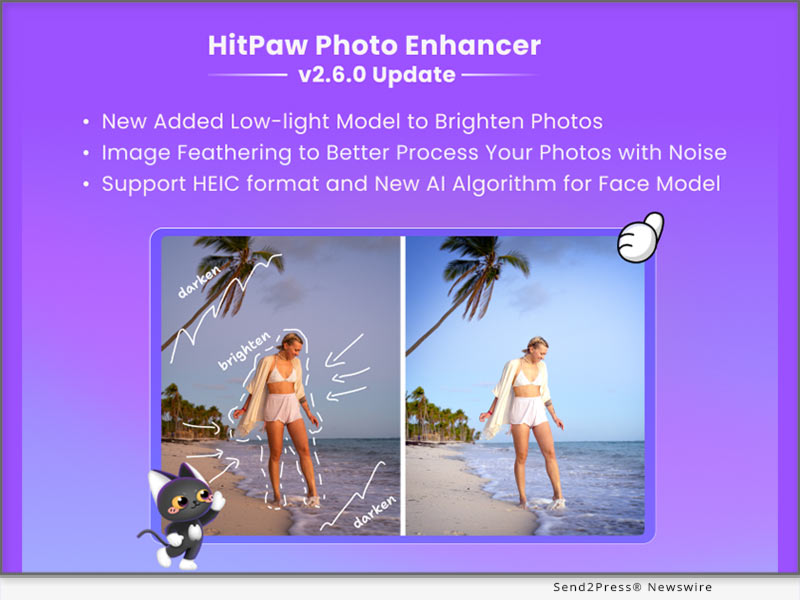
In this update, HitPaw releases the low-light model, image feathering, new AI algorithm for face model and support for HEIC format, continuing to empower our users with powerful, user-friendly features.

LET'S CHECK OUT THE NEW FEATURES:

* Illuminate Your Photos: Introducing the Low-light Model

Capturing moments in low-light conditions has never been easier. The newly added Low-light Model utilizes advanced AI technology to enhance and brighten photos taken in challenging lighting environments. Preserve details and colors in dimly lit settings, ensuring your memories shine.

* Unparalleled Image Processing: Image Feathering for Noise Reduction

HitPaw Photo Enhancer now offers Image Feathering, a powerful tool for processing noisy images. This feature effectively reduces noise while maintaining image sharpness, resulting in cleaner, more professional-looking photos.

* HEIC Format Support and New AI Algorithm for Face Model

To cater to modern image formats, HitPaw Photo Enhancer now supports HEIC format, making it easier to work with images from Apple devices. Additionally, a new AI algorithm for the Face Model further improves facial detail preservation, ensuring your portraits are flawless and true to life.

Learn more: https://www.hitpaw.com/photo-enhancer.html

Compatibility and Price:

HitPaw Photo Enhancer is now compatible with Windows 11/10/8/7 64-bit and macOS 10.15 and above. The pricing starts from $17.99 USD for a month plan.

For more price checking and information, you can visit https://www.hitpaw.com/purchase/buy-hitpaw-photo-enhancer.html.

About HitPaw:

HitPaw is an emerging software company specializing in video editing, screen recording, watermark removing, image editing, photo enhancing meme-making, etc. We help users turn their inspiration into reality so that we can generate more ideas to make the world full of more creativity.

To know more, you may visit https://www.hitpaw.com/about.html and https://www.hitpaw.com/

Our Social Media

YouTube: https://www.youtube.com/channel/UCQwRggaotgiMcPbiCOsJeBA

Facebook: https://www.facebook.com/hitpawofficial

X/Twitter: https://twitter.com/HitPawofficial

Instagram: https://www.instagram.com/hitpawofficial/

Pinterest: https://www.pinterest.com/HitPawofficialwebsite/

News from HitPaw

HitPaw, a trailblazing force in software innovation, is thrilled to announce the latest release of the HitPaw Photo Enhancer. Packed with cutting-edge features, this enhancement tool takes photo editing to a whole new level, allowing users to bring their creative visions to life like never before.

Related link: https://www.hitpaw.com/

This version of news story was published on ScoopCloud™ (ScoopCloud.com) - part of and © the Neotrope® News Network - all rights reserved.

HitPaw Releases Cutting-Edge Photo Enhancer v2.5.0, Ushering in a New Era of Image Enhancement

NEW YORK, N.Y. /ScoopCloud/ -- HitPaw, a leading software company, proudly presents its latest innovation - the HitPaw Photo Enhancer. Packed with state-of-the-art features, this powerful tool elevates photo editing to new heights.

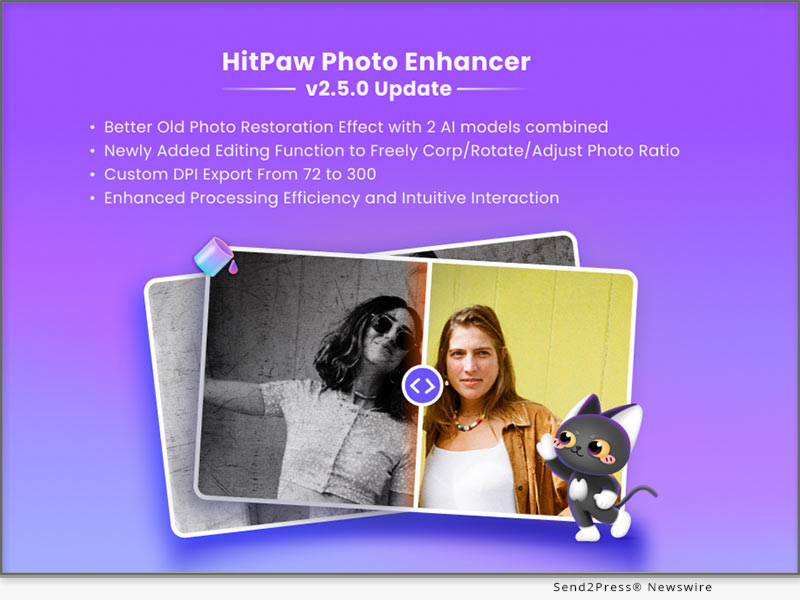
In this update, HitPaw releases the the combination of face model & scratch repair model, customizable editing options, and improved efficiency, empowering users to transcend their creative boundaries.

LET'S CHECK OUT THE NEW FEATURES:

* Unparalleled Old Photo Restoration: Introducing Face Model & Scratch Repair

Preserve precious memories with utmost precision using the new Face Model and Scratch Repair features. The enhanced restoration effect breathes life into old photos, ensuring unmatched clarity and accuracy in facial details, while the Scratch Repair function flawlessly erases imperfections, rejuvenating cherished memories like never before.

* Infinite Creative Control: Enhanced Editing Function for Customization

HitPaw Photo Enhancer introduces a suite of powerful editing functions, enabling users to crop, rotate, and customize photo ratios effortlessly. Unleash your creativity and craft visuals that align with your artistic vision, turning ordinary images into captivating works of art.

* Tailored Precision: Custom DPI Export for Various Applications

HitPaw Photo Enhancer now allows users to export photos with adjustable DPI settings, ranging from 72 to 300. This customizable feature ensures each image is tailored to its intended purpose, guaranteeing impeccable results for web usage or high-quality prints.

* Streamlined Efficiency: Improved Model Processing and User Interaction

Experience unmatched efficiency with HitPaw's enhanced model processing. The seamless user interface provides intuitive navigation, catering to users of all skill levels. Enjoy fast-paced editing without compromising the impeccable quality that HitPaw is renowned for.

Compatibility and Price:

HitPaw Photo Enhancer is now compatible with Windows 11/10/8/7 64-bit and macOS 10.15 and above. The pricing starts from $17.99 USD for a month plan.

For more price checking and information, you can visit https://www.hitpaw.com/purchase/buy-hitpaw-photo-enhancer.html.

About HitPaw:

HitPaw is an emerging software company specializing in video editing, screen recording, watermark removing, image editing, photo enhancing meme-making, etc. We help users turn their inspiration into reality so that we can generate more ideas to make the world full of more creativity.

To know more, you may visit https://www.hitpaw.com/about.html and https://www.hitpaw.com/

Our Social Media

YouTube: https://www.youtube.com/channel/UCQwRggaotgiMcPbiCOsJeBA

Facebook: https://www.facebook.com/hitpawofficial

X (Twitter): https://twitter.com/HitPawofficial

Instagram: https://www.instagram.com/hitpawofficial/

Pinterest: https://www.pinterest.com/HitPawofficialwebsite/

News from HitPaw

HitPaw, a leading software company, proudly presents its latest innovation - the HitPaw Photo Enhancer. Packed with state-of-the-art features, this powerful tool elevates photo editing to new heights.

Related link: https://www.hitpaw.com/

This version of news story was published on ScoopCloud™ (ScoopCloud.com) - part of and © the Neotrope® News Network - all rights reserved.

HitPaw Introduces its Groundbreaking Photo Enhancer v2.4.0 with Exciting New Scratch Repair Model

NEW YORK, N.Y. /ScoopCloud/ -- HitPaw, a leading provider of innovative digital solutions, is thrilled to announce the launch of HitPaw Photo Enhancer V2.4.0, revolutionizing the way users restore and enhance their cherished memories.

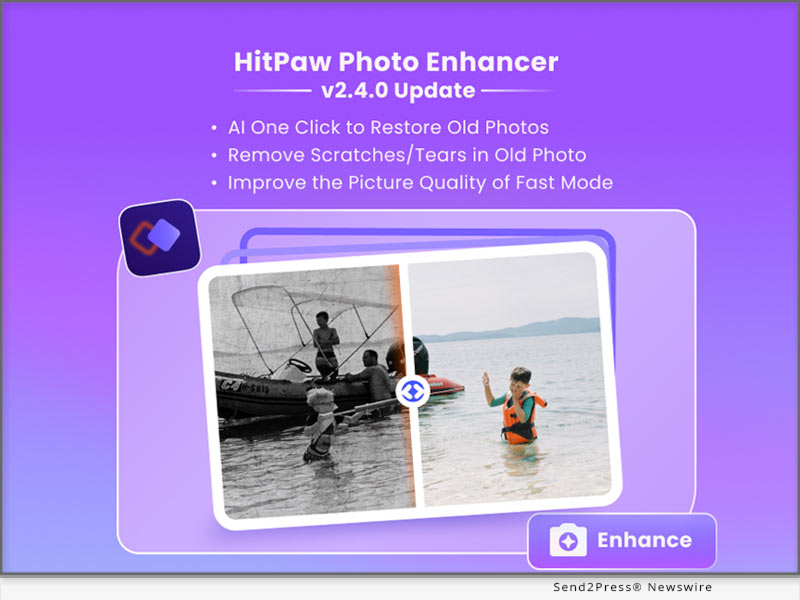
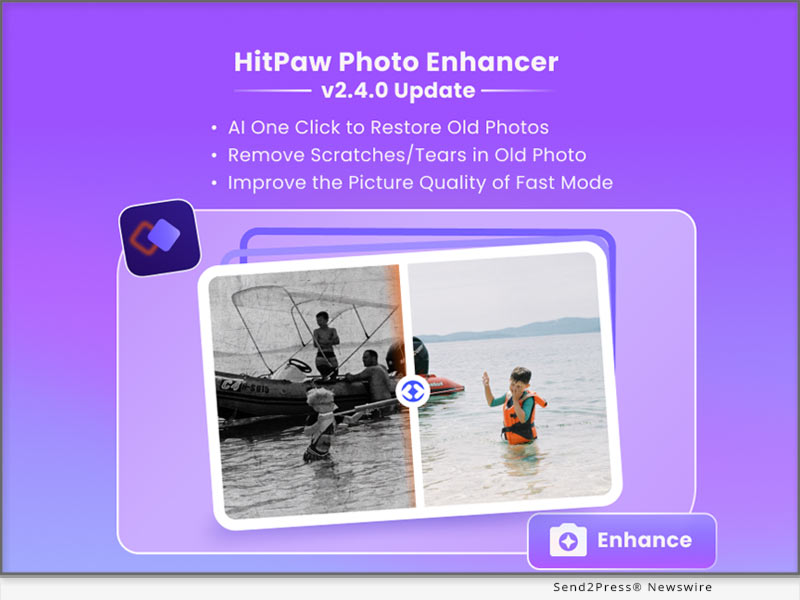
In this update, HitPaw is addressing a new AI model to restore your old photo and fix scratches in photos, improve the quality of fast mode and support separately download AI models, empowering users to restore and enhance their old photos effortlessly while maintaining the highest quality results.

LET'S CHECK OUT THE NEW FEATURES:

* Newly Added Scratch Repair Model to Restore Your Old Photos

The newly added Scratch Repair Model is a game-changer, allowing users to effortlessly restore old photos with scratches and imperfections. With advanced artificial intelligence, this powerful feature analyzes and repairs damaged areas, preserving the authenticity and beauty of precious moments.

* Enable Users to Download the AI Model Separately

In response to user feedback, HitPaw now enables users to download the AI model separately, providing greater flexibility and customization options. This allows users to choose the specific models they need, optimizing storage and enhancing overall performance.

* Improve the Fast mode of General Model's Photo Enhancing Quality

Moreover, the Fast mode of the General Model has undergone significant improvements in photo enhancing quality. Users can now enjoy faster processing times without compromising the integrity of their images. Experience enhanced details, improved colors, and stunning clarity in your photos, all in record time.

The advanced photo enhancer, featuring the Scratch Repair Model, customizable AI model downloads, and improved Fast mode, is now available for download on HitPaw website. Users can explore these features and benefit from a limited-time promotional offer. For more information and to transform your photo editing experience, visit HitPaw website today.

Compatibility and Price:

HitPaw Photo Enhancer is now compatible with Windows 11/10/8/7 64-bit and macOS 10.15 and above. The pricing starts from $17.99 USD for a month plan.

For more price checking and information, you can visit https://www.hitpaw.com/purchase/buy-hitpaw-photo-enhancer.html.

About HitPaw:

HitPaw is an emerging software company specializing in video editing, screen recording, watermark removing, image editing, photo enhancing meme-making, etc. We help users turn their inspiration into reality so that we can generate more ideas to make the world full of more creativity.

To know more, you may visit https://www.hitpaw.com/about.html and https://www.hitpaw.com/

Our Social Media:

YouTube: https://www.youtube.com/channel/UCQwRggaotgiMcPbiCOsJeBA

Facebook: https://www.facebook.com/hitpawofficial

Twitter: https://twitter.com/HitPawofficial

Instagram: https://www.instagram.com/hitpawofficial/

Pinterest: https://www.pinterest.com/HitPawofficialwebsite/

News from HitPaw

HitPaw, a leading provider of innovative digital solutions, is thrilled to announce the launch of HitPaw Photo Enhancer V2.4.0, revolutionizing the way users restore and enhance their cherished memories.

Related link: https://www.hitpaw.com/

This version of news story was published on ScoopCloud™ (ScoopCloud.com) - part of and © the Neotrope® News Network - all rights reserved.

HitPaw Launches its AI Series Products Promotion 2023 and Prepares Great Gifts for You

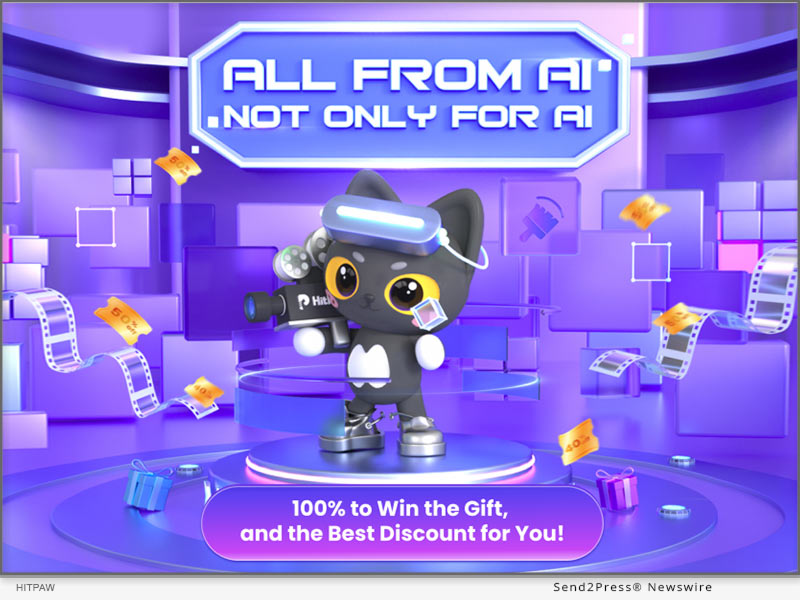
NEW YORK, N.Y. /ScoopCloud/ -- Along with the beginning of June, HitPaw launches the AI Products Promotion named "All From AI|Not Only For AI." It indicates that HitPaw has made the AI to be not just AI, but AI technology that can be applied to specific scenarios, such as enhance video/image quality, remove objects, etc using AI technology.

Moreover, HitPaw has prepared amazing gifts for participants, including Amazon E-Gift Cards, Free License Codes, Best Discount and Coupon Codes!

100% To Win The Gift

By choosing, clicking and removing the removable objects from the photo with AI technology, enter your valid email address, you can now unpack your gift!

All participants will have 1 chance for the lottery event, and can get 1 Extra chance to participate by sharing the event page to Twitter/Facebook. The event will be valid until June 20, 2023.

Participants will have chances winning Amazon E-Gift Cards, Free License Codes, Best Discount and Coupon Codes!

Best Discount For AI Products

All the AI products are now having up to 30% discount! You could now buy:

* HitPaw Photo Enhancer at $55.99/Year for Win & Mac Version

* HitPaw Video Enhancer at $69.99/Year for Win & $76.99/Year for Mac

* HitPaw Photo Object Remover at $18.19/Year for Win & $20.99/Year for Mac

* HitPaw Video Object Remover at $41.99/Year for Win

* HitPaw Watermark Remover at $7.99/Year for Win & $15.99/Year for Mac

Save Up To 40% With HitPaw

Along with the lottery and single-item discount, HitPaw also offers the best deal for product bundles this time.

You can enjoy up to 40% discounts of pairwise combinations of different AI products. Check the event page yourself and discover them!

Biggest Surprise

With the Unprecedented offer, you can get a 5-in-1 Family Set of the HitPaw AI Products! (4-in-1 with Mac version)

With only $149.99 for Mac and $169.99 for Windows, you can enjoy the AI services and free upgrade within one year.

How to participate:

For more information or to participate in this event, please visit: https://www.hitpaw.com/sales-promotion.html

About HitPaw:

HitPaw is an emerging software company specialized in multi-media solutions such as video/photo editing, video/photo enhancing, screen recording, watermark removing, etc. We help users turn their inspiration into reality so that we can generate more ideas to make the world be full of more creativity.

To know more, you may visit:

https://www.hitpaw.com/

https://www.hitpaw.com/about.html

Our Social Media:

YouTube: https://www.youtube.com/channel/UCQwRggaotgiMcPbiCOsJeBA

TikTok: https://www.tiktok.com/@hitpaw

Facebook: https://www.facebook.com/HitPawofficial

Twitter: https://twitter.com/HitPawofficial

Instagram: https://www.instagram.com/HitPawofficial/

Pinterest: https://www.pinterest.com/HitPawofficialwebsite/

News from HitPaw

Along with the beginning of June, HitPaw launches the AI Products Promotion named "All From AI|Not Only For AI." It indicates that HitPaw has made the AI to be not just AI, but AI technology that can be applied to specific scenarios, such as enhance video/image quality, remove objects, etc using AI technology.

Related link: https://www.hitpaw.com/

This version of news story was published on ScoopCloud™ (ScoopCloud.com) - part of and © the Neotrope® News Network - all rights reserved.

HitPaw Launches Revolutionary Photo Enhancer v2.3.0 with Advanced Features for Faster, High-Quality Results

NEW YORK, N.Y. /ScoopCloud/ -- HitPaw, a leading provider of cutting-edge digital solutions, is thrilled to announce the release of the latest HitPaw Photo Enhancer, packed with innovative features to elevate the image editing experience.

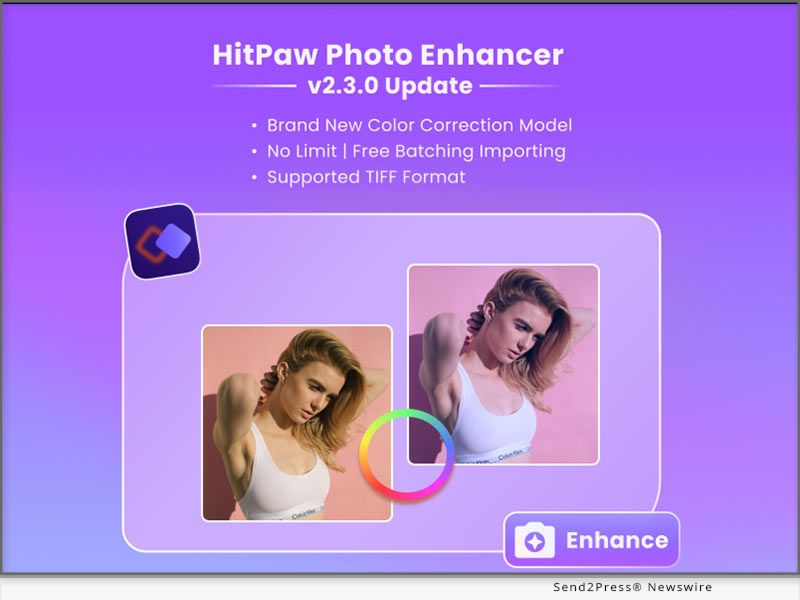
In this update, HitPaw is addressing color correction, workflow efficiency, format compatibility, and optimatization for interaction, empowering the users to elevate their creativity and achieve exceptional results.

LET'S CHECK OUT THE NEW FEATURES:

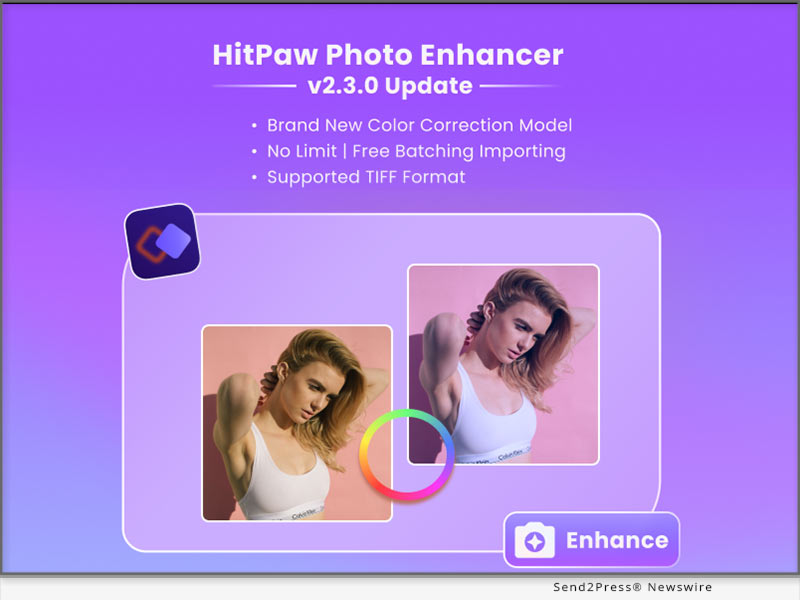
* Newly Added Model to Correct Color in Image

The newly added model is a game-changer, designed to correct color imperfections in images with unparalleled precision. Whether it's adjusting white balance or fine-tuning hues, this advanced feature ensures vibrant and accurate color representation, resulting in stunning visuals.

* Free Batching Importing Photos Without Any Limits

To empower users with seamless workflow management, the enhancer now offers free batching, enabling unlimited importing of photos in one go. Gone are the days of tedious manual selection - effortlessly enhance and transform multiple images simultaneously, saving valuable time and effort.

* Supported More Formats Including TIFF

In response to user demand, HitPaw Photo Enhancer has expanded the supported formats to JPG, PNG, WebP and TIFF. Now photographers, designers, and artists can effortlessly work with a wider range of file types, ensuring compatibility and convenience.

* Optimize the Interaction for Batch Processing and Guide

The latest release also optimizes the interaction for batch processing, providing a user-friendly interface and intuitive guidance. Users can easily navigate through the batch processing workflow, effortlessly applying enhancements to multiple images while benefiting from helpful prompts and suggestions.

Compatibility and Price:

HitPaw Photo Enhancer is now compatible with macOS 10.15 and above. The pricing starts from $17.99 USD for a month plan.

For more price checking and information, you can visit https://www.hitpaw.com/purchase/buy-hitpaw-photo-enhancer.html.

About HitPaw:

HitPaw is an emerging software company specializing in video editing, screen recording, watermark removing, image editing, photo enhancing meme-making, etc. We help users turn their inspiration into reality so that we can generate more ideas to make the world full of more creativity.

To know more, you may visit https://www.hitpaw.com/about.html and https://www.hitpaw.com/

Our Social Media:

YouTube: https://www.youtube.com/channel/UCQwRggaotgiMcPbiCOsJeBA

Facebook: https://www.facebook.com/hitpawofficial

Twitter: https://twitter.com/HitPawofficial

Instagram: https://www.instagram.com/hitpawofficial/

Pinterest: https://www.pinterest.com/HitPawofficialwebsite/

News from HitPaw

HitPaw, a leading provider of cutting-edge digital solutions, is thrilled to announce the release of the latest HitPaw Photo Enhancer, packed with innovative features to elevate the image editing experience.

Related link: https://www.hitpaw.com/

This version of news story was published on ScoopCloud™ (ScoopCloud.com) - part of and © the Neotrope® News Network - all rights reserved.

HitPaw Photo Object Remover V1.0.0 Released: Erase Your Photos Like Magic

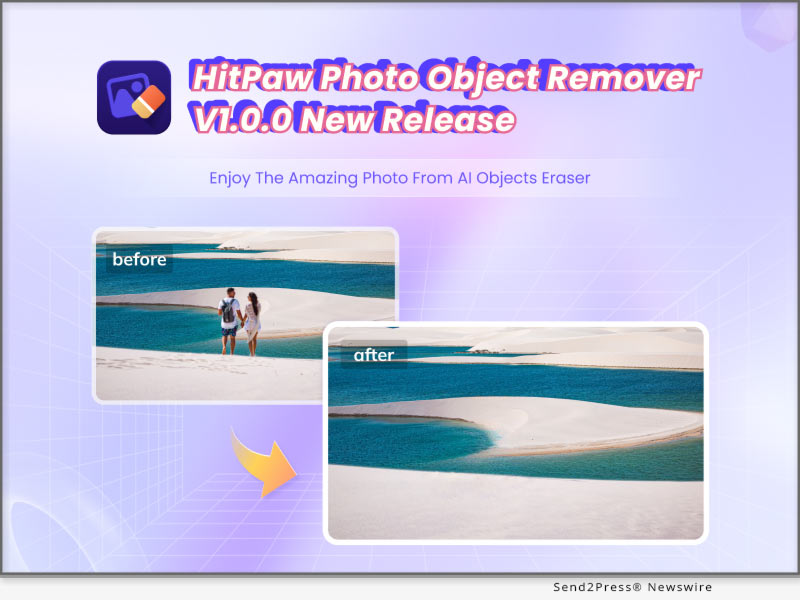
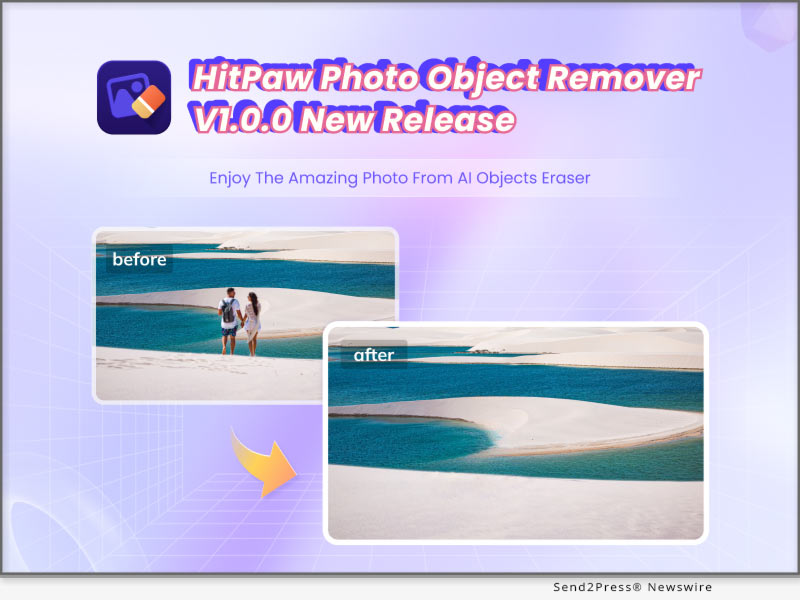
NEW YORK, N.Y. /ScoopCloud/ -- HitPaw, a company aiming to develop the best digital creation solution, today releases the brand new photo object remove software - HitPaw Photo Object Remover. HitPaw Photo Object Remover is an AI-powered tool to locate the objects/people that need to be removed, and offers a new method to remove unwanted objects from batch images.

HitPaw Photo Object Remover offerserfect functions, including objects removing and photo retouching via neural networks. You can simply drag & drop the photo that needs to be retouched to HitPaw Photo Object Remover, and choose whether to use the brush to paint out, or create selection boxes to the area that need to be removed, the AI remove tool will do the rest. And another point worth to mentioned is that, for the purchased version, there is No Limit of the photos you uploaded and manipulated.

HitPaw Photo Object Remover uses machine learning to retouch photos such as:

* Portrait Photo

You can use HitPaw Photo Object Remover to remove objects from portrait photo. If you are not satisfied with the little pimples that you got recently, or there are fine lines around your eyes, even if you have the cute but sometimes annoying freckles on the cheeks, try this magical tool to brush them away flawlessly.

* General Photo

Using HitPaw Photo Object Remover to remove objects from general photos is also possible. We have all faced the situation that our traveling photos contains strange tourists or passengers, from now on there will be no worries with this issue anymore. You can also try to remove texts, watermarks using this magical tool. With the help of HitPaw Photo Object Remover, you will be definitely save a lot of time editing images!

* Old Photo

Suddenly want to take out old photos for nostalgia? Try HitPaw Photo Object Remover for removing stains, grains and creases, make your memories brand-new again!

Compatibility and Price:

HitPaw Photo Object Remover is now compatible with Windows 11/10 (64-bit OS). Its pricing starts from $17.99 for a monthly plan. Mac version will also come out soon. For more price checking and information, you can visit: https://www.hitpaw.com/purchase/buy-hitpaw-photo-object-remover.html

About HitPaw:

HitPaw is an emerging software company specialized in multi-media solutions such as video editing, screen recording, watermark removing, image editing and meme-making, video enhancing, etc. We help users turn their inspiration into reality so that we can generate more ideas to make the world full of more creativity.

To know more, you may visit https://www.hitpaw.com/about.html and https://www.hitpaw.com/

Our Social Media:

YouTube: https://www.youtube.com/channel/UCQwRggaotgiMcPbiCOsJeBA

Facebook: https://www.facebook.com/hitpawofficial/

Twitter: https://twitter.com/HitPawofficial

Instagram: https://www.instagram.com/HitPawofficial/

Pinterest: https://www.pinterest.com/hitpawvideoeditor/

News from HitPaw

HitPaw, a company aiming to develop the best digital creation solution, today releases the brand new photo object remove software - HitPaw Photo Object Remover. HitPaw Photo Object Remover is an AI-powered tool to locate the objects/people that need to be removed, and offers a new method to remove unwanted objects from batch images.

Related link: https://www.hitpaw.com/

This version of news story was published on ScoopCloud™ (ScoopCloud.com) - part of and © the Neotrope® News Network - all rights reserved.

HitPaw Photo Enhancer New Version Released, Adds Enhancing Features for Portraits and Boost Processing Efficiency

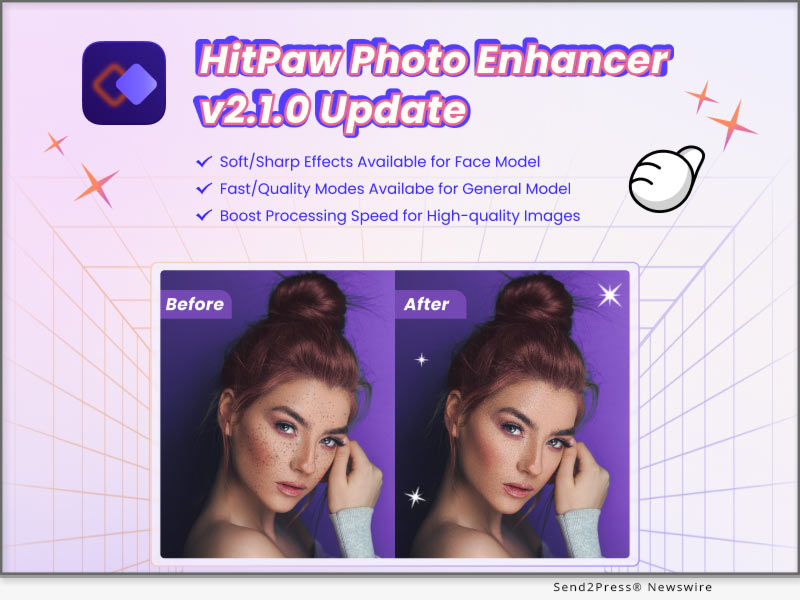
NEW YORK, N.Y. /ScoopCloud/ -- HitPaw, the leading provider of innovative digital solutions, announced the launch of its latest update v2.1.0 of HitPaw Photo Enhancer with new features that streamline the image processing experience for photographers and enthusiasts.

In this update, new photo processing modes are added to the general and face models. And the user can easily preview the different enhancing effects brought by these modes.

LET'S CHECK OUT THE NEW FEATURES:

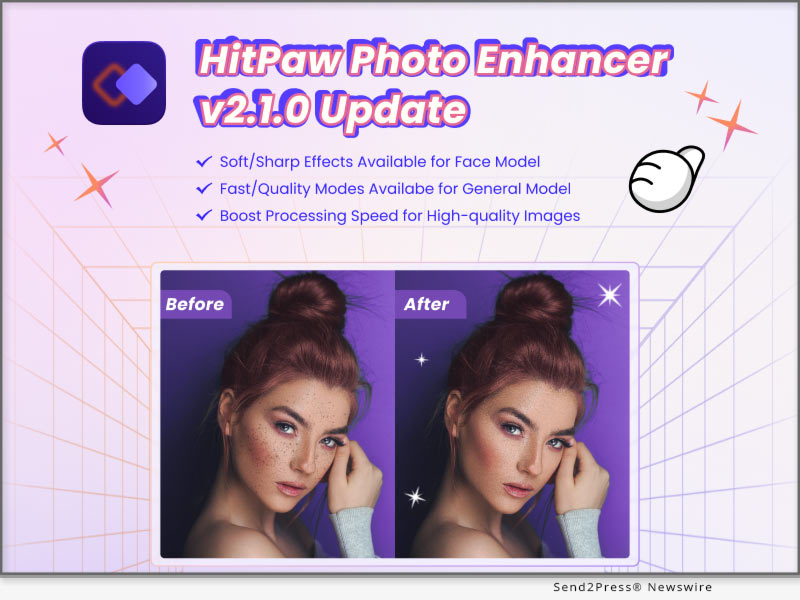
* Newly Added Soft Enhancing Features for Face Model

Here comes the soft mode when you're enhancing the portraits. This feature allows you to beautify your face in an oriental way and make your skin smoother. Also, it can easily remove blemishes and other flaws.

* Fast Processing Mode Developed for General Model

This update boasts a fast mode that significantly speeds up the general model, delivering quick and efficient results.With this new feature, users can faster enhance large batches of images, allowing them to work more effectively.

* Multiple Previewing Results to Compare and Export

The multiple previewing results option is another innovative feature that enables users to compare different image processing modes and export their preferred result. With this feature, photographers can save time and choose the best enhancement option that suits their preferences.

* Notification & Processing Setting Improved

The notification and processing settings have also been improved in this latest release. When you're enhancing large pictures, it'll remind you to use the faster way to process. Additionally, our software can ensure your batch work not be interrupted by hibernation.

Compatibility and Price:

HitPaw Photo Enhancer is now compatible with Win 10 and MacOS 10.15 and above. The pricing starts from $17.99 USD for a month plan.

For more price checking and information, you can visit https://www.hitpaw.com/purchase/buy-hitpaw-photo-enhancer.html.

About HitPaw:

HitPaw is an emerging software company specializing in video editing, screen recording, watermark removing, image editing, photo enhancing meme-making, etc. We help users turn their inspiration into reality so that we can generate more ideas to make the world full of more creativity.

To know more, you may visit:

https://www.hitpaw.com/about.html

https://www.hitpaw.com/

Our Social Media:

YouTube: https://www.youtube.com/channel/UCQwRggaotgiMcPbiCOsJeBA

Facebook: https://www.facebook.com/hitpawofficial

Twitter: https://twitter.com/HitPawofficial

Instagram: https://www.instagram.com/hitpawofficial/

Pinterest: https://www.pinterest.com/HitPawofficialwebsite/

News from HitPaw

HitPaw, the leading provider of innovative digital solutions, announced the launch of its latest update v2.1.0 of HitPaw Photo Enhancer with new features that streamline the image processing experience for photographers and enthusiasts.

Related link: https://www.hitpaw.com/

This version of news story was published on ScoopCloud™ (ScoopCloud.com) - part of and © the Neotrope® News Network - all rights reserved.

HitPaw Photo Enhancer V2.0.2 released, offering great update for improved efficiency and optimized functions

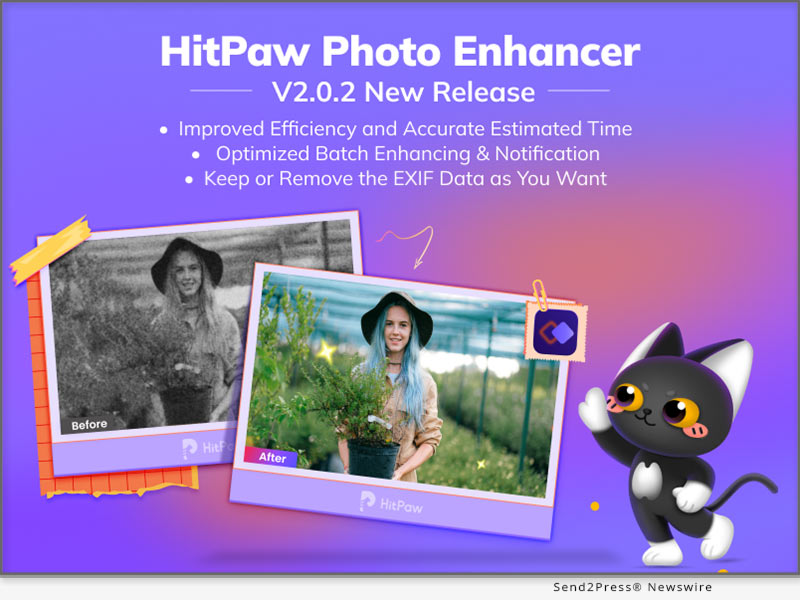
NEW YORK, N.Y. /ScoopCloud/ -- HitPaw has newly released HitPaw Photo Enhancer V2.0.2 with the improved with processing efficiency more accurate processing time. HitPaw provides lossless enhancement while you're able to keep your photo's information such as photo shooting location, exposure and so on. And there's more features of batch enhancing and notification has been optimized.

LET'S CHECK OUT THE NEW FEATURES:

* Improved Enhancing Efficiency and Estimated Time

Efficiency comes first for the batching enhancing work, and HitPaw keeps training our AI to be more accurate and fast. In this update, HitPaw Photo Enhancer now increase the image processing efficiency when scanning and provides more specific processing time for you.

* Optimized Batch Enhancing Option

Batch enhancing function now becomes more powerful and intellectual. The AI model and photo size you set would be automatically applied to all photos uploaded. What's more, you can freely preview the batch enhanced image in full size perfectly inside the software.

* Keep The EXIF Data If You Need

HitPaw Photo Enhancer will provide a option for you whether to remain EXIF data, the the original information of photos. The EXIF Information includes figures such as exposure, ISO, shutter, GPS locations, and so on.

* Better Notification for User Interaction

Sometimes you might forget to select the AI model when you're about to making your photo clear or your destination disk is out of memory. HitPaw now has better notifications to avoid such needless waiting to save your time.

Compatibility and Price:

HitPaw Photo Enhancer is now compatible with Win 11/10/8/7 and macOS 10.15 and above. The pricing starts from $17.99 USD for a month plan.

For more price checking and information, you can visit: https://www.hitpaw.com/purchase/buy-hitpaw-photo-enhancer.html

About HitPaw:

HitPaw is an emerging software company specialized in video editing, screen recording, watermark removing, image editing, photo enhancing meme-making, etc. We help users turn their inspiration into reality so that we can generate more ideas to make the world be full of more creativity.

To know more, you may visit https://www.hitpaw.com/about.html and https://www.hitpaw.com/

Our Social Media:

YouTube: https://www.youtube.com/channel/UCQwRggaotgiMcPbiCOsJeBA

Facebook: https://www.facebook.com/hitpawofficial

Twitter: https://twitter.com/HitPawofficial

Instagram: https://www.instagram.com/hitpawofficial/

Pinterest: https://www.pinterest.com/HitPawofficialwebsite/

News from HitPaw

HitPaw has newly released HitPaw Photo Enhancer V2.0.2 with the improved with processing efficiency more accurate processing time. HitPaw provides lossless enhancement while you're able to keep your photo's information such as photo shooting location, exposure and so on. And there's more features of batch enhancing and notification has been optimized.

Related link: https://www.hitpaw.com/

This version of news story was published on ScoopCloud™ (ScoopCloud.com) - part of and © the Neotrope® News Network - all rights reserved.

HitPaw Announces Release of HitPaw PicCutout App V1.0.0 for iOS to Auto Remove and Change Background Precisely

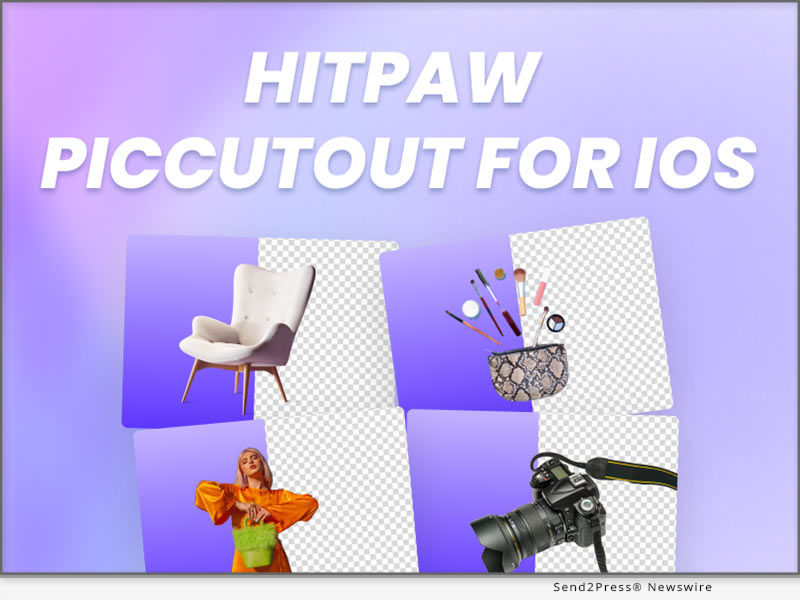
NEW YORK, N.Y. /ScoopCloud/ -- HitPaw has newly released HitPaw PicCutout App for iOS V1.0.0 which can precisely and easily remove background from image, change background and resize image for E-commerce, social media, or other use with massive background templates. Please don't hesitate to personalize your images with HitPaw PicCutout APP.

LET'S DIVE INTO THE FEATURES OF THE APPLICATION:

* Automatically Cutout Anything from Image

HitPaw PicCutout can easily cutout products, people, animals, cars, real estate and more from image automatically, without any photo editing skills. Thus, it's a useful App for your profile avatars, social media, podcast covers, perfect for product photography and e-commerce.

* Provide Massive Free-to-Use Background Templates

It also provides tons of built-in background templates for minimal shops, profile pictures, social networks, magazines, etc. Guess what? All templates are free to use! Besides, more templates keep updating, so stay with HitPaw PicCutout, and you'll discover more.

* Powerful Background Eraser and Restorer

We provide Erase Background and Restore Background features for you to perfect your image after background removal. These are manual tools, so you can edit your image in your way.

* Easily Change Background Color with the Color Picker

With the powerful color picker, in case you want to make ID photos, passport photos or others, you can quickly change the background color into any color you want.

* One-click to Resize Image for Various Platforms

Numerous customized size templates according to specific platforms are also available. Just one click to get different sizes of images for easy sharing.

Compatibility and Price:

Compatibility: HitPaw PicCutout App is compatible with iOS now.

Price: Free

For more information checking, you can visit: https://apps.apple.com/cn/app/piccutout/id1661086790

About HitPaw:

HitPaw is an emerging software company specialized in video editing, screen recording, watermark removing, image editing, photo enhancing meme-making, etc. We help users turn their inspiration into reality so that we can generate more ideas to make the world be full of more creativity.

To know more, you may visit https://www.hitpaw.com/about.html and https://www.hitpaw.com/.

Our Social Media:

YouTube: https://www.youtube.com/channel/UCQwRggaotgiMcPbiCOsJeBA

Facebook: https://www.facebook.com/hitpawofficial

Twitter: https://twitter.com/hitpawofficial

Instagram: https://www.instagram.com/hitpawofficial/

Pinterest: https://www.pinterest.com/hitpawcom/

News from HitPaw

HitPaw has newly released HitPaw PicCutout App for iOS V1.0.0 which can precisely and easily remove background from image, change background and resize image for E-commerce, social media, or other use with massive background templates. Please don't hesitate to personalize your images with HitPaw PicCutout APP.

Related link: https://www.hitpaw.com/

This version of news story was published on ScoopCloud™ (ScoopCloud.com) - part of and © the Neotrope® News Network - all rights reserved.

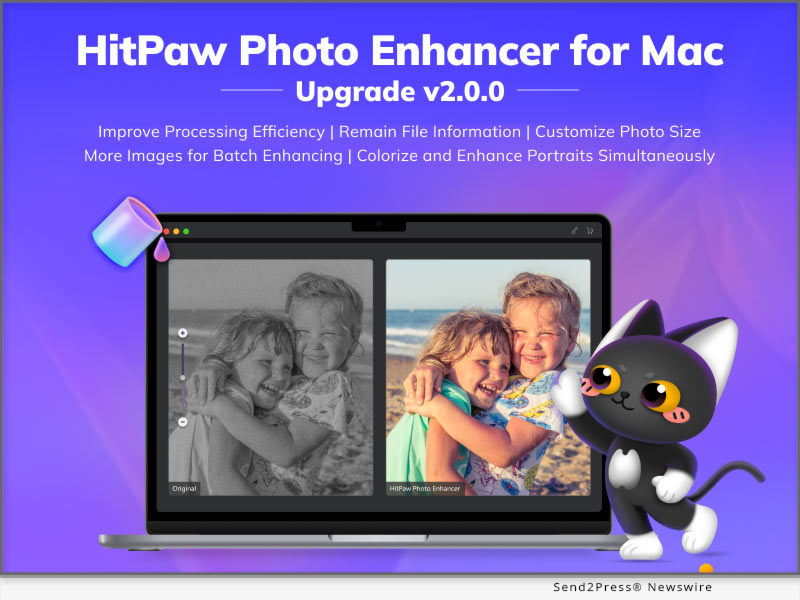
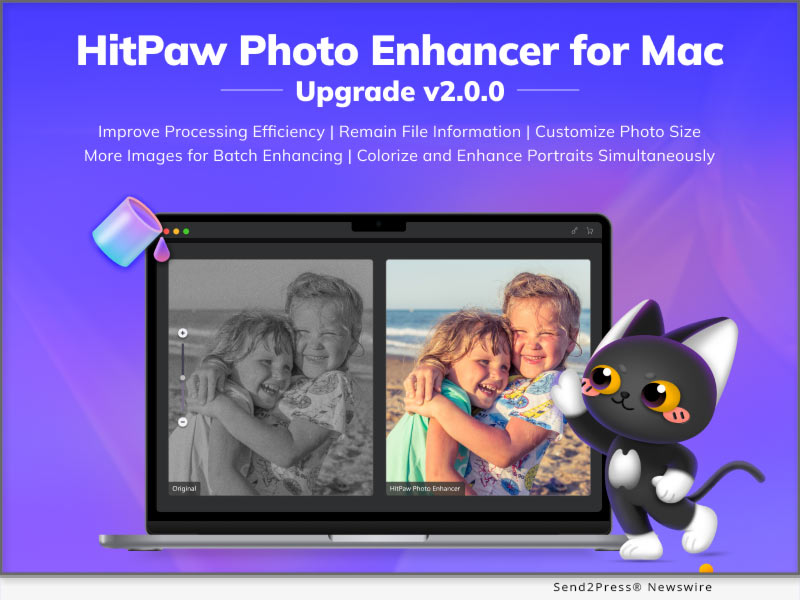
HitPaw Photo Enhancer for Mac V2.0.0 Unveils its Multi-model Processing and Customizing Photo Size Function

NEW YORK, N.Y. /ScoopCloud/ -- HitPaw has newly released HitPaw Photo Enhancer for Mac V2.0.0 which has been further improved with processing efficiency and develop several new function based on the user habits. There're 8 Image formats supportive in total such as PNG, JPG, WebP and so on. Batch enhancing limit, outputting setting has also been optimized. A bunch of new functions are waiting for you to try!

LET'S DIVE IN THE NEW FEATURES OF THE UPDATE:

* Colorize and Enhance Portraits Simultaneously

Colorize Model and Face Model are two AI models that Mac users used most frequently. Now, HitPaw has specially presented the new function: multi-model processing. You can use it to one-click upscale and colorize black & white portraits like old family photos.

* Customize Your Photo Size Without Limit

Sometimes you need resize your photo due to the image requirement of different social media platforms. But don't worry, as you are about to enhance your image, HitPaw could also help you easily solve this problem with its powerful ability to adjust the photo size simply.

* Remain File Information As Original

When enhancing your photos, HitPaw Photo Enhancer will remain the original information of photos, such as transparent background and EXIF data. The EXIF Information includes figures such as exposure, ISO, shutter, GPS locations, and so on. We aim to beautify your image in details without changing anything else.

* More Images Processing Available for Batch Enhancing

When it comes to the repetitive work, AI always helps us a lot. HitPaw Photo Enhancer now increase the image processing limit up to 20. You can freely select from 2 to 20 images to process at the same time depend on your computer ability.

Compatibility and Price:

HitPaw Photo Enhancer is now compatible with macOS 10.15 and above. The pricing starts from $19.99 USD for a month plan.

For more price checking and information, you can visit https://www.hitpaw.com/purchase/buy-hitpaw-photo-enhancer-mac.html.

About HitPaw:

HitPaw is an emerging software company specialized in video editing, screen recording, watermark removing, image editing, photo enhancing meme-making, etc. We help users turn their inspiration into reality so that we can generate more ideas to make the world be full of more creativity.

To know more, you may visit https://www.hitpaw.com/about.html and https://www.hitpaw.com/

Our Social Media:

YouTube: https://www.youtube.com/@hitpaw

Facebook: https://www.facebook.com/hitpawofficial

Twitter: https://twitter.com/HitPawofficial

Instagram: https://www.instagram.com/hitpawofficial/

Pinterest: https://www.pinterest.com/hitpawcom/

News from HitPaw

HitPaw has newly released HitPaw Photo Enhancer for Mac V2.0.0 which has been further improved with processing efficiency and develop several new function based on the user habits. There're 8 Image formats supportive in total such as PNG, JPG, WebP and so on. Batch enhancing limit, outputting setting has also been optimized. A bunch of new functions are waiting for you to try!

Related link: https://www.hitpaw.com/

This version of news story was published on ScoopCloud™ (ScoopCloud.com) - part of and © the Neotrope® News Network - all rights reserved.