Tag Archives: Online Photo Editing

HitPaw Online Launches ‘All for Mom’ Sale to Celebrate Mother’s Day 2023

NEW YORK, N.Y. /ScoopCloud/ -- As Mother's Day approaches, HitPaw Online is excited to announce our "All for Mom" sale. This year, we want to help you make your mother's day extra special by offering 20% OFF discounts on some of our most popular products, which we believe will be perfect for mothers who want to preserve and enhance their memories.

SOME OF THE HIGHLIGHTS OF OUR SALE INCLUDE:

1 - Limited Time Offer - Save 20% OFF

This year, present your mom with unique gifts with the best deal on HitPaw Online. Creating meaningful images as a Mother's Day gift can be a wonderful idea! We also provide several ideas to create personalized images that your mom will cherish. Therefore, we offer a 20% OFF discount of some of our hot products for you. Don't miss this limited-time offer!

Learn more: https://online.hitpaw.com/online-background-remover.html

2 - Create Unique Mother's Day Images

HitPaw Online Background Remover provides many well-crafted Mother's Day background templates for you. It is a user-friendly tool that allows users to remove the background of any photo easily. This tool is perfect for moms who want to create beautiful photos without worrying about any distracting backgrounds.

3 - Make Mom's Memories Last

HitPaw Online AI Photo Enhancer is another great product that can help improve the quality of your mom's favorite photos instantly. Powered by AI technology, it can enhance pixelated, blurry, and low-quality photos into high-quality and clear images and upscale images up to 8X.

Learn more: https://online.hitpaw.com/online-photo-enhancer.html

4 - Bring the Past to Life

HitPaw Online Old Photo Restoration is perfect for moms who have cherished old family photos that have been damaged over time. With this tool, users can easily restore old photos to their former glory, removing scratches, creases, and other imperfections. This is a thoughtful and unique gift that will surely be appreciated by any mom who values family memories.

Our Mother's Day sale will run from May 8th to May 19th 2023. Don't miss out on this opportunity to make your mom's day even more special. Visit HitPaw Online today and take advantage of our "All for Mom" sale. Happy Mother's Day!

Learn more: https://online.hitpaw.com/restore-old-photos.html

How to Participate:

For more information or to participate in the event, visit: https://online.hitpaw.com/sales-promotion.html

About HitPaw:

HitPaw is an emerging software company specialized in video editing, screen recording, watermark removing, image editing, photo enhancing, etc. We help users turn their inspiration into reality so that we can generate more ideas to make the world be full of more creativity.

To know more, you may visit: https://www.hitpaw.com/about.html and https://online.hitpaw.com/

Our Social Media:

YouTube: https://www.youtube.com/channel/UCQwRggaotgiMcPbiCOsJeBA

Facebook: https://www.facebook.com/hitpawofficial

Twitter: https://twitter.com/HitPawofficial

Instagram: https://www.instagram.com/hitpawofficial/

Pinterest: https://www.pinterest.com/hitpawcom/

News from HitPaw

As Mother's Day approaches, HitPaw Online is excited to announce our "All for Mom" sale. This year, we want to help you make your mother's day extra special by offering 20% OFF discounts on some of our most popular products, which we believe will be perfect for mothers who want to preserve and enhance their memories.

Related link: https://www.hitpaw.com/

This version of news story was published on ScoopCloud™ (ScoopCloud.com) - part of and © the Neotrope® News Network - all rights reserved.
HitPaw Photo Enhancer v2.2.0 Released with New Features Providing More Control and Advanced Enhancements for Your Photos

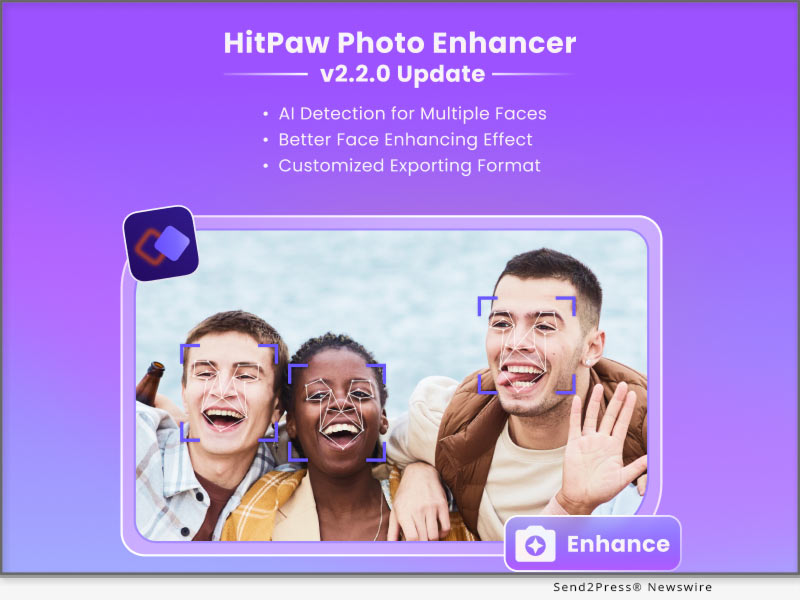
NEW YORK, N.Y. /ScoopCloud/ -- HitPaw, a leading software company, has announced the release of HitPaw Photo Enhancer v2.2.0, which includes a range of new features designed to take your photo editing experience to the next level.

In this update, it provides more control and advanced enhancements for our users. The new features are greatly improved the quality of enhanced portraits. And you can freely select your output format.

LET'S CHECK OUT THE NEW FEATURES:

* Face Detection for Multiple Faces

With HitPaw Photo Enhancer v2.2.0, users can now detect multiple faces in a single photo and choose to enhance one or all of them in detail. This new feature provides more control and precision when it comes to enhancing facial features in group photos, allowing users to create stunning portraits.

* Newly Added Codeformer Algorithm

In addition to the face detection feature, HitPaw Photo Enhancer v2.2.0 also includes the Codeformer algorithm, which brings advanced face enhancement capabilities to the software. This algorithm improves the clarity and detail of facial features, resulting in more lifelike and natural-looking photos.

* Customized Output Format

Another notable feature of HitPaw Photo Enhancer v2.2.0 is the ability to customize the output format of enhanced photos. Users can now select from a range of output formats, including JPEG, PNG, ensuring that their enhanced photos are compatible with a variety of devices and applications.

* Improved Processing Efficiency

HitPaw has also improved the processing efficiency of Photo Enhancer v2.2.0, making it faster and more reliable than ever before. With this new version, users can enjoy lightning-fast performance without sacrificing quality.

Compatibility and Price:

HitPaw Photo Enhancer is now compatible with macOS 10.15 and above. The pricing starts from $17.99 USD for a month plan.

For more price checking and information, you can visit https://www.hitpaw.com/purchase/buy-hitpaw-photo-enhancer.html.

About HitPaw:

HitPaw is an emerging software company specializing in video editing, screen recording, watermark removing, image editing, photo enhancing meme-making, etc. We help users turn their inspiration into reality so that we can generate more ideas to make the world full of more creativity.

To know more, you may visit https://www.hitpaw.com/about.html and https://www.hitpaw.com/

Our Social Media:

YouTube: https://www.youtube.com/channel/UCQwRggaotgiMcPbiCOsJeBA

Facebook: https://www.facebook.com/hitpawofficial

Twitter: https://twitter.com/HitPawofficial

Instagram: https://www.instagram.com/hitpawofficial/

Pinterest: https://www.pinterest.com/HitPawofficialwebsite/

News from HitPaw

HitPaw, a leading software company, has announced the release of HitPaw Photo Enhancer v2.2.0, which includes a range of new features designed to take your photo editing experience to the next level. In this update, it provides more control and advanced enhancements for our users.

Related link: https://www.hitpaw.com/

This version of news story was published on ScoopCloud™ (ScoopCloud.com) - part of and © the Neotrope® News Network - all rights reserved.
HitPaw Launches Online AI Photo Enhancer: Unblur Images in Seconds with AI

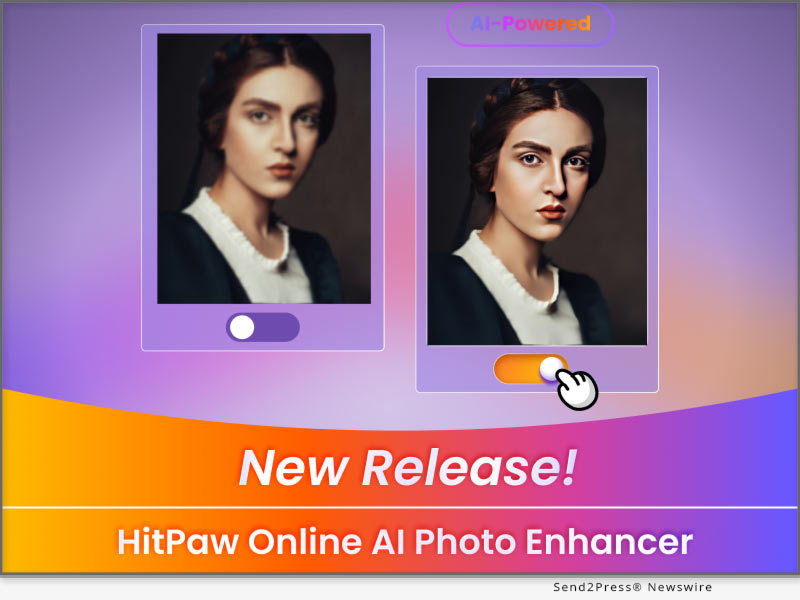
NEW YORK, N.Y. /ScoopCloud/ -- HitPaw, the leading software developer for video and photo editing solutions, is thrilled to announce the release of its latest product - HitPaw Online AI Photo Enhancer. With it, unblurring photos or upscaling images up to 8X online will no longer be a problem.

HitPaw Online AI Photo Enhancer is a powerful online tool that lets you enhance your photos with just a few clicks. It uses advanced algorithms to improve the quality of your photos, making them sharper, clearer, and more vibrant.

Here are some of its amazing features:

* Enhance Images Instantly

HitPaw Online AI Photo Enhancer is an online tool that uses advanced artificial intelligence algorithms to enhance digital images instantly. You just need to upload the image you want to enhance, and it will automatically process it and present you the result within minutes!

* Upscale Up to 8X Losslessly

HitPaw Online AI Photo Enhancer allows you to increase the resolution and size of the original image while maintaining its quality and reducing the loss of details. Besides, it provides 4 choices: 1X, 2X, 4X, 8X, and you can choose any of them as desired.

* 100% Safe Enhancement

HitPaw Online will never collect the users data and your uploaded images will be automatically deleted after 48h, so you don't have to worry about the security issue. Besides, it also provides a free version, featuring frontend processing. It puts data processing and validation in the client-side browser rather than on the server-side. That means you can enhance images 100% safely!

Other features:

1) Simple and Straightforward

2) Output image format: JPG, PNG, TIFF

3) Magnification: 1X, 2X, 4X, 8X

Featured by frequently update, please keep following HitPaw Online AI Photo Enhancer to enjoy more advanced features.

Compatibility and Price:

Compatibility: HitPaw Online AI Photo Enhancer works well on Chrome on PC now.

Price: Starts from $5.99 for per week, $15.99 for per month and $99.99 for per year.

For more information checking, you can visit: https://online.hitpaw.com/purchase/buy-hitpaw-online-photo-enhancer.html

About HitPaw:

HitPaw is an emerging software company specialized in video editing, screen recording, watermark removing, image editing, photo enhancing meme-making, etc. We help users turn their inspiration into reality so that we can generate more ideas to make the world be full of more creativity.

To know more, you may visit https://www.hitpaw.com/about.html and https://online.hitpaw.com/.

Our Social Media:

YouTube: https://www.youtube.com/channel/UCQwRggaotgiMcPbiCOsJeBA

Facebook: https://www.facebook.com/hitpawofficial

Twitter: https://twitter.com/hitpawofficial

Instagram: https://www.instagram.com/hitpawofficial/

Pinterest: https://www.pinterest.com/hitpawcom/

News from HitPaw

HitPaw, the leading software developer for video and photo editing solutions, is thrilled to announce the release of its latest product - HitPaw Online AI Photo Enhancer. With it, unblurring photos or upscaling images up to 8X online will no longer be a problem.

Related link: https://www.hitpaw.com/

This version of news story was published on ScoopCloud™ (ScoopCloud.com) - part of and © the Neotrope® News Network - all rights reserved.
HitPaw Releases Big Updates for HitPaw Online Background Remover to Edit Images with Well-crafted Templates

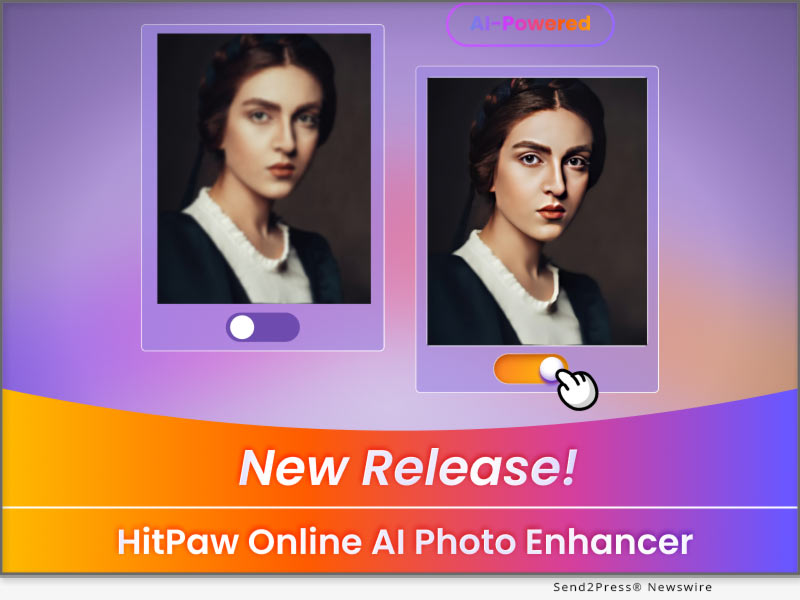
NEW YORK, N.Y. /ScoopCloud/ -- For some reasons such as e-commerce, social media, or graphic design, you will need to create some stunning images. Therefore, HitPaw Online Background Remover provides plenty of templates to create eye-catching images within seconds. Removing backgrounds from images and changing backgrounds with customized templates have never been easier.

Let's find out what are the amazing features HitPaw Online Background Remover has updated:

* Clear and Easy-to-Navigate Interface

HitPaw Online Background Remover has changed its UI into a pleasing color which makes it clearer. And its interface is easy to navigate, so you can easily remove background with it even if you are a beginner.

* Massive Well-crafted Templates

Various types of background templates for profile pictures, online shops, social posts or covers, ID photos, OOTD, memes, etc have been introduced in HitPaw Online Background Remover. This web tool can perfectly meet your different needs.

* Powerful Multi-layers Editing

Served as a photo editor as well, HitPaw Online Background Remover provides a multi-layers editing feature that allows you to change the layer stacking order, edit text or select a certain layer. Use HitPaw Online Background Remover to personalize your images in your way.

* Professional Shadow Effect

To make your images more natural and professional, we offer the shadow effect. You can add a shadow effect to your image, adjust the opacity, radius, and color of the shadow, or move the position of the shadow.

Featured by frequent update, please keep following HitPaw Online Background Remover to enjoy more advanced features.

Compatibility and Price:

Compatibility: HitPaw Online Background Remover works well on Chrome on PC now.

Price: Starts from $9.99 for per month and $59.88 for per year.

For more information checking, you can visit: https://online.hitpaw.com/online-background-remover.html

About HitPaw:

HitPaw is an emerging software company specialized in video editing, screen recording, watermark removing, image editing, photo enhancing meme-making, etc. We help users turn their inspiration into reality so that we can generate more ideas to make the world be full of more creativity.

To know more, you may visit:

https://www.hitpaw.com/about.html

https://www.hitpaw.com/

Our Social Media:

YouTube: https://www.youtube.com/channel/UCQwRggaotgiMcPbiCOsJeBA

Facebook: https://www.facebook.com/hitpawofficial

Twitter: https://twitter.com/hitpawofficial

Instagram: https://www.instagram.com/hitpawofficial/

Pinterest: https://www.pinterest.com/hitpawcom/

News from HitPaw

For some reasons such as e-commerce, social media, or graphic design, you will need to create some stunning images. Therefore, HitPaw Online Background Remover provides plenty of templates to create eye-catching images within seconds. Removing backgrounds from images and changing backgrounds with customized templates have never been easier.

Related link: https://www.hitpaw.com/

This version of news story was published on ScoopCloud™ (ScoopCloud.com) - part of and © the Neotrope® News Network - all rights reserved.

HitPaw Photo Enhancer for Mac V2.0.0 Unveils its Multi-model Processing and Customizing Photo Size Function

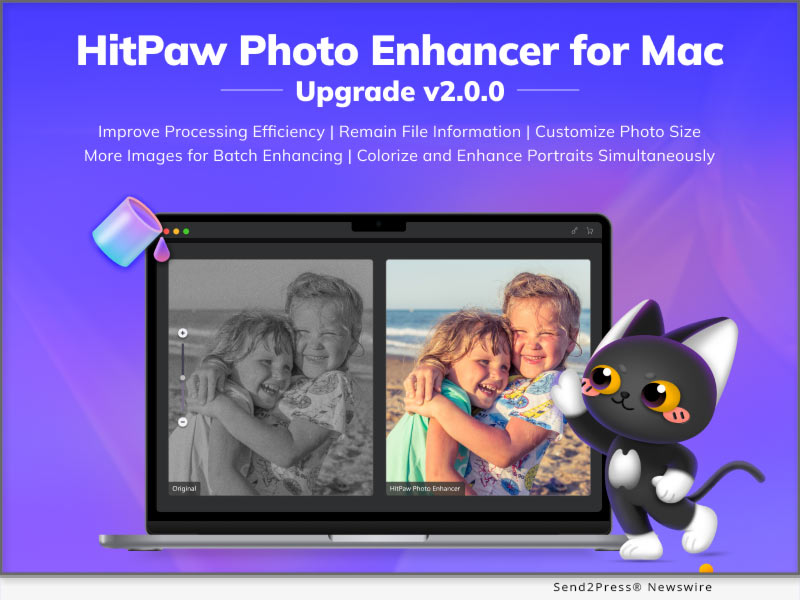
NEW YORK, N.Y. /ScoopCloud/ -- HitPaw has newly released HitPaw Photo Enhancer for Mac V2.0.0 which has been further improved with processing efficiency and develop several new function based on the user habits. There're 8 Image formats supportive in total such as PNG, JPG, WebP and so on. Batch enhancing limit, outputting setting has also been optimized. A bunch of new functions are waiting for you to try!

LET'S DIVE IN THE NEW FEATURES OF THE UPDATE:

* Colorize and Enhance Portraits Simultaneously

Colorize Model and Face Model are two AI models that Mac users used most frequently. Now, HitPaw has specially presented the new function: multi-model processing. You can use it to one-click upscale and colorize black & white portraits like old family photos.

* Customize Your Photo Size Without Limit

Sometimes you need resize your photo due to the image requirement of different social media platforms. But don't worry, as you are about to enhance your image, HitPaw could also help you easily solve this problem with its powerful ability to adjust the photo size simply.

* Remain File Information As Original

When enhancing your photos, HitPaw Photo Enhancer will remain the original information of photos, such as transparent background and EXIF data. The EXIF Information includes figures such as exposure, ISO, shutter, GPS locations, and so on. We aim to beautify your image in details without changing anything else.

* More Images Processing Available for Batch Enhancing

When it comes to the repetitive work, AI always helps us a lot. HitPaw Photo Enhancer now increase the image processing limit up to 20. You can freely select from 2 to 20 images to process at the same time depend on your computer ability.

Compatibility and Price:

HitPaw Photo Enhancer is now compatible with macOS 10.15 and above. The pricing starts from $19.99 USD for a month plan.

For more price checking and information, you can visit https://www.hitpaw.com/purchase/buy-hitpaw-photo-enhancer-mac.html.

About HitPaw:

HitPaw is an emerging software company specialized in video editing, screen recording, watermark removing, image editing, photo enhancing meme-making, etc. We help users turn their inspiration into reality so that we can generate more ideas to make the world be full of more creativity.

To know more, you may visit https://www.hitpaw.com/about.html and https://www.hitpaw.com/

Our Social Media:

YouTube: https://www.youtube.com/@hitpaw

Facebook: https://www.facebook.com/hitpawofficial

Twitter: https://twitter.com/HitPawofficial

Instagram: https://www.instagram.com/hitpawofficial/

Pinterest: https://www.pinterest.com/hitpawcom/

News from HitPaw

HitPaw has newly released HitPaw Photo Enhancer for Mac V2.0.0 which has been further improved with processing efficiency and develop several new function based on the user habits. There're 8 Image formats supportive in total such as PNG, JPG, WebP and so on. Batch enhancing limit, outputting setting has also been optimized. A bunch of new functions are waiting for you to try!

Related link: https://www.hitpaw.com/

This version of news story was published on ScoopCloud™ (ScoopCloud.com) - part of and © the Neotrope® News Network - all rights reserved.

HitPaw Photo Enhancer V2.0.0 Update Features Multi-Task Processing and Combined Model for Portraits

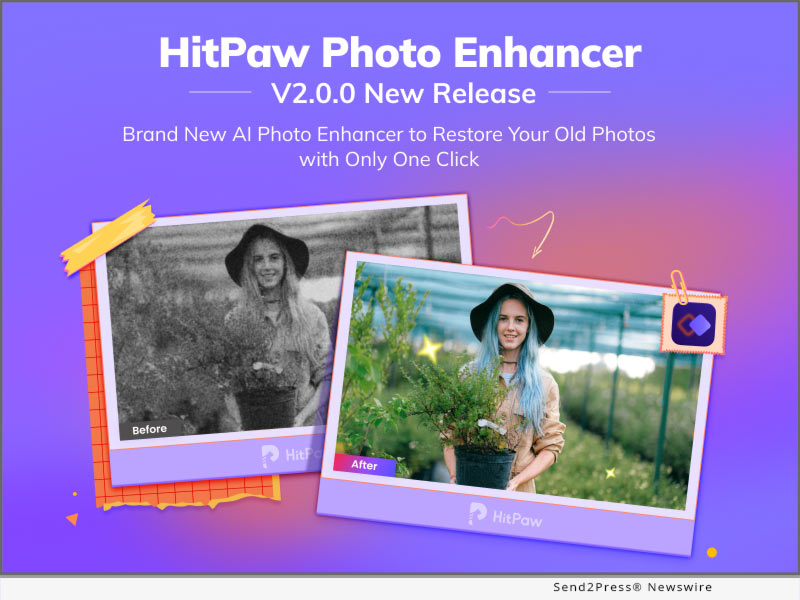
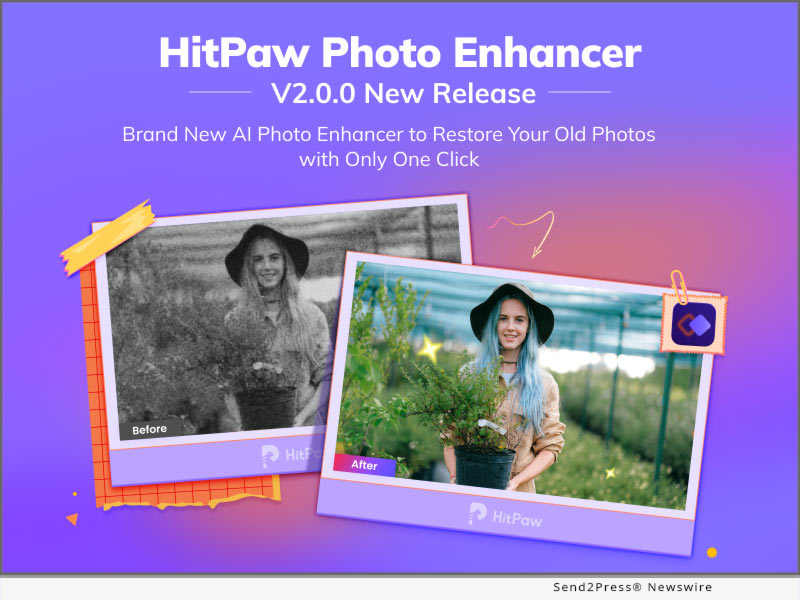
NEW YORK, N.Y. /ScoopCloud/ -- HitPaw has released HitPaw Photo Enhancer V2.0.0 that has been improved with advanced AI algorithm to make the photo enhancing as simple as possible. This is to suit people's higher-level demands of enhancing blurred&pixelated photographs, or even repair the old portrait photos. All the attributes of a image, such as sharpness, contrast, exposures, and resolutions, can be automatically adjusted by the powerful Artificial Intelligence.

Moreover, all the Exif information, storing the important data about photos, will be saved after the enhancement in the latest version.

LET'S DIVE IN THE NEW FEATURES OF THE UPDATE:

* Keep Original File Information

After improvement, HitPaw Photo Enhancer will maintain Transparent Background and all Exif Data. When using a transparent background, you can overlay different colors, images, or forms to give your layout depth and/or eye-catching visual effects. Exif Information enables users to verify the exposure, ISO, shutter, GPS locations, and other settings.

* Processing More Images At the Same Time

Image processing typically requires a lot of effort. HitPaw Photo Enhancer enables processing several photographs using the same AI models concurrently, with a maximum of 20 images processed, in order to increase efficiency.

* Combined Models for Portraits

Users who want to fix an old picture usually give it two enhancements: Colorize Model and Face Model. HitPaw Photo Enhancer now includes combined models for portraits after assessing all user experience. The convenience of old photo fixing is provided by the Combined Models, which combine the Face Model and Colorize Model.

* Supporting Customized Resolutions

Every image's resolution can be customized by HitPaw Photo Enhancer to suit the requirements. For example, YouTube thumbnails require images with a minimum resolution of 1280x720, while Dailymotion thumbnails call for an image with a minimum resolution of 640x360.

Compatibility and Price:

HitPaw Photo Enhancer is now compatible with Windows 11/10/8/7(64-bit OS) and macOS 10.15 and above. The pricing starts from $17.99 USD for a month plan.

For more price checking and information, you can visit https://www.hitpaw.com/purchase/buy-hitpaw-photo-enhancer.html.

About HitPaw:

HitPaw is an emerging software company specialized in video editing, screen recording, watermark removing, image editing, photo enhancing meme-making, etc. We help users turn their inspiration into reality so that we can generate more ideas to make the world be full of more creativity.

To know more, you may visit https://www.hitpaw.com/about.html and https://www.hitpaw.com/

Our Social Media:

YouTube: https://www.youtube.com/channel/UCQwRggaotgiMcPbiCOsJeBA

Facebook: https://www.facebook.com/hitpawofficial

Twitter: https://twitter.com/HitPawofficial

Instagram: https://www.instagram.com/hitpawofficial/

Pinterest: https://www.pinterest.com/HitPawofficialwebsite/

News from HitPaw

HitPaw has released HitPaw Photo Enhancer V2.0.0 that has been improved with advanced AI algorithm to make the photo enhancing as simple as possible. This is to suit people's higher-level demands of enhancing blurred&pixelated photographs, or even repair the old portrait photos. All the attributes of a image, such as sharpness, contrast, exposures, and resolutions, can be automatically adjusted by the powerful Artificial Intelligence.

Related link: https://www.hitpaw.com/

This version of news story was published on ScoopCloud™ (ScoopCloud.com) - part of and © the Neotrope® News Network - all rights reserved.
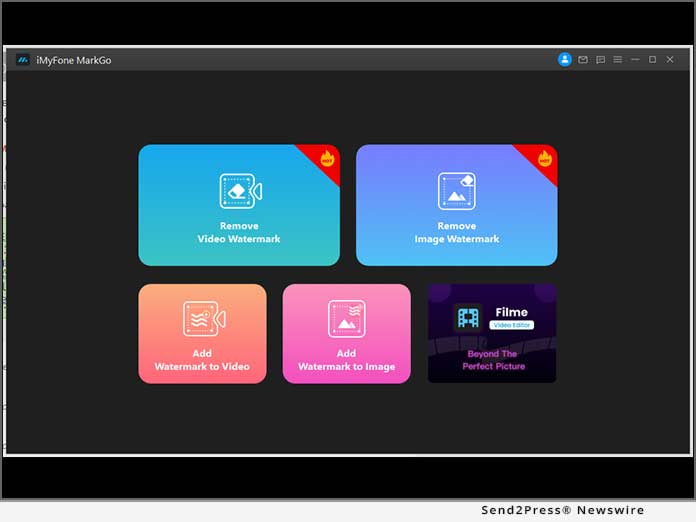
MarkGo Watermark Remover V2.2.0 Helps Remove Date Stamp from Photo

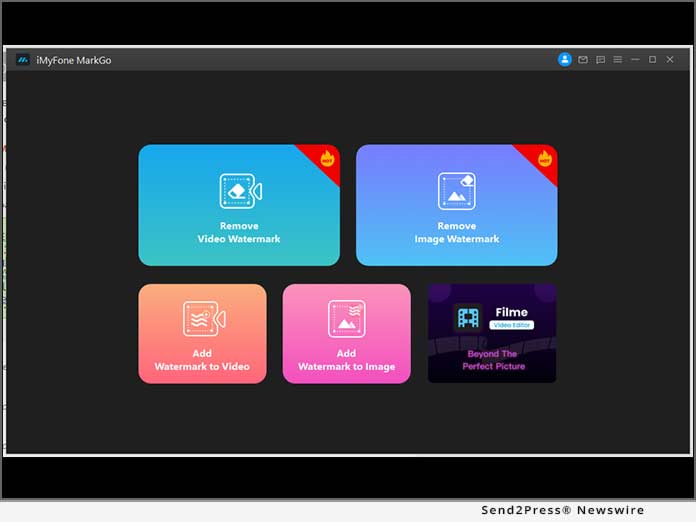
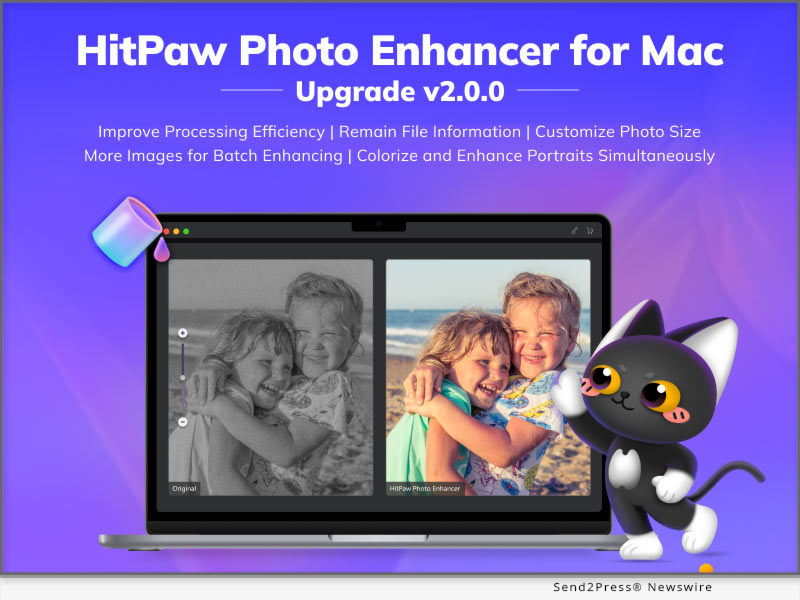
NEW YORK, N.Y. /ScoopCloud/ -- iMyFone announced the release of MarkGo Watermark Remover version 2.2.0 with 3 new removing modes: Matte Filling, Color Filling, Gaussian Blur and Edge Filling, Texture Repair, and Smooth Filling for photo stamp removal. You can remove any unwanted objects from photo by MarkGo, like time stamp etc. MarkGo will support remove people from photo in the next version. It is impossible to find any of these features in a competitive product.

MarkGo Watermark Remover 2.2.0

Curious about these new features? Go ahead with us.

1. Matte Filling

As in Photoshop, matte filling is the equivalent of stamp clone. The watermark can be removed from your video by copying the content of the selected part and covering the watermark with it. Although a complex background is behind the watermark, it can produce great results nonetheless.

matte filling have the best remove watermark effect in those three removing modes. It is not free to use, you need buy the license to active this new removing mode. You can easily remove date stamp from photo by matte filling method.

2. Color Filling

You can cover the watermark using Color Filling by detecting what color other parts use. Watermarks on single-color backgrounds can be erased from video in this way without blur. You can select which photo color to use, and filling the area you want to remove watermark.

3. Gaussian Blur

The watermark on your video can be successfully removed by blurring it. Blurring is universally applicable. Your video watermark will have a greater impact if it has a white background with few elements. Gaussian Blur will have good effect when you remove time stamp from video. Many video editors have Gaussian Blur effect.

Compatibility and Price:

MarkGo Watermark Remover can work on Windows 11/10/8/7 64 bits and macOS 10.13 or later version.

Here is the price list for Windows and Mac:

MarkGo Watermark Remover for Windows/Mac

$9.99/month

$14.99/year

$29.99/lifetime

LEARN MORE: https://filme.imyfone.com/watermark-remover/

About iMyFone:

iOS and Android devices, as well as Windows PCs and Macs, are supported by iMyFone. Using our products, people can recover lost data, unlock iPhones and Android phones, and fix other system problems. Moreover, our products also cover data transfer, data backup & restore, data cleaner, etc.

iMyFone also released voice changer for discord MagicMic Voice Changer https://filme.imyfone.com/voice-changer/

Check more via https://filme.imyfone.com/video-editor/

News from IMyfone

iMyFone announced the release of MarkGo Watermark Remover version 2.2.0 with 3 new removing modes: Matte Filling, Color Filling, Gaussian Blur and Edge Filling, Texture Repair, and Smooth Filling for photo stamp removal. You can remove any unwanted objects from photo by MarkGo, like time stamp etc. MarkGo will support remove people from photo in the next version. It is impossible to find any of these features in a competitive product.

Related link: https://www.imyfone.com/

This version of news story was published on ScoopCloud™ (ScoopCloud.com) - part of and © the Neotrope® News Network - all rights reserved.