Tag Archives: iOS 11

iAnyGo is Now Available: A Brand New iOS Upgrade and Downgrade Tool

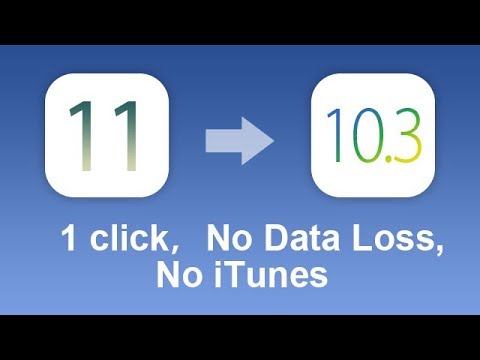
NEW YORK, N.Y. /ScoopCloud/ -- Tenorshare's Any-data-recovery.com has launched iAnyGo, an easy tool to upgrade or downgrade iOS system on iPhone, iPad and iPod without using iTunes. One amazing feature of this program is the upgrading and downgrading are both done from local firmware, no need to worry about update failure or stuck issues due to poor Wi-Fi network connection.

To be free of iTunes limitation and poor Wi-Fi trouble, iAnyGo brings Apple fans a completely new experience for iOS update and downgrade.

"Just like the name, go with any iOS version you like," said company CEO Mr. Mike.

Update to iOS 11 without OTA:
To update to iOS 11, iAnyGo provides a built-in firmware. Not via iTunes or OTA, you can upgrade iOS 11 through local computer. No need to worry about an iPhone/iPad stuck on preparing update, update requested or verifying update due to poor Wi-Fi connection or low battery.

Downgrade to any iOS Version you like:
If you don't like the newest iOS, or your iPhone gets extremely slow and apps keeps crashing on iOS 11, iAnyGo is a revelation for you. Unlike iTunes, it lists all of the former iOS versions and allows you to go back to any former version, including iOS 10, 9, 8.

iAnyGo comes with a series of prominent features, including:
* One-click to complete iOS upgrade or downgrade without iTunes or data loss.
* Allow to select the firmware version to install or uninstall freely.
* Upgrade and downgrade from local firmware, never need to worry update failure due to poor Wi-Fi connection.
* An alternative to restore iPhone smoothly and quickly.
* User-friendly interface and simple procedures make it easy for everyone to operate.
* Support all iOS and beta versions, including the latest iOS 11 and iOS 11 beta 10.
* Automatically list all the iOS beta firmware without developer account.

Price and Availability:
iAnyGo is free to upgrade iOS. To downgrade iOS on iPhone, users need to register.

Download link: https://www.any-data-recovery.com/product/ianygo.html

About any-data-recovery:
Founded in 2007, Tenorshare and Any Data Recovery are an industry-leading software developer of PC utility technologies and applications, offering fully integrated solutions to provide a complete user experience that spans across Windows PCs and Mac PCs: Data Recovery, Data Wipe, Data Backup, Partition Manager, Data Doctor, etc. To learn more, please visit: https://www.any-data-recovery.com/

https://www.youtube.com/watch?v=gxkvW4FVHQA

News from Tenorshare Co. Ltd.

Tenorshare's Any-data-recovery has launched iAnyGo, an easy tool to upgrade or downgrade iOS system on iPhone, iPad and iPod without using iTunes. One amazing feature of this program is the upgrading and downgrading are both done from local firmware, no need to worry about update failure or stuck issues due to poor Wi-Fi network connection.

Related link:

This version of news story was published on ScoopCloud™ (ScoopCloud.com) - part of and © the Neotrope® News Network - all rights reserved.
Tenorshare Releases iTransGo to transfer data from old iPhone to new without iTunes or iCloud

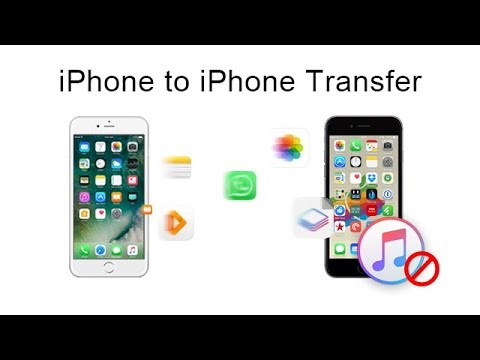
NEW YORK, N.Y. /ScoopCloud/ -- Tenorshare launches iTransGo, a new product designed to transfer files directly between any iOS devices; clone everything from old iPhone to a new one with one simple click.

The original purpose of the software is just like the product manager said: "Make data transfer on iPhone become easier for everyone."

The launch of iTransGo really can be good news for those who recently bought a new iPhone 8/8 Plus or iPhone X. With this program, they can easily import all the files from the old iOS devices to new iPhone directly.

Being one of the featured iOS data transferring tools from Tenorshare, iTransGo offers a convenient way to share contents between different iOS devices without using iTunes or iCloud. The most amazing thing is you are allowed to select file types to transfer, making data management more flexible for users. Moreover, iTransGo also comes with lighting speed to transfer all the large files like videos and photos in seconds.

The whole transferring process is totally safe; you don't need to worry about any data loss or damage.

Key Features of Tenorshare iTransGo:
* Directly clone everything from one iPhone to another with 1 click.
* Selectively transfer specific files to save valuable time.
* Lightning-fast transfer speed: a full transfer of 128GB data can be done in 5 minutes.
* Automatically install apps and sync app data to new device after migration.
* Sync and share purchased music with different Apple IDs; no need to use iTunes.
* Intuitive interface and simple operating steps make it easy for everyone
* Fully compatible with all iOS devices, including iPhone X/8/8 Plus/7/7 Plus/SE/6s/6s Plus/6/6 Plus/5S/5c/5, iPad and iPod touch
* Support all iOS versions, including the latest iOS 11, iOS 10.3.3.

Price and Availability:
Free trial version and paid one are available now on the Tenorshare official website: https://www.tenorshare.com/products/itransgo.html

To enjoy all features, just pay $39.95.

About Tenorshare:
Founded in 2007, Tenorshare is a global leader in iOS data transferring and iOS system repairing field. It provides Windows and Mac based software, including iPhone data recovery, iPhone data transfer, system repair, system optimization, etc. For more information, visit our website: https://www.tenorshare.com/

*VIDEO: https://youtu.be/ZDk6ZI5IRRc

News from Tenorshare Co. Ltd.

Tenorshare launches iTransGo, a new product designed to transfer files directly between any iOS devices; clone everything from old iPhone to a new one with one simple click. The launch of iTransGo really can be good news for those who recently bought a new iPhone 8/8 Plus or iPhone X.

Related link:

This version of news story was published on ScoopCloud™ (ScoopCloud.com) - part of and © the Neotrope® News Network - all rights reserved.
Salvage iOS 11 Update Data Loss Disasters and Most Common iOS Issues with iMobie’s Myriad of Solutions

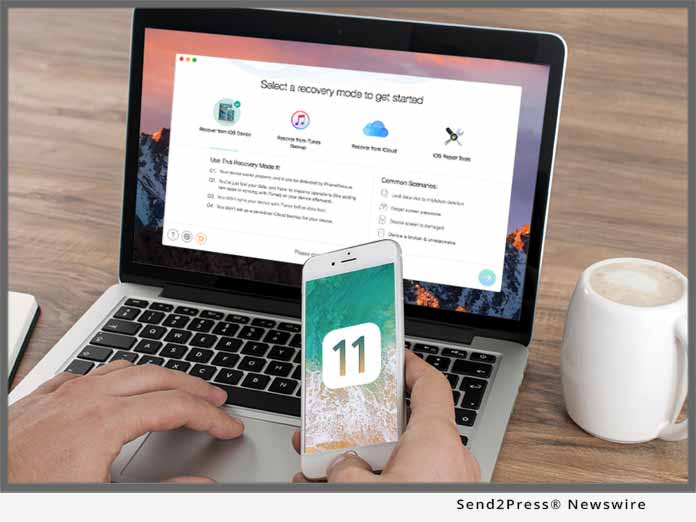
LOS ANGELES, Calif. /ScoopCloud/ -- Along with iOS 11 debut by Apple Inc., the difficult problem of data loss has hit fever pitch after this update. Worse still, those issues such as iOS update failure, stuck on Apple logo, iOS 11 sticking and more once again push users into miserable abyss. Given that, iMobie has introduced PhoneRescue to help iOS users recover their vital data & files including messages, contacts, photos and more, even without any backup, and all iOS crashes will be also solved in just 1 click, like no data loss happens ever. What's more, to escort users for a smooth iOS 11 update, iMobie has also prepared myriads of tips & solutions for all iOS users.

Download PhoneRescue to solve iOS 11 update issues now: https://www.imobie.com/phonerescue/download.htm

"Although Apple has fixed bugs and issues in every iOS 11 beta, problems like data loss, software update failure, stuck on Apple logo after iOS update may still exist in the final version," said Frank Kong, the CEO of iMobie Inc. "To address those troubles, PhoneRescue is here to recover lost data with/without backups, even fix the common iOS system crashes without losing data, such as recovery mode loop, black screen, etc. Better still, we've rounded up a couple of quick tips for more issues troubleshooting, helping users complete iOS 11 update smoothly."

- If you met data loss or iOS 11 update failure, PhoneRescue always helps you:

Recover Your Lost Data after iOS 11 Update, Even Without Backup:

Whether you have backups or not, PhoneRescue does help you find the lost data after iOS 11 update from everywhere possible. No need to blind sync, you're now fully able to preview & retrieve your most important data & files, including messages, contacts, call history and more directly to your iPhone for instant use.

Fix Any iOS 11 Update Crash With No Data Loss:

More than data recovery, PhoneRescue also offers users an ultimate solution to solve any iOS system crash. Just 1 click, you can not only repair any type of breakdown, but also fix any problematic iPhone/iPad without losing any data while updating to iOS 11, including stuck on white Apple logo, black screen, device won't turn on, etc.

Get PhoneRescue information: https://www.imobie.com/phonerescue/ios-data-recovery.htm

- If you meet other troubles during iOS 11 update, iMobie tips help you as well:

Apart from the above, iMobie also gathered up packs of tips to help solve common iOS 11 problems, such as insufficient space for download, Wi-Fi/cellular problems, battery drain issues, etc. No need to worry about iOS update issues, as you now can enjoy the fresh features of iOS 11 completely.

Get detailed iOS 11 update tips & solutions: https://www.imobie.com/support/ios-11-problems-and-solutions.htm

Price and Availability:

PhoneRescue is both available for Windows and Mac. Users can get it from iMobie online store: https://www.imobie.com/phonerescue/buy.htm.

*IMAGE for Media: Send2Press.com/300dpi/17-0919s2p-imobie-300dpi.jpg

News from iMobie Inc.

Along with iOS 11 debut by Apple Inc., the difficult problem of data loss has hit fever pitch after this update. Worse still, those issues such as iOS update failure, stuck on Apple logo, iOS 11 sticking and more once again push users into miserable abyss. Given that, iMobie has introduced PhoneRescue to help iOS users recover their vital data & files including messages, contacts, photos and more, even without any backup, and all iOS crashes will be also solved in just 1 click, like no data loss happens ever.

Related link:

This version of news story was published on ScoopCloud™ (ScoopCloud.com) - part of and © the Neotrope® News Network - all rights reserved.

iMobie Releases AnyTrans 6.0 with FREE iOS Mover – The Easiest Way to Switch from Android to a New iPhone

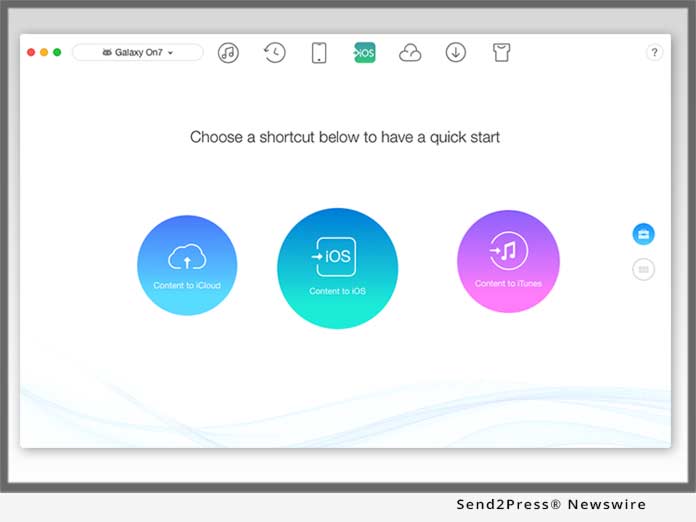
LOS ANGELES, Calif. /ScoopCloud/ -- iMobie, a leading-edge software developer for iOS and Android, today proudly announces a major upgrade of their ultimate iPhone manager AnyTrans 6 with FREE iOS Mover - the easiest ever solution to move data from Android to iOS. Built on its second-to-none technologies, it helps all Android users freely transfer almost all data seamlessly to the new iPhone, to iTunes, even to iCloud without hassle.

Moreover, to give iOS users a better experience when using iPhone, AnyTrans also offers 2 more FREE yet awesome features: Media Downloader and iCloud Manager.

"As the new iPhone is on the way, many Android users may consider switching to a new iPhone. Given that iOS is different from Android OS, we'd like to help all the iPhone switchers transfer their old but valued Android data to iOS without hassle seamlessly," said Frank Kong, CEO of iMobie Inc. "So, adopting cutting-edge technologies, we broke the boundary between iPhone and Android, developed iOS Mover to help iPhone switchers transfer the most types of Android data to their new iPhone, even to iTunes and iCloud. As well, users can flexibly move all data, or parts of data, to iPhone with ease, all for FREE!"

Download AnyTrans to move contacts, photos, music and more now: https://www.imobie.com/anytrans/download.htm

Check the detailed info for all FREE features:

Transfer the most Android data to iOS, iTunes and iCloud:

With AnyTrans, you can freely transfer almost all Android data to iPhone, to iTunes and even to iCloud; such as contacts, messages, photos, music, even settings like wallpapers, brightness and more. Better still, you can just select parts of data - or even a single item - to transfer, all in the way you like.

Move to iOS just in 3 steps, no more complexity:

You just need to connect your Android phone and iPhone to computer, select whatever you want, and transfer your data to the corresponding App in iPhone with compatible formats automatically. No need to reset your iPhone or turn on airplane mode on Android, everything with iOS Mover becomes very easy.

Enjoy online video anywhere and at anytime:

Media Downloader allows you to bulk download online videos and audio from Vimeo, Instagram, Facebook and 900+ other sites. You can save them to computer, or directly to your iOS devices with both compatible formats and the best resolution.

Fully master all iCloud contents in a safe way:

No worries any more: you can safely access iCloud and sync contents across multi-iCloud accounts. Besides, all your photos, videos, contacts and more are visible and well-arranged so that you can upload/download them with easy drag-and-drop.

For more details about AnyTrans: https://www.imobie.com/anytrans/

Price and Availability:

iOS Mover, Media Downloader and iCloud Manager are completely FREE features in AnyTrans. Download it from: https://www.imobie.com/anytrans/download.htm

*IMAGE for media: Send2Press.com/300dpi/17-0912s2p-iosmover-300dpi.jpg

News from iMobie Inc.

iMobie Inc., a leading-edge software developer for iOS and Android, today proudly announces a major upgrade of their ultimate iPhone manager AnyTrans 6 with FREE iOS Mover - the easiest ever solution to move data from Android to iOS. Built on its second-to-none technologies, it helps all Android users freely transfer almost all data seamlessly to the new iPhone, to iTunes, even to iCloud without hassle.

Related link:

This version of news story was published on ScoopCloud™ (ScoopCloud.com) - part of and © the Neotrope® News Network - all rights reserved.
Dr.Fone Provides Zero-Day Support for iOS 11 Update

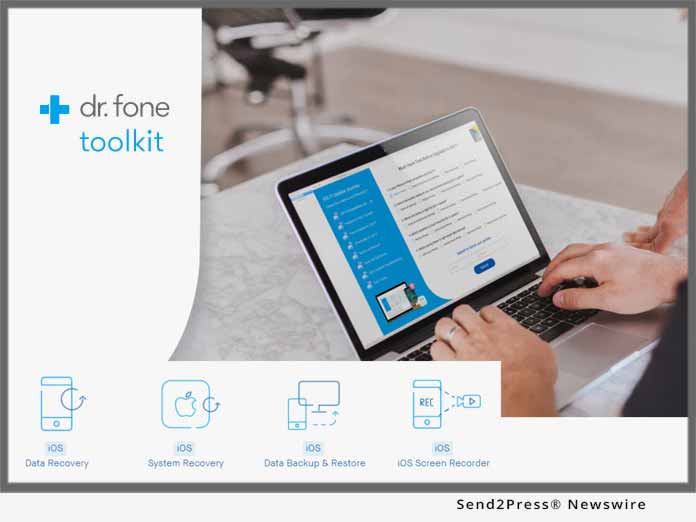
LONDON, U.K. /ScoopCloud/ -- Apple users are keen to upgrade to iOS 11 but many are uncertain of any possible negative effects the upgrade may have on their current working systems, especially when it comes to stored media. Dr.Fone, data recovery specialists, are offering zero-day support with the upgrade in order to eliminate worries, even to new iPhone 8 users.

The arrival of the new Apple iOS 11 operating system is being hyped up to be a huge shift for advanced mobile operating systems, offering features never seen before, including a dock which changes according to your usage and preferences; split view for apps and the advanced Apple pencil for the iPad.

If updated correctly, it promises to be nothing short of amazing. Experts at Dr.Fone know that a smooth transition to a new operating system can come with its own set of hiccups and flaws. With their fully iOS 11 compatible toolkit, Apple users can upgrade knowing that they have everything covered.

Experts at Dr.Fone highly recommend that Apple users back up their devices before commencing with the upgrade. The reasoning is that if everything is backed up, should a problem arise, previous files and apps can be retrieved with very little effort and stress.

Part of Dr.Fone's recovery toolkit includes the iOS data backup and restore feature: customers can back up their entire device with one click through the Dr.Fone website. This then offers them complete backup, with the opportunity to export anything from the backup to their computer. It also allows customers to preview and restore any item from their backup, with a guarantee of no data loss during the restore.

Should an issue arise when updating, Dr.Fone's system recovery service is there to allow clients complete peace of mind. The service recovers a phone or device to 'normal,' with no data loss whatsoever. It is also able to fix system issues such as the white Apple logo, recovery mode and looping at the start.

Dr.Fone pride themselves in offering their clients a foolproof service, with guaranteed results. They are also pleased that their service gives customers confidence that they are running their devices, through the update, at 100 percent efficiency. The company are urging Apple users to run their test prior to upgrading to iOS 11 in order to become aware of any possible issues their device might encounter during the upgrade. To take the test, customers can visit the Dr.Fone website and click on the 'Must-have test' link.

More information: https://drfone.wondershare.com/.

About Dr.Fone:

Dr.Fone is the world's first company to provide iOS data recovery software and Android data recovery. With over 5 years of experience in providing people top-ranked software and services, Dr.Fone has been dedicated to serve over 50 million users. The company is proud to be offering new and existing customers security when it comes to updating their iOS devices.

Facebook: @drfonetoolkit

News from Wondershare Inc.

Apple users are keen to upgrade to iOS 11 but many are uncertain of any possible negative effects the upgrade may have on their current working systems, especially when it comes to stored media. Dr.Fone, data recovery specialists, are offering zero-day support with the upgrade in order to eliminate worries, even to new iPhone 8 users.

Related link:

This version of news story was published on ScoopCloud™ (ScoopCloud.com) - part of and © the Neotrope® News Network - all rights reserved.