Tag Archives: Audio Visual Technology

Kiosk Manufacturer Association Announces InfoComm 2026 Presence, Executive Walking Tour, and Interactive Tech Showcase

LAS VEGAS, Nev., June 11, 2026 (SEND2PRESS NEWSWIRE) — The Kiosk Manufacturer Association (KMA), together with The Industry Group (TIG) and KioskIndustry.org, announced its participation in InfoComm 2026, the premier North American exhibition for professional audiovisual and interactive technologies. The organization will be exhibiting in Booth C6001 and invites system integrators, enterprise buyers, retailers, healthcare organizations, airports, smart city planners, and digital signage professionals to schedule meetings during the event.

The Industry Group - InfoComm Preview
Image caption: The Industry Group – InfoComm Preview.

As interactive displays, AI-powered interfaces, digital signage, and self-service kiosks continue to converge, InfoComm has become one of the most important events for organizations deploying customer-facing technology. KMA expects this year’s show to highlight the growing intersection of enterprise AV, workplace experience, digital concierge systems, smart campuses, and experiential retail.

Visitors to the KMA booth will be able to discuss trends in kiosk hardware, digital signage software, touch technology, edge AI computing, accessibility, and interactive display solutions. Featured technologies include secure kiosk software, AI-enabled communications platforms, room scheduling displays, rugged enterprise tablets, and all-in-one collaboration systems.

In addition to the booth presence, KMA has developed a special executive walking tour that highlights many of the companies shaping the future of interactive technology. Recommended stops include LG Electronics, 22Miles, Giada, BrightSign, IAdea, Appspace, DynaScan, DISPLAX, E Ink, Advantech, and other innovators across the digital signage and self-service ecosystem.

According to KMA Executive Director Craig Allen Keefner, “The traditional boundaries between kiosks, digital signage, workplace communications, and AI-powered customer engagement are disappearing. InfoComm has become one of the best places to see how these technologies are coming together to create the next generation of interactive experiences.”

Industry analyst Elliot Maras will also be attending the event, conducting interviews and gathering insights for post-show coverage and market analysis.

KMA is offering complimentary exhibit hall passes and encourages attendees to use registration code KIO978 when registering for the event.

Organizations interested in partnerships, media interviews, market intelligence, or private executive meetings during InfoComm are encouraged to make arrangements in advance.

For meeting requests and media inquiries:

Craig Allen Keefner
Executive Director, Kiosk Manufacturer Association
Editor, KioskIndustry.org
Email: craigkeefner@pm.me

For additional information, visit https://KioskIndustry.org and follow ongoing InfoComm 2026 coverage throughout the event.

Resources

Informational Post on InfoComm

AVIXA Post by Kiosk Association

LG Launches E-Ink and E-Paper

DX Pro Interactive Platform Released

MULTIMEDIA
Image link: https://www.Send2Press.com/300dpi/26-0611-s2p-industrygrp-300dpi.webp

Image caption: InfoComm Preview

NEWS SOURCE: The Industry Group


This press release was issued on behalf of the news source (The Industry Group), who is solely responsible for its accuracy, by Send2Press Newswire. Image, if any, was provided by the news source and not this website or the wire service. Information is believed accurate, as provided by the news source, but is not guaranteed.

To view the original story, visit: https://www.send2press.com/wire/kiosk-manufacturer-association-announces-infocomm-2026-presence-executive-walking-tour-and-interactive-tech-showcase/

Copr. © 2026 Send2Press® Newswire, Calif., USA. -- REF: S2P STORY ID: S2P136197 NOREL-3B

 

Kiosk Manufacturer Association Announces InfoComm 2026 Presence, Executive Walking Tour, and Interactive Tech Showcase

LAS VEGAS, Nev., June 11, 2026 (SEND2PRESS NEWSWIRE) — The Kiosk Manufacturer Association (KMA), together with The Industry Group (TIG) and KioskIndustry.org, announced its participation in InfoComm 2026, the premier North American exhibition for professional audiovisual and interactive technologies. The organization will be exhibiting in Booth C6001 and invites system integrators, enterprise buyers, retailers, healthcare organizations, airports, smart city planners, and digital signage professionals to schedule meetings during the event.

The Industry Group - InfoComm Preview
Image caption: The Industry Group – InfoComm Preview.

As interactive displays, AI-powered interfaces, digital signage, and self-service kiosks continue to converge, InfoComm has become one of the most important events for organizations deploying customer-facing technology. KMA expects this year’s show to highlight the growing intersection of enterprise AV, workplace experience, digital concierge systems, smart campuses, and experiential retail.

Visitors to the KMA booth will be able to discuss trends in kiosk hardware, digital signage software, touch technology, edge AI computing, accessibility, and interactive display solutions. Featured technologies include secure kiosk software, AI-enabled communications platforms, room scheduling displays, rugged enterprise tablets, and all-in-one collaboration systems.

In addition to the booth presence, KMA has developed a special executive walking tour that highlights many of the companies shaping the future of interactive technology. Recommended stops include LG Electronics, 22Miles, Giada, BrightSign, IAdea, Appspace, DynaScan, DISPLAX, E Ink, Advantech, and other innovators across the digital signage and self-service ecosystem.

According to KMA Executive Director Craig Allen Keefner, “The traditional boundaries between kiosks, digital signage, workplace communications, and AI-powered customer engagement are disappearing. InfoComm has become one of the best places to see how these technologies are coming together to create the next generation of interactive experiences.”

Industry analyst Elliot Maras will also be attending the event, conducting interviews and gathering insights for post-show coverage and market analysis.

KMA is offering complimentary exhibit hall passes and encourages attendees to use registration code KIO978 when registering for the event.

Organizations interested in partnerships, media interviews, market intelligence, or private executive meetings during InfoComm are encouraged to make arrangements in advance.

For meeting requests and media inquiries:

Craig Allen Keefner
Executive Director, Kiosk Manufacturer Association
Editor, KioskIndustry.org
Email: craigkeefner@pm.me

For additional information, visit https://KioskIndustry.org and follow ongoing InfoComm 2026 coverage throughout the event.

Resources

Informational Post on InfoComm

AVIXA Post by Kiosk Association

LG Launches E-Ink and E-Paper

DX Pro Interactive Platform Released

MULTIMEDIA
Image link: https://www.Send2Press.com/300dpi/26-0611-s2p-industrygrp-300dpi.webp

Image caption: InfoComm Preview

NEWS SOURCE: The Industry Group


This press release was issued on behalf of the news source (The Industry Group), who is solely responsible for its accuracy, by Send2Press Newswire. Image, if any, was provided by the news source and not this website or the wire service. Information is believed accurate, as provided by the news source, but is not guaranteed.

To view the original story, visit: https://www.send2press.com/wire/kiosk-manufacturer-association-announces-infocomm-2026-presence-executive-walking-tour-and-interactive-tech-showcase/

Copr. © 2026 Send2Press® Newswire, Calif., USA. -- REF: S2P STORY ID: S2P136197 NOREL-3B

 

Chinese CE Powerhouse Xiaomi Steps Up Its Audio Performance with Technology from Total Sonics

New agreement enables Xiaomi to capitalize on Total Sonics' speaker optimization technology, Total Cal room optimization software, Total Bass psychoacoustic bass enhancement, and Total Immersion height virtualization

MILFORD, Mass., May 5, 2026 (SEND2PRESS NEWSWIRE) — The team at Total Sonics, the intellectual property licensing division of THAT Corporation, has had a very busy 2026. This latest agreement brings together Total Sonics and Xiaomi (pronounced “sh-ow-mee”), a true global technology leader with advanced product families in cell phones, tablets, televisions, appliances, wearables, office, smart home, high-tech entertainment products, and more.

Chinese CE Powerhouse Xiaomi Steps Up Its Audio Performance with Technology from Total Sonics
image caption: Chinese CE Powerhouse Xiaomi Steps Up Its Audio Performance with Technology from Total Sonics.

With over one billion devices in the marketplace employing their technology, Total Sonics’ sound improvement solutions have steadily evolved and grown more sophisticated. This success has fueled the adoption of their latest innovations by major consumer electronics manufacturers around the globe, including multi-award-winning Total Cal® automated in-home calibration, Total Bass™ psychoacoustic bass enhancement, and Total Immersion™ height virtualization.

Total Sonics brings premium sound to the new Xiaomi Smart Home Screen 11.
Image caption: Total Sonics brings premium sound to the new Xiaomi Smart Home Screen 11.

Xiaomi’s new Smart Home Screen 11, featuring a large 11” 1920 X 1200 resolution HD display, is the most powerful Xiaomi screen released yet. It delivers a massive amount of content and smart control capabilities for the whole family, aggregates resources from mainstream music platforms, and supports Xiaomi’s home karaoke feature. And of course, it is powered by Xiaomi Hyper OS.

The Smart Home Screen 11 also innovates with its audio design, avoiding the traditional “sound below the screen” approach with an innovative four-driver two-way system housed in an independent sound cavity on the rear of the screen. This audio hardware change, coupled with Total Sonics’ audio processing technologies, creates a surprisingly large, clear and full sound stage for a device this size.

Xiaomi also made significant advancements with their hardware and mechanical designs. The upgraded 8-core processor paired with 6GB RAM provides silky-smooth operation without lag. Physical design changes also enable a 35% reduction of the screen’s overall size compared to the previous generation, resulting in a slimmer, more elegant look. The uni-body metal frame is paired with a light gray fabric surface, yielding a form factor that blends seamlessly into home decor styles.

According to Timothy Brault, Total Sonics’ Vice President of Licensing, “The Smart Home Screen 11 from Xiaomi represents a significant leap forward in performance, delivering an audio experience far beyond what is typical for this class of device. We are proud Xiaomi chose to work with us to optimize the audio performance of the Smart Home Screen 11 and look forward to more fruitful collaborations with them in the future.”

For additional details, images or tech briefs, please contact Richard Frank at Frank Marketing Associates – rfrank.fma2@gmail.com or 949-637-0700

About Total Sonics:

Total Sonics is the Licensing Division of THAT Corporation. Founded by veteran engineers of the legendary dbx® Inc. brand of professional and consumer audio products, the technology that drives Total Sonics has been improving sound in consumer electronics products for over 40 years. More than 1 billion products in the worldwide market use Total Sonics’ technologies, as manufacturers around the world rely on Total Sonics to deliver better audio experiences to consumers without the need for additional hardware. Total Sonics licenses audio processing software for TVs, soundbars, speakers, PCs, mobile devices, and other consumer electronics.

Learn more at: https://totalsonics.com/

MULTIMEDIA:

Image link for media: https://www.Send2Press.com/300dpi/26-0505-s2p-tsxiaomi-300dpi.webp

Image caption: Total Sonics brings premium sound to the new Xiaomi Smart Home Screen 11.

MEIDA ONLY CONTACT:
Richard Frank of Frank Marketing
for Total Sonics
C – 949-637-0700
e – rfrank.fma2@gmail.com

NEWS SOURCE: Total Sonics


This press release was issued on behalf of the news source (Total Sonics), who is solely responsible for its accuracy, by Send2Press Newswire. Image, if any, was provided by the news source and not this website or the wire service. Information is believed accurate, as provided by the news source, but is not guaranteed.

To view the original story, visit: https://www.send2press.com/wire/chinese-ce-powerhouse-xiaomi-steps-up-its-audio-performance-with-technology-from-total-sonics/

Copr. © 2026 Send2Press® Newswire, Calif., USA. -- REF: S2P STORY ID: S2P135092 NOREL-3B


Total Cal Multichannel takes home the TWICE Picks Award 2026

MILFORD, Mass., March 26, 2026 (SEND2PRESS NEWSWIRE) — We’re proud that Total Cal® Multichannel was recognized by TWICE as one of the standout innovations at CES 2026, Total Sonics announced today. Total Cal Multichannel brings professional-grade multichannel room calibration to everyday audio products – making immersive, accurate sound faster, simpler, and more affordable than ever.

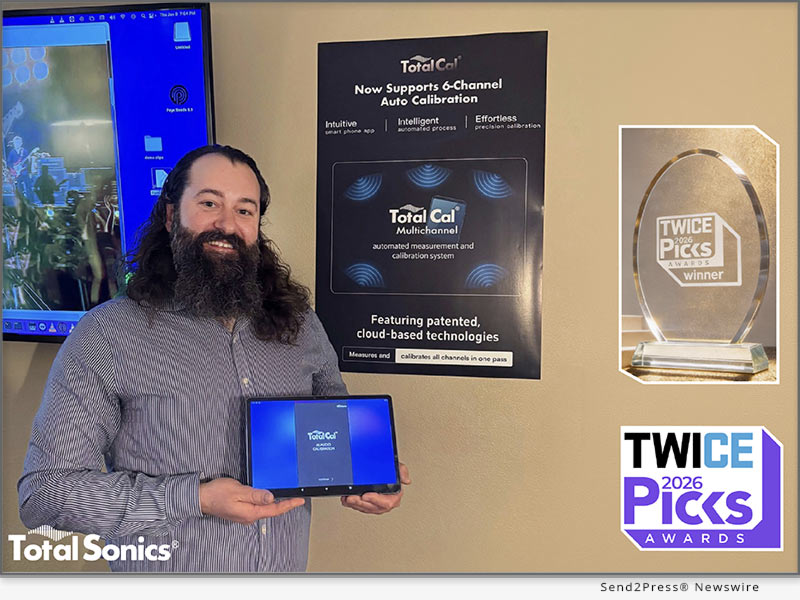
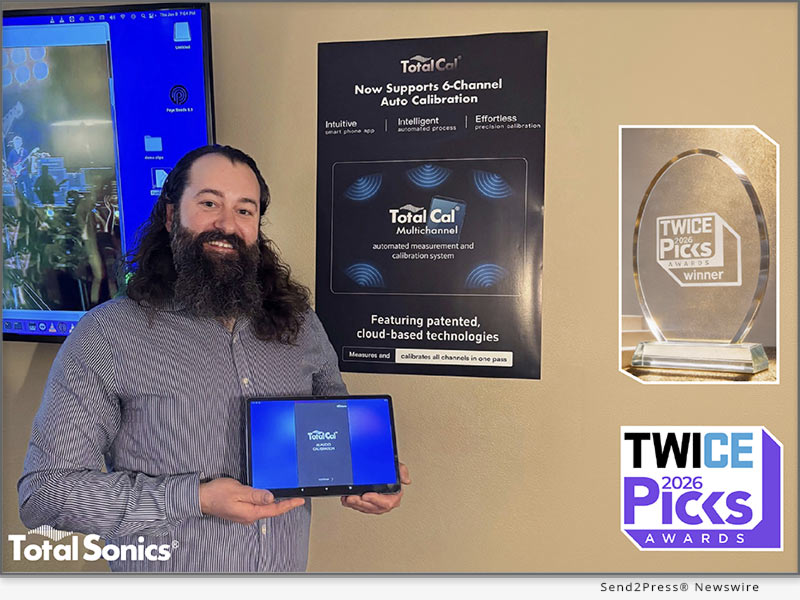
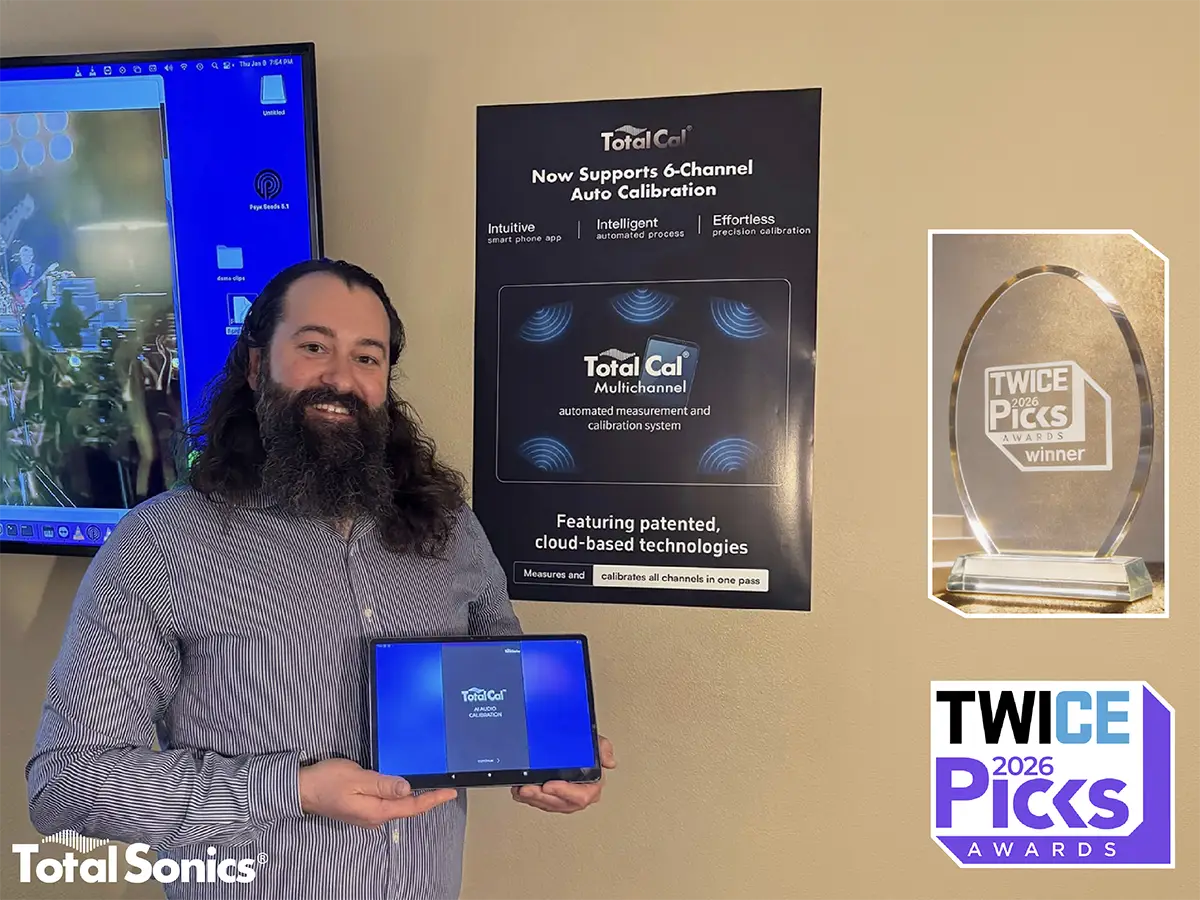
Total Sonics proudly displays the Total Cal Multichannel auto-calibration system, a recipient of the prestigious 2026 TWICE Picks Award.
Image caption: Total Sonics proudly displays the Total Cal Multichannel auto-calibration system, a recipient of the prestigious 2026 TWICE Picks Award.

Total Cal changes the game by intelligently balancing frequency response and time of arrival across all channels in seconds using just a smartphone, tablet, or remote control mic while strictly preserving the developer’s intended sound.

This award validates what we set out to do: close the gap between how audio products are designed to sound in the lab and how they perform in real living rooms.

Total Cal delivers dramatic real-world improvements in clarity, balance, and impact – without intimidating setup or expensive hardware.

This award is a testament to our engineering team’s dedication to solving the hardest problem in consumer audio: the room itself.

Huge thanks to the TWICE editors for recognizing us.

To our partners and OEMs looking to elevate their audio performance: Let’s define the future of sound together.

Discover the technology here: https://totalsonics.com/total-cal-multichannel/

#TotalSonics #TWICEPicks #CES2026 #AudioEngineering #RoomCalibration #SoundTechnology #AwardWinner

MULTIMEDIA

IMAGE link for media: https://www.Send2Press.com/300dpi/26-0326-s2p-tsonics-300dpi.webp

Image caption: Total Sonics proudly displays the Total Cal Multichannel auto-calibration system, a recipient of the prestigious 2026 TWICE Picks Award.

LOGO (white): https://totalsonics.com/wp-content/uploads/2023/12/TotalSonics-logo2.png

MEDIA ONLY CONTACT
Richard Frank of Frank Marketing
for Total Sonics
C – 949-637-0700
e – rfrank.fma2@gmail.com

NEWS SOURCE: Total Sonics


This press release was issued on behalf of the news source (Total Sonics), who is solely responsible for its accuracy, by Send2Press Newswire. Image, if any, was provided by the news source and not this website or the wire service. Information is believed accurate, as provided by the news source, but is not guaranteed.

To view the original story, visit: https://www.send2press.com/wire/total-cal-multichannel-takes-home-the-twice-picks-award-2026/

Copr. © 2026 Send2Press® Newswire, Calif., USA. -- REF: S2P STORY ID: S2P134228 NOREL-3B


Vmake Rolls Out Auto-Captioning Feature to Expand Global Audience Reach for Creators

NEW YORK, N.Y., Sept. 4, 2025 (SEND2PRESS NEWSWIRE) — Vmake, a leading AI Talking video editor, introduced a new tool, “Auto Generated Captions,” designed to integrate real-time captions, and it is worth the hype. Powered by AI, it helps businesses and creators to add and customize subtitles for videos in a few clicks. The tool is web-based and can help you add auto-generated captions in any language.

Vmake video auto caption generator
Image caption: Vmake video auto caption generator.

SOLVING THE VIDEO CAPTIONING BIG HEADACHES

Videos have a lasting impact on viewers. Because it is one of the best ways to reach your target audience, it has to be perfect before you release it. Businesses are under constant pressure to deliver quality videos that are accessible to the audience. Traditional methods of manually adding captions were time-consuming and failed to capture the accuracy that viewers needed. The auto-generated caption tool at Vmake solved all these challenges and removed the big pain point for the creators.

“Our auto-caption tool makes videos clear and accessible, helping creators, educators, marketers, and teams engage audiences without manual effort,” said the product lead at Vmake.

COMMON CHALLENGES WHILE ADDING SUBTITLES TO VIDEOS

  • Manual Editing: Manual editing takes a lot of time, slows down the production workflow, and messes up the entire publishing schedule.
  • Recurring Expenses: When creators have to outsource video editing, scaling seems difficult because of the costs.
  • Audio-Video Sync: Synchronizing the audio with the video captions is one of the biggest challenges. When they don’t match, the video feels off.
  • Language Support: Many tools don’t have multilingual options, so non-native speakers can’t follow along.

DESIGNED FOR EVERY TYPE OF CREATORS: VMAKE’S TEAM

As per Vmake’s team, the new auto-caption feature is specifically designed to support creators across the board. For influencers, it saves time by generating captions instantly, so they can post multiple updates daily without skipping essential text. Moving forward, the team stated that businesses can also take advantage of this feature. For instance, marketers can maintain clarity in campaigns, ensuring messages drive conversions.

Even corporate teams with global audiences can communicate seamlessly, with captions bridging language gaps. By addressing these diverse needs, the tool makes content creation universally impactful.”

KEY FEATURES OF VMAKE AUTO-GENERATED CAPTION TOOL 

Here are the key features that make Vmake’s auto-generated caption tool stand out:

AI-Powered Captions in Seconds

Vmake’s auto-caption tool transforms video content effortlessly. Users simply upload their videos, and the advanced AI transcribes speech into precise captions with accurate timing. Supporting multiple formats like MP4, which eliminates the need for manual editing. Plus, it reduces post-production time.

Precise Synchronization with Advanced AI

The tool understands speech patterns, pauses, and cadence to ensure captions sync perfectly with lip movements. Even low-quality or noisy videos maintain accurate, organized subtitles, while different speakers are automatically identified to preserve clarity.

Customizable Subtitles to Reflect Your Brand

Beyond accessibility, captions can be tailored to match a brand’s identity. This tool allows you to tweak fonts easily. Plus, global users can use pre-designed templates to ensure subtitles align with the creator’s visual voice.

Browser-Based Convenience

Vmake works entirely in the browser. Creators can drag and drop videos, process multiple files simultaneously, and get fully captioned, polished content in minutes. You get all of these benefits without installing additional software.

THE STORY BEHIND OUR TOOL

“The tool was built to solve the most frustrating problem, and that is making video captioning faster, easier, and accessible for everyone. Rather than wasting time on syncing text with video, we wanted to give creators the freedom to focus on storytelling and content creation,” said the product team lead at Vmake.

ABOUT VMAKE AI

Vmake AI is a leading creative technology company focused on developing AI-powered tools for businesses. Dedicated to making design and content creation faster and more accessible, Vmake.ai helps users transform ideas into striking visuals effortlessly. Among its innovative offerings, the Auto Caption Generator stands out, alongside the AI Thumbnail Generator, AI talking video editor, video text remover, video enhancer, and more, enabling creators to produce professional-quality videos and images.

Learn more: https://vmake.ai/auto-generated-captions

Vmake on YouTube: https://www.youtube.com/@Vmake_ai

Vmake on TikTok: https://www.tiktok.com/@vmake.ai

Vmake on X: https://x.com/VmakeAI

NEWS SOURCE: Vmake


This press release was issued on behalf of the news source (Vmake), who is solely responsible for its accuracy, by Send2Press Newswire. Image, if any, was provided by the news source and not this website or the wire service. Information is believed accurate, as provided by the news source, but is not guaranteed.

To view the original story, visit: https://www.send2press.com/wire/vmake-rolls-out-auto-captioning-feature-to-expand-global-audience-reach-for-creators/

Copr. © 2025 Send2Press® Newswire, Calif., USA. -- REF: S2P STORY ID: S2P129099 NOREL-3B


Edimakor V4.2.0 Ignites New Era of AI Video Creation Powered by Google Veo 3

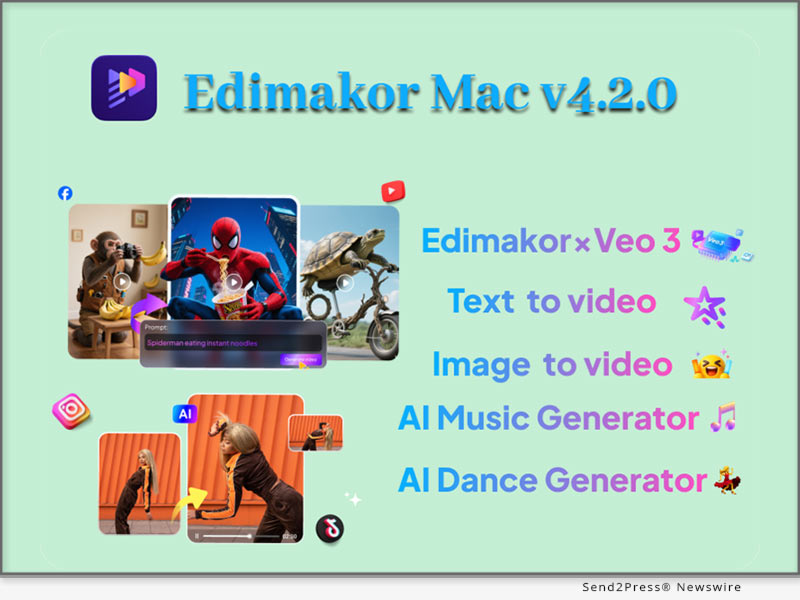
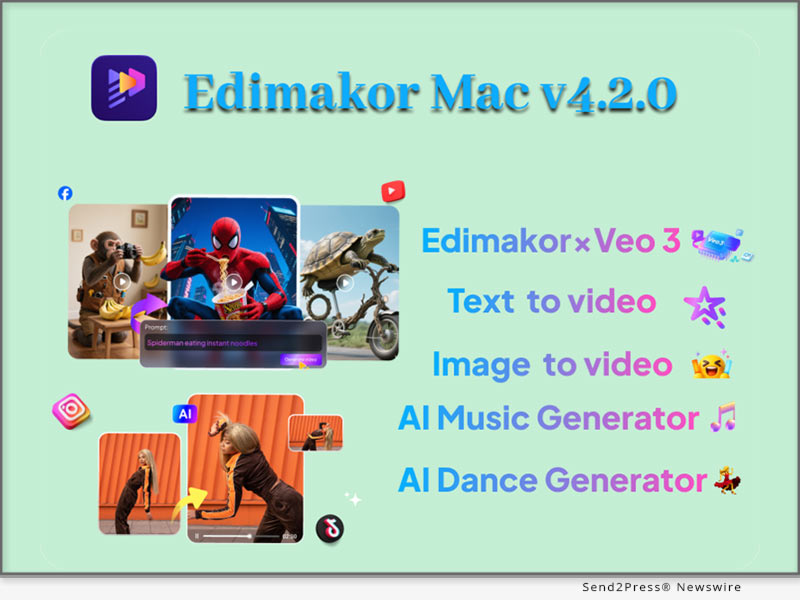
NEW YORK, N.Y., Aug. 1, 2025 (SEND2PRESS NEWSWIRE) — HitPaw Edimakor, the trusted AI-powered video editing platform for creators around the world, has officially launched Version 4.2.0, bringing a major leap forward in immersive content creation. This exciting update integrates Google Veo 3, allowing users to generate video, ambient sound, sound effects, character dialogue, and subtitles—all in one seamless process.

Edimakor V4.2.0 Ignites a New Era of AI Video Creation
Image caption: Edimakor V4.2.0 Ignites a New Era of AI Video Creation.

AI VIDEO SOUND EFFECTS – SMARTER AND MORE REALISTIC

With the new AI Video Automatic Sound Effect feature, Edimakor now detects video scenes and automatically generates perfectly timed sound effects to match the visuals. Whether it’s explosive action, peaceful natural settings, or a lively city street, users get scene-aware audio that makes videos more engaging and lifelike.

Even better, users can customize sounds with simple text commands—such as “quiet garden with birdsong” or “engine revving” – and the AI instantly generates video and matching audio. This gives creators full control while saving hours of manual sound editing.

Edimakor’s smart sound design fits perfectly into various creative scenarios including:

  • Stand-up comedy performances
  • ASMR and immersive audio content
  • Music performance recordings
  • Marketing and promotional videos
  • Educational video creation

AI IMAGE TO VIDEO – GROUNDBREAKING CREATIVITY

The most exciting highlight of Edimakor V4.2.0 is its seamless integration with Google Veo 3, the next-generation video model that unlocks a new level of AI creativity. But that’s not all — the newly added Image to Video feature is another game-changer.

With this upgrade, users can now upload up to three images as references, and Edimakor will blend them into visually consistent, richly styled video scenes using advanced fusion mode.

The update introduces:

  • Professional Lens Control: Edimakor introduces more than 20 movie-grade camera movement options such as panning, zooming, push/pull effects, and dynamic transitions. Users can control these elements simply through cue words, making it easy to produce cinematic-quality footage without technical skills.
  • Ultra-Fast Rendering: Videos can be generated in 720p or 1080p resolution within just 30 seconds, offering high-quality results with realistic textures and detail.

Combined with Google Veo 3’s native capabilities, creators can also:

  • Generate synchronized sound, ambient effects, and realistic character dialogue directly in their videos.
  • Use natural language input to describe scenes and have the AI bring them to life.
  • Ensure visual consistency by uploading style references or design templates.
  • Control cinematic motion and stylistic tone with simple text prompts.

With this update, Edimakor gives creators access to tools that rival professional studios—no experience required.

MAKING HIGH-LEVEL CREATION MORE ACCESSIBLE THAN EVER

Edimakor V4.2.0 represents a major leap in user empowerment. With powerful AI features, user-friendly design, and seamless audio-visual generation, this version continues Edimakor’s mission to democratize professional-grade video editing.

Connect with Edimakor:

Official Website: https://edimakor.hitpaw.com/

X/Twitter: https://x.com/HitpawEdimakor

YouTube: https://www.youtube.com/@HitPawEdimakorOfficial

Instagram: https://www.instagram.com/edimakor_official

NEWS SOURCE: HitPaw Edimakor


This press release was issued on behalf of the news source (HitPaw Edimakor), who is solely responsible for its accuracy, by Send2Press Newswire. Image, if any, was provided by the news source and not this website or the wire service. Information is believed accurate, as provided by the news source, but is not guaranteed.

To view the original story, visit: https://www.send2press.com/wire/edimakor-v4-2-0-ignites-new-era-of-ai-video-creation-powered-by-google-veo-3/

Copr. © 2025 Send2Press® Newswire, Calif., USA. -- REF: S2P STORY ID: S2P128174 NOREL-3B


Haier TV and Total Sonics Announce Addition of Award-Winning Total Cal Auto Calibration Technology to Next Generation of Haier TVs

Total Cal gives AV manufacturers a cost-efficient and easy-to-use system to improve the sound quality of their products in challenging acoustic environments

MILFORD, Mass., June 11, 2025 (SEND2PRESS NEWSWIRE) — Total Sonics® (a division of THAT Corporation®) is very pleased to announce they’ve come to agreement with global CE powerhouse Haier Multimedia on licensing Total Cal®, their innovative automatic room calibration system.

Haier TV and Total Sonics Announce Addition of Award-Winning Total Cal Auto Calibration Technology to Next Generation of Haier TVs
Image caption: Haier TV and Total Sonics Announce Addition of Award-Winning Total Cal Auto Calibration Technology to Next Generation of Haier TVs.

Total Cal’s groundbreaking approach both simplifies the room calibration process for consumers and keeps costs down for manufacturers. Using the homeowner’s smart phone or tablet, or a calibrated USB microphone, this advanced technology easily guides the user through measurements of a products’ audio performance in the room. Then in mere seconds, this room-response data is compared to the original frequency response of the product, used to generate a customized correction curve, and programmed into the product. The resultant sound quality is greatly improved: better clarity, tonal balance, and bass response.

According to Total Sonics’ Vice President, Timothy Brault, “We are thrilled Haier’s team of outstanding product development experts have seen fit to add Total Cal as a key feature in their product line.”

Total Cal is just one part of the Total Technology suite of smart audio processing and calibration technologies, which also includes Total Sonics speaker optimization, Total Volume® automated loudness control, Total Surround® sound field expansion, Total Bass™ psychoacoustic bass processing, and the Total Immersion™ height virtualization technology we’ve developed in conjunction with Psy(x) Research. Innovations like Total Cal are a direct reflection of THAT Corporation’s legacy of improving audio performance, going back over 40 years to THAT’s predecessor, dbx® inc. With Total Cal, better sound in the home can now be accomplished at more affordable price points.

For further information on Haier TVs and sound products or any of the Total Sonics suite of applications, please contact Richard Frank of Frank Marketing: C – 949-637-0700, e – rfrank.fma@gmail.com

ABOUT TOTAL SONICS:

Started by engineers of legendary dbx® professional and consumer audio products, Total Sonics has been improving sound in consumer electronics for over 40 years, and Total Sonics technology has been used in over one billion devices worldwide.

Manufacturers turn to Total Sonics to deliver an improved audio experience to consumers at a low cost, without the need for additional hardware. Total Sonics makes audio processing software for TVs, soundbars, speakers, cell phones and tablets, and other consumer devices.

Learn more: https://totalsonics.com/ and https://thatcorp.com/.

ABOUT HAIER:

Today Haier reaches the global marketplace. Thirty-five years ago, Haier started serving the Chinese market. Today Haier has spread all over Asia, Africa, Europe, North America and the Middle East, truly to all corners of the world. There are 10 R&D centers, 24 industrial parks, 66 marketing centers and 108 manufacturing plants in the world. New brands continue to join the Haier family, Aqua, Fischer Parker, GEA, Candy, have recently become members of the greater family of Haier brands.

Learn more: https://www.haier.com/in/tvs/.

THAT Corporation, Total Sonics, Total Volume, Total Surround, Total Cal, Total Immersion, Total Bass, Total Technology, and dbx-tv, and their respective logos, are trademarks or registered trademarks of THAT Corporation. Haier and its respective logo are trademarks or registered trademarks of Haier Group or its subsidiaries. dbx is a registered trademark of Harman International.

IMAGE link for media:

https://www.Send2Press.com/300dpi/25-0611-s2p-totalsonics-300dpi.jpg

Image caption: Haier TV and Total Sonics Announce Addition of Award-Winning Total Cal Auto Calibration Technology to Next Generation of Haier TVs.

NEWS SOURCE: Total Sonics


This press release was issued on behalf of the news source (Total Sonics), who is solely responsible for its accuracy, by Send2Press Newswire. Image, if any, was provided by the news source and not this website or the wire service. Information is believed accurate, as provided by the news source, but is not guaranteed.

To view the original story, visit: https://www.send2press.com/wire/haier-tv-and-total-sonics-announce-addition-of-award-winning-total-cal-auto-calibration-technology-to-next-generation-of-haier-tvs/

Copr. © 2025 Send2Press® Newswire, Calif., USA. -- REF: S2P STORY ID: S2P126887 NOREL-3B
 

Total Sonics’ Award-Winning Audio Processing Comes to Skyworth TVs with The TiVo Operating System

MILFORD, Mass., May 21, 2025 (SEND2PRESS NEWSWIRE) — New England-based audio technology innovator, Total Sonics®, the licensing arm of THAT Corporation®, is pleased to announce agreements with TV technology powerhouse TiVo™, a division of Xperi®, and the Skyworth® Group, one of the world’s largest TV and appliance manufacturers. The agreement with TiVo allows them to integrate and distribute the patented Total Sonics audio enhancement technology suite along with TiVo firmware, enabling TV makers like Skyworth to provide their customers with the best possible sound experience on TiVo OS sets. TVs featuring Total Sonics’ technology are now available from Skyworth and their subsidiary, Metz, on sets with the TiVo OS and on Google® TV based designs.

Total Sonics’ Award-Winning Audio Processing Comes to Skyworth TVs with The TiVo Operating System
Image caption: Total Sonics®, the licensing arm of THAT Corporation®, is pleased to announce agreements with TV technology powerhouse TiVo™, a division of Xperi®, and the Skyworth® Group.

With deep roots in delivering better sound to the professional and consumer audio markets, and with more than a billion devices worldwide using THAT Corp’s core technologies, the Total Sonics division has developed a suite of acclaimed audio enhancement technologies, including Total Sonics speaker optimization, Total Volume® loudness control, Total Surround® virtual surround sound, Total Cal® automated in-home tuning, and Total Bass™ psychoacoustic bass processing. Total Sonics has also partnered with Psy(x) Research to integrate Total Immersion™ virtual height processing into the Total suite. All of Total Sonics’ algorithms are designed with efficiency in mind and run on common SoCs and DSPs, improving sound quality without burdening TV’s, powered speakers, tablets and more with added cost, circuitry, or complexity.

According to Total Sonics’ Vice President, Tim Brault, “Since we’ve been actively demonstrating our algorithms’ capabilities, manufacturers of all sorts of products – from TV’s and powered speakers to mobile devices and PCs – have marveled at how well the Total Sonics suite improves the audio experience.”

Brault continues, “This appeals to manufacturers for several key reasons: our technology improves their product’s performance-to-value ratios by enabling less expensive products to perform at levels normally associated with more expensive designs. And they save cost by not requiring expensive additional componentry, and by shrinking the development time required to get products to market.”

The Total Sonics technologies are being adopted by more and more manufacturers around the world. More information can be found at their website: https://totalsonics.com/.

About Total Sonics:

Started by engineers of the legendary dbx® Inc. professional and consumer audio products, Total Sonics (formerly dbx-tv®) has been improving sound in consumer electronics for over 40 years, with their technology integrated in over 1 Billion devices worldwide. Manufacturers now turn to Total Sonics to deliver improved audio experiences to consumers at lower cost without the need for additional hardware. Total Sonics licenses audio processing software for TVs, soundbars, speakers, PCs, mobile devices, and other consumer electronics. https://totalsonics.com/.

About Xperi:

Xperi invents, develops, and delivers technologies that enable extraordinary experiences. Xperi technologies, delivered via its brands (DTS®, HD Radio™, TiVo®), are integrated into consumer devices and media platforms worldwide, powering smart devices, connected cars and entertainment experiences, including IMAX® Enhanced, a certification and licensing program operated by IMAX and DTS Inc. Xperi has created a unified ecosystem that reaches highly engaged consumers, driving increased value for partners, customers and consumers.

About Skyworth:

Skyworth provides advanced, high-quality TV and entertainment solutions on a global scale at competitive prices. SKYWORTH Group Limited is a leading supplier of uniquely advanced and smart technology solutions. It has been listed on the Hong Kong Stock Exchange (HKG: 0751) since 2000. As of 1 March 2019, the Group was valued in excess of USD 19 billion and employed over 40,000 people worldwide. Founded in 1988, today SKYWORTH is a leading color TV brand internationally, a top brand in the Chinese display industry, and a top three global provider of the Android TV platform.

Trademarks:

THAT Corporation, Total Sonics, Total Volume, Total Surround, Total Cal, Total Immersion, Total Bass, and dbx-tv, and their respective logos, are trademarks or registered trademarks of THAT Corporation. Xperi, TiVo, DTS, IMAX, HD Radio, and their respective logos are trademarks or registered trademarks of Xperi Inc. or its subsidiaries in the United States or other countries. Skyworth, Metz, and their respective logos are trademarks or registered trademarks of Skyworth Group or its subsidiaries. Google is a trademark or registered trademark of Google LLC. dbx is a registered trademark of Harman International.

MULTIMEDIA:

Image link for media: https://www.Send2Press.com/300dpi/25-0521-s2p-total-sonics-300dpi.jpg

Image caption: Logos of parties in the agreement.

MEDIA ONLY CONTACT:

For any information, images or tech briefs, please contact Richard Frank at Frank Marketing Associates – rfrank.fma2@gmail.com or 949-637-0700.

NEWS SOURCE: Total Sonics


This press release was issued on behalf of the news source (Total Sonics), who is solely responsible for its accuracy, by Send2Press Newswire. Image, if any, was provided by the news source and not this website or the wire service. Information is believed accurate, as provided by the news source, but is not guaranteed.

To view the original story, visit: https://www.send2press.com/wire/total-sonics-award-winning-audio-processing-comes-to-skyworth-tvs-with-the-tivo-operating-system/

Copr. © 2025 Send2Press® Newswire, Calif., USA. -- REF: S2P STORY ID: S2P126366 NOREL-3B
 

HitPaw VoicePea V2.2.0 Released with New Audio Enhancer that Boosts Audio Quality

NEW YORK, N.Y., Oct. 23, 2024 (SEND2PRESS NEWSWIRE) — HitPaw, a leading multimedia software developer, is about to launch the highly anticipated version 2.2.0 of HitPaw VoicePea. HitPaw VoicePea V2.2.0 introduces a new and powerful Audio Enhancer feature to help users get a higher quality audio experience.

HitPaw VoicePea V2.2.0 Released
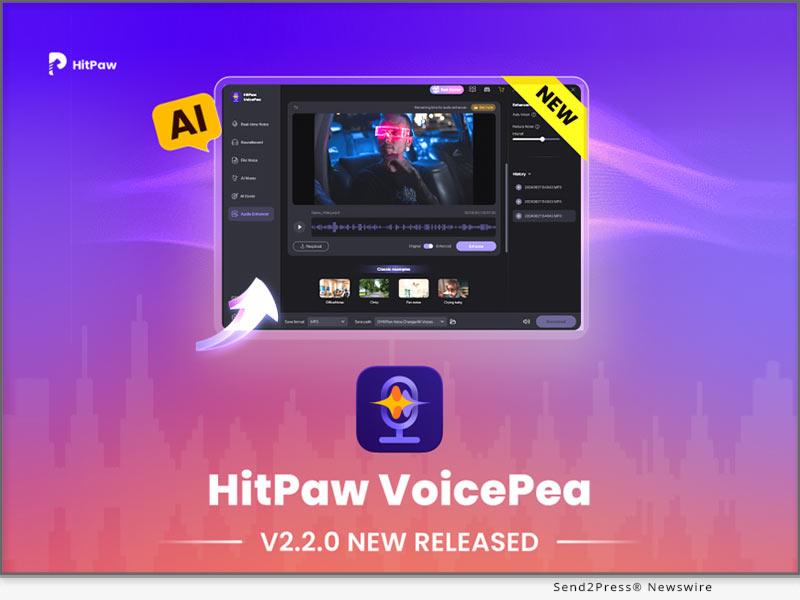
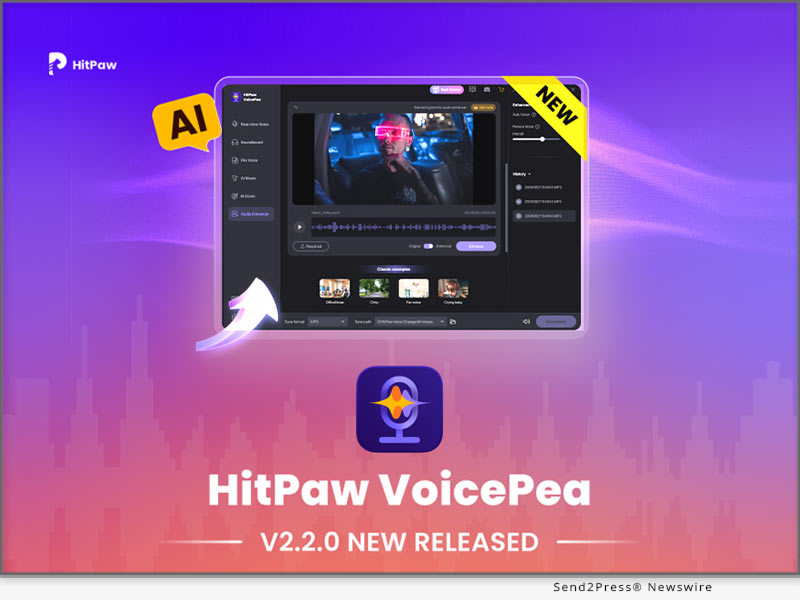
Image caption: HitPaw VoicePea V2.2.0 Released.

LET’S CHECK OUT WHAT’S NEW OF V2.2.0

Audio Enhancer: One-Click Audio Enhancement

Audio Enhancer is a new core feature in HitPaw VoicePea V2.2.0, designed for users to optimize audio quality. By integrating advanced audio noise cancellation, echo reduction, and automatic volume adjustment, Audio Enhancer helps users generate high-fidelity, noise-free, balanced audio in a variety of recording scenarios.

Users only need to upload the audio, and the audio effect can be enhanced with one click. Whether you’re recording a podcast, creating a video commentary, or working with professional audio content, Audio Enhancer ensures professional audio quality.

Three core features for a superior audio experience:

  • Audio Noise Cancellation: Accurate identification and cancellation of background noise, such as wind, keyboard clicks, or other ambient noises, is used by intelligent algorithms to ensure that speech or the main source in the track is clearly audible, especially for audio recording in changing environments.
  • Echo Reduction: Effectively reduce the echo caused by sound wave reflection in a small room or echo recording environment, keep the audio clean and pure, and avoid the audio quality confusion during the recording process.
  • Automatic Volume Adjustment: The built-in intelligent volume control function automatically adjusts the volume according to the overall dynamic range of the audio, avoiding the problem of loud and small sounds, so that the finished audio has a smoother and more professional listening experience.

For more information checking, you may visit: https://www.hitpaw.com/voice-changer.html

About HitPaw:

HitPaw’s mission is to make digital creativity accessible to everyone. HitPaw provides the most innovative multimedia solutions such as video editing, voice changing, screen recording, watermark removal, image editing, photo enhancement, etc. to unleash the infinite creativity around the world.

To know more, you may visit: https://www.hitpaw.com/

Our Social Media:

YouTube: https://www.youtube.com/channel/UCQwRggaotgiMcPbiCOsJeBA

Facebook: https://www.facebook.com/hitpawofficial

X/Twitter: https://x.com/HitPawofficial

Instagram: https://www.instagram.com/hitpawofficial/

Pinterest: https://www.pinterest.com/HitPawofficialwebsite/

Discord: https://discord.gg/wuc4cstcjJ

NEWS SOURCE: HitPaw


This press release was issued on behalf of the news source (HitPaw), who is solely responsible for its accuracy, by Send2Press Newswire. Image, if any, was provided by the news source and not this website or the wire service. Information is believed accurate, as provided by the news source, but is not guaranteed.

To view the original story, visit: https://www.send2press.com/wire/hitpaw-voicepea-v2-2-0-released-with-new-audio-enhancer-that-boosts-audio-quality/

Copr. © 2024 Send2Press® Newswire, Calif., USA. -- REF: S2P STORY ID: S2P121690 NOREL-3B
 

Stack Sports to Acquire Meridix to Simplify the Broadcast Experience for Sports Organizations

DALLAS, Texas /ScoopCloud/ -- Stack Sports, a global leader in modern sports technology, announced it has added Meridix, an innovative video streaming platform with the industry's most flexible technology, to the Stack Sports ecosystem. "Combining Meridix with Stack Sports is going to be a huge value add for our Partners and truly simplify the sports experience," said Jeff Brunsberg, Chief Revenue and Strategy Officer at Stack Sports.

More than 30,000 club and league administrators, 200 National Governing Bodies or Professional Franchises, and millions of families trust Stack Sports to power their sports journey. The planned addition of Meridix will add a fast-growing and innovative technology to the growing ecosystem of solutions offered to sports organizations to simplify sports. Expanding services to coaches and families further strengthens Stack Sports' position as the industry leader in the $44 billion global youth sports market.

Meridix is an unlimited streaming platform for any size team or organization. It simplifies covering sports LIVE at any level, including youth, high school, college, and pro. Complete with HD video, audio streams, scores, stats, and easy-to-use monetization tools, Meridix offers the best experience for sports organizations. Get started for FREE today at Meridix.com/signup.

"Stack Sports is the only company that can marry a best-in-class registration and data layer with world-class end consumer applications," said Jeff Young, CEO at Stack Sports. "We truly believe that connecting these two technologies will accelerate our vision to grow participation and transform the sport experience worldwide."

This combination of Meridix and Stack Sports will allow organizations to have an end-to-end video solution from pre-event marketing through Sports Connect, to the field of play, all the way through athlete highlights, truly simplifying the experience for parents, coaches, and administrators.

"Meridix has truly been a game changer for our tournament," said Blake Whittle Pontiac Holiday Tournament. "Thanks to their innovative and robust platform, our tournament has brought in additional revenue we never thought was possible through their pay-per-view feature. Their support is top notch and the broadcast quality is so good. We look forward to streaming our tournament on Meridix for years to come."

"With its mission to increase participation and transform the youth sports experience, Stack Sports is truly aligned with Meridix's vision to simplify the broadcast experience,'' said Tyler Feret, CEO & Founder at Meridix. "We are confident the combination of Meridix's tools for coaches, administrators, event operators, athletes, parents, and fans with Stack Sports' industry-leading ecosystem of sports technology will create real value for our partners and for sports as a whole."

About Meridix:

Meridix is Live Streaming Made Easy. One of the fastest-growing video streaming and broadcast platforms in sports, with over 200,000 events streamed already, from any device, it ensures your fans don't miss a moment of the action. The easy-to-use monetization tools have generated hundreds of thousands of dollars for sports organizations using your choice of pay-per-view, ticketing, season passes, and instant downloads. It is FREE to get started and works for ALL sports!

Start Streaming Today at https://www.meridix.com/ .

About Stack Sports:

With over 50 million users in 35 countries, Stack Sports is a global technology leader in SaaS platform offerings for the sports industry. The company powers the sports experience through world-class software and services to support national governing bodies, youth sports associations, leagues, clubs, parents, coaches, and athletes. Some of the largest and most prominent sports organizations, including the U.S. Soccer Federation, Little League Baseball and Softball, USA Lacrosse, and NFL Flag, rely on Stack Sports technology to run and manage their organizations. Stack Sports is headquartered in Dallas and focused on growing participation in sports through Grassroots Engagement, Participation Growth Technology, Recruiting Pathways, and Elite Player Development.

To learn more about how Stack Sports is transforming the sports experience, please visit https://stacksports.com/.

News from Stack Sports

Stack Sports, a global leader in modern sports technology, announced it has added Meridix, an innovative video streaming platform with the industry's most flexible technology, to the Stack Sports ecosystem. Meridix is an unlimited streaming platform for any size team or organization. It simplifies covering sports LIVE at any level, including youth, high school, college, and pro.

Related link: https://stacksports.com/

This version of news story was published on ScoopCloud™ (ScoopCloud.com) - part of and © the Neotrope® News Network - all rights reserved.

AirDeck Completes SOC 2 Type 1 Compliance

MADISON, Wis. /ScoopCloud/ -- SaaS company and leader in document communication, AirDeck, achieved Systems and Organization Controls (SOC) 2 Type 1 compliance after a rigorous assessment conducted by a third-party auditor, Johanson Group LLP. Johanson Group specializes in SOC 2 audits and provides audit and professional services to public and private companies, large and small, in a variety of industries. The audit confirmed AirDeck's information security controls meet the leading industry standards for security, confidentiality, privacy, processing, and integrity.

"Completing a SOC 2 independent audit provides our clients with third-party validation that we do more than talk about privacy," says Adam Babler, CPA, AirDeck's VP of Finance and Operations. "We are willing and able to provide independent testing and validation that proves our data systems and controls are trusted."

SOC 2 is just one aspect of AirDeck's growing security program. AirDeck is committed to continually improving their information security program and retaining an annual SOC 2 audit to support customers' needs.

AirDeck originated in 2019 with the goal to bring clarity to complex documents and presentations. The platform allows you to bring your documents to life with audio and video narration and share asynchronously. This allows you to personalize at scale, add clarity, and eliminate unnecessary meetings. To date, customers have created over 20,000 decks which have resulted in 2,401,879 minutes of viewer engagement.

To learn more about AirDeck, visit https://airdeck.co/.

About AirDeck:

AirDeck is the leader in document communication. Our platform helps you bring your documents to life. Through the use of audio and video narration, you can personalize, add clarity, and create an instant connection with your audience whenever you send a document or presentation. From customer success and sales to human resources, we help teams add value in a way that rises above the noise and eliminates unnecessary meetings.

About Johanson Group LLP:

The Johanson Group provides SOC 2 & 3 examination services to public and private companies in a variety of industries across the world. They deploy multidisciplinary teams composed of licensed CPAs and information technology and security specialists to ensure a comprehensive and thorough evaluation of company controls.

News from AirDeck Inc.

SaaS company and leader in document communication, AirDeck, achieved Systems and Organization Controls (SOC) 2 Type 1 compliance after a rigorous assessment conducted by a third-party auditor, Johanson Group LLP. Johanson Group specializes in SOC 2 audits and provides audit and professional services to public and private companies, large and small, in a variety of industries.

Related link: https://airdeck.co/

This version of news story was published on ScoopCloud™ (ScoopCloud.com) - part of and © the Neotrope® News Network - all rights reserved.

Opticom Technologies celebrates 50 years of industrial video monitoring solutions

BATTLE CREEK, Mich. /ScoopCloud/ -- Opticom Technologies, a leader in industrial video monitoring solutions, is celebrating 50 years in business. The company, founded in 1973, has evolved to continue offering innovative products as video monitoring technology has advanced.

"It's unique for a video monitoring company to have 50 years of history under its belt," said Opticom Global Sales Manager Heidi Schmidt. "We're honored to continue serving our industrial and commercial customers with the latest advances in video technology."

Opticom was founded by "Richard" David Boyd, a proponent of CCTV monitoring long before adoption ramped up after 9/11 and the security concerns the terrorist attacks brought forward. Boyd passed away in 2021, but his legacy continues.

With its rugged products, designed to withstand harsh environments, Opticom Tech best serves commercial and industrial companies like sawmills, mines, food processing plants, and other facilities with dust, vibration, moisture, and other elements not generally accommodating to video equipment.

"Our product development centers around designing products throughout the entire video monitoring system - cameras, mounts, monitors, connectors, and more - that can survive in tough environments," said Schmidt. "Our customers can't afford to stop production to troubleshoot or replace a video camera, so we build products that last; a fact reflective in our 50-year history."

Products of note developed by Opticom include its CC02 rugged industrial analog and TVI cameras, CC03 explosion-proof cameras, CC04 high-definition IP networking cameras, and VM-1 vibration shock mounts.

Opticom will be celebrating its 50th year throughout 2023 with customer acknowledgements, giveaways, and other announcements.

About Opticom Tech:

Founded in 1973, Opticom Technologies provides integrated video monitoring solutions for industrial applications, including sawmills, mines, food processing facilities, and more. Built to withstand harsh environments, Opticom's rugged cameras and equipment stand the test of time.

For more information, visit https://opticomtech.com/

News from Opticom Technologies

Opticom Technologies, a leader in industrial video monitoring solutions, is celebrating 50 years in business. The company, founded in 1973, has evolved to continue offering innovative products as video monitoring technology has advanced.

Related link: https://opticomtech.com/

This version of news story was published on ScoopCloud™ (ScoopCloud.com) - part of and © the Neotrope® News Network - all rights reserved.

New Release: 4DDiG File Repair – Make Videos and Photos Repairing Easier Than Ever

NEW YORK, N.Y. /ScoopCloud/ -- Tenorshare 4DDiG, a fast-growing software company providing simple and powerful digital creative solutions, has recently launched a new multipurpose software that allows users to repair any corrupted/damaged photos and videos across all platforms in just three steps.

"This software's release has long been overdue. We understand many of our users' pains as they need to repair corrupted videos/photos at a cheaper rate. And now we are glad to develop 4DDiG File Repair that will make video/photo repair easier for our users," said Mike Li, the CEO of 4DDiG.

4DDiG File Repair comes with a variety of photo/video repair features that are easy to master for an enjoyable experience:

* Photo repair features: Unlike other comparable applications, 4DDiG Photo Repair restores blurry, overexposed, or pixelated photos to their original sharpness and vibrancy with a higher success rate. It offers fast repair and supports multiple photo image file formats across different storage devices without complication. The uniqueness of 4DDiG Photo Repair is its capability to simultaneously repair up to 3000 images at a go from any device. With its image preview feature, users can preview fixed images before saving them, allowing for inconsistency checks.

* Video repair features: 4DDiG video repair is 100% safe and fast. It allows users to fix corrupted videos from mainstream camera brands and popular video formats across different storage devices at a higher success rate. It supports Windows PC and all storage media such as SD cards, USB flash drives, HDDs, etc. What makes 4DDiG video Repair exceptional is its capability to repair an unlimited number of video files in various formats in one go.

As made available on its website, 4DDiG File Repair can rapidly and effortlessly fix corrupted photos/videos using a three-step process:

Step 1: Download, install, and run the 4DDiG Repair tool on the computer.

Step 2: Select the Photo repair or video Repair option from the Software interface, tap the "Add button" to import the damaged videos/photos, and then click Start Repair.

Step 3: After repairing, choose videos/photos to preview and then click Export to save them to a safe location.

This new 4DDiG File Repair software is now available at 4DDiG File Repair, you can free download it and use it for your damaged/corrupted videos & photos repair.

For more information, visit: https://4ddig.tenorshare.com/video-repair.html

Follow on Social:

Facebook: https://www.facebook.com/4DDiG/

Twitter: https://twitter.com/Tenorshare4DDiG

YouTube: https://www.youtube.com/channel/UCQZ9C1IzQB1bgMXmGw7s5bw

Pinterest: https://www.pinterest.com/4DDiG/

Quora Space: https://tenorshare4ddigdatarecovery.quora.com/

News from Tenorshare Co. Ltd.

Tenorshare 4DDiG, a fast-growing software company providing simple and powerful digital creative solutions, has recently launched a new multipurpose software that allows users to repair any corrupted/damaged photos and videos across all platforms in just three steps.

Related link: https://www.tenorshare.com/

This version of news story was published on ScoopCloud™ (ScoopCloud.com) - part of and © the Neotrope® News Network - all rights reserved.

PearlMountain Release FlexClip Version 3.9 with Ability to Save Videos as Custom Templates

HONG KONG /ScoopCloud/ -- PearlMountain announced that its FlexClip (https://www.flexclip.com) browser-based video editor has been updated to version 3.9. The update includes more editing options, built-in resources, increased functionality, and overall improved usability. Of special interest is the ability to save custom made video as a template.

"We are taking another step to improve workflow efficiency and creativity by bringing new feature to FlexClip 3.9," said Lin Xiao, founder and CEO of FlexClip. "Now video creators and collaborators can quickly create consistent, professional videos using custom made templates to save time when making intros or outros for social media or company videos."

FlexClip 3.9 enables users to create and save their custom designed videos as templates that can be adapted as needed and reused in other projects to significantly speed up the video creation and editing process. Video templates can also be shared with collaborators for single-click editing. Individuals can include transitions, colors, logos, effects and more, then save the entire video as a template.

The updated FlexClip 3.9 adds support for searching and adding sound effects for cinematic-quality videos. Over 10,000 royalty-free sound effects are included in categories like vehicles, whooshes, transitions, animals, and footsteps. It's a feature that's especially beneficial for those posting to TikTok, Instagram and YouTube. The timeline editor facilitates quick adjustments to sound volume and positioning, along with SFX trimming by dragging the edges.

The latest version of FlexClip also allows individuals to add GIPHY animated stickers from an extensive library, and utilize hundreds of newly designed video templates. An improved screen recorder enables users to capture screen and webcam at the same time.

The new enhancements to FlexClip version 3.9 expand the range of functionality available in the video editor, save individuals time, and facilitate creativity. The video editor is equally applicable for novices creating family birthday greetings to professionals for corporate and business endeavors.

Learn more at: https://www.flexclip.com/

About FlexClip:

FlexClip is a browser-based video maker platform developed by PearlMountain Limited, providing one-stop video services that can help novice users and professionals make tutorials, video trailers, explainer videos, presentations and social media videos with ease. FlexClip is used and loved by millions of people around the globe.

Connect with FlexClip on

* https://www.facebook.com/flexclip/

* https://twitter.com/flexclipapp/

* https://www.youtube.com/channel/UCuHTaJySq58KRAa7O4OJsvg

News from PearlMountain Limited

PearlMountain announced that its FlexClip (https://www.flexclip.com) browser-based video editor has been updated to version 3.9. The update includes more editing options, built-in resources, increased functionality, and overall improved usability. Of special interest is the ability to save custom made video as a template.

Related link: https://www.pearlmountainsoft.com/

This version of news story was published on ScoopCloud™ (ScoopCloud.com) - part of and © the Neotrope® News Network - all rights reserved.

HitPaw Video Converter V2.5.0 Update Reveals Advanced Converting, Downloading and Editing Features

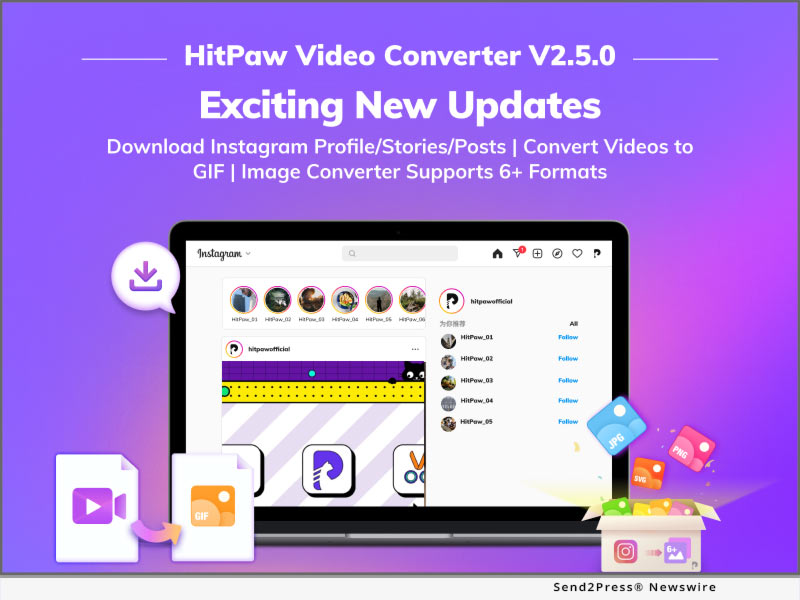
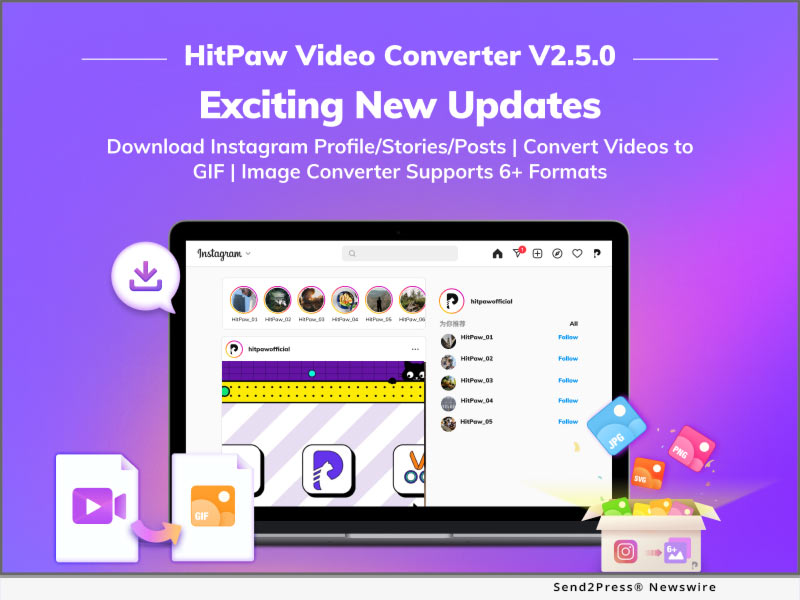
NEW YORK, N.Y. /ScoopCloud/ -- HitPaw, a company aiming to develop the best digital creation tools, has launched HitPaw Video Converter V2.5.0, which brings amazing features in this 3-in-1 video converter tool. HitPaw Video Converter unveiled the new advanced downloader and video tool: Instagram Profile / Photo / Video / Story Downloader, Video to GIF converter, and Image converter. Besides, HitPaw Video Converter also updates other features of converter and editor.

Let's find out what are the wonderful features of the Big Update for HitPaw Video Converter:

Download Instagram Profile Picture, Photos, Videos, Posts and Stories:

Instagram, as the top photo social platform in the world, has a large number of beautiful images, including great pictures of landscape, graceful portraits, and lifestyle photos. However, there is no way to save these contents in the Instagram. In order to meet the users' need, HitPaw Video Converter now supports downloading Instagram images and avatars and save the stories and reels forever.

Convert Video to GIF:

HitPaw Video Converter adds the fantastic feature that can convert videos to GIFs, which will give you a chance to make more possibility of creation. Users can compress a long video to an image because GIF is a lossless data compression format, meaning that there will be no information losing during the conversion. In addition, GIF converter supports batch converting, so you can convert one video to multiple GIF without doing the same work.

Convert Image Formats:

Apart from video converter, image converter is another tool in HitPaw Video Converter. HitPaw Video Converter supports over 6 image formats, no matter the well used formats, like JPG and PNG, or the SVG and WEBP. Moreover, batch converting is also supported by HitPaw Video Converter, which will save a lot of time when you are processing the images.

OTHER NEW FEATURES:

* Changing Speed of Videos: Users can change the videos' speed to create different results.

* Adding Filters: 100+ filters give users more possibilities of creations.

* Aspect Ratio: A variety of ratio serves users' different purpose, for example, the videos of 9:16 are used for mobile devices.

* Support Importing Subtitles: Videos can be added subtitles by users, so subtitles can be made by users or downloaded from websites, supporting SRT, ASS, SSA, and VTT format.

* Format Search Feature: User can search the formats and modify the commonly used formats.

Compatibility and Price:

HitPaw Video Converter is now compatible with Windows including Win11 and Mac OS Monterey. Its pricing starts from $19.95 per month, $39.95 per year, and $79.95 for the lifetime. For more information checking, you can visit:

https://www.hitpaw.com/purchase/buy-hitpaw-video-converter.html

About HitPaw:

HitPaw is an emerging software company specialized in files compressing, video editing, screen recording, watermark removing, image editing, photo enhancing, etc. We help users turn their inspiration into reality so that we can generate more ideas to make the world be full of more creativity.

To know more, you may visit

https://www.hitpaw.com/

https://www.hitpaw.com/about.html

Our Social Media:

YouTube: https://www.youtube.com/channel/UCQwRggaotgiMcPbiCOsJeBA

Facebook: https://www.facebook.com/hitpawofficial

Twitter: https://twitter.com/HitPawofficial

Instagram: https://www.instagram.com/hitpawofficial/

Pinterest: https://www.pinterest.com/hitpawvideoeditor/

News from HitPaw

HitPaw, a company aiming to develop the best digital creation tools, has launched HitPaw Video Converter V2.5.0, which brings amazing features in this 3-in-1 video converter tool. HitPaw Video Converter unveiled the new advanced downloader and video tool: Instagram Profile / Photo / Video / Story Downloader, Video to GIF converter, and Image converter.

Related link: https://www.hitpaw.com/

This version of news story was published on ScoopCloud™ (ScoopCloud.com) - part of and © the Neotrope® News Network - all rights reserved.

FineCam Debuts for Elevating Video Calling and Streaming Experiences with Advanced Webcam Enhancing Solutions

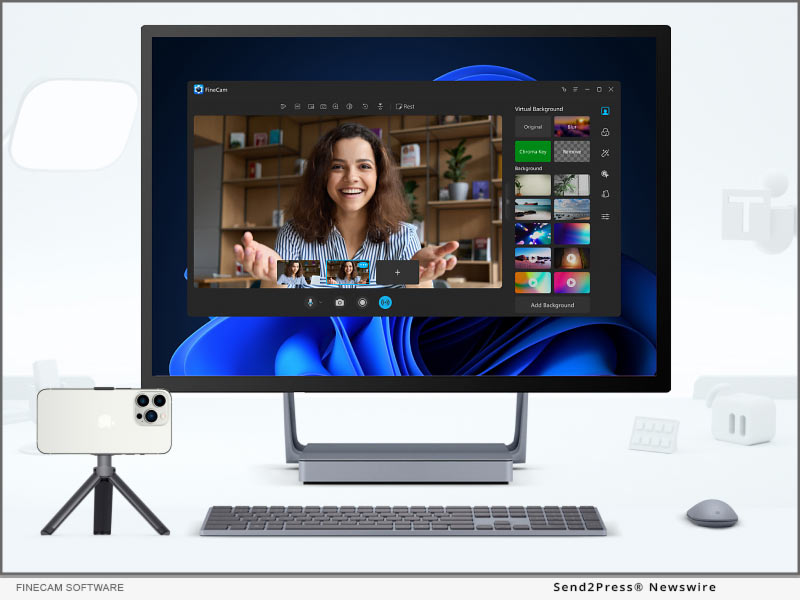
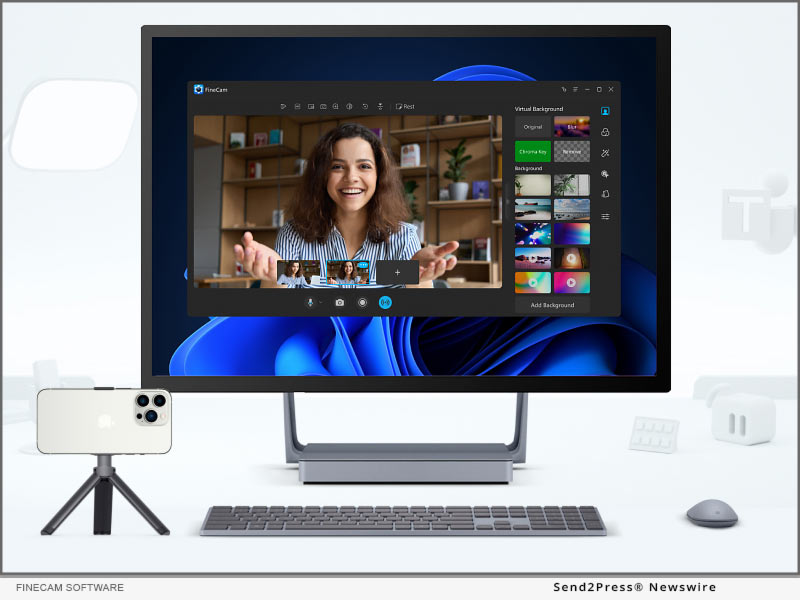
LOS ANGELES, Calif. /ScoopCloud/ -- FineShare Co., Ltd., a young company committed to building easy-to-use apps, announced FineCam, the go-to webcam software that helps enhance webcam quality with backgrounds, filters, and effects, working for all popular video calling and streaming apps like Zoom, Microsoft Teams, Twitch, OBS, etc. With FineCam for iOS app, it's even possible to bring Apple's Continuity Camera feature to Windows PC.

Continuity Camera VS FineCam

FineCam offers the most stunning Continuity Camera features like Portrait mode, Wireless Connection, and Ultra-Wide Camera. Additionally, it's the first solution that can use both iPhone's front and rare cameras at the same time, place the secondary picture frame everywhere, and best of all, resize it to fit best for video calls, live demos, streams, and more.

"We founded FineShare last year with a mission to help customers build better connections by using our smart, reliable, and finely crafted apps. We design FineCam for helping customers make more successful video calls and live streams," said Jared Dun, the Founder, and CEO of FineShare Co., Ltd. "With advanced webcam enhancing and customizing features, FineCam can bring a lot of possibilities for your video calls."

Product information: https://www.fineshare.com/finecam/

FineCam also excels at enhancing the video quality with A.I. algorithms, setting multiple video calling scenes from all camera sources, adding/removing branding watermarks, blurring/removing webcam backgrounds, or creating cinematic videos with outstanding filters, presets, and effects.

FINECAM UNIQUE FEATURES AND HIGHLIGHTS:

1 - Simultaneously Capture iPhone's Front/Rare Camera: Turn your iPhone into an HD webcam and give the first-in-class solution to launch both the front and rare cameras so as to put two video scenes in one window.

2 - Easily Create Multiple Video Scenes: Easily switch between cameras and multiple video scenes, and add brand logos and overlays.

3 - Customizable Temp Away Screen: Change the video screen with whatever image you have when you are away from the camera.

4 - Webcam Quality Booster: FineCam can boost up webcam image quality in just 1 click, making users always look superb on every video call.

5 - Shuffle Background: FineCam works with Unsplash to deliver millions of stunning video backgrounds. Online video calls could never be so exciting.

6 - Webcam Filters: With webcam filters like Bourbon, Byers, Chemical, Clayton, and Clouseau, users can apply a color style for a specific feeling to make the live video unique and more cinematic.

About FineShare Co., Ltd.:

FineShare Co., Ltd. was founded at the end of 2021 when the coronavirus disease changed the way people communicate and forced people to shift to a remote communication model. To help people improve the experience of virtual chat, online presentation, and remote collaboration, the team set off its mission to found FineShare.

Information: https://www.fineshare.com/

Image for media: https://www.fineshare.com/images/finecam.jpg

RELATED LINKS:

https://www.fineshare.com/resource/remove-webcam-background-without-green-screen.html

https://www.fineshare.com/finecam/use-phone-as-webcam.html

https://www.fineshare.com/resource/free-webcam-filters.html

News from FineShare Co. Ltd.

FineShare Co., Ltd., a young company committed to building easy-to-use apps, announced FineCam, the go-to webcam software that helps enhance webcam quality with backgrounds, filters, and effects, working for all popular video calling and streaming apps like Zoom, Microsoft Teams, Twitch, OBS, etc. With FineCam for iOS app, it's even possible to bring Apple's Continuity Camera feature to Windows PC.

Related link: https://www.fineshare.com/

This version of news story was published on ScoopCloud™ (ScoopCloud.com) - part of and © the Neotrope® News Network - all rights reserved.

HitPaw Announces New A.I. based Video Enhancer Tool to Upscale Video Quality

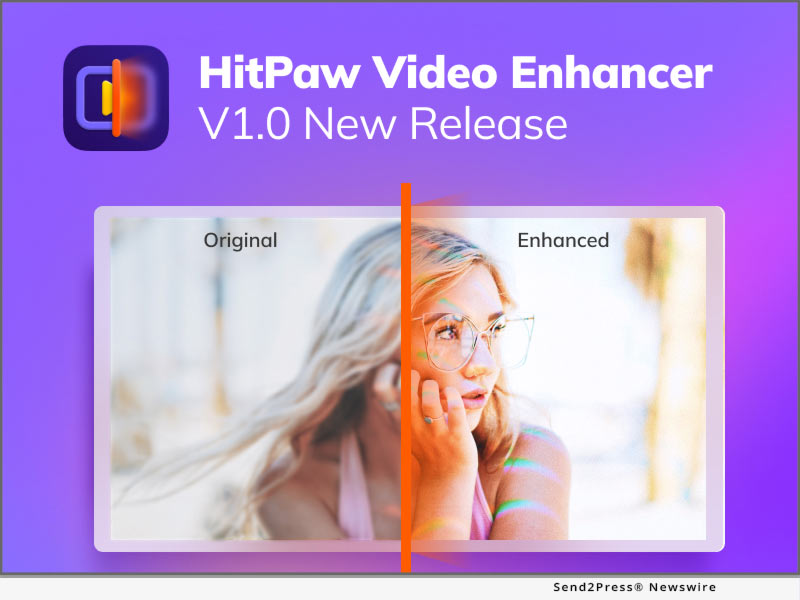
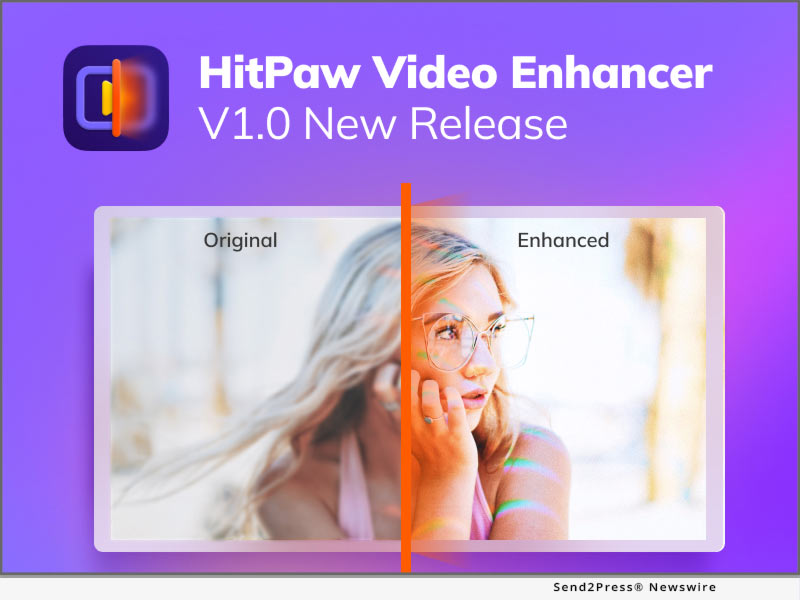
NEW YORK, N.Y. /ScoopCloud/ -- HitPaw, a company aiming to develop the best digital creation solution, today releases the brand new video enhancement software - HitPaw Video Enhancer. HitPaw Video Enhancer is combined with Artificial Intelligence to upscale videos automatically for different types of purposes and offers a new method to reduce the noise, pixels, and over-exposure caused by low-quality cameras and bad lighting.

HitPaw Video Enhancer offers three popular models, including General Denoise Model, Animation Model, and Face Model. By selecting the AI model, HitPaw Video Enhancer will automatically apply the same types of adjustments that pro editors would do. In addition, all the adjustments will be embedded directly into the rendering pipeline.

HitPaw Video Enhancer uses machine learning to retouch low-quality and blurred videos in three models:

* General Denoise Model

Videos taken with low-light and low-quality cameras will cause each pixel to have very little light, so it will make videos more blurred and unclear. With the General Denoise Model, HitPaw Video Enhancer could light up each pixel in the video to perform a clear and bright result.

* Animation Model

With the development of resolution, there are so many classic and unsurpassable anime videos that are getting unclearly and colorlessly. Animation Model is aiming to repair the anime videos, by sharping the anime characters and adding colors to make them look more natural and vivid on the high-quality screen.

* Face Model

Normally, it is more complicated and time-consuming to adjust portrait parameters in videos than in a photo, especially for a beginner or a green hand. Learning from a large number of samples, HitPaw Video Enhancer can retouch the portraits in every frame, such as adjusting the brightness, color saturation, and contrast.

Apart from three AI Model, HitPaw Video Enhancer also supports:

* More than 30 video formats
* Up to 4K exported resolution
* Batch processing
* MP4, MOV, and Gif format exported

Compatibility and Price:

HitPaw Video Enhancer is now compatible with Windows 11/10/8/7(64-bit OS). Its pricing starts from $39.99 USD for a monthly plan. For more price checking and information, you can visit https://www.hitpaw.com/purchase/buy-hitpaw-video-enhancer.html

About HitPaw:

HitPaw is an emerging software company specialized in video editing, screen recording, watermark removing, image editing, photo enhancing meme-making, etc. We help users turn their inspiration into reality so that we can generate more ideas to make the world full of more creativity.

To know more, you may visit https://www.hitpaw.com/about.html or https://www.hitpaw.com/.

Our Social Media:

YouTube: https://www.youtube.com/channel/UCQwRggaotgiMcPbiCOsJeBA

Facebook: https://www.facebook.com/hitpawofficial/

Twitter: https://twitter.com/HitPawofficial

Instagram: https://www.instagram.com/HitPawofficial/

Pinterest: https://www.pinterest.com/hitpawvideoeditor/

News from HitPaw

HitPaw, a company aiming to develop the best digital creation solution, today releases the brand new video enhancement software - HitPaw Video Enhancer. HitPaw Video Enhancer is combined with Artificial Intelligence to upscale videos automatically for different types of purposes and offers a new method to reduce the noise, pixels, and over-exposure caused by low-quality cameras and bad lighting.

Related link: https://www.hitpaw.com/

This version of news story was published on ScoopCloud™ (ScoopCloud.com) - part of and © the Neotrope® News Network - all rights reserved.

VideoProc Converter Enhanced with Only 2% CPU Usage and Given Away for Easter 2022

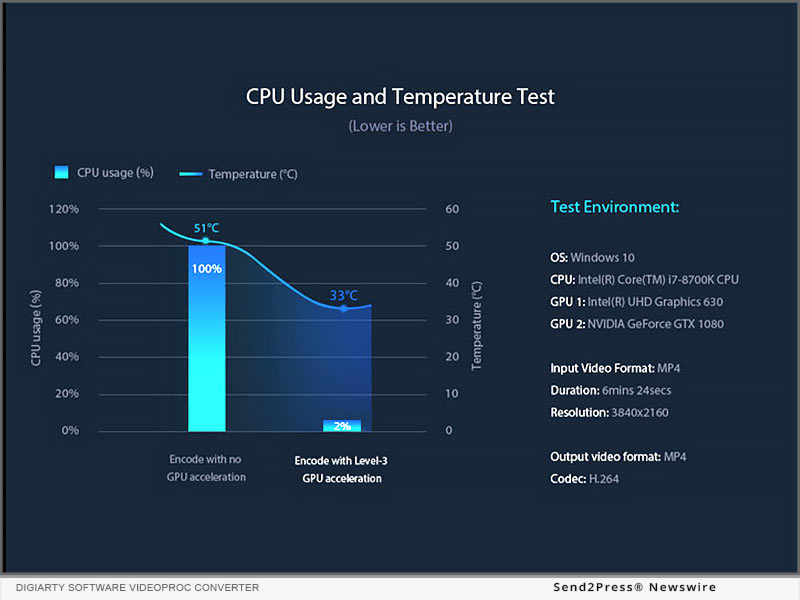
CHENGDU, China /ScoopCloud/ -- Digiarty Software enhances the core of hardware acceleration of VideoProc Converter, reducing the average CPU usage of hardware-accelerated encoding to 2%. Accordingly, the efficiency of HD/4K video conversion has improved dramatically.

To enable more people to use the software for free and enjoy the updated performance, Digiarty, the sponsor, is giving away VideoProc Converter for Holy Week and Easter 2022 at: https://www.videoproc.com/campaign/easter-offer.htm

VideoProc Converter is a one-stop video processing software composed of a video converter, a DVD backup module, a video/music downloader, and a webcam/screen recorder. It excels at converting, resizing, and processing 4K and large video files with the assistance of GPU acceleration.

Level-3 Hardware Acceleration technology is a dominating feature of VideoProc Converter. It has long been one of the key points for the Development Team of Digiarty and is praised by the customers. The unique technology can speed up decoding, processing, and re-encoding, and make HD video conversion up to 47x real-time faster. It can optimize the output file size and video quality, or accelerate without compromising the quality. Better still, the hardware acceleration can work on virtually any recent computer and is even friendly to low-end or average computers.

For the three years since its release, VideoProc Converter has helped over 4,000,000 users from 180 countries transcode and process media files with hardware acceleration. Low CPU use gave the 4K video converter software a competitive edge over its competitors.

According to the test in the period of the initial release, VideoProc Converter hovered around 40% CPU use with GPU NVENC activated and kept the CPU temperature at 33 degrees centigrade.

"That was almost amazing, compared with many other apps for rending a large 4K UHD video. Some of them hit 90-100% CPU usage, and caused the computer to crash or overheat," explained Huston Xu, the Director of the Development Team of Digiarty. "The good news is, from the very recent test, converting a 4K MKV HEVC to MP4 H264 on VideoProc Converter 4.7 only costs 1% CPU use with hardware acceleration. The test was run on an ordinary computer, saying, a 64-bit Windows 10 computer with the processor of AMD Ryzen 5 2400G with Radeon Vega Graphics 3.60 GHz, and AMD Radeon Rx Vega 11 Graphics."

The enhanced GPU acceleration and lower CPU usage in VideoProc enable users to convert a 4K, HDR, 10-bit, high frame rate, or large bitrate video much faster. Editing, compressing, and recording with the software go without stutters and lags. Users can do multiple tasks simultaneously on a computer while exporting the media file. There will be no overheating, crashing, or freezing, so the lifespan of the computer will be longer.

On the occasion of Holy Week and Easter, the company makes VideoProc Converter free available to all visitors around the world through the time-limited Easter giveaway and deals 2022. In addition, the campaign page offers more Easter gift ideas, valid until April 22, 2022.

1. Lifetime license of VideoProc Converter: get the full and lifetime license of the all-in-one video processing software, enjoy unlimited use of all features at 62% off;

2. Get VideoProc Vlogger with feature-rich video editing features and lossless 4K quality, without watermark and limitations;

3. Chances to get more free Easter gifts: DearMob iPhone Manager, Amazon E-gift Cards, Wise Case 365 Pro, Genie Timeline Home 10, Apple iPad 10.2-inch, and Stellar Video Repair Tool.

About Digiarty Software, Inc.:

Digiarty Software, Inc., the developer of VideoProc, is a leading desktop software developing company in the multimedia industry. Founded in 2006, it has been involved in various areas and extended its business scope to diversified fields, including but not limited to video/audio editing, converting, downloads, recording, DVD conversion, DVD copy, and iPhone data backup. This customer-oriented company has accumulated a vast user base all over the world and evolved to be a prosperous company in the industry.

To get more info about the company, please visit its official web page: https://www.videoproc.com.

MULTIMEDIA:

VIDEO (YouTube): https://youtu.be/MmEz5KIdXBM

News from Digiarty Software Inc.

Digiarty Software enhances the core of hardware acceleration of VideoProc Converter, reducing the average CPU usage of hardware-accelerated encoding to 2%. Accordingly, the efficiency of HD/4K video conversion has improved dramatically.

Related link: https://www.winxdvd.com/

This version of news story was published on ScoopCloud™ (ScoopCloud.com) - part of and © the Neotrope® News Network - all rights reserved.

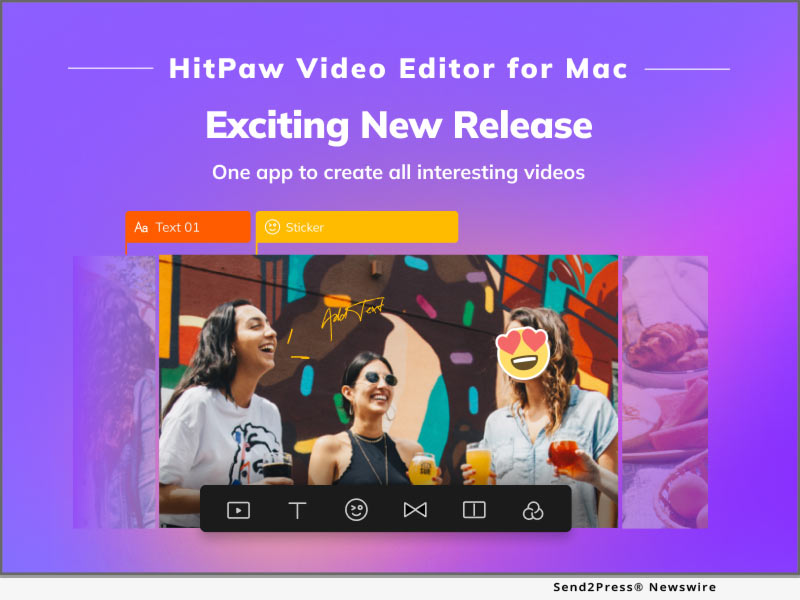
HitPaw Video Editor for Mac: A Wonderful Editing Experience on macOS

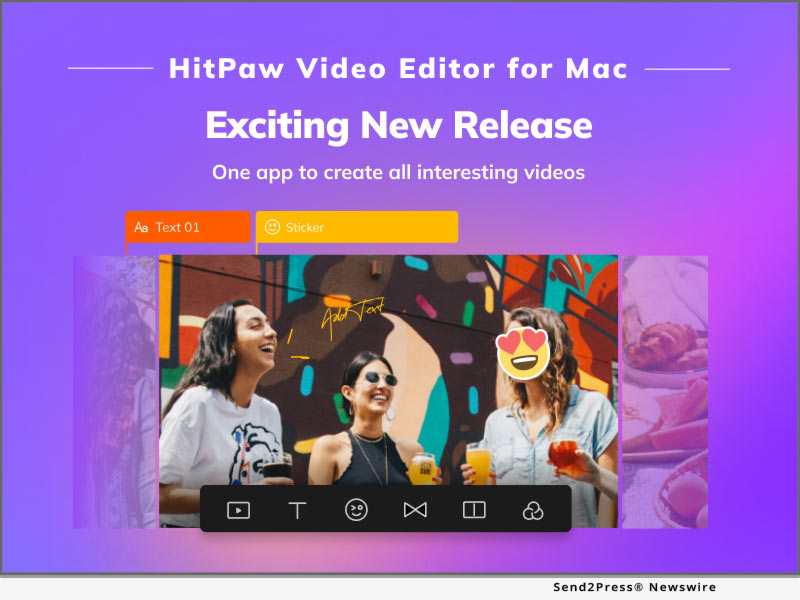
NEW YORK, N.Y. /ScoopCloud/ -- To meet a lot of demand from the customer and provide a high-quality user experience, HitPaw, as the leader in the video industry, has released HitPaw Video Editor for Mac. HitPaw Video Editor for Mac allows Mac users to enjoy editing videos with the user-friendly user interface and powerful editing features, like trim, merge, and rotate.

Want to know the features of the release? Let's get started!

1. Clean and User-friendly Interface

HitPaw Video Editor for Mac is aiming to help beginners edit videos like a pro, so a clean and simple user interface will lower the learning curve of beginners. Also, for those who are good at editing, HitPaw Video Editor for Mac's interface will improve their efficiency for editing work.

2. Abundant Editing Elements and Materials

There are luxuriant filters, stickers, and transitions that are built-in HitPaw Video Editor for Mac. Over 100+ filters, 500+ stickers, and 100 transitions can make video editing endless possibilities and fun. Furthermore, various text styles and audio resources are impressive elements to interact with the audience via visual sense and auditory sense.

3. Powerful and Efficient Editing Features

HitPaw Video Editor for Mac possesses every function that users need during video editing, including Trim, Rotate, Merge, Zoom, etc. If you want to simulate the camera movement or stabilize the picture due to the camera shake, Pan&Zoom will perfectly help you to do so. If you want to highlight the amazing moments when doing the sports, speed change will allow you to slow the picture so that audience will pay attention to every detail.

4. Support Various Formats

HitPaw Video Editor for Mac also supports diversified video formats like MP4, MKV, MOV, AVI, WMV, etc. Apart from the video format, it can not only support popular formats like MP3, WAV, and WMA, but also the lossless audio formats like FLAC, AAC, and M4a. Therefore, no matter which devices you are using to take video, HitPaw Video Editor for Mac can serve you well. Moreover, HitPaw Video Editor for Mac can export up to 4K resolution at 60 FPS videos.

Compatibility and Price

HitPaw Video Editor is now compatible with Mac OS (10.13 or above) and Windows 11/10/8/7(64-bit OS), its pricing starts from $35.95 USD for a month plan. For more price checking and information, you can visit https://www.hitpaw.com/purchase/buy-hitpaw-video-editor-mac.html.

About HitPaw

HitPaw is an emerging software company specialized in video editing, screen recording, watermark removing, image editing, photo enhancing meme-making, etc. We help users turn their inspiration into reality so that we can generate more ideas to make the world be full of more creativity.

To know more, you may visit https://www.hitpaw.com/about.html and https://www.hitpaw.com/.

Our Social Media

YouTube: https://www.youtube.com/channel/UCQwRggaotgiMcPbiCOsJeBA

Facebook: https://www.facebook.com/HitPawofficial

Twitter: https://twitter.com/HitPawofficial

Instagram: https://www.instagram.com/HitPawofficial/

Pinterest: https://www.pinterest.com/hitpawvideoeditor/

News from HitPaw

To meet a lot of demand from the customer and provide a high-quality user experience, HitPaw, as the leader in the video industry, has released HitPaw Video Editor for Mac. HitPaw Video Editor for Mac allows Mac users to enjoy editing videos with the user-friendly user interface and powerful editing features, like trim, merge, and rotate.

Related link: https://www.hitpaw.com/

This version of news story was published on ScoopCloud™ (ScoopCloud.com) - part of and © the Neotrope® News Network - all rights reserved.

Faster Conversion and Efficient Work with Updated HitPaw Video Converter Mac

NEW YORK, N.Y. /ScoopCloud/ -- A large number of video workers start using Apple devices like MacBook, iMac, and Mac Mini to process the work. To satisfy a large number of request that users would like to convert videos and audio file on Mac OS, HitPaw, as a pioneer in video industry, has released HitPaw Video Converter Mac version, which can serve Mac users well. Moreover, HitPaw optimized some features in order for users to have the best experience.

So what are the amazing features about HitPaw Video Converter Mac? Here I will take you through it that allows you to convert files on Mac with ease.

60X faster conversion without losing quality

HitPaw Video Converter improve the converting speed to the fastest among all video converters. With the Hardware Accelerations, it is 60x faster to convert a 100MB file than normal conversion, which only costs 30 seconds. Lossless Conversion assures that the video quality will remain the same during the converting process. Also, HitPaw Video Converter allows users to batch convert files so that users can save time to add and convert files one by one.

Ultrafast download from 10000+ websites

HitPaw Video Converter allows users to download videos from 10000+ streaming websites, including YouTube, Facebook, Instagram, and Vimeo. In order to decrease the downloading time and make users' work more efficient, HitPaw Video Converter release the Ultrafast Download that can increase the download speed. Users can download 720p, 1080p, and even 4K videos within seconds. Furthermore, you can also get two free downloads with trial version, giving you the sufficient experience before you make the purchase.

4K video player

HitPaw Video Converter supports to play 4K videos in a smooth way, which can invoke hardware and software to decoding the videos. 4K resolution is becoming the most popular resolution of videos. With playing 4K videos smoothly, users can convert and edit the 4K videos efficiently.

Compatibility and Price

HitPaw Video Converter is now compatible with Windows including Win11 and Mac OS. Its pricing starts from $19.95 per month, $39.95 per year to $69.95 for the lifetime. For more information checking, you can visit: https://www.hitpaw.com/purchase/buy-hitpaw-video-converter-mac.html

About HitPaw

HitPaw is an emerging software company specialized in files compressing, video editing, screen recording, watermark removing, image editing, photo enhancing, etc. We help users turn their inspiration into reality so that we can generate more ideas to make the world be full of more creativity.

To know more, you may visit https://www.hitpaw.com/about.html and https://www.hitpaw.com/

Our Social Media

YouTube: https://www.youtube.com/channel/UCQwRggaotgiMcPbiCOsJeBA

Facebook: https://www.facebook.com/hitpawofficial

Twitter: https://twitter.com/HitPawofficial

Instagram: https://www.instagram.com/hitpawofficial/

Pinterest: https://www.pinterest.com/hitpawvideoeditor/

News from HitPaw

A large number of video workers start using Apple devices like MacBook, iMac, and Mac Mini to process the work. To satisfy a large number of request that users would like to convert videos and audio file on Mac OS, HitPaw, as a pioneer in video industry, has released HitPaw Video Converter Mac version, which can serve Mac users well.

Related link: https://www.hitpaw.com/

This version of news story was published on ScoopCloud™ (ScoopCloud.com) - part of and © the Neotrope® News Network - all rights reserved.

Leading Technology STEVA powered by Stack Sports Helps lift Finland to First-Ever Olympic Hockey Gold

PLANO, Texas /ScoopCloud/ -- Finland just won their first Olympic Hockey Gold Medal at the Beijing 2022 Olympics. While everyone watched them play each game on the ice, what they didn't see was the behind-the-scenes preparation the team put into breaking down their opponents with STEVA - a live video breakdown and analytics tool powered by Stack Sports.

After the ROC team scored first, the Lions had an uphill battle to face, but after the equalizing goal in the second period the team knew it had the edge. With just 31 seconds off the clock in the 3rd period, the Finns pulled ahead on a deflection from Hannes Bjorninen and the bench erupted. "We controlled the puck. We controlled the game. We kept believing," defenseman Petteri Lindbohm said. That belief led the team to their first Gold Medal in team history.

In addition to an outstanding play on the ice, what you don't often see or hear about in the press or on television is how teams like the Finnish Men's team prepare and make in-game adjustments behind the scenes. In this era of heightened technology, video and analytics apps like STEVA are extremely important to professional teams, elite national teams, and top tier college teams.

"The most successful teams in the Olympics, the ones who compete at the top of their abilities and win medals, are taking advantage of tools like STEVA. In this hyper-competitive sport, video analysis is key to getting a team ready," said Jukka Jalonen, Head Coach for Finland. "The technology and level of support we get from the team at Stack Sports help us compete at the highest level."

STEVA and its sister tool GamePlan are available to all levels of play from elite high school sports to the professional ranks and include a number of key features:

* Analytics and Film Breakdown

* Mobile Distribution - Seamless mobile video distribution for online or offline viewing

* Side-by-Side Video/Document - Dynamically pair videos or a video/document combo side-by-side

* Video-to-Doc Embed - Attach video to documents to create a powerful and interactive film study experience

* Go Contactless - Sync up with your calendar and instantly distribute scouting reports, playbooks, travel itineraries, and more

* Team Messaging - Built-in direct messaging to individual players or groups, attach documents to messages, access chat history, and more

* Survey - Share surveys, quizzes, and flashcards to gain valuable insight and continue growing

* Video Telestration & Analysis - Write, draw, comment, and speak over video clips to streamline player development through advanced video analysis

* Reporting - Keep track of usage by athletes and monitor who is engaging regularly with your content

STEVA is Game Prep Made Easy. For more information on STEVA, GamePlan or Stack Sports, please visit: https://steva.stacksports.com/, https://gameplan.stacksports.com/ or https://www.stacksports.com/.

About Stack Sports

With nearly 50 million users in 35 countries, Stack Sports is a global technology leader in SaaS platform offerings for the sports industry. The company provides world-class software and services to support national governing bodies, youth sports associations, leagues, clubs, parents, coaches, and athletes. Some of the largest and most prominent sports organizations including the U.S. Soccer Federation, Little League Baseball and Softball, and Pop Warner Little Scholars rely on Stack Sports technology to run and manage their organizations. Stack Sports is headquartered in Dallas and is leading the industry one team at a time focusing on three key pillars -- Play, Improve, and Engage. To learn more about how Stack Sports is transforming the sports experience, please visit https://www.stacksports.com/.

News from Stack Sports

Finland just won their first Olympic Hockey Gold Medal at the Beijing 2022 Olympics. While everyone watched them play each game on the ice, what they didn't see was the behind-the-scenes preparation the team put into breaking down their opponents with STEVA - a live video breakdown and analytics tool powered by Stack Sports.

Related link: https://stacksports.com/

This version of news story was published on ScoopCloud™ (ScoopCloud.com) - part of and © the Neotrope® News Network - all rights reserved.

Website Copy Protection for All Media on All Devices

GYMPIE, Australia /ScoopCloud/ -- ArtistScope, a leading developer of DRM and copy protection software for more than 20 years, celebrates the 10th anniversary of the release of the ArtistScope Site Protection Software (ASPS) and the release of ArtisBrowser for all Windows, Mac, iOS and Android devices.

First released in 2011, ASPS creates a secure tunnel between the web server and the user's desktop that is only accessible by using the ArtisBrowser, a web browser specially designed to decrypt web pages and display them in the most securely copy protected scenario imaginable.

ASPS is an enterprise solution that requires a dedicated server or VPS for the rights and permissions to run at system level on Apache, Nginx and Windows IIS servers. However today VPS rental is much more economical and hosting plans can start from as little as $10/month which is not much more than most normal webhosting plans. Any web page can be encrypted for display in ArtisBrowser, regardless of its content and creation, whether static pages or dynamically created by popular CMS such as DNN, Drupal, Joomla, Moodle or WordPress.

ASPS encrypted web pages cannot be extracted even by packet sniffers. Nor can they be extracted from browser cache or memory. Only the ArtisBrowser can decrypt them for display while protecting them from all manner of copy, capture and exploit.

There is nothing else like ASPS because there is no other copy protection solution for web content that can be considered secure. All other solutions rely on web browsers that have been designed to do exactly the opposite by making all web media and content as easy to save, copy and download as possible.

It was only up until last year that ArtisBrowser was available for Windows only because other OS, especially those used by amusement devices like mobile phones, could not be as secure as the Windows version. But the demand for mobile phone support has increased and the ability to satisfy ArtisBrowser criteria has since improved.

Anyone who has intellectual property displayed online can benefit from the use of ASPS. It is used by large and small companies alike. However, the most common usage is for the copy protection of online course material that can include all manner of data, images, PDF and video. ASPS can be used with any learning management system (LMS). Moodle is most popular with universities and colleges because it caters from study levels through to course grading. However, Moodle is complex and a learning curve for most.

WordPress is an easier solution to use that can be already installed with economical hosting plans. LMS plugins such as LearnPress for WordPress have become most sophisticated and thus very popular with online tutors catering for students in lock down.

But it doesn't matter what the website content is because ASPS and the ArtisBrowser will most securely copy protect anything that can be displayed on a web page.

The bottom line: ArtistScope provides the most secure and robust copy protection for all online media.

For more information about ArtistScope Site Protection: https://artistscope.com/asps_web_site_protection.asp

Company information: https://artistscope.com/

VIDEO (YouTube): https://youtu.be/emyI4dgTNec

News from ArtistScope

ArtistScope, a leading developer of DRM and copy protection software for more than 20 years, celebrates the 10th anniversary of the release of the ArtistScope Site Protection Software (ASPS) and the release of ArtisBrowser for all Windows, Mac, iOS and Android devices.

Related link: https://artistscope.com/

This version of news story was published on ScoopCloud™ (ScoopCloud.com) - part of and © the Neotrope® News Network - all rights reserved.

HitPaw Video Editor: New Features for 2022 to Increase Editing Possibilities

NEW YORK, N.Y. /ScoopCloud/ -- To meet people's needs and make people having more fun in video making, HitPaw has proudly announced that HitPaw Video Editor has been updated with amazing features. HitPaw Video Editor puts emphasis on convenience that enables all creators to edit their videos with ease, regardless of their skill level, by providing their easy-to-master tools with a clean UI.

Want to know the features about update? Let's get started!

1 - Add Pan&Zoom Feature:

HitPaw Video Editor allows users to easily simulate the camera movement. Do you want a frame or a picture in the video to have a dynamic effect? Do you want to stabilize the picture because of the camera shake, so you don't have to remake? Pan&Zoom will definitely help you to perfectly done this kind of work.

2 - Add Auxiliary Line Tips:

With this feature, HitPaw Video Converter is aiming to assist users to make it more efficient and accurate to change the position of the video on the player. Sometimes, it is so time-consuming to put the picture to the position where you want. Auxiliary line tips will show when the picture is moving in the middle, on the top, at the bottom, and etc.

3 - Added 331 Stickers and 59 Filters:

Stickers as absolutely necessary elements make the video more interactive and enjoyable, and filters are the best medium to deliver the moods and emotions to the audience. HitPaw Video Editor added more than 300 popular stickers this time, which give users more options and combination to make the video unique, meaningful, and attractive.

4 - Optimized other items:

Apart from the features mentioned above, there are 13 items that are optimized with update, the most 3 incredible features including:

* Options for frame rate when you export a video;

* Angel tips when you are cropping the video;

* Color picker can pick the color wherever on the player.

Compatibility and Price:

HitPaw Video Editor is now compatible with Windows 11/10/8/7(64-bit OS) and its pricing starts from $29.95 USD for a month plan. For more price checking and information, you can visit https://www.HitPaw.com/purchase/buy-HitPaw-video-editor.html.

About HitPaw:

HitPaw is an emerging software company specialized in video editing, screen recording, watermark removing, image editing, photo enhancing meme-making, etc. We help users turn their inspiration into reality so that we can generate more ideas to make the world be full of more creativity.

To know more about HitPaw, you may visit https://www.HitPaw.com/about.html

Main Website: https://www.HitPaw.com/

Our Social Media:

YouTube: https://www.youtube.com/channel/UCQwRggaotgiMcPbiCOsJeBA

Facebook: https://www.facebook.com/HitPawofficial

Twitter: https://twitter.com/HitPawofficial

Instagram: https://www.instagram.com/HitPawofficial/

Pinterest: https://www.pinterest.com/HitPawvideoeditor/

News from HitPaw

To meet people's needs and make people having more fun in video making, HitPaw has proudly announced that HitPaw Video Editor has been updated with amazing features. HitPaw Video Editor puts emphasis on convenience that enables all creators to edit their videos with ease, regardless of their skill level, by providing their easy-to-master tools with a clean UI.

Related link: https://www.hitpaw.com/

This version of news story was published on ScoopCloud™ (ScoopCloud.com) - part of and © the Neotrope® News Network - all rights reserved.

Convert, Download and Edit 3-in-1 with HitPaw Video Converter

NEW YORK, N.Y. /ScoopCloud/ -- There are a number of video & audio formats for different devices. Some formats, like MP4, are more popular and commonly used, but some are only for special devices. Given this, HitPaw has released its new product- HitPaw Video Converter. As a tool to help you convert your video and audio to the more popular formats, which allow you easily share them or play on a special device.

So what are the features about HitPaw Video Converter? Here I will take you through it that allows you to convert your files with ease.

1. Convert video and audio

HitPaw Video Converter is designed to help people to convert the video and audio formats, so users can easily convert the MP4 video to MKV or M4A audio to MP3. HitPaw Video Converter supports more than 500 video formats and more than 300 audio formats. Moreover, you can choose which devices you want to play on, and the converter will automatically convert the file to the accurate file format.

2. Download video and audio from YouTube

HitPaw Video Converter also allows users download videos, audio, thumbnail, and subtitle from the streaming media. If you watch a funny video on the YouTube and want to save it to your devices, what you will do? Right now, you can use HitPaw Video Converter to download the video without losing quality from YouTube, Facebook, and Vimeo, etc.

3. Edit your video

Editing is another function of HitPaw Video Converter. Users can add the video/audio to the edit list after converting or downloading, which can make the file perfect by cutting and merging. With the hardware acceleration, it is faster than you think when you are exporting a batch of files.

Compatibility and Price:

HitPaw Video Converter is now compatible with Windows including Win11 and its pricing starts from $19.95 per month, $39.95 per year to $69.95 for the lifetime.

For more information checking, you can visit: https://www.hitpaw.com/purchase/buy-hitpaw-video-converter.html

About HitPaw:

HitPaw is an emerging software company specialized in files compressing, video editing, screen recording, watermark removing, image editing, photo enhancing, etc. We help users turn their inspiration into reality so that we can generate more ideas to make the world be full of more creativity.

To know more, you may visit

https://www.hitpaw.com/

https://www.hitpaw.com/about.html

Our Social Media:

YouTube: https://www.youtube.com/channel/UCQwRggaotgiMcPbiCOsJeBA

Facebook: https://www.facebook.com/hitpawofficial

Twitter: https://twitter.com/HitPawofficial

Instagram: https://www.instagram.com/hitpawofficial/

Pinterest: https://www.pinterest.com/hitpawvideoeditor/

News from HitPaw

There are a number of video & audio formats for different devices. Some formats, like MP4, are more popular and commonly used, but some are only for special devices. Given this, HitPaw has released its new product- HitPaw Video Converter.

Related link: https://www.hitpaw.com/

This version of news story was published on ScoopCloud™ (ScoopCloud.com) - part of and © the Neotrope® News Network - all rights reserved.

HitPaw Christmas Promotion 2021 Provides Up to 50% OFF!

NEW YORK, N.Y. /ScoopCloud/ -- As a brand committed to providing software that can make our digital life more interesting and easier, HitPaw is on their way to fulfill this idea. For the most important festival of the year, HitPaw also offers the best deals of its products as Christmas gifts. The up to 50% off offer starts from December 14, 2021 to January 6, 2022.

So: let's go and explore what is in the biggest Christmas gift package!

:: 1 - Free Win Gifts - For the lucky people

Are you interested in editing your life segments and making a meaningful video? Do you feel anxious when there is no storage room to save your memorable videos and photos? Go to the event page, click the button and share the post to your Facebook or Twitter to get the free gifts from HitPaw! Gifts include:

* $200 Amazon Gift Card

* $20 Amazon Gift Card

* $10 Amazon Gift Card

* 1-month free HitPaw Video Editor

* 1-month free HitPaw Video Compressor

* $5 Coupon code

:: 2 - Save 50% on your order - The best creators' bundle

Want to create a video with movie-class transitions? Want to record games, screen, webcam or record webcam and games at the same time, but can't find a suitable one that contain all these features? Want to reduce your image or video size without losing the quality while saving storage of your devices? Here is your great chance! HitPaw's creator's bundle helps every creator to save their money and time to make a choice. You can have them all!

Now you can get HitPaw Video Editor, HitPaw Screen Recorder, and HitPaw Compressor for 1 month at 50% Off. The final price of the bundle is $26.46!

:: 3 - 30% OFF Discounts - For Hot Star Products

None of the above attracts you? No worries! Every best-selling product of HitPaw has a 30% OFF discount and you can enjoy these products at a reasonable and affordable price.

* Get HitPaw Video Editor Yearly at $27.96

* Get HitPaw Screen Recorder Yearly at $20.99 for Win / $20.99 for Mac

* Get HitPaw Photo Enhancer Yearly at $20.99

* Get HitPaw Compressor Yearly at $13.99

* Get HitPaw Toolkit Yearly at $13.99 for Win / $20.99 for Mac

* Get HitPaw Watermark Remover Yearly at $9.99 for Win / $19.99 for Mac

About HitPaw:

HitPaw is an emerging software company specialized in video editing, screen recording, watermark removing, image editing, photo enhancing, etc. We help users turn their inspiration into reality so that we can generate more ideas to make the world be full of more creativity.

To know more, you may visit https://www.HitPaw.com/about.html

Home page: https://www.HitPaw.com/

Our Social Media:

YouTube: https://www.youtube.com/channel/UCQwRggaotgiMcPbiCOsJeBA

Facebook: https://www.facebook.com/HitPawofficial

Twitter: https://twitter.com/HitPawofficial

Instagram: https://www.instagram.com/HitPawofficial/

Pinterest: https://www.pinterest.com/HitPawvideoeditor/

News from HitPaw

As a brand committed to providing software that can make our digital life more interesting and easier, HitPaw is on their way to fulfill this idea. For the most important festival of the year, HitPaw also offers the best deals of its products as Christmas gifts. The up to 50% off offer starts from December 14, 2021 to January 6, 2022.

Related link: https://www.hitpaw.com/

This version of news story was published on ScoopCloud™ (ScoopCloud.com) - part of and © the Neotrope® News Network - all rights reserved.

MarkGo Watermark Remover V2.2.0 Helps Remove Date Stamp from Photo

NEW YORK, N.Y. /ScoopCloud/ -- iMyFone announced the release of MarkGo Watermark Remover version 2.2.0 with 3 new removing modes: Matte Filling, Color Filling, Gaussian Blur and Edge Filling, Texture Repair, and Smooth Filling for photo stamp removal. You can remove any unwanted objects from photo by MarkGo, like time stamp etc. MarkGo will support remove people from photo in the next version. It is impossible to find any of these features in a competitive product.

MarkGo Watermark Remover 2.2.0

Curious about these new features? Go ahead with us.

1. Matte Filling

As in Photoshop, matte filling is the equivalent of stamp clone. The watermark can be removed from your video by copying the content of the selected part and covering the watermark with it. Although a complex background is behind the watermark, it can produce great results nonetheless.

matte filling have the best remove watermark effect in those three removing modes. It is not free to use, you need buy the license to active this new removing mode. You can easily remove date stamp from photo by matte filling method.

2. Color Filling

You can cover the watermark using Color Filling by detecting what color other parts use. Watermarks on single-color backgrounds can be erased from video in this way without blur. You can select which photo color to use, and filling the area you want to remove watermark.

3. Gaussian Blur

The watermark on your video can be successfully removed by blurring it. Blurring is universally applicable. Your video watermark will have a greater impact if it has a white background with few elements. Gaussian Blur will have good effect when you remove time stamp from video. Many video editors have Gaussian Blur effect.

Compatibility and Price:

MarkGo Watermark Remover can work on Windows 11/10/8/7 64 bits and macOS 10.13 or later version.

Here is the price list for Windows and Mac:

MarkGo Watermark Remover for Windows/Mac

$9.99/month

$14.99/year

$29.99/lifetime

LEARN MORE: https://filme.imyfone.com/watermark-remover/

About iMyFone:

iOS and Android devices, as well as Windows PCs and Macs, are supported by iMyFone. Using our products, people can recover lost data, unlock iPhones and Android phones, and fix other system problems. Moreover, our products also cover data transfer, data backup & restore, data cleaner, etc.

iMyFone also released voice changer for discord MagicMic Voice Changer https://filme.imyfone.com/voice-changer/

Check more via https://filme.imyfone.com/video-editor/

News from IMyfone

iMyFone announced the release of MarkGo Watermark Remover version 2.2.0 with 3 new removing modes: Matte Filling, Color Filling, Gaussian Blur and Edge Filling, Texture Repair, and Smooth Filling for photo stamp removal. You can remove any unwanted objects from photo by MarkGo, like time stamp etc. MarkGo will support remove people from photo in the next version. It is impossible to find any of these features in a competitive product.

Related link: https://www.imyfone.com/

This version of news story was published on ScoopCloud™ (ScoopCloud.com) - part of and © the Neotrope® News Network - all rights reserved.

iTop Screen Recorder 2.0: Featuring High FPS Gameplay Recording in 4K UHD Quality with No lagging

SAN FRANCISCO, Calif. /ScoopCloud/ -- iTop today announces the official release of iTop Screen Recorder 2.0, an advanced PC screen recorder offering an extra smooth video recording experience and supporting 4K UHD video quality. Not only does it bring the game recording to a professional level by applying GPU encoding technology but it also enhanced the smoothness and convenience in every step of the screen recording.

iTop Screen Recorder is a lightweight Windows PC screen recorder featuring easy operation steps, flexible recording options and original graphical video quality. In the new version, the game recording performance is largely enhanced by adopting advanced GPU rendering & encoding technology. Gamers will no longer face lagging nor frame dropping when recording during gameplay, even when it comes to the high-performance games at up to 120 FPS.

What's more the newly added HUD(heads-up display) feature enables gamers to grasp the current FPS and other information transparently relayed on the screen. iTop Screen Recorder 2.0 is also friendly to users who record in online meetings, courses or web streaming. Users can easily switch among "record PC screen," "record high-performance games" and "record audio files only" modes for specific scenarios within a second.

iTop Screen Recorder 2.0 has become a complete solution for desktop recording. The in-built video editing program is greatly optimized building on a 64-bit Windows system, making cutting and trimming more precise and accurate. Video, audio and screenshot files are saved and clearly displayed on the interface for users to swiftly pick whatever files they need to create final works. Moreover, the graphical quality of the saved videos reflects the original definition up to 4K UHD quality. iTOP Screen Recorder 2.0 is compatible with all Windows versions, including the newly released Windows 11 and Windows 10, 8/8.1, 7, Vista, and XP systems.

If you are already an iTop Screen Recorder user, you can update within the software. If you want to have an easy and great screen recorder, try https://recorder.itopvpn.com/?from=pr.

About iTop

Founded in 2016, iTop provides applications on Windows, Android, iOS and Mac devices with the vision of making reliable software to achieve better digital life. iTop Screen Recorder is a very popular Windows PC screen recorder that has been downloaded by 8 million+ users worldwide. The recorder has a simple interface and integrates a built-in editor that helps users get video recordings easier, faster and clearer in original or up to 4K UHD quality.

News from ITop

iTop today announces the official release of iTop Screen Recorder 2.0, an advanced PC screen recorder offering an extra smooth video recording experience and supporting 4K UHD video quality. Not only does it bring the game recording to a professional level by applying GPU encoding technology but it also enhanced the smoothness and convenience in every step of the screen recording.

Related link: https://recorder.itopvpn.com/

This version of news story was published on ScoopCloud™ (ScoopCloud.com) - part of and © the Neotrope® News Network - all rights reserved.

Reduce Image and Video Size with HitPaw Compressor

NEW YORK, N.Y. /ScoopCloud/ -- Due to the limited storage space of your phone and the size limitations of some social networks, you may find it hard to store the image or video you captured with your phone or camera in their original sizes on your device or post them to the Internet. Given this, HitPaw has released its new product- HitPaw Compressor.

As a tool to help you reduce the size of your image or video, HitPaw Compressor aims at saving space with an acceptable loss in quality.

So what are the features about HitPaw Compressor? Here I will take you through it that allows you to compress your files with ease.

1 - Compress Image & Video Effortlessly

HitPaw Compressor is designed to help people reduce the size of files so that they can be stored on the device or uploaded to the social media. It allows you to downsize your image or video easily while in the meantime, you can choose the quality and format you want before compressing.

2 - Shrink Image Files

In the Image part, users can add image in jpg, png, bmp, gif format to begin their process. 5 files are allowed to be uploaded and compressed at the same time in the free trial. For those who need to process more pictures, you may purchase the application for more services. After the HitPaw Compressor has done its work, users can see the "state" about how much space has been saved. What's more, users can also check the comparison pictures and the location of the processed files in the "Operation" column.

3 - Downsize Video Files

In the Video part, formats such as MP4, WMV, AVI, FLV, MOV, MKV are supported. Similarly, 5 files are allowed to be chosen and processed at the same time and to enjoy more services like being able to adjusting the FPS, the resolution, etc., you may purchase it. The highlight is that the file size of the uploaded one is not restricted, which means users can compress any video of any length they like.

When HitPaw Compressor has done its work, users can see the "state" shows how much space has been saved as well as some other information about the file. And the format for output is optional.

Compatibility and Price

HitPaw Compressor is now compatible with Windows 11 and its pricing starts from $12.99 per month, $19.99 per year to $29.99 for the lifetime.

For more information checking, you can visit https://www.hitpaw.com/purchase/buy-hitpaw-compressor.html.

About HitPaw

HitPaw is an emerging software company specialized in files compressing, video editing, screen recording, watermark removing, image editing, photo enhancing, etc. We help users turn their inspiration into reality so that we can generate more ideas to make the world be full of more creativity. To know more, you may visit https://www.hitpaw.com/about.html

Our Social Media:

YouTube: https://www.youtube.com/channel/UCQwRggaotgiMcPbiCOsJeBA

Facebook: https://www.facebook.com/hitpawofficial

Twitter: https://twitter.com/HitPawofficial

Instagram: https://www.instagram.com/hitpawofficial/

Pinterest: https://www.pinterest.com/hitpawvideoeditor/

LEARN MORE AT: https://www.hitpaw.com/

News from HitPaw

Due to the limited storage space of your phone and the size limitations of some social networks, you may find it hard to store the image or video you captured with your phone or camera in their original sizes on your device or post them to the Internet. Given this, HitPaw has released its new product- HitPaw Compressor.

Related link: https://www.hitpaw.com/

This version of news story was published on ScoopCloud™ (ScoopCloud.com) - part of and © the Neotrope® News Network - all rights reserved.

Adding 60 Text-to-Speech Voices, Narakeet Enables Educators To Easily Create Video Lessons in Regional Dialects

WOKING, U.K. /ScoopCloud/ -- Remote and virtual learning environments are putting educators under pressure to create engaging video materials, yet few teachers have the equipment or skills to record professional audio. Adding 60 new voices, Narakeet this week enabled educators to easily create video lessons and voiceovers in 40 languages and regional dialects.

NCTQ studies found that teachers spend 45 minutes on average planning lessons. Having to record audio and edit videos puts additional pressure on already busy schedules, often requiring hours of extra work per day. Neural AI text-to-speech systems, with natural sounding voices, offer a compelling alternative to recorded audio, cutting preparation time from hours to minutes. Until recently, AI voices only represented major language variants, limiting the effectiveness of this approach. According to Statista research, accent or dialect issues are the second biggest barrier to adoption for voice technology in 2021, affecting 66% of respondents.

"Students like to hear voices that sound like them. They engage better with content in regional dialects. Using our new voices, educators can make video lessons that speak to their audience much more effectively," said Gojko Adzic, founder of Narakeet.

Narakeet is a text-to-speech video maker that turns PowerPoint slides into narrated videos. This week's update brings support for English variants including South African, Irish, Nigerian and Filipino voices; French with Swiss, Canadian and Belgian dialects; Spanish with Mexican and Puerto Rican variants and improved Brazilian Portuguese and Indian English.

"Combined with the recent addition of Swiss German and New Zealand English, Narakeet now has a rich collection of local dialects in many popular languages, and one the largest collections of neural text-to-speech generators," said Adzic. "Some of our competitors may offer a larger list of options, but they include older technology which cannot mimic human speech, and often provide the same voice with regional variants. Narakeet does not reuse voices across local variants, so each voice is unique."

According to MarketsandMarkets research, the text-to-speech market was valued at USD 2.0 billion in 2020 and is estimated to reach USD 5.0 billion by 2026, driven by the rising demand for handheld devices and increased investment in government spending on education. The COVID-19 pandemic caused a significant growth in demand for cloud-based solutions, especially important for schools as they shifted from in-person education to remote, virtual learning environments and mixed educational models.

For more information, check out https://www.narakeet.com/

MULTIMEDIA:

VIDEO (YouTube): https://youtu.be/NI1ZkammTRE

RELATED LINKS

https://www.narakeet.com/docs/powerpoint/

News from Narakeet

Remote and virtual learning environments are putting educators under pressure to create engaging video materials, yet few teachers have the equipment or skills to record professional audio. Adding 60 new voices, Narakeet this week enabled educators to easily create video lessons and voiceovers in 40 languages and regional dialects.

Related link: https://www.narakeet.com/

This version of news story was published on ScoopCloud™ (ScoopCloud.com) - part of and © the Neotrope® News Network - all rights reserved.

FlexClip Expands Its Suite of Tools to Make Tutorial Videos in a Few Easy Steps

HONG KONG /ScoopCloud/ -- Millions of people around the world access tutorial videos to learn skills ranging from baking to mechanics. PearlMountain, a multimedia software development company launched in 2006, has expanded the functionality of its popular FlexClip video creation solution to include a tutorial video maker. Now anyone can make tutorial videos with customizable templates, animations, and over 1 million video and audio clips.

"Adding an online tutorial video maker to our suite of FlexClip tools significantly reduces the time and effort needed to produce a video," said Lin Xiao, CEO and founder of FlexClip. "Users can transform text and images into animated tutorial videos for any audience. Don't just tell audiences how to do - show them."

Online tutorials are utilized for far more than furniture assembly instructions. They're an important tool for educational purposes and sharing inspirational and motivational messages. Tutorial videos are equally beneficial for businesses to demonstrate how their products and services work. Social media influencers use them for makeup tutorials and brand awareness, but the vast number of video tutorials are made by people that simply like to help others.

Users of FlexClip tutorial video maker can choose a custom template, with complete control over every detail of the video tutorial creation process. Individuals can also choose to begin their tutorial video with a blank canvas and use their own digital assets. A special feature of this tutorial video maker is its built-in screen recorder, enabling users to directly record step-by-step actions using FlexClip and to edit the screencast without leaving the site.

Tutorial videos attract attention in a compelling way. FlexClip's tutorial video maker allows individuals to add any combination of animations, arrows and text boxes, graphics, effects, logos, and voice overs, along with subtitles to reach a global audience. Users can quickly and easily make tutorial videos, without any special skill or training, and share it on social media, their website, or use it in marketing campaigns.

The addition of the tutorial video maker to FlexClip's array of tools enables anyone to share their expertise, teach, inspire, motivate, or create brand awareness for their business. FlexClip is a powerful resource that individuals can try for themselves for free.

Learn more: https://www.flexclip.com/learn/tutorial-video.html

About FlexClip

FlexClip, a browser-based video maker platform developed by PearlMountain Limited, provides one-stop video services that help novice users and professionals make tutorials, video trailers, explainer videos, presentations, social media videos, etc. with ease. FlexClip is used and loved by millions of people around the globe.

For more information, please visit https://www.flexclip.com/ or connect with FlexClip on Facebook, Twitter and YouTube.

MULTIMEDIA:

*IMAGE link for media: https://www.Send2Press.com/300dpi/21-0707s2p-flexclip-300dpi.jpg

News from PearlMountain Limited

Millions of people around the world access tutorial videos to learn skills ranging from baking to mechanics. PearlMountain, a multimedia software development company launched in 2006, has expanded the functionality of its popular FlexClip video creation solution to include a tutorial video maker.

Related link: https://www.pearlmountainsoft.com/

This version of news story was published on ScoopCloud™ (ScoopCloud.com) - part of and © the Neotrope® News Network - all rights reserved.

PassFab Releases its New ‘Screen Recorder’ Software to Record Any Screen on Computer

NEW YORK, N.Y. /ScoopCloud/ -- PassFab has proudly announced the launch of an all-new and remarkable screen recording software called PassFab Screen Recorder. The software simply enables its users to record any screen on their computer with ease and it offers a wide range of great features and benefits.

Moreover, PassFab Screen Recorder is a useful digital tool that can benefit everyone from the students recording a teaching video to the gaming community recording their online gaming session and the sports fans worldwide recording a live game.

"We are pleased to announce the launch of PassFab Screen Recorder for everyone, and we are grateful to our growing number of users for their overwhelming response to all our PassFab products and tools," said the CEO of PassFab, while talking about the software. "PassFab Screen Recorder is being launched as the best screen recording software in the market, and we are offering a trial version on our website so that our valued users can test the software by themselves for free," he added.

MAIN FEATURES

1. Picture in Picture

PassFab Screen Recorder can record your webcam and your computer screen simultaneously. With this function, the reaction of making game commentary and entertainment videos becomes easier. This tool compatible with all webcam, microphone and speaker devices. 16 Picture in Picture position options for users that they can customize the PIP size and set webcam and screen positions easily.

2. Record Screen

Users can choose the Record Screen mode with one-click start to record the screen. It is extremely easy to use. Meanwhile it also can edit and modify the recorded video.

3. Record Webcam

Users use PassFab Screen Recorder to capture amazing product demos that they can share with followers and friends. Record their live and share the link so others can watch it!

Pricing and Availability

Users can enjoy all functions for free but the video is watermarked. While they can also regist it for their computers with a monthly subscription at the affordable prices of $14.99, respectively. The registered version has all the features of this software and does not have a video watermark.

Buy Now: https://www.passfab.com/purchase/buy-passfab-screen-recorder.html

About PassFab

PassFab was founded in 2010 as a leading password recovery tool developer, and it has now expanded to a range of software and online tools to make the lives of its users easier worldwide. The digital platform is known worldwide for a wide range of software and online tools that are being used and trusted by millions of users worldwide.

More information: https://www.passfab.com/

Facebook: https://www.facebook.com/passfab/

Twitter: https://twitter.com/passfab

YouTube: https://www.youtube.com/passfab

Instagram: https://www.instagram.com/passfabsoftware/

News from PassFab

PassFab has proudly announced the launch of an all-new and remarkable screen recording software called PassFab Screen Recorder. The software simply enables its users to record any screen on their computer with ease and it offers a wide range of great features and benefits.

Related link: https://www.passfab.com/

This version of news story was published on ScoopCloud™ (ScoopCloud.com) - part of and © the Neotrope® News Network - all rights reserved.

HitPaw Screen Recorder Simplifies Process for Educators, Gamers, Bloggers or Any Other Content Creators to Make Videos

NEW YORK, N.Y. /ScoopCloud/ -- HitPaw releases a new software - HitPaw Screen Recorder. With its easy-to-use UI, all beginners can use it without any hassle.

So, what are the features and advantages of HitPaw Screen Recorder? Here is the overview to check.

1 -- Three Recording Modes

Record Screen - Capture the part creators want to record. Drag the selection and adjust the capture area size. With the magnifier, creators can locate at the accuracy position.

Record Webcam - Put creators' faces on the video is necessary when creators record online courses, reactions videos, study videos, etc. HitPaw Screen Recorder not only can record creators' face, but also support change creators' camera, its resolution, FPS and mirror the video.

Picture in Picture - Record picture in picture means that creators can record creators' screen and face at the same time. It has 4 options: Screen+Webcam, Webcam+Screen, Webcam, Screen and allows creators to switch any time. It also can change the PIP position and size based on creators' needs.

2 -- Capture Mouse and Keyboards

Capture Mouse - Capture creators' mouse lets video watchers understand what part creators are talking about. With the mouse effect setting, it can make the mouse clearer and more interesting.

Capture Keyboards - Open "Capture Keyboards", it allows video viewers know clearly what actions creators are doing on the keyboard. It is also available to change its color.

3 -- Segment Saving

Segment saving in HitPaw Screen Recorder helps creators auto save the recorded video in every 30 mins or the duration creators set.

4 -- Hardware Acceleration

Hardware acceleration enhances HitPaw Screen Recorder working speed on creators' computers.

Price and Compatibility

There are three price plans for HitPaw Screen Recorder. They are $14.99/month, $29.99/quarter, and $49.99/year. You can check the price via https://www.hitpaw.com/purchase/buy-hitpaw-screen-recorder.html.

Now, the first version of HitPaw Screen Recorder is only compatible with Windows 7/8/10 64 bit. A Mac version will come in 2 months.

About HitPaw

HitPaw is an emerging software company specialized in video editing, image editing, meme making, etc. Check more via https://www.hitpaw.com/about.html

Our Social Media

YouTube: https://www.youtube.com/channel/UCQwRggaotgiMcPbiCOsJeBA

Facebook: https://www.facebook.com/hitpawofficial

Twitter: https://twitter.com/HitPawofficial

Instagram: https://www.instagram.com/hitpaw_video_editor/

Pinterest: https://www.pinterest.com/HitPawvideoeditor/

LEARN MORE AT: https://www.hitpaw.com/

News from HitPaw

HitPaw releases a new software - HitPaw Screen Recorder. With its easy-to-use UI, all beginners can use it without any hassle. The first version of HitPaw Screen Recorder is only compatible with Windows 7/8/10 64 bit. A Mac version will come in 2 months.

Related link: https://www.hitpaw.com/

This version of news story was published on ScoopCloud™ (ScoopCloud.com) - part of and © the Neotrope® News Network - all rights reserved.

CopySafe Video 7.0 Released for Professional Video Publishers

GYMPIE, Australia /ScoopCloud/ -- ArtistScope, a leading developer of copy protection for more than 20 years, has released a new version of CopySafe Video Protection. This new version is especially designed for professional video publishers and includes desirable features that enable them to distribute the highest quality video with the most effective protection from all avenues of piracy and exploit. In essence, it protects their livelihood.

Enhancements include a new video encryption algorithm that increases the file size after encryption by no more than a few KB, even on extremely large files. No compression is used to achieve that, so there is absolutely no loss of quality. When compared to the original, nothing is changed. With this new encryption algorithm, decryption by the client is almost immediate and consumes no computer resources, enabling authors to distribute video files of one GB and more.

Another unique feature of CopySafe Video Protection is that it can be viewed from different sources - desktops and online from web pages. In fact, there's no other solution that can effectively display copy-protected video on web pages. Typically, viewing encrypted video online requires that the file complete downloading before it can be decrypted for viewing. CopySafe Video Protection has special buffering so huge video files can start playing online almost immediately.

While CopySafe Video is impossible to screen record when played on a desktop and online, optional watermarking is included to prevent the recording of screens using video recording cameras. When DRM is applied, the user's name, account number and date can be displayed on the video, providing a powerful deterrent for copy and redistribution. When displayed from a website, the watermark will show the same user details as if logged on, otherwise their IP address and date will be displayed.

Publishers can distribute CopySafe Video with embedded protection via shared passwords, or they can distribute with DRM that locks each user's access to the video to their computer. This makes it impossible to share the video, even when sharing passwords.

"CopySafe DRM is most unique in that it can provide DRM for both online and offline viewing," says ArtistScope founder and CEO, William Kent. "For offline, the user can collect DRM tokens after logging into their DRM account. Online DRM is a live, call-to-home validation request that gives publishers 'total control' over all aspects, with immediate effect on any changes made, even to video files already saved to the user's computer or still out in the wild on disk."

Publishers can also manage DRM from an online control panel that's provided with every CopySafe Video Encoder software license. Such DRM accounts are unlimited in the number of videos, subscribers and groups that can be managed and DRM accounts are free forever. Free support and upgrades are also included for life with the one-time purchase of US$295.

The CopySafe Video Encoder will encrypt single video files or in batches by folder selection, catering to all types of video file formats including ASF, AVI, MKV, MP4 and WMV.

CopySafe Video Protection requires a Windows computer; however, the encoder and player are supported on all versions of Windows including XP.

The bottom line: CopySafe solutions provides the most secure and robust media copy protection.

For more information about CopySafe Video Protection: https://artistscope.com/copysafe_video_protection.asp

Company information: https://artistscope.com/

VIDEO (YouTube): https://youtu.be/fEpfA1iDjjU

News from ArtistScope

ArtistScope, a leading developer of copy protection for more than 20 years, has released a new version of CopySafe Video Protection. This new version is especially designed for professional video publishers and includes desirable features that enable them to distribute the highest quality video.

Related link: https://artistscope.com/

This version of news story was published on ScoopCloud™ (ScoopCloud.com) - part of and © the Neotrope® News Network - all rights reserved.

Indigo in Motion: long-time studio is in high gear and on a new path

ATLANTA, Ga. /ScoopCloud/ -- For more than 20 years Indigo Studios has been creating beautiful CGI content for its long-standing clients like Caterpillar, Ford, Daimler AG and Hasbro, to name a few. Once again, Indigo has pushed the creative bar even further by launching Indigo in Motion, a dedicated motion design and VFX platform in their Atlanta offices, with the studio's Detroit, Chicago and London offices supporting the charge.

A link to our latest reel can be found here: https://indigostudios.com/reel/

Indigo's goal is to become one of the leaders in motion for the automotive and other industries needing creative storytelling.

"When we commit to a new offering for our clients, we don't do it halfway," said Peter Stamos, CEO of Indigo Studios. "Our clients are part of our family. And we're an extension of their marketing teams. So, it's only natural for us to make big decisions like this one, with them in mind."

Building and investing in the studio's infrastructure pipeline was a large part of this venture for Indigo. But that was only half of the investment. "We knew that if Indigo in Motion was going to be successful, we would need to bring on board some of the very best artists in the business," Stamos said. "So, that's what we did."

Indigo hired Felipe Roque, a seasoned artist in CGI and 3D, and a solid leader in the automotive sector. "Felipe was a must-have for us," said Indigo's Director of CGI Chris Clor. "To call him a 'car enthusiast' is selling it short. This guy, lives and breathes automobiles - and that dedication is reflected in his art."

Also added to the Indigo in Motion roster are Senior 3D artists Corin Segar and Dariusz Macowski, with decades of combined automotive experience.

Stamos is quick to note that the changes to his studio are added services and not replacement services. "We've invested in motion but we're still in the business of making beautiful CGI stills," he said. "Client demand is high in both areas and we're pleased to provide our expertise in both. Now, we're simply offering a whole new opportunity for our current clients and for clients to come."

Founded in 1996, Indigo Studios is headquartered in Atlanta, GA with offices in Chicago, Detroit and London, England. With services that include production, CGI, animation, motion design, VFX, retouching and experiential, Indigo Studios is always looking for what's at the heart of an experience and expressing it, picture perfect. Because, Indigo believes the best way to tell a good story is to tell it beautifully.

Learn more at: https://indigostudios.com/

*LOGO link for media: https://www.Send2Press.com/300dpi/21-0414s2p-indigostudioslogo-300dpi.jpg

News from Indigo Studios LLC

For more than 20 years Indigo Studios has been creating beautiful CGI content for its long-standing clients like Caterpillar, Ford, Daimler AG and Hasbro, to name a few. Once again, Indigo has pushed the creative bar even further by launching Indigo in Motion.

Related link: https://indigostudios.com/

This version of news story was published on ScoopCloud™ (ScoopCloud.com) - part of and © the Neotrope® News Network - all rights reserved.

InVideo Launches IVA – The Only Voice Assistant Artificial Intelligence Editor in Existence That’s Set to Revolutionize Video and Film Creation Globally

MUMBAI, India /ScoopCloud/ -- InVideo, a leading video content creation platform, today announced the launch of its groundbreaking AI technology called IVA, that's about to bring content creators and film and video makers into the 22nd Century.

Following in the footsteps of Siri and Alexa before her, the tool has been created using the speech and thought patterns of the human brain so users can create videos without lifting a finger.

It's been created by InVideo, the video editing, and creation platform.

IVA (Intelligent Video Assistant). is a video editing feature powered by artificial intelligence (AI) and is based on the platform's inbuilt assistant.

The latest addition will allow InVideo users to edit videos with just their voice.

Commenting at the launch, the CEO of InVideo, Sanket Shah said: "We are excited to introduce a feature that will change the way our users edit their content on InVideo.

"It's a one-of-a-kind AI video maker that will operate on the voice command, thus making video editing possible without lifting a finger."

He adds: "InVideo has one vision - make video creation accessible to the world, no matter where you live, what device you use, and what Internet speed you have. With IVA, we are many steps closer to our north star metric."

Prila Loof who works with the AI Technology Division of InVideo said: "IVA works by using machine-learning algorithms and neural networking that are a direct copy of the human brain's pathways.

"Once you have given InVideo permission to use the microphone you can speak directly to IVA. Within a couple of minutes, the video is created."

With the help of the voice assistant video editor, users can now easily create, edit, add music, define speed, suggest the most relevant templates, and create many such voice commands, thus proving to be their best partner in video editing.

For instance, users can just tell IVA to suggest the best audio for their created video with a simple voice command such as, "Hey IVA, find me the best audio track for this promo video", and their work is done.

The company has already rolled out a BETA version of its service, which is running sign-ups for its launch until midday Indian Standard time on April 1, 2021.

Steve Gast, from Chicago, Illinois, was one of the first to use the "look no hands" platform. He said: "It's so fast! This is such a crazy feature. It's going to change the game."

Teresa Sanderson, from the U.S., created a baby shower announcement in a matter of seconds. She said: "It's like she can read my mind. It's like you have an assistant with you all the time."

Bridgetti Lim Banda from Cape Town, Western Cape, was one of the first to use the new "look no hands" video platform. She said: "It's exciting. I was so impressed. All I needed to do was export it and talk to the app. It's groundbreaking stuff."

David Withington, from Wigan, England, used it to make a birthday video for his wife: "It's brilliant. I can't wait for the new video platform to go live so everyone can use it. I'm really chuffed with this and I think my wife will as well. It's like we're in the future. It's a magnificent feature."

The latest addition takes the user experience a step forward, with a memory feature. Users can now have their favorite fonts, alignment styles, font colors, and all other preferences saved in IVA's memory, by just telling her once.

She has skilled machine-learning algorithms and neural networking helps her generate a better experience for her users.

IVA's intelligence was created using data from over 2 million of InVideo's current users, and 10 million created videos.

It has 10,000 font style choices, 10 platform preferences, proficiency calculations, and targets.

She filters the information into thousands of lines of code that are constantly updating with every action of her users, to make their experience smoother and faster than ever.

Users can get on the waitlist for early access to the feature at https://iva.invideo.io/ until midday April 1st Indian Standard time.

About InVideo:

InVideo.io is the world's first watermark-free video editor that makes video creation easy, quick, and flexible online. The platform helps create professional and creative videos while cutting across barriers such as a user's geographical location, language, type of device they use, and even their internet speed. The application helps create and edit videos online with zero barriers.

InVideo's vision reflects in the generous pricing plans and in the easy-to-use product with 4000+ video templates and 8mil+ strong media library, that includes the world's best stock footage online, like iStock.

InVideo raised a $15 million Series A from Sequoia Capital India. Tiger Global, Hummingbird, RTP Global and Base also participated in the round that was closed in October 2020.

Furthermore, InVideo is the only company in India, today, with users from as many countries in the world (195+). The company is truly spearheading the growth of prosumer SaaS in India.

Video of Sansket Shah Showcasing How IVA works: https://youtu.be/ElNkEpi0n8c

*PHOTO link for media: https://www.Send2Press.com/300dpi/21-0331s2p-invideo-iva-300dpi.jpg

News from InVideo

InVideo, a leading video content creation platform, today announced the launch of its groundbreaking AI technology called IVA, that's about to bring content creators and film and video makers into the 22nd Century.

Related link: https://invideo.io/

This version of news story was published on ScoopCloud™ (ScoopCloud.com) - part of and © the Neotrope® News Network - all rights reserved.