NEW YORK, N.Y. /ScoopCloud/ -- It is noted that WhatsApp will notify older makes of iPhones and Android phones with a warning message before WhatsApp stops working on them after 31st December 2022. After this news, there is a panic about how to backup WhatsApp data, and one question arises for old smartphone users, "how do I backup WhatsApp on iPhone and Android without Google Drive?" Luckily, a reliable solution from Tenorshare, called iCareFone Transfer, can backup WhatsApp on iPhone and Android with one click.
Can I Backup WhatsApp on iPhone and Android Without Google Drive?
With WhatsApp soon stopping working on older iPhone and Android models, finding a solution for WhatsApp chat backup without Google Drive is needed as there are several cons to backup WhatsApp data with Google Drive. For example, it requires a stable internet connection to create a backup.
"Google Drive is not the smartest backup solution for WhatsApp. It lags if the internet connection is slow and can lose encryption from originally end-to-end encrypted files while creating a backup," says a Tenorshare spokesperson, "In contrast, Tenorshare iCareFone Transfer can WhatsApp backup Android and iPhone without using Google Drive or losing data."
How to Backup WhatsApp Without Google Drive?
There are thousands of important chats, documents, videos, and images on your WhatsApp. Manually backing them all up to Google Drive can be troublesome, while Tenorshare iCareFone Transfer offers a trouble-free solution to restore WhatsApp backup for Android and iOS with a high success rate.
Follow below to backup WhatsApp on Android and iPhone using iCareFone Transfer:
* After downloading it, connect your Android/iPhone to PC and choose "WhatsApp."
* Select "Back up," backup device, and press "Back Up Now."
* Click "Continue," and iCareFone Transfer will create a WhatsApp backup in minutes.
Learn more: https://www.tenorshare.com/whatsapp-transfer-backup-restore.html
How to Restore WhatsApp Backup from Google Drive?
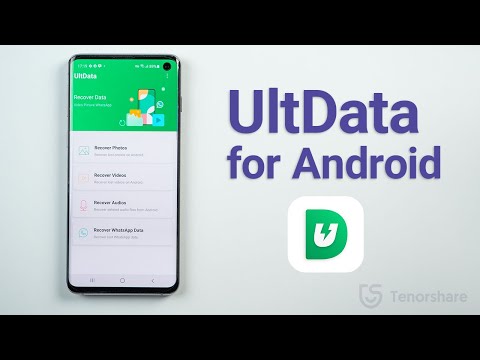
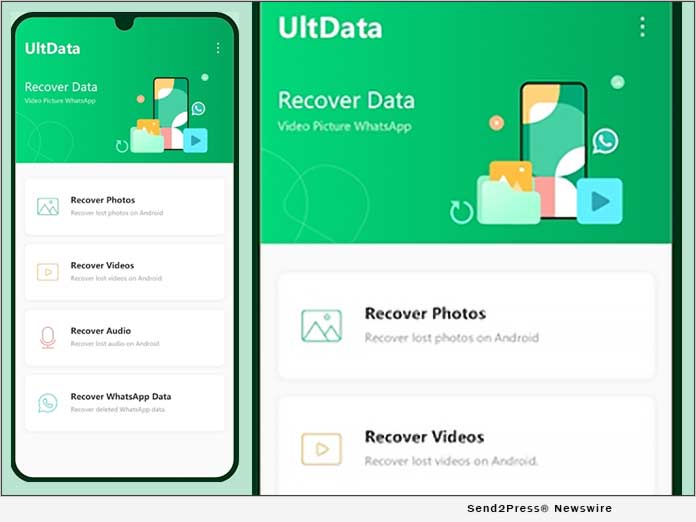
If you already have a WhatsApp backup saved by Google Drive, you can view and download your backup data using Tenorshare UltData for Android.
Here's how to WhatsApp backup Google Drive:
* Choose "Recover Google Drive Data" and log in to your Google Drive.
* Select "Recover WhatsApp Data" and choose a backup to download, and then "OK" to confirm.
* Once the backup is downloaded, press "Verify" for your WhatsApp account verification.
* Choose the data to download, hit "Recover," and select a location on the PC to save the backup.
Learn more: https://www.tenorshare.com/products/android-data-recovery.html
About Tenorshare:
Since WhatsApp is ready to stop supporting old iPhone/Android models, how to backup WhatsApp messages has been troubling smartphone users. But Tenorshare, a leading smartphone troubleshooting software provider, offers innovative solutions like iCareFone Transfer and UltData for smartphone users to backup WhatsApp data and restore WhatsApp backup from Google Drive to iPhone/Android.
In addition, Tenorshare has also launched a Hot Sale for users to win fabulous discounts and gifts before Jan 4, 2023.
More information: https://www.tenorshare.com/
Facebook: https://www.facebook.com/TenorshareOfficial/
Twitter: https://twitter.com/Tenorshare_Inc
YouTube: https://www.youtube.com/user/TenorshareOfficial/videos
It is noted that WhatsApp will notify older makes of iPhones and Android phones with a warning message before WhatsApp stops working on them after 31st December 2022. Luckily, a reliable solution from Tenorshare, called iCareFone Transfer, can backup WhatsApp on iPhone and Android with one click.
Related link: https://www.tenorshare.com/
This version of news story was published on ScoopCloud™ (ScoopCloud.com) - part of and © the Neotrope® News Network - all rights reserved.