Tag Archives: transfer WhatsApp

How to Transfer WhatsApp from Android to iPhone? Including iPhone 17/16 [FREE]

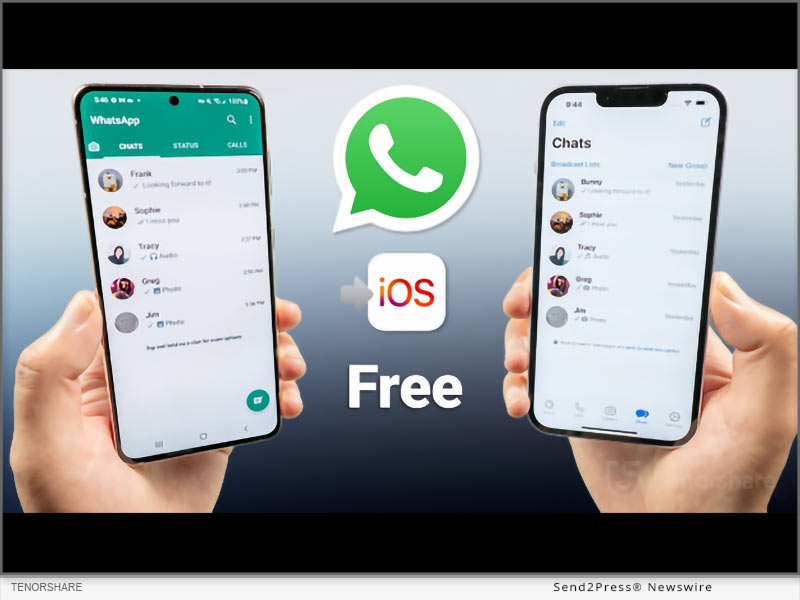
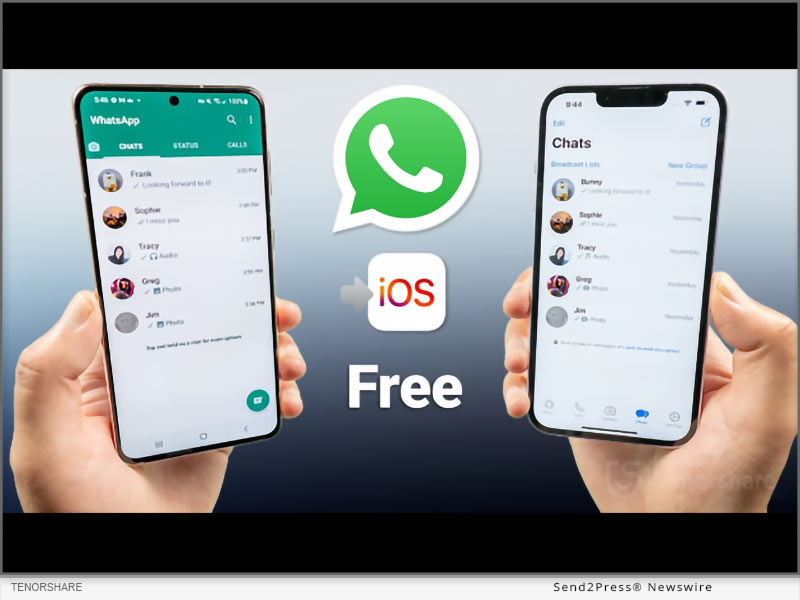
NEW YORK, N.Y., Sept. 23, 2025 (SEND2PRESS NEWSWIRE) — iPhone 17 is making people excited, but how to transfer your WhatsApp data to the new one? In this guide from Tenorshare, I’ll walk you through how to transfer your WhatsApp from Android to an iPhone in 5 minutes.
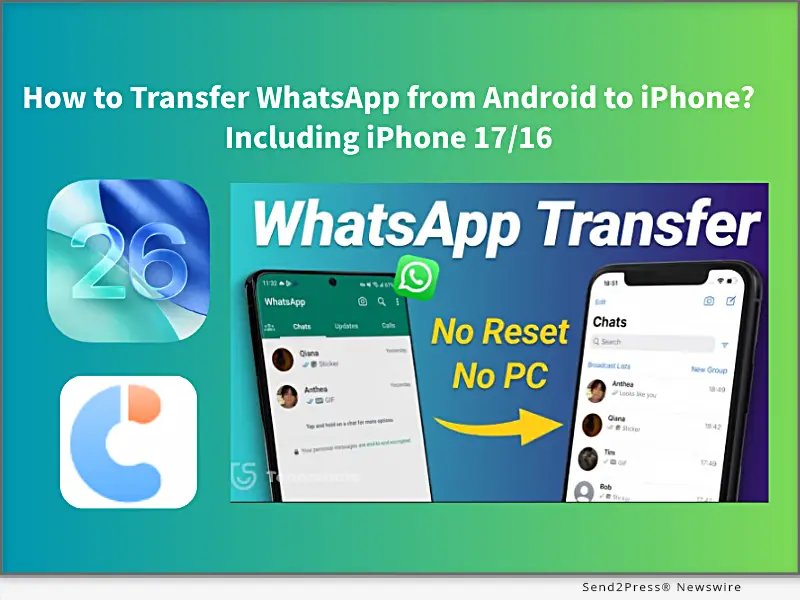
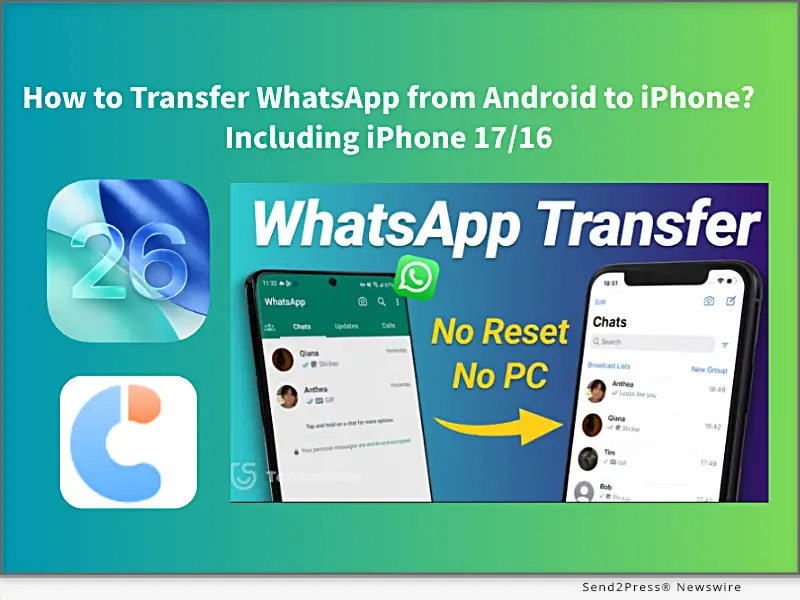
Tenorshare: How to Transfer WhatsApp from Android to iPhone Including iPhone 17/16
Image caption: How to Transfer WhatsApp from Android to iPhone Including iPhone 17/16.

HOW TO MOVE WHATSAPP FROM ANDROID TO AN IPHONE?

There are 2 simple, quick, and effective methods to switch your WhatsApp messages, images, and videos to an iPhone. One method requires factory resetting your iPhone, and the other does not. Let’s get started.

METHOD 1: TRANSFER WHATSAPP CHATS TO IPHONE 17 VIA MOVE TO IOS APP [FREE, BUT NEEDS RESET]

Using the Move to iOS app to transfer WhatsApp chats from Android to iPhone is Apple’s official free method and works best if you have a new iPhone 17 initial setup or don’t mind resetting the iPhone to factory settings. However, it requires the same phone number on both devices, and some data will be lost after resetting, or may not transfer completely.

Steps to use the Move to iOS APP:

Step 1. Install the Move to iOS app on Android.

Step 2. Enter the code, select WhatsApp to transfer.

Step 3. Then download WhatsApp on your new iPhone 17, sign in, and restore your chats.

METHOD 2: TRANSFER ALL WHATSAPP DATA FROM ANDROID TO IPHONE VIA TENORSHARE ICAREFONE TRANSFER [100% SUCCESS AND NO RESET]

If you don’t want to lose your iPhone that already has photos, settings, and other data, Tenorshare iCareFone Transfer is the best choice to transfer all WhatsApp data from Android to iPhone without a factory reset.

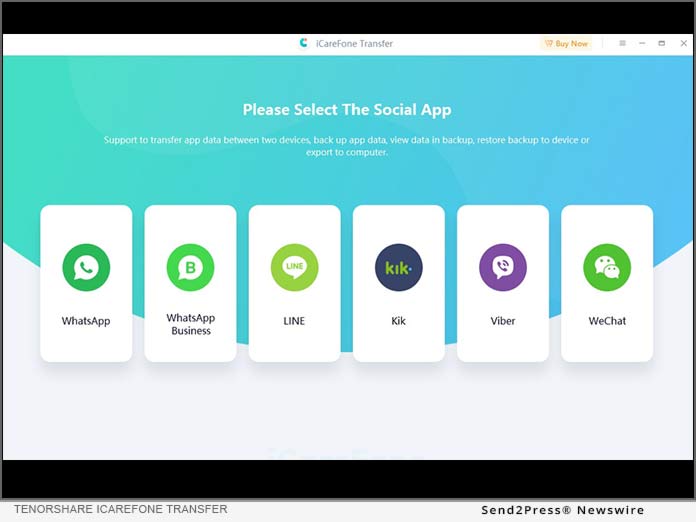
Unlike the official Move to iOS method, Tenorshare iCareFone Transfer is a professional WhatsApp data transfer tool that works across multiple scenarios, including Android ↔ iPhone, iPhone ↔ iPhone, and Android ↔ Android, to import all WhatsApp data without data loss and keep 100% original details.

  • Fixed iPhone 17 Move to iOS not working and Move to iOS stuck on 1-minute,, issues.
  • Free iOS 26 WhatsApp backup to a computer, and supports transferring data from GB WhatsApp to standard WhatsApp.
  • Transfer fully migrates chats, images, videos, emojis, and attachments, with a 100% success rate.
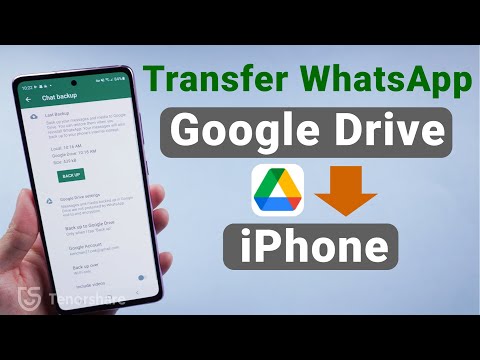
  • Supports restoring WhatsApp backup from Google Drive to iPhone.
  • Compatible with all iPhone and Android devices.

STEPS TO TRANSFER WHATSAPP USE TENORSHARE ICAREFONE TRANSFER:

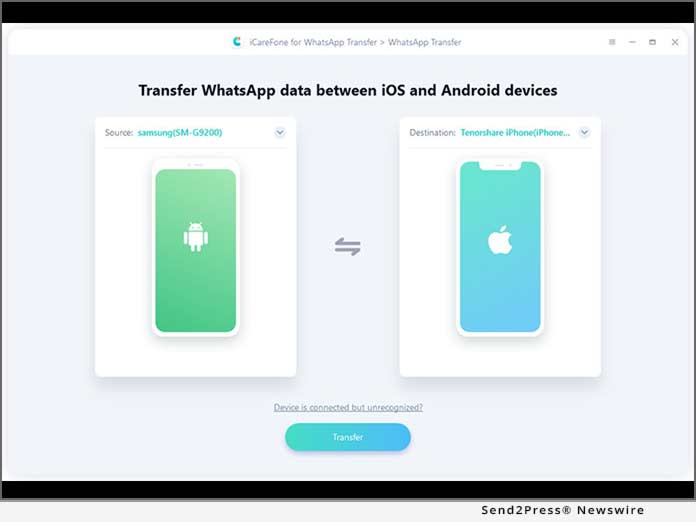
Step 1. Download and install Tenorshare iCareFone Transfer on your computer (Windows/Mac).

Step 2. On your Android device, enable USB Debugging: Settings → About phone →Enable Developer options → USB Debugging.

Step 3. On your iPhone, disable Find My iPhone, and connect both the Android and iPhone to the computer.

Step 4. Launch iCareFone Transfer and select “Transfer WhatsApp“ to transfer WhatsApp data in minutes.

ABOUT TENORSHARE

Transferring WhatsApp without resetting will be difficult, but Tenorshare iCareFone Transfer provides a simple way to migrate WhatsApp from Android to iPhone without resetting, with 15 years transferring iOS solution experience.

NEWS SOURCE: Tenorshare Co. Ltd.


This press release was issued on behalf of the news source (Tenorshare Co. Ltd.), who is solely responsible for its accuracy, by Send2Press Newswire. Image, if any, was provided by the news source and not this website or the wire service. Information is believed accurate, as provided by the news source, but is not guaranteed.

To view the original story, visit: https://www.send2press.com/wire/how-to-transfer-whatsapp-from-android-to-iphone-including-iphone-17-16-free/

Copr. © 2025 Send2Press® Newswire, Calif., USA. -- REF: S2P STORY ID: S2P129502 NOREL-3B
 

iToolab WaTracker Released: Track WhatsApp Last Seen Status in Real Time

iToolab WaTracker Is Now Available: A Powerful Tool to Track WhatsApp Last Seen

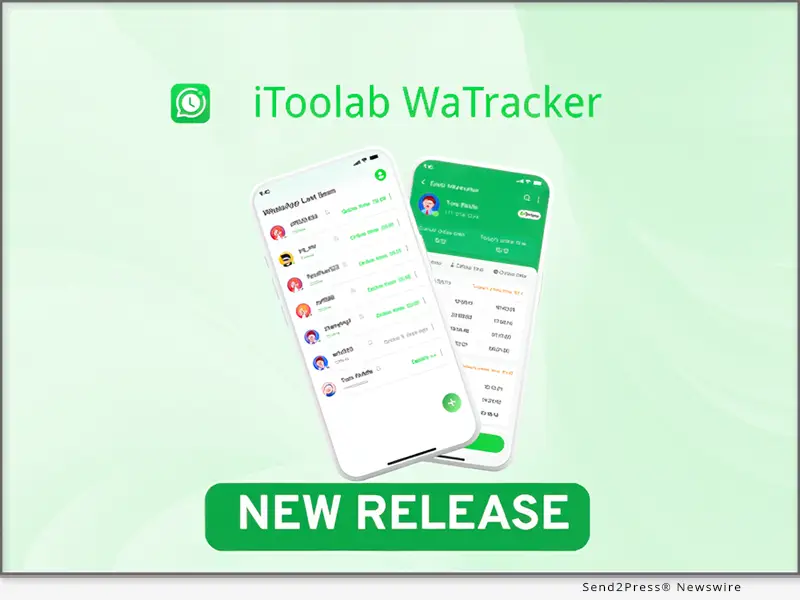
NEW YORK, N.Y., Sept. 22, 2025 (SEND2PRESS NEWSWIRE) — iToolab, a leading developer of innovative software solutions for mobile devices, has released a new WaTracker app. With the launch of this new app, WhatsApp users now can track Last Seen status without opening chat, and get accurate online/offline notifications in real time.

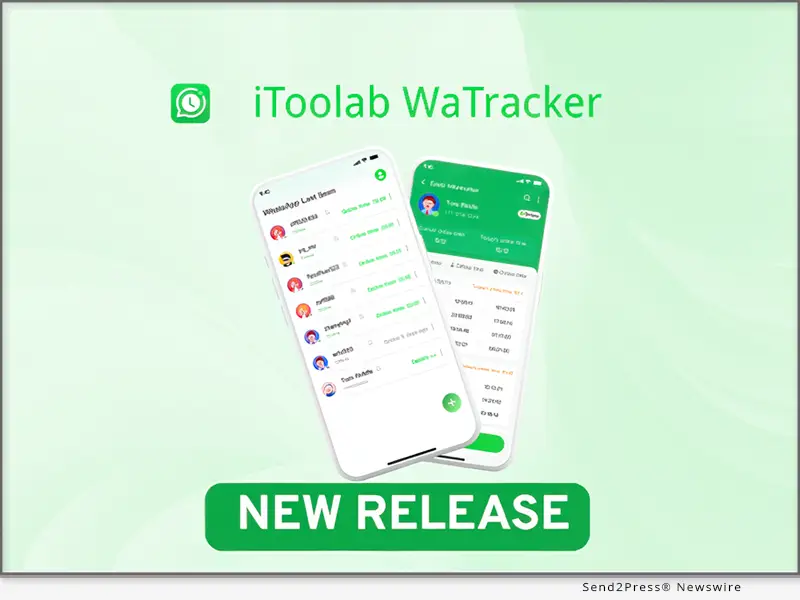
iToolab WaTracker Release: Track WhatsApp Last Seen Status in Real Time
Image caption: iToolab WaTracker Release: Track WhatsApp Last Seen Status in Real Time.

WHAT IS ITOOLAB WATRACKER?

1 – Best Last Seen Tracker for WhatsApp

Do you want to see if someone is online on WhatsApp without opening the chat? It’s possible with iToolab WaTracker. Whether you suspect your spouse of cheating, or want to know if your child goes to bed on time, WaTracker allows you to check the Last Seen status secretly.

2 – More Than a Last Seen Tracker

– WhatsApp does not have a built-in feature to notify you when a contact comes online. If you want to get real-time and accurate notifications when your crush/business partner is online, WaTracker is always the best choice for you, ensuring you never miss any online status changes. You can add multiple contacts to strengthen and improve your relationships.

– Helping your child build good online habits is very important. WaTracker provides detailed history reports to help you analyze the usage patterns. Increasing the offline activities to help reduce the screen time.

3 – Other Features at a Glance

  • Easy to use: Add a contact and start monitoring in seconds.
  • Safe and secure: The other user won’t know you’re checking them on WhatsApp.
  • Private first: The tool won’t collect, store, or share your personal information.

HOW TO USE ITOOLAB WATRACKER?

It’s really easy to strengthen the bonds with your contacts. Just follow the steps below:

Step 1: Run WaTracker on your Android device and add a contact.

Step 2: Follow the onscreen instructions to link your WhatsApp account.

Step 3: Tap the “activation” button to track WhatsApp contact.

Full guide here: https://itoolab.com/guide/how-to-use-seenchecker/

PRICE AND AVAILABILITY

  • The new WaTracker app is available on Google Play. You can install the app on any Android device. And it’s fully compatible with all versions of WhatsApp.
  • It offers a flexible pricing model with weekly and monthly plans to meet different user needs.

ABOUT ITOOLAB

iToolab is a software development company founded in 2008 to help iOS and Android users solve various issues with leading-edge smartphone tools for repair and recovery, unlocking, and more. As of now, iToolab is serving 130+ countries and has been trusted and recommended by some leading tech sites and users worldwide. iToolab is a trusted one-stop shop for smartphone utility apps.

For more details, please visit:

Website: https://itoolab.com/

YouTube: https://www.youtube.com/c/itoolab

Facebook: https://www.facebook.com/itoolab

X/Twitter: https://x.com/IToolab

NEWS SOURCE: iToolab Co Ltd


This press release was issued on behalf of the news source (iToolab Co Ltd), who is solely responsible for its accuracy, by Send2Press Newswire. Image, if any, was provided by the news source and not this website or the wire service. Information is believed accurate, as provided by the news source, but is not guaranteed.

To view the original story, visit: https://www.send2press.com/wire/itoolab-watracker-released-track-whatsapp-last-seen-status-in-real-time/

Copr. © 2025 Send2Press® Newswire, Calif., USA. -- REF: S2P STORY ID: S2P129478 NOREL-3B


How to Transfer WhatsApp from Android to iPhone 15? Get iPhone 15 and iOS 17 Tools on Sale

NEW YORK, N.Y. /ScoopCloud/ -- Many Samsung, Huawei, and Android users are switching to iPhones 15 these days, drawn by the allure of Apple's latest offering. However, the tricky part comes when they try to transfer WhatsApp from Android to iPhone 15, says Tenorshare.

"Many Android users struggle to move their WhatsApp data when switching to the iPhone 15 for the go-to method and the Move to iOS Android app often falls short. It is unreliable with incomplete or failed transfers," says Tenorshare CEO, "instead, they can use Tenorshare iCareFone WhatsApp Transfer for a safe and simple WhatsApp transfer from Android to iPhone."

How to Move WhatsApp from Android to iPhone 15?

You can use iCareFone for WhatsApp transfer from Android to iPhone 15, and it doesn't require any Wi-Fi to move data. So, there are no failed or incomplete transfers. Neither does it cause loss of data. Here's what makes iCareFone WhatsApp Transfer an excellent Move to iOS alternative:

1 - Swift data transfer, no need for a factory reset.

2 - Effortless WhatsApp data transfer from Android to iPhone.

3 - Backup WhatsApp data to your computer and easily restore from there.

4 - Trusted by many due to a high success rate.

Transfer WhatsApp Data from Android to iPhone 15

You can transfer WhatsApp from Android to iPhone 15 without Move to iOS with the help of Tenorshare iCareFone WhatsApp Transfer. It can selectively move WhatsApp data. Follow below to transfer WhatsApp from Android to iPhone 15:

* Download the tool, connect both phones to your computer, and press "Transfer."

* Confirm your country's code and phone number on your iPhone by clicking "Verify."

* It will move WhatsApp from Android to iPhone successfully.

Get iPhone 15 & iOS 17 Sales:

The exciting news is that Tenorshare is holding iPhone 15 & iOS 17 Sales where you can get iCareFone Transfer and many iOS 17 must-have tools at a discount. Here's what the sales offer:

1 - Get $8 OFF on iOS 17 Must-Have Tools

You can now get $8 OFF on all iOS 17 must-have tools like Tenorshare ReiBoot, UltData, UltData WhatsApp Recovery, iCareFone, iCareFone WhatsApp Transfer, and 4uKey.

2 - Buy 1, Get 1 Free for ReiBoot & iCareFone

Now, you can buy one of these tools, and you'll get the other one free of cost.

3 - $5 Coupon Gift for All Products

You can choose one of these iOS 17 must-have tools to get a $5 Coupon Gift for all products.

Learn more: https://www.tenorshare.com/sales-promotion.html

About Tenorshare:

When tackling the transfer of WhatsApp messages from Android to iPhone 15, many face frustration with Move to iOS. Enter Tenorshare iCareFone WhatsApp Transfer, an excellent alternative to WhatsApp Android to iPhone transfer with none of the shortcomings. With a commitment to innovative solutions, Tenorshare helps you smoothly manage and resolve issues when switching between Android and iPhone.

Information: https://www.tenorshare.com/

Facebook: https://www.facebook.com/TenorshareOfficial/

Twitter: https://twitter.com/Tenorshare_Inc

YouTube: https://www.youtube.com/user/TenorshareOfficial/videos

TikTok: https://www.tiktok.com/@tenorshare_tech_tips

News from Tenorshare Co. Ltd.

Many Samsung, Huawei, and Android users are switching to iPhones 15 these days, drawn by the allure of Apple's latest offering. However, the tricky part comes when they try to transfer WhatsApp from Android to iPhone 15, says Tenorshare.

Related link: https://www.tenorshare.com/

This version of news story was published on ScoopCloud™ (ScoopCloud.com) - part of and © the Neotrope® News Network - all rights reserved.

iToolab WatsGo is The Best Way to Transfer WhatsApp from Android to iPhone 15

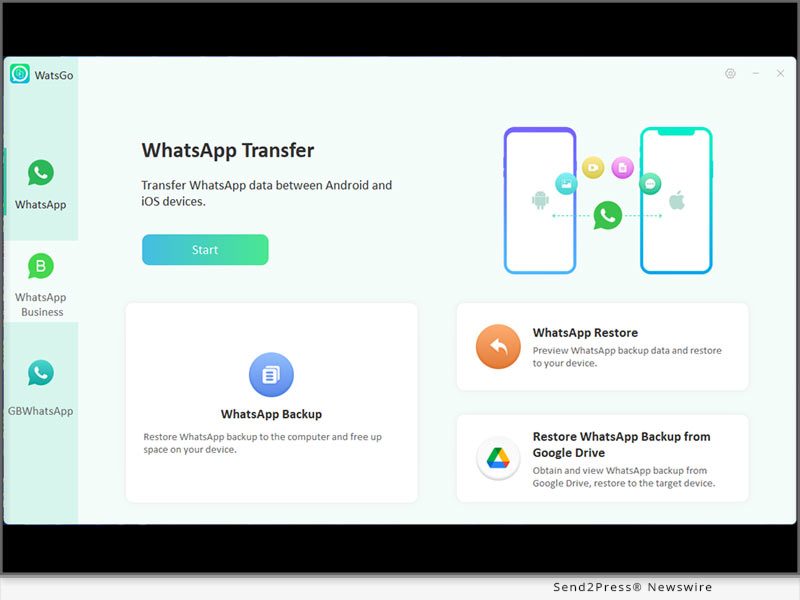
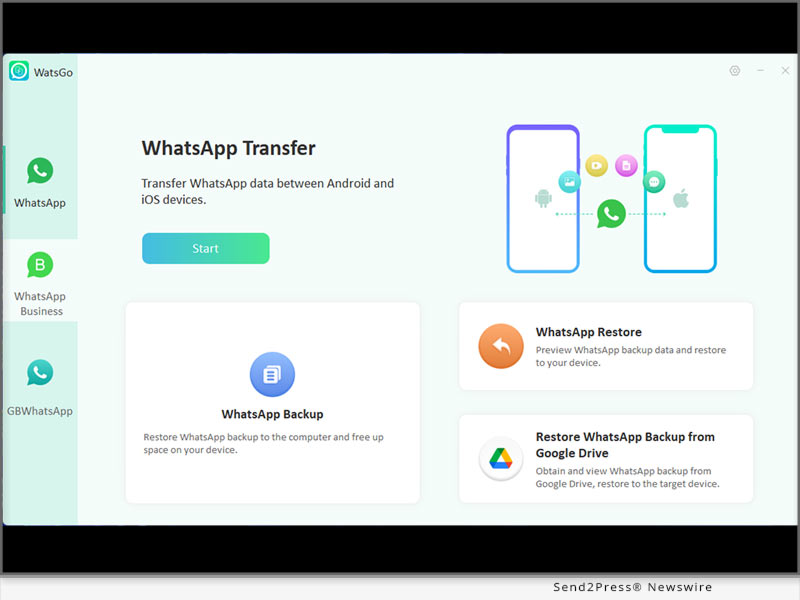
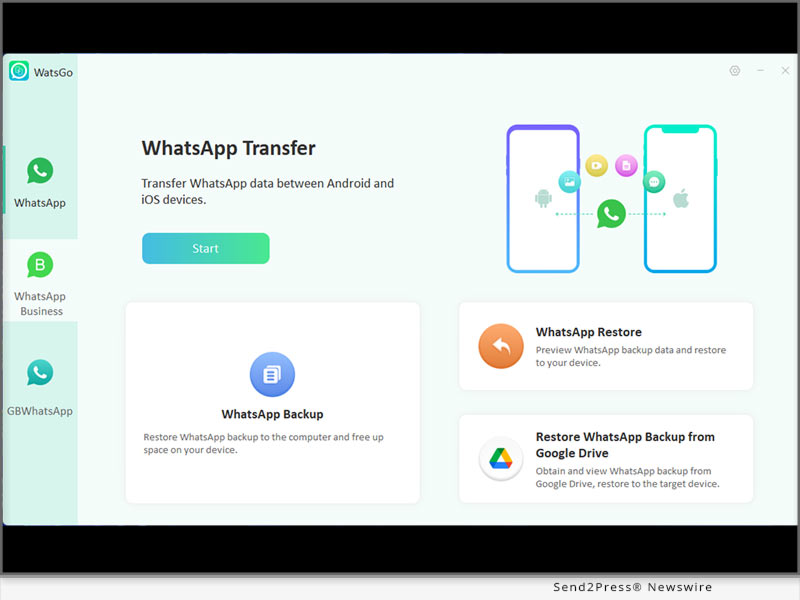
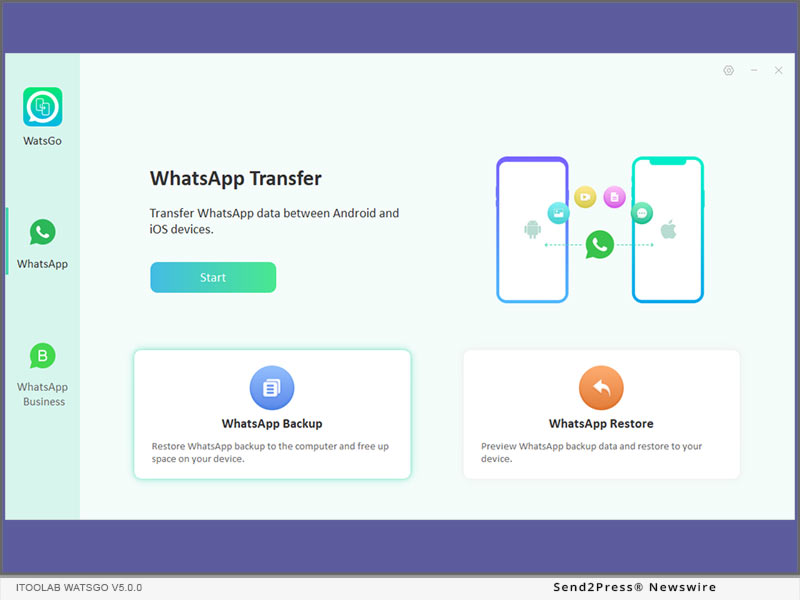
NEW YORK, N.Y. /ScoopCloud/ -- The iPhone 15 series debuted on Tuesday. If you're considering buying one to upgrade from an old iPhone or Android device, this would be worth it. WhatsApp Data migration between different operating systems is exactly what you'll be doing. And the best way to transfer WhatsApp is iToolab WatsGo, developed by iToolab Co Ltd (iToolab). It is a well-known all-in-one WhatsApp transfer, backup & restore tool to get users out of complicated situations.

"iToolab WatsGo is a good assistant that helps you transfer WhatsApp from Android to iPhone 15. We've optimized the UI and will provide you the best experience to enjoy a seamless transfer to the new iPhone 15," said Mia Garcia, CEO at iToolab.

KEY FEATURES OF ITOOLAB WATSGO:

Transfer WhatsApp from Android to iPhone 15 without Factory Reset

With iToolab WatsGo, you don't need a factory reset on the new iPhone 15 or other devices. This is the most outstanding feature that outweighs the Move to iOS app. So don't worry about data loss anymore.

Smooth Transfer WhatsApp from Android to iPhone 15 up to 10240KB/s

Most of the feedback from users on Reddit that Move to iOS WhatsApp transfer gets stuck on the preparation or 0%, 90%, 99%... However, iToolab WatsGo perfectly solves this problem because it has a stable transfer technique built-in. Typically up to 3x faster than using Move to iOS.

3 Simple Steps to Transfer WhatsApp from Android to iPhone using iToolab WatsGo

Step 1. Download and initiate iToolab WatsGo.

Step 2. Connect your devices.

Step 3. Select the data you want to transfer.

Video Guide: https://www.youtube.com/watch?v=O4MW57DNkvY

iPhone 15 Release Celebration, Time-limited Promotion up to 40% OFF

iToolab WatsGo is now offering a 40% OFF promotion for all new and existing users. You can be part of the promotion now, or use the coupon directly: WHATSRE04

Learn more sales promotion details here: https://itoolab.com/move-whatsapp-to-new-phone/

FINAL PRICE AFTER DISCOUNT:

1-Month Plan: original $16.95, now $10.17

1-Year Plan: original $29.95, now $17.97

Lifetime Plan: original $39.95, now $23.97

More info: https://itoolab.com/buy/watsgo-for-windows/

Device Compatibility:

iOS: iOS 10-17: All iPhone models running on the selected iOS versions.

Android: Android 5-14: Samsung, Huawei, Xiaomi, LG, Google, Oppo, Vivo, Motorola, Lenovo, HTC, ASUS, ONEPLUS, Sony, Vivo, etc.

Mac: 13(macOS Ventura), 12(macOS Monterey), 11(macOS Big Sur), 10.15 (macOS Catalina), 10.14 (macOS Mojave), Mac OS X 10.13 (High Sierra), 10.12(macOS Sierra), and 10.11(El Capitan)

Windows: Windows 11/8/7

About iToolab:

iToolab is a Hong Kong-based and leading iOS and Android solution provider that's working with a vision to help smartphone users tackle various technical errors on their devices. Over the years, the company has helped millions of users fix iOS issues and regain access to their iPhones and iPads. Currently, iToolab operates in more than 130 countries and has an extensive user base.

For more details, please visit:

Official Website:https://itoolab.com/

Facebook: https://www.facebook.com/itoolab

X/Twitter: https://twitter.com/IToolab

YouTube: https://www.youtube.com/@iToolab

News from IToolab Co Ltd

The iPhone 15 series debuted on Tuesday. If you're considering buying one to upgrade from an old iPhone or Android device, this would be worth it. WhatsApp Data migration between different operating systems is exactly what you'll be doing. And the best way to transfer WhatsApp is iToolab WatsGo, developed by iToolab Co Ltd (iToolab). It is a well-known all-in-one WhatsApp transfer, backup & restore tool to get users out of complicated situations.

Related link: https://itoolab.com/

This version of news story was published on ScoopCloud™ (ScoopCloud.com) - part of and © the Neotrope® News Network - all rights reserved.

iToolab WatsGo Mac V8.1.4 Released! Best Way to Transfer WhatsApp without Resetting

NEW YORK, N.Y. /ScoopCloud/ -- iToolab Co Ltd (iToolab) has released iToolab WhatsGo for Mac V8.1.4. This will allow users to easily transfer WhatsApp between Android and iPhone on macOS. iToolab WatsGo WhatsApp Transfer has been highly appreciated by users around the world since its first debut for its compatibility and affordability.

"This definitely extends the life of the data transfer. No matter what operating system you use, iToolab WatsGo will help you migrate data from Android to iPhone without data loss," said Mia Garcia, CEO at iToolab.

KEY FEATURES OF ITOOLAB WATSGO MAC V8.1.4:

1. Transfer WhatsApp/WhatsApp Business from between Android and iPhone

iToolab WatsGo is the best alternative of Move to iOS app in the year 2023. No need to factory reset iPhone at all and smoothly transfer WhatsApp at 10240kb/s. You can enjoy the features as below:

* Migrate WhatsApp/WhatsApp Business from Android to iPhone, iPhone to Android, Android to Android, iPhone to iPhone

* Quick & easy transfer within simple steps, no extra technique required

* Will never reset your iPhone before you start to transfer WhatsApp data

2. Select Any WhatsApp Data You Want to Transfer

Move to iOS won't let you transfer a single type of WhatsApp data, but iToolab WatsGo gives you a wide range of options to selectively copy old WhatsApp data to a new device. All messages, contacts, call history, pictures, documents, etc. can be selectively moved as you like.

3. Backup WhatsApp to PC Instead of iCloud or Google Drive

If you want to save local space, or you are unable to backup WhatsApp to cloud space on your device, then backing up WhatsApp to the computer is a great choice. All your WhatsApp backups will be saved locally and automatically detected by iToolab WatsGo.

4. Restore Old WhatsApp Backup to Device Anytime

You have the ability to restore your most recent backup or backups from several months ago to your target device. No more worries about losing data again.

PRICE:

1-Month Plan: $19.95

1-Year Plan: $35.95

Lifetime Plan: $45.95

30% OFF Coupon Code: WATSNEW03

More info: https://itoolab.com/buy/watsgo-for-mac/

Device Compatibility:

iOS: iOS 10-16: All iPhone models running on the selected iOS versions.

Android: Android 5-13: Samsung, Huawei, Xiaomi, LG, Google, Oppo, Vivo, Motorola, Lenovo, HTC, ASUS, ONEPLUS, Sony, Vivo, etc.

Mac: 13(macOS Ventura), 12(macOS Monterey), 11(macOS Big Sur), 10.15 (macOS Catalina), 10.14 (macOS Mojave), Mac OS X 10.13 (High Sierra), 10.12(macOS Sierra), and 10.11(El Capitan)

Windows: Windows 11/8/7

About iToolab:

iToolab is a Hong Kong-based and leading iOS and Android solution provider that's working with a vision to help smartphone users tackle various technical errors on their devices. Over the years, the company has helped millions of users fix iOS issues and regain access to their iPhones and iPads. Currently, iToolab operates in more than 130 countries and has an extensive user base.

LEARN MORE:

Official Website: https://itoolab.com/

Facebook: https://www.facebook.com/itoolab

Twitter: https://twitter.com/IToolab

YouTube: https://www.youtube.com/@iToolab

News from IToolab Co Ltd

iToolab Co Ltd (iToolab) has released iToolab WhatsGo for Mac V8.1.4. This will allow users to easily transfer WhatsApp between Android and iPhone on macOS. iToolab WatsGo WhatsApp Transfer has been highly appreciated by users around the world since its first debut for its compatibility and affordability.

Related link: https://itoolab.com/

This version of news story was published on ScoopCloud™ (ScoopCloud.com) - part of and © the Neotrope® News Network - all rights reserved.

UltData WhatsApp Recovery V2.0.0 Newly Updated to Recover Deleted WhatsApp Messages Without Backup on Android OS

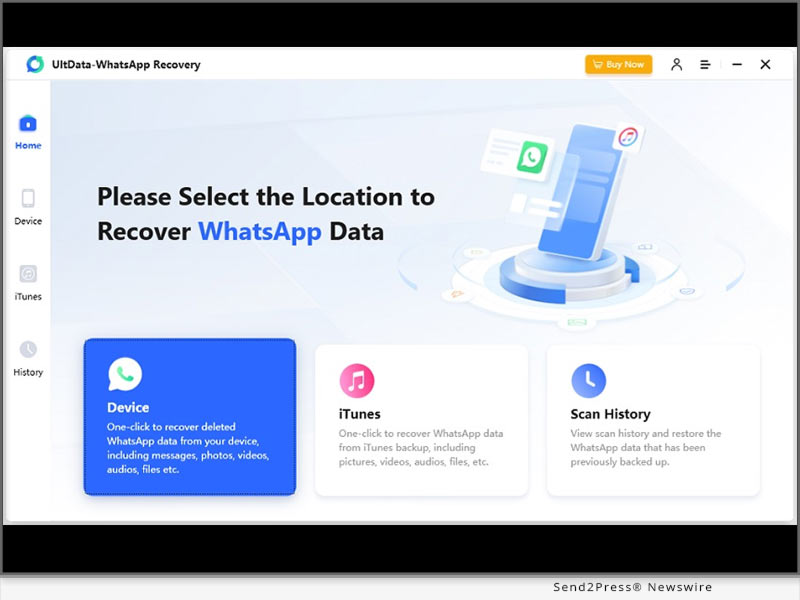
NEW YORK, N.Y. /ScoopCloud/ -- Tenorshare Co., Ltd (Hong Kong) is a leading provider of highly efficient and user-friendly software solutions, backed by a team of dedicated experts. In response to multiple complaints from WhatsApp users regarding the challenges of recovering deleted messages on Android and iOS devices, Tenorshare has recently launched its latest innovation - UltData WhatsApp Recovery V2.0.0. This advanced software solution has been designed to seamlessly recover deleted WhatsApp messages without backup on Android and iPhone.

WHAT ARE THE KEY FEATURES OF ULTDATA WHATSAPP RECOVERY V2.0.0?

Recover various WhatsApp file formats You Lost from Any Scenario

No matter what the reason is for the loss of WhatsApp data and regardless of the file format you want to restore, including messages, photos, videos, documents, tickers, PDF, Word, Excel, Zip and more, Tenorshare UltData WhatsApp Recovery would come your back!

Multiple Forms for WhatsApp Recovery Without Backup

Tenorshare UltData WhatsApp Recovery enable you to restore WhatsApp from Android and iOS, as well as restore WhatsApp from iTunes Back. Additionally, Tenorshare iOS & Android WhatsApp Recovery will help you recover deleted or old messages on WhatsApp in seconds without backup.

More than Highly Effectiveness

Unlike WhatsApp's time-consuming feature that only allows users to restore a backup from Google Drive during the initial setup, Tenorshare WhatsApp Recovery can retrieve WhatsApp data safely and easily. You can perform selective recovery and preview the data before you recover it, giving you complete control over the process.

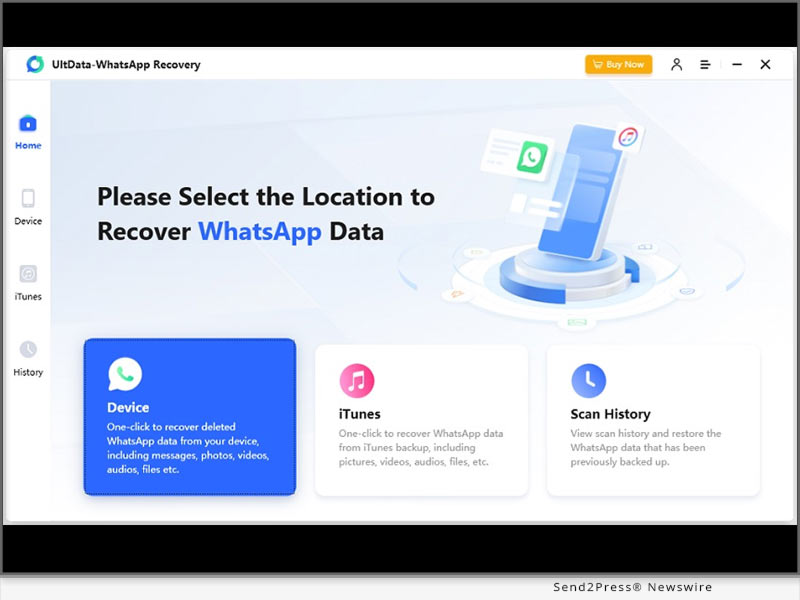
How to Recover Deleted WhatsApp Messages on Android Without Backup?

To connect your Android phone to your PC and enable USB Debugging, follow these steps:

* On your PC, open the WhatsApp recovery software you have installed.

* Select "WhatsApp messages & attachments > Next" to begin the recovery process.

* To choose the data you wish to restore, press the "Recover" button.

* By following these simple steps, you can easily get back deleted messages on WhatsApp.

Price:

1-Month Plan: $35.95

1-Year Plan: $39.95

Lifetime Plan: $49.95

Business Plan: Welcome to Get An Annual Business Plan!

Device Compatibility:

Windows: All systems running on Windows 11, 10, 8, and 7 (32-bit/64-bit)

Mac: Available for macOS 10.11 and later

iOS: Supports all iOS devices, including iPhone 14(Plus)/Pro(Max), all models of iPad and iPad Air /mini/ pro, iPod touch, etc.

LEARN MORE: https://www.tenorshare.com/products/ultdata-whatsapp-recovery.html

About Tenorshare:

With its cutting-edge technology, Tenorshare is committed to making your everyday digital experiences more effortless and enjoyable. If you are looking for a solution to recover deleted WhatsApp messages without backup on Android, Tenorshare UltData WhatsApp Recovery is the perfect answer. Avail an exclusive discount on all software products, including UltData WhatsApp Recovery, and save 30% on managing your Android device.

More information: https://www.tenorshare.com/

Facebook: https://www.facebook.com/TenorshareOfficial/

Twitter: https://twitter.com/Tenorshare_Inc

YouTube: https://www.youtube.com/user/TenorshareOfficial/videos

TikTok: https://www.tiktok.com/@tenorshare_tech_tips

Pinterest: https://www.pinterest.com/Tenorshare/

News from Tenorshare Co. Ltd.

Tenorshare Co., Ltd (Hong Kong) is a leading provider of highly efficient and user-friendly software solutions, backed by a team of dedicated experts. In response to multiple complaints from WhatsApp users regarding the challenges of recovering deleted messages on Android and iOS devices, Tenorshare has recently launched its latest innovation - UltData WhatsApp Recovery V2.0.0.

Related link: https://www.tenorshare.com/

This version of news story was published on ScoopCloud™ (ScoopCloud.com) - part of and © the Neotrope® News Network - all rights reserved.

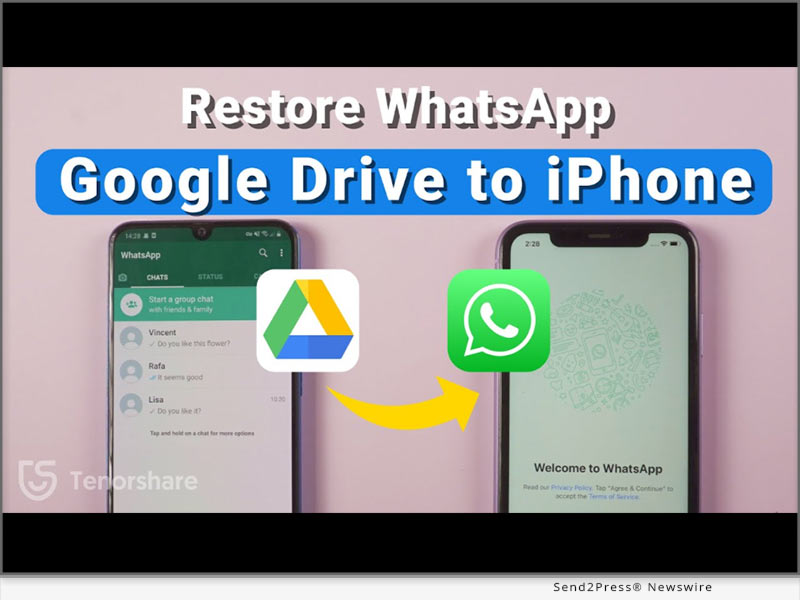
How to Restore WhatsApp Backup From Google Drive to Apple iPhone 14/13/12

NEW YORK, N.Y. /ScoopCloud/ -- When users buy a new iPhone or switch from an Android, it is necessary to know how to restore WhatsApp backup from Google Drive to iPhone. Although restoring WhatsApp from iCloud is possible, there is no option to transfer WhatsApp from Google Drive to iPhone. This leaves them no choice but to use third-party software. Tenorshsare iCareFone Transfer is one such free tool that offers a quick and reliable way to restore WhatsApp backup from Android to iPhone and vice versa. Want to know how this amazing tool makes it possible? Let's find out.

No Way to Restore My WhatsApp Backup From Google Drive to iPhone 14/13/12?

For iPhone users, it's impossible to restore WhatsApp from Google Drive to iPhone. However, you can restore WhatsApp from backup directly with a third-party tool.

"We understand the frustration faced by users when they spend so many hours backing up WhatsApp data but are unable to restore it to their iPhones. To remedy this situation, Tenorshare has introduced the iCareFone Transfer software to WhatsApp iPhone restore from Google Drive, iCloud, and Android," says a Tenorshare spokesperson.

How to Restore WhatsApp Backup From Google Drive to iPhone 14/13/12 Free?

Due to its technological advancement and quick but reliable solution, iCareFone Transfer is highly acknowledged among iPhone users. Here's how to WhatsApp restore from Google Drive iPhone:

* Launch iCareFone Transfer on your PC and choose WhatsApp > Backup

* Download WhatsApp backup from Google Drive to the computer.

* Sign in to your Google account and choose the backup to download.

* Verify your WhatsApp account on your Android device to generate a backup.

* Once finished, select "Restore to iOS."

What Would Tenorshare iCarefone Transfer Do For You?

There are many challenges for iPhone users to face while performing how to restore WhatsApp backup from Google Drive to iPhone. Thankfully, Tenorshare iCareFone Transfer offers endless benefits for iPhone users, such as:

* Transfer GB WhatsApp data, WhatsApp, and WhatsApp Business data quickly between iOS and Android devices and HTML.

* Restore WhatsApp Business, Kik, and Viber files in one click and without data loss.

* Restore WhatsApp backup from iCloud and Google Drive directly to your iPhone.

* Supports iOS WhatsApp Google Drive, iCloud, and iTunes backup to both iPhone and Android.

https://www.tenorshare.com/whatsapp-transfer-backup-restore.html

https://www.youtube.com/watch?v=4Dh8eriyk0Y

https://www.youtube.com/watch?v=QVbxBcD7-1w

https://www.youtube.com/watch?v=nLH4W-uNrCY

https://www.tenorshare.com/whatsapp-tips/how-to-restore-whatsapp-backup-from-google-drive-to-iphone.html

About Tenorshare:

Tenorshare is a world-renowned software company dedicated to eliminating smartphone issues for both personal and business use. Since Tenorshare strives hard to improve the digital life of smartphone users with decades of in-depth research and technological adoption, Tenorshare has been trusted by more than 10 million users worldwide.

More information: https://www.tenorshare.com/

Facebook: https://www.facebook.com/TenorshareOfficial/

Twitter: https://twitter.com/Tenorshare_Inc

YouTube: https://www.youtube.com/user/TenorshareOfficial/videos

TikTok:https://www.tiktok.com/@tenorshare_tech_tips

News from Tenorshare Co. Ltd.

When users buy a new iPhone or switch from an Android, it is necessary to know how to restore WhatsApp backup from Google Drive to iPhone. Although restoring WhatsApp from iCloud is possible, there is no option to transfer WhatsApp from Google Drive to iPhone. This leaves them no choice but to use third-party software. Tenorshsare iCareFone Transfer is one such free tool that offers a quick and reliable way to restore WhatsApp backup from Android to iPhone and vice versa.

Related link: https://www.tenorshare.com/

This version of news story was published on ScoopCloud™ (ScoopCloud.com) - part of and © the Neotrope® News Network - all rights reserved.

How to Backup WhatsApp on Apple iPhone and Android without Google Drive?

NEW YORK, N.Y. /ScoopCloud/ -- It is noted that WhatsApp will notify older makes of iPhones and Android phones with a warning message before WhatsApp stops working on them after 31st December 2022. After this news, there is a panic about how to backup WhatsApp data, and one question arises for old smartphone users, "how do I backup WhatsApp on iPhone and Android without Google Drive?" Luckily, a reliable solution from Tenorshare, called iCareFone Transfer, can backup WhatsApp on iPhone and Android with one click.

Can I Backup WhatsApp on iPhone and Android Without Google Drive?

With WhatsApp soon stopping working on older iPhone and Android models, finding a solution for WhatsApp chat backup without Google Drive is needed as there are several cons to backup WhatsApp data with Google Drive. For example, it requires a stable internet connection to create a backup.

"Google Drive is not the smartest backup solution for WhatsApp. It lags if the internet connection is slow and can lose encryption from originally end-to-end encrypted files while creating a backup," says a Tenorshare spokesperson, "In contrast, Tenorshare iCareFone Transfer can WhatsApp backup Android and iPhone without using Google Drive or losing data."

How to Backup WhatsApp Without Google Drive?

There are thousands of important chats, documents, videos, and images on your WhatsApp. Manually backing them all up to Google Drive can be troublesome, while Tenorshare iCareFone Transfer offers a trouble-free solution to restore WhatsApp backup for Android and iOS with a high success rate.

Follow below to backup WhatsApp on Android and iPhone using iCareFone Transfer:

* After downloading it, connect your Android/iPhone to PC and choose "WhatsApp."

* Select "Back up," backup device, and press "Back Up Now."

* Click "Continue," and iCareFone Transfer will create a WhatsApp backup in minutes.

Learn more: https://www.tenorshare.com/whatsapp-transfer-backup-restore.html

How to Restore WhatsApp Backup from Google Drive?

If you already have a WhatsApp backup saved by Google Drive, you can view and download your backup data using Tenorshare UltData for Android.

Here's how to WhatsApp backup Google Drive:

* Choose "Recover Google Drive Data" and log in to your Google Drive.

* Select "Recover WhatsApp Data" and choose a backup to download, and then "OK" to confirm.

* Once the backup is downloaded, press "Verify" for your WhatsApp account verification.

* Choose the data to download, hit "Recover," and select a location on the PC to save the backup.

Learn more: https://www.tenorshare.com/products/android-data-recovery.html

About Tenorshare:

Since WhatsApp is ready to stop supporting old iPhone/Android models, how to backup WhatsApp messages has been troubling smartphone users. But Tenorshare, a leading smartphone troubleshooting software provider, offers innovative solutions like iCareFone Transfer and UltData for smartphone users to backup WhatsApp data and restore WhatsApp backup from Google Drive to iPhone/Android.

In addition, Tenorshare has also launched a Hot Sale for users to win fabulous discounts and gifts before Jan 4, 2023.

More information: https://www.tenorshare.com/

Facebook: https://www.facebook.com/TenorshareOfficial/

Twitter: https://twitter.com/Tenorshare_Inc

YouTube: https://www.youtube.com/user/TenorshareOfficial/videos

News from Tenorshare Co. Ltd.

It is noted that WhatsApp will notify older makes of iPhones and Android phones with a warning message before WhatsApp stops working on them after 31st December 2022. Luckily, a reliable solution from Tenorshare, called iCareFone Transfer, can backup WhatsApp on iPhone and Android with one click.

Related link: https://www.tenorshare.com/

This version of news story was published on ScoopCloud™ (ScoopCloud.com) - part of and © the Neotrope® News Network - all rights reserved.

GBWhatsApp Data Leak: How to Transfer Data from GBWhatsApp to WhatsApp with iCareFone Transfer

NEW YORK, N.Y. /ScoopCloud/ -- It is exciting that Tenorshare has launched a big deal to celebrate 2022 Black Friday for its iCareFone Transfer. There are three types of special discounts for users to get amazing offers during Tenorshare Black Friday Sales 2022, 100% win gift, Up to 70% off, and Buy one get one free. Tenorshare is aimed to be providing its services to solve smartphone problems easier and quicker. Recently, the GBWhatsApp data leak has become a nightmare for GBWhatsApp users.

BWhatsApp is one of the best applications for users and is widely used due to its multiple functions like availability of different languages, privacy, sharing of large files e.t.c. However, it's horrible for GBWhatsApp users to hear about the news that their data is going to be leaked. In this digital world, the risk of data leaks is something heart-wrenching for any individual. Even more tragic for GBWhatsApp users is that a troublesome problem "how to transfer data from GBWhatsApp to WhatsApp immediately" appears.

"If it is risks to keep data on GBWhatsApp, Tenorshare iCareFone Transfer must be a lifesaver to switch data from GBWhatsApp to WhatsApp," said the spokesman from Tenorshare. "Tenorshare is providing this software more affordable than ever before to prevent your privacy data from being at stake."

How to transfer Data from GBWhatsApp to WhatsApp with iCareFone Transfer?

GBWhatsApp data leak is the latest trending topic worldwide and each user is worried about their private data. Whether your data is accessed by anyone or not, it is urgent to switch data from GB WhatsApp to WhatsApp.

With Tenorshare iCareFone Transfer, you would easily secure your data again with simple steps:

* Please install the iCareFone Transfer on your system first.

* After connecting your device, select "GBWhatsApp"> choose "Back Up" > tap "Back Up Now" button,

* Follow the instructions shown on the screen and hit "Continue" to start the process.

* When the backup is finished click firstly on "Restore backup" and then "Restore the backup to WhatsApp."

* Then select the type of data you want to restore and then your GBWhatsApp data would be transferred safely.

Hence, if you encounter similar problems with GBWhatsApp Data Leak, give try Tenorshare iCareFone Transfer to transfer data from GBWhatsApp to WhatsApp.

And don't miss out on 2022 Tenorshare Black Friday Promotion to obtain amazing discounts from November 17, 2022, to December 9,2022: https://www.tenorshare.com/sales-promotion.html

LEARN MORE:

https://www.tenorshare.com/whatsapp-transfer-backup-restore.html

https://www.tenorshare.com/whatsapp/gbwhatsapp-data-leak.html

https://www.tenorshare.com/whatsapp-tips/how-to-transfer-gbwhatsapp-messages-to-whatsapp.html

About Tenorshare

Tenorshare has laid its foundation for more than one and half decades on providing better and more reliable service and gained the trust of 63 plus Million users for its quality services. Follow the link below to know more detailed information about GBWhatsApp data leak.

More information: https://www.tenorshare.com/

Facebook: https://www.facebook.com/TenorshareOfficial/

Twitter: https://twitter.com/Tenorshare_Inc

YouTube: https://www.youtube.com/user/TenorshareOfficial/videos

News from Tenorshare Co. Ltd.

It is exciting that Tenorshare has launched a big deal to celebrate 2022 Black Friday for its iCareFone Transfer. There are three types of special discounts for users to get amazing offers during Tenorshare Black Friday Sales 2022, 100% win gift, Up to 70% off, and Buy one get one free. Tenorshare is aimed to be providing its services to solve smartphone problems easier and quicker. Recently, the GBWhatsApp data leak has become a nightmare for GBWhatsApp users.

Related link: https://www.tenorshare.com/

This version of news story was published on ScoopCloud™ (ScoopCloud.com) - part of and © the Neotrope® News Network - all rights reserved.

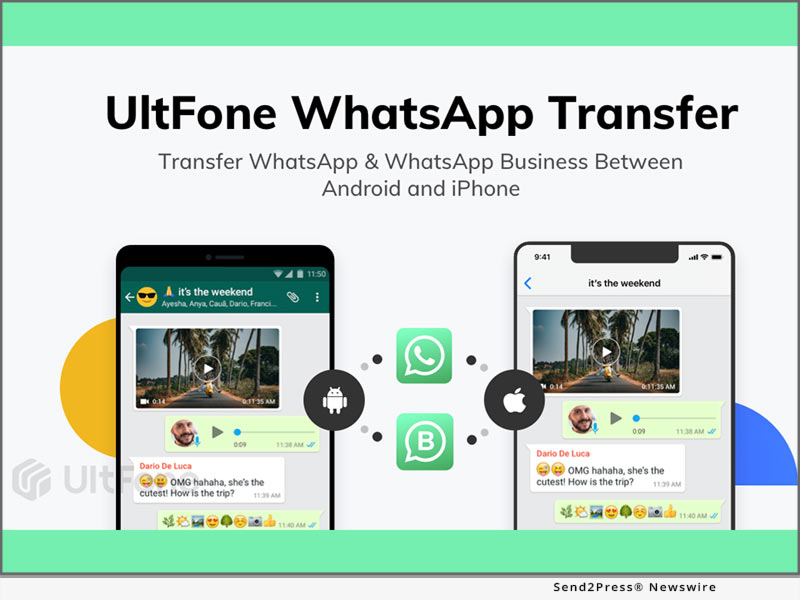
UltFone WhatsApp Transfer Updated to Transfer WhatsApp to New Phone including Apple iPhone 14

NEW YORK, N.Y. /ScoopCloud/ -- UltFone, a top-tier supplier of software for maintenance and management of iOS devices and data, upgraded UltFone Transfer and with the updated version, you can quickly transfer WhatsApp to new phone like Samsung S22 series, and iPhone 14, iPhone 14 Plus, iPhone 14 pro, or iPhone 14 Pro Max.

UltFone CEO Mike Lee stated: "After Apple's new update, everyone wants to know how to transfer WhatsApp to new phone 14. UltFone always works to resolve customer issues to meet user needs, we therefore develop and upgrade the software to transfer WhatsApp to new phone."

What are the new UltFone Transfer updates?

With the new solution, WhatsApp & WhatsApp Business chats can be transferred freely between iOS and Android devices. For instance, with just a few straightforward steps, we may move WhatsApp from an iPhone to an Android device and vice versa. Additionally, backup and restore have a more flexible and practical method.

How to transfer WhatsApp to new phone you can check guide from following link: https://www.UltFone.com/whatsapp-backup-restore-and-transfer.html

The newest iPhone 14, iPhone 14 Plus, iPhone 14 Pro, and iPhone 14 Pro Max are fully compatible: It not only works with the iPhone 6 to the iPhone 14, but it also supports a number of iPad and iPod models running iOS 9 up to the most recent iOS 16.

1-Click to Transfer WhatsApp between Android and iOS:

You may transfer WhatsApp messages and attachments, including videos, music, photos, and files, from an iPhone to an Android device, an android to iPhone with UltFone Transfer.

Restore and Backup WhatsApp from iPhone, iPad, Android to PC/Mac:

It's much simpler than you may think to transfer WhatsApp chat history, contacts, pictures, and videos to a new phone! Backup your WhatsApp data and then restore it on your iOS and Android devices.

Updated Features of UltFone Transfer:

* Transfer WhatsApp to new phone, including messages, images, and videos.

* Backup your WhatsApp files and then reinstall it on your iOS and Android devices.

* Transferring GBWhatsApp between Android and iOS.

* There is support for various phone numbers, No need to perform a device factory reset.

* Merge WhatsApp chats between Android and iOS using the same account.

Price and Availability:

Individuals can now get a great discount on a one-year licence for $39.95, a one-month license for $19.95, and a lifetime license for just $49.95. A one-year business plan costs $59.95.

For more information or take part in the event, visit: https://www.UltFone.com/iphone-ios-release-celebration.html

About UltFone:

A well-known software provider called UltFone provides fully integrated solutions for data transfer, iOS system repair, Android data recovery, and other things. Numerous well-known websites, like PCWorld, Macworld, TechRadar, Tech Advisor, and many more, have faith in the company.

Facebook: https://www.facebook.com/UltFone/

Twitter: https://twitter.com/UltFone

YouTube: https://www.youtube.com/UltFoneOfficial

News from UltFone

UltFone, a top-tier supplier of software for maintenance and management of iOS devices and data, upgraded UltFone Transfer and with the updated version, you can quickly transfer WhatsApp to new phone like Samsung S22 series, and iPhone 14, iPhone 14 Plus, iPhone 14 pro, or iPhone 14 Pro Max.

Related link: https://www.ultfone.com/

This version of news story was published on ScoopCloud™ (ScoopCloud.com) - part of and © the Neotrope® News Network - all rights reserved.

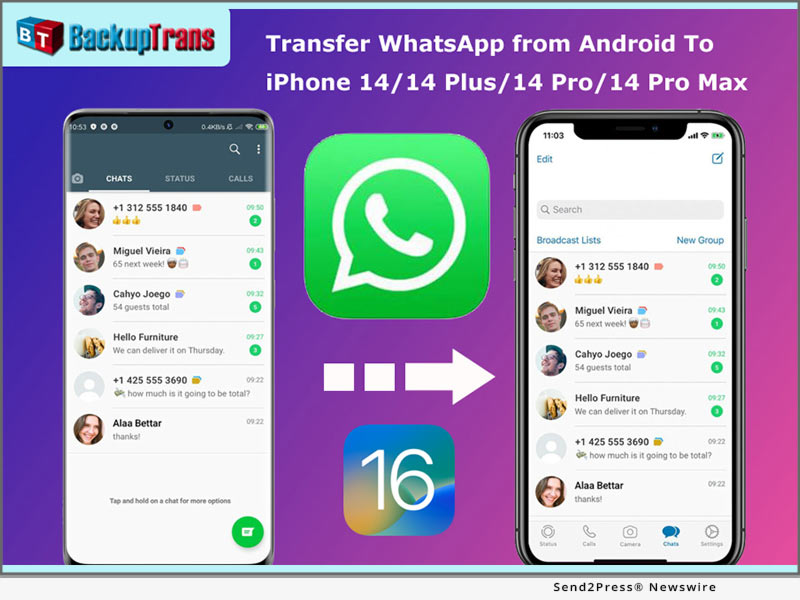
Backuptrans Updated to Transfer WhatsApp from Android to iPhone 14, iPhone 14 Plus, iPhone 14 Pro, iPhone 14 Pro Max

NEW YORK, N.Y. /ScoopCloud/ -- Backuptrans, a leading mobile software development company, has updated Android WhatsApp to iPhone Transfer software to support iPhone 14. The new version can help you easily transfer WhatsApp chat history from Android to iPhone 14/iPhone 14 Plus/iPhone 14 Pro/iPhone 14 Pro Max.

With Backuptrans Android WhatsApp to iPhone Transfer, mobile phone users can transfer WhatsApp chat history from Android to iPhone in a few simple clicks. "Many smartphone users wish to migrate the WhatsApp chat history when they switch phones. That is why we create and update the software," said Eric Ng, the CEO of Backuptrans. "We create simple and innovative solutions for life."

Step-by-step tutorial: https://www.backuptrans.com/tutorial/transfer-whatsapp-messages-from-android-to-iphone.html

What are the new updates?

1 - Transfer, Backup & Restore WhatsApp Data (Support iOS and Android): It supports transferring WhatsApp chat messages, including videos, images and audio attached files between iOS and Android.

2 - Fully compatible with the latest iPhone 14, iPhone 14 Plus, iPhone 14 Pro, and iPhone 14 Pro Max: It not only supports iPhone 6 to iPhone 14 but also supports various models of iPad and iPod from iOS 9 to the latest iOS 16.

3 - Export WhatsApp messages and links to PDF: You can use Backuptrans WhatsApp Transfer to export WhatsApp messages as a file for viewing. The messages and links can be exported as PDF, HTML, WORD, and TXT.

Other features have been updated including:

1 - Multi-directional Transfer WhatsApp between iOS and Android Device: Backuptrans's advanced technology and rich experience in data processing and transmission can ensure a high success rate for WhatsApp transferring.

2 - Backup WhatsApp Chats to Computer Freely & Easily: It is better to use than the official solution to back up WhatsApp chats from Android/iPhone to a computer with one click. The chats will be merged perfectly in the previous backup.

3 - Print WhatsApp Messages on Computer: Backuptrans provides a direct way to print out WhatsApp chat messages on the computer. You can choose to print all chat messages or a single conversation.

Price and Availability:

For personal 3 mobile devices, it is available at $19.95. You also can buy the Family edition that $29.95 for 8 mobile devices.

Learn More: https://www.backuptrans.com/android-whatsapp-to-iphone-transfer.html

About Backuptrans:

Backuptrans Studio is a leading software development company providing mobile device software solutions. Founded in 2012, Backuptrans has been an award-winning developer, especially in the mobile data transferring software and mobile device management field.

More information: https://www.backuptrans.com

Facebook: https://www.facebook.com/backuptrans

Twitter: https://twitter.com/backuptrans/

YouTube: https://youtu.be/YZQ0gfow11Y

News from Backuptrans Studio

NEW YORK, N.Y., Sept. 14, 2022 (SEND2PRESS NEWSWIRE) -- Backuptrans, a leading mobile software development company, has updated Android WhatsApp to iPhone Transfer software to support iPhone 14. The new version can help you easily transfer WhatsApp chat history from Android to iPhone 14/iPhone 14 Plus/iPhone 14 Pro/iPhone 14 Pro Max.

Related link: https://www.backuptrans.com/

This version of news story was published on ScoopCloud™ (ScoopCloud.com) - part of and © the Neotrope® News Network - all rights reserved.

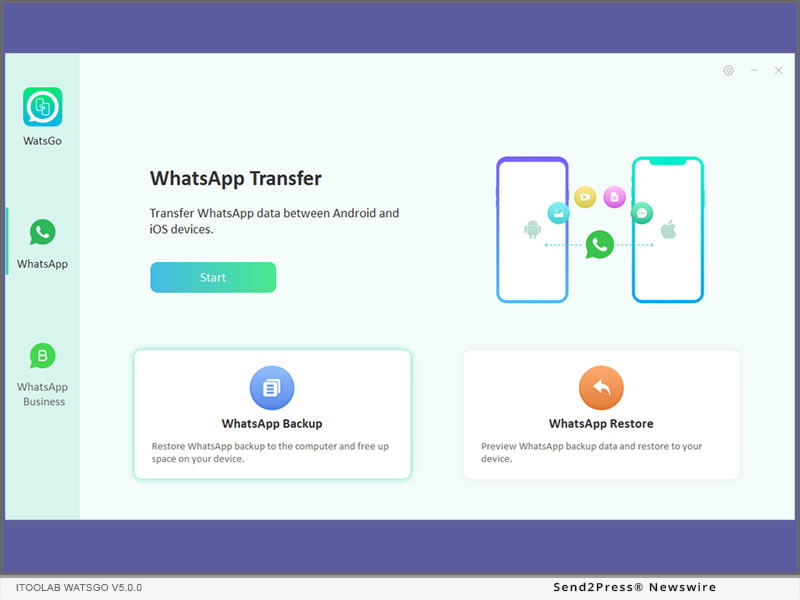
iToolab WatsGo V5.0.0 Released! One-Click to Transfer, Backup and Restore WhatsApp

NEW YORK, N.Y. /ScoopCloud/ -- iToolab Co Ltd (iToolab) is an innovative high-tech company focused on smartphone solutions, and has proudly announced a new application iToolab WatsGo has finally debuted. It helps users to transfer WhatsApp between Android and iPhone in a quick and secure way. Users will never worry about losing data after changing to a new phone.

"This means a lot to users, WatsGo not only solves the problems of switching phones but also erases the worries of losing data. According to the research we did in the past months, many users don't want to factory reset their iPhone like what Move to iOS has done. That's one of the highlighted features we optimized in our application," said Mia Garcia, CEO at iToolab.

KEY FEATURES OF ITOOLAB WATSGO:

Transfer More Than 20+ Data Types

The majority of WhatsApp/WhatsApp Business data can be transferred totally, up to more than 20 kinds of data types are supported:
* Messages
* Images
* Contacts
* Call history
* Videos
* audio files
* label messages
* Docs
* Stickers
* Links
* Voice messages

3X Faster to Transfer WhatsApp/WhatsApp Business between Android and iPhone

The multi-direction transfer is one of the outstanding features. The all-in-one feature helps to transfer WhatsApp/WhatsApp Business from Android to iPhone, iPhone to Android, Android to Android, and iPhone to iPhone without much effort. Faster transfer speed makes sure all data will be moved to the target device without anything missed out.

Backup WhatsApp on Android and iPhone to Computer without Google Drive or iCloud

Is Google Drive or iCloud backup not working when you want to back up WhatsApp data? Or your cloud storage/phone storage is running out? WatsGo offers the best alternative to back up WhatsApp to the computer. This highly saves your space on the device.

View History Backup or iTunes Backup with Encrypted Password

No matter when you want to find the backup by WatsGo, there is always a way for you. Just connect your device and WatsGo will automatically show all history backups in the list. You can set a password to encrypt or delete the unwanted backup. What's more, you can view iTunes backup, which helps you to quickly find the iTunes backup on your local path.

Restore WhatsApp Backup to Android and iPhone Anytime

If you just want to restore history backup or iTunes backup, then WatsGo will never disappoint you. It's super easy for you to select history backup even without connecting the source device. Just click the restore button to import a backup to the target device, Android or iPhone.

PRICE:

1-Month Plan: $19.95

1-Year Plan: $29.95

Lifetime Plan: $39.95

More info: https://itoolab.com/buy/watsgo-for-windows/

Device Compatibility:

Windows: All systems running on Windows 11, 10, 8, 7

Android: Android 5-12: Samsung (focus), Huawei, Xiaomi, LG, Google, Oppo, Vivo, Motorola, Lenovo, HTC, ASUS, ONEPLUS, Sony, Vivo

iOS: iOS 10-15: All iPhone models running on the selected iOS versions.

About iToolab:

iToolab is a Hong-Kong based and leading iOS and Android solution provider that's working with a vision to help smartphone users tackle different technical errors on their Devices. Over the years, the company has helped millions of users fix iOS issues and regain access to their iPhones and iPads. As of now, iToolab is serving in 130+ countries and has an extensive user base. The creative approach of developers is the primary reason behind the high success rate of all iToolab's products.

For more details, please visit: https://itoolab.com/

Facebook: https://www.facebook.com/itoolab

MULTIMEDIA:

YouTube: https://www.youtube.com/user/iToolabOfficial/videos

News from IToolab Studio

iToolab Co Ltd (iToolab) is an innovative high-tech company focused on smartphone solutions, and has proudly announced a new application iToolab WatsGo has finally debuted. It helps users to transfer WhatsApp between Android and iPhone in a quick and secure way. Users will never worry about losing data after changing to a new phone.

Related link: https://itoolab.com/

This version of news story was published on ScoopCloud™ (ScoopCloud.com) - part of and © the Neotrope® News Network - all rights reserved.

Tenorshare iCareFone Transfer allows users to Transfer WhatsApp from Android to iPhone with Ease

NEW YORK, N.Y. /ScoopCloud/ -- Tenorshare has renamed their software called iCareFone Transfer (iCareFone for WhatsApp Transfer), which provides the easiest and most effective way to transfer WhatsApp from Android to iPhone without effort.

Major features of iCareFone Transfer:

1 - Convenient & Fast to Transfer WhatsApp

There are many ways to transfer WhatsApp, but most of them are time-consuming and labor-intensive. iCareFone Transfer provides a new method to solve the problem that users need to transmit urgently. It supports to transfer WhatsApp and WhatsApp Business messages and attachments from Android to iPhone 13 with one click, which enhances WhatsApp users' convenience of data transmission.

2 - One-Click to Backup & Restore WhatsApp & WhatsApp Business Chats to PC and Mac

iCareFone Transfer surpasses the official solution for WhatsApp chat backup from iPhone/Android to computer/Mac with amazing speed. Only one-click, WhatsApp, and WhatsApp Business chat will be backed up to users' PC/Mac.

It also supports downloading and restoring WhatsApp backup from Google Drive to iPhone.

3 - Export Backup of WhatsApp & WhatsApp Business messages and links to HTML

iCareFone Transfer makes it possible to export WhatsApp or WhatsApp Business chats, contacts, photos, or other data as a file for viewing. The messages and links can be exported as HTML. All users' data can be exported optionally, saving their time from the very beginning.

What are the new updates?

1. Change the name to iCareFone Transfer.
2. Fix known bugs.
3. Online informatization of iOS devices.
4. .net repair tool (2.1.1) integration.
5. Downloader update.

Price and Compatibility

For personal 1-5 devices, it is available at $19.95. You also can buy the Lifetime license at $49.95.

Support languages: English, German, Spanish, French, Russian, Japanese, Simplified Chinese, Traditional Chinese, Portuguese, Arabic, Korean, Dutch, Italian.

Latest iOS/iPadOS 15 and Android 11 compatible.

About Tenorshare

Tenorshare's focus is on the iOS, Android, Windows and Mac platforms and core technology study. They provide users with solutions for device content management, data recovery, password recovery, system repair and other practical mobile phone and computer essentials. Today, Tenorshare's products and services are trusted by more than 10 million users worldwide. More information: https://www.tenorshare.com/

Facebook: https://www.facebook.com/TenorshareOfficial/

Twitter: https://twitter.com/Tenorshare_Inc

MULTIMEDIA:

VIDEO (YouTube): https://www.youtube.com/watch?v=QVbxBcD7-1w

News from Tenorshare Co. Ltd.

Tenorshare has renamed their software called iCareFone Transfer (iCareFone for WhatsApp Transfer), which provides the easiest and most effective way to transfer WhatsApp from Android to iPhone without effort.

Related link: https://www.tenorshare.com/

This version of news story was published on ScoopCloud™ (ScoopCloud.com) - part of and © the Neotrope® News Network - all rights reserved.

Tenorshare iCareFone for WhatsApp Transfer: Transfer WhatsApp from Android to Apple iPhone 13 Without Any Effort

NEW YORK, N.Y. /ScoopCloud/ -- Tenorshare has updated their software called iCareFone for WhatsApp Transfer, which provides the easiest and most effective way to transfer WhatsApp from Android to iPhone 13 without effort.

"We're looking forward to an easy and effective solution so that WhatsApp users can transfer their WhatsApp data and WhatsApp Business between Android and iPhone easily," said Tenorshare's CEO, while introducing the application.

The Key features of iCareFone for WhatsApp Transfer:

Convenient & Fast to Transfer WhatsApp

There are many ways to transfer WhatsApp, but most of them are time-consuming and labor-intensive. iCareFone for WhatsApp Transfer provides a new method to solve the problem that users need to transmit urgently. It supports to transfer WhatsApp and WhatsApp Business messages and attachments from Android to iPhone 13 with one click, which enhances WhatsApp users' convenience of data transmission.

Diverse Data Transfer Type Supported

Fast to transfer WhatsApp and WhatsApp Business messages and attachments, including videos, images, files, audio, emoji, and so on.

Transfer with High Success Rate

iCareFone for WhatsApp Transfer enables you to transfer your WhatsApp/WhatsApp Business from Android to iPhone 13 with just one click. The 100% success rate ensures you not to be bothered by the trouble of losing data in your work or daily life.

Price and Compatibility

For personal 1-5 devices, it is available at $19.95. You also can buy the Lifetime license at $49.95.

Fully compatible with the latest iPhone 13, iPhone 13 Mini, iPhone 13 Pro, and iPhone 13 Pro Max: It not only supports iPhone 6 to iPhone 13, but also supports various models of iPad and iPod from iOS 9 to the latest iOS 15 and Android 11.

About Tenorshare

Tenorshare's focus is on the iOS, Android, Windows and Mac platforms and core technology study. They provide users with solutions for device content management, data recovery, password recovery, system repair and other practical mobile phone and computer essentials. Today, Tenorshare's products and services are trusted by more than 10 million users worldwide.

More information: https://www.tenorshare.com/

Facebook: https://www.facebook.com/TenorshareOfficial/

Twitter: https://twitter.com/Tenorshare_Inc

MULTIMEDIA:

VIDEO (YouTube): https://youtu.be/YWgOd6dYnuE

News from Tenorshare Co. Ltd.

Tenorshare has updated their software called iCareFone for WhatsApp Transfer, which provides the easiest and most effective way to transfer WhatsApp from Android to iPhone 13 without effort.

Related link: https://www.tenorshare.com/

This version of news story was published on ScoopCloud™ (ScoopCloud.com) - part of and © the Neotrope® News Network - all rights reserved.

Backuptrans Updated to Transfer WhatsApp from Android to iPhone 13

NEW YORK, N.Y. /ScoopCloud/ -- Backuptrans, a leading mobile software development company, has updated Android WhatsApp to iPhone Transfer to support iPhone 13. The new version can help you easily transfer WhatsApp chat history from Android to iPhone 13/iPhone 13 Mini/iPhone 13 Pro/iPhone 13 Pro Max. Currently there is no official method to transfer WhatsApp between Android and iOS. Luckily, Backuptrans WhatsApp Transfer software makes it possible.

With Backuptrans Android WhatsApp to iPhone Transfer, mobile phone users can transfer WhatsApp chats messages from Android to iPhone in a few simple clicks. "Many smartphone users wish to migrate the WhatsApp chat history when they switch phones. That is why we create & update the software," said Eric Ng, the CEO of Backuptrans. "We create simple and innovative solutions for life."

Step by step tutorial: https://www.backuptrans.com/tutorial/transfer-whatsapp-messages-from-android-to-iphone.html

What are the new updates?

1 - Transfer, Backup & Restore WhatsApp Data (Support iOS and Android): It supports to transfer WhatsApp chat messages, including videos, images, audios attached files between iOS and Android.

2 - Fully compatible with the latest iPhone 13, iPhone 13 Mini, iPhone 13 Pro, and iPhone 13 Pro Max: It not only supports iPhone 6 to iPhone 13, but also supports various models of iPad and iPod from iOS 9 to the latest iOS 15.

3 - Export WhatsApp messages and links to PDF: You can use Backuptrans WhatsApp Transfer to export WhatsApp messages as a file for viewing. The messages and links can be exported as PDF, HTML, WORD, and TXT.

Other features have been updated including:

1 - Multi-directional Transfer WhatsApp between iOS and Android Device: Backuptrans's advanced technology and rich experience of data processing and transmission can ensure a high success rate for WhatsApp transferring.

2 - Backup WhatsApp Chats to Computer Freely & Easily: It is better to use than the official solution to back up WhatsApp chats from Android/iPhone to computer by one-click. The chats will be merged perfectly in the previous backup.

3 - Print WhatsApp Messages on Computer: Backuptrans provides a direct way to print out WhatsApp chat messages on computer. You can choose to print all chat messages or a single conversation.

Price and Availability:

For personal 3 mobile devices, it is available at $19.95. You also can buy the Family edition that $29.95 for 8 mobile devices.

Learn More: https://www.backuptrans.com/android-whatsapp-to-iphone-transfer.html

About Backuptrans:

Backuptrans Studio is a leading software development company providing mobile device software solutions. Founded in 2012, Backuptrans has been an award-winning developer especially in the mobile data transferring software and mobile device management field.

More information: https://www.backuptrans.com

Facebook: https://www.facebook.com/backuptrans

Twitter: https://twitter.com/backuptrans/

YouTube: https://youtu.be/YZQ0gfow11Y

IMAGE link for media: https://www.Send2Press.com/300dpi/21-0925s2p-backuptrans-300dpi.jpg

News from Backuptrans Studio

Backuptrans, a leading mobile software development company, has updated Android WhatsApp to iPhone Transfer to support iPhone 13. The new version can help you easily transfer WhatsApp chat history from Android to iPhone 13/iPhone 13 Mini/iPhone 13 Pro/iPhone 13 Pro Max. Currently there is no official method to transfer WhatsApp between Android and iOS. Luckily, Backuptrans WhatsApp Transfer software makes it possible.

Related link: https://www.backuptrans.com/

This version of news story was published on ScoopCloud™ (ScoopCloud.com) - part of and © the Neotrope® News Network - all rights reserved.

Tenorshare iCareFone for WhatsApp Transfer App App: Transfer WhatsApp from Android to Apple iPhone without Computer

NEW YORK, N.Y. /ScoopCloud/ -- Tenorshare has launched an application called iCareFone for WhatsApp Transfer App App, which provides the easiest and most effective way to transfer WhatsApp from Android to iPhone anytime, anywhere.

"We're looking forward to an easy and effective way so that WhatsApp users can transfer their WhatsApp data and WhatsApp Business even if they don't have a pc at the moment," said Tenorshare's CEO, while introducing the application.

The Key features of iCareFone for WhatsApp Transfer App:

NO Computer Required.

Quickly & easily transfer WhatsApp from Android to iPhone only with OTG cable.

Convenient & Fast to Transfer WhatsApp

There are many ways to transfer WhatsApp, but most of them are time-consuming and labor-intensive, and require a computer. iCareFone for WhatsApp Transfer App provides a new method to solve the problem that users do not have a computer at hand and need to transmit urgently. It supports to transfer WhatsApp and WhatsApp Business messages and attachments from Android to iPhone, which enhances WhatsApp users' convenience of data transmission.

Diverse Data Transfer Type Supported

Fast to transfer WhatsApp and WhatsApp Business messages and attachments, including videos, images, files, audio, emoji, and so on.

Transfer with High Success Rate

iCareFone for WhatsApp Transfer App enables you to transfer your WhatsApp/WhatsApp Business from Android to iOS devices when there're no computers on your hand. The 100% success rate ensures you not to be bothered by the trouble of losing data in your work or daily life.

Price and Compatibility

* Support various Android devices and brands, including Samsung, Huawei, Xiaomi, Oppo, Vivo, HTC, LG, Sony, Motorola, etc.

* Applicable to all versions from Android 5.1 to Android 11.

* Applicable to all versions from iOS 10 to iOS 15 Beta 3.

* $14.99 a year.

Learn more in the Google Play store: https://play.google.com/store/apps/details?id=com.tenorshare.transfer&hl=en_US&gl=US

About Tenorshare

Tenorshare's focus is on the iOS, Android, Windows and Mac platforms and core technology study. They provide users with solutions for device content management, data recovery, password recovery, system repair and other practical mobile phone and computer essentials. Today, Tenorshare's products and services are trusted by more than 10 million users worldwide. More information: https://www.tenorshare.com/

Facebook: https://www.facebook.com/TenorshareOfficial/

Twitter: https://twitter.com/Tenorshare

MULTIMEDIA:

VIDEO (YouTube): https://youtu.be/jtTkUWbJ4_4

News from Tenorshare Co. Ltd.

Tenorshare has launched an application called iCareFone for WhatsApp Transfer App App, which provides the easiest and most effective way to transfer WhatsApp from Android to iPhone anytime, anywhere.

Related link: https://www.tenorshare.com/

This version of news story was published on ScoopCloud™ (ScoopCloud.com) - part of and © the Neotrope® News Network - all rights reserved.