Tag Archives: unlock android phone

How to Easily Bypass FRP on Motorola Phone with FonesGo Android Unlocker

NEW YORK, N.Y. /ScoopCloud/ -- Similar to other Android devices, Motorola phones and tablets also have Google FRP lock. If you reset a Motorola device to factory settings without removing the Google account, you'll need to enter the correct Google account email and password to activate the device, says FonesGo.

After verification, you can access the device and enjoy all services. Everything seems okay until you purchase a second-hand Motorola device and the previous owner didn't take off his Google account before resetting.

You don't have to be worried since we're here to help you.

3 SIMPLE STEPS TO BYPASS GOOGLE FRP LOCK ON MOTOROLA

It's time-consuming to find a working method that can bypass Google FRP lock on all Motorola devices, but not anymore. FonesGo Android Unlocker, a powerful unlocking tool, just released a new version to support Motorola FRP bypass. Now, let's check how to bypass Motorola FRP with a computer.

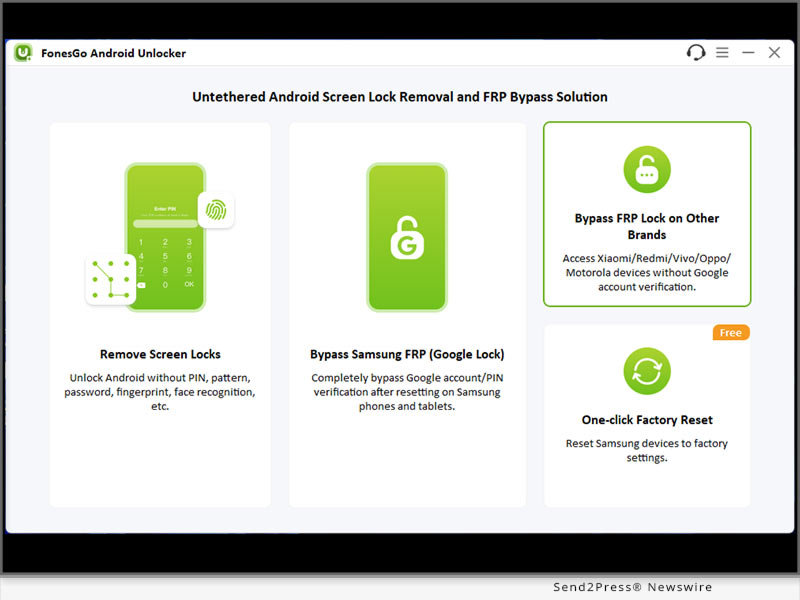
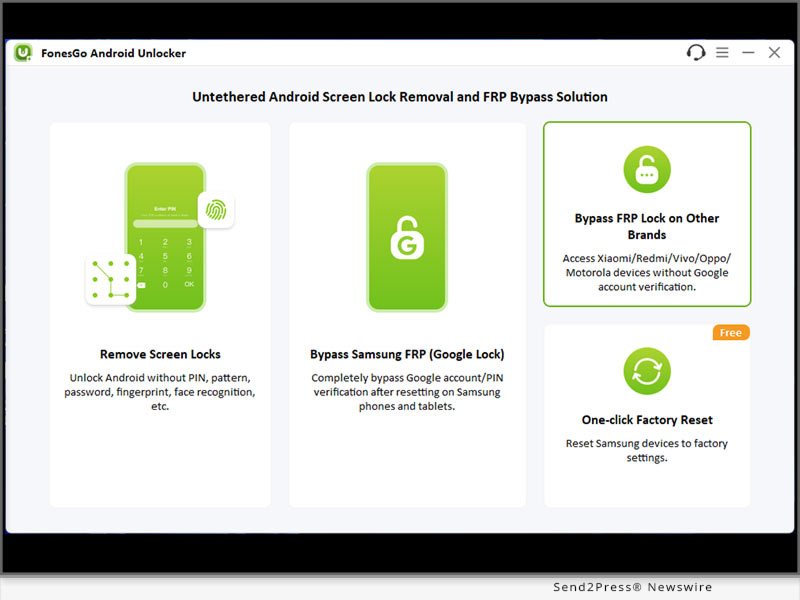
Step 1: Free download FonesGo Android Unlocker on your Windows or Mac computer. After installation, run it and choose "Bypass FRP Lock on Other Brands".

Step 2: Connect your Google-locked Motorola device to the computer with a USB cable. Then select your device brand on the program to move on.

Step 3: Follow the on-screen instructions, then you can easily remove Google FRP lock from Motorola devices completely.

You can also check the full guide here: https://fonesgo.com/guide/how-to-use-android-unlocker/

WHY SHOULD YOU CHOOSE FONESGO ANDROID UNLOCKER

* FonesGo Android Unlocker is a powerful and trusted password unlocking tool for all Android devices. Let's check some main features of it:

* Whether your Android phone is locked with a PIN/pattern or the screen is broken and can't be unlocked, FonesGo Android Unlocker can help you unlock the device easily.

* Apart from removing various screen locks from 6000+ Android devices, it can also remove Google FRP lock from Samsung, Xiaomi, Redmi, vivo, OPPO and Motorola devices.

* It's compatible with Windows and Mac systems, and the latest Android 14 as well.

PRICE

* FonesGo Android Unlocker is free to download. However, you need to purchase a license plan to enjoy all functions.

* The program is sold with different license types, including 1 Month Plan, 1 Year Plan and Lifetime Plan. The prices are $29.95, $39.95, $49.95, respectively. In other words, the longer you own the license, the cheaper it will be.

For more information, you can visit: https://fonesgo.com/buy/android-unlocker-for-windows/

About FonesGo:

FonesGo is committed to developing easy, effective, and professional solutions for Android, iOS, and computer devices. As of now, the company has assisted millions of users to regain access to their devices. You can rely on FonesGo if you have any issues on your mobile phone or computer.

For more details, please visit:

Website: https://fonesgo.com/

YouTube: https://www.youtube.com/@fonesgo

Facebook: https://www.facebook.com/fonesgo

X/Twitter: https://twitter.com/FonesGo
News from FonesGo

Similar to other Android devices, Motorola phones and tablets also have Google FRP lock. If you reset a Motorola device to factory settings without removing the Google account, you'll need to enter the correct Google account email and password to activate the device, says FonesGo.

Related link: https://fonesgo.com/

This version of news story was published on ScoopCloud™ (ScoopCloud.com) - part of and © the Neotrope® News Network - all rights reserved.
How to Bypass Factory Reset Protection on Android? FonesGo Android Unlocker is Launched

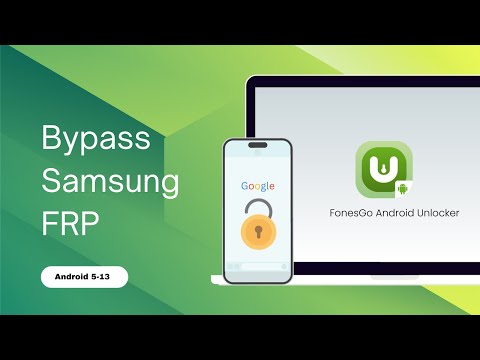
NEW YORK, N.Y. /ScoopCloud/ -- "I bought a used Samsung phone, and the previous owner forgot to take his Gmail off. I went to factory reset it and now his Google account stops me from using the device. I can't get in contact with the seller. How can I bypass this Factory Reset Protection?" This is a common issue among Android users. The device will be useless if you can't enter the correct Google account credentials. Don't panic since FonesGo Android Unlocker is the answer you've been looking for.

IS IT POSSIBLE TO BYPASS FACTORY RESET PROTECTION?

Yes, there are a few free ways to bypass Factory Reset Protection on Android devices. But they all have limitations to unlock your Android phone.

Here they are:

* Bypass Factory Reset Protection via Talkback Feature: This method is very complicated. You may need to install FRP Bypass APK files on your device.

* Bypass Factory Reset Protection using Google. Keyboard: This method only works on Android 6 or earlier.

* Bypass Factory Reset Protection using SIM Card: It requires that you have another working phone to call your SIM card.

RECOMMENDED FRP BYPASS TOOL - FONESGO ANDROID UNLOCKER

Unlike other methods, FonesGo Android Unlocker is easy to use and allows users to bypass Google FRP lock on Android 5-13. By using FonesGo FRP Bypass Tool, you don't need to install an extra APK file on your device. And with the step-by-step guide, you can easily bypass Factory Reset Protection within minutes.

WHAT MAKES FONESGO ANDROID UNLOCKER THE TOP FACTORY RESET PROTECTION BYPASS TOOL?

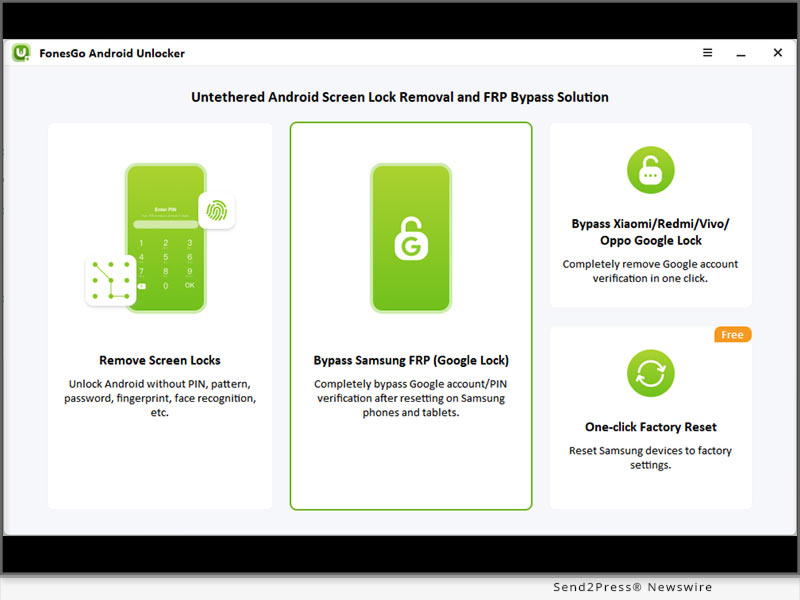
* Bypass Factory Reset Protection on Samsung, Xiaomi/Redmi, vivo and OPPO devices running Android 5-13.

* Developed by the professional team, FonesGo FRP Bypass Tool guarantees a high success rate up to 99%.

* The tool is easy to use. You can regain access to your locked Android device within several simple steps.

* By using this tool, you can enjoy a free lifetime update.

HOW TO BYPASS FACTORY RESET PROTECTION WITH FONESGO ANDROID UNLOCKER?

The steps to bypass Factory Reset Protection vary on different phone brands. Here, we will take Samsung as an example. Follow these steps:

* Connect your locked Samsung device to the computer with a USB cable, and select "Bypass Samsung FRP" on the main interface.

* Choose your Android version and click "Next."

* Bypass Factory Reset Protection on Samsung successfully.

Full guide: https://fonesgo.com/guide/how-to-use-android-unlocker/

Video guide: https://youtu.be/iU2Syh8qZAY

About FonesGo:

FonesGo is committed to developing easy, effective, and professional solutions for Android, iOS, and computer devices. As of now, the company has assisted millions of users to regain access to their devices. You can rely on FonesGo if you have any issues on your mobile phone or computer.

For more details, please visit:

Website: https://fonesgo.com/

YouTube: https://www.youtube.com/@fonesgo

Facebook: https://www.facebook.com/fonesgo

News from FonesGo

"I bought a used Samsung phone, and the previous owner forgot to take his Gmail off. I went to factory reset it and now his Google account stops me from using the device. I can't get in contact with the seller. How can I bypass this Factory Reset Protection?" This is a common issue among Android users. The device will be useless if you can't enter the correct Google account credentials. Don't panic since FonesGo Android Unlocker is the answer you've been looking for.

Related link: https://fonesgo.com/

This version of news story was published on ScoopCloud™ (ScoopCloud.com) - part of and © the Neotrope® News Network - all rights reserved.
Bypassing Google FRP Lock on Xiaomi, Redmi and Poco Easily with Tenorshare 4uKey for Android

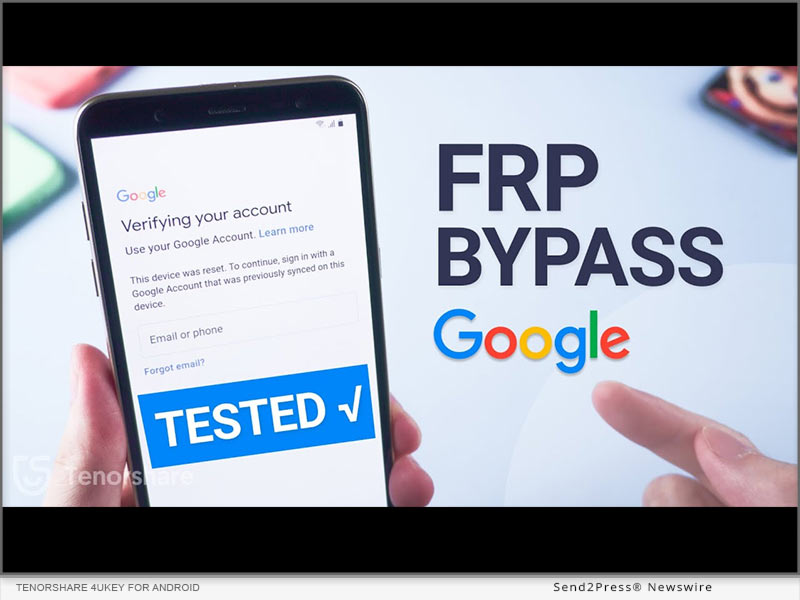
NEW YORK, N.Y. /ScoopCloud/ -- Dealing with Xiaomi/Redmi/Poco FRP lock on your phone is a real headache for it is time-using to repair it by repair shops and online groups. But now, Tenorshare has announced a groundbreaking update to 4uKey for Android which is good at bypassing Google FRP Lock on Xiaomi, Redmi, Poco and Samsung.

What's New?

The latest version of Tenorshare 4uKey for Android allows Redmi/Xiaomi FRP bypass without requiring a password or Google account, which empowers Xiaomi/Redmi/Poco/Samsung users to regain access to their Android devices quickly and easily without the frustration of forgotten passwords or account credentials.

It can even remove PINs, patterns, and screen locks with just one click, and you're good to go, with no data loss whatsoever. What's more, it works with over 6000 Android devices, including Xiaomi and Redmi devices running on MIUI 10-14 and even the latest Android 13 phones.

Key features of Tenorshare 4uKey for Android:

* Samsung/Redmi/Poco/Xiaomi FRP Bypass

This feature allows you to perform a Google account bypass without verification. Whether your phone is running on Android 6 or 13, you'll gain unrestricted access to all the functionalities and features of your phone after FRP lock removal.

* Remove Screen Locks With Simplified Unlocking Process

Forgot your phone lock screen password? No problem. This Google bypass software but offers a convenient solution for removing Android passwords, PINs, pattern locks, fingerprints, and even face recognition. Besides, it is designed to intelligently handle popular Android smartphones such as Samsung, Xiaomi, and Redmi, ensuring compatibility and ease of use across various devices.

* Factory Reset Xiaomi/Redmi/Samsung

If you are a phone reseller or own a phone repair shop, this remarkable tool automates resetting Samsung devices. Regardless of their Android OS version, you can efficiently carry out device unlocks without the need for manual interventions or complex procedures.

* How to Bypass Xiaomi/Redmi/Poco FRP?

To perform FRP bypass on Xiaomi/Redmi/Poco/Samsung devices using Tenorshare FRP Bypasser, follow these steps:

Connect your phone to the computer, and open 4uKey for Android.

Select "Remove Google Lock (FRP)" by choosing "Android version (11/12/13)" and pressing "Start."

Follow the on-screen instructions and click "Start Remove."

After the removal, you can set up your Xiaomi/Redmi/Poco/Samsung device as new.

LEARN MORE:

* https://www.tenorshare.com/unlock-android/bypass-xiaomi-frp.html

* https://www.tenorshare.com/products/android-password-reset-tool.html

* https://www.tenorshare.com/unlock-android/bypass-factory-reset-protection-android.html

* https://www.tenorshare.com/sales-promotion.html

About Tenorshare:

Tenorshare has remained committed to providing exceptional software solutions for 16 years that enhance the user experience and overcome common challenges faced by Android device owners. The introduction of Redmi/Xiaomi/Poco FRP Bypass in 4uKey for Android reinforces the company's dedication to innovation and customer satisfaction.

More information: https://www.tenorshare.com/

Facebook: https://www.facebook.com/TenorshareOfficial/

Twitter: https://twitter.com/Tenorshare_Inc

YouTube: https://www.youtube.com/user/TenorshareOfficial/videos

TikTok: https://www.tiktok.com/@tenorshare_tech_tips

News from Tenorshare Co. Ltd.

Dealing with Xiaomi/Redmi/Poco FRP lock on your phone is a real headache for it is time-using to repair it by repair shops and online groups. But now, Tenorshare has announced a groundbreaking update to 4uKey for Android which is good at bypassing Google FRP Lock on Xiaomi, Redmi, Poco and Samsung.

Related link: https://www.tenorshare.com/

This version of news story was published on ScoopCloud™ (ScoopCloud.com) - part of and © the Neotrope® News Network - all rights reserved.
One-click Unlock Samsung Phone without PIN/Password with an Efficient Android Unlocker – iToolab UnlockGo (Android) V6.5.0 Released

NEW YORK, N.Y. /ScoopCloud/ -- Hundreds of thousands of people are using UnlockGo (Android) to unlock Android phones and tablets, says iToolab Co Ltd. This Android unlocker is privileged to be a partner of many cell phone stores, online buyback and resellers, and electronics recycling organizations. To improve work efficiency, iToolab R&D team launched a more concise Samsung unlock feature after a survey and review.

"You can't say we're biased towards Samsung users, after all, users make up the majority. In this version, we bring free benefits to you," said iToolab CEO Mia Garcia while introducing new features.

HIGHLIGHTS FROM ITOOLAB UNLOCKGO (ANDROID) V6.5.0

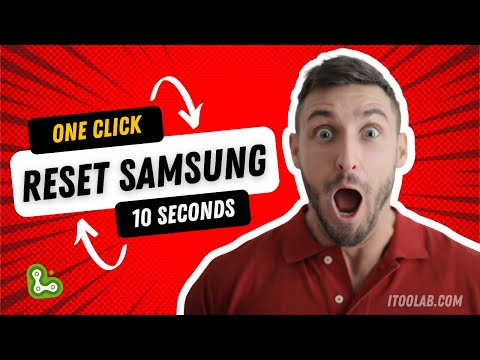
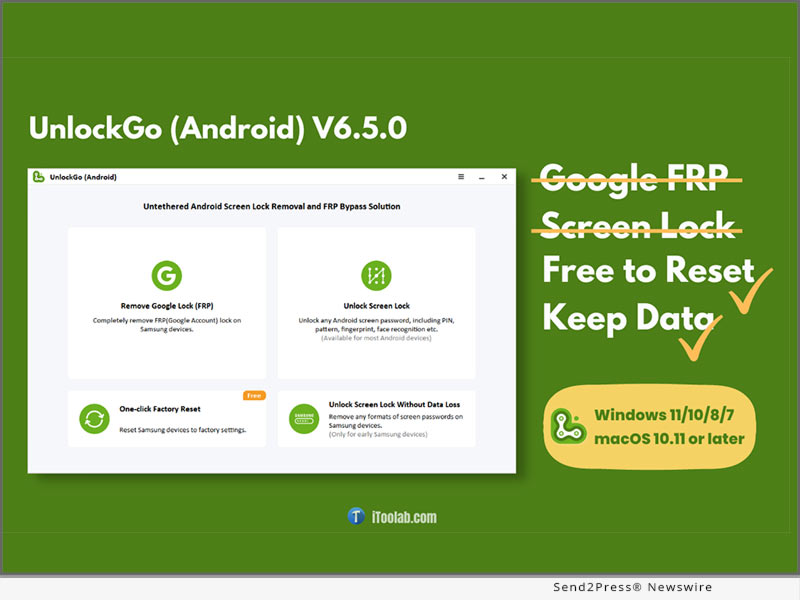
10 Seconds factory reset Samsung without Settings menu or key combinations

UnlockGo (Android) allows you to reset Samsung in all Adnroid OS versions when you need to deal with multiple devices. Connecting to your computer and only 1 click, all data should be wiped out. This feature is free of charge and no registration is required.

https://youtu.be/rlS5mWgLZGc

Remove screen locks from Samsung devices without Recovery Mode

When you forgot the PIN, password, pattern, fingerprint, or face recognition, or received a locked Samsung phone, this phone unlocker saves you. There is no laborious process, everything is left to the program to unlock automatically.

Bypass Google Lock (FRP) from Samsung without Emergency Call

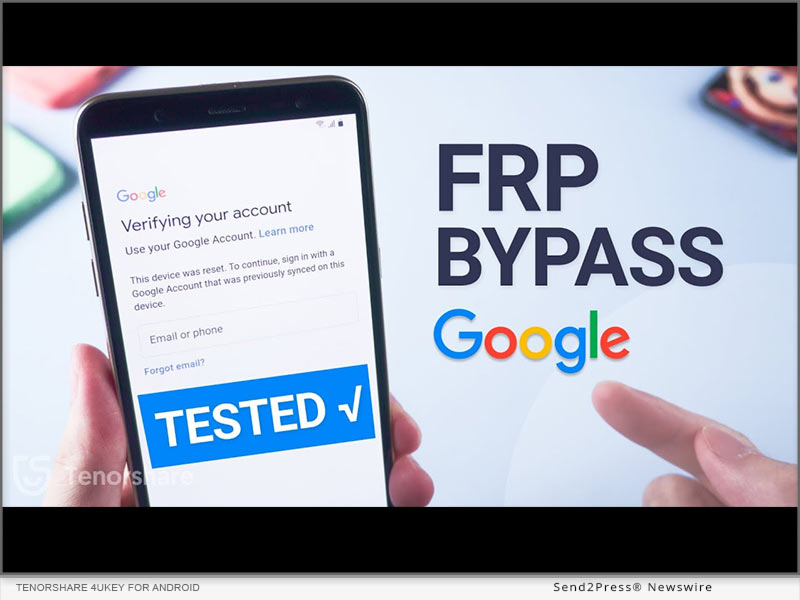
Emergency Call entrance is not always shown on all Samsung models. iToolab team found a new solution for it. Following the on-screen instruction, the program leads your Samsung download essential application to remove the Google FRP lock on Android 5-12.

FEATURES THAT USERS CAN'T MISS

1 - Bypass Google account and PIN verification after factory reset Samsung. With multiple methods and wide compatibility, this FRP bypass tool is adorable to users.

2 - Unlock Android phones and tablets without password. It works on mainstream smartphone manufacturers, including Samsung, Huawei, LG, Motorola, Sony, Google Pixel, Xiaomi, Vivo, OPPO, etc.

3 - Unlock Samsung without losing data on some earlier models. You can remove PIN code and pattern lock but still keep the data on your phone.

PRICE AND AVAILABILITY

UnlockGo for Android works well on Windows 11/10/8/7 and Mac 10.11 or newer. The subscription plan starts from $29.95 per month for 5 devices now. If you are an organization or company, a customized business plan is a good deal.

Learn More: https://itoolab.com/android-phone-unlocker/

ABOUT ITOOLAB

iToolab is an international company founded in 2008 to help iOS and Android users solve various issues with leading-edge smartphone tools for repair and recovery, unlocking, and more. As of now, iToolab is serving 130+ countries and has an extensive user base. The creative approach of developers is the primary reason behind the high success rate of all iToolab's products.

For more details, please visit:

Website: https://itoolab.com/

YouTube: https://www.youtube.com/c/itoolab

Twitter: https://twitter.com/IToolab

Facebook: https://www.facebook.com/itoolab

News from IToolab Co Ltd

Hundreds of thousands of people are using UnlockGo (Android) to unlock Android phones and tablets, says iToolab Co Ltd. This Android unlocker is privileged to be a partner of many cell phone stores, online buyback and resellers, and electronics recycling organizations. To improve work efficiency, iToolab R&D team launched a more concise Samsung unlock feature after a survey and review.

Related link: https://itoolab.com/

This version of news story was published on ScoopCloud™ (ScoopCloud.com) - part of and © the Neotrope® News Network - all rights reserved.