Author Archives: FonesGo

[2025] FonesGo Location Changer Updated: How to Spoof on Pokemon GO for iOS via Android with Bluetooth Connectivity

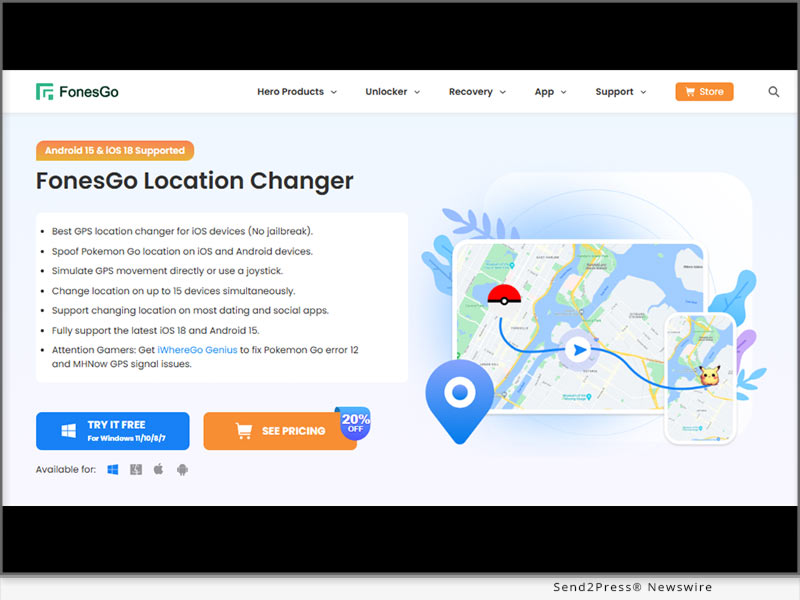
NEW YORK, N.Y., March 26, 2025 (SEND2PRESS NEWSWIRE) — Getting the “Location Failed (Error 12)” message in Pokémon GO can be frustrating, stopping you from playing and exploring freely. This happens due to GPS restrictions or detection issues. A location changer helps bypass these errors, letting you enjoy the game without limits. FonesGo Location Changer is a game-changer for Pokémon GO players who want to explore the world without leaving home.
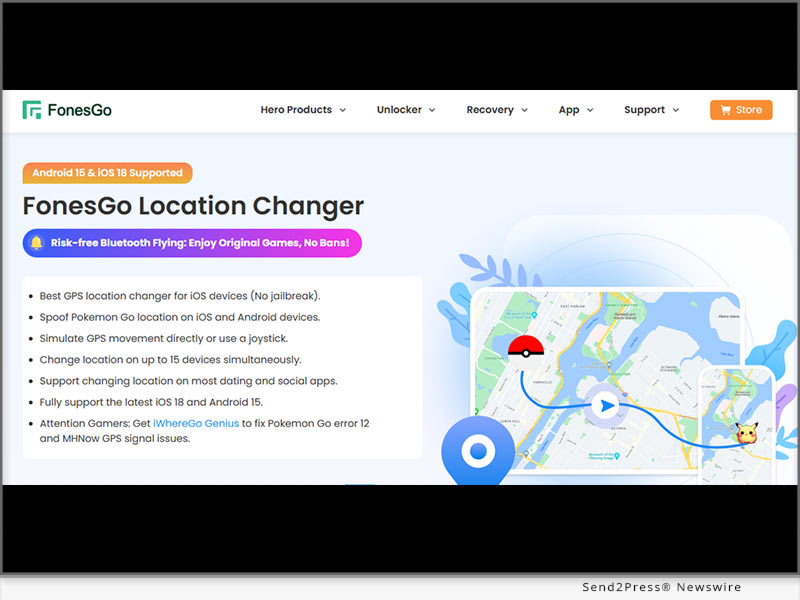
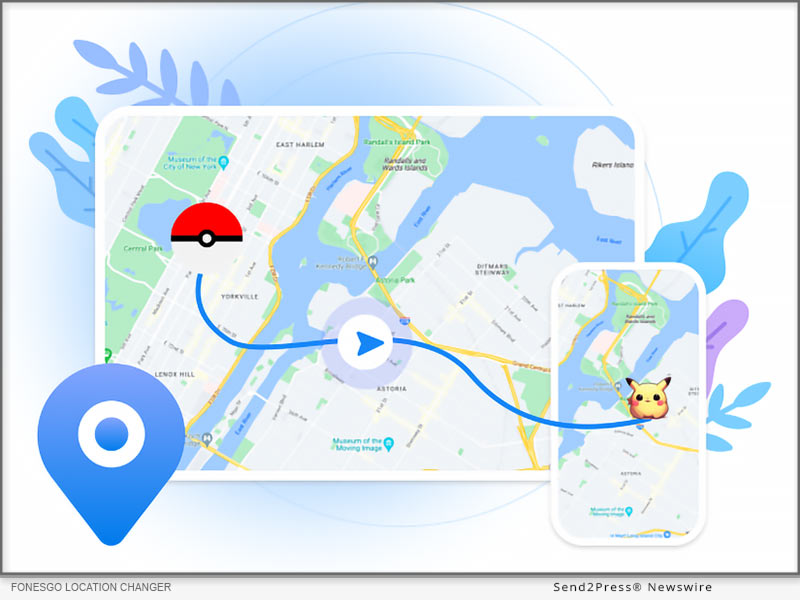
FonesGo Location Changer Update
Image caption: FonesGo Location Changer Update.

INTRODUCTION

It does not matter whether you’re after rare Pokémon or joining global raids, this Pokémon GO walking hack lets you move naturally with a joystick, avoid bans, and teleport anywhere—all without risky jailbreaks or roots.

WHY YOU SHOULD CHOOSE FONESGO LOCATION CHANGER

New Feature of FonesGo Android Location Changer App 2025:

  • Change iOS location via Android Bluetooth Connection – Change GPS locations on iOS devices using a single Android app, making spoofing more convenient and accessible.
  • Fly Anywhere with 0-ban Accounts – No cracked packages needed on iOS devices, enjoy the official game version safely.

WHY STAND OUT:

  • Wireless Bluetooth Spoofing – Modify your GPS location effortlessly via Bluetooth, ensuring a stable and secure connection without cables.
  • Advanced Route Planning with GPX – Import GPX files to create realistic movement paths, allowing your character to travel naturally along custom routes.
  • Bypass Error 12: Compatible with iWhereGo POGO Genius to fix Error 12 for a smooth experience.
  • No Jailbreak or Root Needed – Change locations without altering your device’s system, keeping security and functionality intact.
  • Fly Mode for Instant Teleportation – Instantly jump between locations in Pokémon GO without any physical movement.
  • Minimized Ban Risk – Stay undetected with smart cooldown timers and realistic movement simulations, reducing potential flags from game security systems.
  • Compatible with Major AR Games – Works seamlessly with Pokémon GO, MHN, and other location-based applications, offering a safe and smooth experience.

HOW TO DOWNLOAD AND SET UP FONESGO LOCATION CHANGER

  • Download the software – Visit the official website and download FonesGo Android Location Changer App.
  • Pair iOS with Android Bluetooth Mode – Activate Bluetooth to effortlessly connect your iOS device.
  • Start faking location – Use the joystick or teleport mode to change your location instantly and fly anywhere!

ABOUT FONESGO LOCATION CHANGER

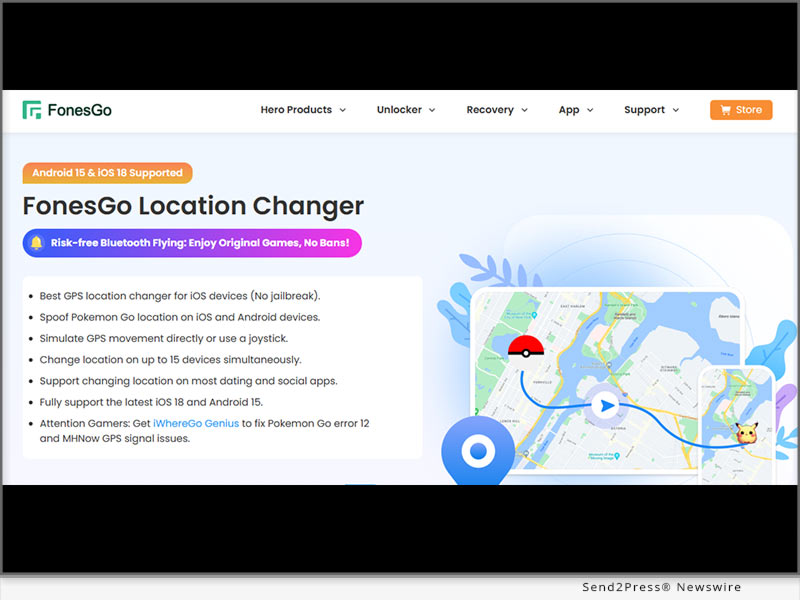
FonesGo Location Changer is an easy-to-use GPS spoofing tool that works on iOS 18 and Android 15 without needing jailbreak or root. It lets you teleport anywhere, use joystick controls, and simulate real movement, making it a perfect Pokémon GO hack for iOS players to use safely without detection.

With Wi-Fi and USB connectivity, setup is quick and hassle-free. You can change locations on up to 15 devices at once and use features like cooldown timers, favorite routes, and movement history to avoid bans. It’s a must-have for anyone wanting to explore Pokémon GO freely without limits.

LEARN MORE:

Official Website: https://fonesgo.com/

YouTube: https://www.youtube.com/@fonesgo

NEWS SOURCE: FonesGo


This press release was issued on behalf of the news source (FonesGo), who is solely responsible for its accuracy, by Send2Press Newswire. Image, if any, was provided by the news source and not this website or the wire service. Information is believed accurate, as provided by the news source, but is not guaranteed.

To view the original story, visit: https://www.send2press.com/wire/2025-fonesgo-location-changer-updated-how-to-spoof-on-pokemon-go-for-ios-via-android-with-bluetooth-connectivity/

Copr. © 2025 Send2Press® Newswire, Calif., USA. -- REF: S2P STORY ID: S2P124994 NOREL-3B
 

[2025 Latest] Bluetooth Tech to Spoof Pokémon GO on iOS with FonesGo Location Changer

NEW YORK, N.Y., March 7, 2025 (SEND2PRESS NEWSWIRE) — Pokémon GO players seeking a seamless way to explore different locations can now use FonesGo Location Changer, a powerful GPS spoofing tool designed for iOS and Android. With advanced features like Multi-Modes, and Bluetooth-based location spoofing, FonesGo ensures a smooth, secure, and ban-resistant Pokémon GO experience – no jailbreak or root required. The latest version 7.9.0 introduces a breakthrough Bluetooth mode that allows users to safely spoof their location without relying on cracked versions.

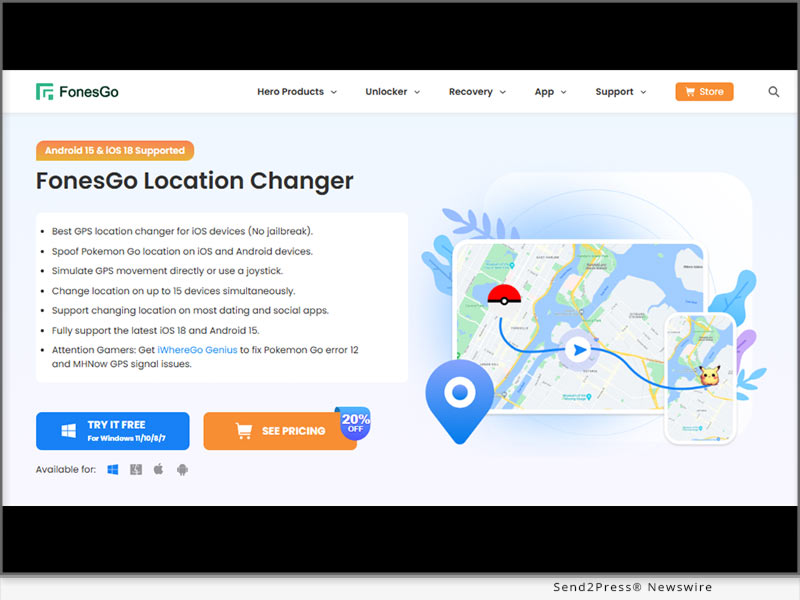
Bluetooth Tech to Spoof Pokemon GO on iOS with FonesGo Location Changer
Image caption: Bluetooth Tech to Spoof Pokémon GO on iOS with FonesGo Location Changer.

INTRODUCTION

With Pokémon GO continuously updating its location detection system, players often struggle to change their GPS position without getting flagged. FonesGo Location Changer offers a safe and reliable way to do Pokemon GO walking hack in different regions, catch rare Pokémon, and participate in remote raids—all while maintaining a low risk of detection.

WHY FONESGO STANDS OUT: KEY FEATURES FOR 2025

  • Bluetooth Spoofing (iOS 17 and above) – Offers a wireless, stable, and secure spoofing method via Bluetooth, reducing detection risks while eliminating the need for a direct USB connection.
    • Wirelessly control your iPhone
    • Play POGO and MHN with original version
    • Enjoy a ban-free account
  • Fix Error 12 & iWhereGo POGO Genius Support – Resolve the “Failed to Detect Location 12” issue in Pokémon GO effortlessly. This also integrates with iWhereGo POGO Genius, a powerful tool designed to fix Error 12.
  • No Jailbreak & No Root Required – Ensures your device’s security remains intact, allowing you to change locations without modifying system files or risking system instability.
  • Smart Cooldown System – Built-in cooldown timers and realistic movement settings help prevent detection by mimicking real-world travel speeds and avoiding sudden location jumps.
  • Supports Multiple Games and Social Apps – Compatible with Pokémon GO, MHN, Ingress, and social apps like Snapchat and WhatsApp, offering broader usability.

GETTING STARTED WITH FONESGO LOCATION CHANGER IN BLUETOOTH MODE

Setting up this epic Pokemon GO hack for iOS quick. Just follow these steps to start exploring new locations instantly:

  1. Download & Install – Head to the FonesGo website and grab the version for Windows or Mac.
  2. Connect Your Device with Bluetooth – Link your iPhone to your computer using a Bluetooth connection for added convenience.
  3. Choose Your Preferred location – Select teleport mode to jump to any location you want instantly.

ABOUT FONESGO LOCATION CHANGER 

FonesGo iOS Location Changer isn’t just for gaming – it’s also perfect for social and dating apps, allowing you to share a virtual location while keeping your real one private. With support for up to 15 devices simultaneously, it offers a realistic movement mode that mimics natural walking speeds and enables custom route planning via GPX file import. The latest update also introduces Bluetooth connectivity with iOS 17 and above, making wireless spoofing smoother and more convenient than ever.

LEARN MORE:

Official Website: https://fonesgo.com/

YouTube: https://www.youtube.com/@fonesgo

NEWS SOURCE: FonesGo


This press release was issued on behalf of the news source (FonesGo), who is solely responsible for its accuracy, by Send2Press Newswire. Image, if any, was provided by the news source and not this website or the wire service. Information is believed accurate, as provided by the news source, but is not guaranteed.

To view the original story, visit: https://www.send2press.com/wire/2025-latest-bluetooth-tech-to-spoof-pokemon-go-on-ios-with-fonesgo-location-changer/

Copr. © 2025 Send2Press® Newswire, Calif., USA. -- REF: S2P STORY ID: S2P124570 NOREL-3B


Best Tool to Spoof Location on Android Without Using a Computer | FonesGo Android Location Changer

NEW YORK, N.Y. /ScoopCloud/ -- We are glad to announce the release of FonesGo Android Location Changer, the ultimate solution for anybody looking to simply spoof GPS location. This App provides a simple and user-friendly approach to mock location on Android without the need for a PC or root.

"FonesGo is excited to introduce a groundbreaking tool designed to enhance your mobile experience," says a FonesGo spokesperson. "Our innovative solution allows users to change their phone's location without the need for a computer, providing unprecedented convenience and flexibility." Don't miss the chance to experience the future of mobile technology firsthand.

WHAT FEATURES DOES FONESGO LOCATION CHANGER HAVE?

1. Spoof Location without Computer

With FonesGo Android Location Changer, you can set your GPS location to anywhere in the world without the need for a computer, using only your Android device. Allowing you to change your location anytime, anywhere.

2. Explore Location-Based Apps

You can use FonesGo Android Location Changer to break the geographical restrictions of applications and unlock more new experiences! It can not only spoof the location of games such as Pokemon Go, but also freely simulate the realistic movement.

3. Protect Your Privacy

Privacy can be easily exposed online. FonesGo Android Location Changer can protect your privacy in all aspects by preventing apps from tracking your true location. Especially on some social and dating apps, so you can enjoy it with more peace of mind.

HOW TO SPOOF LOCATION ON ANDROID?

For use with the FonesGo Android Location Changer, simply follow these 3 steps:

1. Install the app on your Android device after downloading it.

2. Search for a specific location you want to spoof.

3. The map will show the location you enter and click "Teleport".

Congratulations! Now your GPS location will be transmitted to the destination in one second.

More info: https://fonesgo.com/guide/how-to-use-location-changer-android-app/

Pricing and Compatibility:

FonesGo Location Changer is the most affordable location spoofing solution for Android users. It has attributes that make it valuable.

Pricing:

1-Month plan: $9.95 per month

1-Quarter plan: $19.95

1-Year plan: $39.95

Lifetime Plan: $59.95

Compatibility:

Brands: Samsung, Xiaomi, Motorola, Huawei, Wiko, Google, nePlus, Realme, OPPO, etc.

Android OS: Android 14, Android 13, Android 12, Android 11, Android 10, Android 9 Pie, Android 8.0

About FonesGo:

FonesGo is a leading software development company focusing on mobile phone/computer solutions. We aspire to improve the mobile experience for people all around the world by focusing on innovation and user-friendliness. And provide simple, effective, and professional solutions for Android, iOS, and PC devices.

For more details, please visit:

More information: https://fonesgo.com/android-gps-spoof-app/

Facebook: https://www.facebook.com/fonesgo

YouTube: https://www.youtube.com/@fonesgo

News from FonesGo

We are glad to announce the release of FonesGo Android Location Changer, the ultimate solution for anybody looking to simply spoof GPS location. This App provides a simple and user-friendly approach to mock location on Android without the need for a PC or root.

Related link: https://fonesgo.com/

This version of news story was published on ScoopCloud™ (ScoopCloud.com) - part of and © the Neotrope® News Network - all rights reserved.

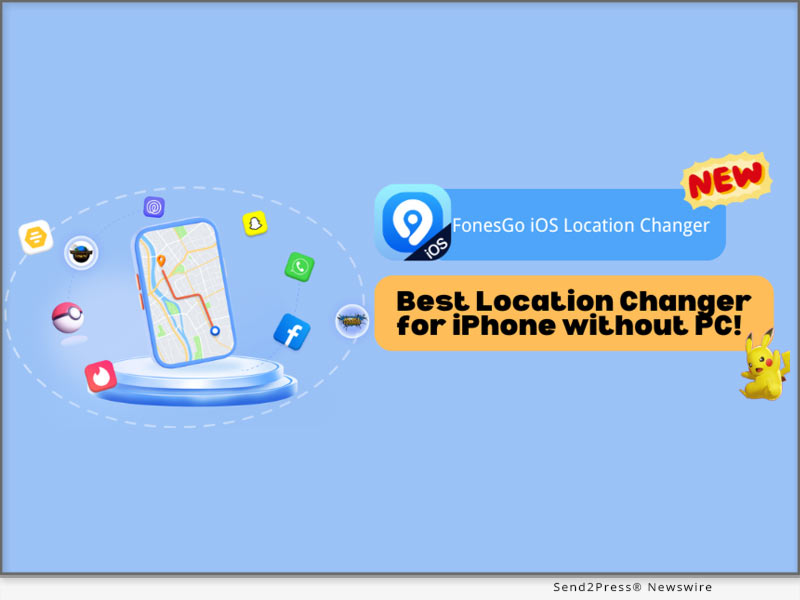
[NEW] Best Location Changer for iPhone without a PC! FonesGo iOS Location Changer

NEW YORK, N.Y. /ScoopCloud/ -- FonesGo Co Ltd announces that FonesGo Location Changer, one of the most popular geo spoofing softwares, is now available as an iOS app. With the release of FonesGo's newest software version, iOS users can effortlessly and safely change the GPS location on their iOS devices without requiring a computer.

"FonesGo iOS Location Changer is set to transform your device experience," states a FonesGo representative. "Now, with the power to modify your GPS location without pc effortlessly, it allows you to jump anywhere in location-based apps and games with only one click." Don't miss this incredible chance to elevate your game and social journey!

BEST IPHONE LOCATION CHANGER FOR GETTING WHERE YOU WANT

With FonesGo iOS Location Changer, you can effortlessly change location from social apps, dating apps, or even games like Pokemon Go, MHN, etc. It also allows you to travel anywhere with a single click.

Moreover, FonesGo iOS Location Changer can fix the "Pokemon Go Error 12: Failed to Detect Location" and "Monster Hunter Now Searching for GPS Signal" issues. Therefore, you can completely enjoy Pokemon Go and Monster Hunter Now without encountering any GPS difficulties, bringing your games to the next level.

Key Features of FonesGo iOS Location Changer:

* Freely change GPS location to anywhere without jailbreak/root.

* GPS joystick to flexibly control the direction of movement in games.

* History Collection for quick access to past locations.

* Speed Justify to mimic natural movement and avoid bans.

HOW TO CHANGE IPHONE LOCATION WITHOUT A COMPUTER?

To utilize the FonesGo iOS Location Changer, simply follow these steps:

1. Once downloaded, install the app on your iPhone device.

2. Type the location or coordinates into the search box.

3. Select the location and click the "Teleport" button on the map.

That is all! Your GPS location will be changed to your chosen destination in a moment.

More info: https://fonesgo.com/guide/how-to-use-location-changer-for-ios/

ENJOY FONESGO LOCATION CHANGER: BUY 1 GET 3 FREE & 20% OFF!

To honor its launch, FonesGo iOS Location Changer is giving a special deal. Users may save 20% on FonesGo by entering the coupon FonesGo20. You may also benefit from the "Buy 1 Get 3 Free" promotion. To take advantage of this limited-time deal, go to the FonesGo Location Changer official website.

About FonesGo:

FonesGo is a leading software development company focusing on mobile phone/computer solutions. We aspire to improve the mobile experience for people all around the world by focusing on innovation and user-friendliness. And provide simple, effective, and professional solutions for Android, iOS, and PC devices.

For more details, please visit:

More information: https://fonesgo.com/iphone-location-changer-app/

Facebook: https://www.facebook.com/fonesgo

YouTube: https://www.youtube.com/@fonesgo

News from FonesGo

FonesGo Co Ltd announces that FonesGo Location Changer, one of the most popular geo spoofing softwares, is now available as an iOS app. With the release of FonesGo's newest software version, iOS users can effortlessly and safely change the GPS location on their iOS devices without requiring a computer.

Related link: https://fonesgo.com/

This version of news story was published on ScoopCloud™ (ScoopCloud.com) - part of and © the Neotrope® News Network - all rights reserved.

How to Easily Bypass FRP on Motorola Phone with FonesGo Android Unlocker

NEW YORK, N.Y. /ScoopCloud/ -- Similar to other Android devices, Motorola phones and tablets also have Google FRP lock. If you reset a Motorola device to factory settings without removing the Google account, you'll need to enter the correct Google account email and password to activate the device, says FonesGo.

After verification, you can access the device and enjoy all services. Everything seems okay until you purchase a second-hand Motorola device and the previous owner didn't take off his Google account before resetting.

You don't have to be worried since we're here to help you.

3 SIMPLE STEPS TO BYPASS GOOGLE FRP LOCK ON MOTOROLA

It's time-consuming to find a working method that can bypass Google FRP lock on all Motorola devices, but not anymore. FonesGo Android Unlocker, a powerful unlocking tool, just released a new version to support Motorola FRP bypass. Now, let's check how to bypass Motorola FRP with a computer.

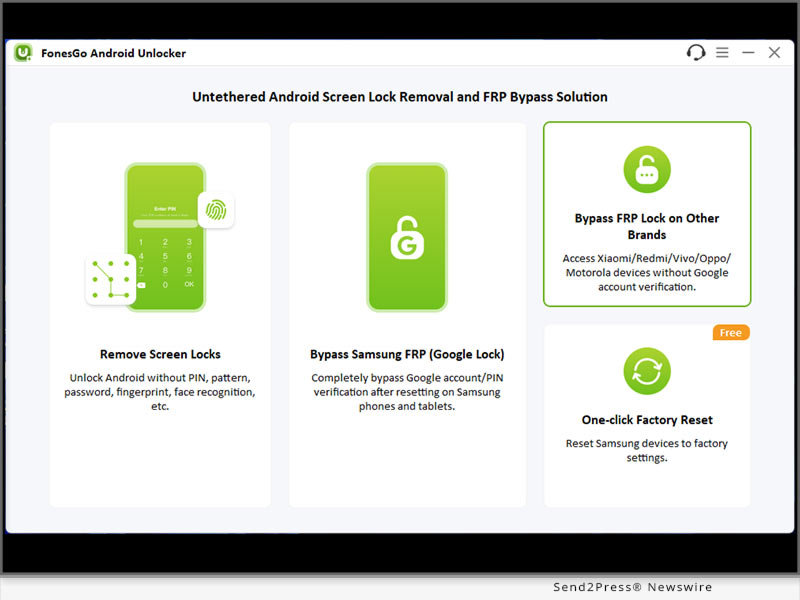
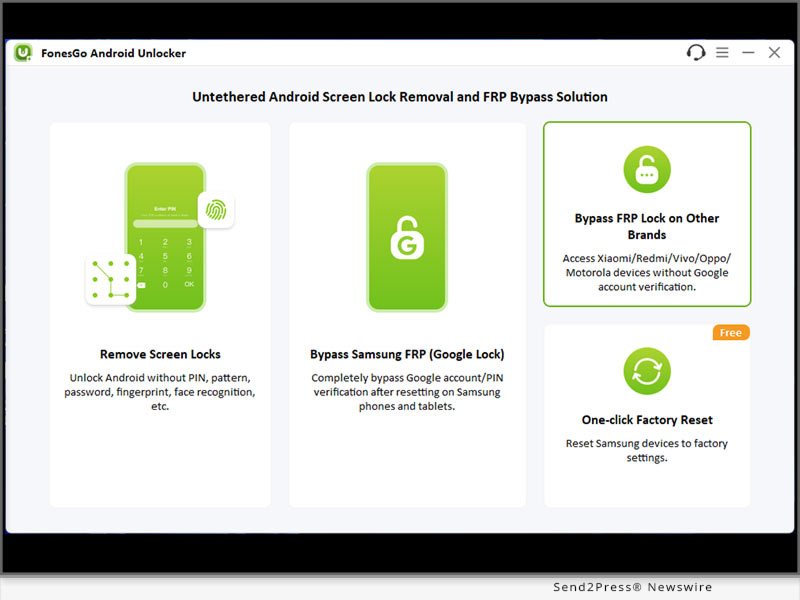
Step 1: Free download FonesGo Android Unlocker on your Windows or Mac computer. After installation, run it and choose "Bypass FRP Lock on Other Brands".

Step 2: Connect your Google-locked Motorola device to the computer with a USB cable. Then select your device brand on the program to move on.

Step 3: Follow the on-screen instructions, then you can easily remove Google FRP lock from Motorola devices completely.

You can also check the full guide here: https://fonesgo.com/guide/how-to-use-android-unlocker/

WHY SHOULD YOU CHOOSE FONESGO ANDROID UNLOCKER

* FonesGo Android Unlocker is a powerful and trusted password unlocking tool for all Android devices. Let's check some main features of it:

* Whether your Android phone is locked with a PIN/pattern or the screen is broken and can't be unlocked, FonesGo Android Unlocker can help you unlock the device easily.

* Apart from removing various screen locks from 6000+ Android devices, it can also remove Google FRP lock from Samsung, Xiaomi, Redmi, vivo, OPPO and Motorola devices.

* It's compatible with Windows and Mac systems, and the latest Android 14 as well.

PRICE

* FonesGo Android Unlocker is free to download. However, you need to purchase a license plan to enjoy all functions.

* The program is sold with different license types, including 1 Month Plan, 1 Year Plan and Lifetime Plan. The prices are $29.95, $39.95, $49.95, respectively. In other words, the longer you own the license, the cheaper it will be.

For more information, you can visit: https://fonesgo.com/buy/android-unlocker-for-windows/

About FonesGo:

FonesGo is committed to developing easy, effective, and professional solutions for Android, iOS, and computer devices. As of now, the company has assisted millions of users to regain access to their devices. You can rely on FonesGo if you have any issues on your mobile phone or computer.

For more details, please visit:

Website: https://fonesgo.com/

YouTube: https://www.youtube.com/@fonesgo

Facebook: https://www.facebook.com/fonesgo

X/Twitter: https://twitter.com/FonesGo

News from FonesGo

Similar to other Android devices, Motorola phones and tablets also have Google FRP lock. If you reset a Motorola device to factory settings without removing the Google account, you'll need to enter the correct Google account email and password to activate the device, says FonesGo.

Related link: https://fonesgo.com/

This version of news story was published on ScoopCloud™ (ScoopCloud.com) - part of and © the Neotrope® News Network - all rights reserved.

FonesGo Location Changer Available! How to Change Location on iPhone and Android

NEW YORK, N.Y. /ScoopCloud/ -- We are pleased to announce the introduction of FonesGo Location Changer, the ideal option for anyone who wants to easily mock GPS location. This tool provides a simple and user-friendly way to spoof location on iPhone and Android.

Youtube video: https://youtu.be/L1j8cgilKnA?si=5wRn1_PyrDtOU-VM

"FonesGo Location Changer is here to revolutionize the way you interact with your devices," says a FonesGo spokesperson. "With the ability to alter your GPS Location at your fingertips, you can now explore new vistas, and make the most of location-based apps." Don't pass up this fantastic opportunity to improve your mobile experience.

WHAT FEATURES DOES FONESGO LOCATION CHANGER HAVE?

1. Spoof Location to Anywhere

With FonesGo Location Changer, you may set your GPS location to any place in the globe. This tool allows you to teleport your device to any location you like. It is the best GPS location changer for iOS devices without jailbreak.

2. Explore Location-Based Apps

Many apps provide location-specific features. You can unlock these functionalities with FonesGo Location Changer, giving you access to a whole new world of possibilities. It can spoof Pokemon Go locations and fake Pokemon Go walking on iOS and Android devices. Also supports changing location on most dating and social apps.

3. Protect Your Privacy

Privacy is more vital than ever before, and FonesGo Location Changer will help you protect it. It may be used to prevent apps from tracking your true location, ensuring your location remains private.

How to Spoof Location on iPhone & Android?

It's as simple as 1-2-3 to use the FonesGo Location Changer:

1. Install the app on your computer after downloading it.

2. Connect your Android or iPhone to your PC.

3. Choose your preferred location and click to adjust.

That's all! Your GPS Location will be transmitted to your selected destination in a moment.

More info: https://fonesgo.com/guide/how-to-use-location-changer/

Pricing and Compatibility:

FonesGo Location Changer is the most affordable location spoofing solution for Android and iOS users. It has attributes that make it valuable.

Pricing:

1-Month plan: $9.95 per month

1-Quarter plan: $19.95

1-Year plan: $39.95

Lifetime Plan: $79.95

Compatibility:

Windows: Win 11/10/8.1/8/7

Mac: 13 (macOS Ventura), 12 (macOS Monterey), 11 (macOS Big Sur), 10.15 (macOS Catalina), 10.14 (macOS Mojave), Mac OS X 10.13 (High Sierra), 10.12 (macOS Sierra)

iOS: ios 7.0- ios 17

Android: Android 7.0-Android 14 (All Android devices)

About FonesGo:

FonesGo is a leading software development company focusing on mobile phone/computer solutions. We aspire to improve the mobile experience for people all around the world by focusing on innovation and user-friendliness. And provide simple, effective, and professional solutions for Android, iOS, and PC devices.

For more details, please visit:

More information: https://fonesgo.com/location-changer/

Facebook: https://www.facebook.com/fonesgo

YouTube: https://www.youtube.com/@fonesgo

News from FonesGo

We are pleased to announce the introduction of FonesGo Location Changer, the ideal option for anyone who wants to easily mock GPS location. This tool provides a simple and user-friendly way to spoof location on iPhone and Android.

Related link: https://fonesgo.com/

This version of news story was published on ScoopCloud™ (ScoopCloud.com) - part of and © the Neotrope® News Network - all rights reserved.

How to Bypass Factory Reset Protection on Android? FonesGo Android Unlocker is Launched

NEW YORK, N.Y. /ScoopCloud/ -- "I bought a used Samsung phone, and the previous owner forgot to take his Gmail off. I went to factory reset it and now his Google account stops me from using the device. I can't get in contact with the seller. How can I bypass this Factory Reset Protection?" This is a common issue among Android users. The device will be useless if you can't enter the correct Google account credentials. Don't panic since FonesGo Android Unlocker is the answer you've been looking for.

IS IT POSSIBLE TO BYPASS FACTORY RESET PROTECTION?

Yes, there are a few free ways to bypass Factory Reset Protection on Android devices. But they all have limitations to unlock your Android phone.

Here they are:

* Bypass Factory Reset Protection via Talkback Feature: This method is very complicated. You may need to install FRP Bypass APK files on your device.

* Bypass Factory Reset Protection using Google. Keyboard: This method only works on Android 6 or earlier.

* Bypass Factory Reset Protection using SIM Card: It requires that you have another working phone to call your SIM card.

RECOMMENDED FRP BYPASS TOOL - FONESGO ANDROID UNLOCKER

Unlike other methods, FonesGo Android Unlocker is easy to use and allows users to bypass Google FRP lock on Android 5-13. By using FonesGo FRP Bypass Tool, you don't need to install an extra APK file on your device. And with the step-by-step guide, you can easily bypass Factory Reset Protection within minutes.

WHAT MAKES FONESGO ANDROID UNLOCKER THE TOP FACTORY RESET PROTECTION BYPASS TOOL?

* Bypass Factory Reset Protection on Samsung, Xiaomi/Redmi, vivo and OPPO devices running Android 5-13.

* Developed by the professional team, FonesGo FRP Bypass Tool guarantees a high success rate up to 99%.

* The tool is easy to use. You can regain access to your locked Android device within several simple steps.

* By using this tool, you can enjoy a free lifetime update.

HOW TO BYPASS FACTORY RESET PROTECTION WITH FONESGO ANDROID UNLOCKER?

The steps to bypass Factory Reset Protection vary on different phone brands. Here, we will take Samsung as an example. Follow these steps:

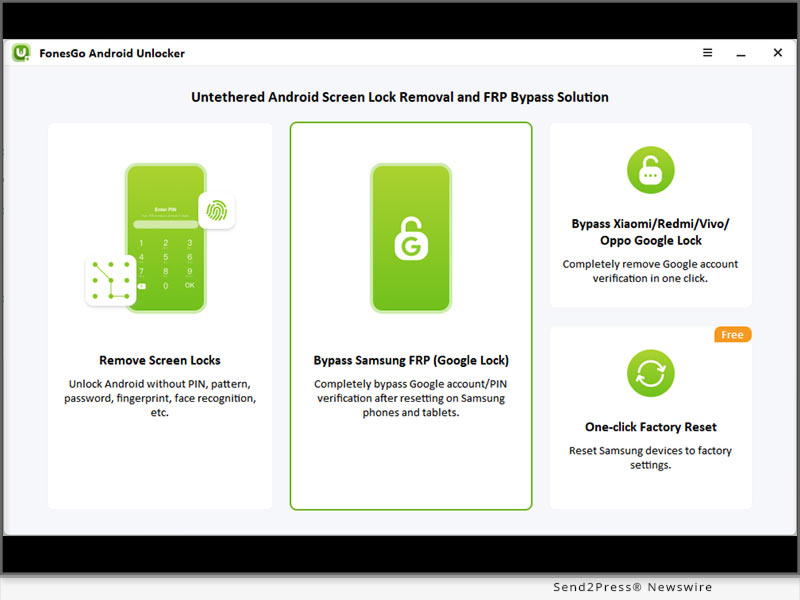
* Connect your locked Samsung device to the computer with a USB cable, and select "Bypass Samsung FRP" on the main interface.

* Choose your Android version and click "Next."

* Bypass Factory Reset Protection on Samsung successfully.

Full guide: https://fonesgo.com/guide/how-to-use-android-unlocker/

Video guide: https://youtu.be/iU2Syh8qZAY

About FonesGo:

FonesGo is committed to developing easy, effective, and professional solutions for Android, iOS, and computer devices. As of now, the company has assisted millions of users to regain access to their devices. You can rely on FonesGo if you have any issues on your mobile phone or computer.

For more details, please visit:

Website: https://fonesgo.com/

YouTube: https://www.youtube.com/@fonesgo

Facebook: https://www.facebook.com/fonesgo

News from FonesGo

"I bought a used Samsung phone, and the previous owner forgot to take his Gmail off. I went to factory reset it and now his Google account stops me from using the device. I can't get in contact with the seller. How can I bypass this Factory Reset Protection?" This is a common issue among Android users. The device will be useless if you can't enter the correct Google account credentials. Don't panic since FonesGo Android Unlocker is the answer you've been looking for.

Related link: https://fonesgo.com/

This version of news story was published on ScoopCloud™ (ScoopCloud.com) - part of and © the Neotrope® News Network - all rights reserved.