Tag Archives: video converter

HitPaw Video Converter Rebrands as HitPaw Univd: Full Update for Ultimate Video Converter and Creation Solution

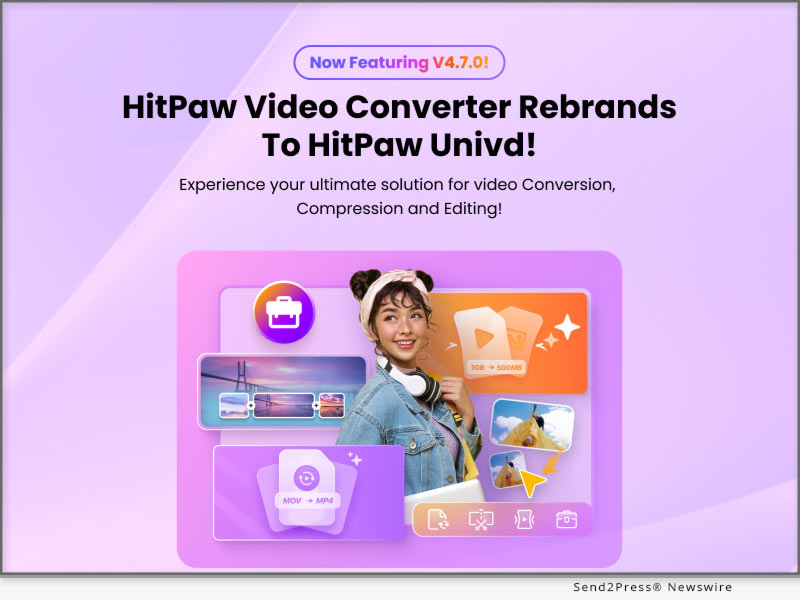
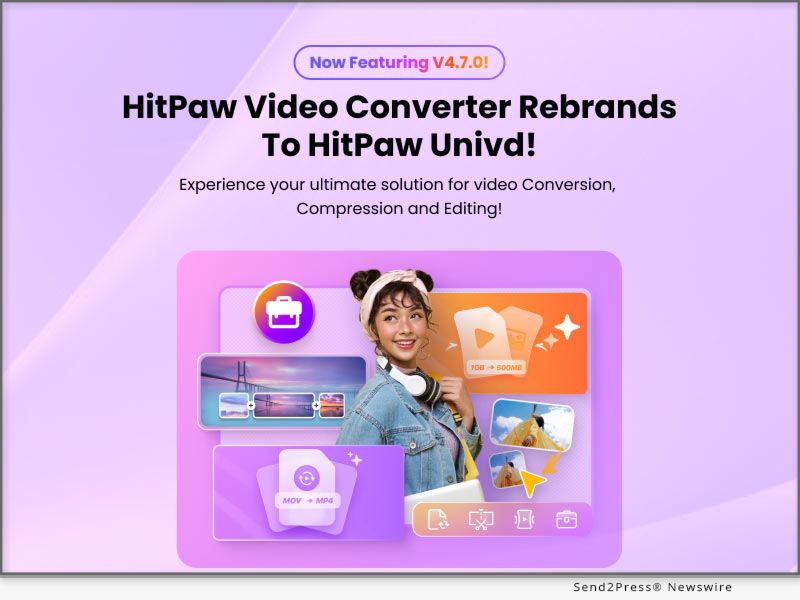
NEW YORK, N.Y., Jan. 8, 2025 (SEND2PRESS NEWSWIRE) — HitPaw, a leading innovator in multimedia software, proudly announces the rebranding of its flagship product, HitPaw Video Converter, to HitPaw Univd. This significant update delivers a comprehensive suite of advanced features, empowering creators of all levels to produce high-quality, professional videos with unparalleled ease.
HitPaw Univd Video Converter
Image caption: HitPaw Univd Video Converter.

Whether you’re converting, compressing, editing, or creating multimedia content, HitPaw Univd is your all-in-one solution for high-speed performance and next-level creativity.

ALL-IN-ONE VIDEO AND AUDIO SOLUTION

HitPaw Univd combines powerful video conversion, advanced compression, and smart AI tools into one intuitive platform, streamlining your multimedia workflow like never before.

ULTIMATE VIDEO CONVERTER

Effortlessly convert videos to meet any requirement with cutting-edge features:

  • High Quality Video Conversion: Convert ultra-high-definition videos without losing quality.
  • Batch Conversion: Save time by processing multiple files simultaneously.
  • 1000+ Formats Supported: Enjoy seamless compatibility with all major video and audio formats.
  • Process Acceleration: Experience lightning-fast conversion speeds with advanced hardware acceleration.

BULK VIDEO COMPRESSION

Optimize your video size without compromising quality:

  • Ultimate Compression Mode: Reduce file sizes while retaining resolution and clarity.
  • 4K/8K Video Compression: Effortlessly compress large videos for storage and sharing.
  • Batch Video Compression: Compress multiple files at once, simplifying your workflow.

REDEFINED VIDEO EDITING

Unleash your creativity with a user-friendly, feature-rich editing suite:

  • Clip, Merge, and Trim: Edit videos with precision to craft personalized, polished content.
  • Easy-to-Use Tools: Advanced AI tech to transform your videos with intuitive controls.
  • Create Stunning Visuals: Perfect for both beginners and seasoned creators looking to streamline their editing process.

SMART AI TOOLS

Elevate your multimedia projects with intelligent AI-powered features:

  • Speech-to-Text: Automatically generate captions and subtitles with impressive accuracy.
  • AI Auto Reframe: Adjust video frames seamlessly for any social media platform.
  • Vocal Remover: Isolate or remove vocals for karaoke tracks or remixing purposes.
  • Noise Remover: Eliminate background noise to achieve crystal-clear audio quality.
  • AI Face Blur: Effortlessly blur faces for privacy protection in videos.

Compatibility and Price

HitPaw Univd is compatible with both Windows 11/10 64-bit and MacOS 10.15 and available on Android. Users can try out the new features by downloading the free trial version, or purchase the full package starts from $19.95/month.

For more price checking and information, you can visit: https://videoconverter.hitpaw.com/

About HitPaw

HitPaw is an emerging software company specializing in video editing, screen recording, watermark removing, image editing, photo enhancing meme-making, etc. We help users turn their inspiration into reality so that we can generate more ideas to make the world full of more creativity.

To know more, you may visit About HitPaw – All Things About HitPaw and [OFFICIAL] HitPaw: Powerful AI Video, Audio, and Image Solutions Provider

Our Social Media

YouTube: https://www.youtube.com/channel/UCQwRggaotgiMcPbiCOsJeBA

Facebook: https://www.facebook.com/hitpawofficial

X/Twitter: https://twitter.com/HitPawofficial

Instagram: https://www.instagram.com/hitpawofficial/

Pinterest: https://www.pinterest.com/HitPawofficialwebsite/

NEWS SOURCE: HitPaw


This press release was issued on behalf of the news source (HitPaw), who is solely responsible for its accuracy, by Send2Press Newswire. Image, if any, was provided by the news source and not this website or the wire service. Information is believed accurate, as provided by the news source, but is not guaranteed.

To view the original story, visit: https://www.send2press.com/wire/hitpaw-video-converter-rebrands-as-hitpaw-univd-full-update-for-ultimate-video-converter-and-creation-solution/

Copr. © 2025 Send2Press® Newswire, Calif., USA. -- REF: S2P STORY ID: S2P123191 NOREL-3B
 

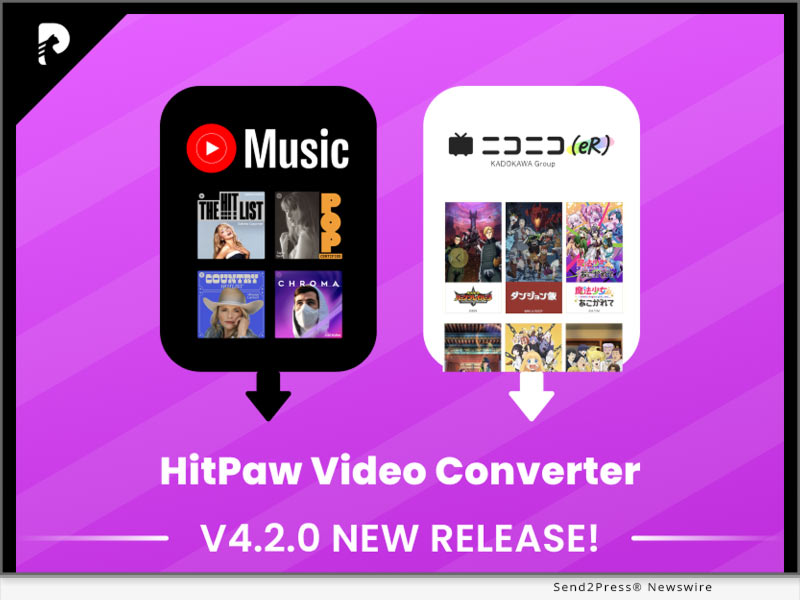
HitPaw Video Converter V4.2.0 Unveils Exciting New Video Download and Music Conversion Tools to Enrich Your Life

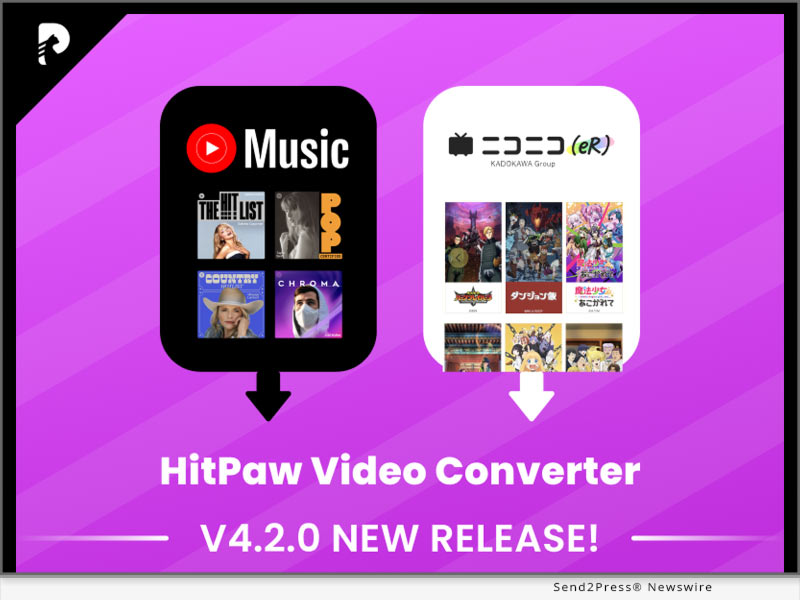
NEW YORK, N.Y. /ScoopCloud/ -- HitPaw, a pioneer in software technology, announces the latest software version, HitPaw Video Converter V4.2.0. This update brings the newest music converter and anime download features.

LET'S CHECK OUT THIS NEW VERSION

* YouTube Music Converter

With YouTube Music Converter, downloading your favorite songs from YouTube Music is easier than ever. Only few clicks, you can convert YouTube music to various high quality formats, such as Flac, WAV, etc. You can also choose original or other higher bitrate to download.

* Niconico Anime Downloader

Another amazing update is the feature of Niconico amime downloading. With this feature, you can download animes you like from Niconico to watch offline. After downloading, you can also convert the anime video to different formats that are compatible with your devices. Time and space are no longer the limitations on your anime-watching road.

* Improved Conversion Efficiency

HitPaw Video Converter upgrades the conversion speed and video conversion and downloading quality. With this new version, you can enjoy faster downloading and processing.

Compatibility and Price

HitPaw Video Converter is compatible with Windows 11/10/8/7 64-bit and macOS 10.13 and above. The standard plan starts from $19.95 USD per month. As for Pro Plan, it starts from $29.95 USD per month.

For more price checking and information, you can visit https://www.hitpaw.com/video-converter.html

About HitPaw

HitPaw is an emerging software company specializing in video editing, screen recording, watermark removing, image editing, photo enhancing meme-making, etc. We help users turn their inspiration into reality so that we can generate more ideas to make the world full of more creativity.

To know more, you may visit https://www.hitpaw.com/about.html and https://www.hitpaw.com/

Our Social Media

YouTube: https://www.youtube.com/channel/UCQwRggaotgiMcPbiCOsJeBA

Facebook: https://www.facebook.com/hitpawofficial

X/Twitter: https://twitter.com/HitPawofficial

Instagram: https://www.instagram.com/hitpawofficial/

Pinterest: https://www.pinterest.com/HitPawofficialwebsite/

News from HitPaw

HitPaw, a pioneer in software technology, announces the latest software version, HitPaw Video Converter V4.2.0. This update brings the newest music converter and anime download features. HitPaw Video Converter is compatible with Windows 11/10/8/7 64-bit and macOS 10.13 and above.

Related link: https://www.hitpaw.com/

This version of news story was published on ScoopCloud™ (ScoopCloud.com) - part of and © the Neotrope® News Network - all rights reserved.

HitPaw Releases HitPaw Video Converter V3.0, a Cutting-Edge Multimedia Tool

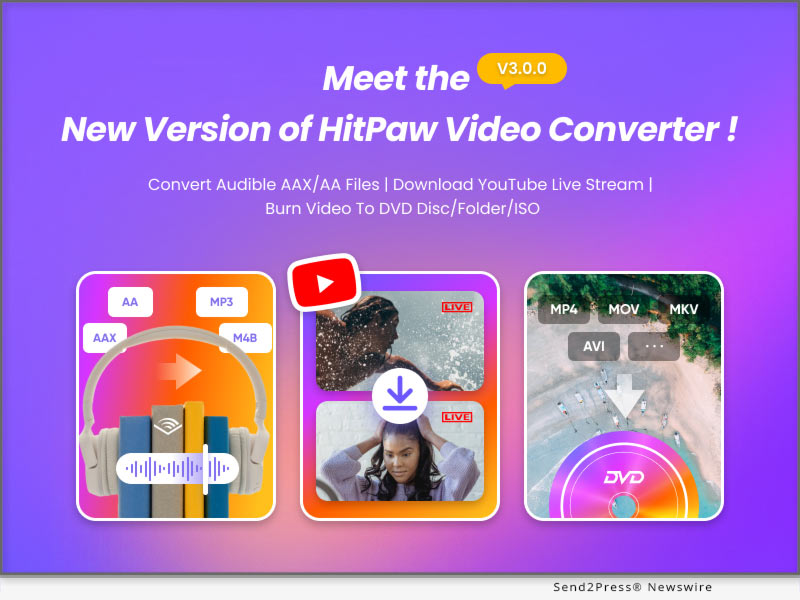
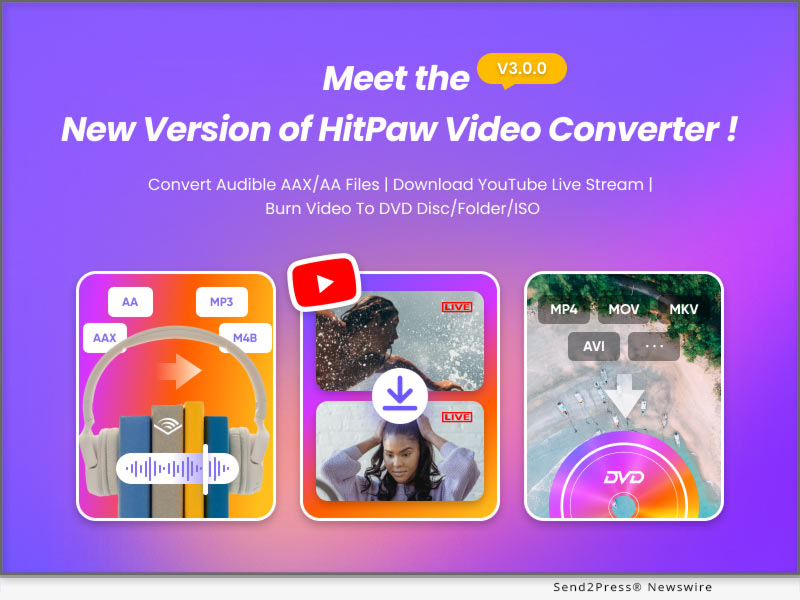
NEW YORK, N.Y. /ScoopCloud/ -- HitPaw, a leading provider in the multimedia tool industry, is delighted to announce the highly anticipated release of HitPaw Video Converter V3.0. This latest version showcases an array of impressive features meticulously designed to enhance user efficiency and create more possibility.

Key Features of HitPaw Video Converter V3.0:

* High-Quality DVD Burner:

HitPaw Video Converter V3.0 introduces a state-of-the-art DVD burning feature. Users can now effortlessly convert and burn their multimedia files onto DVDs, enabling them to create customized disc collections of their favorite videos with unparalleled ease and efficiency.

* Fast Audible Converter:

With the new Audible Converter feature, which empowers users to seamlessly convert aax/aa files into mp3 and m4b formats. This functionality enables users to enjoy their favorite audiobooks on a wide range of devices, enhancing their listening experience.

* YouTube Live Downloader:

HitPaw Video Converter V3.0 introduces a powerful YouTube Live Downloader, allowing users to save YouTube live streaming videos to MP4, providing users with the flexibility to enjoy their favorite live content offline at their convenience.

Compatibility and Price:

HitPaw Video Converter is now compatible with Windows including Win11/10/8/7 and Mac OS Ventura. Its pricing starts from $19.95 per month, $39.95 per year, and $79.95 for the lifetime.

For more information checking, you can visit: https://www.hitpaw.com/purchase/buy-hitpaw-video-converter.html

About HitPaw:

HitPaw is an emerging software company specialized in files compressing, video editing, screen recording, watermark removing, image editing, photo enhancing, etc. We help users turn their inspiration into reality so that we can generate more ideas to make the world be full of more creativity.

To know more, you may visit: https://www.hitpaw.com/about.html and https://www.hitpaw.com/

Our Social Media:

YouTube: https://www.youtube.com/channel/UCQwRggaotgiMcPbiCOsJeBA

Facebook: https://www.facebook.com/hitpawofficial

Twitter: https://twitter.com/HitPawofficial

Instagram: https://www.instagram.com/hitpawofficial/

Pinterest: https://www.pinterest.com/HitPawofficialwebsite/

News from HitPaw

HitPaw, a leading provider in the multimedia tool industry, is delighted to announce the highly anticipated release of HitPaw Video Converter V3.0. This latest version showcases an array of impressive features meticulously designed to enhance user efficiency and create more possibility.

Related link: https://www.hitpaw.com/

This version of news story was published on ScoopCloud™ (ScoopCloud.com) - part of and © the Neotrope® News Network - all rights reserved.

Convert, Download and Edit 3-in-1 with HitPaw Video Converter

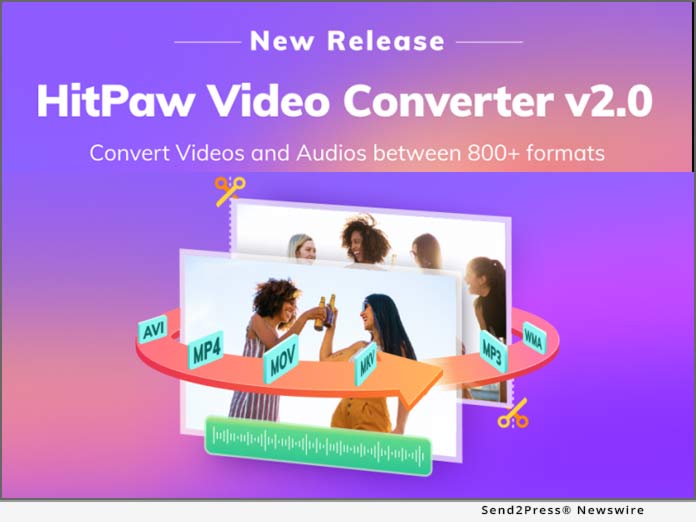
NEW YORK, N.Y. /ScoopCloud/ -- There are a number of video & audio formats for different devices. Some formats, like MP4, are more popular and commonly used, but some are only for special devices. Given this, HitPaw has released its new product- HitPaw Video Converter. As a tool to help you convert your video and audio to the more popular formats, which allow you easily share them or play on a special device.

So what are the features about HitPaw Video Converter? Here I will take you through it that allows you to convert your files with ease.

1. Convert video and audio

HitPaw Video Converter is designed to help people to convert the video and audio formats, so users can easily convert the MP4 video to MKV or M4A audio to MP3. HitPaw Video Converter supports more than 500 video formats and more than 300 audio formats. Moreover, you can choose which devices you want to play on, and the converter will automatically convert the file to the accurate file format.

2. Download video and audio from YouTube

HitPaw Video Converter also allows users download videos, audio, thumbnail, and subtitle from the streaming media. If you watch a funny video on the YouTube and want to save it to your devices, what you will do? Right now, you can use HitPaw Video Converter to download the video without losing quality from YouTube, Facebook, and Vimeo, etc.

3. Edit your video

Editing is another function of HitPaw Video Converter. Users can add the video/audio to the edit list after converting or downloading, which can make the file perfect by cutting and merging. With the hardware acceleration, it is faster than you think when you are exporting a batch of files.

Compatibility and Price:

HitPaw Video Converter is now compatible with Windows including Win11 and its pricing starts from $19.95 per month, $39.95 per year to $69.95 for the lifetime.

For more information checking, you can visit: https://www.hitpaw.com/purchase/buy-hitpaw-video-converter.html

About HitPaw:

HitPaw is an emerging software company specialized in files compressing, video editing, screen recording, watermark removing, image editing, photo enhancing, etc. We help users turn their inspiration into reality so that we can generate more ideas to make the world be full of more creativity.

To know more, you may visit

https://www.hitpaw.com/

https://www.hitpaw.com/about.html

Our Social Media:

YouTube: https://www.youtube.com/channel/UCQwRggaotgiMcPbiCOsJeBA

Facebook: https://www.facebook.com/hitpawofficial

Twitter: https://twitter.com/HitPawofficial

Instagram: https://www.instagram.com/hitpawofficial/

Pinterest: https://www.pinterest.com/hitpawvideoeditor/

News from HitPaw

There are a number of video & audio formats for different devices. Some formats, like MP4, are more popular and commonly used, but some are only for special devices. Given this, HitPaw has released its new product- HitPaw Video Converter.

Related link: https://www.hitpaw.com/

This version of news story was published on ScoopCloud™ (ScoopCloud.com) - part of and © the Neotrope® News Network - all rights reserved.

UniConverter Celebrates 11th Anniversary

VANCOUVER, Canada /ScoopCloud/ -- Wondershare UniConverter has reached a milestone as the software celebrates 11 years of providing professional and reliable video converting technology. Through Wondershare UniConverter offerings, hundreds of countries and millions of people enjoy convenient and professional video conversion services.

Because professional-level media conversions required expensive equipment and bulky and resource-intensive software applications, converting the videos was not friendly for everyone. Wondershare observed a need to provide the customer with the video converter that easy to use.

In 2009 the Wondershare released the Video Converter (now Wondershare UniConverter), a product that provides powerful video conversing and easy to use. With continuous advancements, the software has evolved from a video convert function to a multifunctional video toolbox, including video editing, compression, transcoding, merging, burning discs, and more.

Mr. Wu, who is the Product Manager for UniConverter, explained the process as: "From simple video conversions to expert-level post-production projects, UniConverter can do all types media treatments professionally, even consumers with least or no technical background."

Learn more at: https://videoconverter.wondershare.com/

"UniConverter's fast conversion speed, high-quality output, and additional features packed under a single roof make the application a perfect video conversion software for everyone," said 10TopTenReviews, one of the top tech websites popular for its genuine and unbiased evaluations.

A review by one of the UniConverter customers, Lacruz, stated: "I'm a graphic designer, and I need to convert videos on a regular basis. Last year I came across UniConverter, and haven't experienced any issue since then." He further added, "Once I got stuck with something, and the customer support people patiently guided me through the troubleshooting process. I highly recommend this software!"

To meet customers' online conversion needs, Wondershare UniConverter also releases an online video converter solution called Online UniConverter that have equally efficient as its desktop version: https://www.media.io/

About Wondershare:

Founded in 2003, Wondershare is a global leader in software development and a pioneer in the field of digital creativity. Our technology is powerful, and the solutions we provide are simple and convenient. That's why we're trusted by millions of people in over 150 countries worldwide. We help our users pursue their passions so that, together, we can build a more creative world. Learn more at: https://www.wondershare.com/

MULTIMEDIA:

*VIDEO (YouTube): https://youtu.be/-8CepfXAuNQ

*IMAGE Link for media: https://www.Send2Press.com/300dpi/20-0924s2p-uniconverter-300dpi.jpg

News from Wondershare Inc.

Wondershare UniConverter has reached a milestone as the software celebrates 11 years of providing professional and reliable video converting technology. Through Wondershare UniConverter offerings, hundreds of countries and millions of people enjoy convenient and professional video conversion services.

Related link: https://www.wondershare.com/

This version of news story was published on ScoopCloud™ (ScoopCloud.com) - part of and © the Neotrope® News Network - all rights reserved.

New UniConverter v12 with Powerful Media Convert Feature Upgrade

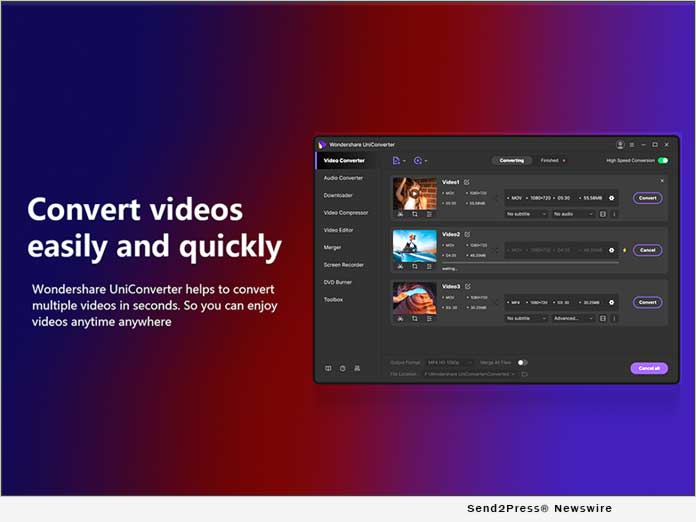
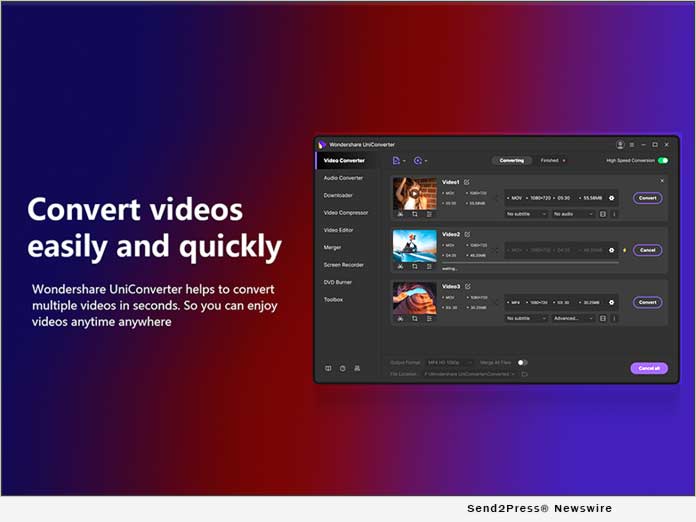
SHENZHEN, China /ScoopCloud/ -- On July 08, 2020, Wondershare (SHE: 300624) launched UniConverter v12 to hit the market. The latest version has an overhauled navigation bar-based interface and claims to offer drastically improved performance of the 'Video Converter' tool.

The new version rolled out with a couple of new features and said to bid significantly enhanced end-user experience and workability. Some of the mention-worthy advancements that Wondershare promises the users will get with UniConverter v12 include:

* Designed using the industry-leading APEXTRANS technology exclusive to Wondershare, the updated app is said to convert or compress the videos with zero picture quality deterioration. If the claims are correct, in contrast to its predecessor, the improved GPU acceleration exploits the multicore processor to its maximum.

* With 64-bit support, UniConverter v12 could boost the video conversion process by 20% as compared to its elder sibling.

* The program allows lossless batch conversions where setting global output parameters, and multiple videos can be converted to a relevant format in a single go with absolutely no quality loss. The audio and video conversion processes can temporarily be halted with the 'Pause' feature should some other resource-intensive important task come up that must be treated with priority.

* Otherwise, The app can convert 4K and 8K videos and can perform batch conversion for those large files.

* HEVC is another format type that UniConverter v12 supports, and claims to convert the videos with no loss of picture quality.

* The 'Task Scheduler' feature can arrange your conversion tasks and system activities after conversion.

Learn more about the product at: https://videoconverter.wondershare.com/convert-video.html

Formerly known as Wondershare Video Converter Ultimate, the latest version, UniConverter v12, hit the market on July 08, 2020. The app has an updated UI, and with the exclusive APEXTRANS technology, the program offers improved performance as compared to all its predecessors released to date.

Website: https://videoconverter.wondershare.com

*IMAGE link for media: https://www.Send2Press.com/300dpi/20-0722s2p-UniConverter-V12-300dpi.jpg

TICKER: SHE: 300624 / SHE:300624

News from Wondershare Inc.

On July 08, 2020, Wondershare (SHE: 300624) launched UniConverter v12 to hit the market. The latest version has an overhauled navigation bar-based interface and claims to offer drastically improved performance of the 'Video Converter' tool.

Related link: https://www.wondershare.com/

This version of news story was published on ScoopCloud™ (ScoopCloud.com) - part of and © the Neotrope® News Network - all rights reserved.

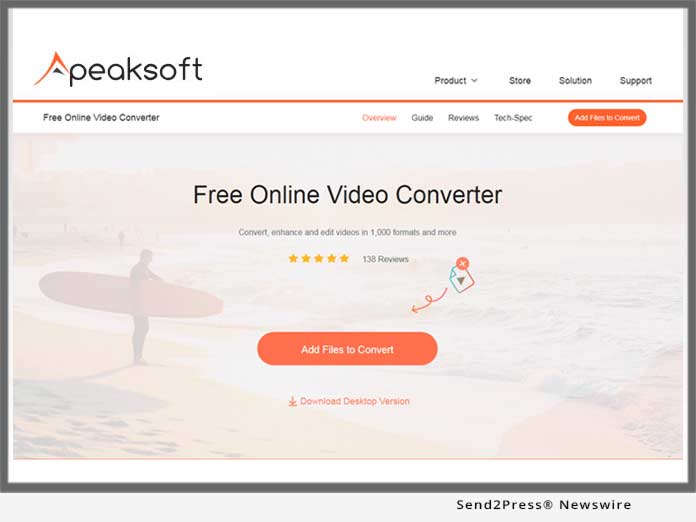
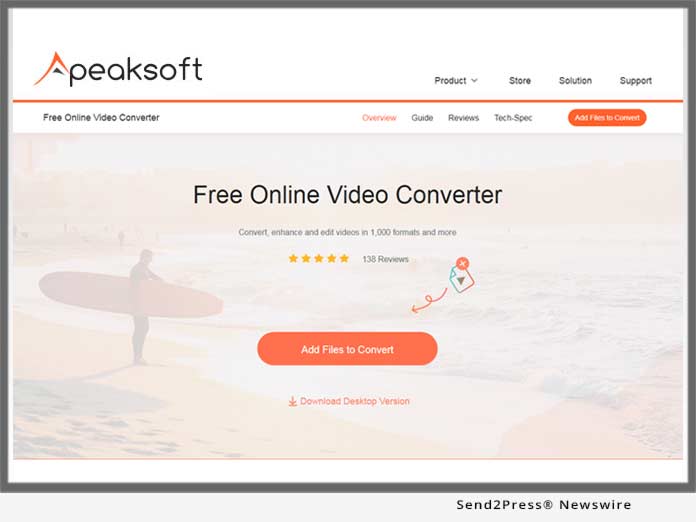
Apeaksoft Announces Release of Free Online Video Converter – Convert Almost Any Video and Audio Online for Free

NANJING, China /ScoopCloud/ -- Apeaksoft Studio today announces its new online product, Free Online Video Converter, to convert almost any video and audio file(s) online and free. Only three steps, upload files, select output files and click convert button, users can easily convert more than one video or audio file on this website for free.

Convert video/audio over 500 formats:
Free Online Video Converter, as the freeware, is never letting down its users. It accepts more than 500 formats for inputting, like MTS, M2TS, TRP, TP, MPG, MPEG, MPEG 2, VOB, DAT, MP4, M4V, RM, RMVB, WMV, ASF, MKV, AVI, 3GP, FLV, SWF, F4V, MPV, MOD, TOD, QT, MOV, MP3, MP2, AAC, ACS, WAV, WMA, M4A, RA, RAM, OGG, AU, AIF, AIFF, APE, FLAC, etc. Any video or audio incompatible with your device, you can turn to Free Online Video Converter for help to make conversion.

Convert to video/audio in various formats:
Not only widely accepted input formats, Free Online Video Converter, also outputs lots of formats, like MP4, MOV, VOB, MKV, AVI, M4V, FLV, WMA, WebM, VOB, MPG, 3GP, MP3, AAC, AC3, WMA, WAV, AIFF, M4A, M4B, M4R, FLAC, etc., so that you can you can handle the converted files on your device without any hassle.

Extract background audio from video*:
Apeaksoft Free Online Video Converter gives you the access to the beautiful background audio of the video file. When you are racking your brains to search your favorite background music of a movie, Free Online Video Converter can easily let you extract the background music from the video directly by converting video to audio. (*Note: Only for personal enjoyment, not for commercial use.)

Customize user-friendly settings:
More than a free online video converter, Apeaksoft Free Online Video Converter provides you with more enjoyable settings before outputting the converted file. You can set video encoder (H.264 or others), resolution (from SD to HD), frame rate (auto to 60 fps), video bitrate (up to 20000 kbps), audio encoder, channel, sample rate (up to 48000 Hz), and audio bitrate (up to 320 kbps). Getting a playable video/audio file can be realized by yourself.

Create loop GIF animation:
Feel amazed by the animated GIF images? You can also create your own GIF images to leave a great impression. You do not get efforts to find many pictures, and then combine them one by one to get a GIF file. Apeaksoft Free Online Video Converter lets you create GIF from your video files. Just add video file, and get a loop GIF file conveniently.

Convert video in 1080p HD:
Apeaksoft Free Online Video Converter never leaves a poor quality for your video converting. You can get a high resolution up to 1080p in clear vision with this software. An ultra clear screen deserves a high-resolution video file. Surely, if your device space is insufficient, you can decide to create a SD video file with smaller size.

Convert video to be compatible formats:
Whether you are using an iPhone X, or Samsung Galaxy S7, you could also use this free online video converting program to get the exact formats which are compatible with your devices like PS 3/4, PSP, Xbox One/360, Apple TV, iPad, Motorola, Wii, etc. Moreover, for your video or audio that you want to share online like Facebook or YouTube, you could also find the correct formats for output.

Work on multiple platforms:
Apeaksoft Free Online Video Converter works no platform limits. Whether you are Windows users using Windows 10, 8, 7, Vista, or Mac users running on MacBook Pro, iMac, Mac mini, etc. in Mac OS 10.7 and above (including macOS Mojave), you could also use this online video converter to get video or audio files' conversion free.

Convert video and audio files automatically:
Breaking the limits of uploading files one by one, Apeaksoft Free Online Video Converter lets you add more than one video/audio files to this online converter at one time, then you just set the output format for every single file, then they will be converted one by one automatically. You do not need to sit in front of the computer to get settings for every file.


Convert video and audio totally free:
Is there no free lunch? Actually not. Apeaksoft Free Online Video Converter is the total free converting software for any of you. No file size limitation or ads. You can use this online converter to convert any video or audio file for free. You do not need to pay a cent to enjoy all the features described above.

Learn more at: https://www.apeaksoft.com/free-online-video-converter/

About Apeasksoft Studio:
Apeasksoft Studio is the software studio, which is dedicated to providing professional multimedia and mobile solutions for users. Software scope is rich, from data recovery from iOS / Android / PC / Mac to files transfer / management, from video / audio converting / editing / enhancing / recording to DVD / Blu-ray creating / playing, even online utilities and mobile apps. Apeasksoft Studio always focuses on facilitating your life with innovated ideas and latest technology.

For more information, please visit https://www.apeaksoft.com/

Disclaimer: software is not intended for circumventing any DRM or other copy protections and is provided for personal use only.

News from Apeasksoft Studio

Apeaksoft Studio today announces its new online product, Free Online Video Converter, to convert almost any video and audio file(s) online and free. Only three steps, upload files, select output files and click convert button, users can easily convert more than one video or audio file on this website for free.

Related link:

This version of news story was published on ScoopCloud™ (ScoopCloud.com) - part of and © the Neotrope® News Network - all rights reserved.

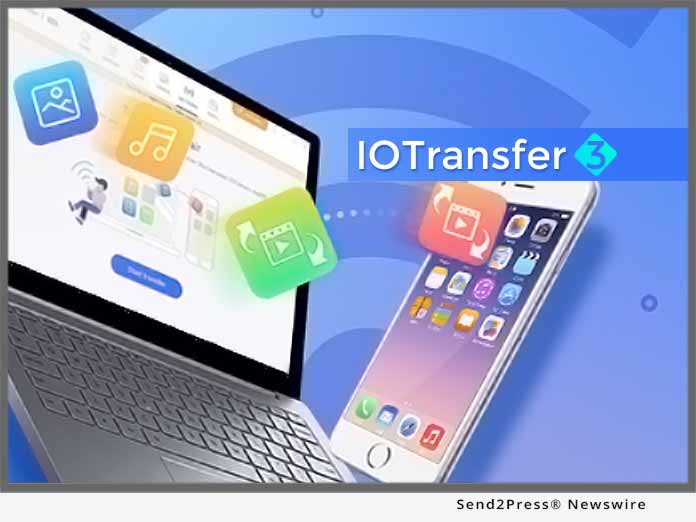
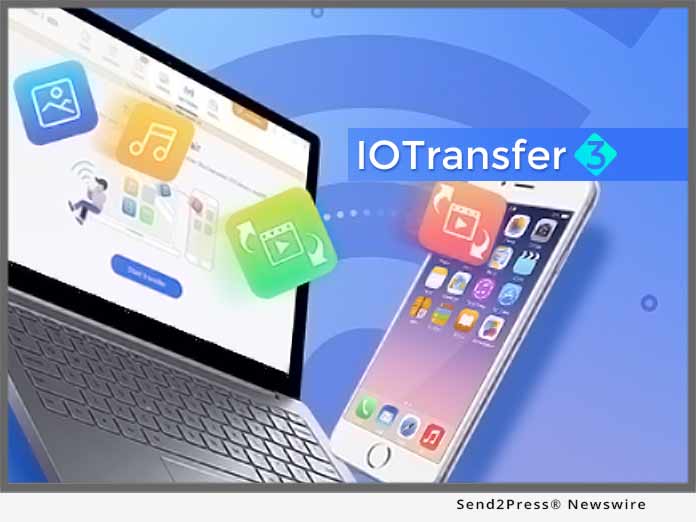
IOTransfer 3 Introduces the Update of iPhone Wireless Transfer and Video Converter

SAN FRANCISCO, Calif. /ScoopCloud/ -- Aiming to provide all iPhone, iPad and iPod users the best solution to fully and freely manage their Apple devices, IOTransfer 3 releases the updated version; introducing new Air-Trans feature, which supports wireless transfer files across Apple devices and PCs in a second. Another major update is video converter, which provides more comprehensive video downloading and converting.

It's quite troublesome to transfer photos and videos among Apple devices and computers, such as from iPhone to PC. While IOTransfer 3 update's new Air-Trans feature simplified how users transfer their music, videos, photos and other data between iPhone/iPad and PCs. Users just need to connect their devices to the same Wi-Fi network, no USB cable needed any more. Air-Trans will search for available iOS devices nearby. After connecting via Wi-Fi, IOTransfer 3 allows users to wirelessly transfer multiple files at once.

"Taking advantage of Wi-Fi network, wireless transfer solution helps easily and quickly transfers photos and music," says Nicole Qin, the Marketing Director of IOTransfer. "Transfer across Apple devices and PCs has been never this simple and smart."

IOTransfer 3 is very effective iPhone/iPad file transfer and management tool. The powerful software will be able to fulfill the needs of millions of Apple device users worldwide. It has provided the best solution to import, export and delete contents, such as photos, songs, videos, contacts, iBooks, Podcasts, Voice Memos, and even 1-click data backup service. Additionally IOTransfer CLEAN function will help remove cache and junk files to free up space to record more precious moment.

Moreover, IOTransfer is also known as a Video Downloader, allowing users to download movies and save any videos from more than 100 video streaming sites, like YouTube, Vimeo, Instagram, etc. Along with video downloading, IOTransfer 3 adds new Video Converter, making it possible to convert videos in MP4, MP3, AVI, MKV, MOV to iOS compatible format. The optimized VIDEOS feature is surely a lot better in terms of performance. It helps users effortlessly convert video files into various file formats including audio file formats and automatically transfer them to your iOS device.

IOTransfer 3 works perfectly for Apple devices running iOS 8.3, and will fully supports the coming iOS 12. It is now available to download at https://www.iotransfer.net/.

About IOTransfer:

IOTransfer is a light yet useful iOS transfer and management tool which helps iPhone, iPad and iPod users manage their iOS content on computers. It provides users with a simple and convenient way to freely import and export music, videos, photos, podcasts, books, and voice memos between iOS devices, PCs and iTunes. IOTransfer solves cumbersome file transfer and management issues between iOS devices and PCs.

News from IOTransfer

Aiming to provide all iPhone, iPad and iPod users the best solution to fully and freely manage their Apple devices, IOTransfer 3 releases the updated version; introducing new Air-Trans feature, which supports wireless transfer files across Apple devices and PCs in a second. Another major update is video converter, which provides more comprehensive video downloading and converting.

Related link:

This version of news story was published on ScoopCloud™ (ScoopCloud.com) - part of and © the Neotrope® News Network - all rights reserved.