Tag Archives: video editing software

Edimakor Celebrates its 1st Anniversary: Join the Festivities with Exclusive Gifts and Discounts!

LOS ANGELES, Calif., July 16, 2025 (SEND2PRESS NEWSWIRE) — In celebration of its first anniversary, Edimakor, the creative video editing software trusted by content creators around the world, is thrilled to launch a limited-time Sales Promotion Event. This special campaign gives users the chance to enjoy exclusive discounts and win exciting gifts. The event is officially live on Edimakor’s website — welcoming both new and loyal users to join the celebration.

Edimakor Celebrates 1st Anniversary
Image caption: Edimakor Celebrates 1st Anniversary.

A CELEBRATION OF CREATIVITY AND COMMUNITY

This special event is designed to celebrate Edimakor’s growing user base and thank its global community for their continued support. Whether you’re a YouTuber, educator, business professional, or someone just starting their creative journey — Edimakor’s event is all about giving back and helping creators level up their video projects with powerful, AI-driven tools.

HOW TO JOIN THE EDIMAKOR PROMOTION EVENT

Edimakor is celebrating its 1st anniversary with an exciting Candle Lighting Event, packed with guaranteed prizes, creative fun, and special offers for users worldwide. Participation is quick, easy, and open to everyone!

EVENT DURATION: JULY 15 – JULY 31, 2025 (PST)

How to Participate:

Visit the official Edimakor event page to get started.

Then follow these three simple steps to light the anniversary candle and claim your reward:

  1. Enter your email in the pop-up window and click “Send Card” to light the candle to 30% brightness.
  2. Subscribe to Edimakor’s official YouTube channel — the candle lights up to 60%.
  3. Share the event on social media — the candle is fully lit, and your prize is unlocked!

PRIZES YOU CAN WIN (100% GUARANTEED):

  • 14-day free use coupon
  • 7-day free use coupon
  • 50% OFF coupon
  • 40% OFF coupon
  • 30% OFF coupon

IMPORTANT NOTES:

  • Prizes are randomly assigned by the system.
  • Coupons cannot be combined with other discounts.
  • All rewards are valid only during the event period.
  • Edimakor reserves the final interpretation rights for the event.

This anniversary event is Edimakor’s heartfelt thank-you for your support over the past year — and an open invitation for all creators to join the next exciting chapter in creative video editing.

DON’T MISS OUT – START CREATING AND WINNING

In summary, the Edimakor Sales Promotion Event offers a limited-time opportunity to enhance your creative toolkit while joining a vibrant and growing community of creators… Ready to dive in?

ABOUT EDIMAKOR

Edimakor is an all-in-one video editing solution designed to make video creation easy, fast, and accessible. Packed with AI features like auto subtitle generation, AI text to speech, AI video generator, AI image generator and so on. It enables everyone — from beginners to experts — to create high-quality videos without complex software.

With a simple interface, powerful functions, and a growing user community — Edimakor is helping redefine the way people tell their stories through video.

Follow on Social:

Stay updated on upcoming releases, tips, and community events:

Twitter/X: https://x.com/HitpawEdimakor

YouTube: https://www.youtube.com/@HitPawEdimakorOfficial

Instagram: https://www.instagram.com/edimakor_official

NEWS SOURCE: HitPaw Edimakor


This press release was issued on behalf of the news source (HitPaw Edimakor), who is solely responsible for its accuracy, by Send2Press Newswire. Image, if any, was provided by the news source and not this website or the wire service. Information is believed accurate, as provided by the news source, but is not guaranteed.

To view the original story, visit: https://www.send2press.com/wire/edimakor-celebrates-its-1st-anniversary-join-the-festivities-with-exclusive-gifts-and-discounts/

Copr. © 2025 Send2Press® Newswire, Calif., USA. -- REF: S2P STORY ID: S2P127768 NOREL-3B
 

Introducing HitPaw Edimakor 3.6.0’s Smart Features: AI-Powered Image-to-Video, Talking Animals, and AI Clip Maker

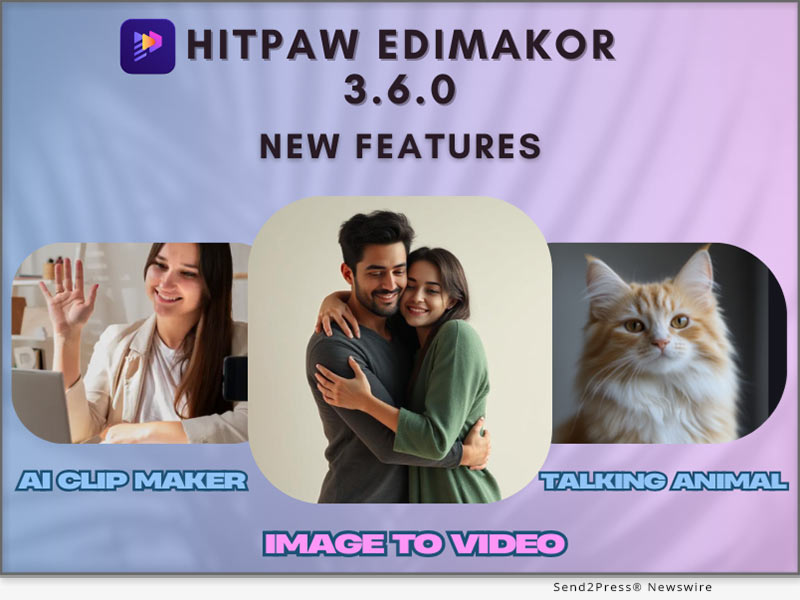
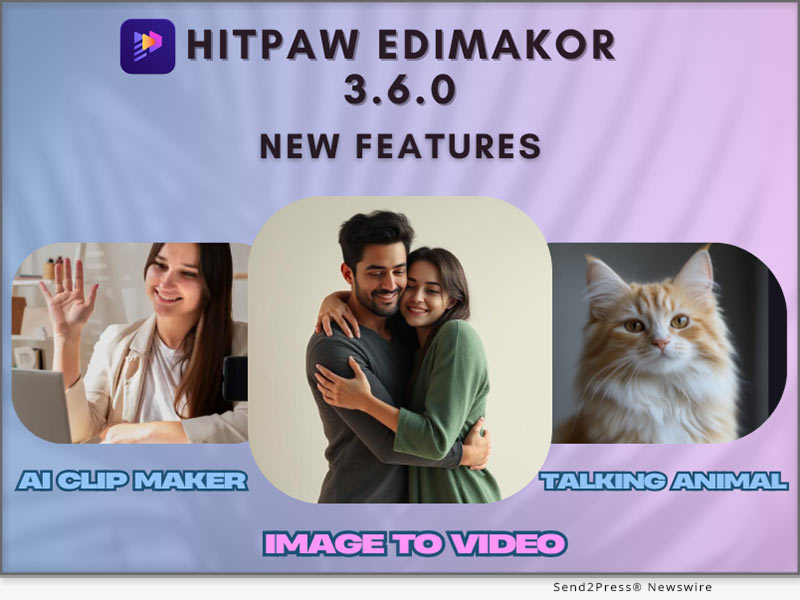
NEW YORK, N.Y., March 14, 2025 (SEND2PRESS NEWSWIRE) — HitPaw Edimakor is happy to announce the availability of the latest version 3.6.0 of its AI video editing software. The latest version has three new innovative features that are designed to transform static images into interactive video content with ease.Users can bring photos to life through AI-Powered Image-to-Video to create life-like clips. The Talking Animals option puts pet photos to life through speech animations, while the AI Clip Maker does the video editing automatically to create quick professional-standard results.Whether you are an educator, marketer, or content developer, Edimakor 3.6.0 makes video creation interactive and easier to use than ever.

HitPaw Edimakor 3.6.0
Image caption: HitPaw Edimakor 3.6.0.

NEW FEATURES IN EDIMAKOR 3.6.0

AI-POWERED IMAGE-TO-VIDEO

Users can easily bring static images to life through the new AI-Powered Image-to-Video tool. The AI tool offers seamless and natural-looking animation that makes the characters or objects seem to move naturally. The tool makes it possible to create hand-heart gestures, hugs, kisses, and fights through simply selecting an image and applying AI-generated effects.

Future versions will expand this capability further with other innovative animation options such as:Cooking pets ,Pet fitness exercises.

They will provide further flexibility to the content developers to produce one-of-a-kind engaging visuals.

TALKING ANIMALS FEATURE

The Talking Animals feature gives users the ability to bring photos of pets to life using speech syncing with mouth movements. It makes it possible to create engaging, interactive, and personalized talking pet videos.

Whether you want to create a pet to tell a joke, read a story, or entertain social media followers, the feature gives an innovative and fun aspect to your content.

AI CLIP MAKER

AI Clip Maker simplifies the creation of videos using automated editing. No need to manually splice clips together anymore. This tool:

  1. Processes content and intelligently chooses the best clips to enable seamless transitions.
  2. Adds background music and sound effects to the final product.
  3. Saves time during editing to enable users to spend more time on creativity rather than labour-intensive work.

This tool is ideal for marketers, content marketers, and businesses that want professional-looking videos without the nuisance of using the standard editing method.

USE CASES & BENEFITS

Edimakor 3.6.0 offers tremendous benefits to various groups of users.

  1. Content Creators: Easily produce engaging, animated videos for social media, YouTube, or other initiatives.
  2. Marketers: Develop engaging promotional videos, advertisements, and product displays that capture the viewer’s attention.
  3. Educators: Develop interactive learning materials that are more engaging to students.

By using AI-powered automation, Edimakor saves time and labor for users, making professional video creation accessible to anyone.

PRICING & AVAILABILITY

Both Windows and Mac users can use Edimakor 3.6.0. The free trial option can be accessed free of charge by new users while existing users can upgrade from $19.95 per month.

SUMMARY

Edimakor 3.6.0 has AI-powered Image-to-Video, Talking Animals, and AI Clip Maker to allow users to create stunning video content with ease. Whether users need to bring pictures to life, voice pets, or automate video editing, the new version provides the tools to simplify creativity and productivity.

ABOUT EDIMAKOR

Edimakor is a fresh AI-powered video editing tool that simplifies the creation of video. Along with the new features, it has strong AI capabilities, such as AI Video Translation, AI Subtitle Generator, and AI Avatars that allow it to be an end-to-end solution for next-gen content developers.

For more information about HitPaw Edimakor 3.6.0 and its features, visit: https://edimakor.hitpaw.com/

Follow on social:

https://x.com/HitpawEdimakor

https://www.youtube.com/@HitPawEdimakorOfficial

https://www.instagram.com/edimakor_official/

NEWS SOURCE: HitPaw


This press release was issued on behalf of the news source (HitPaw), who is solely responsible for its accuracy, by Send2Press Newswire. Image, if any, was provided by the news source and not this website or the wire service. Information is believed accurate, as provided by the news source, but is not guaranteed.

To view the original story, visit: https://www.send2press.com/wire/introducing-hitpaw-edimakor-3-6-0s-smart-features-ai-powered-image-to-video-talking-animals-and-ai-clip-maker/

Copr. © 2025 Send2Press® Newswire, Calif., USA. -- REF: S2P STORY ID: S2P124752 NOREL-3B
 

HitPaw Edimakor Unwraps a Festive Treat: Christmas Event Launched with 30% Discount

NEW YORK, N.Y., Dec. 16, 2024 (SEND2PRESS NEWSWIRE) — This holiday season, HitPaw Edimakor is bringing joy with its Christmas Sale by offering up to 30% off its AI-powered video editing software. Designed for both Windows and Mac users, Edimakor simplifies video creation with state-of-the-art features, making it perfect for everyone from casual creators to professionals. So don’t let this opportunity slip away to level up your editing game while saving big this festive season!

HitPaw Edimakor Merry Christmas
Image caption: HitPaw Edimakor Delivers a Festive Treat.

WHAT’S INCLUDED IN THE CHRISTMAS SALE:

Up to 30% OFF Super Sale:

Up to 30% off from full-feature unlocking of any Edimakor Premium plan for the best options. Whether you’re a newcomer to video editing or an advanced creator looking for professional features, this discount will keep it affordable without sacrificing quality.

100% Lucky Draw:

Adding to the festive spirits, HitPaw Edimakor’s Christmas Event now incorporates a 100% winning situation in the lucky draw initiated. It contains exciting giveaway prizes wherein lucky draws are drawn, ranging upward to $100 on receipt of cash as a remunerative reward in themselves.

WHY CHOOSE EDIMAKOR

HitPaw Edimakor is an all-in-one video editor powered by advanced AI.

Here are the Best AI Tools for creators:

AI Subtitle Generator:

The Subtitle Generator will make adding captioning to your videos a fast and straightforward task. With only a couple of clicks, you can add subtitles that are accurate, timely, and professionally edited to your video.

AI Video Translator:

Provide video material in any preferred language without further seeking expert services. Whether operating a tutorial, advertising or generally just being involved with content creation, this AI Video Translation tool is quite appropriate for the task.

AI Avatar with Lip-Sync:

AI Avatar lets you use extremely powerful features in the context of your videos, enabling engaging visual results that involve life-like virtual actors. It also contains an interactive function for lipsynch of an avatar according to a human’s voice: ideal for presentations, courses, or webinars taken with much professionalism.

AI Video Background Remover:

This is a tool with which one can change or remove the backgrounds of a video in a very seamless way. Perfect for adding a clean finish without requiring green screens and complicated editing, it can add creative backdrops to provide a professional finish for videos-be it vlogs, business presentations, or social media.

SUMMING IT UP

This Christmas, HitPaw Edimakor grants an unbeatable combination of innovation and savings up to 30% off plus a 100% lucky draw. Avail yourself now during the best moment to invest in your creation journey. Don’t miss the chance to unleash 100% of your fullest potential with AI-driven toolkits.

Learn more:

https://edimakor.hitpaw.com/

https://edimakor.hitpaw.com/edimakor-features.html

About Edimakor:

HitPaw Edimakor is one of the most popular AI-powered video editors that enables creators to create professional-quality videos without any hassles. With an intuitive interface and powerful features, it has become a go-to choice for modern video editing needs, whether on Windows or Mac.

HitPaw Edimakor Christmas information: https://edimakor.hitpaw.com/sales-promotion.html

Follow on social:

X/Twitter: https://x.com/HitpawEdimakor

YouTube: https://www.youtube.com/@HitPawEdimakorOfficial

Instagram: https://www.instagram.com/edimakor2024/

NEWS SOURCE: HitPaw


This press release was issued on behalf of the news source (HitPaw), who is solely responsible for its accuracy, by Send2Press Newswire. Image, if any, was provided by the news source and not this website or the wire service. Information is believed accurate, as provided by the news source, but is not guaranteed.

To view the original story, visit: https://www.send2press.com/wire/hitpaw-edimakor-unwraps-a-festive-treat-christmas-event-launched-with-30-discount/

Copr. © 2024 Send2Press® Newswire, Calif., USA. -- REF: S2P STORY ID: S2P122862 NOREL-3B
 

HitPaw Edimakor for Mac 3.0.0 Released with AI Video Translator and AI Copywriting!

NEW YORK, N.Y. /ScoopCloud/ -- HitPaw, a leading innovator in video editing and multimedia software, announces the launch of HitPaw Edimakor for Mac V3.0.0. This major release incorporates groundbreaking AI technology, including automatic video translation and AI-powered copywriting tools, that will revolutionize video creation workflows. With HitPaw Edimakor 3.0.0, video editors and social media producers can create localized, optimized, engaging video content faster than ever before.

:: AI Video Translator

The AI video translator in HitPaw Edimakor 3.0.0 enables users to automatically translate and add subtitles to their videos with just a few clicks. This creates opportunities for localized marketing videos, global distribution of video content and the ability to watch videos in any native language around the world.

It has very accurate AI translations that preserve the original context and feelings in dialogues or narrations. All that is required from a user is importing a video, choosing the source and target languages then leaving everything else to HitPaw.

How to Use:

1. Add your video files to a new project timeline

2. Use the "subtitle" tool to automatically convert speech into subtitles

3. Translate the subtitles to the target language

4. Customize the AI-generated text as needed

5. Export your final video with subtitles and copy

:: AI Copywriting Assistant

The new AI copywriting capabilities in HitPaw Edimakor 3.0.0 are a gamechanger for crafting compelling video scripts, titles, descriptions, and more. Simply describe your video concept and target audience, and the AI will generate on-brand copy tailored to your needs.

The AI copywriter creates original text that is engaging, persuasive, and optimized for search engines. Whether you need a catchy video title, powerful opening hook, or full video script, the AI can handle it with just a few prompts.

How to Use:

1. Open Edimakor and Click "AI copywriting"

2. Select the video scene you want

3. Describe the video theme and related information

4. Generate the script

:: Pricing and Availability

HitPaw Edimakor 3.0.0 is available now for Mac and can be downloaded from the official HitPaw website. Subscription plans start at just $19.95 per month, while a perpetual license is $69.95 with free lifetime upgrades.

Considering the immense value added by the new AI tools, HitPaw Edimakor remains an extremely cost-effective option for video creators and social media marketers. The software pays for itself in time savings and higher quality results.

:: Summary

In video post-production, HitPaw Edimakor 3.0.0 has been enhanced with AI-powered features that have brought in advanced automation. This launch facilitates quicker production of stunning videos by creators through AI-created captions and copywriting and improved editing functions.

About Edimakor

HitPaw Edimakor 3.0.0 is video editing software packed with cutting-edge AI tools. It can automatically generate scripts, subtitles, and optimized copy using advanced AI. Key features include AI video generator, subtitle generator, text-to-speech, speech-to-text, copywriting and more, revolutionizing the video creation workflow.

LEARN MORE:: https://edimakor.hitpaw.com/

Social Media:

* Facebook: https://www.facebook.com/EdimakorOfficial

* X/Twitter: https://x.com/HitpawEdimakor

* YouTube: https://www.youtube.com/@HitPawEdimakorOfficial

News from HitPaw

HitPaw, a leading innovator in video editing and multimedia software, announces the launch of HitPaw Edimakor for Mac V3.0.0. This major release incorporates groundbreaking AI technology, including automatic video translation and AI-powered copywriting tools, that will revolutionize video creation workflows. With HitPaw Edimakor 3.0.0, video editors and social media producers can create localized, optimized, engaging video content faster than ever before.

Related link: https://www.hitpaw.com/

This version of news story was published on ScoopCloud™ (ScoopCloud.com) - part of and © the Neotrope® News Network - all rights reserved.

My HitPaw Moments: Celebrate Your Meaningful, Funny, and Memorable Moments with HitPaw Special Event

NEW YORK, N.Y. /ScoopCloud/ -- HitPaw, a leading creative solutions provider, is thrilled to announce the inaugural My HitPaw Moments, a special event dedicated to celebrating the creativity, fun, and memorable experiences of our community.

About My HitPaw Moments Activities

My HitPaw Moments activities is more than just an event; it's a celebration of our community's creativity and the incredible results you achieve using our AI-powered tools. Whether it's a stunning photo enhancement, a fun and quirky video edit, or a heartwarming memory captured perfectly, we want to see how HitPaw has played a part in your life.

How to Participate

Participating in My HitPaw Moments is simple and fun.

Here's how you can join in the celebration:

1. Slide to select topics you're interested in.

2. Post and Tag: Share your creation and story on your favorite social media platform. Be sure to use the hashtag #Sharewithhitpaw to ensure your post is seen by our team

3. Win the price.

Prizes and Recognition

To make My HitPaw Moments even more exciting, we are offering some fantastic prizes for the most creative and heartwarming entries.

Here's what you can win:

Top1. US$ 200, 1 person

Top2. US$ 100, 2 persons

Top3. One product 1-year license, 50 persons

Top4. Sitewide 20% OFF Coupon, 100% wining rate

Participation Award: 3 participants will be randomly selected daily to receive a 1-month license

Gifts will be given based on the number of likes on social (in case of a tie, the one with more views wins).

Join the Celebration

My HitPaw Moments activities is not just about the prizes; it's about celebrating the moments that matter to you. Whether you're a professional photographer, a casual creator, or someone who loves to experiment with new technology, My HitPaw Moments activities is for you.

So, fire up your favorite HitPaw tool, and start creating! We can't wait to see the amazing moments you share. Thank you for being a part of the HitPaw community, and let's make the first My HitPaw Moments activities a memorable one.

About HitPaw:

HitPaw is an emerging software company specializing in video converting, video and photo enhancing, screen recording, watermark removing, video and image editing, meme-making, etc. We help users turn their inspiration into reality so that we can generate more ideas to make the world full of more creativity.

To know more, you may visit https://www.hitpaw.com/about.html and https://www.hitpaw.com/

Our Social Media:

YouTube: https://www.youtube.com/channel/UCQwRggaotgiMcPbiCOsJeBA

Facebook: https://www.facebook.com/hitpawofficial

X (Twitter): https://twitter.com/HitPawofficial

Instagram: https://www.instagram.com/hitpawofficial/

Pinterest: https://www.pinterest.com/HitPawofficialwebsite/

News from HitPaw

HitPaw, a leading creative solutions provider, is thrilled to announce the inaugural My HitPaw Moments, a special event dedicated to celebrating the creativity, fun, and memorable experiences of our community. HitPaw is an emerging software company specializing in video converting, video and photo enhancing, screen recording, watermark removing, video and image editing.

Related link: https://www.hitpaw.com/

This version of news story was published on ScoopCloud™ (ScoopCloud.com) - part of and © the Neotrope® News Network - all rights reserved.

HitPaw Video Object Remover Mac V1.2.1 is The Ultimate Solution for Mac Users to Create Seamless Videos

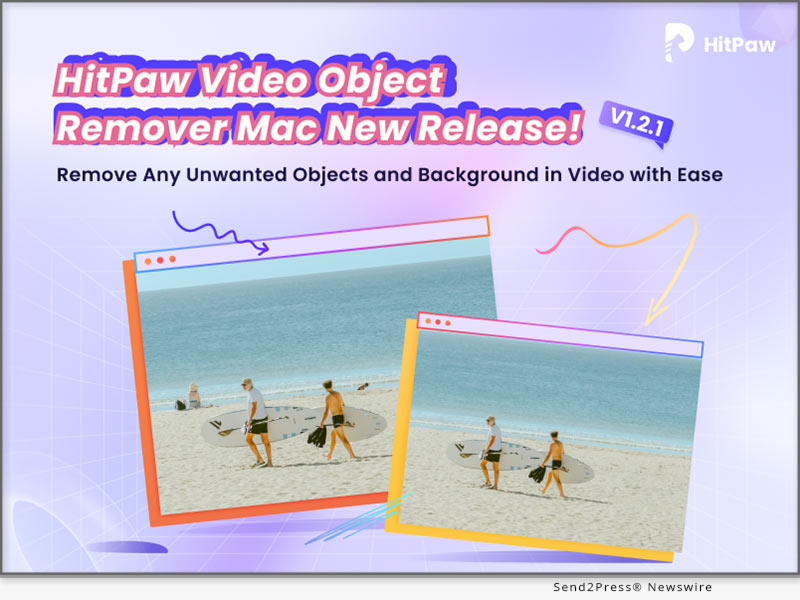
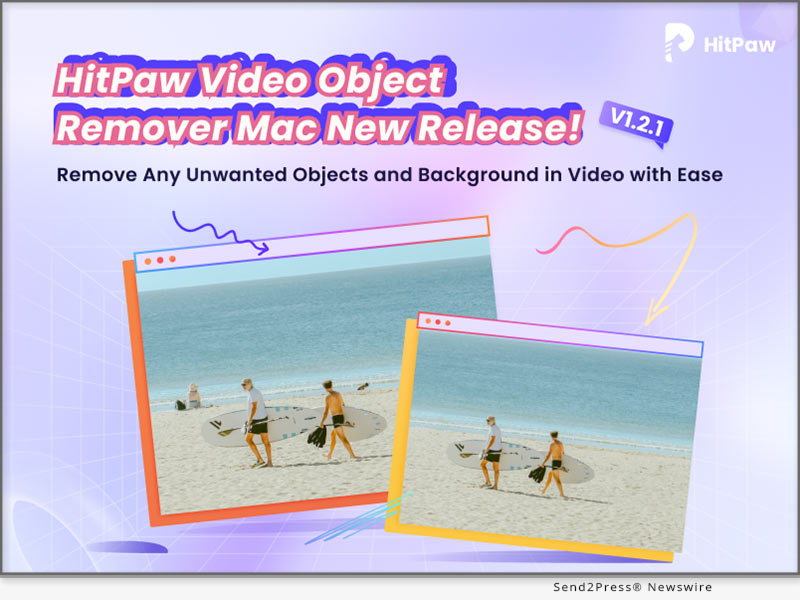
NEW YORK, N.Y. /ScoopCloud/ -- HitPaw, a leading software technology company, has announced the release of Mac version of the Video Object Remover - the HitPaw Video Object Remover Mac V1.2.1. This powerful video editing tool is designed specifically for Mac users running macOS 10.15 and above, with enhanced compatibility for macOS 12 and above systems.

In this new version, ported the selection module of the AI object removal model in the Windows version and can recognize the selection intelligently. In the Mac version, we have added the business package for users to choose in addition to the personal package.

LET'S CHECK OUT THIS NEW VERSIONS:

1 - The selection module of the AI object removal model

The limit on the number of selections created is no longer limited to one, now multiple selections can be created. This new feature offers more control and precision in removing objects and recognition in the background, allowing users to create stunning results. Gone are the days of tedious manual selection - effortlessly handling multiple objects you want to remove at the same time and saving valuable time and effort.

2 - The AI background removal models

HitPaw has also improved the AI background removal models of Video Object Remover Mac V1.2.1. The export function of the background removal model has been optimized for transparent video export, now you can see the effect of background removal by exporting transparent video directly, no need to change the player to verify.

3 - The preview playback function

HitPaw Video Object Remover Mac V1.2.1 now allows users to preview the entire video with the applied object removal effects in real-time. Witness the magic unfold as unwanted elements disappear seamlessly from your footage, ensuring you achieve the desired outcome before finalizing the edit.

4 - Wide Language Support

HitPaw Video Object Remover Mac V1.2.0 breaks barriers by supporting 17 languages, including English, Spanish, French, German, Chinese, Japanese, and many more. Users from different linguistic backgrounds can now enjoy a seamless video editing experience.

Compatibility and Price:

HitPaw Video Object Remover V1.2.0 is optimized for macOS 10.15 and above, with added support for macOS 12 and above systems, ensuring Mac users can harness its full potential across a range of devices.

Its pricing starts from $49.99 per month, $69.99 per year, and $109.99 for the lifetime. And in business license, users can choose 5 Macs for 139.95 USD and 10 Macs for 269.95 USD.

For more information checking, you can visit:

https://www.hitpaw.com/hitpaw-object-remover.html

About HitPaw:

HitPaw is an emerging software company specializing in video editing, screen recording, watermark removing, image editing, photo-enhancing meme-making, etc. We help users turn their inspiration into reality so that we can generate more ideas to make the world full of more creativity.

To know more, you may visit https://www.hitpaw.com/

Our Social Media:

YouTube: https://www.youtube.com/channel/UCQwRggaotgiMcPbiCOsJeBA

Facebook: https://www.facebook.com/hitpawofficial

Twitter: https://twitter.com/HitPawofficial

Instagram: https://www.instagram.com/hitpawofficial/

Pinterest: https://www.pinterest.com/HitPawofficialwebsite/

News from HitPaw

HitPaw, a leading software technology company, has announced the release of Mac version of the Video Object Remover - the HitPaw Video Object Remover Mac V1.2.1. This powerful video editing tool is designed specifically for Mac users running macOS 10.15 and above, with enhanced compatibility for macOS 12 and above systems.

Related link: https://www.hitpaw.com/

This version of news story was published on ScoopCloud™ (ScoopCloud.com) - part of and © the Neotrope® News Network - all rights reserved.

HitPaw Video Object Remover V1.2.0 Released with Enhanced Features for Seamless Object Removal and Enhanced User Experience

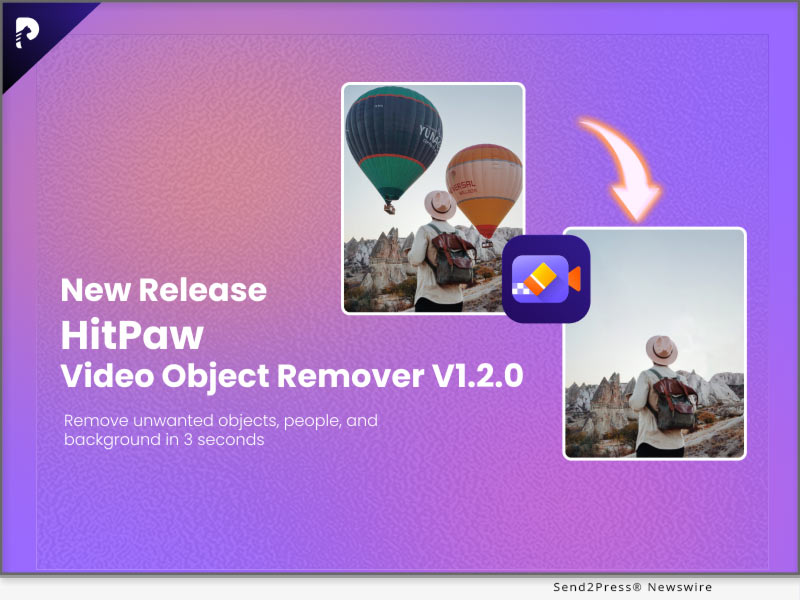
NEW YORK, N.Y. /ScoopCloud/ -- HitPaw, a leading software technology company, has announced the release of its latest version of the Video Object Remover - the HitPaw Video Object Remover V1.2.0. This upgraded version comes with enhanced features that make the application more efficient and reliable.

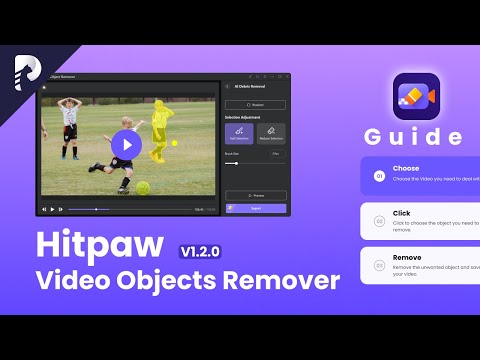
In this update, HitPaw optimizes selection module for the AI object removal model. The selection process has been fine tuned to offer users more accurate and reliable results, ensuring that even intricate objects can be seamlessly eliminated from videos with minimal effort.

LET'S CHECK OUT THE NEW FEATURES:

1 - Optimize the selection module of the AI object removal model

Opening the limit on the number of selections created is no longer limited to one, now multiple selections can be created and multiple objects removed. This new feature offers more control and precision in removing objects and recognition in the background, allowing users to create stunning results. Gone are the days of tedious manual selection - effortlessly handling multiple objects you want to remove at the same time and saving valuable time and effort.

2 - Optimize the preview playback function

To meet the needs of users, HitPaw Video Object Remover optimizes the preview to support full video preview and also single frame removal effect preview. Users can have clear perceived benefits and better-personalized choices for them.

3 - Optimize the export function

The export function has also undergone optimization in HitPaw Video Object Remover V1.2.0. Users can now export their edited videos seamlessly, maintaining the original video quality while ensuring efficient file compression for easy sharing and storage. supporting MP4\MKV\AVI\MOV format, and you can easily change the video format when removing objects from the video. This streamlined export process enhances user convenience and saves valuable time.

4 - Optimize the export video of AI background removal models

HitPaw has also improved the AI background removal models of Video Object Remover V1.2.0. The export function of the background removal model has been optimized for transparent video export, now you can see the effort of background removal by exporting transparent video directly, no need to change the player to verify.

Compatibility and Price:

HitPaw Video Object Remover is now compatible with Windows including Win11/10/7 64-bit and guaranteed to run Win8, Vista 64-bit system. Its pricing starts from $39.99 per month, $59.99 per year, and $99.99 for the lifetime.

For more information checking, you can visit: https://www.hitpaw.com/purchase/buy-hitpaw-object-remover.html

About HitPaw:

HitPaw is an emerging software company specializing in video editing, screen recording, watermark removing, image editing, photo enhancing meme-making, etc. We help users turn their inspiration into reality so that we can generate more ideas to make the world full of more creativity.

To know more, you may visit https://www.hitpaw.com/about.html and https://www.hitpaw.com/

Our Social Media:

YouTube: https://www.youtube.com/watch?v=7LhUvA0Q0SM

Facebook: https://www.facebook.com/hitpawofficial

Twitter: https://twitter.com/HitPawofficial

Instagram: https://www.instagram.com/hitpawofficial/

Pinterest: https://www.pinterest.com/HitPawofficialwebsite/

News from HitPaw

HitPaw, a leading software technology company, has announced the release of its latest version of the Video Object Remover - the HitPaw Video Object Remover V1.2.0. This upgraded version comes with enhanced features that make the application more efficient and reliable.

Related link: https://www.hitpaw.com/

This version of news story was published on ScoopCloud™ (ScoopCloud.com) - part of and © the Neotrope® News Network - all rights reserved.

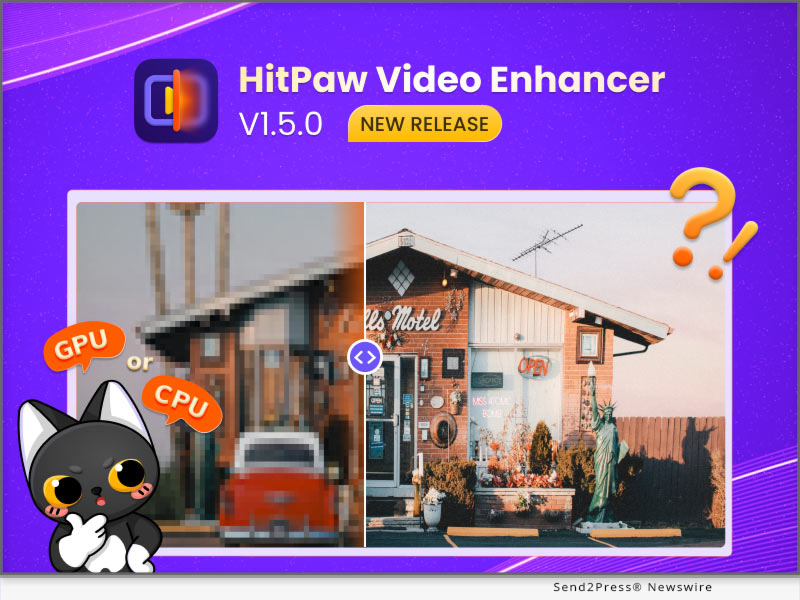
HitPaw Video Enhancer V1.5.0 Update Released: Enhance Video More Efficiently

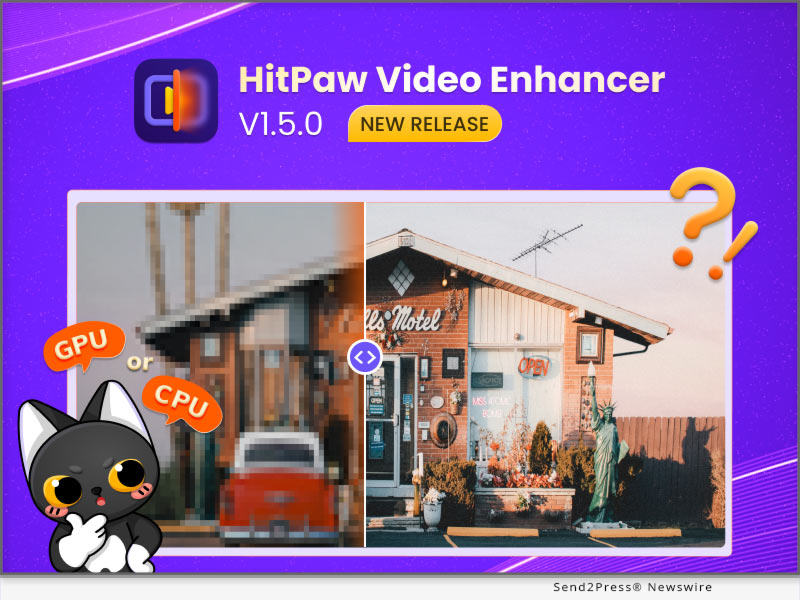
NEW YORK, N.Y. /ScoopCloud/ -- HitPaw recently released HitPaw Video Enhancer V1.5.0. The latest version of HitPaw Video Enhancer will make the process of enhancing videos smoother. One of the new features is that once the program accidentally crashes, you can continue the process directly after restarting the program. It is also worth mentioning that after this update, you can save the preview record when you using the program.

In addition to the above, the latest version also fixes some known issues. So this latest version will definitely amaze you.

Let's find out the exciting features of the Update for HitPaw Video Enhancer:

* Automatically Recover Progress

No matter what software we use, we always encounter such problems, the program may crash whether it is because of network fluctuation or hardware problems. We can't avoid such problems, but we can provide the best experience when you try our AI video enhancer tool. HitPaw Video Enhancer supports restoring your original video enhancement process after the program crashes so that you can continue enhancing directly from where you left off.

* Choose Actions After The Video Enhancement

Sometimes you will need the enhancement task finished automatically by HitPaw Video Enhancer and you have other things to be busy at. Don't want to waste any more electricity? Here's the solution, the latest version of HitPaw Video Enhancer enables you to choose actions. After your video-enhancing task is automatically completed, we provide the below options for you to choose from: shut down the computer, hibernate the computer, exit the program, or do nothing.

* Freely Choose CPU & GPU

If your computer has equipped with multiple graphics cards, the previous versions of HitPaw Video Enhancer will select the most suitable one to run the video enhancing task automatically. With the release of this new version, you can now choose whether to run the task with CPU or GPU to get the most effective results your wish.

Compatibility and Price

HitPaw Video Enhancer is now compatible with Windows for 11/10 64-bit and MacOS Monterey. The Windows Version pricing starts from $42.99 per month, $99.99 per year, and $349.99 for the lifetime.

For more information checking, you can visit:

https://www.hitpaw.com/hitpaw-video-enhancer.html

https://www.hitpaw.com/purchase/buy-hitpaw-video-enhancer.html

About HitPaw

HitPaw is an emerging software company specialized in files compressing, video editing, screen recording, watermark removing, image editing, photo enhancing, etc. We help users turn their inspiration into reality so that we can generate more ideas to make the world be full of more creativity.

To know more, you may visit:

https://www.hitpaw.com/about.html

https://www.hitpaw.com/

Our Social Media

YouTube: https://www.youtube.com/channel/UCQwRggaotgiMcPbiCOsJeBA

Facebook: https://www.facebook.com/hitpawofficial

Twitter: https://twitter.com/HitPawofficial

Instagram: https://www.instagram.com/hitpawofficial/

Pinterest: https://www.pinterest.com/HitPawofficialwebsite/

News from HitPaw

HitPaw recently released HitPaw Video Enhancer V1.5.0. The latest version of HitPaw Video Enhancer will make the process of enhancing videos smoother. One of the new features is that once the program accidentally crashes, you can continue the process directly after restarting the program. It is also worth mentioning that after this update, you can save the preview record when you using the program.

Related link: https://www.hitpaw.com/

This version of news story was published on ScoopCloud™ (ScoopCloud.com) - part of and © the Neotrope® News Network - all rights reserved.

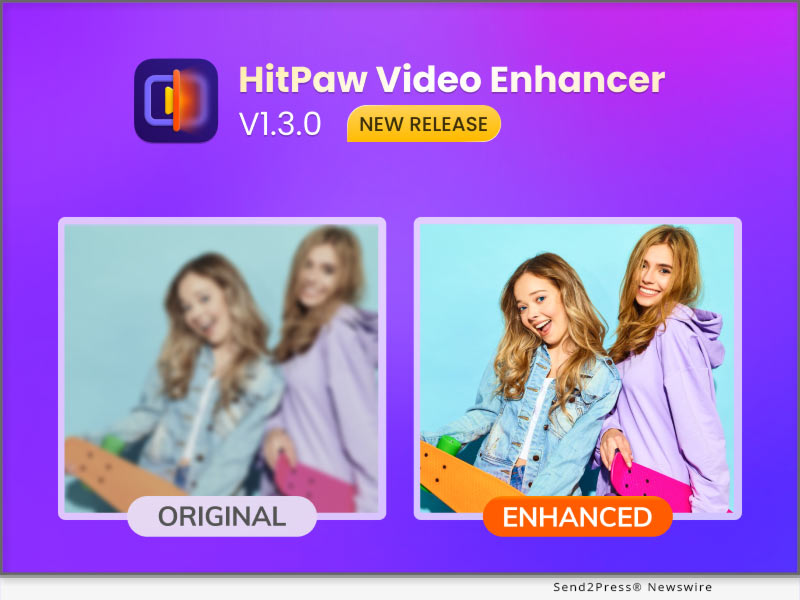
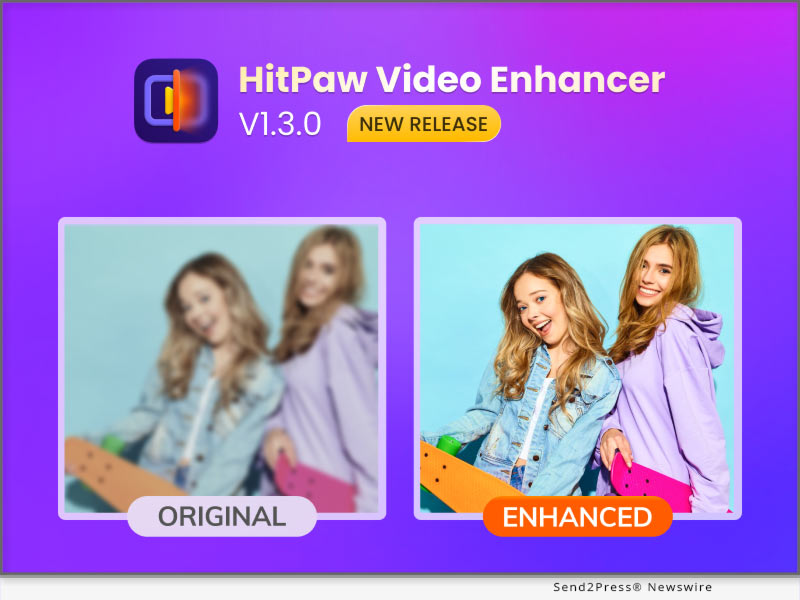
HitPaw Video Enhancer V1.3.0 Release: Enhance Video Smoothly with Virtual Memory

NEW YORK, N.Y. /ScoopCloud/ -- HitPaw recently released HitPaw Video Enhancer V1.3.0. The latest version of HitPaw Video Enhancer will support automatically enabling virtual memory, in order to make the process of enhancing videos smoother. And once the program accidentally crashes, you can continue the process directly after restarting the program. It is also worth mentioning that after this update, you can save the operation record when you close the program.

In addition to the above, the latest version also fixes some known issues. So this latest version will definitely amaze you.

Let's find out the wonderful features of the Update for HitPaw Video Enhancer:

-- Automatically Enable Virtual Memory

For many people, perhaps not enough computer configuration prevents them from using an AI video upscaler. You will be very distressed by the slow progress due to insufficient configuration. So HitPaw Video Enhancer will automatically enable the computer's virtual memory when you need it, which means your computer will have more RAM to improve the low-quality video and make the process easier.

-- Continue Process after the Program Crashing

No matter what software we use, we always encounter such problems, whether it is because of network problems or hardware problems that cause the program to crash. We can't avoid such problems, but we can provide the best experience when you try our video enhancer AI tool. HitPaw Video Enhancer supports restoring your original video enhancement process after the program crashes so that you can continue enhancing directly from where you left off.

-- Save Operation Records when Closed

The starting point of this feature is the same as the previous one. Sometimes when we close and reopen the program, we want to see the last operation record instead of re-enhancement from scratch. So HitPaw Video Enhancer supports saving the operation record when the program is closed so that you can continue to enhance the video next time.

Compatibility and Price

HitPaw Video Enhancer is now compatible with Windows for 11/10 64-bit and macOS Monterey. The Windows Version pricing starts from $42.99 per month, $99.99 per year, and $349.99 for the lifetime.

For more information checking, you can visit: https://www.hitpaw.com/purchase/buy-hitpaw-video-enhancer.html

About HitPaw

HitPaw is an emerging software company specialized in files compressing, video editing, screen recording, watermark removing, image editing, photo enhancing, etc. We help users turn their inspiration into reality so that we can generate more ideas to make the world be full of more creativity.

To know more, you may visit : https://www.hitpaw.com/about.html and https://www.hitpaw.com/

Our Social Media

YouTube: https://www.youtube.com/channel/UCQwRggaotgiMcPbiCOsJeBA

Facebook: https://www.facebook.com/hitpawofficial

Twitter: https://twitter.com/HitPawofficial

Instagram: https://www.instagram.com/hitpawofficial/

Pinterest: https://www.pinterest.com/hitpawcom/

News from HitPaw

HitPaw recently released HitPaw Video Enhancer V1.3.0. The latest version of HitPaw Video Enhancer will support automatically enabling virtual memory, in order to make the process of enhancing videos smoother. And once the program accidentally crashes, you can continue the process directly after restarting the program. It is also worth mentioning that after this update, you can save the operation record when you close the program.

Related link: https://www.hitpaw.com/

This version of news story was published on ScoopCloud™ (ScoopCloud.com) - part of and © the Neotrope® News Network - all rights reserved.

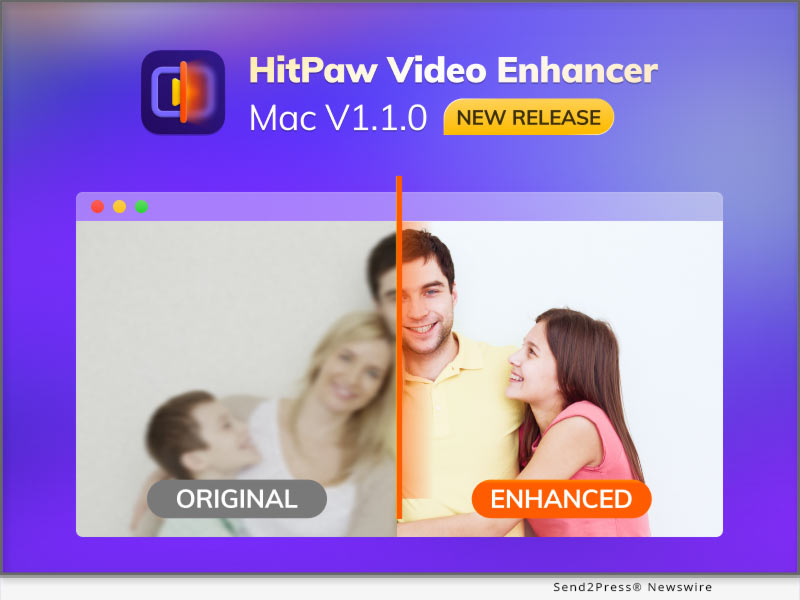
HitPaw Video Enhancer Mac V1.1.0 Released with Amazing AI Denoise Model on macOS to Upscale Video

NEW YORK, N.Y. /ScoopCloud/ -- HitPaw recently released HitPaw Video Enhancer Mac V1.1.0. The latest version of HitPaw Video Enhancer for Mac will support General Denoise Model, which means there will be 4 amazing AI models in Mac Version including General Denoise Model, Face Model, Animation Model, and Colorize Model.

The General Denoise Model helps you easily enhance video in any situation. Because the face model will be more suitable for face videos, and the animation model is more suitable for animation videos. So when you want a model that can enhance ordinary videos, then General Denoise Model can help you.

Let's find out the wonderful features of the Update for HitPaw Video Enhancer Mac:

* Amazing General Denoise Model

HitPaw Video Enhancer, as a wonderful video enhance AI tool, the General Denoise Model contributed a lot of effort. More people may have shot low-quality landscape videos, but these videos do not have a proper model to handle them. The noise reduction model can repair all the details in the video, thus helping people improve low-quality videos to high-quality videos with ease.

* Powerful AI Technology

For AI technology, we may be wondering how AI technology in an AI video enhancer work. AI technology can help you automatically identify the details that need to be repaired, and then complete the task without any professional skills needed. In this updated version of HitPaw Video Enhancer Mac, the trained AI model has also been optimized to better improve the quality of the video.

* Easy Steps to Enhance Video

As the top video upscaler in the industry, simple steps are essential. Unlike many professional video processing software, the video-enhancing actions of HitPaw Video Enhancer are straightforward, just import, select the model, and then export.

* Clean Interface for Processing

A clean tool interface will make the process more efficient. HitPaw Video Enhancer is committed to creating the most straightforward and most convenient video enhancement software. So the interface is also very clean so that people will not be confused about any buttons or functions.

Compatibility and Price:

HitPaw Video Enhancer is now compatible with Windows for 11/10 64-bit and macOS Monterey. The Mac Version pricing starts from $69.99 per month, $109.99 per year, and $349.99 for the lifetime.

For more information checking, you can visit: https://www.hitpaw.com/purchase/buy-hitpaw-video-enhancer-mac.html

About HitPaw:

HitPaw is an emerging software company specialized in files compressing, video editing, screen recording, watermark removing, image editing, photo enhancing, etc. We help users turn their inspiration into reality so that we can generate more ideas to make the world be full of more creativity.

To know more, you may visit: https://www.hitpaw.com/about.html and https://www.hitpaw.com/

Our Social Media:

YouTube: https://www.youtube.com/channel/UCQwRggaotgiMcPbiCOsJeBA

Facebook: https://www.facebook.com/hitpawofficial

Twitter: https://twitter.com/HitPawofficial

Instagram: https://www.instagram.com/hitpawofficial/

Pinterest: https://www.pinterest.com/hitpawcom/

News from HitPaw

HitPaw recently released HitPaw Video Enhancer Mac V1.1.0. The latest version of HitPaw Video Enhancer for Mac will support General Denoise Model, which means there will be 4 amazing AI models in Mac Version including General Denoise Model, Face Model, Animation Model, and Colorize Model.

Related link: https://www.hitpaw.com/

This version of news story was published on ScoopCloud™ (ScoopCloud.com) - part of and © the Neotrope® News Network - all rights reserved.

With AI-powered HitPaw Video Converter V2.6, enjoy Sparkling Creation of Video and Audio

NEW YORK, N.Y. /ScoopCloud/ -- In order to enable users to satisfy various needs easily and efficiently, HitPaw, as the industrial pioneer, brings the AI-enabled features to its flagship product. HitPaw Video Converter V2.6.0 has been released with 5 remarkable functions, including Spotify Music Converter, Vocal Remover, Video/Image Compressor, DVD Converter, and Image Editor.

Let's dive into the amazing features of HitPaw Video Converter V2.6.0:

* Spotify Music Converter

Unlike Spotify Free, Spotify Premium allows you to download music so that it is always with you. Spotify Music Converter enable users to convert Spotify music to MP3/WAV/M4A with a 120x quicker conversion speed and complete ID3 tag information.

* Vocal Remover

Music producers may easily and quickly extract voice and instrumental tracks from their music with this AI-powered Vocal Remover.

* Video/Image Compressor

Unable to send huge movies by email? Attempting to upload videos but the file size is too big? When the storage is full, are you unsure about which videos to delete? Users of Video/Image Compressor can downsize video and image files without compromising quality. The audience may access high-quality material from creators.

* DVD Converter

With HitPaw Video Converter, DVDs may be played on any player or gadget without sacrificing quality. There are currently over 1000 different video and music formats that may be extracted from DVD discs, DVD Folders, ISO, and IFO files, including MP4, MOV, MKV, AVI, FLV, MP3, and WMA.

* Image Editor

You may crop and rotate pictures with HitPaw Video Converter's 7 presets, change the brightness, contrast, saturation, and hue of pictures, and add a watermark to pictures. Users can always share the ideal photo with friends or on their personal social media accounts.

Compatibility and Price:

HitPaw Video Converter is now compatible with Windows including Windows 11 and macOS Monterey. Its pricing starts from $19.95 per month, $39.95 per year, and $79.95 for the lifetime license.

For more information checking, you can visit: https://www.hitpaw.com/purchase/buy-hitpaw-video-converter.html

About HitPaw:

HitPaw is an emerging software company specialized in files compressing, video editing, screen recording, watermark removing, image editing, photo enhancing, etc. We help users turn their inspiration into reality so that we can generate more ideas to make the world be full of more creativity.

To know more, you may visit https://www.hitpaw.com/about.html and https://www.hitpaw.com/

Our Social Media:

YouTube: https://www.youtube.com/channel/UCQwRggaotgiMcPbiCOsJeBA

Facebook: https://www.facebook.com/hitpawofficial

Twitter: https://twitter.com/HitPawofficial

Instagram: https://www.instagram.com/hitpawofficial/

Pinterest: https://www.pinterest.com/HitPawofficialwebsite/

News from HitPaw

In order to enable users to satisfy various needs easily and efficiently, HitPaw, as the industrial pioneer, brings the AI-enabled features to its flagship product. HitPaw Video Converter V2.6.0 has been released with 5 remarkable functions, including Spotify Music Converter, Vocal Remover, Video/Image Compressor, DVD Converter, and Image Editor.

Related link: https://www.hitpaw.com/

This version of news story was published on ScoopCloud™ (ScoopCloud.com) - part of and © the Neotrope® News Network - all rights reserved.

HitPaw Launches Mac Version of Video Enhancer to Improve the Video Quality

NEW YORK, N.Y. /ScoopCloud/ -- HitPaw, a company provides the best digital creation tools, today releases the video enhancement software - HitPaw Video Enhancer Mac. Utilizing artificial intelligence (AI), HitPaw Video Enhancer Mac upscales videos automatically for a variety of uses and provides a novel way to lessen noise, pixels, and overexposure brought on by subpar cameras and poor lighting.

HitPaw Video Enhancer Mac provides three popular models, including General Denoise Model, Animation Model, and Face Model. HitPaw Video Enhancer will automatically make the identical modifications that professional editors would do. All modifications will also be included right into the rendering pipeline.

* General Denoise Model

Each pixel in films shot with low-quality, low-light cameras will have very little light, increasing blurriness and clarity. HitPaw Video Enhancer Mac is able to provide a clean and bright result by lighting each pixel up in the video using the General Denoise Model.

* Animation Model

There are a bunch of timeless and unbeatable anime videos that are becoming hazy and colorless with the advancement in resolution. The goal of Animation Model is to fix anime videos by sharpening and coloring the anime characters to make them appear more realistic and lively on high-quality screens.

* Face Model

In general, and especially for a novice or green hand, adjusting portrait characteristics in films is more difficult and time-consuming than in photos. HitPaw Video Enhancer Mac can modify the brightness, color saturation, and contrast of the portraits in every frame by learning from a vast number of samples.

Apart from three AI Model, HitPaw Video Enhancer Mac also supports:

* More than 30 video formats, including MP4, AVI, RMVB, and MKV

* Up to 4K exported resolution

* Batch processing

* MP4 and MOV format exported

Compatibility and Price:

HitPaw Video Enhancer is now compatible with Mac OS 10.15 & above and Windows 11/10(64-bit OS). The price of Mac version starts from $59.99 USD for a monthly plan. For more price checking and information, you can visit https://www.hitpaw.com/purchase/buy-hitpaw-video-enhancer-mac.html

About HitPaw:

HitPaw is an emerging software company specialized in video editing, screen recording, watermark removing, image editing, photo enhancing meme-making, etc. We help users turn their inspiration into reality so that we can generate more ideas to make the world full of more creativity.

To know more, you may visit https://www.hitpaw.com/about.html and https://www.hitpaw.com/

Our Social Media:

YouTube: https://www.youtube.com/channel/UCQwRggaotgiMcPbiCOsJeBA

Facebook: https://www.facebook.com/hitpawofficial/

Twitter: https://twitter.com/HitPawofficial

Instagram: https://www.instagram.com/HitPawofficial/

Pinterest:  https://www.pinterest.com/hitpawvideoeditor/

News from HitPaw

HitPaw, a company providing the best digital creation tools, today releases the video enhancement software - HitPaw Video Enhancer Mac. Utilizing artificial intelligence (AI), HitPaw Video Enhancer Mac upscales videos automatically for a variety of uses and provides a novel way to lessen noise, pixels, and overexposure brought on by subpar cameras and poor lighting.

Related link: https://www.hitpaw.com/

This version of news story was published on ScoopCloud™ (ScoopCloud.com) - part of and © the Neotrope® News Network - all rights reserved.

PearlMountain Release FlexClip Version 3.9 with Ability to Save Videos as Custom Templates

HONG KONG /ScoopCloud/ -- PearlMountain announced that its FlexClip (https://www.flexclip.com) browser-based video editor has been updated to version 3.9. The update includes more editing options, built-in resources, increased functionality, and overall improved usability. Of special interest is the ability to save custom made video as a template.

"We are taking another step to improve workflow efficiency and creativity by bringing new feature to FlexClip 3.9," said Lin Xiao, founder and CEO of FlexClip. "Now video creators and collaborators can quickly create consistent, professional videos using custom made templates to save time when making intros or outros for social media or company videos."

FlexClip 3.9 enables users to create and save their custom designed videos as templates that can be adapted as needed and reused in other projects to significantly speed up the video creation and editing process. Video templates can also be shared with collaborators for single-click editing. Individuals can include transitions, colors, logos, effects and more, then save the entire video as a template.

The updated FlexClip 3.9 adds support for searching and adding sound effects for cinematic-quality videos. Over 10,000 royalty-free sound effects are included in categories like vehicles, whooshes, transitions, animals, and footsteps. It's a feature that's especially beneficial for those posting to TikTok, Instagram and YouTube. The timeline editor facilitates quick adjustments to sound volume and positioning, along with SFX trimming by dragging the edges.

The latest version of FlexClip also allows individuals to add GIPHY animated stickers from an extensive library, and utilize hundreds of newly designed video templates. An improved screen recorder enables users to capture screen and webcam at the same time.

The new enhancements to FlexClip version 3.9 expand the range of functionality available in the video editor, save individuals time, and facilitate creativity. The video editor is equally applicable for novices creating family birthday greetings to professionals for corporate and business endeavors.

Learn more at: https://www.flexclip.com/

About FlexClip:

FlexClip is a browser-based video maker platform developed by PearlMountain Limited, providing one-stop video services that can help novice users and professionals make tutorials, video trailers, explainer videos, presentations and social media videos with ease. FlexClip is used and loved by millions of people around the globe.

Connect with FlexClip on

* https://www.facebook.com/flexclip/

* https://twitter.com/flexclipapp/

* https://www.youtube.com/channel/UCuHTaJySq58KRAa7O4OJsvg

News from PearlMountain Limited

PearlMountain announced that its FlexClip (https://www.flexclip.com) browser-based video editor has been updated to version 3.9. The update includes more editing options, built-in resources, increased functionality, and overall improved usability. Of special interest is the ability to save custom made video as a template.

Related link: https://www.pearlmountainsoft.com/

This version of news story was published on ScoopCloud™ (ScoopCloud.com) - part of and © the Neotrope® News Network - all rights reserved.

Hudun Launches a Full-Featured WorkinTool Watermark Eraser

NEW YORK, N.Y. /ScoopCloud/ -- Hudun, a leading software company with 9 years of experience, today releases a Full-Featured Watermark Remover - WorkinTool Watermark Eraser. In the era of self-media, people often need to deal with videos, pictures, and copywriting in their work and often encounter difficult situations, such as removing watermarks from videos.

Presumably, many of you have tried various tools, and these tools either need to pay or offer several hidden limits. This effective watermark remover, WorkinTool Watermark Eraser, is what I'd like to present to you. New to the field as it is, it has already appealed to a swell of followers. Is it worthy of installation? You can find the answer after reading my detailed testing. The test mainly focuses on the product details, pricing, compatibility, and main features of this watermark removal tool.

WorkinTool Watermark Eraser Ultimate Description

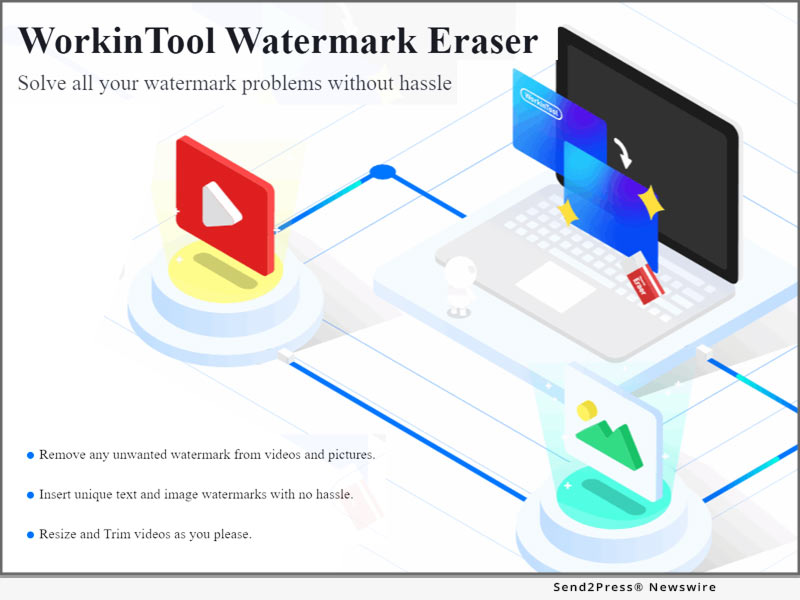
WorkinTool Watermark Eraser is a watermark processor based on the Windows system. With its matured AI removal technology, you can eliminate watermarks on videos and photos without blur. In addition, it is more than a watermark remover; you can also use it to add watermark to video and image, trim video length, crop video size, edit images, etc. However, though it is multi-functional and practical, it is not flawless. It supports uploading relatively few file formats. So, before you use it to remove watermarks, you must ensure your file is suitable to import.

Why Like It

* Great watermark removal results without blur

* Free to use with no limits

* fast to operate; supports batch removal

* Clear and user-friendly interface

* Contains multiple videos and photo editing tools

Why Dislike It

* Compatible with the Windows system only

* Supports a few file formats (videos in MP4, MOV, MKV; images in JPG, PNG, BMP)

PRICING

WorkinTool, a professional tech company dedicated to office software, explored a series of free office tools for all users. As a leading feature of WorkinTool, this watermark eraser provides a long-term free trial without any limit. All of you can access and use all features without hidden costs. I didn't find any purchasing notifications throughout my testing, even for some advanced features. It is entirely free, as it claims.
Compatibility

This watermark removal software now supports Windows only. If you want to process watermarks on your phone, WorkinTool also provides a mobile phone version for Android, Video Eraser. I'll discuss the product details of this watermark removal in the following.

WorkinTool Watermark Eraser Helpful Features

In this part, I'll show you the basic features of this watermark remover software. You can also obtain detailed tutorials on removing watermarks, adding watermarks, cropping videos, editing photos, etc.

1 - Remove Watermark

As a core feature of this software, it can lead to excellent watermark removal results. No matter watermarks on pictures or videos, this watermark removal software can eliminate them without making the erased part indistinct. Batch operation is feasible. That means you can cover multiple watermarks at a time and remove them with just one click. It is easy to use. Just upload your file and select the watermark to get rid of it.

2 - Insert Watermark

Except for watermark removal, it can also be used as a watermark maker. To enhance copyright security, you can generate text or image watermarks for your videos or photos. There are many watermark modes to select. You can also determine the watermark's size, font, color, opacity, and location.

3 - Crop Video Size

Another helpful feature of the WorkinTool Watermark Eraser is that it can change the video ratio at your option. You can crop your video into 9:16, 16:9, 1:1, 4:3, 3:4, etc. If you are not satisfied with the default ratios, you can choose to design the ratio by customizing the video's width, height, and angle.

4 - Edit Images

As mentioned before, Not WorkinTool Watermark Eraser is a simple watermark processing tool but a helpful photo editor. It allows you to crop photo size, add filters, frames, overlay, text, funny stickers, etc. There are numerous photo editing materials for you to select. All elements in it are free to use without restrictions.

Learn more: https://www.workintool.com/watermark-remover/

Cope with Watermarks on Android - Video Eraser App

Suppose you need to deal directly with video and photo watermarks on your mobile phone. This watermark remover app - Video Eraser, may meet your needs. As a mobile counterpart of the WorkinTool Watermark Eraser, it can also remove watermarks with excellent results.

Learn more: https://play.google.com/store/apps/details?id=com.hudun.androidwatermark

User Experience of Video Eraser App

* Price and Planning: Many features in this app are free to use. For some advanced features, it also provides daily free trials for all users. And also, the subscription fee is relatively low.

* User Interface: It has a clear interface and straightforward toolbox. You can navigate the tool without effort.

* Removal Result: It helps remove watermarks in high resolution. No evident blurs appear on the erased area.

* Converting Speed: In seconds, you can get a new file without watermarks and product logos. It keeps you away from bothering waiting for the removal process.

* Functionality: Aside from processing video and photo watermarks, it can cut out images, crop, reverse, compress videos, etc. Plentiful features are bound with it.

* File Security: It won't save or send your uploaded files. The edited video or photo will be immediately eliminated from its server after you save them.

About Hudun Software

Hudun is a leading innovative technology company based in Shanghai, an international economic center. Since our establishment from 2013, we have been providing simple and easy software services to more than 100 million loyal users around the world. Our innovative working tools with lightweight design and powerful features cover PDF conversions, video editing, photo editing, Airplay, data recovery and more.

MULTIMEDIA:

VIDEO (YouTube): https://youtu.be/AfGR0rFECc8

News from Hudun Software

Hudun, a leading software company with 9 years of experience, today releases a Full-Featured Watermark Remover - WorkinTool Watermark Eraser. With its matured AI removal technology, you can eliminate watermarks on videos and photos without blur.

Related link: https://www.workintool.com/

This version of news story was published on ScoopCloud™ (ScoopCloud.com) - part of and © the Neotrope® News Network - all rights reserved.

Newly Released FineShare FineCam – A Smart Virtual Camera Makes It Much Easier for Video Production

LOS ANGELES, Calif. /ScoopCloud/ -- FineShare Co., Ltd. announced the latest version of FineShare FineCam - an AI-powered virtual camera software. To meet the expectations of customers, FineShare FineCam now is available for Mac and rolls out some brand new features including advanced adjustment, webcam overlay, branding templates, low light video booster, auto framing, etc.

FineShare FineCam can not only turn any camera such as iPhone, iPad, and GoPro into an HD webcam but can also easily capture memorable moments with a crisp, clear vision. It upgrades users' webcams, gives videos a cinematic feel, and makes users look better in Zoom, Microsoft Teams, Twitch, OBS, Adobe Premiere Pro, etc.

With FineShare FineCam, users can shoot with a multi-camera setup. Switch to Landscape mode/Portrait mode, change the front camera from the rear camera, use both front and rear cameras, or more, just at your fingertips.

Besides replacing messy webcam backgrounds with millions of free stunning images, FineShare FineCam gives users the ability to set videos, YouTube videos, PowerPoint slides, and web pages as virtual backgrounds and overlay themselves over PPT/video/webpage backgrounds. By using deep learning to process real-time videos, FineShare FineCam can adjust light and focus automatically.

FineShare FineCam provides pre-made branding templates. Users can choose one and create a cool design in seconds. Working with over 800 communication tools, FineShare FineCam builds a bridge between users' devices and communication tools. With just one click, users can use FineShare FineCam with any communication app.

To learn more details about FineShare FineCam, click here: https://www.fineshare.com/mediapage/finecam/

"A high-quality virtual camera is essential to successful virtual presentations. We already have seen users including senior managers, teachers, students, and experts speak highly of FineShare FineCam and said they would be happy to use FineShare FineCam as their main virtual cameras," said Jared Dun, the Founder and CEO of FineShare Co., Ltd. "We believe the versatility of FineShare FineCam would serve the larger group of users. We will continue to make improvements to our software, making everyone shoot cinematic videos like a pro and get a good camera shooting experience."

To celebrate the release of FineShare FineCam for Mac, FineShare will hold a giveaway to give back to customers. Click here to learn more: https://www.fineshare.com/campaign/finecam-virtual-background-contest.html

About FineShare Co., Ltd.:

Founded in 2021, FineShare is a young company dedicated to developing easy-to-use apps and helping people build better connections and communications wherever they are. We will keep progressing and improve user experience in virtual meetings, video calls, online teaching, live streams, and other scenarios.

Visit: https://www.fineshare.com/

Watch YouTube video: https://youtu.be/iN19IctZXKc

Related Links:

https://www.fineshare.com/finecam/use-phone-as-webcam.html

https://www.fineshare.com/finecam/education.html

https://www.fineshare.com/about.html

News from FineShare Co. Ltd.

FineShare Co., Ltd. announced the latest version of FineShare FineCam - an AI-powered virtual camera software. To meet the expectations of customers, FineShare FineCam now is available for Mac and rolls out some brand new features including advanced adjustment, webcam overlay, branding templates, low light video booster, auto framing, etc.

Related link: https://www.fineshare.com/

This version of news story was published on ScoopCloud™ (ScoopCloud.com) - part of and © the Neotrope® News Network - all rights reserved.

FineCam Debuts for Elevating Video Calling and Streaming Experiences with Advanced Webcam Enhancing Solutions

LOS ANGELES, Calif. /ScoopCloud/ -- FineShare Co., Ltd., a young company committed to building easy-to-use apps, announced FineCam, the go-to webcam software that helps enhance webcam quality with backgrounds, filters, and effects, working for all popular video calling and streaming apps like Zoom, Microsoft Teams, Twitch, OBS, etc. With FineCam for iOS app, it's even possible to bring Apple's Continuity Camera feature to Windows PC.

Continuity Camera VS FineCam

FineCam offers the most stunning Continuity Camera features like Portrait mode, Wireless Connection, and Ultra-Wide Camera. Additionally, it's the first solution that can use both iPhone's front and rare cameras at the same time, place the secondary picture frame everywhere, and best of all, resize it to fit best for video calls, live demos, streams, and more.

"We founded FineShare last year with a mission to help customers build better connections by using our smart, reliable, and finely crafted apps. We design FineCam for helping customers make more successful video calls and live streams," said Jared Dun, the Founder, and CEO of FineShare Co., Ltd. "With advanced webcam enhancing and customizing features, FineCam can bring a lot of possibilities for your video calls."

Product information: https://www.fineshare.com/finecam/

FineCam also excels at enhancing the video quality with A.I. algorithms, setting multiple video calling scenes from all camera sources, adding/removing branding watermarks, blurring/removing webcam backgrounds, or creating cinematic videos with outstanding filters, presets, and effects.

FINECAM UNIQUE FEATURES AND HIGHLIGHTS:

1 - Simultaneously Capture iPhone's Front/Rare Camera: Turn your iPhone into an HD webcam and give the first-in-class solution to launch both the front and rare cameras so as to put two video scenes in one window.

2 - Easily Create Multiple Video Scenes: Easily switch between cameras and multiple video scenes, and add brand logos and overlays.

3 - Customizable Temp Away Screen: Change the video screen with whatever image you have when you are away from the camera.

4 - Webcam Quality Booster: FineCam can boost up webcam image quality in just 1 click, making users always look superb on every video call.

5 - Shuffle Background: FineCam works with Unsplash to deliver millions of stunning video backgrounds. Online video calls could never be so exciting.

6 - Webcam Filters: With webcam filters like Bourbon, Byers, Chemical, Clayton, and Clouseau, users can apply a color style for a specific feeling to make the live video unique and more cinematic.

About FineShare Co., Ltd.:

FineShare Co., Ltd. was founded at the end of 2021 when the coronavirus disease changed the way people communicate and forced people to shift to a remote communication model. To help people improve the experience of virtual chat, online presentation, and remote collaboration, the team set off its mission to found FineShare.

Information: https://www.fineshare.com/

Image for media: https://www.fineshare.com/images/finecam.jpg

RELATED LINKS:

https://www.fineshare.com/resource/remove-webcam-background-without-green-screen.html

https://www.fineshare.com/finecam/use-phone-as-webcam.html

https://www.fineshare.com/resource/free-webcam-filters.html

News from FineShare Co. Ltd.

FineShare Co., Ltd., a young company committed to building easy-to-use apps, announced FineCam, the go-to webcam software that helps enhance webcam quality with backgrounds, filters, and effects, working for all popular video calling and streaming apps like Zoom, Microsoft Teams, Twitch, OBS, etc. With FineCam for iOS app, it's even possible to bring Apple's Continuity Camera feature to Windows PC.

Related link: https://www.fineshare.com/

This version of news story was published on ScoopCloud™ (ScoopCloud.com) - part of and © the Neotrope® News Network - all rights reserved.

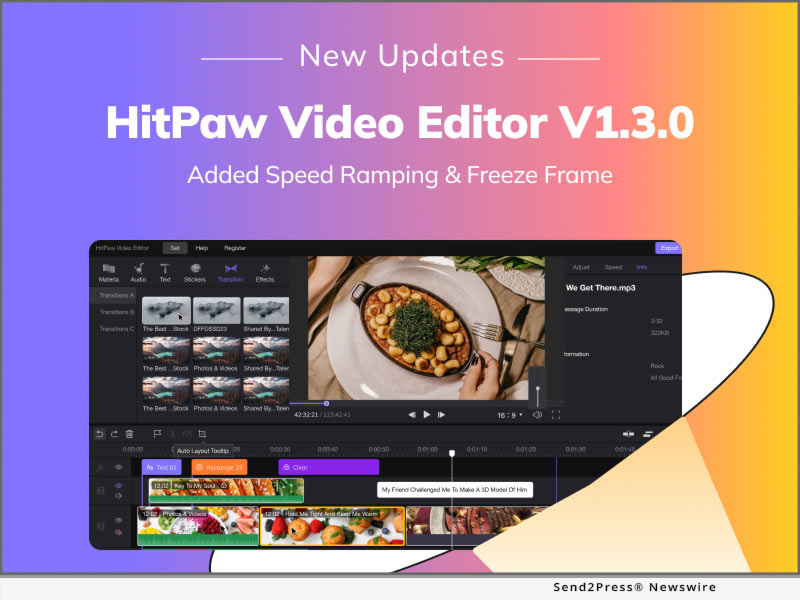
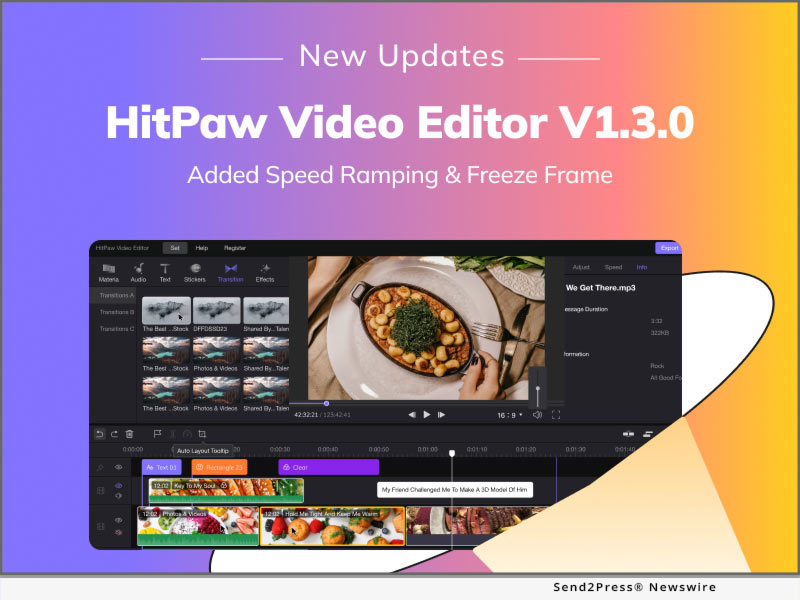
HitPaw Video Editor V1.3.0 Brings a Big Update with Speed Ramping, Freeze Frame and Adding Marker

NEW YORK, N.Y. /ScoopCloud/ -- HitPaw, a company aiming to develop the best digital creation solution, has recently announced the new version of HitPaw Video Editor. The latest version of HitPaw Video Editor concentrates on the most powerful functions, which will help creators add more possibilities to the content. To improve the user experience, HitPaw Video Editor also optimized current features to simplify the video editing.

Let's see what new major features about HitPaw Video Editor:

SPEED RAMPING

Speed ramping helps users change videos' speed in order to make videos more rhythmic. HitPaw Video Editor also presets 8 different types of templates to inspire creators on how the videos will look, which lowers the learning curve for beginners.

FREEZE FRAME

A freeze-frame effect is a frozen frame within a piece of video, which halts the movement within the video. The freeze-frame effect allows users to emphasize a point or a movement, which is a great tool to obtain the audience's attention.

ADDING MARKER

Editing requires tons of organization and time. By adding markers in the timeline, everything would be so easy to process. If you want your audio to come in at a specific frame of your clip, you can place markers on the desired points of the video timeline.

After those amazing new features, HitPaw Video Editor also optimized the existing features:

* Exports speed increased by 40%
* Adding 278 stickers and 48 filters
* Added tips to explain all icons
* Other 8 optimization items

Compatibility and Price:

HitPaw Video Editor is now compatible with Windows 11/10/8/7(64-bit OS) and Mac OS (10.13 or above). Its pricing starts from $29.95 USD for a monthly plan. For more price checking and information, you can visit https://www.hitpaw.com/purchase/buy-hitpaw-video-editor.html

About HitPaw:

HitPaw is an emerging software company specialized in video editing, screen recording, watermark removing, image editing, photo enhancing meme-making, etc. We help users turn their inspiration into reality so that we can generate more ideas to make the world full of more creativity. To know more, you may visit https://www.hitpaw.com/about.html

Our Social Media:

YouTube: https://www.youtube.com/channel/UCQwRggaotgiMcPbiCOsJeBA

Facebook: https://www.facebook.com/hitpawofficial/

Twitter: https://twitter.com/HitPawofficial

Instagram: https://www.instagram.com/HitPawofficial/

Pinterest: https://www.pinterest.com/hitpawvideoeditor/

Related Links: https://www.hitpaw.com/

News from HitPaw

HitPaw, a company aiming to develop the best digital creation solution, has recently announced the new version of HitPaw Video Editor. The latest version of HitPaw Video Editor concentrates on the most powerful functions, which will help creators add more possibilities to the content. To improve the user experience, HitPaw Video Editor also optimized current features to simplify the video editing.

Related link: https://www.hitpaw.com/

This version of news story was published on ScoopCloud™ (ScoopCloud.com) - part of and © the Neotrope® News Network - all rights reserved.

HitPaw Video Editor for Mac: A Wonderful Editing Experience on macOS

NEW YORK, N.Y. /ScoopCloud/ -- To meet a lot of demand from the customer and provide a high-quality user experience, HitPaw, as the leader in the video industry, has released HitPaw Video Editor for Mac. HitPaw Video Editor for Mac allows Mac users to enjoy editing videos with the user-friendly user interface and powerful editing features, like trim, merge, and rotate.

Want to know the features of the release? Let's get started!

1. Clean and User-friendly Interface

HitPaw Video Editor for Mac is aiming to help beginners edit videos like a pro, so a clean and simple user interface will lower the learning curve of beginners. Also, for those who are good at editing, HitPaw Video Editor for Mac's interface will improve their efficiency for editing work.

2. Abundant Editing Elements and Materials

There are luxuriant filters, stickers, and transitions that are built-in HitPaw Video Editor for Mac. Over 100+ filters, 500+ stickers, and 100 transitions can make video editing endless possibilities and fun. Furthermore, various text styles and audio resources are impressive elements to interact with the audience via visual sense and auditory sense.

3. Powerful and Efficient Editing Features

HitPaw Video Editor for Mac possesses every function that users need during video editing, including Trim, Rotate, Merge, Zoom, etc. If you want to simulate the camera movement or stabilize the picture due to the camera shake, Pan&Zoom will perfectly help you to do so. If you want to highlight the amazing moments when doing the sports, speed change will allow you to slow the picture so that audience will pay attention to every detail.

4. Support Various Formats

HitPaw Video Editor for Mac also supports diversified video formats like MP4, MKV, MOV, AVI, WMV, etc. Apart from the video format, it can not only support popular formats like MP3, WAV, and WMA, but also the lossless audio formats like FLAC, AAC, and M4a. Therefore, no matter which devices you are using to take video, HitPaw Video Editor for Mac can serve you well. Moreover, HitPaw Video Editor for Mac can export up to 4K resolution at 60 FPS videos.

Compatibility and Price

HitPaw Video Editor is now compatible with Mac OS (10.13 or above) and Windows 11/10/8/7(64-bit OS), its pricing starts from $35.95 USD for a month plan. For more price checking and information, you can visit https://www.hitpaw.com/purchase/buy-hitpaw-video-editor-mac.html.

About HitPaw

HitPaw is an emerging software company specialized in video editing, screen recording, watermark removing, image editing, photo enhancing meme-making, etc. We help users turn their inspiration into reality so that we can generate more ideas to make the world be full of more creativity.

To know more, you may visit https://www.hitpaw.com/about.html and https://www.hitpaw.com/.

Our Social Media

YouTube: https://www.youtube.com/channel/UCQwRggaotgiMcPbiCOsJeBA

Facebook: https://www.facebook.com/HitPawofficial

Twitter: https://twitter.com/HitPawofficial

Instagram: https://www.instagram.com/HitPawofficial/

Pinterest: https://www.pinterest.com/hitpawvideoeditor/

News from HitPaw

To meet a lot of demand from the customer and provide a high-quality user experience, HitPaw, as the leader in the video industry, has released HitPaw Video Editor for Mac. HitPaw Video Editor for Mac allows Mac users to enjoy editing videos with the user-friendly user interface and powerful editing features, like trim, merge, and rotate.

Related link: https://www.hitpaw.com/

This version of news story was published on ScoopCloud™ (ScoopCloud.com) - part of and © the Neotrope® News Network - all rights reserved.

Faster Conversion and Efficient Work with Updated HitPaw Video Converter Mac

NEW YORK, N.Y. /ScoopCloud/ -- A large number of video workers start using Apple devices like MacBook, iMac, and Mac Mini to process the work. To satisfy a large number of request that users would like to convert videos and audio file on Mac OS, HitPaw, as a pioneer in video industry, has released HitPaw Video Converter Mac version, which can serve Mac users well. Moreover, HitPaw optimized some features in order for users to have the best experience.

So what are the amazing features about HitPaw Video Converter Mac? Here I will take you through it that allows you to convert files on Mac with ease.

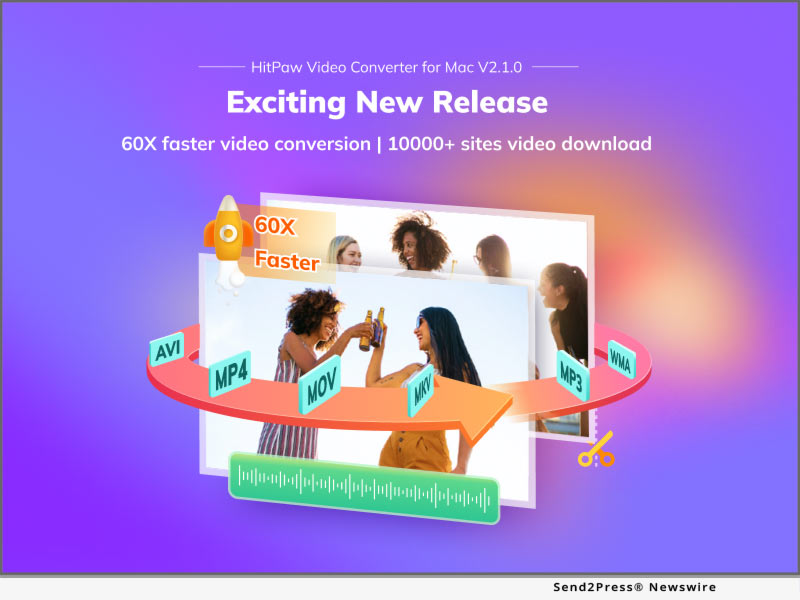
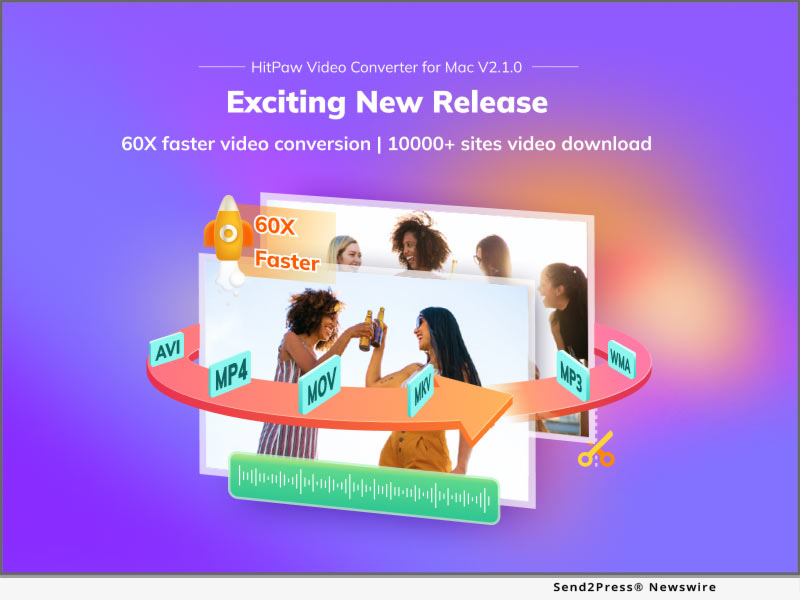
60X faster conversion without losing quality

HitPaw Video Converter improve the converting speed to the fastest among all video converters. With the Hardware Accelerations, it is 60x faster to convert a 100MB file than normal conversion, which only costs 30 seconds. Lossless Conversion assures that the video quality will remain the same during the converting process. Also, HitPaw Video Converter allows users to batch convert files so that users can save time to add and convert files one by one.
Ultrafast download from 10000+ websites

HitPaw Video Converter allows users to download videos from 10000+ streaming websites, including YouTube, Facebook, Instagram, and Vimeo. In order to decrease the downloading time and make users' work more efficient, HitPaw Video Converter release the Ultrafast Download that can increase the download speed. Users can download 720p, 1080p, and even 4K videos within seconds. Furthermore, you can also get two free downloads with trial version, giving you the sufficient experience before you make the purchase.

4K video player

HitPaw Video Converter supports to play 4K videos in a smooth way, which can invoke hardware and software to decoding the videos. 4K resolution is becoming the most popular resolution of videos. With playing 4K videos smoothly, users can convert and edit the 4K videos efficiently.

Compatibility and Price

HitPaw Video Converter is now compatible with Windows including Win11 and Mac OS. Its pricing starts from $19.95 per month, $39.95 per year to $69.95 for the lifetime. For more information checking, you can visit: https://www.hitpaw.com/purchase/buy-hitpaw-video-converter-mac.html

About HitPaw

HitPaw is an emerging software company specialized in files compressing, video editing, screen recording, watermark removing, image editing, photo enhancing, etc. We help users turn their inspiration into reality so that we can generate more ideas to make the world be full of more creativity.

To know more, you may visit https://www.hitpaw.com/about.html and https://www.hitpaw.com/

Our Social Media

YouTube: https://www.youtube.com/channel/UCQwRggaotgiMcPbiCOsJeBA

Facebook: https://www.facebook.com/hitpawofficial

Twitter: https://twitter.com/HitPawofficial

Instagram: https://www.instagram.com/hitpawofficial/

Pinterest: https://www.pinterest.com/hitpawvideoeditor/

News from HitPaw

A large number of video workers start using Apple devices like MacBook, iMac, and Mac Mini to process the work. To satisfy a large number of request that users would like to convert videos and audio file on Mac OS, HitPaw, as a pioneer in video industry, has released HitPaw Video Converter Mac version, which can serve Mac users well.

Related link: https://www.hitpaw.com/

This version of news story was published on ScoopCloud™ (ScoopCloud.com) - part of and © the Neotrope® News Network - all rights reserved.

HitPaw Video Editor: New Features for 2022 to Increase Editing Possibilities

NEW YORK, N.Y. /ScoopCloud/ -- To meet people's needs and make people having more fun in video making, HitPaw has proudly announced that HitPaw Video Editor has been updated with amazing features. HitPaw Video Editor puts emphasis on convenience that enables all creators to edit their videos with ease, regardless of their skill level, by providing their easy-to-master tools with a clean UI.

Want to know the features about update? Let's get started!

1 - Add Pan&Zoom Feature:

HitPaw Video Editor allows users to easily simulate the camera movement. Do you want a frame or a picture in the video to have a dynamic effect? Do you want to stabilize the picture because of the camera shake, so you don't have to remake? Pan&Zoom will definitely help you to perfectly done this kind of work.

2 - Add Auxiliary Line Tips:

With this feature, HitPaw Video Converter is aiming to assist users to make it more efficient and accurate to change the position of the video on the player. Sometimes, it is so time-consuming to put the picture to the position where you want. Auxiliary line tips will show when the picture is moving in the middle, on the top, at the bottom, and etc.

3 - Added 331 Stickers and 59 Filters:

Stickers as absolutely necessary elements make the video more interactive and enjoyable, and filters are the best medium to deliver the moods and emotions to the audience. HitPaw Video Editor added more than 300 popular stickers this time, which give users more options and combination to make the video unique, meaningful, and attractive.

4 - Optimized other items:

Apart from the features mentioned above, there are 13 items that are optimized with update, the most 3 incredible features including:

* Options for frame rate when you export a video;

* Angel tips when you are cropping the video;

* Color picker can pick the color wherever on the player.

Compatibility and Price:

HitPaw Video Editor is now compatible with Windows 11/10/8/7(64-bit OS) and its pricing starts from $29.95 USD for a month plan. For more price checking and information, you can visit https://www.HitPaw.com/purchase/buy-HitPaw-video-editor.html.

About HitPaw:

HitPaw is an emerging software company specialized in video editing, screen recording, watermark removing, image editing, photo enhancing meme-making, etc. We help users turn their inspiration into reality so that we can generate more ideas to make the world be full of more creativity.

To know more about HitPaw, you may visit https://www.HitPaw.com/about.html

Main Website: https://www.HitPaw.com/

Our Social Media:

YouTube: https://www.youtube.com/channel/UCQwRggaotgiMcPbiCOsJeBA

Facebook: https://www.facebook.com/HitPawofficial

Twitter: https://twitter.com/HitPawofficial

Instagram: https://www.instagram.com/HitPawofficial/

Pinterest: https://www.pinterest.com/HitPawvideoeditor/

News from HitPaw

To meet people's needs and make people having more fun in video making, HitPaw has proudly announced that HitPaw Video Editor has been updated with amazing features. HitPaw Video Editor puts emphasis on convenience that enables all creators to edit their videos with ease, regardless of their skill level, by providing their easy-to-master tools with a clean UI.

Related link: https://www.hitpaw.com/

This version of news story was published on ScoopCloud™ (ScoopCloud.com) - part of and © the Neotrope® News Network - all rights reserved.

Reducing Friction Losses: New One-Stop Video Editing Application Maximizes Content Creators’ Efficiency and Creative Control

LOS ANGELES, Calif. /ScoopCloud/ -- Professional video editors save content creators on platforms like YouTube and TikTok massive amounts of time. But communication, file sharing, and order tracking can make dealing with a video editor more trouble than it's worth. VOMA, a first-of-its-kind platform launched by video editing startup Tasty Edits, seeks to solve these issues. Using VOMA (Video Order Management Application), creators can easily submit new video orders, upload their footage, communicate with their editor, and review drafts -- all in one place.

Tasty Edits decided to develop this proprietary application as an in-house solution to make life easier for their clients, many of whom are YouTube and TikTok creators.

"The normal communication set-up between video editing companies and clients is inefficient," explains founder Alex Lefkowitz. "Say you're a video creator and you hand off six hours of editing work to a professional editor. You might still spend three hours filling out complicated order forms, emailing back and forth about what you want editors to do, and battling to upload your footage to third-party cloud storage providers."

VOMA makes this entire process frictionless. It unifies order processing, communication, and file management. Clients can open an account and create video orders with clear specifications. They are billed in platform "edit credits" depending on the length of the video and the complexity of their request.

A typical 10-minute YouTube video edit takes 195 credits. Credits can be purchased individually for $1 per credit, or in bulk for up to a 15% discount ($0.85 per credit). On their dashboard, creators can then chat directly with their editor, upload files, review their order details, and track the progress of their order in real-time.

"VOMA increases our efficiency and allows us to process more orders, while giving clients the high-quality results they need," Lefkowitz says. "Creators have total creative control over their videos -- with the ability to easily customize their orders, a direct line to their editors, and the option to review multiple drafts."

Video creators are in high demand at the moment. Worldwide, 86 percent of companies use video as part of their marketing strategy. YouTube has over 1.8 billion users, with 85 percent of U.S. internet users accessing the platform at least once per week. And since its launch in 2016, the short video app TikTok has garnered a global audience of over 1.1 billion.

In this thriving creator economy, many creators are looking for ways to produce content more efficiently and avoid burnout. VOMA helps creators by saving them time and making the video order process easy, all while giving them the highest quality edits.

About Tasty Edits:

Tasty Edits is a professional video editing company launched in 2020 by web entrepreneur Alex Lefkowitz. It provides fast, affordable, and frictionless video editing services for creators and businesses on YouTube, TikTok, and other social platforms.

For more information visit: https://tastyedits.com/ and https://voma.tastyedits.com.

News from Tasty Edits

Professional video editors save content creators on platforms like YouTube and TikTok massive amounts of time. But communication, file sharing, and order tracking can make dealing with a video editor more trouble than it's worth. VOMA, a first-of-its-kind platform launched by video editing startup Tasty Edits, seeks to solve these issues.

Related link: https://tastyedits.com/

This version of news story was published on ScoopCloud™ (ScoopCloud.com) - part of and © the Neotrope® News Network - all rights reserved.

HitPaw Video Editor: Want to Better Your Videos? You’re in the Right Place!

NEW YORK, N.Y. /ScoopCloud/ -- To meet people's needs in sharing their life with videos on social media, HitPaw has proudly announced that it has launched its brand-new software - HitPaw Video Editor. HitPaw Video Editor puts emphasis on convenience that enables all creators to edit their videos with ease, regardless of their skill level, by providing their easy-to-master tools with a clean UI.

Want to know more features about it? Let's get started!

1. Edit Videos Easily and Fast

HitPaw Video Editor allows you to do almost all video editing works such as split video, rotate and zoom, change video speed, separate video and audio, etc. Moreover, unlimited tracks in the timeline allows you to create awesome videos as you want and connected elements improve your editing efficiency.

2. Resourceful Audio Library

After uploading the file, users can add audio file to their videos. In this section, clock, camera sound, etc can be found in the Normal mode. To help those who want their videos become less dull, the HitPaw video editor has other audios to choose. For example, the weird, zombies in Effects; The dog barking and thunder in Nature as well as the BGM section, all of which are vivid and practical.

3. Various Text Mode

To avoid clumsy text mode, the HitPaw video editor add kinds of wordart for users to choose. After choosing the one you like, you may want to make further changing. Therefore, the color, font, size adjusting, text-bolding, etc are there for you to use. The highlight here is that users can adjust the character space by sliding the button or just simply enter a number.

4. Creative Stickers

Nowadays, stickers has become a part of our life that used to beautify our pictures or videos. Given this, the HitPaw video editor provides kinds of creative stickers that are available for people with different needs. For example, the stickers in 3D Elements and Clip Art are such cute and versatile stickers that can make your file all the more distinctive.

5. Multifunctional Transition Effect

The transition effect in the editor contains such great modes that can suit people's need when they want to merge videos or change the invariable frame with a more smooth and over unexpected effect. To name a few, to erase or cover something, you may need the mosaics in Effect. To demonstrate your slides, you may need the page curl or swap in Slideshow.

6. Diverse Filters

Filters now are known to all I believe. The video pictures may appear with different effects due to the lights or the place you are in. To solve it, the Filters here provides you with different effects that can improve the tones of the food, the scenery or the people that recorded in your video.

Compatibility and Price

HitPaw Video Editor is now compatible with Windows 11/10/8/7(64-bit OS) and its pricing starts from $29.95 USD for a month plan. For more price checking and information, you can visit https://www.HitPaw.com/purchase/buy-HitPaw-video-editor.html.

About HitPaw

HitPaw is an emerging software company specialized in video editing, screen recording, watermark removing, image editing, photo enhancing meme-making, etc. We help users turn their inspiration into reality so that we can generate more ideas to make the world be full of more creativity.

To know more, you may visit https://www.HitPaw.com/about.html

Main Website https://www.HitPaw.com/

OUR SOCIAL MEDIA

YouTube: https://www.youtube.com/channel/UCQwRggaotgiMcPbiCOsJeBA

Facebook: https://www.facebook.com/HitPawofficial

Twitter: https://twitter.com/HitPawofficial

Instagram: https://www.instagram.com/HitPawofficial/

Pinterest: https://www.pinterest.com/HitPawvideoeditor/

News from HitPaw

To meet people's needs in sharing their life with videos on social media, HitPaw has proudly announced that it has launched its brand-new software - HitPaw Video Editor. HitPaw Video Editor puts emphasis on convenience that enables all creators to edit their videos with ease, regardless of their skill level, by providing their easy-to-master tools with a clean UI.

Related link: https://www.hitpaw.com/

This version of news story was published on ScoopCloud™ (ScoopCloud.com) - part of and © the Neotrope® News Network - all rights reserved.

HitPaw Watermark Remover 1.3.0 Helps To Remove Watermark from Videos without Blur

NEW YORK, N.Y. /ScoopCloud/ -- To provide a better experience to remove video watermark, HitPaw released HitPaw Watermark Remover version 1.3.0 with 3 more video watermark removing modes: Matte Filling, Color Filling, and Gaussian Blur and add the feature to remove moving watermark from video. All these features are creative and cannot be found in any competitive products.

Curious about these new features? Go ahead with us.

1. Matte Filling

Matte filling is a function that is the same as stamp clone in the Photoshop. It can remove watermark from video via copying the content from the selected part in your video to cover the watermark. It can work to get great results even though your watermark is on a complex background.

2. Color Filling

Color Filling allows you to detect what color other parts are using and apply it to cover the watermark. Using this way can erase the watermark from video without blur if the watermark's background is single-color

3. Gaussian Blur

Blur the watermark on your video to remove the video watermark successfully. It can be used in any case. But can get better effect if your video watermark is in single-color background with few elements.

4. Remove Moving Watermark

Moving watermarks can be found in a lot of videos. There is no solution in the market at the moment except using HitPaw Watermark Remover. You only need to tell HitPaw Watermark Remover the start and endpoint of the watermark, it can remove it successfully.

Compatibility and Price:

HitPaw Watermark Remover can work on Windows 11/10/8/7 64 bits and macOS 10.13 or later version.

Here is the price list for Windows and Mac:

HitPaw Watermark Remover for Windows

$4.99/month

$6.99/quarter

$9.99/year

HitPaw Watermark Remover for Mac

$8.99/month

$12.99/quarter

$19.99/year

About HitPaw:

HitPaw is an emerging software company specialized in video editing, screen recording, watermark removing, image editing, meme-making, etc.

Check more via https://www.hitpaw.com/about.html

Our Social Media:

YouTube: https://www.youtube.com/channel/UCQwRggaotgiMcPbiCOsJeBA

Facebook: https://www.facebook.com/hitpawofficial

Twitter: https://twitter.com/HitPawofficial

Instagram: https://www.instagram.com/hitpawofficial/

Pinterest: https://www.pinterest.com/HitPawvideoeditor/

Additional information: https://www.hitpaw.com/

News from HitPaw

To provide a better experience to remove video watermark, HitPaw released HitPaw Watermark Remover version 1.3.0 with 3 more video watermark removing modes: Matte Filling, Color Filling, and Gaussian Blur and add the feature to remove moving watermark from video. All these features are creative and cannot be found in any competitive products.

Related link: https://www.hitpaw.com/

This version of news story was published on ScoopCloud™ (ScoopCloud.com) - part of and © the Neotrope® News Network - all rights reserved.

HitPaw Screen Recorder Simplifies Process for Educators, Gamers, Bloggers or Any Other Content Creators to Make Videos

NEW YORK, N.Y. /ScoopCloud/ -- HitPaw releases a new software - HitPaw Screen Recorder. With its easy-to-use UI, all beginners can use it without any hassle.

So, what are the features and advantages of HitPaw Screen Recorder? Here is the overview to check.

1 -- Three Recording Modes

Record Screen - Capture the part creators want to record. Drag the selection and adjust the capture area size. With the magnifier, creators can locate at the accuracy position.

Record Webcam - Put creators' faces on the video is necessary when creators record online courses, reactions videos, study videos, etc. HitPaw Screen Recorder not only can record creators' face, but also support change creators' camera, its resolution, FPS and mirror the video.

Picture in Picture - Record picture in picture means that creators can record creators' screen and face at the same time. It has 4 options: Screen+Webcam, Webcam+Screen, Webcam, Screen and allows creators to switch any time. It also can change the PIP position and size based on creators' needs.

2 -- Capture Mouse and Keyboards

Capture Mouse - Capture creators' mouse lets video watchers understand what part creators are talking about. With the mouse effect setting, it can make the mouse clearer and more interesting.

Capture Keyboards - Open "Capture Keyboards", it allows video viewers know clearly what actions creators are doing on the keyboard. It is also available to change its color.

3 -- Segment Saving

Segment saving in HitPaw Screen Recorder helps creators auto save the recorded video in every 30 mins or the duration creators set.

4 -- Hardware Acceleration

Hardware acceleration enhances HitPaw Screen Recorder working speed on creators' computers.

Price and Compatibility

There are three price plans for HitPaw Screen Recorder. They are $14.99/month, $29.99/quarter, and $49.99/year. You can check the price via https://www.hitpaw.com/purchase/buy-hitpaw-screen-recorder.html.

Now, the first version of HitPaw Screen Recorder is only compatible with Windows 7/8/10 64 bit. A Mac version will come in 2 months.

About HitPaw

HitPaw is an emerging software company specialized in video editing, image editing, meme making, etc. Check more via https://www.hitpaw.com/about.html

Our Social Media

YouTube: https://www.youtube.com/channel/UCQwRggaotgiMcPbiCOsJeBA

Facebook: https://www.facebook.com/hitpawofficial

Twitter: https://twitter.com/HitPawofficial

Instagram: https://www.instagram.com/hitpaw_video_editor/

Pinterest: https://www.pinterest.com/HitPawvideoeditor/

LEARN MORE AT: https://www.hitpaw.com/

News from HitPaw

HitPaw releases a new software - HitPaw Screen Recorder. With its easy-to-use UI, all beginners can use it without any hassle. The first version of HitPaw Screen Recorder is only compatible with Windows 7/8/10 64 bit. A Mac version will come in 2 months.

Related link: https://www.hitpaw.com/

This version of news story was published on ScoopCloud™ (ScoopCloud.com) - part of and © the Neotrope® News Network - all rights reserved.

InVideo’s April Fool’s Day ‘World First’ AI Voice Assistant Video Editor Ad Campaign Gets over 2000 New Sign Ups

MUMBAI, India /ScoopCloud/ -- InVideo, the leading video content creation platform, pushed their global reach to new heights, and got over 2000 users signing up thanks to an ingenious April Fool's Day campaign, launching its new artificial intelligence 'hands free' technology.

The campaign was so convincing the company's main competitors even put their names down to be the first in the know on IVA (Intelligent Video Assistant).

InVideo got members of the platform in on the joke, who posed up as members of the BETA group, and posted videos of their own showing themselves using the system, discussing how "brilliant" the new technology was.

The company announced its 'world first' in the days running up to April 1, 2021, inviting people to sign up to be the first to try IVA out.

Using a specially created landing page, CEO of InVideo Sansket Shah demoed IVA and pushed her revolutionary abilities on social media declaring she was not only a rival to Alexa and Siri, but pushing technological frontiers.

The brand also sent out a newsletter getting even more sign-ups with calls to readers to take advantage of their 22nd Century style technology.

The deadline to sign up? Midday Indian Standard Time April 1st of course.

InVideo's Prila Loof (an Anagram of April Fool) who worked with the AI Technology Division of InVideo was quoted as saying: "IVA works by using machine-learning algorithms and neural networking that are a direct copy of the human brain's pathways.

"Once you have given InVideo permission to use the microphone you can speak directly to IVA. Within a couple of minutes, the video is created."

Thousands took the bait on how IVA used the speech and thought patterns of the human brain so users could create videos without lifting a finger.

CEO of InVideo, Sansket Shah revealed to those who signed up: "I'm really sorry about this, but this entire IVA thing isn't true. It's an April Fool's joke. But thank you everyone for participating. We are so sorry for pulling this prank on you."

InVideo made their reveal sending them a newsletter and posting on social media after midday on April 1st it was an April Fool's Day prank.

But while IVA's "look no hands" AI feature doesn't exist on the platform just yet; they believe it will only be a matter of time.

Sansket added: "At some point in this journey of building InVideo, IVA will truly become a reality. It is true it's where we want to go in video content creation in the next 10 - 15 years."

About InVideo:

InVideo.io is the world's first watermark-free video editor that makes video creation easy, quick, and flexible online. The platform helps create professional and creative videos while cutting across barriers such as a user's geographical location, language, type of device they use, and even their internet speed. The application helps create and edit videos online with zero barriers.

InVideo's vision reflects in the generous pricing plans and in the easy-to-use product with 4000+ video templates and 8mil+ strong media library, that includes the world's best stock footage online, like iStock.

InVideo raised a $15 million Series A from Sequoia Capital India. Tiger Global, Hummingbird, RTP Global and Base also participated in the round that was closed in October 2020.

Furthermore, InVideo is the only company in India, today, with users from as many countries in the world (195+). The company is truly spearheading the growth of prosumer SaaS in India.

*IMAGE Link for media: https://www.Send2Press.com/300dpi/21-0403s2p-invideo-demo-300dpi.jpg

News from InVideo

InVideo, the leading video content creation platform, pushed their global reach to new heights, and got over 2000 users signing up thanks to an ingenious April Fool's Day campaign, launching its new artificial intelligence 'hands free' technology.

Related link: https://invideo.io/

This version of news story was published on ScoopCloud™ (ScoopCloud.com) - part of and © the Neotrope® News Network - all rights reserved.

InVideo Launches IVA – The Only Voice Assistant Artificial Intelligence Editor in Existence That’s Set to Revolutionize Video and Film Creation Globally

MUMBAI, India /ScoopCloud/ -- InVideo, a leading video content creation platform, today announced the launch of its groundbreaking AI technology called IVA, that's about to bring content creators and film and video makers into the 22nd Century.

Following in the footsteps of Siri and Alexa before her, the tool has been created using the speech and thought patterns of the human brain so users can create videos without lifting a finger.

It's been created by InVideo, the video editing, and creation platform.

IVA (Intelligent Video Assistant). is a video editing feature powered by artificial intelligence (AI) and is based on the platform's inbuilt assistant.

The latest addition will allow InVideo users to edit videos with just their voice.

Commenting at the launch, the CEO of InVideo, Sanket Shah said: "We are excited to introduce a feature that will change the way our users edit their content on InVideo.

"It's a one-of-a-kind AI video maker that will operate on the voice command, thus making video editing possible without lifting a finger."

He adds: "InVideo has one vision - make video creation accessible to the world, no matter where you live, what device you use, and what Internet speed you have. With IVA, we are many steps closer to our north star metric."

Prila Loof who works with the AI Technology Division of InVideo said: "IVA works by using machine-learning algorithms and neural networking that are a direct copy of the human brain's pathways.

"Once you have given InVideo permission to use the microphone you can speak directly to IVA. Within a couple of minutes, the video is created."

With the help of the voice assistant video editor, users can now easily create, edit, add music, define speed, suggest the most relevant templates, and create many such voice commands, thus proving to be their best partner in video editing.

For instance, users can just tell IVA to suggest the best audio for their created video with a simple voice command such as, "Hey IVA, find me the best audio track for this promo video", and their work is done.

The company has already rolled out a BETA version of its service, which is running sign-ups for its launch until midday Indian Standard time on April 1, 2021.

Steve Gast, from Chicago, Illinois, was one of the first to use the "look no hands" platform. He said: "It's so fast! This is such a crazy feature. It's going to change the game."

Teresa Sanderson, from the U.S., created a baby shower announcement in a matter of seconds. She said: "It's like she can read my mind. It's like you have an assistant with you all the time."

Bridgetti Lim Banda from Cape Town, Western Cape, was one of the first to use the new "look no hands" video platform. She said: "It's exciting. I was so impressed. All I needed to do was export it and talk to the app. It's groundbreaking stuff."

David Withington, from Wigan, England, used it to make a birthday video for his wife: "It's brilliant. I can't wait for the new video platform to go live so everyone can use it. I'm really chuffed with this and I think my wife will as well. It's like we're in the future. It's a magnificent feature."

The latest addition takes the user experience a step forward, with a memory feature. Users can now have their favorite fonts, alignment styles, font colors, and all other preferences saved in IVA's memory, by just telling her once.

She has skilled machine-learning algorithms and neural networking helps her generate a better experience for her users.

IVA's intelligence was created using data from over 2 million of InVideo's current users, and 10 million created videos.

It has 10,000 font style choices, 10 platform preferences, proficiency calculations, and targets.

She filters the information into thousands of lines of code that are constantly updating with every action of her users, to make their experience smoother and faster than ever.

Users can get on the waitlist for early access to the feature at https://iva.invideo.io/ until midday April 1st Indian Standard time.

About InVideo:

InVideo.io is the world's first watermark-free video editor that makes video creation easy, quick, and flexible online. The platform helps create professional and creative videos while cutting across barriers such as a user's geographical location, language, type of device they use, and even their internet speed. The application helps create and edit videos online with zero barriers.

InVideo's vision reflects in the generous pricing plans and in the easy-to-use product with 4000+ video templates and 8mil+ strong media library, that includes the world's best stock footage online, like iStock.

InVideo raised a $15 million Series A from Sequoia Capital India. Tiger Global, Hummingbird, RTP Global and Base also participated in the round that was closed in October 2020.

Furthermore, InVideo is the only company in India, today, with users from as many countries in the world (195+). The company is truly spearheading the growth of prosumer SaaS in India.

Video of Sansket Shah Showcasing How IVA works: https://youtu.be/ElNkEpi0n8c

*PHOTO link for media: https://www.Send2Press.com/300dpi/21-0331s2p-invideo-iva-300dpi.jpg

News from InVideo

InVideo, a leading video content creation platform, today announced the launch of its groundbreaking AI technology called IVA, that's about to bring content creators and film and video makers into the 22nd Century.

Related link: https://invideo.io/

This version of news story was published on ScoopCloud™ (ScoopCloud.com) - part of and © the Neotrope® News Network - all rights reserved.

Joyoshare VidiKit Updated to Repair, Compress and Watermark Videos

HONG KONG /ScoopCloud/ -- Joyoshare Studio, one of the most prominent multimedia developers, has recently launched a major update for the public to its all-in-one video toolkit - Joyoshare VidiKit. In the new release, both Windows and Mac users can enjoy stunning features, including video repair, video compression, watermark removal and adding, to efficiently fix broken videos, manage large files and initiate post-production.

Video Repair: In the new update of Joyoshare VidiKit, any user is able to repair various corrupted videos easily with a high success rate, such as video is choppy, frozen, stuttering, sluggish, grainy, pixelated, jerky, no sound, audio out of sync, not playing, black screen, etc. With the parallel task setting, it even perfectly fixes multiple broken videos and audios at the same time. More than that, this video repair software can well support files that're damaged during different scenarios, like recording, conversion, downloading, editing and more.

Video Compressor: Want to get rid of the hassle of not sharing a video on social media because the file is too big? Resort to Joyoshare VidiKit to effectively compress videos now! With advanced file compression technology, it's equipped with 40X faster speed than traditional tools. Users are entitled to compress by percentage or by file size according to personal preferences. There are a huge array of formats it supports, including MP4, FLV, ASF, VOB, MPEG, AVI, MP3, MKV, 4K, etc. To reach an optimal compression result, you can additionally preview before saving videos.

Watermark Wizard: After the update, Joyoshare VidiKit makes it possible to magically remove watermarks from videos and photos. It also gives access to intelligently add custom watermark text or watermark image, considering that users have strict copyright awareness. In order to provide maximum convenience for you to edit the watermark, batch processing is featured in this superior software. Handily, you can furtherly benefit from its preview, classification and compare options to effortlessly check files.

Taking the increasing editing needs of multimedia users into account, Joyoshare specially added video repair, video compressor and watermark wizard to VidiKit. "There is no doubt that the availability of this update makes this video toolbox more excellent and complete in functionality," said James, Product Manager at Joyoshare. "Surely, Joyoshare won't be limited to the existing recording, conversion, and editing functions, we will continue to innovate and follow up the market trend to satisfy all users."

Price & Availability

Joyoshare VidiKit currently provides a subscription mode with automatic renewal, allowing users to freely cancel at any time. It's normally and reasonably priced at $19.95 for 1-PC one-month license with lifetime free support and update. There are more available license types, including $39.95 for 1-PC one-year license and $55.95 for 1-PC lifetime license. It even offers licenses for 2-5 PCs so that users can flexibly make selections based on personal requirements. Notably, this powerful video toolkit is applicable to Windows XP and later as well as Mac OS X 10.8 and later.

About Joyoshare

Joyoshare is a dedicated multimedia software developer and provider specialized in video field for years, which also expands its scope of business to iOS solutions. With advanced technologies and professional R&D team, Joyoshare keeps developing the best video, audio and iOS programs, including video cutter, screen recorder, video converter, watermark remover, video repair, iOS system recovery, iOS data recovery, iPhone passcode unlocker, etc. to customers all over the world. By offering considerate and high-quality service, Joyoshare has won high reputation online from millions of users over the past years. Learn more: https://www.joyoshare.com/

Contact:
Company: Joyoshare
Email: support@joyoshare.com
Phone Number: 23228786

Twitter: https://www.twitter.com/Joyoshare_Soft

Facebook: https://www.facebook.com/JoyoshareGlobal/

YouTube: https://www.youtube.com/c/JoyoshareSoftware

VIDEO: https://youtu.be/pGsVghGaZeM

News from Joyoshare

Joyoshare Studio, one of the most prominent multimedia developers, has recently launched a major update for the public to its all-in-one video toolkit - Joyoshare VidiKit. In the new release, both Windows and Mac users can enjoy stunning features, including video repair, video compression, watermark removal and adding, to efficiently fix broken videos, manage large files and initiate post-production.

Related link: https://www.joyoshare.com/

This version of news story was published on ScoopCloud™ (ScoopCloud.com) - part of and © the Neotrope® News Network - all rights reserved.

HitPaw Toolkit Version 1.2.0 Released with New Features

NEW YORK, N.Y. /ScoopCloud/ -- HitPaw publishes HitPaw Toolkit version 1.2.0 with new features: video converter, merge video, resize video, and photo editor which makes it more powerful to edit videos and pictures. As a video and picture tool for beginners, HitPaw focuses on easy-to-use UI and strives for providing "no tech necessary" video editing tools for users.

WHAT ARE NEW FEATURES OF HITPAW TOOLKIT?

1. Resize Video

Change the video size to post it to your social media. The best feature for users is to choose the scale of platforms such as YouTube, Facebook, Twitter, Instagram, etc., directly without needing to know what's the detailed requirement of each platform. Fit and fill features allow you to decide how to show the video.

2. Merge Video

Merge several videos are not a problem for you anymore with HitPaw Toolkit. What makes the merge feature over other software? It is that you can preview the merge effects without exporting and simply drag and drop to change the video position.

3. Video & Audio Converter

HitPaw Toolkit supports converting video and audio to any format. You can extract the audio from video easily, convert video to other formats as you want. It supports importing and exporting more than 1000+ video/audio formats.

4. Photo Editor

Completely free to crop, rotate, add text, and adjust photo brightness, saturation and contrast. There are many little tricks in this function, like angle, scale, palette and many more.

OTHER IMPROVEMENTS:

1. All video features support importing and editing GIF.

2. Add Hardware acceleration feature to speed up exporting.

3. Optimize the preview of Crop&Rotate function

4. Added the fine-tuning feature to trim video, long-press the start or end slider to enable

The Whole Functions of HitPaw Toolkit

Apart from the 4 new functions above, HitPaw Toolkit also helps to cut video, adjust video, speed up or slow down video, add music to video, make stop motion video, crop&rotate video, convert video to GIF and also create meme.

PRICE AND AVAILABILITY:

Three pricing plans, based on your needs:

$8.99 for one month license

$14.99 for one quarter license

$19.99 for one year license

Learn more: https://www.hitpaw.com/purchase/buy-hitpaw-toolkit.html

ABOUT HITPAW

HitPaw is an emerging software company specialized in video editing, image editing, meme making, etc. Information https://www.hitpaw.com/about.html

YouTube: https://www.youtube.com/channel/UCQwRggaotgiMcPbiCOsJeBA

Facebook: https://www.facebook.com/hitpawofficial

Twitter: https://twitter.com/HitPawofficial

Instagram: https://www.instagram.com/hitpaw_video_editor/

*IMAGE link for media: https://www.Send2Press.com/300dpi/21-0202s2p-hitpaw-toolkit-300dpi.jpg

News from HitPaw

HitPaw publishes HitPaw Toolkit version 1.2.0 with new features: video converter, merge video, resize video, and photo editor which makes it more powerful to edit videos and pictures. As a video and picture tool for beginners, HitPaw focuses on easy-to-use UI and strives for providing "no tech necessary" video editing tools for users.

Related link: https://www.hitpaw.com/

This version of news story was published on ScoopCloud™ (ScoopCloud.com) - part of and © the Neotrope® News Network - all rights reserved.

HitPaw Launches Ultimate Video Toolkit to Reshape the Way People Edit Their Videos

NEW YORK, N.Y. /ScoopCloud/ -- HitPaw proudly announces the launch of a remarkable new video toolkit that will reshape the way people edit their videos in this digital age: HitPaw Toolkit. Founded in 2020, the emerging tech-startup is determined to lead the industry of digital content creation, especially in the fields of video editing, video conversion, image editing, meme making and several other areas.

"We are overjoyed to announce that this toolkit has all the video tools a user needs in one place, and it has many advantages over other similar software available online," said the CEO of HitPaw, while talking about the newly launched HitPaw Toolkit. In addition, HitPaw Toolkit has combined a wide range of useful features for video editing in a single software.

1 - Cut Video:

Users can easily cut a video and split it into two or more and can extract their desired clip from a video. Users can cut the video in any length and anytime.

2 - Add Music:

Moreover, HitPaw Toolkit also supports music addition to a video, which means that users can add music or a song or even background voice to their videos.

3 - Video to GIF:

The one-of-a-kind toolkit also supports video conversion to GIF, which means that users can use a video as a meme as well. Use the software, converting your video to GIF becomes easy and quick.

4 - Change Speed:

It also enables users to change the speed of the video as they can slow down or speed up the video as they desire.

Other features of HitPaw Toolkit include cropping or rotating a video, making a stop motion, and much more. HitPaw also features a watermark removal tool, and free conversion feature, which enables users to remove watermarks from their videos or convert their video into the format of their choice.

Pricing and Availability:

Users can also enjoy this remarkable software online for free, while they can also download it for their computers with a monthly, quarterly, and annual subscription at the affordable prices of $3.99, $5.99, and $8.99, respectively.

Buy Now: https://www.hitpaw.com/purchase/buy-hitpaw-toolkit.html

About HitPaw:

HitPaw is an emerging tech-company with an aim to revolutionize the world of digital content creation and especially video editing. It is witnessing a growing number of satisfied users worldwide.

For more information, visit: https://www.hitpaw.com/

SOCIAL MEDIA:

Facebook: https://www.facebook.com/hitpawofficial/

Twitter: https://twitter.com/HitPawofficial

YouTube: https://www.youtube.com/channel/UCQwRggaotgiMcPbiCOsJeBA/featured

MULTIMEDIA:

*VIDEO (YouTube): https://youtu.be/od3KTETQgQY

*IMAGE link for media: https://www.Send2Press.com/300dpi/20-1210s2p-hitpaw-300dpi.jpg

News from HitPaw

HitPaw proudly announces the launch of a remarkable new video toolkit that will reshape the way people edit their videos in this digital age: HitPaw Toolkit. Founded in 2020, the emerging tech-startup is determined to lead the industry of digital content creation, especially in the fields of video editing, video conversion, image editing, meme making and several other areas.

Related link: https://www.hitpaw.com/

This version of news story was published on ScoopCloud™ (ScoopCloud.com) - part of and © the Neotrope® News Network - all rights reserved.

UniConverter Celebrates 11th Anniversary

VANCOUVER, Canada /ScoopCloud/ -- Wondershare UniConverter has reached a milestone as the software celebrates 11 years of providing professional and reliable video converting technology. Through Wondershare UniConverter offerings, hundreds of countries and millions of people enjoy convenient and professional video conversion services.

Because professional-level media conversions required expensive equipment and bulky and resource-intensive software applications, converting the videos was not friendly for everyone. Wondershare observed a need to provide the customer with the video converter that easy to use.

In 2009 the Wondershare released the Video Converter (now Wondershare UniConverter), a product that provides powerful video conversing and easy to use. With continuous advancements, the software has evolved from a video convert function to a multifunctional video toolbox, including video editing, compression, transcoding, merging, burning discs, and more.

Mr. Wu, who is the Product Manager for UniConverter, explained the process as: "From simple video conversions to expert-level post-production projects, UniConverter can do all types media treatments professionally, even consumers with least or no technical background."

Learn more at: https://videoconverter.wondershare.com/

"UniConverter's fast conversion speed, high-quality output, and additional features packed under a single roof make the application a perfect video conversion software for everyone," said 10TopTenReviews, one of the top tech websites popular for its genuine and unbiased evaluations.

A review by one of the UniConverter customers, Lacruz, stated: "I'm a graphic designer, and I need to convert videos on a regular basis. Last year I came across UniConverter, and haven't experienced any issue since then." He further added, "Once I got stuck with something, and the customer support people patiently guided me through the troubleshooting process. I highly recommend this software!"

To meet customers' online conversion needs, Wondershare UniConverter also releases an online video converter solution called Online UniConverter that have equally efficient as its desktop version: https://www.media.io/

About Wondershare:

Founded in 2003, Wondershare is a global leader in software development and a pioneer in the field of digital creativity. Our technology is powerful, and the solutions we provide are simple and convenient. That's why we're trusted by millions of people in over 150 countries worldwide. We help our users pursue their passions so that, together, we can build a more creative world. Learn more at: https://www.wondershare.com/

MULTIMEDIA:

*VIDEO (YouTube): https://youtu.be/-8CepfXAuNQ

*IMAGE Link for media: https://www.Send2Press.com/300dpi/20-0924s2p-uniconverter-300dpi.jpg

News from Wondershare Inc.

Wondershare UniConverter has reached a milestone as the software celebrates 11 years of providing professional and reliable video converting technology. Through Wondershare UniConverter offerings, hundreds of countries and millions of people enjoy convenient and professional video conversion services.

Related link: https://www.wondershare.com/

This version of news story was published on ScoopCloud™ (ScoopCloud.com) - part of and © the Neotrope® News Network - all rights reserved.

iSkysoft Launches FilmoraPro Video Editor for Pros and Industry Creators

SHENZHEN, China /ScoopCloud/ -- iSkysoft, a leading multimedia software company since 2007, has announced the launch of FilmoraPro, a professional video editing software for professional editors and industry creators.

Why Launch a Pro Version?

Filmora has a very popular standard version - the Filmora9, which is quite easy to use for new video editors. While the FilmoraPro is developed to allow more inspired storytelling, it offers endless possibilities to create highly customized and compelling content.

With FilmoraPro, video editors can integrate workflows using a new modern interface and customize workspace to make video making and media organizing more intuitive. This version offers near-perfect audio and smart tools that enhance audio quality and video performance. You can add drama, mood, high-quality visual effects as well as color grade to create soundtracks that make stories, feel, and sound amazing.

Core Features of FilmoraPro Video Editor

FilmoraPro has a number of advantages over the Filmora9. Video editing is more superior with advanced editing tools. Smart tools like animation effects, color grading, Hollywood visual effects, and interface customization make the FilmoraPro industry-standard editing software perfect for professional editors or movie makers.

The software has filters, transitions, titles, color wheels, scopes, color correction, lights and flares, blur effects, and redefined custom work panels matching an editor's needs.
* Audio Editing: FilmoraPro presents better management in audio editing such as audio transitions, audio sync, noise reduction, audio multimix and audio compressor.
* Effect Panel: Some of the key features that you can find in the effects panel include searching for a specific effect, controlling effects, presets, transitions
* Color Grading: Options include auto correction, control settings, color wheels, scopes
* Visual Effects: Special effects such as 360 video, stylize, lights, and flares.

Compared with the Filmora9, FilmoraPro also has keyframe animation, interface animation, audio sync, unlimited tracks, and full animation support. Below is a comparison between Filmora9 and FilmoraPro Video Editor.

Besides all those advanced new features, the FilmoraPro is fully compatible with the Filmstocks- an online effect store which allows you to download royalty-free video effects, audio and stock media. This way you can create even more effective and interesting videos.

Pricing and Compatibility

FilmoraPro can be used for free with a watermark. The free version comes with all features, free updates and free tech support. For advanced features, you'll need the payment plans.
* 1-Year plan: $ 89.99 per year. The plan allows users to edit videos with no Watermark
* Lifetime plan: $ 149.99 one-time (1 PC only). This is a one-time fee which allows users to use the FilmoraPro software for lifetime.

The software is compatible with Windows 7, 8 & 10 64-bit operating systems as well as macOS 10.13 and above computers. Users can also import images, audio, and video from any formats and export finished videos to a variety of formats including Facebook, YouTube, and Vimeo, with a single click.

FilmoraPro is sold with a 30-day money-back guarantee, free lifetime updates, 100% virus/malware protection, and 24/7 one-to-one email support and live chat.

About iSkysoft

iSkysoft is a leading multimedia software company made up of enthusiastic young people with an affinity for technical computing. In 2004 a group of founders came together and devoted themselves to product R&D, brand strategy, and team collaboration.

For more info, visit the official iSkysoft website: http://www.iskysoft.com/

Customer support: http://support.iskysoft.com/contact-support/contact-support-team1.html

News from iSkysoft

iSkysoft, a leading multimedia software company since 2007, has announced the launch of FilmoraPro, a professional video editing software for professional editors and industry creators.

Related link:

This version of news story was published on ScoopCloud™ (ScoopCloud.com) - part of and © the Neotrope® News Network - all rights reserved.