Tag Archives: WhatsApp

iToolab WatsGo Restores WhatsApp from iCloud without Resetting iPhone

New WatsGo Feature: Restore WhatsApp from iCloud Without Uninstalling

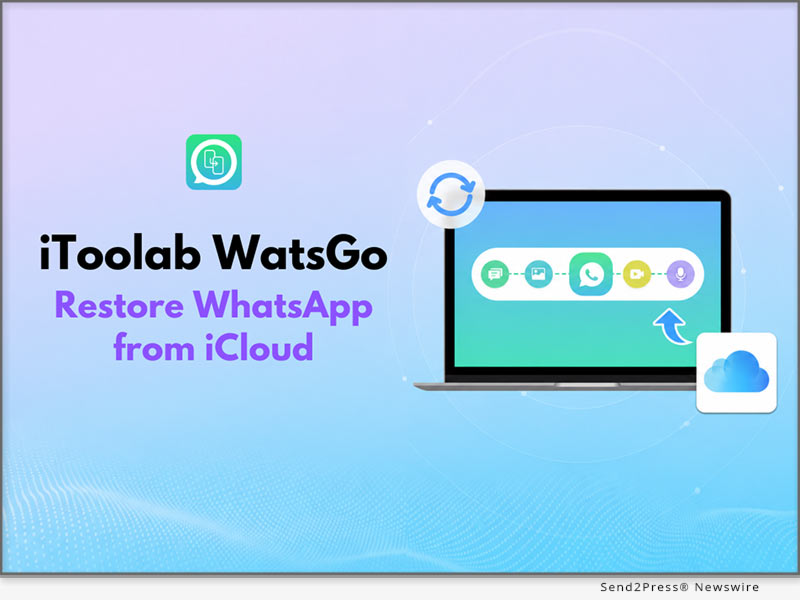
HONG KONG, July 6, 2026 (SEND2PRESS NEWSWIRE) — iToolab WatsGo has introduced a new feature that enables users to restore WhatsApp from iCloud without resetting their iPhone. The update helps users download and check chats, photos, videos, and other WhatsApp data. In addition, users don’t have to deal with complicated recovery procedures. This update makes WhatsApp data restoration from iCloud simpler and gives users an easier way to recover the information that matters most.
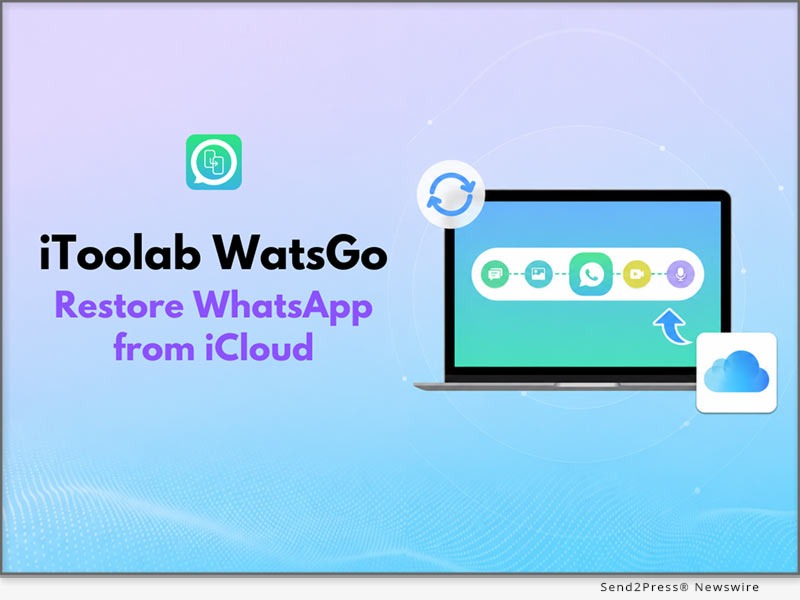
iToolab WatsGo: Restore WhatsApp from iCloud without Resetting iPhone
Image caption: iToolab WatsGo: Restore WhatsApp from iCloud without Resetting iPhone.

WHY ITOOLAB WATSGO STANDS OUT?

iToolab WatsGo is a WhatsApp management solution that supports WhatsApp transfer, backup, restore, and export across Android and iPhone. It also helps users restore WhatsApp from iCloud without uninstalling the app.

KEY FEATURES OF ITOOLAB WATSGO – RESTORE WHATSAPP FROM ICLOUD

Here are some of the WatsGo features that make it simple to restore WhatsApp from iCloud without uninstalling the app or dealing with unnecessary complications.

1. RESTORE WHATSAPP FROM ICLOUD WITHOUT UNINSTALLING

Restoring WhatsApp backup from iCloud on iPhone usually requires users to uninstall and reinstall the app before the process. WatsGo removes this hassle by allowing you to restore your WhatsApp backup directly from iCloud. This delivers a faster, more seamless restoration experience with minimal effort.

2. PREVIEW WHATSAPP ICLOUD BACKUPS BEFORE RESTORING

WatsGo lets users preview available WhatsApp backups before restoring them, unlike the official method, which restores the entire backup without preview. Users can then select supported chats and media to export to their computers.

3. ENSURES SECURE, RELIABLE DATA RESTORE

Since iCloud backups are encrypted, WatsGo never downloads or stores users’ data, helping protect user privacy throughout the entire restore process. The tool maintains data transmission integrity throughout the restore process, so no files are corrupted or lost. It also supports a wide diversity of WhatsApp data types, which gives users a complete restore process.

3 SIMPLE STEPS TO RESTORE WHATSAPP FROM ICLOUD USING WATSGO

To explore how to restore deleted messages in WhatsApp, follow these simple steps:

  1. Install and Launch: Download iToolab WatsGo and choose the “Restore WhatsApp from iCloud” option.
  2. Sign in to iCloud: Sign in to iCloud and pick the WhatsApp backup from the list.
  3. Choose to Restore Data: Choose the WhatsApp chat data you want to restore and click on “Export to Computer.”

Video Guide: https://youtu.be/Z2_9tttpS-g

FINAL PRICE AFTER DISCOUNT

  • 1 Month Plan: $16.95
  • 1 Year Plan: $29.95
  • Lifetime Plan: $39.95

DEVICE COMPATIBILITY

  • Windows: Windows 7+
  • Mac: macOS 10.11+

ABOUT ITOOLAB

Founded in 2019, iToolab develops desktop tools for Android and iOS devices, specializing in WhatsApp management. Its solutions support WhatsApp transfer, backup, restore, backup preview, and help users restore WhatsApp from iCloud with greater flexibility and control.

For more details, please visit: https://itoolab.com/

NEWS SOURCE: iToolab Co Ltd


This press release was issued on behalf of the news source (iToolab Co Ltd), who is solely responsible for its accuracy, by Send2Press Newswire. Image, if any, was provided by the news source and not this website or the wire service. Information is believed accurate, as provided by the news source, but is not guaranteed.

To view the original story, visit: https://www.send2press.com/wire/itoolab-watsgo-restores-whatsapp-from-icloud-without-resetting-iphone/

Copr. © 2026 Send2Press® Newswire, Calif., USA. -- REF: S2P STORY ID: S2P136652 NOREL-3B
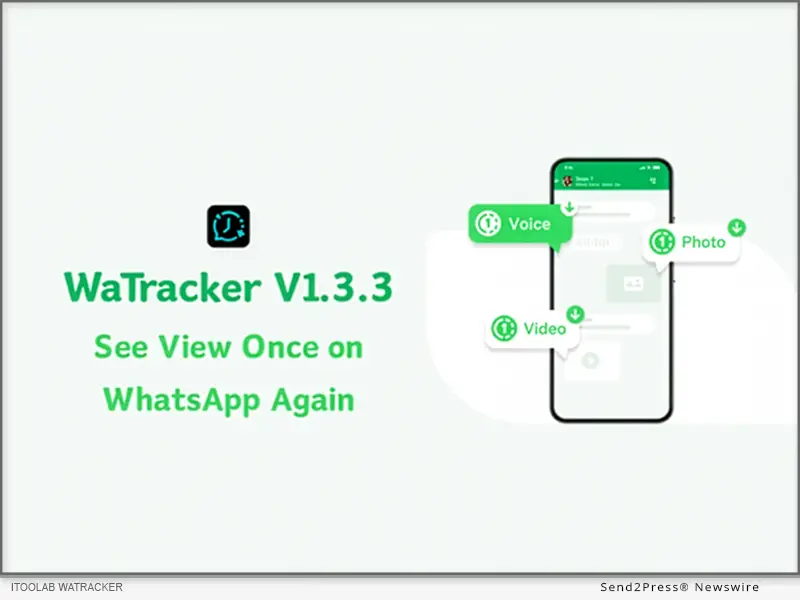
 

How to View a One-Time Photo in WhatsApp Again with WaTracker 1.3.3

WaTracker 1.3.3 Official Released: Allows You to View One Time Photo in WhatsApp Again

NEW YORK, N.Y., March 2, 2026 (SEND2PRESS NEWSWIRE) — iToolab, a leading developer of innovative software solutions for mobile devices, has updated WaTracker to V1.3.3. The new version can help you view one time photo in WhatsApp again and again.

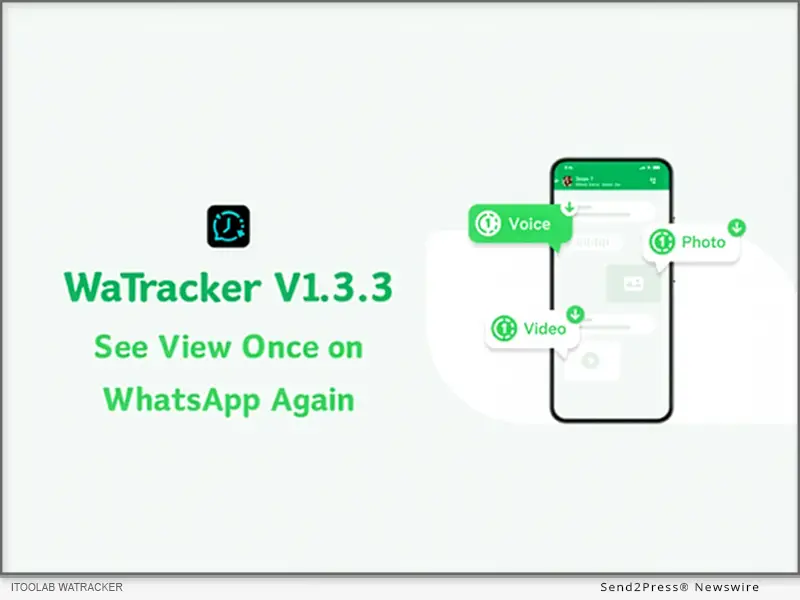
WaTracker updated to help you view one time photo in WhatsApp again
Image caption: WaTracker updated to help you view one time photo in WhatsApp again.

WaTracker is different from all other WhatsApp tracking apps in the market. It is a top-notch multi-tasker – WhatsApp last seen tracker, online offline tracker, WhatsApp chat tracker, and view once recovery.

WHAT CAN WATRACKER WHATSAPP TRACKING APP DO FOR YOU?

WaTracker can meet the diverse needs of WhatsApp users, whether you want to stay connected with your WhatsApp contacts or help your child fostering good phone usage habits. Now, let’s explore it.

See view once on WhatsApp again: With WaTracker, you can view view once on WhatsApp again. One time photos, videos, and voice messages are supported. It can sync WhatsApp view once messages in real time, and enables you to download & save view once media to your local storage.

Track WhatsApp last seen & online: This last seen tracker helps you check WhatsApp last seen status without opening the chat. Additionally, you’ll get timely WhatsApp online notification. Ensuring you never miss a status change.

Well understand the usage pattern: Do you know how much time your child has spent on WhatsApp every day? WaTracker provides a detailed report for you to analyze the usage patterns. Thus, you can remind your child to reduce screen time and enjoy some offline activities.

Track WhatsApp chat: Do you know that the greatest danger to your child is not on the street, but on WhatsApp? Your child spends hours on WhatsApp every day to talk with friends. But they may also talk to someone we don’t even know. WaTracker is a perfect parental control app that safeguard you child’s WhatsApp experience.

3 STEPS TO VIEW ONE TIME PHOTO IN WHATSAPP AGAIN WITH WATRACKER

Step 1: Free download and install WaTracker on your Android device. Then launch it.

Step 2: Link your WhatsApp account with WaTracker.

Step 3: The tool will automatically detect the new view once messages and shows them instantly.

Full guide here: https://itoolab.com/guide/how-to-use-seenchecker/

PRICE AND AVAILABILITY

  • The new WaTracker app is available on Google Play. You can install the app on any Android device. And it’s fully compatible with all versions of WhatsApp.
  • It offers a flexible pricing model with weekly and monthly plans to meet different user needs.

ABOUT ITOOLAB

iToolab is a software development company founded in 2008 to help iOS and Android users solve various issues with leading-edge smartphone tools for repair and recovery, unlocking, and more. As of now, iToolab is serving 130+ countries and has been trusted and recommended by some leading tech sites and users worldwide. iToolab is a trusted one-stop shop for smartphone utility apps.

For more details, please visit:

Website: https://itoolab.com/

YouTube: https://www.youtube.com/c/itoolab

Facebook: https://www.facebook.com/itoolab

X/Twitter: https://x.com/IToolab

NEWS SOURCE: iToolab Co Ltd


This press release was issued on behalf of the news source (iToolab Co Ltd), who is solely responsible for its accuracy, by Send2Press Newswire. Image, if any, was provided by the news source and not this website or the wire service. Information is believed accurate, as provided by the news source, but is not guaranteed.

To view the original story, visit: https://www.send2press.com/wire/how-to-view-a-one-time-photo-in-whatsapp-again-with-watracker-1-3-3/

Copr. © 2026 Send2Press® Newswire, Calif., USA. -- REF: S2P STORY ID: S2P133607 NOREL-3B


iToolab New Release: RecoverGo (WhatsApp) to Restore Deleted WhatsApp (Business) Messages without Backup

NEW YORK, N.Y. /ScoopCloud/ -- iToolab Co Ltd, a software development company, has come up with a new solution - RecoverGo (WhatsApp) that's designed to make WhatsApp data recovery a hassle-free task for both Android and iOS users. With iToolab RecoverGo (WhatsApp), you can easily get back their deleted WhatsApp messages and other WhatsApp data and restore it to their system for easy access in the future.

According to Mia Garcia, CEO at iToolab, "We have already released several tools to recover conventional data types from various storage devices. But our team was keen on designing a tool that specifically supported WhatsApp data recovery. That's why, after months of continuous development, testing, and redesigning, we are here with RecoverGo (WhatsApp) - a revolutionary tool that'll help users recover their deleted WhatsApp data in no time."

Let's take a look at some of the key features that RecoverGo (WhatsApp) brings to the table.

KEY FEATURES OF ITOOLAB RECOVERGO (WHATSAPP):

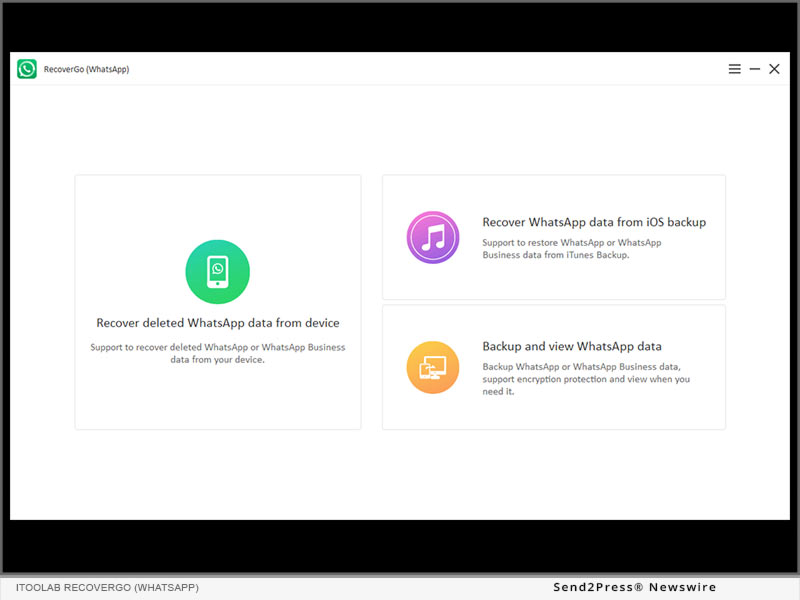
1. Recover Deleted WhatsApp (Business) Data without Backup

RecoverGo (WhatsApp) is compatible with both conventional WhatsApp accounts and WhatsApp Business accounts. So, irrespective of which WhatsApp account you were using, you'll be able to get back deleted WhatsApp data using RecoverGo (WhatsApp).

A list of all the data types that RecoverGo (WhatsApp) supports:
* Messages (Broadcast Messages, Starred Messages)

* Contact (Support Group Contacts)
* Image, Stickers
* Video
* Audios
* Voice Notes
* Docs
* Links

2. Restore WhatsApp (Business) Data from iTunes Backup

iTunes doesn't support selective restoration from a backup which is inconvenient. RecoverGo (WhatsApp) allows iOS users restore WhatsApp data selectively from the iTunes backup and make the entire process easier.

3. Backup or View WhatsApp Backup

RecoverGo (WhatsApp) enables you to backup WhatsApp and WhatsApp Business data to a computer and secure it safely via encryption. This way they can create multiple backup points for their WhatsApp data, which means in case of accidental deletion or other emergencies, it'll be a hassle-free task to recover the data.

You can also protect the backups by assigning a password to avoid any unauthorized access whatsoever.

4. Export WhatsApp Data to Computer

RecoverGo (WhatsApp) supports exporting WhatsApp data to your computer. It can export in a variety of formats:

* Export retrieved WhatsApp messages into HTML or PDF format
* Export and save WhatsApp contacts in a friend list or a group
* With RecoverGo (WhatsApp), you can retrieve WhatsApp images in various file formats such as JPG, JPEG, PNG, GIF, ICO, BMP, TIFF, SVG, thumb, SVG, PSD, Exif, BMP
* Retrieve WhatsApp videos in various formats including MOV, MP4, AVI, FLV, M4V, MKV, RMVB, WMV, WebM
* Retrieve and export audio files in different formats WAV, MP3, WMA, OGG, APE, MID, AAC, AMR, M4R, M4A, M4B, FLAC, AIFF, OPUS, Caf, WavPack (WV), aac
* With RecoverGo, users can also retrieve different documents such as txt, Word (Doc, Docx), Excel (xls, xlsx), Powerpoint (ppt, pptx), CSV, VCF, XML, HTML, pdf, EPUB, Mobi, CAJ, CHM

PRICE:

* 1-Month Plan: $35.95
* 1-Year Plan: $39.95
* Lifetime Plan: $49.95

More info: https://itoolab.com/buy/recovergo-whatsapp-for-windows/

Device Compatibility:

* WINDOWS: All systems running on Windows 7,8,8.1,10,11
* ANDROID: Android 7-12: Samsung (focus), Huawei, Xiaomi, LG, Google, Oppo, Vivo, motorola, lenovo, HTC, ASUS, ONEPLUS, Sony, Vivo
* IOS: iOS 10-15: All iPhone models running on the selected iOS versions.

About iToolab:

With a passion for programming and a vision to help users deal with software glitches on their own, Mia Garcia and her team started iToolab to build a professional toolkit for all smartphone users. Earlier, the team designed iToolab only to help iOS users resolve system issues on their iPhone/iPad. But, today, the company has also ventured into the Android landscape and released a new software, RecoverGo (WhatsApp) - that's specifically designed to help users recover WhatsApp data from both Android and iOS. Its cross-platform compatibility ensures that users can recover data on both Android and iOS without any hassle.

For more details, please visit: https://itoolab.com/

Facebook: https://www.facebook.com/itoolab

MULTIMEDIA:

YouTube: https://www.youtube.com/user/iToolabOfficial/videos

News from IToolab Studio

iToolab Co Ltd, a software development company, has come up with a new solution - RecoverGo (WhatsApp) that's designed to make WhatsApp data recovery a hassle-free task for both Android and iOS users. With iToolab RecoverGo (WhatsApp), you can easily get back their deleted WhatsApp messages and other WhatsApp data and restore it to their system for easy access in the future.

Related link: https://itoolab.com/

This version of news story was published on ScoopCloud™ (ScoopCloud.com) - part of and © the Neotrope® News Network - all rights reserved.

iToolab RecoverGo V6.0.0 Supports Recovery of Deleted WhatsApp (Business) Data Now!

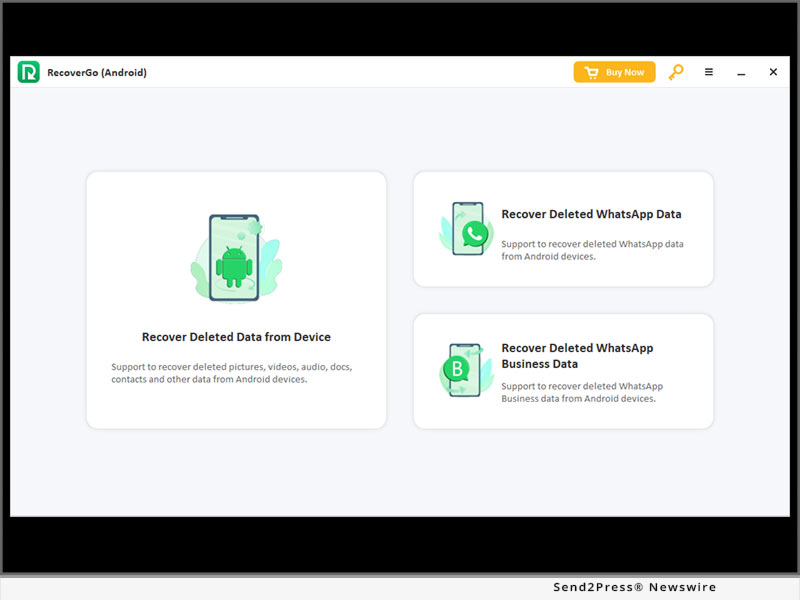
NEW YORK, N.Y. /ScoopCloud/ -- iToolab, a leading software company, announces iToolab RecoverGo has again encountered major updates and the software has now become a full-scale tool to recover different types of deleted files from an Android device. Apart from the conventional file types, the new iToolab RecoverGo V6.0.0 now supports WhatsApp data recovery as well. It means users will now be able to recover deleted WhatsApp data and deleted WhatsApp Business data on their Android devices and avoid losing important conversations from WhatsApp.

To believe Jack Ma, CEO at iToolab, it was extremely necessary to incorporate the WhatsApp data recovery feature into their recovery solution for Android. Jack says, "Many users end up losing their WhatsApp data while switching to a different smartphone or due to external factors like malware attacks. Our engineers wanted to devise a recovery solution that allowed users to recover all types of data, including WhatsApp messages, calls, media, etc. And, that's why we have released the new RecoverGo V 6.0.0 that will now allow users to recover deleted WhatsApp data on Android without any hassle."

What's NEW

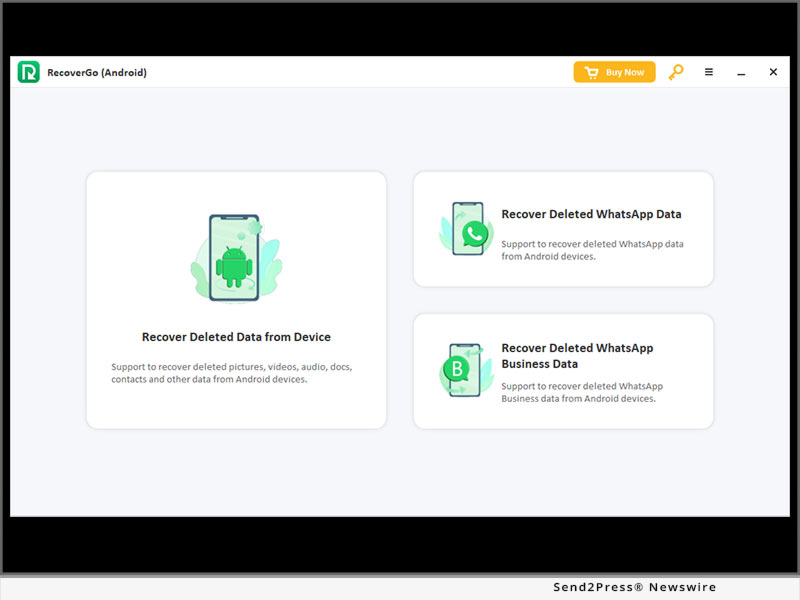
1. Recover deleted WhatsApp data

RecoverGo will now support WhatsApp data recovery. So, if users have a regular WhatsApp account and they have accidentally lost their data, RecoverGo will give them the liberty to retrieve it completely and avoid any data loss. RecoverGo supports WhatsApp chats, call logs, media files, etc. It means even if you have lost your entire WhatsApp data, you'll be able to get it back easily.

2. Recover deleted WhatsApp Business data

In addition to the conventional WhatsApp accounts, RecoverGo also provides data recovery support for WhatsApp Business accounts as well. Any user running a Business WhatsApp account will be able to retrieve his lost files using RecoverGo and restore them back on the device within seconds.

Here's a list of all the file formats users will be able to recover under the WhatsApp (Business) data recovery feature:

* WhatsApp Chats

* Call Logs

* Documents such as PDF files, Word files, PPTs, etc.

* Pictures and Videos

* Audio Messages

MAJOR FEATURE OF ITOOLAB RECOVERGO (ANDROID)

Recover Lost Data from Android Device

For anyone who doesn't know, RecoverGo is a full-scale data recovery solution that's specifically tailored to aid Android users to recover deleted data on their Android devices. One can use RecoverGo to restore a wide variety of deleted files:

Pictures, videos, call logs, contacts, messages, audios, documents, compressed, installation, E-book and even WhatsApp (Business) data.

As compared to other available options, the success rate of RecoverGo is relatively higher and its user-friendly interface also makes it easier to restore data, even for non-tech savvy individuals.

With RecoverGo, users can restore data in different situations. Whether they have lost data due to accidental deletion or an unexpected malware attack, RecoverGo will allow them to get back all the lost files within a few minutes. RecoverGo even works on a damaged device - so, even if your device has encountered physical damage and become unresponsive, RecoverGo will still fetch out all the data and prevent any major data loss.

Price and Availability:

In terms of pricing, RecoverGo is a relatively affordable data recovery solution than other available options. Users can grab the latest version of RecoverGo for as low as $39.95 per month. Considering an extensive list of features, the tool is completely worth its price.

Package and Price

* 1 Year Plan - $39.95 per month

* 1 Month Plan - $39.95 per month

* Lifetime Plan - $49.95 (One-Time)

Check here to see more details: https://itoolab.com/buy/recovergo-android-for-windows/

About iToolab:

iToolab is a software development company with a team of experienced developers who are constantly building mobile solutions to help users tackle different types of technical issues in their day-to-day life. The firm has already developed dozens of mobile solutions for both Android and iOS and has acquired more than 55,000 customers from across the globe. Some of the popular software built by iToolab include RecoverGo, FixGo, UnlockGo, and AnyGo.

All these tools are devised to resolve a specific purpose. For instance, RecoverGo is a data recovery tool that allows users to retrieve their lost data from their smartphones. On the other hand, AnyGo is a tool for changing locations that gives users the liberty to change GPS location with one click. After serving the tech industry for a decade, iToolab is still working with the same vision to give users innovative software solutions that they can use to resolve different technical errors on their own.

For more details, please visit: https://itoolab.com/

Facebook: https://www.facebook.com/itoolab

MULTIMEDIA:

YouTube: https://www.youtube.com/c/iToolab/videos

News from IToolab Studio

iToolab, a leading software company, announces iToolab RecoverGo has again encountered major updates and the software has now become a full-scale tool to recover different types of deleted files from an Android device. The new iToolab RecoverGo V6.0.0 now supports WhatsApp data recovery.

Related link: https://itoolab.com/

This version of news story was published on ScoopCloud™ (ScoopCloud.com) - part of and © the Neotrope® News Network - all rights reserved.

Tenorshare iCareFone for WhatsApp Transfer App App: Transfer WhatsApp from Android to Apple iPhone without Computer

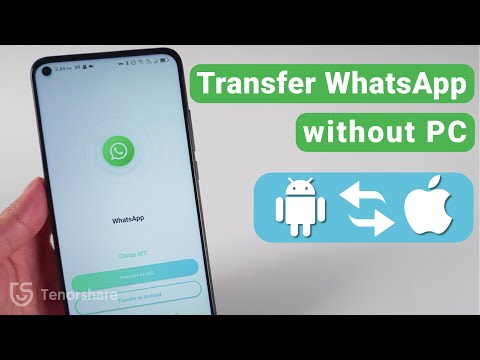
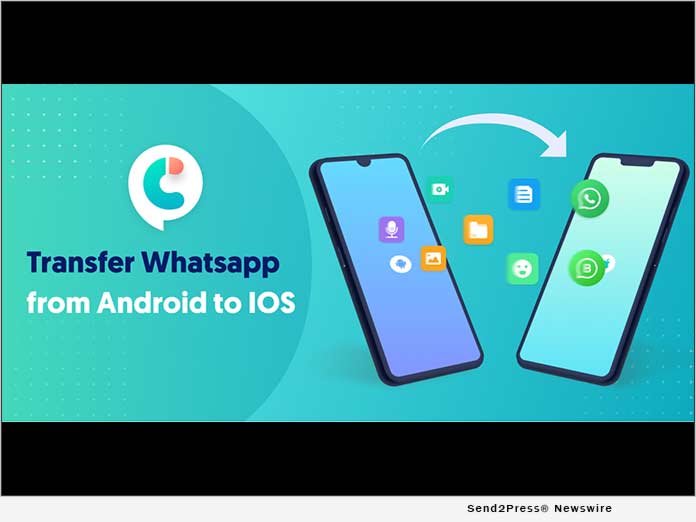
NEW YORK, N.Y. /ScoopCloud/ -- Tenorshare has launched an application called iCareFone for WhatsApp Transfer App App, which provides the easiest and most effective way to transfer WhatsApp from Android to iPhone anytime, anywhere.

"We're looking forward to an easy and effective way so that WhatsApp users can transfer their WhatsApp data and WhatsApp Business even if they don't have a pc at the moment," said Tenorshare's CEO, while introducing the application.

The Key features of iCareFone for WhatsApp Transfer App:

NO Computer Required.

Quickly & easily transfer WhatsApp from Android to iPhone only with OTG cable.

Convenient & Fast to Transfer WhatsApp

There are many ways to transfer WhatsApp, but most of them are time-consuming and labor-intensive, and require a computer. iCareFone for WhatsApp Transfer App provides a new method to solve the problem that users do not have a computer at hand and need to transmit urgently. It supports to transfer WhatsApp and WhatsApp Business messages and attachments from Android to iPhone, which enhances WhatsApp users' convenience of data transmission.

Diverse Data Transfer Type Supported

Fast to transfer WhatsApp and WhatsApp Business messages and attachments, including videos, images, files, audio, emoji, and so on.

Transfer with High Success Rate

iCareFone for WhatsApp Transfer App enables you to transfer your WhatsApp/WhatsApp Business from Android to iOS devices when there're no computers on your hand. The 100% success rate ensures you not to be bothered by the trouble of losing data in your work or daily life.

Price and Compatibility

* Support various Android devices and brands, including Samsung, Huawei, Xiaomi, Oppo, Vivo, HTC, LG, Sony, Motorola, etc.

* Applicable to all versions from Android 5.1 to Android 11.

* Applicable to all versions from iOS 10 to iOS 15 Beta 3.

* $14.99 a year.

Learn more in the Google Play store: https://play.google.com/store/apps/details?id=com.tenorshare.transfer&hl=en_US&gl=US

About Tenorshare

Tenorshare's focus is on the iOS, Android, Windows and Mac platforms and core technology study. They provide users with solutions for device content management, data recovery, password recovery, system repair and other practical mobile phone and computer essentials. Today, Tenorshare's products and services are trusted by more than 10 million users worldwide. More information: https://www.tenorshare.com/

Facebook: https://www.facebook.com/TenorshareOfficial/

Twitter: https://twitter.com/Tenorshare

MULTIMEDIA:

VIDEO (YouTube): https://youtu.be/jtTkUWbJ4_4

News from Tenorshare Co. Ltd.

Tenorshare has launched an application called iCareFone for WhatsApp Transfer App App, which provides the easiest and most effective way to transfer WhatsApp from Android to iPhone anytime, anywhere.

Related link: https://www.tenorshare.com/

This version of news story was published on ScoopCloud™ (ScoopCloud.com) - part of and © the Neotrope® News Network - all rights reserved.

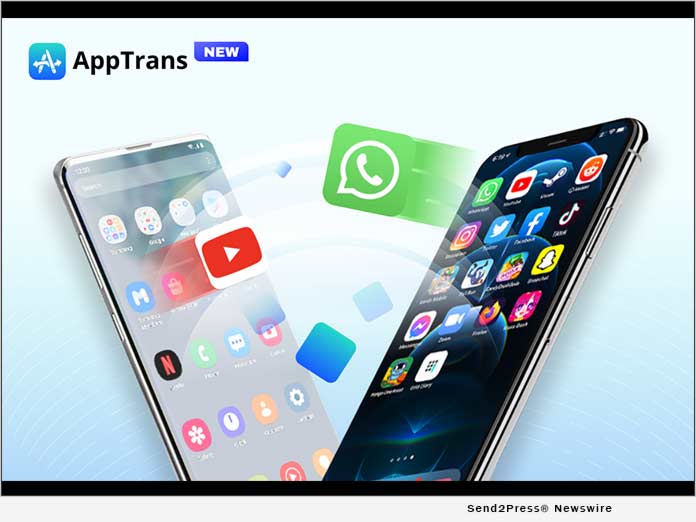
iMobie Releases AppTrans – World’s First Free Solution to Transfer WhatsApp and Other App Data between iPhones or Android Phones

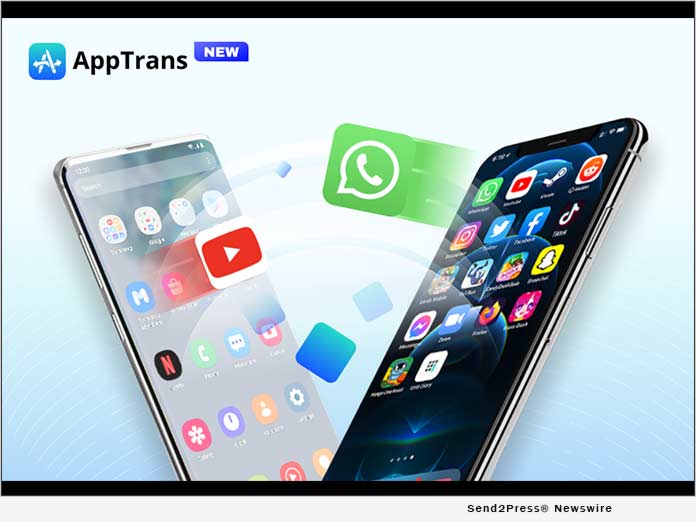
LOS ANGELES, Calif. /ScoopCloud/ -- iMobie Inc., a software developer with 10-year experience in data transfer, today proudly released AppTrans - the world's FIRST FREE solution for app data transfer. This program is specially designed to transfer apps and app data, including WhatsApp chats, between iPhones or Android phones of all brands. Apart from that, AppTrans also makes it easy as one click to back up, restore, export, and install apps with app data.

"We know apps are essential for everyone in everyday life. And we noticed there's no software to specially help users move often-used apps and app data to new phones. So, we want to offer one effortless solution," said Frank Kong, CEO of iMobie. "When designing the program, we think why not take one step further to meet more needs of users, like merge WhatsApp chats of old and new accounts, or selectively back up or restore apps that users want. Then here comes AppTrans."

HAVE AN IN-DEPTH LOOK AT HIGHLIGHT FEATURES:

Transfer Apps & App Data from Phone to Phone

AppTrans moves apps and app data directly between phones, whether from iPhone 8 to iPhone 12 or Motorola to Samsung. It also enables users to choose what to transfer: all apps or several ones wanted, apps and app data, or just the data. Besides, it can merge WhatsApp chats of two phones, even two accounts. So users always keep a complete chat history.

Back Up Apps and App Data to Stay Safe

AppTrans also helps back up apps to prevent data loss. Users can decide what to back up - may it be a complete backup of all apps with data, or just several important ones, or even app data only, like WhatsApp chats.

Preview and Restore Apps as Needed

AppTrans supports both iTunes backups and backups created with AppTrans to ensure users a higher chance to retrieve lost data. Users can preview backups, and restore data as needed. All other content on the phone will be kept intact, like photos, contacts, messages, etc. No risk of data loss.

Install IPA or APK Files in One Click

AppTrans can directly install IPA, APK, or XAPK files on the phone with a click, in case the apps are not available in the app store. Also, it could export apps from iOS/Android devices to computer. So, users can easily install them on other phones/tablets. Or, go back to the older version if they don't like the latest update.

Price and Availability:

AppTrans is completely FREE to use. Download it here: https://www.imobie.com/apptrans/app-transfer-free.htm

For users who want to transfer WhatsApp chats or other app data from an Android phone to iPhone or vice versa, go get AppTrans Pro: https://www.imobie.com/apptrans/

About iMobie:

iMobie Inc. is dedicated to making digital life simpler for all users worldwide. Information: https://www.imobie.com

News from iMobie Inc.

iMobie Inc., a software developer with 10-year experience in data transfer, today proudly released AppTrans - the world's FIRST FREE solution for app data transfer. This program is specially designed to transfer apps and app data,

Related link: https://www.imobie.com/

This version of news story was published on ScoopCloud™ (ScoopCloud.com) - part of and © the Neotrope® News Network - all rights reserved.

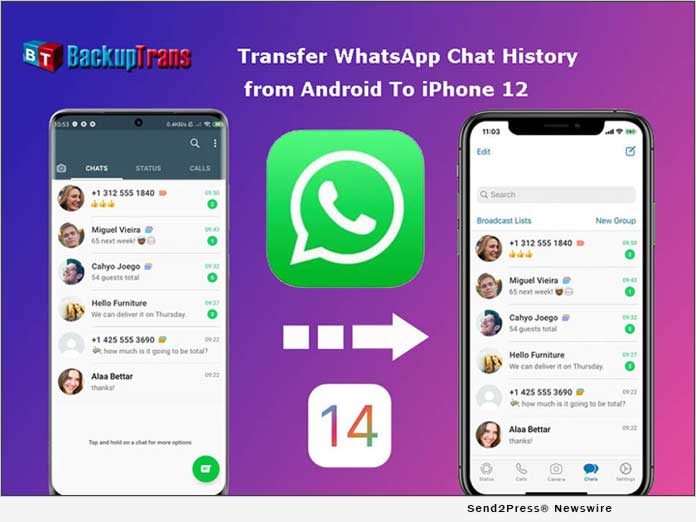
Backuptrans Updated to Transfer WhatsApp from Android to iPhone 12

NEW YORK, N.Y. /ScoopCloud/ -- Backuptrans, a leading mobile software development company, has updated Android WhatsApp to iPhone Transfer to support iPhone 12. The new version can help you easily transfer WhatsApp chat history from Android to iPhone 12/iPhone 12 Mini/iPhone 12 Pro/iPhone 12 Pro Max. There is no official method to transfer WhatsApp between Android and iOS. Luckily, Backuptrans WhatsApp Transfer software makes it possible.

With Backuptrans Android WhatsApp to iPhone Transfer, mobile phone users can transfer WhatsApp chats from Android to iPhone in a few simple clicks.

"Many smartphone users wish to migrate the WhatsApp chat history when they switch phones. That is why we create and update the software," said Eric Ng, the CEO of Backuptrans. "We create simple & innovative solutions for life."

Step by step tutorial: https://www.backuptrans.com/tutorial/transfer-whatsapp-messages-from-android-to-iphone.html

What are the new updates?

1 Transfer, Backup & Restore WhatsApp Data (Support iOS and Android): It supports to transfer WhatsApp chat messages, including videos, images, audios attached files between iOS and Android.

2 Fully compatible with the latest iPhone 12, iPhone 12 Mini, iPhone 12 Pro, and iPhone 12 Pro Max: It not only supports iPhone 6 to iPhone 12, but also supports various models of iPad and iPod from iOS 9 to the latest iOS 14.

3 Export WhatsApp messages and links to PDF: You can use Backuptrans WhatsApp Transfer to export WhatsApp messages as a file for viewing. The messages and links can be exported as PDF, HTML, WORD, and TXT.

Other features have been updated including:

1 Multi-directional Transfer WhatsApp between iOS and Android Device: Backuptrans's advanced technology and rich experience of data processing and transmission can ensure a high success rate for WhatsApp transferring.

2 Backup WhatsApp Chats to Computer Freely & Easily: It is better to use than the official solution to back up WhatsApp chats from Android/iPhone to computer by one-click. The chats will be merged perfectly in the previous backup.

3 Print WhatsApp Messages on Computer: Backuptrans provides a direct way to print out WhatsApp chat messages on computer. You can choose to print all chat messages or a single conversation.

Price and Availability:

For personal 3 mobile devices, it is available at $19.95. You also can buy the Family edition that $29.95 for 8 mobile devices.

Learn More: https://www.backuptrans.com/android-whatsapp-to-iphone-transfer.html

About Backuptrans:

Backuptrans Studio is a leading software development company providing mobile device software solutions. Founded in 2012, Backuptrans has been an award-winning developer especially in the mobile data transferring software and mobile device management field. More information: https://www.backuptrans.com

Facebook: https://www.facebook.com/backuptrans

Twitter: https://twitter.com/backuptrans/

VIDEO (YouTube): https://youtu.be/YZQ0gfow11Y

News from Backuptrans Studio

Backuptrans, a leading mobile software development company, has updated Android WhatsApp to iPhone Transfer to support iPhone 12. The new version can help you easily transfer WhatsApp chat history from Android to iPhone 12/iPhone 12 Mini/iPhone 12 Pro/iPhone 12 Pro Max. There is no official method to transfer WhatsApp between Android and iOS. Luckily, Backuptrans WhatsApp Transfer software makes it possible.

Related link: https://www.backuptrans.com/

This version of news story was published on ScoopCloud™ (ScoopCloud.com) - part of and © the Neotrope® News Network - all rights reserved.

Tenorshare Updates iCareFone to Transfer WhatsApp Business from Android to iPhone

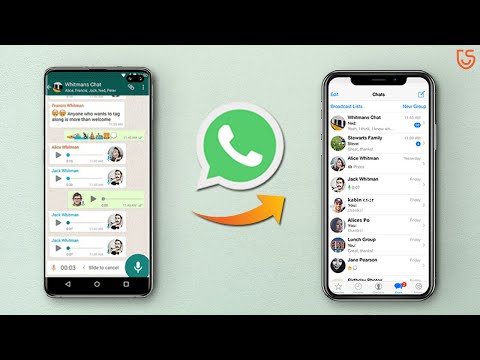
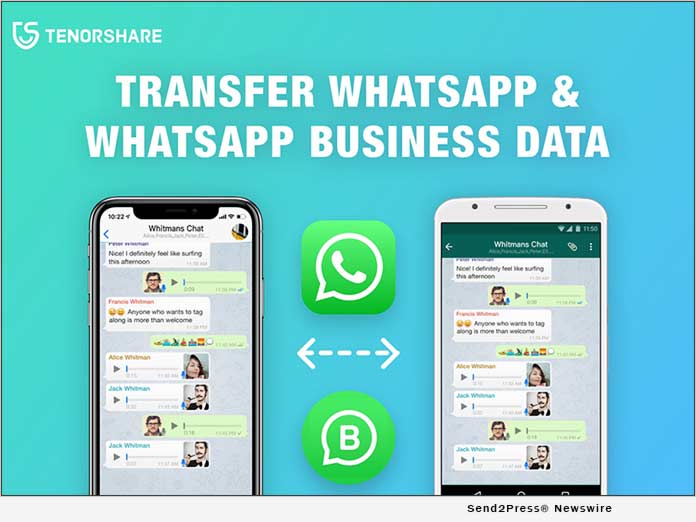
NEW YORK, N.Y. /ScoopCloud/ -- Tenorshare, a leading smartphone solution provider, has updated iCareFone for WhatsApp Transfer. The new version can help you easily transfer WhatsApp / WhatsApp Business messages between iOS and Android devices. There is no official method to transfer WhatsApp between iPhone and Android. Luckily, iCareFone for WhatsApp Transfer makes it possible.

Transfer WhatsApp from Android to iPhone is by far the most needed feature. "Everybody wishes to share the WhatsApp chat history between iOS and Android flexibly, especially business man. That is why we update that function," said Mike Lee, the CEO of Tenorshare. "We hope to make life more convenient."

What are the new updates?
* Transfer, Backup & Restore WhatsApp Business Data (Support iOS and Android): It supports to transfer WhatsApp Business messages, including videos, images, and files between iOS and Android.
* Fully compatible with the latest iOS 14 and Mac 11: It not only supports iPhone 6 to iPhone SE, but also supports various models of iPad and iPod from iOS 9 to the latest 14.
* View and export WhatsApp messages and links to HTML: Whether you need to save WhatsApp any data, you can use iCareFone for WhatsApp Transfer to export them as file for viewing. The messages and links can be exported as HTML.

Other features have been updated including:
* Multi-directional Transfer WhatsApp between iOS and Android Device: Tenorshare's advanced technology and rich experience of data processing and transmission can ensure a high success rate for WhatsApp transmission.
* Backup WhatsApp iPhone/ Android to Mac Freely & Easily: It is better to use than the official solution to back up WhatsApp chat backup from iPhone/Android to computer by one-click. It won't overwrite or delete previous backups.
* Restore WhatsApp Backup to iPhone, iPad, Android: Restore WhatsApp backup without uninstalling.
* Popular Social Apps Backup & Restore: It supports free backup and restoration of social apps like Kik, Line, Viber and WeChat to iOS system.

Price and Availability:

For 1-5 devices, it is available at $19.95 per month. You also can buy the economic version that $39.95 for one year or $49.95 for lifetime.

Learn More: https://www.tenorshare.com/whatsapp-transfer-backup-restore.html

About Tenorshare

Tenoshare is an international software company founded in 2007 and is known for its award-winning and highly rated software products. More information: https://www.tenorshare.com/

Facebook: https://www.facebook.com/TenorshareOfficial
Twitter: https://twitter.com/Tenorshare
YouTube: https://www.youtube.com/user/TenorshareOfficial/videos

VIDEO (YouTube): https://youtu.be/NJ5YOXPou1w

IMAGE link for media: https://www.Send2Press.com/300dpi/20-0902s2p-tenorshare-icarefone-300dpi.jpg

News from Tenorshare Co. Ltd.

Tenorshare, a leading smartphone solution provider, has updated iCareFone for WhatsApp Transfer. The new version can help you easily transfer WhatsApp / WhatsApp Business messages between iOS and Android devices. There is no official method to transfer WhatsApp between iPhone and Android. Luckily, iCareFone for WhatsApp Transfer makes it possible.

Related link: https://www.tenorshare.com/

This version of news story was published on ScoopCloud™ (ScoopCloud.com) - part of and © the Neotrope® News Network - all rights reserved.

Tenorshare Updates UltData for Android to Recover Deleted WhatsApp and Photos Without Root

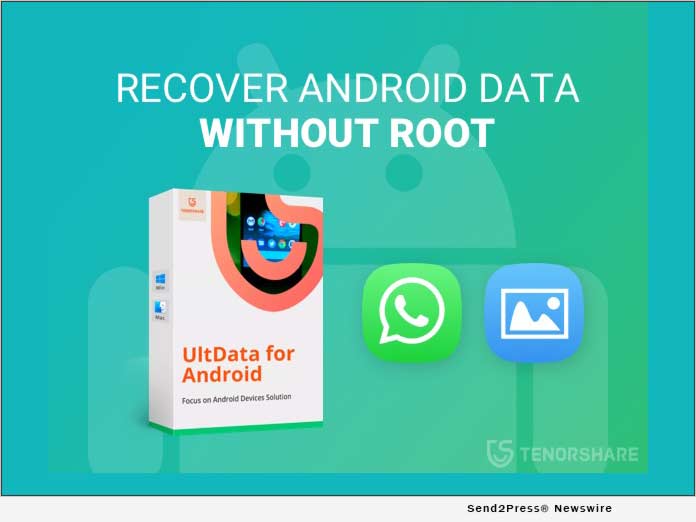
NEW YORK, N.Y. /ScoopCloud/ -- Tenorshare, a professional data recovery solution provider, has updated UltData for Android to recover deleted WhatsApp chat history and photos without root. It is the first to break technical difficulties and make Android Data Recovery so easy and safe. No software in the market has that feature recently.

As we know, in order to recover data from Android device(s), you need to get root access first. Rooting can put the phone at risk, for example, it will break warranty of the phone, and the system may become unstable. Not to mention there will be a great chance of failure to root the phone. That makes the recovery process rather a hassle. No need to worry now. Tenorshare released updated version of UltData for Android to address this problem. It can help you recover data more securely. No data loss. No warranty damages.

What are the new updates?

Recover data without root. The newest feature of new UltData for Android is free of root. Simply connect your phone to your PC and you can quickly and safely recover lost data without downloading additional root applications, which makes it significantly stand out from the rest of the software. And it is widely applicable to major brand phone models, such as Samsung, Huawei, Moto Z etc. More phone models will be supported in the near future.

Other features have been updated including:

High recovery success rate and quality. The recovery success rate and quality are greatly improved than before. It is now the best among the competitors.

Multi-Language supported. The software has included 10 languages like English, German, Spanish, Italian, etc., and also introduces Arabic, Simplified Chinese and Traditional Chinese.

Improved interface. New UI interface design, very simple and easy to operate.

Price and Availability:

New UltData for Android 6.0.0. is available now for $35.95 per month. Users can buy the more economic version for $39.95 per year.

Learn more: https://www.tenorshare.com/products/android-data-recovery.html

About Tenorshare

Founded in 2007, Tenorshare has been the leader in iOS & Android data and system recovery. It provides the perfect solution for iOS & Android data recovery, data transfer, system repair, and more.

Learn more: https://www.tenorshare.com/.

Facebook: https://www.facebook.com/TenorshareOfficial/
Twitter: https://twitter.com/Tenorshare
YouTube: https://www.youtube.com/user/TenorshareOfficial/videos

*VIDEO (YouTube):
https://youtu.be/baRshIePgRU

*IMAGE: https://www.Send2Press.com/300dpi/20-0323s2p-tenorshare-ultdata-300dpi.jpg

News from Tenorshare Co. Ltd.

Tenorshare, a professional data recovery solution provider, has updated UltData for Android to recover deleted WhatsApp chat history and photos without root. It is the first to break technical difficulties and make Android Data Recovery so easy and safe. No software in the market has that feature recently.

Related link: https://www.tenorshare.com/

This version of news story was published on ScoopCloud™ (ScoopCloud.com) - part of and © the Neotrope® News Network - all rights reserved.