Tag Archives: EaseUS Software

EaseUS Unveils Solutions for Safe Backup and Seamless Windows 11 Upgrade Before Windows 10 Support Ends in October

LOS ANGELES, Calif., Sept. 25, 2025 (SEND2PRESS NEWSWIRE) — EaseUS announces a complete backup and migration solution to help users securely protect their data and smoothly upgrade to Windows 11 before Microsoft ends Windows 10 support in October 2025.
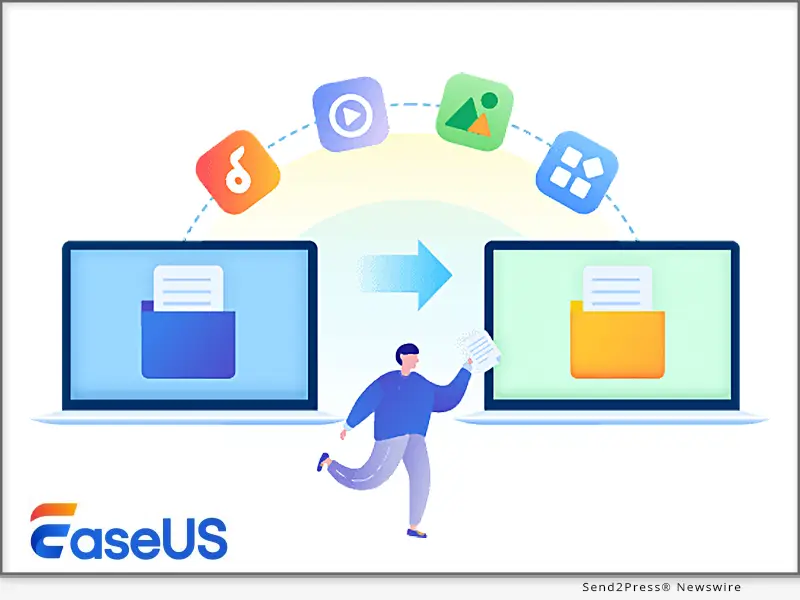
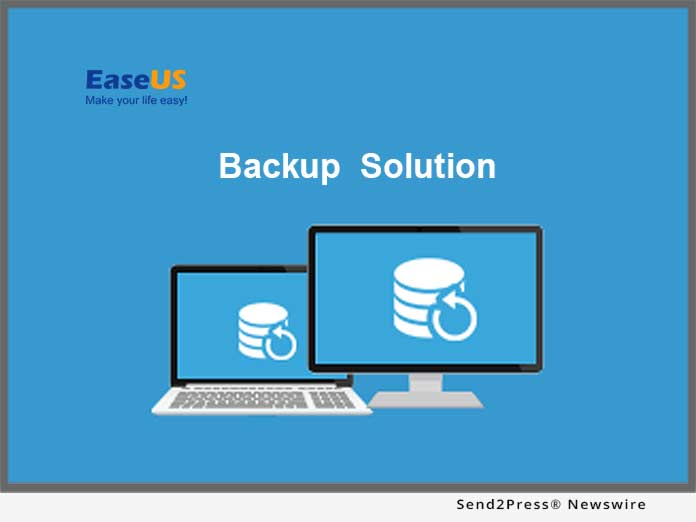
EaseUS Unveils Solutions for Safe Backup and Seamless Windows 11 Upgrade Before Windows 10 Support Ends
Image caption: EaseUS Unveils Solutions for Safe Backup and Seamless Windows 11 Upgrade Before Windows 10 Support Ends.

On October 14, 2025, Microsoft will officially end support for Windows 10, leaving millions of users at a crossroads: continue using an unsupported system or upgrade to Windows 11.

To help users make informed decisions, EaseUS offers tailored solutions for two key scenarios:

  • Staying on Windows 10 with enhanced data protection
  • Upgrading to Windows 11 with seamless migration tools

For users who plan to remain on Windows 10, the biggest concern is security. Without future patches, Windows 10 systems become prime targets for cyberattacks and hardware failures. A reliable backup is critical.

EaseUS Todo Backup delivers all-round protection for both individuals and organizations:

  • Full system, file, disk, application, and partition backups.
  • Fast recovery from crashes or malware.
  • Incremental/differential backups to save time and space.
  • Flexible storage options: local, external, NAS, and cloud.

Whether you’re a home user or an IT manager, EaseUS backup software offers editions tailored to your needs:

  • Home Version: Simple, automated protection for personal devices.
  • Enterprise Version: Scalable backup management for multiple endpoints.

For users preparing to move from Windows 10 to Windows 11, the transition can be seamless with the right tools. If your device meets Microsoft’s requirements, the next hurdle is storage: Windows 11 requires at least 64GB of free space.

EaseUS Partition Master helps users:

  • Resize, merge, or create partitions.
  • Reclaim unused space.
  • Prepare drives for a clean installation.

When hardware falls short of Windows 11’s requirements, many users will choose to purchase a new PC. For users switching to a new PC, EaseUS Todo PCTrans simplifies the migration:

  • One-click transfer files, applications, settings
  • No need for manual reinstallations or reconfigurations
  • Supports both in-place upgrades and cross-device migrations

The timeline is clear: after October 14, 2025, Windows 10 users will no longer receive updates, security fixes, or technical support from Microsoft. This deadline impacts individuals, small businesses, and enterprises alike. Data migration and backup preparation cannot wait until the last minute.

Unsupported systems face rising security risks and potential downtime. Proactive preparation, whether by implementing strong backup routines or planning a migration strategy, can reduce downtime and prevent costly incidents.

HOW EASEUS HELPS:

  • Todo Backup: Create automated backups of files, systems, and partitions.
  • Partition Master: Optimize and resize disks for a clean Windows 11 install.
  • PCTrans: Transfer applications, user settings, and data in one click.

By preparing now, individuals and businesses can ensure a smooth transition, safeguard critical information, and avoid last-minute disruption. For more information and resources, visit: https://www.easeus.com

MEDIA ONLY CONTACT:
EaseUS Software
Rebecca Wu
+86 15108368511
rebecca@easeus.com

NEWS SOURCE: EaseUS Software


This press release was issued on behalf of the news source (EaseUS Software), who is solely responsible for its accuracy, by Send2Press Newswire. Image, if any, was provided by the news source and not this website or the wire service. Information is believed accurate, as provided by the news source, but is not guaranteed.

To view the original story, visit: https://www.send2press.com/wire/easeus-unveils-solutions-for-safe-backup-and-seamless-windows-11-upgrade-before-windows-10-support-ends-in-october/

Copr. © 2025 Send2Press® Newswire, Calif., USA. -- REF: S2P STORY ID: S2P129585 NOREL-3B
 

Newly Released Find360 - A Free Location Tracker for iPhone and Android

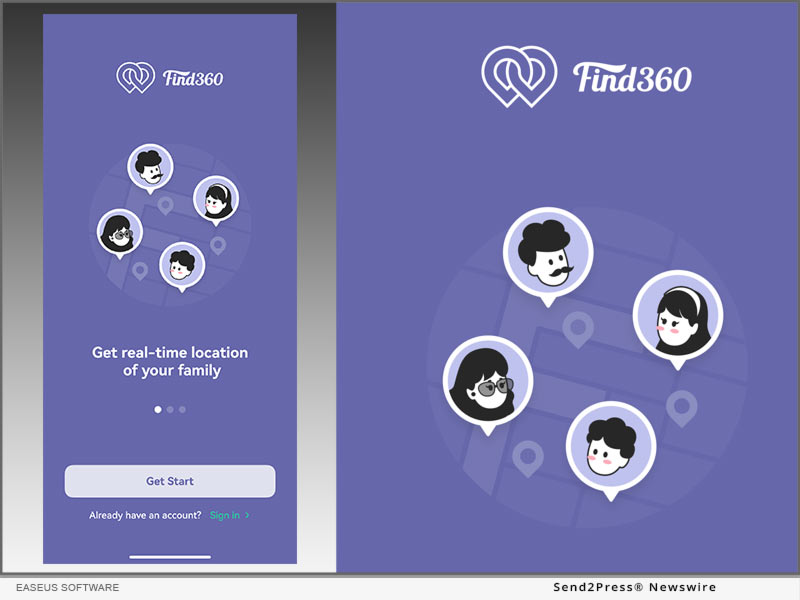
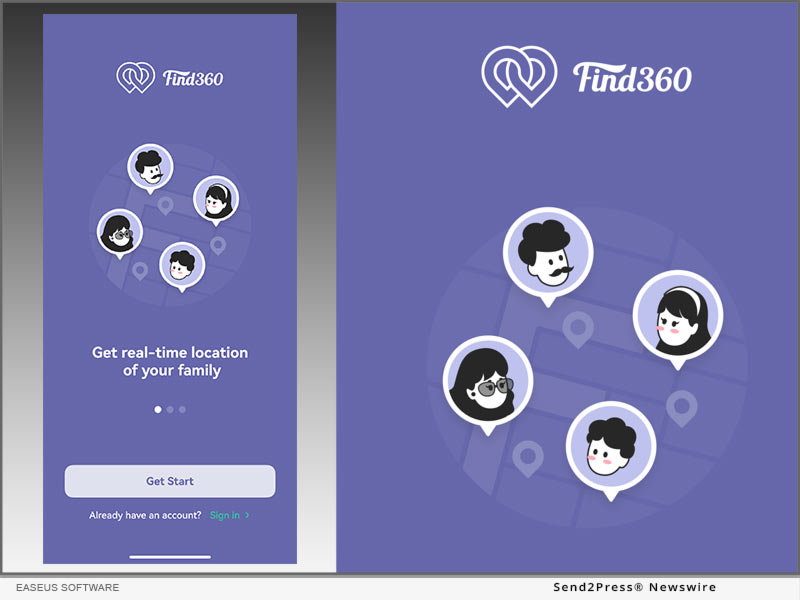
NEW YORK, N.Y. /ScoopCloud/ -- What is Find360? Find360, from EASEUS Software, is the best family locator to find the whereabouts of your loved ones. It allows you to keep your family safe by tracking their real-time phone location when they come and go. As a location-sharing app, we aim to help you not to be worried anymore about the whereabouts of your loved ones. You may use it to find your lost devices, too.

Surprisingly, you can unblock all the functions of the service for free! This app is available for both iPhone and Android platforms.

Who Needs Find360?

It can cause severe anxiety not to be able to suddenly get in touch with your family, especially for kids or older people. Find360 is designed for emergencies to help you identify the last active location of the person, or if the phone is still connected to the network and you can even find the person's real-time place. We protect your family's safety by tracking the activities of the people you care about during the day. You will get notifications on reaching destinations and permit location sharing on the family map.

The Highlight of Features:

1 - Private Circle:

Family members can join the same circle and sync your family in a private, invite-only circle to see each other's real-time whereabouts.

2 - Location Sharing:

It is the most critical function. Users Join the same circle and check other' real-time locations in real-time.

3 - Location Punch:

Members can click check-in to punch in a specific location in real-time, and other circle members will receive the punch-in message.

4 - Check Members' Phone Information:

Users can see the phone information of circle members, including real-time location address, login status, last login time, battery status, etc.

5 - Driving Report:

Get a detailed view of each Circle member's driving habits. See things like top speed, texting while driving, and more. Besides, you will receive a reminder of the accident.

Price and Availability:

Find360 is available for both iPhone and Android platforms. And it is totally free!

Click here to see the detailed information: https://toolbox.easeus.com/find360/

App store:

https://apps.apple.com/us/app/find360-my-location-tracker/id1615523223

Google Play:

https://play.google.com/store/apps/details?id=com.easeus.find360

News from EaseUS Software

What is Find360? Find360, from EASEUS Software, is the best family locator to find the whereabouts of your loved ones. It allows you to keep your family safe by tracking their real-time phone location when they come and go.

Related link: https://www.easeus.com/

This version of news story was published on ScoopCloud™ (ScoopCloud.com) - part of and © the Neotrope® News Network - all rights reserved.

Update to the New Windows OS: EaseUS Releases Free Windows 11 Capability Checker APP and Provides Free Windows 11 Download For Users

CHENGDU, China /ScoopCloud/ -- EaseUS, a leading software company with 15 years of experience, recently released a lightweight Windows 11 Update Free Checker. Two weeks ago, Microsoft reaffirmed its commitment to the list of supported CPUs for Windows 11, and re-released the PC Health Check app. This app lets you check whether your PC meets the system requirements for Windows 11 on your current PC and laptop.

Windows 11 Updates Checker

Free Download and Check Your System Now https://down.easeus.com/product/why_not_win11

Right now, we only know Windows 11 is coming this year, though the usual timeframe for major Windows updates has been mid-October or November.

According to the official, here are the basic system requirements to install Windows 11 on your laptop/PC. While Microsoft has said Windows 10 users can upgrade to Windows 11 for free, however, Windows 11 requires a bunch of specific system requirements. If your PC can not meet these requirements, sorry, you cannot install this stunning new OS.

You can use our Windows 11 Upgrade Checker to test whether your PC can run Windows 11.

Download Windows 11 via EaseUS Windows 11 Builder

Free Download Windows 11 Now https://down.easeus.com/product/win11_builder

If your PC meets the Windows 11 minimum specifications, you can download and install Windows 11 now. You can use EaseUS Windows 11 Builder to quickly download and install the new OS.

Windows 11 Update Solutions: Convert MBR to GPT with EaseUS Partition Master

Windows 11, unlike its predecessors, comes with stringent hardware requirements, which not only needs TPM 2.0, UEFI, and the right GPT partition style. When Installing Windows 11 via a bootable USB Windows Installation Media, you may receive an error-This PC can't run Windows 11. One of the biggest challenges is that Windows 11 requires GPT as OS disk.

To obtain a smooth Windows 11 upgrade process, converting the OS disk MBR to GPT style without data loss and keeping everything intact is your next move.

EaseUS Partition Master can come to help. It is disk management software that performs all kinds of operations when it comes to storage.

THE TOOL OFFERS THE FOLLOWING FEATURES:

* Resize/Delete/Merge/Create partitions

* Convert MBR to GPT and vice versa

* Create WinPE disks for recovery

* Convert to other disk formats

* Wipe data to make them irrecoverable

& Unlike Windows tools, it allows you to convert from MBR to GPT without any loss. So you can convert to GPT from MBR, restart, and you are good to install Windows 11.

Price & Availability

EaseUS Partition Master is fully compatible with Windows 10/8/7, and available from $19.95. Check the plans here: https://www.easeus.com/partition-manager/epm-pro-buy.html

About EaseUS Software

Founded in 2004, EaseUS is an international leading software company specialized in data backup, data recovery, data management, and data transfer fields, served more than 530 million users from over 160 countries worldwide.

"EaseUS" is a registered trademark of CHENGDU Yiwo Tech Development Co., Ltd.

News from EaseUS Software

EaseUS, a leading software company with 15 years of experience, recently released a lightweight Windows 11 Update Free Checker. Two weeks ago, Microsoft reaffirmed its commitment to the list of supported CPUs for Windows 11, and re-released the PC Health Check app. This app lets you check whether your PC meets the system requirements for Windows 11 on your current PC and laptop.

Related link: https://www.easeus.com/

This version of news story was published on ScoopCloud™ (ScoopCloud.com) - part of and © the Neotrope® News Network - all rights reserved.

EaseUS Releases an Easy-to-Use yet Lightweight Mac Screen Recorder to Record Video, Audio, Webcam, Even iOS Device

NEW YORK, N.Y. /ScoopCloud/ -- EaseUS, a leading software company with 16 years of experience, today launches an easy-to-use yet lightweight screen recorder named EaseUS RecExperts for users to capture screen on Mac. With it, users now can not only record PC screen, but also record Mac screen as well, with/without webcam or audio. In addition, it's also available for iPhone screen recording as well. The neat and user-friendly UI simplifies the screen recording operation for both beginners and professionals in only a few clicks.

Download and install EaseUS RecExperts to record screen or audio now: https://www.easeus.com/screen-recorder/rec-experts-mac.html

The key features of the newly-released Mac screen recording software:

Flexible Recording for Mac Screen

EaseUS RecExperts offers users enough flexibility in recording Mac screen, like capture the full screen, record part of the screen, or even record a locked window. There are two options for video quality, e.g., 1080P and 720P, and users can choose the best way to export the recorded video, with a format of GIF or MP4. It gives the full ability to record Zoom meetings, YouTube videos, live streams, video tutorials, etc. A task scheduler is also capable of setting the start recording time and recording duration so that users can set up the time to record events like online courses automatically.

Record Audio and Webcam from Multiple Sources

EaseUS RecExperts can not only work as a powerful internal audio recorder to capture system sound, and it's perfectly compatible with external devices like microphones and cameras. An external camera also gives users one more choice of webcam sources besides the built-in FaceTime HD Camera. Given that, it is qualified for recording webinars, presentations, etc., for commercial purposes and recording FaceTime calls, reaction videos, commentary videos, etc., for recreational purposes.

Record Screen on iPhone or iPad

EaseUS RecExperts makes it possible to screen record iPhone and iPad on Mac with only a few steps. It offers two ways for users to do screen recording - with or without WiFi. Now, users can choose the best method based on their needs, and even there's no USB cable. It's beneficial for YouTubers or app reviewers who want to create a full review video.

Some Notable Features Include but Not Limited to:

* Fully support recording 1080P/4K videos
* Support capturing video and audio from internal/external sources
* Support iPhone/iPad screen recording with/without WiFi
* Support exporting videos as animated GIFs
* Set up the time and duration to make a scheduled screen capture on Mac
* 100% no watermark for both the free version and pro version

Price & Availability

EaseUS RecExperts is fully compatible with Mac OS X 10.10 or higher and available for $19.95. Check the plans here: https://www.easeus.com/screen-recorder/rec-experts-mac-buy.html

About EaseUS Software

Founded in 2004, EaseUS is an international leading software company specialized in data backup, data recovery, data management, and data transfer fields served more than 530 million users from over 160 countries worldwide.

"EaseUS" is registered trademark of CHENGDU Yiwo Tech Development Co., Ltd.

News from EaseUS Software

EaseUS, a leading software company with 16 years of experience, today launches an easy-to-use yet lightweight screen recorder named EaseUS RecExperts for users to capture screen on Mac. With it, users now can not only record PC screen, but also record Mac screen as well.

Related link: https://www.easeus.com/

This version of news story was published on ScoopCloud™ (ScoopCloud.com) - part of and © the Neotrope® News Network - all rights reserved.

New Release! EaseUS Launches a Full-Featured but Lightweight Screen Recorder to Record Screen, Audio, Webcam and Gameplay

CHENGDU, China /ScoopCloud/ -- EaseUS, a leading software company with 15 years of experience, today releases a full-featured but lightweight screen recorder - EaseUS RecExperts. Revamped with an intuitive and neat UI, now users can get an easy way to record full or part of the screen, audio, webcam, game, and zoom meeting. Compatible with Windows 10/8/7, EaseUS RecExperts is dedicated to helping novice users and professionals to record whatever they want on the screen.

Download now to start recording: https://www.easeus.com/screen-recorder/index.html

The key features of the newly-released screen recording software:

Record Screen with Customized Settings:

EaseUS RecExperts offers a custom way for users to do the screen capture. Now, users can choose to record any area on the screen with or without system sound, no matter it's a full screen, a selected area, or a fixed area, even a locked window. It will automatically save the record settings, so that users can quickly record screen again with the historical area and size in only one click. Besides, uses can use the drawing board to annotate the screen, mark an area, and do some other editing actions during recording.

Record Audio with A Simple Click:

When using EaseUS RecExperts to record audio, users can choose to record system sound only, microphone sound only, or both. During recording, users can turn the volume up or down for the recorded sound freely. Noise Cancellation and Audio Boost are also available for this screen recording software, guaranteeing user to get the best quality of audio.

Record Webcam from the Computer:

EaseUS RecExperts offers flexible webcam recording settings to users. Users can record the screen based on specific needs. For example, they can choose which one of the equipped cameras to record videos, select frame rate and aspect ratio of the output video, and modify camera parameters at their will. Plus, to make sure the recorded picture will not be reversed, users are able to switch to Mirror Record before recording.

Record Game Screen and Game Live:

Recording games is a great demand for game players, and EaseUS RecExperts makes it possible for users. It records and captures everything of the gameplay with the frame rate of video up to a maximum of 60FPS, aiming to ensure the game fluency. Game players can also use it to do a game live show since it records screen, voice, and camera simultaneously. And, for a better game capture, it needs users to authorize the software permission when starting recording the games.

Additional Features Include but Not Limited to:
* Set up the time and duration to make a scheduled screen capture
* Advanced editing functions like Spotlight, Zoom, Screenshot and Annotate during recording
* Upload and share the recorded video to YouTube, Vimeo, Dropbox, etc.
* Save video format up to 10 types, and audio format up to 6 types
* Compress videos without losing the original quality of video
* Speed up/slow down, add watermark, set opening and ending effects to the recorded video
* Support online and off-line recording
* A live recording progress from the toolbar to check the recording time

Get more detailed info here: http://www.easeus.com/screen-recorder/index.html

Price & Availability

EaseUS RecExperts is fully compatible with Windows 10/8/7, and available from $19.95. Check the plans here: https://www.easeus.com/screen-recorder/rec-experts-buy.html

About EaseUS Software

Founded in 2004, EaseUS is an international leading software company specialized in data backup, data recovery, data management, and data transfer fields, served more than 530 million users from over 160 countries worldwide.

"EaseUS" is a registered trademark of CHENGDU Yiwo Tech Development Co., Ltd.

Contact Information
Address: 12 F, Building 1, Idealism Center, No. 38 Tian Yi Street, Hi-tech Zone, Chengdu, Sichuan Province, China
Post Code: 610041
Tel number: 1-800-570-4634
Email: support@easeus.com

News from EaseUS Software

EaseUS, a leading software company with 15 years of experience, today releases a full-featured but lightweight screen recorder - EaseUS RecExperts. Revamped with an intuitive and neat UI, now users can get an easy way to record full or part of the screen, audio, webcam, game, and zoom meeting.

Related link: https://www.easeus.com/

This version of news story was published on ScoopCloud™ (ScoopCloud.com) - part of and © the Neotrope® News Network - all rights reserved.

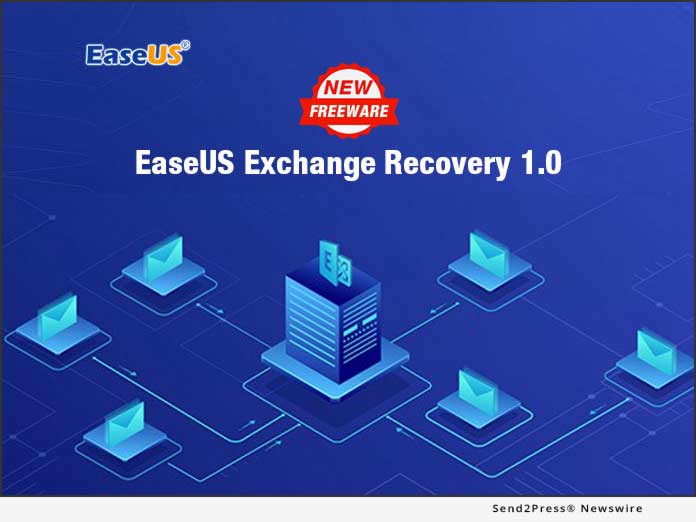
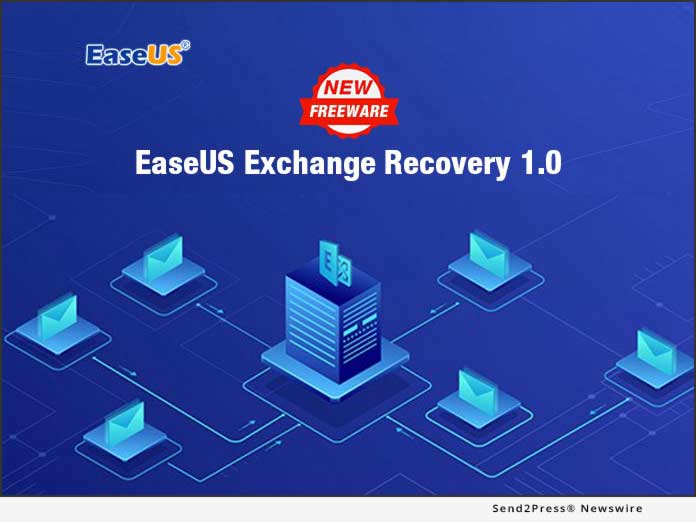
The Official Launch of New Freeware: EaseUS Exchange Recovery 1.0

NEW YORK, N.Y. /ScoopCloud/ -- Great news today: EaseUS has announced a new free utility for Exchange server user on-boarding - Exchange Recovery 1.0; recovering the lost EDB files by a quick 3 steps. This useful Exchange recovery app can solve a series of data loss cases in Exchange server database, and get business back to work with powerful recovery features.

There are some unexpected situations in which Exchange server database fails, for example, server system shutdown, mailbox breakdown, and database mounting issue. Losing the EDB files in Exchange means business loses the contacts inside and outside. EaseUS Exchange repair tool finds a more simple way than Eseutils Powershell Commands built in MS Exchange to recover the contents in popular mailboxes, like Outlook.

Recover corrupted EDB files:
EaseUS Exchange Recovery 1.0 recovers deleted mailbox from Exchange EDB File under a single account or multiple accounts, covering inbox, trash box, emails, attachments, calendar, contacts, tasks and journals into .msg files or to the live Exchange.

Search and locate the lost mailbox files precisely and quickly:
It only takes one click to get file scanning started. As it starts, this EDB file recovery software hits the ground running, works automatically to search the damaged Exchange Server database files, and spares quite a bit of trouble in setting up. With progressive scanning algorithms, it cuts down the working time to analyze to identify tons of contents in Exchange database, and shows the found files in a list by usually known practice, for example, by the title of emails.

Preview and export recovered EDB files:
Not sure the retrieved files are all recoverable? No worries. This Exchange recovery software offers an option to preview the recoverable emails in Exchange database, and ensures the best recovery results. Without a doubt, it's a good choice to export the EDB files in .msg format which can be imported into Outlook mail client, and reviewed for further reference.

Working in MS Exchange 2019/2016/2013/2010/2007, this Exchange EDB file recovery solution emphasizes the importance of simplicity in a job app. Now it's totally free for business in Windows server with Exchange database. It makes great sense for business using Outlook mail to use the Exchange recovery freeware to recover the mailbox files and keep daily email contacts continue to run healthily.

FREE! EaseUS Exchange Recovery 1.0 is available now at:
https://www.easeus.com/data-recovery-software/exchange-recovery.html

About EaseUS Software:

EaseUS provides professional IT solutions for home, education and SMB users, service providers in data recovery, backup, system optimization and partition manager on both Windows and Mac platforms. Founded in 2004, EaseUS has established itself as a fast-growing international company with over 100,000,000 wonderful users in the world. For more information, please visit https://www.easeus.com/.

"EaseUS" is registered trademark of CHENGDU Yiwo Tech Development Co., Ltd.

News from EaseUS Software

EaseUS has announced a new free utility for Exchange server user on-boarding - Exchange Recovery 1.0; recovering the lost EDB files by a quick 3 steps. This useful Exchange recovery app can solve a series of data loss cases in Exchange server database, and get business back to work with powerful recovery features.

Related link:

This version of news story was published on ScoopCloud™ (ScoopCloud.com) - part of and © the Neotrope® News Network - all rights reserved.

Innovative Solutions to ‘Windows 10 (1809) October 2018 Update Deleting Files’ Error by EaseUS Software

NEW YORK, N.Y. /ScoopCloud/ -- Microsoft has pulled the mass rollout of Windows 10 1809 October 2018 Update after a bug hitting users, causing file deletion on Windows PC. EaseUS Software is providing innovative solutions to fix this issue.

According to Microsoft, "We're empowering a new era of personal productivity. We've focused on helping people across their and personal lives by offering tools for whole life experiences and...."

Although Microsoft spoke highly of this new update of Windows 10 1809, the Windows 10 October Update has caused people's files to disappear. Some users even complained that the 'Documents' folder appeared to have been deleted, with no way to resolve this issue. Fortunately, EaseUS Software has gathered complete solutions to thoroughly resolve Windows 10 October 2018 Update deletes files error and restore all lost files.

Microsoft rolled-out Windows 10 October 2018 Update on 3 October 2018 and immediately pulled Windows 10 1809 update after receiving reports of 'documents being deleted' on 6 October 2018. During these three days, a major bug has hit some Windows 10 users, deleting their 'Documents' folder, overwriting files without asking.

It's not clear about the exact number of Windows 10 users have been affected by this problem, but even if it's a small percentage, it's still a troublesome problem for most ordinary users. Fortunately, Microsoft made a fast response without delay to halt the mass rollout. As for those users who have installed the latest October 2018 Update of Windows 10 and lost files, Microsoft also presented official solutions. And EaseUS Software also innovates some tricks here to help.

Official solutions from Microsoft
* For Windows users who have checked for this update and are experiencing a file missing issue:

Please contact Microsoft directly at +1-800-MICROSOFT or find a local number in your area for help.

If another computer can be accessed, please contact Microsoft at https://support.microsoft.com/en-us/contactus/ (link will vary according to country of origin).

* For those who have installed this update but haven't losing any files:

Please stop using the PC immediately to prevent further data loss. And to create a backup of useful files is also necessary.

* For users who haven't installed this update:

If the Windows 10 October 2018 Update installation media has been manually downloaded, please don't install it and wait until the new media is available.

Besides, a new update will be available and resumed to roll out to customers, promised by Microsoft. (But the date is still unknown.)

Innovative fixes provided by EaseUS Software

Besides Microsoft's official resolutions, EaseUS Software also provides great Windows users with innovative solutions to fix 'Windows 10 1809 deleting files' error and restore all deleted files by this update.

* For those users who have already installed the latest Windows 10 update:

If the 'Documents' folder files or other file gets deleted, a third-party piece of data recovery software will get back files deleted by Windows 10 October 2018 Update.

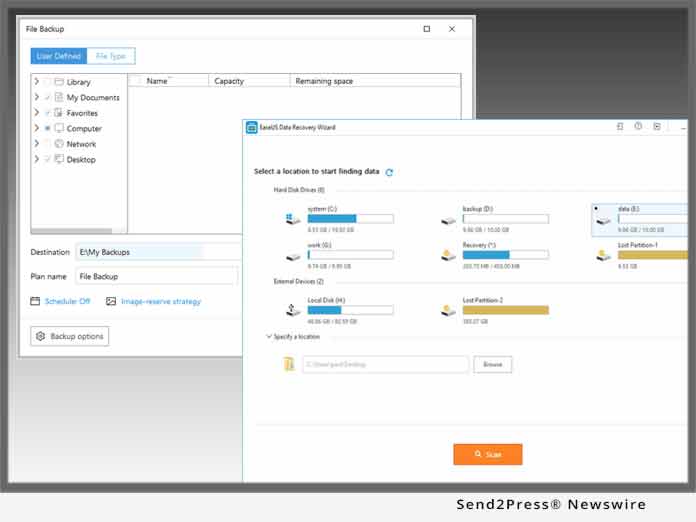
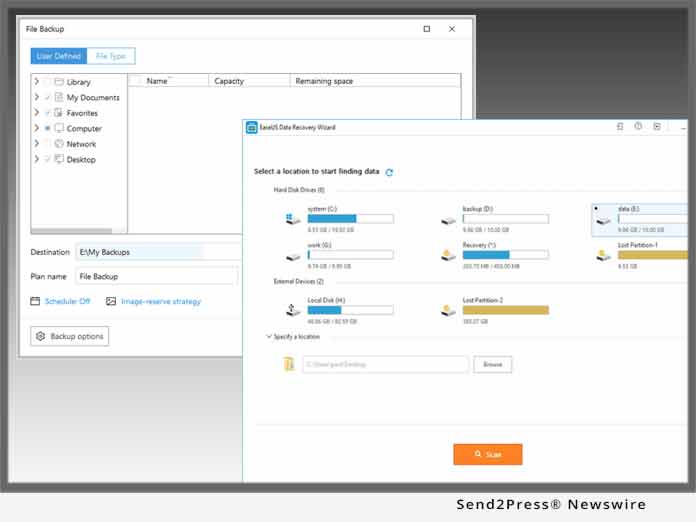
EaseUS data recovery - Data Recovery Wizard with its 'Specify a location' feature supports to specify an exact location and scan all lost files such as 'Documents' folder deleted by Windows 10 1809 Update.

If no file loss issue exists under Windows 10 October 2018 Update on Windows PC, to create a frequent backup of essential files is highly recommended.

EaseUS Windows backup and recovery software - Todo Backup with its schedule backup feature will save Windows user a lot of time and energy with a scheduled backup.

* For those Windows users who are planning to install Windows 10 October 2018 Update:

Please wait and do not rush!

Microsoft has committed to resume a new version of Windows 10 October 2018 update after resolving the 'deleting bug'. When the new version of Windows 10 1809 is available online with a mass rollout, install and enjoy the new features by then.

For further help to resolve other complex Windows 10 update issues such as Black Screen or Blue Screen death error, please refer to this page: https://www.easeus.com/solutions/windows-10-update-tips.html.

About EaseUS Software:
EaseUS(R) provides professional IT solutions for home, education and SMB users, service providers in data recovery, backup, system optimization and partition manager on both Windows and Mac platforms. Founded in 2004, EaseUS has established itself as a fast-growing international company with over 100 million wonderful users worldwide.

For more information, please visit https://www.easeus.com/.

EaseUS(R) is registered trademark of CHENGDU Yiwo Tech Development Co., Ltd.

Microsoft(R), Windows(R) are registered trademarks of Microsoft Corporation.

News from EaseUS Software

Microsoft has pulled the mass rollout of Windows 10 1809 October 2018 Update after a bug hitting users, causing file deletion on Windows PC. EaseUS Software is providing innovative solutions to fix this issue.

Related link:

This version of news story was published on ScoopCloud™ (ScoopCloud.com) - part of and © the Neotrope® News Network - all rights reserved.

EASEUS Celebrates the 14th Anniversary of Its Brand and Wants to Give Back to Society

CHENGDU, China /ScoopCloud/ -- EaseUS celebrates the 14th anniversary of its brand and wants to give back to the society that has trusted them for the over past decade. EaseUS, established in 2004, is a leading provider of storage management and data recovery solutions for millions of private and business users.

With decades of research and development, EaseUS products of advanced technology are now installed on millions of computers, workstations and servers worldwide helping to make digital life easy.

Today, EaseUS, as a pioneer in its field, operates in over 180 countries and areas.

The 14th Anniversary Giveaway Campaign:

This year anniversary, EaseUS backs up its claim to make life easy by donating to school projects.

* We invite you to participate in this campaign by lighting up our birthday candles, the more candles are lit, EaseUS will donate more to an education program for children in poor communities.

* You can also invite your friends - by sharing the activity to light more candles and help children improve their studying environment.

* Whenever you purchase a product from EaseUS, 50 percent will be donated to the school building projects and you also enjoy an additional 30 percent discount.

The anniversary gets better as EaseUS is giving out cash prizes and an iPhone 8 to participants.

Simply make a video and post on YouTube, get your friends to like and you could win:

* First Prize: an iPhone 8 (4.7-inch, 64GB or $500 Cash via PayPal)
* Second Prize: $150
* Third Prize: $100
* You could also win EaseUS software license keys for just participating.

For more information, please visit: https://www.easeus.com/campaign/anniversary-2018.php

The final result will be announced on August 24, 2018.

About EaseUS:
EaseUS provides professional IT solutions for home, education and SMB users, service providers in data recovery, backup, system optimization and partition manager on both Windows and Mac platforms. Founded in 2004, EaseUS has established itself as a fast-growing international company with over 100 million wonderful users in the world.

Company: Chengdu Yiwo Tech Development Co., Ltd

Address: 12 F, Building 1, Idealism Center, No. 38 Tian Yi Street, Hi-tech Zone, Chengdu, Sichuan Province, China

Website: https://www.easeus.com/

VIDEO (YouTube): https://youtu.be/eX5yZdxwRp8

News from EaseUS Software

EaseUS celebrates the 14th anniversary of its brand and wants to give back to the society that has trusted them for the over past decade. EaseUS, established in 2004, is a leading provider of storage management and data recovery solutions for millions of private and business users.

Related link:

This version of news story was published on ScoopCloud™ (ScoopCloud.com) - part of and © the Neotrope® News Network - all rights reserved.

EaseUS has just launched EaseUS MobiMover Free for Mac 3.0

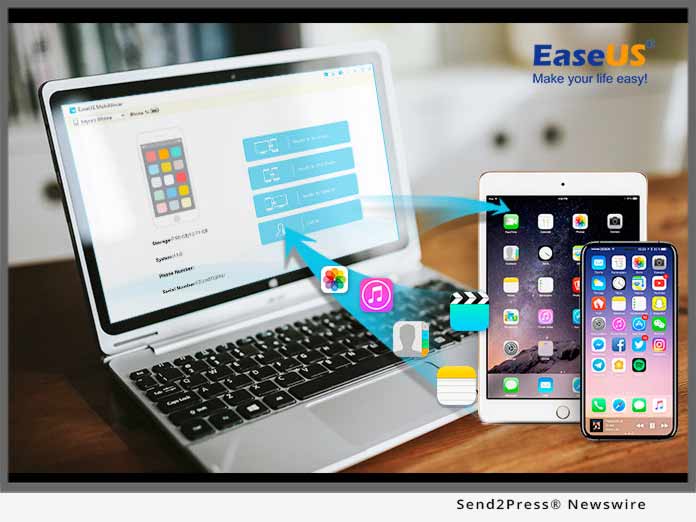
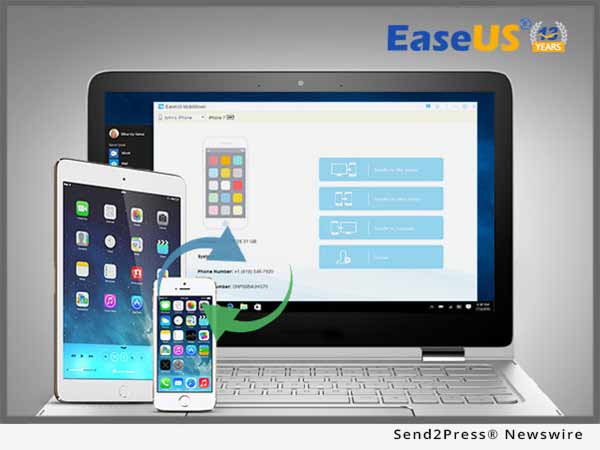
CHENGDU, China /ScoopCloud/ -- EaseUS MobiMover Free is one of the best iPhone data transfer tools. Now, EaseUS has just launched the EaseUS MobiMover Free for Mac 3.0. This version could help you to transfer all kinds of iPhone data from/to your iOS devices with a Mac. You could easily manage iPhone/iPad data like photos, videos, audios, contacts, calendars on a Mac.

EaseUS MobiMover Free for Mac 3.0 will accomplish many kinds of transfer or managing tasks as long as you need. The function of it is as great as the Windows version. You could transfer data from the Mac to an iPhone/iPad, transfer data from iPhone/iPad to another device, transfer data from the device to this Mac, and customly manage data on this device.

Transfer data from the Mac to an iPhone/iPad:
Apple devices are made for greater things than just Phone or platfrom computer. You could transfer songs, movies, photos from the Mac to this iPhone to enrich the content and make it much more enjoyable with EaseUS MobiMover Free for Mac. Also, this tool is helpful to import the backup data from Mac back to the device.

Transfer data between iPhone/iPad:
It's a great thing to have a new iPhone, but it will be annoying to if you have to do a tons of work to just import data from old device to the new one. EaseUS MobiMover Free for Mac is excelent with this job. It will help you to import all hte contacts, notes, voice mails, books, Safari bookmarks, photos, videos, audios and other kinds of files from the old device with just a few clicks.

Transfer data from iPhone/iPad to Mac:
It is a safe and helpful move to back up device regularly. However, with iTunes, it may take hours to back up device every single time. EaseUS MobiMover Free for Mac will save the situation. With the function of transferring data from device to Mac, it will help you to back up all the important data, contacts, messages, photos, videos, voice mails, voice memos, notes, Safari Bookmarks within just a few minutes.

Manage iPhone/iPad content with the Custom Function:
Custom is the function to manage data on device with EaseUS MobiMover Free for Mac 3.0. All the data and files will be displayed in this function. It will be easy to find, add, edit, delete a file that you need. It also supports to delete all the data at once with no more than 3 clicks.

EaseUS MobiMover Free for Mac 3.0 could support all the iPhone/iPad and Mac devices which are popular now. With the help of EaseUS MobiMover, all the transfer managing work with iPhone/iPad will be amazingly easy and quickly.

More information: https://www.easeus.com/phone-transfer/mobimover-free.html

Learn more about EaseUS at: http://www.easeus.com/.

News from EaseUS Software

EaseUS MobiMover Free is one of the best iPhone data transfer tools. Now, EaseUS has just launched the EaseUS MobiMover Free for Mac 3.0. This version could help you to transfer all kinds of iPhone data from/to your iOS devices with a Mac. You could easily manage iPhone/iPad data like photos, videos, audios, contacts, calendars on a Mac OS based machine.

Related link:

This version of news story was published on ScoopCloud™ (ScoopCloud.com) - part of and © the Neotrope® News Network - all rights reserved.

EaseUS New 11.0 Business Backup Solution Carries out Better Backup Tasks to Ensure Non-Stop Data Protection

CHENGDU, China /ScoopCloud/ -- EaseUS now just initiates the new 11.0 Todo Backup software for business users in which great changes come on the business schedule backup. This major upgrade alters the traditional setup of schedules to make sure that there is no break on the backup plans for business data among full backup, incremental backup and differential backup.

In this new 11.0 version, no matter small business or large enterprises can start backup strategy with higher efficiency and flexibility.

"Many times, we have received troublesome feedback from our users who worry about the disconnection between two or more backup plans due to the settings of backup schedule. Now the 11.0 version Todo Backup dispels the concerns on such problem that runs non-stop backup tasks over different schedule on time base or event base. Possibly, most on time program," said EaseUS CEO Mr. Wan on the launch meeting.

EaseUS business backup solution, including Workstation, Server, Advanced Server and Technician Editions, covers all essential backup on system, disks/partitions, files, Outlook emails, Exchange/SQL Server database from Windows PCs or Servers. Arranging from single machine environment to entire enterprise infrastructure, it's in a straightforward process to create backup tasks with a relatively automatic guide. As for business backup, schedule kicks in to simplify the whole admin routine and save plenty of trouble on manual work. It's much better to map out an overall backup plan before the backup setup rather than getting it done roughly.

It's usually found that parts of business data is left behind without backup due to the lack of well-thought-out schedule. For example, a monthly incremental backup task is fixed to execute on the beginning of the first Monday of the month, like November 05, 2017.

In the next month, the first Monday delays or maybe there is no the first Monday in the second month, like the first month on December is on the 26th that is decided by the backup program. Thus, there would be a pity in the leap on the second backup. To avoid such awkward situation, EaseUS Todo Backup 11.0 version helps edit business backup schedules accurate to every minute. Meanwhile, multiple backup tasks for full, incremental or differential copies can keep going on together on different schedules.

With no extra steps, it's simple and quick to set up multiple schedules on time or event depending on the business project. Data security and integrity are the core value for business backup work. EaseUS new 11.0 business backup tool attach much importance to the business continuity for technicians, IT admins, consultants, organizations or service providers.

Learn more about EaseUS Todo Backup for business 11.0: http://www.easeus.com/backup-software/business.html

About EaseUS Software:
EaseUS provides professional IT solutions for home, education and SMB users, service providers in data recovery, backup, system optimization and partition manager on both Windows and Mac platforms. Founded in 2004, EaseUS has established itself as a fast-growing international company with over 100 million wonderful users in the world. For more information, please visit http://www.easeus.com.

"EaseUS" is registered trademark of CHENGDU Yiwo Tech Development Co., Ltd.

News from EaseUS Software

EaseUS Software launches the new 11.0 Todo Backup software for business users in which great changes come on the business schedule backup. This major upgrade alters the traditional setup of schedules to make sure that there is no break on the backup plans for business data among full backup, incremental backup and differential backup.

Related link:

This version of news story was published on ScoopCloud™ (ScoopCloud.com) - part of and © the Neotrope® News Network - all rights reserved.

New EaseUS MobiMover 3.0: First Free iOS Data Transfer Software without Limits for iOS 11 and iPhone 8/8 Plus/X

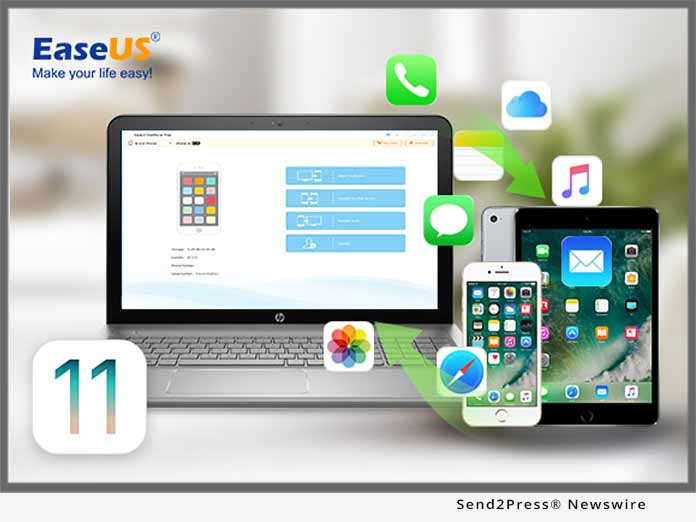
CHENGDU, China /ScoopCloud/ -- EaseUS has just announced the new release of MobiMover 3.0, the completely free iOS data transfer software compatible with new iPhone X/8/8 Plus with iOS 11. With the new user-friendly interface, the 3.0 version of the data transfer software can be used to transfer photos, videos, audios, contacts, notes, messages, calendars, voice mails and Safari bookmarks & history in easy 3 steps. Besides, the new video transcoding feature enables you to import videos in unsupported formats to your iDevice to enjoy them as you like.

EaseUS MobiMover 3.0, the phone transfer freeware to manage iPhone data, is designed to import data from PC to iPhone/iPad, export files from iPhone/iPad to PC, transfer items from one iDevice to another and manage iPhone/iPad contents by deleting, adding, editing items. The files supported include photos, music, ringtones, playlist, movies, TV shows, home videos, contacts, notes, messages and more, which vary according to the feature you'd like to use.

Copy data from old iPhone to new iPhone X/8/8 Plus:

To keep all the important files ready for use on the current device, migrating the contents from previous iPhone to the new iPhone is needed. Contents like contacts, notes, books, Safari bookmarks, photos, videos and audios can all be synced from one iPhone to another.

Keep contents safe on old iPhone to PC:

No one would like to lose all the data on previous iPhone while getting the new one. In order to keep the old iPhone data safe, backing up the contents of the old device to computer is necessary. By importing contacts, messages, notes, calendars, voice mails, books, Safari bookmarks & history, photos, videos, audios from iPhone to PC, the concern for data loss will be eliminated.

Add files to iPhone X/8/8 Plus to enrich its contents:

To make the new iPhone more enjoyable, adding files like photos, videos, audios, contacts, notes, Safari bookmarks from computer can help a lot. The existing data on the new iPhone won't be replaced by the newly added items.

Manage iPhone X/8/8 Plus items from computer:

MobiMover also provide the iPhone data customizing function. iPhone contents could also be managing with the tool. Deleting all contacts on iPhone at once, adding a new playlist to iPhone or editing the bookmarks on iPhone and more can be easily achieved from the computer.

EaseUS MobiMover 3.0, the easy iPhone data transfer tool installed on PC with Windows 10/8.1/8/7, helps to transfer data between two iOS devices and between iOS device and computer effectively. Besides, freely managing iPhone/iPad contents is made possible with the tool.

Know more about EaseUS MobiMover 3.0 at: https://www.easeus.com/phone-transfer/mobimover-free.html

About EaseUS Software:
EaseUS provides professional IT solutions for home, education and SMB users, service providers in data recovery, backup, system optimization and partition manager on both Windows and Mac platforms. Founded in 2004, EaseUS has established itself as a fast-growing international company with over 100,000,000 wonderful users in the world. For more information, please visit http://www.easeus.com.

"EaseUS" is registered trademark of CHENGDU Yiwo Tech Development Co., Ltd."
"iPhone(R)", " iPad(R)", and "iOS(R)" are registered trademarks of Apple Inc.

News from EaseUS Software

EaseUS Software has just announced this week the new release of MobiMover 3.0, the completely free iOS data transfer software compatible with new iPhone X/8/8 Plus with iOS 11. With the new user-friendly interface, the 3.0 version of the data transfer software can be used to transfer photos, videos, audios, contacts, notes, messages, calendars, voice mails and Safari bookmarks and history in easy 3 steps.

Related link:

This version of news story was published on ScoopCloud™ (ScoopCloud.com) - part of and © the Neotrope® News Network - all rights reserved.

MobiMover 3.0: No.1 Free iPhone Data Manager to Transfer Photos/Contacts/Videos/Music to New iPhone X/8/8 Plus

NEW YORK, N.Y. /ScoopCloud/ -- EaseUS has announced the new release of MobiMover 3.0, the third version of the free iPhone data transfer and management software. Compared to the previous version, MobiMover 3.0 has provided a more user-friendly interface and video transcoding prompt while transferring. Besides, the latest iPhone X in iOS 11 is perfectly supported by MobiMover. MobiMover 3.0 can be used to transfer files like Photos, Videos, Audios, Contacts, Notes, Messages, Calendars, Voice Mails and Safari Bookmarks & History in a cost-free way.

EaseUS MobiMover 3.0, the ultimate iPhone transfer program, is designed to import all kinds of files from PC to iPhone/iPad, export data from iPhone/iPad to PC, transfer them from one iOS device to another and manage iOS data by deleting, adding, and editing items without any quantity and size limitation.

Transfer data from old iPhone to new iPhone X/8/8 Plus:

MobiMover 3.0 offers one-click data transfer feature to sync the content from old iPhone to the new iPhone X/8/8 Plus to keep all the important files from the previous device to the using ones. Contents like contacts, notes, books, Safari bookmarks, photos, videos and music, ringtones and audiobooks can all be transferred from one iOS device to another in one-click.

Back up files on iPhone X/8/8 Plus to computer:

To keep the data safe, backing up iPhone contents to the computer is indispensable. This mature iPhone data transfer software allows for exporting contacts, messages, notes, calendars, voice mails, books, Safari bookmarks & history, photos, movies, TV shows, music videos, photos videos, and audios from iPhone to computer for both space clear and data backup.

Add photos/music/videos/contacts to iPhone X/8/8 Plus:

To enrich the iPhone contents in a quick way and make the new iPhone more enjoyable, adding files like photos, videos, audios, contacts, notes, Safari bookmarks from a former iPhone/iPad backup or downloaded files saved on computer can help a lot. With this all-in-one iPhone transfer master, putting files to iPhone X/8/8 Plus is simple enough with only one-click.

Manage iPhone X/8/8 Plus content by adding/deleting/editing:

Managing iPhone content is also supported by this self-defined iPhone data transfer tool, such as deleting all contacts on iPhone at once, adding a new note to iPhone X or editing the playlists on iPhone 8 and more can be easily achieved from the computer.

In brief, with MobiMover 3.0, the free iOS data transfer software, installed on PC or laptop running Windows 10/8.1/8/7, it's quite easy and fast to transfer data between two iOS devices or between iOS device and computer. Meanwhile, comprehensive solutions for freely managing iPhone/iPad content is embedded seamlessly in this too.

Download the free iOS data transfer tool to have a try: https://www.easeus.com/phone-transfer/mobimover-free.html

About EaseUS Software:

EaseUS provides professional IT solutions for home, education and SMB users, service providers in data recovery, backup, system optimization and partition manager on both Windows and Mac platforms. Founded in 2004, EaseUS has established itself as a fast-growing international company with over 100,000,000 wonderful users in the world. For more information, please visit http://www.easeus.com.

"EaseUS" is registered trademark of CHENGDU Yiwo Tech Development Co., Ltd."
"iPhone(R)", " iPad(R)", and "iOS(R)" are registered trademarks of Apple Inc.

News from EaseUS Software

EaseUS has announced the new release of MobiMover 3.0, the third version of the free iPhone data transfer and management software. Compared to the previous version, MobiMover 3.0 has provided a more user-friendly interface and video transcoding prompt while transferring. Besides, the latest iPhone X in iOS 11 is perfectly supported by MobiMover. MobiMover 3.0 can be used to transfer files like Photos, Videos, Audios, Contacts, Notes, Messages, Calendars, Voice Mails and Safari Bookmarks & History in a cost-free way.

Related link:

This version of news story was published on ScoopCloud™ (ScoopCloud.com) - part of and © the Neotrope® News Network - all rights reserved.

New Version 2.5 of EaseUS MobiSaver for Android App Is Now Available in Google Play Store

NEW YORK, N.Y. /ScoopCloud/ -- EaseUS has just released the new 2.5 version of EaseUS MobiSaver for Android app in Google Play store on early November. The new version Android data recovery app helps to restore deleted photos, videos, contacts, call logs, SMS and WhatsApp messages quickly from internal memory and external SD card of Android phones or tablets. To undelete these types of files on phones running Android 4.0 - new Android Oreo 8.0, it's only a matter of a few taps.

Ranking the top data recovery app for Android, EaseUS MobiSaver automatically starts scanning to search for deleted files fast and displays Android data in well-organized order. The deep scan begins to retrieve deleted photos, videos, contacts, messages or call history right after the quick scan that would cost some time if a large data storage gets the Android device occupied.

In addition, it might be different on the display of deleted data scanning results whether the Android phone is rooted or not. This deleted Android data recovery app can automatically detect whether your Android phone is rooted or not before scanning. When trying to restore much more lost data, it's necessary to root Android phone at first and allow EaseUS MobiSaver for Android an access to deleted files. Certainly, it's done in a 100% safe way and has no effects on original data of Android phones.

The 2.5 version Android data recovery program can extract messages in texts as a default messaging app on devices in Android 4.4 or later when attempting to save deleted SMS and WhatsApp messages. In particular, once WhatsApp messages are rescued, it's easy to view restored text messages in app directly instead of going ahead to WhatsApp gadget. Besides, preview before recovery makes sense to ensure great recovery quality of exact photos, videos, contacts, calls and messages.

Deleted valuable photos by accident? Remove videos unexpected when cleaning up storage space? Cannot find important conversations on Android phones? The all-in-one deleted data recovery app for Android brings lost photos, videos, contacts, call history, SMS and WhatsApp all back in a few minutes.

EaseUS MobiSaver for Android - Recover Deleted Data App 2.5 version is now available at:

EeasUS website: https://www.easeus.com/android-data-recovery-software/app-version.html

Google Play Store: https://play.google.com/store/apps/details?id=com.easeus.mobisaver

About EaseUS Software:

EaseUS provides professional IT solutions for home, education and SMB users, service providers in data recovery, backup, system optimization and partition manager on both Windows and Mac platforms. Founded in 2004, EaseUS has established itself as a fast-growing international company with over 100 million wonderful users in the world. For more information, please visit http://www.easeus.com/.

"EaseUS" is registered trademark of CHENGDU Yiwo Tech Development Co., Ltd.

News from EaseUS Software

EaseUS has just released the new 2.5 version of EaseUS MobiSaver for Android app in Google Play store on early November. The new version Android data recovery app helps to restore deleted photos, videos, contacts, call logs, SMS and WhatsApp messages quickly from internal memory and external SD card of Android phones or tablets.

Related link:

This version of news story was published on ScoopCloud™ (ScoopCloud.com) - part of and © the Neotrope® News Network - all rights reserved.

EaseUS Rolls out new 10.13 version Data Recovery Wizard for Mac adapted to upcoming macOS High Sierra 10.13

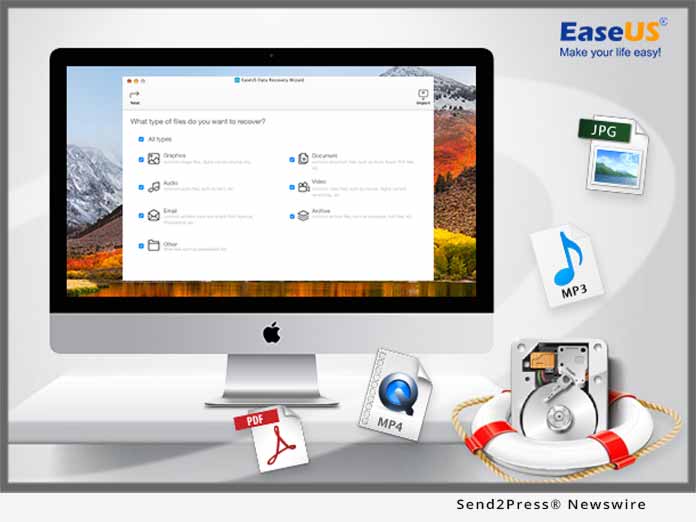
NEW YORK, N.Y. /ScoopCloud/ -- EaseUS Data Recovery Wizard for Mac - top Mac data recovery software is now updated to 10.13 new version prepared for a bunch of new Mac features introduced in the upcoming macOS High Sierra 10.13. With full support on pioneer Apple File System (APFS), this 10.13 data recovery software for Mac can help recover deleted, formatted or inaccessible files with high recovery performance ever since.

In daily life, common risks lead to data loss, like accidental deletion, formatted partition, partition loss, virus attack, hard drive failure and even system crash. EaseUS file recovery software on Mac saves lost photos, document, videos, audios, emails and other contents from MacBook, iMac, internal/external hard drive, SSD, USB flash drive, SD card, memory card, digital camera or other devices running new macOS High Sierra.

Apply File System is a new follow-up file system to the old HFS+ file system that is default in advanced macOS 10.13. This new 64-bit file system brings new data management solution on Mac with great responsiveness and security. EaseUS 10.13 Mac file recovery program is redesigned with detailed adjustment to new features of macOS High Sierra, especially the refinement to restore lost data from APFS partition within a few clicks.

The new version EaseUS Data Recovery Wizard for Mac focuses on data recovery quality and data protection under new Mac operating system. When installing new macOS High Sierra, there is certainly possibility to lose parts of files unexpectedly. The just-arrived 10.13 data recovery software on Mac is a quick file recovery solution to rescue data loss when upgrading to macOS High Sierra 10.13 and disaster occurs.

Ready for changes on macOS and update to new macOS 10.13 without data loss? Backing up Mac data before macOS High Sierra download can really avoid much data loss cases and lay data protection with future recovery probability. EaseUS Todo Backup for Mac can do this job to help protect data from potential threats.

However, without data backup on Mac, EaseUS data recovery software Mac version is highly qualified to recover data lost or deleted from macOS High Sierra 10.13 update. The recovery features in the 10.13 version make it much easier to retrieve lost files under new APFS with forward-looking data recovery technologies for Mac data management and security.


EaseUS Data Recovery Wizard for Mac 10.13 is available at: http://www.easeus.com/mac-data-recovery-software/

About EaseUS Software:
EaseUS provides professional IT solutions for home, education and SMB users, service providers in data recovery, backup, system optimization and partition manager on both Windows and Mac platforms. Founded in 2004, EaseUS has established itself as a fast-growing international company with over 100,000,000 wonderful users in the world. For more information, please visit http://www.easeus.com.

"EaseUS" is registered trademark of CHENGDU Yiwo Tech Development Co., Ltd.

macOS(R) and Mac(R) are registered trademarks of Apple Inc.

News from EaseUS Software

EaseUS Data Recovery Wizard for Mac - top Mac data recovery software is now updated to 10.13 new version prepared for a bunch of new Mac features introduced in the upcoming macOS High Sierra 10.13. With full support on pioneer Apple File System (APFS), this 10.13 data recovery software for Mac can help recover deleted, formatted or inaccessible files with high recovery performance ever since.

Related link:

This version of news story was published on ScoopCloud™ (ScoopCloud.com) - part of and © the Neotrope® News Network - all rights reserved.

New EaseUS MobiMover 2.0: World’s First Free iOS Data Transfer Software to Transfer Photos / Videos / Audios / Contacts to iPhone 8

CHENGDU, China /ScoopCloud/ -- EaseUS has just announced the new release of MobiMover 2.0, the completely free iOS data transfer software compatible with the coming iPhone 8 with iOS 11. The 2.0 version of the data transfer software can be used to transfer photos, videos, audios, contacts, notes, messages, calendars, voice mails and Safari bookmarks & history in 3 easy steps.

EaseUS MobiMover 2.0, the phone transfer freeware to manage iPhone data, is designed to export files from PC to iPhone/iPad, export files from iPhone/iPad to PC, transfer files from one iPhone/iPad to another and manage iPhone/iPad content by deleting, adding, editing items. The files can be transferred include photos, music, ringtones, playlist, movies, TV shows, home videos, contacts, notes, messages and more, which vary according to the feature used.

Sync contents from old iPhone to new iPhone 8:
It's necessary to migrate the content from old iPhone to the new iPhone 8 to keep all the important files from the previous device ready for use on the current device. Contents like contacts, notes, books, Safari bookmarks, photos, videos and audios can all be transferred from one iPhone to another.

Back up contents on old iPhone to computer:
Buying a new iPhone doesn't mean being willing to lose the data on old iPhone. To keep the data safe, backing up the contents of the old device to computer is inevitable. By transferring contacts, messages, notes, calendars, voice mails, books, Safari bookmarks & history, photos, videos, audios from iPhone to computer, the concern for data loss will be eliminated.

Add files to iPhone 8 to enrich its contents:
To make the new iPhone 8 more enjoyable, adding files like photos, videos, audios, contacts, notes, Safari bookmarks from a former iPhone/iPad backup or downloaded files saved on the computer can help a lot.

Manage iPhone 8 content from computer:
Customizing iPhone content is also enabled with the tool. Deleting all contacts on iPhone at once, adding a new note to iPhone or editing the playlists on iPhone and more can be easily achieved from the computer.

EaseUS MobiMover 2.0, the easy iPhone data transfer tool installed on PC with Windows 10/8.1/8/7, helps to transfer data between two iOS devices and between iOS device and computer effectively. Besides, freely managing iPhone/iPad content is made possible with the tool.

Know more about EaseUS MobiMover 2.0 at:
https://www.easeus.com/phone-transfer/mobimover-free.html

About EaseUS Software:
EaseUS provides professional IT solutions for home, education and SMB users, service providers in data recovery, backup, system optimization and partition manager on both Windows and Mac platforms. Founded in 2004, EaseUS has established itself as a fast-growing international company with over 100 million wonderful users in the world. For more information, please visit https://www.easeus.com.

"EaseUS" is registered trademark of CHENGDU Yiwo Tech Development Co., Ltd.

"iPhone(R)," " iPad(R)," and "iOS(R)" are registered trademarks of Apple Inc.

News from EaseUS Software

EaseUS has just announced the new release of MobiMover 2.0, the completely free iOS data transfer software compatible with the coming iPhone 8 with iOS 11. The 2.0 version of the data transfer software can be used to transfer photos, videos, audios, contacts, notes, messages, calendars, voice mails and Safari bookmarks and history in 3 easy steps.

Related link:

This version of news story was published on ScoopCloud™ (ScoopCloud.com) - part of and © the Neotrope® News Network - all rights reserved.

Transfer Photos, Music, Contacts and Videos in just One Click: New EaseUS MobiMover 1.0 Launches for Easy iPhone Data Transfer

NEW YORK, N.Y. /ScoopCloud/ -- EaseUS MobiMover 1.0, the new iPhone data transfer software to import and export full contents between iPhone/iPad and PC with smart file management solutions. This new 1.0 iPhone data transfer tool supports transferring contents in various types with only one-step or customized settings, such as Contacts, Notes, Messages, Calendars, Voice Mail, Ringtones, Photos, Music, Videos, Safari Bookmark and History, and Playlists.

EaseUS iOS data transfer software can play an effective role when need to import whole iPhone/iPad data to PC to keep data safe, transfer data from old iPhone/iPad to newly bought one, share wonderful photos and videos with others using iOS devices, back up iPhone/iPad data when upgrade and downgrade, move iPhone/iPad files to another device to free up space, add contents to iPhone/iPad from computer, and add or delete specific item on iOS device as wish.

Transfer iPhone/iPad data with simple one-click:
Three direct single click transfer models are full-scale supported in this iPhone transfer program: importing from PC to device, transferring between two iOS devices and exporting files from iPhone/iPad to PC. Merely locating and choosing the files need to be moved, the data transfer will begin straightforward with amazing speed.

Migrate iPhone/iPad data by certain category:
Except for one-step transfer, the self-defined iPhone data transfer still allows for exporting and importing iPhone/iPad data by specific categories, which exactly means to transfer by contacts/music/photos/calendar/audios or videos. In addition, the phone transfer can also be particular to one message, one photo or any customized quantity.

Manage iPhone/iPad files with integrated solutions:
Apart from the basic transfer, this iPhone transfer and manager provides ultimate files management methods within the application itself too, like adding pictures to photo library from local PC or web page, deleting and editing notes conveniently via computer keyboard operations, importing audio files into a playlist or exporting certain playlist file. What's more, any change on files can be automatically refreshed and synced to iPhone and iPad.

In brief, compatible with Windows 7/8/8.1/10, iOS 8 and later, this all-in-one iPhone transfer enables to transfer data between iPhone/iPad and PC or between two iOS devices at remarkable speed. Meanwhile, iOS file adding, deleting, and syncing utilities are embedded seamlessly.

New EaseUS MobiMover 1.0 is available now at: https://www.easeus.com/phone-transfer/mobimover.html.

About EaseUS Software:
EaseUS provides professional IT solutions for home, education and SMB users, service providers in data recovery, backup, system optimization and partition manager on both Windows and Mac platforms. Founded in 2004, EaseUS has established itself as a fast-growing international company with over 100 million wonderful users in the world. For more information, please visit https://www.easeus.com/.

EaseUS(R) is registered trademark of CHENGDU Yiwo Tech Development Co., Ltd.

iPhone(R), iPad(R), and iOS(R) are registered trademarks of Apple Inc.

News from EaseUS Software

EaseUS MobiMover 1.0, the new iPhone data transfer software to import and export full contents between iPhone/iPad and PC with smart file management solutions. This new 1.0 iPhone data transfer tool supports transferring contents in various types with only one-step or customized settings, such as Contacts, Notes, Messages, Calendars, Voice Mail, Ringtones, Photos, Music, Videos, Safari Bookmark and History, and Playlists.

Related link:

This version of news story was published on ScoopCloud™ (ScoopCloud.com) - part of and © the Neotrope® News Network - all rights reserved.

New EaseUS Partition Master 12.5 comes to manage dynamic disks and clone disks with high efficiency

CHENGDU, China /ScoopCloud/ -- EaseUS has just released version 12.5 of Partition Master, its popular disk partition manager software that can help to manage not only basic disk, but also dynamic ones with high efficiency. Good news of this v12.5 disk partition management solution is to make the best use of disk space on dynamic disks, except for partitioning features, like formatting, converting basic disks into dynamic, extending dynamic volumes and removal.

EaseUS Partition Master can easily partition hard drives where a large amount of data relies on and makes Windows PCs or Servers running at the best performance. To get the most from PCs or Servers, this disk partition software provides basic partitioning features, for example, resizing, merging, formatting, moving, deleting or hiding partitions as well as advanced utilities to clone disk for data backup and restore partition loss for data recovery.

In the new 12.5 version, the focus is to manage dynamic disks in simple click and take advantage of every available disk space. As basic disks, dynamic disks are the mostly common used storage types which are composed by a list of volumes, called dynamic volumes. Dynamic disks can be used to do much more things on computer than basic disks do, like creating volumes to span multiple disks or fault tolerant volumes, increasing volume sizes, merging two or three small disks into a large volume, making high read/write speed of hard drive and protecting critical data.

Therefore, partitioning dynamic disks brings much flexibility for disk space or specific volume management. The 12.5 partition tool is able to resize simple volumes, spanned volumes, striped volumes, mirrored volumes and RAID-5 volumes on dynamic disks and make sure enough disk space for Windows system smooth running. In addition, formatted dynamic volumes can increase disk usage and solve low disk space problems on hard drive.

Besides, another change is the partitioning support on large capacity hard drives and unlimited disks in the Pro edition and later advanced editions. EaseUS free partition manager software still can resize partitions of 8TB capacity in a single volume and manage 6 disks at most at the same time.

In short, in the 12.5 version update, EaseUS partition manager software makes great change on dynamic disk management and disk cloning function that can really enhance the performance of Windows PCs or Servers with disk storage well organized.

New EaseUS Partition Master 12.5 is available now at: http://www.easeus.com/partition-manager/epm-pro.html

About EaseUS Software:

EaseUS provides professional IT solutions for home, education and SMB users, service providers in data recovery, backup, system optimization and partition manager on both Windows and Mac platforms. Founded in 2004, EaseUS has established itself as a fast-growing international company with over 100,000,000 wonderful users in the world. For more information, please visit http://www.easeus.com.

"EaseUS" is registered trademark of CHENGDU Yiwo Tech Development Co., Ltd."

News from EaseUS Software

EaseUS has just released version 12.5 of Partition Master, its popular disk partition manager software that can help to manage not only basic disk, but also dynamic ones with high efficiency. Good news of this v12.5 disk partition management solution is to make the best use of disk space on dynamic disks, except for partitioning features, like formatting, converting basic disks into dynamic, extending dynamic volumes and removal.

Related link:

This version of news story was published on ScoopCloud™ (ScoopCloud.com) - part of and © the Neotrope® News Network - all rights reserved.

EaseUS Announces Great Upgrade on its Mac Cleanup and Optimizing Utility to Keep Mac Running at Its Best

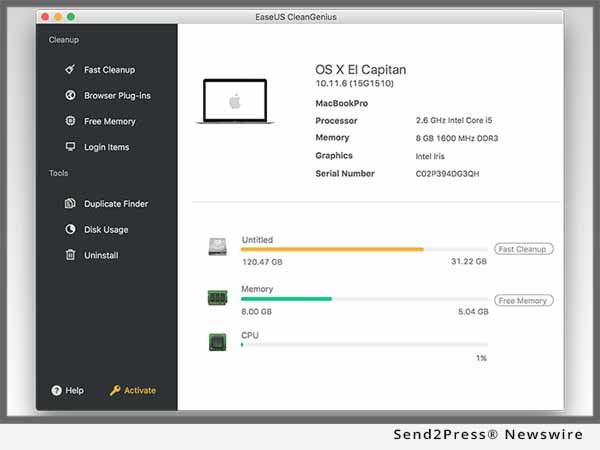
NEW YORK, N.Y. /ScoopCloud/ -- EaseUS announces a major update on CleanGenius for Mac that helps Mac users to clean up junk or large useless files in only a few clicks and run a MacBook or iMac faster with high performance. The new 5.0 version of its Mac optimizing tool tunes up latest macOS Sierra or previous Mac OS X effectively with many built-in features for better performance.

EaseUS CleanGenius for Mac, a smart Mac cleaner, clears junk files like system caches, user caches, system logs, user logs, downloads or trash away from Mac hard drive and free up much disk space for what accounts. After launching, information about the Mac machine is fully displayed including the distribution of memory, processor and the status of CPU.

Meanwhile, it starts to clean up web browsers' plug-ins, extensions, cookies and caches from Safari, Google Chrome and Firefox. However, the bookmarks and browsing history would not be removed.

To maintain Mac with high performance, fair usage of internal memory makes sense. A common operation on Mac is to add more large files to the home folder until the warnings that it's out of space. In unlucky cases, that always causes bootable failure. To leave enough storage space for normal system running, EaseUS CleanGenius for Mac can free up RAM that applications are occupied and slowing down Mac.

On the other side, Mac is usually cluttered with files and applications at startup. Managing startup apps makes Mac fast to boot up. This Mac optimizing utility can keep control on a list of login items whether are opened or not at the launch.

EaseUS Mac cleaner also can easily find duplicate files or identical copies that slow down Mac exactly and save much space to improve the processing speed. At the same time, it solves low disk problems and makes sure disk space well-organized.

Of course, this Mac optimizing tool shows clearly disk usage on HDD or SSD and keeps monitoring on how much space is occupied in real time. When the hard drive runs out of space, it will automatically alert of such risks to rearrange.

To empty out much disk space, uninstalling useless applications is a good practice to make Mac clean and speed up operations on Mac. The uninstaller feature in the Mac cleanup and optimizing software can remove apps into Trash along with caches, logs and preference thoroughly. By a series of Mac cleanup features, EaseUS CleanGenius speeds up Mac running with high performance and gets the most out of Mac machines no matter for work or daily life.

EaseUS CleanGenius for Mac is available now at: https://www.easeus.com/system-utilities/mac.htm

About EaseUS Software:

EaseUS provides professional IT solutions for home, education and SMB users, service providers in data recovery, backup, system optimization and partition manager on both Windows and Mac platforms. Founded in 2004, EaseUS has established itself as a fast-growing international company with over 100,000,000 wonderful users in the world. For more information, please visit https://www.easeus.com/.

"EaseUS" is registered trademark of CHENGDU Yiwo Tech Development Co., Ltd.

News from EaseUS Software

EaseUS announces a major update on CleanGenius for Mac that helps Mac users to clean up junk or large useless files in only a few clicks and run a MacBook or iMac faster with high performance. The new 5.0 version of its Mac optimizing tool tunes up latest macOS Sierra or previous Mac OS X effectively with many built-in features for better performance.

Related link:

This version of news story was published on ScoopCloud™ (ScoopCloud.com) - part of and © the Neotrope® News Network - all rights reserved.

EaseUS Announces the New Launch of Android App to Restore Deleted Photos and Videos Easily

NEW YORK, N.Y. /ScoopCloud/ -- EaseUS MobiSaver - Recover Deleted Photo & Video is a newly released app on Google Play to start file recovery on Android mobile devices. Like EaseUS MobiSaver for Android, Android data recovery software that helps to restore files deleted or lost in Android internal memory or SD card on Windows PC/laptop, this new mobile program gets this recovery feature to recover deleted photos or videos quickly and is available in Google Play now.

Immediate data recovery from Android phones is out of many reasons like deleting photo albums of large sizes for low memory, cleaning up videos by mistake, installing system updates or rooting to get the most out of Android device without any backup or file sync. EaseUS deleted photo & video recovery app for Android users works effectively to solve plenty of data loss cases and get lost multimedia files back within few clicks on smart phones.

Mobile has changed the way users take and keep pictures or videos. However, the space is limited to store data on smart phones. Data deletion or cleanup sometimes is inevitable to free much space for what necessary from SD memory card or internal storage.

EaseUS photo & video recovery app for Android is an easy-to-use widget to restore files deleted or lost by accident in only three steps on Android devices no matter rooted or not. Just install the app on Google Play, then start scanning to search for lost data, and go for recovery after preview.

Root access on Android is to exploit built-in features in Android system. It's really worth rooting Android phones for all the goodies, like seeking hidden capability of Android, admitting permission to data, boosting running speed and backing up phones.

This new Android app for photo and video recovery only gets access to deleted files and is able to search in-depth and find exactly what have been deleted: no worry about privacy and information leak.

Compatible with Android 7.0, 6.0, 5.1, 5.0, 4.4, 4.3, 4.2, 4.1, 4.0, this data recovery app for Android makes photo & video recovery as easy as touches away on the tips of fingers. It's much flexible to filter data in or after the recovery process by setup conditions, like file types, the created date of files and only displaying deleted ones.

EaseUS MobiSaver - Recover Deleted Photo and Video is now available on Google Play: https://www.easeus.com/android-data-recovery-software/app-version.html

About EaseUS Software:

EaseUS provides professional IT solutions for home, education and SMB users, service providers in data recovery, backup, system optimization and partition manager on both Windows and Mac platforms. Founded in 2004, EaseUS has established itself as a fast-growing international company with over 100 million wonderful users in the world. For more information, please visit https://www.easeus.com/.

"EaseUS" is registered trademark of CHENGDU Yiwo Tech Development Co., Ltd.

News from EaseUS Software

EaseUS MobiSaver - Recover Deleted Photo & Video is a newly released app on Google Play to start file recovery on Android mobile devices. Like EaseUS MobiSaver for Android, Android data recovery software that helps to restore files deleted or lost in Android internal memory or SD card on Windows PC/laptop, this new mobile program gets this recovery feature to recover deleted photos or videos quickly and is available in Google Play now.

Related link:

This version of news story was published on ScoopCloud™ (ScoopCloud.com) - part of and © the Neotrope® News Network - all rights reserved.

ScoopCloud Newswire

EaseUS Releases Newly Designed Mac Backup App – Todo Backup for Mac

CHENGDU, China /ScoopCloud/ -- EaseUS has revealed an exciting innovation with its newly designed Todo Backup for Mac to keep MacOS data safe from threats. With long term research and development, EaseUS' brand new Mac backup software covers advanced backup and disaster recovery features that are vital and handy for data security.

Move documents to Trash accidentally without backup? Experience an unexpected shutdown on Mac and lose important files? MacBook or iMac is suddenly attacked by ransomware or malware? Risks of data loss spread across everywhere. Millions of devices are stuck on non-protected operating systems.

However, how to fix it or save data from such destructive disaster? To back up Mac regularly is the best practice to address information security. EaseUS Todo Backup for Mac follows an innovative philosophy to make full copy of data in a simple way and has a fast access to restore everything back to original state in case of further damage.

Before things go wrong, in fact backup on Mac is only an insurance plan to protect critical documents, photos, emails, music, videos, audios or anything that matters. Of course, there are other similar methods to deal with data protection difficulties, like cloning disks along with saved data to another one or synchronizing files among different locations without physical data migration that possibly causes serious data loss.

This all-in-one Mac backup solution involves backup archive, disk cloning and file sync features for complete data protection. What's more, all things that matter data security on Mac can be done automatically as backup schedules are reasonably set up at the first stage.

EaseUS new backup software for Mac has an advantage over Time Machine backup - a built-in function under macOS Sierra or previous Mac OS X on flexibility that caters to the majority of demands from Mac users. To get ready for any emergency like privacy leak, it comes with backup encryption that only allows specified administrator with privilege an access to key information. Besides, backup file compression saves much disk space to make better Mac performance.

EaseUS Todo Backup for Mac 3.3.3 is now available at: http://www.easeus.com/backup-software/todo-backup-mac.html

About EaseUS Software:

EaseUS provides professional IT solutions for home, education and SMB users, service providers in data recovery, backup, system optimization and partition manager on both Windows and Mac platforms. Founded in 2004, EaseUS has established itself as a fast-growing international company with over 100 million wonderful users in the world. For more information, please visit http://www.easeus.com.

"EaseUS" is registered trademark of CHENGDU Yiwo Tech Development Co., Ltd.

EaseUS has revealed an exciting innovation with its newly designed Todo Backup for Mac to keep MacOS data safe from threats. With long term research and development, EaseUS' brand new Mac backup software covers advanced backup and disaster recovery features that are vital and handy for data security.

This version of news story was published on ScoopCloud™ (ScoopCloud.com) - part of the Neotrope® News Network - all rights reserved.

ScoopCloud Newswire

New EaseUS Partition Master 12 Helps Create/Resize Dynamic Disks or Volumes with High Efficiency, Best Use of Hard Drive Capacity

SICHUAN, China /ScoopCloud/ -- EaseUS issues new v12.0 Partition Master that can easily create, resize, merge, delete, format, hide, wipe, check or explore partitions on HDDs and SSDs for both Windows PC and server system. In this new 12.0 version, there is an advanced change in creating dynamic disks or volumes including RAID-5 volume for Windows Server that helps to get the most from PCs and Servers. Besides, new Traditional Chinese and Danish versions are available now.

EaseUS Partition Master, a professional partition manager software, can do a list of disk partitioning work to take full advantage of disk space and achieve higher PC performance. The basic task of disk partition software is to resize or move partitions on hard drive in a safe way without data loss.

There are two disk types when referring to storage types: basic disk and dynamic disk. EaseUS Partition Master 12.0 helps to create/resize dynamic disks or volumes such as simple, spanned, striped, mirrored, and RAID-5 volumes efficiently to enlarge much disk space and maximize disk usage. In general, it must be formatted with the NTFS file system to extend a basic volume. However, it's much flexible to manage volumes on dynamic disks that offer possibility to convert basic disk to dynamic disk.

When converting a basic disk into dynamic, EaseUS partition manager can create volumes that span multiple disks (spanned and striped volumes) or fault-tolerant volumes (mirrored and RAID-5 volumes). Of course, it also can repair RAID-5 volumes for Windows Server and keep server running without interruption. Partitioning dynamic disks is much beneficial to increase volume size and extend free disk space with maximum disk capability.

To gain high performance of dynamic disk, EaseUS disk partition software v12.0 offers another option to clone dynamic volumes including system volume to unallocated space on basic disk. The cloning function makes it much possible to solve low disk space problem on system drive.

New EaseUS Partition Master 12.0 is available now at: http://www.easeus.com/partition-manager/epm-pro.html

About EaseUS Software:

EaseUS provides professional IT solutions for home, education and SMB users, service providers in data recovery, backup, system optimization and partition manager on both Windows and Mac platforms. Founded in 2004, EaseUS has established itself as a fast-growing international company with over 100 million wonderful users worldwide. For more information, please visit http://www.easeus.com/.

"EaseUS" is registered trademark of CHENGDU Yiwo Tech Development Co., Ltd."

EaseUS issues new v12.0 Partition Master that can easily create, resize, merge, delete, format, hide, wipe, check or explore partitions on HDDs and SSDs for both Windows PC and server system. In this new 12.0 version, there is an advanced change in creating dynamic disks or volumes including RAID-5 volume for Windows Server.

This version of news story was published on ScoopCloud™ (ScoopCloud.com) - part of the Neotrope® News Network - all rights reserved.

ScoopCloud Newswire

EaseUS Launches Main Update of Interactive Interface for Data Recovery Wizard 11.0 to Improve Users’ Experience in Recovering Lost Data

CHENGDU, China /ScoopCloud/ -- EaseUS Data Recovery Wizard 11.0 has just been released with brand new interface to simplify whole data recovery process to minimize cost and time. This popular data recovery software restores lost or deleted document, photo, music, video, audio and email from almost catastrophic data loss disasters like hard drive damage, disk or partition formatting, virus attack, system crash, partition loss, RAW partition, operation error, etc.

By EaseUS 11.0 version data recovery wizard, only three easy steps are needed to get everything lost back again. Tuned software interface guides users to locate where data loss occurs precisely, search for lost files at flashing speed and save lost data within just few of clicks.

After launching the data recovery program, quick scan automatically begins to retrieve corrupted files on storage media such as hard drive, SSD, USB, memory card, SD card, CF card, digital camera and music player. As quick scan ends, deep scan is running immediately to search for much more lost, hidden or inaccessible data thoroughly. The search results are displayed respectively and clearly for users to target recoverable files with ease.

There is nothing worse than losing data that matters most and is irreplaceable. Most often the reasons for data loss are accidental. Prompt data rescue takes effects when original data is not overwritten. EaseUS safe data recovery solution allows users to preview all recoverable data before jumping into recovery process.

Meantime, it's convenient to pause or resume scanning in the lost data tracking. When all lost or deleted files are retrieved, data filtering is much necessary to target the right files. On the interface, all found files are listed in order and easy to discriminate by file or file folder's name and the amount of lost files.

EaseUS deleted file recovery software does really help in putting deleted files out of Recycle Bin, recovering everything from formatted hard drive or partition, partition loss or RAW partition. This professional data recovery solution is an easy and effective attempt to save lost data as the user-friendly interface across all storage devices makes every step much clear.

New EaseUS Data Recovery Wizard 11.0 is available now at:
http://www.easeus.com/data-recovery-software/

About EaseUS Software:

EaseUS provides professional IT solutions for home, education and SMB users, service providers in data recovery, backup, system optimization and partition manager on both Windows and Mac platforms. Founded in 2004, EaseUS has established itself as a fast-growing international company with over 100,000,000 wonderful users in the world. For more information, please visit http://www.easeus.com.

"EaseUS" is registered trademark of CHENGDU Yiwo Tech Development Co., Ltd."

EaseUS Data Recovery Wizard 11.0 has just been released with brand new interface to simplify whole data recovery process to minimize cost and time. This popular data recovery software restores lost or deleted document, photo, music, video, audio and email from almost catastrophic data loss disasters like hard drive damage, disk or partition formatting, virus attack, system crash, partition loss, RAW partition, operation error, etc.

This version of news story was published on ScoopCloud™ (ScoopCloud.com) - part of the Neotrope® News Network - all rights reserved.

ScoopCloud Newswire

EaseUS Launches a Major Update of Todo Backup 10.0 for Business to Perform Data Backup and Recovery Task Much Easier

NEW YORK, N.Y. /ScoopCloud/ -- EaseUS makes a major update on its business data backup and recovery software from 9.3 to 10.0 in 2016. Users take first look at how powerful a new business backup strategy is when the 10.0 edition EaseUS Todo Backup software is now fully compatible with Windows Server 2016 and Exchange Server 2016. In addition, system clone is a new alternative way for system backup in 10.0. Exporting or importing backup tasks also saves the trouble of resetting when necessary.

EaseUS, an international provider of award-winning backup solution, has conducted a survey in the last month about data security. It shows that about 60 percentage people have experienced data loss disasters, among them, 35 percentage businesses were hit by serious information crisis for lack of suitable backup plans.

Owing to absence in data loss defense measures, business always finally bears sudden blow upon asset, market or even future development. Newly released EaseUS Todo Backup 10.0 for enterprises prepares business of all scale for any potential risks and protects all critical data from destructive damage. In particular, new features in the EaseUS 10.0 backup software take advantages over average data backup solutions to simplify IT admin routine and cut down much cost, like Windows Server 2016 backup, Exchange Server 2016 backup, system clone/migration and unparalleled backup schedule export or import.

System clone function in EaseUS Todo Backup for business 10.0 makes much prominent effects when there is a demand to change hard drive to a new one of better performance. Therefore, it's unnecessary to reinstall the operating system by making an exact copy of system and still running it as normal.

Besides, when replacing HDD with SSD where difference on disk property exists, it's no worry about cloning data stored on original HDD, because disk or partition 4K alignment makes data transfer easier than ever before and minimizes downtime as possible.

Enterprises always encounter emergency more or less and have to quit temporarily or even abandon from then on. EaseUS Todo Backup, for business data safety, resorts to solving such dilemma in a smart way and holding a breakthrough in that field. After carrying out data recovery, records of the original backup activities may lose unexpectedly. Importing the old backup plans to resume is much easier for users to get all things going on like before with minimum time.

As for EaseUS Todo Backup software reinstallation or backups on new PCs or Servers, exporting backups in advance and importing directly then works well instead of creating new backup plans repeatedly. In addition, it's much ideal to check and fix damaged backup tasks when running the program the first time after importing the backups.

Learn more about EaseUS Todo Backup for business 10.0: http://www.easeus.com/backup-software/business.html.

About EaseUS Software

EaseUS provides professional IT solutions for home, education and SMB users, service providers in data recovery, backup, system optimization and partition manager on both Windows and Mac platforms. Founded in 2004, EaseUS has established itself as a fast-growing international company with over 100 million wonderful users in the world. For more information, please visit http://www.easeus.com/.

"EaseUS" is registered trademark of CHENGDU Yiwo Tech Development Co., Ltd.

EaseUS makes a major update on its business data backup and recovery software from 9.3 to 10.0 in 2016. Users take first look at how powerful a new business backup strategy is when the 10.0 edition EaseUS Todo Backup software is now fully compatible with Windows Server 2016 and Exchange Server 2016.

This version of news story was published on ScoopCloud™ (ScoopCloud.com) - part of the Neotrope® News Network - all rights reserved.