Tag Archives: screen recorder

iMobie Launches FocuSee 2.0, an AI Screen Recorder Delivering Professional-Quality Videos in 50% Less Time

LOS ANGELES, Calif., Sept. 25, 2025 (SEND2PRESS NEWSWIRE) — iMobie Inc., a cutting-edge company focused on digital software solutions, announces the release of FocuSee 2.0, significantly enhancing the popular screen recording software with integrated AI capabilities.
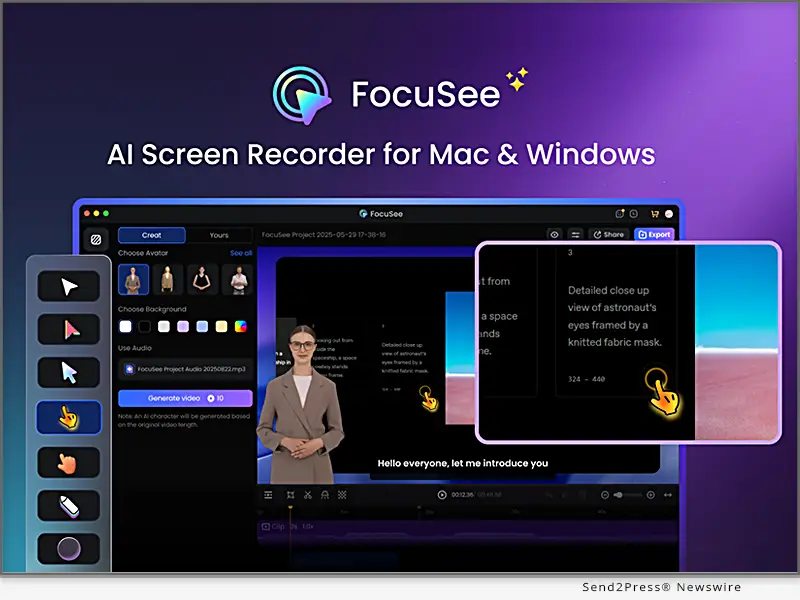
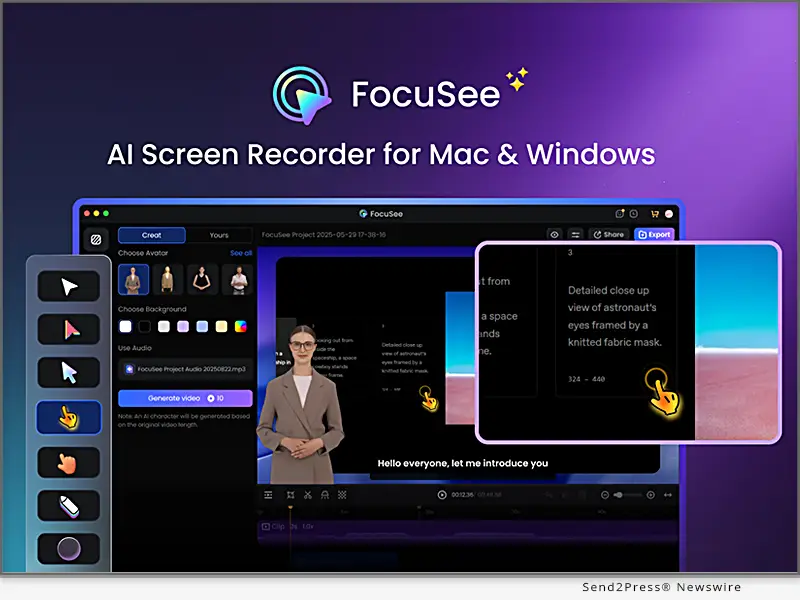
iMobie Launches FocuSee 2.0: AI Screen Recorder Delivers Professional-Quality Videos in 50% Less Time
Image caption: iMobie Launches FocuSee 2.0: AI Screen Recorder Delivers Professional-Quality Videos in 50% Less Time.

The update brings 6 powerful AI features that automatically transform raw screen recordings into polished, professional videos. No complex editing skills required: users can now produce high-quality demos, tutorials, online courses, and marketing videos in minutes instead of hours.

FROM AUTO-ZOOM TO AI SCREEN RECORDER

FocuSee has become a trusted solution for indie developers, creators, educators, and professionals, praised for simplifying video editing with its core auto-zoom feature.

“Users consistently tell us their biggest challenge isn’t recording. It’s the time-consuming editing process that follows. Most spend 50% of their time on post-production tasks like removing silence, adding captions, and polishing video,” said Frank Kong, CEO of iMobie.

He adds, “FocuSee 2.0 addresses these pain points by integrating proven AI technologies into the editing workflow. Users can now create engaging, professional videos that would typically require expensive editing software or outsourced production services. We’ve essentially automated the editing process while maintaining the simplicity our users love.”

Experience the latest FocuSee now: https://focusee.imobie.com/

WHAT’S NEW IN FOCUSEE 2.0?

Packed with advanced AI innovations and enhancements, FocuSee 2.0 brings a range of exciting upgrades designed to help users streamline the workflow.

AI Virtual Avatar: Eliminate Camera Shyness

The new AI Virtual Avatar feature creates realistic digital presenters, solving a common challenge for users who prefer staying off-camera. Users can maintain personal connections with their audience while protecting privacy. It is perfect for tutorials, marketing videos, or product demos.

AI Audio Optimization: Boost Efficiency and Sound Quality

The AI Filler Word & Silence Remover automatically detects and removes unwanted silences, stutters, and filler words like “uh” or “um,” resulting in smoother, more polished delivery. Meanwhile, the screen recording automatically adapts and aligns with the trimmed audio, so the visuals always stay in sync and consistent. Paired with AI Noise Removal & Voice Enhancer, it cleans up background noise and improves vocal clarity, providing studio-quality sound.

AI Background Removal & Subtitles: Enhance Visuals and Accessibility

FocuSee 2.0’s AI automation handles tedious editing tasks that typically consume hours. AI Background Removal to easily replace or remove video backgrounds for distraction-free visuals. AI Subtitles support speech recognition in over 50 languages, instantly generating accurate, time-synced captions to boost accessibility and viewer comprehension.

Enhanced cursor animations, a refined interface, and improved performance ensure a seamless workflow in FocuSee 2.0, further reinforcing its mission to make professional video production accessible to all.

COMPATIBILITY AND PRICE:

FocuSee works on both Windows and macOS, with prices from $24.99 at https://focusee.imobie.com/pricing.htm

ABOUT IMOBIE:

iMobie Inc. is an advanced software developer dedicated to making the digital life simpler for users worldwide. Visit: https://www.imobie.com/.

NEWS SOURCE: iMobie Inc.


This press release was issued on behalf of the news source (iMobie Inc.), who is solely responsible for its accuracy, by Send2Press Newswire. Image, if any, was provided by the news source and not this website or the wire service. Information is believed accurate, as provided by the news source, but is not guaranteed.

To view the original story, visit: https://www.send2press.com/wire/imobie-launches-focusee-2-0-an-ai-screen-recorder-delivering-professional-quality-videos-in-50-less-time/

Copr. © 2025 Send2Press® Newswire, Calif., USA. -- REF: S2P STORY ID: S2P129591 NOREL-3B
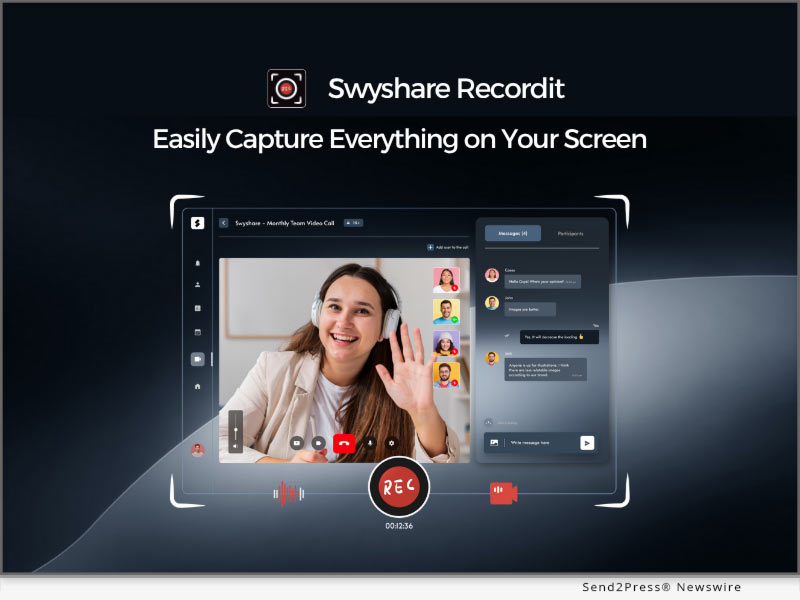
 

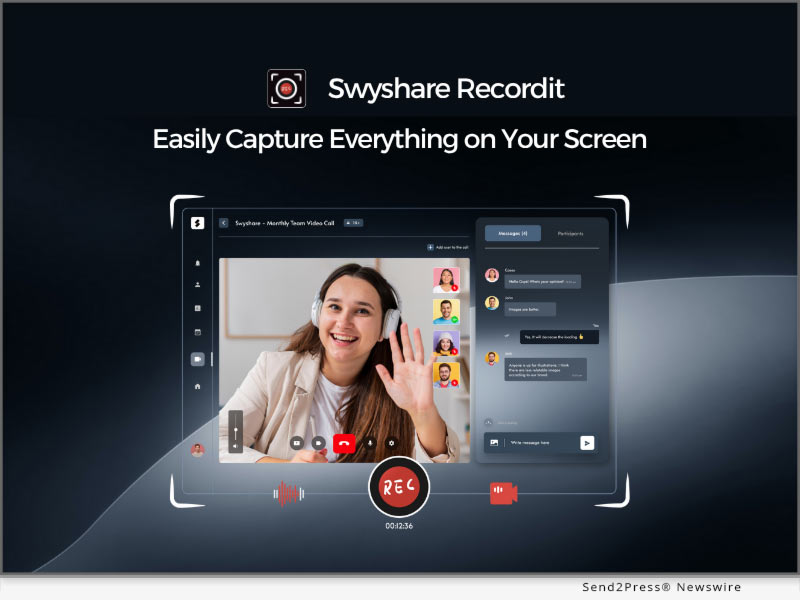
Swyshare Launches Recordit – A Simple Yet Powerful Screen Recorder Built for All Your Recording Needs

LOS ANGELES, Calif., May 28, 2025 (SEND2PRESS NEWSWIRE) — Swyshare, a growing innovator in digital creativity tools, today announced the release of Recordit, a simple yet powerful screen recorder designed for users who need fast, efficient, and high-quality screen capture. Whether you’re recording online meetings, tutorial videos, gameplay, or presentations, Recordit provides the tools you need in an intuitive, no-fuss interface.

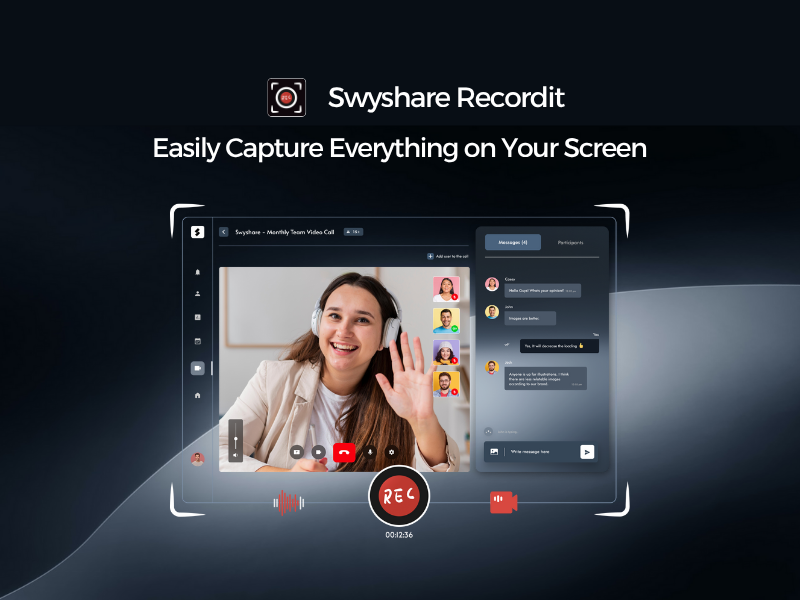
Easily record any on-screen activity with Recordit
Image caption: Easily record any on-screen activity with Recordit.

“With Recordit, we focused on making screen recording as simple and effective as possible,” said Jesse Lau, CEO of Swyshare. “Creating high-quality recordings is simple, even if you’re not tech-savvy. By using Recordit, anyone can produce clear, confident screen recordings.”

EXPLORE THE KEY FEATURES OF SWYSHARE RECORDIT:

  • Multiple Recording Modes – Capture your entire screen, a specific application window, or a custom region with just a few clicks.
  • Audio Recording – Simultaneously record system sound and microphone audio for clear, synchronized results.
  • Webcam Integration – Add a webcam overlay to your recordings, ideal for video commentary, online teaching, or reaction videos.
  • On-Screen Annotations – Draw and add mouse effect in real time to emphasize key points or guide viewers.
  • High-Quality Output – Record in HD with support for multiple formats like MP4, GIF, MP3 and more.
  • Screenshots – Easily take screenshots with hotkeys.
  • Clean Interface – A minimalist design makes navigation and operation easy, even for first-time users.

BUILT FOR VERSATILITY

Whether you’re a student recording lectures, a business professional saving a webinar, or a gamer sharing highlights, Swyshare Recordit is built to handle a wide range of recording scenarios with ease.

AVAILABILITY AND COMPATIBILITY

Swyshare Recordit is available now for both Windows (Windows 10 or later) and macOS ( macOS 11 or later). Users can download Recordit today from the Swyshare official website.

PRICE:

Swyshare Recordit is available through three flexible licensing options:

  • 1-Year Plan: $9.95 – Automatically renews; cancel anytime; valid for 1 device.
  • Lifetime Plan: $19.95 – One-time purchase; valid for 1 device.
  • Family Plan: $29.95 – One-time purchase; valid for up to 5 devices.

All plans include unlimited recording time, watermark-free exports, free updates, and customer support. Try it worry-free – Swyshare includes a 30-day money-back guarantee.

Upgrade Recordit: https://www.swyshare.com/recordit/buy/

ABOUT SWYSHARE

Swyshare is committed to developing lightweight, user-friendly tools that empower users to create, share, and communicate more effectively. From screen capture to media management, Swyshare software helps users make the most of their digital experiences.

For more information, visit:

https://www.swyshare.com/

https://www.swyshare.com/recordit/

MULTIMEDIA:

YouTube video: https://www.youtube.com/watch?v=ehIJceml__o&t=8s

IMAGE LINK for media:

https://www.swyshare.com/wp-content/uploads/recordit-send2press-banner.png

Image caption: Easily record any on-screen activity with Recordit.

NEWS SOURCE: Swyshare


This press release was issued on behalf of the news source (Swyshare), who is solely responsible for its accuracy, by Send2Press Newswire. Image, if any, was provided by the news source and not this website or the wire service. Information is believed accurate, as provided by the news source, but is not guaranteed.

To view the original story, visit: https://www.send2press.com/wire/swyshare-launches-recordit-a-simple-yet-powerful-screen-recorder-built-for-all-your-recording-needs/

Copr. © 2025 Send2Press® Newswire, Calif., USA. -- REF: S2P STORY ID: S2P126537 NOREL-3B

 

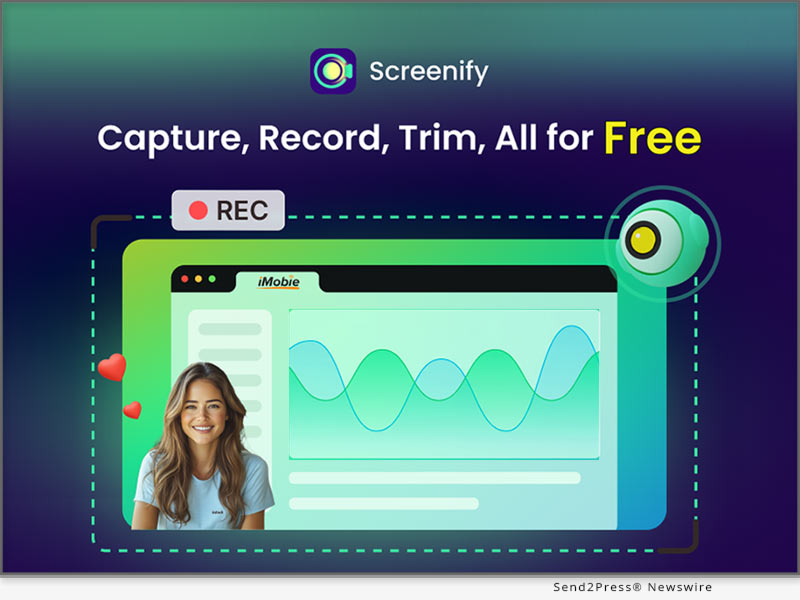
iMobie Launches Screenify: The Completely 100% Free Screen Recorder with Advanced Features and No Limits, Versatile for All Recording Needs

LOS ANGELES, Calif. /ScoopCloud/ -- iMobie, a leading tech company with over 12 years of experience, has just released Screenify, a 100% free yet feature-packed screen recording tool to make high-quality videos for content creators, educators, marketers, gamers, tech support professionals, and everyone. Users can capture their screens, audio, microphone, and webcam without any restrictions on video time, quality, quantity, or watermarks.

"We believe screen recording should be accessible and unrestricted for all," said Frank Kong, CEO of iMobie. "However, after doing research, we found existing free tools are severely limited in use or features. That's why we created Screenify - a 100% free screen recorder with advanced features and no limits, empowering users to create better videos at no cost."

EXPLORE KEY FEATURES OF SCREENIFY:

:: Flexible Recording with Multiple Modes

Screenify offers multiple recording modes to meet the diverse needs of users. They can freely choose to record the whole screen, a specific application, or a window, with the option to include or exclude system audio, microphone, and webcam.

:: High-quality Recording with Maximum Clarity

Record high-quality videos up to 4K resolution at 60fps. Apply the real-time noise reduction to eliminate background noise in one click. With Screenify, everyone can enjoy crisp and clear videos with ease.

:: Add Context with Real-time Annotation

Real-time annotations can significantly enhance the clarity and engagement of screen recordings - highlight key points with circles, pinpoint crucial information with arrows, add extra context with texts, and more with drawing tools.

:: Place A Custom Watermark

For those who need to boost brand recognition or copyright, Screenify provides the functionality to add a customized watermark to the video.

:: Keep Just Core Content with Trim Tool

With the built-in trim tool, it's easy to cut out lengthy preparation and closing segments, and retain only the most essential content.

:: Multiple Export Formats for Different Usages

Multiple export formats are available to match different usages, including video formats like MP4, GIF, MOV, and audio formats such as MP3, AAC, and OGG.

LEARN MORE:

Explore full features and get Screenify free now: https://www.imobie.com/screenify/

SCREENIFY WORKS FOR ALL USE CASES:

* Content Creation: Capture and share video tutorials, creative processes, software reviews, etc.

* Education and Training: Record courses and tutorials for students or employees to self-study or review.

* Meetings and Webinars: Record meetings and webinars for post-event review or sharing with partners who couldn't attend.

* Product Demonstrations: Showcase software workflows and features to potential customers.

* Gameplay Sharing: Record gameplay to share highlights, tips, and strategies with the audience.

* Technical Support: Capture troubleshooting process to guide customers in resolving issues efficiently.

Compatibility and Price:

Screenify works on both Windows and macOS, and is 100% free to use. Get it here: https://www.imobie.com/screenify/

About iMobie:

iMobie Inc. is an advanced software developer dedicated to making the digital life simpler for users worldwide. Visit: https://www.imobie.com

News from IMobie Inc.

iMobie, a leading tech company with over 12 years of experience, has just released Screenify, a 100% free yet feature-packed screen recording tool to make high-quality videos for content creators, educators, marketers, gamers, tech support professionals, and everyone. Users can capture their screens, audio, microphone, and webcam without any restrictions on video time, quality, quantity, or watermarks.

Related link: https://www.imobie.com/

This version of news story was published on ScoopCloud™ (ScoopCloud.com) - part of and © the Neotrope® News Network - all rights reserved.

Uplift Back-to-School Season 2024 with Edimakor: Get up to 50% off and a chance to win $100

NEW YORK, N.Y. /ScoopCloud/ -- Edimakor is an advanced AI video editor from HitPaw that makes video creation easy and fun. It provides powerful features like AI video background remover, AI subtitle translator, text to speech, and more to help users quickly edit and enhance videos. Edimakor is excited to announce its Back-to-School season event for the new semester, running until September 11, 2024. This is an excellent opportunity to utilize Edimakor's advanced video production tools to document your campus experiences and elevate your content.

About Back-to-School Event

By using Edimakor's advanced video editing tools to create fun school life videos, participants in the event will not only have the chance to demonstrate their creativity but also stand a chance to win valuable prizes, including a $100 Amazon gift card and a complimentary one-year Edimakor subscription. Seize this opportunity to refine your video projects and potentially earn rewarding incentives.

How to Participate

Here are the simple steps to take part in Edimakor's Back-to-School event:

1. First, download the Edimakor video editor or screen recorder app to your device. This will allow you to easily create your vlog videos.

2. Use Edimakor's editing features like AI video background remover, subtitles, effects and more to make an awesome video related to school life, learning experiences, back-to-school tips, or any creative ideas you have.

3. Post your Edimakor video on social media and be sure to include the hashtag #Edimakorbacktoschool and tag @hitpaw_edimakor. This allows your video to be entered in the event.

4. Send the link to your posted video along with your email address to the Edimakor team so they can notify winners.

5. The Edimakor team will review entries and email lucky winners of the $100 Amazon gift cards or 1 year free VIP plans before the event ends.

Up to 50% Off

For the back-to-school season, Edimakor is offering exclusive discounts up to 50% off on purchases of its video editing apps and software like the Edimakor video editor and Edimakor screen recorder. Students can save big on tools to help create their school vlog videos.

Summary

Edimakor has launched a Back-to-School event for students to showcase their creativity through vlog videos and win prizes like $100 Amazon gift cards or 1 year free plans of Edimakor Screen Recorder. Students simply need to download Edimakor, create a school life video, share it with the hashtag #Edimakorbacktoschool and @hitpaw_edimakor, and submit their email. Edimakor is also offering up to 50% off discounts on its video editing tools for the back-to-school season.

About Edimakor

Edimakor aims to unleash creativity by making high-quality video production accessible to everyone.

For more information about Edimakor's Back-to-School event, visit: https://edimakor.hitpaw.com/back-to-school.html

Follow on social:

Facebook: https://www.facebook.com/EdimakorOfficial

X/Twitter: https://x.com/HitpawEdimakor

YouTube: https://www.youtube.com/@HitPawEdimakorOfficial

News from HitPaw

Edimakor is an advanced AI video editor from HitPaw that makes video creation easy and fun. It provides powerful features like AI video background remover, AI subtitle translator, text to speech, and more to help users quickly edit and enhance videos. Edimakor is excited to announce its Back-to-School season event for the new semester.

Related link: https://www.hitpaw.com/

This version of news story was published on ScoopCloud™ (ScoopCloud.com) - part of and © the Neotrope® News Network - all rights reserved.

HitPaw Video Editor V2.0.0 Released: The Ultimate Solution for Editing Professional and High-quality Videos

NEW YORK, N.Y. /ScoopCloud/ -- HitPaw, a cutting-edge software company, is excited to announce the launch of HitPaw Video Editor V2.0.0 with unprecedented advantages. This outstanding software, designed for users of all skill levels, enables everyone to create professional-quality videos easily. It is a powerful and user-friendly video editing tool that provides users with lots of features for making newfangled videos. HitPaw Video Editor is bound to redefine the video editing industry with its exceptional capabilities.

In this update, some new features and functions in HitPaw Video Editor V2.0.0 will be introduced, including screen recording, photo enhancement, voice changes, stickers, and exporting videos for multiple social media platforms.

LET'S CHECK OUT THE NEW FEATURES:

* Interesting stickers and effects

The new version of HitPaw Video Editor provides users with more than 50 stickers and effects. Everyone is allowed to add a playful and humorous element to the video with them. Without any doubt, the interesting stickers and effects are bound to help you edit your video creatively.

* Exporting videos for multiple social media platforms

Different social media platforms require various specifications for your video. You may worry that your video will be compressed on different platforms. Here is the good news! Before you export the video, there will be different suggestions for you according to the chosen platform. You can rest assured to upload your video without compression to different platforms.

* Brand new function of screen recording

With the new function of screen recording, you can record any kind of video, such as online meetings, online live-streaming, and computer games. No longer will you miss the important messages and exciting moments. You can capture every activity happening on your computer screen without any hassle.

* AI-powered photo enhancer and voice changer

Do you still feel annoyed at the blurry photos? With photo enhancement, you can easily transform blurry pictures into high-definition ones by adjusting various parameters of them. Do you want to make your voice sound more appealing? Using the voice changer of HitPaw Video Editor, you can change your voice as a male, female, or child with a single click, adding much more fun to your videos.

Compatibility and Price:

HitPaw Video Editor is compatible with Windows and MacOS. It costs $29.95 to subscribe for one-month plan, $39.95 for one-year plan, and $59.95 for lifetime plan.

More information: https://www.hitpaw.com/purchase/buy-hitpaw-video-editor.html

About HitPaw:

HitPaw is a burgeoning technology company that aims to provide its customers with an all-in-one solution for editing videos and photos. The company's mission is to simplify the video editing process and make video editing accessible to every user, in spite of their technical expertise or budget. With a proven record of success, HitPaw continues to make progress in providing better user experiences in the video editing industry.

INFORMATION:

https://www.hitpaw.com/

https://www.hitpaw.com/about.html

Social media:

YouTube: https://www.youtube.com/@hitpaw

Facebook: https://www.facebook.com/hitpawofficial

Twitter: https://twitter.com/HitPawofficial

Instagram: https://www.instagram.com/hitpawofficial/

Pinterest: https://www.pinterest.com/HitPawofficialwebsite/

News from HitPaw

HitPaw, a cutting-edge software company, is excited to announce the launch of HitPaw Video Editor V2.0.0 with unprecedented advantages. This outstanding software, designed for users of all skill levels, enables everyone to create professional-quality videos easily. It is a powerful and user-friendly video editing tool that provides users with lots of features for making newfangled videos.

Related link: https://www.hitpaw.com/

This version of news story was published on ScoopCloud™ (ScoopCloud.com) - part of and © the Neotrope® News Network - all rights reserved.

FonePaw Screen Recorder 7.0.0 Introduces New Features for Enhanced Gameplay Recording and Fluent Streaming

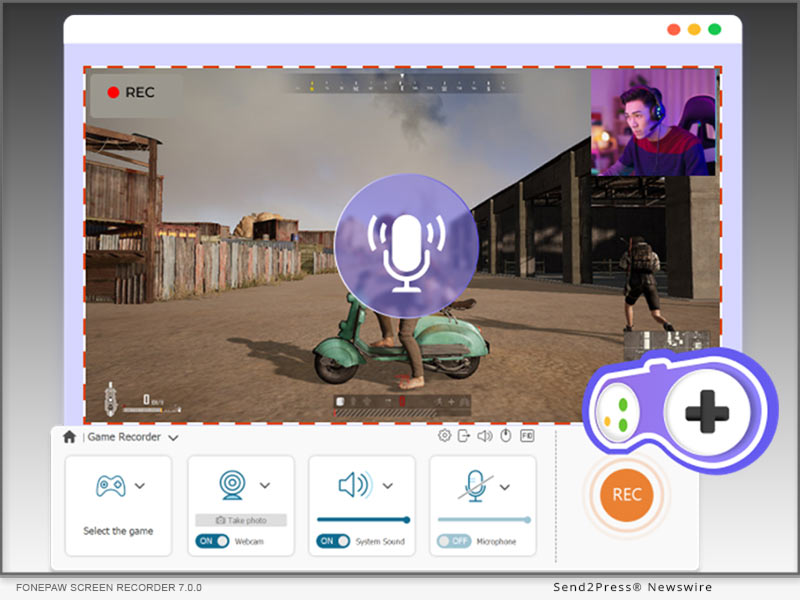
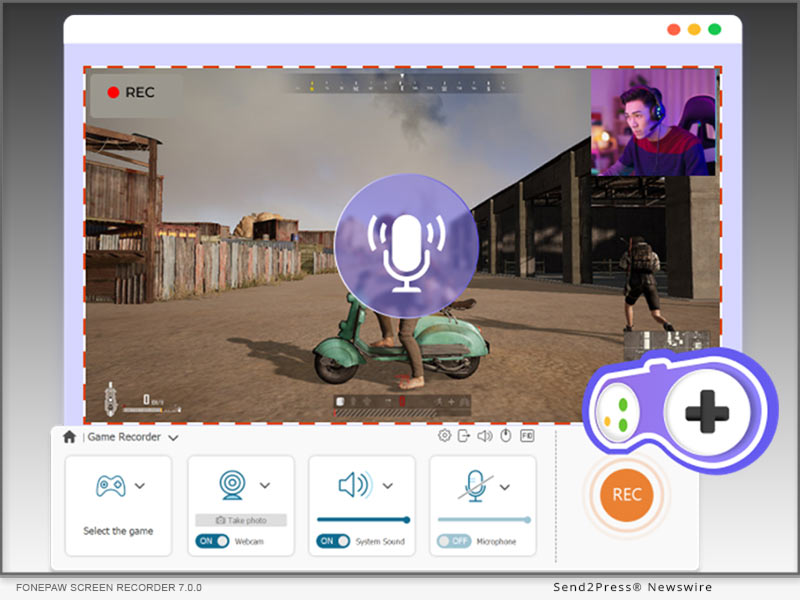
NEW YORK, N.Y. /ScoopCloud/ -- FonePaw Screen Recorder 7.0.0 is ready for better gameplay recording, with enhancements in video sharpness, audio quality, game and microphone volume, and hotkey setting.

Update to FonePaw Screen Recorder 7.0.0

Shout out to FonePaw Screen Recorder users! Based on valuable feedback from users & game players, the updated FonePaw Screen Recorder for game recording has become even more powerful in recording gameplay, enabling users to record 4K 60FPS videos, capture computer screen and webcam simultaneously, adjust microphone volume and game audio settings, and customize hotkeys. As leading software supported by Emodest Technology Limited, FonePaw Screen Recorder never stops improving its functions. New FonePaw Screen Recorder becomes better than ever to Record Games on Steam and other PC gaming platforms. Anticipated by users worldwide, FonePaw Screen Recorder 7.0.0 will debut on June 20, 2023, providing an opportunity to enjoy all the enhancements and features.

Among FonePaw's comprehensive features, the latest update in game recording solidifies its position as the leading recording software. Featuring diverse video and audio settings, high-quality resolution, advanced noise-reduction technology, convenient built-in editing tools, FonePaw Screen Recorder empowers game players to capture and customize their recordings with unparalleled precision and ease. FonePaw undoubtedly ranks top among Best Screen Recorders for Gaming and it is always dedicated to providing the ultimate recording experience that professionals and enthusiasts rely on.

WHAT IS NEW FOR GAME RECORDING?

1 - 4K Video Quality

Users can now delve into the captivating realm of gaming with FonePaw Screen Recorder's support for stunning 4K resolution at 60 frames per second. Leveraging advanced hardware acceleration techniques, this software ensures smooth recordings, devoid of any lag or visual artifacts. Every aspect of gameplay, from the minutest detail to adrenaline-fueled action sequences, is flawlessly captured. With impeccable precision, game players can capture every highlight, showcasing their skills and accomplishments in remarkable visual fidelity. The software's long-term recording capabilities guarantee uninterrupted gameplay sessions, preserving every pivotal moment with marvelous image quality. Besides, as the best screen recorder with no watermark, FonePaw will give you excellent viewing experience with the original scene.

2 - Simultaneous Game and Webcam Capture

FonePaw Screen Recorder 7.0.0 incorporates a webcam overlay. This feature allows users to connect with their audience on a deeper level, providing real-time reactions that enhance the overall viewing experience. With the webcam overlay, viewers can witness every smile, every intense expression, and every celebratory moment as it unfolds during gameplay. To ensure uninterrupted experience, FonePaw Screen Recorder updates with its built-in camera noise reduction feature. Live-streamers can expect their face and voice to be captured with exceptional clarity, ensuring that every nuance and detail is preserved. It is absolutely one of the best tries to align with today's live-streaming trend.

3 - Crystal Clear Audio Adjustment

Hundreds of thousands of posts asked how to adjust game volume and microphone volume during recording, with some even complaining about their recording software failing to make a balance between game volume and microphone volume. FonePaw Screen Recorder 7.0.0 gives its solution-allowing users to capture and adjust gameplay audio, background music, and microphone simultaneously. With advanced noise reduction and microphone enhancement features, microphone voice will be captured with remarkable clarity, ensuring that all the commentary and reactions can be heard loud and clear.

4 - Customizable Hotkeys

Convenient and speedy response means everything in game recording. The new FonePaw Screen Recorder empowers users with the convenience of customizable hotkeys, offering effortless control at their fingertips. Recording functions such as starting or stopping recordings, pausing or resuming, and capturing screenshots are just a keystroke away. The software adapts to individual preferences, providing a user-centric approach that allows gamers and content creators to focus on their craft. Whether it's an epic triumph, awe-inspiring scenery, or a hilarious glitch, users can effortlessly preserve their standout moments with a simple key press.

5 - Distraction-Free Gameplay Capture

FonePaw Screen Recorder introduces Lock-Window Recording, a useful feature that allows users to select and lock the gameplay window during recordings. Users definitely know what a bummer it is when some notification or an unexpected window pops out in the middle of a heated battle. By excluding other windows and stopping on-screen notifications, FonePaw Screen Recorder Lock-Windows mode empowers users to focus solely on their gameplay, capturing every moment with clarity and precision. This feature enhances the quality of gameplay recordings, ensuring an uninterrupted recording environment.

SPECIFICATIONS

Minimum System Requirements

* Windows Operating System: Windows 11, Windows 10, Windows 8.1, Windows 8, Windows 7, Windows Vista, or Windows XP (32-bit or 64-bit)

* Mac Operating System: Mac OS X 10.12 or above

Supported Output Format Specifications

For Windows:

* Video: WMV, MP4, MOV, F4V, AVI, TS

* Audio: MP3, WMA, AAC, M4A

* Screenshot: PNG, JPEG/JPG, GIF, TIFF, BMP

For Mac:

* Video: MP4

* Audio: M4A

* Screenshot: PNG

Pricing:

FonePaw Screen Recorder now offers a 30% discount for all the 3 plans.

Unleash the full potential of your gaming recordings with FonePaw's exclusive discount. Download the free version now or seize the chance to elevate your gaming experiences and subscribe FonePaw Screen Recorder to capture your best gaming moments.

Price after discount

* 1-Month Plan: US$19.56 for 1 PC

* 1-Year Plan: US$38.46 for 1 PC

* Lifetime Plan: US$79.77 for 2 PCs

NOTE All features are fully supported across all subscription plans. Additionally, subscribers to the Lifetime Plan will enjoy the benefit of accessing the software on up to two PCs, along with lifetime free updates.

LEARN MORE:

https://www.fonepaw.com/game-recorder/

https://www.fonepaw.com/recorder/record-gameplay-on-steam.html

https://www.fonepaw.com/recorder/top-game-recorders.html

https://www.fonepaw.com/recorder/free-screen-recorder-no-watermark.html

About FonePaw:

Born in Emodest Technology Limited, FonePaw is a leading software developer committed to providing innovative tech solutions, with FonePaw Screen Recorder being one of its flagship products. With a focus on excellence and user satisfaction, FonePaw continues to push boundaries in software development, delivering reliable and problem-solving solutions for users worldwide.

Official Website: https://www.fonepaw.com/

Contact E-mail: support@fonepaw.com

Youtube page: https://www.youtube.com/@Fonepaw

News from FonePaw

FonePaw Screen Recorder 7.0.0 is ready for better gameplay recording, with enhancements in video sharpness, audio quality, game and microphone volume, and hotkey setting. Among FonePaw's comprehensive features, the latest update in game recording solidifies its position as the leading recording software.

Related link: https://www.fonepaw.com/

This version of news story was published on ScoopCloud™ (ScoopCloud.com) - part of and © the Neotrope® News Network - all rights reserved.

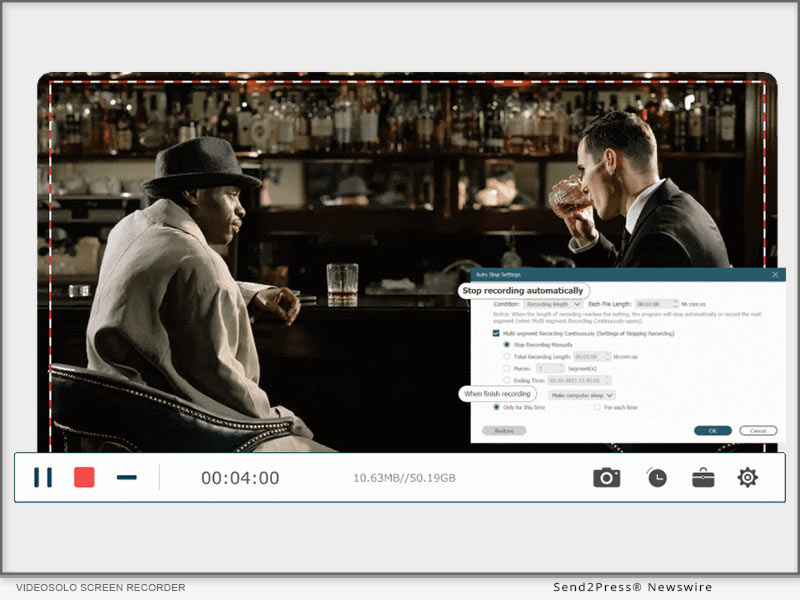
VideoSolo Screen Recorder – The Ultimate Solution for Capturing and Recording Videos

NEW YORK, N.Y. /ScoopCloud/ -- In today's digital age, the need for capturing and recording videos has become increasingly important. Whether you're a content creator, educator, gamer, or professional, having a reliable screen recording software is essential. VideoSolo Screen Recorder from Emodest Technology Limited emerges as a powerful tool that provides an exceptional video recording experience with its wide range of features and user-friendly interface.

Overview of VideoSolo Screen Recorder

VideoSolo Screen Recorder is a cutting-edge software designed to record videos from your screen effortlessly. It allows users to capture high-quality videos in various formats and resolutions, making it suitable for diverse needs. With its intuitive interface and customizable settings, VideoSolo Screen Recorder stands out from the competition as an efficient and versatile solution.

BENEFITS OF USING VIDEOSOLO SCREEN RECORDER

High-quality video recording: VideoSolo Screen Recorder offers an array of options to ensure high-quality video captures. It enables users to record videos in different formats, including MP4, AVI, FLV, and more. Additionally, the software allows recording audio from system sound or external sources, providing users with comprehensive audio recording capabilities.

Easy-to-use interface: VideoSolo Screen Recorder boasts a user-friendly interface that simplifies the recording process. Its intuitive controls and settings make it accessible for users of all levels of expertise. Whether you're a beginner or an advanced user, you can easily navigate through the software and start recording without any hassle. The interface is designed to be straightforward and visually appealing, ensuring a seamless recording experience.

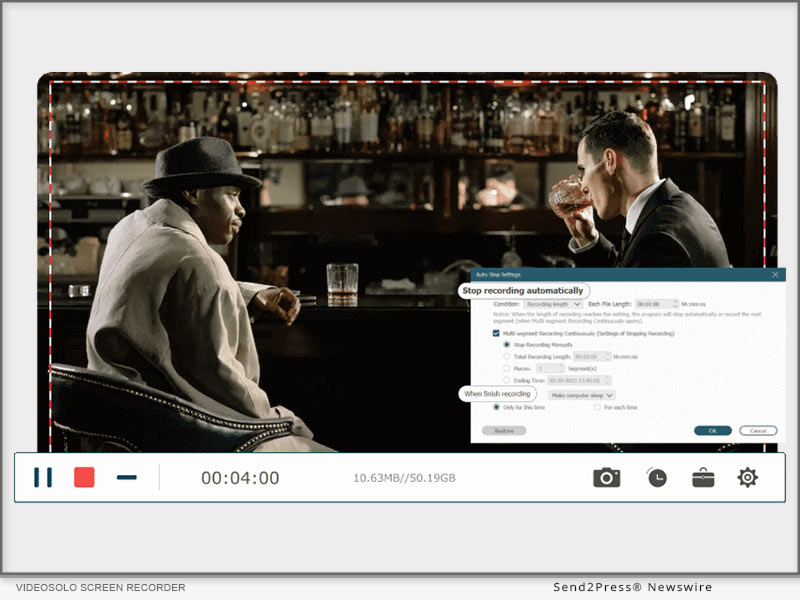
Versatility and flexibility: VideoSolo Screen Recorder offers versatile recording options to suit various needs. Users can choose to record the full screen, specific windows, or selected areas of their screen. This flexibility allows for targeted and precise recordings. Moreover, the software provides the ability to schedule and automate recordings, saving time and effort for users who require regular screen capturing.

Editing and sharing options: VideoSolo Screen Recorder goes beyond just capturing videos; it also provides editing and sharing functionalities. Users can trim, crop, and enhance their recorded videos directly within the software, eliminating the need for third-party editing tools. Furthermore, the software offers seamless integration with popular social media platforms, allowing users to easily share their recordings with a wider audience.

How to Use VideoSolo Screen Recorder

Using VideoSolo Screen Recorder is a breeze, even for those new to screen recording software. Here is a step-by-step guide to get you started:

Installation and setup:

* Visit the official VideoSolo website at https://videosolo.net/screen-recorder/ and download the software.

For Windows: https://videosolo.net/best-screen-recorder-windows-10/

For MAC: https://videosolo.net/best-screen-recording-software-mac/

* Follow the on-screen instructions to install VideoSolo Screen Recorder on your computer.

* Once installed, launch the software and familiarize yourself with the user interface.

Recording options and settings:

* Select the desired recording area by choosing between full screen, specific windows, or custom regions.

* Adjust the audio settings to capture system sound, microphone input, or both.

* Explore the various output formats and resolutions available to suit your needs.

* Customize additional settings such as hotkeys, frame rates, and cursor effects to enhance your recordings.

Start recording:

* Click the "Record" button or use the designated hotkey to begin your recording.

* During the recording, you can pause, resume, or stop the process as needed.

* Take advantage of the editing tools provided by VideoSolo Screen Recorder to enhance your video for Zoom Meeting , Use our guide : https://videosolo.net/record-zoom-meeting/.

Save and share your recordings:

* Once you're satisfied with your recording, save it to your preferred location on your computer.

* If you wish to share the recording, VideoSolo Screen Recorder allows you to directly upload your videos to popular social media platforms like YouTube, Facebook, and Vimeo.

Use Cases and Applications

VideoSolo Screen Recorder caters to a wide range of use cases and applications, including:

Recording online tutorials and educational videos:

Whether you're an online educator or a student, VideoSolo Screen Recorder is an invaluable tool for creating instructional videos, online courses, and tutorials. Capture your screen, demonstrate software or concepts, and deliver engaging educational content.

Creating software demonstrations and walkthroughs:

Developers and software trainers can utilize VideoSolo Screen Recorder to showcase their products and guide users through step-by-step tutorials. Record software demonstrations, highlight key features, and provide comprehensive instructions for your audience.

Capturing gameplay and streaming sessions:

Gamers can leverage the power of VideoSolo Screen Recorder to capture their gameplay, create gaming highlights, and share their gaming experiences with others. Whether you're a professional streamer or an avid gamer, the software ensures smooth and high-quality video recordings.

Recording video conferences and webinars:

VideoSolo Screen Recorder is an excellent companion for professionals participating in video conferences, webinars, or online meetings. Capture important discussions, presentations, or training sessions, and revisit them later for reference or sharing.

Comparison with Other Screen Recording Software

VideoSolo Screen Recorder stands out among its competitors due to its exceptional features and usability. When compared to other screen recording software options, VideoSolo Screen Recorder offers several advantages:

* Superior video quality: VideoSolo Screen Recorder ensures high-quality video captures with various formats and resolutions, providing users with crisp and clear recordings.

* Intuitive interface: The user-friendly interface of VideoSolo Screen Recorder makes it accessible to users of all levels of expertise. Its straightforward controls and settings simplify the recording process.

* Customizable recording options: Users have the flexibility to choose the recording area, whether it's the full screen, specific windows, or custom regions. This level of customization allows for precise and targeted recordings.

* Automation and scheduling: VideoSolo Screen Recorder allows users to schedule and automate recordings, making it convenient for those who require regular screen capturing without manual intervention.

* Integrated editing and sharing features: With built-in editing tools, users can trim, crop, and enhance their recordings within VideoSolo Screen Recorder itself. Additionally, seamless integration with popular social media platforms enables easy sharing of captured videos.

Testimonials and Reviews

Here are a few testimonials from satisfied VideoSolo Screen Recorder users:

* "VideoSolo Screen Recorder has revolutionized my online teaching experience. The ability to capture my screen effortlessly and share educational content with my students has made a significant impact on their learning." - Emily, Online Educator

* "As a software developer, I've tried several screen recording tools, but VideoSolo Screen Recorder surpasses them all. The quality of the recordings is exceptional, and the intuitive interface makes it a pleasure to use." - Mark, Software Developer

* "VideoSolo Screen Recorder is my go-to solution for recording gameplay and streaming sessions. It captures every detail without affecting the performance, allowing me to share my gaming experiences with my audience seamlessly." - Sarah, Gaming Streamer

Pricing and Availability

VideoSolo Screen Recorder is available for both Windows and Mac operating systems. To explore the pricing options and check for any available discounts or offers, visit the official VideoSolo Screen Recorder website at https://videosolo.net/screen-recorder/.

Conclusion

In conclusion, VideoSolo Screen Recorder is a versatile and powerful software that caters to the needs of content creators, educators, gamers, and professionals alike. With its high-quality video recording capabilities, user-friendly interface, and customizable features, it provides an exceptional screen recording experience. Whether you're recording tutorials, software demonstrations, gameplay, or video conferences, VideoSolo Screen Recorder is the ultimate solution for capturing and recording videos with ease.

Learn more: https://videosolo.net/

MULTIMEDIA:

Videos on YouTube: https://www.youtube.com/@videosolo809

News from Emodest Technology Limited

In today's digital age, the need for capturing and recording videos has become increasingly important. Whether you're a content creator, educator, gamer, or professional, having a reliable screen recording software is essential. VideoSolo Screen Recorder from Emodest Technology Limited emerges as a powerful tool that provides an exceptional video recording experience with its wide range of features and user-friendly interface.

Related link: https://videosolo.net/

This version of news story was published on ScoopCloud™ (ScoopCloud.com) - part of and © the Neotrope® News Network - all rights reserved.

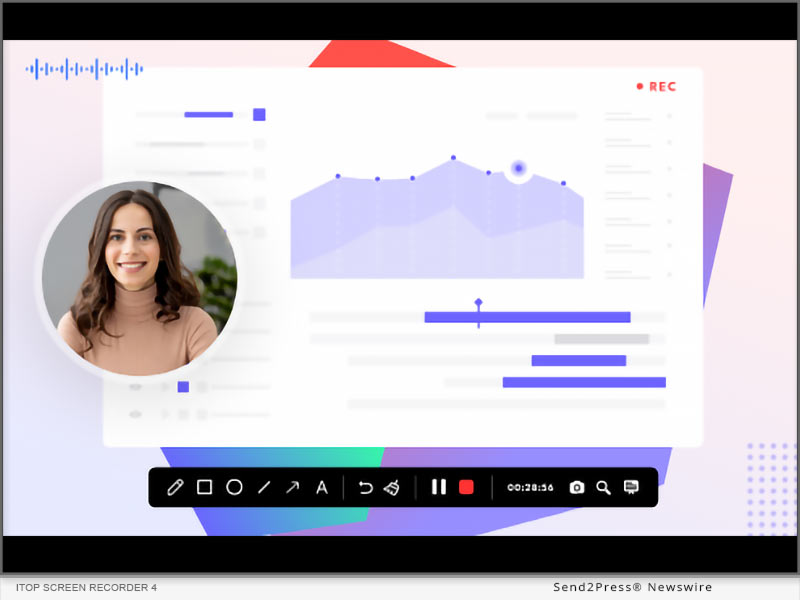
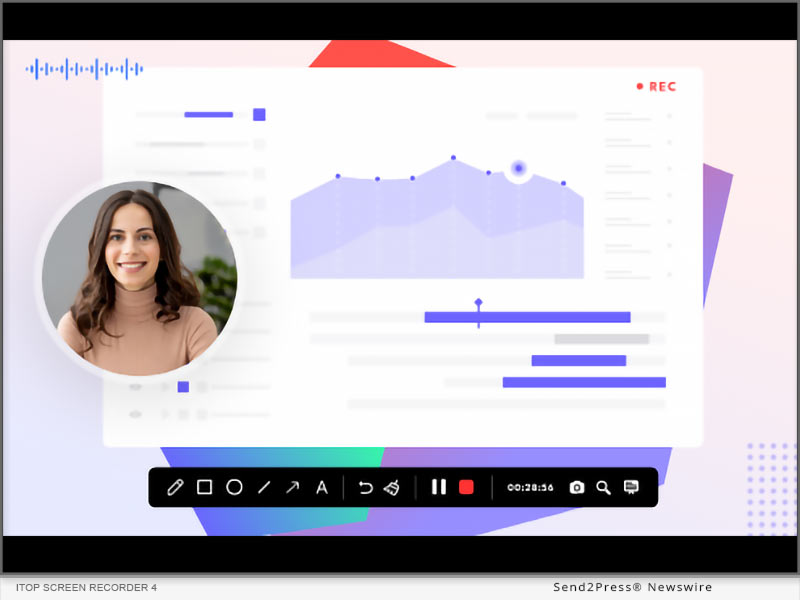
iTop Screen Recorder 4: Effortlessly Record Screen and Create Pro-looking Videos

SAN FRANCISCO, Calif. /ScoopCloud/ -- iTop announced the launch of its newest version of iTop Screen Recorder, a full-featured PC screen recording software that captures high-quality screen video, and makes video creation easier for everyone. The latest version added teleprompter, advanced webcam recording options and other applicable features, allowing users to record and create stylish videos in an incredibly simple way.

Powered by its advanced encoding and hardware acceleration technology, the fluency and interactivity of iTop Screen Recorder have been improving over past generations. It is highly recognized by its users as a simple-to-use yet stable-performing screen recording software. Today, the demand for personalized video content, such as explainer video, training video or presentation video are on a dramatic rise. To support this growing need, iTop Screen Recorder evolves to become a more powerful and versatile video recording software. The new offering not only optimized its recording and editing performances but also added new capabilities empowering "make pro-looking video creations with no technical background".

Create Stunning Videos Effortlessly with iTop Screen Recorder

iTop Screen Recorder enables all types of screen movement recording in a very quick way. Let it be long screen video footages, screenshots and captures of any specific window or region. The enhanced capabilities of the latest release make it easier to create impressive webcam recording videos in any situation users can blur or change the video background to protect their privacy when recording themselves. In addition, they can freely move their facecam position by simply dragging and dropping on the screen.

The new Teleprompter feature allows users to paste their lines to improve the efficiency and quality of all explainer videos. Besides, the adjustable voice tone definitely can add more fun and uniqueness to the final video. With iTop Screen Recorder, everyone can easily create a pro-quality video without acquiring video-making skills.

NEW FEATURES ADDED IN ITOP SCREEN RECORDER:

* Teleprompter: A new capability that enables users to make explainer videos more efficiently by getting script ready before recording. Rather than having to memorize or improvise dialogue, users can simply read the text from the teleprompter as it scrolls by, ensuring accuracy and consistency in their delivery.

* Cursor Magnifier: A new feature that can help a user zoom in on any visual content on their screen while recording. When creating a video tutorial or a presentation, they can highlight a particular section of their screen, such as a button or a specific area of an image.

* Advanced Webcam Recorder: An enhancement to webcam recording mode by allowing users to change the positions and shapes of the webcam display. The fluency during webcam recording has also been improved in this version.

"Keeping our software light and fast while providing essential features to create stunning videos with ease is crucial," says Sam, the product manager of iTop Screen Recorder. "Our vision for iTop Screen Recorder is to be the go-to software for screen recording and video making on the desktop. We believe that our latest offering will provide a quality solution for more complex use cases."

About iTop:

iTop is a leading provider of intuitive and secure software products for desktop PCs and mobile devices. The product line includes VPN, screen recorder, data recovery software, password manager and other utilities. iTop is dedicated to producing smart, stable, and secure software products that are easy to use and help our customers reach their objectives. With the trust of over 20 million users, we strive to deliver high-quality solutions that empower our customers to achieve their goals with ease.

Learn more: https://recorder.itopvpn.com/

News from ITop

iTop announced the launch of its newest version of iTop Screen Recorder, a full-featured PC screen recording software that captures high-quality screen video, and makes video creation easier for everyone. The latest version added teleprompter, advanced webcam recording options and other applicable features, allowing users to record and create stylish videos in an incredibly simple way.

Related link: https://recorder.itopvpn.com/

This version of news story was published on ScoopCloud™ (ScoopCloud.com) - part of and © the Neotrope® News Network - all rights reserved.

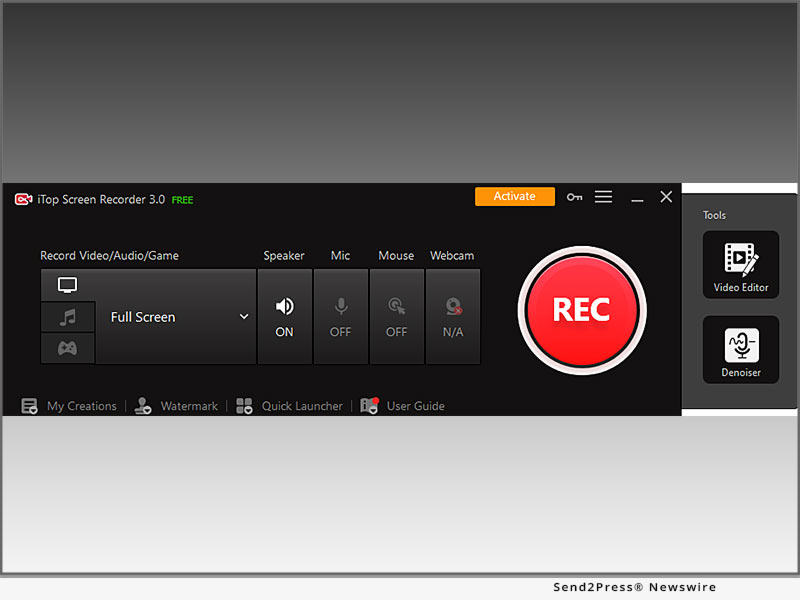
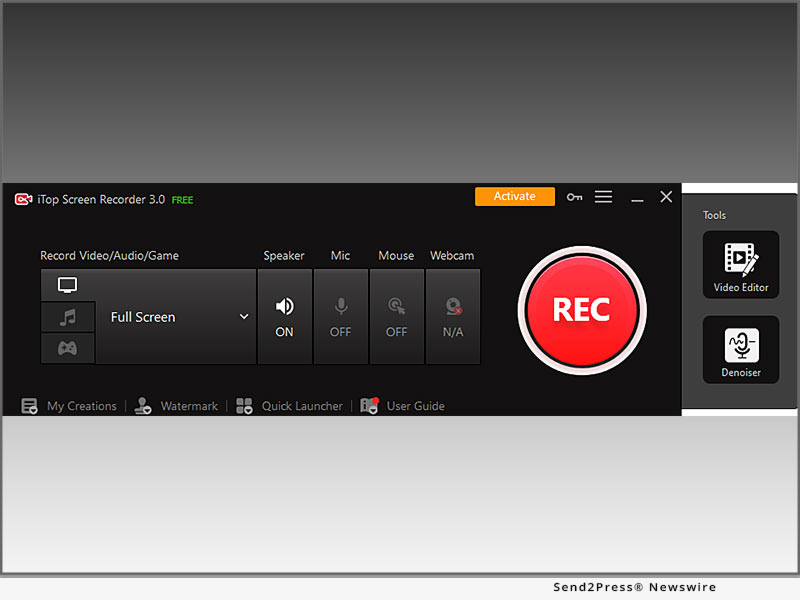
iTop Screen Recorder 3: Make Screen Recording and Video Editing Easier Than Ever

SAN FRANCISCO, Calif. /ScoopCloud/ -- iTop today announced the official release of iTop Screen Recorder 3, a free PC screen recorder incorporated with a full-featured video editor. iTop Screen Recorder has gained 10+ million users as an easy-to-use and free PC screen recorder in past years. Now the brand new version makes screen capture and video editing even more convenient and powerful for everyone.

iTop Screen Recorder enjoys an increasingly large user base since it keeps providing a good user experience. Its third version featured more editing functions and improvement in overall usability. Easier access to certain functions, better sound quality supported by a built-in Denoiser, and smoothness in high fps video recording can all be experienced in this new version. The newly added free-to-use video editor has a wide range of advanced editing tools for video content publishers. Video editing highlights are as the following.

Free multiple tracks editing

Unlimited media tracks are enabled to add any media files or effects, which can largely enrich the final video works in different dimensions. The subtitles, texts, stickers, BGM etc can appear at the same timeline by applying as many tracks.

Free visual and sound effects

Resources and templates of annotations, texts, transitions, filters and animated video effects are also available in the video editor. By simply adding effect items to timelines, they will be applied to video clips immediately.

Easy to use

The built-in video editor has a simple and clear layout for beginners to access whatever tools they want quickly. Apart from ease of use, the editor is free of charge.

"iTop Screen Recorder is designed to help users save and share video content in an easier, faster and more creative way," said Sam, senior product manager of iTop Screen Recorder. "A good screen recording software must be handy and stable to use. We built more practical features for iTop Screen Recorder 3 only on the basis of keeping it simple and really useful."

iTop Screen Recorder 3 is now available for all Windows 11, 10, 8.1, 8, and 7. The new update is also available to download across prestigious websites like CNET, Softonic, Softpedia and Majorgeeks as well as the Official Website iTop Screen Recorder - https://recorder.itopvpn.com/?insur=pr3.0

About iTop:

Founded in 2016, iTop has been creating tools and software that run on both desktop PCs and mobile devices. iTop product line includes VPN, screen recorder, data recovery software, password manager and many other utilities. Trusted by more than 20+ million users, iTop's mission is to enable users a secure and more enjoyable digital life. By creating intuitive, smart, stable & secure software products all the while, we managed to keep our pride as a tech-oriented company.

News from ITop

iTop today announced the official release of iTop Screen Recorder 3, a free PC screen recorder incorporated with a full-featured video editor. iTop Screen Recorder has gained 10+ million users as an easy-to-use and free PC screen recorder in past years. Now the brand new version makes screen capture and video editing even more convenient and powerful for everyone.

Related link: https://recorder.itopvpn.com/

This version of news story was published on ScoopCloud™ (ScoopCloud.com) - part of and © the Neotrope® News Network - all rights reserved.

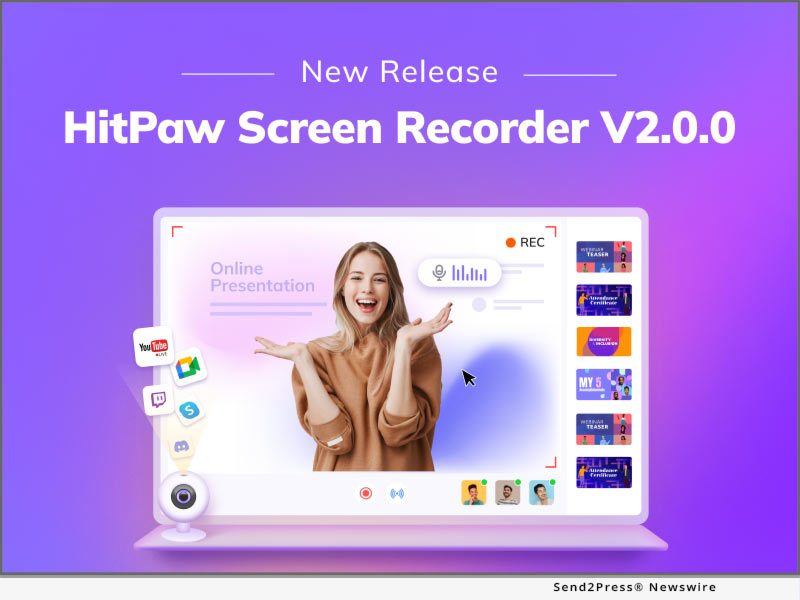
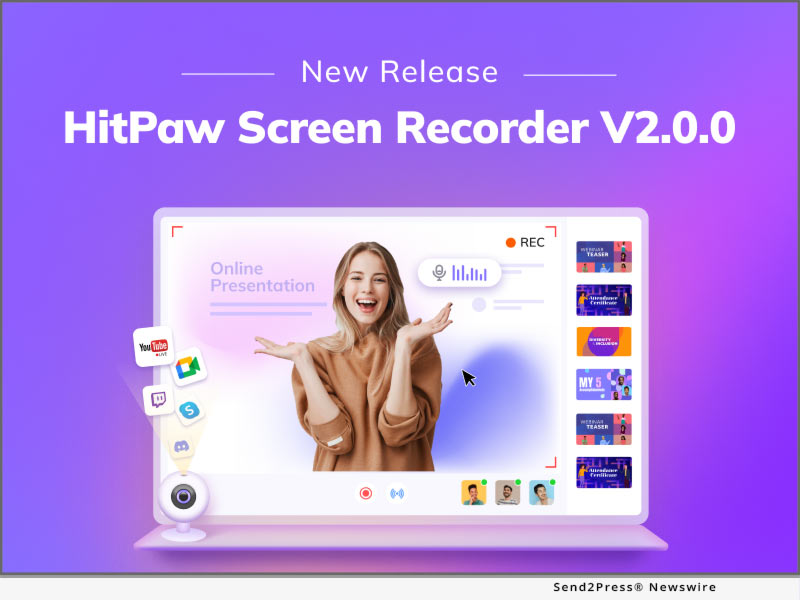
HitPaw Screen Recorder V2.0 Offers Easy Recording, Fast Sharing

NEW YORK, N.Y. /ScoopCloud/ -- Online classes and live streaming have become a part of people's life since it is more convenient to gain knowledge and expand people's horizons via online classes and live streams. In order to help educators, students, gamers, streamers, and other professionals make the attractive online classes, live streamings, HitPaw, as the pioneer in the video industry, adds live streaming and the virtual camera in HitPaw Screen Recorder V2.0 updates.

Let's dive into the amazing updated features!

1. Live Streaming

Live streaming is aiming to help gamers, educators, and streamers to have an efficient way to up streaming on 1000+ platforms like YouTube Live, Twitch, and Facebook Live. Moreover, HitPaw Screen Recorder provides lots of overlays for users to show the different styles. For gamers, you can select a cyberpunk overlay to show how hardcore you are. For educators, you can select a formal overlay to show how professional you are.

2. Virtual Camera

The virtual camera, as a powerful feature, can make online meetings, online classes, and live streaming more possible. Users can add the prerecorded videos to meetings and classes in case they have an emergency to handle. Furthermore, HitPaw Screen Recorder allows users to use their mobile devices like the camera, which provides convenience for people whose computer does not have a built-in camera.

3. Interesting Elements

There are tons of elements in the studio, including stickers, templates, and backgrounds. These elements are necessary can improve the interaction no matter in the live streaming or recorded video. Normally, streamers and influencers interact with the audience via bullet chat and comments, but stickers and backgrounds can be a better medium to interact with the audience.

4. Optimized Other Items

Apart from the features mentioned above, HitPaw Screen Recorder also adds and optimizes other items:

* Editing functions, including cut, crop, resize and rotate.

* Record history and screenshot history.

* Real-time sound display.

Compatibility and Price:

HitPaw Screen Recorder is now compatible with Windows 11/10/8/7(64-bit OS) and Mac OS. Its pricing starts from $9.99 USD for a month plan.

For more price checking and information, you can visit: https://www.hitpaw.com/purchase/buy-hitpaw-screen-recorder.html

About HitPaw:

HitPaw is an emerging software company specialized in video editing, screen recording, watermark removing, image editing, photo enhancing meme-making, etc. We help users turn their inspiration into reality so that we can generate more ideas to make the world be full of more creativity.

To know more, you may visit https://www.hitpaw.com/about.html and https://www.hitpaw.com/.

Our Social Media:

YouTube: https://www.youtube.com/channel/UCQwRggaotgiMcPbiCOsJeBA

Facebook: https://www.facebook.com/HitPawofficial

Twitter: https://twitter.com/HitPawofficial

Instagram: https://www.instagram.com/HitPawofficial/

Pinterest: https://www.pinterest.com/hitpawvideoeditor/

News from HitPaw

Online classes and live streaming have become a part of people's life since it is more convenient to gain knowledge and expand people's horizons via online classes and live streams. In order to help educators, students, gamers, streamers, and other professionals make the attractive online classes, live streaming, HitPaw, as the pioneer in the video industry, adds live streaming and the virtual camera in HitPaw Screen Recorder V2.0 update.

Related link: https://www.hitpaw.com/

This version of news story was published on ScoopCloud™ (ScoopCloud.com) - part of and © the Neotrope® News Network - all rights reserved.

iTop Screen Recorder 2.0: Featuring High FPS Gameplay Recording in 4K UHD Quality with No lagging

SAN FRANCISCO, Calif. /ScoopCloud/ -- iTop today announces the official release of iTop Screen Recorder 2.0, an advanced PC screen recorder offering an extra smooth video recording experience and supporting 4K UHD video quality. Not only does it bring the game recording to a professional level by applying GPU encoding technology but it also enhanced the smoothness and convenience in every step of the screen recording.

iTop Screen Recorder is a lightweight Windows PC screen recorder featuring easy operation steps, flexible recording options and original graphical video quality. In the new version, the game recording performance is largely enhanced by adopting advanced GPU rendering & encoding technology. Gamers will no longer face lagging nor frame dropping when recording during gameplay, even when it comes to the high-performance games at up to 120 FPS.

What's more the newly added HUD(heads-up display) feature enables gamers to grasp the current FPS and other information transparently relayed on the screen. iTop Screen Recorder 2.0 is also friendly to users who record in online meetings, courses or web streaming. Users can easily switch among "record PC screen," "record high-performance games" and "record audio files only" modes for specific scenarios within a second.

iTop Screen Recorder 2.0 has become a complete solution for desktop recording. The in-built video editing program is greatly optimized building on a 64-bit Windows system, making cutting and trimming more precise and accurate. Video, audio and screenshot files are saved and clearly displayed on the interface for users to swiftly pick whatever files they need to create final works. Moreover, the graphical quality of the saved videos reflects the original definition up to 4K UHD quality. iTOP Screen Recorder 2.0 is compatible with all Windows versions, including the newly released Windows 11 and Windows 10, 8/8.1, 7, Vista, and XP systems.

If you are already an iTop Screen Recorder user, you can update within the software. If you want to have an easy and great screen recorder, try https://recorder.itopvpn.com/?from=pr.

About iTop

Founded in 2016, iTop provides applications on Windows, Android, iOS and Mac devices with the vision of making reliable software to achieve better digital life. iTop Screen Recorder is a very popular Windows PC screen recorder that has been downloaded by 8 million+ users worldwide. The recorder has a simple interface and integrates a built-in editor that helps users get video recordings easier, faster and clearer in original or up to 4K UHD quality.

News from ITop

iTop today announces the official release of iTop Screen Recorder 2.0, an advanced PC screen recorder offering an extra smooth video recording experience and supporting 4K UHD video quality. Not only does it bring the game recording to a professional level by applying GPU encoding technology but it also enhanced the smoothness and convenience in every step of the screen recording.

Related link: https://recorder.itopvpn.com/

This version of news story was published on ScoopCloud™ (ScoopCloud.com) - part of and © the Neotrope® News Network - all rights reserved.

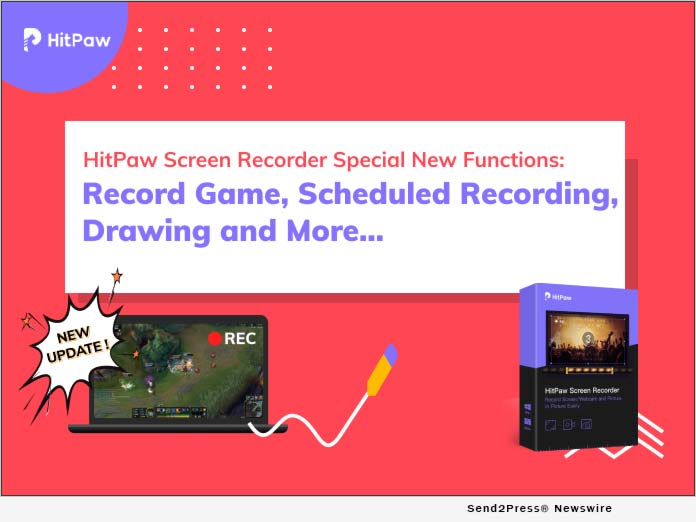
HitPaw Screen Recorder V1.1.0 with a Game Recorder Released

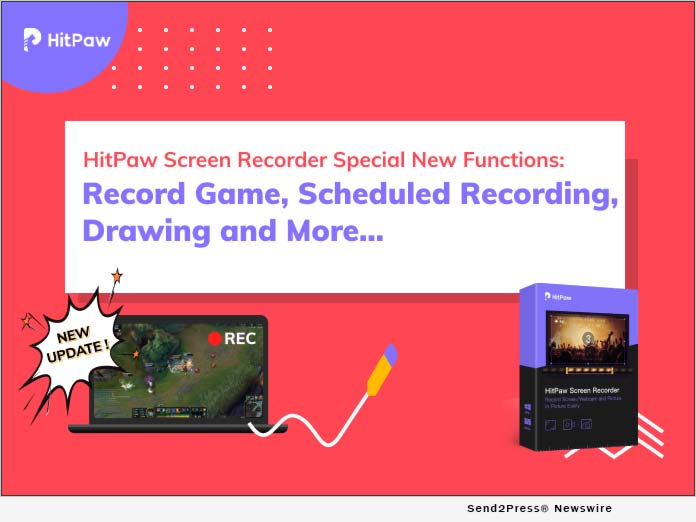
NEW YORK, N.Y. /ScoopCloud/ -- HitPaw has released HitPaw Screen Recorder version 1.1.0. It adds some new features, fixes some bugs and improves users experience in this version. Among the all new features, game recorder is the most outstanding point.

Just go through the all new features here:

1. Game Recorder

Record game feature will be seen in the home interface with this update. It offers two options record: one is to select the specific game you are running on your computer and the other is to choose the application directly. It supports to work for almost all PC games.

2. Schedule and Timed Recording

Schedule and timed recording is another major new feature in this version. Schedule recording allows you to set when it starts recording the screen or game. For example, if you have one live class which will start at 10 am, but you have to go to work at that time. You can use this feature and start recording once the live class starts. Schedule recording only can let the recording process begin. But what if want it to stop once the live class ends? Using timed recording to have one fixed duration of recording, then, it will stop automatically.

3. Draw

With Pen, Highlight and Arrow, draw is very useful to those, especially, teachers, who want to point out something during the video. Six colors are available and change their size are permitted.

4. Monitor Preview

HitPaw Screen Recorder version 1.1.0 adds larger monitor preview to make sure you can preview the recording contents much clearer.

Apart from these new functions, record screen, record webcam, record picture in picture video, segment recording, capture keyboard and mouse are what you should not miss.

Compatibility and Price

HitPaw Screen Recorder is compatible with Windows 7,8,10 64 bits. Mac version will come soon. The price starts from $14.99. With the 30% OFF Coupon code: YT-30OFF, only costs from $10.5 to $35.

More information: https://www.hitpaw.com/purchase/buy-hitpaw-screen-recorder.html

About HitPaw:

HitPaw is an emerging software company specialized in video editing, image editing, meme making, etc. Check more via https://www.hitpaw.com/about.html

More information (main website): https://www.hitpaw.com/

Our Social Media:

YouTube: https://www.youtube.com/channel/UCQwRggaotgiMcPbiCOsJeBA

Facebook: https://www.facebook.com/hitpawofficial

Twitter: https://twitter.com/HitPawofficial

Instagram: https://www.instagram.com/hitpawofficial/

Pinterest: https://www.pinterest.com/HitPawvideoeditor/

News from HitPaw

HitPaw has released HitPaw Screen Recorder version 1.1.0. It adds some new features, fixes some bugs and improves users experience in this version. Among the all new features, game recorder is the most outstanding point.

Related link: https://www.hitpaw.com/

This version of news story was published on ScoopCloud™ (ScoopCloud.com) - part of and © the Neotrope® News Network - all rights reserved.

PassFab Provides Great Discount for 2021 Back to School

NEW YORK CITY, N.Y. /ScoopCloud/ -- PassFab has proudly announced the launch of its all-new and exciting 'PassFab Back to School Education Offer' to welcome back students and teachers from holidays. In this remarkable new offer, PassFab is offering a wide range of promotional activities, including huge discount, and an epic buy one get one free offer. In this PassFab Back to School Education Offer, the company is also offering its powerful screen recorder for learning and its bundles at a great discount.

"PassFab started in 2010 as a leading professional software provider and over the years, our well-received products have been trusted, downloaded, installed and used by millions of users in different countries and regions globally," said the spokesperson of PassFab, while introducing the company. "With our easy, fast, reliable, and professional software solutions, we have reached more than 20 million users worldwide in over 200 countries and we will keep innovating and moving forward to bring the best service for everyone in the world," she added.

Up to 70% Discount Only Need $5

In PassFab Back to School Education Offer this summer, the first promotion offered by PassFab is announced under the PassFab Student Plan. With more than 70% discount, students can now get PassFab Screen Recorder for only $5. With this remarkable new software to support online learning, students can easily record any area of their screen, webcam, or both for a picture in picture effect, in high definition and with no restrictions on the number or length of their recordings.

Buy One PassFab Product Get One Free

In the second promotion under the PassFab Back to School Education Offer, anyone can now avail the Buy One Software and Get One Screen Recorder for FREE offer. Users can choose from a wide range of useful software from the website of PassFab and get a screen recorder as a bonus on checkout. Among these software is 4WinKey, which is known as the ultimate way to bypass windows software on any computer. The company also offers iPhone Unlocker Software, Android Unlocker Software, and get Screen Recorder free of cost.

How to participate:

For more information, please click the links below: http://www.passfab.com/sales-promotion.html

About PassFab

PassFab was founded in 2010 as a leading password recovery tool developer, and it has now expanded to a range of software and online tools to make the lives of its users easier worldwide.

Facebook: https://www.facebook.com/passfab/

Twitter: https://twitter.com/passfab

YouTube: https://www.youtube.com/passfab

Instagram: https://www.instagram.com/passfabsoftware/

*VIDEO: https://youtu.be/JYNRwvYsQ4Y

News from PassFab

PassFab has proudly announced the launch of its all-new and exciting 'PassFab Back to School Education Offer' to welcome back students and teachers from holidays. In this remarkable new offer, PassFab is offering a wide range of promotional activities, including huge discount, and an epic buy one get one free offer.

Related link: https://www.passfab.com/

This version of news story was published on ScoopCloud™ (ScoopCloud.com) - part of and © the Neotrope® News Network - all rights reserved.

PassFab Releases its New ‘Screen Recorder’ Software to Record Any Screen on Computer

NEW YORK, N.Y. /ScoopCloud/ -- PassFab has proudly announced the launch of an all-new and remarkable screen recording software called PassFab Screen Recorder. The software simply enables its users to record any screen on their computer with ease and it offers a wide range of great features and benefits.

Moreover, PassFab Screen Recorder is a useful digital tool that can benefit everyone from the students recording a teaching video to the gaming community recording their online gaming session and the sports fans worldwide recording a live game.

"We are pleased to announce the launch of PassFab Screen Recorder for everyone, and we are grateful to our growing number of users for their overwhelming response to all our PassFab products and tools," said the CEO of PassFab, while talking about the software. "PassFab Screen Recorder is being launched as the best screen recording software in the market, and we are offering a trial version on our website so that our valued users can test the software by themselves for free," he added.

MAIN FEATURES

1. Picture in Picture

PassFab Screen Recorder can record your webcam and your computer screen simultaneously. With this function, the reaction of making game commentary and entertainment videos becomes easier. This tool compatible with all webcam, microphone and speaker devices. 16 Picture in Picture position options for users that they can customize the PIP size and set webcam and screen positions easily.

2. Record Screen

Users can choose the Record Screen mode with one-click start to record the screen. It is extremely easy to use. Meanwhile it also can edit and modify the recorded video.

3. Record Webcam

Users use PassFab Screen Recorder to capture amazing product demos that they can share with followers and friends. Record their live and share the link so others can watch it!

Pricing and Availability

Users can enjoy all functions for free but the video is watermarked. While they can also regist it for their computers with a monthly subscription at the affordable prices of $14.99, respectively. The registered version has all the features of this software and does not have a video watermark.

Buy Now: https://www.passfab.com/purchase/buy-passfab-screen-recorder.html

About PassFab

PassFab was founded in 2010 as a leading password recovery tool developer, and it has now expanded to a range of software and online tools to make the lives of its users easier worldwide. The digital platform is known worldwide for a wide range of software and online tools that are being used and trusted by millions of users worldwide.

More information: https://www.passfab.com/

Facebook: https://www.facebook.com/passfab/

Twitter: https://twitter.com/passfab

YouTube: https://www.youtube.com/passfab

Instagram: https://www.instagram.com/passfabsoftware/

News from PassFab

PassFab has proudly announced the launch of an all-new and remarkable screen recording software called PassFab Screen Recorder. The software simply enables its users to record any screen on their computer with ease and it offers a wide range of great features and benefits.

Related link: https://www.passfab.com/

This version of news story was published on ScoopCloud™ (ScoopCloud.com) - part of and © the Neotrope® News Network - all rights reserved.

HitPaw Screen Recorder Simplifies Process for Educators, Gamers, Bloggers or Any Other Content Creators to Make Videos

NEW YORK, N.Y. /ScoopCloud/ -- HitPaw releases a new software - HitPaw Screen Recorder. With its easy-to-use UI, all beginners can use it without any hassle.

So, what are the features and advantages of HitPaw Screen Recorder? Here is the overview to check.

1 -- Three Recording Modes

Record Screen - Capture the part creators want to record. Drag the selection and adjust the capture area size. With the magnifier, creators can locate at the accuracy position.

Record Webcam - Put creators' faces on the video is necessary when creators record online courses, reactions videos, study videos, etc. HitPaw Screen Recorder not only can record creators' face, but also support change creators' camera, its resolution, FPS and mirror the video.

Picture in Picture - Record picture in picture means that creators can record creators' screen and face at the same time. It has 4 options: Screen+Webcam, Webcam+Screen, Webcam, Screen and allows creators to switch any time. It also can change the PIP position and size based on creators' needs.

2 -- Capture Mouse and Keyboards

Capture Mouse - Capture creators' mouse lets video watchers understand what part creators are talking about. With the mouse effect setting, it can make the mouse clearer and more interesting.

Capture Keyboards - Open "Capture Keyboards", it allows video viewers know clearly what actions creators are doing on the keyboard. It is also available to change its color.

3 -- Segment Saving

Segment saving in HitPaw Screen Recorder helps creators auto save the recorded video in every 30 mins or the duration creators set.

4 -- Hardware Acceleration

Hardware acceleration enhances HitPaw Screen Recorder working speed on creators' computers.

Price and Compatibility

There are three price plans for HitPaw Screen Recorder. They are $14.99/month, $29.99/quarter, and $49.99/year. You can check the price via https://www.hitpaw.com/purchase/buy-hitpaw-screen-recorder.html.

Now, the first version of HitPaw Screen Recorder is only compatible with Windows 7/8/10 64 bit. A Mac version will come in 2 months.

About HitPaw

HitPaw is an emerging software company specialized in video editing, image editing, meme making, etc. Check more via https://www.hitpaw.com/about.html

Our Social Media

YouTube: https://www.youtube.com/channel/UCQwRggaotgiMcPbiCOsJeBA

Facebook: https://www.facebook.com/hitpawofficial

Twitter: https://twitter.com/HitPawofficial

Instagram: https://www.instagram.com/hitpaw_video_editor/

Pinterest: https://www.pinterest.com/HitPawvideoeditor/

LEARN MORE AT: https://www.hitpaw.com/

News from HitPaw

HitPaw releases a new software - HitPaw Screen Recorder. With its easy-to-use UI, all beginners can use it without any hassle. The first version of HitPaw Screen Recorder is only compatible with Windows 7/8/10 64 bit. A Mac version will come in 2 months.

Related link: https://www.hitpaw.com/

This version of news story was published on ScoopCloud™ (ScoopCloud.com) - part of and © the Neotrope® News Network - all rights reserved.

IObit Launches iFun Screen Recorder: Make Screen Recordings Simple and Free

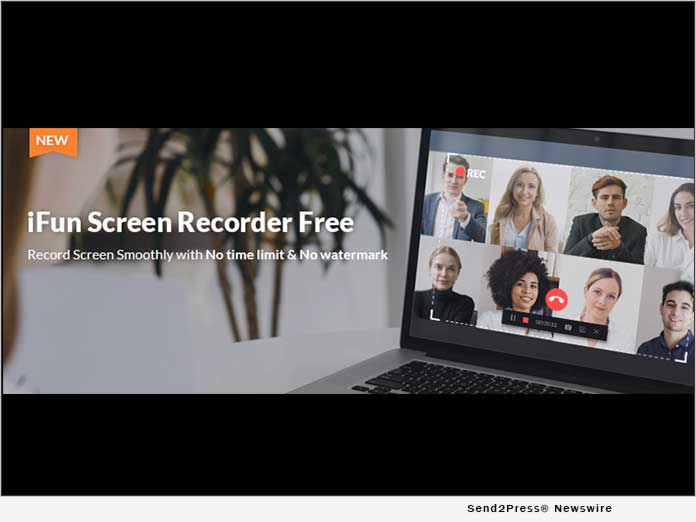
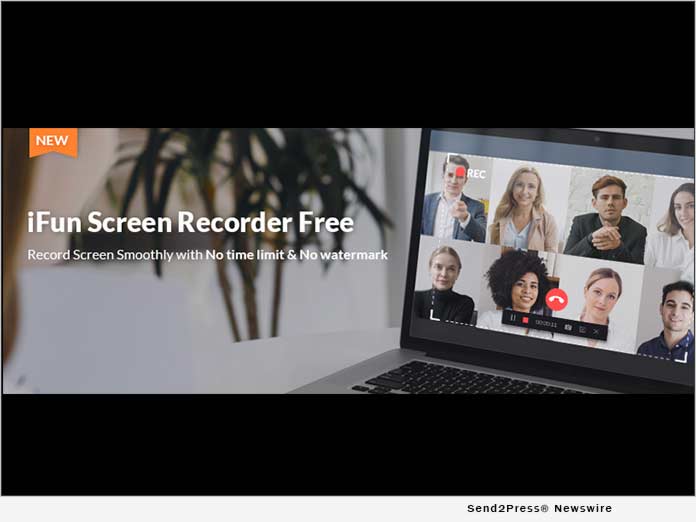
SAN FRANCISCO, Calif. /ScoopCloud/ -- IObit today launched iFun Screen Recorder, a free tool to record Windows screens without a time limit or watermark. Users may experience common inconveniences while using screen recorders, such as complicated interface, obvious watermark on videos, or very short recording time. iFun Screen Recorder solved all the problems and simplified video recording. It brings the screen recording to the next level whenever users need to record video calls, make YouTube tutorials, or capture game highlights.

iFun Screen Recorder records any parts of screens with the webcam, speaker, and microphone on. It supports high-quality video by selecting 4096x2160 (HD) video size, 60 FPS, and the custom bitrate. Gamers can use the tool to capture 2D/3D games in high quality. It optimizes recording by using a hardware-accelerated H.264 encoder.

Users can save the video in common file formats of MP4, AVI, FLV, GIF, etc., and save the audio in formats of MP3, AAC, AC3, etc. It supports cutting and trimming the video and posts the video to YouTube, Facebook, Vimeo, Instagram, Google Drive, and Dropbox with one click.

"IObit is dedicated to providing free, simple, and reliable tools. Users need an efficient and user-friendly video recorder, so we launched the product," said Bing Wang, the IObit Product Director. "I believe iFun Screen Recorder will help users be productive and have an enjoyable moment while recording videos."

Learn more: https://recorder.iobit.com/

About IObit

Founded in 2004, IObit develops system utilities and security software for superior PC performance. It is a recognized industry leader with more than 100 awards, 500 million downloads, and 10 million active users worldwide. For more information, visit https://www.iobit.com/.

Media Contact:
IObit
Nicole Qin, (415) 813-2995
PR Manager
press@iobit.com

News from IObit Software

IObit today launched iFun Screen Recorder, a free tool to record Windows screens without a time limit or watermark. Users may experience common inconveniences while using screen recorders, such as complicated interface, obvious watermark on videos, or very short recording time.

Related link: https://www.iobit.com/

This version of news story was published on ScoopCloud™ (ScoopCloud.com) - part of and © the Neotrope® News Network - all rights reserved.

New Release! EaseUS Launches a Full-Featured but Lightweight Screen Recorder to Record Screen, Audio, Webcam and Gameplay

CHENGDU, China /ScoopCloud/ -- EaseUS, a leading software company with 15 years of experience, today releases a full-featured but lightweight screen recorder - EaseUS RecExperts. Revamped with an intuitive and neat UI, now users can get an easy way to record full or part of the screen, audio, webcam, game, and zoom meeting. Compatible with Windows 10/8/7, EaseUS RecExperts is dedicated to helping novice users and professionals to record whatever they want on the screen.

Download now to start recording: https://www.easeus.com/screen-recorder/index.html

The key features of the newly-released screen recording software:

Record Screen with Customized Settings:

EaseUS RecExperts offers a custom way for users to do the screen capture. Now, users can choose to record any area on the screen with or without system sound, no matter it's a full screen, a selected area, or a fixed area, even a locked window. It will automatically save the record settings, so that users can quickly record screen again with the historical area and size in only one click. Besides, uses can use the drawing board to annotate the screen, mark an area, and do some other editing actions during recording.

Record Audio with A Simple Click:

When using EaseUS RecExperts to record audio, users can choose to record system sound only, microphone sound only, or both. During recording, users can turn the volume up or down for the recorded sound freely. Noise Cancellation and Audio Boost are also available for this screen recording software, guaranteeing user to get the best quality of audio.

Record Webcam from the Computer:

EaseUS RecExperts offers flexible webcam recording settings to users. Users can record the screen based on specific needs. For example, they can choose which one of the equipped cameras to record videos, select frame rate and aspect ratio of the output video, and modify camera parameters at their will. Plus, to make sure the recorded picture will not be reversed, users are able to switch to Mirror Record before recording.

Record Game Screen and Game Live:

Recording games is a great demand for game players, and EaseUS RecExperts makes it possible for users. It records and captures everything of the gameplay with the frame rate of video up to a maximum of 60FPS, aiming to ensure the game fluency. Game players can also use it to do a game live show since it records screen, voice, and camera simultaneously. And, for a better game capture, it needs users to authorize the software permission when starting recording the games.

Additional Features Include but Not Limited to:
* Set up the time and duration to make a scheduled screen capture
* Advanced editing functions like Spotlight, Zoom, Screenshot and Annotate during recording
* Upload and share the recorded video to YouTube, Vimeo, Dropbox, etc.
* Save video format up to 10 types, and audio format up to 6 types
* Compress videos without losing the original quality of video
* Speed up/slow down, add watermark, set opening and ending effects to the recorded video
* Support online and off-line recording
* A live recording progress from the toolbar to check the recording time

Get more detailed info here: http://www.easeus.com/screen-recorder/index.html

Price & Availability

EaseUS RecExperts is fully compatible with Windows 10/8/7, and available from $19.95. Check the plans here: https://www.easeus.com/screen-recorder/rec-experts-buy.html

About EaseUS Software

Founded in 2004, EaseUS is an international leading software company specialized in data backup, data recovery, data management, and data transfer fields, served more than 530 million users from over 160 countries worldwide.

"EaseUS" is a registered trademark of CHENGDU Yiwo Tech Development Co., Ltd.

Contact Information
Address: 12 F, Building 1, Idealism Center, No. 38 Tian Yi Street, Hi-tech Zone, Chengdu, Sichuan Province, China
Post Code: 610041
Tel number: 1-800-570-4634
Email: support@easeus.com

News from EaseUS Software

EaseUS, a leading software company with 15 years of experience, today releases a full-featured but lightweight screen recorder - EaseUS RecExperts. Revamped with an intuitive and neat UI, now users can get an easy way to record full or part of the screen, audio, webcam, game, and zoom meeting.

Related link: https://www.easeus.com/

This version of news story was published on ScoopCloud™ (ScoopCloud.com) - part of and © the Neotrope® News Network - all rights reserved.