Tag Archives: online video editor

HitPaw Launches its 2025 Global Cat Tax Campaign with Top Prizes

LOS ANGELES, Calif., April 25, 2025 (SEND2PRESS NEWSWIRE) -— HitPaw, the innovative platform for creative video tools, has officially launched its global Cat Tax photo event — perfect for feline lovers everywhere. From April 10 through May 7, cat lovers are invited to share their most adorable cat photos to win exciting prizes, including a DJI Pocket Camera. The total value of the prizes is over $1,000.

HitPaw Cat Tax
Image caption: HitPaw Cat Tax.

SHARE YOUR CAT, WIN BIG

Do you have the cutest cat on the internet? Prove it! The HitPaw Cat Tax event is a global celebration of our favorite pets: cats. Whether your furry friend is silly, sleepy, or sassy, every cat deserves the spotlight.

EXCITING REWARDS AWAIT YOU!

  • 1st Prize (250+ entries): DJI Pocket Camera ($699)
  • 2nd Prize (160+ entries): Automatic Pet Feeder ($100)
  • 3rd Prize (100+ entries): Apple AirTag ($30)

In addition to the grand prizes, each week offers participants new creative challenges with surprise prizes. Don’t miss your chance to earn extra rewards!

HOW TO PARTICIPATE

  1. Join the Fun – Participate in various engaging activities on our event page.
  2. Earn Entries – Complete tasks on the event page to increase your chances.
  3. Win Amazing Prizes – The more entries, the better your chance to win amazing prizes!

MEOW, POST, AND WIN! Share your best cat photo in the HitPaw Cat Tax contest for a chance to win amazing prizes.

Grab your camera and join the fun! HitPaw Cat Tax Event: Show Your Cat & Win a DJI

WHY JOIN?

  1. Engaging and effortless – Share your favorite cat photos to participate in a lighthearted, global celebration of feline charm.
  2. Exciting prizes await – With multiple winners and grand prizes, including the DJI Pocket Camera, participants have more chances than ever to be rewarded.
  3. Celebrate creativity and community. Join fellow cat lovers in a fun-filled campaign by HitPaw that combines social sharing with the joy of pet ownership.

JOIN THE HITPAW CAT TAX EVENT NOW!

Don’t miss out on this limited-time event!

Visit: HitPaw Cat Tax Event: Show Your Cat & Win a DJI to learn more.

ABOUT HITPAW:

HitPaw is a creative software company that empowers users with intuitive video editing, screen recording, and AI-powered media tools. From content creators to pet lovers, HitPaw makes digital storytelling easy, fun, and accessible for everyone.

To know more, you may visit: [OFFICIAL] HitPaw: Powerful AI Video, Audio, and Image Solutions Provider

Follow Us for More Updates:

Celebrate creativity, share the love, and win big with the HitPaw Cat Tax event!

NEWS SOURCE: HitPaw


This press release was issued on behalf of the news source (HitPaw), who is solely responsible for its accuracy, by Send2Press Newswire. Image, if any, was provided by the news source and not this website or the wire service. Information is believed accurate, as provided by the news source, but is not guaranteed.

To view the original story, visit: https://www.send2press.com/wire/hitpaw-launches-its-2025-global-cat-tax-campaign-with-top-prizes/

Copr. © 2025 Send2Press® Newswire, Calif., USA. -- REF: S2P STORY ID: S2P125771 NOREL-3B
 

Edimakor Mac V3.7.0 Launched with AI Clip Maker and Talking Animals

The AI Clip Maker allows users to extract short, impactful segments from longer footage with a single click

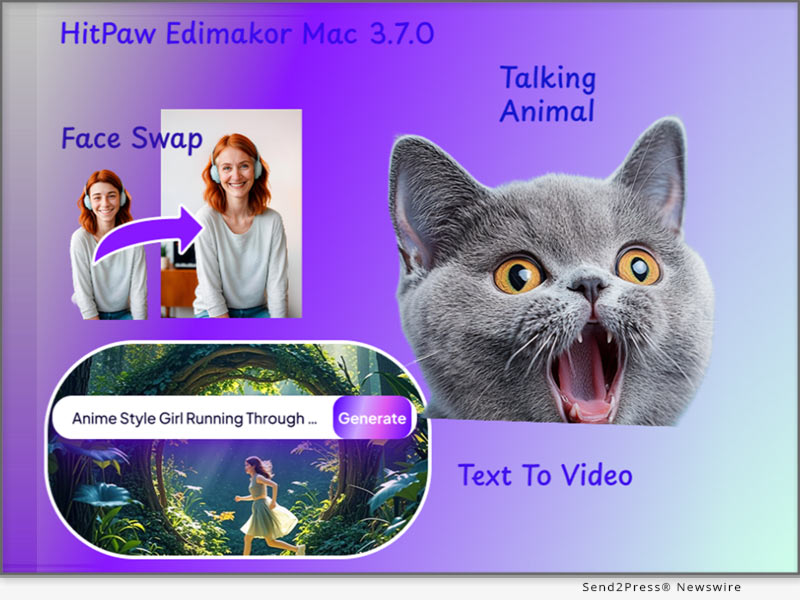
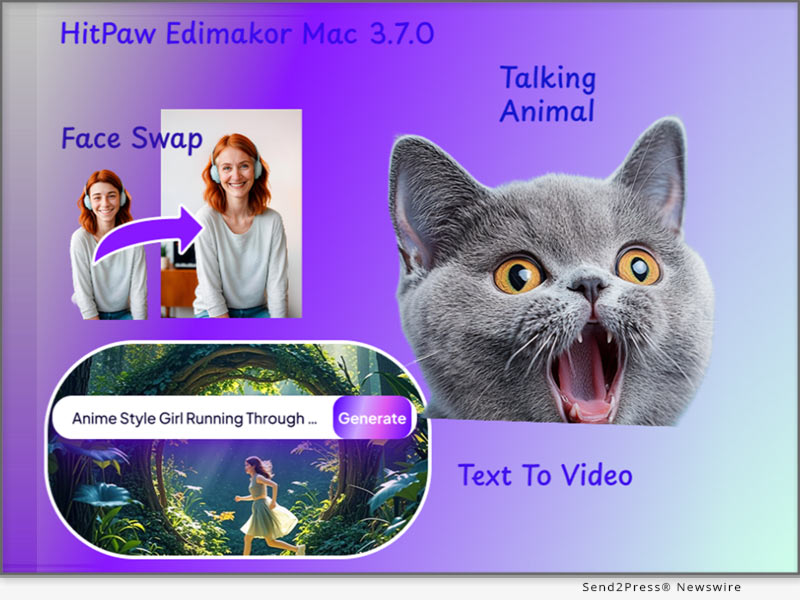
NEW YORK CITY, N.Y., April 25, 2025 (SEND2PRESS NEWSWIRE) — HitPaw Edimakor has officially announced the global release of Edimakor Mac V3.7.0 which is known for its innovation in AI-based creative tools. The latest update introduces a fresh set of features designed to support video creators, storytellers, and content editors through smarter workflows. The update adds functions like AI Shorts, image/text-to-video generation, face swap, talking animal creation, text-based editing, and masking.

Edimakor Mac V3.7.0 Launched AI Clip Maker and Talking Animal
Image caption: Edimakor Mac V3.7.0 Launches AI Clip Maker and Talking Animal.

SMARTER FEATURES, SMOOTHER WORKFLOWS

At the heart of V3.7.0 is the all-new “AI Talking Animal.” With this, users can animate animals to speak, offering a fresh take on storytelling or comedic content.

Perhaps the most talked-about addition is the “AI Clip Maker.” which allows users to extract short, impactful segments from longer footage with a single click. This helps creators share key moments faster and reach wider audiences.

Another highlight is the “Image to Video” feature. Static images can now be animated with AI-generated expressions like hugs and kisses giving new life to still photos.

The Speech-to-Text feature has also received a major upgrade. It now includes word-by-word subtitle highlights, allowing viewers to follow along more clearly and editors to match visuals more effectively.

In terms of editing, the updated Sub-track Transition Support brings better control over video transitions. This means smoother scene shifts and more creative freedom in how stories are constructed.

ADDITIONAL TOOLS FOR CREATIVE CONTROL

Beyond the headline features, Edimakor V3.7.0 also includes:

  • AI Text-Based Editing: Cut out unnecessary footage by selecting text from the video’s subtitles. One-click removal of silences or awkward pauses makes the final cut cleaner and easier to watch.
  • AI Face Swap: Easily change faces in photos or videos. Suitable for fun videos, product mockups, or themed content.
  • AI Text to Video: Type in your idea and the tool generates a video to match—ideal for creators with a clear script but no footage.
  • Masking Options: Apply shapes like circles, rectangles, hearts, and even text as masks. Useful for layered video effects or content overlays.
  • Animation Speed Control: Adjust animation pace and repetition to fine-tune how motion aligns with the content’s rhythm.

FLEXIBLE PRICING OPTIONS

Edimakor Mac V3.7.0 is available with a free trial, while paid plans are structured to fit a variety of user needs, from individual creators to teams requiring more robust capabilities.

ABOUT EDIMAKOR

Edimakor cements its legacy as a pioneer of accessible innovation with Mac v3.7.0’s launch. Merging AI-powered tools like Talking Animal Creator and AI shorts maker with intuitive design, this update reimagines creative workflows for global storytellers – proving cutting-edge technology need not compromise simplicity or artistic vision.

For more information: https://edimakor.hitpaw.com

Follow Edimakor on social media:

X/Twitter: https://x.com/HitpawEdimakor

YouTube: https://www.youtube.com/@HitPawEdimakorOfficial

Instagram: https://www.instagram.com/edimakor_official

NEWS SOURCE: HitPaw


This press release was issued on behalf of the news source (HitPaw), who is solely responsible for its accuracy, by Send2Press Newswire. Image, if any, was provided by the news source and not this website or the wire service. Information is believed accurate, as provided by the news source, but is not guaranteed.

To view the original story, visit: https://www.send2press.com/wire/edimakor-mac-v3-7-0-launched-with-ai-clip-maker-and-talking-animals/

Copr. © 2025 Send2Press® Newswire, Calif., USA. -- REF: S2P STORY ID: S2P125754 NOREL-3B
 

Addsubtitle Unveils New AI Tool for Seamless Video Subtitling and Translation

CASPER, Wyo., April 23, 2025 (SEND2PRESS NEWSWIRE) — Talecast Inc., the developer of the AI-powered video editing platform Addsubtitle, today announced the launch of a major new product version designed to make translating, captioning, and dubbing videos faster and more precise than ever. With a streamlined workflow and a host of new features, Addsubtitle empowers content creators to localize videos at scale—all in a web-based platform.

Addsubtitle — Subtitle and Translate Videos with AI
Image caption: Addsubtitle – Subtitle and Translate Videos with AI.

Addsubtitle’s latest release introduces a reimagined suite of tools built to meet the evolving needs of global content teams, educators, marketers, and multilingual creators. Users can now effortlessly generate subtitles, translate captions into over 100 languages, and create natural-sounding voiceovers—all in one seamless, browser-based workflow.

“Our mission has always been to simplify global storytelling,” said Jeff, CEO of Talecast. “With this update, Addsubtitle becomes more than just a subtitling tool – it’s a comprehensive localization solution that lets users go from raw video to finished, polished content in one seamless flow.”

Addsubtitle’s New Features Include:

  1. Auto Subtitle Generator: Instantly generate accurate subtitles with perfect timing and formatting, with real-time editing and fully customizable styles.
  2. Multilingual Video Translation: Translate subtitles and video voices into 100+ languages while preserving tone and context.
  3. Voice Translation & Cloning: Add lifelike voiceovers, or even clone your own voice, all while retaining original background audio.
  4. Lip-Sync Video Rewrite: Transform video narration just like editing a script. AI ensures every dubbed word aligns precisely with lip movements and facial expressions.

Addsubtitle runs entirely in the browser, eliminating the need for bulky software downloads or complicated editing timelines. Users can upload a video file to start editing right away. The platform offers free trials and flexible pricing plans to suit creators of all kinds.

For more information about Addsubtitle and its services, visit https://addsubtitle.ai/.

About Talecast:

Talecast is a technology company focused on simplifying global communication through video. Its flagship product, Addsubtitle, uses the latest technology in AI, speech synthesis, and translation to help individuals and teams bring their stories to life in any language.

NEWS SOURCE: Talecast Inc


This press release was issued on behalf of the news source (Talecast Inc), who is solely responsible for its accuracy, by Send2Press Newswire. Image, if any, was provided by the news source and not this website or the wire service. Information is believed accurate, as provided by the news source, but is not guaranteed.

To view the original story, visit: https://www.send2press.com/wire/addsubtitle-unveils-new-ai-tool-for-seamless-video-subtitling-and-translation/

Copr. © 2025 Send2Press® Newswire, Calif., USA. -- REF: S2P STORY ID: S2P125703 NOREL-3B
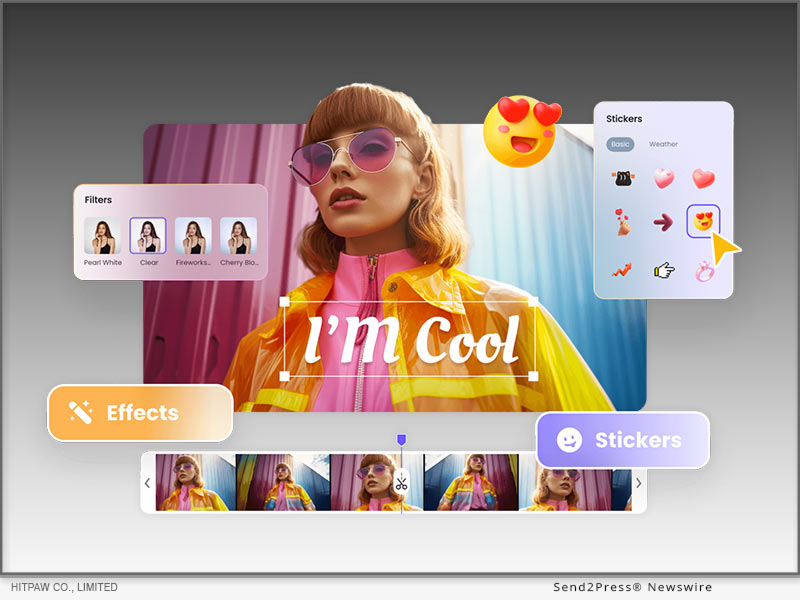
 

HitPaw VikPea V4.2.0 Released with Updates including Detail Recovery Model Supporting Cloud Acceleration Service

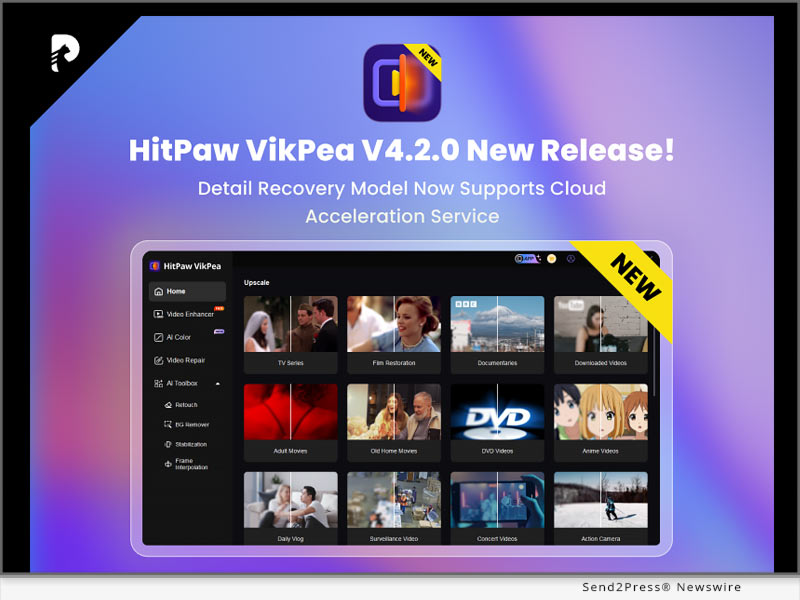
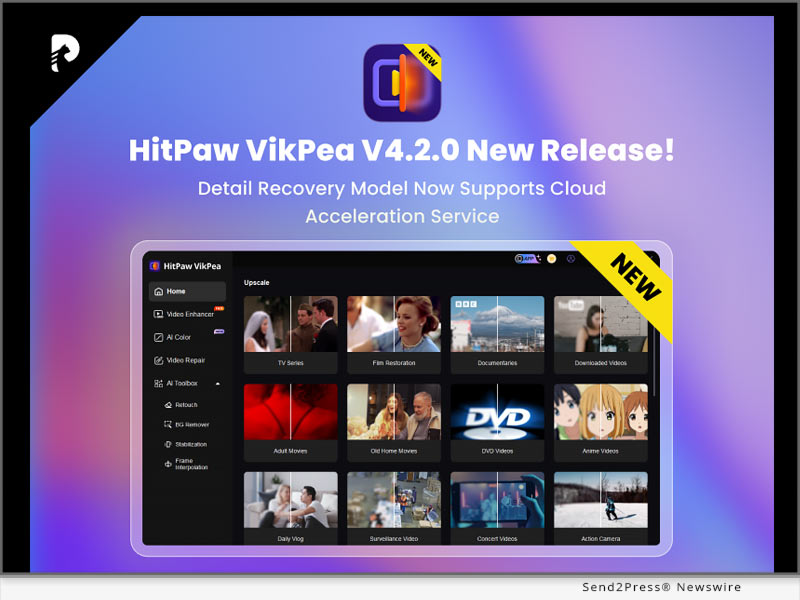
NEW YORK, N.Y., April 7, 2025 (SEND2PRESS NEWSWIRE) — HitPaw, a leading innovator in multimedia software solutions, today announced the release of a new version of HitPaw VikPea (originally named HitPaw Video Enhancer)! VikPea V4.2.0 is a significant update to its all-in-one video enhancement platform. In this version, the Detail Recovery Model now supports cloud acceleration service, a detailed breakdown of cloud acceleration credits has been added, video cropping settings options have been introduced, and a refined user experience to streamline creative workflows for professionals and enthusiasts alike.

HitPaw VikPea V4.2.0 New Release
Image caption: HitPaw VikPea V4.2.0 New Release.

What’s New in VikPea V4.2.0

Detail Recovery Model Supports Cloud Acceleration Service

Leverage HitPaw’s AI-driven cloud servers to dramatically speed up detail restoration tasks (e.g., upscaling, and noise reduction). Reduce local hardware pressure and improve rendering speed.

New Face Realistic Model

The Face Model (Realistic) focuses on accurately restoring facial details, reproducing textures and pores, reducing inter-frame jitter, and ensuring a more refined processing experience.

New Video Cropping Settings

Added custom video cropping settings and manual input for pixel-perfect cropping. Preview adjustments instantly with a draggable grid overlay for framing accuracy.

What’s Important!

AI VIDEO ENHANCER

HitPaw VikPea not only offers the latest video detail enhancement features but also includes several specialized enhancement models, such as Video Quality Repair Model, Face Model, General Denoise Model and Animation Model. Each model provides targeted optimization effects to meet various video enhancement needs, delivering a comprehensive solution for achieving perfect video quality.

AI BACKGROUND REMOVAL

The AI Background Removal feature simplifies the process of removing cluttered backgrounds from videos with a single click, preserving clear videos of subjects. This tool is especially useful for e-commerce, as it removes distracting backgrounds to maintain a clean and professional appearance of products. With just a simple click, you can quickly replace or remove video backgrounds, making your product listings stand out and look more appealing to potential customers.

Compatibility and Price

HitPaw VikPea is compatible with both Windows and MacOS, making it accessible to a wide range of users. Now you can try out the new features by downloading the free trial version, or purchase the full package starts from $43.19/month.

For more Information: HitPaw Video Enhancer – AI Video Enhancer

About HitPaw

HitPaw is a cutting-edge company that enters the AI editing field with innovation, creativity, efficiency, and simplicity as its core characteristics. It empowers millions of users worldwide with AI-powered tools for video, image, audio editing, enhancing, and conversion. Its flagship products are trusted by content creators, marketers, and educators for their simplicity and cutting-edge technology.

To know more, you may visit: About HitPaw – All Things About HitPaw and [OFFICIAL] HitPaw: Powerful Video, Audio, and Image Solutions Provider

Our Social Media

YouTube: https://www.youtube.com/channel/UCQwRggaotgiMcPbiCOsJeBA

X/Twitter: https://twitter.com/HitPawofficial

Instagram: https://www.instagram.com/hitpawofficial/

Pinterest: https://www.pinterest.com/hitpawcom/

NEWS SOURCE: HitPaw


This press release was issued on behalf of the news source (HitPaw), who is solely responsible for its accuracy, by Send2Press Newswire. Image, if any, was provided by the news source and not this website or the wire service. Information is believed accurate, as provided by the news source, but is not guaranteed.

To view the original story, visit: https://www.send2press.com/wire/hitpaw-vikpea-v4-2-0-released-with-updates-including-detail-recovery-model-supporting-cloud-acceleration-service/

Copr. © 2025 Send2Press® Newswire, Calif., USA. -- REF: S2P STORY ID: S2P125350 NOREL-3B

 

HitPaw VikPea V4.0.0 Released with Major Updates including AI Color Module

NEW YORK, N.Y., Dec. 10, 2024 (SEND2PRESS NEWSWIRE) — HitPaw, a leading software company, is excited to announce the new version of HitPaw VikPea (originally named HitPaw Video Enhancer)! HitPaw VikPea V4.0.0 comes with the launch of the AI Color module, which includes the popular SDR to HDR feature. This AI-driven tool improves the color range, brightness, contrast, and details, making videos more vibrant and realistic.

HitPaw VikPea V4.0.0 New Release
Image caption: HitPaw VikPea V4.0.0 New Release.

HitPaw VikPea V4.0.0 also introduces a refreshed interface, designed by HitPaw’s award-winning team, recently honored with the 2024 French Design Award for Excellence in Brand Design. The update reflects HitPaw’s ongoing commitment to innovation and enhancing user experience.

What’s New!

NEW AI COLOR MODULE

A major addition, this module includes four key features to enhance video quality: SDR to HDR, Colorize Model, Color Enhancement, and Low-light Enhancement. Together, these tools dramatically improve color range, brightness, and detail, resulting in more vibrant and realistic videos.

SDR TO HDR

It is designed to bring standard dynamic range (SDR) content to life by transforming it into a high dynamic range (HDR). The SDR to HDR enhancement extends the color range, boosts brightness, and enhances the contrast and details of the video. This results in a more vivid, realistic, and visually dynamic experience, especially in scenes with both dark and bright areas.

AI TOOLBOX

Packed with professional-grade tools, the AI Toolbox offers features like Background Removal, Video Stabilization, and Frame Interpolation, all powered by advanced AI. These tools streamline video editing, giving users greater creative flexibility and superior video quality.

What’s Important!

VIDEO ENHANCER

HitPaw VikPea not only offers the latest video detail enhancement features but also includes several specialized enhancement models, such as Video Quality Repair Model, Face Model, General Denoise Model and Animation Model. Each model provides targeted optimization effects to meet various video enhancement needs, delivering a comprehensive solution for achieving perfect video quality.

AI BACKGROUND REMOVAL

The AI Background Removal feature simplifies the process of removing cluttered backgrounds from videos with a single click, preserving clear videos of subjects. This tool is especially useful for e-commerce, as it removes distracting backgrounds to maintain a clean and professional appearance of products. It also supports background blurring and canvas color changes, ensuring that the focus remains on the item being showcased. With just a simple click, you can quickly replace or remove video backgrounds, making your product listings stand out and look more appealing to potential customers.

VIDEO REPAIR

HitPaw VikPea also includes a Video Repair function. This function allows users to repair videos that have been damaged or corrupted due to various reasons, such as file transfer errors or faulty USB cable.

More Formats Supported

With this new version, HitPaw VikPea now supports exporting in more formats, including MP4, AVI, MOV, MKV, M4V, and GIF, catering to a wider range of user needs.

Compatibility and Price

HitPaw VikPea is compatible with both Windows 11/10 64-bit and MacOS 10.15 or later, making it accessible to a wide range of users. The new version of HitPaw VikPea for MacOS and Windows is now available for download on the HitPaw VikPea. Users can try out the new features by downloading the free trial version, or purchase the full package starts from $42.99/month.

Information:

AI Video Software – HitPaw VikPea [Official]

https://www.hitpaw.com/vikpea.html

About HitPaw:

HitPaw is a cutting-edge company that enters the AI editing field with innovation, creativity, efficiency, and simplicity as its core characteristics. It offers professional video, image and audio editing and enhancement services for diverse users, catering to both everyday and specialized needs. HitPaw provides emerging and powerful features for creative video production.

To know more about HitPaw, you could visit:

[OFFICIAL] HitPaw: Powerful Video, Audio, and Image Solutions Provider

https://www.hitpaw.com/

Our Social Media:

YouTube: https://www.youtube.com/@hitpaw

TikTok: https://www.tiktok.com/@hitpaw

X(Twitter): https://x.com/HitPawofficial

Instagram: https://www.instagram.com/HitPawofficial/

Pinterest: https://www.pinterest.com/HitPawofficialwebsite/

NEWS SOURCE: HitPaw


This press release was issued on behalf of the news source (HitPaw), who is solely responsible for its accuracy, by Send2Press Newswire. Image, if any, was provided by the news source and not this website or the wire service. Information is believed accurate, as provided by the news source, but is not guaranteed.

To view the original story, visit: https://www.send2press.com/wire/hitpaw-vikpea-v4-0-0-released-with-major-updates-including-ai-color-module/

Copr. © 2024 Send2Press® Newswire, Calif., USA. -- REF: S2P STORY ID: S2P122740 NOREL-3B

 

HitPaw Online Video Enhancer: Upgrade Unveils New Low-light Enhancement Model

This innovative technology is designed to help users easily improve the image quality of nighttime videos

NEW YORK, N.Y., Dec. 3, 2024 (SEND2PRESS NEWSWIRE) — HitPaw, a world-renowned brand specializing in providing high-quality digital creation tools, is pleased to announce a major upgrade to HitPaw Online Video Enhancer: the launch of the new low-light enhancement model. This innovative technology is designed to help users easily improve the image quality of nighttime videos, perfectly solving the problem of video blurring and noise in low-light environments, and making every frame of night scenes clearer and more vivid.

HitPaw Online Video Enhancer: Unveiling the New Low-light Enhancement Model
Image caption: HitPaw Online Video Enhancer: Unveiling the New Low-light Enhancement Model.

LET’S CHECK OUT NEW LOW-LIGHT ENHANCEMENT MODEL

Low-light Enhancement Model – Revolutionizing Low Light Video
HitPaw Online Video Enhancer introduces a new low-light enhancement model designed to optimize video quality in low light environments. It uses advanced AI technology to intelligently enhance picture brightness and contrast, retain more details, present clearer images, and accurately restore the true colors of night scenes, making every frame more vivid and vibrant. Whether you’re shooting city nightscapes, street scenes or bright starry skies, the low-light enhancement model can inject a whole new visual impact into your videos.

Four Highlighted Features of New Low-light Enhancement Model:

  • Superior low-light handling
    The new model focuses on video optimization in low-light conditions, intelligently   enhancing picture brightness and contrast while preserving details.
  • Upgraded noise reduction technology
    Effectively removes noise from night videos for a cleaner, purer picture. In order to meet the needs of different users, text to speech provides a variety of voice style options. Users can choose the most favorite voice and create a personalized voice effect. It’s easy to customize your creations to make them more expressive.
  • Accurate color reproduction
    Through advanced AI technology, it restores the true color of the night scene, presenting a more attractive visual effect.
  • No downloads required, accessible anytime, anywhere
    HitPaw Online Video Enhancer is entirely browser-based, allowing users to quickly enhance videos by simply uploading them—no software installation or complicated steps needed.

For more information checking, you may visit:

https://online.hitpaw.com/online-video-enhancer.html

About HitPaw Online
HitPaw Online’s mission is to make digital creativity accessible to everyone. HitPaw Online provides the most innovative multimedia solutions such as video editing, screen recording, watermark removal, image editing, video/photo enhancement, etc. to unleash the infinite creativity around the world.

To know more, you may visit: https://online.hitpaw.com/

To explore more creative tools, you may visit: https://www.hitpaw.com/

Our Social Media:

YouTube: https://www.youtube.com/channel/UCQwRggaotgiMcPbiCOsJeBA

X/Twitter: https://twitter.com/HitPawofficial

Instagram: https://www.instagram.com/hitpawofficial/

Pinterest: https://www.pinterest.com/HitPawofficialwebsite/

Discord: https://discord.gg/wuc4cstcjJ

NEWS SOURCE: HitPaw


This press release was issued on behalf of the news source (HitPaw), who is solely responsible for its accuracy, by Send2Press Newswire. Image, if any, was provided by the news source and not this website or the wire service. Information is believed accurate, as provided by the news source, but is not guaranteed.

To view the original story, visit: https://www.send2press.com/wire/hitpaw-online-video-enhancer-upgrade-unveils-new-low-light-enhancement-model/

Copr. © 2024 Send2Press® Newswire, Calif., USA. -- REF: S2P STORY ID: S2P122612 NOREL-3B

 

Uplift Back-to-School Season 2024 with Edimakor: Get up to 50% off and a chance to win $100

NEW YORK, N.Y. /ScoopCloud/ -- Edimakor is an advanced AI video editor from HitPaw that makes video creation easy and fun. It provides powerful features like AI video background remover, AI subtitle translator, text to speech, and more to help users quickly edit and enhance videos. Edimakor is excited to announce its Back-to-School season event for the new semester, running until September 11, 2024. This is an excellent opportunity to utilize Edimakor's advanced video production tools to document your campus experiences and elevate your content.

About Back-to-School Event

By using Edimakor's advanced video editing tools to create fun school life videos, participants in the event will not only have the chance to demonstrate their creativity but also stand a chance to win valuable prizes, including a $100 Amazon gift card and a complimentary one-year Edimakor subscription. Seize this opportunity to refine your video projects and potentially earn rewarding incentives.

How to Participate

Here are the simple steps to take part in Edimakor's Back-to-School event:

1. First, download the Edimakor video editor or screen recorder app to your device. This will allow you to easily create your vlog videos.

2. Use Edimakor's editing features like AI video background remover, subtitles, effects and more to make an awesome video related to school life, learning experiences, back-to-school tips, or any creative ideas you have.

3. Post your Edimakor video on social media and be sure to include the hashtag #Edimakorbacktoschool and tag @hitpaw_edimakor. This allows your video to be entered in the event.

4. Send the link to your posted video along with your email address to the Edimakor team so they can notify winners.

5. The Edimakor team will review entries and email lucky winners of the $100 Amazon gift cards or 1 year free VIP plans before the event ends.

Up to 50% Off

For the back-to-school season, Edimakor is offering exclusive discounts up to 50% off on purchases of its video editing apps and software like the Edimakor video editor and Edimakor screen recorder. Students can save big on tools to help create their school vlog videos.

Summary

Edimakor has launched a Back-to-School event for students to showcase their creativity through vlog videos and win prizes like $100 Amazon gift cards or 1 year free plans of Edimakor Screen Recorder. Students simply need to download Edimakor, create a school life video, share it with the hashtag #Edimakorbacktoschool and @hitpaw_edimakor, and submit their email. Edimakor is also offering up to 50% off discounts on its video editing tools for the back-to-school season.

About Edimakor

Edimakor aims to unleash creativity by making high-quality video production accessible to everyone.

For more information about Edimakor's Back-to-School event, visit: https://edimakor.hitpaw.com/back-to-school.html

Follow on social:

Facebook: https://www.facebook.com/EdimakorOfficial

X/Twitter: https://x.com/HitpawEdimakor

YouTube: https://www.youtube.com/@HitPawEdimakorOfficial

News from HitPaw

Edimakor is an advanced AI video editor from HitPaw that makes video creation easy and fun. It provides powerful features like AI video background remover, AI subtitle translator, text to speech, and more to help users quickly edit and enhance videos. Edimakor is excited to announce its Back-to-School season event for the new semester.

Related link: https://www.hitpaw.com/

This version of news story was published on ScoopCloud™ (ScoopCloud.com) - part of and © the Neotrope® News Network - all rights reserved.

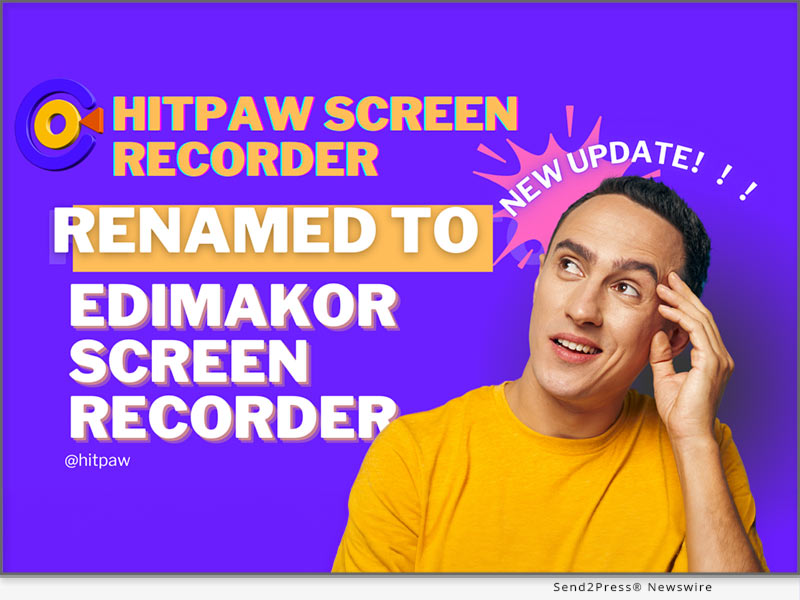
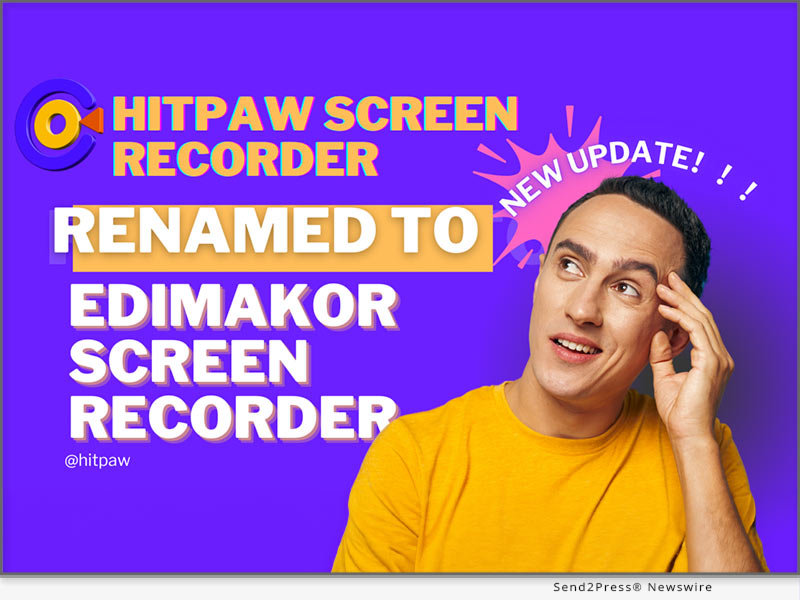
New Update! HitPaw Screen Recorder is Renamed to Edimakor Screen Recorder!

NEW YORK, N.Y. /ScoopCloud/ -- HitPaw today announced an exciting update to their popular screen recording software. HitPaw Screen Recorder has been renamed to Edimakor Screen Recorder. It offers unmatched functionality, ease of use, and the ability to record smooth, high-quality video - really setting a new standard when it comes to capturing anything and everything happening on your computer screen.

According to the HitPaw spokesperson,they are absolutely thrilled to unveil the new Edimakor Screen Recorder name and upgraded features: "Our dedicated team of software developers and designers has worked tirelessly over the past year to create what we believe to be the ultimate screen recording solution.Edimakor aims to connect the upstream and downstream of the video editing path to make video production simpler and faster."

MAIN FEATURES

Edimakor Screen Recorder provides exceptional recording capabilities including:

* Webcam Recording: Easily capture video from your webcam with just one click. Perfect for vlogs, tutorials, demos, and more. Adjustable settings allow you to tweak resolution, frame rates, and video orientation.

* Desktop Recording: Select an entire desktop or a specific region to record. Customize keyboard shortcuts for quick and easy desktop recording. Perfect for software demos, gaming highlights, and productivity tutorials.

* Lecture Capture: Students can easily record video lectures, online classes, and seminars. Pause and resume options allow for recording long classes. Draw on videos, add captions, and more.

* Video Call Recording: Capture important video calls for future reference. Works seamlessly with Zoom, Skype, Hangouts, and other platforms. Local recording ensures privacy.

* Game Recording: Designed to optimize game recording with quick toggles and no lag. Capture epic gameplay in HD at up to 144 FPS. Add webcam overlay, mic audio, and custom graphics.

* Audio Recording: Advanced audio recording isolates computer sounds and microphone input. AI noise reduction delivers crisp, clear audio. Custom audio channels available.

* Webcam Overlay: Add a picture-in-picture webcam overlay to your gameplay and desktop recordings. Adjust size, position, and opacity.

* Live Streaming: Stream your recordings live to YouTube, Twitch and 300+ other platforms. Real-time chat and custom overlays available.

Pricing & Availability

Edimakor Screen Recorder is affordably priced at $9.99/month or $49.99 for a lifetime license. Free trials are also available. The software runs on Windows and Mac and can be downloaded from the Edimakor website. Bulk licensing options are available for schools and businesses.

About Edimakor Screen Recorder

For creators, gamers, students and professionals seeking an effective yet simple-to-use screen recorder program, Edimakor Screen Recorder is the best option due to its strong features such as recording capabilities, editing tools and even live streaming.

Edimakor Screen Recorder sets the bar really high for screen recording and capture, thanks to its unmatched recording capabilities, intuitive interface, and high-quality output.

For more information about Edimakor Screen Recorder and its features, visit: https://edimakor.hitpaw.com/features/screen-recorder-live-stream.html

Follow on social media:

Facebook: https://www.facebook.com/EdimakorOfficial

X/Twitter: https://x.com/HitpawEdimakor

YouTube: https://www.youtube.com/@HitPawEdimakorOfficial

Instagram: https://www.instagram.com/edimakor2024/

News from HitPaw

HitPaw today announced an exciting update to their popular screen recording software. HitPaw Screen Recorder has been renamed to Edimakor Screen Recorder. It offers unmatched functionality, ease of use, and the ability to record smooth, high-quality video - really setting a new standard when it comes to capturing anything and everything happening on your computer screen.

Related link: https://www.hitpaw.com/

This version of news story was published on ScoopCloud™ (ScoopCloud.com) - part of and © the Neotrope® News Network - all rights reserved.

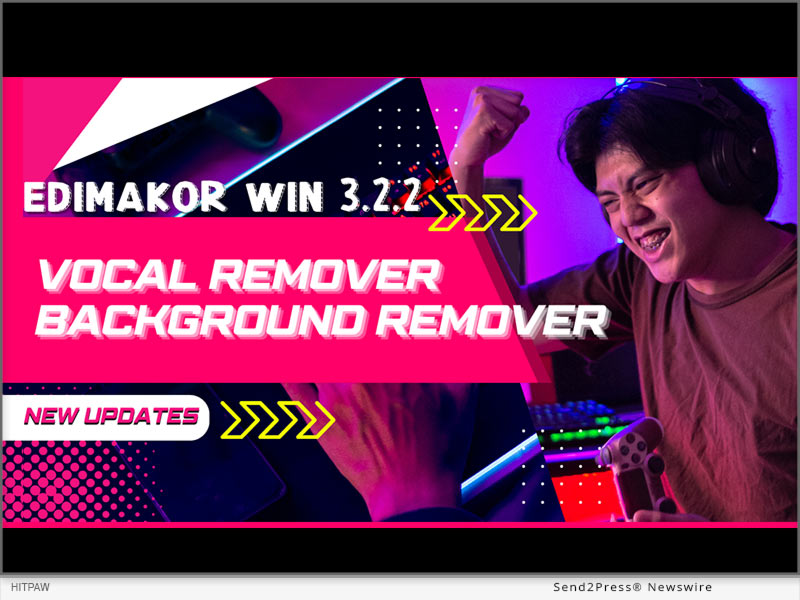
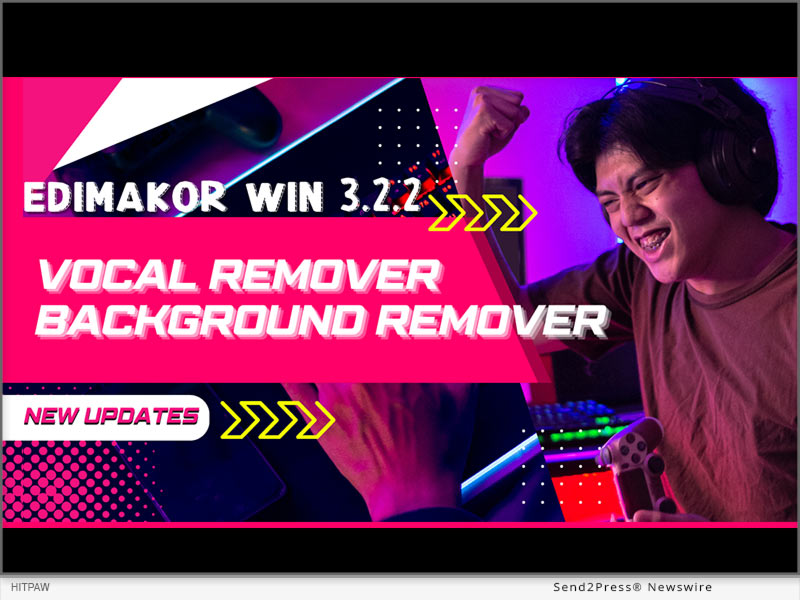
HitPaw Edimakor Win 3.2.2 Released with New AI Vocal and Background Remover!

NEW YORK, N.Y. /ScoopCloud/ -- HitPaw has launched Edimakor Win 3.2.2 with powerful AI features that simplify video editing more than ever before. With the update, users can now take advantage of AI Vocal Remover, AI Background Remover, and AI Beat Marker to easily make their videos look better.

The HitPaw spokesperson stated,"We are very excited to launch Edimakor 3.2.2 that we are able to provide Edimakor users with high-tech tools supported by artificial intelligence that simplify complicated processes in editing. With these intuitive functions, both beginners and professionals can smartly refine their videos without special expertise or training necessary."

AI BACKGROUND REMOVER

New AI Background Remover provides simple way to replace, remove, or blur video backgrounds:

1. Download and install the latest version of Edimakor.

2. Click "Remove Background" on the home page or go to "Toolbox."

3. Import the video from which you want to remove the background.

4. Right click on the video in the timeline and select "Remove Background."

5. It will remove the background from your video. Now you can export your video.

The AI precisely identifies foreground subjects like people and objects while removing everything else. This allows users to easily replace backgrounds or creatively blur them without meticulous masking or keying.

AI VOCAL REMOVER

The new AI Vocal Remover makes removing vocals from songs and recordings incredibly easy:

1. Click "Vocal Remover" on the home page or go to "Toolbox" .

2. Import the video from which you want to remove the vocal.

3. Right click on the video in the timeline and select "Vocal Remover".

4. You will have 2 options: keep the human voice or keep the background sound. Once done, download your video.

This groundbreaking tool isolates and extracts vocals with precision that far surpasses traditional filters. Users can effortlessly remove or keep vocals to create karaoke tracks, acapella mixes, and more.

AI BEAT MARKER

The AI Beat Marker takes the hassle out of syncing visuals to music:

1. Click "Beat Marker" or go to "Toolbox".

2. Import the audio and right click on the audio from the timeline.

3. Now, select the "Marker" option and the location on the audio.

4. Once done, export your audio file.

By automatically detecting beats in music, this tool makes it effortless to sync cuts, effects, and motion to the rhythm. Users can save hours of tedious manual beat matching.

Pricing

Subscription plans start at $19.95/month. Perpetual license $69.95, including free lifetime upgrades.

About Edimakor

Edimakor offers AI features and tools for editing videos: Al background remover,Al subtitle generator Al script generator,Al screen recorder,Al video Translator and more. With its unbeatable AI capabilities, novices can now edit like professionals with ease while enabling experts to hasten their workflow.

Learn more about HitPaw Edimakor Win 3.2.2: https://edimakor.hitpaw.com/

Follow on social:

* https://www.facebook.com/EdimakorOfficial

* https://twitter.com/HitpawEdimakor

* https://www.youtube.com/@HitPawEdimakorOfficial

* https://www.instagram.com/edimakor2024/

News from HitPaw

HitPaw has launched Edimakor Win 3.2.2 with powerful AI features that simplify video editing more than ever before. With the update, users can now take advantage of AI Vocal Remover, AI Background Remover, and AI Beat Marker to easily make their videos look better.

Related link: https://www.hitpaw.com/

This version of news story was published on ScoopCloud™ (ScoopCloud.com) - part of and © the Neotrope® News Network - all rights reserved.

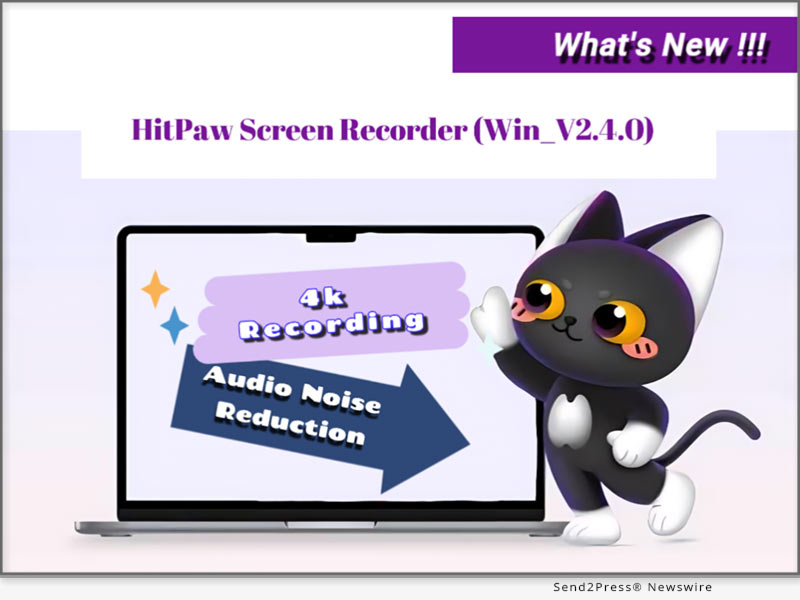
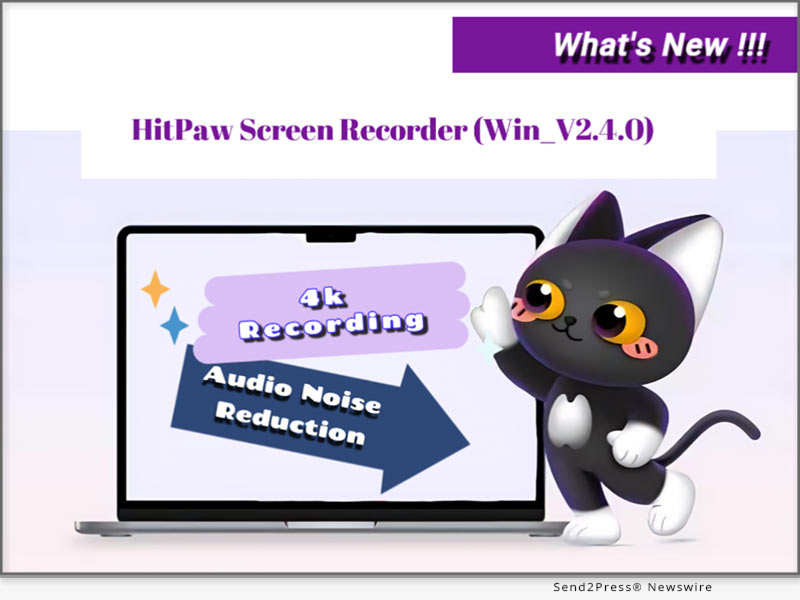
HitPaw Screen Recorder Win v2.4.0 Released with 4K&144FPS Recording and Audio Noise Reduction

NEW YORK, N.Y. /ScoopCloud/ -- HitPaw Screen Recorder, a robust recording and streaming software, has recently unveiled its Win 2.4.0 version. This upgraded release introduces settings for 4K&144FPS recording, and includes audio noise reduction features. These enhancements significantly simplify screen recording tasks for users.

According to the HitPaw spokesperson, the new features in this release are designed to enhance user experience by providing high-quality recordings and clear audio. The spokesperson stated, "Our goal with Win V2.4.0 is to empower users with tools that make recording effortless and professional. The 4K and 144FPS settings allow for ultra-high-definition capture, while the audio noise reduction ensures crystal clear sound quality. These improvements cater to a broad spectrum of users, from gamers to content creators, ensuring their recordings are of the highest standard."

4K&144FPS Recording:

The 4K&144FPS recording added is a massive game-changer for those who need high-resolution and high-frame-rate recordings. It's a perfect feature for whatever type of detailed picture and smooth motion are necessary to capture in gameplay recordings, professional presentations, or high-quality tutorials.

How to Use

1. Open HitPaw Screen Recorder, click on "Screen."

2. Choose the settings option and click on the option of 4K.

3. Change the frame rate to 144FPS.

4. Start recording your screen with this configuration.

The settings ensure that your recordings are in prime quality, where your visuals are sharp and clear with seamless motion.

Audio Noise Reduction:

It has an audio noise reduction feature that will filter out any unwanted noise, ensuring you transmit clear and professional sound with each interaction. Very useful when recording webinars, tutorials, or similar content in which there is a key factor of clarity in the audio.

How to Use

1. Open HitPaw Screen Recorder.

2. Then head over to the audio settings.

3. Turn the noise reduction feature on.

4. Adjust the noise reduction level when needed.

5. Start recording with higher sound clarity.

This makes any recording focused solely on your voice, or with a primary sound source, free of excess noise.

Pricing & Availability:

HitPaw Screen Recorder Win V2.4.0 is available for purchase on the HitPaw official website. Various pricing plans are offered to cater to different user needs, including monthly, yearly, and lifetime licenses.

Summary:

The latest version of HitPaw Screen Recorder, Win V2.4.0 is packed with major enhancements like 4K and 144FPS recording settings and a built-in audio noise reduction feature, which will make it the first preference in providing perfect high-quality screen recording and streaming solutions.

About HitPaw Screen Recorder:

HitPaw Screen Recorder has many easy-to-use features and advanced options that make the recording and streaming of your favorite activities smooth and quick. The software offers support to numerous formats of recording and houses innumerable robust editing tools for yet more refining of your recordings.

Learn more about HitPaw Screen Recorder Win 2.4.0 and its features: https://www.hitpaw.com/screen-recorder-live-stream.html

Follow on social media:

* Facebook: https://www.facebook.com/EdimakorOfficial

* X/Twitter: https://twitter.com/HitpawEdimakor

* YouTube: https://www.youtube.com/@HitPawEdimakorOfficial

News from HitPaw

HitPaw Screen Recorder, a robust recording and streaming software, has recently unveiled its Win 2.4.0 version. This upgraded release introduces settings for 4K&144FPS recording, and includes audio noise reduction features. These enhancements significantly simplify screen recording tasks for users.

Related link: https://www.hitpaw.com/

This version of news story was published on ScoopCloud™ (ScoopCloud.com) - part of and © the Neotrope® News Network - all rights reserved.

FlexClip Back-to-School Campaign: 40% Education Discounts and Extra 700 Free AI Credits

HONG KONG /ScoopCloud/ -- FlexClip, the leading online video and presentation creation platform developed by PearlMountain Limited, has launched a special back-to-school campaign. In partnership with Student Beans, FlexClip is offering a 40% discount on all subscription plans to students, teachers, and graduates. As part of this campaign, participants in the education discount can also claim 700 AI credits for free.

"We are excited to partner with Student Beans to offer this special discount," said Candy, FlexClip's Marketing Manager. "We aim to help students and educators unlock their creativity and meet their video production and presentation needs as they start the new academic year."

FlexClip Education Discount:

FlexClip has teamed with Student Beans, the leading student loyalty network, to offer a 40% discount on all FlexClip subscription plans for verified students, teachers, and graduates. This initiative aims to make tools more accessible. Students can use FlexClip to enhance their presentations and create captivating academic videos, while teachers can utilize it to develop engaging educational content and instructional materials. Graduates, on the other hand, can leverage FlexClip to build professional portfolios and showcase their skills when job hunting.

To benefit from this offer, visit the FlexClip Education Discount page, verify your status through Student Beans, and instantly access the 40% discount.

Free Bonus Offer:

Alongside the discount, FlexClip offers a complimentary bonus of 700 AI credits with every subscription purchase, free of charge. Customers can redeem this bonus during the back-to-school season by emailing their order details to FlexClip.

The campaign is valid from now until September 30, 2024.

Join in: https://www.flexclip.com/education-discount.html.

About FlexClip:

FlexClip is a leading video creation tool that offers an easy-to-use video editing and creation experience. It helps students and educators create high-quality video content effortlessly, supporting their development in academic and creative fields.

Website: https://www.flexclip.com/

News from PearlMountain Limited

FlexClip, the leading online video and presentation creation platform developed by PearlMountain Limited, has launched a special back-to-school campaign. In partnership with Student Beans, FlexClip is offering a 40% discount on all subscription plans to students, teachers, and graduates. As part of this campaign, participants in the education discount can also claim 700 AI credits for free.

Related link: https://www.pearlmountainsoft.com/

This version of news story was published on ScoopCloud™ (ScoopCloud.com) - part of and © the Neotrope® News Network - all rights reserved.

HitPaw Edimakor Win V3.1.0 Update Released with AI Video Translator and AI Writer

NEW YORK, N.Y. /ScoopCloud/ -- There is a significant update in the new version of HitPaw Edimakor; a video editing tool that recently upgraded to their new Win V3.1.0. The new version not only increases the function of AI Video translation but also brings an AI writing assistant which will be very useful for your video post-production.

AI Video Translator

With HitPaw Edimakor Win V3.1.0's new AI Video translation feature, users can now watch foreign films and swiftly produce localized marketing videos. This great tool can help simplify your task of making your videos more accessible. This helps people watch videos and understand them without much effort. Now it's just the matter of a few clicks to change.

To use the AI video translation feature in HitPaw Edimakor Win V3.1.0, follow the two methods and steps.

METHOD ONE:

1. Open HitPaw Edimakor and click on "Translate Subtitles".

2. Choose your file from your file explorer and hit "Open".

3. Choose your target language, desired speaker and translate your subtitles by clicking "Start Translate"!

METHOD TWO:

1. Launch the software and open the video you want to edit.

2. Select the Subtitle Option.Click on the "Auto Subtitling" button to initiate the subtitle recognition process.

3. Click the "Translate" button on the upper right corner of the screen.

4. From the popup interface, choose the target language and speaker, then click "Start Translate" button.

AI Writer

The AI writer in HitPaw Edimakor Win V3.1.0 is made to help users create engaging video scripts easily. This smart tool uses the latest AI algorithms to analyze the content of your video and generate a script that matches all of your needs.

To use the AI writer, follow these steps:

1. Launch HitPaw Edimakor and click "AI Writer" from the window.

2. Choose your language, word count and directly generate text for your video. You can also choose an assistant that matches your topic. This way you can ensure that the text you generate will be suitable for your niche!

Pricing & Availability

HitPaw Edimakor Win V3.1.0 is available to download at the official website. It also has a trial version that one can use to experience the functionalities of the software before buying the full version.

Summary

HitPaw Edimakor Win V3.1.0 is a AI-powered video editing software that has received the AI video translator and AI writer update.It also includes many other advanced AI editing technologies, such as AI subtitle generator, AI cutout, AI audio editor,speech-to-text,text-to-speech. These technologies can increase the outreach of your content and also ease the process of video editing.

About Edimakor

HitPaw Edimakor is a professional video editing software with plenty of features, it is suitable for both, beginners and advanced users in the field of video editing.

For more information about HitPaw Edimakor Win 3.1.0 and its features, visit https://www.hitpaw.com/video-editor.html.

Follow on social media:

* Facebook: https://www.facebook.com/EdimakorOfficial

* X/Twitter: https://twitter.com/HitpawEdimakor

* YouTube: https://www.youtube.com/@HitPawEdimakorOfficial

News from HitPaw

There is a significant update in the new version of HitPaw Edimakor; a video editing tool that recently upgraded to their new Win V3.1.0. The new version not only increases the function of AI Video translation but also brings an AI writing assistant which will be very useful for your video post-production.

Related link: https://www.hitpaw.com/

This version of news story was published on ScoopCloud™ (ScoopCloud.com) - part of and © the Neotrope® News Network - all rights reserved.

UniFab All-In-One software launches latest update to comprehensively improve audio and video processing experience

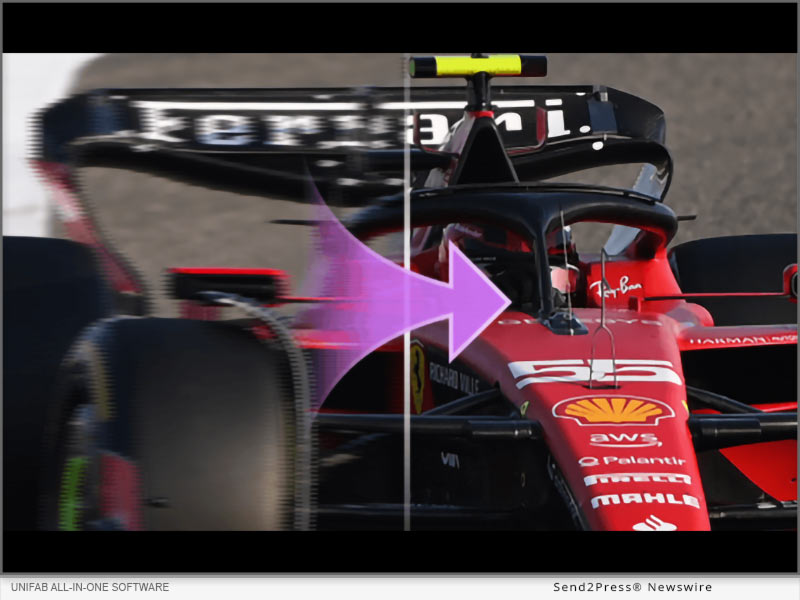
NEW YORK, N.Y. /ScoopCloud/ -- UniFab announced the release of its latest version. The new function UniFab Vocal Remover AI is launched in the latest version. This function supports intelligent separation of vocals and background music in a variety of video and audio files, and the launch of the UniFab All-In-One version for Mac systems, including 4 AI video processing modules and video format converter.

UniFab All-In-One software has always been committed to providing users with the highest quality audio and video processing experience. The latest update further improves the functionality and performance of the software, bringing users more convenient and efficient processing methods.

First, UniFab All-In-One adds a new function module, UniFab Vocal Remover AI. This function supports intelligent separation of vocals and background music in a variety of video and audio files. Users can adjust the output file format according to their own needs, providing more choices. The addition of this function makes audio processing more convenient and meets user needs for different audio elements.

Secondly, UniFab has launched the UniFab All-In-One version for Mac systems, which includes 4 AI video processing modules and a video format converter.

UniFab Video Converter supports the conversion of multiple video formats and is perfectly compatible with different devices, allowing users to enjoy high-definition videos anytime and anywhere.

UniFab Denoise AI uses AI technology to remove noise in videos while restoring details and improving video quality.

UniFab Video Upscaler AI can upscale video resolution to 4K, enhancing video clarity and quality.

UniFab Smoother AI increases the video frame rate to 120FPS to achieve smooth motion effects.

UniFab Deinterlace AI can remove interlacing from videos, eliminate motion artifacts and edge blur, and improve the video viewing experience.

UNIFAB ALL-IN-ONE FUNCTIONS AND FEATURES
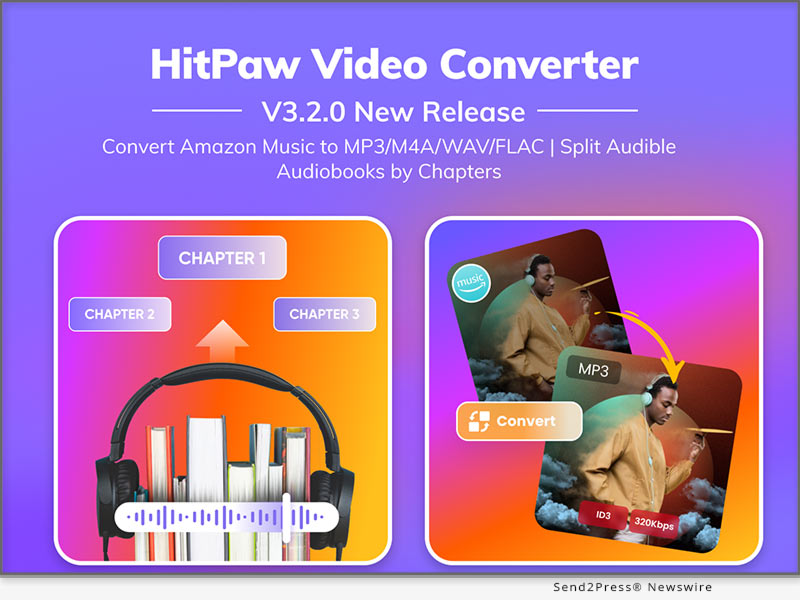
1. Upscale videos to HDR and Dolby Vision for superior video quality.

2. Improve the quality of every type of video without changing the resolution, such as low-resolution TV series, black and white movies, homemade videos or animations.

3. Eliminate video noise caused by low-light conditions, camera malfunctions, signal interference during transmission and compression algorithms.

4. Use AI technology to smoothly upgrade SDR to the HDR10 standard to achieve more realistic and vivid color presentation.

5. Upscale video resolution to 4K for ultra-sharp images. It seamlessly upscales video resolutions to 720p, 1080p and 4K Ultra HD

6. Audio is mixed to DTS 7.1 and EAC3 5.1 via AI for superior surround sound quality, enhancing the user's viewing experience and providing an immersive audio environment.

7. Increases frame rate to 120 fps to reduce judder and judder, delivering more natural results for the ultimate viewing experience.

8. Use AI to deinterlace videos for playback on the latest devices and improve your viewing experience using advanced AI technology.

9. Losslessly convert videos to more than 1,000 formats including MP4, MKV, AVI, WMV, and more for device compatibility and support without losing quality.

10. Compress video and audio while retaining original quality for sharing on social media platforms.

11. Edit videos professionally with tools like split, crop, rotate, flip and mirror, set duration and adjust video speed to create special effects.

The R&D team of UniFab software stated that they will continue to iteratively update the software, add more convenient and practical functions, and provide users with more complete video editing tools.

For more information please visit the official website:

English: https://unifab.ai/

Japan: https://ja.unifab.ai/

MULTIMEDIA:

VIDEO (YouTube): https://www.youtube.com/watch?v=8tNAW22a0ug

News from UniFab

UniFab announced the release of its latest version. The new function UniFab Vocal Remover AI is launched in the latest version. This function supports intelligent separation of vocals and background music in a variety of video and audio files, and the launch of the UniFab All-In-One version for Mac systems, including 4 AI video processing modules and video format converter.

Related link: https://unifab.ai/

This version of news story was published on ScoopCloud™ (ScoopCloud.com) - part of and © the Neotrope® News Network - all rights reserved.

Gemoo Launches CapUp to Make Viral Videos for Tiktok, Instagram, and YouTube easily and Instantly

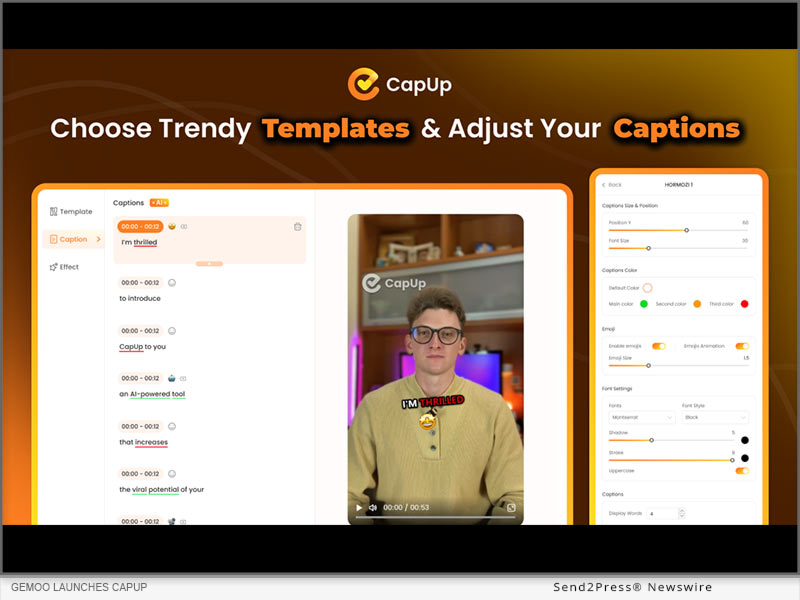
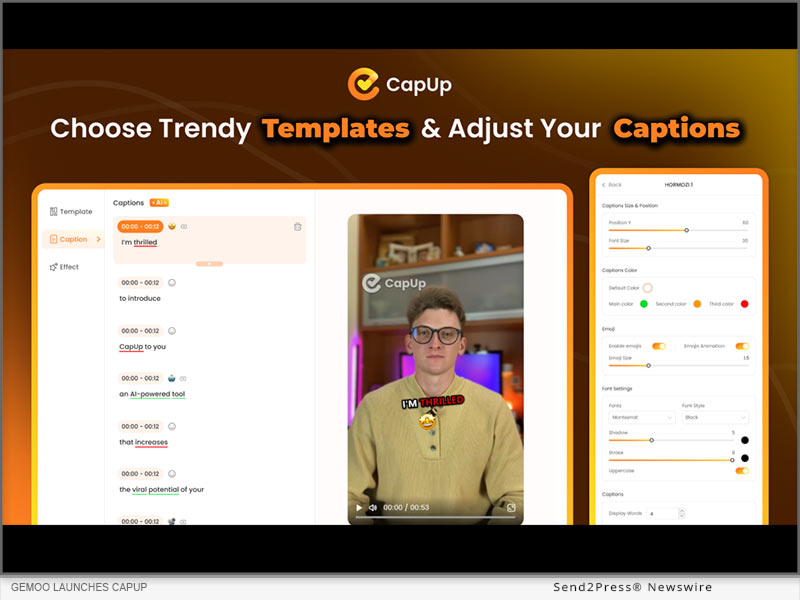
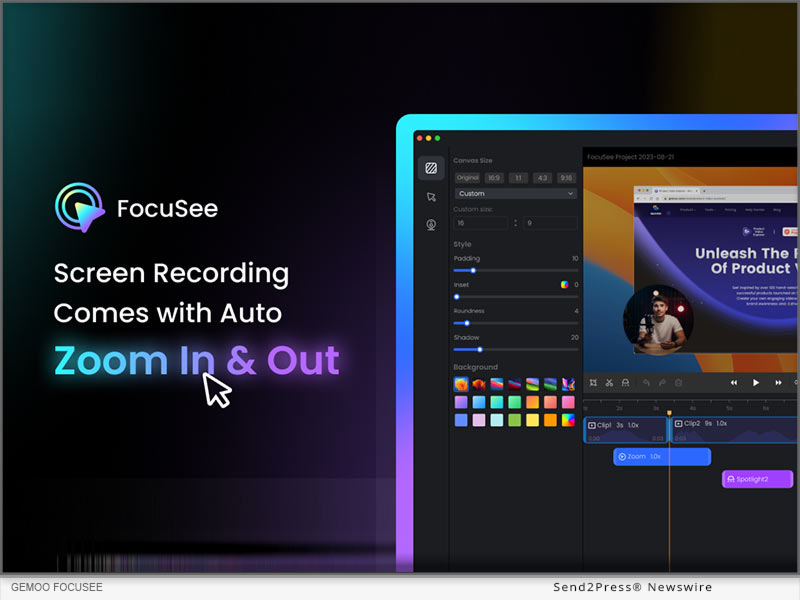
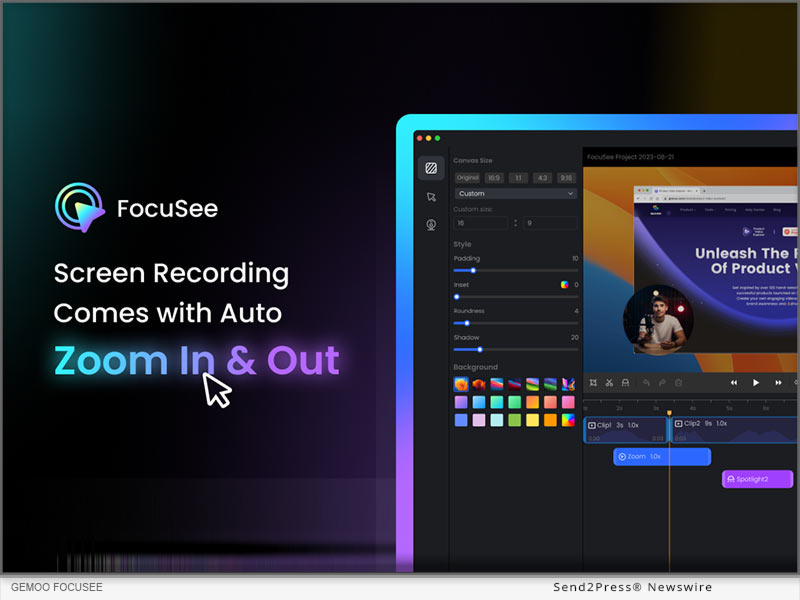
LOS ANGELES, Calif. /ScoopCloud/ -- Gemoo Inc., the developer of FocuSee, proudly announces the launch of CapUp, an innovative AI caption generator designed to save editing time and effort for content creators, and help them easily create viral shorts like top content creators to boost their TikTok, Instagram, and YouTube growth and monetization 10x faster.

Bridging the gap between professional editing and the viral potential of social media, CapUp offers dynamic captions, sophisticated zoom effects, an array of emojis, and tailored sound and visual effects. The application's intelligent automation processes ensure creators' outputs are not only captivating but also aligned with the latest trends, effortlessly.

"We understand how disappointing it could be when pouring hearts and time into creating a video, but it doesn't go viral as expected," said Chloé Yang, co-founder of Gemoo. "CapUp was built to help content creators turn short videos into viral ones within minutes. With dynamic captions and effects, CapUp aims to empower content creators to make a strong impact."

Feature Highlights of CapUp:

1. AI-Powered Captions: CapUp generates accurate dynamic captions with emojis in a flash using advanced AI. Now it supports 12 languages.

2. Trendy Influencer-Style Templates: Users can select from trendy templates and apply it to their own videos in a click. It's also easy to customize caption fonts, highlight colors, emojis, and effects to better fit different styles.

3. Auto Zoom for Highlights: CapUp's AI analyzes the captions and adds magic zoom effects to highlight key points. Amplify the visual impact and increase view duration.

4. Eye-Catching Intro Effect: CapUp automatically adds the same attention-grabbing zoom and sound effect used by the top creator. Help users hook more audience in the first 3 seconds.

5. Popular Sound & Visual Effects: CapUp takes videos to the next level with popular sound and visual effects.

6. Various Interesting Emojis: Spice up the video a bit more with interesting emojis. The perfect emojis will match the captions automatically, and users can add a specific emoji as they prefer.

7. Custom Video Covers: CapUp allows users to choose the most striking moments from the video or upload stunning photos as the thumbnail. Make videos stand out with eye-catching video covers.

Learn more about CapUp or give it a try now: https://gemoo.com/capup/

Compatibility and Price:

CapUp is a web app that works on both Windows and macOS, and is free to generate 10 videos per month. Premium plans start from $12.99/month. Check more pricing plans at: https://gemoo.com/capup/pricing.htm

About Gemoo:

Gemoo is an innovative team on a mission to let everyone enjoy a fun, creative, and limitless experience of video creating, editing, and sharing. For more information: https://gemoo.com/

News from Gemoo

Gemoo Inc., the developer of FocuSee, proudly announces the launch of CapUp, an innovative AI caption generator designed to save editing time and effort for content creators, and help them easily create viral shorts like top content creators to boost their TikTok, Instagram, and YouTube growth and monetization 10x faster.

Related link: https://gemoo.com/

This version of news story was published on ScoopCloud™ (ScoopCloud.com) - part of and © the Neotrope® News Network - all rights reserved.

Experience the Enhanced Edimakor V3.0.0 with a Fresh New UI Design

NEW YORK, N.Y. /ScoopCloud/ -- HitPaw, a leading software company specializing in multimedia tools, is excited to announce the release of HitPaw Edimakor version 3.0.0. The new version features a revamped user interface (UI) design aimed at providing a clearer and more intuitive video editing experience.

"Most video editing software can be overwhelming and confusing for beginners, but Edimakor is designed with its user in mind," said a spokesperson of HitPaw. "As a powerful AI video editor, Edimakor V3.0.0 is suitable for users of all skill levels. Anyone can use it to achieve professional-quality edits in minutes."

OVERVIEW OF THE IMPROVEMENTS FOR HITPAW EDIMAKOR V3.0.0

Here are some key highlights of edimakor 3.0.0:

* Simplicity: Thanks to its new UI design, Edimakor has become a go-to choice for video editing. You will find HitPaw Edimakor much easier to get started with than other video editors. The carefully designed interface minimizes the learning curve, allowing you to spend more time creating stunning videos. Whether you're a beginner or an experienced user, HitPaw Edimakor V3.0.0 promises a smoother and simpler video editing experience.

* Flexibility: Enhanced player interaction is also a key highlight of this upgrade. Specifically, the player interface now offers improved controls for easier video rotation and stretching, empowering users with more flexibility in editing video content.

* Efficiency: To boost productivity, HitPaw has not only made significant upgrades to the underlying systems in Edimakor V3.0.0 but has also optimized interactions with the extensive effects library. Users can now edit and export videos more quickly, saving valuable time while preserving video quality.

WHY SHOULD USE HITPAW EDIMAKOR V3.0.0?

HitPaw Edimakor is the perfect blend of advanced features and a user-friendly interface. It offers powerful hardware encoding and various AI-powered tools to meet your video editing needs:

* AI Smart Cutout: Effortlessly remove backgrounds from your videos and images with precision and speed.

* AI Script Generator: Choose from a variety of pre-written scripts tailored to different video themes and styles.

* AI Text-to-Subtitle Conversion: HitPaw Edimakor can help you automatically split text into subtitle strips, simplifying the subtitle creation process.

* Enhanced Screen Recording: Edimakor allows you to draw directly on the screen while recording, which is invaluable for creating interactive tutorials, demonstrations, or educational content.

In a word, it is an excellent video editing suite for various types of people, including freelancers, content creators, casual video editors, marketers, and others.

About Edimakor:

Over the years, Edimakor has been committed to fulfilling its mission of helping users turn inspiration into reality. Apart from video editing, Edimakor offers a wide range of innovative software solutions, including screen recording, watermark removal, image editing, AI photo enhancement, and more.

For more information, you may visit: https://www.hitpaw.com/video-editor.html

Our Social Media

Facebook: https://www.facebook.com/profile.php?id=100091217221227

X/Twitter: https://twitter.com/HitpawEdimakor

YouTube: https://www.youtube.com/@HitPawEdimakorOfficial

News from HitPaw

HitPaw, a leading software company specializing in multimedia tools, is excited to announce the release of HitPaw Edimakor version 3.0.0. The new version features a revamped user interface (UI) design aimed at providing a clearer and more intuitive video editing experience.

Related link: https://www.hitpaw.com/

This version of news story was published on ScoopCloud™ (ScoopCloud.com) - part of and © the Neotrope® News Network - all rights reserved.

How to Remove Background from Image on Mac with Edimakor AI

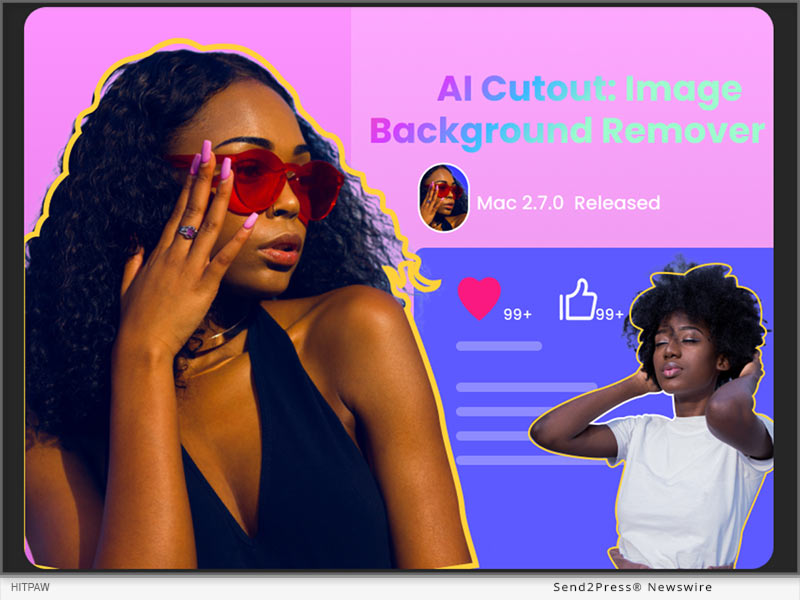
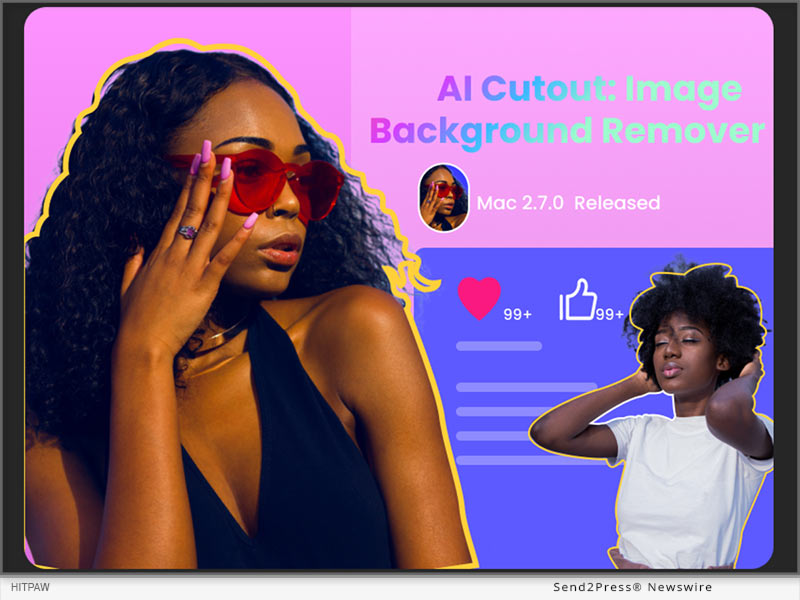
NEW YORK, N.Y. /ScoopCloud/ -- HitPaw, a leading software developer specializing in multimedia editing solutions, proudly announces the launch of Edimakor Mac version 2.7.0. This latest update introduces a suite of AI-driven tools, such as the highly anticipated AI cutout feature, revolutionizing the editing landscape for Mac users.

According to a spokesperson for HitPaw Edimakor, the release of Mac version 2.7.0 underscores the company's commitment to innovation and user-centric design. "AI cutout represents just one of the many enhancements we've made to HitPaw Edimakor," said a spokesperson of HitPaw. "The Edimakor team is continually dedicated to refining its products, aiming to unleash users' creativity and streamline their editing workflows."

What is AI Cutout?

Gone are the days of tedious manual selection and masking. With the new AI Cutout tool, Mac users can effortlessly remove backgrounds from images with unparalleled precision and efficiency. Whether editing portraits, product photos, or any other image, this feature empowers users to achieve professional-quality results in a fraction of the time.

Other AI Tools in HitPaw Edimakor

In addition to AI Cutout, HitPaw Edimakor Mac V2.7.0 brings forth a set of other AI-driven functionalities designed to elevate the editing experience. These include:

* STT and TTS Features: HitPaw Edimakor, like other video editing software, offers powerful Speech-to-Text (STT) and Text-to-Speech (TTS) tools. STT converts dialogue in videos to editable text for easy subtitle creation, while TTS allows you to add audio to your videos when needed.

* AI-Generated Script Templates: HitPaw Edimakor Mac V2.7.0 introduces AI-generated script templates, empowering users with intelligent video copywriting recommendations.

* Text-to-Subtitle Conversion: Simply paste your text into HitPaw Edimakor, and it will automatically split it into subtitle strips, saving you time and effort in the subtitle creation process.

These AI and enhanced features, coupled with optimizations to the Timeline interface and fixes to the downloader, reinforce HitPaw Edimakor's position as a leading provider of cutting-edge editing solutions.

How to Use AI Cutout on Mac by HitPaw Edimakor?

Whether you're a seasoned professional or a novice enthusiast, HitPaw Edimakor makes AI background removal accessible to everyone. Here is a step-by-step guide to use AI coutout on Mac:

Step 1: Begin with upload your image to Edimakor by clicking 'Import Files.' Then, add the image to the timeline by clicking the '+' icon or dragging it there manually.

Step 2: Navigate to 'AI Tools' under 'Image' in the right column, and toggle the 'AI Cutout' feature to remove the background from your image with a single click.

Step 3: Once the background is removed, you can further edit and enhance the image, such as changing the background, adding special effects, etc. Finally, click 'export' to save your edited image.

For more information about HitPaw Edimakor Mac 2.7.0 and its features, visit https://www.hitpaw.com/video-editor.html

Follow on social:

Facebook: https://www.facebook.com/profile.php?id=100091217221227

X/Twitter: https://twitter.com/HitpawEdimakor

YouTube: https://www.youtube.com/@HitPawEdimakorOfficial

News from HitPaw

HitPaw, a leading software developer specializing in multimedia editing solutions, proudly announces the launch of Edimakor Mac version 2.7.0. This latest update introduces a suite of AI-driven tools, such as the highly anticipated AI cutout feature, revolutionizing the editing landscape for Mac users.

Related link: https://www.hitpaw.com/

This version of news story was published on ScoopCloud™ (ScoopCloud.com) - part of and © the Neotrope® News Network - all rights reserved.

HitPaw Edimakor for Mac V2.6.0: AI Video Generator, STT, TTS Included

NEW YORK, N.Y. /ScoopCloud/ -- HitPaw, a leading provider of multimedia solutions, proudly announces the release of HitPaw Edimakor for Mac V2.6.0, a powerful and user-friendly video editing software. The latest version brings an array of exciting features and fresh resources, solidifying its position as the preferred toolkit among content creators.

What's New about HitPaw Edimakor?

Here's a closer look at the key highlights:

* AI Script Generator: One exciting feature in this update is the integration of the ChatGPT interface. Simply put, users can now use the latest AI to easily create video scripts. Or, you can also create engaging video content by selecting suitable resource templates.

* Video Download and Audio Extraction: HitPaw Edimakor now supports pasting any website link to download corresponding audio and video resources, further enriching your creative experience. Additionally, if you are unsatisfied, you are able to directly extract the desired audio from video clips.

* Screenshot Function: The brand-new screenshot feature allows users to capture moments from videos and save them as static images, making it easy to share and showcase creative highlights.

* Rich resources: In this update, the HitPaw team has introduced a wide range of creative elements. Now, users have access to over 300 new fonts, over 80 diverse text styles, a collection of 50 commercially licensed music tracks, and an selection of over 30 new special effects.

* Simplified creative workflow: With HitPaw Edimakor, Mac users can not only enjoy great freedom but also further simplify the video editing process. For example, when the timeline is empty, you can directly add materials. On the other hand, the newly added switch on the timeline enables users to unbind the material from the main axis.

* STT and TTS: Like other video editing software, HitPaw Edimakor is equipped with powerful Speech-to-Text (STT) and Text-to-Speech (TTS) functionalities. Speech-to-Text can be used to convert dialogues in videos into editable text, facilitating the creation of subtitles. Meanwhile, Text-to-Speech allows you to add audio to your videos when needed.

Compatibility and Price

HitPaw Edimakor is not only fully compatible with MacOS 10.15 or higher, but also offers a Windows version. Users can now purchase the software and enjoy a fantastic 20% discount. Compared to competitors, it is more suitable for budget-conscious Mac users.

For more price checking, please visit:
https://www.hitpaw.com/purchase/buy-hitpaw-video-editor-mac.html

About Edimakor

Edimakor has always been committed to unleashing individual creative potential. Over the years, the Edimakor team has assisted numerous users worldwide in turning their imagination into reality. Apart from video editing, Edimakor also provides various innovative solutions, including screen recording, photo enhancement, voice changing, AI video generation, and more.

For more information, visit: https://www.hitpaw.com/video-editor.html

Follow on social:

YouTube: https://www.youtube.com/@HitPawEdimakorOfficial

Facebook: https://www.facebook.com/profile.php?id=100091217221227

X/Twitter: https://twitter.com/HitpawEdimakor

News from HitPaw

NEW YORK, N.Y., Feb. 2, 2024 (SEND2PRESS NEWSWIRE) -- HitPaw, a leading provider of multimedia solutions, proudly announces the release of HitPaw Edimakor for Mac V2.6.0, a powerful and user-friendly video editing software. The latest version brings an array of exciting features and fresh resources, solidifying its position as the preferred toolkit among content creators.

Related link: https://www.hitpaw.com/

This version of news story was published on ScoopCloud™ (ScoopCloud.com) - part of and © the Neotrope® News Network - all rights reserved.

BlipCut Introduces AI Video Translator: Its Brand-New AI Tool

NEW YORK, N.Y. /ScoopCloud/ -- BlipCut, a fresh face in the tech scene, is thrilled to unveil its latest creation: BlipCut AI Video Translator. This online tool is set to transform the way content is created and shared, opening up new possibilities for users of all levels.

AI Features:

BlipCut AI Video Translator comes equipped with a range of user-friendly features that breathe life into multimedia projects:

* Voice Cloning: Powered by ElevenLabs, it uses AI to clone your voice with precision when video translating.

* Voice Changer: It provides several human-like AI voices for expressive storytelling.

* Video Dubbing: Break language barriers with effortless video dubbing in various languages.

* Auto Caption Generator: You're allowed to generate the translated subtitles automatically and change the style of subtitles.

* AI Audio Translator: Translate audios or videos instantly in BlipCut, no queuing!

Designed for Everyone:

BlipCut prioritizes simplicity, ensuring that both newcomers and seasoned creators can easily integrate these features into their projects. The aim is to empower users to explore the full potential of AI in multimedia creation.

User Stories:

Early users are already sharing their excitement about the AI Video Translator:

"BlipCut AI Video Translator has become an integral part of my life. I made some learning videos which speaks in English, but I wanted to make them known to all. So I chose to translate to English. BlipCut can translate Korean to English accurately." - Anne Gerta

Availability and Ongoing Development:

The AI Video Translator is available now, and BlipCut is actively seeking user feedback for future enhancements. The company is open to collaborations and partnerships that align with its commitment to innovation.

About BlipCut:

BlipCut is a rising tech brand focused on shaping the future of multimedia creation through innovative AI solutions. The AI Video Translator is the latest addition to its suite of tools aimed at empowering creators worldwide.

To know more, you may visit: https://videotranslator.blipcut.com/

Our Social Media:

YouTube: https://www.youtube.com/channel/UCw1bFhL3EBEfKwZEhVgCm3g

X/Twitter: https://twitter.com/BlipCutofficial

Instagram: https://www.instagram.com/blipcutofficial

Discord: https://discord.com/invite/J6suWhfr

News from BlipCut

BlipCut, a fresh face in the tech scene, is thrilled to unveil its latest creation: BlipCut AI Video Translator. This online tool is set to transform the way content is created and shared, opening up new possibilities for users of all levels.

Related link: https://videotranslator.blipcut.com/

This version of news story was published on ScoopCloud™ (ScoopCloud.com) - part of and © the Neotrope® News Network - all rights reserved.

FlexClip Empowers Creativity with an Array of New Editing Features

HONG KONG /ScoopCloud/ -- PearlMountain Limited's flagship video creation platform, FlexClip, announces the release of the new version, featuring the Speed Curve Controller, Rich Text Editing, Color Picker, Fast Cut Editing, and Cloud Resource Reuse for an outstanding creative video editing experience.

"I am thrilled to announce the latest FlexClip update, which brings a host of exciting new features designed to meet the diverse video creation demands of our users," says PearlMountain CEO and founder, Lin Xiao. "One of our remarkable enhancements is the Speed Curve Controller, a tool that improves flexibility and creativity in video creation. These new features are set to expand creative horizons and enrich the overall user experience."

Speed Curve Controller, typically reserved for desktop video editors, is now accessible to users of all skill levels with FlexClip. FlexClip offers six preset curve styles, including Montage, Hero Time, and Jump Cut, along with custom curve setting options. Whether for action highlights, slow-motion effects, syncing with music beats, or flashy transitions, users can use the speed curve feature to elevate their video content.

FlexClip also adds Rich Text Editing feature. Users can input in real-time and highlight part of the text to add personality and uniqueness. This feature boosts text content's flexibility and expressiveness, enabling creative and engaging storytelling.

What's more, FlexClip introduces a Color Picker for effortless color capture and application, enhancing personalization and creativity. Also, with the new Fast Cut Editing feature, users have the flexibility to adjust video duration down to 0.1 seconds for effects like quick cuts and music beat syncing. And users can now efficiently reuse cloud storage materials when creating new videos, saving time and effort with no need for repetitive uploads.

FlexClip's latest version represents continuous progress in video creation, offering users more powerful and diverse tools, expanding creative options, and boosting efficiency and flexibility in content creation.

For more information about FlexClip, please visit https://www.flexclip.com/ or on Facebook, Twitter and YouTube.

About FlexClip:

FlexClip is a browser-based video maker platform developed by PearlMountain Limited, providing one-stop video services that help novice and professionals create tutorials, video trailers, explainer videos, presentations, and social media videos with ease.

To date, FlexClip is used and loved by millions of people around the globe.

News from PearlMountain Limited

PearlMountain Limited's flagship video creation platform, FlexClip, announces the release of the new version, featuring the Speed Curve Controller, Rich Text Editing, Color Picker, Fast Cut Editing, and Cloud Resource Reuse for an outstanding creative video editing experience.

Related link: https://www.pearlmountainsoft.com/

This version of news story was published on ScoopCloud™ (ScoopCloud.com) - part of and © the Neotrope® News Network - all rights reserved.

HitPaw Video Enhancer V2.0.0 Released as Major Update! Your Ultimate Solution for Video Repair and Video Enhancement

NEW YORK, N.Y. /ScoopCloud/ -- HitPaw, a leading software company, has announced the release of HitPaw Video Enhancer Windows V2.0.0, which has provided major updates! This new version comes with advanced features that will enable you to create professional-looking videos with ease. Even for those who are new to video upscaling, HitPaw Video Enhancer V2.0.0 is the ultimate solution for blurry videos!

LET'S CHECK OUT THE NEW FEATURES

* Low-light Video Enhancement Model

The latest version of HitPaw Video Enhancer for Windows comes with a AI Low-light Video Enhancement Model that allows users to enhance videos taken in low-light conditions. This feature is especially useful for those who love to take videos at night or in dark environments.

* Video Repair

In addition to the Low-light Video Enhancement Model, the new version of HitPaw Video Enhancer also includes a Video Repair function. This function allows users to repair videos that have been damaged or corrupted due to various reasons, such as file transfer errors or faulty USB cable.

* Video Editing

Furthermore, the new version also includes a Video Editing function. If you are not satisfies with the length of the videos in the process of post-editing, this feature allows cut the need-less part and only save and enhance the most important parts of the video.

* More Formats Supported

Along with the releasing of the new version, HitPaw Video Enhancer now supports exporting with more kinds of formats, including MP4, AVI, MOV, MKV, M4V and GIF, which will meet the needs of more of our users.

Compatibility and Price:

HitPaw Video Enhancer is compatible with both Windows 11/10 64-bit and MacOS 10.15 or later, making it accessible to a wide range of users. The new version of HitPaw Video Enhancer for Windows is now available for download on the HitPaw website. Users can try out the new features by downloading the free trial version, or purchase the full package starts from $42.99/month.

For more information, you can visit:

https://www.hitpaw.com/hitpaw-video-enhancer.html

https://www.hitpaw.com/purchase/buy-hitpaw-video-enhancer.html

https://www.hitpaw.com/purchase/buy-hitpaw-video-enhancer-mac.html

https://www.hitpaw.com/event/anniversary.html

About HitPaw:

HitPaw is an emerging software company specialized in multi-media solutions such as video/photo editing, video/photo enhancing, voice changing, screen recording, watermark removing, etc. We help users turn their inspiration into reality so that we can generate more ideas to make the world be full of more creativity.

To know more about HitPaw, you could visit:

https://www.hitpaw.com/

https://www.hitpaw.com/about.html

Our Social Media:

YouTube: https://www.youtube.com/channel/UCQwRggaotgiMcPbiCOsJeBA

TikTok: https://www.tiktok.com/@hitpaw

Facebook: https://www.facebook.com/HitPawofficial

X(Twitter): https://twitter.com/HitPawofficial

Instagram: https://www.instagram.com/HitPawofficial/

Pinterest: https://www.pinterest.com/HitPawofficialwebsite/

News from HitPaw

HitPaw, a leading software company, has announced the release of HitPaw Video Enhancer Windows V2.0.0, which has provided major updates! This new version comes with advanced features that will enable you to create professional-looking videos with ease. Even for those who are new to video upscaling, HitPaw Video Enhancer V2.0.0 is the ultimate solution for blurry videos!

Related link: https://www.hitpaw.com/

This version of news story was published on ScoopCloud™ (ScoopCloud.com) - part of and © the Neotrope® News Network - all rights reserved.

HitPaw Video Converter V3.2.0 Released: Upgrades and Optimizations Redefine its Multimedia Excellence

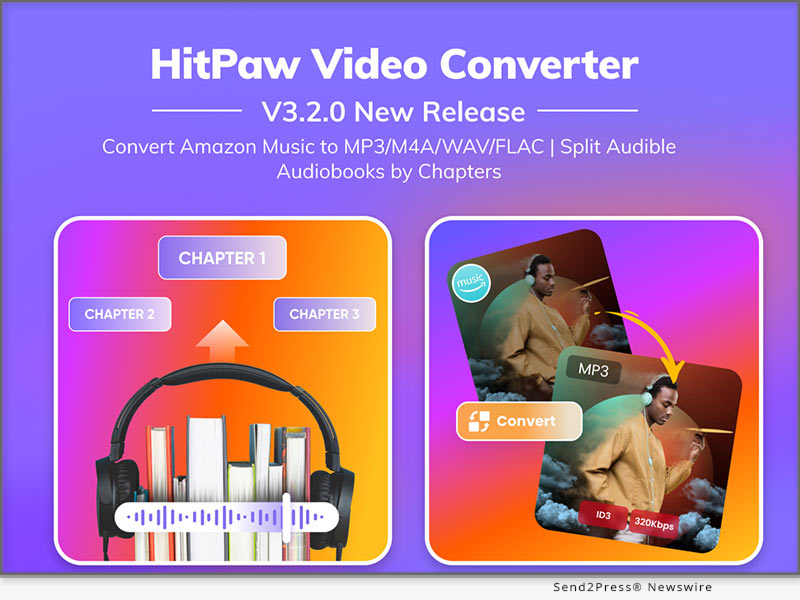
NEW YORK, N.Y. /ScoopCloud/ -- HitPaw, a leader in cutting-edge software technology, is excited to announce the launch of its latest software update, HitPaw Video Converter V3.2.0. Designed to meet a diverse range of user needs, HitPaw Video Converter V3.2.0 introduces several remarkable enhancements that are set to redefine the way videos and audios are managed and transformed.

LET'S CHECK OUT THIS NEW VERSION

* Amazon Music Converter

With Amazon Music Converter, you can effortlessly download and save HD/Ultra HD tracks, albums, playlists, artists, and podcasts from Amazon music to your local PC for offline listening permanently even if your subscription expires. It supports batch converting Amazon Music to lossless FLAC while preserving essential ID3 metadata. This breakthrough feature provides music enthusiasts with the freedom to enjoy their favorite tracks on any device and with any media player, offering a truly seamless and unrestricted musical experience.

* Audible Audiobook Splitting

The Audible Converter feature has received an exciting upgrade, allowing users to effortlessly split Audible audiobooks by chapters. This enhancement enhances the accessibility and organization of your audiobook collection, making it easier than ever to navigate your literary adventures.

* Enhanced Instagram Image Classification

This innovation has enhanced the categorization of Instagram image filtering, introducing additional filtering criteria such as a time dimension and video and image categorization dimensions. This enables users to conveniently select the Instagram content they want to view and download.

* Expanded Export Formats

The Format Conversion module has been extended to include new export formats, offering support for 2K (2560*1440) resolution in MP4, MOV, MKV, and AVI formats. Enhance the visual quality of your video content and adapt it to your specific requirements.

Compatibility and Price:

HitPaw Video Converter is now compatible with Windows 11/10/8/7 64-bit and macOS 10.13 and above. The pricing starts from $19.95 USD for a month plan.

For more price checking and information, you can visit https://www.hitpaw.com/video-converter.html

About HitPaw:

HitPaw is an emerging software company specializing in video editing, screen recording, watermark removing, image editing, photo enhancing meme-making, etc. We help users turn their inspiration into reality so that we can generate more ideas to make the world full of more creativity.

To know more, you may visit https://www.hitpaw.com/about.html and https://www.hitpaw.com/

Our Social Media

YouTube: https://www.youtube.com/channel/UCQwRggaotgiMcPbiCOsJeBA

Facebook: https://www.facebook.com/hitpawofficial

X/Twitter: https://twitter.com/HitPawofficial

Instagram: https://www.instagram.com/hitpawofficial/

Pinterest: https://www.pinterest.com/HitPawofficialwebsite/

News from HitPaw

HitPaw, a leader in cutting-edge software technology, is excited to announce the launch of its latest software update, HitPaw Video Converter V3.2.0. Designed to meet a diverse range of user needs, HitPaw Video Converter V3.2.0 introduces several remarkable enhancements that are set to redefine the way videos and audios are managed and transformed.

Related link: https://www.hitpaw.com/

This version of news story was published on ScoopCloud™ (ScoopCloud.com) - part of and © the Neotrope® News Network - all rights reserved.

Gemoo Releases FocuSee, An Innovative Screen Recording App with Auto Editing to Help Non-Professionals Create Stunning Videos with Least Cost and Effort

LOS ANGELES, Calif. /ScoopCloud/ -- Gemoo, an innovative startup team aiming to simplify the workflow of video creation, editing, and sharing, has launched FocuSee, a groundbreaking screen recording application with auto-editing features designed to empower users without video editing skills to craft stunning tutorial, promotional, sales, and demo videos in minutes.

"For too long, the high cost and time investment in professional video production has deterred startups like us and individuals from creating compelling video content," said Morgan Kung, founder of Gemoo. "Hiring a professional editor often costs hundreds of dollars per video, while creating a video by ourselves consumes precious hours. It's a burden for us. So we built FocuSee, hoping to make post-production easier, smoother, and as friendly as possible for non-professionals."

How FocuSee Works:

1 - Record the screen, with webcam and microphone as usual.

2 - FocuSee automatically adds dynamic pan and zoom effects, along with an appealing background around the video. As soon as users finish recording, a polished video is ready for sharing.

3 - Users can export the video as MP4 / GIF, share it via a link, or embed it anywhere using embed code.

4 - They can even add in-video quizzes, forms, and call-to-action buttons to generate leads or get feedback more efficiently. (Available for videos shared online)

FocuSee also supports personalized adjustments, allowing users to tailor the video to their specific needs:

* Highlight focal points with Spotlight feature, drawing audiences' attention to key elements.

* Choose from various screen and selfie layout options, including side-by-side, overlay, and screen-only modes.

* Select from 8 mouse cursor styles and 3 button click effects to match the video's style.

* Tailor the background, rounded corners, shadow, inset, and padding to achieve the best visual impact.

* Trim, cut, crop, speed up, or slow down specific portions. Make the video concise and clear.

* Choose from preset aspect ratios for different platforms, like YouTube, Twitter, TikTok, etc. All animations and effects will be automatically adjusted accordingly.

Try FocuSee Now: https://gemoo.com/focusee/

USE CASES OF FOCUSEE:

Demos & Tutorials

Craft engaging demos and tutorials that show details more clearly. Set in-video quizzes, forms, and call-to-action buttons to collect feedback, emails, and prompt action instantly.

Promo & Launch Videos

Record captivating promo or launch videos. Resize it for various social media platforms in a click. Export it as high-quality video or GIF to use on the landing page.

Pitch & Sales Videos

Elevate outreach success rate with compelling videos, featuring side-by-side displays of selfie and screen. Add a personal touch to build better connections and trust with recipients.

Compatibility and Price:

FocuSee works on both Windows and macOS, and is available from $19.99. Choose plan here: https://gemoo.com/focusee/pricing.htm

About Gemoo:

Gemoo is an innovative team on a mission to let everyone enjoy a fun, creative, and limitless experience of video creating, editing, and sharing. Learn more at: https://gemoo.com/

News from Gemoo

Gemoo, an innovative startup team aiming to simplify the workflow of video creation, editing, and sharing, has launched FocuSee, a groundbreaking screen recording application with auto-editing features designed to empower users without video editing skills to craft stunning tutorial, promotional, sales, and demo videos in minutes.

Related link: https://gemoo.com/

This version of news story was published on ScoopCloud™ (ScoopCloud.com) - part of and © the Neotrope® News Network - all rights reserved.

HitPaw Video Object Remover V2.0.0 announced: A Revolutionary Upgrade for Seamless Video Editing

NEW YORK, N.Y. /ScoopCloud/ -- HitPaw is thrilled to announce the release of HitPaw Video Object Remover (Win) V2.0.0, a game-changing update that elevates the world of video editing to new heights. These updates are designed to enhance the user experience, making HitPaw Video Object Remover (Win) V2.0.0 the ultimate tool for video editors of all levels.

WHAT'S NEW:

* Enhanced AI Model

We've supercharged our AI model for object removal, delivering even more precise and impressive results. Say goodbye to unwanted elements in your videos effortlessly.

* Improved Tracking and Removal

We've fine-tuned our tracking and removal capabilities to ensure a smoother and more effective editing process. Your videos will look flawless and professional.

* Custom Background Upload

The star feature of this update is the ability to upload your own images for background replacement. Now, you have the freedom to replace video backgrounds with your favorite pictures, unleashing your creativity.

* Generic Picture Background

In addition to custom uploads, we provide a selection of generic picture backgrounds for replacement. It's never been easier to give your videos a fresh look.

Learn more: https://www.hitpaw.com/hitpaw-object-remover.html

Compatibility and Price:

HitPaw Video Object Remover is now compatible with Windows 11/10 64-bit and macOS 10.15 and above. The pricing starts from $39.99 USD for a month plan.

For more price checking and information, you can visit https://www.hitpaw.com/purchase/buy-hitpaw-object-remover.html

About HitPaw:

HitPaw is a leading software provider dedicated to simplifying the world of multimedia editing. Our innovative tools empower creators to bring their ideas to life, whether through video editing, photo enhancement, or more. With user-friendly interfaces and cutting-edge technology, HitPaw software is designed for both beginners and professionals.

To know more, you may visit https://www.hitpaw.com/

Our Social Media

YouTube: https://www.youtube.com/channel/UCQwRggaotgiMcPbiCOsJeBA

Facebook: https://www.facebook.com/hitpawofficial

X/Twitter: https://twitter.com/HitPawofficial

Instagram: https://www.instagram.com/hitpawofficial/

Pinterest: https://www.pinterest.com/HitPawofficialwebsite/

News from HitPaw

HitPaw is thrilled to announce the release of HitPaw Video Object Remover (Win) V2.0.0, a game-changing update that elevates the world of video editing to new heights. These updates are designed to enhance the user experience, making HitPaw Video Object Remover (Win) V2.0.0 the ultimate tool for video editors of all levels.

Related link: https://www.hitpaw.com/

This version of news story was published on ScoopCloud™ (ScoopCloud.com) - part of and © the Neotrope® News Network - all rights reserved.

HitPaw Edimakor V2.2.0 Released: The Best Option for Top-Notch Video Editing!

NEW YORK, N.Y. /ScoopCloud/ -- An innovative software firm, HitPaw, is thrilled to announce the release of HitPaw Edimakor V2.2.0, which offers unrivaled benefits. Everyone can simply make professional-quality videos with this excellent software. It is a robust and easy-to-use video editing program that offers users a wealth of options for creating cutting-edge videos. With its outstanding features, HitPaw Edimakor is destined to revolutionize the video editing sector.

In this new version, HitPaw Edimakor updates a few new features and capabilities, such as subtitle maker, audio visualizer, audio recording and more abundant resources for creating stunning videos and bringing better user experience!

LET'S CHECK OUT THE NEW FEATURES:

1 - Auto Subtitle Maker

The sophisticated AI-powered auto subtitle maker of HitPaw Edimakor creates precise subtitles for your videos automatically. Say goodbye to the laborious process of manually transcribing and syncing subtitles. You can add subtitles to your videos using HitPaw Edimakor, making them more accessible and interesting for a larger audience.

2 - Audio Visualizer

Bring your videos to life with the dynamic audio visualizer feature. HitPaw Edimakor allows users to create captivating visual representations of audio, syncing the visuals with sounds and rhythms. From music videos to promotional content, the audio visualizer is bound to add a visually stunning element that captivates viewers and enhances the overall video experience.

3 - Audio Recording

HitPaw Edimakor simplifies the video editing process by offering built-in the audio recording capability. You can now record voiceovers, add narration, or capture audio directly within the software. This feature eliminates the need for external recording tools, streamlining the editing workflow and saving much time for you.

4 - Abundant Resources for Video Editing

HitPaw Edimakor provides users with a vast library of resources, including preset animations, text styles and dynamic effects, etc. Whether you are a beginner or a seasoned professional, these resources empower you to unleash your creativity and produce outstanding videos with ease.

Compatibility and Price:

HitPaw Edimakor V2.2.0 is compatible with the Windows system (The Mac version is coming soon). It costs you $29.95 to subscribe for a one-month plan, $39.95 for a one-year plan, and $59.95 for a lifetime plan. Download the software and fill out a questionnaire, and you will get a coupon for 30% off!

For more information about the price, you can visit: https://www.hitpaw.com/purchase/buy-hitpaw-video-editor.html

About HitPaw:

HitPaw is a burgeoning technology company that aims to provide its customers with an all-in-one solution for editing videos and photos. The company's mission is to simplify the video editing process and make video editing accessible to every user. It continues to make progress in providing better user experience in the video editing industry.

To learn more about us, you can visit:

https://www.hitpaw.com/ and https://www.hitpaw.com/about.html

Follow our social media:

YouTube: https://www.youtube.com/channel/UCQwRggaotgiMcPbiCOsJeBA

Facebook: https://www.facebook.com/hitpawofficial

X/Twitter: https://twitter.com/HitPawofficial

Instagram: https://www.instagram.com/hitpawofficial/

Pinterest: https://www.pinterest.com/HitPawofficialwebsite/

News from HitPaw

An innovative software firm, HitPaw, is thrilled to announce the release of HitPaw Edimakor V2.2.0, which offers unrivaled benefits. Everyone can simply make professional-quality videos with this excellent software. It is a robust and easy-to-use video editing program that offers users a wealth of options for creating cutting-edge videos. With its outstanding features, HitPaw Edimakor is destined to revolutionize the video editing sector.

Related link: https://www.hitpaw.com/

This version of news story was published on ScoopCloud™ (ScoopCloud.com) - part of and © the Neotrope® News Network - all rights reserved.

HitPaw Introduces its Online AI Video Translator: Breaking Language Barriers in Video Content Creation

NEW YORK, N.Y. /ScoopCloud/ -- HitPaw, a leading technology company specializing in video editing solutions, is thrilled to announce the launch of its groundbreaking Online AI Video Translator. This cutting-edge tool empowers content creators, businesses, educators, and global audiences by effortlessly translating video content into multiple languages, breaking language barriers, and fostering seamless communication worldwide.

Language Barriers, No More!

In an increasingly interconnected world, language barriers have become a significant challenge for content creators and businesses seeking to reach wider audiences. HitPaw's Online AI Video Translator is set to revolutionize the video translation landscape, offering a user-friendly platform to effortlessly translate video content from one language to another.

Intelligent AI-Powered Technology

At the heart of the Online AI Video Translator is an advanced AI-powered technology that guarantees accurate and natural translations. This state-of-the-art translation engine has been meticulously trained on vast multilingual datasets, enabling it to comprehend context, dialects, and subtleties within the source language, and provide linguistically coherent translations in the target language.

Unparalleled Ease of Use

HitPaw understands the value of simplicity, and the Online AI Video Translator exemplifies this philosophy. With its intuitive user interface, users can easily upload their videos, select the source and target languages, and initiate the translation process within minutes. The tool is designed to be accessible for all, regardless of their technical expertise or experience in video editing.

Key Features:

* Real-Time Video Translation: Experience instantaneous translation results, making video content accessible to audiences around the world without any delay.

* Multi-Language Support: Translate video content from and into a wide array of languages, catering to diverse audiences with varying linguistic preferences.

* Natural and Fluent Translations: The AI-driven translator ensures that translated videos retain a natural flow, maintaining the original intent and context.

* Customizable Subtitles and Captions: Personalize subtitles and captions to align with your video's style and aesthetics for a seamless viewing experience.

* Privacy and Security: HitPaw prioritizes user privacy, ensuring that uploaded videos are treated with utmost confidentiality and not stored on the platform.

Join to Translate Videos Today!

For more information or to participate in the event, visit: https://online.hitpaw.com/video-translator.html

About HitPaw:

HitPaw is an emerging software company specialized in video editing, screen recording, watermark removing, image editing, photo enhancing, etc. We help users turn their inspiration into reality so that we can generate more ideas to make the world be full of more creativity.

To know more, you may visit: https://www.hitpaw.com/about.html and https://online.hitpaw.com/

Our Social Media:

YouTube: https://www.youtube.com/channel/UCQwRggaotgiMcPbiCOsJeBA

Facebook: https://www.facebook.com/hitpawofficia l

Twitter/X: https://twitter.com/HitPawofficial

Instagram: https://www.instagram.com/hitpawofficial/

Pinterest: https://www.pinterest.com/hitpawcom/

Threads: https://www.threads.net/@hitpawofficial

News from HitPaw

HitPaw, a leading technology company specializing in video editing solutions, is thrilled to announce the launch of its groundbreaking Online AI Video Translator. This cutting-edge tool empowers content creators, businesses, educators, and global audiences by effortlessly translating video content into multiple languages, breaking language barriers, and fostering seamless communication worldwide.

Related link: https://www.hitpaw.com/

This version of news story was published on ScoopCloud™ (ScoopCloud.com) - part of and © the Neotrope® News Network - all rights reserved.

HitPaw Video Editor V2.0.0 Released: The Ultimate Solution for Editing Professional and High-quality Videos

NEW YORK, N.Y. /ScoopCloud/ -- HitPaw, a cutting-edge software company, is excited to announce the launch of HitPaw Video Editor V2.0.0 with unprecedented advantages. This outstanding software, designed for users of all skill levels, enables everyone to create professional-quality videos easily. It is a powerful and user-friendly video editing tool that provides users with lots of features for making newfangled videos. HitPaw Video Editor is bound to redefine the video editing industry with its exceptional capabilities.

In this update, some new features and functions in HitPaw Video Editor V2.0.0 will be introduced, including screen recording, photo enhancement, voice changes, stickers, and exporting videos for multiple social media platforms.

LET'S CHECK OUT THE NEW FEATURES:

* Interesting stickers and effects

The new version of HitPaw Video Editor provides users with more than 50 stickers and effects. Everyone is allowed to add a playful and humorous element to the video with them. Without any doubt, the interesting stickers and effects are bound to help you edit your video creatively.

* Exporting videos for multiple social media platforms

Different social media platforms require various specifications for your video. You may worry that your video will be compressed on different platforms. Here is the good news! Before you export the video, there will be different suggestions for you according to the chosen platform. You can rest assured to upload your video without compression to different platforms.

* Brand new function of screen recording

With the new function of screen recording, you can record any kind of video, such as online meetings, online live-streaming, and computer games. No longer will you miss the important messages and exciting moments. You can capture every activity happening on your computer screen without any hassle.

* AI-powered photo enhancer and voice changer

Do you still feel annoyed at the blurry photos? With photo enhancement, you can easily transform blurry pictures into high-definition ones by adjusting various parameters of them. Do you want to make your voice sound more appealing? Using the voice changer of HitPaw Video Editor, you can change your voice as a male, female, or child with a single click, adding much more fun to your videos.

Compatibility and Price:

HitPaw Video Editor is compatible with Windows and MacOS. It costs $29.95 to subscribe for one-month plan, $39.95 for one-year plan, and $59.95 for lifetime plan.

More information: https://www.hitpaw.com/purchase/buy-hitpaw-video-editor.html

About HitPaw:

HitPaw is a burgeoning technology company that aims to provide its customers with an all-in-one solution for editing videos and photos. The company's mission is to simplify the video editing process and make video editing accessible to every user, in spite of their technical expertise or budget. With a proven record of success, HitPaw continues to make progress in providing better user experiences in the video editing industry.

INFORMATION:

https://www.hitpaw.com/

https://www.hitpaw.com/about.html

Social media:

YouTube: https://www.youtube.com/@hitpaw

Facebook: https://www.facebook.com/hitpawofficial

Twitter: https://twitter.com/HitPawofficial

Instagram: https://www.instagram.com/hitpawofficial/

Pinterest: https://www.pinterest.com/HitPawofficialwebsite/

News from HitPaw

HitPaw, a cutting-edge software company, is excited to announce the launch of HitPaw Video Editor V2.0.0 with unprecedented advantages. This outstanding software, designed for users of all skill levels, enables everyone to create professional-quality videos easily. It is a powerful and user-friendly video editing tool that provides users with lots of features for making newfangled videos.

Related link: https://www.hitpaw.com/

This version of news story was published on ScoopCloud™ (ScoopCloud.com) - part of and © the Neotrope® News Network - all rights reserved.

HitPaw Video Enhancer V1.7.0 Released: Major Update with New Enhance Model Added

NEW YORK, N.Y. /ScoopCloud/ -- HitPaw Video Enhancer has released the new version of Windows V1.7.0, and has provided major updates! Have a glance of the update piont below and try to make your videos more vibrant and appealing!

Color Enhancement Model Added

A new Color Enhancement Model is added under the General Denoise Model, Animation Model and Face Model. It is designed to enhance the colors of videos by adjusting the brightness, contrast, and saturation levels. You can choose to enhance the videos via the specific model along with the color enhancement choice.

Deinterlace Automatically

The Automatic Deinterlace feature is another exciting addition to the HitPaw Video Enhancer. It automatically detects interlaced video footage and removes the interlacing artifacts to produce smooth and clear video output.

More Choices with Export Format And Bit rate

With the latest update, you have been provided with more choices when it comes to export format and bit rate. You can now choose from a wide range of exporting formats like MKV, M4V and AVI and bit rates from 512 kbps to 30,000 kbps to suit your specific needs.

More Choices with Preview

Apart from the previous preview form, now you can compare the Before & After by choosing from multiple effects! You can either choose to compare the processing effect with Dual Screen Comparison, or with Sliding Comparison or Overlap Comparison.

Simplified the Initial Interface

Finally, the initial interface of HitPaw Video Enhancer has been simplified to make it easier for you to navigate and use the software. The new interface is intuitive and user-friendly, allowing you to start enhancing your videos right away, and making your user experience more enjoyable.

Compatibility and Price

HitPaw Video Enhancer is now compatible with Windows 11/10 64-bit and MacOS 10.15 or later. The Windows Version pricing starts from $42.99 per month.

For more information, you can visit:

https://www.hitpaw.com/hitpaw-video-enhancer.html

https://www.hitpaw.com/purchase/buy-hitpaw-video-enhancer.html

https://www.hitpaw.com/purchase/buy-hitpaw-video-enhancer-mac.html

About HitPaw:

HitPaw is an emerging software company specialized in multi-media solutions such as video/photo editing, video/photo enhancing, screen recording, watermark removing, etc. We help users turn their inspiration into reality so that we can generate more ideas to make the world be full of more creativity.

To know more, you may visit:

https://www.hitpaw.com/

https://www.hitpaw.com/about.html

Our Social Media:

YouTube: https://www.youtube.com/channel/UCQwRggaotgiMcPbiCOsJeBA

TikTok: https://www.tiktok.com/@hitpaw

Facebook: https://www.facebook.com/HitPawofficial

Twitter: https://twitter.com/HitPawofficial

Instagram: https://www.instagram.com/HitPawofficial/

Pinterest: https://www.pinterest.com/HitPawofficialwebsite/

News from HitPaw

HitPaw Video Enhancer has released the new version of Windows V1.7.0, and has provided major updates! Have a glance of the update piont below and try to make your videos more vibrant and appealing! A new Color Enhancement Model is added under the General Denoise Model, Animation Model and Face Model.

Related link: https://www.hitpaw.com/

This version of news story was published on ScoopCloud™ (ScoopCloud.com) - part of and © the Neotrope® News Network - all rights reserved.

HitPaw Announces Online Video Compressor: Efficient Video Storage Helper

NEW YORK, N.Y. /ScoopCloud/ -- HitPaw, a famous software developer focused on photo and video solutions, is about to announce the new version of online video compressor. With its help, you can better improve your storage and won't worry about the video quality lost.

HitPaw Online Video Compressor is an effective online tool that gives you a hand to compress your large video without loss. It supports a wide range of video formats and ensures efficient processing while maintaining the integrity of your videos.

HERE ARE SOME OF ITS AMAZING FEATURES:

1 - Lossless Compression

HitPaw Online Video Compressor is a online tool that can help you compress your large video without damage your experience. Is that not attractive? You just need to wait for minutes, then the compression will be done ad you wish.

2 - Batch Process

HitPaw Online Video Compressor supports to handle more video files to compress, which can save you much precious time, I guess. And you have the right to choose the resolution that you prefer instead of being limited to the functions and effects.

3 - Compress to Any Platform

HitPaw Online Video Compressor can easily compress video size to the recommended video size for sharing to Discord, Whatsapp, Snapchat and other platforms. It gives you a more simple download way to finish it. After click "download," you can see the progress on your computer. What's more, it won't take you too long.

Other features:
* Simple and Straightforward
* Supports various Input Formats
* Allows you to change video resolution
* HitPaw Online also provides an audio compressor and an image compressor

Compatibility and Price:

Compatibility: HitPaw Online Video Compressor works well both on PC and Mobile now.

Price: Starts from $3.99 for per week, $7.99 for per month and $47.99 for per year.

Want to know more information about HitPaw Online Video Compressor, visit: https://online.hitpaw.com/purchase/buy-hitpaw-online-video-compressor.html

About HitPaw:

HitPaw is an emerging software company specialized in video editing, screen recording, watermark removing, image editing, photo enhancing meme-making, etc. We help users turn their inspiration into reality so that we can generate more ideas to make the world be full of more creativity.

To know more, you may visit https://www.hitpaw.com/about.html and https://online.hitpaw.com/.

Our Social Media:

YouTube: https://www.youtube.com/channel/UCQwRggaotgiMcPbiCOsJeBA

Facebook: https://www.facebook.com/hitpawofficial

Twitter: https://twitter.com/hitpawofficial

Instagram: https://www.instagram.com/hitpawofficial/

Pinterest: https://www.pinterest.com/hitpawcom/

News from HitPaw

HitPaw, a famous software developer focused on photo and video solutions, is about to announce the new version of online video compressor. With its help, you can better improve your storage and won't worry about the video quality lost.

Related link: https://www.hitpaw.com/

This version of news story was published on ScoopCloud™ (ScoopCloud.com) - part of and © the Neotrope® News Network - all rights reserved.

New HitPaw Online AI Video Enhancer Released: Upscale Videos Up to 1080P/4K/8K

NEW YORK, N.Y. /ScoopCloud/ -- HitPaw, a prominent multimedia tools developer, has just launched its latest product, HitPaw Online AI Video Enhancer. With its intuitive interface, impressive AI models, and powerful effect, this tool provides users with everything they need to upscale their videos.

HitPaw Online AI Video Enhancer is an online-based tool designed to enhance video quality with trained AI. No need to download or install any program, this amazing tool enables you to upscale videos as easy as 1-2-3. We also provide stunning results up to 1080P/4K/8K without requiring any prior experience or technical skills.

NOW LET'S CHECK SOME OF ITS OUTSTANDING FEATURES!

* Impressive AI Models for Any Occasion

HitPaw Online AI Video Enhancer offers 4 advanced AI models, including the general denoise model, animation model, face model, and colorize model. It caters to almost all kinds of videos. You may enjoy high-quality video enhancement solutions for different scenarios with this amazing tool.

* Intuitive Interface with Powerful Effect

With the user-friendly interface of HitPaw Online AI Video Enhancer, you can be an expert in enhancing videos with just a few clicks. This cutting-edge video enhancer offers an online solution so that you may enhance your video without downloading any program. Its impressive and stunning effects by upscaling videos up to 1080P/4K/8K will not let you down.

* 100% Safe Processing & Privacy Protection

100% safe connection to ensure your uploaded file can only be viewed and edited by yourself. You may check and download your original file and enhanced file in the history tab of your personal account center. Don't worry, your file will be deleted automatically after 24 hours. If you want to track your file back after 24 hours, you may also check the email we sent you after the process.

If you're looking for a reliable online video enhancer, HitPaw Online AI Video Enhancer is definitely your best choice!

Compatibility and Price:

Compatibility: HitPaw Online AI Video Enhancer works well on PC now (use Chrome for better experience).

Price: Starts from only $8.99 for per week. For more price and information checking, you may visit: https://online.hitpaw.com/purchase/buy-hitpaw-online-video-enhancer.html

About HitPaw:

HitPaw is an emerging software company specialized in video editing, screen recording, watermark removing, image editing, photo enhancing meme-making, etc. We help users turn their inspiration into reality so that we can generate more ideas to make the world be full of more creativity.

To know more, you may visit https://www.hitpaw.com/about.html and https://online.hitpaw.com/.

Our Social Media:

YouTube: https://www.youtube.com/channel/UCQwRggaotgiMcPbiCOsJeBA

Facebook: https://www.facebook.com/hitpawofficial

Twitter: https://twitter.com/hitpawofficial

Instagram: https://www.instagram.com/hitpawofficial/

Pinterest: https://www.pinterest.com/hitpawcom/

News from HitPaw

HitPaw, a prominent multimedia tools developer, has just launched its latest product, HitPaw Online AI Video Enhancer. With its intuitive interface, impressive AI models, and powerful effect, this tool provides users with everything they need to upscale their videos.

Related link: https://www.hitpaw.com/

This version of news story was published on ScoopCloud™ (ScoopCloud.com) - part of and © the Neotrope® News Network - all rights reserved.

PearlMountain Release FlexClip Version 3.9 with Ability to Save Videos as Custom Templates

HONG KONG /ScoopCloud/ -- PearlMountain announced that its FlexClip (https://www.flexclip.com) browser-based video editor has been updated to version 3.9. The update includes more editing options, built-in resources, increased functionality, and overall improved usability. Of special interest is the ability to save custom made video as a template.

"We are taking another step to improve workflow efficiency and creativity by bringing new feature to FlexClip 3.9," said Lin Xiao, founder and CEO of FlexClip. "Now video creators and collaborators can quickly create consistent, professional videos using custom made templates to save time when making intros or outros for social media or company videos."

FlexClip 3.9 enables users to create and save their custom designed videos as templates that can be adapted as needed and reused in other projects to significantly speed up the video creation and editing process. Video templates can also be shared with collaborators for single-click editing. Individuals can include transitions, colors, logos, effects and more, then save the entire video as a template.

The updated FlexClip 3.9 adds support for searching and adding sound effects for cinematic-quality videos. Over 10,000 royalty-free sound effects are included in categories like vehicles, whooshes, transitions, animals, and footsteps. It's a feature that's especially beneficial for those posting to TikTok, Instagram and YouTube. The timeline editor facilitates quick adjustments to sound volume and positioning, along with SFX trimming by dragging the edges.

The latest version of FlexClip also allows individuals to add GIPHY animated stickers from an extensive library, and utilize hundreds of newly designed video templates. An improved screen recorder enables users to capture screen and webcam at the same time.

The new enhancements to FlexClip version 3.9 expand the range of functionality available in the video editor, save individuals time, and facilitate creativity. The video editor is equally applicable for novices creating family birthday greetings to professionals for corporate and business endeavors.

Learn more at: https://www.flexclip.com/

About FlexClip:

FlexClip is a browser-based video maker platform developed by PearlMountain Limited, providing one-stop video services that can help novice users and professionals make tutorials, video trailers, explainer videos, presentations and social media videos with ease. FlexClip is used and loved by millions of people around the globe.

Connect with FlexClip on

* https://www.facebook.com/flexclip/

* https://twitter.com/flexclipapp/

* https://www.youtube.com/channel/UCuHTaJySq58KRAa7O4OJsvg

News from PearlMountain Limited

PearlMountain announced that its FlexClip (https://www.flexclip.com) browser-based video editor has been updated to version 3.9. The update includes more editing options, built-in resources, increased functionality, and overall improved usability. Of special interest is the ability to save custom made video as a template.

Related link: https://www.pearlmountainsoft.com/

This version of news story was published on ScoopCloud™ (ScoopCloud.com) - part of and © the Neotrope® News Network - all rights reserved.

HitPaw Christmas Promotion 2021 Provides Up to 50% OFF!

NEW YORK, N.Y. /ScoopCloud/ -- As a brand committed to providing software that can make our digital life more interesting and easier, HitPaw is on their way to fulfill this idea. For the most important festival of the year, HitPaw also offers the best deals of its products as Christmas gifts. The up to 50% off offer starts from December 14, 2021 to January 6, 2022.

So: let's go and explore what is in the biggest Christmas gift package!

:: 1 - Free Win Gifts - For the lucky people

Are you interested in editing your life segments and making a meaningful video? Do you feel anxious when there is no storage room to save your memorable videos and photos? Go to the event page, click the button and share the post to your Facebook or Twitter to get the free gifts from HitPaw! Gifts include:

* $200 Amazon Gift Card

* $20 Amazon Gift Card

* $10 Amazon Gift Card

* 1-month free HitPaw Video Editor

* 1-month free HitPaw Video Compressor

* $5 Coupon code

:: 2 - Save 50% on your order - The best creators' bundle

Want to create a video with movie-class transitions? Want to record games, screen, webcam or record webcam and games at the same time, but can't find a suitable one that contain all these features? Want to reduce your image or video size without losing the quality while saving storage of your devices? Here is your great chance! HitPaw's creator's bundle helps every creator to save their money and time to make a choice. You can have them all!

Now you can get HitPaw Video Editor, HitPaw Screen Recorder, and HitPaw Compressor for 1 month at 50% Off. The final price of the bundle is $26.46!

:: 3 - 30% OFF Discounts - For Hot Star Products

None of the above attracts you? No worries! Every best-selling product of HitPaw has a 30% OFF discount and you can enjoy these products at a reasonable and affordable price.

* Get HitPaw Video Editor Yearly at $27.96

* Get HitPaw Screen Recorder Yearly at $20.99 for Win / $20.99 for Mac

* Get HitPaw Photo Enhancer Yearly at $20.99

* Get HitPaw Compressor Yearly at $13.99

* Get HitPaw Toolkit Yearly at $13.99 for Win / $20.99 for Mac

* Get HitPaw Watermark Remover Yearly at $9.99 for Win / $19.99 for Mac

About HitPaw:

HitPaw is an emerging software company specialized in video editing, screen recording, watermark removing, image editing, photo enhancing, etc. We help users turn their inspiration into reality so that we can generate more ideas to make the world be full of more creativity.

To know more, you may visit https://www.HitPaw.com/about.html

Home page: https://www.HitPaw.com/

Our Social Media:

YouTube: https://www.youtube.com/channel/UCQwRggaotgiMcPbiCOsJeBA

Facebook: https://www.facebook.com/HitPawofficial

Twitter: https://twitter.com/HitPawofficial

Instagram: https://www.instagram.com/HitPawofficial/

Pinterest: https://www.pinterest.com/HitPawvideoeditor/

News from HitPaw

As a brand committed to providing software that can make our digital life more interesting and easier, HitPaw is on their way to fulfill this idea. For the most important festival of the year, HitPaw also offers the best deals of its products as Christmas gifts. The up to 50% off offer starts from December 14, 2021 to January 6, 2022.

Related link: https://www.hitpaw.com/

This version of news story was published on ScoopCloud™ (ScoopCloud.com) - part of and © the Neotrope® News Network - all rights reserved.

Reduce Image and Video Size with HitPaw Compressor

NEW YORK, N.Y. /ScoopCloud/ -- Due to the limited storage space of your phone and the size limitations of some social networks, you may find it hard to store the image or video you captured with your phone or camera in their original sizes on your device or post them to the Internet. Given this, HitPaw has released its new product- HitPaw Compressor.

As a tool to help you reduce the size of your image or video, HitPaw Compressor aims at saving space with an acceptable loss in quality.

So what are the features about HitPaw Compressor? Here I will take you through it that allows you to compress your files with ease.

1 - Compress Image & Video Effortlessly

HitPaw Compressor is designed to help people reduce the size of files so that they can be stored on the device or uploaded to the social media. It allows you to downsize your image or video easily while in the meantime, you can choose the quality and format you want before compressing.

2 - Shrink Image Files

In the Image part, users can add image in jpg, png, bmp, gif format to begin their process. 5 files are allowed to be uploaded and compressed at the same time in the free trial. For those who need to process more pictures, you may purchase the application for more services. After the HitPaw Compressor has done its work, users can see the "state" about how much space has been saved. What's more, users can also check the comparison pictures and the location of the processed files in the "Operation" column.

3 - Downsize Video Files

In the Video part, formats such as MP4, WMV, AVI, FLV, MOV, MKV are supported. Similarly, 5 files are allowed to be chosen and processed at the same time and to enjoy more services like being able to adjusting the FPS, the resolution, etc., you may purchase it. The highlight is that the file size of the uploaded one is not restricted, which means users can compress any video of any length they like.

When HitPaw Compressor has done its work, users can see the "state" shows how much space has been saved as well as some other information about the file. And the format for output is optional.

Compatibility and Price

HitPaw Compressor is now compatible with Windows 11 and its pricing starts from $12.99 per month, $19.99 per year to $29.99 for the lifetime.

For more information checking, you can visit https://www.hitpaw.com/purchase/buy-hitpaw-compressor.html.

About HitPaw

HitPaw is an emerging software company specialized in files compressing, video editing, screen recording, watermark removing, image editing, photo enhancing, etc. We help users turn their inspiration into reality so that we can generate more ideas to make the world be full of more creativity. To know more, you may visit https://www.hitpaw.com/about.html

Our Social Media:

YouTube: https://www.youtube.com/channel/UCQwRggaotgiMcPbiCOsJeBA

Facebook: https://www.facebook.com/hitpawofficial

Twitter: https://twitter.com/HitPawofficial

Instagram: https://www.instagram.com/hitpawofficial/

Pinterest: https://www.pinterest.com/hitpawvideoeditor/

LEARN MORE AT: https://www.hitpaw.com/

News from HitPaw

Due to the limited storage space of your phone and the size limitations of some social networks, you may find it hard to store the image or video you captured with your phone or camera in their original sizes on your device or post them to the Internet. Given this, HitPaw has released its new product- HitPaw Compressor.

Related link: https://www.hitpaw.com/

This version of news story was published on ScoopCloud™ (ScoopCloud.com) - part of and © the Neotrope® News Network - all rights reserved.

Adding 60 Text-to-Speech Voices, Narakeet Enables Educators To Easily Create Video Lessons in Regional Dialects

WOKING, U.K. /ScoopCloud/ -- Remote and virtual learning environments are putting educators under pressure to create engaging video materials, yet few teachers have the equipment or skills to record professional audio. Adding 60 new voices, Narakeet this week enabled educators to easily create video lessons and voiceovers in 40 languages and regional dialects.

NCTQ studies found that teachers spend 45 minutes on average planning lessons. Having to record audio and edit videos puts additional pressure on already busy schedules, often requiring hours of extra work per day. Neural AI text-to-speech systems, with natural sounding voices, offer a compelling alternative to recorded audio, cutting preparation time from hours to minutes. Until recently, AI voices only represented major language variants, limiting the effectiveness of this approach. According to Statista research, accent or dialect issues are the second biggest barrier to adoption for voice technology in 2021, affecting 66% of respondents.

"Students like to hear voices that sound like them. They engage better with content in regional dialects. Using our new voices, educators can make video lessons that speak to their audience much more effectively," said Gojko Adzic, founder of Narakeet.

Narakeet is a text-to-speech video maker that turns PowerPoint slides into narrated videos. This week's update brings support for English variants including South African, Irish, Nigerian and Filipino voices; French with Swiss, Canadian and Belgian dialects; Spanish with Mexican and Puerto Rican variants and improved Brazilian Portuguese and Indian English.

"Combined with the recent addition of Swiss German and New Zealand English, Narakeet now has a rich collection of local dialects in many popular languages, and one the largest collections of neural text-to-speech generators," said Adzic. "Some of our competitors may offer a larger list of options, but they include older technology which cannot mimic human speech, and often provide the same voice with regional variants. Narakeet does not reuse voices across local variants, so each voice is unique."

According to MarketsandMarkets research, the text-to-speech market was valued at USD 2.0 billion in 2020 and is estimated to reach USD 5.0 billion by 2026, driven by the rising demand for handheld devices and increased investment in government spending on education. The COVID-19 pandemic caused a significant growth in demand for cloud-based solutions, especially important for schools as they shifted from in-person education to remote, virtual learning environments and mixed educational models.

For more information, check out https://www.narakeet.com/

MULTIMEDIA:

VIDEO (YouTube): https://youtu.be/NI1ZkammTRE

RELATED LINKS

https://www.narakeet.com/docs/powerpoint/

News from Narakeet

Remote and virtual learning environments are putting educators under pressure to create engaging video materials, yet few teachers have the equipment or skills to record professional audio. Adding 60 new voices, Narakeet this week enabled educators to easily create video lessons and voiceovers in 40 languages and regional dialects.

Related link: https://www.narakeet.com/

This version of news story was published on ScoopCloud™ (ScoopCloud.com) - part of and © the Neotrope® News Network - all rights reserved.

HitPaw Video Editor: Want to Better Your Videos? You’re in the Right Place!

NEW YORK, N.Y. /ScoopCloud/ -- To meet people's needs in sharing their life with videos on social media, HitPaw has proudly announced that it has launched its brand-new software - HitPaw Video Editor. HitPaw Video Editor puts emphasis on convenience that enables all creators to edit their videos with ease, regardless of their skill level, by providing their easy-to-master tools with a clean UI.

Want to know more features about it? Let's get started!

1. Edit Videos Easily and Fast

HitPaw Video Editor allows you to do almost all video editing works such as split video, rotate and zoom, change video speed, separate video and audio, etc. Moreover, unlimited tracks in the timeline allows you to create awesome videos as you want and connected elements improve your editing efficiency.

2. Resourceful Audio Library

After uploading the file, users can add audio file to their videos. In this section, clock, camera sound, etc can be found in the Normal mode. To help those who want their videos become less dull, the HitPaw video editor has other audios to choose. For example, the weird, zombies in Effects; The dog barking and thunder in Nature as well as the BGM section, all of which are vivid and practical.

3. Various Text Mode

To avoid clumsy text mode, the HitPaw video editor add kinds of wordart for users to choose. After choosing the one you like, you may want to make further changing. Therefore, the color, font, size adjusting, text-bolding, etc are there for you to use. The highlight here is that users can adjust the character space by sliding the button or just simply enter a number.

4. Creative Stickers

Nowadays, stickers has become a part of our life that used to beautify our pictures or videos. Given this, the HitPaw video editor provides kinds of creative stickers that are available for people with different needs. For example, the stickers in 3D Elements and Clip Art are such cute and versatile stickers that can make your file all the more distinctive.

5. Multifunctional Transition Effect

The transition effect in the editor contains such great modes that can suit people's need when they want to merge videos or change the invariable frame with a more smooth and over unexpected effect. To name a few, to erase or cover something, you may need the mosaics in Effect. To demonstrate your slides, you may need the page curl or swap in Slideshow.

6. Diverse Filters

Filters now are known to all I believe. The video pictures may appear with different effects due to the lights or the place you are in. To solve it, the Filters here provides you with different effects that can improve the tones of the food, the scenery or the people that recorded in your video.

Compatibility and Price

HitPaw Video Editor is now compatible with Windows 11/10/8/7(64-bit OS) and its pricing starts from $29.95 USD for a month plan. For more price checking and information, you can visit https://www.HitPaw.com/purchase/buy-HitPaw-video-editor.html.

About HitPaw

HitPaw is an emerging software company specialized in video editing, screen recording, watermark removing, image editing, photo enhancing meme-making, etc. We help users turn their inspiration into reality so that we can generate more ideas to make the world be full of more creativity.

To know more, you may visit https://www.HitPaw.com/about.html

Main Website https://www.HitPaw.com/

OUR SOCIAL MEDIA

YouTube: https://www.youtube.com/channel/UCQwRggaotgiMcPbiCOsJeBA

Facebook: https://www.facebook.com/HitPawofficial

Twitter: https://twitter.com/HitPawofficial

Instagram: https://www.instagram.com/HitPawofficial/

Pinterest: https://www.pinterest.com/HitPawvideoeditor/

News from HitPaw

To meet people's needs in sharing their life with videos on social media, HitPaw has proudly announced that it has launched its brand-new software - HitPaw Video Editor. HitPaw Video Editor puts emphasis on convenience that enables all creators to edit their videos with ease, regardless of their skill level, by providing their easy-to-master tools with a clean UI.

Related link: https://www.hitpaw.com/

This version of news story was published on ScoopCloud™ (ScoopCloud.com) - part of and © the Neotrope® News Network - all rights reserved.

FlexClip Enables Businesses to Create Explainer Videos with Huge Impact

HONG KONG /ScoopCloud/ -- In today's digital world, explainer videos have become extremely popular for their affordability and proven effectiveness in growing a business. PearlMountain, a multimedia software development company founded in 2006, enables businesses to create engaging explainer videos with its FlexClip video creation platform. At FlexClip, creating a pro-looking explainer video is easier than ever with a huge library of templates, stock videos, text animations, overlays, and animated elements.

FlexClip's explainer video maker is an easy-to-use tool that works in simple steps. It provides a diverse range of ready-made templates perfect for any business, from real estate to education. FlexClip is equally applicable for a product or service demo, company presentation, agency introduction, or a video for social media marketing. This powerful tool has everything needed.

Users can simply select a template that reflects their brand and add some personality to it with a selection of customization options. With drag and drop ease, users can add photos, video clips, logos, text effects, and animated elements to make explainer videos as unique as they are engaging. Users can choose from the music library of more than 100,000 licensed songs to give the explainer video the sound it deserves.

"Explainer videos play a key role in today's content marketing strategy," said Lin Xiao, CEO and founder of FlexClip. "We offer an accessible, easy, and affordable way for everyone to turn their content into an engaging video in minutes. Now you don't need to pay thousands of dollars or spend hours to get a compelling explainer video for your business. Our explainer video maker walks you through the process of producing a professional explainer video efficiently and flexibly."

Thanks to FlexClip, it's no longer a complicated and challenging task to create informative explainer videos that get messages across easily. In just a few minutes, business owners can generate a great video that can be used on their website, product landing page, for email marketing, social media posts, and paid ads. It's ease of use makes it especially beneficial for those with little to no video editing experience.

Learn more at: https://www.flexclip.com/learn/create-product-explainer-videos.html

About FlexClip

FlexClip, a browser-based video maker platform developed by PearlMountain Limited, provides one-stop video services that help novice users and professionals make tutorials, video trailers, explainer videos, presentations, social media videos, etc. with ease. FlexClip is used and loved by millions of people around the globe.

For more information, please visit https://www.flexclip.com or connect with FlexClip on Facebook, Twitter and YouTube.

MULTIMEDIA:

*PHOTO link for media: https://www.Send2Press.com/300dpi/21-0810s2p-flexclip-300dpi.jpg

News from PearlMountain Limited

In today's digital world, explainer videos have become extremely popular for their affordability and proven effectiveness in growing a business. PearlMountain, a multimedia software development company founded in 2006, enables businesses to create engaging explainer videos with its FlexClip video creation platform.

Related link: https://www.pearlmountainsoft.com/

This version of news story was published on ScoopCloud™ (ScoopCloud.com) - part of and © the Neotrope® News Network - all rights reserved.