Tag Archives: 4DDiG Data Recovery

4DDiG Christmas Sale 2024: Enjoy Up to 80% Off on Top Software Products

NEW YORK, N.Y., Dec. 17, 2024 (SEND2PRESS NEWSWIRE) — 4DDiG, a leading software solutions provider, and unit of Tenorshare, is spreading holiday cheer with the launch of its exciting 2024 Christmas Sale! Starting December 12, 2024, customers can enjoy discounts of up to 80% on a wide selection of 4DDiG’s top-rated products, including PC and mobile data recovery software, AI-powered photo and video enhancer, disk management tool, and duplicate file remover.

4DDiG Christmas Sale 2024
Image caption: 4DDiG Christmas Sale 2024.

WHAT YOU CAN GET FROM THE 4DDIG CHRISTMAS SALE?

Get Up to 80% Off

This promotion includes all the tools you need, whether you’re looking to recover deleted photos from your SD card or try the latest AI video enhancer.

Take advantage of the best discounts of the year:

  • 4DDiG Data Recovery at $32.16/Month for Windows & $39.16/Month for Mac
  • 4DDiG File Repair at $25.16/Month for Windows & $41.99/Month for Mac
  • 4DDiG Duplicate File Deleter at $17.46/Month for Windows & Mac
  • UltData for iOS at $32.16/Month for Windows & $39.16/Month for Mac
  • UltData for Android at $25.16/Month for Windows & $39.16/Month for Mac
  • UltData for Whatsapp at $25.16/Month for Windows & $32.16/Month for Mac

In 4DDiG Christmas Sale, the most worthwhile product to purchase is 4DDiG Data Recovery, which can recover lost data from over 2,000 types of storage devices. The best part of this software is that, compared to other alternatives, it offers the best data recovery experience at the most affordable price.

Learn more:

https://4ddig.tenorshare.com/special-offers.html

https://4ddig.tenorshare.com/windows-data-recovery.html

START AT $9.90

For a limited time, grab 4DDiG DLL Fixer and 4DDiG Disk Manager for only $9.90 – an offer you won’t find anywhere else this year. This offer is perfect for users who want to clone disks or migrate operating systems at the lowest cost.

BUY 1 GET 1 FREE

Buy 4DDiG Data Recovery and get a 4DDiG Duplicate File Deleter for free, or buy 4DDiG File Repair and receive the same amazing gift! Double the value for your purchase.

WIN AMAZON SHOPPING CARD FOR FREE

Follow 4DDiG on social media for a chance to win amazing prizes, including a $200 Amazon gift card!

Here’s how you can participate:

Step 1: Subscribe to any of 4DDiG’s official social media channels to unlock one entry into the lucky draw. You can earn up to five chances in total.

Step 2: After that, click the “Start” button to spin the wheel and see if you’ve won a prize.

About 4DDiG:

4DDiG is a software company with over ten years of experience, known for its advanced data recovery solutions. The company’s flagship product, 4DDiG Data Recovery, has been highly recognized by authoritative websites such as Make Use Of, PCWorld, and XDA-Developers. 4DDiG is now focusing on the development and application of AI technology. One of the company’s innovative AI-powered tools, 4DDiG File Repair, not only repairs damaged multimedia files but also colorize and enhance them.

For more information about Tenorshare 4DDiG Christmas Sales, visit: https://4ddig.tenorshare.com/special-offers.html

Social sites:

Facebook: https://www.facebook.com/4DDiG/

Instagram: https://www.instagram.com/tenorshare_4ddig/

X/Twitter: https://x.com/Tenorshare4DDiG

YouTube: https://www.youtube.com/@Tenorshare4DDiGDataRecovery/featured

NEWS SOURCE: Tenorshare Co. Ltd.


This press release was issued on behalf of the news source (Tenorshare Co. Ltd.), who is solely responsible for its accuracy, by Send2Press Newswire. Image, if any, was provided by the news source and not this website or the wire service. Information is believed accurate, as provided by the news source, but is not guaranteed.

To view the original story, visit: https://www.send2press.com/wire/4ddig-christmas-sale-2024-enjoy-up-to-80-off-on-top-software-products/

Copr. © 2024 Send2Press® Newswire, Calif., USA. -- REF: S2P STORY ID: S2P122917 NOREL-3B
 

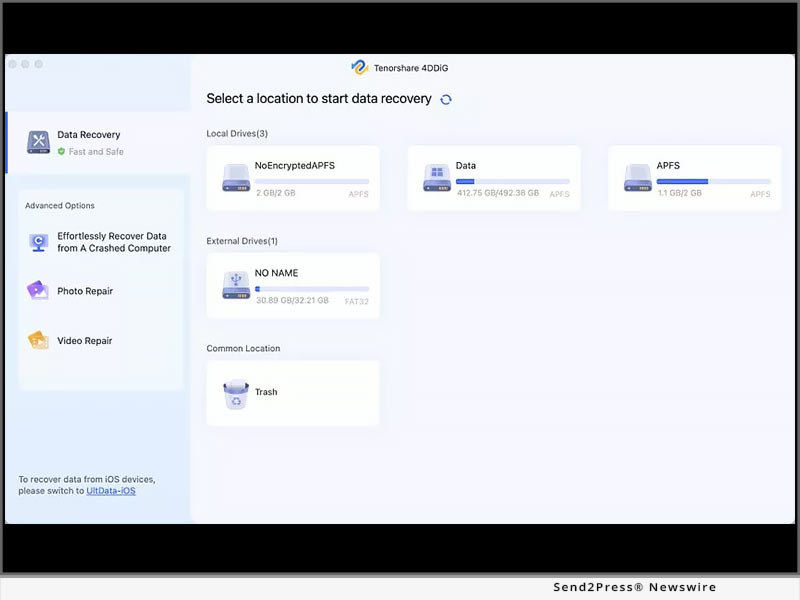
4DDiG Data Recovery Free V10.0.4 Released: Now Recover Up to 2GB Data for Free

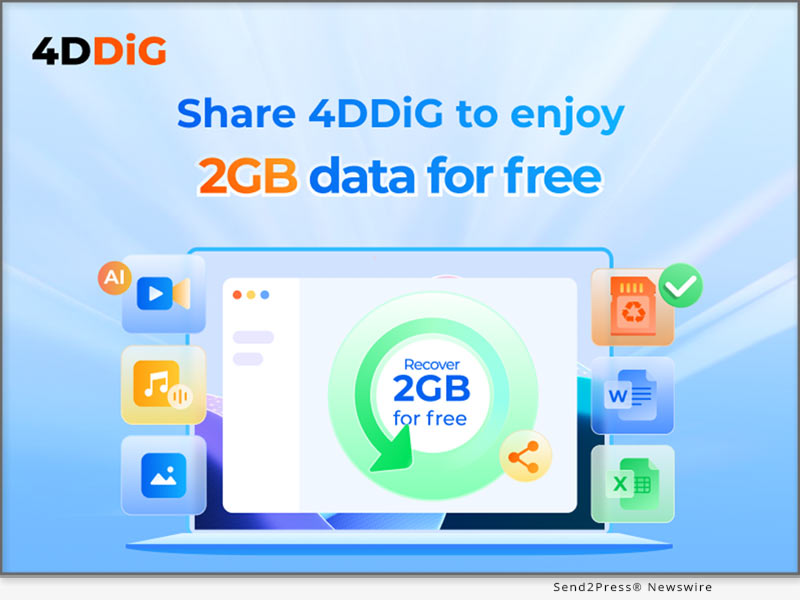
NEW YORK, N.Y. /ScoopCloud/ -- Recently, 4DDiG, a leading software company (a unit of Tenorshare), announced the release of 4DDiG Data Recovery Free V10.0.4, which enables Windows users to recover up to 2GB of data at no cost. Although the tool is already a popular name in data recovery solutions, expanding the free recovery limit to 2GB will make it even more appealing among users and provide greater value.

WHY CHOOSE 4DDIG DATA RECOVERY FREE?

Most of the reliable data recovery tools come with a heavy price. Even when there are free versions available for download, the data recovery they offer typically comes with very low limits. For users with limited budgets, 4DDiG Data Recovery Free is the ideal solution. Users can recover up to 2GB of data without paying a dime. When faced with larger and more severe data loss situations, you don't need to worry about additional costs. If you wish to recover unlimited data, then you can simply upgrade to a Pro version.

Tenorshare 4DDiG is now more than just a data recovery tool. A newly added Discovery section within the software provides users with more innovative solutions, including iOS data recovery, duplicate file removal, AI enhancement, and more.

KEY FEATURES OF 4DDIG DATA RECOVERY FREE

In addition to the generous free data recovery allowance, 4DDiG Data Recovery Free also boasts several other key features. Here are some of them:

* User-Friendly Interface: Thanks to its straightforward design, this tool ensures a seamless data recovery experience for both novice and experienced users.

* High Recovery Success Rate: 4DDiG Data Recovery Free utilizes advanced algorithms to scan storage devices thoroughly and retrieve lost data effectively.

* Versatile Data Recovery: Whether it's a computer hard drive, external hard disk, USB drive, SD card, or other storage media, 4DDiG Data Recovery Free supports a wide range of devices, making it versatile for various data recovery scenarios.

* Quick Scan and Deep Scan: The software offers both quick and deep scanning modes. The quick scan option swiftly identifies recently deleted files, while the deep scan thoroughly searches for lost files that may be hidden or fragmented on the storage device.

* Preview Before Recovery: In order to save time and effort, 4DDiG Data Recovery Free allow users to preview recoverable files to select specific items they want to restore.

HOW TO GET FREE DATA RECOVERY ALLOWANCE?

By downloading the software, users automatically receive a complimentary 500MB data recovery limit. Here is how to get an extra 1.5 GB of data recovery for free:

Step 1: Launch the software and click the share button in the top right corner of the interface.

Step 2: Choose to share a post about 4DDiG Data Recovery on Facebook or Twitter.

Step 3: After sharing, your free recovery capacity will increase from the default 500MB to 2GB.

Learn more: https://4ddig.tenorshare.com/free-data-recovery.html

Follow on Social:

Facebook: https://www.facebook.com/4DDiG/

X/Twitter: https://twitter.com/Tenorshare4DDiG

YouTube: https://www.youtube.com/@Tenorshare4DDiGDataRecovery/featured

News from Tenorshare Co. Ltd.

Recently, 4DDiG, a leading software company (a unit of Tenorshare), announced the release of 4DDiG Data Recovery Free V10.0.4, which enables Windows users to recover up to 2GB of data at no cost. Although the tool is already a popular name in data recovery solutions, expanding the free recovery limit to 2GB will make it even more appealing among users and provide greater value.

Related link: https://www.tenorshare.com/

This version of news story was published on ScoopCloud™ (ScoopCloud.com) - part of and © the Neotrope® News Network - all rights reserved.

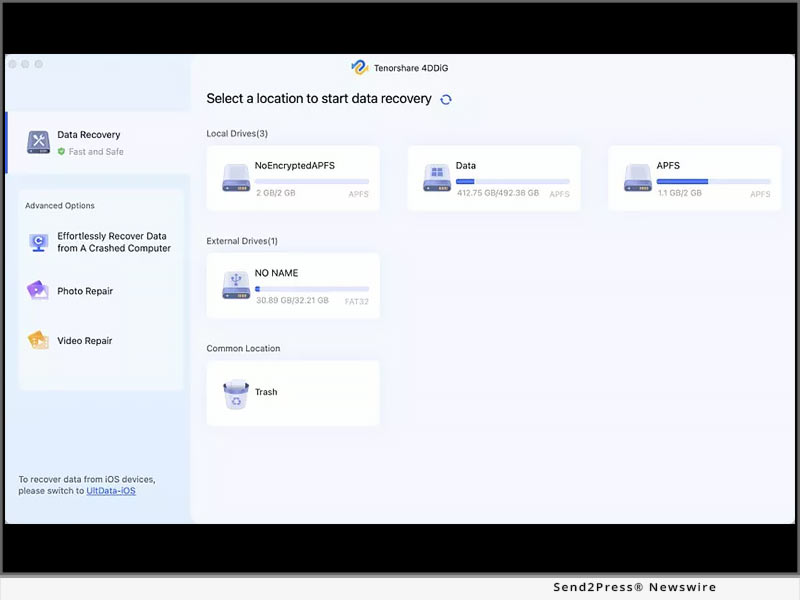
4DDiG Partition Manager Version 2.9.0 Released with New Features for Personal Disk Management

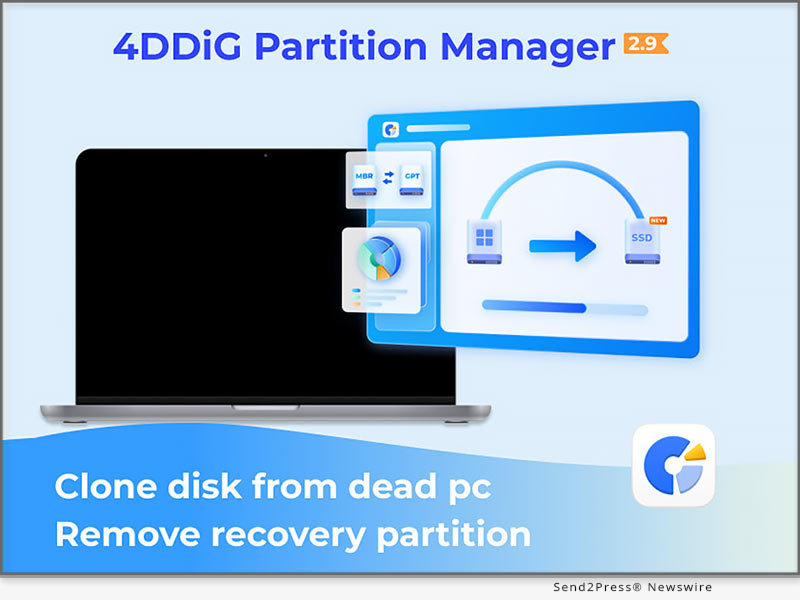
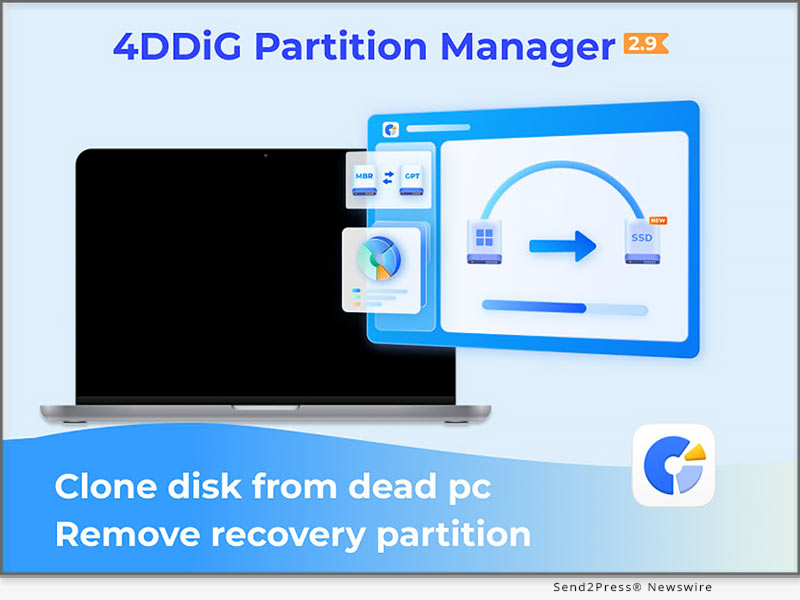
NEW YORK, N.Y. /ScoopCloud/ -- Recently, 4DDiG (a unit of Tenorshare) launched version 2.9.0 of its highly acclaimed 4DDiG Partition Manager. This latest release not only allows users to repair and clone disks from a dead computer but also enables them to remove recovery partitions in just a few clicks. With its simplicity and versatile functionality, 4DDiG Partition Manager V2.9.0 has become the go-to choice for personal disk management.

What Are New Features of 4DDiG Partition Manager?

* Clone or Repair Disk from Non-Bootable Computer: As a USB bootable disk cloning software, 4DDiG Partition Manager can assist you in easily accessing the dead computer and cloning the hard disk drive. Therefore, you don't have to worry about any data loss due to Windows boot issues.

* Remove Recovery Partition: Recovery partitions can occupy a significant amount of disk space, particularly on smaller SSDs or laptops. If you are desperate for additional disk space, 4DDiG Partition Manager can help you delete them with just one click. Prior to deletion, this tool also offers disk cloning feature to ensure the safety of important data.

"While there are various methods to accomplish these tasks, the advantage of using 4DDiG Partition Manager is that it greatly simplifies the process," said Terrance, the Marketing Director at 4DDiG. "Whether you're a tech enthusiast or a computer novice, our software is designed to meet your disk management requirements effectively and efficiently."

The Whole Functions of 4DDiG Partition Manager

4DDiG Partition Manager continues to offer a comprehensive set of features, including:

* Comprehensive Partition Management: Resize, split, create, delete, and format partitions to optimize disk space usage.

* Create Bootable USB: Burn the in-built program or any other ISO image file to USB.

* MBR to GPT Conversion: Prepare for Windows 11 upgrade by converting MBR-partitioned disks to GPT format without data loss.

* Efficient Whole Hard Drive Cloning: Effortlessly clone entire hard drives for secure data backup and transfer.

* One-click Windows OS Migration to SSD: Seamlessly migrate Windows operating systems to solid-state drives without the hassle of reinstalling the system.

* Partition Repair and Recovery: Powerful tools to repair, recover, and restore partitions from various storage devices.

Price and Availability

Three pricing plans, based on your needs:

* $12.95 for a one-month license

* $40.95 for a one-year license

* $59.95 for a lifetime license

During the spring promotion, you can enjoy an additional 30% discount when purchasing 4DDiG Partition Manager. Learn more: https://4ddig.tenorshare.com/4ddig-partition-manager.html

About 4DDiG

Over the past decade, 4DDiG has been committed to providing innovative software solutions to global users. Originally focused on data recovery, 4DDiG later expanded into areas such as disk management, AI enhancement, and file repair. As an industry leader, 4DDiG has always prioritized user satisfaction.

For more information, please visit: https://4ddig.tenorshare.com/

Follow on Social:

Facebook: https://www.facebook.com/4DDiG/

X/Twitter: https://twitter.com/Tenorshare4DDiG

YouTube: https://www.youtube.com/@Tenorshare4DDiGDataRecovery/featured

News from Tenorshare Co. Ltd.

Recently, 4DDiG (a unit of Tenorshare) launched version 2.9.0 of its highly acclaimed 4DDiG Partition Manager. This latest release not only allows users to repair and clone disks from a dead computer but also enables them to remove recovery partitions in just a few clicks. With its simplicity and versatile functionality, 4DDiG Partition Manager V2.9.0 has become the go-to choice for personal disk management.

Related link: https://www.tenorshare.com/

This version of news story was published on ScoopCloud™ (ScoopCloud.com) - part of and © the Neotrope® News Network - all rights reserved.

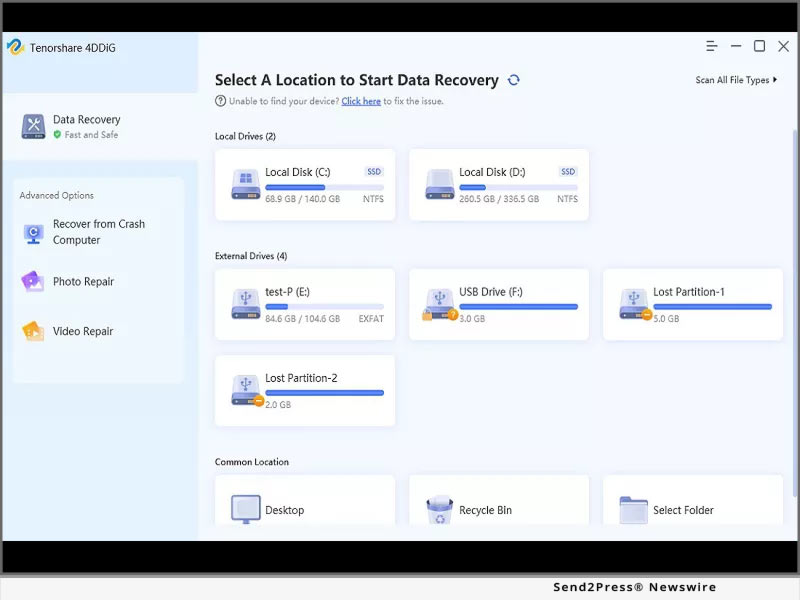
4DDiG Email Repair v1.0.0 Released – Fix Corrupted PST/OST Files with Just One Click

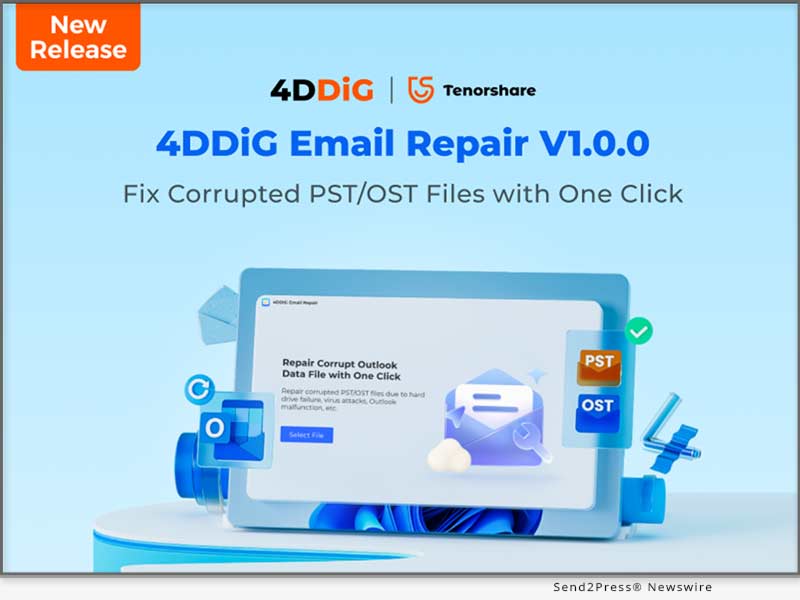
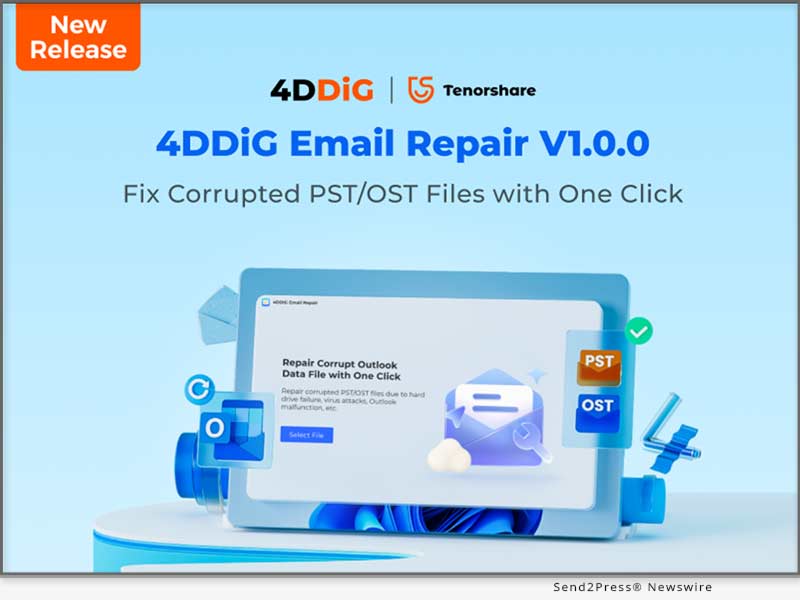
NEW YORK, N.Y. /ScoopCloud/ -- 4DDiG, a leading software solutions provider (and unit of Tenorshare), is thrilled to announce the release of its latest software, 4DDiG Email Repair v1.0.0. This user-friendly tool is desgined to scan and repair corrupted PST or OST files in Outlook. Moreover, it also helps Windows users resolve many common Outlook issues, such as difficulties accessing your mailbox or encountering Outlook error messages.

What can 4DDiG Email Repair do for you?

Easily Fix Corrupted PST/OST Files: Your PST/OST files may become corrupted due to various reasons, such as program crashes, hardware failure, virus attacks, and more. However, regardless of the cause of file corruption, 4DDiG Email Repair can effectively detect and fix them.

Restore Every Data From Outlook PST/OST File: Whether it's emails, attachments, calendar events, contacts, or folders, all your Outlook file data can be easily repaired and recovered.

Suitable for various problem scenarios: In addition to common corruption cases, this Outlook repair tool can also address a range of other issues, including but not limited to:

* Outlook fails to open or crashes unexpectedly.

* Outlook becomes unresponsive or freezes during use.

* Outlook cannot connect to the server.

* Attachments are missing in Outlook emails.

* Other common Outlook errors include 0x80040154, 0x8004210A, and more.

Why choose 4DDiG Email Repair?

Although there are many available email repair tools on the market, 4DDiG Email Repair is clearly the winner.

Impressive Success Rate and Scan Speed: The best part of 4DDiG Email Repair is its impressive success rate and fast scan speed. With advanced algorithms, your corrupted PST/OST files can be repaired in the blink of an eye.

Dual Scan Mode: No matter where damaged email files are located on the computer, this feature ensures their thorough detection.

Broad compatibility: This Outlook repair tool is not only compatible with all versions of Microsoft Outlook but also supports various PST file formats, including ANSI and UNICODE.

Full Preview: To ensure integrity, 4DDiG Email Repair allows you to preview repaired PST/OST files before saving them.

Compatibility and pricing

4DDiG Email Repair is now compatible with multiple versions of Windows, including Windows 11, 10, 8, and 7. There are three subscription plans available for you to choose from:

* $39.95 for one-month license

* $55.95 for one-year license

* $79.95 for a lifetime license

However, 4DDiG is currently running a special Spring Sale promotion, which means that you only need to pay 70% of the original price.

About 4DDiG

4DDiG is a software solutions provider with a decade of experience. Initially focusing on data recovery, the 4DDiG team has expanded its expertise into areas such as file repair, AI video enhancement, and disk management. 4DDiG's mission is is to create a world that is more convenient and innovative for all users.

For more information, visit: https://4ddig.tenorshare.com/email-repair.html

Follow on Social:

Facebook: https://www.facebook.com/4DDiG/

X/Twitter: https://twitter.com/Tenorshare4DDiG

YouTube: https://www.youtube.com/@Tenorshare4DDiGDataRecovery/featured

News from Tenorshare Co. Ltd.

4DDiG, a leading software solutions provider (and unit of Tenorshare), is thrilled to announce the release of its latest software, 4DDiG Email Repair v1.0.0. This user-friendly tool is desgined to scan and repair corrupted PST or OST files in Outlook. Moreover, it also helps Windows users resolve many common Outlook issues, such as difficulties accessing your mailbox or encountering Outlook error messages.

Related link: https://www.tenorshare.com/

This version of news story was published on ScoopCloud™ (ScoopCloud.com) - part of and © the Neotrope® News Network - all rights reserved.

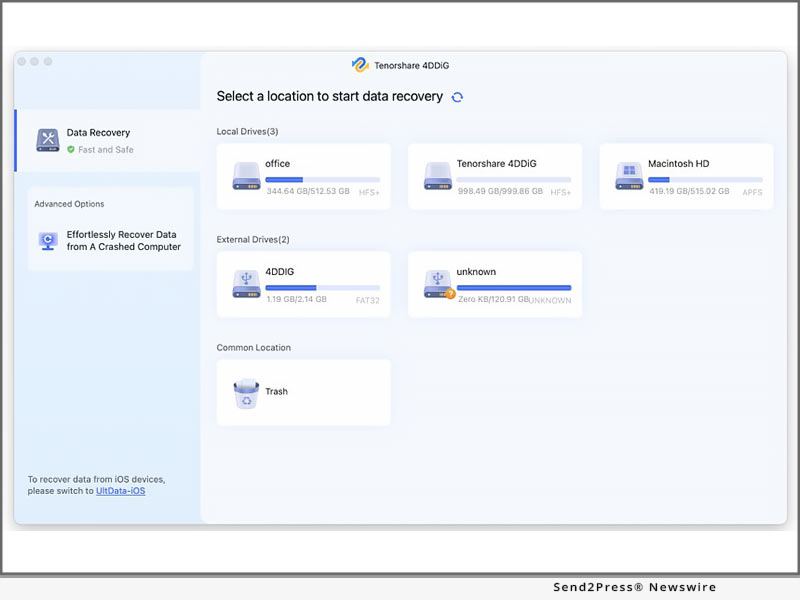
4DDiG Data Recovery V10 Released with Enhanced User Interface and Advanced Video Recovery Features

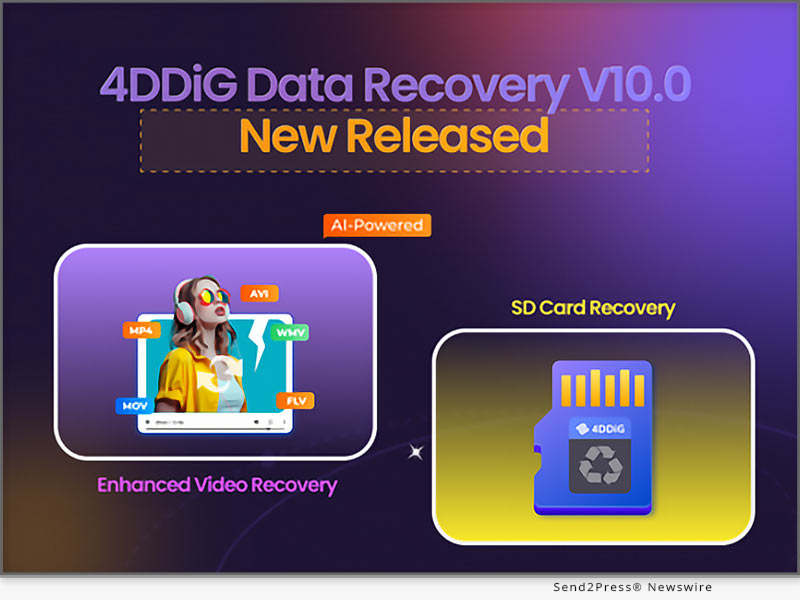
NEW YORK, N.Y. /ScoopCloud/ -- 4DDiG, a leading software provider with a decade of experience (a unit of Tenorshare), proudly unveils version 10.0 of its flagship product, 4DDiG Data Recovery. This latest release not only improves the user interface but also introduces the Enhanced Video Recovery feature, solidifying its position as the preferred solution for data loss.

WHAT'S NEW ABOUT 4DDIG DATA RECOVERY V10?

Here are some highlights of this update:

* Enhanced Video Recovery: Unlike conventional recovery tools, 4DDiG now can simultaneously attempt to repair both videos and photos during the recovery process. In other words, users don't have to worry about issues such as the inability to open or poor quality of digital media files after recovery. This is undoubtedly great news for photographers, videographers, content creators, and avid travel enthusiasts.

* Revamped Interface: Although it can actually recover lost data of various formats from over 2000 types of storage media, its interface now categorizes recovery options into two main sections: SD card and hard drive. The new design is aimed at helping users quickly locate the data they want to recover, thereby saving valuable time.

* Optimized UI: Among the numerous data recovery tools, 4DDiG has always been favored by users for its ease of use and high success rate. Therefore, the 4DDiG team further optimized the interaction design to provide users with a better experience. For instance, in situations where users are unsure about the location of data loss, a simple click on the "Select Scan Disk" option at the bottom streamlines the scanning process.

Why 4DDiG Data Recovery V10 is better?

4DDiG Data Recovery V10 covers almost all data loss scenarios, such as accidental deletion, automatic overwrite, device crashes, formatting, device power failures, and more. In addition, the introduction of new features has made this tool a more comprehensive data recovery solution at a lower cost.

"Whether you need to use videos from home surveillance and dashcams as evidence for unexpected events or just want to appreciate the beautiful scenery captured by DJI or GoPro, it is your most reliable assistant," says a spokesperson from 4DDiG.

Learn more: https://4ddig.tenorshare.com/windows-data-recovery.html

About 4DDiG:

Over the past decade, 4DDiG has been providing individuals and businesses with high-quality, diverse innovative solutions. Initially focusing on data recovery, the company later expanded its scope to include disk management, AI enhancement, Windows boot issue repair, file repair, and more. As a software industry leader, the innovative solutions provided by 4DDiG have been recognized by many renowned technology platforms such as MakeUseOf, TechRadar, XDA-Developers, and others.

For more information, please visit: https://4ddig.tenorshare.com/.

Follow on Social:

Facebook: https://www.facebook.com/4DDiG/

X/Twitter: https://twitter.com/Tenorshare4DDiG

YouTube: https://www.youtube.com/@Tenorshare4DDiGDataRecovery/featured

News from Tenorshare Co. Ltd.

4DDiG, a leading software provider with a decade of experience (a unit of Tenorshare), proudly unveils version 10.0 of its flagship product, 4DDiG Data Recovery. This latest release not only improves the user interface but also introduces the Enhanced Video Recovery feature, solidifying its position as the preferred solution for data loss.

Related link: https://www.tenorshare.com/

This version of news story was published on ScoopCloud™ (ScoopCloud.com) - part of and © the Neotrope® News Network - all rights reserved.

4DDiG Christmas Hot Sale 2023: Prices Drop to 9.90 USD, and Win Big with a Free iPad Pro

NEW YORK, N.Y. /ScoopCloud/ -- As the holiday season approaches, leading software provider 4DDiG is thrilled to announce its highly anticipated Christmas promotion. This event will run from December 11, 2023, to January 15, 2024, boasting the most substantial discounts and offers of the year. "Our Christmas promotion is more than just a seasonal event; it's a token of appreciation for our customers who have made 4DDiG what it is today," says Scott, Marketing Director of 4DDiG (a unit of Tenorshare).

Save Up to 40%

In the spirit of giving, 4DDiG is delighted to offer an expansive 30% discount on all its software products. Notably, three of their highly acclaimed programs-4DDiG Data Recovery, 4DDiG File Repair, and 4DDiG Duplicate File Deleter-come with an even more generous discount of up to 40%. Users can simply copy the discount code and apply it at checkout. This offer is particularly advantageous for those who are looking to make monthly purchases.

Start at $9.90:

4DDiG Partition Manager and Windows Boot Genius are now available at their lowest prices of the year, with monthly subscription costs of only $9.90 and $12.90, respectively. With this unbeatable price, users can not only enjoy a top-notch disk management experience but also address Windows startup-related issues effortlessly.

Learn more:

https://4ddig.tenorshare.com/4ddig-partition-manager.html

https://4ddig.tenorshare.com/windows-boot-genius.html

Buy 1 Get 1 Free:

In addition to individual software discounts, users can also take advantage of a "buy one, get one free" offer during the 4DDiG Christmas promotion. Wouldn't you like to enjoy the value of two software packages for just one price? Alternatively, you can choose to share these excellent software that has been gifted to you with your family, friends, or colleagues.

Free Entry for a Chance to Win an iPad Pro:

As the grand finale, 4DDiG is offering users the chance to win a brand new iPad Pro for free through a lucky draw.

Participants can earn up to five entries by completing simple tasks:

* Subscribe to 4DDiG's newsletter with your email address.

* Subscribe to 4DDiG's YouTube channel.

* Follow 4DDiG on Facebook or Twitter(X).

* Share this promotion on Twitter(X) with the hashtag #4DDiGChristmasSale and tag @Tenorshare4DDiG.

But that's not all! If luck doesn't favor you in winning the iPad Pro, fear not. their prize pool has more exciting rewards, including $200 Amazon e-Gift cards, exclusive 4DDiG software discount codes and more.

Rest assured, every draw guarantees a reward, making this promotion a win-win for everyone involved.

About 4DdiG:

4DDiG is a leading software provider with a decade of experience, dedicated to innovation and user satisfaction. Initially focusing on providing data recovery solutions, the company later expanded its scope to include AI enhancement, file repair, disk management, and duplicate file removal. So, don't miss out on this year's best promotion from 4DDiG!

For more information, please visit: https://4ddig.tenorshare.com/special-offers.html

Follow on Social:

Facebook: https://www.facebook.com/4DDiG/

X/Twitter: https://twitter.com/Tenorshare4DDiG

YouTube: https://www.youtube.com/@Tenorshare4DDiGDataRecovery/featured

News from Tenorshare Co. Ltd.

As the holiday season approaches, leading software provider 4DDiG is thrilled to announce its highly anticipated Christmas promotion. This event will run from December 11, 2023, to January 15, 2024, boasting the most substantial discounts and offers of the year. "Our Christmas promotion is more than just a seasonal event; it's a token of appreciation for our customers who have made 4DDiG what it is today," says Scott, Marketing Director of 4DDiG (a unit of Tenorshare).

Related link: https://www.tenorshare.com/

This version of news story was published on ScoopCloud™ (ScoopCloud.com) - part of and © the Neotrope® News Network - all rights reserved.

Artificial Intelligence (A.I.) and Data Recovery: Tenorshare 4DDiG

NEW YORK, N.Y. /ScoopCloud/ -- Nowadays, the application of artificial intelligence (AI) technology is gaining widespread attention across various fields, especially in data recovery. Compared to traditional data recovery solutions, AI-powered data recovery not only achieves initial automation but also excels in terms of speed, accuracy, and adaptability. In this industry revolution, Tenorshare 4DDiG stands out as a distinguished representative of AI data recovery technology.

HOW IS AI BEING USED IN DATA RECOVERY?

Adapting to the New Era

With the advent of the big data era, traditional data recovery methods can no longer adapt to current changes. Conversely, AI data recovery not only efficiently analyzes vast amounts of data but also comprehensively handles various data formats, including text, images, and videos. This perfectly meets the new era's needs for data diversity, large capacity, and rapid analysis.

Preventing Potential Data Loss

Hardware failures are one of the most common reasons for data loss. However, by monitoring system behavior, artificial intelligence can send users warning messages in advance when a storage devices is on the verge of failure. In the near future, it can even automatically back up your files to cloud storage before any data loss occurs.

"4DDiG has astutely recognized the impact of these changes on the data recovery industry. Embracing the spirit of innovation, we have integrated Artificial Intelligence technology into 4DDiG data recovery," says the spokesperson of 4DDiG. "While AI in data recovery is still in its early stages of development, we are optimistic about the prospects it holds."

What's Different about 4DDiG Data Recovery?

Tenorshare 4DDiG ingeniously integrates cutting-edge AI technology, making data recovery more intelligent and efficient. Here are some of its key features:

* Impressive Success Rate: The most compelling advantage of Tenorshare 4DDiG is its high success rate. Through different algorithms, artificial intelligence can locate the exact sectors where lost or corrupted data resides in the blink of an eye.

* Broad Compatibility: 4DDiG is capable of recovering data from over 2000 storage devices, including PCs/laptops, external hard drives, USB flash drives, SD cards, digital cameras, etc.

* Applicable to Various Scenarios: Whether data loss occurs due to virus attacks, accidental deletion, or system crashes, 4DDiG will provide you with an excellent data recovery experience.

* Streamlined Data Recovery Process: Without the need for excessive manual intervention, 4DDiG has achieved preliminary automation in data recovery. Even if you're a computer novice, you can recover lost data in just three simple steps.

About 4DdiG:

4DDiG is introduced as a renowned software provider with a decade of experience, placing a strong focus on innovation and user satisfaction. Currently, 4DDiG is dedicated to the application of artificial intelligence, aiming to address the evolving needs of the digital landscape. In addition to 4DDiG data recovery, 4DDiG also offers a variety of solutions, including corrupted file repair, AI video/photo enhancement, disk management,Windows startup problem repair and more.

LEARN MORE: https://4ddig.tenorshare.com/

Follow on Social:

Facebook: https://www.facebook.com/4DDiG/

X/Twitter: https://twitter.com/Tenorshare4DDiG

YouTube: https://www.youtube.com/@Tenorshare4DDiGDataRecovery/featured

News from Tenorshare Co. Ltd.

Nowadays, the application of artificial intelligence (AI) technology is gaining widespread attention across various fields, especially in data recovery. Compared to traditional data recovery solutions, AI-powered data recovery not only achieves initial automation but also excels in terms of speed, accuracy, and adaptability.

Related link: https://www.tenorshare.com/

This version of news story was published on ScoopCloud™ (ScoopCloud.com) - part of and © the Neotrope® News Network - all rights reserved.

How to Easily Recover Deleted Files on macOS Sonoma

NEW YORK, N.Y. /ScoopCloud/ -- When it comes to accidental deletions, Mac users have always felt kinda helpless. Even after updating to the macOS Sonoma, it's still the same old story. However, they didn't realize that 4DDiG Mac Data Recovery has been there all along, ready to help them effortlessly recover deleted files on macOS Sonoma. This data recovery software from the renowned software provider 4DDiG (a unit of Tenorshare) not only boasts an incredibly high success rate but also requires no technical knowledge from users.

Key Features of 4DDiG Data Reocovery Software

Whether you're looking to recover permanently deleted files on macOS Sonoma or external devices, it's got you covered.

Here are some impressive features of this tool:

* A impressively high success rate and 100% safety guarantee.

* Recover deleted files on macOS Sonoma within 3 steps without any technical knowledge.

* Support various Mac and Mac-based devices, including USB drives, SD cards, digital cameras, and more.

* Support any data loss scenario and fast scan feature.

* Support T2 chip, M1, M1 Pro, M1 Max and macOS Sonoma.

"Ensuring simplicity, success rates, and seamless compatibility were the paramount considerations during the development of this exceptional software," stated the spokesperson of 4DDiG.

3 Steps to Recover Deleted Files on macOS Sonoma

Can you imagine how effortless it is to recover deleted files on macOS Sonoma? Just 3 simple clicks, and you can get back your important data.

Step 1: Launch the Software and choose the location where you want to recover your deleted files.

Step 2: The software will conduct a thorough scan of the selected location to locate the deleted files. Once the scan is complete, you can preview the recoverable files in the scan results.

Step 3: After previewing the files, select the ones you wish to recover and click the "Recover" button.

Even if you want to recover deleted files after emptying the Trash on macOS Sonoma, this is entirely possible. Don't doubt the remarkable success rate of 4DDiG just because of its simple operation.

About 4DdiG:

With the cutting-edge technology of 4DDiG, you don't need to worry about how to recover permanently deleted files on macOS Sonoma. In the past decade, it has assisted countless Mac users in retrieving their precious files lost due to various reasons. Additionally, placing users at the forefront, 4DDiG goes the extra mile to enhance the lives of Mac users, offering not just top-notch data recovery solutions but also a range of exceptional software for added convenience.

For more information, visit:

https://4ddig.tenorshare.com/mac-data-recovery.html

Follow on Social:

Facebook: https://www.facebook.com/4DDiG/

X (Twitter): https://twitter.com/Tenorshare4DDiG

YouTube: https://www.youtube.com/@Tenorshare4DDiGDataRecovery/featured

News from Tenorshare Co. Ltd.

When it comes to accidental deletions, Mac users have always felt kinda helpless. Even after updating to the macOS Sonoma, it's still the same old story. However, they didn't realize that 4DDiG Mac Data Recovery has been there all along, ready to help them effortlessly recover deleted files on macOS Sonoma. This data recovery software from the renowned software provider 4DDiG (a unit of Tenorshare) not only boasts an incredibly high success rate but also requires no technical knowledge from users.

Related link: https://www.tenorshare.com/

This version of news story was published on ScoopCloud™ (ScoopCloud.com) - part of and © the Neotrope® News Network - all rights reserved.

4DDiG Unveils a New Look with Website Redesign for Enhanced User Experience

NEW YORK, N.Y. /ScoopCloud/ -- 4DDiG, a leading software solutions provider (a unit of Tenorshare), is excited to announce the launch of its redesigned website and reaffirm their brand concept: "Dig Your Computer = Dig Your Diamond." These initiatives reflect 4DDiG's commitment to delivering exceptional user experience and a constant pursuit of innovation.

What does "Dig Your Computer = Dig Your Diamond" mean?

The value of data is akin to precious diamonds, as they reflect our cherished memories and lost dreams. Do you still recall the breathtaking landscapes along the way from your last trip? Or the touching moments at weddings or graduation ceremonies? Those fleeting memories are forever cherished in our hearts and computers. However, due to an unforeseen accident, you may no longer be able to see these precious videos or photos again.

"With 4DDiG Data Recovery," said the spokesperson of 4DDiG, "you can effortlessly access all data on your computer or other storage devices, even if the data has been lost. When users utilize 4DDiG Data Recovery to recover lost data, it's like unearthing diamonds."

What does this website redesign bring?

The revamped website create an aesthetically pleasing environment, making users' browsing experience more enjoyable. Additionally, the website's layout and information architecture have been optimized to streamline user interactions and facilitate intuitive browsing. By incorporating effective UI and UX elements, users can now easily access any information they seek regarding 4DDiG software solutions.

4DDiG Data Recovery: As the flagship product of 4DDiG, it has assisted countless users worldwide in recovering valuable data in the past decade. It can recover over 2000 data types from Windows, Mac, and various removable devices, regardless of how the data was lost.

Learn more: https://4ddig.tenorshare.com/windows-data-recovery.html

4DDiG File Repair: Not only can it repair damaged or corrupted digital media files, but it can also enhance or colorize them for an improved viewing experience.

Learn more: https://4ddig.tenorshare.com/file-repair.html

4DDiG Duplicate File Deleter: With its smart algorithms and real-time duplicate file reminder, users can quickly delete duplicated files and enhance their device's performance.

4DDiG Partition Manager: It offers three robust and accurate features: Clone disk or partition, Migrate OS without data loss and Partition management.

4DDiG Windows Boot Genius: A comprehensive tool designed to resolve various Windows boot-related issues.

This improved browsing experience allows users to make informed decisions about the software they are interested in, empowering them to choose the most suitable solution for their needs. Additionally, to celebrate the arrival of summer, all software products from 4DDiG can be purchased at a 30% discount.

About 4DdiG:

Innovation and user satisfaction have always been the driving forces behind 4DDiG's advancements. Throughout their ten-year journey, they have continuously improved their data recovery software and introduced other software solutions to cater to diverse user needs. The redesign of their website marks a memorable milestone for both 4DDiG and its users.

For more information, visit: https://4ddig.tenorshare.com/

VIDEO (YouTube): https://www.youtube.com/watch?v=CNHSVYo6kuM

Follow on Social:

Facebook: https://www.facebook.com/4DDiG/

Twitter: https://twitter.com/Tenorshare4DDiG

YouTube: https://www.youtube.com/@Tenorshare4DDiGDataRecovery

News from Tenorshare Co. Ltd.

4DDiG, a leading software solutions provider (a unit of Tenorshare), is excited to announce the launch of its redesigned website and reaffirm their brand concept: "Dig Your Computer = Dig Your Diamond." These initiatives reflect 4DDiG's commitment to delivering exceptional user experience and a constant pursuit of innovation.

Related link: https://www.tenorshare.com/

This version of news story was published on ScoopCloud™ (ScoopCloud.com) - part of and © the Neotrope® News Network - all rights reserved.

How to install macOS Sonoma on a Mac without losing data

NEW YORK, N.Y. /ScoopCloud/ -- Starting on June 5, Mac users can update to macOS Sonoma, which is the latest beta version of macOS. However, some users have reported being unsure of how to install macOS Sonoma and have expressed concerns about potential data loss resulting from the latest update. "As an excellent data recovery solution provider, 4DDiG has always been attentive to the needs of Mac users, and we truly understand how challenging it can be to update to macOS Sonoma without losing data," says a Tenorshare 4DDiG spokesperson. "That's why we offer 4DDiG Mac Data Recovery to users who want to recover lost files after macOS Sonoma update."

How to install masOS Sonoma on Mac

Before learning how to install macOS Sonoma on your Mac, there are a few things you need to prepare in advance. Firstly, make sure to back up all your important data to a secure location. Furthermore, it is essential to keep your Mac connected to a power source throughout the process.

* Open "System Settings" on your Mac. Then, Navigate to "General" > "Software Update."

* Click the (i) button next to Beta updates.

* Choose "macOS Sonoma Developer Beta" or "macOS Sonoma Public Beta" from the drop-down menu and Click "Done".

* The latest macOS Sonoma beta build will pop up and then, Click "Upgrade Now."

If you have forgotten to back up important files and experienced data loss, you still have a chance to install macOS Sonoma without losing data.

How to recover lost files after macOS Sonoma update:

For 4DDiG Mac Data Recovery, helping users update to macOS Sonoma without losing data is always an achievable challenge. With it, you can bid farewell to the worries and concerns of how to install macOS Sonoma on Mac without losing data.

This wonderful software has successfully helped countless Mac users recover lost files after macOS Sonoma update with the highest success rate. Regardless of the reasons for data loss, you can easily complete the data recovery process in just three simple steps:

* Lauch 4DDiG on your mac and Scan the partition where the data was lost

* Preview the lost files in two views

* Simply Recover it and Remember to save it in a safe location

Why choose Tenorshare 4DdiG:

Apart from helping users update to macOS Sonoma without losing data, 4DDiG Mac Data Recovery can effortlessly retrieve data from all data loss scenarios, including accidental deletion, unintentional formatting, sudden power outages, and virus infections. The high success rate of this recovery software has always been a top priority for 4DDiG, as it holds great importance for Mac users. Furthermore, 4DDiG is currently running a summer promotion. Individual users can purchase this user-friendly software at a 30% discount, while business users can enjoy up to a 40% discount.

For more information: https://4ddig.tenorshare.com/mac-data-recovery.html

Follow Us:

Facebook: https://www.facebook.com/4DDiG/

Twitter: https://twitter.com/Tenorshare4DDiG

YouTube: https://www.youtube.com/@Tenorshare4DDiGDataRecovery/featured

News from Tenorshare Co. Ltd.

Starting on June 5, Mac users can update to macOS Sonoma, which is the latest beta version of macOS. However, some users have reported being unsure of how to install macOS Sonoma and have expressed concerns about potential data loss resulting from the latest update. "As an excellent data recovery solution provider, 4DDiG has always been attentive to the needs of Mac users, and we truly understand how challenging it can be to update to macOS Sonoma without losing data," says a Tenorshare 4DDiG spokesperson.

Related link: https://www.tenorshare.com/

This version of news story was published on ScoopCloud™ (ScoopCloud.com) - part of and © the Neotrope® News Network - all rights reserved.

4DDiG File Repair 2.0.0 Launched with New Features and Enhanced Performance

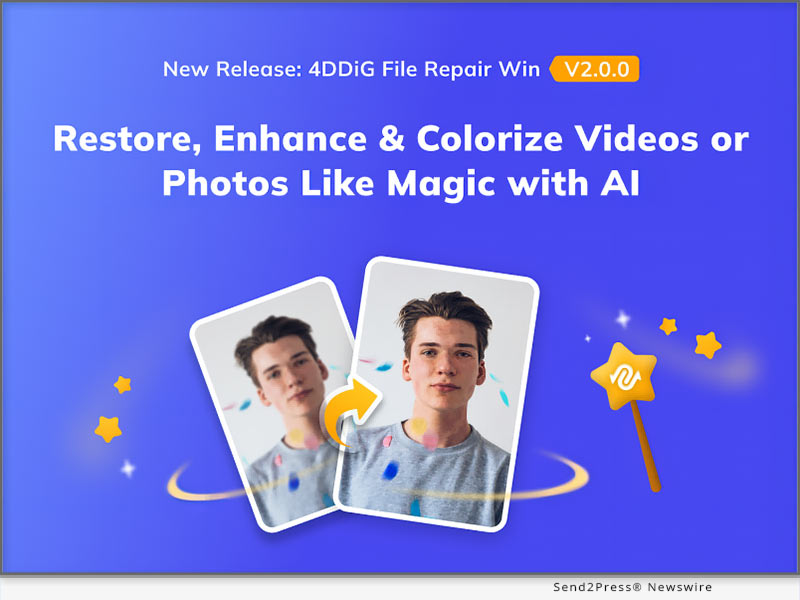
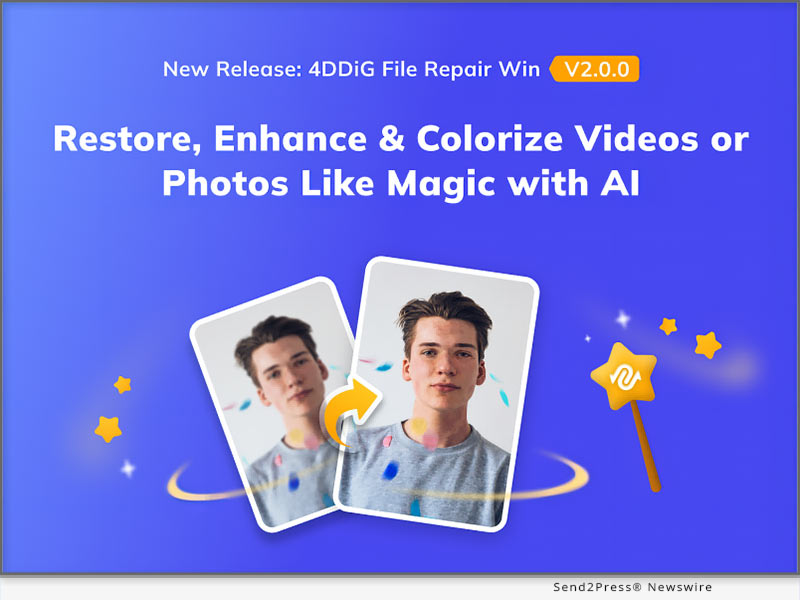
NEW YORK, N.Y. /ScoopCloud/ -- 4DDiG, a leading software provider and subsidiary of Tenorshare, is excited to announce the release of version 2.0.0 of its popular software product, 4DDiG File Repair. The latest version brings two innovative features to users: Image and Video Colorization and Enhancement.

"This release marks a significant milestone for 4DDiG as it aligns with the growing AI technology trend," says a spokesperson for 4DDiG. "With these AI-powered features, Image and Video Colorization and Enhancement, users now have the convenience of using a single software to both repair and enhance the quality of their digital media files."

4DDiG File Repair 2.0.0 New Features:

* Supports enhancing blurry pictures and videos to clearly visible -- By applying advanced AI technology, 4DDiG File Repair can analyzes the image or video and enhances the details and sharpness, resulting in a clearer and more visible final product. This feature is particularly useful for old or low-resolution images or videos that need to be improved for viewing or sharing purposes.

* Support coloring black and white pictures/videos --Additionally, 4DDiG File Repair also supports the ability to colorize black and white pictures and videos. This functionality allows users to bring new life to their vintage or historical media by adding vibrant and realistic colors. Whether it's an old family photo or a classic documentary, users can now experience a whole new level of immersion and visual appeal by transforming black and white visuals into colorful masterpieces.

* Support lossless enlargement of small-sized pictures or videos -- This functionality is particularly beneficial for users who need to enhance the size of their media for various purposes, such as printing high-quality posters, displaying images on larger screens, or improving the viewing experience of low-resolution videos. With the lossless enlargement feature, users can confidently upscale their small-sized pictures or videos while maintaining the integrity and sharpness of the original content.

"Here at 4DDiG, we've always been dedicated to meeting the real-world needs of our users, which is why our team has worked tirelessly day and night to improve our software," says the spokesperson for 4DDiG.

LEARN MORE: https://4ddig.tenorshare.com/video-repair.html

How to Use The Software After Update

After updating, the operation process is slightly different from before. Here are detailed steps to use 4DDiG File Repair 2.0.0:

Step 1: Select the problem scenario where you want to fix or improve digital media files.

Step 2: You can choose different models to improve the result of final enhancement or repair.

Step 3: You can preview the result before exporting the file. If you are satisfied with the result, just click on the "export" button.

Don't miss out on the promotion by 4DDiG! Get a 30% discount on your purchase of 4DDiG File Repair 2.0.0 now.

For more information, follow 4DDiG's social media handles:

Official Website: https://4ddig.tenorshare.com/

Facebook: https://www.facebook.com/4DDiG/

Twitter: https://twitter.com/Tenorshare4DDiG

YouTube: https://www.youtube.com/@Tenorshare4DDiGDataRecovery/featured

News from Tenorshare Co. Ltd.

4DDiG, a leading software provider and subsidiary of Tenorshare, is excited to announce the release of version 2.0.0 of its popular software product, 4DDiG File Repair. The latest version brings two innovative features to users: Image and Video Colorization and Enhancement.

Related link: https://www.tenorshare.com/

This version of news story was published on ScoopCloud™ (ScoopCloud.com) - part of and © the Neotrope® News Network - all rights reserved.

Tenorshare 4DDiG Announces Launch of Free Version – Earn Free Data Recovery Allowance Effortlessly

NEW YORK, N.Y. /ScoopCloud/ -- Tenorshare 4DDiG has recently launched its free version, offering users the ability to recover data up to 100 MB at no cost. This renowned data recovery software specializes in retrieving lost and deleted data from various devices. Over the past few years, it has helped countless users from different regions recover their important data.

"4DDiG Data Recovery Free is built to deliver high-speed and reliable data recovery without any financial burden. With advanced algorithms and cutting-edge technology, it maximizes the chances of successful data recovery, ensuring that users can quickly get back their important files," says the spokesperson of 4DDiG.

"Additionally, it operates with the utmost respect for user confidentiality, ensuring that the data recovery process is conducted securely and without any infringement on privacy. We understand the importance of maintaining the trust of our users."

Why should you choose 4DDiG Data Recovery Free

4DDiG Data Recovery Free offers a combination of affordability, efficiency, effectiveness, and privacy protection. It's the ideal solution for individuals looking to recover their lost data without compromising their budget, time, or security.

Here are some key features of 4DDiG Data Recovery Free:

1. While most data recovery tools come with a hefty price tag, users can recover data of up to 100 MB size for free, without compromising on recovery success rate and speed.

2. It supports over 1000 different file formats including photos, documents, audio, videos, and more.

3. It supports various data recovery scenarios including accidental deletion, lost partition, accidental format, virus attack, system crush, sudden power cut, and more.

4. In addition to recovering data from a system's hard drive, the tool also supports data recovery from other devices such as memory cards, digital cameras, flash drives, external hard drives, and even NAS storage.

How to earn free data recovery allowance with ease:

When you launch 4DDiG Data Recovery Free, you will notice a share button in the top right corner of the software interface. Upon clicking it, you will find the sharing buttons for Twitter and Facebook.

By further clicking the button and posting the share on social media, you can receive 100MB of free data recovery with ease. If users wish to recover unlimited data, they can simply upgrade to the paid version.

About 4DdiG:

4DDiG, a subsidiary of Tenorshare, is dedicated to delivering excellent software solutions that help users make their daily lives more convenient. In addition to data recovery, 4DDiG also offers software for deleting duplicate files, repairing digital media files, and resolving OS issues.

For more information, visit: https://4ddig.tenorshare.com/free-data-recovery.html

Facebook: https://www.facebook.com/4DDiG/

Twitter: https://twitter.com/Tenorshare4DDiG

YouTube: https://www.youtube.com/@Tenorshare4DDiGDataRecovery/featured

News from Tenorshare Co. Ltd.

Tenorshare 4DDiG has recently launched its free version, offering users the ability to recover data up to 100 MB at no cost. This renowned data recovery software specializes in retrieving lost and deleted data from various devices. Over the past few years, it has helped countless users from different regions recover their important data.

Related link: https://www.tenorshare.com/

This version of news story was published on ScoopCloud™ (ScoopCloud.com) - part of and © the Neotrope® News Network - all rights reserved.

Three Steps to Recover Deleted Photos on a Mac Effortlessly

NEW YORK, N.Y. /ScoopCloud/ -- Do you know of any methods to easily and quickly recover deleted photos on Mac? In fact, many macOS users often ask questions about where are photos stored on Mac or how to recover lost photos on online Q&A forums. In fact, losing important photos can be a frustrating experience, but there's no need to worry. Tenorshare 4DDiG, a leading software provider, offers excellent photo recovery software that can help users effortlessly retrieve their important data.

Where are photos stored on Mac?

If you are wondering where photos are stored on Mac, check this: By default, photos on a Mac are usually stored in a library file that is typically located in the Pictures folder. The library file has the extension ".photoslibrary" and it contains all of your photos, videos, and other media that you import into the Photos app.

Alternatively, you can access the photo file location by following this path:

~/Pictures/Photos Library.photoslibrary/resources/derivatives/masters

"If you don't want to worry about how to recover deleted photos on Mac, you'd better backup your files or download a reliable data recovery software like 4DdiG," said a spokesman of Tenorshare 4DDiG. After understanding where photos are stored on Mac, Let's find an efficient way to recover lost photos.

How to recover deleted photos on Mac?

Many users believe that it is challenging to recover deleted photos on Mac, but that is not true. With a simple operation and advanced algorithm, 4DDiG data recovery can help users easily recover their deleted photos on Mac.

So, what are the surprising features of 4ddig?

* Support various storage devices

* Support various file types

* Support various data loss scenarios

* Built-in functions that can repair damaged photos and videos.

Follow the simple steps below and you can recover deleted photos on Mac in a short period of time:

* Lauch 4DDiG and Select the disk you want to recover deleted photos from

* Scan the disk or the trash bin and Preview the scaned photos

* Recover deleted photos and save it to a new partition

Can you believe that? Just for a moment, you don't have to worry about how to recover permanently deleted photos on Mac!

About 4DdiG:

It's never been a challenge for 4DDiG to recover deleted photos on Mac, because they always ensure that their software is top-notch and delivers the highest level of performance to their clients. Apart from photo data recovery software, they also provide other excellent software to make your life more convenient. Furthermore, users can purchase various software products at a discounted rate of 30%.

For more information: https://4ddig.tenorshare.com/mac-data-recovery.html

Follow Us:

Facebook: https://www.facebook.com/4DDiG/

Twitter: https://twitter.com/Tenorshare4DDiG

YouTube: https://www.youtube.com/@Tenorshare4DDiGDataRecovery/featured

https://www.youtube.com/watch?v=C_bABjvZP9w

News from Tenorshare Co. Ltd.

Do you know of any methods to easily and quickly recover deleted photos on Mac? In fact, many macOS users often ask questions about where are photos stored on Mac or how to recover lost photos on online Q&A forums. In fact, losing important photos can be a frustrating experience, but there's no need to worry. Tenorshare 4DDiG, a leading software provider, offers excellent photo recovery software that can help users effortlessly retrieve their important data.

Related link: https://www.tenorshare.com/

This version of news story was published on ScoopCloud™ (ScoopCloud.com) - part of and © the Neotrope® News Network - all rights reserved.

Three Steps to Recover Lost Files After macOS Ventura Update

NEW YORK, N.Y. /ScoopCloud/ -- Following the release of the new macOS Ventura update, a number of Apple users have reported experiencing data loss. They are seeking a solution to the pressing issue of how to recover lost files after macOS Ventura update. Fortunately, Tenorshare 4DDiG, a leading software provider, announces that they offer a simple method to Apple users who have lost important files after macOS Ventura update.

"We understand how challenging it can be to recover lost files after macOS Ventura update and that's why we have developed 4DDiG data recovery software. With just three easy steps, you can understand how to easily recover lost files after macOS Ventura update," says a 4DDiG spokesperson.

Does macOS Ventura Update Delete Files?

In fact, users don't have to worry about how to recover lost files after macOS Ventura Update. In other words, users' files are usually safe when updating their Mac.

Nonetheless, it's crucial to remain vigilant as data loss can occur in certain situations:

* Downloading updates from untrusted sources

* Corruption of the hard drive during the update

* unexpected interruptions during the process

* a corrupted update file.

"It's always wise to back up important data before applying significant updates because unforeseen circumstances can arise," said Terrance, CEO of Tenorshare 4DDiG.

How to recover lost files after macOS Ventura update:

It is a formidable challenge to recover lost files after macOS Ventura update, with only a few reliable ways available. Moreover, when you are a computer novice, encountering this situation will be worse.

If you fall into this category, don't worry! 4DDiG is designed specifically for computer novices, with a user-friendly interface and straightforward operation procedure. Even if you have little experience with data recovery, you can easily navigate through the software and recover lost files in just a few clicks.

Additionally, with advanced and sophisticated algorithm, it also boasts a high success rate in data recovery.

Just follow three simple steps below and give it a try today:

* Install 4DDiG and Scan the partition where the data was lost

* Preview the files you want to restore in two views

* Recover it and Remember to save the data in the new partition

Congratulations! You have successfully recovered the lost files after macOS Ventura update in a short period of time.

About Tenorshare 4DdiG:

In addition to providing a straightforward approach to recover lost files after macOS Ventura, 4DDiG could also help user deal with many other thorny problems. As a top software provider in the industry, 4DDiG offers a range of excellent software solutions, including file repair and duplicate file removal, to name a few. Moreover, users can currently purchase 4DDiG with a 30% discount now.

For more information, visit: https://4ddig.tenorshare.com/mac-data-recovery.html

Follow Us on Social at:

Facebook: https://www.facebook.com/4DDiG/

Twitter: https://twitter.com/Tenorshare4DDiG

YouTube: https://www.youtube.com/@Tenorshare4DDiGDataRecovery/featured

News from Tenorshare Co. Ltd.

Following the release of the new macOS Ventura update, a number of Apple users have reported experiencing data loss. They are seeking a solution to the pressing issue of how to recover lost files after macOS Ventura update. Fortunately, Tenorshare 4DDiG, a leading software provider, announces that they offer a simple method to Apple users who have lost important files after macOS Ventura update.

Related link: https://www.tenorshare.com/

This version of news story was published on ScoopCloud™ (ScoopCloud.com) - part of and © the Neotrope® News Network - all rights reserved.

4DDiG 2023 World Backup Day Sale is now on: Up to 30% OFF!

NEW YORK, N.Y. /ScoopCloud/ -- Starting from March 21, 2023, Tenorshare 4DDiG, a well-known software provider, is launching the biggest World Backup Day Sales now. Both Mac users and Windows users are able to get a 30% off coupon to purchase 4DDiG data recovery software. The best way to prevent data loss is to back up your data frequently. However, even if the data is accidentally lost, 4DDiG enables you to recover important data.

Why does 4DDiG offer this discount to users?

The CEO of 4DDiG once mentioned that, firstly, with the arrival of World Backup Day, 4DDiG always pays attention to increasing computer users' awareness of data backup because the company believes that data loss can lead to serious consequences, such as significant business disruptions, financial losses, and legal issues.

Secondly, for the existing customers of 4DDiG, we are very grateful for their support over the years. Their existence shows that 4DDiG data recovery is always an efficient and effective way to recover important data. In addition to this, we believe that such a discount can also attract more new customers to try our data recovery software. They not only are able to recover essential data by using 4DDiG Data Recovery but also raise the awareness of backing up data.

Which 4DDiG products can I buy with this coupon?

As we mentioned before, this coupon is designed for the World Backup Day. So whether you are a Mac user or a Windows user, you are able to use this coupon to purchase the excellent data recovery tools---4DDiG data recovery. At the same time, other products of 4DDiG also have discount activities.

Why should I choose 4DDiG data recovery?

As a leading software provider, 4DDiG has helped countless computer users solve their troubles for many years, such as data loss, deleting duplicate files, repairing corrupted videos, and so on. It's worth noting that the product that 4DDiG is most proud of is 4DDiG data recovery. Firstly, even if you don't know much about the operation process of computer software, you can still use 4DDiG data recovery proficiently. Secondly, compared to other data recovery tools, 4DDiG data recovery not only enables you to recover data but also allows you to repair corrupted videos and photos.

What other products does 4DDiG have?

Besides the 4DDiG data recovery that we are most proud of, we will launch other great products. Surprisingly, these products can now also be purchased with a 30% discount:

4DDiG Duplicate File Deleter: Effortlessly detect and remove duplicate files in a chosen directory with various search criteria and delete them permanently or send to the Recycle Bin with a single click.

4DDiG Partition Manager: This Partition Manager resolves all disk issues by resizing, creating, deleting, formatting, and changing drive letters of partitions without data loss.

4DDiG Windows Boot Genius: Our Ultimate Windows Boot Up Solution Tools enable you to effortlessly auto-repair Windows issues, boot up unresponsive computers, reset local and domain passwords, recover data from unbootable hard disks, and efficiently manage partitions.

4DDiG File Repair: 4DDiG video repair has the ability to efficiently and effectively repair any corrupted video files, regardless of whether the damage occurred during shooting, recording, transferring, editing, converting, or processing. On the other hand, 4DDiG photo repair can effortlessly repair any damaged images and bring back their original clarity and vibrancy.

For more information, visit: https://4ddig.tenorshare.com/

Follow on Social:

Facebook: https://www.facebook.com/4DDiG/

Twitter: https://twitter.com/Tenorshare4DDiG

YouTube: https://www.youtube.com/@Tenorshare4DDiGDataRecovery/featured

News from Tenorshare Co. Ltd.

Starting from March 21, 2023, Tenorshare 4DDiG, a well-known software provider, is launching the biggest World Backup Day Sales now. Both Mac users and Windows users are able to get a 30% off coupon to purchase 4DDiG data recovery software. The best way to prevent data loss is to back up your data frequently. However, even if the data is accidentally lost, 4DDiG enables you to recover important data.

Related link: https://www.tenorshare.com/

This version of news story was published on ScoopCloud™ (ScoopCloud.com) - part of and © the Neotrope® News Network - all rights reserved.

Corrupted or Damaged Videos and Photos Repair is Now Available in 4DDiG Mac 5.0

NEW YORK, N.Y. /ScoopCloud/ -- The Tenorshare 4DDiG Mac Data Recovery tool has launched a new Mac 5.0 version to repair videos and photos and restore them to their original condition. It can recover corrupted, damaged, or deleted files from Mac-based devices such as internal and external drives, SD cards, USBs, and digital cameras. Regardless of the file format, the latest Mac 5.0 version can also repair documents and audio files.

What's New in 4DDiG Mac 5.0?

People have certain feelings of attachment to photos and videos. But anything from a virus attack to a crashed system, failed file transfer, hardware failure, or power interruption can damage or corrupt them.

But it's easy to repair your photos or videos regardless of their condition with the new Mac 5.0 version of the 4DDiG tool in just three simple clicks.

1 - Repair Corrupted Photo Files

The 4DDiG Mac 5.0 can repair all types of corrupted, damaged, pixelated, blurry, or overexposed photos. You can repair up to 3000 pictures of various formats at once. This tool guarantees 100% secure and fast repair.

2 - Repair Corrupted MP4 & MOV Videos

The new 4DDiG Mac 5.0 version supports rapid repair of popular video formats, including MP4 and MOV. It can repair fuzzy, distorted, and grainy videos. In addition, it supports batch repair of various formats in one go from all Mac-based storage media.

3 - How to Repair Corrupted/Damaged Videos & Photos in 3 steps

It's very simple to use the 4DDiG Mac 5.0 version to repair corrupted or damaged videos and photos. Just download and install the tool and open its interface.

Choose Video or Photo Repair from the tool. Next, Add photos or videos for repair, and lastly, Export repaired videos or pictures to a safe place.

About 4DDiG Mac Data Recovery

4DDiG Mac Data Recovery software offers boisterous repair and recovery of your corrupted, broken, pixelated, blurry photos. In addition, it also comes equipped with video repairing features to restore unplayable, damaged, stuck or slow videos. This tool can repair and restore videos and photos of all types in just three clicks. You can try this new Mac 5.0 version from official 4DDiG website at a 40% off "Halloween on Sale." Grab this opportunity before it runs out!

Follow on Social:

More information: https://4ddig.tenorshare.com/mac-data-recovery.html

Facebook: https://www.facebook.com/4DDiG/

Twitter: https://twitter.com/Tenorshare4DDiG

YouTube: https://www.youtube.com/channel/UCQZ9C1IzQB1bgMXmGw7s5bw

Pinterest: https://www.pinterest.com/4DDiG/

Quora Space: https://tenorshare4ddigdatarecovery.quora.com/

News from Tenorshare Co. Ltd.

The Tenorshare 4DDiG Mac Data Recovery tool has launched a new Mac 5.0 version to repair videos and photos and restore them to their original condition. It can recover corrupted, damaged, or deleted files from Mac-based devices such as internal and external drives, SD cards, USBs, and digital cameras. Regardless of the file format, the latest Mac 5.0 version can also repair documents and audio files.

Related link: https://www.tenorshare.com/

This version of news story was published on ScoopCloud™ (ScoopCloud.com) - part of and © the Neotrope® News Network - all rights reserved.

How to Recover Deleted Files on Windows 11 with 4DDiG Windows Data Recovery

NEW YORK, N.Y. /ScoopCloud/ -- There is a brand new and exciting "Halloween on Sale" introduced by Tenorshare 4DDiG, the industry-leading data recovery solutions provider. Users can take advantage of a 40% discount on the 4DDiG Windows 11 data recovery software during this sale.

"Have you accidentally deleted files on Windows 11? Fret not. You can recover deleted files on Windows 11 in just three easy steps with 4DDiG Windows Data Recovery software," said Tenorshare's spokesperson. "On top of that, with 4DDiG, we make it possible to restore your precious data in its original format in an affordable way."

How to Recover Deleted Files on Windows 11?

The majority of Windows 11 users around the globe have found the 4DDiG Data Recovery tool is helpful for their cause. This all-inclusive software consists of a modern AI algorithm that scans deeply to instantly recover deleted files on Windows 11.

If you want to retrieve lost files from windows 11 or windows 10, no matter how you lost your files, by shift+delete, or after windows update, download and install 4DDiG on your device. Next, launch the tool to select the drive where you lost the data. Choose the Scan button, and the tool will start scanning for deleted files.

Once the scan is completed, you can preview files and choose Recover for the recovery process. Afterward, Export the recovered files in a safe place.

Features of 4DDiG Windows 11 Data Recovery

The numerous features of 4DDiG make it a highly professional Windows 11 data recovery tool. Let's explore them.

1 - Supports Various Devices Data Recovery

Regardless of your device, 4DDiG can effortlessly recover deleted files from Windows 11. Such as from external and internal devices, encrypted drives, SD cards, USBs, recycle bin, and digital cameras.

2 - Supports Over 1000+ File Types of Data Recovery

4DDiG can recover 1000+ formats, including documents, audio, video, and photo files. It is compatible with all Windows 11 supported file types.

3 - Supports Different Scenarios of Data Recovery

Besides retrieving deleted files on Windows 11, 4DDiG supports data recovery in different scenarios. It can recover files due to a virus attack, crashed system, formatting, corruption, or lost partition.

About 4DDiG Data Recovery

Tenorshare 4DDiG Data Recovery is an all-in-one solution for both beginners and professionals to repair and recover deleted files on Windows 11. No matter what data you've lost and how you've lost it, this tool supports all kinds of devices and file formats.

Anyone can recover deleted files on Windows 11 with our all-in-one Tenorshare 4DDiG Data Recovery solution at an affordable price. Quickly grab this tool from the official 4DDiG site and retrieve your valuable data at a high recovery rate.

LEARN MORE: https://4ddig.tenorshare.com/windows-data-recovery.html

Follow Us:

Facebook: https://www.facebook.com/4DDiG/

Twitter: https://twitter.com/Tenorshare4DDiG

MULTIMEDIA (YouTube): https://www.youtube.com/watch?v=VDs7IvyuXkE

News from Tenorshare Co. Ltd.

There is a brand new and exciting "Halloween on Sale" introduced by Tenorshare 4DDiG, the industry-leading data recovery solutions provider. Regardless of your device, 4DDiG can effortlessly recover deleted files from Windows 11. Such as from external and internal devices, encrypted drives, SD cards, USBs, recycle bin, and digital cameras.

Related link: https://www.tenorshare.com/

This version of news story was published on ScoopCloud™ (ScoopCloud.com) - part of and © the Neotrope® News Network - all rights reserved.

4DDiG Mac Data Recovery New V4.0 Is Here: What You Should Know

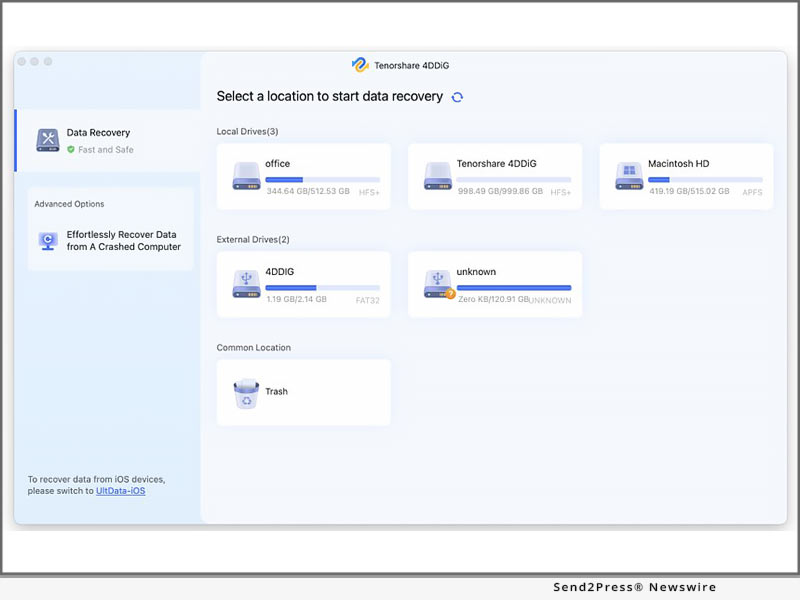
NEW YORK, N.Y. /ScoopCloud/ -- Tenorshare 4DDiG has recently released 4DDiG Mac Data Recovery V4.0, which features a brand-new user interface and significant improvements. Learn what has been added to 4DDiG Mac Data Recovery V4.0. 4DDiG is a powerful data recovery software that can recover lost data on both Mac and Windows devices. 4DDiG can also recover data that has been accidentally deleted, formatted, or attacked by a virus, among other things.

It supports nearly a thousand files and file systems, including FAT, NTFS, HFS X, HFS+, and many others. Furthermore, it enables users to recover data from any Mac-based device, including USB, digital camera, SD card, and so on.

* What's New in 4DDiG Mac Data Recovery Software V4.0?

"We launched the v4.0 of 4DDiG Mac Recovery software to make data recovery easier for macOS and Mac-based devices," said Mike Lee, CEO of 4DDiG, while discussing the V4.0 new features. "It is now possible to recover accidentally deleted data in three simple steps. Users can now recover data for thousands of file types and systems on the Mac. Users can recover their videos, photos, audio files, documents, and other archived files using this software."

* Brand-new User Interface

4DDiG has redesigned all pages and added help content in the software to provide users with a more beautiful and efficient user experience. Users can now simply download the free 4DDiG Mac data recovery software and begin data recovery by following the on-screen help content, even if they are new to data recovery.

* Optimize the Filtering Function

4DDiG has also improved the filtering function, making it easier for users to find data by using the filter. Users can easily search for and preview the files they want to recover using the optimized filtering function.

* Added In-product Feedback Function

To learn more about 4DDiG users, 4DDiG includes an in-product feedback function that allows users to contact us directly. So, if you have any issues or suggestions, please contact 4DDDiG directly through the program.

* Optimize the Scanning Algorithm

To find more files, 4DDiG has improved the scanning algorithm which allows 4DDiG to find more files users want and recover those files more efficiently.

Isn't the new 4.0 version quite appealing? Download it now for free and give it a shot.

About Tenorshare 4DDiG:

Founded in 2007, an international software company that creates high-level products and data recovery tools for Windows and Mac devices. It is trusted by more than 10 million users worldwide.

For more details, visit: https://4ddig.tenorshare.com/mac-data-recovery.html

Follow on Social Media:

Facebook: https://www.facebook.com/4DDiG/

Twitter: https://twitter.com/Tenorshare4DDiG

YouTube: https://www.youtube.com/channel/UCQZ9C1IzQB1bgMXmGw7s5bw

Pinterest: https://www.pinterest.com/4DDiG/

News from Tenorshare Co. Ltd.

Tenorshare 4DDiG has recently released 4DDiG Mac Data Recovery V4.0, which features a brand-new user interface and significant improvements. Learn what has been added to 4DDiG Mac Data Recovery V4.0. 4DDiG is a powerful data recovery software that can recover lost data on both Mac and Windows devices.

Related link: https://www.tenorshare.com/

This version of news story was published on ScoopCloud™ (ScoopCloud.com) - part of and © the Neotrope® News Network - all rights reserved.

Tenorshare 4DDiG Rolls Out Its Brand-New Version 9.0 With 30% Off

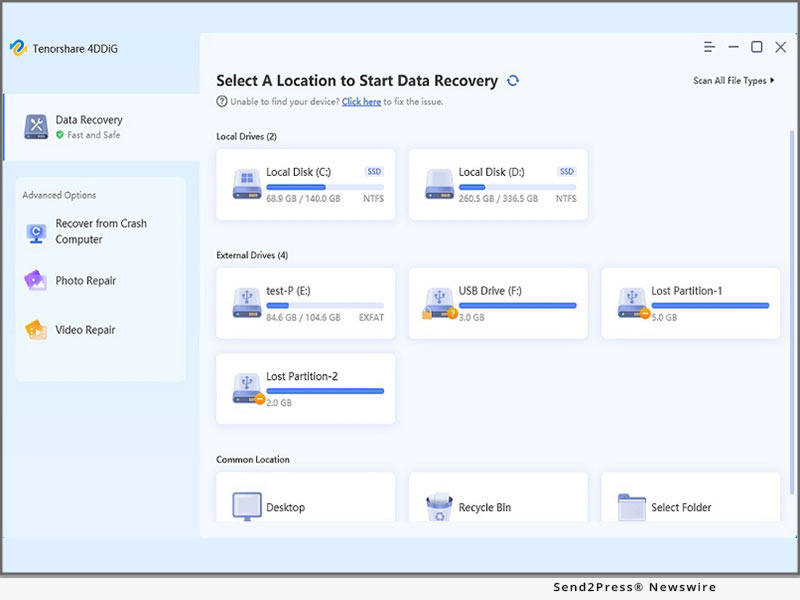
NEW YORK, N.Y. /ScoopCloud/ -- Tenorshare 4DDiG is one of the world's most well-known data recovery software that has been developed to fulfill all recovery needs. With significant improvements in terms of user experience and comprehensive data recovery features, Tenorshare 4DDiG has upgraded to Windows 9.0 version. The new version of Tenorshare 4DDiG offers users the best data recovery solution with an upgraded interface and powerful functions that help them retrieve lost data successfully.

The latest upgrade of Tenorshare 4DDiG is for all kinds of file loss situations. It allows users to recover lost or deleted photos, documents, videos, and other files from a PC hard drive. It can even recover old, deleted files on the external hard drive and SD card. The new interface helps users find what they are looking for quickly and also saves time.

The software's interface is simple and easily understandable, even for beginners. Furthermore, with a completely new and intuitive interface, the recovery software supports all kinds of data loss circumstances, including emptied recycle bin, malware infection, hardware failure, deleted files by mistake, or other unknown reasons.

4DDiG 9.0 New Features:

1 - Brand new interface with easy-to-understand user operation tips

2 - Support reload the last scan results for efficient Scanning

3 - Any lost data type can be recovered, be like photos, music, document, etc. moreover, any file systems can be recovered, be like NTFS, FAT, APFS, HFS+, etc.

4 - 4DDiG 9.0 also supports data recovery from external & internal storage devices, such as external HDD, SD cards, USB, etc.

5 - 4DDiG 9.0 allowed users to free preview the scanned-out files

The upgradation has been completely overhauled for optimal performance and faster data recovery. In addition, the latest edition enhances the ability to handle more file types and supports different storage devices making it easier for people to use.

4DDiG means "for data dig." This software aims for deep scanning and digging the data works in both Windows and macOS systems. It is designed with an innovative algorithm and simple interface that offers users the best solution for all kinds of data loss problems more quickly and efficiently. So, head over to 4DDiG for a worry-free data recovery experience and also get the 30% OFF.

To know more about the new version, follow Tenorshare 4DDiG's social media handles:

Official Website: https://4ddig.tenorshare.com.html/

Facebook: https://www.facebook.com/4DDiG/

Twitter: https://twitter.com/Tenorshare4DDiG

YouTube: https://www.youtube.com/channel/UCQZ9C1IzQB1bgMXmGw7s5bw

News from Tenorshare Co. Ltd.

Tenorshare 4DDiG is one of the world's most well-known data recovery software that has been developed to fulfill all recovery needs. With significant improvements in terms of user experience and comprehensive data recovery features, Tenorshare 4DDiG has upgraded to Windows 9.0 version. The new version of Tenorshare 4DDiG offers users the best data recovery solution with an upgraded interface and powerful functions that help them retrieve lost data successfully.

Related link: https://www.tenorshare.com/

This version of news story was published on ScoopCloud™ (ScoopCloud.com) - part of and © the Neotrope® News Network - all rights reserved.

Newly Updated! 4DDiG Data Recovery Supports Crashed Computer Recovery

NEW YORK, N.Y. /ScoopCloud/ -- Created by Tenorshare, the globally recognized software company. 4DDiG Data Recovery, an all-in-one data recovery tool, announces major update. The software now also supports crashed computer recovery. Trusted by more than 10 million users, the software provides an ultimate rescue from intense data loss circumstances, be it accidental deletion, hardware failure, emptied recycle bin, crashed system, or malware infection. The best part about this software is that users can also retrieve their data without even a backup.

With this new updated function, 4DDiG Data Recovery levels up their game by facilitating smooth recovery of lost data from computers. This feature allows the recovery of any sort of data effortlessly. Supporting over 1,000+ file formats and types - including photos, videos, documents, and audio - 4DDiG Data Recovery, makes crashed computer recovery possible.

The software supports including but not limited to the following formats:

PHOTOS

JPG/JPEG, TIFF/TIF, PNG, BMP, GIF, PSD, CRW, CR2, NEF, ORF, SR2, MRW, DCR, WMF, RAW, SWF, SVG, RAF, DNG, ERF, ICO, DSC, etc.

VIDEOS

AVI, MOV, MP4, M4V, 3GP, 3G2, WMV, MKV, ASF, FLV, F4V, SWF, MPG, RM/RMVB, MPEG, TS, VOB, MTS, DV, etc.

AUDIO FILES

MP3, AIF/AIFF, M4A, WMA, APE, MID/MIDI, VQF, OGG, AAC, WAV, FLAC, DTS, and other audio formats.

EMAILS

PST, DBX, EMLX, etc.(from Outlook, Outlook Express...)

DOCUMENTS

DOC/DOCX, XLS/XLSX, PPT/PPTX, CWK, HTML/HTM, INDD, EPS, RTF, EPUB, CHM, CSV, TXT, DOTM, THMX, and so on.

ARCHIVES AND OTHERS

Archives (such as ZIP, RAR, SIT, ISO, etc.), EXE, HTML, SITX, etc.

Additionally, users can also recover data from internal & external drive, USB flash drive, CD, DVD, HD DVD, SD / Memory Card / TF Card, memory stick, HDD / SSD / Digital Camera/ Music Player / Camcorder / RAID / floppy disk, action camera, drone camera, and dashcam.

4DDiG Data Recovery supports Windows 10, Windows 8.1, Windows 8, Windows 7, and macOS. The supported macOS include: macOS 10.15, macOS 10.14 (macOS Mojave), Mac OS X 10.13 (High Sierra), 10.12(macOS Sierra), 10.11(El Capitan), 10.10 (Yosemite). Significantly, to facilitate the global user base, 4DDiG Data Recovery supports various languages, including English, Japanese, German, French, Spanish, Arabic, Portuguese, Russian, Traditional Chinese, and Simplified Chinese.

About 4DDiG

The name 4DDiG represents 'for data dig,' reflecting the software's ability to do deep scanning and digging the data, which cannot be explored via normal scanning. With the newly integrated feature to retrieve lost data from crashed computers and laptops, be it Windows or Mac, 4DDiG Data Recovery is creating ease for remote businesses amid pandemics, who suffer the most from accidental data loss. For more information: https://4ddig.tenorshare.com/

Follow on Social:

Facebook: https://www.facebook.com/TenorshareOfficial/

Twitter: https://twitter.com/Tenorshare

YouTube: https://www.youtube.com/channel/UCQZ9C1IzQB1bgMXmGw7s5bw

MULTIMEDIA:

VIDEO(YouTube): https://youtu.be/OASDLW6jHL8

News from Tenorshare Co. Ltd.

Created by Tenorshare, the globally recognized software company. 4DDiG Data Recovery, an all-in-one data recovery tool, announces major update. The software now also supports crashed computer recovery. Trusted by more than 10 million users, the software provides an ultimate rescue from intense data loss circumstances.

Related link: https://www.tenorshare.com/

This version of news story was published on ScoopCloud™ (ScoopCloud.com) - part of and © the Neotrope® News Network - all rights reserved.