Tag Archives: Data Recovery

iToolab RecoverGo Windows Data Recovery V1.3.0 Officially Released: Recover Permanently Deleted Files

iToolab RecoverGo Windows Data Recovery V1.3.0 Recover Deleted Files with 99% Recovery Rate

KOWLOON, Hong Kong, Feb. 2, 2026 (SEND2PRESS NEWSWIRE) — Are permanently deleted files really gone? Is there any way to recover permanently deleted files? It’s now possible thanks to iToolab’s breakthrough in data scanning and recovery. iToolab RecoverGo Windows Data Recovery V1.3.0 optimizes the scanning modes, offering a high success rate up to 99% for severe data loss scenarios.
iToolab RecoverGo Windows Data Recovery
Image caption: iToolab RecoverGo Windows Data Recovery.

WHY ITOOLAB RECOVERGO WINDOWS DATA RECOVERY?

iToolab RecoverGo Windows Data Recovery is an easy and effective data recovery tool for Windows 11/10/8/7. It supports to recover deleted photos, videos, documents, audios, emails, and other file types. No matter how you lost your precious data, iToolab RecoverGo can get them back.

KEY FEATURES OF ITOOLAB RECOVERGO WINDOWS DATA RECOVERY:

User-friendly interface: The interface is user-friendly, making data recovery easy for both beginners and professionals.

High success rate: iToolab technical team utilizes advanced algorithms and optimizes the scanning modes to maximize your data recovery rate.

Free scan and preview: It’s totally free to run a quick scan and advanced scan. And you can preview the file before recovery.

Advanced filters: With multiple filter options, you can quickly locate your lost/deleted file. Then act fast before the data is overwritten.

Wide compatibility: In addition to PC data recovery, iToolab RecoverGo Windows Data Recovery software also supports external hard drives, SD cards, USB flash drives, and even digital cameras.

HOW TO RECOVER PERMANENTLY DELETED FILES IN WINDOWS 11/10?

Step 1: Free download and install iToolab RecoverGo Windows Data Recovery tool on your Windows desktop or laptop.

Step 2: This file recovery program can recover deleted files from different storage devices. Choose a location to search for the lost data.

Step 3: It will perform a quick scan and advanced scan to find your deleted data. Once completed, you can preview the data and recover it.

Full guide here: https://itoolab.com/guide/how-to-use-recovergo-windows-data-recovery/

PRICE AND AVAILABILITY

  • iToolab RecoverGo Windows Data Recovery is fully compatible with all Windows operating systems, including Windows 11/10/8/7. Please visit iToolab official website to download the latest version.
  • The program is sold with different license types, including 1 Month Plan, 1 Year Plan and Lifetime Plan. The prices are $39.99, $49.99, $69.99, respectively. In other words, the longer you own the license, the cheaper it will be.

ABOUT ITOOLAB

iToolab is a software development company founded in 2008 to help iOS and Android users solve various issues with leading-edge smartphone tools for repair and recovery, unlocking, and more. As of now, iToolab is serving 130+ countries and has been trusted and recommended by some leading tech sites and users worldwide. iToolab is a trusted one-stop shop for smartphone utility apps.

For more details, please visit:

Website: https://itoolab.com/

YouTube: https://www.youtube.com/c/itoolab

Facebook: https://www.facebook.com/itoolab

X/Twitter: https://x.com/IToolab

NEWS SOURCE: iToolab Co Ltd


This press release was issued on behalf of the news source (iToolab Co Ltd), who is solely responsible for its accuracy, by Send2Press Newswire. Image, if any, was provided by the news source and not this website or the wire service. Information is believed accurate, as provided by the news source, but is not guaranteed.

To view the original story, visit: https://www.send2press.com/wire/itoolab-recovergo-windows-data-recovery-v1-3-0-officially-released-recover-permanently-deleted-files/

Copr. © 2026 Send2Press® Newswire, Calif., USA. -- REF: S2P STORY ID: S2P132727 NOREL-3B
 

A New Survey from Handy Recovery Advisor Shows Over 70% of U.S. Users Have Faced Data Loss

A nationwide U.S. survey by Handy Recovery Advisor exposes the main causes, user habits, and blind spots behind data loss, and shows how common and preventable it is

SAN FRANCISCO, Calif., July 9, 2025 (SEND2PRESS NEWSWIRE) — Handy Recovery Advisor, a trusted resource for data recovery tips and digital safety advice, has published the results of a nationwide survey of 1,000 U.S. adults. The report highlights how everyday users deal with data loss and how most don’t take action until it’s too late.

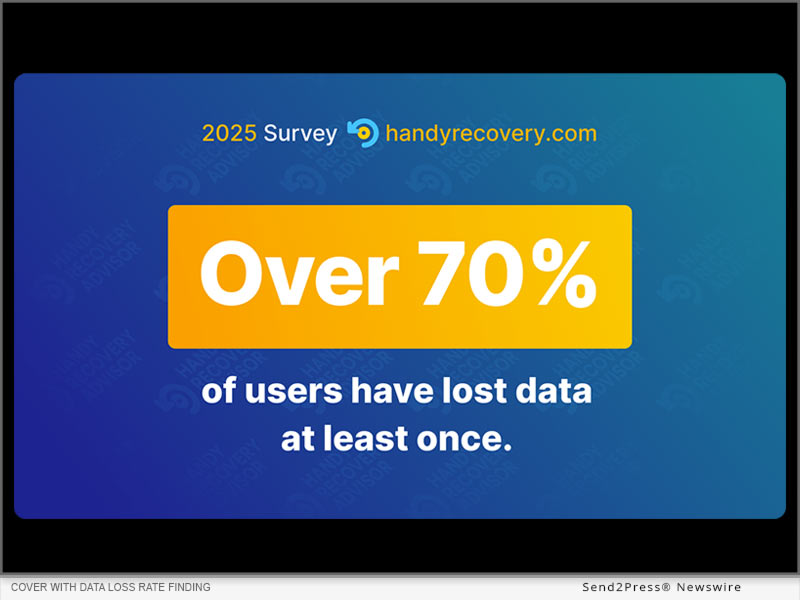
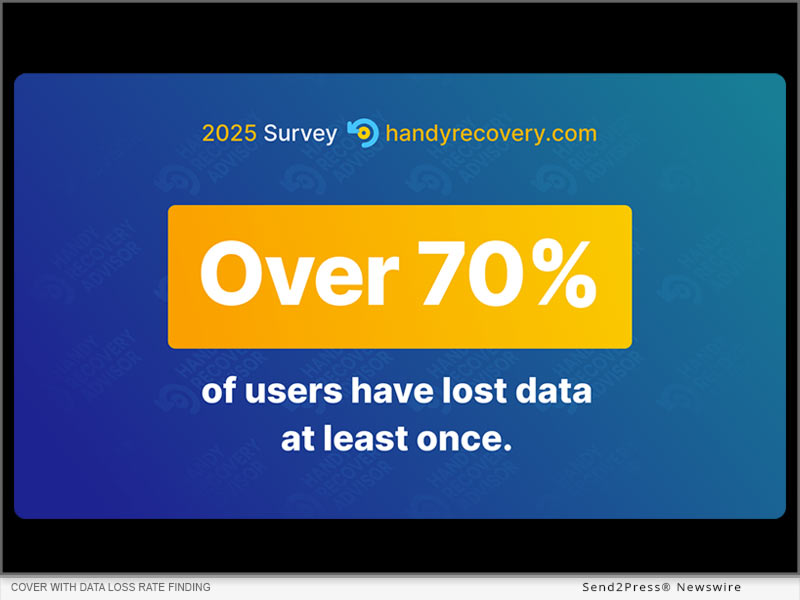
Handy Recovery Advisor: Cover with data loss rate finding.
Image caption: Handy Recovery Advisor: Cover with data loss rate finding.

According to the study, 71% of Americans have lost data at least once. The two biggest culprits were found to be accidental deletion (34%) and hardware failure (30%). Together, they account for nearly two-thirds of all incidents. The survey results clearly show that data loss is something most people will eventually deal with, whether it’s due to human error or a device malfunction.

“Data loss isn’t a problem exclusive to businesses,” said Andrii Yasko, content strategist for Handy Recovery Advisor. “It happens in regular households every day. Our goal with this survey was to understand what people actually do in situations like this, what really works for them, and how these experiences shape their data habits going forward.”

MAC USERS ARE AT GREATER RISK

While many people see Apple devices as more dependable, the survey actually found that Mac users are 30% more likely to experience data loss than Windows users.

CLOUD STORAGE WORKS (IF YOU USE IT)

The survey revealed a clear connection between cloud adoption and data resilience. Nearly 60% of users who have never experienced data loss reported actively using cloud storage for their files.

MOST RECOVERIES ARE DIY, AND THEY OFTEN WORK

When data loss happens, most people rely on themselves. 60% of successful recoveries were done without professional help. Of those who tried the DIY route, nearly 79% got their files back.

Additional insights:

  • While 92% of respondents said they’re aware that data recovery is possible, only 28% have ever used recovery software.
  • About 33% said they’d pay for professional recovery – but only if the lost data was truly important.
  • Users with higher tech proficiency reported more data loss overall.

You can find a full report here: https://www.handyrecovery.com/data-loss-statistics/

METHODOLOGY

The survey was conducted through the Pollfish platform on June 24, 2025, and gathered responses from 1,000 U.S. adults across a broad range of states and age groups (18 to 75).

About Handy Recovery Advisor

Handy Recovery Advisor is a go-to resource for anyone interested in data recovery, data loss prevention, and smarter data management. Learn more at:  https://www.handyrecovery.com/.

NEWS SOURCE: Handy Recovery Advisor


This press release was issued on behalf of the news source (Handy Recovery Advisor), who is solely responsible for its accuracy, by Send2Press Newswire. Image, if any, was provided by the news source and not this website or the wire service. Information is believed accurate, as provided by the news source, but is not guaranteed.

To view the original story, visit: https://www.send2press.com/wire/a-new-survey-from-handy-recovery-advisor-shows-over-70-of-u-s-users-have-faced-data-loss/

Copr. © 2025 Send2Press® Newswire, Calif., USA. -- REF: S2P STORY ID: S2P127555 NOREL-3B


Disk Drill 6 Launched with Industry-Leading Video Recovery, Next-Gen Backup, and 25% Faster Scans

CLAYMONT, Del., June 24, 2025 (SEND2PRESS NEWSWIRE) — CleverFiles, the developer of leading data recovery software, announces the release of Disk Drill 6, the newest major version of its recovery solution for Mac and Windows. This update introduces breakthrough innovations, including the Advanced Camera Recovery module for fragmented video recovery, support for Microsoft’s ReFS, targeted BitLocker recovery on Mac, and performance improvements that boost scan speeds by up to 25%.

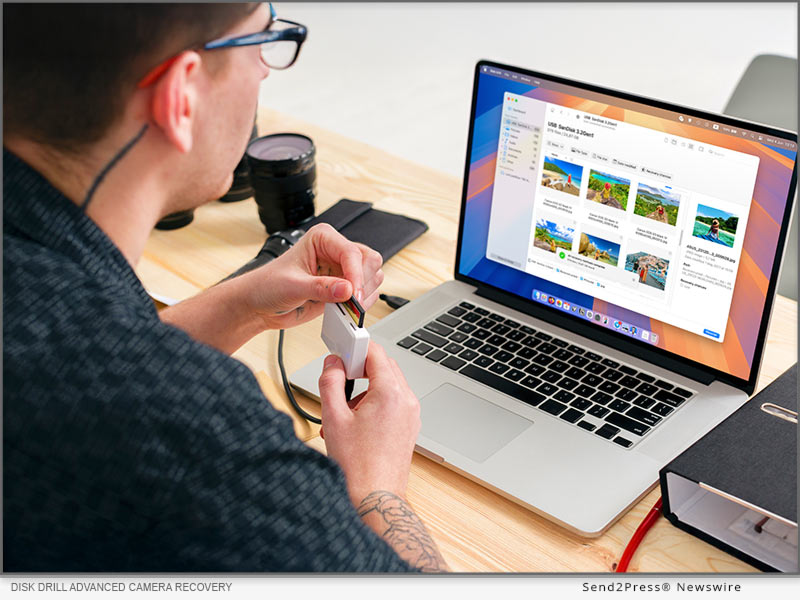
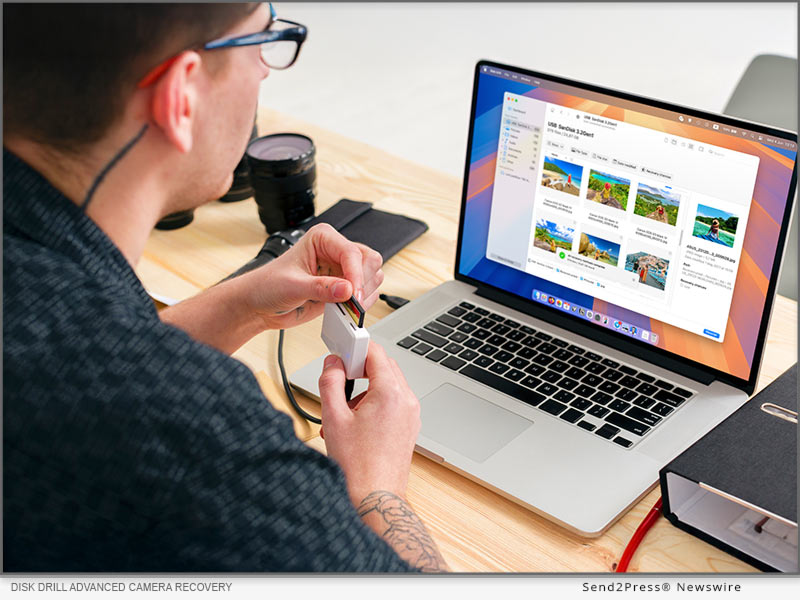
Disk Drill Advanced Camera Recovery
Image caption: Disk Drill Advanced Camera Recovery.

The new version of Disk Drill introduces a major breakthrough in video recovery — the industry’s first true Advanced Camera Recovery. Users can now reconstruct deeply fragmented video files from GoPro, DJI, Canon, Panasonic, Sony, Insta360, Olympus, and many other camera models, including footage that was previously unrecoverable due to physical or logical damage.

Disk Drill 6 also enhances its byte-to-byte backup engine with a redesigned interface and improved fault-tolerance, offering up to 60% higher backup success rates on failing or unstable drives.

With internal engine optimizations, Disk Drill now delivers up to 25% faster scans and smarter file signature detection. Recovery results have improved significantly, with users recovering up to 20% more data from corrupted NTFS, exFAT, and APFS partitions.

The update also adds support for Microsoft’s Resilient File System (ReFS), along with BitLocker-encrypted partition recovery on Mac, expanding the software’s compatibility with modern enterprise storage formats. Disk Drill 6 now supports APFS recovery on Windows as well, allowing seamless cross-platform file restoration. Additionally, Disk Drill 6 introduces native optimization for ARM-based Windows 11 devices, ensuring full performance on modern hardware.

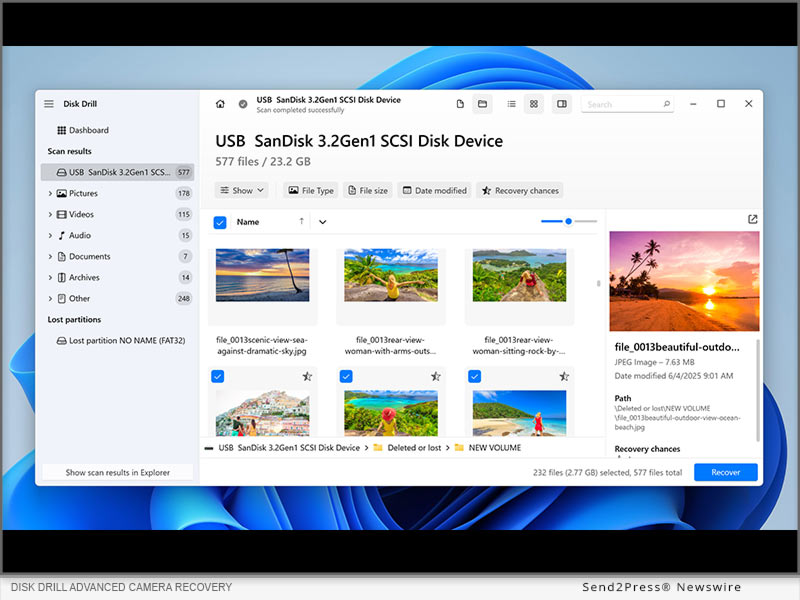
Disk Drill video recovery
Image caption: Disk Drill video recovery.

Photographers and creatives benefit from expanded Deep Scan file format support, including NEV (Nikon N-RAW) — helping users retrieve media from cutting-edge formats with higher success rates.

Power users will appreciate the addition of a Hex View tool, providing raw disk and partition data in hexadecimal format for forensic and low-level analysis. Disk Drill 6 also supports remote RAID detection and recovery over SSH, software RAID recovery on both Mac and Windows, and improved symbolic link handling on EXT3/EXT4.

“We’ve re-engineered Disk Drill 6 to solve some of the toughest recovery cases our users face,” said Roman Kropachek, co-founder and CEO of CleverFiles. “From fragmented video footage to encrypted or lost partitions, Disk Drill 6 brings professional-grade recovery technology to every desk.”

The updated interface includes a cleaner sidebar, faster file previews, recovery chance prediction, and the ability to pause and resume scan sessions across macOS and Windows — simplifying complex recovery jobs without sacrificing power.

LEARN MORE: https://www.cleverfiles.com/help/disk-drill-6.html

VIDEO (YouTube): https://www.youtube.com/watch?v=scXxMU5rJt0

Image link for media: https://www.Send2Press.com/300dpi/25-0524-s2p-ddacrecov-300dpi.jpg

Image caption: Disk Drill Advanced Camera Recovery.

NEWS SOURCE: CleverFiles


This press release was issued on behalf of the news source (CleverFiles), who is solely responsible for its accuracy, by Send2Press Newswire. Image, if any, was provided by the news source and not this website or the wire service. Information is believed accurate, as provided by the news source, but is not guaranteed.

To view the original story, visit: https://www.send2press.com/wire/disk-drill-6-launched-with-industry-leading-video-recovery-next-gen-backup-and-25-faster-scans/

Copr. © 2025 Send2Press® Newswire, Calif., USA. -- REF: S2P STORY ID: S2P127116 NOREL-3B


Fix iPhone Keeps Showing Apple Logo and Turning Off Error in 3 Steps

Tenorshare ReiBoot can automatically find why your iPhone is constantly restarting and will repair the issue

NEW YORK, N.Y., Nov. 26, 2024 (SEND2PRESS NEWSWIRE) — “My iPhone keeps showing the apple logo and turning off,” many iPhone users have asked this question. If you’re also harassed by same issue, then it could happen due to a software or hardware glitch caused by some issue. But what issue exactly? “You don’t have to find which iOS issue is causing ‘iPhone keeps turning on and off’ error or try to manually fix it. ReiBoot iOS repair software can automatically find and repair a wide range of iOS malfunctions in 3 clicks,” says a Tenorshare spokesperson.

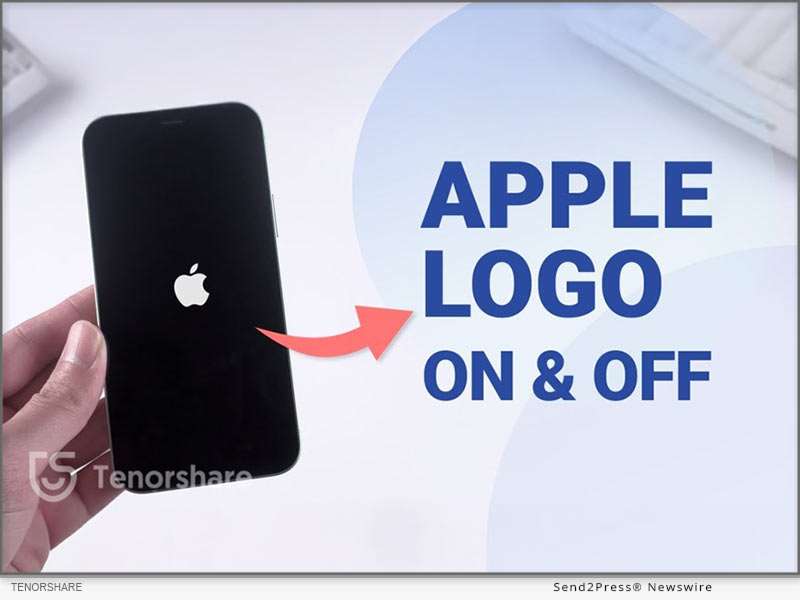
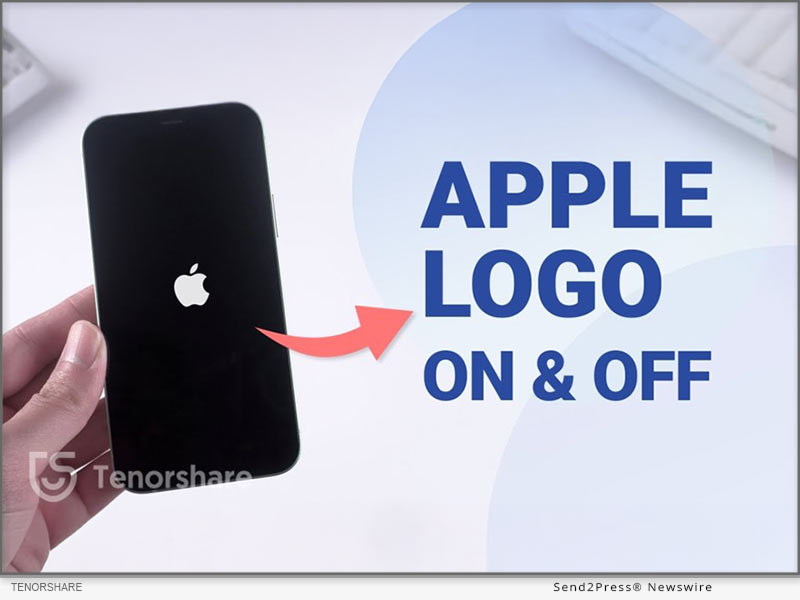
Fix iPhone Keeps Showing Apple Logo and Turning Off Error in 3 Steps
Image caption: Fix iPhone Keeps Showing Apple Logo and Turning Off Error in 3 Steps.

WHY DOES MY IPHONE KEEP SHOWING THE APPLE LOGO AND TURNING OFF?

If you’re wondering, “Why my iPhone keeps showing the Apple logo and turning off” we’ve already established this could be because of a software or hardware glitch. But this glitch could be caused because of reasons such as:

  • Jailbreaking your iPhone.
  • Incorrect restoration of your iPhone from iTunes.
  • iOS update has bugs.
  • iPhone has physical damage.

HOW TO FIX MY IPHONE KEEPS SHOWING THE APPLE LOGO AND TURNING OFF?

Tenorshare ReiBoot can automatically find why your iPhone is constantly restarting and will repair the issue. The tool can, in fact, repair 150+ iOS issues including iPhone stuck in a boot loop, Recovery Mode, or on Apple logo, etc. Here are this tool’s key features:

  • Fix white or black screen of death and iTunes errors.
  • Upgrade/downgrade iDevices including Betas without jailbreak or iTunes.
  • Reset devices without a passcode, and permanently erase data before selling or trading in your iPhone.
  • Enter and exit Recovery Mode with a single click.

HERE’S HOW TO USE TENORSHARE REIBOOT TO FIX “IPHONE BLINKING APPLE LOGO” ISSUE:

Step 1: Execute ReiBoot on your computer. Then, plug in your iPhone with “iPhone blinking Apple logo” issue to same PC.

Step 2: Hit “Start Repair” on ReiBoot. Then, press “Download” to get latest firmware package.

Step 3: Next, choose “Standard Repair.” Afterward, your iPhone will reboot normally.

Video Guide : https://www.youtube.com/watch?v=iSAASCX9gI8

HOW TO PREVENT IPHONE SHOWING APPLE LOGO THEN TURNING OFF?

After you fix “iPhone flashing Apple logo then turning off” with Tenorshare ReiBoot successfully, you must also take care that this issue doesn’t appear in future. Here’s what you can do:

  • Regularly update your iPhone to prevent bugs that may cause Apple logo issues.
  • Restart your iPhone often to make sure it runs smoothly and avoid glitches.
  • Handle your iPhone carefully to avoid dropping it or from water damage.
  • Only jailbreak if necessary for specific apps, as it can cause instability.

About Tenorshare:

If you’re thinking, “Why does my iPhone keep rebooting,” Tenorshare ReiBoot can repair “iPhone died and now turns on then back off” issue among other iOS problems. The smartphone solutions provider, Tenorshare values innovation, and creativity and aims to create software that helps people and businesses solve iOS & Android issues in their daily lives.

More information: https://www.tenorshare.com/

Learn more: https://www.tenorshare.com/iphone-tips/fix-iphone-keeps-showing-the-apple-logo-and-turning-off.html

Social sites:

https://www.facebook.com/TenorshareOfficial/

https://twitter.com/Tenorshare_Inc

https://www.youtube.com/user/TenorshareOfficial/videos

https://www.tiktok.com/@tenorshare_tech_tips

NEWS SOURCE: Tenorshare Co. Ltd.


This press release was issued on behalf of the news source (Tenorshare Co. Ltd.), who is solely responsible for its accuracy, by Send2Press Newswire. Image, if any, was provided by the news source and not this website or the wire service. Information is believed accurate, as provided by the news source, but is not guaranteed.

To view the original story, visit: https://www.send2press.com/wire/fix-iphone-keeps-showing-apple-logo-and-turning-off-error-in-3-steps/

Copr. © 2024 Send2Press® Newswire, Calif., USA. -- REF: S2P STORY ID: S2P122527 NOREL-3B
 

Only 33-percent of Users Back Up Their Data Regularly – New Study From Handy Recovery Advisor

A new study from Handy Recovery Advisor reveals noteworthy insights about everyday users' data security awareness and backup habits. While many users realize the importance of backups, gaps in their backup routines still leave their data vulnerable to potential threats.

SHERIDAN, Wyo., Nov 15, 2024 (SEND2PRESS NEWSWIRE) — Handy Recovery Advisor, a data recovery and management portal, surveyed 1,000 US everyday users about their data security awareness and backup routines. While the insights reveal positive tendencies, such as a 78% backup rate among users, it shows considerable gaps such as failure to differentiate between data backup and syncing, lack of data encryption on external drives, and irregularity in backup practices.

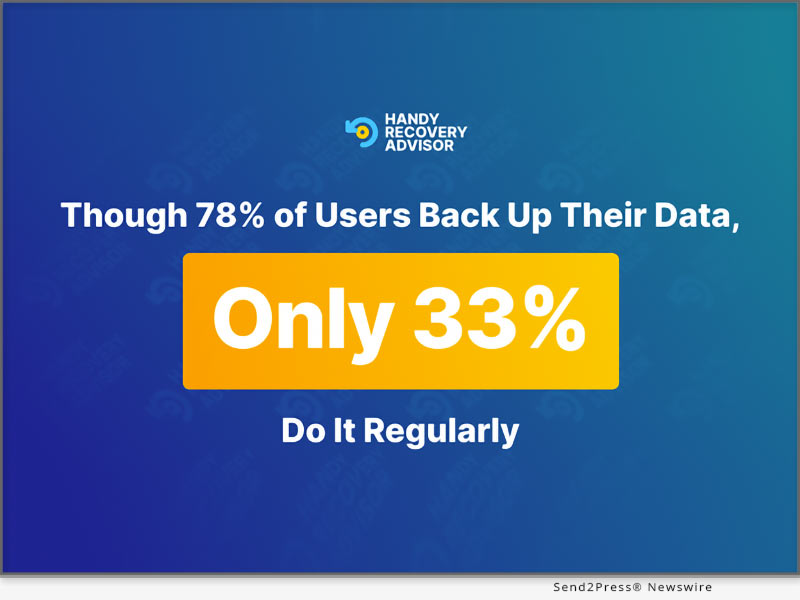
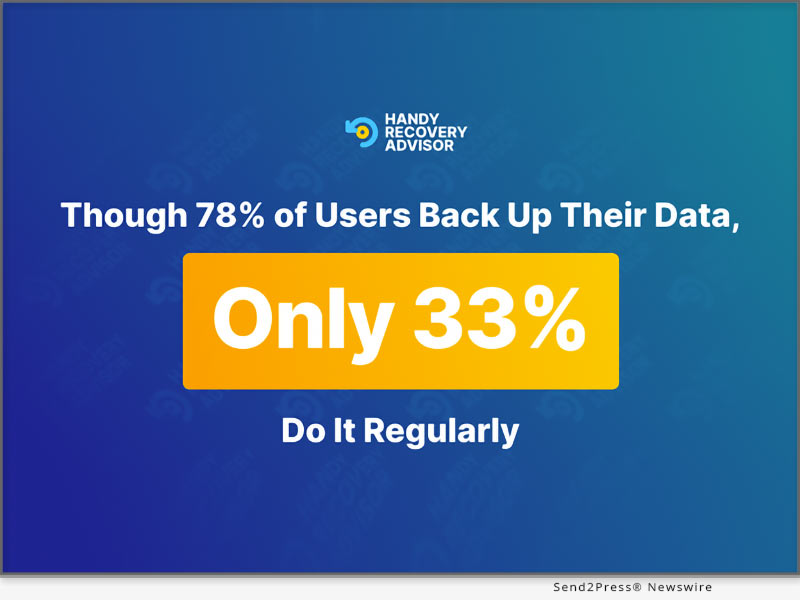
cover with backup rate finding
Image caption: cover with backup rate finding.

Odysseas Kourafalos, author and Chief Editor at Handy Recovery Advisor, comments on the intentions behind the study: “From the requests and feedback of our readers, we noticed a significant data breach increase in 2024. This tendency aligns with the growing global rise of data breach incidents affecting regular users and their data. Following this, we decided to explore the backup strategies of everyday users to see existing gaps in their backup routines and seek ways to fill those.”

WHILE THE BACKUP RATE IS HIGH, CONSISTENCY IS FAILING

The survey revealed an impressive 78% backup rate among users. Yet, further statistics show inconsistency in this practice, as only 33% of users run regular backups, 27% back up a few times a year, and almost 20% do so rarely.

MORE THAN HALF OF USERS PRACTICE SELECTIVE DATA BACKUP

About 52% of respondents practice a selective approach to data backup, relying on factors such as the importance and urgency of the data in question. Furthermore, the majority of users prioritize financial data and password information as top data types requiring backup.

LACK OF BACKUP IS THE MOST FREQUENT REASON FOR DATA LOSS

The survey revealed that for 34% the most common causes of data loss are accidental deletion and lack of data backup. Other frequent reasons include device failure and hardware malfunction (30%) and physical damage to a device (11.20%).

Additional Valuable Insights Include:

  • 63% of respondents think syncing data with cloud storage means it’s fully backed, with half of them regarding themselves as tech pros;
  • 37% of users prefer to save sensitive information on physical drives;
  • 45% of Mac users have experienced problems when trying to back up their data
  • 68% of respondents who have lost data now back up regularly

You can find a full report with the survey findings here: https://www.handyrecovery.com/data-backup-statistics/

METHODOLOGY

The survey, conducted via Pollfish on October 29, 2024, included 1,000 people from across the US, aged 18 to 75. Most participants were Millennials and Gen X, with 83% describing themselves as Intermediate or Advanced tech users.

About Handy Recovery Advisor

Handy Recovery Advisor is a media platform providing everyday users with comprehensive information and tools on data recovery, loss prevention, and efficient data management. Learn more: https://www.handyrecovery.com/

NEWS SOURCE: Handy Recovery Advisor


This press release was issued on behalf of the news source (Handy Recovery Advisor), who is solely responsible for its accuracy, by Send2Press Newswire. Image, if any, was provided by the news source and not this website or the wire service. Information is believed accurate, as provided by the news source, but is not guaranteed.

To view the original story, visit: https://www.send2press.com/wire/only-33-percent-of-users-back-up-their-data-regularly-new-study-from-handy-recovery-advisor/

Copr. © 2024 Send2Press® Newswire, Calif., USA. -- REF: S2P STORY ID: S2P122474 NOREL-3B

 

How to Factory Reset Dell Laptop without Password Easily from PassFab

NEW YORK, N.Y. /ScoopCloud/ -- Factory resetting a Dell laptop restores it to its original settings, often resolving issues or resetting a forgotten password. If you've lost your login credentials, this process can help you regain access, says PassFab.

Next, we'll cover 3 methods to factory reset your Dell laptop without a password. One of the easiest ways is by using PassFab 4WinKey, a tool that simplifies password resets and factory resets.

Part 1: How to Factory Reset Dell Laptop without Password? [Windows 11/10 Supported]

To know how to restore Dell laptop to factory settings without password and reset disk, the best choice is PassFab 4WinKey:

PassFab 4Winkey Features:

* Unlock Dell Laptop Without Password - If your admin password was changed by someone else, it helps you regain access.

* Lost Admin Password - If you have no other admin account, or forgot a recently changed password it can help you reset it.

* Quick with 100% Success - Offers a high success rate while resetting a Windows computer.

* No Technical Expertise Required - Even a first-time user will be able to use it as it doesn't come with a learning curve.

* Supports Multiple Dell Models - Supports various Dell models like Inspiron, Alienware, XPS, and G Series Gaming PCs.

Here's how to reset a Dell laptop without password and reset disk:

Step 1: Install PassFab 4WinKey on another computer. Then, create a bootable drive with it.

Step 2: Boot your laptop with drive. Reset your password.

Part 2: How to Factory Reset Dell Laptop Without Password Windows Without Disk?

If you want to learn how to factory reset Dell laptop without password and reset disk, Dell SupportAssist OS Recovery is a good option. It can back up data and reset your laptop. But compared to bootable media, it offers fewer advanced options. Here's how to unlock Dell laptop with SupportAssist OS Recovery:

Step 1: Install it on another computer. Then, use it to create a bootable drive.

Step 2: Connect drive to your Dell laptop, and restart it. Enter boot menu with F12. Then, use USB to back up files and reset laptop.
Part 3: How to Factory Reset Dell Laptop Without Admin Password?

Another way to reset your Dell laptop without a password is using "Reset This PC" feature in WinRE Environment. Though it offers limited control and fewer options. Here's how to factory reset a Dell computer without logging in using "Reset This PC:"

Step 1: On Dell login screen, hold "Shift" and click "Power" > "Restart."

Step 2: Choose "Troubleshoot" > "Reset This PC" > "Remove everything." Then, select "Just remove my files" to reset laptop.

About PassFab:

To know how to factory reset Dell PC without password, use PassFab 4WinKey. The software's website and UI have been recently redesigned with a modern look, better navigation, and mobile responsiveness to offer a better user experience.

Leare More: https://www.4winkey.com/

Youtube: https://www.youtube.com/passfab

Facebook: https://www.facebook.com/passfab/

News from PassFab

Factory resetting a Dell laptop restores it to its original settings, often resolving issues or resetting a forgotten password. If you've lost your login credentials, this process can help you regain access, says PassFab.

Related link: https://www.passfab.com/

This version of news story was published on ScoopCloud™ (ScoopCloud.com) - part of and © the Neotrope® News Network - all rights reserved.

How to Downgrade from iOS 18 Beta to iOS 17 Without Losing Data

NEW YORK, N.Y. /ScoopCloud/ -- Want to know how to downgrade iOS 18 beta to 17? WWDC is kicking off on June 10 and the first iOS 18 Beta is expected to be released soon after. It will feature new accessibility options, app updates, RCS support, and a more customizable Home screen. However, as with all Beta versions, iOS 18 might have bugs, making it necessary to downgrade it. "Most downgrade methods that are available in market result in data loss. But Tenorshare ReiBoot can downgrade iOS 18 beta to iOS 17 without losing data," says a Tenorshare spokesperson. So, let's find out how to revert back to iOS 17 with Tenorshare ReiBoot.

VIDEO (YouTube): https://www.youtube.com/watch?v=j45IjXP563g

Can You Go Back to iOS 17 From 18 Beta?

Yes, it's attainable to downgrade iOS 18 beta to 17 if iOS 17 version is still being signed. But this is only possible for a few days after iOS 18 Beta is released. However, downgrading will wipe your iDevice.

Another way to keep iOS 17 is to make a copy before update using Finder on a Mac or iTunes on a PC. But this will reinstall new iOS. If you're a member of Apple Beta Software Program you can go back to iOS 17 without iTunes, but it also erases your iDevice. So, how to downgrade iOS 18 Beta to 17 without data loss?

How to Downgrade iOS 18 Beta to 17 Without Losing Data?

If you really want to find out how to go back to iOS 17 from 18 beta without losing data, ReiBoot iOS Repair Tool offers a way to do that. It's a powerful tool that can both downgrade and upgrade iOS for latest iDevices without data loss. But that's not the end of its abilities. It offers to:

* Repair 150+ iOS issues including stuck on Apple logo and black screen.

* Easily fix common iPhone and iTunes errors.

* Enter/Exit Recovery Mode with one click.

Here's how to downgrade iOS 18 to 17 with help of Tenorshare ReiBoot:

Step 1: Install and run ReiBoot on your computer and connect your iDevice with your PC. Choose "iOS Upgrade/Downgrade."

Step 2: Select "Downgrade" option and hit "Downgrade" button.

Step 3: Allow firmware package to download. Then, let downgrading process to completed.

Is It Possible to Downgrade iOS 18 Beta to 17 Without Computer?

Yes, it's possible to downgrade iOS 18 beta to 17 without computer, but it can be challenging as this method might not work for your iDevice. What you'll need to do is search for "iOS 17 IPSW" firmware for your specific iPhone/iPad model on Google and download it. Then, remove your Beta iOS 18 profile and install iOS 17 IPSW firmware on your iDevice.

About Tenorshare

If you're looking for a way to learn how to remove iOS 18 beta from iPhone/iPad without data loss, Tenorshare ReiBoot can do that. Renowned for solving iOS and Android issues with high success, Tenorshare is best choice for common device problems.

Learn more:

https://www.tenorshare.com/products/reiboot.html

https://www.tenorshare.com/ios-18/how-to-downgrade-ios-18-to-17.html

News from Tenorshare Co. Ltd.

Want to know how to downgrade iOS 18 beta to 17? WWDC is kicking off on June 10 and the first iOS 18 Beta is expected to be released soon after. It will feature new accessibility options, app updates, RCS support, and a more customizable Home screen. However, as with all Beta versions, iOS 18 might have bugs, making it necessary to downgrade it. "Most downgrade methods that are available in market result in data loss. But Tenorshare ReiBoot can downgrade iOS 18 beta to iOS 17 without losing data," says a Tenorshare spokesperson.

Related link: https://www.tenorshare.com/

This version of news story was published on ScoopCloud™ (ScoopCloud.com) - part of and © the Neotrope® News Network - all rights reserved.

Cleanup Pro iOS App Launched: AI-Powered to Delete Duplicate Photos and Clean iPhone’s Storage

NEW YORK, N.Y. /ScoopCloud/ -- Tenorshare, the leading software provider for iOS system repairs and data management, has released a new Cleanup Pro iOS App. With the launch of this new iOS app, iPhone users can now clean up their phone's storage with AI-powered enhancement.

Tenorshare Cleanup Pro App - AI-Powered Cleaner

Cleanup Pro App is a feature-rich iOS app that provides AI-powered cleaning of your iPhone's storage. It can:

* Delete Duplicate Photos: Intelligently scan and clean up duplicate photos, including all photos in albums such as GIF and Live.

* Filter Photos: AI-powered smartly filter and clean up similar photos, oversized photos/videos, blurry photos, screenshots, burst photos, GIFs, and live photos.

* Compress Photos/Videos: Filter oversized photos/videos and compress them to free up space. You can freely choose the size of the compression.

* Manage Photos: Sort all the unorganized photos in your albums with a single tap.

* Manage Contacts: Delete duplicate contacts or contacts with no information. Merge contacts with the same phone number.

* Organize Calendar: List all calendar events and clean them up.

* Try Premium for Free: Unlock all premium features with a 3-day free trial. Experience enhanced functionality and exclusive content - all at no cost. Tap here to start your free trial now: https://tenorshare.onelink.me/jPbu/810b76iu

In short, the Tenorshare Cleanup Pro iOS App is an all-in-one AI cleaner that seamlessly cleans up your iPhone storage.

Learn more: https://tenorshare.onelink.me/jPbu/810b76iu

Other Popular Apps in Tenorshare

Tenorshare iCareFone Transfer App

Tenorshare iCareFone Transfer App can transfer WhatsApp and WhatsApp Business between Android and iPhone without PC. It can transfer all WhatsApp chats and attachments with ultra-fast transfer speed and no data loss. And download WhatsApp video

Tenorshare iAnyGo App

Tenorshare iAnyGo App is a free virtual location changer for iOS and Android. It can change the GPS location anywhere without jailbreak/root and provides the GPS joystick to control the direction of movement in games.

Tenorshare UltData Android App

Tenorshare UltData Android App is an Android data recovery app that can recover deleted photos, videos, documents, audio, and WhatsApp files from internal and SD card storage. It can conduct deep scans and then provide preview-based data recovery.

Tenorshare iCareFone for LINE App

Tenorshare iCareFone for LINE App can transfer LINE between Android and iPhone using a USB-C to lightning cable. It can transfer text, photos, documents, audio, and more with high speed and data security.

About Tenorshare

Tenorshare is a highly reputed, award-winning, and widely used software company that develops top-notch software solutions for Windows, Mac, iOS, and Android platforms. It is renowned for its leading software solutions in data recovery, data transfer, data cleaning, password recovery, system repair, and more. Overall, Tenorshare offers feature-rich and modernized software solutions that millions of users use worldwide.

More information: https://www.tenorshare.com/

Facebook: https://www.facebook.com/TenorshareOfficial/

X/Twitter: https://twitter.com/Tenorshare_Inc

YouTube: https://www.youtube.com/user/TenorshareOfficial/videos

News from Tenorshare Co. Ltd.

Tenorshare, the leading software provider for iOS system repairs and data management, has released a new Cleanup Pro iOS App. With the launch of this new iOS app, iPhone users can now clean up their phone's storage with AI-powered enhancement.

Related link: https://www.tenorshare.com/

This version of news story was published on ScoopCloud™ (ScoopCloud.com) - part of and © the Neotrope® News Network - all rights reserved.

How to Sign Out of Apple ID Without Password in 3 Simple Ways

NEW YORK, N.Y. /ScoopCloud/ -- "Apple takes security very seriously and requires a password to sign out of an Apple ID," says Tenorshare. "However, if you forget your password, you may need to sign out of your Apple ID without one. Therefore, it's a good idea to know alternative ways how to sign out of Apple ID without password."

In this guide, we will discuss 3 ways how to log out of Apple ID without password.

:: How to Sign Out of Apple ID Without Password or Phone Number? [Easy]

If you're looking for a safe and reliable way to sign out of Apple ID without entering password, we recommend using a third-party app like Tenorshare 4uKey.

Why? Because it's the first-ever software that helps you sign out of your Apple ID without a password. The best part is that 4uKey doesn't fully reset your device; therefore, your data remains safe. This method works on Windows and Macs, so compatibility is not an issue.

Here are the simple steps on how to sign out of Apple ID without password on Mac or Windows using 4uKey:

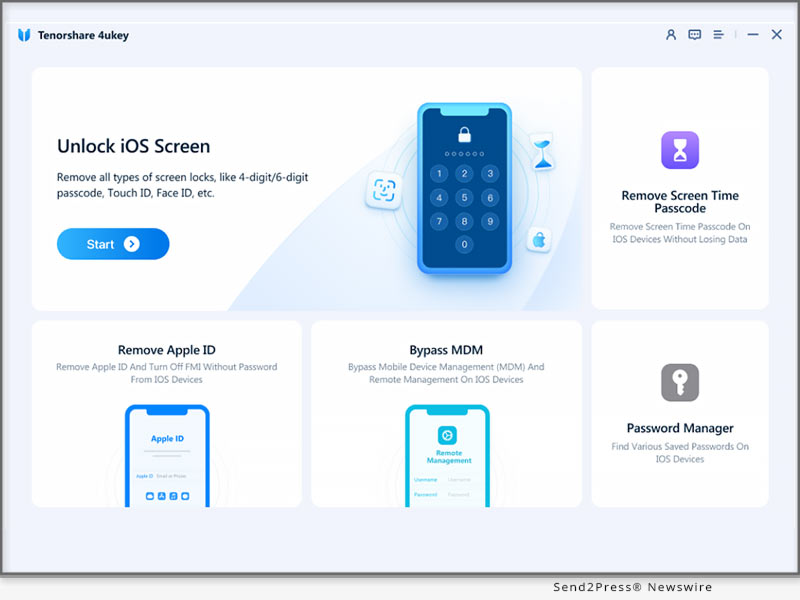
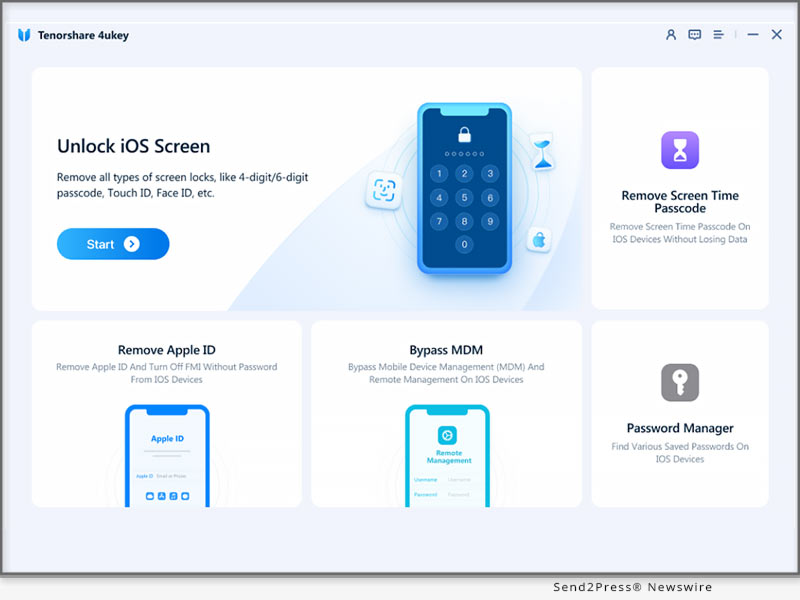
* Download and install Tenorshare 4uKey on your PC and click "Remove Apple ID" on the interface.

* Connect your iPad or iPhone to your PC, and click "Next."

* After a few seconds, 4uKey will successfully remove the Apple ID without losing data from your device.

Learn more: https://www.tenorshare.com/products/4ukey-unlocker.html

:: How to Sign Out of Apple ID Without Password Free?

Another way how to sign out of Apple ID on iPhone or iPad is from the official Apple website.

Here's what to do:

* Go to the Apple website, enter your Apple ID, and click "Forgotten Your Password."

* Enter your recovery email or phone number.

* Next, you will receive instructions on your device on how to reset your password.

However, for this method to work:

* Your device must be switched on.

* Your recovery phone number must be active.

* You need to remember your recovery email address.

And that's how to sign out of Apple ID without password on iPad or iPhone free via Apple's website.

:: How to Sign Out of Apple ID Without Password or Email?

How to remove Apple ID without password if you don't remember your email? With iTunes, of course!

* Go to the "Settings" on your device and go to "iTunes and App Store."

* Now tap on your Apple ID and select "Sign Out."

This will sign you out of your Apple ID without entering the password or email. However, you'll need to do this for each app separately, which is a bit time consuming.

About Tenorshare:

Tenorshare is a tech company that creates tools for data recovery, password recovery, system fixes, and data management for iOS and Android devices.

So, if you're looking for a way how to sign out of Apple ID without password, no worries, Tenorshare 4uKey is the solution.

YouTube: https://www.youtube.com/@TenorshareOfficial

Facebook: https://www.facebook.com/TenorshareOfficial/

LEARN MORE:

https://www.4ukey.com/products/4ukey-iphone-unlocker.html

https://www.tenorshare.com/apple-id/how-to-sign-out-of-apple-id-without-password.html

News from Tenorshare Co. Ltd.

"Apple takes security very seriously and requires a password to sign out of an Apple ID," says Tenorshare. "However, if you forget your password, you may need to sign out of your Apple ID without one. Therefore, it's a good idea to know alternative ways how to sign out of Apple ID without password." In this guide, we will discuss 3 ways how to log out of Apple ID without password.

Related link: https://www.tenorshare.com/

This version of news story was published on ScoopCloud™ (ScoopCloud.com) - part of and © the Neotrope® News Network - all rights reserved.

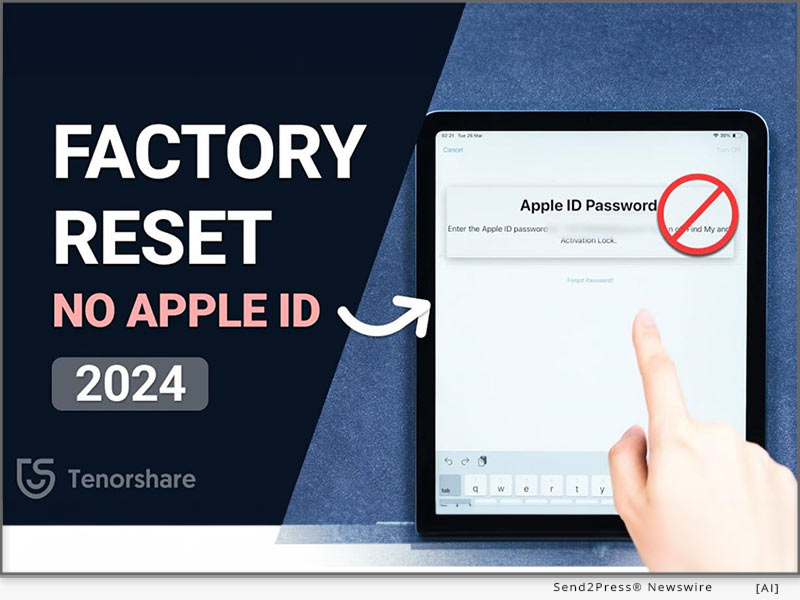
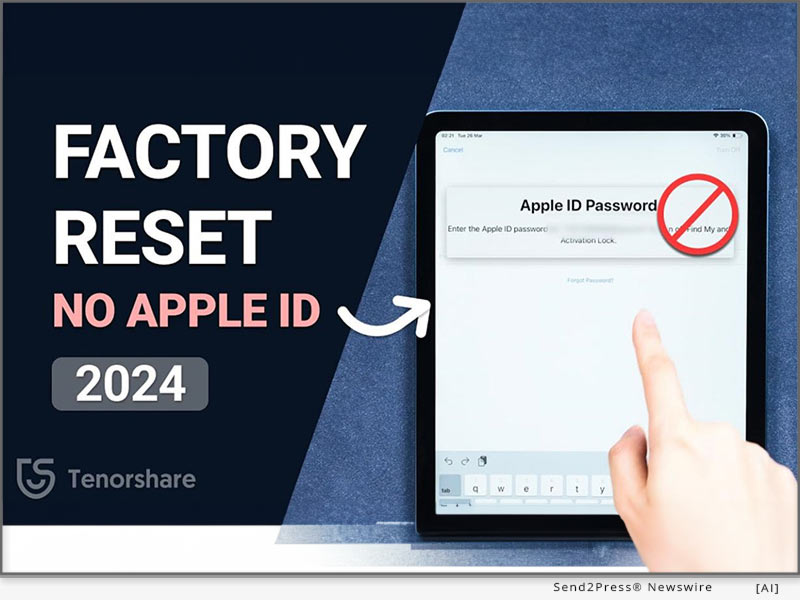
How to Factory Reset an iPad without Apple ID Password (Easy)

NEW YORK, N.Y. /ScoopCloud/ -- For iPad users, the need to reset without an Apple ID password arises from common issues like forgotten credentials or lost access, highlighting the demand for iOS device management solutions, says Tenorshare.

In this guide, we will explore 3 effective strategies for factory reset iPad without Apple ID password, empowering users to regain control of their devices easily.

How to Factory Reset iPad Without Apple ID Password and Computer?

If you have forgotten your Apple ID credentials and are looking for a way to reset iPad without Apple ID password, no computer, you can do it via hard reset.

So, how to factory reset iPad with buttons without computer? By using the volume and power buttons to hard reset your device. This method fixes all known and unknown underlying system issues.

However, before you go for an iPad factory reset without Apple ID via hard reset, create a backup of your device, as it will erase all your settings.

How to Factory Reset iPad Without Apple ID Password or Passcode?

If you're looking for a safe and reliable method how to reset Apple iPad without Apple ID, we suggest trying out Tenorshare 4uKey. It is a passcode removal tool that helps with iPad reset factory settings without jailbreaking your device.

Let's look at the key features of Tenorshare 4uKey:

* You can factory reset your iPad without an Apple ID.

* It enables you to change your Apple ID without a password and losing data.

* The unlock process is quick and 100% successful.

* The best part is that you can use this tool even if you have no prior experience.

* Whether you have the latest iPad Pro with iOS 17 or one of the earlier models with an older iOS version, 4uKey works for all.

Here are the steps to factory reset iPad without Apple ID password free:

* Download and install 4uKey on your PC.

* Connect your iPad to your PC and put it in DFU Mode following the instructions available on-screen.

* Download the firmware package specific to your iPad model.

* Then, 4uKey will start removing the lock screen passcode, after which you can reset your iPad easily.

How to Factory Reset iPad Without Apple ID Password Using iTunes?

Another way how to factory reset iPad without Apple ID password or passcode is via iTunes. Simply connect your device to a computer with iTunes installed. Put the iPad into recovery mode, then select the "Restore" option in iTunes to reset the device to factory settings.

Keep in mind that following the operation steps precisely is crucial to avoid potential bricking issues.

Learn more: https://www.tenorshare.com/products/4ukey-unlocker.html

About Tenorshare

Tenorshare is a software company that deals in tools that focus on various smartphone solutions for iPhones and Androids.

So, if you're looking for a way how to factory reset iPad without Apple ID password, Tenorshare has the solution!

Learn more: https://www.tenorshare.com/iphone-tips/how-to-factory-reset-ipad-without-apple-id-password.html

YouTube: https://www.youtube.com/@TenorshareOfficial

Facebook: https://www.facebook.com/TenorshareOfficial/

News from Tenorshare Co. Ltd.

For iPad users, the need to reset without an Apple ID password arises from common issues like forgotten credentials or lost access, highlighting the demand for iOS device management solutions, says Tenorshare. In this guide, we will explore 3 effective strategies for factory reset iPad without Apple ID password, empowering users to regain control of their devices easily.

Related link: https://www.tenorshare.com/

This version of news story was published on ScoopCloud™ (ScoopCloud.com) - part of and © the Neotrope® News Network - all rights reserved.

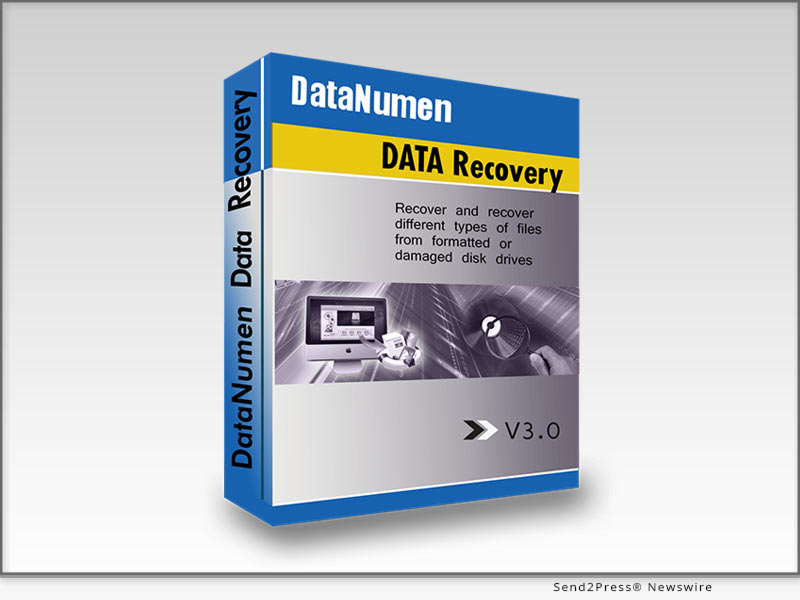
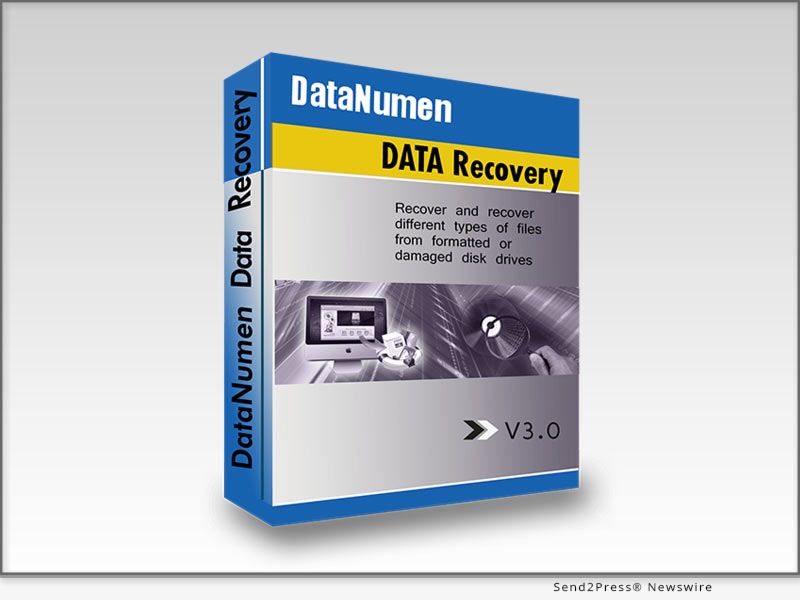
DataNumen Unveils DataNumen Data Recovery 3.0: Multilingual Magic and More!

NEW YORK, N.Y. /ScoopCloud/ -- DataNumen, a global leader in data recovery solutions, is thrilled to announce the launch of its latest marvel, DataNumen Data Recovery 3.0. The new version boasts an impressive suite of features, including multilingual support, and promises to redefine the way users recover their lost data.

A New Era of Data Recovery

DataNumen Data Recovery takes users on a smooth journey through the maze of lost files and corrupted folders. With its straightforward four-step process, data recovery has never been so easy:

1. Start the software.

2. Select the drive or disk to be scanned.

3. Scan the selected drive or disk.

4. Recover the desired files and folders with a single click.

Key Features

DataNumen Data Recovery 3.0 continues to uphold its stellar reputation with a plethora of features:

* Universal File System Support: Handles all major file systems, including NTFS, FAT, FAT32, and Ext2.

* Comprehensive Recovery: Restores files lost due to reformatting, corruption, deletion, and beyond.

* Folder Resurrection: Recovers lost and deleted folders, maintaining their hierarchy.

What's New in 3.0?

* Multilingual Marvel: DataNumen Data Recovery now speaks your language, with expanded multilingual support.

* Bugs Begone: Various issues have been squashed, enhancing reliability and performance.

Compatibility

The software is a digital chameleon, adapting seamlessly to all major Windows operating systems, from XP to 11 and all server versions.

Why Users Love It

Data disasters lurk around every corner, from accidental deletion to hardware failure. DataNumen Data Recovery uses cutting-edge technology to recover data, often from the brink of oblivion. It's the industry's darling, recommended by experts in "Cyber Security Awareness" by Dr. Amit Kumar Mandle and "Introduction To Cyber Security, Forensics And Cyber Laws" by Dr. Vasantha Kumara M et al.

Who's It For?

DataNumen Data Recovery is a beacon for:

* All Computer Users: Whether on Windows, Mac OS, or Linux, users need DataNumen's safety net.

* Technicians and Pros: Ideal for support centers, data recovery companies, and consulting firms handling data loss emergencies.

Interesting Tidbits

DataNumen's brilliance shines through in its accolades and high-profile client list, including mentions in prominent books and numerous awards.

How It Stands Out

With its intuitive GUI, DataNumen Data Recovery is a breeze to use, putting it leagues ahead of its competitors.

About DataNumen:

Since 2001, DataNumen has been a stalwart in data recovery solutions. More about the company can be found on its website https://www.datanumen.com/.

Links:

Company website: https://www.datanumen.com/

Product page: https://www.datanumen.com/data-recovery/

Download: https://www.datanumen.com/data-recovery/ddr.exe

News from DataNumen

DataNumen, a global leader in data recovery solutions, is thrilled to announce the launch of its latest marvel, DataNumen Data Recovery 3.0. The new version boasts an impressive suite of features, including multilingual support, and promises to redefine the way users recover their lost data.

Related link: https://www.datanumen.com/

This version of news story was published on ScoopCloud™ (ScoopCloud.com) - part of and © the Neotrope® News Network - all rights reserved.

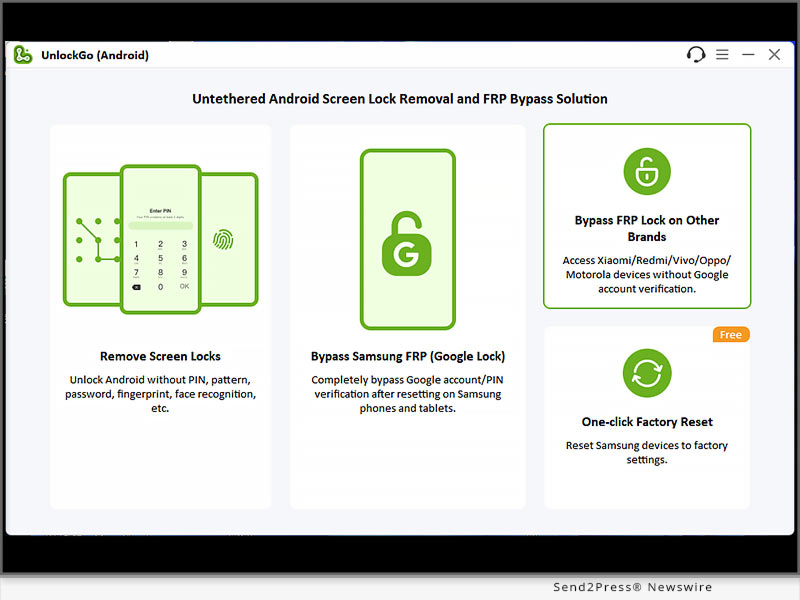
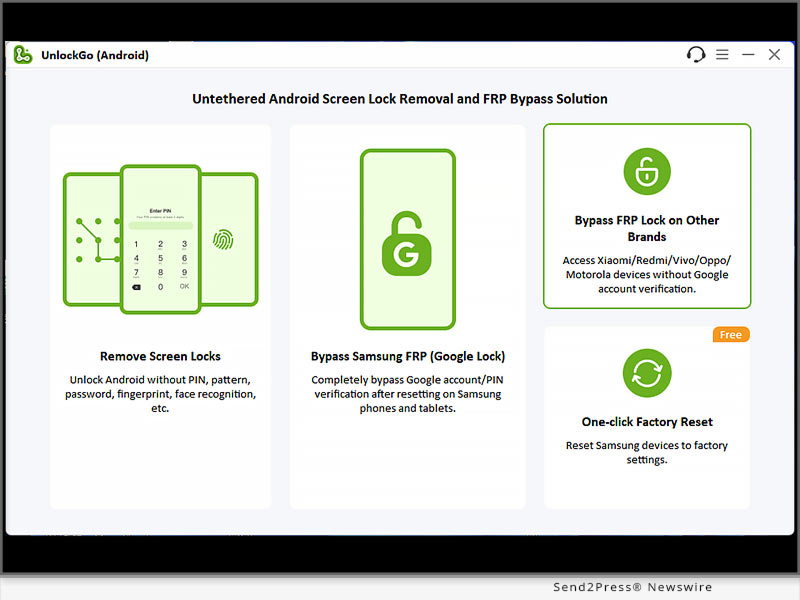
iToolab UnlockGo (Android) New Version V7.6.0 Released to Support Motorola FRP Bypass

NEW YORK, N.Y. /ScoopCloud/ -- Have you just picked up your old Motorola phone and reset it to factory settings, then found that you have to enter the Google account credentials to access the device? Or perhaps you have bought a second-hand Motorola phone and the previous owner reset it without removing the Google account. No matter what the scenario is, you won't be able to access the home screen and enjoy all the features of your Motorola phone, says iToolab.

But don't worry; iToolab UnlockGo (Android) today released a new version V7.6.0 which can help you bypass Motorola Google FRP lock within minutes.

What's New

UnlockGo (Android) V7.6.0 made great improvements to Xiaomi/Redmi FRP bypass solution. Now it supports removing Google FRP lock from most Xiaomi/Redmi phones and tablets. Furthermore, UnlockGo (Android) starts to support Motorola FRP bypass. Motorola users can bypass Google account verification without password in 3 simple steps.

UnlockGo (Android)'s mission is to help all Android users unlock their devices easily. Therefore, the program supports Korean and Russian in this version. It will keep supporting other languages in the future.

Learn more: https://itoolab.com/guide/how-to-use-unlockgo-android/

Explore More Possibilities of iToolab UnlockGo (Android):

* A reliable password unlock tool that can remove password, PIN, pattern, fingerprint and face lock from 6000+ Android phones and tablets

* The best FRP tool that can bypass Google FRP lock on Samsung/Xiaomi/Redmi/vivo/OPPO/Motorola within minutes

* It can unlock early Samsung devices without password or data loss

* If your Samsung device is running Android 12, you can unlock it without password in 1 lick

* It helps you factory reset all Samsung devices in 1 click and free of cost

* It's compatible with the latest Android 14

Price and Availability

* The new feature is available on V7.6.0. For unregistered users, you can visit the official website of iToolab UnlockGo (Android) and download the latest version to try. For registered users, you can enjoy a free lifetime update.

* The program supports bypassing Google lock on Samsung Android 5-13, most Xiaomi/Redmi devices, vivo Android 10-12, OPPO Android 5-13, and Motorola Android 11/12.

* The program is sold with different license types, including 1 Month Plan, 1 Year Plan and Lifetime Plan. The prices are $29.95, $39.95, $49.95, respectively. In other words, the longer you own the license, the cheaper it will be. Furthermore, if you are planning to purchase a license plan now, you can save $10.

Learn more: https://itoolab.com/buy/unlockgo-android-for-windows/

About iToolab

iToolab is a software development company founded in 2008 to help iOS and Android users solve various issues with leading-edge smartphone tools for repair and recovery, unlocking, and more. As of now, iToolab is serving 130+ countries and has been trusted and recommended by some leading tech sites and users worldwide. iToolab is a trusted one-stop shop for smartphone utility apps.

Learn more - official website: https://itoolab.com/

Facebook: https://www.facebook.com/itoolab

X/Twitter: https://twitter.com/IToolab

YouTube: https://www.youtube.com/@iToolab

RELATED LINKS:

https://itoolab.com/android-phone-unlocker/

https://itoolab.com/unlock-android/bypass-frp-xiaomi-redmi-poco/

https://itoolab.com/unlock-android/motorola-frp-bypass-without-computer/

News from IToolab Co Ltd

Have you just picked up your old Motorola phone and reset it to factory settings, then found that you have to enter the Google account credentials to access the device? Or perhaps you have bought a second-hand Motorola phone and the previous owner reset it without removing the Google account. No matter what the scenario is, you won't be able to access the home screen and enjoy all the features of your Motorola phone, says iToolab.

Related link: https://itoolab.com/

This version of news story was published on ScoopCloud™ (ScoopCloud.com) - part of and © the Neotrope® News Network - all rights reserved.

Artificial Intelligence (A.I.) and Data Recovery: Tenorshare 4DDiG

NEW YORK, N.Y. /ScoopCloud/ -- Nowadays, the application of artificial intelligence (AI) technology is gaining widespread attention across various fields, especially in data recovery. Compared to traditional data recovery solutions, AI-powered data recovery not only achieves initial automation but also excels in terms of speed, accuracy, and adaptability. In this industry revolution, Tenorshare 4DDiG stands out as a distinguished representative of AI data recovery technology.

HOW IS AI BEING USED IN DATA RECOVERY?

Adapting to the New Era

With the advent of the big data era, traditional data recovery methods can no longer adapt to current changes. Conversely, AI data recovery not only efficiently analyzes vast amounts of data but also comprehensively handles various data formats, including text, images, and videos. This perfectly meets the new era's needs for data diversity, large capacity, and rapid analysis.

Preventing Potential Data Loss

Hardware failures are one of the most common reasons for data loss. However, by monitoring system behavior, artificial intelligence can send users warning messages in advance when a storage devices is on the verge of failure. In the near future, it can even automatically back up your files to cloud storage before any data loss occurs.

"4DDiG has astutely recognized the impact of these changes on the data recovery industry. Embracing the spirit of innovation, we have integrated Artificial Intelligence technology into 4DDiG data recovery," says the spokesperson of 4DDiG. "While AI in data recovery is still in its early stages of development, we are optimistic about the prospects it holds."

What's Different about 4DDiG Data Recovery?

Tenorshare 4DDiG ingeniously integrates cutting-edge AI technology, making data recovery more intelligent and efficient. Here are some of its key features:

* Impressive Success Rate: The most compelling advantage of Tenorshare 4DDiG is its high success rate. Through different algorithms, artificial intelligence can locate the exact sectors where lost or corrupted data resides in the blink of an eye.

* Broad Compatibility: 4DDiG is capable of recovering data from over 2000 storage devices, including PCs/laptops, external hard drives, USB flash drives, SD cards, digital cameras, etc.

* Applicable to Various Scenarios: Whether data loss occurs due to virus attacks, accidental deletion, or system crashes, 4DDiG will provide you with an excellent data recovery experience.

* Streamlined Data Recovery Process: Without the need for excessive manual intervention, 4DDiG has achieved preliminary automation in data recovery. Even if you're a computer novice, you can recover lost data in just three simple steps.

About 4DdiG:

4DDiG is introduced as a renowned software provider with a decade of experience, placing a strong focus on innovation and user satisfaction. Currently, 4DDiG is dedicated to the application of artificial intelligence, aiming to address the evolving needs of the digital landscape. In addition to 4DDiG data recovery, 4DDiG also offers a variety of solutions, including corrupted file repair, AI video/photo enhancement, disk management,Windows startup problem repair and more.

LEARN MORE: https://4ddig.tenorshare.com/

Follow on Social:

Facebook: https://www.facebook.com/4DDiG/

X/Twitter: https://twitter.com/Tenorshare4DDiG

YouTube: https://www.youtube.com/@Tenorshare4DDiGDataRecovery/featured

News from Tenorshare Co. Ltd.

Nowadays, the application of artificial intelligence (AI) technology is gaining widespread attention across various fields, especially in data recovery. Compared to traditional data recovery solutions, AI-powered data recovery not only achieves initial automation but also excels in terms of speed, accuracy, and adaptability.

Related link: https://www.tenorshare.com/

This version of news story was published on ScoopCloud™ (ScoopCloud.com) - part of and © the Neotrope® News Network - all rights reserved.

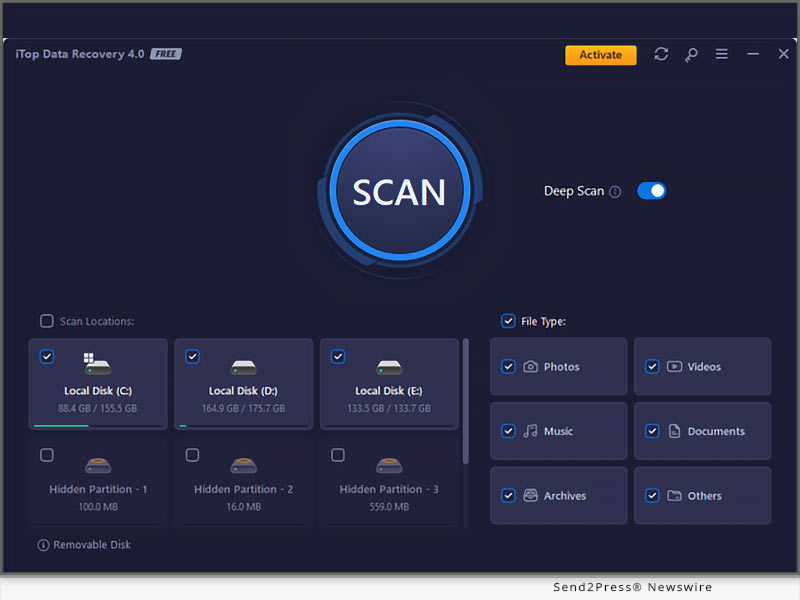
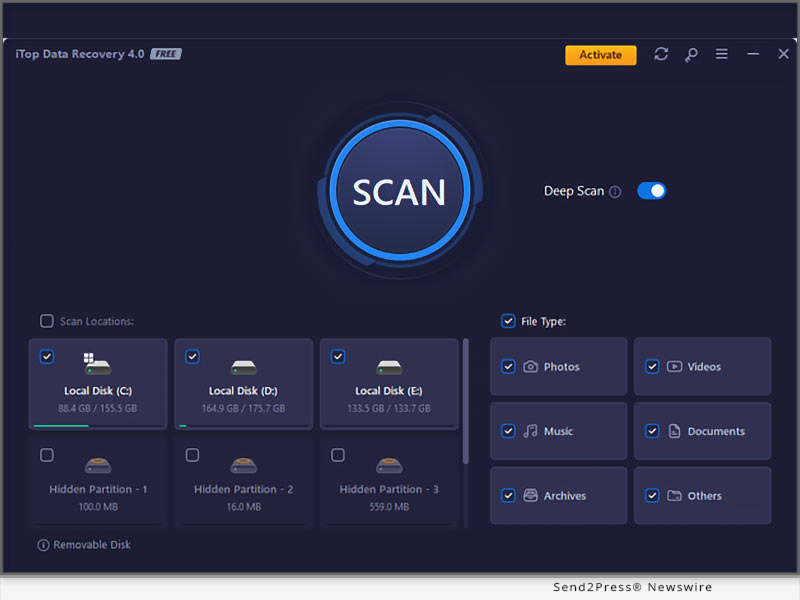
iTop Data Recovery 4: Optimized Scanning Unleashes Enhanced File Recovery with 99% Success Rate

SAN FRANCISCO, Calif. /ScoopCloud/ -- iTop has rolled out the latest version of iTop Data Recovery, setting a new standard in file recovery with its remarkable 99% success rate. This new version empowers users to effortlessly recover deleted, formatted, or lost files, showcasing cutting-edge scanning algorithms that expedite the process. iTop Data Recovery 4 also introduces a redesigned user interface for a smoother experience and faster speed. Other notable improvements include a brand-new Preview feature that supports all kinds of files and new filters that help better scan and detect the target files more accurately and efficiently.

In past years, it has been proved that data recovery software is a lifesaver for individuals and families when an unforeseen data loss incident happens, including system crashes, hardware malfunctions, accidental deletion, formatting errors, malware intrusions, or natural disasters. iTop Data Recovery provides quick solutions to retrieve lost data, allowing users to effortlessly get back lost, deleted, or corrupted data on hard drives, USB drives, SD cards, and other storage devices. Moreover, iTop Data Recovery boasts a clean and uncluttered interface that makes data recovery easy at home without the help of professionals. Users can effortlessly identify and recover all needed files with a single click, restoring their data swiftly and seamlessly.

NEW FEATURES ADDED IN ITOP DATA RECOVERY

* Enhanced Powerful Scanning Capabilities

iTop has made significant advancements in its scanning algorithms, resulting in scanning speeds that are more than twice as fast. This enhanced scan engine can identify and recover about 99% of lost files, offering users a swift and efficient data recovery experience. According to the test conducted by the iTop team, iTop Data Recovery can scan 200,000-300,000 or 10GB files in just one minute, which provides a substantial time-saving advantage. What's more, it has adopted much deeper and more comprehensive scanning technology for Recycle Bin.

* Newly Supported Previewing PDF and Office Files

The preview function is a useful feature that allows users to view recoverable files before starting the recovery process, helping save time and effort. In the latest version, iTop Data Recovery extends its support to preview PDF and common Office files, catering to the diverse data recovery needs of family users.

Andy Yang, Chief Product Officer of iTop Data Recovery, reaffirmed the company's commitment to delivering effective file recovery experiences: "We are dedicated to offering an efficient and quick file recovery experience for individuals and family users. Users can recover 99% of lost files easily at home instead of going off to find professional staff. iTop Data Recovery mixes up a user-friendly UI design with enhanced preview features that support PDF and office files in order to meet our users' requirements."

iTop Data Recovery is compatible with Windows 11, Windows 10, Windows 8, and Windows 7. It's available for download at its official website: https://www.itopvpn.com/data-recovery-software.

About iTop

iTop is a leading provider of intuitive and secure software products for desktop PCs and mobile devices. The product line includes iTop VPN, iTop Screen Recorder, iTop Data Recovery, Dualsafe Password Manager, and other utilities. iTop is dedicated to producing smart, stable, and secure software products that are easy to use and help our customers reach their objectives. With the trust of over 20 million users, we strive to deliver high-quality solutions that empower our customers to achieve their goals with ease. Learn more at: https://www.itopvpn.com/.

News from ITop

iTop has rolled out the latest version of iTop Data Recovery, setting a new standard in file recovery with its remarkable 99% success rate. This new version empowers users to effortlessly recover deleted, formatted, or lost files, showcasing cutting-edge scanning algorithms that expedite the process. iTop Data Recovery 4 also introduces a redesigned user interface for a smoother experience and faster speed.

Related link: https://recorder.itopvpn.com/

This version of news story was published on ScoopCloud™ (ScoopCloud.com) - part of and © the Neotrope® News Network - all rights reserved.

Empower All-users iPhone Experience: Bypass MDM with Passvers iPhone Unlocker

HONG KONG /ScoopCloud/ -- Passvers iPhone Unlocker is tapping into a niche but essential need. This software has seen accelerated growth. From dealing with pesky activation locks to addressing concerns related to MDM, this tool has proven invaluable. Passvers iPhone Unlocker, with its state-of-the-art features, has continually provided solutions for iPhone users. This journey will see how it tackles the growing concerns related to MDM.

What is MDM And Why is it Implemented?

Ever been handed a work phone and found can't download certain apps or access specific settings? That's MDM, or Mobile Device Management, at work. Designed to help organizations manage and secure devices they give to their employees, it's like a virtual guardian. However, it's not always sunshine and rainbows.

Challenges Faced by Users Due to MDM

Imagine, if someone will, trying to sell the company-issued device only to find it's as useful as a brick. With MDM, we could find:

* Personal privacy breaches, like location tracking.

* Restrictions on app installations.

* Difficulties in selling or repurposing the device post-employment.

But there's good news! Passvers iPhone Unlocker has introduced an upgrade to address these very concerns.

How Passvers iPhone Unlocker Works on MDM Removal

Addressing user concerns, Passvers iPhone Unlocker has rolled out a nifty upgrade. So, how does this feature help bypass MDM on iPhone and iPad?

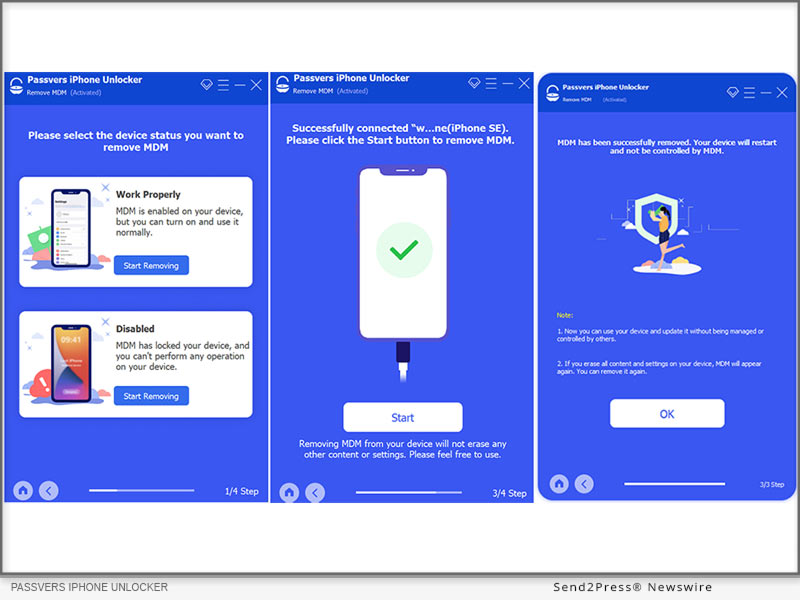
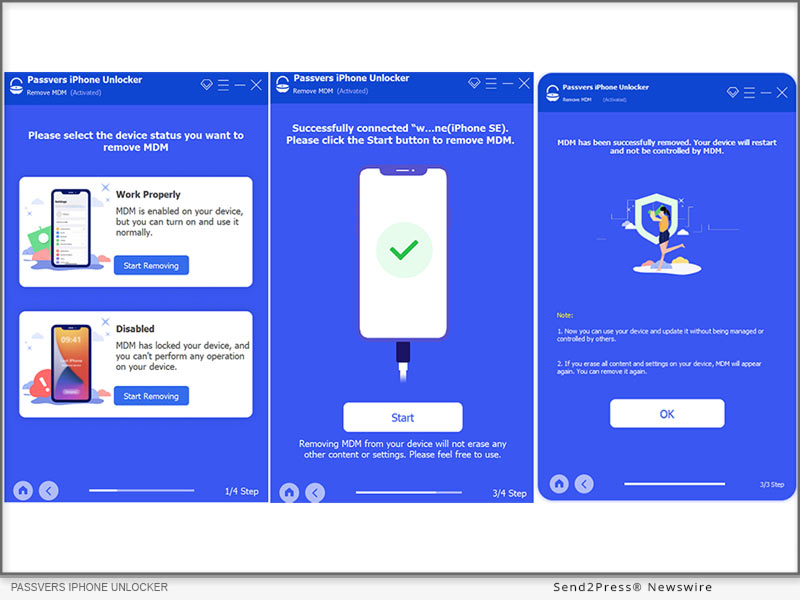
STEP 1 : Open the program, select "Remove MDM" and then "Work Properly."

STEP 2 : Connect your device using a USB cable and trust the computer connection.Upon successful connection, click "Start" and ensure "Find My iPhone" is off.If "Find My" is active, provide Apple ID password; if not, the software does its magic.

STEP 3 : Your device will restart, and it's no longer under remote management.

While the Passvers iPhone Unlocker is a powerful tool to bypass MDM, it's crucial for users to understand its scope and potential limitations. If your iOS devices are not able to be used, you should choose "Disabled" from the first step. It has the same process as above.

Learn more: https://passvers.com/remove-mdm-from-ipad-iphone/

Conclusion

In a world dominated by digital devices, tools that enhance our experience are always a boon.For those facing MDM hurdles, it's time to embrace the Passvers iPhone Unlocker. Not only does it alleviate current issues, but the future holds promise for even more sophisticated upgrades and improvements.With the tech landscape always shifting, we can anticipate that Passvers will continue its journey of innovation, addressing more pain points of iPhone/iPad users in the days to come. So, stay tuned!

Contact Information

Official website: https://passvers.com/iphone-unlocker/

News from Passvers

Passvers iPhone Unlocker is tapping into a niche but essential need. This software has seen accelerated growth. From dealing with pesky activation locks to addressing concerns related to MDM, this tool has proven invaluable. Passvers iPhone Unlocker, with its state-of-the-art features, has continually provided solutions for iPhone users. This journey will see how it tackles the growing concerns related to MDM.

Related link: https://passvers.com/

This version of news story was published on ScoopCloud™ (ScoopCloud.com) - part of and © the Neotrope® News Network - all rights reserved.

How to Download Apple’s iOS 17 Beta Without Apple Developer?

NEW YORK, N.Y. /ScoopCloud/ -- When iOS 16.6 beta was released, it created quite a buzz, and people eagerly anticipate when is iOS 17 beta coming out and what are the new features. It is great news for iOS users because iOS 17 Beta is out today, says Tenorshare. To start, it's essential to learn how to download iOS 17 Beta and also how to fix iOS 17 Beta issues if they may arise. So, let's dive into the process without any delay!

Video Guide: https://youtu.be/gqSex8VDSqI

How to Download and Install iOS 17 Beta on iPhone?

If your software update failed and you're eager to know how to download iOS 17 Beta officially, below is how to update to iOS 17 Beta by enrolling Apple Developer Program. Keep in mind that you will need to pay an annual fee of $99 to acquire the iOS 17 beta profile for download.

* Access the Apple public beta website and register using your Apple ID.

* Afterward, log in with your Apple ID and select "Install Profile" on your iOS device.

* Restart your iPhone and navigate to "Settings"> "General"> "Software Update."

* In the Beta Update section, choose "iOS 17 Beta Software Profile." Tap Install, and voila! The update installation will commence. Please be patient during the installation process.

* Once installed, your iPhone will automatically restart, and you'll update to iOS 17 Beta.

How to Download iOS 17 Beta Without Apple Developer?

Seeking a budget-friendly alternative to Apple Developer for iOS 17 beta download? Look no further! With Tenorshare iOS Downgrade Software, you can download the iOS 17 beta without Apple developer account.

* Launch Tenorshare ReiBoot by connecting your iPhone. Then click on "iOS Upgrade/Downgrade."

* When prompted, select the Upgrade option.

* Click on "Download" to acquire the latest firmware package and patiently wait for the download to complete.

* The upgrade process will automatically initiate and typically takes a few minutes to finish.

iOS 17 Beta Tips & Tricks with Tenorshare ReiBoot

Swift: ReiBoot provides the fastest method for the iOS 17 beta download, but offers instructions on how to remove iOS 17 beta from iPhone or how to downgrade to iOS 16.

Comprehensive: Tenorshare ReiBoot can fix iOS 17 beta issues without losing data while coming across challenges like stability issues, poor performance, and other system-related problems.

User-friendly: Clear and concise iOS 17 beta download instructions, no technical expertise needed.

Budget-friendly: No need to invest in an expensive Apple Developer Profile.

Learn more:

* https://www.tenorshare.com/products/reiboot.html

* https://youtu.be/x2r8m3rxGAw

* https://www.tenorshare.com/ios-17/

* https://www.tenorshare.com/ios-17/ios-17-beta-download-and-install.html

* https://www.tenorshare.com/ios-17/ios-beta-not-showing-up-fixed.html

About Tenorshare:

While iOS 17 Beta offers thrilling features, it's frustrating if iOS 17 Beta Not Showing up or the software update failed. Luckily, Tenorshare ReiBoot is highly recommended for iOS 17 beta download and common Beta issues fixed. As a trusted smartphone software brand, Tenorshare always offers reliable tools to address iOS problems for iPhone users.

More information: https://www.tenorshare.com/

Facebook: https://www.facebook.com/TenorshareOfficial/

Twitter: https://twitter.com/Tenorshare_Inc

YouTube: https://www.youtube.com/user/TenorshareOfficial/videos

TikTok: https://www.tiktok.com/@tenorshare_tech_tips

News from Tenorshare Co. Ltd.

When iOS 16.6 beta was released, it created quite a buzz, and people eagerly anticipate when is iOS 17 beta coming out and what are the new features. It is great news for iOS users because iOS 17 Beta is out today, says Tenorshare. To start, it's essential to learn how to download iOS 17 Beta and also how to fix iOS 17 Beta issues if they may arise. So, let's dive into the process without any delay!

Related link: https://www.tenorshare.com/

This version of news story was published on ScoopCloud™ (ScoopCloud.com) - part of and © the Neotrope® News Network - all rights reserved.

Dr.Buho releases BuhoCleaner 1.9.0 – the top-notch Mac Cleaner app optimized for macOS Ventura 13.3.1

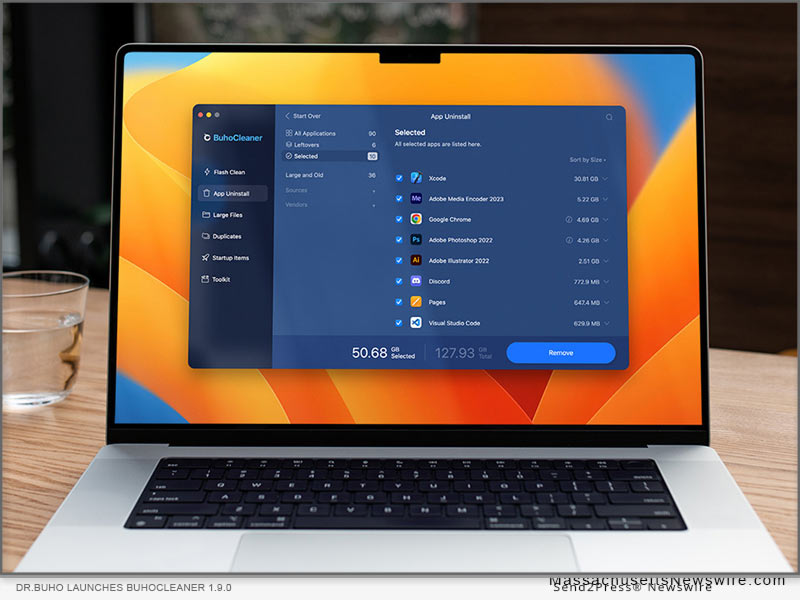
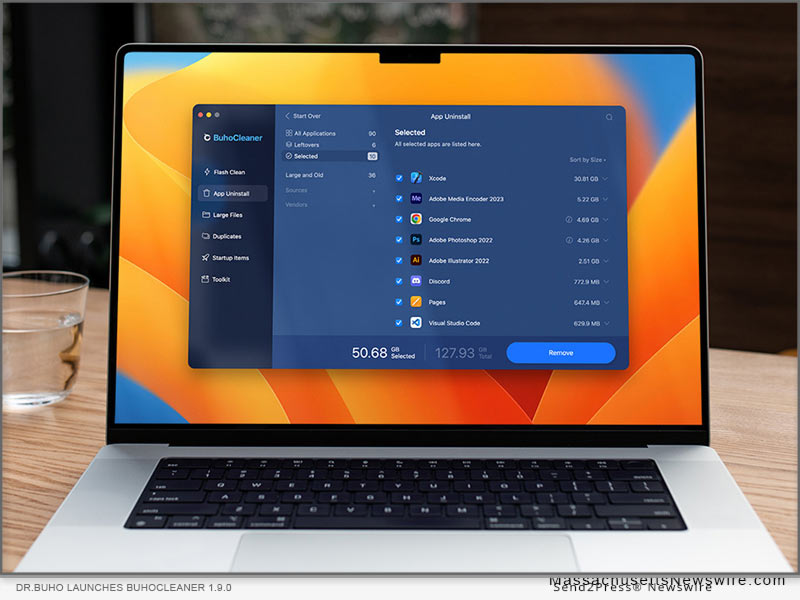
LOS ANGELES, Calif. /ScoopCloud/ -- Dr.Buho Inc., a leading macOS productivity software company, today announced the official release of BuhoCleaner version 1.9.0, introducing the innovative Compact Mode in BuhoCleaner Menu, greatly improved File Shredder, more intelligent Duplicates feature and other exciting improvements. BuhoCleaner 1.9.0 by far is one of the very few Mac Cleaner apps that're fully optimized for the latest macOS Ventura 13.3.1. Best of all, BuhoCleaner (Single Plan) is in Spring Sale by offering 50% OFF discount for all Mac users with this coupon code: PR04SP23

What is BuhoCleaner:

With more than 550,000 overall downloads since 2020, BuhoCleaner takes the Mac disk cleaning experience to a whole new level with the remarkable capabilities to help users free up space, uninstall stubborn or bloated apps, remove old/large/duplicated files, manage startup items, clear system data, etc. The main purpose of designing BuhoCleaner is to keep a Mac running fast and light.

BuhoCleaner 1.9.0 introduced an array of new features like the Compact Mode for BuhoCleaner Menu app, which enable users to flexibly choose what Mac status is about to showing in the menu bar, like CPU Load/Temp, RAM, Network, etc. It would be greatly useful if users use a Mac with notch, which may limit the menubar display area.

"Our BuhoCleaner is designed for opening up more possibilities for Mac users who are suffered from endless Mac storage cleaning headaches," said Andy, the founder and CEO at Dr.Buho. "With a minimized interface and simplified workflow, BuhoCleaner managed to create a feeling that Mac disk cleaning could be easier than ever."

More Highlights in BuhoCleaner 1.9.0:

* Improved MicroSoft Office Uninstall Workflow - Optimized App Uninstall solution for the most recent version of Microsoft 365 for Mac app suite, including Word, Excel, PowerPoint, Outlook, OneNote, and OneDrive.

* Improved File Shredder - The completely rebuilt File Shredder feature comes with highly improved file scanning speed and more secure file erasing result.

* Redesigned Duplicates feature - BuhoCleaner 1.9.0 comes with the whole new redesigned UI/UX in Duplicates feature. Now the duplicated file scanning engine gets tremendous speedup thanks to the more powerful algorithm.

Price and Availability:

BuhoCleaner 1.9.0 is now compatible with macOS Ventura 13.3.1 (the latest release) and Apple M2-empowered Macs. In this spring season, BuhoCleaner is offering 50% discount for the Single Plan, customers can use this coupon code to get the offer: PR04SP23.

Take the offer here: https://www.drbuho.com/buhocleaner/buy

About Dr.Buho Inc.:

Dr.Buho Inc. is a leading software development company dedicated to building finely crafted macOS apps. It aims to bring easy-to-use Mac software to users around the world for further improving the experience with their Macs. Know more at https://www.drbuho.com/.

News from Dr.Buho Inc.

Dr.Buho Inc., a leading macOS productivity software company, today announced the official release of BuhoCleaner version 1.9.0, introducing the innovative Compact Mode in BuhoCleaner Menu, greatly improved File Shredder, more intelligent Duplicates feature and other exciting improvements. BuhoCleaner 1.9.0 by far is one of the very few Mac Cleaner apps that're fully optimized for the latest macOS Ventura 13.3.1.

Related link: https://www.drbuho.com/

This version of news story was published on ScoopCloud™ (ScoopCloud.com) - part of and © the Neotrope® News Network - all rights reserved.

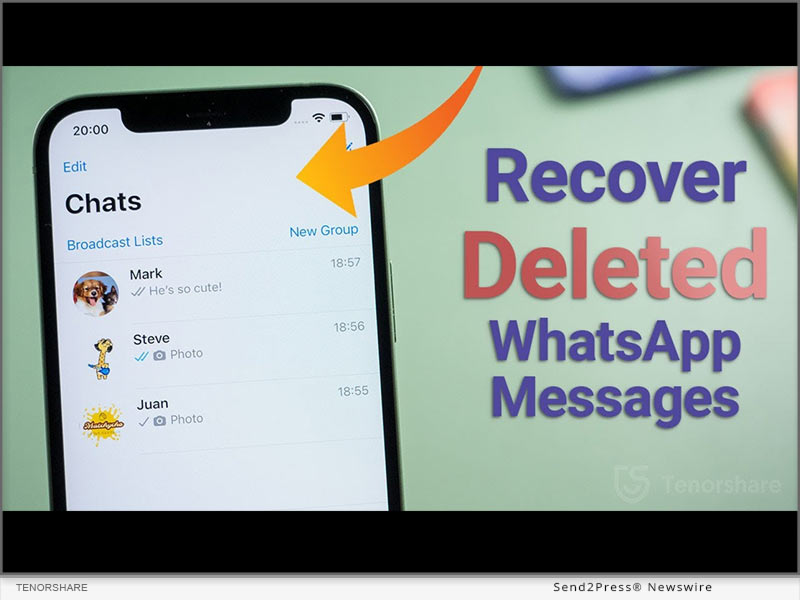
How to Recover Deleted Whatsapp Messages Without Backup on Apple iPhone?

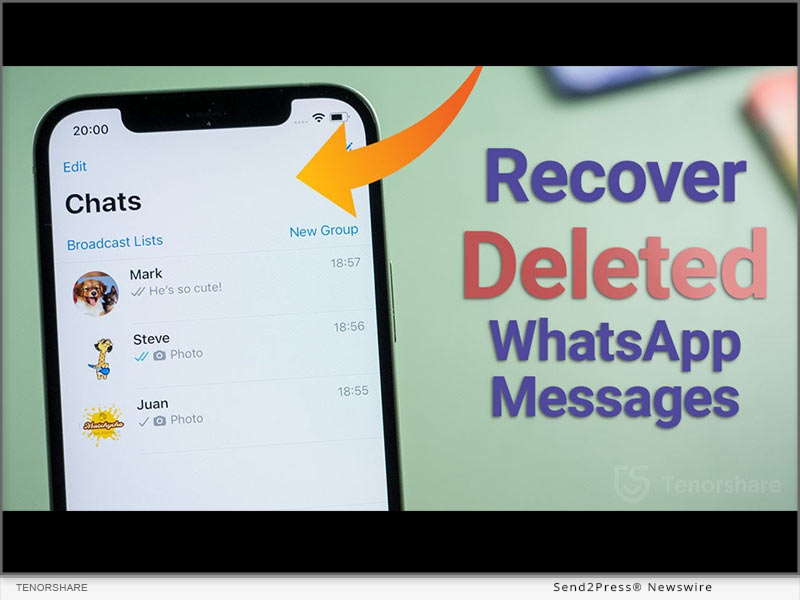
NEW YORK, N.Y. /ScoopCloud/ -- When iPhone user accidentally delete their WhatsApp messages, a query echoes "How can I retrieve deleted messages on WhatsApp iPhone?" appears. It must be frustrating if there is no idea how to recover deleted WhatsApp messages on iPhone. Nevertheless, Tenorshare, an esteemed smartphone solutions provider, recently launched a reliable program,Tenorshare UltData WhatsApp Recovery to fix this issue. This WhatsApp Recovery software can effectively restore deleted Whatsapp messages without backup. Learn below what and how it can help in WhatsApp retrieval.

What Is Whatsapp Data Recovery Software?

"WhatsApp recovery has been troubling iPhone users for a long time when they accidentally deleted WhatsApp on your iPhone," says a Tenorshare spokesperson, "To restore WhatsApp data without needing a backup, we launched Tenorshare WhatsApp Recovery software for iOS users." Tenorshare UltData WhatsApp Recovery can get your accidentally deleted chat WhatsApp back.

It is a trustworthy tool that offers eye-popping new features such as:

* It can recover deleted WhatsApp messages on iPhone without backup.

* It can retrieve WhatsApp data like documents, images, video, audio, voice notes, and stickers.

* It can recover WhatsApp from iTunes backup.

* It also can recover old WhatsApp data without data loss.

* It offers a high WhatsApp recovery rate.

* It supports all current versions of iOS devices.

How to Recover Deleted Whatsapp Messages on Your iPhone?

With Backup

If you want to recover deleted WhatsApp messages iPhone with backup, please follow the guide. However, iCloud offers only 5GB of space for backup and doesn't restore all types of files.

Navigate to "Settings" first. Choose "General > Reset." Select "Erase All Content and Settings." Next, press "Restore your iPhone from Backup with Set up Assistant."

Without Backup

With advanced tech, UltData WhatsApp Recovery provides easy and quick WhatsApp deleted messages recovery on iPhone without backup. Here's how it works:

* Connect your iPhone to your computer.

* Select "Device > Scan."

* Choose the WhatsApp files you wish to recover and hit "Recover."

* Waiting for the WhatsApp data recovery process.

About Tenorshare:

Tenorshare, the company at the backbone of a solution, has been endeavoring to offer high-quality software products for smartphone users. If iPhone users accidentally delete their WhatsApp messages and have no idea on how to recover deleted WhatsApp messages on iPhone, Tenorshare UltData WhatsApp Recovery is at your rescue to recover all kinds of WhatsApp files without backup.

More information: https://www.tenorshare.com/

Facebook: https://www.facebook.com/TenorshareOfficial/

Twitter: https://twitter.com/Tenorshare_Inc

YouTube: https://www.youtube.com/user/TenorshareOfficial/videos

TikTok: https://www.tiktok.com/@tenorshare_tech_tips

Pinterest: https://www.pinterest.com/Tenorshare/

News from Tenorshare Co. Ltd.

When iPhone user accidentally delete their WhatsApp messages, a query echoes "How can I retrieve deleted messages on WhatsApp iPhone?" appears. It must be frustrating if there is no idea how to recover deleted WhatsApp messages on iPhone. Nevertheless, Tenorshare, an esteemed smartphone solutions provider, recently launched a reliable program,Tenorshare UltData WhatsApp Recovery to fix this issue.

Related link: https://www.tenorshare.com/

This version of news story was published on ScoopCloud™ (ScoopCloud.com) - part of and © the Neotrope® News Network - all rights reserved.

How to Backup Disabled and Locked Apple iPhone without iTunes

NEW YORK, N.Y. /ScoopCloud/ -- As the leading provider of software solutions for system maintenance and data management, Tenorshare is good at data backup from disabled iPhones without iTunes. It is excited that Tenorshare announces its Christmas and New Year Sales to invite customers to participate in the Treasure Hunt Game to earn discounts.

Video (YouTube): https://www.youtube.com/watch?v=iHlFMy_iuCQ

* Can I backup my iPhone if it's disabled without iTunes?

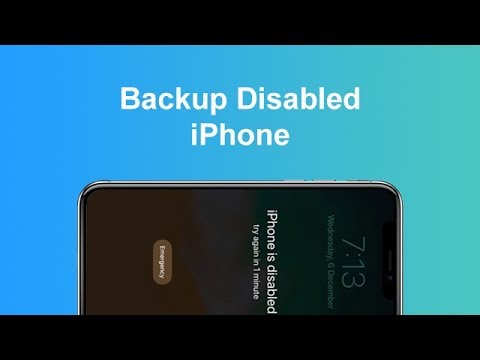
"iPhone is disabled" appears when you have tried to enter the wrong passcode after many attempts. Subsequently, questions come, "Can I backup a disabled iPhone without iTunes and how to backup a disabled iPhone or backup a locked iPhone?" "Absolutely yes, we can backup disabled, unavailable, or locked iPhone without iTunes!" said Tenorshare Spokesman, "If it is inconvenient and troublesome to restore backup with iTunes and using iTunes to backup iPhone without passcode fails to work after many wrong attempts, what you really need is Tenorshare iCareFone." Let's learn how to backup a disabled iPhone or backup locked iPhone without iTunes.

* How to Backup Disabled & Locked iPhone without iTunes?

It seems that iTunes is a savior to remove disabled iPhone passcode, but iTunes could not always recognize iPhones. As the reputable iTunes alternative, Tenorshare has won over users' confidence with its advanced technology. Whether the phone is disabled, locked, or unavailable, Tenorshare iCareFone can backup iPhone without passcode.

If iTunes is unable to identify your device, simply follow the steps outlined below to backup a disabled iPhone:

* First, install Tenorshare iCareFone on your computer and connect your disabled iPhone.

* Next, choose "Backup & Restore" to check the files you want to backup.

* Then, select the files you wish to restore and click the "Backup" button.

* Once the backup process is finished, just click "Restore to device" or "Export to PC" to save your data.

Warm Discounts for Warm Christmas

It is time to be merry and indulge in Tenorshare Christmas Treasure Hunt Game. With Tenorshare's new Christmas & New Year Sale, users can receive large discounts on a variety of software by playing Christmas Treasure Hunt Game. Don't miss out on $12 Save, 30% Off, $500 Amazon Cards, and More!

https://www.tenorshare.com/sales-promotion.html

https://www.tenorshare.com/products/icarefone.html

https://www.tenorshare.com/iphone-tips/2-easy-ways-to-backup-a-disabled-iphone.html

https://www.youtube.com/watch?v=wcDuC1ycs9g

https://www.youtube.com/watch?v=iHlFMy_iuCQ

About Tenorshare:

In addition to backup a disabled iPhone, Tenorshare can also assist to recover data from disabled iPhones, and unlock a disabled iPhone after backup. Based on these best-in-class software solutions for the iOS, Android, Windows, and Mac platforms, it is certain that Tenorshare is monitoring and modifying its software to meet its stated goal of "Better software, better life".

Instantly avail a huge discount on all software on Tenorshare Christmas and New Year Sale!

More information: https://www.tenorshare.com/

Facebook: https://www.facebook.com/TenorshareOfficial/

Twitter: https://twitter.com/Tenorshare_Inc

YouTube: https://www.youtube.com/user/TenorshareOfficial/videos

TikTok: https://www.tiktok.com/@tenorshare_tech_tips

Pinterest: https://www.pinterest.com/Tenorshare/

News from Tenorshare Co. Ltd.

As the leading provider of software solutions for system maintenance and data management, Tenorshare is good at data backup from disabled iPhones without iTunes. It is excited that Tenorshare announces its Christmas and New Year Sales to invite customers to participate in the Treasure Hunt Game to earn discounts.

Related link: https://www.tenorshare.com/

This version of news story was published on ScoopCloud™ (ScoopCloud.com) - part of and © the Neotrope® News Network - all rights reserved.

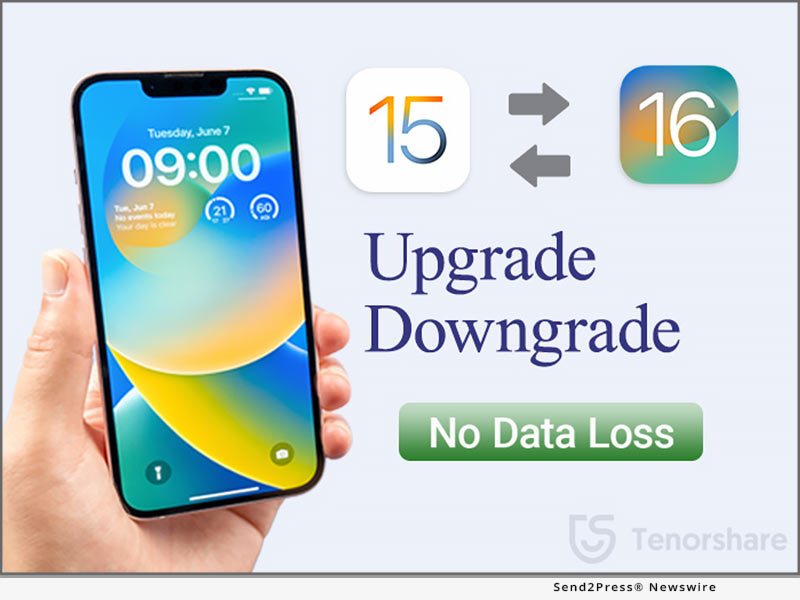
Tenorshare New Solution: Upgrade and Downgrade iOS 16 without Losing Data

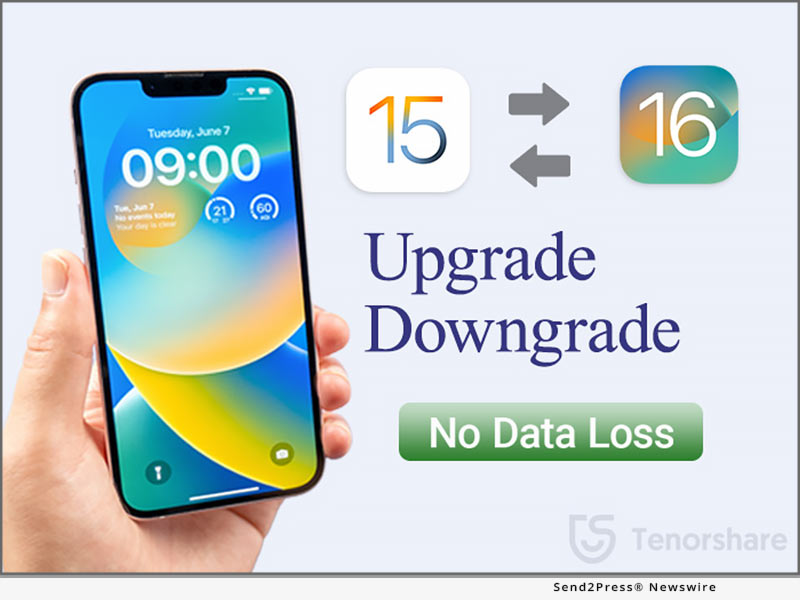
NEW YORK, N.Y. /ScoopCloud/ -- Tenorshare, a reputable software company, is making sure that iOS users remain free from any trouble of upgrading and downgrading iOS 16. Tenorshare iCareFone can back up your iPhone before you update to iOS 16 Beta, while Tenorshare ReiBoot can remove iOS 16 Beta profile and let you go back to iOS 15.6. This way, you can easily upgrade and downgrade iOS 16 without losing data.

"For many users, the new iOS might not function smoothly as expected. In such cases, you intend to revert back to the previous version. So, if you don't like iOS 16 and want to downgrade to iOS 15.6, then you can do it easily with Tenorshare ReiBoot. Tenorshare ReiBoot launched Deep Downgrade function for those users who hope to downgrade iOS 16 Beta without losing data," said Tenorshare's CEO, while introducing the new feature.

How to Update to iOS 16 Now (Official Way):

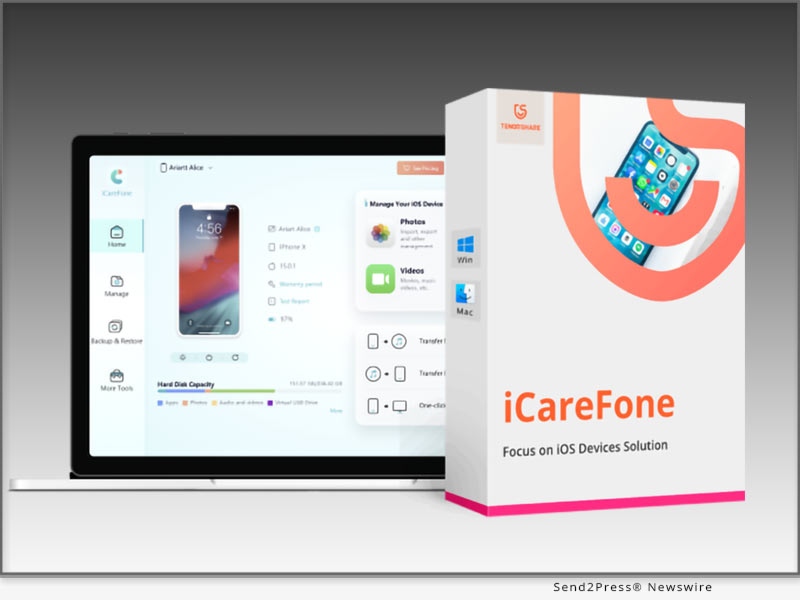
To update to iOS 16 now, you should first make a backup of your iPhone with Tenorshare iCareFone. Download and install iCareFone on your PC/Mac. Select the "Backup & Restore" option, specify the data types to backup, and initiate the backup process.

Now on how to upgrade to iOS 16 Beta, you have to download the configuration profile from the Apple Beta Software Program page. Afterward, go to Settings > General > Software Update > Download and Install. This way, your iPhone will update to iOS 16.

How to Downgrade iOS 16 to 15 without iTunes or Finder (Quicker Way):

Before you uninstall iOS 16 Beta, make a backup of your iPhone with iTunes/Finder. So, connect your iPhone with the computer using a USB cable, open iTunes/Finder, select "Back up all of the data," and click the "Back Up Now" button.

After making a backup, you can downgrade to iOS 15 using the "Deep Downgrade" function of Tenorshare ReiBoot. So, launch the tool, click "Downgrade iOS," and select the "Deep Downgrade" option. The tool will first download the firmware package and then initiate the Deep Downgrade. You will go back to iOS 15.6 within a few minutes.

How to Restore Backup After You Revert to iOS 15:

Once you revert to iOS 15, you have to modify the iOS 16 backup file and restore it. So, open iTunes/iFinder, hold "COMMAND" and press ","; then from the pop-up window, click "Devices," right-click the backup you want to restore, and select "Show in Finder." Afterward, open the "Info.plist" file using any text editor and change the "Product Version" string with the "iOS 15.6"; and lastly, restore the backup from iTunes/iFinder as you do normally.

LEARN MORE:

https://www.tenorshare.com/products/icarefone.html

https://www.tenorshare.com/products/reiboot.html

https://www.tenorshare.com/ios-update.html

About Tenorshare:

Tenorshare is a highly-reputed and leading software provider with millions of users that use its tools and services related to data transfer, data recovery, system repair, unlocking phones, and many more.

More information: https://www.tenorshare.com/

Facebook: https://www.facebook.com/TenorshareOfficial/

YouTube: https://www.youtube.com/user/TenorshareOfficial/videos

Twitter: https://twitter.com/Tenorshare_Inc

News from Tenorshare Co. Ltd.

Tenorshare, a reputable software company, is making sure that iOS users remain free from any trouble of upgrading and downgrading iOS 16. Tenorshare iCareFone can back up your iPhone before you update to iOS 16 Beta, while Tenorshare ReiBoot can remove iOS 16 Beta profile and let you go back to iOS 15.6. This way, you can easily upgrade and downgrade iOS 16 without losing data.

Related link: https://www.tenorshare.com/

This version of news story was published on ScoopCloud™ (ScoopCloud.com) - part of and © the Neotrope® News Network - all rights reserved.

New Update: UltFone iOS 16 Beta Toolkit now out for Download

NEW YORK, N.Y. /ScoopCloud/ -- Apple Beta Software Program iOS 16 is scheduled for release in the fall of 2022. iOS 15 is the operating system that the newest iPhone uses, although once iOS 16 is released, mainly a few applications will support it. fortunately, UltFone, a newly established international software developer, released new versions of iOS 16 beta toolkit for all iOS software users. The tools include the iOS data manager, iOS location changer, WhatsApp transfer, and iOS system repair.

"It is a thrill to learn about the launching of iOS 16 beta, and we don't want the consumers to think twice before buying it," stated UltFone CEO Mike Lee. "At UltFone, we've always made sure that every product is the ideal match for each individual customer's requirements. Since all of our software were created using the most recent firmware, iOS 16 beta compatibility is guaranteed."

UltFone official website provides in-depth information on all of these tools, including the download procedure, features, a user's guide, and (FAQs), to help the user understand the applications.

UltFone iOS System Repair

UltFone iOS System Repair is powerful software that functions to fix iOS system problems. It enables you to resolve more than 150 iOS system issues. Additionally, iOS 16 beta is compatible with it. You don't need technical knowledge to operate this tool because it is a very user-friendly piece of software that produces results quickly and efficiently.

UltFone iOS Data Manager

One of the company's best-selling products, UltFone iOS data manager has assisted many customers in protecting their data. One-click photo import, quick backup and restore, and flexible iOS data management are some of the software's standout features and it's excellent that iOS 16 beta users can use it.

UltFone iOS Location Changer

You may quickly and simply change the GPS position on your iOS smartphone using UltFone iOS Location Changer. You may quickly alter your device's location by using the 1-click location function.

UltFone Transfer

You may transfer WhatsApp data directly between iPhones, Android devices, and other platforms using UltFone WhatsApp Transfer. One-click WhatsApp & WhatsApp Business Transfer, Backup & Restore. The app is completely compatible with the most recent iOS 16 beta version.

UltFone iOS Data Recovery

UltFone iOS Data Recovery is presently the most successful data recovery tool for iOS users. You can also prevent different system crashes or system stuck difficulties on your iOS devices by using this fantastic software.

About UltFone

UltFone is a famous software company that offers completely integrated solutions for data transfer, iOS system repair, Android data recovery, and more. Popular websites like PCWorld, Macworld, TechRadar, Tech Advisor, and many more have confidence in the business.

For more information or take part in the event, visit:

https://www.ultfone.com/ios-update.html

Facebook: https://www.facebook.com/ultfone/

Twitter: https://twitter.com/ultfone

YouTube: https://www.youtube.com/c/UltFoneOfficial

News from UltFone

Apple Beta Software Program iOS 16 is scheduled for release in the fall of 2022. iOS 15 is the operating system that the newest iPhone uses, although once iOS 16 is released, mainly a few applications will support it. fortunately, UltFone, a newly established international software developer, released new versions of iOS 16 beta toolkit for all iOS software users.

Related link: https://www.ultfone.com/

This version of news story was published on ScoopCloud™ (ScoopCloud.com) - part of and © the Neotrope® News Network - all rights reserved.

Tenorshare Celebrates its 8th Anniversary with Big Discounts: Up to 40% Off

NEW YORK, N.Y. /ScoopCloud/ -- Tenorshare, a reputable software company, is celebrating its 8th anniversary. Tenorshare is bringing some big discounts, lucky draws, and gift cards for users. Starting from June 8 to July 7, 2022, everyone can grab the discount and Amazon gift cards.

Tenorshare has been in the software business for 8 years now and has served over 10 million customers. The company's success in such a short timeframe has made us give back to the users in the form of attractive discounts and appreciate their commitment and trust in the company. That's why we have decided to celebrate our 8th Anniversary with up to 40% discounts on products along with many other prizes.

Win Coupon Code

Tenorshare is giving everyone a chance to get up to a 40% off by trying the lucky machine displayed on the Tenorshare sales promotion page. The coupon code starts from $10 and goes up to 40% off. Everyone will get a coupon code after clicking ''GO" button in the lucky draw.

$8.8 Sales

Tenorshare is offering two of its widely used products at an $8.8 price tag, which includes Tenorshare iAnyGo (1-click iPhone location changer) and Phone Mirror (Android screen mirroring to Windows or Mac).

Best 3-in-1 Bundle

Tenorshare is offering two 3-in-1 Bundles at an extremely discounted rate. The first bundle costs $79.95 and includes iCareFone (manage, transfer and restore your iPhone data on the computer), iCareFone Transfer (transfer WhatsApp between Android and iPhone), and iCareFone for LINE (transfer LINE between Android and iPhone). The second bundle costs $64.95 and includes Tenorshare 4uKey (unlock iPhone/iPad without passcode), 4uKey - Password Manager (iOS password manager), and 4uKey - iTunes Backup (Restore iTunes backup passwords).

Win Gift Cards

Users who follow Tenorshare on Facebook and share its 8th-anniversary plans on their account can get a chance to win Amazon gift cards of $5, $10, and $20. Tenorshare will offer gift cards to 6 lucky winners.

How to get Discounts

To get big discounts and gift cards from Tenorshare 8th Anniversary promotion, visit here: https://www.tenorshare.com/sales-promotion.html

About Tenorshare:

Tenorshare is a leading professional software provider with millions of users across Android, iOS, Windows, and Mac platforms. Tenorshare offers tools and services around data transfer, system repair, data recovery, unlocking phones, and similar other utilities.

More information: https://www.tenorshare.com/

Facebook: https://www.facebook.com/TenorshareOfficial/

YouTube: https://www.youtube.com/user/TenorshareOfficial/videos

News from Tenorshare Co. Ltd.

Tenorshare, a reputable software company, is celebrating its 8th anniversary. Tenorshare is bringing some big discounts, lucky draws, and gift cards for users. Starting from June 8 to July 7, 2022, everyone can grab the discount and Amazon gift cards.

Related link: https://www.tenorshare.com/

This version of news story was published on ScoopCloud™ (ScoopCloud.com) - part of and © the Neotrope® News Network - all rights reserved.

Tenorshare Partners with Student Beans to Offer Exclusive Discount for Student

NEW YORK, N.Y. /ScoopCloud/ -- Tenorshare, a leading software company, has announced that it has launched a partnership with the English website Student Beans to offer 45% off on almost all products. Tenorshare encourages education and learning and the aim of the student discount program is to help students solve their iOS and Android phone issues at a lower price!

"We're so excited to launch this student discount program with Student Beans! Students just need to log in or sign up for a StudentBeans.com account and verify their identity. They will get a student discount code. And then, they can purchase what they need. They will save 45% off via using the student discount code," said Tenorshare's CEO, while introducing the student discount program.

Learn more: https://www.tenorshare.com/student-discount.html

Some popular products students are looking for:

1 - Tenorshare ReiBoot enables you to fix 150+ iOS/iPadOS system issues without losing data, like iPhone recovery mode, iPhone stuck on Apple logo, iPhone keeps turning on and off, iPad won't turn on, etc.

2 - Tenorshare UltData is able to directly recover deleted data from iPhone/iPad without backing up.

3 - Tenorshare iCareFone Transfer can easily transfer WhatsApp chats between Android and iPhone and restore WhatsApp backup from Google Drive to iPhone.

4 - Tenorshare iCareFone can help you effectively transfer, backup & restore your iOS15/iPadOS 15 data. Using iCareFone, you can also flexibly manage contacts, photos, videos, apps, books, and bookmarks.

5.Tenorshare UltData for Android can recover deleted photos, videos, and WhatsApp messages from Android phones without root.

Please note discount code only applies in the United States, the United Kingdom, Canada, and Australia. The discount code does not apply to Tenorshare iAnyGo or Tenorshare 4MeKey products.

About Tenorshare:

Tenorshare's focus is on the iOS, Android, Windows, and Mac platforms and core technology study. Tenorshare provides users with solutions for data management, data recovery, password recovery, system repair and other practical mobile phone and computer essentials. Today, Tenorshare's products and services are trusted by more than 10 million users worldwide. More information: https://www.tenorshare.com/

Facebook: https://www.facebook.com/TenorshareOfficial/

Twitter: https://twitter.com/Tenorshare_Inc

YouTube: https://www.youtube.com/user/TenorshareOfficial/videos

News from Tenorshare Co. Ltd.

Tenorshare, a leading software company, has announced that it has launched a partnership with the English website Student Beans to offer 45% off on almost all products. Tenorshare encourages education and learning and the aim of the student discount program is to help students solve their iOS and Android phone issues at a lower price!

Related link: https://www.tenorshare.com/

This version of news story was published on ScoopCloud™ (ScoopCloud.com) - part of and © the Neotrope® News Network - all rights reserved.

Tenorshare Software Announces Giveaways for Holidays 2021

NEW YORK, N.Y. /ScoopCloud/ -- Tenorshare, the highly professional team with more than ten years of experience, has announced a giveaway for the 2021 Christmas. From now until Jan 6, 2022, everyone must seize the opportunity! This time Tenorshare launched a lucky turntable. There are iPad Mini, $100, 40% Off Bundles, and $5 discount deals.

Tenorshare's focus is on the iOS, Android, Windows, and Mac platforms and core technology study. They provide users with solutions for device content management, data recovery, password recovery, system repair, and other practical mobile phone and computer essentials.

1 - 100% Win A Prize:

Just enter the event page, click the box and everyone has a fair chance of winning the Christmas gift. If sharing the event on social media, customers can get a second chance to win, including the iPad Mini 64GB Wi-Fi, $100 Amazon gift card, $50 Amazon gift card, $10 coupon code, and one month license for Phone Mirror.

2 - 40% Off Gift Bundles:

The gift bundles include three major products of Tenorshare.

iCareFone Transfer: The quickest way to transfer, backup & restore your WhatsApp & WhatsApp Business data.

ReiBoot for Android: Repair the Android system to normal at your fingers.

Phone Mirror: The best Screen Mirroring Software for Android to PC.

3 - $5 Discount Deals:

In addition to the above discounts, Tenorshare series software also has designated discounts to all of the well-known software discounts, including ReiBoot and 4uKey. Tenorshare ReiBoot can enter/exit recovery mode and fix various common iOS stuck issues freely. Tenorshare 4uKey can unlock locked or disabled iPhones without passcode.

About Tenorshare

Tenorshare is an international software company founded in 2007 and is known for its award-winning and highly-rated software products. More information: https://www.tenorshare.com/

Facebook: https://www.facebook.com/TenorshareOfficial/

Twitter: https://twitter.com/Tenorshare_Inc

YouTube: https://www.youtube.com/user/TenorshareOfficial/videos

MULTIMEDIA:

VIDEO (YouTube): https://www.youtube.com/watch?v=yB9vqhAUhdI

News from Tenorshare Co. Ltd.

Tenorshare, the highly professional team with more than ten years of experience, has announced a giveaway for the 2021 Christmas. From now until Jan 6, 2022, everyone must seize the opportunity! This time Tenorshare launched a lucky turntable. There are iPad Mini, $100, 40% Off Bundles, and $5 discount deals.

Related link: https://www.tenorshare.com/

This version of news story was published on ScoopCloud™ (ScoopCloud.com) - part of and © the Neotrope® News Network - all rights reserved.

DataNumen Outlook Repair 8.6 Now Supports the Turkish Language

NEW YORK, N.Y. /ScoopCloud/ -- DataNumen company, the developer of advanced data recovery solutions, releases the updated version of DataNumen Outlook Repair. Its multilingual interface now supports Turkish, which has become its 11th language in addition to English, Spanish, Russian, Italian, German, French, Portuguese, Simplified Chinese, Japanese, and Korean.

Microsoft Outlook is an email client and a personal information manager that forms a part of MS Office software suite. The application is quite versatile, which is why both businesses and individuals all over the world use it for communication. However, PST files used by Outlook to store user data, often become inaccessible (damaged, corrupt, or accidentally deleted). It can entail the loss of critical business information or valuable personal data. What can be done about it if there are no backup files? A quick and reliable Outlook recovery program can save the day.

DataNumen Outlook Repair is a recovery tool that has proved its efficiency during thorough comparative tests. Its average recovery rate is almost 96%, which is by far the highest result among the competing products. DataNumen Outlook Repair has also won the awards of the world's most popular software download sites - CNet (4.5 stars) and Tucows (5 Cows).

The multilingual interface of the tool allows anyone to use it easily without knowing English. It supports 11 widely spoken languages: Spanish, English, Russian, Italian, German, French,, Portuguese, Simplified Chinese, Japanese, Korean, and now also Turkish. In the future, support for other languages will be added.

DataNumen Outlook Repair can recover:

* corrupt and damaged PST files (all Outlook versions and Outlook for Office 365 are supported)

* email messages, embedded objects, calendar appointments, tasks, distribution lists, and all other elements

* batches of multiple PST files

* files as large as 16777216 TB

* files from corrupted media

Learn more about DataNumen Outlook Repair at: https://www.datanumen.com/outlook-repair/

PRICING AND AVAILABILITY

DataNumen Outlook Repair 8.6 runs on Windows 95/98/ME/NT/2000/XP, Vista/7/8/8.1/10 or Windows Server 2003/2008/2012/2016/2019. The license price starts from 29.95 USD. A free demo version is available for downloading.

ABOUT DATANUMEN

Founded in 2001, DataNumen is the developer and vendor of professional data recovery software. The product line of the company includes recovery solutions for Outlook, Word, Excel, PDF as well as backup software and database recovery tools. Hundreds of top companies all over the world choose DataNumen products: IBM, Intel, AT&T, Microsoft, General Electric, Xerox, and Oracle among them.

For more information about the company and its products, please visit https://www.datanumen.com/.

LINKS:

Company website: https://www.datanumen.com/

Product page: https://www.datanumen.com/outlook-repair/

Comparison: https://www.datanumen.com/outlook-repair-compare/

Download: https://www.datanumen.com/outlook-repair/dolkr.exe

MULTIMEDIA:

*VIDEO (YouTube): https://youtu.be/A1iB6ZfB4kI

*PHOTO link for media: https://www.Send2Press.com/300dpi/21-0729s2p-dn-outlook-300dpi.jpg

News from DataNumen

DataNumen company, the developer of advanced data recovery solutions, releases the updated version of DataNumen Outlook Repair. Its multilingual interface now supports Turkish, which has become its 11th language in addition to English, Spanish, Russian, Italian, German, French, Portuguese, Simplified Chinese, Japanese, and Korean.

Related link: https://www.datanumen.com/

This version of news story was published on ScoopCloud™ (ScoopCloud.com) - part of and © the Neotrope® News Network - all rights reserved.

DataNumen PowerPoint Recovery 1.9: Full Repair of Corrupt Presentations

NEW YORK, N.Y. /ScoopCloud/ -- DataNumen company, the developer and vendor of top-rated data recovery software, announces the release of an updated version of its PPT. and PPTX. repair tool. DataNumen PowerPoint Recovery 1.9 ensures the quick and exhaustive repair of all presentation elements: slides, layouts, notes, images, 3D models, videos, etc. The new version offers a multilingual user interface with the support of ten European and Asian languages.

Microsoft PowerPoint is a presentation program that forms an integral part of MS Office productivity suite and Office 365 cloud service. Though some may consider it a bit outdated, PowerPoint still boasts about 500 million users worldwide: they create business presentations, digital portfolios, tutorials, visual aids for lectures and conference speeches, and more. It often takes days to create a captivating presentation with illustrations, diagrams, infographics, videos, or voiceover narration. But what if such a file gets damaged or corrupt due to some mundane reason (a power failure or an OS error), and there is not enough time to create it all over again?

A quick and effective PowerPoint recovery program will save a lot of time and nerves in such a situation - for example, DataNumen PowerPoint Recovery. It is based on the company's proprietary tech, which allows it to analyze every byte of the corrupt or damaged file and retrieve maximum data. This program can recover presentations in full, even if they include complex media elements such as videos, audios, 3D models, etc. It is also important that DataNumen PowerPoint Recovery performs batch processing: if multiple important presentations have become inaccessible, the program restores them all in one go.

DataNumen PowerPoint Recovery 1.9 has become even easier to use than the previous versions. It features the same simple and uncluttered interface, but it is now localized in nine more languages: Spanish, French, German, Italian, Portuguese, Russian, Japanese, Korean, and Simplified Chinese. Those users who struggle with the English UI can easily switch to the language they know better.

KEY FEATURES:

* Supports all formats of PPT and PPTX presentations: PowerPoint 2007 to 2019 and PowerPoint for Office 365;

* Recovers slide masters, layouts, slides, notes, handout masters, themes, etc.

* Recovers all kinds of media elements (images, 3D models, videos, and soundtracks);

* Handles PowerPoint files on corrupted flash drives, CDROMs, memory sticks, etc.;

* Performs batch recovery of PowerPoint presentations;

* Offers multilingual UI.

Learn more about DataNumen PowerPoint Recovery at: https://www.datanumen.com/powerpoint-recovery/

Pricing and Availability

DataNumen PowerPoint Recovery 1.9 is compatible with Windows 95/98/ME/NT/2000/XP, Vista/7/8/8.1/10 or Windows Server 2003/2008/2012/2016/2019. The evaluation version can be downloaded for free. The license price starts from 11.95 USD, and there are volume discounts available.

About DataNumen

Founded in 2001, DataNumen is the developer and vendor of professional data recovery software. The product line of the company includes recovery solutions for Outlook, Word, Excel, PDF as well as backup software and database recovery tools. Hundreds of top companies all over the world choose DataNumen products: IBM, Intel, AT&T, Microsoft, General Electric, Xerox, and Oracle among them.

For more information about the company and its products, please visit https://www.datanumen.com/.

Links:

Company website: https://www.datanumen.com/

Product page: https://www.datanumen.com/powerpoint-recovery/

Download: https://www.datanumen.com/powerpoint-recovery/dpptr.exe

MULTIMEDIA:

*VIDEO (YouTube): https://youtu.be/NIAdjndJsqY

*YouTube Channel: https://www.youtube.com/c/DataNumen/

*IMAGE link for media: https://www.Send2Press.com/300dpi/21-0415s2p-dn-ppoint-300dpi.jpg

News from DataNumen

DataNumen company, the developer and vendor of top-rated data recovery software, announces the release of an updated version of its PPT. and PPTX. repair tool. DataNumen PowerPoint Recovery 1.9 ensures the quick and exhaustive repair of all presentation elements: slides, layouts, notes, images, 3D models, videos, etc.

Related link: https://www.datanumen.com/

This version of news story was published on ScoopCloud™ (ScoopCloud.com) - part of and © the Neotrope® News Network - all rights reserved.

The New Disk Drill 4.3 for Mac Includes Native Apple M1 Chip Support

ALEXANDRIA, Va. /ScoopCloud/ -- CleverFiles announces the release of their latest update of Disk Drill for Mac. Now the new Disk Drill 4.3 natively deep-scans system drives on Macs powered by Apple's M1 chips without compromising on speed and efficiency of the recovery process.

To achieve the required level of decryption and access, Disk Drill deploys its own kernel extension, known as kext. With a number of system-level and administrator's approvals, this enables Disk Drill to securely search for lost data in all user folders and system locations on the internal drives in macOS Big Sur on M1 Macs.

"Our team has been developing system-level utilities for Macs since 2009. We've been improving Disk Drill for many years to ensure the maximum possible recovery rates, and we are extremely proud to be the first on the market to announce a full support of scanning and recovery from system partitions on Macs powered by Apple M1 chips," says Serge S., the CEO at CleverFiles.

Disk Drill stands out in comparison to other data recovery apps for macOS, as it's the first app to run a native Deep Scan of system drives on Macs powered by Apple's M1 chips. Disk Drill is the only available solution to recover deleted user folders on M1 Macs, unlike other data recovery apps that can't access and scan system locations.

Unlike other apps that run through a compatibility layer of Rosetta, Disk Drill is faster, more efficient, and fully compatible with the newest M1 chips. The same refers to SIP-protected external storage devices connected to M1 Macs - Disk Drill 4.3 is the only app out there that can scan and recover from them.

Recovering lost data from external drives is generally easier than scanning and restoring deleted files from internal or system drives on Macs. This is determined by the level of encryption macOS maintains to ensure its security protocols, including the M1 layer on the newest Mac devices. Disk Drill can find and undelete an accidental removal of user data on the main system drive, like the default Documents, Downloads, Applications and other familiar user folders.

About Disk Drill

Disk Drill can scan and recover over 400 various file types with a press of a single button, right from the computer's internal or external drive, or any supported storage device. Files can be recovered in the original form, or reconstructed byte-by-byte in the event when the file system no longer contains their names or properties.

For fast, reliable file recovery Disk Drill comes with advanced scanning algorithms to identify and reconstruct deleted files in various formats, including the new raw photo, video and audio formats. Updated HFS+, APFS, exFAT, FAT32, and NTFS recovery algorithms, powered by Disk Drill's smart scans, find more recoverable files, which allows for an improved (up to a 200%) recovery efficiency.

Disk Drill can successfully recover lost and deleted data from a computer's internal disk as well as external drives, mobile devices, memory cards, digital cameras, and more. Accidentally deleted files can be easily retrieved with the Quick Scan.

For best recovery results, Disk Drill performs a Deep Scan, a thorough search on the entire drive to reconstruct lost files. In fact, the sequence of algorithms Disk Drill runs in the background is much more complicated than that, and is always adapted to a specific use case, ensuring the best recovery results for one's file system, storage device condition, and other parameters.

Deep Scan is one of the most advanced Disk Drill's recovery algorithms. It works even when hard drives lose their partitions and disk space is marked as unallocated. This Disk Drill release also concentrates on raw photos and videos, and substantially improves their recovery in many ways.

Pricing and Availability

Downloading the free version of Disk Drill 4.3 for Mac, customers can preview the data that can be recovered before upgrading to the Pro version for US $89 at https://www.cleverfiles.com/pro.html.

With a purchase of Disk Drill PRO for Mac, the customer also gets a license letting them use Disk Drill for Windows.

About CleverFiles

CleverFiles is a US-based software development company, specializing in data recovery solutions, creators of Disk Drill for Mac & Windows. Our mission is to secure personal data one computer at a time. Empowering users with affordable tools to solve everyday technical challenges. Clever Data Powers Clever Decisions. For more details please visit: https://www.cleverfiles.com/

VIDEO (YouTube): https://youtu.be/4o3aJjfRImQ

MEDIA CONTACT
Alina
alina@cleverfiles.com
404-512-2336

News from CleverFiles

CleverFiles announces the release of their latest update of Disk Drill for Mac. Now the new Disk Drill 4.3 natively deep-scans system drives on Macs powered by Apple's M1 chips without compromising on speed and efficiency of the recovery process.

Related link: https://www.cleverfiles.com/

This version of news story was published on ScoopCloud™ (ScoopCloud.com) - part of and © the Neotrope® News Network - all rights reserved.

DataNumen Word Repair 4.2: Efficient, Intuitive, Multilingual

NEW YORK, N.Y. /ScoopCloud/ -- DataNumen company, the creator of multiple award-winning data recovery tools, releases the new version of DataNumen Word Repair. In addition to the comprehensive AI-driven recovery of DOC and DOCX data, DataNumen Word Repair 4.2 offers the user interface in nine more languages: Spanish, French, German, Italian, Portuguese, Russian, Japanese, Korean, and Simplified Chinese.

MS Word is probably the most well-known and the most widely used program among word processors. It is distributed as a part of the Microsoft Office software suite, as a standalone tool, and also as a part of the Office 365 cloud service. Its DOC and DOCX formats are used by more than a billion users - from individuals and SMBs to global corporations - to store business, scientific, educational, and personal data. However, Word documents can easily get corrupt or damaged, making the data inaccessible. What can be done about it?

To quickly restore important text data after virus attacks, OS errors, or hardware failures, it is recommended to get a reliable recovery tool, such as DataNumen Word Repair. It restores as much data as possible: not only text contents but also tables, styles, illustrations, hyperlinks, and other elements. If a data disaster has affected multiple files, all of them can be recovered in one go with the help of the batch processing feature.

The efficiency of DataNumen Word Repair is ensured by AI algorithms that meticulously scan the inaccessible file and recover more data than competing products. According to the results of the comparative tests (*NOTE 1), DataNumen Word Repair has an average recovery rate of 92.8%, while the nearest competitor reaches only 67.8%.

The interface of DataNumen Word Repair is extremely simple and intuitive. But the new version has become even easier to use: the UI is now available in nine European and Asian languages. It means that those who speak Spanish, French, German, Italian, Portuguese, Russian, Japanese, Korean, and Chinese will be able to enjoy the interface in their native language.

Key Features of DataNumen Word Repair:
- Recovers all formats of MS Word and Word for Office 365 files;
- Supports documents created by Word for Windows and Mac;
- Restores text, pictures, links, and formatting in Word documents;
- Recovers temporary Word files;
- Handles Word documents on corrupted disks, flash drives, and other media;
- Performs batch processing;
- Automatically upgrades to the latest version;
- Has a multilingual interface.

Learn more about DataNumen Word Repair at: https://www.datanumen.com/word-repair/

Pricing and Availability

DataNumen Word Repair 4.2 runs on Windows 95/98/ME/NT/2000/XP, Vista/7/8/8.1/10 or Windows Server 2003/2008/2012/2016/2019. The free demo version is available for download, the license price starts from 11.95 USD, and there are volume discounts available.

About DataNumen

Founded in 2001, DataNumen is the developer and vendor of professional data recovery software. The product line of the company includes recovery solutions for Outlook, Word, Excel, PDF, as well as backup software and database recovery tools. Hundreds of top companies all over the world choose DataNumen products: IBM, Intel, AT&T, Microsoft, General Electric, Xerox, and Oracle among them.

For more information about the company and its products, please visit https://www.datanumen.com/.

LINKS:

Company website: https://www.datanumen.com/

Product page: https://www.datanumen.com/word-repair/

Download: https://www.datanumen.com/word-repair/dwordr.exe

CITATIONS:

Note 1: https://www.datanumen.com/word-repair-compare/

MULTIMEDIA:

*VIDEO (YouTube): https://youtu.be/sf6p3kaWdH0

*YouTube Channel: https://www.youtube.com/c/DataNumen/

News from DataNumen

DataNumen company, the creator of multiple award-winning data recovery tools, releases the new version of DataNumen Word Repair. In addition to the comprehensive AI-driven recovery of DOC and DOCX data, DataNumen Word Repair 4.2 offers the user interface in nine more languages: Spanish, French, German, Italian, Portuguese, Russian, Japanese, Korean, and Simplified Chinese.

Related link: https://www.datanumen.com/

This version of news story was published on ScoopCloud™ (ScoopCloud.com) - part of and © the Neotrope® News Network - all rights reserved.

DataNumen Excel Repair 3.6: Excellent AI-Based Data Recovery and Multilingual Interface

NEW YORK, N.Y. /ScoopCloud/ -- DataNumen company, the creator of award-winning data recovery tools, announces the release of the updated version of DataNumen Excel Repair. Apart from the sheer simplicity and high recovery rate, version 3.6 now offers a multilingual user interface: it now supports Spanish, French, German, Italian, Portuguese, Russian, Japanese, Korean, and Simplified Chinese.

MS Excel is the de-facto standard for spreadsheet applications: it is used for recording and analyzing numerical data by businesses and individuals all over the world. All in all, there are 750+ million users who employ Excel for accounting, sales, scientific and educational purposes, budgeting, data analysis, and other tasks. Unfortunately, Excel spreadsheets can easily get damaged or corrupt because of such common reasons as power failures, OS errors, malware attacks, etc. What should one do if their important Excel files have become inaccessible?

To prevent the disruption of business processes or the loss of important personal data, it is highly recommended to install a reliable and powerful Excel recovery program - such as DataNumen Excel Repair. It demonstrates the highest average recovery rate due to the use of smart algorithms but does not require any special tech skills to repair corrupt spreadsheets. Besides, if a massive data catastrophe has damaged multiple Excel files, it is possible to restore them all in one go using the batch processing feature.

The newly released DataNumen Excel Repair 3.6 makes data recovery even easier than before. It offers a multilingual interface so that people who do not speak English could choose another widely spoken language: Spanish, French, German, Italian, Portuguese, Russian, Japanese, Korean, or Simplified Chinese. Besides, version 3.6 can automatically check and install upgrades, thus saving the user's time.

DataNumen Excel Repair 3.6 at a Glance:

* Recovers XLS, XLW, and XLSX files created on PC and Mac;

* Supports all Excel versions from 3 to 2019 and Excel for Office 365;

* Restores all spreadsheet data: contents of cells, formulas, cross-references, standard and custom formats;

* Recovers Excel spreadsheets on corrupted disks, memory cards and other media;

* Performs batch recovery;

* Is localized in 9 European and Asian languages.

Learn more about DataNumen Excel Repair at: https://www.datanumen.com/excel-repair/

Pricing and Availability

DataNumen Excel Repair 3.6 is compatible with Windows 95/98/ME/NT/2000/XP, Vista/7/8/8.1/10 or Windows Server 2003/2008/2012/2016/2019. The demo version can be downloaded for free, the license cost starts from 11.95 USD, and there are volume discounts available.

About DataNumen

Founded in 2001, DataNumen is the developer and vendor of professional data recovery software. The product line of the company includes recovery solutions for Outlook, Word, Excel, PDF, as well as backup software and database recovery tools. Hundreds of top companies all over the world choose DataNumen products: IBM, Intel, AT&T, Microsoft, General Electric, Xerox, and Oracle among them.

For more information about the company and its products, please visit https://www.datanumen.com/.

LINKS:

Company website: https://www.datanumen.com/

Product page: https://www.datanumen.com/excel-repair/

Download: https://www.datanumen.com/excel-repair/dexcelr.exe

MULTIMEDIA:

*VIDEO (YouTube): https://youtu.be/rwgipQScykk

*YouTube Channel: https://www.youtube.com/c/DataNumen/

*IMAGE link for media: https://www.Send2Press.com/300dpi/21-0323s2p-dn-excel36-300dpi.jpg

Media Only Contact:

Alan Chen

DataNumen, Inc.

Phone: +1-800-599-0398

E-Mail: pr@datanumen.com

News from DataNumen

DataNumen company, the creator of award-winning data recovery tools, announces the release of the updated version of DataNumen Excel Repair. Apart from the sheer simplicity and high recovery rate, version 3.6 now offers a multilingual user interface: it now supports Spanish, French, German, Italian, Portuguese, Russian, Japanese, Korean, and Simplified Chinese.

Related link: https://www.datanumen.com/

This version of news story was published on ScoopCloud™ (ScoopCloud.com) - part of and © the Neotrope® News Network - all rights reserved.

DataNumen Access Repair 3.8: Exhaustive Recovery of Databases and Multilingual Interface

NEW YORK, N.Y. /ScoopCloud/ -- DataNumen, the software company specializing in professional data recovery programs, announces the release of DataNumen Access Repair, version 3.8. It is a highly effective MDB and ACCDB database recovery tool, which has been localized into nine European and Asian languages.

Microsoft Access is a widely used relational database management system. It stores data in MDB and ACCDB formats for analysis, reporting, or reference. MS Access offers vast opportunities even to users without coding skills: it is possible to create applications using only the graphical user interface. That is why small and medium-sized businesses, as well as power users all over the world, utilize Access for work and personal purposes.

But what if Access database files get damaged or corrupt? MDB and ACCDB files are prone to corruption caused by hardware problems, viruses, power outages, and a variety of other reasons. Of course, regular backups should be made, but this rule is overlooked much too often. The built-in repair function of MS Access has very limited capabilities, so a powerful Access recovery program will be extremely useful in this situation - for example, DataNumen Access Repair.

This solution is known for its high recovery rate: according to comparative tests, DataNumen Access Repair restores 93.3% of MDB and ACCDB data on average, while its competitors fall far behind with their 10-12% rate. Moreover, DataNumen Access Repair supports all formats from Access 95 to 2019 and Access for Office 365 databases, therefore it will successfully repair any inaccessible MDB or ACCDB file regardless of the Access version.

The newly released DataNumen Access Repair 3.8 has the same simple interface as the previous ones, but it is now multi-lingual to help users overcome the language barrier. The interface is available in Spanish, French, German, Italian, Portuguese, Russian, Japanese, Korean, and Simplified Chinese.

DataNumen Access Repair at a Glance:
- Supports MS Access 95 to 2019 and Access for Office 365 databases;
- Performs exhaustive recovery of Access data: structures and records of the tables (deleted ones as well), MEMO and OLE fields, indexes and autonumber fields, relations and queries;
- Retrieves data from encrypted Access databases without a password;
- Recovers Access files on corrupted disks and other media;
- Supports for batch recovery;
- Offers intuitive multi-lingual interface.

Learn more about DataNumen Access Repair at: https://www.datanumen.com/access-repair/

Pricing and Availability

DataNumen Access Repair 3.8 is compatible with Windows 95/98/ME/NT/2000/XP, Vista/7/8/8.1/10 or Windows Server 2003/2008/2012/2016/2019. The free demo version is available for evaluation, the license cost starts from 29.95 USD.

About DataNumen

Founded in 2001, DataNumen is the developer and vendor of professional data recovery software. The product line of the company includes recovery solutions for Outlook, Word, Excel, PDF, as well as backup software and database recovery tools. Hundreds of top companies all over the world choose DataNumen products: IBM, Intel, AT&T, Microsoft, General Electric, Xerox, and Oracle among them.

For more information about the company and its products, please visit https://www.datanumen.com/.

Links:

Company website: https://www.datanumen.com/

Product page: https://www.datanumen.com/access-repair/

Video: https://youtu.be/hXWSGi2folE

Comparison: https://www.datanumen.com/access-repair-compare/

Download: https://www.datanumen.com/access-repair/daccr.exe

News from DataNumen

DataNumen, the software company specializing in professional data recovery programs, announces the release of DataNumen Access Repair, version 3.8. It is a highly effective MDB and ACCDB database recovery tool, which has been localized into nine European and Asian languages.

Related link: https://www.datanumen.com/

This version of news story was published on ScoopCloud™ (ScoopCloud.com) - part of and © the Neotrope® News Network - all rights reserved.

DataNumen Exchange Recovery Is Now Available in Multiple Languages

NEW YORK, N.Y. /ScoopCloud/ -- DataNumen, a software company specializing in pro-level data recovery solutions, has released the new version of its OST repair tool. DataNumen Exchange Recovery 8.5 retrieves data from inaccessible offline storage tables, preventing the loss of important data from Outlook 365, Exchange, IMAP, or Outlook.com. The new version is localized into 9 languages: Spanish, French, German, Italian, Portuguese, Russian, Japanese, Korean, and Simplified Chinese.

MS Outlook is a globally popular email client and personal information manager with over 400 million users. It stores user data in offline storage tables (OST) for the following types of accounts: IMAP, Outlook 365, Outlook.com, and Exchange accounts. OST files allow the user to access previously downloaded emails, calendar entries, and other data without an Internet connection.

However, sometimes the contents of an offline storage table become inaccessible - for example, if the file is damaged or orphaned (which means that the account linked to this OST file is no more available). In some cases, it can entail grave problems and material losses, especially if the file contains important business data. Currently, MS Outlook does not offer any remedies for such a situation, therefore it is recommended to install an external OST repair tool - for example, DataNumen Exchange Recovery.

This program can fix any errors caused by inaccessible OST files. If an offline storage table is damaged, DataNumen Exchange Recovery retrieves its contents and generates a new OST file to replace it. In case of an orphaned file, the program converts it to a PST table, which can be easily accessed by Outlook. DataNumen Exchange Recovery can also restore permanently deleted emails or other objects in the user's Exchange mailbox.

DataNumen Exchange Recovery is based on advanced technologies, which allow to analyze OST files byte by byte and retrieve as much data as possible. According to comparative tests, this solution demonstrates the highest average recovery rate in the market: 96.8% against 51.9% of the nearest competitor. That is why DataNumen Exchange Recovery, along with other DataNumen products, is used by Microsoft, Oracle, Intel, and other large corporations.

Learn more about testing metrics: https://www.datanumen.com/exchange-recovery-compare/

KEY FEATURES OF DATANUMEN EXCHANGE RECOVERY:
- Repair of damaged or corrupt OST files;
- Quick conversion of orphaned OST files to PST format;
- Recovery of mail messages, calendar appointments, attachments, and other objects;
- Recovery of permanently deleted objects in an Exchange mailbox;
- Recovery of encrypted OST files without a password;
- Support for batch processing;
- Auto-check for updates;
- Multilingual interface.

Learn more about DataNumen Exchange Recovery at: https://www.datanumen.com/exchange-recovery/

Pricing and Availability

DataNumen Exchange Recovery 8.5 is compatible with Windows 95/98/ME/NT/2000/XP, Vista/7/8/8.1/10 and Windows Server 2003/2008/2012/2016/2019 (both 32-bit and 64-bit operating systems). The cost of a business license starts from 29.95 USD. It is also possible to download a free evaluation version.

About DataNumen

Founded in 2001, DataNumen is the developer and vendor of professional data recovery software. The product line of the company includes recovery solutions for Outlook, Word, Excel, PDF as well as backup software and database recovery tools. Hundreds of top companies all over the world choose DataNumen products: IBM, Intel, AT&T, Microsoft, General Electric, Xerox, and Oracle among them.

For more information, visit https://www.datanumen.com/.

LINKS:

Company website: https://www.datanumen.com/

Product page: https://www.datanumen.com/exchange-recovery/

Video: https://youtu.be/yfGA3WWcFRs

Comparison: https://www.datanumen.com/exchange-recovery-compare/

Download: https://www.datanumen.com/exchange-recovery/dexr.exe

News from DataNumen

DataNumen, a software company specializing in pro-level data recovery solutions, has released the new version of its OST repair tool. DataNumen Exchange Recovery 8.5 retrieves data from inaccessible offline storage tables, preventing the loss of important data .

Related link: https://www.datanumen.com/

This version of news story was published on ScoopCloud™ (ScoopCloud.com) - part of and © the Neotrope® News Network - all rights reserved.

DataNumen Excel Repair 2.9: Smart Algorithms Boost Spreadsheet Data Recovery

NEW YORK, N.Y. /ScoopCloud/ -- DataNumen, the software manufacturer specializing in professional data recovery tools, has announced the release of DataNumen Excel Repair 2.9. This program quickly restores damaged Excel spreadsheets with the highest recovery rate in the market (78.7% against 65.7% of the second-best tool). The new version features AI algorithms for improved performance, a redesigned batch repair engine, and support for all Excel formats (including Excel 2016, 2019, and Excel for Office 365).

Microsoft Excel is undoubtedly the most popular spreadsheet program in the world. It has 750 million users worldwide: large corporations, SMBs, and individuals use this application for data analysis, budgeting, accounting, sales, and more. That is why Excel files (XLS and XLSX) often contain extremely valuable information. What if they become inaccessible due to hardware malfunction, power failures, or virus attacks? It can disrupt business processes and sometimes even cause significant financial losses.

To prevent such undesirable consequences, it is advisable to install an efficient Excel recovery tool in advance - for example, DataNumen Excel Repair. It is a professional-level recovery program that uses AI technology to analyze the damaged Excel file and restore as much data as possible. Comparative tests have demonstrated that DataNumen Excel Repair restores 78.7% of Excel data, while the result of the nearest competitor is only 65.7% (and the integrated repair function of MS Excel recovers only 11.7% of lost data).

DataNumen Excel Repair recovers spreadsheet data in full: cell data, custom and standard formats, formulas (including shared and array-entered formulas). Besides, it supports all Excel formats and versions, from Excel 3 to 2019 and Office 365 formats.

The program has an uncluttered interface, which makes it extremely easy-to-use. The whole process takes just a few clicks: the user picks the file that needs to be repaired, provides the name and location for the output file, and clicks "Start Repair". When DataNumen Excel Repair successfully generates a new error-free file, the user gets a pop-up message. If there are multiple damaged files, batch recovery is also available under the correspondent tab.

Key Features of DataNumen Excel Repair 2.9:

* Recovery of XLS, XLW, and XLSX files created on Windows and Mac;

* Support for Excel version 3, 4, 5, 95, 97, 2000, XP, 2003, 2007, 2010, 2013, 2016, 2019 and Excel for Office 365 formats;

* Recovery of all spreadsheet data: cell contents, formulas, standard and custom formats;

* Recovery of Excel files on corrupted media (disks, memory cards, flash drives, etc.);

* Support for batch recovery;

* Context menu integration (right-click recovery);

* Drag & drop support.

Learn more about DataNumen Excel Repair at: https://www.datanumen.com/excel-repair/

Pricing and Availability

DataNumen Excel Repair 2.9 is compatible with Windows 95/98/ME/NT/2000/XP, Vista/7/8/8.1/10 or Windows Server 2003/2008/2012/2016/2019. The free demo version is available for evaluation, the cost of a business license starts from 11.95 USD, and there are volume discounts available.

About DataNumen

Founded in 2001, DataNumen is the developer and vendor of professional data recovery software. The product line of the company includes recovery solutions for Outlook, Word, Excel, PDF, as well as backup software and database recovery tools. Hundreds of top companies all over the world choose DataNumen products: IBM, Intel, AT&T, Microsoft, General Electric, Xerox, and Oracle among them.

For more information about the company and its products, please visit https://www.datanumen.com/.

Links:

Company website: https://www.datanumen.com/

Product page: https://www.datanumen.com/excel-repair/

Download: https://www.datanumen.com/excel-repair/dexcelr.exe

MULTIMEDIA:

*VIDEO (YouTube): https://youtu.be/rwgipQScykk

*YouTube Channel: https://www.youtube.com/c/DataNumen/

*PHOTO link for media: https://www.Send2Press.com/300dpi/20-1210s2p-datanumen-excel-300dpi.jpg

News from DataNumen

DataNumen, the software manufacturer specializing in professional data recovery tools, has announced the release of DataNumen Excel Repair 2.9. This program quickly restores damaged Excel spreadsheets with the highest recovery rate in the market (78.7% against 65.7% of the second-best tool). The new version features AI algorithms for improved performance.

Related link: https://www.datanumen.com/

This version of news story was published on ScoopCloud™ (ScoopCloud.com) - part of and © the Neotrope® News Network - all rights reserved.

DataNumen Word Repair: AI-Based Recovery of Corrupt Word Documents

NEW YORK, N.Y. /ScoopCloud/ -- DataNumen company, the developer and vendor of professional data recovery programs, announces the release of DataNumen Word Repair 3.5. It is the new version of a powerful recovery tool, which uses AI technology to analyze damaged Word documents and restore data with maximum efficiency. During comparative tests DataNumen Word Repair demonstrated the highest recovery rate: 92.8% against 67.8% of the nearest competitor.

Microsoft Word is the integral part of the MS Office productivity suite and the most popular word processor in the world. It is used by over a billion users, and its file formats DOC and DOCX have become the de-facto standard for text documents. Both large corporations and individuals use Word files to store valuable data. But what if those documents get inaccessible because of hardware failures, power outages, or malware attacks?

It can result in the loss of critical business data or important personal notes. To prevent such a situation, it is advisable to install an effective Word recovery tool in advance - for example, DataNumen Word Repair. Then it will take only a few clicks to restore the damaged document.

DataNumen Word Repair uses smart algorithms to thoroughly analyze the corrupt document and recover as much data as possible. The comparative tests have shown that DataNumen Word Repair has the highest average recovery rate among the competitors: 92.8%, while the second-best program has managed to reach only 67.8%. It goes without saying that the most effective recovery solution should be chosen to prevent the loss of valuable data.

Apart from the high recovery rate, the solution also is very straightforward and intuitive. The user just needs to specify the file or files that need to be repaired. Then the user provides the name for the output file and clicks the Start Repair button to launch the recovery process (shown on the progress bar). A pop-up message will inform the user that the file has been successively recovered.

DataNumen Word Repair supports Microsoft Word 6.0, 95, 97, 2000, XP, 2003, 2007, 2010, 2013, 2016, 2019 and Word for Office 365 documents. The tool recovers not only text information, but also text styles, tables, hyperlinks, pictures and other relevant data. Besides, it can perform batch processing, if multiple files have been damaged.

DataNumen Word Repair at a glance:
* Supports all kinds of Microsoft Word and Word for Office 365 documents;
* Restores documents generated by Word for Windows and Mac;
* Recovers text, images, hyperlinks and formatting in Word documents;
* Restores temporary Word documents;
* Repairs Word documents on corrupted media;
* Supports batch processing;
* Supports context menu integration (right-click recovery);
* Supports drag & drop operations.

Learn more about DataNumen Word Repair at: https://www.datanumen.com/word-repair/

Pricing and Availability

DataNumen Word Repair 3.5 is compatible with Windows 95/98/ME/NT/2000/XP, Vista/7/8/8.1/10 or Windows Server 2003/2008/2012/2016/2019. The free demo version is available for evaluation, the cost of a business license starts from 11.95 USD, and there are volume discounts available.

About DataNumen

Founded in 2001, DataNumen is the developer and vendor of professional data recovery software. The product line of the company includes recovery solutions for Outlook, Word, Excel, PDF, as well as backup software and database recovery tools. Hundreds of top companies all over the world choose DataNumen products: IBM, Intel, AT&T, Microsoft, General Electric, Xerox, and Oracle among them.

For more information about the company and its products, please visit https://www.datanumen.com/.

Links:

Company website: https://www.datanumen.com/

Product page: https://www.datanumen.com/word-repair/

Download: https://www.datanumen.com/word-repair/dwordr.exe

MULTIMEDIA:

*VIDEO (YouTube): https://youtu.be/sf6p3kaWdH0

*YouTube Channel: https://www.youtube.com/c/DataNumen/

*PHOTO link for media: https://www.Send2Press.com/300dpi/20-1202s2p-dm-word-repair-300dpi.jpg

News from DataNumen

DataNumen company, the developer and vendor of professional data recovery programs, announces the release of DataNumen Word Repair 3.5. It is the new version of a powerful recovery tool, which uses AI technology to analyze damaged Word documents and restore data with maximum efficiency.

Related link: https://www.datanumen.com/

This version of news story was published on ScoopCloud™ (ScoopCloud.com) - part of and © the Neotrope® News Network - all rights reserved.

DataNumen Outlook Drive Recovery 7.6: Restore Outlook Data after Permanent Deletion or Drive Formatting

NEW YORK, N.Y. /ScoopCloud/ -- DataNumen, a software company specializing in professional data recovery tools, announces the release of DataNumen Outlook Drive Recovery 7.6. This program performs exhaustive recovery of Outlook data in case of permanent deletion by mistake, hard drive formatting, or hardware failure. The new version of this tool boasts improved performance of the recovery engine and reduced memory consumption.

MS Outlook is an email client and personal information manager that comes as a part of the Microsoft Office suite and has over 400 million active users. Microsoft Outlook uses PST files to store the user's data: emails, calendar entries, tasks, and other items. PST files are usually located on a local hard drive, and sometimes they can be lost because of hardware failure, permanent deletion, unintentional hard drive formatting, or re-partitioning. If such files contain critical business data or valuable personal information, their loss can lead to financial damage or deep emotional distress.

To avoid such consequences, it is recommended to get a powerful recovery solution that can restore Outlook data on formatted or malfunctioning drives - for example, DataNumen Outlook Drive Recovery. It uses the company's proprietary technology that has proven its efficiency in another PST recovery tool, DataNumen Outlook Repair. It demonstrates an impressive average recovery rate: 95.7%, with its competitors falling far behind.

How to restore PST files with DataNumen Outlook Drive Recovery? The simplicity of the whole process is quite remarkable. First, the user needs to make sure that no data is written or changed on the source drive or disk. Then the user selects the logical drive where the lost Outlook data was originally stored (or the whole hard disk if the logical drive does not exist anymore). After specifying the output file name, the user clicks "Start Recovery", and the program restores all Outlook data from the selected drive.

It is also worth mentioning that DataNumen Outlook Drive Recovery can restore encrypted and password-protected PST files even if the user does not have the password. Besides, the solution supports batch recovery, restores data on corrupted media, and successfully handles large files up to 16777216 TB.

DataNumen Outlook Drive Recovery helps in the following cases:
* The user has deleted Outlook PST files and emptied the Recycle Bin;
* PST files are permanently deleted by mistake or by accident;
* The drive containing PST files is formatted;
* The disk is repartitioned, and the drive containing Outlook data does not exist anymore;
* The drive or disk cannot be read due to hardware failure;
* The drive or disk cannot be started or recognized due to corruption in MBR or other reasons.

Learn more about DataNumen Outlook Drive Recovery at: https://www.datanumen.com/outlook-drive-recovery/

Pricing and Availability

DataNumen Outlook Drive Recovery 7.6 is compatible with Windows 95/98/ME/NT/2000/XP, Vista/7/8/8.1/10 or Windows Server 2003/2008/2012/2016/2019. The free demo version is available for evaluation, the cost of a full license starts from 29.95 USD, and there are volume discounts available.

About DataNumen

Founded in 2001, DataNumen is the developer and vendor of professional data recovery software. The product line of the company includes recovery solutions for Outlook, Word, Excel, PDF, as well as backup software and database recovery tools. Hundreds of top companies all over the world choose DataNumen products: IBM, Intel, AT&T, Microsoft, General Electric, Xerox, and Oracle among them.

For more information about the company and its products, please visit https://www.datanumen.com/.

Links:

Company website: https://www.datanumen.com/

Product page: https://www.datanumen.com/outlook-drive-recovery/

Download: https://www.datanumen.com/outlook-drive-recovery/dodr.exe

MULTIMEDIA:

*VIDEO (YouTube): https://youtu.be/extnYs7yiZ8

*YouTube Channel: https://www.youtube.com/c/DataNumen/

*PHOTO link for media: https://www.send2press.com/300dpi/20-1124s2p-DataNumenOutlook-300dpi.jpg

News from DataNumen

DataNumen, a software company specializing in professional data recovery tools, announces the release of DataNumen Outlook Drive Recovery 7.6. This program performs exhaustive recovery of Outlook data in case of permanent deletion by mistake, hard drive formatting, or hardware failure.

Related link: https://www.datanumen.com/

This version of news story was published on ScoopCloud™ (ScoopCloud.com) - part of and © the Neotrope® News Network - all rights reserved.

DataNumen RAR Repair 2.9: Recover Damaged RAR Archives with Maximum Efficiency

NEW YORK, N.Y. /ScoopCloud/ -- DataNumen, the manufacturer of high-performance data recovery software, has announced the release of DataNumen RAR Repair 2.9. It is a powerful tool that recovers .RAR and .SFX archives, handles large files up to 8,388,608 TB, performs batch repair, and boasts the highest average recovery rate in the market (91.33%). The new version offers improved processing of temporary files.

WinRAR is a handy utility that compresses files into smaller-sized archives, thus saving disk space or facilitating data transfer. It is distributed as trialware, but in fact the trial version never expires (which is partly why WinRAR is used by 500 million Windows users worldwide). Unfortunately, RAR archives easily get corrupt because of disk errors, app malfunction, download problems, power outages, and other reasons.

Since a lot of people and companies use .RAR or .SFX archives to store valuable data, it is highly recommended to install a .RAR recovery program - for example, DataNumen RAR Repair. It uses DataNumen's proprietary technology to scan the corrupt archive byte by byte and restore as much data as possible. If critical business data gets inaccessible, the program will quickly repair the damaged archive and help the company avoid possible financial losses.

The performance of DataNumen RAR Repair has been tested thoroughly together with other similar software tools. The tests have shown that DataNumen RAR Repair has the highest average recovery rate (91.33%). The second-best recovery tool reached only 86.93%, while WinRAR itself managed to repair less than half of the test data (48.23%).

In addition to this, DataNumen RAR Repair is free for personal use and offers all the features one might need: batch recovery of archives, support for large files (up to 8,388,608 TB), recovery of multi-volume and solid archives, as well as password-protected ones.

It is also important that the program is extremely intuitive and straightforward. The user just needs to select the corrupt .RAR/.SFX archive, specify the output directory, enter the password if needed, and click "Start Repair". The program will start the recovery process and indicate the progress on a correspondent bar. Once the archive is restored, the user gets a pop-up notification and can access the data.

DataNumen RAR Repair 2.9 supports:

* all versions of .RAR and .SFX archives

* multi-volume and solid archives

* password-protected archives

* recovery of archives on corrupted media

* batch recovery of archives

* large files (up to 8,388,608 TB)

* context menu integration

* Drag & drop operations

Learn more about DataNumen RAR Repair at: https://www.datanumen.com/rar-repair/

Pricing and Availability

DataNumen RAR Repair 2.9 is compatible with Windows 95/98/ME/NT/2000/XP, Vista/7/8/8.1/10 or Windows Server 2003/2008/2012/2016/2019. It is free for personal use, and the commercial license price starts from 6.95 USD.

About DataNumen

Founded in 2001, DataNumen is the developer and vendor of professional data recovery software. The product line of the company includes recovery solutions for Outlook, Word, Excel, PDF as well as backup software and database recovery tools. Hundreds of top companies all over the world choose DataNumen products: IBM, Intel, AT&T, Microsoft, General Electric, Xerox, and Oracle among them.

For more information about the company and its products, please visit https://www.datanumen.com/.

Links:

Company website: https://www.datanumen.com/

Product page: https://www.datanumen.com/rar-repair/

Video: https://youtu.be/mvPH7GsLVfg

Comparison: https://www.datanumen.com/rar-repair-compare/

Download: https://www.datanumen.com/downloads/files/drar.exe

*IMAGE link for media: https://www.Send2Press.com/300dpi/20-1006s2p-dn-rarrepair-300dpi.jpg

*Caption: DataNumen RAR Repair.

News from DataNumen

DataNumen, the manufacturer of high-performance data recovery software, has announced the release of DataNumen RAR Repair 2.9. It is a powerful tool that recovers .RAR and .SFX archives, handles large files up to 8,388,608 TB, performs batch repair, and boasts the highest average recovery rate in the market (91.33%). The new version offers improved processing of temporary files.

Related link: https://www.datanumen.com/

This version of news story was published on ScoopCloud™ (ScoopCloud.com) - part of and © the Neotrope® News Network - all rights reserved.