Tag Archives: Apple iOS 18

Updated Guide: Best Way to Change Pokémon GO Location Safely on iOS 18 Without A Computer

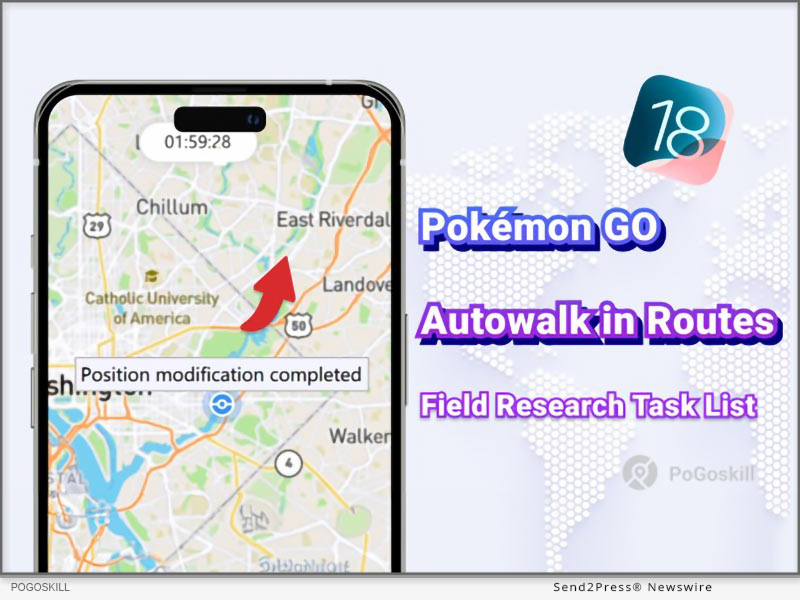
NEW YORK, N.Y., Oct. 11, 2024 (SEND2PRESS NEWSWIRE) — PoGoskill, the leading GPS spoofing tool, releases iOS App version 2.10.0. Pokémon GO players can now auto-walk official Routes to explore new regions with ease. Quickly view Taiwan Field Research tasks and earn Buddy Candy faster.

Best Way To Change Pokemon GO Location Safely on iOS 18 Without A Computer
Image caption: Best Way To Change Pokemon GO Location Safely on iOS 18 Without A Computer.

WHAT’S NEW IN POGOSKILL IOS APP 2.10.0?

  • Autowalk in Routes

It supports players to autowalk all official Pokémon GO Route, skipping the import/export process of GPX files. Effortlessly collect Zygarde Cells without walking.

  • Field Research Task List

Easily view all Field Research tasks and rewards, and select tasks to accept instantly with one tap. This feature is now limited to the Taiwan map.

  • Updated User Interface

With a revamped UI homepage layout, the app now offers a streamlined and straightforward design that enhances user-friendliness and simplifies operations.

FEATURE OVERVIEW

  • Pokémon GO GPS location spoofing is now supported on iOS 18.
  • Save and share custom routes using unique codes for easy access.
  • Navigate freely with the GPS joystick, adjusting your direction as you play.
  • Available on Windows, Android, Mac, and iOS for a seamless cross-platform experience.

HOW TO CHANGE POKÉMON GO LOCATION?

  • Launch the PoGoskill iOS App and choose the Pokémon Go Game mode.
  • Select any two spots on the map to generate a route. Adjust your speed settings and start your spoofing adventure in Pokémon Go.

PRICE OF POGOSKILL IOS APP

Though packed with new features, this GPS spoofing app is still priced at an unbeatable rate.

  • PoGoskill iOS App – 1 Month/1 Device: $14.99
  • PoGoskill iOS App – 1 Quarter/1 Device: $39.99
  • PoGoskill iOS App – 1 Year/1 Device: $79.99
  • PoGoskill iOS App – Lifetime/1 Device: $99

About PoGoskill:

PoGoskill is a pioneering software company offering top-tier GPS spoofing tools for iOS and Android platforms. Known for its user-friendly features and security, PoGoskill is relied upon by millions to enhance AR gaming and location-based services with precision and ease. Opt for PoGoskill for seamless GPS spoofing that you can count on.

More information: https://www.pogoskill.com/

YouTube: https://www.youtube.com/@PoGoskill

https://www.youtube.com/@PoGoskillJapan

https://www.youtube.com/@Pogoskill-TW

X/Twitter: https://x.com/PoGoskill_Inc

Facebook: https://www.facebook.com/PoGoskillOfficial

NEWS SOURCE: PoGoskill


This press release was issued on behalf of the news source (PoGoskill), who is solely responsible for its accuracy, by Send2Press Newswire. Image, if any, was provided by the news source and not this website or the wire service. Information is believed accurate, as provided by the news source, but is not guaranteed.

To view the original story, visit: https://www.send2press.com/wire/updated-guide-best-way-to-change-pokemon-go-location-safely-on-ios-18-without-a-computer/

Copr. © 2024 Send2Press® Newswire, Calif., USA. -- REF: S2P STORY ID: S2P121440 NOREL-3B

 

Tenorshare Leads the Way with All Products Now Supporting iOS 18

NEW YORK, N.Y., Oct. 9, 2024 (SEND2PRESS NEWSWIRE) — Since its release, iOS 18 has excited users around world with a range of new features and improvements like redesigned Photos app and Apple Intelligence. Millions of users have already upgraded to test out latest functionalities. Tenorshare, a top provider of iOS solutions, has quickly adapted to iOS 18.

Tenorshare Leads the Way: All Products Now Support iOS 18
Image caption: Tenorshare Leads the Way: All Products Now Support iOS 18.

All of Tenorshare’s products now fully support the new operating system, allowing users to get the most out of their devices.

According to a Tenorshare spokesperson: “We’re focused on offering advanced solutions that meet changing needs of iOS users. Our support for iOS 18 shows our ongoing commitment to giving users tools they need to make most of their new experience.”

INTRODUCING TENORSHARE’S TOP PRODUCT: UNLEASHING EXCELLENCE

Here are the primary functions of top 5 most popular products from Tenorshare’s line of iOS solutions explained in detail:

  1. Tenorshare ReiBoot – It can fix 150+ system issues, reset devices, and erase data securely before selling. Moreover, it can easily upgrade/downgrade between iOS 18 and iOS 17 without jailbreak or iTunes.
  2. Tenorshare 4uKey – It can unlock iPhone/iPad without a passcode or Face/Touch ID, and remove iCloud activation lock or Apple ID without a password. Moreover, it can bypass MDM lock and access stored passwords like Apple ID and WiFi.
  3. Tenorshare iAnyGo – Allows you to change your GPS location without jailbreak and control movement with a joystick in games. Works with all location-based apps and supports Pokémon GO, Monster Hunter Now, and more, resolving location errors.
  4. Tenorshare 4uKey For Android – It can unlock Android devices by removing passwords, PINs, patterns, fingerprints, and Face ID. Use it to bypass FRP on major brands like Samsung, Xiaomi, and Huawei without a password. It’s compatible with 6000+ Android devices
  5. Tenorshare iCareFone – It can transfer photos, contacts, music, and more between iPhone and PC/Mac. Use it to backup/restore your iPhone, convert Apple Music to MP3, and download region-locked apps like TikTok.

Learn more: https://www.tenorshare.com/products/reiboot.html

EXCITING OFFERS FROM TENORSHARE: IOS 18 & IPHONE 16 DISCOUNTS AWAIT!

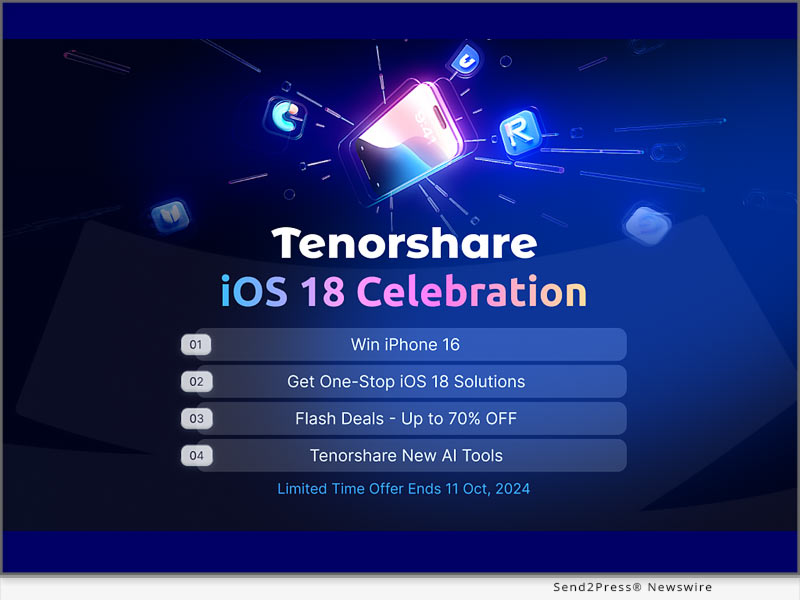
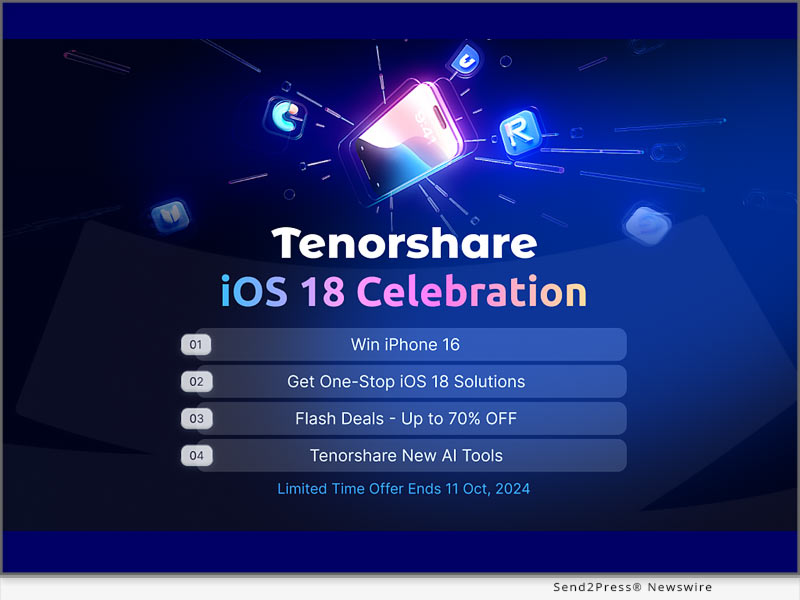
Tenorshare, the smartphone solutions provider, is holding a Giveaway Event to celebrate release of iOS 18. Users will earn significant chances at winning an iPhone 16, and various gifts and getting Tenorshare products at up to 70% discount. Pick any tool like ReiBoot to solve software update problems in a few minutes and make your iOS 18 experience enjoyful.

Learn more: https://www.tenorshare.com/ios18-iphone16-giveaway.html?type=4&sid=137

About Tenorshare

As iOS 18 impresses users with new features, Tenorshare leads the way with solutions that completely support iOS. The company is known for creating products that solve software issues, including iOS 18 for improving iPhone users’ experience. With latest Giveaway Event by Tenorshare, users can enter it to win iPhone 16 and enjoy iOS 18 compatible products to help them adapt to new iOS quickly. Learn more: https://www.tenorshare.com/

NEWS SOURCE: Tenorshare Co. Ltd.


This press release was issued on behalf of the news source (Tenorshare Co. Ltd.), who is solely responsible for its accuracy, by Send2Press Newswire. Image, if any, was provided by the news source and not this website or the wire service. Information is believed accurate, as provided by the news source, but is not guaranteed.

To view the original story, visit: https://www.send2press.com/wire/tenorshare-leads-the-way-with-all-products-now-supporting-ios-18/

Copr. © 2024 Send2Press® Newswire, Calif., USA. -- REF: S2P STORY ID: S2P121386 NOREL-3B


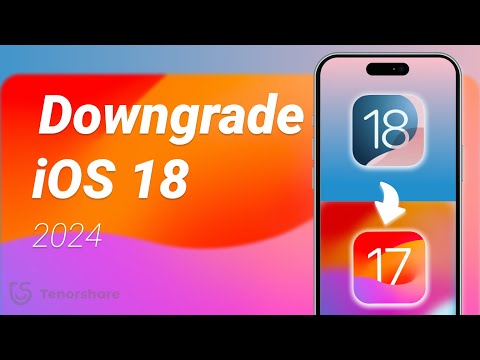
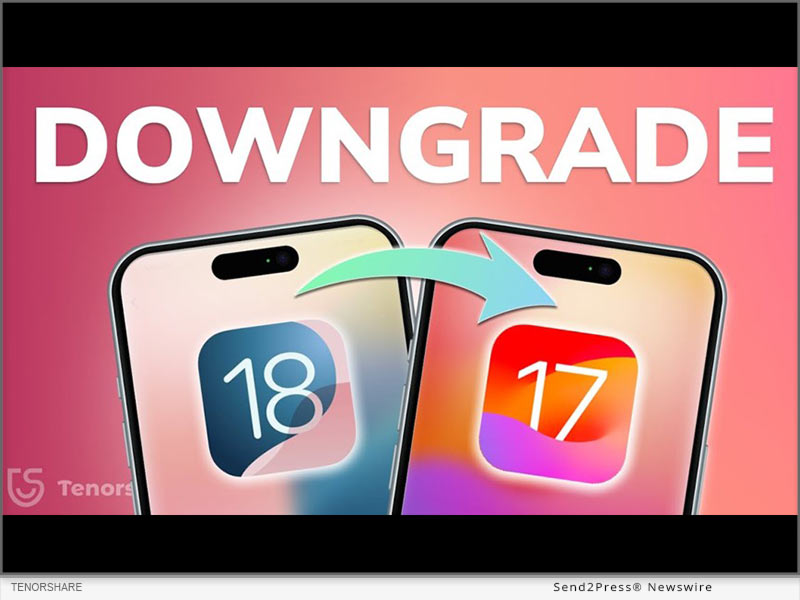
How to Downgrade from iOS 18 to iOS 17? Full Guide 2024

NEW YORK, N.Y. /ScoopCloud/ -- After the initial release of iOS 18, upgrading has been received with a mix of excitement and exasperation. Many iOS users face issues like battery drain and software glitches like stuck on Recovery Mode while updating. Those unhappy with iOS 18, are now asking, "How to downgrade from iOS 18 to 17." "First of all it's no easy feat; secondly it can risk losing data. Rather than taking risks, Tenorshare ReiBoot can help you safely downgrade iOS 18 to iOS 17 without losing your valuable data," says a Tenorshare spokesperson.

CAN YOU DOWNGRADE IOS 18 TO IOS 17 ON IPHONE/IPAD?

So, if you're thinking, "Can I go back to iOS 17 from 18," it depends on certain factors. Apple usually discourages downgrading to older iOS versions and often removes older firmware files, making them hard to find.

But if it still supports the version you want, you'll need an IPSW file for iOS 17. You can also use iTunes to restore your iDevice if you've got an old iOS 17 backup. Be aware this process will erase your data. Thus, if you want to learn how to go back to iOS 17 from 18 without data loss, Tenorshare ReiBoot is your best bet.

HOW TO DOWNGRADE IOS 18 TO 17 FOR IPHONE & IPAD IN 5 MINUTES?

ReiBoot iOS repair is an iOS management and repair tool that can not only downgrade iOS but can also upgrade, including Beta versions without data loss.

Here's what it offers:
* Fix 150+ iOS issues like being stuck on Recovery Mode, restart loop, Apple logo, white & black screen of death, and many more.
* Repair iTunes errors such as 1110, 4013, etc.
* Reset iDevices without passcode & iTunes.
* Erase iDevices permanently for giving them away.
* Enables you to enter/exit Recovery Mode with a click.
* Supports latest iOS versions and iDevices.

HERE'S HOW TO REVERT IPHONE BACK TO IOS 17 WITH HELP OF REIBOOT:

Step 1: Install ReiBoot on your computer then, attach your iDevice to same PC. Press "iOS Upgrade/Downgrade."

Step 2: Tap "Downgrade." Then, click "Download" to get latest firmware package.

Step 3: Afterward, ReiBoot will start downgrading your iDevice from iOS 18 to iOS 17.

Video Guide (YouTube): https://www.youtube.com/watch?v=RWnearLqwBs

BIG TENORSHARE DEALS ON IOS 18 & IPHONE 16!

Tenorshare is holding a Giveaway Event to celebrate release of iOS 18. Users will get a huge chance at winning shiny new iPhone 16, Amazon gift cards, and more than 70% discount on 6 helping products to make your iOS 18 journey easier.

About Tenorshare:

Learning how to downgrade from iOS 18 to iOS 17 is a risky process that comes with potential data loss. However, Tenorshare ReiBoot offers a safe way to downgrade without losing your data. Founded in 2007, Tenorshare is a well-known software company with a strong reputation for creating user-friendly solutions for iOS and Android that has earned them various accolades.

News from Tenorshare Co. Ltd.

After the initial release of iOS 18, upgrading has been received with a mix of excitement and exasperation. Those unhappy with iOS 18, are now asking, "How to downgrade from iOS 18 to 17." "First of all it's no easy feat; secondly it can risk losing data. Rather than taking risks, Tenorshare ReiBoot can help you safely downgrade iOS 18 to iOS 17 without losing your valuable data," says a Tenorshare spokesperson.

Related link: https://www.tenorshare.com/

This version of news story was published on ScoopCloud™ (ScoopCloud.com) - part of and © the Neotrope® News Network - all rights reserved.

iToolab Big Sales up to 70% OFF to Celebrate iPhone 16 and iOS 18

NEW YORK, N.Y. /ScoopCloud/ -- iToolab is a Hong Kong-based leading iOS and Android solution provider with a vision to help smartphone users solve various technical issues. Attention Apple fans! iToolab is thrilled to announce a spectacular lineup of discounts up to 70% OFF to celebrate the highly anticipated releases of iOS 18 and the iPhone 16.

Grab the cutting-edge tools at jaw-dropping prices and take your device to the next level.

"iToolab's mega-sale is here, just in time for iOS 18 and iPhone 16. Elevate your Apple experience with our top-notch software at unbeatable prices," said Mia Garcia, CEO at iToolab.

Share to Win More Chances to Get Mystery Gift

iToolab prepared some amazing gift boxes for users, each mystery box is filled with surprises. Limited chances to open the mystery boxes, share this iToolab Big Sales up to 70% event to social to win more chances!

AnyGo Promotion: Buy One, Get Three Free

For those looking to spoof GPS location, iToolab AnyGo Location Changer is available with a fantastic "buy one, get three free" offer. This means you can get AnyGo iOS Location Changer with additional AnyGo Android Location Changer, AnyGo Location Changer for Windows/Mac.

Enjoy the benefits of AnyGo:
1. Fix Pokémon Go failed to detect location error 12
2. Simulate GPS movement along customized routes
3. Change GPS Location on iPhone/Android without jailbreak or root
4. Compatible with Location-Based apps, such as Pokémon Go, MHN, WhatsApp, Tinder, etc.

70% OFF on WatsGo and FixGo

iToolab is offering a remarkable 70% discount on two of its flagship products:

WatsGo: Upgrade to new iPhone 16? This tool allows you to transfer WhatsApp from Android to iPhone 16 without factory reset, making it easier than ever to keep your conversations intact when switching phones.

FixGo: The best iOS system repair software helps to resolve 200+ iOS/iPadOS/tvOS Problems or iOS 18 issues, such as iPhone stuck in Recovery Mode, iPhone stuck on Apple logo, iPhone stuck on loading screen, or unable to check for update etc.

Limited-time Offers on Select Products

You can enjoy extra $10 off on these tools:

UnlockGo iOS: Unlock iPhone/iPad/iPod touch screen and bypass iCloud activation lock without passcode.

RecoverGo iOS: Best iPhone data recovery software to get back permanently deleted data from iPhone/iPad/iPod touch.

UnlockGo Android: Top-notch Android screen unlocker and Samsung FRP bypass tool.

RecoverGo Android: Recover deleted photos, messages, contacts and more from Android devices without backup.

RecoverGo WhatsApp: Recover accidentally deleted WhatsApp chat without any backup

About iToolab:

iToolab company has helped millions of users fix iOS issues and regain access to their iPhones and iPads. Currently, iToolab provides its services in more than 130 countries and has an extensive user base. The creative approach of the developers is the main reason for the high success rate of all iToolab products.

LEARN MORE:

Official Website: https://itoolab.com/

Facebook: https://www.facebook.com/itoolab

X/Twitter: https://x.com/IToolab

YouTube: https://www.youtube.com/@iToolab

News from IToolab Co Ltd

iToolab is a Hong Kong-based leading iOS and Android solution provider with a vision to help smartphone users solve various technical issues. Attention Apple fans! iToolab is thrilled to announce a spectacular lineup of discounts up to 70% OFF to celebrate the highly anticipated releases of iOS 18 and the iPhone 16.

Related link: https://itoolab.com/

This version of news story was published on ScoopCloud™ (ScoopCloud.com) - part of and © the Neotrope® News Network - all rights reserved.

Tenorshare Unveils Exclusive iOS 18 and iPhone 16 Special Offers

NEW YORK, N.Y. /ScoopCloud/ -- Tenorshare is holding a giveaway to celebrate the upcoming release of iOS 18 and iPhone 16. The new iOS 18 will have features like Apple Intelligence, redesigned control center, customized Home screen, and many more exciting functions. "Not only do you get to enjoy these features but you also earn a huge chance to win an iPhone 16, great prizes, and significant discounts on Tenorshare's iOS 18 Giveaway Event," says a Tenorshare spokesperson.

Discover the Exciting Ways to Engage With the Event!

By participating in Tenorshare's iOS 18 & iPhone 16 Giveaway Event you'll get an exclusive chance to win an iPhone 16 (128GB), and a $20 Amazon Gift Card X5. Not to mention receiving a 70% discount on 6 popular tools that can help you troubleshoot potential iOS 18 issues and transfer your data to iPhone 16.

To enter the event follow these steps:

1. Follow Tenorshare on Facebook.

2. Share your favorite iOS 18 features using #TenorshareAI.

3. Tag @Tenorshare and two friends.

4. Make your post public.

Giveaway winners will be announced October 15, 2024. Afterward, you'll need to respond within 7 business days to claim your prize.

Learn more: https://www.tenorshare.com/ios18-iphone16-giveaway.html?type=4&sid=137

Tenorshare's Top-Notch Software

Although you'll receive up to 70% Flash Deals for 6 iOS 18 useful tools there are two more that are must-haves to improve your iOS 18 and iPhone 16 experience. Tenorshare is providing discount on monthly registration:

1. Tenorshare ReiBoot For iOS - No.1 Free iOS System Repair & Recovery Software

Tenorshare ReiBoot is an iOS repair tool that makes upgrading and downgrading iOS 18 safer and more efficient. It can also repair iOS issues that come with new iOS updates. For instance, being stuck in a boot loop, or not being able to enter/exit Recovery Mode, etc. Available for as low as $19.95 for monthly registration in this event.

2. iCareFone - All-in-One Free iOS Backup Tool

iCareFone makes it easy to transfer data like photos to your new iPhone 16, convert Apple Music, and manage contacts. It can back up/restore your iPhone, including WhatsApp chats, and help download region-restricted apps. Available for $29.95 for monthly registration in this event.

Explore more AI Tools with Tenorshare

While a complete set of features for Apple Intelligence will be available next year, what's to stop you from enjoying AI-powered tools by Tenorshare for free? The Tenorshare AI Writer features 120+ writing tools to generate unique content. While Tenorshare AI PDF summarizes PDF documents and allows you to chat with them to extract useful content.

About Tenorshare

Tenorshare is celebrating iOS 18 with a giveaway for an iPhone 16, Amazon gift cards, and free AI tools. You'll also get 70% off on useful software to improve your iOS 18 experience. The company is dedicated to creating solutions that adapt well to newer iOS versions and devices and help you manage and troubleshoot them.

More information: https://www.tenorshare.com/

Facebook: https://www.facebook.com/TenorshareOfficial/

X/Twitter: https://x.com/Tenorshare_Inc

YouTube: https://www.youtube.com/user/TenorshareOfficial/videos

TikTok: https://www.tiktok.com/@tenorshare_tech_tips

News from Tenorshare Co. Ltd.

Tenorshare is holding a giveaway to celebrate the upcoming release of iOS 18 and iPhone 16. The new iOS 18 will have features like Apple Intelligence, redesigned control center, customized Home screen, and many more exciting functions. "Not only do you get to enjoy these features but you also earn a huge chance to win an iPhone 16, great prizes, and significant discounts on Tenorshare's iOS 18 Giveaway Event," says a Tenorshare spokesperson.

Related link: https://www.tenorshare.com/

This version of news story was published on ScoopCloud™ (ScoopCloud.com) - part of and © the Neotrope® News Network - all rights reserved.

UltData for iOS V10 Released: Redefining the Standard in iPhone Data Recovery

NEW YORK, N.Y. /ScoopCloud/ -- Tenorshare, a leading software provider, is proud to announce the release of the brand new UltData for iOS V10. This update not only solidifies Tenorshare's leadership in the iPhone data recovery field but also sets a new industry standard.

WHAT'S NEW IN TENORSHARE ULTDATA FOR IOS V10?

One of the most notable improvements in this iPhone data recovery software is its completely redesigned user interface. The design team divide the interface into distinct modules for different recovery options. For instance, have a dedicated area for retrieving files from native apps and another for recovering data from third-party apps like Instagram, with clear descriptions for each section. This is why UltData is easier to navigate compared to other alternatives. You can access and use the features you need with just one click. Once a specific recovery option is selected, the tool provides detailed guidance to help users smoothly complete the data recovery process.

"Our goal with UltData for iOS V10 was to create a tool that not only provide high-quality iPhone data recovery but also exceeds our users' expectations in terms of usability," said Daniel, marketing director at Tenorshare. "We listened to our customers, and their feedback was instrumental in shaping this new version."

KEY FEATURES OF TENORSHARE ULTDATA FOR IOS V10

There are many data recovery software for iPhone in the market, but UltData for iOS is clearly the winner.

Now, let's take a closer look at the highlights of this best iPhone data recovery software:

* Recovers files directly from iOS devices without any backup.

* Selectively restores data from iCloud and iTunes backups without needing to reset your iPhone.

* Supports recovery of over 35 data types, such as photos, messages, contacts, notes, and more.

* Regains lost data from third-party apps, including WhatsApp, Messenger, Instagram, LINE, etc.

* Provides a preview feature to help users verify data Integrity.

* No technical knowledge required; a user-friendly tool for everyone.

* Offers advanced features like system repair and backup & restore.

With a 98% success rate, UltData can be your go-to choice when choosing data recovery software for iPhone.

COMPATIBILITY AND PRICING

Tenorshare UltData for iOS V10 is fully compatible with Windows and macOS. There are three pricing available, with prices ranging from $45.95 to $65.95. Currently, Tenorshare is offering a 20% discount, allowing home users to purchase this iPhone data recovery software at a more affordable price.

For more price checking and information, you can visit: https://www.tenorshare.com/purchase/buy-iphone-data-recovery-win.html

About Tenorshare:

Over the past decade, Ultdata for iOS has consistently been recognized as one of the best iPhone data recovery software in the industry. Tenorshare, the creator behind this powerful tool, has garnered widespread acclaim from millions of users across 150 countries. Apart from iPhone data recovery, Tenorshare also offers a variety of innovative software solutions, including system repair, password recovery, data transfer, and more.

More information: https://www.tenorshare.com/

Facebook: https://www.facebook.com/TenorshareOfficial/

X/Twitter: https://x.com/Tenorshare_Inc

YouTube: https://www.youtube.com/user/TenorshareOfficial/videos

TikTok: https://www.tiktok.com/@tenorshare_tech_tips

News from Tenorshare Co. Ltd.

Tenorshare, a leading software provider, is proud to announce the release of the brand new UltData for iOS V10. This update not only solidifies Tenorshare's leadership in the iPhone data recovery field but also sets a new industry standard.

Related link: https://www.tenorshare.com/

This version of news story was published on ScoopCloud™ (ScoopCloud.com) - part of and © the Neotrope® News Network - all rights reserved.

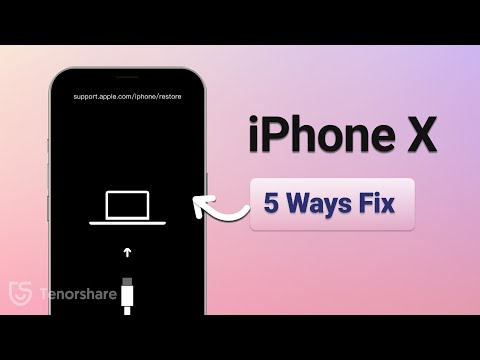
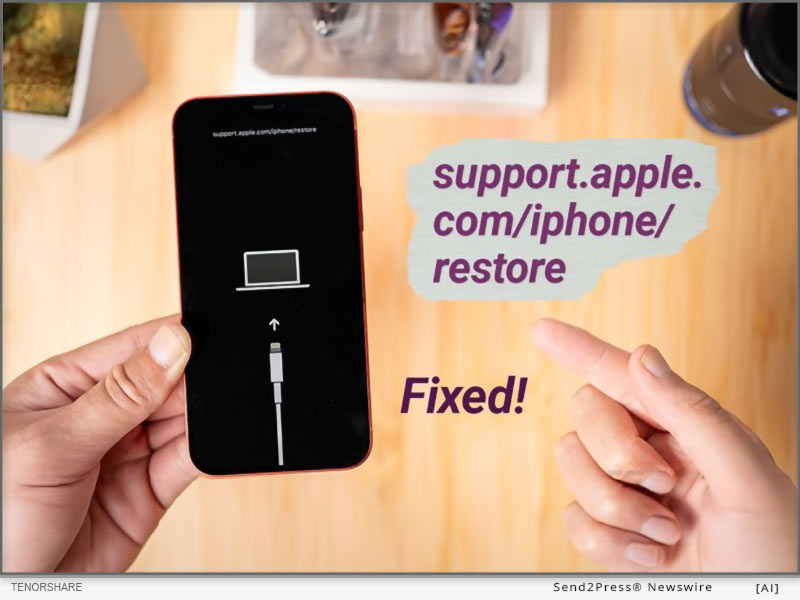
Fix Support Apple Com/iPhone/Restore in 5 Minutes – iOS 18 Supported

NEW YORK, N.Y. /ScoopCloud/ -- If a "support.apple.com/iphone/restore" message pops up on your iPhone, you'll need to restore your device using a computer. While restarting or doing a hard reset, sometimes, might fix this issue, they don't guarantee success if problem is complex. So, you're left with no alternative except to restore your iOS via iTunes, which can lead to data loss. "However, an iOS repair and management tool like Tenorshare ReiBoot provides a safe and effective way to fix an iPhone stuck on 'support.apple.com/iphone/restore' screen in less time than any other method. Besides, it can do this without data loss, and manual steps," says a Tenorshare spokesperson.

VIDEO (YouTube): https://www.youtube.com/watch?v=SfnIbJBCvhU&t=6s

Why Does My iPhone Say Support.Apple.Com/iPhone/Restore?

If you're speculating about "Why does my iPhone say support.apple.com/iphone/restore," it's because it's in Recovery Mode due to software issues. But the real problem arises when your iPhone gets stuck in Recovery Mode. This can happen because of failed updates, software bugs, a failed iOS upgrade/ downgrade, improper actions like attempting to jailbreak, or, rarely, hardware damage.

How to Fix Support.Apple.Com/iPhone/Restore in 5 Minutes?

ReiBoot iOS Repair tool is a professional tool for repairing iOS issues including your iPhone stuck on "support.apple.com/iphone/restore" screen in 5 minutes. It can fix 150+ iOS issues without jailbreak, iTunes, and data loss.

Here are this tool's main functionalities:

* Repair System Issues - Fix a wide range of iOS problems like being stuck on Apple logo or black screen, or unresponsive or frozen iOS devices without losing data.

* Safe Downgrade/Upgrade - It doesn't require jailbreak or iTunes to upgrade or downgrade iOS.

* Easy Recovery Mode Management - You can enter and exit Recovery Mode with one click.

* iOS 18 Beta Support - It supports all current iOS versions including iOS 17 and iOS 18 Beta.

* Device Reset - Reset iOS devices without a passcode, iTunes, or Finder.

* Data Erasure - Wipes data permanently before selling or gifting your iOS device.

* Fix Errors - Resolve common iTunes errors like 4013 and 1110 easily.

To repair your iPhone stuck on 'support.apple.com/iphone/restore" screen with assistance of Tenorshare Reiboot, follow instructions below:

Step 1: Launch ReiBoot on your computer and connect your iPhone to same PC. Hit "Start Repair."

Step 2: Pick "Standard Repair." Next, press "Download" to get latest firmware package.

Step 3: Then, choose "Standard Repair" again and allow ReiBoot to fix your iPhone stuck on Apple restore screen. Afterward, it will reboot normally.

Learn more: https://www.tenorshare.com/products/reiboot.html

About Tenorshare:

When your iPhone gets stuck on "support.apple.com/iphone/restore" screen this is often because of software issues and fixing them might result in data loss. However, Tenorshare ReiBoot offers a quick solution to repair this problem without jailbreak and data loss in just 5 minutes. Trusted by 142+ million users, Tenorshare, an innovative smartphone solutions provider focuses on safety and quality of its solutions for an improved user experience.

Learn more: https://www.tenorshare.com/

News from Tenorshare Co. Ltd.

If a "support.apple.com/iphone/restore" message pops up on your iPhone, you'll need to restore your device using a computer. "However, an iOS repair and management tool like Tenorshare ReiBoot provides a safe and effective way to fix an iPhone stuck on 'support.apple.com/iphone/restore' screen in less time than any other method. Besides, it can do this without data loss, and manual steps," says a Tenorshare spokesperson.

Related link: https://www.tenorshare.com/

This version of news story was published on ScoopCloud™ (ScoopCloud.com) - part of and © the Neotrope® News Network - all rights reserved.

How to Record Phone Calls on iPhone in 2024? – iCarefone Recorder iOS APP

NEW YORK, N.Y. /ScoopCloud/ -- Tenorshare, a renowned leader in software solutions, proudly announces the launch of iCareFone Recorder: Call Record, a groundbreaking iOS app designed to transform how users record and manage phone calls. Available in multiple languages, iCareFone Recorder is poised to become an indispensable tool for professionals and everyday users alike.

iCareFone Recorder: Call Record stands out by offering a discreet and seamless call recording experience, enabling users to record both incoming and outgoing calls without notifying the other party. This feature is invaluable for journalists, legal professionals, customer service agents, and anyone needing to maintain precise records of their conversations.

Key Features:

* Versatile Recording Options: The app supports recording incoming and outgoing calls, making it a versatile tool for various scenarios.

* Voice Recording: Record audio with clarity and ease.

* Customizable Labels: To enhance organization, the iCareFone Recorder App incorporates the ability to create and assign custom labels to recordings. This feature simplifies file management, making it easy to categorize and locate specific recordings as needed.

* Multi-Language Support: Catering to a global audience, iCareFone Recorder App is available in multiple languages, ensuring accessibility for users worldwide.

Unlock all premium features with a 3-day free trial. Experience enhanced functionality and exclusive content - all at no cost. Tap here to start your free trial now: iCareFone Recorder: Call Record - https://apps.apple.com/us/app/icarefone-recorder-call-record/id6502814868?mt=8

In short, iCareFone Recorder: Call Record is set to redefine how users manage their call recordings and audio files, combining simplicity with powerful functionality.

OTHER POPULAR APPS IN TENORSHARE

Tenorshare iCareFone iOS App

Tenorshare iCareFone: Phone Transfer&Clean can transfer data between iPhone and PC wirelessly. And smart cleaning, one-tap quick scan of your phone to help quickly clean up your iPhone.

Tenorshare iAnyGo App

Tenorshare iAnyGo App is a free virtual location changer for iOS and Android. It can change the GPS location anywhere without jailbreak/root and provides the GPS joystick to control the direction of movement in games.

Tenorshare UltData Android App

Tenorshare UltData Android App is an Android data recovery app that can recover deleted photos, videos, documents, audio, and WhatsApp files from internal and SD card storage. It can conduct deep scans and then provide preview-based data recovery.

Tenorshare iCareFone for LINE App

Tenorshare iCareFone for LINE App can transfer LINE between Android and iPhone using a USB-C to lightning cable. It can transfer text, photos, documents, audio, and more with high speed and data security.

About Tenorshare:

Tenorshare is a leading software development company specializing in data recovery, system repair, and mobile solutions. With a commitment to innovation and user satisfaction, Tenorshare delivers high-quality software products designed to meet the evolving needs of its global customer base.

More information: https://www.tenorshare.com/

Facebook: https://www.facebook.com/TenorshareOfficial/

X/Twitter: https://twitter.com/Tenorshare_Inc

YouTube: https://www.youtube.com/user/TenorshareOfficial/videos

News from Tenorshare Co. Ltd.

Tenorshare, a renowned leader in software solutions, proudly announces the launch of iCareFone Recorder: Call Record, a groundbreaking iOS app designed to transform how users record and manage phone calls. Available in multiple languages, iCareFone Recorder is poised to become an indispensable tool for professionals and everyday users alike.

Related link: https://www.tenorshare.com/

This version of news story was published on ScoopCloud™ (ScoopCloud.com) - part of and © the Neotrope® News Network - all rights reserved.

How to Download and Install the iOS 18 Beta for Free in 2024

NEW YORK, N.Y. /ScoopCloud/ -- Don't know how to get iOS 18 Beta profile download for free? Apple released iOS 18 Beta on June 10, 2024, featuring updates to Photos app, more customization options, and generative AI features. "But you might feel left out if you're unable to download and install iOS 18 Beta on your iPhone. However, don't worry, as you can upgrade to iOS 18 Beta easily, using Tenorshare ReiBoot.

"This tool also lets you downgrade without data loss if you encounter issues with Beta program in future," says a Tenorshare spokesperson.

So, how to download iOS 18 Beta update with Tenorshare ReiBoot? Read below to find out!

VIDEO: https://www.youtube.com/watch?v=8JCz0znxNyA

Why Can't You Upgrade to iOS 18?

There are many reasons you might not be able to download iOS 18 Beta on your iPhone. Here they are:

* You don't have a Developer account.

* You can't see iOS 18 Beta in your iPhone Settings as it may take some time to be available for all compatible devices.

* Older iPhones might not support iOS 18.

* You're using an older iOS version.

How to Download & Install iOS 18 Beta Profile [Quick and Safe]

Tenorshare ReiBoot can help you get iOS 18 Beta profile download and install it without jailbreaking your iPhone. Moreover, it can also downgrade iOS including Betas without needing iTunes. But that's not all and this tool offers to:

* Fix 150+ iOS problems such as stuck on Apple logo, black screen of death, etc.

* Erase data on iOS devices before selling or giving them away.

* Fix iTunes errors, and reset iOS devices without Finder/iTunes and passcode.

* Enables you to enter/exit Recovery mode in a single click.

Here's how to install iOS 18 Beta with assistance of Tenorshare ReiBoot:

Step 1: Run ReiBoot on your computer and connect your iPhone with it. Tap "iOS Upgrade/Downgrade" on ReiBoot.

Step 2: Click "Upgrade." Then press "Download" to get iOS 18 Beta download for your iPhone.

Step 3: Click "Initiating upgrade," once Beta firmware is downloaded. Tap "Continue" to proceed with installing iOS 18 Beta process.

Tips Before You Download and Install iOS 18 Beta

Before you get iOS 18 Beta IPSW download for your iPhone, here are some tips you must follow to install it successfully:

1. Make sure you're using latest iOS version (currently 17.5.1) or iOS 16.4.

2. Make sure you're using an iPhone XS or a later model.

3. Before updating, back up your phone in case you need to revert to iOS 17.

About Tenorshare

If you're unable to get iOS 18 Beta profile download for your iPhone, try ReiBoot repair tool. It lets you upgrade to Beta program and downgrade if needed without data loss. Tenorshare, the top smartphone solutions provider employs best developers to create cutting-edge software solutions for Android and Apple users. The company is constantly striving to develop tools that empower individuals and businesses.

Learn more:

https://www.tenorshare.com/products/reiboot.html

https://www.tenorshare.com/ios-18/ios-18-download-and-install-free.html

News from Tenorshare Co. Ltd.

Don't know how to get iOS 18 Beta profile download for free? Apple released iOS 18 Beta on June 10, 2024, featuring updates to Photos app, more customization options, and generative AI features. But you might feel left out if you're unable to download and install iOS 18 Beta on your iPhone. However, don't worry, as you can upgrade to iOS 18 Beta easily, using Tenorshare ReiBoot.

Related link: https://www.tenorshare.com/

This version of news story was published on ScoopCloud™ (ScoopCloud.com) - part of and © the Neotrope® News Network - all rights reserved.