Author Archives: HitPaw

‘All Treats and No Tricks!’ HitPaw Launches Halloween Sale and Prepares Free Products and Discounts for Celebrating the Upcoming Festival

NEW YORK, N.Y. /ScoopCloud/ -- When it comes to the end of the October, people are screaming to celebrating the Halloween. HitPaw, a leader in the field of digital production tools, introduces the #HitPawHalloweenSale event to provide all the treats for satisfied customers.

Additionally, HitPaw has fantastic deals on top-selling items including Video Editors, Video Enhancers, and Video Converters for participants. You may also take advantage of the special "Buy One Get One Free" Halloween promotion! By using HitPaw products, you can record, edit, and enhance your Halloween-exclusive video.

The Halloween Event will end on November 2, 2022.

1. BUY ONE GET ONE FREE:

Try to save MP4 or MP3 from more than 10000 websites? Would like to make the trendy GIF memes? Want to record your desktop or games? Want to make an impressive video using a transaction fit for a movie while also using Speed Ramping? Your fantastic opportunity is here! HitPaw has prepared the 2 creator bundles that includes HitPaw Video Converter, HitPaw Video Editor, and HitPaw Screen Recorder.

And right now, you can save 50% to get the creator bundles at $39.95 for 1 year.

2. SAVE UP TO 67% WITH HITPAW:

HitPaw offers the best deals, saving up to 67%, for newbies who are interested in becoming video creators in order to reduce the entry cost.

Here is the list of HitPaw products:

* Get HitPaw Video Converter Yearly at $23.99 for Win and Mac

* Get HitPaw Photo Enhancer Yearly at $20.99 for Win / $41.99 for Mac

* Get HitPaw Video Enhancer Yearly at $53.99 for Win / $59.99 for Mac

* Get HitPaw Watermark Remover Yearly at $9.99 for Win / $19.99 for Mac

* Get HitPaw Video Editor Yearly at $21.99 for Win / $25.99 for Mac

* Get HitPaw Screen Recorder Yearly at $20.99 for Win and Mac

How to participate:

For more information or to participate in the event, visit: https://www.hitpaw.com/sales-promotion.html

About HitPaw:

HitPaw is an emerging software company specialized in video editing, screen recording, watermark removing, image editing, photo enhancing, etc. We help users turn their inspiration into reality so that we can generate more ideas to make the world be full of more creativity.

To know more, you may visit: https://www.hitpaw.com/about.html and https://www.hitpaw.com/

Our Social Media:

YouTube: https://www.youtube.com/channel/UCQwRggaotgiMcPbiCOsJeBA

Facebook: https://www.facebook.com/hitpawofficial

Twitter: https://twitter.com/HitPawofficial

Instagram: https://www.instagram.com/hitpawofficial/

Pinterest: https://www.pinterest.com/hitpawcom/

News from HitPaw

When it comes to the end of the October, people are screaming to celebrating the Halloween. HitPaw, a leader in the field of digital production tools, introduces the #HitPawHalloweenSale event to provide all the treats for satisfied customers.

Related link: https://www.hitpaw.com/

This version of news story was published on ScoopCloud™ (ScoopCloud.com) - part of and © the Neotrope® News Network - all rights reserved.
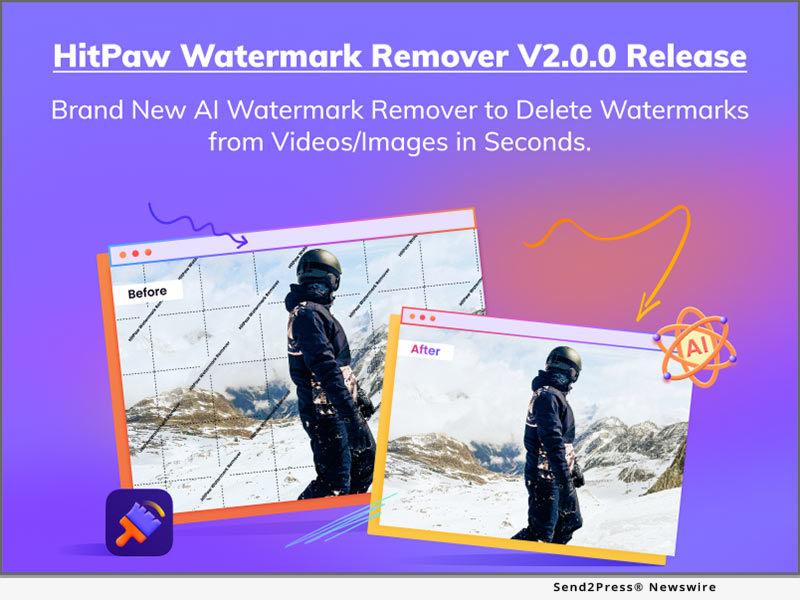
The Newly Updated User Interface of HitPaw Watermark Remover V2.0.0 Provides a Better User Experience

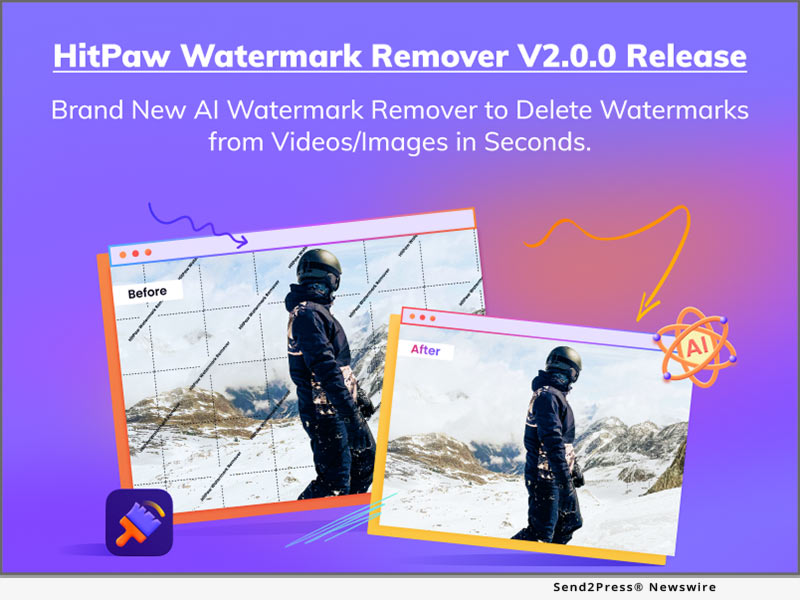
NEW YORK, N.Y. /ScoopCloud/ -- HitPaw recently has released HitPaw Watermark Remover V2.0.0. The latest version of HitPaw Watermark Remover is coming up with the totally brand-new User Interface for a better user experience. Additionally, HitPaw Watermark Remover V2.0.0 now supports more than 10 languages, making it more hospitable and clear for people around the world. HitPaw also reduced the learning curve by optimizing the operation flow.

Let's find out the wonderful features of the Update for HitPaw Watermark Remover:

* Brand-New User Interface for Immersive Experience

The novel interactive design of HitPaw Watermark Remover provides an immersive experience to enhance the user experience. Users can concentrate better and more quickly and do more with less effort when using a dark interface.

* Simple Operational Procedure for Efficient Work Flow

The process of work flow has been streamlined by HitPaw Watermark Remover. Users can now drag files directly to HitPaw Watermark Remover without first choosing whether they are videos or photos, or even all together at once. Additionally, HitPaw Watermark Remover has the ability to immediately save any changes made to the current file, so users do not need to worry about the adjustment being lost while switching to another file.

* Add User Guidance to Lower the Learning Curve

The lucid user manual added by HitPaw Watermark Remover will help users when they launch the program for the first time. Users can utilize hints to better understand what this function does since HitPaw ensures that every user may get their hands dirty quickly.

* 10 More Languages are Supported Now

More than 10 languages, including Hindi, Japanese, Indonesian, Dutch, Turkish, and more, are added to and localized for use in HitPaw Watermark Remover. Users can change the software's language to reflect their mother tongue, making it more hospitable to users from other nations.

Compatibility and Price:

HitPaw Watermark Remover is now compatible with Windows including Win11 and Mac OS Monterey. Its pricing starts from $6.99 per month, $9.99 per year, and $25.99 for the lifetime.

For more information checking, you can visit:
https://www.hitpaw.com/purchase/buy-hitpaw-remove-watermark.html

About HitPaw:

HitPaw is an emerging software company specialized in files compressing, video editing, screen recording, watermark removing, image editing, photo enhancing, etc. We help users turn their inspiration into reality so that we can generate more ideas to make the world be full of more creativity.

To know more, you may visit https://www.hitpaw.com/about.html and https://www.hitpaw.com/

Our Social Media:

YouTube: https://www.youtube.com/channel/UCQwRggaotgiMcPbiCOsJeBA

Facebook: https://www.facebook.com/hitpawofficial

Twitter: https://twitter.com/HitPawofficial

Instagram: https://www.instagram.com/hitpawofficial/

Pinterest: https://www.pinterest.com/hitpawcom/

News from HitPaw

HitPaw recently has released HitPaw Watermark Remover V2.0.0. The latest version of HitPaw Watermark Remover is coming up with the totally brand-new User Interface for a better user experience. Additionally, HitPaw Watermark Remover V2.0.0 now supports more than 10 languages, making it more hospitable and clear for people around the world. HitPaw also reduced the learning curve by optimizing the operation flow.

Related link: https://www.hitpaw.com/

This version of news story was published on ScoopCloud™ (ScoopCloud.com) - part of and © the Neotrope® News Network - all rights reserved.
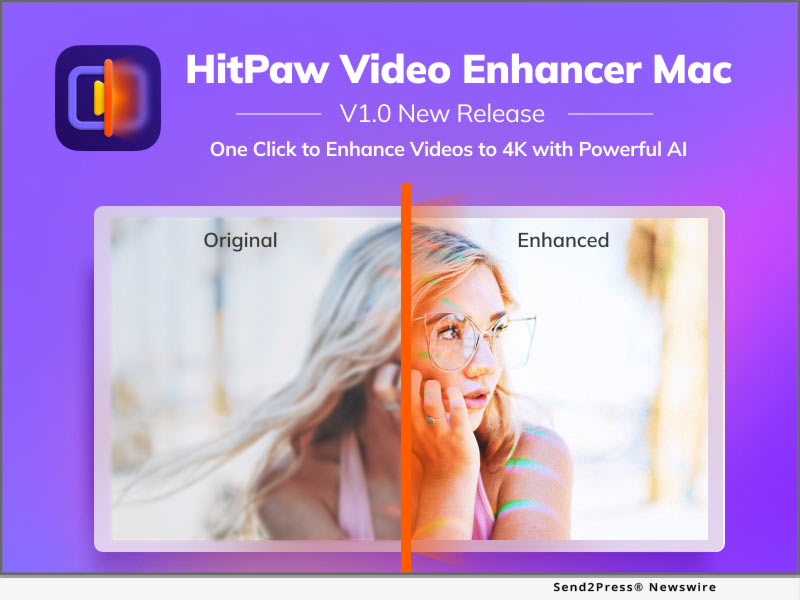
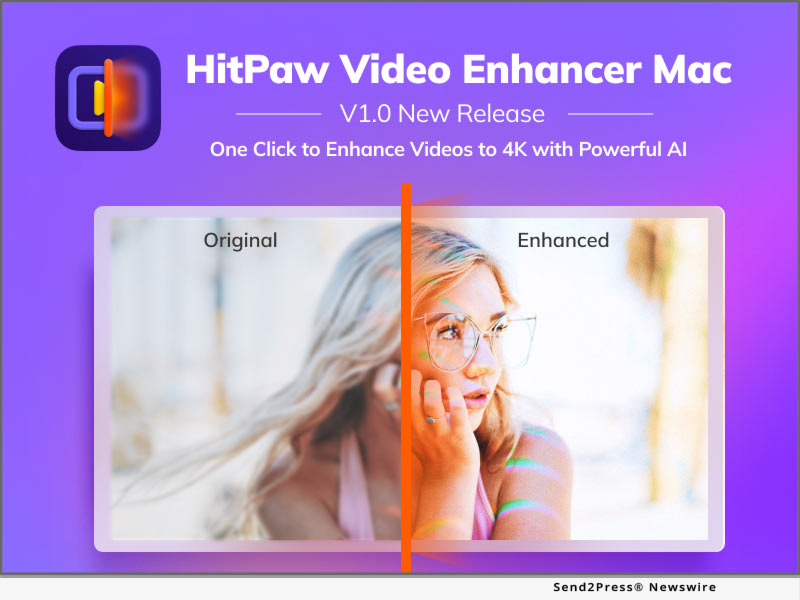
HitPaw Launches Mac Version of Video Enhancer to Improve the Video Quality

NEW YORK, N.Y. /ScoopCloud/ -- HitPaw, a company provides the best digital creation tools, today releases the video enhancement software - HitPaw Video Enhancer Mac. Utilizing artificial intelligence (AI), HitPaw Video Enhancer Mac upscales videos automatically for a variety of uses and provides a novel way to lessen noise, pixels, and overexposure brought on by subpar cameras and poor lighting.

HitPaw Video Enhancer Mac provides three popular models, including General Denoise Model, Animation Model, and Face Model. HitPaw Video Enhancer will automatically make the identical modifications that professional editors would do. All modifications will also be included right into the rendering pipeline.

* General Denoise Model

Each pixel in films shot with low-quality, low-light cameras will have very little light, increasing blurriness and clarity. HitPaw Video Enhancer Mac is able to provide a clean and bright result by lighting each pixel up in the video using the General Denoise Model.

* Animation Model

There are a bunch of timeless and unbeatable anime videos that are becoming hazy and colorless with the advancement in resolution. The goal of Animation Model is to fix anime videos by sharpening and coloring the anime characters to make them appear more realistic and lively on high-quality screens.

* Face Model

In general, and especially for a novice or green hand, adjusting portrait characteristics in films is more difficult and time-consuming than in photos. HitPaw Video Enhancer Mac can modify the brightness, color saturation, and contrast of the portraits in every frame by learning from a vast number of samples.

Apart from three AI Model, HitPaw Video Enhancer Mac also supports:

* More than 30 video formats, including MP4, AVI, RMVB, and MKV

* Up to 4K exported resolution

* Batch processing

* MP4 and MOV format exported

Compatibility and Price:

HitPaw Video Enhancer is now compatible with Mac OS 10.15 & above and Windows 11/10(64-bit OS). The price of Mac version starts from $59.99 USD for a monthly plan. For more price checking and information, you can visit https://www.hitpaw.com/purchase/buy-hitpaw-video-enhancer-mac.html

About HitPaw:

HitPaw is an emerging software company specialized in video editing, screen recording, watermark removing, image editing, photo enhancing meme-making, etc. We help users turn their inspiration into reality so that we can generate more ideas to make the world full of more creativity.

To know more, you may visit https://www.hitpaw.com/about.html and https://www.hitpaw.com/

Our Social Media:

YouTube: https://www.youtube.com/channel/UCQwRggaotgiMcPbiCOsJeBA

Facebook: https://www.facebook.com/hitpawofficial/

Twitter: https://twitter.com/HitPawofficial

Instagram: https://www.instagram.com/HitPawofficial/

Pinterest:  https://www.pinterest.com/hitpawvideoeditor/

News from HitPaw

HitPaw, a company providing the best digital creation tools, today releases the video enhancement software - HitPaw Video Enhancer Mac. Utilizing artificial intelligence (AI), HitPaw Video Enhancer Mac upscales videos automatically for a variety of uses and provides a novel way to lessen noise, pixels, and overexposure brought on by subpar cameras and poor lighting.

Related link: https://www.hitpaw.com/

This version of news story was published on ScoopCloud™ (ScoopCloud.com) - part of and © the Neotrope® News Network - all rights reserved.
HitPaw Launches Entirely New Website Design to Improve the User Experience

NEW YORK, N.Y. /ScoopCloud/ -- As the company is dedicated to providing creative and effective multimedia tools, HitPaw has updated HitPaw 2.0 with a brand new website design, aiming to improve the user experience. The motto "Record. Create. Enjoy. Share" represents the attitude and the vision of HitPaw, which is to help youth and content creators who are passionate about life free up the infinity of creativity without any limitation. Moreover, this will be the first time that the little virtual character of HitPaw says "hello" to everyone.

* An Entirely New User Interface Design

Purple, as the brand color, is used a lot in the new HitPaw websites, representing vitality, inspiration, and infinity. The fresh interactive design offers an immersive experience when surfing in the HitPaw.

* Clear and Intelligible Product Pages

Newly designed product pages have added plenty of motion graphs, animations, and interactive buttons, helping users well understand what HitPaw products can do and how well they can do. Especially for Enhancers, HitPaw inserts real-time enhancing effects to show the differences between the image or video before and after the enhancement.

* Fantastic Virtual Character - HitPaw

Most users know the logo of HitPaw is a cat. So, this is the first time that the 'real' Paw says hello to everybody. Follow the little Paw's steps, it will show up when you need help and when you do not know which license to select. Little Paw's goal is to shorten the distance between users and HitPaw.

View the updated site at: https://www.hitpaw.com/

About HitPaw:

HitPaw is an emerging software company specialized in files compressing, video editing, screen recording, watermark removing, image editing, photo enhancing, etc. We help users turn their inspiration into reality so that we can generate more ideas to make the world be full of more creativity.

To know more, you may visit https://www.hitpaw.com/about.html

Our Social Media:

YouTube: https://www.youtube.com/channel/UCQwRggaotgiMcPbiCOsJeBA

Facebook: https://www.facebook.com/hitpawofficial

TikTok: https://www.tiktok.com/@hitpaw

Twitter: https://twitter.com/HitPawofficial

Instagram: https://www.instagram.com/hitpawofficial/

Pinterest: https://www.pinterest.com/HitPawvideoeditor/

News from HitPaw

As the company is dedicated to providing creative and effective multimedia tools, HitPaw has updated HitPaw 2.0 with a brand new website design, aiming to improve the user experience. The motto "Record. Create. Enjoy. Share" represents the attitude and the vision of HitPaw, which is to help youth and content creators who are passionate about life free up the infinity of creativity without any limitation.

Related link: https://www.hitpaw.com/

This version of news story was published on ScoopCloud™ (ScoopCloud.com) - part of and © the Neotrope® News Network - all rights reserved.

‘Aim for Excellence!’ HitPaw Launches Back to School Event 2022 and Prepares Great Prizes for Celebrating the New School Year

NEW YORK, N.Y. /ScoopCloud/ -- Along with the beginning of the September, it represents another new school year has begun. HitPaw, as the pioneer in the digital creation tools' industry, launches #HitPawBackToSchool event to help educators aiming for excellence, no matter learning or creation. Moreover, HitPaw has prepared great prizes for participants, including iPad Pro, Apple Pencil, and Amazon E-Gift Cards.

All participants need is to share their feelings and mood about heading back to school on social media, and everyone gets the same chance to win the big prize until September 30, 2022.

HitPaw Share and Win

Everyone has different feelings about the first day of school. Some of students are happy and excited, but some are nervous and anxious. No matter what, there is always a 'Pawmoji' that fits you, so select the unique Pawmoji that represents you and share it on social media with hashtag #HitPawBackToSchool. A few lucky winners will be selected by HitPaw to get the prizes such as iPad Pro, Apple Pencil, and Amazon E-Gift Cards, and more.

Buy One Get One Free

Want to make the funny GIF memes? Want to save MP4 or MP3 from 10000+ websites? Want to create the movie-class transaction and using the Speed Ramping to make the video more impressive? Here is your great chance! HitPaw has prepared the BEST creator bundle that includes HitPaw Video Converter and HitPaw Video Editor.

And right now, you can save 50% to get the creator bundle at $39.95 for 1 year.

Save Up To 67% With HitPaw

To minimizing the entry cost for new creators, HitPaw also offers the best deals, save up to 67%, for kids or youth who are looking forward to being a video creator.

Here are the list of HitPaw products:

* Get HitPaw Video Converter Yearly at $23.99 for Win and Mac

* Get HitPaw Photo Enhancer Yearly at $20.99 for Win / $41.99 for Mac

* Get HitPaw Watermark Remover Yearly at $9.99 for Win / $19.99 for Mac

* Get HitPaw Screen Recorder Yearly at $20.99 for Win and Mac

* Get HitPaw Video Editor Yearly at $21.99 for Win / $25.99 for Mac

* Get HitPaw Video Enhancer Yearly at $35.99 for Win

How to participate:

For more information or to participate in the event, visit: https://www.hitpaw.com/back-to-school.html

About HitPaw:

HitPaw is an emerging software company specialized in video editing, screen recording, watermark removing, image editing, photo enhancing, etc. We help users turn their inspiration into reality so that we can generate more ideas to make the world be full of more creativity.

To know more, you may visit:

https://www.hitpaw.com/

https://www.hitpaw.com/about.html

Our Social Media:

YouTube: https://www.youtube.com/channel/UCQwRggaotgiMcPbiCOsJeBA

Facebook: https://www.facebook.com/HitPawofficial

Twitter: https://twitter.com/HitPawofficial

Instagram: https://www.instagram.com/HitPawofficial/

Pinterest: https://www.pinterest.com/HitPawofficialwebsite/

News from HitPaw

Along with the beginning of the September, it represents another new school year has begun. HitPaw, as the pioneer in the digital creation tools' industry, launches #HitPawBackToSchool event to help educators aiming for excellence, no matter learning or creation. Moreover, HitPaw has prepared great prizes for participants, including iPad Pro, Apple Pencil, and Amazon E-Gift Cards.

Related link: https://www.hitpaw.com/

This version of news story was published on ScoopCloud™ (ScoopCloud.com) - part of and © the Neotrope® News Network - all rights reserved.

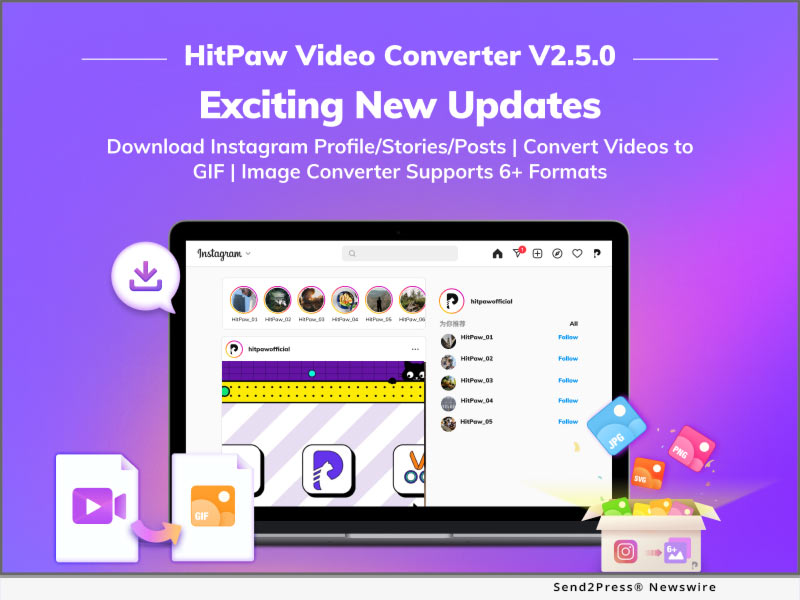
HitPaw Video Converter V2.5.0 Update Reveals Advanced Converting, Downloading and Editing Features

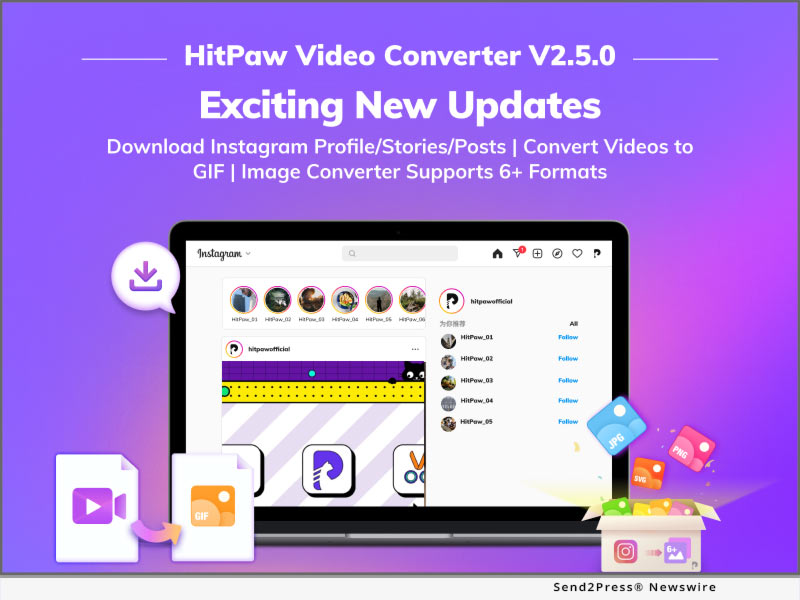
NEW YORK, N.Y. /ScoopCloud/ -- HitPaw, a company aiming to develop the best digital creation tools, has launched HitPaw Video Converter V2.5.0, which brings amazing features in this 3-in-1 video converter tool. HitPaw Video Converter unveiled the new advanced downloader and video tool: Instagram Profile / Photo / Video / Story Downloader, Video to GIF converter, and Image converter. Besides, HitPaw Video Converter also updates other features of converter and editor.

Let's find out what are the wonderful features of the Big Update for HitPaw Video Converter:

Download Instagram Profile Picture, Photos, Videos, Posts and Stories:

Instagram, as the top photo social platform in the world, has a large number of beautiful images, including great pictures of landscape, graceful portraits, and lifestyle photos. However, there is no way to save these contents in the Instagram. In order to meet the users' need, HitPaw Video Converter now supports downloading Instagram images and avatars and save the stories and reels forever.

Convert Video to GIF:

HitPaw Video Converter adds the fantastic feature that can convert videos to GIFs, which will give you a chance to make more possibility of creation. Users can compress a long video to an image because GIF is a lossless data compression format, meaning that there will be no information losing during the conversion. In addition, GIF converter supports batch converting, so you can convert one video to multiple GIF without doing the same work.

Convert Image Formats:

Apart from video converter, image converter is another tool in HitPaw Video Converter. HitPaw Video Converter supports over 6 image formats, no matter the well used formats, like JPG and PNG, or the SVG and WEBP. Moreover, batch converting is also supported by HitPaw Video Converter, which will save a lot of time when you are processing the images.

OTHER NEW FEATURES:

* Changing Speed of Videos: Users can change the videos' speed to create different results.

* Adding Filters: 100+ filters give users more possibilities of creations.

* Aspect Ratio: A variety of ratio serves users' different purpose, for example, the videos of 9:16 are used for mobile devices.

* Support Importing Subtitles: Videos can be added subtitles by users, so subtitles can be made by users or downloaded from websites, supporting SRT, ASS, SSA, and VTT format.

* Format Search Feature: User can search the formats and modify the commonly used formats.

Compatibility and Price:

HitPaw Video Converter is now compatible with Windows including Win11 and Mac OS Monterey. Its pricing starts from $19.95 per month, $39.95 per year, and $79.95 for the lifetime. For more information checking, you can visit:

https://www.hitpaw.com/purchase/buy-hitpaw-video-converter.html

About HitPaw:

HitPaw is an emerging software company specialized in files compressing, video editing, screen recording, watermark removing, image editing, photo enhancing, etc. We help users turn their inspiration into reality so that we can generate more ideas to make the world be full of more creativity.

To know more, you may visit

https://www.hitpaw.com/

https://www.hitpaw.com/about.html

Our Social Media:

YouTube: https://www.youtube.com/channel/UCQwRggaotgiMcPbiCOsJeBA

Facebook: https://www.facebook.com/hitpawofficial

Twitter: https://twitter.com/HitPawofficial

Instagram: https://www.instagram.com/hitpawofficial/

Pinterest: https://www.pinterest.com/hitpawvideoeditor/

News from HitPaw

HitPaw, a company aiming to develop the best digital creation tools, has launched HitPaw Video Converter V2.5.0, which brings amazing features in this 3-in-1 video converter tool. HitPaw Video Converter unveiled the new advanced downloader and video tool: Instagram Profile / Photo / Video / Story Downloader, Video to GIF converter, and Image converter.

Related link: https://www.hitpaw.com/

This version of news story was published on ScoopCloud™ (ScoopCloud.com) - part of and © the Neotrope® News Network - all rights reserved.

HitPaw Video Converter V2.4.0 Brings a Big Update to Convert, Download, and Edit

NEW YORK, N.Y. /ScoopCloud/ -- HitPaw, a company aiming to develop the best digital creation solution, has updated the major features for HitPaw Video Converter, which is the 3-in-1 video tool software that allows users to Convert, Download, and Edit videos in the most efficient way. In the latest version, HitPaw Video brings the YouTube playlist download, Apple Music download, and TikTok download without watermark. Apart from these huge updates for video downloader, HitPaw Video Converter also optimized the functions of converter and editor.

Let's find out what are the major updates for HitPaw Video Converter:

* Download Playlist Videos from Streaming Websites

Instead copying every video's link in a playlist, HitPaw Video Converter now supports to download playlist from YouTube, Bilibili, SoundCloud, arte.tv, Dailymotion and so forth.

* Support Converting Apple Music and iTunes Music

Since Apple Music can only be played and downloaded on Apple devices, HitPaw Video Converter now supports to convert Apple Music, iTunes M4P music, and M4B audiobooks to MP3, M4A, Flac, and WAV without losing any quality.

* Download TikTok Without Watermark

Normally, TikTok videos are downloaded with its watermark. In order to give users a better experience, HitPaw Video Converter supports to download TikTok videos with no watermarks.

In addition to the 3 major functions, here are other optimized features:
* Supports to crop video.
* Supports to add watermarks to videos.
* Supports to batch edit videos.
* Add formats for VP9, Opus, and ProRes encoder.

Compatibility and Price:

HitPaw Video Converter is now compatible with Windows including Win11 and Mac OS Monterey. Its pricing starts from $19.95 per month, $39.95 per year, and $79.95 for the lifetime. For more information checking, you can visit:

https://www.hitpaw.com/purchase/buy-hitpaw-video-converter.html

About HitPaw:

HitPaw is an emerging software company specialized in files compressing, video editing, screen recording, watermark removing, image editing, photo enhancing, etc. We help users turn their inspiration into reality so that we can generate more ideas to make the world be full of more creativity.

To know more, you may visit:

https://www.hitpaw.com/about.html

https://www.hitpaw.com/

Our Social Media:

YouTube: https://www.youtube.com/channel/UCQwRggaotgiMcPbiCOsJeBA

Facebook: https://www.facebook.com/hitpawofficial

Twitter: https://twitter.com/HitPawofficial

Instagram: https://www.instagram.com/hitpawofficial/

Pinterest: https://www.pinterest.com/hitpawvideoeditor/

News from HitPaw

HitPaw, a company aiming to develop the best digital creation solution, has updated the major features for HitPaw Video Converter, which is the 3-in-1 video tool software that allows users to Convert, Download, and Edit videos in the most efficient way. In the latest version, HitPaw Video brings the YouTube playlist download, Apple Music download, and TikTok download without watermark.

Related link: https://www.hitpaw.com/

This version of news story was published on ScoopCloud™ (ScoopCloud.com) - part of and © the Neotrope® News Network - all rights reserved.

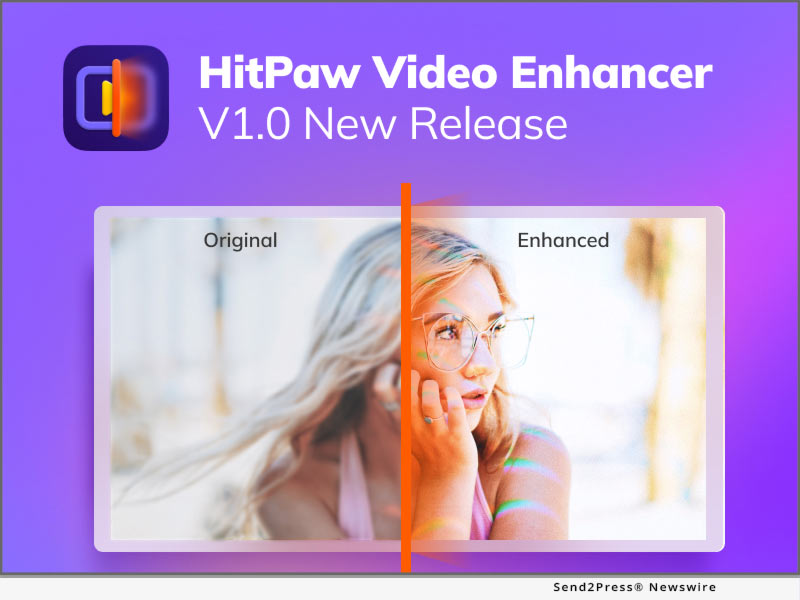
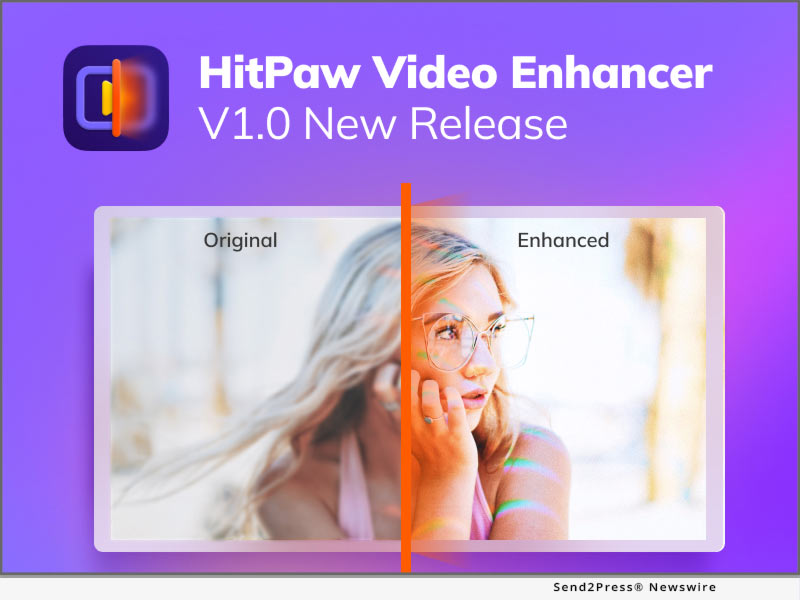
HitPaw Announces New A.I. based Video Enhancer Tool to Upscale Video Quality

NEW YORK, N.Y. /ScoopCloud/ -- HitPaw, a company aiming to develop the best digital creation solution, today releases the brand new video enhancement software - HitPaw Video Enhancer. HitPaw Video Enhancer is combined with Artificial Intelligence to upscale videos automatically for different types of purposes and offers a new method to reduce the noise, pixels, and over-exposure caused by low-quality cameras and bad lighting.

HitPaw Video Enhancer offers three popular models, including General Denoise Model, Animation Model, and Face Model. By selecting the AI model, HitPaw Video Enhancer will automatically apply the same types of adjustments that pro editors would do. In addition, all the adjustments will be embedded directly into the rendering pipeline.

HitPaw Video Enhancer uses machine learning to retouch low-quality and blurred videos in three models:

* General Denoise Model

Videos taken with low-light and low-quality cameras will cause each pixel to have very little light, so it will make videos more blurred and unclear. With the General Denoise Model, HitPaw Video Enhancer could light up each pixel in the video to perform a clear and bright result.

* Animation Model

With the development of resolution, there are so many classic and unsurpassable anime videos that are getting unclearly and colorlessly. Animation Model is aiming to repair the anime videos, by sharping the anime characters and adding colors to make them look more natural and vivid on the high-quality screen.

* Face Model

Normally, it is more complicated and time-consuming to adjust portrait parameters in videos than in a photo, especially for a beginner or a green hand. Learning from a large number of samples, HitPaw Video Enhancer can retouch the portraits in every frame, such as adjusting the brightness, color saturation, and contrast.

Apart from three AI Model, HitPaw Video Enhancer also supports:

* More than 30 video formats
* Up to 4K exported resolution
* Batch processing
* MP4, MOV, and Gif format exported

Compatibility and Price:

HitPaw Video Enhancer is now compatible with Windows 11/10/8/7(64-bit OS). Its pricing starts from $39.99 USD for a monthly plan. For more price checking and information, you can visit https://www.hitpaw.com/purchase/buy-hitpaw-video-enhancer.html

About HitPaw:

HitPaw is an emerging software company specialized in video editing, screen recording, watermark removing, image editing, photo enhancing meme-making, etc. We help users turn their inspiration into reality so that we can generate more ideas to make the world full of more creativity.

To know more, you may visit https://www.hitpaw.com/about.html or https://www.hitpaw.com/.

Our Social Media:

YouTube: https://www.youtube.com/channel/UCQwRggaotgiMcPbiCOsJeBA

Facebook: https://www.facebook.com/hitpawofficial/

Twitter: https://twitter.com/HitPawofficial

Instagram: https://www.instagram.com/HitPawofficial/

Pinterest: https://www.pinterest.com/hitpawvideoeditor/

News from HitPaw

HitPaw, a company aiming to develop the best digital creation solution, today releases the brand new video enhancement software - HitPaw Video Enhancer. HitPaw Video Enhancer is combined with Artificial Intelligence to upscale videos automatically for different types of purposes and offers a new method to reduce the noise, pixels, and over-exposure caused by low-quality cameras and bad lighting.

Related link: https://www.hitpaw.com/

This version of news story was published on ScoopCloud™ (ScoopCloud.com) - part of and © the Neotrope® News Network - all rights reserved.
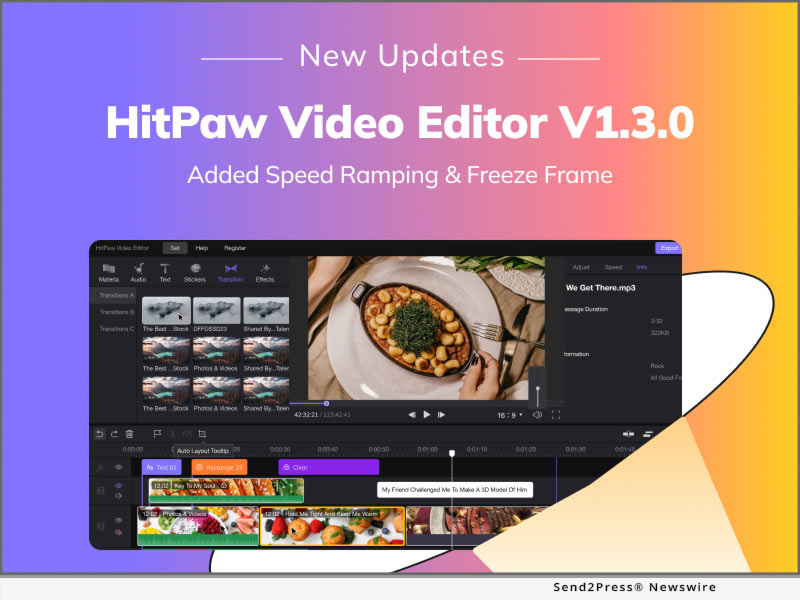
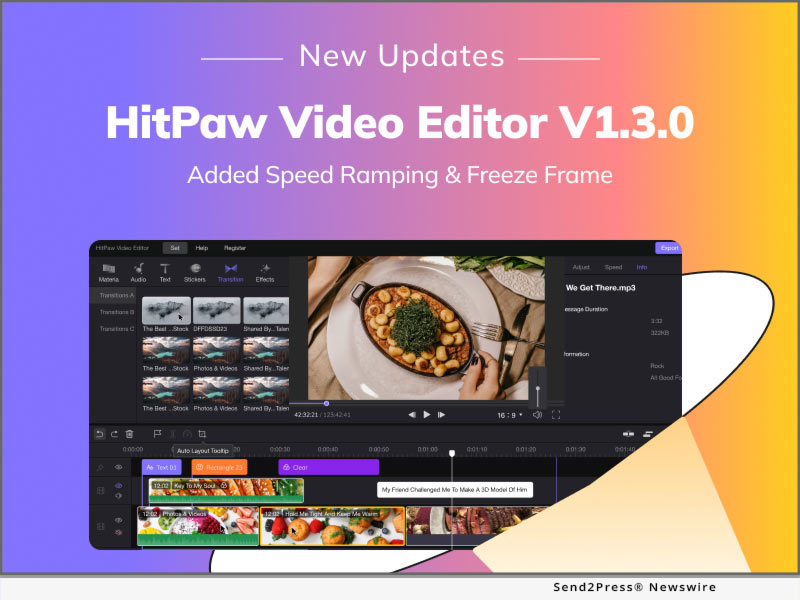
HitPaw Video Editor V1.3.0 Brings a Big Update with Speed Ramping, Freeze Frame and Adding Marker

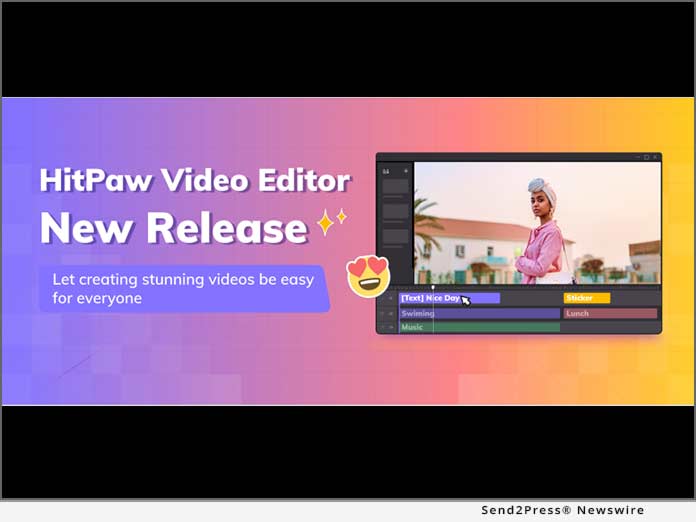
NEW YORK, N.Y. /ScoopCloud/ -- HitPaw, a company aiming to develop the best digital creation solution, has recently announced the new version of HitPaw Video Editor. The latest version of HitPaw Video Editor concentrates on the most powerful functions, which will help creators add more possibilities to the content. To improve the user experience, HitPaw Video Editor also optimized current features to simplify the video editing.

Let's see what new major features about HitPaw Video Editor:

SPEED RAMPING

Speed ramping helps users change videos' speed in order to make videos more rhythmic. HitPaw Video Editor also presets 8 different types of templates to inspire creators on how the videos will look, which lowers the learning curve for beginners.

FREEZE FRAME

A freeze-frame effect is a frozen frame within a piece of video, which halts the movement within the video. The freeze-frame effect allows users to emphasize a point or a movement, which is a great tool to obtain the audience's attention.

ADDING MARKER

Editing requires tons of organization and time. By adding markers in the timeline, everything would be so easy to process. If you want your audio to come in at a specific frame of your clip, you can place markers on the desired points of the video timeline.

After those amazing new features, HitPaw Video Editor also optimized the existing features:

* Exports speed increased by 40%
* Adding 278 stickers and 48 filters
* Added tips to explain all icons
* Other 8 optimization items

Compatibility and Price:

HitPaw Video Editor is now compatible with Windows 11/10/8/7(64-bit OS) and Mac OS (10.13 or above). Its pricing starts from $29.95 USD for a monthly plan. For more price checking and information, you can visit https://www.hitpaw.com/purchase/buy-hitpaw-video-editor.html

About HitPaw:

HitPaw is an emerging software company specialized in video editing, screen recording, watermark removing, image editing, photo enhancing meme-making, etc. We help users turn their inspiration into reality so that we can generate more ideas to make the world full of more creativity. To know more, you may visit https://www.hitpaw.com/about.html

Our Social Media:

YouTube: https://www.youtube.com/channel/UCQwRggaotgiMcPbiCOsJeBA

Facebook: https://www.facebook.com/hitpawofficial/

Twitter: https://twitter.com/HitPawofficial

Instagram: https://www.instagram.com/HitPawofficial/

Pinterest: https://www.pinterest.com/hitpawvideoeditor/

Related Links: https://www.hitpaw.com/

News from HitPaw

HitPaw, a company aiming to develop the best digital creation solution, has recently announced the new version of HitPaw Video Editor. The latest version of HitPaw Video Editor concentrates on the most powerful functions, which will help creators add more possibilities to the content. To improve the user experience, HitPaw Video Editor also optimized current features to simplify the video editing.

Related link: https://www.hitpaw.com/

This version of news story was published on ScoopCloud™ (ScoopCloud.com) - part of and © the Neotrope® News Network - all rights reserved.
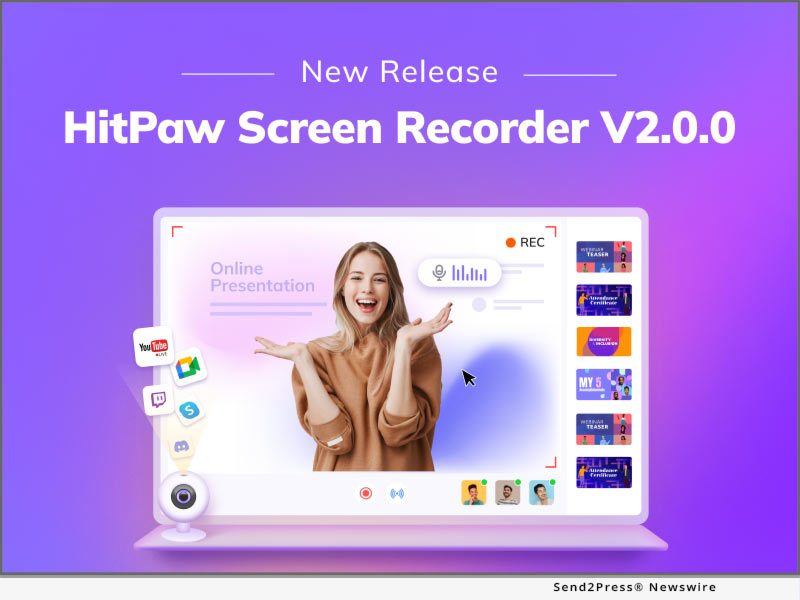
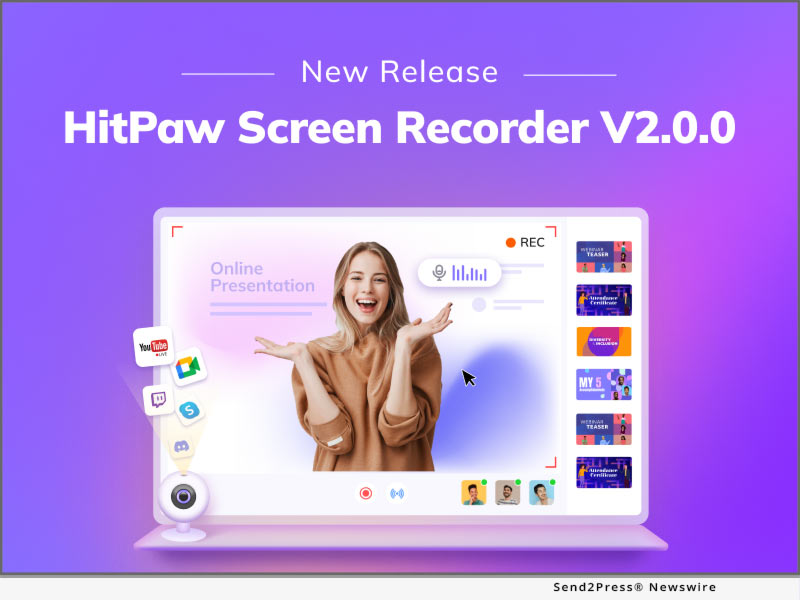
HitPaw Screen Recorder V2.0 Offers Easy Recording, Fast Sharing

NEW YORK, N.Y. /ScoopCloud/ -- Online classes and live streaming have become a part of people's life since it is more convenient to gain knowledge and expand people's horizons via online classes and live streams. In order to help educators, students, gamers, streamers, and other professionals make the attractive online classes, live streamings, HitPaw, as the pioneer in the video industry, adds live streaming and the virtual camera in HitPaw Screen Recorder V2.0 updates.

Let's dive into the amazing updated features!

1. Live Streaming

Live streaming is aiming to help gamers, educators, and streamers to have an efficient way to up streaming on 1000+ platforms like YouTube Live, Twitch, and Facebook Live. Moreover, HitPaw Screen Recorder provides lots of overlays for users to show the different styles. For gamers, you can select a cyberpunk overlay to show how hardcore you are. For educators, you can select a formal overlay to show how professional you are.

2. Virtual Camera

The virtual camera, as a powerful feature, can make online meetings, online classes, and live streaming more possible. Users can add the prerecorded videos to meetings and classes in case they have an emergency to handle. Furthermore, HitPaw Screen Recorder allows users to use their mobile devices like the camera, which provides convenience for people whose computer does not have a built-in camera.

3. Interesting Elements

There are tons of elements in the studio, including stickers, templates, and backgrounds. These elements are necessary can improve the interaction no matter in the live streaming or recorded video. Normally, streamers and influencers interact with the audience via bullet chat and comments, but stickers and backgrounds can be a better medium to interact with the audience.

4. Optimized Other Items

Apart from the features mentioned above, HitPaw Screen Recorder also adds and optimizes other items:

* Editing functions, including cut, crop, resize and rotate.

* Record history and screenshot history.

* Real-time sound display.

Compatibility and Price:

HitPaw Screen Recorder is now compatible with Windows 11/10/8/7(64-bit OS) and Mac OS. Its pricing starts from $9.99 USD for a month plan.

For more price checking and information, you can visit: https://www.hitpaw.com/purchase/buy-hitpaw-screen-recorder.html

About HitPaw:

HitPaw is an emerging software company specialized in video editing, screen recording, watermark removing, image editing, photo enhancing meme-making, etc. We help users turn their inspiration into reality so that we can generate more ideas to make the world be full of more creativity.

To know more, you may visit https://www.hitpaw.com/about.html and https://www.hitpaw.com/.

Our Social Media:

YouTube: https://www.youtube.com/channel/UCQwRggaotgiMcPbiCOsJeBA

Facebook: https://www.facebook.com/HitPawofficial

Twitter: https://twitter.com/HitPawofficial

Instagram: https://www.instagram.com/HitPawofficial/

Pinterest: https://www.pinterest.com/hitpawvideoeditor/

News from HitPaw

Online classes and live streaming have become a part of people's life since it is more convenient to gain knowledge and expand people's horizons via online classes and live streams. In order to help educators, students, gamers, streamers, and other professionals make the attractive online classes, live streaming, HitPaw, as the pioneer in the video industry, adds live streaming and the virtual camera in HitPaw Screen Recorder V2.0 update.

Related link: https://www.hitpaw.com/

This version of news story was published on ScoopCloud™ (ScoopCloud.com) - part of and © the Neotrope® News Network - all rights reserved.

HitPaw MiraCut: Now Everyone Can Be The Influencer

NEW YORK, N.Y. /ScoopCloud/ -- Nowadays, short videos have attracted all attention, and an increasing number of people make their own short videos and share them on TikTok, Instagram, and Twitter. To lower the learning curve of editing and make it possible for everyone to make the amazing short video, HitPaw has released the HitPaw MiraCut. Like its name, HitPaw MiraCut is aiming to help people edit and share miracle videos within seconds.

Would you like to know the amazing features of MiraCut? Let's get started!

1 - A Variety of Cool Templates

HitPaw MiraCut has a wide range of templates to meet various needs. With miscellaneous themes, including Beat, Slowmo, and Effects, you can make your videos in different styles. All templates are trendy, attractive, and well-designed. You can use these templates to create a video with pictures and make short videos with magical effects. Moreover, templates will be constantly updated, so your videos will always follow the trend, or even lead the trend.

2 - Easy to Use and Share

One barrier between amazing video and normal video is the editing skills. By using HitPaw MiraCut, there are no special skills needed. All you need to do is choose the template, import photos and get your aesthetic videos without any effort. Easily and instantly share your works to TikTok and Instagram social media to amaze your friends, get more likes and gain new followers. Post your videos and show your creativity.

3 - Support Plenty of languages and HD Resolution

HitPaw MiraCut supports 17 languages including English, Korean, Russian, German, Spanish, French, Japanese, Portuguese, Arabic, Indonesian, Turkish, Hindi, Italian, Dutch, Thai, Simplified Chinese, and Traditional Chinese. Also, you can export 720P and 1080P videos.

Compatibility and Price:

HitPaw MiraCut is now compatible Android 7 or above and its pricing starts from $3.99 USD for a weekly plan. For more information, you can visit https://www.hitpaw.com/miracut.html

About HitPaw:

HitPaw is an emerging software company specialized in video editing, screen recording, watermark removing, image editing, photo enhancing meme-making, etc. We help users turn their inspiration into reality so that we can generate more ideas to make the world be full of more creativity.

To know more, you may visit https://www.hitpaw.com/about.html and https://www.hitpaw.com/.

Our Social Media:

YouTube: https://www.youtube.com/channel/UCQwRggaotgiMcPbiCOsJeBA

Facebook: https://www.facebook.com/hitpawofficial

Twitter: https://twitter.com/hitpawofficial

Instagram: https://www.instagram.com/hitpawofficial/

Pinterest: https://www.pinterest.com/hitpawvideoeditor/

News from HitPaw

Nowadays, short videos have attracted all attention, and an increasing number of people make their own short videos and share them on TikTok, Instagram, and Twitter. To lower the learning curve of editing and make it possible for everyone to make the amazing short video, HitPaw has released the HitPaw MiraCut. Like its name, HitPaw MiraCut is aiming to help people edit and share miracle videos within seconds.

Related link: https://www.hitpaw.com/

This version of news story was published on ScoopCloud™ (ScoopCloud.com) - part of and © the Neotrope® News Network - all rights reserved.

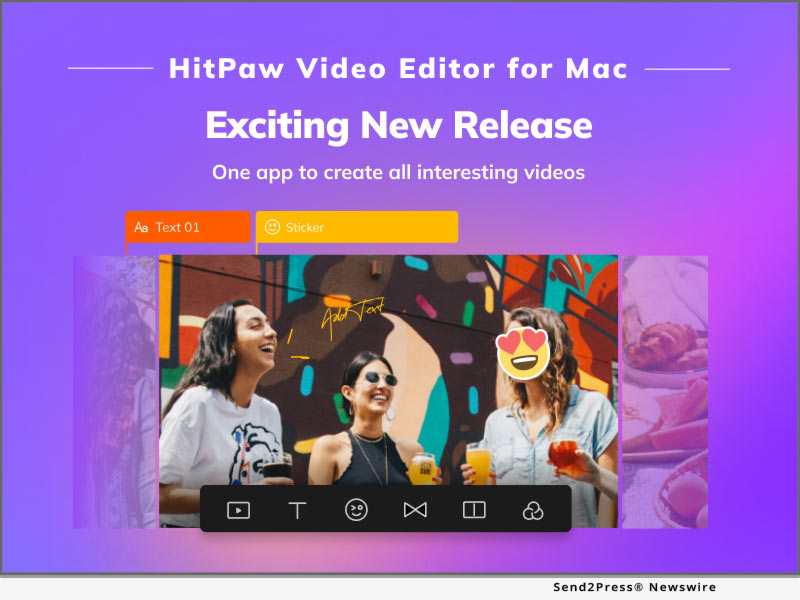
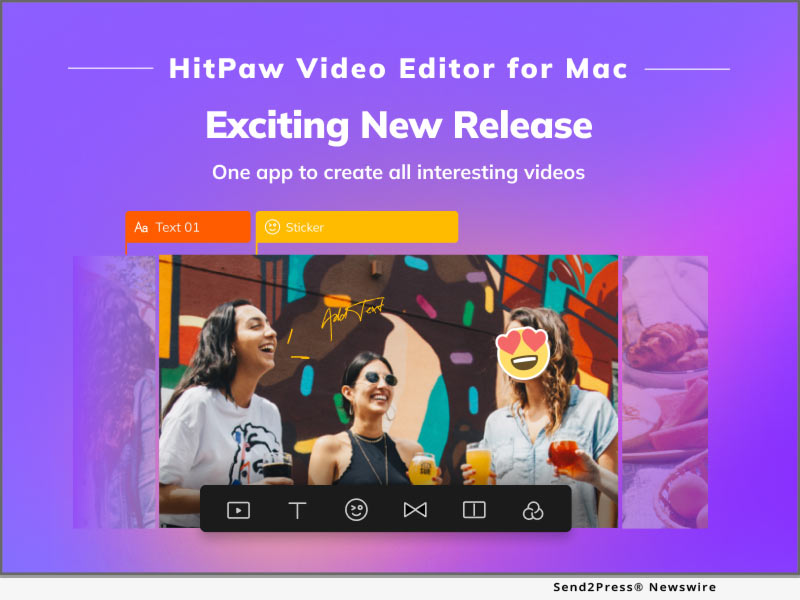
HitPaw Video Editor for Mac: A Wonderful Editing Experience on macOS

NEW YORK, N.Y. /ScoopCloud/ -- To meet a lot of demand from the customer and provide a high-quality user experience, HitPaw, as the leader in the video industry, has released HitPaw Video Editor for Mac. HitPaw Video Editor for Mac allows Mac users to enjoy editing videos with the user-friendly user interface and powerful editing features, like trim, merge, and rotate.

Want to know the features of the release? Let's get started!

1. Clean and User-friendly Interface

HitPaw Video Editor for Mac is aiming to help beginners edit videos like a pro, so a clean and simple user interface will lower the learning curve of beginners. Also, for those who are good at editing, HitPaw Video Editor for Mac's interface will improve their efficiency for editing work.

2. Abundant Editing Elements and Materials

There are luxuriant filters, stickers, and transitions that are built-in HitPaw Video Editor for Mac. Over 100+ filters, 500+ stickers, and 100 transitions can make video editing endless possibilities and fun. Furthermore, various text styles and audio resources are impressive elements to interact with the audience via visual sense and auditory sense.

3. Powerful and Efficient Editing Features

HitPaw Video Editor for Mac possesses every function that users need during video editing, including Trim, Rotate, Merge, Zoom, etc. If you want to simulate the camera movement or stabilize the picture due to the camera shake, Pan&Zoom will perfectly help you to do so. If you want to highlight the amazing moments when doing the sports, speed change will allow you to slow the picture so that audience will pay attention to every detail.

4. Support Various Formats

HitPaw Video Editor for Mac also supports diversified video formats like MP4, MKV, MOV, AVI, WMV, etc. Apart from the video format, it can not only support popular formats like MP3, WAV, and WMA, but also the lossless audio formats like FLAC, AAC, and M4a. Therefore, no matter which devices you are using to take video, HitPaw Video Editor for Mac can serve you well. Moreover, HitPaw Video Editor for Mac can export up to 4K resolution at 60 FPS videos.

Compatibility and Price

HitPaw Video Editor is now compatible with Mac OS (10.13 or above) and Windows 11/10/8/7(64-bit OS), its pricing starts from $35.95 USD for a month plan. For more price checking and information, you can visit https://www.hitpaw.com/purchase/buy-hitpaw-video-editor-mac.html.

About HitPaw

HitPaw is an emerging software company specialized in video editing, screen recording, watermark removing, image editing, photo enhancing meme-making, etc. We help users turn their inspiration into reality so that we can generate more ideas to make the world be full of more creativity.

To know more, you may visit https://www.hitpaw.com/about.html and https://www.hitpaw.com/.

Our Social Media

YouTube: https://www.youtube.com/channel/UCQwRggaotgiMcPbiCOsJeBA

Facebook: https://www.facebook.com/HitPawofficial

Twitter: https://twitter.com/HitPawofficial

Instagram: https://www.instagram.com/HitPawofficial/

Pinterest: https://www.pinterest.com/hitpawvideoeditor/

News from HitPaw

To meet a lot of demand from the customer and provide a high-quality user experience, HitPaw, as the leader in the video industry, has released HitPaw Video Editor for Mac. HitPaw Video Editor for Mac allows Mac users to enjoy editing videos with the user-friendly user interface and powerful editing features, like trim, merge, and rotate.

Related link: https://www.hitpaw.com/

This version of news story was published on ScoopCloud™ (ScoopCloud.com) - part of and © the Neotrope® News Network - all rights reserved.
Faster Conversion and Efficient Work with Updated HitPaw Video Converter Mac

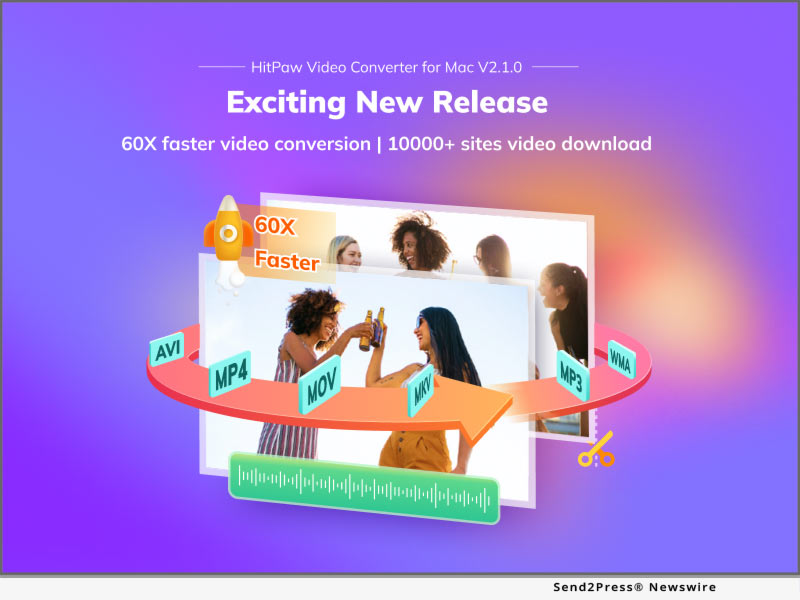
NEW YORK, N.Y. /ScoopCloud/ -- A large number of video workers start using Apple devices like MacBook, iMac, and Mac Mini to process the work. To satisfy a large number of request that users would like to convert videos and audio file on Mac OS, HitPaw, as a pioneer in video industry, has released HitPaw Video Converter Mac version, which can serve Mac users well. Moreover, HitPaw optimized some features in order for users to have the best experience.

So what are the amazing features about HitPaw Video Converter Mac? Here I will take you through it that allows you to convert files on Mac with ease.

60X faster conversion without losing quality

HitPaw Video Converter improve the converting speed to the fastest among all video converters. With the Hardware Accelerations, it is 60x faster to convert a 100MB file than normal conversion, which only costs 30 seconds. Lossless Conversion assures that the video quality will remain the same during the converting process. Also, HitPaw Video Converter allows users to batch convert files so that users can save time to add and convert files one by one.

Ultrafast download from 10000+ websites

HitPaw Video Converter allows users to download videos from 10000+ streaming websites, including YouTube, Facebook, Instagram, and Vimeo. In order to decrease the downloading time and make users' work more efficient, HitPaw Video Converter release the Ultrafast Download that can increase the download speed. Users can download 720p, 1080p, and even 4K videos within seconds. Furthermore, you can also get two free downloads with trial version, giving you the sufficient experience before you make the purchase.

4K video player

HitPaw Video Converter supports to play 4K videos in a smooth way, which can invoke hardware and software to decoding the videos. 4K resolution is becoming the most popular resolution of videos. With playing 4K videos smoothly, users can convert and edit the 4K videos efficiently.

Compatibility and Price

HitPaw Video Converter is now compatible with Windows including Win11 and Mac OS. Its pricing starts from $19.95 per month, $39.95 per year to $69.95 for the lifetime. For more information checking, you can visit: https://www.hitpaw.com/purchase/buy-hitpaw-video-converter-mac.html

About HitPaw

HitPaw is an emerging software company specialized in files compressing, video editing, screen recording, watermark removing, image editing, photo enhancing, etc. We help users turn their inspiration into reality so that we can generate more ideas to make the world be full of more creativity.

To know more, you may visit https://www.hitpaw.com/about.html and https://www.hitpaw.com/

Our Social Media

YouTube: https://www.youtube.com/channel/UCQwRggaotgiMcPbiCOsJeBA

Facebook: https://www.facebook.com/hitpawofficial

Twitter: https://twitter.com/HitPawofficial

Instagram: https://www.instagram.com/hitpawofficial/

Pinterest: https://www.pinterest.com/hitpawvideoeditor/

News from HitPaw

A large number of video workers start using Apple devices like MacBook, iMac, and Mac Mini to process the work. To satisfy a large number of request that users would like to convert videos and audio file on Mac OS, HitPaw, as a pioneer in video industry, has released HitPaw Video Converter Mac version, which can serve Mac users well.

Related link: https://www.hitpaw.com/

This version of news story was published on ScoopCloud™ (ScoopCloud.com) - part of and © the Neotrope® News Network - all rights reserved.
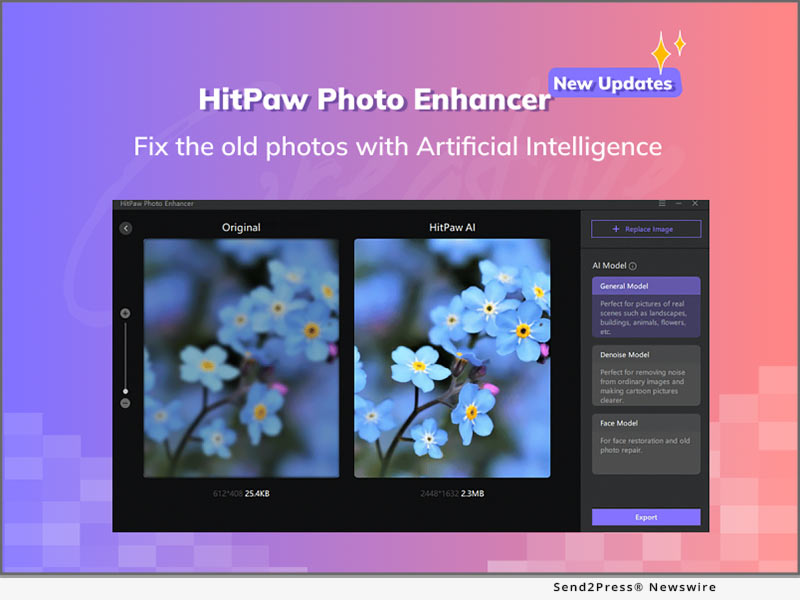
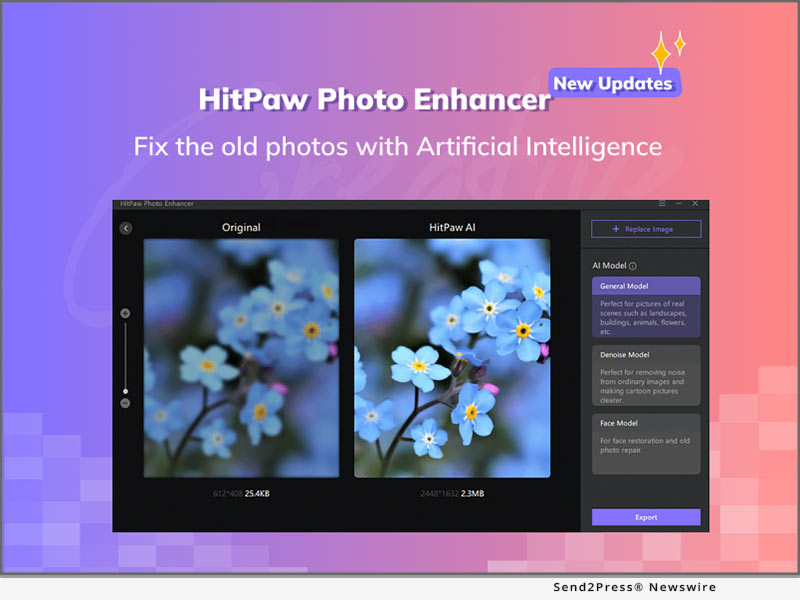
HitPaw Photo Enhancer Update Helps Fix Old Photos with Portrait Reconstruction

NEW YORK, N.Y. /ScoopCloud/ -- To meet people's needs of fixing their blurred and pixelated images, HitPaw has proudly announced that HitPaw Photo Enhancer has been updated with powerful features making photo editing as easy as possible. HitPaw Photo Enhancer is enabled with Artificial Intelligence (AI) which can help users to adjust an image's sharpness, contrast, exposure and resolutions. With a user-friendly User Interface (UI), people can master how to use HitPaw Photo Enhancer without external guidance.

LET'S DIVE IN THE NEW FEATURES OF THE UPDATE:

1 - Improve the Portrait Reconstruction Model

The main update for HitPaw Photo Enhancer is to improve the portrait reconstruction model, which is aiming to fix the old photos. There are noise and pixels in old photos because it is taken by the old devices or compressed by social applications like Twitter, Facebook, and WhatsApp. With Portrait Reconstruction Model, Artificial Intelligence will learn what is the in the old photo first, and reconstruct the pixels so that the old photo looks like more clear and sharp.

2 - Three AI Models for Different Situations

There are 3 AI Models to serve any kind of purpose. The most powerful model is Face Model, which is specialized to upscale photos like selfies. Denoise Model is aiming to remove the noise in the pictures, especially the photos taken at the night. Last but not the least, General Model is perfect for the landscape, buildings, animals, and flowers.

3 - Batch Photos Processing

HitPaw Photo Enhancer supports batch images processing, which allows users to upload unlimited files to process in one time. Users can save their time and improve the efficiency, especially when there are tons of photos need to upscale.

4 - Download Speed Increase

With this update, the software pack has been optimized, which increases the download speed so that HitPaw Photo Enhancer will be downloaded when people don't even realize it.

Compatibility and Price:

HitPaw Photo Enhancer is now compatible with Windows 11/10/8/7 (64-bit OS) and its pricing starts from $8.99 USD for a month plan.

For more price information and feature information, you can visit https://www.hitpaw.com/purchase/buy-hitpaw-photo-enhancer.html.

About HitPaw:

HitPaw is an emerging software company specialized in video editing, screen recording, watermark removing, image editing, photo enhancing meme-making, etc. We help users turn their inspiration into reality so that we can generate more ideas to make the world be full of more creativity.

To know more about HitPaw, you may visit https://www.hitpaw.com/about.html

Main website: https://www.hitpaw.com/

Our Social Media:

YouTube: https://www.youtube.com/channel/UCQwRggaotgiMcPbiCOsJeBA

Facebook: https://www.facebook.com/HitPawofficial

Twitter: https://twitter.com/HitPawofficial

Instagram: https://www.instagram.com/HitPawofficial/

Pinterest: https://www.pinterest.com/HitPawvideoeditor/

News from HitPaw

To meet people's needs of fixing their blurred and pixelated images, HitPaw has proudly announced that HitPaw Photo Enhancer has been updated with powerful features making photo editing as easy as possible. HitPaw Photo Enhancer is enabled with Artificial Intelligence (AI) which can help users to adjust an image's sharpness, contrast, exposure and resolutions. With a user-friendly User Interface (UI), people can master how to use HitPaw Photo Enhancer without external guidance.

Related link: https://www.hitpaw.com/

This version of news story was published on ScoopCloud™ (ScoopCloud.com) - part of and © the Neotrope® News Network - all rights reserved.
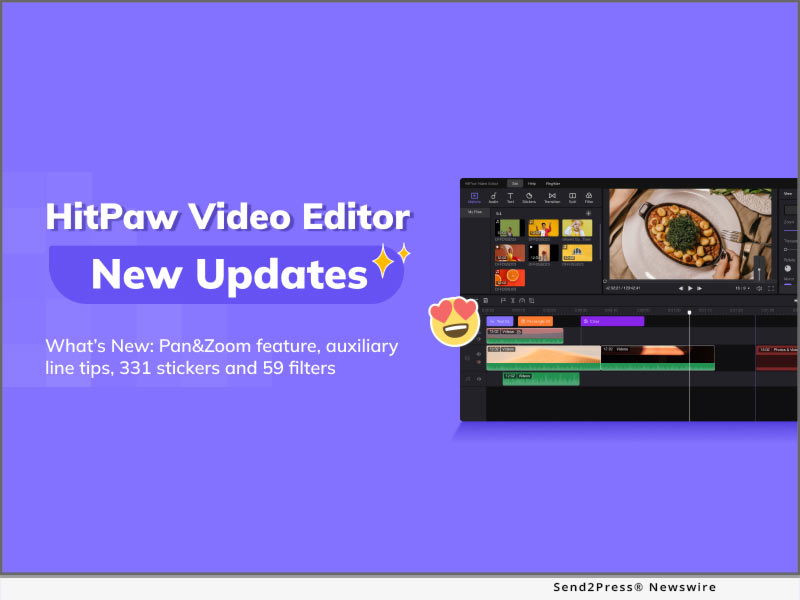
HitPaw Video Editor: New Features for 2022 to Increase Editing Possibilities

NEW YORK, N.Y. /ScoopCloud/ -- To meet people's needs and make people having more fun in video making, HitPaw has proudly announced that HitPaw Video Editor has been updated with amazing features. HitPaw Video Editor puts emphasis on convenience that enables all creators to edit their videos with ease, regardless of their skill level, by providing their easy-to-master tools with a clean UI.

Want to know the features about update? Let's get started!

1 - Add Pan&Zoom Feature:

HitPaw Video Editor allows users to easily simulate the camera movement. Do you want a frame or a picture in the video to have a dynamic effect? Do you want to stabilize the picture because of the camera shake, so you don't have to remake? Pan&Zoom will definitely help you to perfectly done this kind of work.

2 - Add Auxiliary Line Tips:

With this feature, HitPaw Video Converter is aiming to assist users to make it more efficient and accurate to change the position of the video on the player. Sometimes, it is so time-consuming to put the picture to the position where you want. Auxiliary line tips will show when the picture is moving in the middle, on the top, at the bottom, and etc.

3 - Added 331 Stickers and 59 Filters:

Stickers as absolutely necessary elements make the video more interactive and enjoyable, and filters are the best medium to deliver the moods and emotions to the audience. HitPaw Video Editor added more than 300 popular stickers this time, which give users more options and combination to make the video unique, meaningful, and attractive.

4 - Optimized other items:

Apart from the features mentioned above, there are 13 items that are optimized with update, the most 3 incredible features including:

* Options for frame rate when you export a video;

* Angel tips when you are cropping the video;

* Color picker can pick the color wherever on the player.

Compatibility and Price:

HitPaw Video Editor is now compatible with Windows 11/10/8/7(64-bit OS) and its pricing starts from $29.95 USD for a month plan. For more price checking and information, you can visit https://www.HitPaw.com/purchase/buy-HitPaw-video-editor.html.

About HitPaw:

HitPaw is an emerging software company specialized in video editing, screen recording, watermark removing, image editing, photo enhancing meme-making, etc. We help users turn their inspiration into reality so that we can generate more ideas to make the world be full of more creativity.

To know more about HitPaw, you may visit https://www.HitPaw.com/about.html

Main Website: https://www.HitPaw.com/

Our Social Media:

YouTube: https://www.youtube.com/channel/UCQwRggaotgiMcPbiCOsJeBA

Facebook: https://www.facebook.com/HitPawofficial

Twitter: https://twitter.com/HitPawofficial

Instagram: https://www.instagram.com/HitPawofficial/

Pinterest: https://www.pinterest.com/HitPawvideoeditor/

News from HitPaw

To meet people's needs and make people having more fun in video making, HitPaw has proudly announced that HitPaw Video Editor has been updated with amazing features. HitPaw Video Editor puts emphasis on convenience that enables all creators to edit their videos with ease, regardless of their skill level, by providing their easy-to-master tools with a clean UI.

Related link: https://www.hitpaw.com/

This version of news story was published on ScoopCloud™ (ScoopCloud.com) - part of and © the Neotrope® News Network - all rights reserved.
Convert, Download and Edit 3-in-1 with HitPaw Video Converter

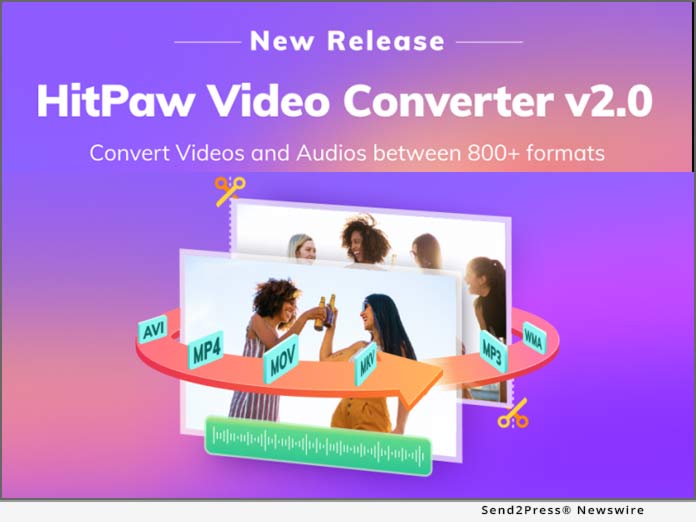
NEW YORK, N.Y. /ScoopCloud/ -- There are a number of video & audio formats for different devices. Some formats, like MP4, are more popular and commonly used, but some are only for special devices. Given this, HitPaw has released its new product- HitPaw Video Converter. As a tool to help you convert your video and audio to the more popular formats, which allow you easily share them or play on a special device.

So what are the features about HitPaw Video Converter? Here I will take you through it that allows you to convert your files with ease.

1. Convert video and audio

HitPaw Video Converter is designed to help people to convert the video and audio formats, so users can easily convert the MP4 video to MKV or M4A audio to MP3. HitPaw Video Converter supports more than 500 video formats and more than 300 audio formats. Moreover, you can choose which devices you want to play on, and the converter will automatically convert the file to the accurate file format.

2. Download video and audio from YouTube

HitPaw Video Converter also allows users download videos, audio, thumbnail, and subtitle from the streaming media. If you watch a funny video on the YouTube and want to save it to your devices, what you will do? Right now, you can use HitPaw Video Converter to download the video without losing quality from YouTube, Facebook, and Vimeo, etc.

3. Edit your video

Editing is another function of HitPaw Video Converter. Users can add the video/audio to the edit list after converting or downloading, which can make the file perfect by cutting and merging. With the hardware acceleration, it is faster than you think when you are exporting a batch of files.

Compatibility and Price:

HitPaw Video Converter is now compatible with Windows including Win11 and its pricing starts from $19.95 per month, $39.95 per year to $69.95 for the lifetime.

For more information checking, you can visit: https://www.hitpaw.com/purchase/buy-hitpaw-video-converter.html

About HitPaw:

HitPaw is an emerging software company specialized in files compressing, video editing, screen recording, watermark removing, image editing, photo enhancing, etc. We help users turn their inspiration into reality so that we can generate more ideas to make the world be full of more creativity.

To know more, you may visit

https://www.hitpaw.com/

https://www.hitpaw.com/about.html

Our Social Media:

YouTube: https://www.youtube.com/channel/UCQwRggaotgiMcPbiCOsJeBA

Facebook: https://www.facebook.com/hitpawofficial

Twitter: https://twitter.com/HitPawofficial

Instagram: https://www.instagram.com/hitpawofficial/

Pinterest: https://www.pinterest.com/hitpawvideoeditor/

News from HitPaw

There are a number of video & audio formats for different devices. Some formats, like MP4, are more popular and commonly used, but some are only for special devices. Given this, HitPaw has released its new product- HitPaw Video Converter.

Related link: https://www.hitpaw.com/

This version of news story was published on ScoopCloud™ (ScoopCloud.com) - part of and © the Neotrope® News Network - all rights reserved.
HitPaw Christmas Promotion 2021 Provides Up to 50% OFF!

NEW YORK, N.Y. /ScoopCloud/ -- As a brand committed to providing software that can make our digital life more interesting and easier, HitPaw is on their way to fulfill this idea. For the most important festival of the year, HitPaw also offers the best deals of its products as Christmas gifts. The up to 50% off offer starts from December 14, 2021 to January 6, 2022.

So: let's go and explore what is in the biggest Christmas gift package!

:: 1 - Free Win Gifts - For the lucky people

Are you interested in editing your life segments and making a meaningful video? Do you feel anxious when there is no storage room to save your memorable videos and photos? Go to the event page, click the button and share the post to your Facebook or Twitter to get the free gifts from HitPaw! Gifts include:

* $200 Amazon Gift Card

* $20 Amazon Gift Card

* $10 Amazon Gift Card

* 1-month free HitPaw Video Editor

* 1-month free HitPaw Video Compressor

* $5 Coupon code

:: 2 - Save 50% on your order - The best creators' bundle

Want to create a video with movie-class transitions? Want to record games, screen, webcam or record webcam and games at the same time, but can't find a suitable one that contain all these features? Want to reduce your image or video size without losing the quality while saving storage of your devices? Here is your great chance! HitPaw's creator's bundle helps every creator to save their money and time to make a choice. You can have them all!

Now you can get HitPaw Video Editor, HitPaw Screen Recorder, and HitPaw Compressor for 1 month at 50% Off. The final price of the bundle is $26.46!

:: 3 - 30% OFF Discounts - For Hot Star Products

None of the above attracts you? No worries! Every best-selling product of HitPaw has a 30% OFF discount and you can enjoy these products at a reasonable and affordable price.

* Get HitPaw Video Editor Yearly at $27.96

* Get HitPaw Screen Recorder Yearly at $20.99 for Win / $20.99 for Mac

* Get HitPaw Photo Enhancer Yearly at $20.99

* Get HitPaw Compressor Yearly at $13.99

* Get HitPaw Toolkit Yearly at $13.99 for Win / $20.99 for Mac

* Get HitPaw Watermark Remover Yearly at $9.99 for Win / $19.99 for Mac

About HitPaw:

HitPaw is an emerging software company specialized in video editing, screen recording, watermark removing, image editing, photo enhancing, etc. We help users turn their inspiration into reality so that we can generate more ideas to make the world be full of more creativity.

To know more, you may visit https://www.HitPaw.com/about.html

Home page: https://www.HitPaw.com/

Our Social Media:

YouTube: https://www.youtube.com/channel/UCQwRggaotgiMcPbiCOsJeBA

Facebook: https://www.facebook.com/HitPawofficial

Twitter: https://twitter.com/HitPawofficial

Instagram: https://www.instagram.com/HitPawofficial/

Pinterest: https://www.pinterest.com/HitPawvideoeditor/

News from HitPaw

As a brand committed to providing software that can make our digital life more interesting and easier, HitPaw is on their way to fulfill this idea. For the most important festival of the year, HitPaw also offers the best deals of its products as Christmas gifts. The up to 50% off offer starts from December 14, 2021 to January 6, 2022.

Related link: https://www.hitpaw.com/

This version of news story was published on ScoopCloud™ (ScoopCloud.com) - part of and © the Neotrope® News Network - all rights reserved.
Reduce Image and Video Size with HitPaw Compressor

NEW YORK, N.Y. /ScoopCloud/ -- Due to the limited storage space of your phone and the size limitations of some social networks, you may find it hard to store the image or video you captured with your phone or camera in their original sizes on your device or post them to the Internet. Given this, HitPaw has released its new product- HitPaw Compressor.

As a tool to help you reduce the size of your image or video, HitPaw Compressor aims at saving space with an acceptable loss in quality.

So what are the features about HitPaw Compressor? Here I will take you through it that allows you to compress your files with ease.

1 - Compress Image & Video Effortlessly

HitPaw Compressor is designed to help people reduce the size of files so that they can be stored on the device or uploaded to the social media. It allows you to downsize your image or video easily while in the meantime, you can choose the quality and format you want before compressing.

2 - Shrink Image Files

In the Image part, users can add image in jpg, png, bmp, gif format to begin their process. 5 files are allowed to be uploaded and compressed at the same time in the free trial. For those who need to process more pictures, you may purchase the application for more services. After the HitPaw Compressor has done its work, users can see the "state" about how much space has been saved. What's more, users can also check the comparison pictures and the location of the processed files in the "Operation" column.

3 - Downsize Video Files

In the Video part, formats such as MP4, WMV, AVI, FLV, MOV, MKV are supported. Similarly, 5 files are allowed to be chosen and processed at the same time and to enjoy more services like being able to adjusting the FPS, the resolution, etc., you may purchase it. The highlight is that the file size of the uploaded one is not restricted, which means users can compress any video of any length they like.

When HitPaw Compressor has done its work, users can see the "state" shows how much space has been saved as well as some other information about the file. And the format for output is optional.

Compatibility and Price

HitPaw Compressor is now compatible with Windows 11 and its pricing starts from $12.99 per month, $19.99 per year to $29.99 for the lifetime.

For more information checking, you can visit https://www.hitpaw.com/purchase/buy-hitpaw-compressor.html.

About HitPaw

HitPaw is an emerging software company specialized in files compressing, video editing, screen recording, watermark removing, image editing, photo enhancing, etc. We help users turn their inspiration into reality so that we can generate more ideas to make the world be full of more creativity. To know more, you may visit https://www.hitpaw.com/about.html

Our Social Media:

YouTube: https://www.youtube.com/channel/UCQwRggaotgiMcPbiCOsJeBA

Facebook: https://www.facebook.com/hitpawofficial

Twitter: https://twitter.com/HitPawofficial

Instagram: https://www.instagram.com/hitpawofficial/

Pinterest: https://www.pinterest.com/hitpawvideoeditor/

LEARN MORE AT: https://www.hitpaw.com/

News from HitPaw

Due to the limited storage space of your phone and the size limitations of some social networks, you may find it hard to store the image or video you captured with your phone or camera in their original sizes on your device or post them to the Internet. Given this, HitPaw has released its new product- HitPaw Compressor.

Related link: https://www.hitpaw.com/

This version of news story was published on ScoopCloud™ (ScoopCloud.com) - part of and © the Neotrope® News Network - all rights reserved.

HitPaw Video Editor: Want to Better Your Videos? You’re in the Right Place!

NEW YORK, N.Y. /ScoopCloud/ -- To meet people's needs in sharing their life with videos on social media, HitPaw has proudly announced that it has launched its brand-new software - HitPaw Video Editor. HitPaw Video Editor puts emphasis on convenience that enables all creators to edit their videos with ease, regardless of their skill level, by providing their easy-to-master tools with a clean UI.

Want to know more features about it? Let's get started!

1. Edit Videos Easily and Fast

HitPaw Video Editor allows you to do almost all video editing works such as split video, rotate and zoom, change video speed, separate video and audio, etc. Moreover, unlimited tracks in the timeline allows you to create awesome videos as you want and connected elements improve your editing efficiency.

2. Resourceful Audio Library

After uploading the file, users can add audio file to their videos. In this section, clock, camera sound, etc can be found in the Normal mode. To help those who want their videos become less dull, the HitPaw video editor has other audios to choose. For example, the weird, zombies in Effects; The dog barking and thunder in Nature as well as the BGM section, all of which are vivid and practical.

3. Various Text Mode

To avoid clumsy text mode, the HitPaw video editor add kinds of wordart for users to choose. After choosing the one you like, you may want to make further changing. Therefore, the color, font, size adjusting, text-bolding, etc are there for you to use. The highlight here is that users can adjust the character space by sliding the button or just simply enter a number.

4. Creative Stickers

Nowadays, stickers has become a part of our life that used to beautify our pictures or videos. Given this, the HitPaw video editor provides kinds of creative stickers that are available for people with different needs. For example, the stickers in 3D Elements and Clip Art are such cute and versatile stickers that can make your file all the more distinctive.

5. Multifunctional Transition Effect

The transition effect in the editor contains such great modes that can suit people's need when they want to merge videos or change the invariable frame with a more smooth and over unexpected effect. To name a few, to erase or cover something, you may need the mosaics in Effect. To demonstrate your slides, you may need the page curl or swap in Slideshow.

6. Diverse Filters

Filters now are known to all I believe. The video pictures may appear with different effects due to the lights or the place you are in. To solve it, the Filters here provides you with different effects that can improve the tones of the food, the scenery or the people that recorded in your video.

Compatibility and Price

HitPaw Video Editor is now compatible with Windows 11/10/8/7(64-bit OS) and its pricing starts from $29.95 USD for a month plan. For more price checking and information, you can visit https://www.HitPaw.com/purchase/buy-HitPaw-video-editor.html.

About HitPaw

HitPaw is an emerging software company specialized in video editing, screen recording, watermark removing, image editing, photo enhancing meme-making, etc. We help users turn their inspiration into reality so that we can generate more ideas to make the world be full of more creativity.

To know more, you may visit https://www.HitPaw.com/about.html

Main Website https://www.HitPaw.com/

OUR SOCIAL MEDIA

YouTube: https://www.youtube.com/channel/UCQwRggaotgiMcPbiCOsJeBA

Facebook: https://www.facebook.com/HitPawofficial

Twitter: https://twitter.com/HitPawofficial

Instagram: https://www.instagram.com/HitPawofficial/

Pinterest: https://www.pinterest.com/HitPawvideoeditor/

News from HitPaw

To meet people's needs in sharing their life with videos on social media, HitPaw has proudly announced that it has launched its brand-new software - HitPaw Video Editor. HitPaw Video Editor puts emphasis on convenience that enables all creators to edit their videos with ease, regardless of their skill level, by providing their easy-to-master tools with a clean UI.

Related link: https://www.hitpaw.com/

This version of news story was published on ScoopCloud™ (ScoopCloud.com) - part of and © the Neotrope® News Network - all rights reserved.

HitPaw Watermark Remover 1.3.0 Helps To Remove Watermark from Videos without Blur

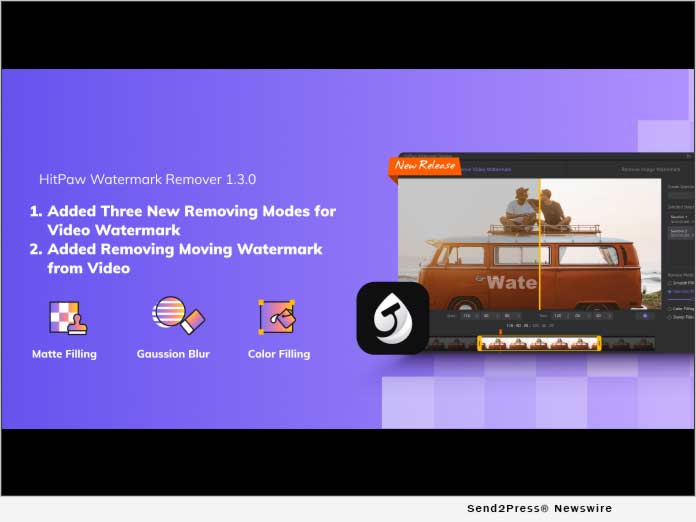
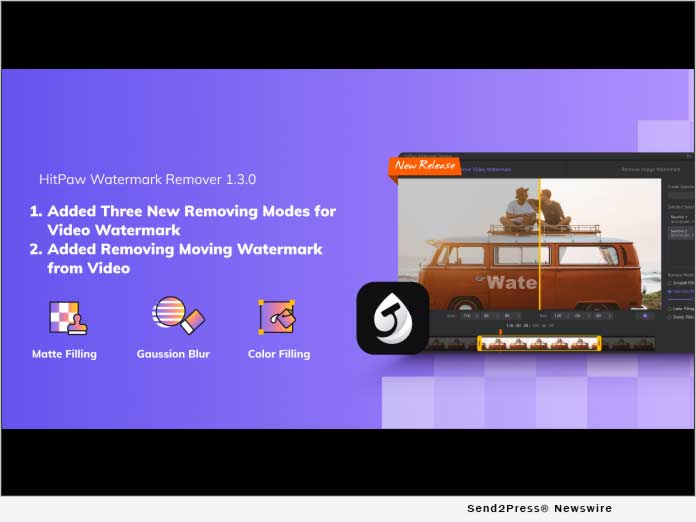
NEW YORK, N.Y. /ScoopCloud/ -- To provide a better experience to remove video watermark, HitPaw released HitPaw Watermark Remover version 1.3.0 with 3 more video watermark removing modes: Matte Filling, Color Filling, and Gaussian Blur and add the feature to remove moving watermark from video. All these features are creative and cannot be found in any competitive products.

Curious about these new features? Go ahead with us.

1. Matte Filling

Matte filling is a function that is the same as stamp clone in the Photoshop. It can remove watermark from video via copying the content from the selected part in your video to cover the watermark. It can work to get great results even though your watermark is on a complex background.

2. Color Filling

Color Filling allows you to detect what color other parts are using and apply it to cover the watermark. Using this way can erase the watermark from video without blur if the watermark's background is single-color

3. Gaussian Blur

Blur the watermark on your video to remove the video watermark successfully. It can be used in any case. But can get better effect if your video watermark is in single-color background with few elements.

4. Remove Moving Watermark

Moving watermarks can be found in a lot of videos. There is no solution in the market at the moment except using HitPaw Watermark Remover. You only need to tell HitPaw Watermark Remover the start and endpoint of the watermark, it can remove it successfully.

Compatibility and Price:

HitPaw Watermark Remover can work on Windows 11/10/8/7 64 bits and macOS 10.13 or later version.

Here is the price list for Windows and Mac:

HitPaw Watermark Remover for Windows

$4.99/month

$6.99/quarter

$9.99/year

HitPaw Watermark Remover for Mac

$8.99/month

$12.99/quarter

$19.99/year

About HitPaw:

HitPaw is an emerging software company specialized in video editing, screen recording, watermark removing, image editing, meme-making, etc.

Check more via https://www.hitpaw.com/about.html

Our Social Media:

YouTube: https://www.youtube.com/channel/UCQwRggaotgiMcPbiCOsJeBA

Facebook: https://www.facebook.com/hitpawofficial

Twitter: https://twitter.com/HitPawofficial

Instagram: https://www.instagram.com/hitpawofficial/

Pinterest: https://www.pinterest.com/HitPawvideoeditor/

Additional information: https://www.hitpaw.com/

News from HitPaw

To provide a better experience to remove video watermark, HitPaw released HitPaw Watermark Remover version 1.3.0 with 3 more video watermark removing modes: Matte Filling, Color Filling, and Gaussian Blur and add the feature to remove moving watermark from video. All these features are creative and cannot be found in any competitive products.

Related link: https://www.hitpaw.com/

This version of news story was published on ScoopCloud™ (ScoopCloud.com) - part of and © the Neotrope® News Network - all rights reserved.
HitPaw Screen Recorder V1.1.0 with a Game Recorder Released

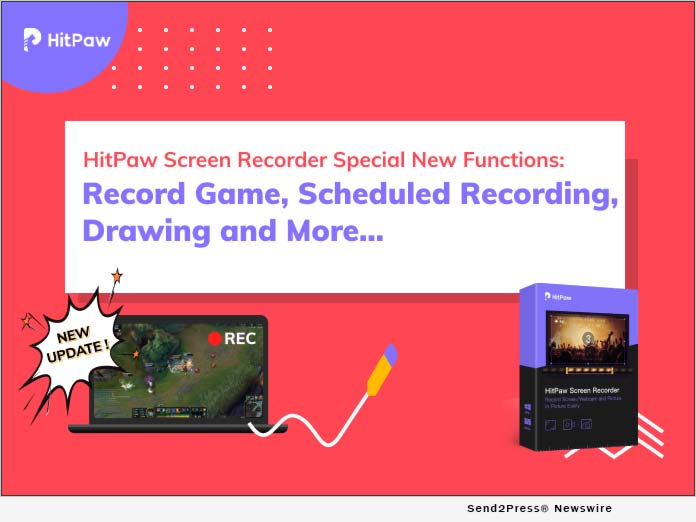
NEW YORK, N.Y. /ScoopCloud/ -- HitPaw has released HitPaw Screen Recorder version 1.1.0. It adds some new features, fixes some bugs and improves users experience in this version. Among the all new features, game recorder is the most outstanding point.

Just go through the all new features here:

1. Game Recorder

Record game feature will be seen in the home interface with this update. It offers two options record: one is to select the specific game you are running on your computer and the other is to choose the application directly. It supports to work for almost all PC games.

2. Schedule and Timed Recording

Schedule and timed recording is another major new feature in this version. Schedule recording allows you to set when it starts recording the screen or game. For example, if you have one live class which will start at 10 am, but you have to go to work at that time. You can use this feature and start recording once the live class starts. Schedule recording only can let the recording process begin. But what if want it to stop once the live class ends? Using timed recording to have one fixed duration of recording, then, it will stop automatically.

3. Draw

With Pen, Highlight and Arrow, draw is very useful to those, especially, teachers, who want to point out something during the video. Six colors are available and change their size are permitted.

4. Monitor Preview

HitPaw Screen Recorder version 1.1.0 adds larger monitor preview to make sure you can preview the recording contents much clearer.

Apart from these new functions, record screen, record webcam, record picture in picture video, segment recording, capture keyboard and mouse are what you should not miss.

Compatibility and Price

HitPaw Screen Recorder is compatible with Windows 7,8,10 64 bits. Mac version will come soon. The price starts from $14.99. With the 30% OFF Coupon code: YT-30OFF, only costs from $10.5 to $35.

More information: https://www.hitpaw.com/purchase/buy-hitpaw-screen-recorder.html

About HitPaw:

HitPaw is an emerging software company specialized in video editing, image editing, meme making, etc. Check more via https://www.hitpaw.com/about.html

More information (main website): https://www.hitpaw.com/

Our Social Media:

YouTube: https://www.youtube.com/channel/UCQwRggaotgiMcPbiCOsJeBA

Facebook: https://www.facebook.com/hitpawofficial

Twitter: https://twitter.com/HitPawofficial

Instagram: https://www.instagram.com/hitpawofficial/

Pinterest: https://www.pinterest.com/HitPawvideoeditor/

News from HitPaw

HitPaw has released HitPaw Screen Recorder version 1.1.0. It adds some new features, fixes some bugs and improves users experience in this version. Among the all new features, game recorder is the most outstanding point.

Related link: https://www.hitpaw.com/

This version of news story was published on ScoopCloud™ (ScoopCloud.com) - part of and © the Neotrope® News Network - all rights reserved.
HitPaw Screen Recorder Simplifies Process for Educators, Gamers, Bloggers or Any Other Content Creators to Make Videos

NEW YORK, N.Y. /ScoopCloud/ -- HitPaw releases a new software - HitPaw Screen Recorder. With its easy-to-use UI, all beginners can use it without any hassle.

So, what are the features and advantages of HitPaw Screen Recorder? Here is the overview to check.

1 -- Three Recording Modes

Record Screen - Capture the part creators want to record. Drag the selection and adjust the capture area size. With the magnifier, creators can locate at the accuracy position.

Record Webcam - Put creators' faces on the video is necessary when creators record online courses, reactions videos, study videos, etc. HitPaw Screen Recorder not only can record creators' face, but also support change creators' camera, its resolution, FPS and mirror the video.

Picture in Picture - Record picture in picture means that creators can record creators' screen and face at the same time. It has 4 options: Screen+Webcam, Webcam+Screen, Webcam, Screen and allows creators to switch any time. It also can change the PIP position and size based on creators' needs.

2 -- Capture Mouse and Keyboards

Capture Mouse - Capture creators' mouse lets video watchers understand what part creators are talking about. With the mouse effect setting, it can make the mouse clearer and more interesting.

Capture Keyboards - Open "Capture Keyboards", it allows video viewers know clearly what actions creators are doing on the keyboard. It is also available to change its color.

3 -- Segment Saving

Segment saving in HitPaw Screen Recorder helps creators auto save the recorded video in every 30 mins or the duration creators set.

4 -- Hardware Acceleration

Hardware acceleration enhances HitPaw Screen Recorder working speed on creators' computers.

Price and Compatibility

There are three price plans for HitPaw Screen Recorder. They are $14.99/month, $29.99/quarter, and $49.99/year. You can check the price via https://www.hitpaw.com/purchase/buy-hitpaw-screen-recorder.html.

Now, the first version of HitPaw Screen Recorder is only compatible with Windows 7/8/10 64 bit. A Mac version will come in 2 months.

About HitPaw

HitPaw is an emerging software company specialized in video editing, image editing, meme making, etc. Check more via https://www.hitpaw.com/about.html

Our Social Media

YouTube: https://www.youtube.com/channel/UCQwRggaotgiMcPbiCOsJeBA

Facebook: https://www.facebook.com/hitpawofficial

Twitter: https://twitter.com/HitPawofficial

Instagram: https://www.instagram.com/hitpaw_video_editor/

Pinterest: https://www.pinterest.com/HitPawvideoeditor/

LEARN MORE AT: https://www.hitpaw.com/

News from HitPaw

HitPaw releases a new software - HitPaw Screen Recorder. With its easy-to-use UI, all beginners can use it without any hassle. The first version of HitPaw Screen Recorder is only compatible with Windows 7/8/10 64 bit. A Mac version will come in 2 months.

Related link: https://www.hitpaw.com/

This version of news story was published on ScoopCloud™ (ScoopCloud.com) - part of and © the Neotrope® News Network - all rights reserved.
HitPaw Toolkit Version 1.2.0 Released with New Features

NEW YORK, N.Y. /ScoopCloud/ -- HitPaw publishes HitPaw Toolkit version 1.2.0 with new features: video converter, merge video, resize video, and photo editor which makes it more powerful to edit videos and pictures. As a video and picture tool for beginners, HitPaw focuses on easy-to-use UI and strives for providing "no tech necessary" video editing tools for users.

WHAT ARE NEW FEATURES OF HITPAW TOOLKIT?

1. Resize Video

Change the video size to post it to your social media. The best feature for users is to choose the scale of platforms such as YouTube, Facebook, Twitter, Instagram, etc., directly without needing to know what's the detailed requirement of each platform. Fit and fill features allow you to decide how to show the video.

2. Merge Video

Merge several videos are not a problem for you anymore with HitPaw Toolkit. What makes the merge feature over other software? It is that you can preview the merge effects without exporting and simply drag and drop to change the video position.

3. Video & Audio Converter

HitPaw Toolkit supports converting video and audio to any format. You can extract the audio from video easily, convert video to other formats as you want. It supports importing and exporting more than 1000+ video/audio formats.

4. Photo Editor

Completely free to crop, rotate, add text, and adjust photo brightness, saturation and contrast. There are many little tricks in this function, like angle, scale, palette and many more.

OTHER IMPROVEMENTS:

1. All video features support importing and editing GIF.

2. Add Hardware acceleration feature to speed up exporting.

3. Optimize the preview of Crop&Rotate function

4. Added the fine-tuning feature to trim video, long-press the start or end slider to enable

The Whole Functions of HitPaw Toolkit

Apart from the 4 new functions above, HitPaw Toolkit also helps to cut video, adjust video, speed up or slow down video, add music to video, make stop motion video, crop&rotate video, convert video to GIF and also create meme.

PRICE AND AVAILABILITY:

Three pricing plans, based on your needs:

$8.99 for one month license

$14.99 for one quarter license

$19.99 for one year license

Learn more: https://www.hitpaw.com/purchase/buy-hitpaw-toolkit.html

ABOUT HITPAW

HitPaw is an emerging software company specialized in video editing, image editing, meme making, etc. Information https://www.hitpaw.com/about.html

YouTube: https://www.youtube.com/channel/UCQwRggaotgiMcPbiCOsJeBA

Facebook: https://www.facebook.com/hitpawofficial

Twitter: https://twitter.com/HitPawofficial

Instagram: https://www.instagram.com/hitpaw_video_editor/

*IMAGE link for media: https://www.Send2Press.com/300dpi/21-0202s2p-hitpaw-toolkit-300dpi.jpg

News from HitPaw

HitPaw publishes HitPaw Toolkit version 1.2.0 with new features: video converter, merge video, resize video, and photo editor which makes it more powerful to edit videos and pictures. As a video and picture tool for beginners, HitPaw focuses on easy-to-use UI and strives for providing "no tech necessary" video editing tools for users.

Related link: https://www.hitpaw.com/

This version of news story was published on ScoopCloud™ (ScoopCloud.com) - part of and © the Neotrope® News Network - all rights reserved.
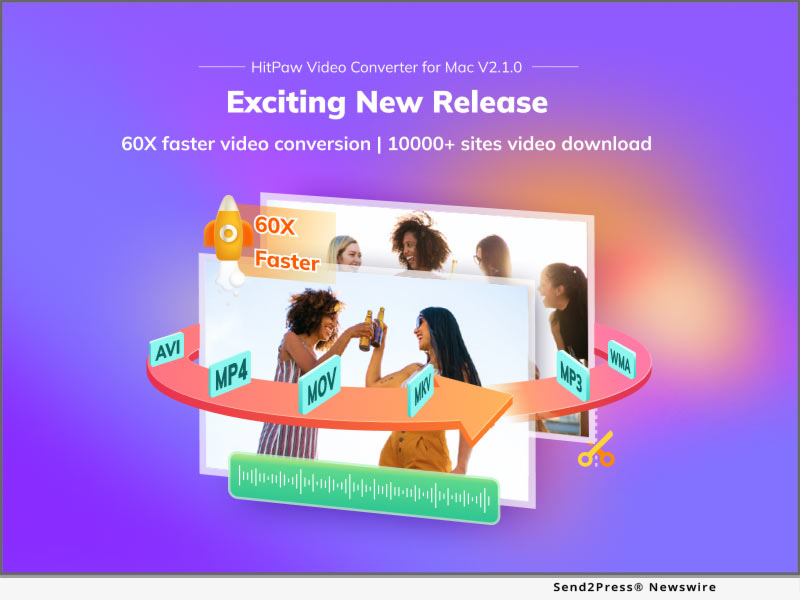
HitPaw Launches Ultimate Video Toolkit to Reshape the Way People Edit Their Videos

NEW YORK, N.Y. /ScoopCloud/ -- HitPaw proudly announces the launch of a remarkable new video toolkit that will reshape the way people edit their videos in this digital age: HitPaw Toolkit. Founded in 2020, the emerging tech-startup is determined to lead the industry of digital content creation, especially in the fields of video editing, video conversion, image editing, meme making and several other areas.
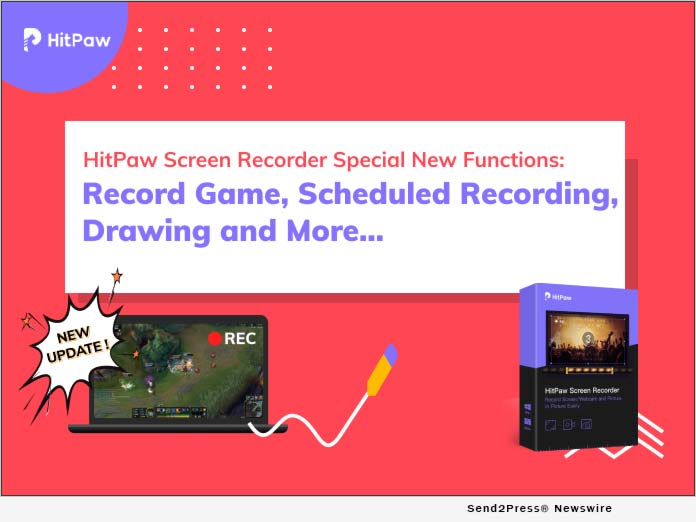
"We are overjoyed to announce that this toolkit has all the video tools a user needs in one place, and it has many advantages over other similar software available online," said the CEO of HitPaw, while talking about the newly launched HitPaw Toolkit. In addition, HitPaw Toolkit has combined a wide range of useful features for video editing in a single software.

1 - Cut Video:

Users can easily cut a video and split it into two or more and can extract their desired clip from a video. Users can cut the video in any length and anytime.

2 - Add Music:

Moreover, HitPaw Toolkit also supports music addition to a video, which means that users can add music or a song or even background voice to their videos.

3 - Video to GIF:

The one-of-a-kind toolkit also supports video conversion to GIF, which means that users can use a video as a meme as well. Use the software, converting your video to GIF becomes easy and quick.

4 - Change Speed:

It also enables users to change the speed of the video as they can slow down or speed up the video as they desire.

Other features of HitPaw Toolkit include cropping or rotating a video, making a stop motion, and much more. HitPaw also features a watermark removal tool, and free conversion feature, which enables users to remove watermarks from their videos or convert their video into the format of their choice.

Pricing and Availability:

Users can also enjoy this remarkable software online for free, while they can also download it for their computers with a monthly, quarterly, and annual subscription at the affordable prices of $3.99, $5.99, and $8.99, respectively.

Buy Now: https://www.hitpaw.com/purchase/buy-hitpaw-toolkit.html

About HitPaw:

HitPaw is an emerging tech-company with an aim to revolutionize the world of digital content creation and especially video editing. It is witnessing a growing number of satisfied users worldwide.

For more information, visit: https://www.hitpaw.com/

SOCIAL MEDIA:

Facebook: https://www.facebook.com/hitpawofficial/

Twitter: https://twitter.com/HitPawofficial

YouTube: https://www.youtube.com/channel/UCQwRggaotgiMcPbiCOsJeBA/featured

MULTIMEDIA:

*VIDEO (YouTube): https://youtu.be/od3KTETQgQY

*IMAGE link for media: https://www.Send2Press.com/300dpi/20-1210s2p-hitpaw-300dpi.jpg

News from HitPaw

HitPaw proudly announces the launch of a remarkable new video toolkit that will reshape the way people edit their videos in this digital age: HitPaw Toolkit. Founded in 2020, the emerging tech-startup is determined to lead the industry of digital content creation, especially in the fields of video editing, video conversion, image editing, meme making and several other areas.

Related link: https://www.hitpaw.com/

This version of news story was published on ScoopCloud™ (ScoopCloud.com) - part of and © the Neotrope® News Network - all rights reserved.