Tag Archives: China Business

Tenorshare iCareFone V5.0.0.0 Released! Brand-new UI and Fully Support iOS 12 and iPhone X/8/8 Plus

NEW YORK, N.Y. /ScoopCloud/ -- Tenorshare upgraded iCareFone to Version 5.0.0.0, which has a completely new UI and perfect compatibility with iOS 12 and iPhone X/8/8 Plus. Tenorshare iCareFone is featured as an iPhone transfer tool, which is able to transfer iOS data to PC/Mac, backup iPhone to computer, restore backup files to iPhone/iPad/iPod Touch selectively, manage all data types in iDevice conveniently and rescue your smartphone from common iOS problems.

"Tenorshare iCareFone is a real manager of iOS data," said Mike Lee, Tenorshare's CEO. "It is an all-in-one tool which provides iOS transfer, backup, restore, manage and iOS system fix. This new update has utilized more mature technology and improved system stability. We're devoting ourselves to the technological innovation for better software."

New & Key Features in Tenorshare iCareFone V5.0.0.0.:

1. Transfer:
• An iTunes alternative to transfer music, photos, videos without limitation.
• Import Music, Music Playlist, Movies, Podcasts, Ringtone, Audiobooks, TV Shows from iTunes to iDevice and copy iPhone/iPad/iPod Touch media files to iTunes.
• One-click export photos to PC/Mac. Support moving all photos of all albums from iPhone to computer.

2. Manage:
• Manage your Photos & Albums, Music & Ringtones, Video, Contacts, Messages, Apps, Books, Bookmarks by exporting, adding, deleting, etc.

3. Backup & Restore:
• Selectively backup iPhone Photos, Videos, Messages, Contacts, Call History, Notes, Voice Memos, WhatsApp, etc. to PC/Mac.
• Store backups to local disk of computer safely.
• View backup files before restore then to iPhone/iPad/iPod Touch or computer.

4. Toolbox:
• iOS system optimization & repair.

5. Compatibility:
• Support iPhone X/8 Plus/8/7 Plus/7/6s/5, iPad, iPod Touch.
• Support iOS 12/iOS 11.4/iOS 11.3/iOS 10.3/iOS 10.2/iOS 9.

Price and Availability:
The trial version allows you to transfer and manage only 10 files for free. To transfer files without limitation, backup & restore your data instantly and save your iPhone from annoying iOS troubles, you can go to Tenorshare's official website to get the newest Tenorshare iCareFone 5.0.0.0. The Windows version of this program is $39.95 and the Mac version is $59.95.

Learn more at: https://www.tenorshare.com/products/icarefone.html

About Tenorshare:
Founded in 2007, Tenorshare has always been a pioneer in managing iOS data. And iCareFone has helped millions of users to successfully transfer files between iOS devices and computer. Besides iCareFone, Tenorshare also provides other tools including data recovery and password unlocker. Information: http://www.tenorshare.com/

Facebook: https://www.facebook.com/iCareFone/

Twitter: https://twitter.com/icarefone

VIDEO (YouTube):
https://youtu.be/TEZJNZ5q8iU
News from Tenorshare Co. Ltd.

Tenorshare upgraded iCareFone to Version 5.0.0.0, which has a completely new UI and perfect compatibility with iOS 12 and iPhone X/8/8 Plus. Tenorshare iCareFone is featured as an iPhone transfer tool, which is able to transfer iOS data to PC/Mac, backup iPhone to computer, restore backup files to iPhone/iPad/iPod Touch selectively, manage all data types in iDevice conveniently and rescue your smartphone from common iOS problems

Related link:

This version of news story was published on ScoopCloud™ (ScoopCloud.com) - part of and © the Neotrope® News Network - all rights reserved.
Wondershare Recoverit Free Gets Data Back on Track from Hard Drive

NEW YORK, N.Y. /ScoopCloud/ -- Wondershare has released a new and advanced version of Recoverit, which allows its users to recover the lost and deleted data from different sources for free. The company is already known to develop some of the most cutting-edge technologies for its global audience. To make it easier for users to perform a comprehensive data recovery, it has released a new free version of Recoverit.

It is an extremely secure and easy to use tool that can perform data recovery under different situations.

Recoverit Free - A reliable free data recovery solution for hard drive:

Wondershare Recoverit Free (https://recoverit.wondershare.com/data-recovery-free.html) provides a secure and reliable solution to recover lost, delete, and inaccessible data from a hard drive. It supports the recovery of more than 500 different types of content. This includes photos, videos, music, documents, and plenty of other data files in numerous formats.

Furthermore, there are two modes of data recovery. Users can first perform a quick scan to retrieve the lost data in less time. If they want to perform a more comprehensive and detailed recovery of data, then they can perform a deep scan. While it takes more time than a quick scan, the results are also more extensive.

Recoverit is available for free so users don't need to spend a single dime to recover their lost or deleted content. The free version supports the recovery of up to 100MB of data. For an unlimited recovery of data, users can buy its premium version, which comes with tons of other features as well.

Use Recoverit to recover lost data from hard drive:

There are numerous hard drive recovery software (https://recoverit.wondershare.com/top-10-hard-drive-recovery-software-windows-mac.html) solutions for Windows and Mac out there. Though there are only a handful of data recovery tools that are available for free. Out of all the provided options, Wondershare Recoverit is mostly recommended. This is because the tool is quite easy to use and provides reliable data recovery results. Used by experts, it has one of the highest success rates in the industry.

It can perform data recovery from different sources, including a computer's hard drive as well as various external sources (like USB drive, external hard disk, and so on). In order to recover lost data from a computer's hard drive, users simply need to launch Recoverit and select a hard drive partition. Afterward, the software will perform an extensive scan of the data and give the desired results.

Since users can have a preview of the retrieved data, they can perform a selective recovery too. From a system crash to a virus attack and accidental deletion to a lost partition, Recoverit can be used to retrieve data in different scenarios. The data won't be stored by the application in the process. Therefore, users don't have to worry about the leak of their private information while recovering their data.

Recoverit now supports macOS High Sierra 10.3:

Recently, Wondershare Recoverit has gone through an upgrade. Now, the software also supports the recovery of data for macOS High Sierra 10.13 as well. With this new upgrade, Recoverit ensures an improved recovery of data for its Mac users. As a reliable Mac data recovery (https://recoverit.wondershare.com/data-recovery-mac.html) tool, it boasts an impressive success rate of 96 percent.

Besides High Sierra 10.13, it is also compatible with all the leading versions of Mac and Windows too. It supports all the popular file systems like NTFS, FAT/exFAT, APFS, HFS+, and HFS X. It is compatible with Mac OS X 10.8 to Mac OS X 10.13 as well as Windows XP, Vista, 7, 8, and 10. Therefore, performing a data recovery on a system's hard drive, SSD, RAID, or USB Drive won't be an issue. Users can even recover lost data from an SD card and other external sources.

With such a wide range of features, Wondershare Recoverit seems like a leading candidate in the data recovery industry. As it is freely available, users can simply get a hang of the tool without spending a single dime. All they need to do is visit its official website and download it on their Mac or Windows system for free. Later, they can retrieve the lost, deleted, or inaccessible data from their computer under different scenarios. While the free version can meet the basic data recovery need of its users, they can always upgrade to a premium version as per their convenience.

More information: https://recoverit.wondershare.com/

News from Wondershare Inc.

Wondershare has released a new and advanced 2018 version of Recoverit, which allows its users to recover the lost and deleted data from different sources for free. The company is already known to develop some of the most cutting-edge technologies for its global audience. To make it easier for users to perform a comprehensive data recovery, it has released a new free version of Recoverit.

Related link:

This version of news story was published on ScoopCloud™ (ScoopCloud.com) - part of and © the Neotrope® News Network - all rights reserved.
Seek Help from Recoverit Whenever You Have Deleted Files Accidentally

SHENZHEN, China /ScoopCloud/ -- Recover deleted files with Recoverit: Your search for a reliable and free data recovery software ends here. Recoverit is the ultimate solution to tackle the unfortunate situation when you have deleted the files accidentally. It's a hard fact that for deleted file data recovery (https://recoverit.wondershare.com/computer-recovery/how-to-recover-deleted-files-from-computer.html) you need a reliable source which makes you also comfortable.

So, with closed eyes, trust Recoverit as its broad and endless user base all over the world has.

Using Recoverit you can recover deleted files (https://recoverit.wondershare.com/computer-recovery/how-to-recover-deleted-files-from-computer.html) whether that it be on your system PC, laptop or in some detachable device, all in a secured and quick manner. It is compatible with both Windows and Mac OS.

To understand the functionalities of Recoverit in depth, we have categorized the issues, have a look:

You would accidentally delete important files under different circumstances

A simple question to all, is it really possible that you can end up deleting any important file?

Yes, sometimes we can end up making such mistakes. The reasons can be any like:

* The system is full of unnecessary data and this prompted you to delete the files all of a sudden.
* The system was working quite slow and thus resulted in an immediate run of system cleaner.
* A USB device was connected and the anti-virus reflected some virus. You allowed the anti-virus program to delete the files.
* Another scenario can be when you have sent the files to the recycle bin and somehow they got deleted.
* You are working on some important files and unprecedentedly files get deleted, or corrupted.
* Sometimes system data get affected by virus attack making files vulnerable and lose important information.

Be it any of the reasons above, in case you have formatted the device without keeping a backup then you would be thinking on how to get back your important data in a safe way.

To get rid of all your worries under these circumstances, you can use Recoverit, an all-weather companion to recover deleted files.

Try to Use Recoverit Free to recover deleted files:

The application of Recoverit Free (https://recoverit.wondershare.com/data-recovery-free.html) is user-friendly and easy to access. Just follow some simple steps and recover your important data safely.

* The process starts with downloading and installing the free Recoverit Software on your PC or Mac system.

* Now, to select the recovery mode: If you are willing to get back the deleted files, then first make a choice of the kind of recovery you need. For example, to recover deleted files choose "Deleted Files Recovery" option.

* Scanning the system: An option to scan the system would appear on the screen, simply accept that. A thorough scan will be run by the software after carefully selecting the drives from where the files got deleted.

* Lastly, preview the data and get it back to the system. In the end, once you locate the files simply use "Recover" button to get back all the deleted files to your system.

The Reliable Tech of Recoverit Makes Deleted Files Recovery Possible:

Recoverit is the perfect solution to recover all types of deleted files from your device.

It is also possible to recover the permanently deleted files from your system. Recoverit, can track and get back all the files with just a single click.

Now, if you are wondering how is that even possible, let me guide you. In reality, when you delete the files permanently using "Shift+Delete" button, then those files are saved under your system hard drive 'till the time it is not overwritten by new data. In this scenario, Recoverit recovery program comes as a rescuer to bring you back your data quickly and without worrying about any data loss.

We know that safety matters to all including you and me and thus our technical team at Recoverit takes due care to keep your data safe under any condition while you are in the process of locating and retrieving your precious data.

Use Recoverit for free, for all types of data including, graphics, media, documents, emails or any other file type.

Learn more at: https://recoverit.wondershare.com/.

News from Wondershare Inc.

Recover deleted files with Recoverit: Your search for a reliable and free data recovery software ends here. Recoverit is the ultimate solution to tackle the unfortunate situation when you have deleted the files accidentally. It's a hard fact that for deleted file data recovery you need a reliable source which makes you also comfortable.

Related link:

This version of news story was published on ScoopCloud™ (ScoopCloud.com) - part of and © the Neotrope® News Network - all rights reserved.
EASEUS Celebrates the 14th Anniversary of Its Brand and Wants to Give Back to Society

CHENGDU, China /ScoopCloud/ -- EaseUS celebrates the 14th anniversary of its brand and wants to give back to the society that has trusted them for the over past decade. EaseUS, established in 2004, is a leading provider of storage management and data recovery solutions for millions of private and business users.

With decades of research and development, EaseUS products of advanced technology are now installed on millions of computers, workstations and servers worldwide helping to make digital life easy.

Today, EaseUS, as a pioneer in its field, operates in over 180 countries and areas.

The 14th Anniversary Giveaway Campaign:

This year anniversary, EaseUS backs up its claim to make life easy by donating to school projects.

* We invite you to participate in this campaign by lighting up our birthday candles, the more candles are lit, EaseUS will donate more to an education program for children in poor communities.

* You can also invite your friends - by sharing the activity to light more candles and help children improve their studying environment.

* Whenever you purchase a product from EaseUS, 50 percent will be donated to the school building projects and you also enjoy an additional 30 percent discount.

The anniversary gets better as EaseUS is giving out cash prizes and an iPhone 8 to participants.

Simply make a video and post on YouTube, get your friends to like and you could win:

* First Prize: an iPhone 8 (4.7-inch, 64GB or $500 Cash via PayPal)
* Second Prize: $150
* Third Prize: $100
* You could also win EaseUS software license keys for just participating.

For more information, please visit: https://www.easeus.com/campaign/anniversary-2018.php

The final result will be announced on August 24, 2018.

About EaseUS:
EaseUS provides professional IT solutions for home, education and SMB users, service providers in data recovery, backup, system optimization and partition manager on both Windows and Mac platforms. Founded in 2004, EaseUS has established itself as a fast-growing international company with over 100 million wonderful users in the world.

Company: Chengdu Yiwo Tech Development Co., Ltd

Address: 12 F, Building 1, Idealism Center, No. 38 Tian Yi Street, Hi-tech Zone, Chengdu, Sichuan Province, China

Website: https://www.easeus.com/

VIDEO (YouTube): https://youtu.be/eX5yZdxwRp8

News from EaseUS Software

EaseUS celebrates the 14th anniversary of its brand and wants to give back to the society that has trusted them for the over past decade. EaseUS, established in 2004, is a leading provider of storage management and data recovery solutions for millions of private and business users.

Related link:

This version of news story was published on ScoopCloud™ (ScoopCloud.com) - part of and © the Neotrope® News Network - all rights reserved.

Wondershare Recoverit Free Helps Customers to Solve the ‘USB Device Not Recognized’ Problem

VANCOUVER, B.C. /ScoopCloud/ -- Wondershare has released the latest update of Recoverit, which can recover data under different scenarios. It can also solve the "USB Device not recognized" problem as well: https://recoverit.wondershare.com/flashdrive-recovery/flash-drive-not-recognized.html.

It has been observed that while using a USB device, users get this unwanted prompt. In most of the cases, they are not able to access the data stored on the USB device after getting the error. Though, with Recoverit, they can retrieve their data and fix this issue at the same time.

Whenever there is a specific problem with the USB device, Windows give the related prompt. This doesn't allow users to access the USB device. Ideally, there could be numerous reasons behind this issue, depending upon various factors.

Some of them could be as follows:
* The connected USB device has been corrupted.
* There is a problem with Windows drivers and the operating system can't read the device.
* The error code 43 (descriptor request failed) can also cause this issue.
* A change in the BIOS settings can also be related to it.
* If there is a problem with the USB port (a physical damage), then Windows can't load the connected device.
* The operating system was not able to load the needed drivers.

Use Recoverit Free to recover data from USB Device:

Recoverit is a freely available tool, which is developed by Wondershare. It can recover lost or deleted data from a computer under different scenarios. Besides recovering data from a system's hard disk, it can also perform a data recovery operation on external devices (like USB flash drive). Whenever users get the "USB Device not Recognized" prompt, they are not able to access the stored data on the external device. Though, Recoverit can be used to recover files from USB: https://recoverit.wondershare.com/flashdrive-recovery/recover-files-from-usb.html

All they need to do is connect the USB drive to their system and perform a data recovery operation on it. The application will perform a quick scan and will display the retrieved results. Users can preview the recovered data and restore it to any location. Since the application provides a preview of the data, users can select the type of data that they wish to recover selectively.

Furthermore, if a user is not satisfied with the results, then an "All-Around Recovery" scan can also be performed. While it might take more time, the results would also be better. Therefore, Wondershare Recoverit provides two different scanning methods that can help users recover the lost, deleted, or inaccessible data.

It is recommended to save the recovered data in a safe location instead of the USB device again. This is because the USB device could be corrupted and it is simply more convenient to save the recovered data somewhere safe.

Why choose Wondershare Recoverit Free?

Recoverit free https://recoverit.wondershare.com/data-recovery-free.html is one of the most advanced and reliable data recovery tools. Not just to recover data from a USB device, it can also perform data recovery under numerous other situations as well. Here are some of the reasons why one should choose this remarkable data recovery tool.
* Recoverit is developed by Wondershare, which is known to come up with one of the first and most successful data recovery tools.
* Wondershare Recoverit it available for free. Though, a user can always buy its Pro version to access its premium features.
* It provides a preview of the recovered data so that users can selectively recover the content of their choice.
* It also supports data recovery from the computer's hard drive, Recycle Bin, memory card, and other external devices.
* From a lost partition to a virus attack and accidental deletion to the formatting of data - it can perform a reliable data recovery in different cases.
* Two different scanning algorithms are used to retrieve the lost, deleted, or inaccessible data.
* Users can recover their photos, videos, music, documents, emails, and all the major types of content.

By using the latest and freely available version of Wondershare Recoverit, anyone can restore their lost or deleted content. It can also help users solve the "USB Device not Recognized" error as well, without facing any unwanted issues. The tool can be downloaded for free from its website.

Website: https://recoverit.wondershare.com/

VIDEO (YouTube):
https://youtu.be/tA7GKWD2npY

News from Wondershare Inc.

Wondershare has released the latest update of Recoverit, which can recover data under different scenarios. It can also solve the "USB Device not recognized" problem as well. Recoverit is a freely available tool, which is developed by Wondershare.

Related link:

This version of news story was published on ScoopCloud™ (ScoopCloud.com) - part of and © the Neotrope® News Network - all rights reserved.

Wondershare’s Recoverit Free for Mac Gets Data Back on Track

VANCOUVER, B.C. /ScoopCloud/ -- A robust and reliable free data recovery software with high data recovery rate announced with the release of its Wondershare Recoverit Free for Mac. This software enables you to recover data lost due to system crash, virus attacks, external device malfunction, lost partitions, formatted drives, emptying the recycles bins and even deleted files.

1. Recoverit for Mac - A Reliable free data recovery solution for Mac

This impressive software for Mac comes from the well-established Wondershare Technologies which has a vast category of software such as Filmora, dr.fone, PDFelement, Video Converter Ultimate. Now Recoverit for Mac assists professionals all over the world. This software varies in terms of use, for example, it can do: video editing, data transfer between different devices with different operating systems, faster PDF editing and now easier and faster data recovery for all Mac users as well. It has made sure that it lives up to the high expectations of Mac users all over the world.

"Our drive to create a simpler world through better technology starts at the top," said Tobee Wu Founder and CEO of Wondershare Technology.

Recoverit software will give you cutting-edge services in terms of execution and technological advancement. It offers reliable Mac Data Recovery with 96 percent Recovery Rate. Download here: https://recoverit.wondershare.com/data-recovery-free.html

Using the software doesn't require too much acumen or a geek to figure out the working of the software. It's easy to use and very fast too. It's up-to-date and the latest version may be downloaded from their official website.

With the latest release comes a remarkable feature that now lets you recover data lost from external devices or in other words from USB device that are probably corrupted using the "External Devices Recovery" feature and is compatible with MacOS system including High Sierra 10.13

2. Use Recoverit to recover trash Mac

Using Recoverit to recover trash Mac is a simple three step process: https://recoverit.wondershare.com/recycle-bin/recover-trash-mac.html

First of all, you will have to download, install and launch the software.

Then from the options given, choose the data loss recovery option, that is, deleted files recovery, recycle bin recovery, formatted drive recovery, external device data recovery, virus attack data recovery, system crash recovery or the all-round recovery option.

Automatically a deep scan will be executed by Recoverit for Mac to locate the path of the data lost.

Note: The all-round recovery option is a good choice to deeply search for lost data on your Mac.

There are many occasions wherein you accidentally end up deleting the data or you face data loss due to some unknown reasons. In these circumstances, Recoverit is deemed to be a lifesaver if not a miracle worker for your Mac.

3. With the release of MacOS High Sierra 10.13, Recoverit has also made a vital upgrade to ensure the recovery rate.

Recoverit made vital upgrades for its Mac version to support the latest release of Mac OS High Sierra 10.13 and ensured its effective integration with the latest version. Although as per industry reports the release of MacOS High Sierra 10.13 affected the recovery rate of many software, Recoverit upgraded its Mac version so that its users remain unaffected. It is one of the best Mac data recovery software solutions.

Recoverit for Mac has revolutionized the ease with which it can recover data lost. We have mentioned a few of them below:

Response Time:

With a team of recovery experts since 2003, you are sure to have your data recovered in the shortest time possible. It usually takes longer to retrieve lost data and with the options of so many ways to try this that may end up in catastrophic failure. Recoverit for Mac is the surest way to do so, even for the MacOS High Sierra 10.13 with many users having attested to data recovery in less than 5 minutes.

Speed:

With an advanced data recovery algorithm, be sure that the speed with which the software undertakes this procedure to scan the computer and retrieve lost data is undeniably remarkable. The sturdy scan operations assist you to locate all possible bytes of data on the storage devices.

Powerful:

Recoverit for Mac is 100 percent secure with a virus-free guarantee. You, therefore, need not worry about any malicious activity on your latest upgrade to MacOS High Sierra 10.13 as well. With a powerful algorithm, it runs scans very smoothly and successfully.

Pricing:

Wondershare gives a 7-day back money guarantee and this proves to be a wonderful bargain to users across the globe. To the users who want to try out the software beforehand, there is a 15-day free trial period up for download as well.

This is a sensational software that is not just for the tech savvy but is appealing to all those who have storage devices, ranging from a Mac to a USB. The software is available for all Mac users and is a perfectly optimized, fast and worthwhile tool.

To get further updates and information about the Recoverit Free for Mac software, you can visit their website at: https://recoverit.wondershare.com/data-recovery-mac.html

VIDEO (YouTube):
https://youtu.be/tA7GKWD2npY


News from Wondershare Inc.

A robust and reliable free data recovery software with high data recovery rate announced with the release of its Wondershare Recoverit Free for Mac. This software enables you to recover data lost due to system crash, virus attacks, external device malfunction, lost partitions, formatted drives, emptying the recycles bins and even deleted files.

Related link:

This version of news story was published on ScoopCloud™ (ScoopCloud.com) - part of and © the Neotrope® News Network - all rights reserved.

Windows Password Key Renamed to 4WinKey – Reset Forgotten Password Easily without Reinstallation

NEW YORK, N.Y. /ScoopCloud/ -- 4WinKey studio has officially renamed Tenorshare Windows Password Key as 4WinKey, which can effortlessly reset lost or forgotten a Windows password in 3 simple steps. It also allows you to recover password without system or software reinstallation.

4WinKey is synonymous with "For Windows Key," with the purpose of helping users reset lost or forgotten Windows password.

"We are dedicated to offering the best software to users, and we have made the user interface became clearer and easier to enhance users' experience," said Mike Lee, president of 4WinKey studio.

It's worth mentioning that 4WinKey allows users to reset Windows password without system or software reinstallation. And 4WinKey can guarantee 100% recovery rate. It can reset all user and administrator passwords, domain administrator password or even Microsoft account password at ease. All in one, 4WinKey is the right choice to make life trouble-free! You can reset Windows password at home by yourself.

Features:

1. Reset password instantly and easily in 3 simple steps:
Step 1. Download and install the program on any accessible computer.
Step 2. Run it and burn IOS images a blank CD/DVD or USB flash drive.
Step 3. Boot your locked PC from the newly created disk to reset your forgotten password.

2. Reset password without system or software reinstallation.

3. Reset all user and administrator passwords, domain administrator password, or Microsoft account password easily and conveniently.

4. The ISO path is usually located as the default, users don't need to download ISO file from elsewhere.

5. Reset passwords with a bootable CD/DVD/USB drive.

6. Not just 100% recovery rate, also a faster recovery speed.

7. Supports FAT16, FAT32, NTFS, NTFS5 file systems.

8. Supports Windows 10, 8.1, Windows 8, 7, Vista, XP and Windows Server.

Price and availability:

4WinKey offers Standard, Professional, Enterprise and Ultimate versions. The price begins at $19.95. Users can choose the version based on actual need from the official website: https://www.4winkey.com/windows-password-recovery.htm

About 4WinKey:

Since 2007, 4WinKey has become the leader of developing Windows password reset tools. 4WinKey keeps continuously innovating and developing our technology and services, to provide the best user experience in password and data recovery. We believe that 4WinKey will be your good assistant in routine work and life.

Learn more at: https://www.4winkey.com/.

Video (YouTube):
https://youtu.be/3DOK7RBJKc0

News from Tenorshare Co. Ltd.

4WinKey studio has officially renamed Tenorshare Windows Password Key as 4WinKey, which can effortlessly reset lost or forgotten a Windows password in 3 simple steps. It also allows you to recover password without system or software reinstallation.

Related link:

This version of news story was published on ScoopCloud™ (ScoopCloud.com) - part of and © the Neotrope® News Network - all rights reserved.

IOTransfer 3 Introduces the Update of iPhone Wireless Transfer and Video Converter

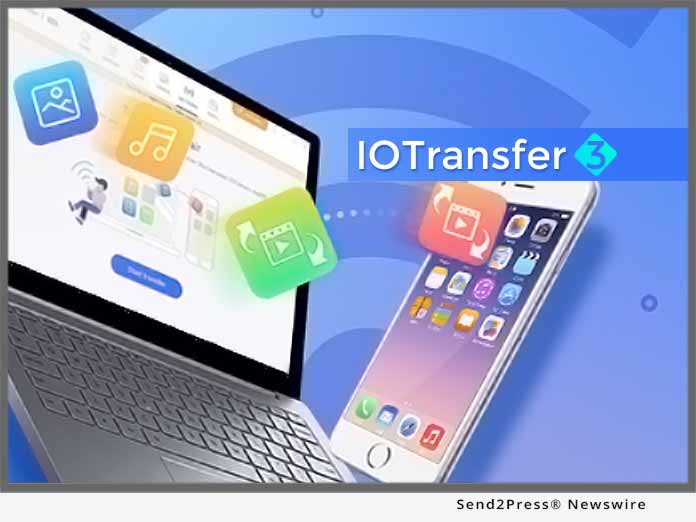
SAN FRANCISCO, Calif. /ScoopCloud/ -- Aiming to provide all iPhone, iPad and iPod users the best solution to fully and freely manage their Apple devices, IOTransfer 3 releases the updated version; introducing new Air-Trans feature, which supports wireless transfer files across Apple devices and PCs in a second. Another major update is video converter, which provides more comprehensive video downloading and converting.

It's quite troublesome to transfer photos and videos among Apple devices and computers, such as from iPhone to PC. While IOTransfer 3 update's new Air-Trans feature simplified how users transfer their music, videos, photos and other data between iPhone/iPad and PCs. Users just need to connect their devices to the same Wi-Fi network, no USB cable needed any more. Air-Trans will search for available iOS devices nearby. After connecting via Wi-Fi, IOTransfer 3 allows users to wirelessly transfer multiple files at once.

"Taking advantage of Wi-Fi network, wireless transfer solution helps easily and quickly transfers photos and music," says Nicole Qin, the Marketing Director of IOTransfer. "Transfer across Apple devices and PCs has been never this simple and smart."

IOTransfer 3 is very effective iPhone/iPad file transfer and management tool. The powerful software will be able to fulfill the needs of millions of Apple device users worldwide. It has provided the best solution to import, export and delete contents, such as photos, songs, videos, contacts, iBooks, Podcasts, Voice Memos, and even 1-click data backup service. Additionally IOTransfer CLEAN function will help remove cache and junk files to free up space to record more precious moment.

Moreover, IOTransfer is also known as a Video Downloader, allowing users to download movies and save any videos from more than 100 video streaming sites, like YouTube, Vimeo, Instagram, etc. Along with video downloading, IOTransfer 3 adds new Video Converter, making it possible to convert videos in MP4, MP3, AVI, MKV, MOV to iOS compatible format. The optimized VIDEOS feature is surely a lot better in terms of performance. It helps users effortlessly convert video files into various file formats including audio file formats and automatically transfer them to your iOS device.

IOTransfer 3 works perfectly for Apple devices running iOS 8.3, and will fully supports the coming iOS 12. It is now available to download at https://www.iotransfer.net/.

About IOTransfer:

IOTransfer is a light yet useful iOS transfer and management tool which helps iPhone, iPad and iPod users manage their iOS content on computers. It provides users with a simple and convenient way to freely import and export music, videos, photos, podcasts, books, and voice memos between iOS devices, PCs and iTunes. IOTransfer solves cumbersome file transfer and management issues between iOS devices and PCs.

News from IOTransfer

Aiming to provide all iPhone, iPad and iPod users the best solution to fully and freely manage their Apple devices, IOTransfer 3 releases the updated version; introducing new Air-Trans feature, which supports wireless transfer files across Apple devices and PCs in a second. Another major update is video converter, which provides more comprehensive video downloading and converting.

Related link:

This version of news story was published on ScoopCloud™ (ScoopCloud.com) - part of and © the Neotrope® News Network - all rights reserved.
DesignEvo 2.5 New Release Redefines the Way Users Can Create Amazing Logos

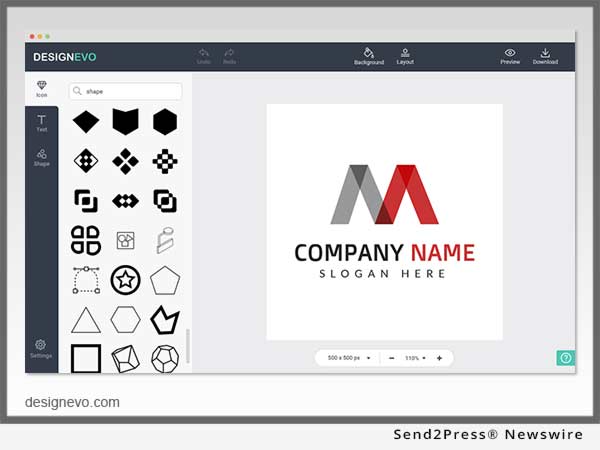
HONG KONG /ScoopCloud/ -- Today PearlMountain celebrated the release of the latest version of their logo design tool - DesignEvo 2.5, which offers over 5,000 templates, a brand new GUI, and other significant improvements to make the logo creation quicker and simpler than ever before.

The revolutionary release of DesignEvo 2.5 provides unparalleled logo design service for everyone. By offering more than 5,000 professional grade templates, DesignEvo empowers users to achieve their own unique and compelling logos in a matter of minutes. Thanks to these customizable templates that are arranged into various categories, even those without graphics knowledge or skill will have an easy method to create a powerful and compelling visual representation of their brand.

In order to deliver higher speed, smoother processing, and a more intuitive experience to users, DesignEvo 2.5 completely re-designed its graphical user interface (GUI) from the ground up.

"This is another step toward our goal of creating an easy-to-navigate platform where both novices and professionals can create logos, showcasing a user-friendly and interactive interface," remarked Henry Wong, product development manager of DesignEvo.

Having been built as a handy service with cloud saving support, DesignEvo allows users to save logos and return to edit them again at any time they choose. There's even a very useful "favorite template" feature built in, so that users can quickly select their preferred template and adapt it to suit their personal needs.

Besides giving an entirely new logo creation experience, DesignEvo has incorporated a number of other significant improvements in the new release of version 2.5. Different fonts, icons, and color palettes are now available allowing its users to potentially develop millions of logo combinations.

"DesignEvo has been growing as a leading logo design platform where over millions of users have successfully created and downloaded their logos," commented Lin Xiao, the CEO of PearlMountain. "Our mission is to simplify the process of designing a high-quality logo and to put the power to create custom logos in the hands of individuals, business owners, entrepreneurs and marketing departments everywhere."

The launch of DesignEvo 2.5 has dramatically redefined and simplified the way logos can be produced that stand out from the crowd and make bold statements. It gives a professional and affordable solution to users who need a premium quality logo, but don't want to break the bank in the process.

For more information, please visit https://www.designevo.com/.

About DesignEvo:
DesignEvo is an easy-to-use logo maker developed by PearlMountain Limited. It makes logo design simple and straightforward and provides users with the most convenient experience.

News from PearlMountain Limited

Today PearlMountain celebrated the release of the latest version of their logo design tool - DesignEvo 2.5, which offers over 5,000 templates, a brand new GUI, and other significant improvements to make the logo creation quicker and simpler than ever before.

Related link:

This version of news story was published on ScoopCloud™ (ScoopCloud.com) - part of and © the Neotrope® News Network - all rights reserved.
Wondershare Dr.Fone Introduces the Latest Erase iOS update

NEW YORK, N.Y. /ScoopCloud/ -- Wondershare Technology, one of the leading software development enterprises of New York, announced today the release of their latest mobile application, the dr.fone-Erase for users, worldwide.

Compatible with iOS 11, the dr.fone-Erase works seamlessly with the majority of the iPhone models, all models of the iPad Pro, iPad Air, and iPad Mini. It is also compatible with the iPod touch 5 and the iPod touch 4. The application also has a Windows and Android compatible version available.

While the original app allows users to protect their data and maintain their privacy by erasing their personal information, permanently, the new features of the latest update enable you to clear up valuable space within the phone and compress pictures without affecting their quality.

With dr.fone-Erase, everything can be deleted: messages, notes, contacts, and call history. With this app, removing your personal information to ensure complete maintenance of privacy is as simple as pressing a button. The data, once erased, is unavailable to even the most accomplished hacker or professional identity thief. Even the calendar details, reminders, and Safari bookmarks can be wiped out permanently from the iPhone/iPad.

For iPhones, iPads, and iPods, the dr.fone-Erase software not only clears up the private data from any and all hidden archives of the digital device, it also helps get rid of the unwanted extra data such as the entry logs, caches, downloaded images, videos, and cookies that are generated with every file.

The app wipes out the system junk files and the unwanted temp files that crowd the iPhone storage and adversely affect the speed and performance of the iOS system. Once removed, the devices work so much faster and smoother than before.

That's not all, keeping in mind the millennial obsession with high-quality photographs, the dr.fone-Erase's latest feature helps compress pictures, downsizing them up to 75% to free up valuable photo space without compromising on the integrity of the image.

The export feature makes it easier for the user to move the photographs to the computer for backup purposes, further freeing up storage on the iOS device.

"We are pleased to share with you, users from around the world, the dr.fone-Erase with new and improved functionality," said Tobee Wu, founder and CEO of Wondershare Technology. "We always strive to provide a valuable and enhanced user experience for our audience with state-of-the-art technological advancements, and we are very excited to launch these features with the iOS 11. We think privacy concerned individuals will truly appreciate being able to secure their confidentiality under any and all circumstances."

Dr.fone-Erase is available as a paid app on the Apple Store, Google Play and Windows Store.

Learn more about other Dr.fone apps here: https://drfone.wondershare.net/.

News from Wondershare Inc.

Wondershare Technology, one of the leading software development enterprises of New York, announced today the release of their latest mobile application, the dr.fone-Erase for users, worldwide.

Related link:

This version of news story was published on ScoopCloud™ (ScoopCloud.com) - part of and © the Neotrope® News Network - all rights reserved.
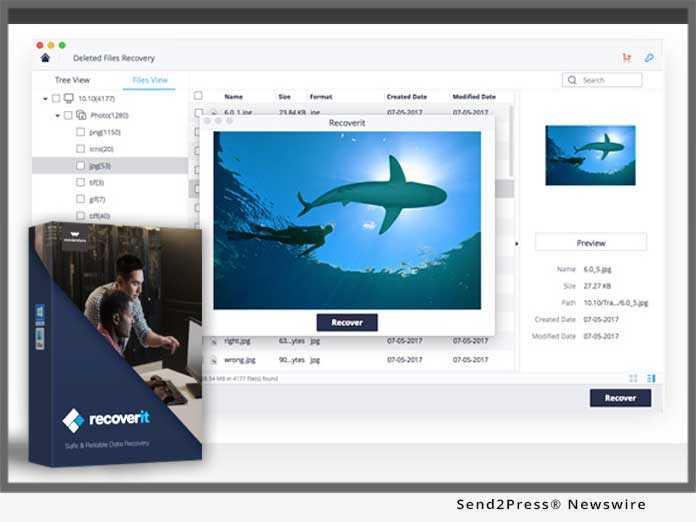
Wondershare Recoverit Free Releases the New USB Data Recovery Function

SHENZHEN, China /ScoopCloud/ -- USB Data Recovery Function (by Recoverit) announced. Wondershare Recoverit, being one of the major players in the software industry, covers all areas of concern whether it is security, the speed of recovery, advanced algorithm or accessible interface.

This time the millions of trusted users are going to be introduced to USB Data Recovery Function: https://recoverit.wondershare.com/flashdrive-recovery/usb-flash-drive-recovery.html.

This new feature of Recoverit software will definitely catch the eye of its competitive players in terms of performance and technological advancement. This functionality comes with loads of new and unique features, which will provide a comprehensive solution to USB recovery issues: https://recoverit.wondershare.com/flashdrive-recovery/usb-flash-drive-recovery.html.

You will be amazed to see that it can recover even the corrupted data from an external device. The latest update is successfully integrated into the software and can be downloaded from the official website itself. It is no doubt the best USB flash drive recovery solution: https://recoverit.wondershare.com/flashdrive-recovery/top-10-flash-drive-recovery-tool.html.

Recoverit is a freeware software package designed to recover data gone missing or corrupted due to extenuating circumstances. Recoverit, as we all know, gives its users the option to recover data from virus attacks, partition corruption, formatted disks, and even system crashes.

The best part about this new feature is that now users can get an extra option to gain back the data lost even if USB devices are corrupted in the form of "External Devices Recovery."

Let's explore a few more details about Recoverit:
Recoverit comes from the software developing company Wondershare Technologies, known for creating expansive software suites for professionals. Wondershare has created "Filmora," "dr.fone," and "PDFelements" to streamline video editing, data transfer, and PDF editing. There are over 5 million users spread across 120 countries that use "Recoverit." Wondershare has already proven its master share in software support with its massive user base.

Recoverit seeks to make data recovery more accessible to the average user. Data loss can happen due to different reasons like virus attacks or power outages and can be devastating for businesses and freelance professionals. But with Recoverit businesses and freelance professionals, individuals can recover their missing or corrupted data in a matter of seconds. We can say that it saves time and acts as the last line of defense for companies where data is very important.

In fact, it proves to be a lifesaver when backup devices like USB's fail due to corruption, formatting or accidental deletion.

Users can recover data from their USB by clicking on various Available options

Why Use Wondershare Recoverit (USB Data Recovery Function)?

Saves your valuable time:
Normally data recovery takes a long time, at least 2-5 days, depending on the severity of the problem. However, with 'Recoverit' the amount of time spent is reduced to a great extent. Users of Recoverit software have testified that they recovered missing data within 10 minutes also.

Speed matters a lot:
Recoverit's ability to save time in data recovery can be attributed to its remarkable speed. Technology websites have testified that "Recoverit is exceptionally fast in recovering data." The speed is due to its powerful algorithm, which allows the software to scan external devices and computers quickly.

Affordable pricing:
Recoverit - is incredibly popular because of its pricing mechanism. Other data recovery solutions are costlier and offer features more suited to tech professionals. However, Recoverit's "USB Function" successfully caters to people not familiar with tech and comes at a much lower price. It also offers many options a user expects from more expensive software. Recoverit is a fantastic bargain for users looking for an intuitive but also an advanced data recovery software. Users who are uncertain about the software can download a free trial package that lasts 15 days.

If you are thinking about data recovery, think Recoverit as the software is incredibly accessible. It is available on different platforms for both desktop computers and mobile devices. Recoverit is available on for all PC, Mac, Android and iOS devices. Users will be glad to know that Recoverit "USB Data Recovery Function" is perfectly optimized for both Android and iOS devices.

Hence, the data recovery software is equally fast, accessible and effective in recovering data on both mobile and desktop.

About Wondershare:
Wondershare Technology is a key member of the National Planning Software Enterprises of China and a global leader in application software development. We have users in over 150 countries. Wondershare is committed to providing software that brings simplicity to people's lives.

This commitment has made us an industry leader. We have research and development centers in ShenZhen and Tokyo, and marketing branches in Tokyo and Vancouver. Respected institutions such as Sino-Wisdom and IDG are among our investors. We have supported our rapid growth through dedication to our customers and are proud to offer multi-language Live Support.

Official Website: https://recoverit.wondershare.com/data-recovery-free.html.

VIDEO (YouTube):
https://youtu.be/tA7GKWD2npY

News from Wondershare Inc.

USB Data Recovery Function (by Recoverit) announced. Wondershare Recoverit, being one of the major players in the software industry, covers all areas of concern whether it is security, the speed of recovery, advanced algorithm or accessible interface.

Related link:

This version of news story was published on ScoopCloud™ (ScoopCloud.com) - part of and © the Neotrope® News Network - all rights reserved.
Wondershare Releases Recoverit Free to Recover up to 100 MB Data for Free

VANCOUVER, B.C. /ScoopCloud/ -- Recently, Wondershare has released Recoverit Free, which can recover data of up to 100 MB for free. Recoverit by Wondershare is a popular free data recovery software that works on both Windows and Mac. It can recover lost and deleted content from a system or even an external storage unit in an extensive manner.

As of now, the tool comes in three versions: Recoverit Free, Recoverit Pro, and Recoverit Ultimate. While the Pro and Ultimate versions are paid, Recoverit Free can recover data of up to 100 MB of various kinds without charging anything.

You can download the Recoverit Free here: https://recoverit.wondershare.com/data-recovery-free.html

By introducing a freely available data recovery tool, Wondershare Recoverit has made it easier for its users to retrieve their vital content and that too without paying a dime. The application is extremely easy to use and supports a wide range of data recovery scenarios. Already a popular name among the data recovery solutions, the tool will be of a great use to its users for sure.

Key features of Wondershare Recoverit Free:

Wondershare Recoverit Free is a highly sophisticated and advanced data recovery tool that can easily restore lost or deleted content. From accidental deletion to a virus attack, it supports all kinds of data recovery scenarios. The tool supports multiple scanning algorithms and all kinds of major data files.

Here are some of its key features:
* It is a freely available solution by Wondershare that can recover data of up to 100 MB size.
* Users can recover all kinds of photos, documents, emails, archive files, and more. The tool supports 550+ different file formats.
* It supports all kinds of file systems like NTFS, FAT16, FAT32, and exFAT on Windows and Mac.

Besides recovering data from a system's hard drive, one can also perform the data recovery process on other devices like flash drives, memory cards, digital cameras, camcorders, external hard drives, and more.

Recoverit supports recycle bin recovery, formatted disk recovery, system crash recovery, virus attack data recovery, and all the common recovery scenarios.

It supports a lost partition recovery as well, which means users can recover data from a lost or resized partition too. Users can also recover raw files from the storage.

The interface allows a preview of data, letting users recover their content selectively. It is extremely user-friendly and supports various data recovery scenarios.

Besides that, Wondershare Recoverit comes with tons of other features as well. It won't access user data while recovering it, which makes Recoverit reliable and secure data recovery software. Though, if users wish to perform a deep scan or would like to create a bootable recovery disk, then they can always get a Pro or an Ultimate version subsequently.

Advantages of Wondershare Recoverit Free:

Most of the data recovery tools come with a heavy price. To make it easier for millions of Windows and Mac users out there to retrieve their lost data, Wondershare has introduced the new free version of Recoverit. Users can simply download Recoverit for free by visiting its official website. Later, they can perform data recovery on any storage unit (system's native storage or an external device). They can recover data of maximum 100 MB size without paying anything.

If they wish to recover unlimited data, then they can simply switch to a Pro version. Since users are able to preview their retrieved data on the application's native interface, they can easily make a move. Recoverit Free is extensively compatible with leading versions of Windows (10/8/7/Vista/XP) and Mac (OS X 10.8 - OS X 10.13).

Since it is user-friendly, no prior technical knowledge is needed to perform data recovery. Though, the tool comes with a dedicated customer support as well to help its users make the most of it.

Wondershare Recoverit: https://recoverit.wondershare.com/

Why should you choose Wondershare?

Wondershare is a leading technology solution provider, known for products like dr.fone, Recoverit, Filmora, and more. Being one of the first developers of data recovery tools, it has millions of users in more than 150 countries worldwide. The brand is known to create simple and innovate solutions to make everyday life better. Having its research centers in global cities like Shenzhen and Tokyo, Wondershare is truly an internationally reputed brand that provides a dedicated support to its customers.

VIDEO (YouTube): https://youtu.be/tA7GKWD2npY

News from Wondershare Inc.

Wondershare has released Recoverit Free, which can recover data of up to 100 MB for free. Recoverit by Wondershare is a popular free data recovery software that works on both Windows and Mac. It can recover lost and deleted content from a system or even an external storage unit in an extensive manner.

Related link:

This version of news story was published on ScoopCloud™ (ScoopCloud.com) - part of and © the Neotrope® News Network - all rights reserved.
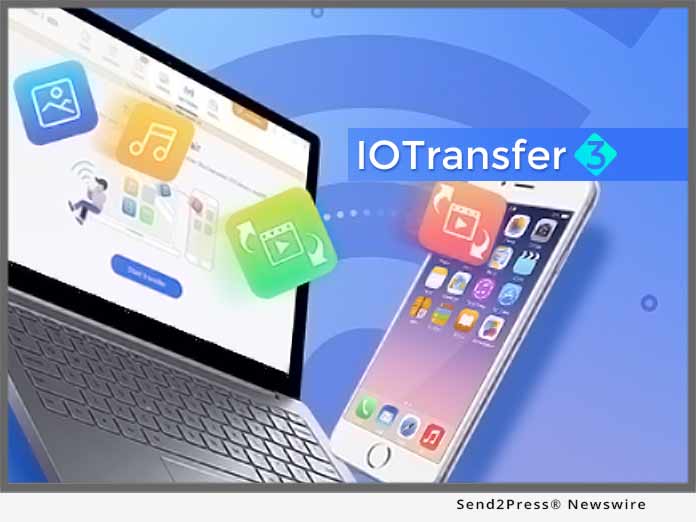
Tenorshare Releases 4uKey to Unlock Disabled iPhone without iTunes

NEW YORK, N.Y. /ScoopCloud/ -- Tenorshare launches 4uKey, a new product that is specially designed to bypass iPhone passcode when you forget it, when your iPhone is disabled, or when you bought a second-hand iPhone with passcode. Just as the product name implies: 4uKey means "for your key."

No matter if it is a simple 4-digit passcode, 6-digit passcode or more complex custom numeric code and alphanumeric passcode, 4uKey offers the ability to remove an iPhone screen lock passcode quickly without the need for specialist skills.

Designed with a neat interface, all you need to do is connect your locked/disabled iPhone and click Start button, the software will download the IPSW file and use it to unlock iPhone by removing the passcode. The whole procedure completes within 5 minutes, much easier and faster than using iTunes. Now you no longer have to get into the complex operation of iTunes and bear its unexpected errors/failure in order to unlock your iPhone.

Features of Tenorshare 4uKey:
* Remove all kinds of iPhone passcodes: 4-digit passcode, 6-digit passcode, custom numeric code, alphanumeric passcode, Touch ID, or Face ID.

* Reset disabled iPhone without iTunes.

* Unlock iPhone with broken or unresponsive screen.

* Reset a second-hand, passcode-locked iPhone.

* Factory reset locked iPhone without iTunes or passcode.

* Permanently erase iPhone without passcode. This is of vital importance when you decide to sell or give away your device.

* Restore iPhone by downloading up to date IPSW file. No iTunes needed, no error occurs.

* Intuitive interface and simple operating steps make it easy for everyone.

* Fully compatible with all iOS devices, including iPhone X/8/8 Plus/7/7 Plus/SE/6s/6s Plus/6/6 Plus/5S/5c/5, iPad and iPod touch.

* Support all iOS versions, including the latest iOS 11.3, 11.2, 11.1, 11.0.

Price and Availability:

Free trial version and paid version are available now on the Tenorshare official website: https://www.tenorshare.com/products/4ukey-unlocker.html

To enjoy all features, pay just $49.95.

About Tenorshare:

Founded in 2007, Tenorshare is a global leader in the iOS data transferring and iOS system repairing field. It provides Windows and Mac based software, including iPhone data recovery, iPhone data transfer, system repair, system optimization, and more. For more information, visit: https://www.tenorshare.com/

VIDEO (YouTube):
https://youtu.be/y1YgAUus3Zs

News from Tenorshare Co. Ltd.

Tenorshare launches 4uKey, a new product that is specially designed to bypass iPhone passcode when you forget it, when your iPhone is disabled, or when you bought a second-hand iPhone with passcode. Just as the product name implies: 4uKey means "for your key."

Related link:

This version of news story was published on ScoopCloud™ (ScoopCloud.com) - part of and © the Neotrope® News Network - all rights reserved.
Whole Coil Nail Production Line Finished Installation in Turkey

ZHENGZHOU, China /ScoopCloud/ -- Zhengzhou Uniwin Machinery and Equipment Co., Ltd, makers of Uniwin Nail Making Machines, announced that two months ago the company delivered one whole production line of coil nails making to Izmit Port, Turkey.

Our customer, Miss Jiang, wanted to make the ring coil nail:
- Diameter: 2.5mm
- Length: 30,35,40,45,50,55,60,65,70mm
- Requirement: Ring type nails, nailhead cross type.

Our model z94-2c and z94-3c wire nail making machine are suitable, z94-2c can make 30,35,40,45,50mm nails, z94-3c can make 55,60,65,70mm nails.

On January 2018, our customer received the machines and installed the machines in their factory.

After the workers saw the manual and detailed training video, they successfully started the machine; now the machine is running very well. They also send us back some pictures and video.

Quality nails make coil nails hot selling, more and more orders are coming, now they are planning to add one more coil nail making machine line to expand the capacity, we will, as always, make the best quality equipment and offer our expert service to our customers.

With the improvement of people's living standard, people's requirement has a great improvement in material aspects. The frequency of furniture replacement is also constantly increasing. Traditional common wire nails already cannot meet people's demand. however, coil nails can improve the production efficiency, it is widely used in decoration, wood packaging industry, etc. such as soft and hardwood, bamboo devices, ordinary plastics, sand walls, repair furniture, packaging wooden boxes, wood pallet and so on.

Production flow of coil nails is:
wire nails making - nails polishing - nails threading - weld into coils by the coil nail making machine - packaging.

The process is to make the wire nails first (by using wire nail making machine), secondly, polish the nails and remove the thorn and dust (by using the polish machine), and then thread the wire nails to make different thread type nails (by using the thread rolling machine), lastly, weld the nails in coils (using the coil nails collator), and then you can get the finished coil nails used in nail gun.

High-speed coil nail making machine:
For our high-speed coil nail making machine model JD-100, it is fully automatic high-frequency high-speed welding equipment for nails. Put the nails into feeding hopper, it will transport the nails to the vibration plate automatically. These nails will be arranged in order by vibration plate, and then go through blanking track into nail wheel, then nails welded line together into a roll.

The equipment adopts imported programmable controller and touch-sensitive screen display, it can automatically detect missing materials, missing nails, counting, cutting materials in the system, which can make the whole system is accurate, reliable and stable in quality.

The parameters of our high-speed coil nail making machine, as follows:
Model: JD-100
Max nail length: 100 mm
Max speed:2300 pcs/min
Max power:15 KW
Working power: 4 KW
Dimensions: 2700*900*1200mm
Weight: 1200 kg

More Information:
If you also interested in coil nails making business, please feel free to contact us:
Zhengzhou Uniwin Machinery and Equipment Co., ltd.
Skype: sophiazhao1212
WhatsApp: 0086 15036110423
Email: info@uniwinmachines.com
Website: http://www.uniwinmachines.com/

News from Zhengzhou Uniwin Machinery and Equipment Co Ltd

Zhengzhou Uniwin Machinery and Equipment Co., Ltd, makers of Uniwin Nail Making Machines, announced that two months ago the company delivered one whole production line of coil nails making to Izmit Port, Turkey.

Related link:

This version of news story was published on ScoopCloud™ (ScoopCloud.com) - part of and © the Neotrope® News Network - all rights reserved.
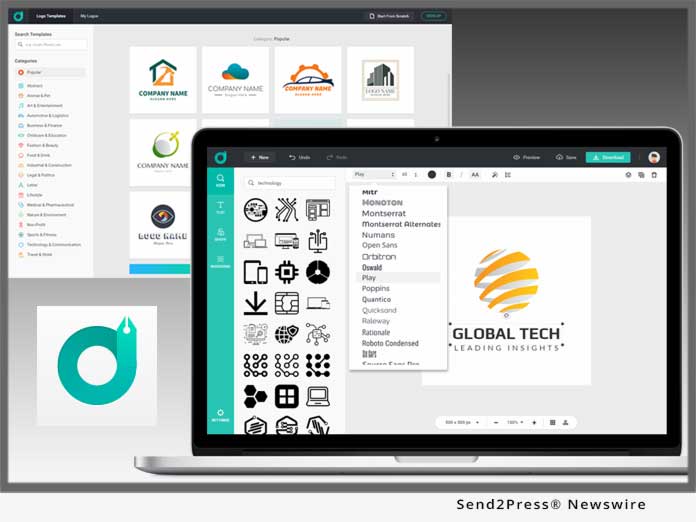
DesignEvo Brings Custom Logo Designs to Anyone with its new iPhone App

HONG KONG /ScoopCloud/ -- Online logo maker, DesignEvo, which helps anyone to customize a compelling, unique logo in minutes, brings out its iPhone version, DesignEvo 1.0, that allows users to create a custom logo design on their iOS device, PearlMountain announced today. With its launch, users can quickly select the preferred design from 3500+ templates and then customize it into professional logo designs with powerful editing tools and various art resources.

DesignEvo 1.0 offers more than 3,500 logo templates covering 16 categories, which have been professionally created and can satisfy various needs. This version features a lot of stylish fonts and cool graphics provided for free to help users create more amazing logos. Without starting from scratch, people only need to choose a favorite logo template, insert a name for the project, and add bold and beautiful graphics -- a stunning and exquisite logo design will be generated instantly.

This platform not only has added a library of templates, fonts, and other creative pluses, but also gives users an easy and fun-filled design experience with a set of powerful editing tools. Users can easily manipulate the object with just a few swipes: nudge the object at will, rotate and resize the image freely, change the color the items and background, and undo and redo every step, etc. Meanwhile, the finished logos can be easily exported and shared on social media.

With an extremely easy-to-use interface and various editing tools, even those with little creative skills will be able to benefit from this user-friendly app. Users are allowed to design a range of logo designs for shops, software, companies, organizations and other uses, saving the costly expense of designers.

"We have paid much attention to the research and development of graphic design software for online and desktop versions in the past, but we've noticed an enormous growth and an increasing demand for mobile applications," said Lin Xiao, CEO of PearlMountain.

He added, "Currently people prefer to access most aspects of their lives on mobile devices, so it must be exciting if people create graphic designs with our easy-to-use app on their devices. We are glad that we made it. I believe this iPhone application can help more graphic addicts create logos in an easy way, and also this is another substantial progress for our company."

Pricing and Availability:

DesignEvo 1.0 is Free (with in-app purchases) and available worldwide exclusively through the App Store. For more information, please visit the DesignEvo official website: https://www.designevo.com/

About the Company:

PearlMountain Limited Co., Ltd has been dedicated to graphics and software development since 2006. Over the past 12 years, it has released products with great popularity among worldwide users like: FotoJet Designer, Picture Collage Maker, CollageIt and Publisher Plus. Its products have already been well received all through North America, Europe, and Asia software markets for their ease of use, reliability and superior performance.

News from PearlMountain Limited

DesignEvo, which helps anyone to customize a compelling, unique logo in minutes, brings out its iPhone version, DesignEvo 1.0, that allows users to create a custom logo design on their iOS device, PearlMountain announced today. With its launch, users can quickly select the preferred design from 3500+ templates and then customize it into professional logo designs with powerful editing tools and various art resources.

Related link:

This version of news story was published on ScoopCloud™ (ScoopCloud.com) - part of and © the Neotrope® News Network - all rights reserved.
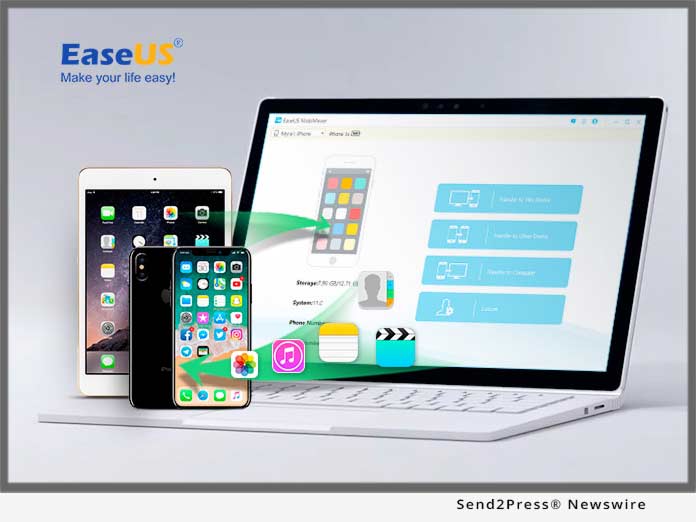
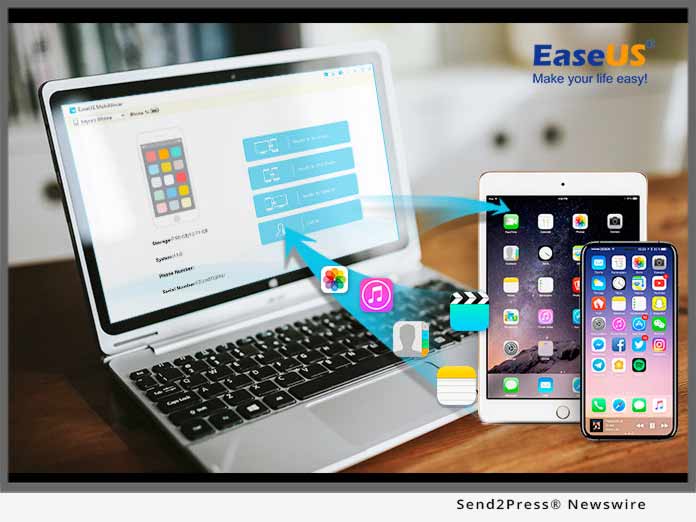
EaseUS has just launched EaseUS MobiMover Free for Mac 3.0

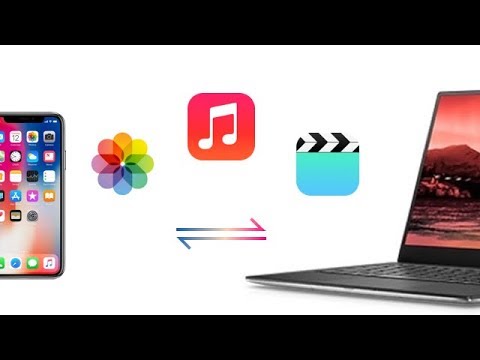
CHENGDU, China /ScoopCloud/ -- EaseUS MobiMover Free is one of the best iPhone data transfer tools. Now, EaseUS has just launched the EaseUS MobiMover Free for Mac 3.0. This version could help you to transfer all kinds of iPhone data from/to your iOS devices with a Mac. You could easily manage iPhone/iPad data like photos, videos, audios, contacts, calendars on a Mac.

EaseUS MobiMover Free for Mac 3.0 will accomplish many kinds of transfer or managing tasks as long as you need. The function of it is as great as the Windows version. You could transfer data from the Mac to an iPhone/iPad, transfer data from iPhone/iPad to another device, transfer data from the device to this Mac, and customly manage data on this device.

Transfer data from the Mac to an iPhone/iPad:
Apple devices are made for greater things than just Phone or platfrom computer. You could transfer songs, movies, photos from the Mac to this iPhone to enrich the content and make it much more enjoyable with EaseUS MobiMover Free for Mac. Also, this tool is helpful to import the backup data from Mac back to the device.

Transfer data between iPhone/iPad:
It's a great thing to have a new iPhone, but it will be annoying to if you have to do a tons of work to just import data from old device to the new one. EaseUS MobiMover Free for Mac is excelent with this job. It will help you to import all hte contacts, notes, voice mails, books, Safari bookmarks, photos, videos, audios and other kinds of files from the old device with just a few clicks.

Transfer data from iPhone/iPad to Mac:
It is a safe and helpful move to back up device regularly. However, with iTunes, it may take hours to back up device every single time. EaseUS MobiMover Free for Mac will save the situation. With the function of transferring data from device to Mac, it will help you to back up all the important data, contacts, messages, photos, videos, voice mails, voice memos, notes, Safari Bookmarks within just a few minutes.

Manage iPhone/iPad content with the Custom Function:
Custom is the function to manage data on device with EaseUS MobiMover Free for Mac 3.0. All the data and files will be displayed in this function. It will be easy to find, add, edit, delete a file that you need. It also supports to delete all the data at once with no more than 3 clicks.

EaseUS MobiMover Free for Mac 3.0 could support all the iPhone/iPad and Mac devices which are popular now. With the help of EaseUS MobiMover, all the transfer managing work with iPhone/iPad will be amazingly easy and quickly.

More information: https://www.easeus.com/phone-transfer/mobimover-free.html

Learn more about EaseUS at: http://www.easeus.com/.

News from EaseUS Software

EaseUS MobiMover Free is one of the best iPhone data transfer tools. Now, EaseUS has just launched the EaseUS MobiMover Free for Mac 3.0. This version could help you to transfer all kinds of iPhone data from/to your iOS devices with a Mac. You could easily manage iPhone/iPad data like photos, videos, audios, contacts, calendars on a Mac OS based machine.

Related link:

This version of news story was published on ScoopCloud™ (ScoopCloud.com) - part of and © the Neotrope® News Network - all rights reserved.
Wondershare’s Recoverit Gets Data Back On Track

SHENZHEN, China /ScoopCloud/ -- Industry leader Wondershare Technology specializes in providing software to streamline and bring simplicity to today's busy world. Today it announced the launch of its revolutionary new data recovery software, Recoverit.

Global experts in application software development, Wondershare has research and development centers across the globe including China, Japan and Vancouver and its investors include prestigious companies such as Sino-Wisdom and IDG.

With users in over 150 countries worldwide, Wondershare is a key member of the National Planning Software Enterprises of China and offers full multi-language, live support.

Reliable data recovery for business:

Wondershare's launch of Recoverit signifies a new high in professional data recovery. With over five million users across 120 countries, the Recoverit data recovery program is a fast and reliable data recovery solution which can retrieve any lost data from any device.

Using an advanced algorithm, the recently updated version of Recoverit has an unparalleled speed and success rate which has earned it a place in the Top 10 Best Data Recovery Software list in 2017 on TopTenReview.

The name was chosen from over 10,000 entries from Wondershare users in an online competition which netted the winner a brand new iPhone 8.

Suitable for PC, Mac, iOS and Android devices, Recoverit is user friendly and straightforward with just three easy steps:
* Select recovery mode
* Scan device / computer
* Preview, recover and save files.

Files that can be retrieved with Recoverit include documents, emails, photographs, video footage, audio files and much more and includes data lost through accidental deletion, unexpected power outtages, virus damage, hard disk crashes and even factory re-sets or powerwashes.

Suitable for both the home and the office, Recoverit is the new face of quick, simple and affordable data recovery.

Lost it? Recoverit!

Statistics show that 96 percent of all business workstations are either not backed up at all or not backed up correctly - an alarming number considering that, of businesses which suffer major data losses, 43 percent do not recommence trading and, 51 percent go out of business completely within two years. (Source: National Archives & Records Administration).

In a 2017 survey, 31 percent of users within a small survey section reported suffering a major and un-saved data loss which affected their own job and the performance of the business. With these statistics in mind, it's easy to see just how vital a reliable and efficient data recovery service is to your business.

"Wondershare Recoverit is a good option when you've lost important files and want to get back as much as possible. It offers a good set of tools for finding files, and its scans run smoothly and efficiently," said a Yahoo Tech.

Efficient, powerful and professional, powerful scan functions helps you to easily trace and identify every byte on your storage device and, the advanced file-recovery algorithm enables the retrieval of deleted, formatted or even damaged files within minutes. Using Recoverit's data recovery software is a much more cost effective and convenient method than calling out expensive and time-poor data recovery companies whose hourly rates are often out of proportion to the service provided.

A new brand, more new functions!

The new version of Recoverit is the most powerful data recovery software yet in terms for the speed and efficiency of recovery. Using an advanced algorithm to ensure consistently high data recovery rates, Recoverit retrieves data from any device, even under the most extreme conditions. It has been divided into two versions according to different operating platforms, data recovery for windows and data recovery for Mac.

For more information on Recoverit, visit: https://recoverit.wondershare.com

Data recovery for Windows: https://recoverit.wondershare.com/data-recovery.html

Data Recovery for Mac: https://recoverit.wondershare.com/data-recovery-mac.html

VIDEO (YouTube):
https://youtu.be/bX9EI2jOl_A

News from Wondershare Inc.

Industry leader Wondershare Technology specializes in providing software to streamline and bring simplicity to today's busy world. Today it announced the launch of its revolutionary new data recovery software, Recoverit. Files that can be retrieved with Recoverit include documents, emails, photographs, video footage, audio files and much more.

Related link:

This version of news story was published on ScoopCloud™ (ScoopCloud.com) - part of and © the Neotrope® News Network - all rights reserved.

iMobie PhoneRescue Now Retrieves Data from All Android Phones or Tablets with Highest Success Rate

LOS ANGELES, Calif. /ScoopCloud/ -- iMobie Inc., a leading software company focused on Android and iOS, announces that its ultimate data recovery tool PhoneRescue supports recovery of data from all Android phones and tablets, including SAMSUNG, HUAWEI, LG, XIAOMI, SONY etc. No brand limit anymore. With the highest data recovery rate in the industry, PhoneRescue will dig into every corner of your phone and bring back all your lost-but-valued messages, contacts, photos, music, videos, app data and more with ultra ease - even restore your most valued data directly to your phone.

"PhoneRescue started to retrieve data for 7 mainstream brands since last year, including SAMSUNG, Google, HTC, etc. Till now, we've received a lot of feedback from users who use some other Android brands, and they hope our PhoneRescue can also help them to retrieve lost data in the easiest and fastest way," said Frank Kong, CEO of iMobie Inc. "That's why we improved PhoneRescue to recover data from all Android devices. With this updated PhoneRescue, all Android users now can enjoy a hassle-free experience to recover their precious data in minutes from any kind of Android phone or tablet."

Download PhoneRescue to retrieve your lost Android data now: https://www.imobie.com/phonerescue/download.htm?sys=android

* Check the detailed features of PhoneRescue:

Recover Data from All Android Phones and Tablets with Ease:

PhoneRescue now supports all Android devices, like SAMSUNG, HUAWEI, LG, etc., and brings back your important messages, precious photos, and more with one simple click. No matter what kind of Android phone or tablet you use, PhoneRescue will always find the best way for you to quickly scan, preview and recover data, whether your phone is rooted or not, and save you from any data loss.

Get Back Essentials with The Highest Success Rate:

Built on the latest innovative technologies, PhoneRescue maintains its leading position to retrieve data with the highest recovery success rate. All your lost data, as well as your hidden photos and app data, will be found out and displayed clearly in categories. You can then select and bring back what you need in minutes.

Retrieve The Data You Care Most Directly to Your Android Phone:

PhoneRescue is the only Android recovery tool that can restore your crucial personal data directly to your phone for instant use, including messages, contacts, call logs and calendars. Better yet, you can also recover your photos, music, videos, and even app data to your computer with zero quality loss - no root required.

For more info: https://www.imobie.com/phonerescue/android-data-recovery.htm

Price and Availability:

PhoneRescue is available for Windows and Mac: Single License ($49.99) and Family License ($69.99): https://www.imobie.com/phonerescue/buy-android-data-recovery.htm

About iMobie:

iMobie Inc. was established in 2011, and located in Tianfu Software Park (China), a place gathering a great many talented software engineers. Learn More: https://www.imobie.com/

News from iMobie Inc.

iMobie Inc., a leading software company focused on Android and iOS, announces that its ultimate data recovery tool PhoneRescue supports recovery of data from all Android phones and tablets, including SAMSUNG, HUAWEI, LG, XIAOMI, SONY -- no brand limit anymore. With the highest data recovery rate in the industry, PhoneRescue will dig into every corner of your phone and bring back all your lost-but-valued messages, contacts, photos, music, videos, app data and more with ease.

Related link:

This version of news story was published on ScoopCloud™ (ScoopCloud.com) - part of and © the Neotrope® News Network - all rights reserved.
Wondershare Has Launched an SD Card Repair Contest and Awards Winners with Samsung SD Card

GUANGDONG, Hong Kong /ScoopCloud/ -- Owing to the fast development of the IT as well as the world, people have grown great concern into the need of storage as well as backups the data efficiently, says Wondershare. SD card - a type of high-quality memory card - has been introduced to the vast majority of users. However, SD card damage and corruptions occur to everyone. Data loss is terrible. We usually choose to extract the important information although the storage device is damaged.

Our team of professionals have come up with the best solution to assist you in this scenario. No matter what kind of files and the quantity of data you have to recover, our product Wondershare Data Recovery will assist in a better way. We are the best SD card recovery software provider in the market.

Wondershare Data Recovery Issued A SD Card Repair Contest for Customers:

Most of the smart device users are unable to get the exact solutions with respect to the problems like lost data recovery. They all have to face the uncertain consequences of the lost data which is very valuable to everyone. Wondershare has launched an SD card repair contest for its customers as an SD card protection guide. This guide covers the most common factors which lead to the damages of the Micro SD cards.

Some of the governing causes are:
* System and File Corruption
* Human mistakes in card insertions and breakage
* Bad Sector formation within your SD cards
* Malware and virus attacks on your device
* Multiple devices for a single SD card
* The sudden removal of the card while transferring important files and documents.

These are the major mistakes which may hamper the normal working of your micro SD cards. Wondershare better understands your problems and has cultivated a unique process to recover all the important and necessary data instantly. Everyone can join the SD card repair SD card repair contest now.

Wondershare Data Recovery Award Lucky Winners with Samsung SD Card:

Wondershare has also launched a Samsung 12G SD card give away campaign to award customer who joins the test. Almost 10 lucky winners will receive the gift. Samsung SD cards are famous for their best performance and are easily available in the market. Wondershare Data Recovery always supports its customers with various marketing campaigns and latest technology news on data recovery.

About Wondershare:

Wondershare Data Recovery Wondershare Data Recovery Technology is a key member of the National Planning Software Enterprises of China and a global leader in application software development. We have users in over 150 countries. Wondershare is committed to providing software that brings simplicity to people's lives.
This commitment has made us an industry leader. We have research and development centers in ShenZhen and Tokyo, and marketing branches in Tokyo and Vancouver. Respected institutions such as Sino-Wisdom and IDG are among our investors. We have supported our rapid growth through dedication to our customers and are proud to offer multi-language Live Support.

For more information, visit: https://datarecovery.wondershare.com/

VIDEO (YouTube):
https://youtu.be/bX9EI2jOl_A

News from Wondershare Inc.

Owing to the fast development of the IT as well as the world, people have grown great concern into the need of storage as well as backups the data efficiently, says Wondershare. SD card - a type of high-quality memory card - has been introduced to the vast majority of users. However, SD card damage and corruptions occur to everyone. Data loss is terrible. We usually choose to extract the important information although the storage device is damaged.

Related link:

This version of news story was published on ScoopCloud™ (ScoopCloud.com) - part of and © the Neotrope® News Network - all rights reserved.

iMobie AnyTrans Is Ready to Transfer and Manage Data from Android Devices

LOS ANGELES, Calif. /ScoopCloud/ -- iMobie Inc., a leading software developer focused on Android and iOS, today proudly announces that its flagship product AnyTrans is now able to transfer and manage photos, messages, contacts, videos, apps and more from Android devices, even make a seamless transition from Android to Android, or iOS to Android.

Built on uniquely innovative technologies, it also comes as the only Android data manager that can download online videos & music from 900+ online sites, no matter to device or computer. Better still, iMobie gives away this $39.99 Android manager as a FREE gift to reward all users in the beginning of 2018, from Jan. 3 to Jan. 17, 2018 - available worldwide.

Get AnyTrans(r) Android manager for FREE: https://www.imobie.com/special/anytrans-new-year-giveaway-2018.htm

"AnyTrans has already successfully helped more than 10 million iOS users to transfer, back up and manage their data during the past 5 years - and we've got feedback from thousands of Android users, who also expect to manage Android data in an easy way," said Frank Kong, CEO of iMobie. "Regarding that, we developed AnyTrans to help Android users to transfer and manage data easily, securely and flawlessly. What counts is, users can download their favored videos or music directly to Android and enjoy them offline."

Download AnyTrans to manage Android data: https://www.imobie.com/anytrans/download.htm

The benefits you will get from AnyTrans Android manager:

Transfer both Android and iOS data across any Android devices:
AnyTrans can move all your Android data like photos, videos, messages, apps to any Android device, computer, or vice versa. You can also make a seamless switch from iOS to Android, for a full transition or just some of the files.

Take care of all your Android data in a familiar way:
Your important messages, contacts, photos, videos and more are visible in well-organized order. You can edit your contacts, add albums, export your data & files by easy drag-and-drop, etc. - you can do more than you expect with AnyTrans!

Download fantastic videos and audio offline from 900+ sites:
As all-in-one software, it downloads your lossless music, interesting videos, TV shows from 900+ online sites to computer, even to your Android device directly. Now you can enjoy all your favored music and videos offline, anywhere, anytime.

Learn more about AnyTrans Android manager: https://www.imobie.com/anytrans/android-manager.htm

Surprising gifts you will get from time-limited offer:
To reward customers' long-term support, iMobie gives away the $39.99 AnyTrans for everyone during Jan. 3 to Jan. 17, 2018. Users can also get a lucky chance to win the latest Samsung Galaxy S8 or HUAWEI Mate 10.

Get $39.99 AnyTrans for FREE and win Samsung Galaxy S8 or HUAWEI Mate 10 here: https://www.imobie.com/special/anytrans-new-year-giveaway-2018.htm

About iMobie Inc.:
iMobie Inc. was established at the end of 2011, located in Tianfu Software Park (China), a place gathering many talented software engineers. More information: https://www.imobie.com/

News from iMobie Inc.

iMobie Inc., a leading software developer focused on Android and iOS, today proudly announces that its flagship product AnyTrans is now able to transfer and manage photos, messages, contacts, videos, apps and more from Android devices, even make a seamless transition from Android to Android, or iOS to Android.

Related link:

This version of news story was published on ScoopCloud™ (ScoopCloud.com) - part of and © the Neotrope® News Network - all rights reserved.
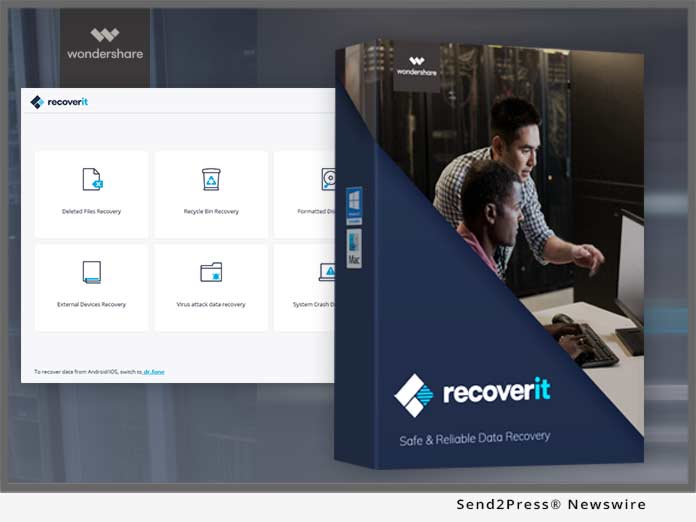
TuneFab Apple Music Converter for Windows updated to be fully compatible with Win 10/8/7/Vista/XP

HONG KONG, China /ScoopCloud/ -- TuneFab (www.tunefab.com), an advanced and professional digital program solution developer, today officially announced the new version with updates of its popular Apple/iTunes Music, Audible/iTunes audiobooks formats conversion software - TuneFab Apple Music Converter.

The product is one of the most powerful tools to achieve the format conversion of audio files, for the cause of being more compatible with Win 10/8/7/Vista/XP and the latest iTunes version.

TuneFab always sticks to the aim - "bring free to digital life." It provides the applications of developing audio and converting audio in Apple Music and iTunes Store, or any other audio files such as audiobooks.

Since TuneFab Apple Music Converter has provided wonderful services on its full control over the conversion of audio files, such as Apple Music, iTunes Music, iTunes audiobooks, Audible audiobooks, etc. Therefore, the release of the new version of the software is significant for not only our company but also users. With the amazing new updates, TuneFab Apple Music Converter will also fix the problem that happened before and offer much more reliable and compatible, safer solution to audio files conversion.

"We are always struggling for the satisfaction of customers and aim at providing the most professional but easy-to-grasp services for them. Hence, TuneFab Apple Music Converter would easily become outstanding versus other conversion services," stated John Smith, the founder of TuneFab, when he explained the reason to set up and design TuneFab. Holding this concept, we could now go further to know what features TuneFab Apple Music Converter actually owns.

Check out the amazing features of TuneFab Apple Music Converter (Windows) below:
• Support converting music tracks, audiobooks - Users are able to convert any Apple Music files to MP3/AC3/FLAC/AIFF and convert M4B/AA/AAX audiobooks to MP3;
• Extracting audio track from videos - TuneFab Apple Music Converter has the ability to extract audio track from movies, TV shows, music videos without limitation and save in MP3 format with lossless quality;
• Acceptance of many popular output formats such as MP3, M4A, FLAC, AC3, AIFF, etc.
• Be accessible to iTunes library - users can read the iTunes library from the software directly;
• Customizable settings;
• Fast conversion with high quality and easy-operating steps - adjustable conversion speed from 1X to 16X.

"TuneFab Apple Music Converter is a useful and compatible tool for everyone. I didn't meet any difficulty while working with this program. I have downloaded many Apple Music tracks but these music files can't be sync to my iPod. After I used this program to convert these Apple Music to MP3, I can sync them to iPod successfully now. It is really a user-friendly conversion program!" said Richard, a user of TuneFab Apple Music Converter.

Price and Availability:
TuneFab Apple Music Converter is available for Windows and Mac. Users are able to download the software for free -- providing 3-minute audio conversion in free trial version. Or users can pay $39.95 for the full version.

Overview of TuneFab Apple Music Converter Windows Version:
http://www.tunefab.com/apple-music-converter/

Download Site (direct downloads):

For Windows: http://www.tunefab.com/downloads/apple-music-converter.exe

For Mac: http://www.tunefab.com/downloads/apple-music-converter.dmg


About TuneFab:
TuneFab, gathering many talented and excellent engineers, is specialized in audio development and video conversion applications. Up to now, TuneFab has released three amazing programs such as TuneFab Apple Music Converter, M4V Converter and Screen Recorder. TuneFab Apple Music Converter is specialized in destroying the barriers of music files purchased in the Apple Music and iTunes Store by format conversion.

While TuneFab M4V Converter focus on obtaining the full control over M4V video files purchased or rented on iTunes Store. Moreover, the new product, TuneFab Screen Recorder concentrates on solving the problem of failing to download movies from some websites, which have the limitation to users to download movies. If you want to read more details, please check out this website: http://www.tunefab.com/

TuneFab always holds the attitude - "Bring Free to Digital Life," and we are trying to make our programs or services more helpful, convenient, and simple.

If you have more questions or comments on any TuneFab software, please visit our official website: http://www.tunefab.com/ or reach our email address: contact@tunefab.com by sending emails.

All trademarks acknowledged.

News from TuneFab

TuneFab Software, an advanced and professional digital program solution developer, today officially announced the new version with updates of its popular Apple/iTunes Music, Audible/iTunes audio books format conversion software - TuneFab Apple Music Converter.

Related link:

This version of news story was published on ScoopCloud™ (ScoopCloud.com) - part of and © the Neotrope® News Network - all rights reserved.
iMobie Launches Its Biggest Ever Holiday Offer to Reward Customers – Buy AnyTrans, Get PhoneClean for FREE

LOS ANGELES, Calif. /ScoopCloud/ -- Santa Claus is on his way! To celebrate the holiday in 2017, iMobie Inc., a cutting-edge software developer who focuses on iOS and Android, now rolls out the biggest holiday offer to reward customers - buy ultimate iOS manager AnyTrans, get iOS cleaner PhoneClean for FREE!

During this holiday, AnyTrans is ready to manage all your beautiful photos, greeting messages, family videos and more in an easy and pleasant way. What's more, you will get PhoneClean as a free holiday gift to clean and speed up your iPhone.

The holiday offer runs from Dec. 22, 2017, to Jan. 2, 2018, and is available worldwide.

"Merry Christmas and Happy New Year to you all. To celebrate this annual festival, we launch the biggest holiday offer to reward our customers' long-term support - buy AnyTrans, get PhoneClean for FREE," said Frank Kong, CEO of iMobie Inc. "During this holiday, we prepared AnyTrans to manage and take care of all your holiday photos, messages, videos and more. What counts is, you can get PhoneClean for FREE to clean and speed up your iPhone, which protects your privacy as well."

Claim your holiday offer now: https://www.imobie.com/special/holiday-2017.htm

What you'll get from this holiday:

AnyTrans - Manages your holiday photos, videos and more with ease:

No matter if you are an iPhone user or an Android user, when you got your new iPhone during this holiday, AnyTrans will easily move all your data - like messages, loved photos, videos, and more - to your new iPhone 8/X. Besides full transfer, you can also select what you need to your new iPhone, as you wish.

AnyTrans is also the best backup manager to save your valued messages, Christmas photos, and fabulous New Year's firework shows, etc., to computer for future use. You can 1-click back up almost all iOS data, even back up them automatically via Wi-Fi, which is a simple as well as a time-saving process. Surprisingly, you are allowed to preview and manage all your data from iTunes/iCloud backups.

PhoneClean - Ensures you a cleaner, faster and safer iPhone this holiday:

Your iPhone may run slowly after using it for a long time, but don't worry: equipped with 5 clean modes, PhoneClean is smart enough to clean useless files and caches securely - you'll get more free iPhone storage space and a faster than ever iPhone. Better still, it provides you the highest standard in privacy, security and keeps everything sensitive getting deleted permanently and completely.

Enjoy this holiday offer to make the best use of your iPhone: https://www.imobie.com/special/holiday-2017.htm

About iMobie:

iMobie Inc. was established in 2011, and located in Tianfu Software Park (China), a place gathering a great many talented software engineers. Learn More: https://www.imobie.com/

VIDEO (YouTube):
https://youtu.be/shEQUIMKAgs

News from iMobie Inc.

Santa Claus is on his way! To celebrate the holidays for 2017, iMobie Inc., a cutting-edge software developer who focuses on iOS and Android, now rolls out its biggest holiday offer to reward customers - buy ultimate iOS manager AnyTrans, get iOS cleaner PhoneClean for FREE!

Related link:

This version of news story was published on ScoopCloud™ (ScoopCloud.com) - part of and © the Neotrope® News Network - all rights reserved.
Coolmuster Rolls Out 50-percent OFF Christmas Discounts on Android Assistant and Lab.Fone for Android for both PC and Mac Users

LOS ANGELES, Calif. /ScoopCloud/ -- With Christmas fast approaching, Coolmuster, a leading provider of mobile helper tool of Android and iOS users, offers a huge discount on its starred products - 50-percent off discount on Android Assistant, Lab.Fone for Android, iOS Assistant in this Christmas holiday season. This promotion opens on December 21, and will end on January 3, 2018.

Christmas Promotion Page: https://www.coolmuster.com/christmas-promotion.html

"Aiming to show thanks and love to all customers' long-term support, we're happy to offer big savings to dear customers in this Christmas season," said Franklin Deng, the founder and CEO of Coolmuster Studio. "Not only the starred products, other software are also included in this promotion; we hope you can get all your wanted items with the best price at this time."

1. 50-percent OFF Android Assistant - Save $17.97:
As the #1 management tool for Android, Android Assistant is the top seller at Coolmuster.com. It allows users to backup, transfer, delete, edit or restore data like contacts, messages, photos, music, videos, books, etc. between Android and computer without hassle.

2. 50-percent OFF Lab.Fone for Android - Save $27.57:
A must-have Android data recovery software, which is specially designed for users to retrieve lost or deleted data from Android devices. At present, it can help users recover data like contacts, SMS, call logs, photos, videos, etc. on Android.

3. Giveaway - Get for FREE:
Coolmuster has picked up a top-seller program as free gift to all customers. All Coolmuster users can visit the page: https://www.coolmuster.com/giveaway.html and get the free license code as you like.

4. "Write A Review Win License Code" Activity - No Time Limit:
Coolmuster also has another activity called "Write A Review to Win License Code." You only need to write a review for any Coolmuster program and publish it on your own blog/website/forum, then you can get a free license code of the product that you've reviewed. Click here to learn about program in detail: https://www.coolmuster.com/write-review-to-win-free-license-code.html.

About Coolmuster Inc.:
Coolmuster was initially established in Shenzhen, China in the year 2005 and offered its services as a consumer software developer on an international scale.

*IMAGE: Send2Press.com/300dpi/17-1221s2p-coolmuster-300dpi.jpg

News from Coolmuster Studio

With Christmas fast approaching, Coolmuster, a leading provider of mobile helper tool of Android and iOS users, offers a huge discount on its starred products - 50-percent off discount on Android Assistant, Lab.Fone for Android, iOS Assistant in this Christmas holiday season. This promotion opens on December 21, and will end on January 3, 2018.

Related link:

This version of news story was published on ScoopCloud™ (ScoopCloud.com) - part of and © the Neotrope® News Network - all rights reserved.
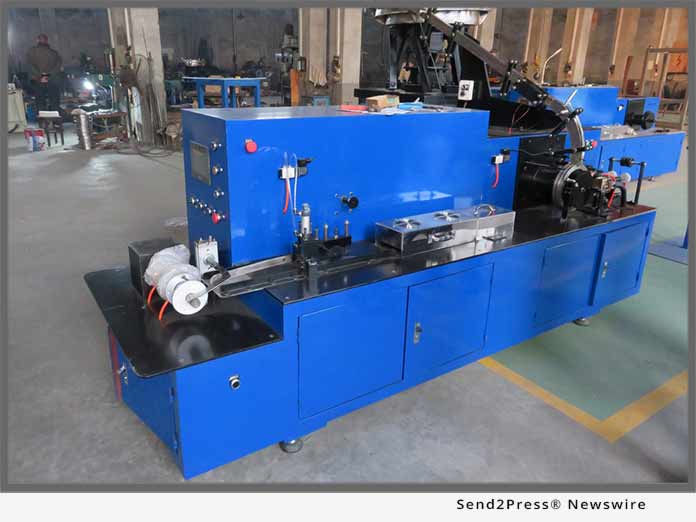
Up to 100 Percent OFF for 2017 Christmas and the New Year Giveaway from iCareAll

NEW YORK, N.Y. /ScoopCloud/ -- iCareAll Inc. announces its biggest promotion and giveaway of the year 2017 to celebrate the coming Christmas and the New Year with its giving away of iCare Card Recovery Pro, 100-percent free of charge during the promotion, together with its biggest discount on iCareAll PDF Converter and iCare Data Recovery Pro to benefit users for PDF converting and data recovery.

"We provides free data recovery with iCare Data Recovery Free which is totally free of charge for any home user for daily data recovery as our major data recovery software serving the market," said Mr. Tom, the manager of iCareAll Inc. "Plus free data recovery software, we now are offering the biggest discount of iCare Data Recovery Pro and PDF Converter to greet the coming Christmas and the New Year. So don't forget to bite a freebie or discount on our programs for this special season."

With the new UI design in v8.0, iCare Recovery now is marking big progress on user interface and its recovery quality. And now iCare Recovery offers its gift and biggest discount at its promotion page https://www.icare-recovery.com/giveaway/christmas.html

About iCare Data Recovery Pro:
Featured with three recovery mode, iCare Data Recovery Pro is able to rescue files after delete, format, partition deleted, virus attack, power surge and more. It is able to recover more than 600+ file types for different logical data losses from various kind of digital devices.

About PDF Converter:
iCareAll PDF Converter is able to convert many format to pdf plus converting pdf to Word, Excel, image, PowerPoint and more.

About iCare Card Recovery Pro:
As a memory card recovery utility, iCare Card Recovery Pro is compatible with most memory card like sdxc, sdhc, cf card, micro sd card etc. of all NTFS/FAT32/FAT12/FAT16/EXFAT.

About iCare Data Recovery Free - freeware:

iCare Data Recovery Free now is available as freeware for all home users who use Windows 10/8/7/Vista/XP and this freebie can be accessed at its product page: https://www.icare-recovery.com/data-recovery-free.html

Follow on Facebook at: https://www.facebook.com/icarerecoveryinc

News from iCareAll Inc.

iCareAll announces its biggest promotion and giveaway of the year 2017 to celebrate the coming Christmas and the New Year with its giving away of iCare Card Recovery Pro, 100-percent free of charge during the promotion, together with its biggest discount on iCareAll PDF Converter and iCare Data Recovery Pro to benefit users for PDF converting and data recovery.

Related link:

This version of news story was published on ScoopCloud™ (ScoopCloud.com) - part of and © the Neotrope® News Network - all rights reserved.
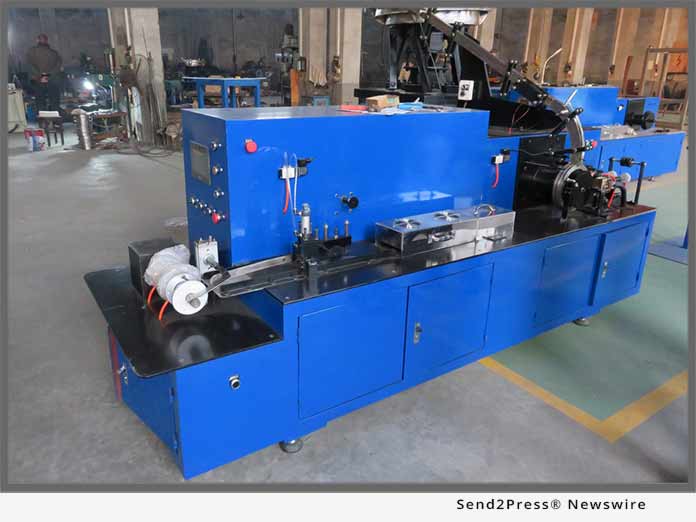
New update! Recover Data from a Crashed Computer System with Wondershare Data Recovery Pro

GUANGDONG, Hong Kong /ScoopCloud/ -- Recently, Wondershare has released Data Recovery Pro 6.60 with numerous advanced features. One of the most evident benefits of the tool is that it allows data recovery from a crashed system as well. Its latest support with WinPE bootable media can be used to perform the data recovery operation when a Windows system is not able to boot in an ideal way. This allows its users to retrieve their content, even when the system fails to boot or malfunctions.

How to recover lost data caused by Windows operating system crash, blue screen of death, or other computer bootable problems? Just create a bootable disk to recover lost data under WinPE environment!

More Details About Wondershare Data Recovery Pro 6.60:

The latest update of Wondershare Data Recovery Pro 6.60 now supports Windows Preinstallation Environment. Even though the Data Recovery Tool is available for both Windows and Mac, the feature is dedicated for Windows systems. You can download Wondershare Data Recovery Pro with WinPE Bootable Media here. It can be used to recover data from crashed computer.

The tool is already used by over 5 million users the world over and is considered as one of the oldest data recovery applications with over 10 years of presence. It can recover data from FAT, NTFS, exFAT, HFS, and every major file system. Besides hard disks, it can also perform the recovery operations on USB flash drives, memory cards, and other secondary data storage units. It supports the recovery of files in over 550 different formats as well.

With this latest update in Wondershare Data Recovery Pro, the tool can also be used to perform the recovery operation even when the system is not working.

Following are some of the major highlights of the tool besides all the existing features:
* Users can create a bootable media (CD/DVD or a USB flash drive) from its interface that can later help them boot their system.
* The bootable media can be used to recover lost and deleted data in an emergency.
* If the Windows system has been crashed or can't boot, then users can insert the bootable media and start their system from the new source.
* Later, they can use its interactive interface to recover the data of their choice.
* The tool supports Windows Preinstallation Environment to provide assistance to its users.

Once they have started their system from the bootable disk, users can perform a comprehensive scan for their lost content. The data recovery tool performs a quick and a deep scan that can help users retrieve their lost data. Additionally, users can also preview their data and restore it selectively.

The Pro version of Wondershare Data Recovery 6.60 is now available with the support of WinPE environment. The application can be downloaded from its official website and be used to create bootable disks without any trouble.

LEARN MORE AT: https://datarecovery.wondershare.com/data-recovery/crashed-computer-data-recovery.html

About Wondershare Data Recovery:

Data Recovery is a dedicated tool developed by Wondershare Technology to make it easier for its users to restore their lost and deleted content. Compatible with all the leading Windows and Mac versions, it supports the recovery of more than 550 different file formats. Having a user-friendly interface, it is a reliable tool that is known to produce the highest success rate in the industry.

VIDEO (YouTube): https://youtu.be/bX9EI2jOl_A

News from Wondershare Inc.

Wondershare Inc. has released Data Recovery Pro 6.60 with numerous advanced features. One of the most evident benefits of the tool is that it allows data recovery from a crashed system as well. Its latest support with WinPE bootable media can be used to perform the data recovery operation when a Windows system is not able to boot in an ideal way. This allows its users to retrieve their content, even when the system fails to boot or malfunctions.

Related link:

This version of news story was published on ScoopCloud™ (ScoopCloud.com) - part of and © the Neotrope® News Network - all rights reserved.
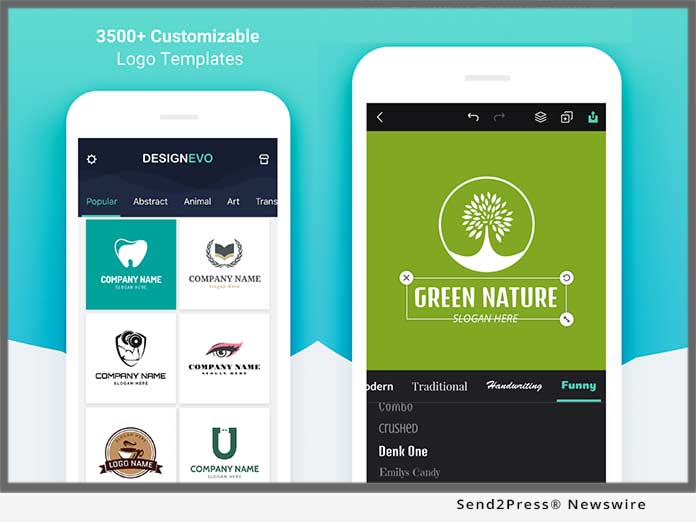
EaseUS New 11.0 Business Backup Solution Carries out Better Backup Tasks to Ensure Non-Stop Data Protection

CHENGDU, China /ScoopCloud/ -- EaseUS now just initiates the new 11.0 Todo Backup software for business users in which great changes come on the business schedule backup. This major upgrade alters the traditional setup of schedules to make sure that there is no break on the backup plans for business data among full backup, incremental backup and differential backup.

In this new 11.0 version, no matter small business or large enterprises can start backup strategy with higher efficiency and flexibility.

"Many times, we have received troublesome feedback from our users who worry about the disconnection between two or more backup plans due to the settings of backup schedule. Now the 11.0 version Todo Backup dispels the concerns on such problem that runs non-stop backup tasks over different schedule on time base or event base. Possibly, most on time program," said EaseUS CEO Mr. Wan on the launch meeting.

EaseUS business backup solution, including Workstation, Server, Advanced Server and Technician Editions, covers all essential backup on system, disks/partitions, files, Outlook emails, Exchange/SQL Server database from Windows PCs or Servers. Arranging from single machine environment to entire enterprise infrastructure, it's in a straightforward process to create backup tasks with a relatively automatic guide. As for business backup, schedule kicks in to simplify the whole admin routine and save plenty of trouble on manual work. It's much better to map out an overall backup plan before the backup setup rather than getting it done roughly.

It's usually found that parts of business data is left behind without backup due to the lack of well-thought-out schedule. For example, a monthly incremental backup task is fixed to execute on the beginning of the first Monday of the month, like November 05, 2017.

In the next month, the first Monday delays or maybe there is no the first Monday in the second month, like the first month on December is on the 26th that is decided by the backup program. Thus, there would be a pity in the leap on the second backup. To avoid such awkward situation, EaseUS Todo Backup 11.0 version helps edit business backup schedules accurate to every minute. Meanwhile, multiple backup tasks for full, incremental or differential copies can keep going on together on different schedules.

With no extra steps, it's simple and quick to set up multiple schedules on time or event depending on the business project. Data security and integrity are the core value for business backup work. EaseUS new 11.0 business backup tool attach much importance to the business continuity for technicians, IT admins, consultants, organizations or service providers.

Learn more about EaseUS Todo Backup for business 11.0: http://www.easeus.com/backup-software/business.html

About EaseUS Software:
EaseUS provides professional IT solutions for home, education and SMB users, service providers in data recovery, backup, system optimization and partition manager on both Windows and Mac platforms. Founded in 2004, EaseUS has established itself as a fast-growing international company with over 100 million wonderful users in the world. For more information, please visit http://www.easeus.com.

"EaseUS" is registered trademark of CHENGDU Yiwo Tech Development Co., Ltd.

News from EaseUS Software

EaseUS Software launches the new 11.0 Todo Backup software for business users in which great changes come on the business schedule backup. This major upgrade alters the traditional setup of schedules to make sure that there is no break on the backup plans for business data among full backup, incremental backup and differential backup.

Related link:

This version of news story was published on ScoopCloud™ (ScoopCloud.com) - part of and © the Neotrope® News Network - all rights reserved.
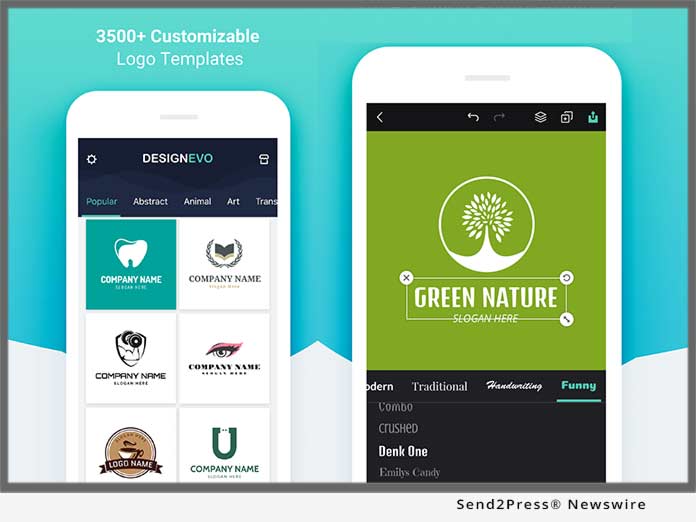
New EaseUS MobiMover 3.0: First Free iOS Data Transfer Software without Limits for iOS 11 and iPhone 8/8 Plus/X

CHENGDU, China /ScoopCloud/ -- EaseUS has just announced the new release of MobiMover 3.0, the completely free iOS data transfer software compatible with new iPhone X/8/8 Plus with iOS 11. With the new user-friendly interface, the 3.0 version of the data transfer software can be used to transfer photos, videos, audios, contacts, notes, messages, calendars, voice mails and Safari bookmarks & history in easy 3 steps. Besides, the new video transcoding feature enables you to import videos in unsupported formats to your iDevice to enjoy them as you like.

EaseUS MobiMover 3.0, the phone transfer freeware to manage iPhone data, is designed to import data from PC to iPhone/iPad, export files from iPhone/iPad to PC, transfer items from one iDevice to another and manage iPhone/iPad contents by deleting, adding, editing items. The files supported include photos, music, ringtones, playlist, movies, TV shows, home videos, contacts, notes, messages and more, which vary according to the feature you'd like to use.

Copy data from old iPhone to new iPhone X/8/8 Plus:

To keep all the important files ready for use on the current device, migrating the contents from previous iPhone to the new iPhone is needed. Contents like contacts, notes, books, Safari bookmarks, photos, videos and audios can all be synced from one iPhone to another.

Keep contents safe on old iPhone to PC:

No one would like to lose all the data on previous iPhone while getting the new one. In order to keep the old iPhone data safe, backing up the contents of the old device to computer is necessary. By importing contacts, messages, notes, calendars, voice mails, books, Safari bookmarks & history, photos, videos, audios from iPhone to PC, the concern for data loss will be eliminated.

Add files to iPhone X/8/8 Plus to enrich its contents:

To make the new iPhone more enjoyable, adding files like photos, videos, audios, contacts, notes, Safari bookmarks from computer can help a lot. The existing data on the new iPhone won't be replaced by the newly added items.

Manage iPhone X/8/8 Plus items from computer:

MobiMover also provide the iPhone data customizing function. iPhone contents could also be managing with the tool. Deleting all contacts on iPhone at once, adding a new playlist to iPhone or editing the bookmarks on iPhone and more can be easily achieved from the computer.

EaseUS MobiMover 3.0, the easy iPhone data transfer tool installed on PC with Windows 10/8.1/8/7, helps to transfer data between two iOS devices and between iOS device and computer effectively. Besides, freely managing iPhone/iPad contents is made possible with the tool.

Know more about EaseUS MobiMover 3.0 at: https://www.easeus.com/phone-transfer/mobimover-free.html

About EaseUS Software:
EaseUS provides professional IT solutions for home, education and SMB users, service providers in data recovery, backup, system optimization and partition manager on both Windows and Mac platforms. Founded in 2004, EaseUS has established itself as a fast-growing international company with over 100,000,000 wonderful users in the world. For more information, please visit http://www.easeus.com.

"EaseUS" is registered trademark of CHENGDU Yiwo Tech Development Co., Ltd."
"iPhone(R)", " iPad(R)", and "iOS(R)" are registered trademarks of Apple Inc.

News from EaseUS Software

EaseUS Software has just announced this week the new release of MobiMover 3.0, the completely free iOS data transfer software compatible with new iPhone X/8/8 Plus with iOS 11. With the new user-friendly interface, the 3.0 version of the data transfer software can be used to transfer photos, videos, audios, contacts, notes, messages, calendars, voice mails and Safari bookmarks and history in easy 3 steps.

Related link:

This version of news story was published on ScoopCloud™ (ScoopCloud.com) - part of and © the Neotrope® News Network - all rights reserved.
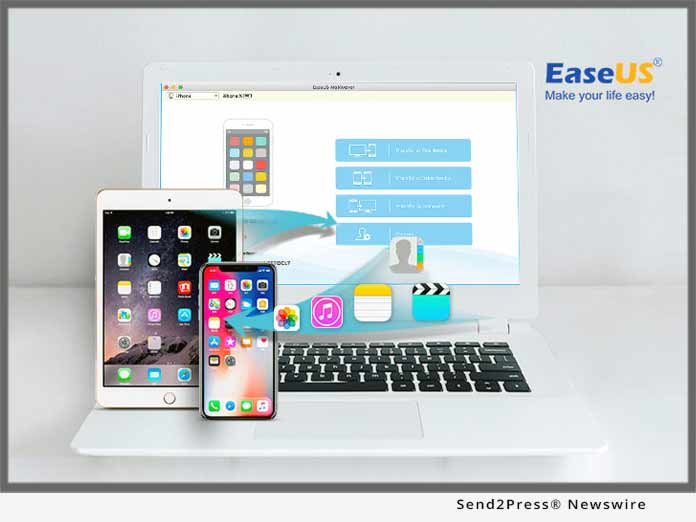
MobiMover 3.0: No.1 Free iPhone Data Manager to Transfer Photos/Contacts/Videos/Music to New iPhone X/8/8 Plus

NEW YORK, N.Y. /ScoopCloud/ -- EaseUS has announced the new release of MobiMover 3.0, the third version of the free iPhone data transfer and management software. Compared to the previous version, MobiMover 3.0 has provided a more user-friendly interface and video transcoding prompt while transferring. Besides, the latest iPhone X in iOS 11 is perfectly supported by MobiMover. MobiMover 3.0 can be used to transfer files like Photos, Videos, Audios, Contacts, Notes, Messages, Calendars, Voice Mails and Safari Bookmarks & History in a cost-free way.

EaseUS MobiMover 3.0, the ultimate iPhone transfer program, is designed to import all kinds of files from PC to iPhone/iPad, export data from iPhone/iPad to PC, transfer them from one iOS device to another and manage iOS data by deleting, adding, and editing items without any quantity and size limitation.

Transfer data from old iPhone to new iPhone X/8/8 Plus:

MobiMover 3.0 offers one-click data transfer feature to sync the content from old iPhone to the new iPhone X/8/8 Plus to keep all the important files from the previous device to the using ones. Contents like contacts, notes, books, Safari bookmarks, photos, videos and music, ringtones and audiobooks can all be transferred from one iOS device to another in one-click.

Back up files on iPhone X/8/8 Plus to computer:

To keep the data safe, backing up iPhone contents to the computer is indispensable. This mature iPhone data transfer software allows for exporting contacts, messages, notes, calendars, voice mails, books, Safari bookmarks & history, photos, movies, TV shows, music videos, photos videos, and audios from iPhone to computer for both space clear and data backup.

Add photos/music/videos/contacts to iPhone X/8/8 Plus:

To enrich the iPhone contents in a quick way and make the new iPhone more enjoyable, adding files like photos, videos, audios, contacts, notes, Safari bookmarks from a former iPhone/iPad backup or downloaded files saved on computer can help a lot. With this all-in-one iPhone transfer master, putting files to iPhone X/8/8 Plus is simple enough with only one-click.

Manage iPhone X/8/8 Plus content by adding/deleting/editing:

Managing iPhone content is also supported by this self-defined iPhone data transfer tool, such as deleting all contacts on iPhone at once, adding a new note to iPhone X or editing the playlists on iPhone 8 and more can be easily achieved from the computer.

In brief, with MobiMover 3.0, the free iOS data transfer software, installed on PC or laptop running Windows 10/8.1/8/7, it's quite easy and fast to transfer data between two iOS devices or between iOS device and computer. Meanwhile, comprehensive solutions for freely managing iPhone/iPad content is embedded seamlessly in this too.

Download the free iOS data transfer tool to have a try: https://www.easeus.com/phone-transfer/mobimover-free.html

About EaseUS Software:

EaseUS provides professional IT solutions for home, education and SMB users, service providers in data recovery, backup, system optimization and partition manager on both Windows and Mac platforms. Founded in 2004, EaseUS has established itself as a fast-growing international company with over 100,000,000 wonderful users in the world. For more information, please visit http://www.easeus.com.

"EaseUS" is registered trademark of CHENGDU Yiwo Tech Development Co., Ltd."
"iPhone(R)", " iPad(R)", and "iOS(R)" are registered trademarks of Apple Inc.

News from EaseUS Software

EaseUS has announced the new release of MobiMover 3.0, the third version of the free iPhone data transfer and management software. Compared to the previous version, MobiMover 3.0 has provided a more user-friendly interface and video transcoding prompt while transferring. Besides, the latest iPhone X in iOS 11 is perfectly supported by MobiMover. MobiMover 3.0 can be used to transfer files like Photos, Videos, Audios, Contacts, Notes, Messages, Calendars, Voice Mails and Safari Bookmarks & History in a cost-free way.

Related link:

This version of news story was published on ScoopCloud™ (ScoopCloud.com) - part of and © the Neotrope® News Network - all rights reserved.
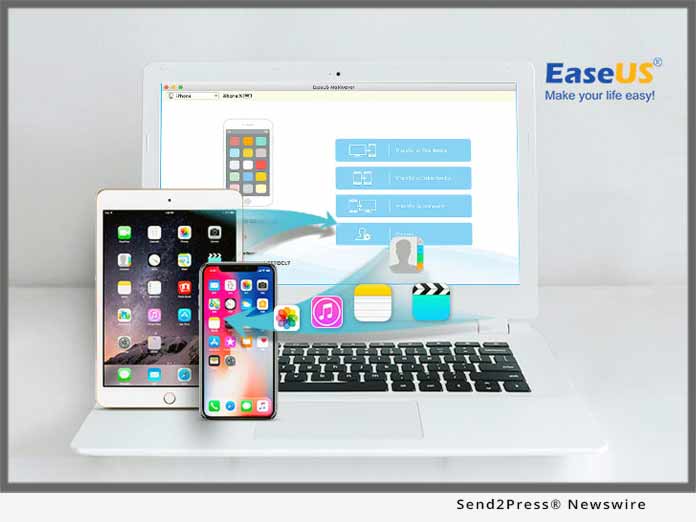
iMobie Rolls Out Its Biggest Thanksgiving Discount on AnyTrans for All PC and Mac Users

NEW YORK, N.Y. /ScoopCloud/ -- iMobie Inc., a leading iOS and Android related software developer, today rolls out the biggest Thanksgiving 2017 sale promotion ever to celebrate this special holiday with customers - up to $20 OFF discount on AnyTrans, which aims to help more users to transfer, back up and manage their iOS data in a better way.

Along with this big discount, iMobie has also released a whole new and customized Golden Thanksgiving appearance of AnyTrans in its recent update.

This special Thanksgiving sale runs from November 22 to November 28, available worldwide. Go get this Thanksgiving sale at: https://www.imobie.com/special/thanksgiving-2017.htm

"Happy Thanksgiving! To give a special thanks to all iMobie customers for their long-term support, we are holding this biggest ever discount for our ultimate iPhone manager AnyTrans," said Frank Kong, CEO of iMobie Inc. "Apart from that, we've also added another new customized appearance called Golden Thanksgiving, so that users can get a better experience while using AnyTrans this Thanksgiving."

Download AnyTrans to enjoy the whole new appearance: https://www.imobie.com/anytrans/download.htm

See what AnyTrans Can Do for You this Thanksgiving:

Back Up Your Memories in A Smarter Way:

With the new Air Backup feature of AnyTrans, now you can back up all your holiday memories automatically, wirelessly, and securely, such as your photos with family, greeting messages from best friends, etc. You'll always find a way back for your precious data even if it gets lost one day.

Manage Your Photos with Ease:

Photos mean a lot to everyone, especially those photos taken during the holidays. Now, AnyTrans enables you to organize and manage them the way you like - you'll quickly find what you want from hundreds or even thousands of photos and export whatever you like to your computer.

Master Your Favorite Music in Full-way:

Special holidays deserve special music. With it, you can import/export whatever you favor to your iPhone or iPad during this holiday, no matter if it's from your iTunes Library, your computer - even from your Android device - you are always free to enjoy all your favorites on the go. You are the master to get what you want.

Enjoy Favorite Videos and Movies on the Go:

It's fantastic to enjoy movies together with family or best friends during this holiday. Now, with the Media Downloader feature of AnyTrans, you can download your favorite videos or music to your computer, or even directly to your iPhone iPad - what you do is just to enjoy yourself, no matter where you go or whatever you do.

Get more info about AnyTrans: https://www.imobie.com/anytrans/

About iMobie:

iMobie Inc. was established in 2011, and is located in Tianfu Software Park (China), a place gathering many highly talented software engineers.

Learn more: https://www.imobie.com/

News from iMobie Inc.

iMobie Inc., a leading iOS and Android related software developer, today rolls out the biggest Thanksgiving 2017 sale promotion ever to celebrate this special holiday with customers - up to $20 OFF discount on AnyTrans, which aims to help more users to transfer, back up and manage their iOS data in a better way.

Related link:

This version of news story was published on ScoopCloud™ (ScoopCloud.com) - part of and © the Neotrope® News Network - all rights reserved.

MORN® Fiber Laser Cutting Machine Export Booms Under the Leadership of ‘the Belt and Road Initiative’

JINAN, China /ScoopCloud/ -- MORN Technology Co., Ltd., a professional fiber laser cutting machine manufacturer in China, announced today that MORN(R) fiber laser cutting machine export business has gained great benefits from the Silk Road Economic Belt and the 21st-Century Maritime Silk Road initiated by China.

Located in the second-tier city, Jinan of China, MORN(R) Group is an enterprising and industrious company who devotes to grow into a world competitive manufacturer in fiber laser cutting machine manufacturing industry. Having accumulated a decade of laser machine manufacture and export experience, MORN(R) has never been satisfied with what had been achieved and attaches more importance to the present practice and future development instead.

The development of any enterprise cannot live without following the national economic policies and international economic trend. Based on this belief, MORN(R) fiber laser cutting machine manufacture always keeps pace with updated economic situation and never acts blindly on his own. In recent years, the Belt and Road Initiative is the most powerful guider and beacon for MORN(R)'s laser machine manufacture and business development. And hopefully, great achievements have been made by MORN(R) whose fiber laser cutting machine export volume booms year after year.

Then, what driving force does the Belt and Road has brought? Firstly, the Belt and Road traverses Europe and Asia in which 65 countries are involved. The industrialization of these 65 countries varies from area and development history, almost covering the every stage of industrialization process, which is conductive to the formation of the complementary cooperation mode. Secondly, most of these countries stay in the mid-and post-industrialization stage that provides great opportunities to Chinese manufacturing industries.

Lastly, during their practice on economic and industrial development, the improvement of infrastructure and energy equipment poses great market demand for mechanical equipment. This is of great importance to MORN(R) fiber laser cutting machine manufacture and export.

Before the Belt and Road Initiative, most import countries of MORN(R) fiber laser cutting machine are developed European and north American countries. Things seemed to be changed, however, with the launch and motivation of the Belt and Road Initiative. At present, MORN(R) has exported fiber laser cutting machines to more than 100 countries, of which the countries along the the Belt and Road account for a large part, like Singapore, Israel, Pakistan, Vietnam, Indonesia, Iran, Turkey, Saudi Arabia, United Arab Emirates, Cyprus, Sri Lanka, etc. The Belt and Road is not only an economic development strategy aimed to seek mutual cooperation, but also like a string that links all the 65 countries together, sharing weal and woe.

Under the background that China strongly encourages the development of manufacturing industries, MORN(R), a committed fiber laser cutting machine manufacturer, will always put 100 percent effort to provide high quality and affordable fiber laser cutting machines to worldwide customers and prospects.

More information: http://www.mornfiber.com/

VIDEO (YouTube): https://youtu.be/Wd0gYI1rax4

MEDIA CONTACT:
Josie Zhu
Jinan MORN Technology Co., Ltd
E-Mail: technic@morntech.com
Phone: +86-531-88692337

News from MORN Technology Co Ltd

MORN Technology Co., Ltd., a professional fiber laser cutting machine manufacturer in China, announced today that MORN fiber laser cutting machine export business has gained great benefits from the Silk Road Economic Belt and the 21st-Century Maritime Silk Road initiated by China.

Related link:

This version of news story was published on ScoopCloud™ (ScoopCloud.com) - part of and © the Neotrope® News Network - all rights reserved.
New Version 2.5 of EaseUS MobiSaver for Android App Is Now Available in Google Play Store

NEW YORK, N.Y. /ScoopCloud/ -- EaseUS has just released the new 2.5 version of EaseUS MobiSaver for Android app in Google Play store on early November. The new version Android data recovery app helps to restore deleted photos, videos, contacts, call logs, SMS and WhatsApp messages quickly from internal memory and external SD card of Android phones or tablets. To undelete these types of files on phones running Android 4.0 - new Android Oreo 8.0, it's only a matter of a few taps.

Ranking the top data recovery app for Android, EaseUS MobiSaver automatically starts scanning to search for deleted files fast and displays Android data in well-organized order. The deep scan begins to retrieve deleted photos, videos, contacts, messages or call history right after the quick scan that would cost some time if a large data storage gets the Android device occupied.

In addition, it might be different on the display of deleted data scanning results whether the Android phone is rooted or not. This deleted Android data recovery app can automatically detect whether your Android phone is rooted or not before scanning. When trying to restore much more lost data, it's necessary to root Android phone at first and allow EaseUS MobiSaver for Android an access to deleted files. Certainly, it's done in a 100% safe way and has no effects on original data of Android phones.

The 2.5 version Android data recovery program can extract messages in texts as a default messaging app on devices in Android 4.4 or later when attempting to save deleted SMS and WhatsApp messages. In particular, once WhatsApp messages are rescued, it's easy to view restored text messages in app directly instead of going ahead to WhatsApp gadget. Besides, preview before recovery makes sense to ensure great recovery quality of exact photos, videos, contacts, calls and messages.

Deleted valuable photos by accident? Remove videos unexpected when cleaning up storage space? Cannot find important conversations on Android phones? The all-in-one deleted data recovery app for Android brings lost photos, videos, contacts, call history, SMS and WhatsApp all back in a few minutes.

EaseUS MobiSaver for Android - Recover Deleted Data App 2.5 version is now available at:

EeasUS website: https://www.easeus.com/android-data-recovery-software/app-version.html

Google Play Store: https://play.google.com/store/apps/details?id=com.easeus.mobisaver

About EaseUS Software:

EaseUS provides professional IT solutions for home, education and SMB users, service providers in data recovery, backup, system optimization and partition manager on both Windows and Mac platforms. Founded in 2004, EaseUS has established itself as a fast-growing international company with over 100 million wonderful users in the world. For more information, please visit http://www.easeus.com/.

"EaseUS" is registered trademark of CHENGDU Yiwo Tech Development Co., Ltd.

News from EaseUS Software

EaseUS has just released the new 2.5 version of EaseUS MobiSaver for Android app in Google Play store on early November. The new version Android data recovery app helps to restore deleted photos, videos, contacts, call logs, SMS and WhatsApp messages quickly from internal memory and external SD card of Android phones or tablets.

Related link:

This version of news story was published on ScoopCloud™ (ScoopCloud.com) - part of and © the Neotrope® News Network - all rights reserved.
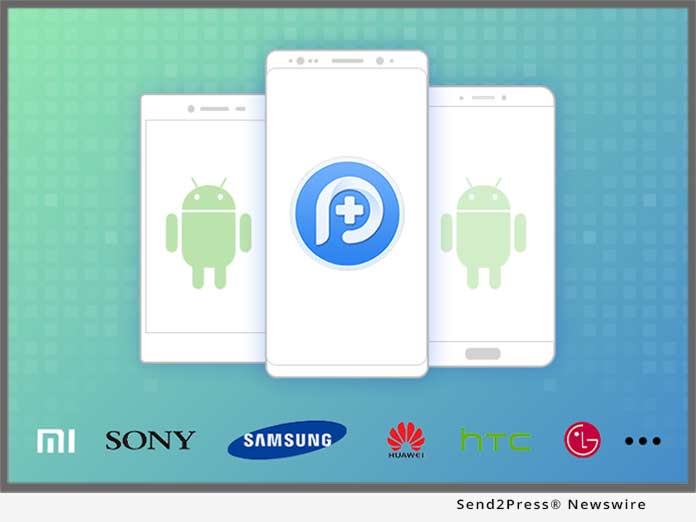
New EaseUS MobiMover 2.0: World’s First Free iOS Data Transfer Software to Transfer Photos / Videos / Audios / Contacts to iPhone 8

CHENGDU, China /ScoopCloud/ -- EaseUS has just announced the new release of MobiMover 2.0, the completely free iOS data transfer software compatible with the coming iPhone 8 with iOS 11. The 2.0 version of the data transfer software can be used to transfer photos, videos, audios, contacts, notes, messages, calendars, voice mails and Safari bookmarks & history in 3 easy steps.

EaseUS MobiMover 2.0, the phone transfer freeware to manage iPhone data, is designed to export files from PC to iPhone/iPad, export files from iPhone/iPad to PC, transfer files from one iPhone/iPad to another and manage iPhone/iPad content by deleting, adding, editing items. The files can be transferred include photos, music, ringtones, playlist, movies, TV shows, home videos, contacts, notes, messages and more, which vary according to the feature used.

Sync contents from old iPhone to new iPhone 8:
It's necessary to migrate the content from old iPhone to the new iPhone 8 to keep all the important files from the previous device ready for use on the current device. Contents like contacts, notes, books, Safari bookmarks, photos, videos and audios can all be transferred from one iPhone to another.

Back up contents on old iPhone to computer:
Buying a new iPhone doesn't mean being willing to lose the data on old iPhone. To keep the data safe, backing up the contents of the old device to computer is inevitable. By transferring contacts, messages, notes, calendars, voice mails, books, Safari bookmarks & history, photos, videos, audios from iPhone to computer, the concern for data loss will be eliminated.

Add files to iPhone 8 to enrich its contents:
To make the new iPhone 8 more enjoyable, adding files like photos, videos, audios, contacts, notes, Safari bookmarks from a former iPhone/iPad backup or downloaded files saved on the computer can help a lot.

Manage iPhone 8 content from computer:
Customizing iPhone content is also enabled with the tool. Deleting all contacts on iPhone at once, adding a new note to iPhone or editing the playlists on iPhone and more can be easily achieved from the computer.

EaseUS MobiMover 2.0, the easy iPhone data transfer tool installed on PC with Windows 10/8.1/8/7, helps to transfer data between two iOS devices and between iOS device and computer effectively. Besides, freely managing iPhone/iPad content is made possible with the tool.

Know more about EaseUS MobiMover 2.0 at:
https://www.easeus.com/phone-transfer/mobimover-free.html

About EaseUS Software:
EaseUS provides professional IT solutions for home, education and SMB users, service providers in data recovery, backup, system optimization and partition manager on both Windows and Mac platforms. Founded in 2004, EaseUS has established itself as a fast-growing international company with over 100 million wonderful users in the world. For more information, please visit https://www.easeus.com.

"EaseUS" is registered trademark of CHENGDU Yiwo Tech Development Co., Ltd.

"iPhone(R)," " iPad(R)," and "iOS(R)" are registered trademarks of Apple Inc.

News from EaseUS Software

EaseUS has just announced the new release of MobiMover 2.0, the completely free iOS data transfer software compatible with the coming iPhone 8 with iOS 11. The 2.0 version of the data transfer software can be used to transfer photos, videos, audios, contacts, notes, messages, calendars, voice mails and Safari bookmarks and history in 3 easy steps.

Related link:

This version of news story was published on ScoopCloud™ (ScoopCloud.com) - part of and © the Neotrope® News Network - all rights reserved.
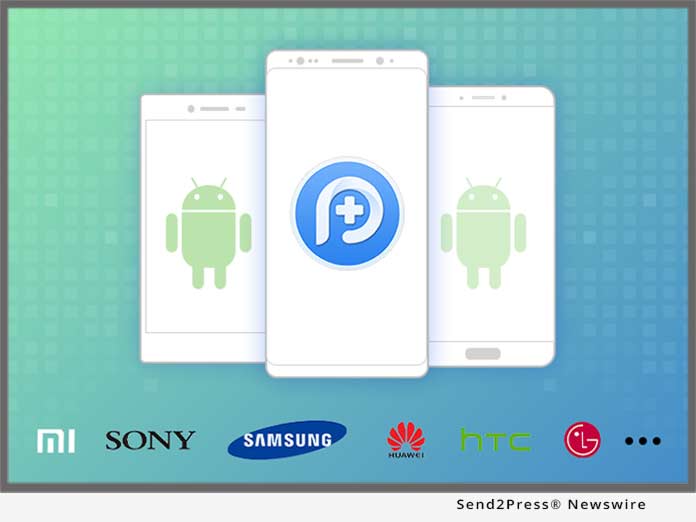
PearlMountain Launches DesignEvo that Enables Everyone to Make Professional Logos for Free

CHENGDU, China /ScoopCloud/ -- PearlMountain is proud to announce the new release of DesignEvo, a free online logo maker that helps users make unique and professional logos.

The logo is the most essential part of making any brand recognizable. Hiring a professional designer to create a custom logo can definitely be expensive, especially for most small business owners and individuals who don't have the budget. Fortunately, the release of DesignEvo allows everyone to create professional logos without using complicated design software or hiring a professional designer.

"We are thrilled to launch DesignEvo. It will help a lot of people create professional-looking logos without spending much and without wasting time. Whether you're a small business owner or a start-up who needs a logo design for branding and marketing needs but don't have a budget, DesignEvo is a great solution for you," says Lin Xiao, the CEO of PearlMountain Limited.

DesignEvo makes it simple and stress-free to turn any brand identity into visual art. By searching through millions of professionally designed icons, adding logo texts and editing with little effort, users have a custom logo ready to download, fast and time-saving. People who don't have the time, experience, or the budget to pay a designer can have DesignEvo as their free logo design expert.

The ease of use, free to access, and user-friendly features set DesignEvo apart from its competitors. Users have complete control over how their logos should look like. They are able to boost their creativity with tons of icons and text fonts to choose from. Anyone, regardless of their design experience, can create unique logos in minutes and use on their websites, shirts, business cards, letterheads, social media, and any other marketing presence.

"We aim to make the logo design process simple, fast, effective, and free. DesignEvo eases the process of logo design, and we hope it helps more people to create compelling logos that can take their business/brand to the next level," says Lin Xiao.

DesignEvo assists everyone in creating professional and attractive logos at absolutely no cost. It works in any browser, with no need to register and download. For more details, please visit https://designevo.com/.

About DesignEvo:
DesignEvo is a free online logo maker developed by PearlMountain Limited. It makes logo design simple and straightforward, and provides users with the most convenient experience.

Facebook: https://www.facebook.com/designevoapp/
Twitter: https://twitter.com/designevoapp

Media Contact:
Lin Xiao, CEO
of PearlMountain Limited
info@designevo.com

*PHOTO for media: Send2Press.com/300dpi/17-0905s2p-designevo-300dpi.jpg

News from PearlMountain Limited

PearlMountain is proud to announce the new release of DesignEvo, a free online logo maker that helps users make unique and professional logos. The logo is the most essential part of making any brand recognizable. Hiring a professional designer to create a custom logo can definitely be expensive, especially for most small business owners and individuals who don't have the budget.

Related link:

This version of news story was published on ScoopCloud™ (ScoopCloud.com) - part of and © the Neotrope® News Network - all rights reserved.

Transfer Photos, Music, Contacts and Videos in just One Click: New EaseUS MobiMover 1.0 Launches for Easy iPhone Data Transfer

NEW YORK, N.Y. /ScoopCloud/ -- EaseUS MobiMover 1.0, the new iPhone data transfer software to import and export full contents between iPhone/iPad and PC with smart file management solutions. This new 1.0 iPhone data transfer tool supports transferring contents in various types with only one-step or customized settings, such as Contacts, Notes, Messages, Calendars, Voice Mail, Ringtones, Photos, Music, Videos, Safari Bookmark and History, and Playlists.

EaseUS iOS data transfer software can play an effective role when need to import whole iPhone/iPad data to PC to keep data safe, transfer data from old iPhone/iPad to newly bought one, share wonderful photos and videos with others using iOS devices, back up iPhone/iPad data when upgrade and downgrade, move iPhone/iPad files to another device to free up space, add contents to iPhone/iPad from computer, and add or delete specific item on iOS device as wish.

Transfer iPhone/iPad data with simple one-click:
Three direct single click transfer models are full-scale supported in this iPhone transfer program: importing from PC to device, transferring between two iOS devices and exporting files from iPhone/iPad to PC. Merely locating and choosing the files need to be moved, the data transfer will begin straightforward with amazing speed.

Migrate iPhone/iPad data by certain category:
Except for one-step transfer, the self-defined iPhone data transfer still allows for exporting and importing iPhone/iPad data by specific categories, which exactly means to transfer by contacts/music/photos/calendar/audios or videos. In addition, the phone transfer can also be particular to one message, one photo or any customized quantity.

Manage iPhone/iPad files with integrated solutions:
Apart from the basic transfer, this iPhone transfer and manager provides ultimate files management methods within the application itself too, like adding pictures to photo library from local PC or web page, deleting and editing notes conveniently via computer keyboard operations, importing audio files into a playlist or exporting certain playlist file. What's more, any change on files can be automatically refreshed and synced to iPhone and iPad.

In brief, compatible with Windows 7/8/8.1/10, iOS 8 and later, this all-in-one iPhone transfer enables to transfer data between iPhone/iPad and PC or between two iOS devices at remarkable speed. Meanwhile, iOS file adding, deleting, and syncing utilities are embedded seamlessly.

New EaseUS MobiMover 1.0 is available now at: https://www.easeus.com/phone-transfer/mobimover.html.

About EaseUS Software:
EaseUS provides professional IT solutions for home, education and SMB users, service providers in data recovery, backup, system optimization and partition manager on both Windows and Mac platforms. Founded in 2004, EaseUS has established itself as a fast-growing international company with over 100 million wonderful users in the world. For more information, please visit https://www.easeus.com/.

EaseUS(R) is registered trademark of CHENGDU Yiwo Tech Development Co., Ltd.

iPhone(R), iPad(R), and iOS(R) are registered trademarks of Apple Inc.

News from EaseUS Software

EaseUS MobiMover 1.0, the new iPhone data transfer software to import and export full contents between iPhone/iPad and PC with smart file management solutions. This new 1.0 iPhone data transfer tool supports transferring contents in various types with only one-step or customized settings, such as Contacts, Notes, Messages, Calendars, Voice Mail, Ringtones, Photos, Music, Videos, Safari Bookmark and History, and Playlists.

Related link:

This version of news story was published on ScoopCloud™ (ScoopCloud.com) - part of and © the Neotrope® News Network - all rights reserved.
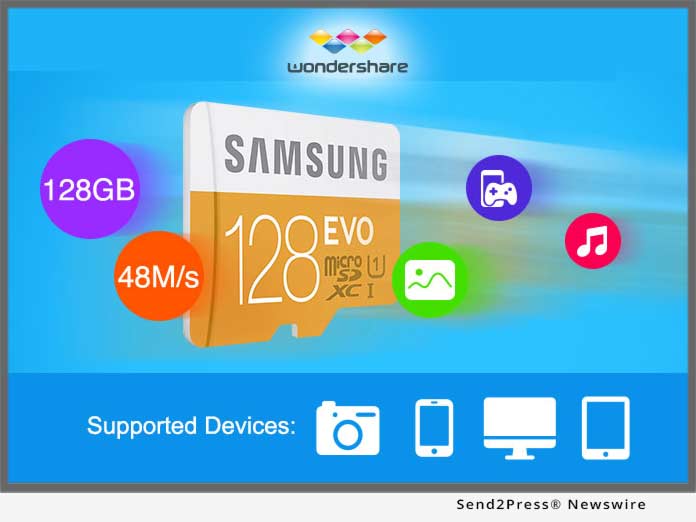
New EaseUS Partition Master 12.5 comes to manage dynamic disks and clone disks with high efficiency

CHENGDU, China /ScoopCloud/ -- EaseUS has just released version 12.5 of Partition Master, its popular disk partition manager software that can help to manage not only basic disk, but also dynamic ones with high efficiency. Good news of this v12.5 disk partition management solution is to make the best use of disk space on dynamic disks, except for partitioning features, like formatting, converting basic disks into dynamic, extending dynamic volumes and removal.

EaseUS Partition Master can easily partition hard drives where a large amount of data relies on and makes Windows PCs or Servers running at the best performance. To get the most from PCs or Servers, this disk partition software provides basic partitioning features, for example, resizing, merging, formatting, moving, deleting or hiding partitions as well as advanced utilities to clone disk for data backup and restore partition loss for data recovery.

In the new 12.5 version, the focus is to manage dynamic disks in simple click and take advantage of every available disk space. As basic disks, dynamic disks are the mostly common used storage types which are composed by a list of volumes, called dynamic volumes. Dynamic disks can be used to do much more things on computer than basic disks do, like creating volumes to span multiple disks or fault tolerant volumes, increasing volume sizes, merging two or three small disks into a large volume, making high read/write speed of hard drive and protecting critical data.

Therefore, partitioning dynamic disks brings much flexibility for disk space or specific volume management. The 12.5 partition tool is able to resize simple volumes, spanned volumes, striped volumes, mirrored volumes and RAID-5 volumes on dynamic disks and make sure enough disk space for Windows system smooth running. In addition, formatted dynamic volumes can increase disk usage and solve low disk space problems on hard drive.

Besides, another change is the partitioning support on large capacity hard drives and unlimited disks in the Pro edition and later advanced editions. EaseUS free partition manager software still can resize partitions of 8TB capacity in a single volume and manage 6 disks at most at the same time.

In short, in the 12.5 version update, EaseUS partition manager software makes great change on dynamic disk management and disk cloning function that can really enhance the performance of Windows PCs or Servers with disk storage well organized.

New EaseUS Partition Master 12.5 is available now at: http://www.easeus.com/partition-manager/epm-pro.html

About EaseUS Software:

EaseUS provides professional IT solutions for home, education and SMB users, service providers in data recovery, backup, system optimization and partition manager on both Windows and Mac platforms. Founded in 2004, EaseUS has established itself as a fast-growing international company with over 100,000,000 wonderful users in the world. For more information, please visit http://www.easeus.com.
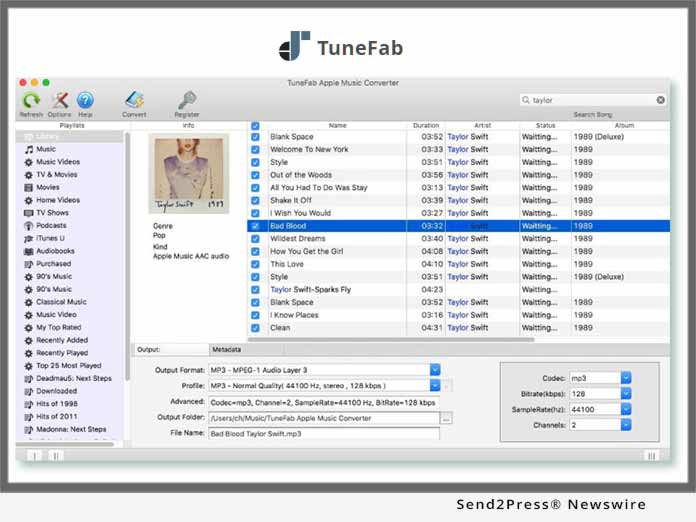
"EaseUS" is registered trademark of CHENGDU Yiwo Tech Development Co., Ltd."

News from EaseUS Software

EaseUS has just released version 12.5 of Partition Master, its popular disk partition manager software that can help to manage not only basic disk, but also dynamic ones with high efficiency. Good news of this v12.5 disk partition management solution is to make the best use of disk space on dynamic disks, except for partitioning features, like formatting, converting basic disks into dynamic, extending dynamic volumes and removal.

Related link:

This version of news story was published on ScoopCloud™ (ScoopCloud.com) - part of and © the Neotrope® News Network - all rights reserved.