Tag Archives: Apple Mac and iOS

Worried About iOS 17 Compatibility? Tenorshare Software Is Now Compatible with iOS 17

NEW YORK, N.Y. /ScoopCloud/ -- Apple recently launched the latest iOS 17 with several new features. But users are concerned about iOS 17 compatibility, management, and repair. Tenorshare, as an updated smartphone solutions provider, offers a range of iOS 17 compatible solutions.

Tenorshare Has Updated All Its Software to Be Fully Compatible With iOS 17

"Does Tenorshare work with iOS 17? To answer this question, Tenorshare software has been updated to ensure full compatibility with iOS 17. Moreover, Tenorshare iOS 17 & iPhone 15 Sale has been launched," says Mike Lee, CEO of Tenorshare. These include ReiBoot, UltData, 4uKey, iCareFone, WhatsApp Transfer, and iAnyGo, aimed at assisting users in managing and resolving various iOS-related issues. Let's check out what more iOS 17 compatible products Tenorshare offers!

What Products Have Updated to Be Compatible With iOS 17?

* Tenorshare ReiBoot - Reliable iOS 17 System Repair Tool

ReiBoot fixes various iOS issues, updates iOS 17 Beta and downgrades it without jailbreaking. It also repairs macOS, resets iOS devices, and resolves iTunes errors.

* Tenorshare UltData - iPhone 15 Data Recovery Software

UltData can retrieve deleted data from iOS devices, iTunes backups, and iCloud. It works with 35+ file types and supports backup and restore of WhatsApp, LINE, Viber, WeChat, and Kik.

* Tenorshare 4uKey - Unlock Screen Lock/MDM/Screen Time

4uKey can remove the screen lock, passcodes, Touch ID, Face ID, and Screen Time passcodes from iOS devices. It can help bypass MDM screen and remove MDM profile.

* Tenorshare iAnyGo - Change GPS Location without Root

iAnyGo helps spoof your iOS or Android device location with one click and controls movement using a GPS joystick. It can create custom routes by importing/exporting GPX files, works with all location-based apps.

* Tenorshare iCareFone - Manage Your iOS Devices Easier Than Ever

iCareFone can manage content on your iOS device, download region-locked apps, and perform smart data backups for free. It can transfer media between your device and iTunes, and can restore backups anytime.

* Tenorshare iCareFone Transfer - Best WhatsApp Transfer/Backup/Restore

iCareFone Transfer can selectively move WhatsApp data between Android and iOS 17, including iOS 17 devices, without data loss. It can also restore WhatsApp backup from Google Drive and iCloud.

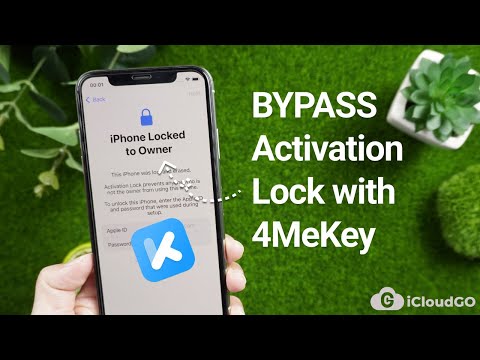
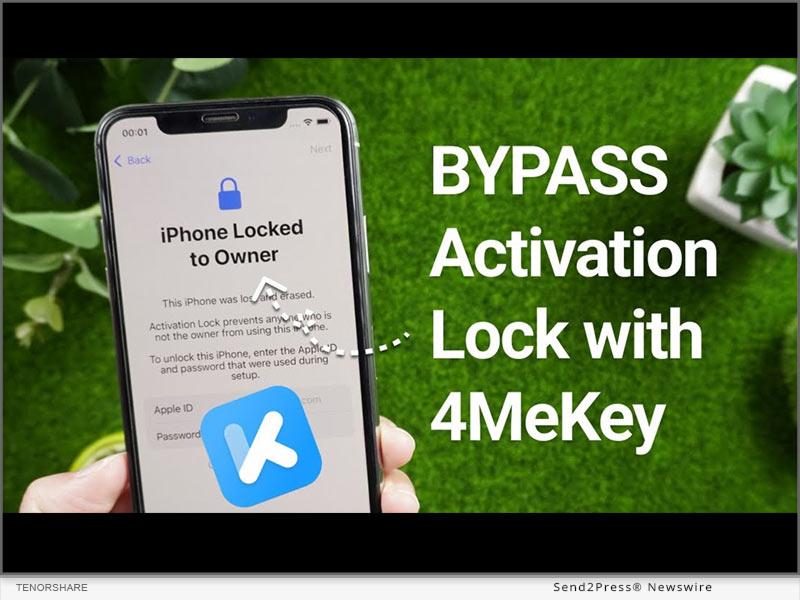
* Tenorshare 4MeKey - Remove iCloud Activation Lock Easily

4MeKey can bypass iCloud activation lock on iOS 17 without a password or Apple ID. After bypassing the activation lock, it can remove your iCloud account, Apple ID, Find My device, and sign in with a new Apple ID.

SPECIAL SALE OFFERS:

https://www.tenorshare.com/sales-promotion.html?linksource=header-iphone150912

About Tenorshare:

With the launch of iOS 17, concerns about compatible software for device management and issue resolution arise. Fortunately, Tenorshare offers a range of iOS 17-compatible software to address these concerns. As a dedicated smartphone solution provider, Tenorshare keeps its solutions up-to-date, ensuring iOS and Android users can seamlessly navigate the latest operating systems worry-free.

More information: https://www.tenorshare.com/

Facebook: https://www.facebook.com/TenorshareOfficial/

YouTube: https://www.youtube.com/user/TenorshareOfficial/videos

TikTok: https://www.tiktok.com/@tenorshare_tech_tips

X/Twitter: https://twitter.com/Tenorshare_Inc

News from Tenorshare Co. Ltd.

Apple recently launched the latest iOS 17 with several new features. But users are concerned about iOS 17 compatibility, management, and repair. Tenorshare, as an updated smartphone solutions provider, offers a range of iOS 17 compatible solutions.

Related link: https://www.tenorshare.com/

This version of news story was published on ScoopCloud™ (ScoopCloud.com) - part of and © the Neotrope® News Network - all rights reserved.


How to Change iPhone Location on iOS 17? Using iToolab AnyGo Location Changer Solution!

NEW YORK, N.Y. /ScoopCloud/ -- iToolab has announced that AnyGo - Location Changer Mac version is now available for the latest iOS 17. iToolab AnyGo is a powerful iPhone location changer app that is supported by millions of users worldwide. In order to fulfill the latest needs of users to change location on iOS 17, iToolab provides the latest solution as fast as possible.

Mia Garcia, the CEO of iToolab stated, "As a company that puts the needs of our customers first, we respond to all new demands as quickly as possible. iToolab AnyGo for Mac meets all location change needs. Especially for users concerned about their privacy, exposing your personal location to social networks is a very unsafe thing to do. We need to change location if it's necessary."

HOW TO CHANGE LOCATION ON IOS 17 WITH ITOOLAB ANYGO FOR MAC?

With iToolab AnyGo for Mac, you can easily change GPS location on iOS devices. You don't have to jailbreak the device and there are no complex steps. You can change GPS location on Pokemon Go, Tinder, Facebook, WhatsApp, Snapchat, Instagram, and other apps.

* Download iToolab AnyGo on your Mac and finish the installation.

* Connect your device to your Mac via a USB cable and change location in a click.

Video Guide: https://www.youtube.com/watch?v=6HMaEAYa3t4

HIGHLIGHT FEATURES OF ITOOLAB ANYGO

1 - Change GPS location with one click.

2 - Simulate GPS movement with 3 walking modes.

3 - Support joystick mode to control the game character better.

4 - Support importing GPX files.

5 - Display cooldown timer for specific games.

6 - Support more than 100+ apps, including social, dating and games.

7 - Available for the latest iOS 17.

More info: https://itoolab.com/gps-location-changer/

Price: https://itoolab.com/buy/anygo-for-mac

IOS 17 TIPS AND TRICKS

If you want to know more about iOS 17 news, such as how to upgrade to iOS 17 or some solutions to iOS 17 bugs, here are the tips and solutions for you. Also, iToolab has software that applies to iOS system issues, which is iToolab FixGo - iOS System Repair.

Learn more: https://itoolab.com/ios-update/

About iToolab:

iToolab is a Hong Kong-based leading iOS and Android solution provider with a vision to help smartphone users solve various technical issues. Over the years, the company has helped millions of users fix iOS issues and regain access to their iPhones and iPads. Currently, iToolab provides its services in more than 130 countries and has an extensive user base. The creative approach of the developers is the main reason for the high success rate of all iToolab products.

For more details, please visit:

Official Website: https://itoolab.com/

Facebook: https://www.facebook.com/itoolab

X/Twitter: https://twitter.com/IToolab

YouTube: https://www.youtube.com/@iToolab

News from IToolab Co Ltd

iToolab has announced that AnyGo - Location Changer Mac version is now available for the latest iOS 17. iToolab AnyGo is a powerful iPhone location changer app that is supported by millions of users worldwide. In order to fulfill the latest needs of users to change location on iOS 17, iToolab provides the latest solution as fast as possible.

Related link: https://itoolab.com/

This version of news story was published on ScoopCloud™ (ScoopCloud.com) - part of and © the Neotrope® News Network - all rights reserved.
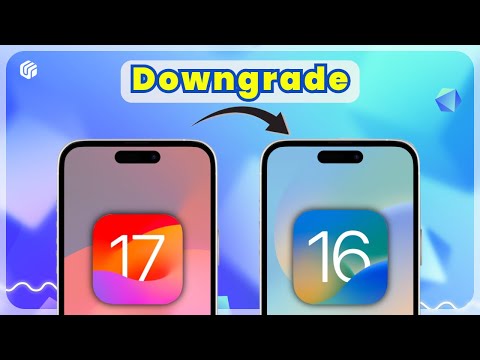
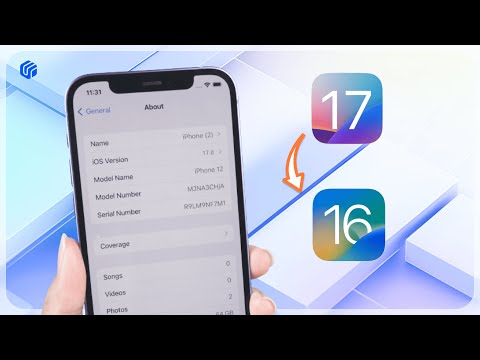
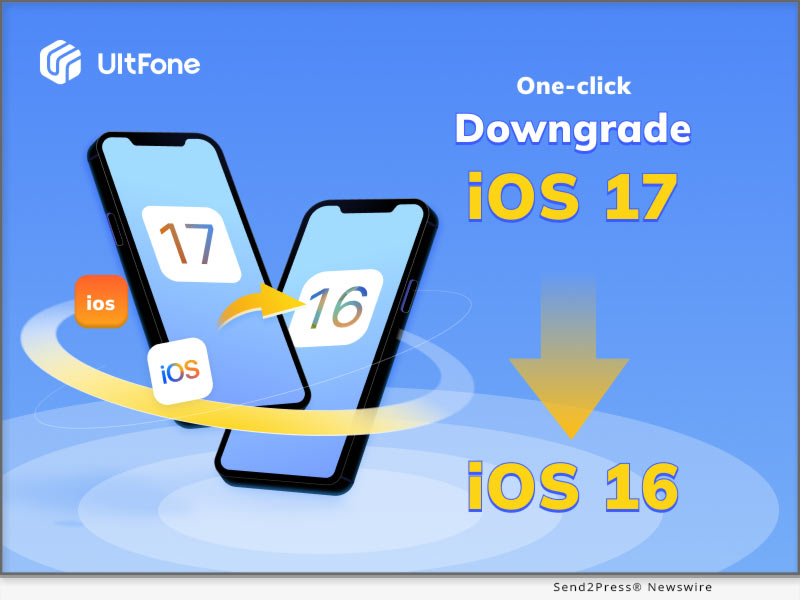
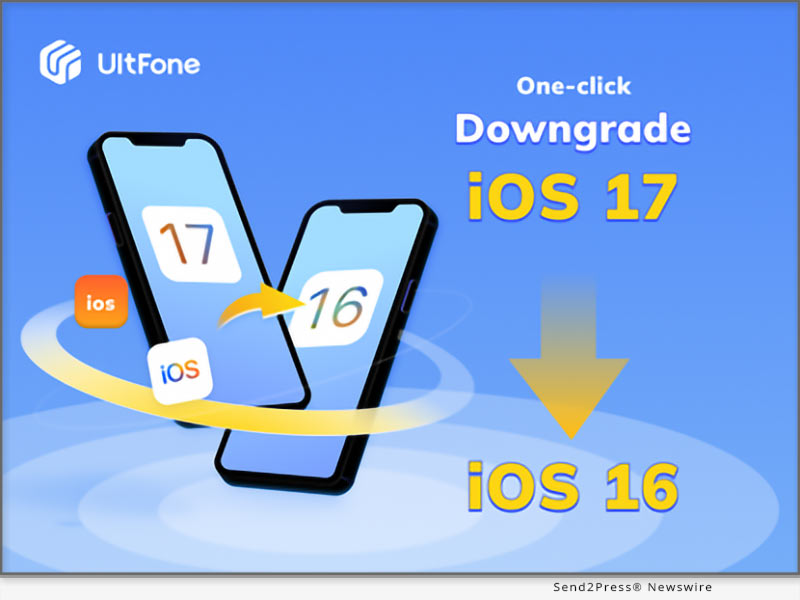
How to Easily Go Back to iOS 16 from iOS 17 in a Few Minutes without Losing Data

NEW YORK, N.Y. /ScoopCloud/ -- The final version of iOS 17 will be out in just a few days. Many users have already installed its beta version and tried out some of its features, says software company, UltFone.

While most of the iOS 17 features are great, some users faced many technical issues, including their iPhones freezing during the update or being stuck in a boot loop or Apple logo. Due to these issues, many Apple users decided to go back to iOS 16.

So, how to go back to iOS 16 from 17? Using the UltFone iOS Downgrade tool, of course!

What You Need to Know Before Going Back to iOS 16 from iOS 17?

To revert back to iOS 16, the process is not difficult, but there are several things to keep in mind before you uninstall iOS 17.

* Create a backup of your device using iTunes, iCloud or UltFone iOS Data Manager in case of losing data when you downgrade from iOS 17 to iOS 16.

* iOS 17 is only compatible with iPhone XS and later versions.

* You need to prepare a Mac or Windows computer, and a suitable cable (lightning) to complete the procedure of rollback from iOS 17.

How to Go Back to iOS 16 From iOS 17 Without Losing Data?

When you are ready, the UltFone Downgrade Tool is here to help you no longer be confused about "How do I go back to iOS 16?"!

It is a reliable tool that can help remove iOS 17 in just a few steps.

Key Features of UltFone iOS Downgrade Tool

* Super Easy to Use - It is easier than iTunes or Finder that downgrade iOS 17 in just one click automatically.

* Safe and Trustworthy - It processes without jailbreaking your device or losing data.

* Wide Compatibility - It is compatible with Windows, Mac, and all iPhone and iPad models.

* 100 % Success Rate - Compared to iPhone settings(a method for how to go back to iOS 16 without a computer), it has excellent performance

* A One-stop iOS Solution Tool - Fix more than 150 iOS update or downgrade issues.

How to use UltFone Downgrade Tool to Go Back to iOS 16 From iOS 17 in Few Minutes?

* Launch the UltFone Downgrade Tool, connect your iPhone or iPad to your PC, and click "iOS Upgrade/Downgrade."

* Click "Downgrade" and wait for the tool to download the firmware.

* Once downloaded, it will automatically downgrade your device to iOS 16. Now, you get rid of iOS 17.

Video Guide: https://www.youtube.com/watch?v=HXFjJEiqF-E

LEARN MORE: https://bit.ly/3sKG7nz

About UltFone

UltFone is a software developer that helps you manage data on your iOS or Android devices and fix multiple iOS system issues. Plus, if you want to go back to iOS 16 without putting your device at risk, UltFone can help with that, too.

YouTube: https://www.youtube.com/@UltFoneOfficial/videos

Facebook: https://www.facebook.com/ultfone/

News from UltFone

The final version of iOS 17 will be out in just a few days. Many users have already installed its beta version and tried out some of its features, says software company, UltFone. So, how to go back to iOS 16 from 17? Using the UltFone iOS Downgrade tool, of course!

Related link: https://www.ultfone.com/

This version of news story was published on ScoopCloud™ (ScoopCloud.com) - part of and © the Neotrope® News Network - all rights reserved.
Passvers Special Sales for WWDC – 30% OFF for Lifetime License!

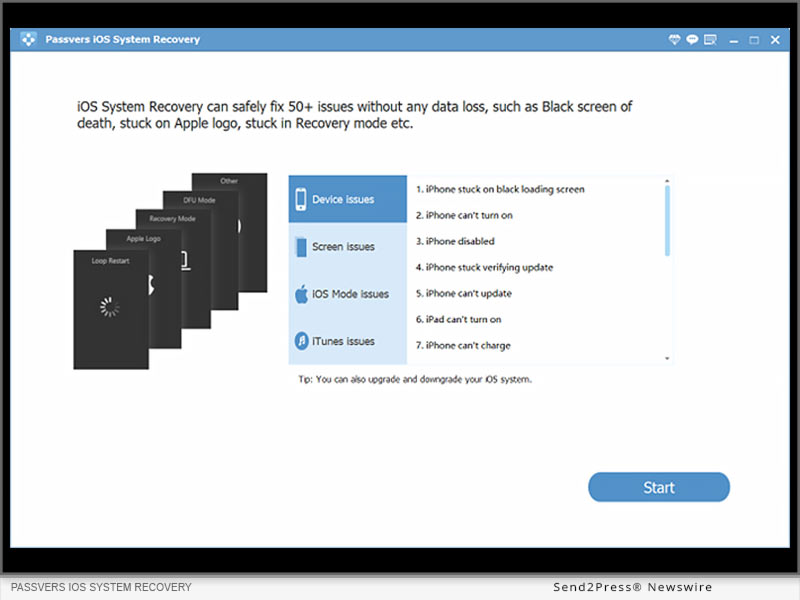
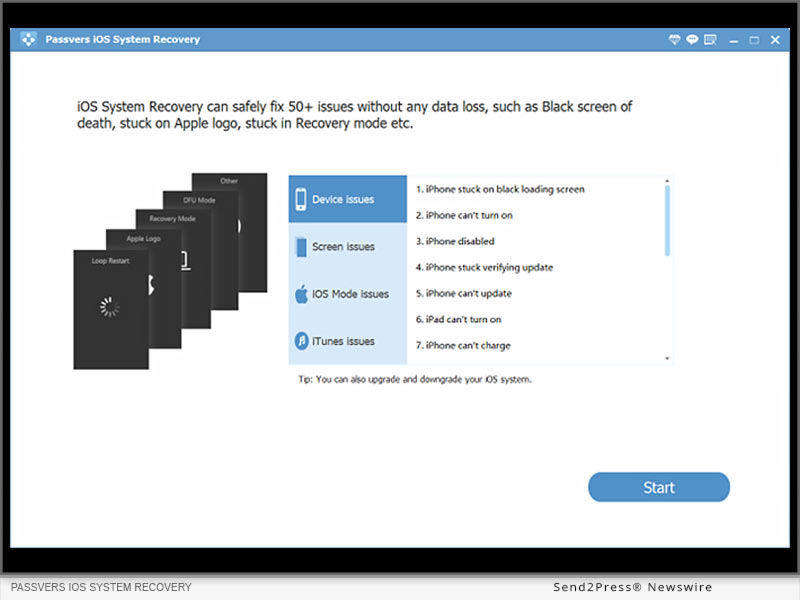
HONG KONG /ScoopCloud/ -- In order to celebrate the newly-hold 2023 Apple WWDC, the industry-leading iOS solutions provider has announced a special sales event, with up to 30% OFF discount for its lifetime licenses of the two high-ranking products, Passvers iPhone Unlocker and Passvers iOS System Recovery. The latest versions of the two software will pace with the new iPhone 15 models and iOS 17 and quickly add support to them. Now, this competitive pricing is the right moment for you to prepare in advance!

Special Passvers 2023 Discount for WWDC

Check the special pricing for Passvers events launched for 2023 Apple WWDC:

* Passvers iPhone Unlocker

Lifetime Pricing: US $55.96 (Original at US$79.95) | Available Devices: 6 Devices / 1PC/Mac

* Passvers iOS System Recovery

Lifetime Pricing: US $55.96 (Original at US$79.95) | Available Devices: 6 Devices/ 1PC/Mac

Why Select Passvers?

Every year when there launch new updates for iOS systems and iPhone models, some users would run into problems while upgrading systems or transferring iPhone data. That's what Passvers software can help when such situations occur. It can powerfully remove iOS locks to deliver successful account switching and set up, or resolve errors caused by system update failures.

Compared with many competitors on the market, Passvers ranks on top of the lists evaluated from the following 3 aspects:

* High Success Rate

No matter for iOS lock removal or system error repair, Passvers ensures merely no errors in processing. It provides the highest success rate compared with all other brands on the market to ensure you an efficient outcome.

* Instant Update

To cater to the regular updates of Apple systems and launches of new models, Passvers keeps pace with it and will update the software versions to provide the latest support, ensuring great compatibility for all users to fix iOS errors without hassle.

* Speedy Performance

Efficiency is also what Passvers values the most. With advanced acceleration teches employed, its software performance can be enhanced a lot but consumes low CPU, guaranteeing smooth and speedy experience to resolve iOS problems for you.

Great Features of Passvers Software

Passvers software will fully perform to be compatible with the latest Apple models and iOS systems with all the following great features working powerfully:

* Passvers iPhone Unlocker Features

* Compatible with all types of iOS screen locks to remove them without passcodes (4-digit/6-digit passcode, Face ID, Touch ID);

* Set up a new iPhone by removing iCloud activation lock with no passwords required;

* Powerfully get rid of MDM profiles at a high success rate with almost all MDM agents supported;

* Available to remove Apple ID from iOS devices without requiring to enter passwords;

* One tap to remove iTunes backup encryption lock;

* Wipe all screen time passcodes to use all apps completely limitation-free.

Passvers iOS System Recovery Features

* 3 repairing modes to fix 50+ iOS systems errors efficiently;

* Capable with all life scenarios, including the common system upgrade or downgrade failures;

* No iTunes installation required;

* Acceleration teches to ensure high-speed iOS system repairing efficiency;

* Easy-to-grasp functionality to complete the intuitive iOS system recovery performance by only a few clicks.

Learn more: https://passvers.com/ios-system-recovery/

About Passvers

Passvers is a leading brand with the most powerful iOS solutions delivered to help you fix unexpected problems while using Apple devices. Equipped with a powerful technical team, Passvers will keep striving to deliver advanced techniques to deal with issues related with iOS locks and systems. In the future, it will still keep enhancing functionality and ensure stable performance, high success rate, and efficient speed to deliver the best services to you.

Contact Information

Official websites: https://passvers.com/iphone-unlocker/

News from Passvers

In order to celebrate the newly-hold 2023 Apple WWDC, the industry-leading iOS solutions provider has announced a special sales event, with up to 30% OFF discount for its lifetime licenses of the two high-ranking products, Passvers iPhone Unlocker and Passvers iOS System Recovery. The latest versions of the two software will pace with the new iPhone 15 models and iOS 17 and quickly add support to them.

Related link: https://passvers.com/

This version of news story was published on ScoopCloud™ (ScoopCloud.com) - part of and © the Neotrope® News Network - all rights reserved.
Empower All-users iPhone Experience: Bypass MDM with Passvers iPhone Unlocker

HONG KONG /ScoopCloud/ -- Passvers iPhone Unlocker is tapping into a niche but essential need. This software has seen accelerated growth. From dealing with pesky activation locks to addressing concerns related to MDM, this tool has proven invaluable. Passvers iPhone Unlocker, with its state-of-the-art features, has continually provided solutions for iPhone users. This journey will see how it tackles the growing concerns related to MDM.

What is MDM And Why is it Implemented?

Ever been handed a work phone and found can't download certain apps or access specific settings? That's MDM, or Mobile Device Management, at work. Designed to help organizations manage and secure devices they give to their employees, it's like a virtual guardian. However, it's not always sunshine and rainbows.

Challenges Faced by Users Due to MDM

Imagine, if someone will, trying to sell the company-issued device only to find it's as useful as a brick. With MDM, we could find:

* Personal privacy breaches, like location tracking.

* Restrictions on app installations.

* Difficulties in selling or repurposing the device post-employment.

But there's good news! Passvers iPhone Unlocker has introduced an upgrade to address these very concerns.

How Passvers iPhone Unlocker Works on MDM Removal

Addressing user concerns, Passvers iPhone Unlocker has rolled out a nifty upgrade. So, how does this feature help bypass MDM on iPhone and iPad?

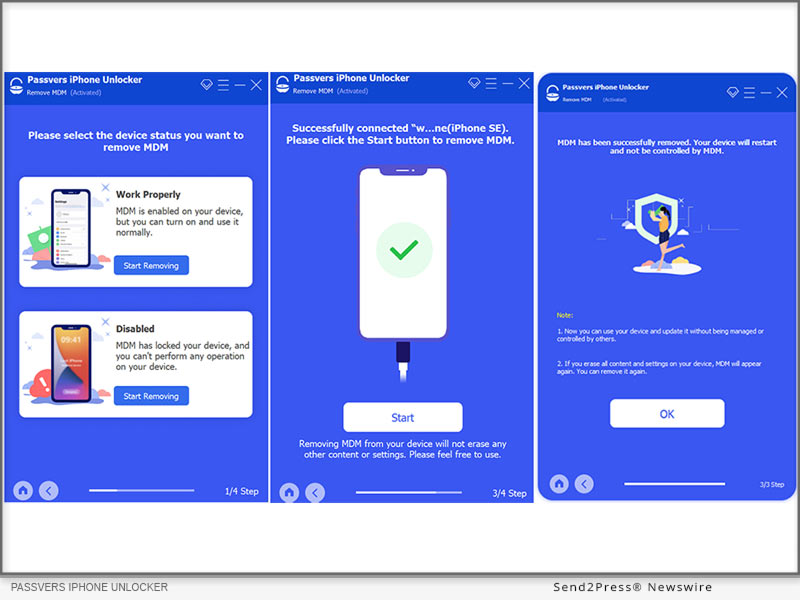
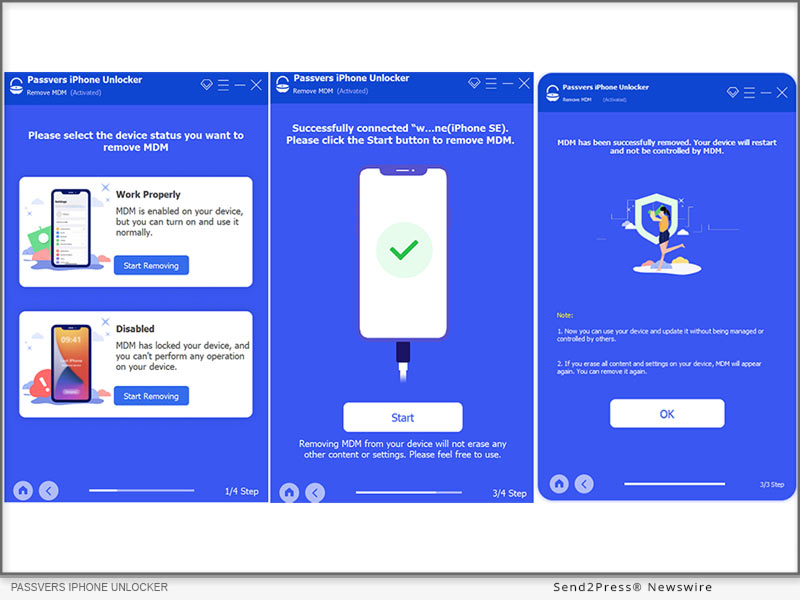
STEP 1 : Open the program, select "Remove MDM" and then "Work Properly."

STEP 2 : Connect your device using a USB cable and trust the computer connection.Upon successful connection, click "Start" and ensure "Find My iPhone" is off.If "Find My" is active, provide Apple ID password; if not, the software does its magic.

STEP 3 : Your device will restart, and it's no longer under remote management.

While the Passvers iPhone Unlocker is a powerful tool to bypass MDM, it's crucial for users to understand its scope and potential limitations. If your iOS devices are not able to be used, you should choose "Disabled" from the first step. It has the same process as above.

Learn more: https://passvers.com/remove-mdm-from-ipad-iphone/

Conclusion

In a world dominated by digital devices, tools that enhance our experience are always a boon.For those facing MDM hurdles, it's time to embrace the Passvers iPhone Unlocker. Not only does it alleviate current issues, but the future holds promise for even more sophisticated upgrades and improvements.With the tech landscape always shifting, we can anticipate that Passvers will continue its journey of innovation, addressing more pain points of iPhone/iPad users in the days to come. So, stay tuned!

Contact Information

Official website: https://passvers.com/iphone-unlocker/

News from Passvers

Passvers iPhone Unlocker is tapping into a niche but essential need. This software has seen accelerated growth. From dealing with pesky activation locks to addressing concerns related to MDM, this tool has proven invaluable. Passvers iPhone Unlocker, with its state-of-the-art features, has continually provided solutions for iPhone users. This journey will see how it tackles the growing concerns related to MDM.

Related link: https://passvers.com/

This version of news story was published on ScoopCloud™ (ScoopCloud.com) - part of and © the Neotrope® News Network - all rights reserved.
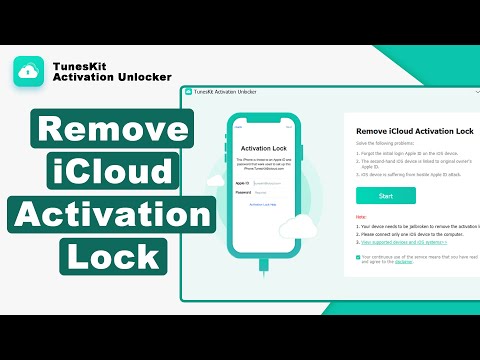
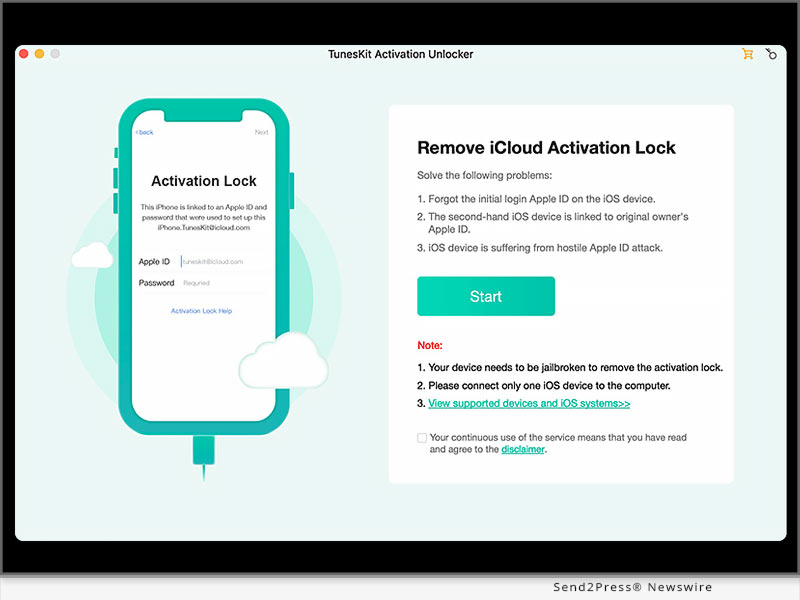
TunesKit Activation Unlocker Updated to Support iOS 15.0 and 16.5

HONG KONG /ScoopCloud/ -- The innovative software developer TunesKit Studio has recently updated its Activation Unlocker for Mac to a new level. The program could only help iPhone users bypass iCloud Activation Lock without a password on iOS 12.0 to 14.8 before. After the update, TunesKit Activation Unlocker expands its scope and supports removing the lock on iOS 15 and even the latest iOS 16.5. In other words, TunesKit Activation Unlocker for Mac is now available for almost all iOS devices that are running on any iOS version from iOS 12.0 to iOS 16.5.

iCloud Activation Lock is a useful feature designed to protect your personal data on iPhone, iPad, or iPod touch when it's in the wrong hands. It is included in the Find My function and will turn on automatically when you enabled Find My on your device. So, when other people want to turn off the Find My function, factory reset your device and erase your data, or reactivate it to use your device, the device will always ask him or her to enter the Apple ID and its password.

"People usually forget their own Apple ID or password, thus they will be locked out of their device. In other cases, people often purchase a second-hand iPhone without knowing the previous owner's password, or their iOS device is suffering from a hostile Activation Lock attack, thus we developed TunesKit Activation Unlocker and enhance its functionality to support more iOS versions and models," said Henry Ramon, the Product Manager of TunesKit Studio.

In fact, Apple also allows users to remove the Activation Lock, but they need to know the Apple ID and password. If people don't know the Apple ID account or password, TunesKit Activation Unlocker is an effective way. Thanks to its intuitive interface, using TunesKit to bypass iCloud Activation Lock is quite simple. Just connect the device to the computer and launch TunesKit Activation Unlocker, jailbreak the iOS device, and remove the lock. This is very easy to operate, even for newbies who do not know much about technical knowledge.

(YouTube Video) How to Bypass iCloud Activation Lock | NO Apple ID | Mac:

https://www.youtube.com/watch?v=W7GqGvRXGzE

What's New in TunesKit Activation Unlocker for Mac V2.0.0

1. Supports removing iCloud Activation Lock on iOS 15.0 - iOS 16.5.1.

2. Optimizes the program and fixes some other bugs.

Price and Compatibility:

TunesKit Activation Unlocker for Mac gives users a free trial to test the program and check whether their device and iOS version are supported. To unlock the software's full features, they must subscribe to its 1-month plan at $24.95 or 1-year plan at $39.95. Users can also buy the program once and enjoy lifetime service for $49.95.

TunesKit Activation Unlocker for Mac is compatible with almost all macOS systems, including OS X 10.11, macOS 10.12, 10.13, 10.14, 10.15, 11, 12, and 13. Yet, for devices that are running iOS 12.0-14.8, it requires macOS 10.11-13; and for devices that are running iOS 15.0-16.5.1, it requires macOS 10.15-13.

You can download TunesKit Activation Unlocker for free on its official website: https://www.tuneskit.com/activation-unlocker/.

About TunesKit:

TunesKit Studio is a professional iOS utility and multimedia software developer for users all over the world. Its product line contains iOS system recovery, iPhone data recovery, video editor, screen recorder, and so forth. Committed to providing users with higher-quality service and experience, TunesKit Studio has won unanimous praise from users in more than 150 countries around the world.

Learn more: https://www.tuneskit.com/en/

News from TunesKit Software

The innovative software developer TunesKit Studio has recently updated its Activation Unlocker for Mac to a new level. The program could only help iPhone users bypass iCloud Activation Lock without a password on iOS 12.0 to 14.8 before. After the update, TunesKit Activation Unlocker expands its scope and supports removing the lock on iOS 15 and even the latest iOS 16.5.

Related link: https://www.tuneskit.com/

This version of news story was published on ScoopCloud™ (ScoopCloud.com) - part of and © the Neotrope® News Network - all rights reserved.
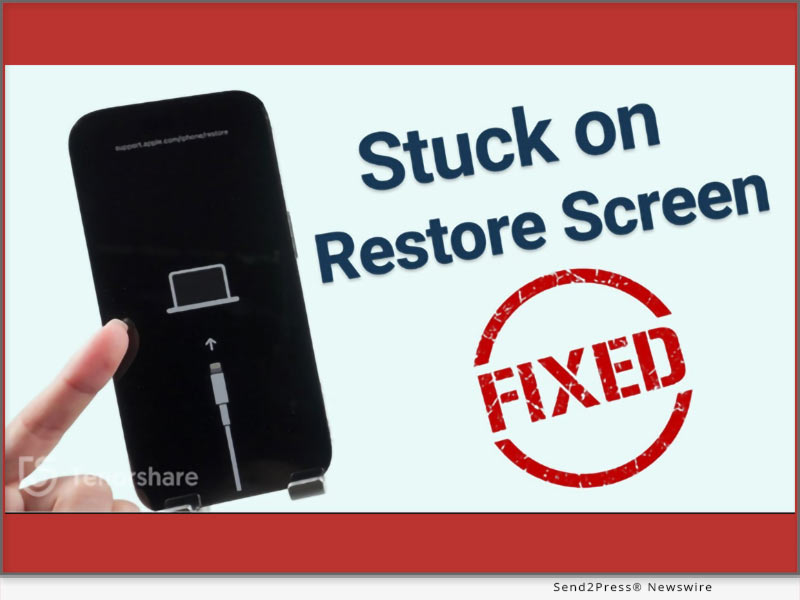
How to Fix an Apple iPhone Stuck on Restore Screen (iOS 17/16 Supported)?

NEW YORK, N.Y. /ScoopCloud/ -- Is your iPhone stuck on the restore screen? Yeah, we get it. It's a real headache, as anything you'll do to escape this situation can result in data loss. So, what can you do? "Users have their iPhones stuck on the iPhone support.apple.com/iPhone/restore screen due to software conflicts, incomplete updates, or corrupted firmware. "However, there's a solution to this problem. Tenorshare Reiboot offers a reliable way to fix iPhones stuck on the Restore screen by repairing the iOS system without data loss," says a Tenorshare spokesperson. Want to know how Tenorshare Reiboot works? Keep reading to learn more!

VIDEO: https://youtu.be/qgHj0riNboM

Why Is My iPhone Stuck on the Restore Screen?

Your iPhone may get stuck on the "support.apple.com/iphone/restore" screen due to issues with the device's firmware, iOS downgrade, incomplete updates, or hardware problems. But what does the support.apple.com/iPhone/restore mean?

The support.apple.com/iPhone/restore is a webpage where users can find guidance on restoring their iPhone 17/16 to its factory settings using iTunes or Finder. It's important to note that resetting your phone means erasing all data and device settings.

How to Fix iPhone Stuck on the Restore Screen Without Losing Data?

The optimal solution to getting rid of the stuck restore screen on iPhone is Tenorshare ReiBoot. It can help with any iOS issues you're facing, and that too with no data loss. Here's what you'll get with this iOS repair tool:

1 - Get rid of iPhone 17, 16, and iPhone 15 stuck on the restore screen with just one click at no cost.

2 - If restoring from iCloud takes forever, reinstall, upgrade, or downgrade iOS without losing data.

3 - Offers a 100% success rate.

Here are the steps to use ReiBoot to get rid of the restore screen on your iPhone:

* Link your iPhone to your PC.

* Open ReiBoot on the PC, select "iOS Upgrade/Downgrade," and opt for "Upgrade."

* Download the required firmware online, then initiate the iOS reinstallation.

More Than iPhone Stuck on Restore Screen - ReiBoot Review

* Tenorshare Reiboot offers more than just fixing iPhone restore screen issues. Here's what else it can do:

* Repair 150+ iOS problems like Apple logo freeze, unresponsive screen, recovery loop, etc.

* Update to the latest iOS 17 beta, including developer and public betas.

* Downgrade iOS 17 beta to earlier versions without the need for jailbreaking.

* Reset iOS devices without iTunes/Finder and repair the macOS system swiftly.

* Fix iPhone/iTunes errors like 4013/4005 conveniently.

* Compatible with all iOS versions and devices, including iOS 17/16 and iPhone 15/14 models.

LEARN MORE: https://www.tenorshare.com/tech-spec/reiboot-ios-system-repair.html

About Tenorshare

If your iPhone 16/17 is stuck on the restore screen, Tenorshare ReiBoot offers a simple and effective way to fix the "iPhone stuck on the restore screen" problem without data loss. Tenorshare, the brains behind this iOS repair tool, is dedicated to providing reliable solutions for iOS and iPhone users.

INFORMATION: https://www.tenorshare.com/

Facebook: https://www.facebook.com/TenorshareOfficial/

X/Twitter: https://twitter.com/Tenorshare_Inc

YouTube: https://www.youtube.com/user/TenorshareOfficial/videos

TikTok: https://www.tiktok.com/@tenorshare_tech_tips

News from Tenorshare Co. Ltd.

Is your iPhone stuck on the restore screen? Yeah, we get it. It's a real headache, as anything you'll do to escape this situation can result in data loss. So, what can you do? "Users have their iPhones stuck on the iPhone support.apple.com/iPhone/restore screen due to software conflicts, incomplete updates, or corrupted firmware. "However, there's a solution to this problem. Tenorshare Reiboot offers a reliable way to fix iPhones stuck on the Restore screen.

Related link: https://www.tenorshare.com/

This version of news story was published on ScoopCloud™ (ScoopCloud.com) - part of and © the Neotrope® News Network - all rights reserved.
HitPaw Voice Changer Mac V1.0.0. Released: Generate The Most Realistic and Natural Voice in Real Time

NEW YORK, N.Y. /ScoopCloud/ -- Exciting news for Mac users! HitPaw, a leading software technology company, has announced the release of the Mac version of the Voice Changer - HitPaw Voice Changer Mac V1.0.0. This Perfect voice-changing tool is designed for macOS 10.15 and above Systems.

HitPaw Voice Changer for Mac empowers users to explore a diverse range of creative possibilities. Whether you're a content creator aiming to add a fun twist to your videos, a podcaster seeking unique character voices, or simply someone who loves experimenting with vocal effects, our software has you covered. With an intuitive interface and a plethora of adjustable settings, you'll be amazed at the seamless control you have over your voice.

LET'S CHECK OUT THE KEY FEATURES OF THIS NEW VERSION:

Real-Time Voice Morphing: Transform your voice in real-time during online calls, gaming sessions, or recording sessions. Explore an array of voice options, from robotic to ethereal, and beyond.

Extensive Voice Effects Library: Choose from a rich collection of preset voice effects that cater to all genres and moods. Spice up your content with just a few clicks.

Custom Voice Modulation: Dive into advanced settings to finely tune and personalize your voice modulation, allowing you to craft a truly unique vocal identity.

Compatibility with Popular Apps: HitPaw Voice Changer seamlessly integrates with your favorite communication and content creation apps, ensuring a hassle-free experience across the board.

Intuitive User Interface: Designed with user-friendliness in mind, our software ensures that both beginners and seasoned users can enjoy a smooth and straightforward voice transformation journey.

Compatibility and Price:

HitPaw Voice Changer Mac V1.0.0 is thoughtfully optimized to seamlessly harmonize with macOS 10.15 and higher, ensuring a fluid and encompassing experience for Mac aficionados across diverse devices.

Its pricing starts from $21.95 per month, $45.95 per year, and $75.95 for the lifetime. And in business licenses, users can choose 5 Macs for 109.95 USD and 10 Macs for 229.95 USD.

For more information checking, you can visit:

https://www.hitpaw.com/hitpaw-voice-changer.html

About HitPaw:

HitPaw is an emerging software company specializing in video editing, voice-changing, screen recording, watermark removing, image editing, photo-enhancing etc. We help users turn their inspiration into reality so that we can generate more ideas to make the world full of more creativity.

To know more, you may visit: https://www.hitpaw.com/

Our Social Media:

YouTube: https://www.youtube.com/channel/UCQwRggaotgiMcPbiCOsJeBA

Facebook: https://www.facebook.com/hitpawofficial

Twitter: https://twitter.com/HitPawofficial

Instagram: https://www.instagram.com/hitpawofficial/

Pinterest: https://www.pinterest.com/HitPawofficialwebsite/

News from HitPaw

Exciting news for Mac users! HitPaw, a leading software technology company, has announced the release of the Mac version of the Voice Changer - HitPaw Voice Changer Mac V1.0.0. This Perfect voice-changing tool is designed for macOS 10.15 and above Systems.

Related link: https://www.hitpaw.com/

This version of news story was published on ScoopCloud™ (ScoopCloud.com) - part of and © the Neotrope® News Network - all rights reserved.
Effective Way to Change Apple iPhone Location with iToolab AnyGo for iOS App

NEW YORK, N.Y. /ScoopCloud/ -- iToolab has launched a location changer app that is designed for iOS users. iToolab AnyGo for iOS V1.0.0 helps users to change iOS GPS location without jailbreak, which is important to keep your privacy from being tracked. This is more convenient than the desktop version!

"Social software nowadays basically requires access to your location, which poses a great threat to our privacy and security. Changing your location is necessary to better protect your address or real-time location. It is for this reason that we decided to release this iOS location changer app," says an iToolab spokesperson. Let's see how this amazing app to help you change iPhone location!

How Does iToolab AnyGo for iOS Change GPS Location?

1 - Download and Install iToolab AnyGo for iOS.

2 - Register the app and enter the virtual coordinates in the search box.

3 - Hit the Teleport button to complete the location change.

ALL FEATURES OF ITOOLAB ANYGO FOR IOS

* One-Click Change GPS location on iOS device

This iPhone location changer app doesn't require jailbreak iOS to virtual GPS location, you can easily fake your GPS location in seconds without any trouble.

* Simulate GPS Movements

Two-spot mode helps users to simulate GPS movements just like you are walking outside. No one will know your current location. You can also customize the walking speed at any time.

* Display Cooldown Timer on the Map

This is a specific feature for Pokemon GO players. This can be effective in avoiding some of the threats after a change in positioning.

Visit the official product page here:

https://itoolab.com/iphone-location-changer-app/

* Supported Games and Apps by iToolab AnyGo for iOS

Social Apps: Facebook, Instagram, Snapchat, X (Twitter), WhatsApp, etc.

Dating Apps: Tinder, Grinder, Bumble, Hinge, Hily, Yik Yak, etc.

Games: Pokemon GO, Ingress Prime, Jurassic World Alive, etc.

Family Tracking: Life360, Find My, etc.

Navigation: Google Map, Apple Map, Gaode Map, etc.

PRICE:

$19.99 for 3-month

$59.99 for a year

Get more information: https://itoolab.com/buy/anygo-for-ios

About iToolab:

iToolab is a Hong Kong-based leading iOS and Android solution provider with a vision to help smartphone users solve various technical issues. Over the years, the company has helped millions of users fix iOS issues and regain access to their iPhones and iPads. Currently, iToolab provides its services in more than 130 countries and has an extensive user base. The creative approach of the developers is the main reason for the high success rate of all iToolab products.

For more details, please visit:

Official Website: https://itoolab.com/

Facebook: https://www.facebook.com/itoolab

Twitter: https://twitter.com/IToolab

YouTube: https://www.youtube.com/@iToolab

News from IToolab Co Ltd

iToolab has launched a location changer app that is designed for iOS users. iToolab AnyGo for iOS V1.0.0 helps users to change iOS GPS location without jailbreak, which is important to keep your privacy from being tracked. This is more convenient than the desktop version!

Related link: https://itoolab.com/

This version of news story was published on ScoopCloud™ (ScoopCloud.com) - part of and © the Neotrope® News Network - all rights reserved.
How to Spoof in Pokemon Go on an iPhone for Free without Jailbreak

NEW YORK, N.Y. /ScoopCloud/ -- August is here, and so is the Pokemon Go Fest! And with all the discussion about how to spoof in Pokemon Go 2023 Reddit, many players wonder if it is possible to spoof the game without getting banned, says software developer UltFone. Pokemon Go is a famous AR mobile game by Niantic that involves players walking around the real world, using smartphones to find, catch, and train virtual Pokemon. However, not all players can go out and move around the city whenever they play the game.

Therefore, the only way to stay ahead in the game is by changing location, such as using UltFone Location Changer.

Is it Possible to Spoof in Pokemon Go without Getting Banned Now?

The Answer is Yes! The purpose of Pokemon Go is to walk around in search of Pokestops and gyms to be able to find different Pokemon. However, you can only find them in specific locations.

If you are wondering how to spoof on Pokemon Go without getting banned, you can change your GPS location via the pokemon go spoofing app.

But how to realize it, Let's find out!

How to Spoof in Pokemon Go iPhone & Android? [No Getting Banned]

When we talk about changing the location in Pokemon Go, the main concern is how to spoof without getting banned. This is where UltFone Location Changer enters the picture, which can one click to teleport to the desired location safely without Jailbreak and Root.

Here is what you get with UltFone Location Changer:

* Built-in cooldown timer that avoids being flagged when you spoof Pokemon Go.

* Try all features by Pokemon Go Spoofer download free version before going premium.

* Hatch eggs quickly with Single-Spot Movement and Multi-Spot Movement.

* Join remote raids free without remotes raids passes

* Participate in Pokémon Go Fest remotely without ticket

* Customize route by importing/exporting GPX files.

* Support up to 15 devices.

UltFone Location Changer is one of the best Pokemon Go spoofer out there.

Here are the steps of how to spoof in Pokemon Go without a VPN and without getting banned:

* Download and launch the free trial version of UltFone Location Changer on your PC.

* Connect your Phone to the PC, and select the "GPS Change" option from menu on the left.

* A world map will appear on the PC screen, using which you can select your desired location.

* Now launch Pokemon Go on smartphone, and play the game on the location you want with this Pokemon Go Location Spoofer.

And that's how to spoof in Pokemon Go iPhone free. It also supports Android.

About UltFone:

UltFone is a software developer of utility technologies and applications offering viable solutions for iOS and Android data recovery, data transfer between devices, iOS system repair, etc. Furthermore, if you are looking for an easy way how to spoof in Pokemon Go, UltFone Location Changer can help you.

YouTube: https://www.youtube.com/@UltFoneOfficial/videos

Facebook: https://www.facebook.com/ultfone/

MORE INFORMATION:

https://www.ultfone.com/ios-location-changer.html

RELATED LINKS:

https://www.ultfone.com/virtual-location/best-coordinates-for-pokemon-go.html

News from UltFone

August is here, and so is the Pokemon Go Fest! And with all the discussion about how to spoof in Pokemon Go 2023 Reddit, many players wonder if it is possible to spoof the game without getting banned, says software developer UltFone. Pokemon Go is a famous AR mobile game by Niantic that involves players walking around the real world, using smartphones to find, catch, and train virtual Pokemon.

Related link: https://www.ultfone.com/

This version of news story was published on ScoopCloud™ (ScoopCloud.com) - part of and © the Neotrope® News Network - all rights reserved.
How to Easily Recover Deleted Files on macOS Sonoma

NEW YORK, N.Y. /ScoopCloud/ -- When it comes to accidental deletions, Mac users have always felt kinda helpless. Even after updating to the macOS Sonoma, it's still the same old story. However, they didn't realize that 4DDiG Mac Data Recovery has been there all along, ready to help them effortlessly recover deleted files on macOS Sonoma. This data recovery software from the renowned software provider 4DDiG (a unit of Tenorshare) not only boasts an incredibly high success rate but also requires no technical knowledge from users.

Key Features of 4DDiG Data Reocovery Software

Whether you're looking to recover permanently deleted files on macOS Sonoma or external devices, it's got you covered.

Here are some impressive features of this tool:

* A impressively high success rate and 100% safety guarantee.

* Recover deleted files on macOS Sonoma within 3 steps without any technical knowledge.

* Support various Mac and Mac-based devices, including USB drives, SD cards, digital cameras, and more.

* Support any data loss scenario and fast scan feature.

* Support T2 chip, M1, M1 Pro, M1 Max and macOS Sonoma.

"Ensuring simplicity, success rates, and seamless compatibility were the paramount considerations during the development of this exceptional software," stated the spokesperson of 4DDiG.

3 Steps to Recover Deleted Files on macOS Sonoma

Can you imagine how effortless it is to recover deleted files on macOS Sonoma? Just 3 simple clicks, and you can get back your important data.

Step 1: Launch the Software and choose the location where you want to recover your deleted files.

Step 2: The software will conduct a thorough scan of the selected location to locate the deleted files. Once the scan is complete, you can preview the recoverable files in the scan results.

Step 3: After previewing the files, select the ones you wish to recover and click the "Recover" button.

Even if you want to recover deleted files after emptying the Trash on macOS Sonoma, this is entirely possible. Don't doubt the remarkable success rate of 4DDiG just because of its simple operation.

About 4DdiG:

With the cutting-edge technology of 4DDiG, you don't need to worry about how to recover permanently deleted files on macOS Sonoma. In the past decade, it has assisted countless Mac users in retrieving their precious files lost due to various reasons. Additionally, placing users at the forefront, 4DDiG goes the extra mile to enhance the lives of Mac users, offering not just top-notch data recovery solutions but also a range of exceptional software for added convenience.

For more information, visit:

https://4ddig.tenorshare.com/mac-data-recovery.html

Follow on Social:

Facebook: https://www.facebook.com/4DDiG/

X (Twitter): https://twitter.com/Tenorshare4DDiG

YouTube: https://www.youtube.com/@Tenorshare4DDiGDataRecovery/featured

News from Tenorshare Co. Ltd.

When it comes to accidental deletions, Mac users have always felt kinda helpless. Even after updating to the macOS Sonoma, it's still the same old story. However, they didn't realize that 4DDiG Mac Data Recovery has been there all along, ready to help them effortlessly recover deleted files on macOS Sonoma. This data recovery software from the renowned software provider 4DDiG (a unit of Tenorshare) not only boasts an incredibly high success rate but also requires no technical knowledge from users.

Related link: https://www.tenorshare.com/

This version of news story was published on ScoopCloud™ (ScoopCloud.com) - part of and © the Neotrope® News Network - all rights reserved.
How to Bypass iPhone Passcode If Forgotten in 2023? Fix it with Tenorshare 4uKey

NEW YORK, N.Y. /ScoopCloud/ -- "I forgot my iPhone passcode, and now it's disabled because I kept trying the wrong one. How to bypass my iPhone passcode?" This is a question that is quite common among iPhone users. So, you're not alone, says Tenorshare.

"Your iPhone might become disabled for various reasons. It might be due to forgetting the passcode, repeated incorrect password attempts, or issues with the touch screen's functionality. Luckily, iPhone users can now use Tenorshare 4uKey to bypass the iPhone passcode and regain access to their disabled iDevices within a few minutes," says a Tenorshare spokesperson, "Let's find out below to get into an iPhone without a password with 4uKey!"

Video: https://youtu.be/HIXmNjSffgM

Can You Bypass The Passcode On iPhone if You Forgot iPhone Passcode?

Yes, you can easily bypass a passcode on iPhone. There are quite a few ways to bypass passcode on iPhone, but they have limitations or conditions to unlock your iPhone passcode. Here they are:

* Bypass iPhone Passcode Via iCloud - Use the Find My iPhone feature on iCloud to erase the device and remove the passcode remotely. But this will delete all your phone data.

* Unlock iPhone Passcode through Siri - Bypass the passcode with Siri if your iPhone runs on an older iOS version.

* Bypass iPhone Passcode with iTunes - Restore your iPhone using iTunes. But this will delete all your phone data.

* Bypass iPhone Passcode via Recovery Mode - Put your iPhone into Recovery Mode and restore it using iTunes to remove the passcode. But this will delete all your phone data.

Recommend iPhone Passcode Bypasser Review!

Unlike other methods, Tenorshare iPhone Password Bypasser doesn't just perform an iPhone passcode bypass; it can also unlock a disabled iPhone and remove various other ID locks. Here's what 4uKey can do:

* Bypass 4-digit/6-digit passcodes, biometrics, and face IDs from iDevices.

* Remove Screen Time passcodes.

* Unlock disabled iDevices without needing iTunes or iCloud.

* Bypass MDMscreen and remove MDM profiles.

How to Bypass iPhone Passcode Without Losing Data?

Here's how to bypass the passcode on an iPhone with 4uKey without losing data:

* Connect your iPhone to your PC.

* Open 4uKey, press "Start" to unlock the screen.

* Download the firmware package and select "Start Remove" to bypass the iPhone passcode.

https://www.tenorshare.com/unlock-iphone/how-to-bypass-iphone-passcode.html

https://www.dealntech.com/how-to-bypass-iphone-passcode/

https://youtu.be/HIXmNjSffgM

https://www.tenorshare.com/products/4ukey-unlocker.html

About Tenorshare:

Tenorshare, the company behind 4uKey, is dedicated to offering reliable and quick smartphone solutions for both iOS and Android users. When faced with the predicament of "how to bypass an iPhone passcode," Tenorshare 4uKey stands out as a highly recommended solution. Its powerful features, and user-friendly interface, make it a top choice for bypassing iPhone passcodes while ensuring data safety and security.

More information: https://www.tenorshare.com/

Facebook: https://www.facebook.com/TenorshareOfficial/

Twitter/X: https://twitter.com/Tenorshare_Inc

YouTube: https://www.youtube.com/user/TenorshareOfficial/videos

TikTok: https://www.tiktok.com/@tenorshare_tech_tips

News from Tenorshare Co. Ltd.

"I forgot my iPhone passcode, and now it's disabled because I kept trying the wrong one. How to bypass my iPhone passcode?" This is a question that is quite common among iPhone users. So, you're not alone, says Tenorshare. Unlike other methods, Tenorshare iPhone Password Bypasser doesn't just perform an iPhone passcode bypass; it can also unlock a disabled iPhone.

Related link: https://www.tenorshare.com/

This version of news story was published on ScoopCloud™ (ScoopCloud.com) - part of and © the Neotrope® News Network - all rights reserved.
How to Fix Apple iPhone ‘Unavailable’ with iToolab UnlockGo iOS

NEW YORK, N.Y. /ScoopCloud/ -- Have you forgotten your iPhone passcode and been stuck on the "iPhone Unavailable" screen? Are you anxious about how to fix "iPhone Unavailable" error? If that is your situation, there is no need to worry. iToolab brings you an easy solution to unlock iPhone unavailable screen with the help of UnlockGo iOS.

Why Does iPhone Unavailable Message Appear?

iPhone Unavailable screen appears when you attempt to unlock your iPhone with the incorrect password too many times. After 5 incorrect attempts, your iPhone will say "iPhone Unavailable, try again in one minute." After 10 incorrect attempts, your iPhone will say "iPhone Unavailable" with no timer. It means that your iPhone is permanently locked. The only thing you can do is reset your iPhone.

Some Apple users may choose to bypass iPhone unavailable screen through "Erase iPhone" option, iTunes or any other solutions. However, those solutions may only work for some specialized iPhone models or iOS versions. Luckily, with iToolab UnlockGo iOS, you can fix "iPhone Unavailable" screen on all iPhone models, no matter the iOS version.

How to Fix "iPhone Unavailable" with iToolab UnlockGo iOS?

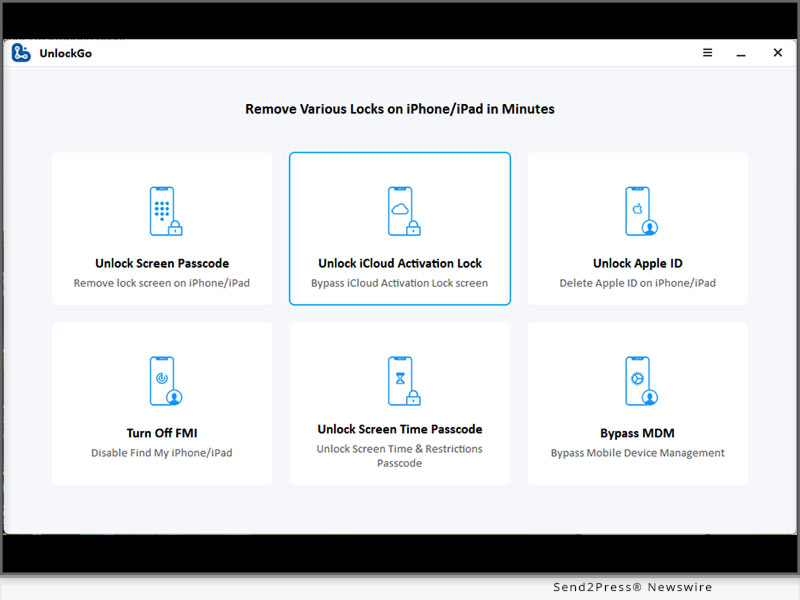
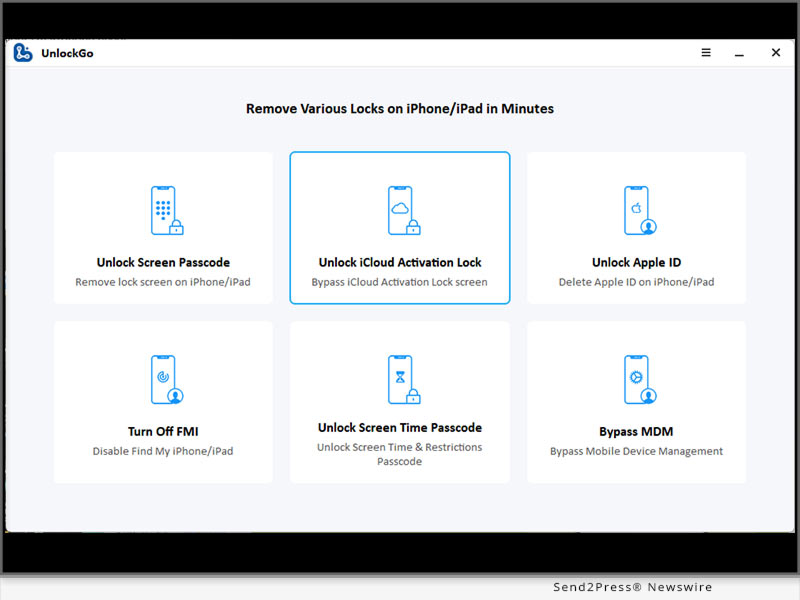
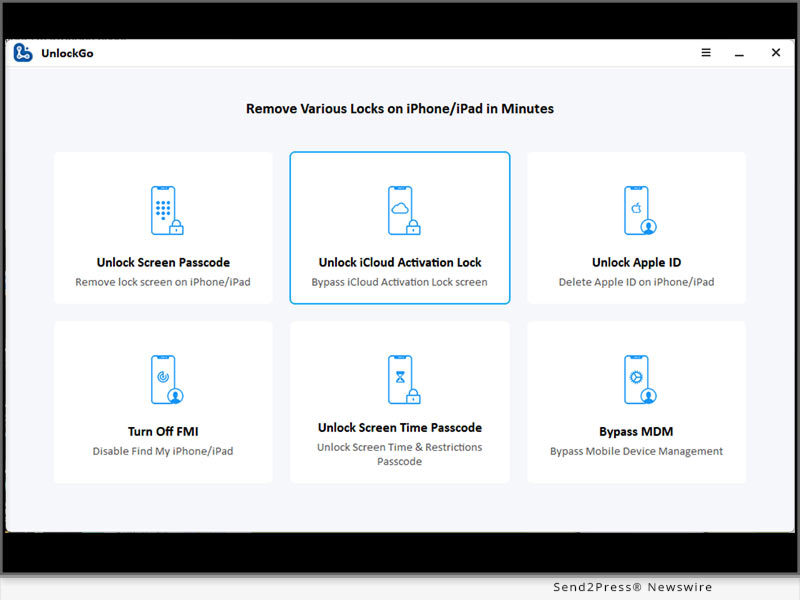
iToolab UnlockGo iOS is a leading iPhone unlocker that allows you to remove all types of screen locks effortlessly from your iPhone, iPad and iPod touch. No matter why you're locked out of your iPhone/iPad/iPod touch, UnlockGo iOS can help a lot. Apart from removing lock screen from iPhone/iPad/iPod touch, iToolab UnlockGo iOS can also bypass iCloud Activation Lock and remove Apple ID without password.

Step-by-step guide to bypass "iPhone Unavailable":

* Free download and install iToolab UnlockGo iOS on your computer. Launch the program and choose the option "Unlock Screen Passcode".

* Connect your locked iPhone to the computer with a lightning to USB cable.

* The program will begin to download the latest firmware package matching your iPhone model and iOS version.

* Once done, UnlockGo iOS starts to unlock your iPhone. Your iPhone will be unlocked within minutes.

Complete guide: https://itoolab.com/guide/how-to-use-unlockgo/

Video: https://www.youtube.com/watch?v=y__dxUIpaM8

Availability and Price

* iToolab UnlockGo iOS works on Windows 11/10/8.1/8/7, and MacOS 10.11 and later.

* The program is sold with different license plans, including 1 Month Plan, 1 Year Plan, Lifetime Plan and Business Plan. You can visit the official website to check the price.

More Information:

https://itoolab.com/tech-specs/unlockgo/

https://itoolab.com/buy/unlockgo-for-windows/

About iToolab

iToolab is a Hong Kong-based leading iOS and Android solution provider with a vision to help smartphone users solve various technical issues. Over the years, the company has helped millions of users fix iOS issues and regain access to their iPhones and iPads. Currently, iToolab provides its services in more than 130 countries and has an extensive user base. The creative approach of the developers is the main reason for the high success rate of all iToolab products.

For more details, please visit:

Official Website: https://itoolab.com/

Facebook: https://www.facebook.com/itoolab

Twitter/X: https://twitter.com/IToolab

YouTube: https://www.youtube.com/@iToolab

News from IToolab Co Ltd

Have you forgotten your iPhone passcode and been stuck on the "iPhone Unavailable" screen? Are you anxious about how to fix "iPhone Unavailable" error? If that is your situation, there is no need to worry. iToolab brings you an easy solution to unlock iPhone unavailable screen with the help of UnlockGo iOS.

Related link: https://itoolab.com/

This version of news story was published on ScoopCloud™ (ScoopCloud.com) - part of and © the Neotrope® News Network - all rights reserved.
iToolab UnlockGo iOS for Windows Updated to version V5.5.0: Bypass iPhone Locked to Owner on iOS 16 Devices

NEW YORK, N.Y. /ScoopCloud/ -- iToolab UnlockGo iOS today released a new version V5.5.0, allowing Apple users to bypass iPhone locked to owner on iOS 16 devices with Windows computer. With this version, iOS users can effortlessly remove iCloud Activation Lock on iPhone / iPad / iPod touch running iOS 12-16.3 with Windows computer.

"If you're a Windows user, you'll spend much time looking for a method to bypass activation lock on iOS 16 devices," said iToolab CEO Mia Garcia. "We deeply understand the frustration that Windows users can't remove iCloud lock on iOS 16 devices and the device becomes useless. That's why we work hard to release a solution for Windows users."

Video: https://www.youtube.com/watch?v=L3XXDZV9AW0

What Are the New Updates?

1 - Bypass iPhone Locked to Owner on iOS 16 devices

This feature allows Windows users to bypass iCloud lock on iPhone 5s-iPhone X, iPod touch 6-7, and some iPad models running iOS 12.0-16.3. Windows users can access their iCloud locked iDevices within several simple steps. You can access your device effortlessly even if you're not tech-savvy.

2 - Optimize the iCloud bypass process for iOS 12.0-14.8 devices

When you search the Internet, you'll find that bypassing iCloud Activation Lock on iOS 12.0-14.8 devices with Windows computers is complicated. Because you need to create a boot disk to jailbreak your iOS device before removing activation lock. With iToolab UnlockGo iOS for Windows V5.5.0, you can easily jailbreak your device and remove activation lock without creating boot disk.

https://itoolab.com/unlock/how-to-remove-icloud-activation-lock-without-password/

How to Bypass iPhone Locked to Owner on iOS 16 with Windows Computer?

Step 1: Free download iToolab UnlockGo iOS from the official website and install it on your Windows computer.

Step 2: Launch the program and select "Unlock iCloud Activation Lock".

Step 3: Connect your iOS 16 device to the computer with a lightning to USB cable.

Step 4: The program will download a firmware package and jailbreak your device.

Step 5: After jailbreaking, UnlockGo starts to remove the activation lock. It will be removed within 1-2 minutes.

Complete guide: https://itoolab.com/guide/how-to-use-unlockgo/

Availability and Price:

The new feature is available on iToolab UnlockGo iOS for Windows V5.5.0. For unregistered users, you can visit the official website of iToolab UnlockGo iOS and download the latest version to try. For registered users, you can enjoy a lifetime free update.

The program is sold with different license plans, including: 1 Month Plan, 1 Year Plan, Lifetime Plan and Business Plan. Pricins is $35.95, $39.95, $49.95, respectively. Get a big discount from the official website right now.

More Information: https://itoolab.com/buy/unlockgo-for-windows/

About iToolab:

iToolab is a Hong Kong-based leading iOS and Android solution provider with a vision to help smartphone users solve various technical issues. The company has helped millions of users fix iOS issues and regain access to their iPhones and iPads. iToolab provides its services in more than 130 countries and has an extensive user base.

MORE INFORMATION:

Official Website: https://itoolab.com/

Facebook: https://www.facebook.com/itoolab

Twitter: https://twitter.com/IToolab

YouTube: https://www.youtube.com/@iToolab

News from IToolab Co Ltd

iToolab UnlockGo iOS today released a new version V5.5.0, allowing Apple users to bypass iPhone locked to owner on iOS 16 devices with Windows computer. With this version, iOS users can effortlessly remove iCloud Activation Lock on iPhone / iPad / iPod touch running iOS 12-16.3 with Windows computer.

Related link: https://itoolab.com/

This version of news story was published on ScoopCloud™ (ScoopCloud.com) - part of and © the Neotrope® News Network - all rights reserved.

AimerLab FixMate v2.2.0 Released: 1-Click Fix All iOS System Issues

NEW YORK, N.Y. /ScoopCloud/ -- AimerLab, a leading software company specializing in iOS solutions, is thrilled to announce the highly anticipated release of AimerLab FixMate v2.2.0. With this version, users can effortlessly resolve iOS device issues and regain control over their devices like never before.

"AimerLab FixMate v2.2.0 is AimerLab's first major revision and upgrade in 2023. We have optimized the interface and the iOS system repair feature, which will bring better user experience," said AimerLab's CEO, while introducing FixMate v2.2.0.

What are the new updates?

1 - FixMate v2.2.0 offers enhanced iOS system repair functionality. Users can address a wider range of system-related issues, including mode stuck, screen stuck, app crashes, update errors, and other iOS anomalies. FixMate empowers users to restore their device's performance to its optimal state, ensuring a smooth and trouble-free user experience.

2 - Enter/exit recovery mode is another area where AimerLab FixMate excels. With this free feature users can easily get into recovery mode to perform necessary troubleshooting steps or get out of recovery mode and get your device back to normal functioning.

3 - AimerLab FixMate v2.2.0 is designed to be compatible with the latest iOS devices and versions, including the iPhone 14 and iOS 16. And it's available for download on today.

Price and Availability:

It costs $19.95 per month for up to 5 devices. You can also choose the economical version, which costs $44.95 for a year or $74.95 for a lifetime.

Information: https://www.aimerlab.com/fixmate/buy/

About AimerLab:

AimerLab Inc. is a newly-formed software company specializing in developing and providing a wide range of solutions for iOS and Android devices. With a strong focus on system repair, device management and security, AimerLab is trying to become the most powerful and trustworthy software developer for users.

Media Contact: contact@aimerlab.com

More information:

https://www.aimerlab.com/

https://www.aimerlab.com/fixmate/

https://www.aimerlab.com/fixmate/guide/

Multimedia:

VIDEO (YouTube): https://www.youtube.com/watch?v=lN43Z__Fz7w

IMAGE link for media:

https://www.aimerlab.com/wp-content/uploads/FixMate-connect-iphone-12-to-computer.png

News from AimerLab Inc.

AimerLab, a leading software company specializing in iOS solutions, is thrilled to announce the highly anticipated release of AimerLab FixMate v2.2.0. With this version, users can effortlessly resolve iOS device issues and regain control over their devices like never before.

Related link: https://www.aimerlab.com/

This version of news story was published on ScoopCloud™ (ScoopCloud.com) - part of and © the Neotrope® News Network - all rights reserved.

HitPaw Video Object Remover Mac V1.2.1 is The Ultimate Solution for Mac Users to Create Seamless Videos

NEW YORK, N.Y. /ScoopCloud/ -- HitPaw, a leading software technology company, has announced the release of Mac version of the Video Object Remover - the HitPaw Video Object Remover Mac V1.2.1. This powerful video editing tool is designed specifically for Mac users running macOS 10.15 and above, with enhanced compatibility for macOS 12 and above systems.

In this new version, ported the selection module of the AI object removal model in the Windows version and can recognize the selection intelligently. In the Mac version, we have added the business package for users to choose in addition to the personal package.

LET'S CHECK OUT THIS NEW VERSIONS:

1 - The selection module of the AI object removal model

The limit on the number of selections created is no longer limited to one, now multiple selections can be created. This new feature offers more control and precision in removing objects and recognition in the background, allowing users to create stunning results. Gone are the days of tedious manual selection - effortlessly handling multiple objects you want to remove at the same time and saving valuable time and effort.

2 - The AI background removal models

HitPaw has also improved the AI background removal models of Video Object Remover Mac V1.2.1. The export function of the background removal model has been optimized for transparent video export, now you can see the effect of background removal by exporting transparent video directly, no need to change the player to verify.

3 - The preview playback function

HitPaw Video Object Remover Mac V1.2.1 now allows users to preview the entire video with the applied object removal effects in real-time. Witness the magic unfold as unwanted elements disappear seamlessly from your footage, ensuring you achieve the desired outcome before finalizing the edit.

4 - Wide Language Support

HitPaw Video Object Remover Mac V1.2.0 breaks barriers by supporting 17 languages, including English, Spanish, French, German, Chinese, Japanese, and many more. Users from different linguistic backgrounds can now enjoy a seamless video editing experience.

Compatibility and Price:

HitPaw Video Object Remover V1.2.0 is optimized for macOS 10.15 and above, with added support for macOS 12 and above systems, ensuring Mac users can harness its full potential across a range of devices.

Its pricing starts from $49.99 per month, $69.99 per year, and $109.99 for the lifetime. And in business license, users can choose 5 Macs for 139.95 USD and 10 Macs for 269.95 USD.

For more information checking, you can visit:

https://www.hitpaw.com/hitpaw-object-remover.html

About HitPaw:

HitPaw is an emerging software company specializing in video editing, screen recording, watermark removing, image editing, photo-enhancing meme-making, etc. We help users turn their inspiration into reality so that we can generate more ideas to make the world full of more creativity.

To know more, you may visit https://www.hitpaw.com/

Our Social Media:

YouTube: https://www.youtube.com/channel/UCQwRggaotgiMcPbiCOsJeBA

Facebook: https://www.facebook.com/hitpawofficial

Twitter: https://twitter.com/HitPawofficial

Instagram: https://www.instagram.com/hitpawofficial/

Pinterest: https://www.pinterest.com/HitPawofficialwebsite/

News from HitPaw

HitPaw, a leading software technology company, has announced the release of Mac version of the Video Object Remover - the HitPaw Video Object Remover Mac V1.2.1. This powerful video editing tool is designed specifically for Mac users running macOS 10.15 and above, with enhanced compatibility for macOS 12 and above systems.

Related link: https://www.hitpaw.com/

This version of news story was published on ScoopCloud™ (ScoopCloud.com) - part of and © the Neotrope® News Network - all rights reserved.
iToolab WatsGo Mac V8.1.4 Released! Best Way to Transfer WhatsApp without Resetting

NEW YORK, N.Y. /ScoopCloud/ -- iToolab Co Ltd (iToolab) has released iToolab WhatsGo for Mac V8.1.4. This will allow users to easily transfer WhatsApp between Android and iPhone on macOS. iToolab WatsGo WhatsApp Transfer has been highly appreciated by users around the world since its first debut for its compatibility and affordability.

"This definitely extends the life of the data transfer. No matter what operating system you use, iToolab WatsGo will help you migrate data from Android to iPhone without data loss," said Mia Garcia, CEO at iToolab.

KEY FEATURES OF ITOOLAB WATSGO MAC V8.1.4:

1. Transfer WhatsApp/WhatsApp Business from between Android and iPhone

iToolab WatsGo is the best alternative of Move to iOS app in the year 2023. No need to factory reset iPhone at all and smoothly transfer WhatsApp at 10240kb/s. You can enjoy the features as below:

* Migrate WhatsApp/WhatsApp Business from Android to iPhone, iPhone to Android, Android to Android, iPhone to iPhone

* Quick & easy transfer within simple steps, no extra technique required

* Will never reset your iPhone before you start to transfer WhatsApp data

2. Select Any WhatsApp Data You Want to Transfer

Move to iOS won't let you transfer a single type of WhatsApp data, but iToolab WatsGo gives you a wide range of options to selectively copy old WhatsApp data to a new device. All messages, contacts, call history, pictures, documents, etc. can be selectively moved as you like.

3. Backup WhatsApp to PC Instead of iCloud or Google Drive

If you want to save local space, or you are unable to backup WhatsApp to cloud space on your device, then backing up WhatsApp to the computer is a great choice. All your WhatsApp backups will be saved locally and automatically detected by iToolab WatsGo.

4. Restore Old WhatsApp Backup to Device Anytime

You have the ability to restore your most recent backup or backups from several months ago to your target device. No more worries about losing data again.

PRICE:

1-Month Plan: $19.95

1-Year Plan: $35.95

Lifetime Plan: $45.95

30% OFF Coupon Code: WATSNEW03

More info: https://itoolab.com/buy/watsgo-for-mac/

Device Compatibility:

iOS: iOS 10-16: All iPhone models running on the selected iOS versions.

Android: Android 5-13: Samsung, Huawei, Xiaomi, LG, Google, Oppo, Vivo, Motorola, Lenovo, HTC, ASUS, ONEPLUS, Sony, Vivo, etc.

Mac: 13(macOS Ventura), 12(macOS Monterey), 11(macOS Big Sur), 10.15 (macOS Catalina), 10.14 (macOS Mojave), Mac OS X 10.13 (High Sierra), 10.12(macOS Sierra), and 10.11(El Capitan)

Windows: Windows 11/8/7

About iToolab:

iToolab is a Hong Kong-based and leading iOS and Android solution provider that's working with a vision to help smartphone users tackle various technical errors on their devices. Over the years, the company has helped millions of users fix iOS issues and regain access to their iPhones and iPads. Currently, iToolab operates in more than 130 countries and has an extensive user base.

LEARN MORE:

Official Website: https://itoolab.com/

Facebook: https://www.facebook.com/itoolab

Twitter: https://twitter.com/IToolab

YouTube: https://www.youtube.com/@iToolab

News from IToolab Co Ltd

iToolab Co Ltd (iToolab) has released iToolab WhatsGo for Mac V8.1.4. This will allow users to easily transfer WhatsApp between Android and iPhone on macOS. iToolab WatsGo WhatsApp Transfer has been highly appreciated by users around the world since its first debut for its compatibility and affordability.

Related link: https://itoolab.com/

This version of news story was published on ScoopCloud™ (ScoopCloud.com) - part of and © the Neotrope® News Network - all rights reserved.
How to Downgrade macOS Sonoma to macOS Ventura Without Losing Data

NEW YORK, N.Y. /ScoopCloud/ -- In response to the growing number of Apple users experiencing system issues after upgrading to macOS Sonoma, 4DDdiG (a unit of Tenorshare) is proud to offer a reliable solution: 4DDiG Mac Data Recovery. This powerful tool allows Apple users to downgrade macOS Sonoma to Ventura without losing data.

"With our proven track record of success and a user-friendly operation process, 4DDiG Mac Data Recovery remains the go-to choice for those seeking to safeguard their valuable information xduring macOS downgrades," said the spokesperson of 4DDiG.

Secure Solution to Downgrade macOS Sonoma

There are several available methods to downgrade macOS Sonoma, but using a Time Machine hard drive offers the most stability and security.

Below are the steps to downgrade macOS Sonoma:

* Connect the Time Machine hard drive to your Mac.

* Restart your Mac and proceed to the boot selection screen.

* Select "Restore from Time Machine Backup."

* Follow the instructions to downgrade to macOS Ventura

If you don't have a backup, it is recommended to use a bootable installer or macOS recovery to revert to macOS Ventura.

Recover Lost Data after Downgrading macOS Sonoma to Ventura

When it comes to downgrading the macOS system, the risk of data loss is inevitable. However, for users of 4DDiG Mac data recovery, it's never been a challenge to downgrade macOS Sonoma to Ventura without losing data. Previous experience has demonstrated that 4DDiG Mac data recovery is capable of assisting users in recovering lost crucial data during system downgrades with just three simple steps:

* Launch 4DDiG and scan the device where the data was lost.

* Preview the scanned files and select the ones you wish to restore.

* Restore and save the recovered files to a secure location.

Impressive features of 4DDiG Mac Data Recovery

Some notable features include:

* Trusty: It has assisted countless Apple users in recovering lost data during system downgrade.

* Easy: 3 clicks away to restore data. No need to disable SIP.

* Complete: Recover everything you lost from Mac and all Mac-based devices.

* Broad: T2 chip, M1, M1 Pro, M1 Max and macOS Sonoma are supported.

"Reliability and simplicity are important reasons why most Apple users choose 4DDiG Mac Data Recovery to help them downgrade to macOS Ventura," stated Jackson, the product manager of 4DDiG.

About 4DdiG:

In the past ten years, 4DDiG strives to provide comprehensive tools that meet the evolving needs of Apple users. In addition to helping users downgrade macOS Sonoma to Ventura without losing data, 4DDiG offers a wide range of exceptional software solutions, including file repair, duplicate file removal, and more. Moreover, to celebrate the summer season, 4DDiG is currently running a special promotion, offering a 30% discount on all its products.

For more information, visit: https://4ddig.tenorshare.com/mac-data-recovery.html

Follow Us:

Facebook: https://www.facebook.com/4DDiG/

Twitter: https://twitter.com/Tenorshare4DDiG

YouTube: https://www.youtube.com/@Tenorshare4DDiGDataRecovery/featured

News from Tenorshare Co. Ltd.

In response to the growing number of Apple users experiencing system issues after upgrading to macOS Sonoma, 4DDiG (a unit of Tenorshare) is proud to offer a reliable solution: 4DDiG Mac Data Recovery. This powerful tool allows Apple users to downgrade macOS Sonoma to Ventura without losing data.

Related link: https://www.tenorshare.com/

This version of news story was published on ScoopCloud™ (ScoopCloud.com) - part of and © the Neotrope® News Network - all rights reserved.
Software developers begin announcing their first releases for the upcoming Vision Pro AR/VR headset

DOVER, Del. /ScoopCloud/ -- Etwok Inc, a small team of independent developers behind NetSpot, shares their thoughts about developing software for the new Apple's visionOS.

The Wow Effect

We were all blown away by the Apple's long-rumored announcement [of Vision Pro]. There are plenty of reasons to fall in love with the upcoming device. At this point, we might be the first software developer to announce how great our brainchild, NetSpot, may become in augmented reality thanks to a device like Vision Pro! After a few cognitive sessions within our dev team, we are absolutely positive, the new Apple's release can change the way people look at Wi-Fi, quite literally!

We've always advertised NetSpot as a solution that lets you see your WiFi. With Vision Pro this may become as true as it can actually get! Not every Apple's "one more thing" becomes revolutionary. But the Vision Pro definitely looks like another leap into the future.

Technical Stuff

The key feature of NetSpot is Wi-Fi heatmapping. Is it even possible to bring such functionality to the mixed reality? We have been thinking about all these questions for quite a while now. Do we have all the answers at the moment? Obviously, no. Have we started our research? Of course, many months ago. Do we believe it's possible for NetSpot to become the first Wi-Fi reality app for Vision Pro?

We'll still have to discover and verify all the use cases where NetSpot for visionOS will fit, but we want to be optimistic knowing it's not an obstacle, but an opportunity. We still need to test the device and early releases of visionOS to find out how restricted it may be in terms of available frameworks and low-level access for non-Apple's apps.

There's Hope

The upcoming NetSpot 3 for iOS and iPadOS should resolve some technical restrictions to give users very true-to-life Wi-Fi heatmaps. Our next task will be going from 2D into 3D with the virtually lag-free, real-time view of the world in visionOS.

Depending on Apple's internal implementation of the coordinate system, the possibilities to digitize real-life objects and add custom surrounding effects to fill the virtual space, NetSpot for visionOS may be a very welcome addition to the family of our branded apps.

This press release was written by humans from the NetSpot team in 2023 AD.

More information: https://www.netspotapp.com/help/netspot-for-visionos/

Logo link: https://www.netspotapp.com/images/upload/press/nsMacLogo512.png

About Etwok Inc:

Etwok Inc is a small group of independent network developers, famous for their multiplatform NetSpot app.

News from Etwok Inc

Etwok Inc, a small team of independent developers behind NetSpot, shares their thoughts about developing software for the new Apple's visionOS. After a few cognitive sessions within our dev team, we are absolutely positive, the new Apple's release can change the way people look at Wi-Fi, quite literally!

Related link: https://www.netspotapp.com/

This version of news story was published on ScoopCloud™ (ScoopCloud.com) - part of and © the Neotrope® News Network - all rights reserved.
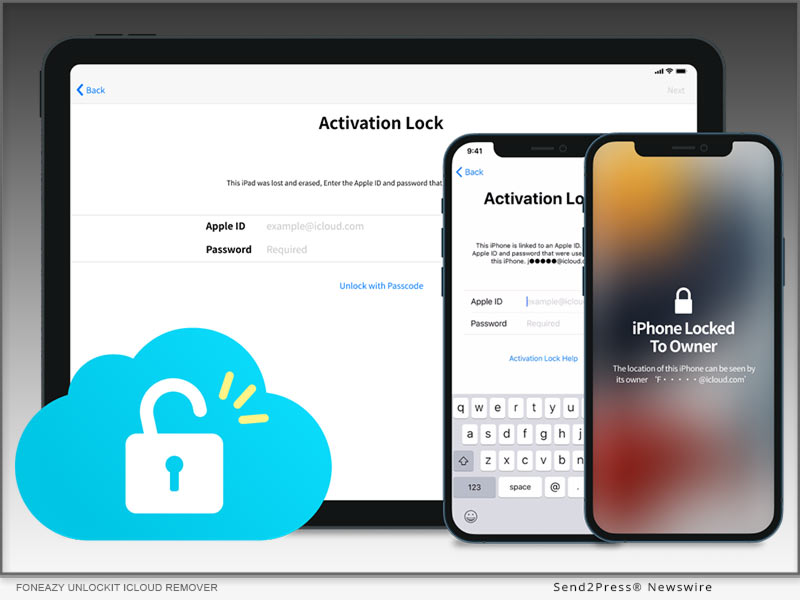
Foneazy Launches Unlockit iCloud Remover – A Powerful Tool to Bypass iCloud Activation Lock and Locked to Owner Lock

NEW YORK, N.Y. /ScoopCloud/ -- Foneazy, a leading software company that specializes in solving phone-related issues, has announced the launch of Unlockit iCloud Remover, a new product that can bypass iCloud activation lock and locked to owner lock on iOS device, including the newest iOS 16.5.

VIDEO (YouTube): https://www.youtube.com/watch?v=LOVUd3nlZNA

iCloud activation lock and locked to owner lock are security features that prevent unauthorized access to iOS devices that are lost, stolen, or sold by the original owners. However, these features can also cause problems for users who buy second-hand devices or forget their Apple ID or password.

Unlockit iCloud Remover is designed to solve these problems by allowing users to bypass iCloud activation lock and locked to owner lock without password or previous owner's help. Instead of asking for professional help or wasting time contacting technicians, users can simply connect their device to a computer, run the software, and follow the instructions to bypass the locks and set up their device as new.

"Unlockit iCloud Remover is a game-changer for iOS users who are stuck with iCloud activation lock or locked to owner lock. With this tool, they can regain full control of their devices and enjoy all the features and functions of iOS without any hassle," said Carter Land, the CEO of Foneazy.

It's available for Mac platform, compatible with MacOS 10.12 -13, iOS device running from iOS 12 to iOS 16.5. Check the compatibility in details here: https://www.foneazy.com/unlockit-icloud-remover/

Pricing and Availability:

Download the trial version to check if your phone is compatible. For 1-5 devices, it is available at $29.95 USD per month. You can get a lifetime license for $49.95 only. Unlockit iCloud Remover is available for Mac platform, compatible with MacOS 10.12 -13, iOS device running from iOS 12 to iOS 16.5. Check the compatibility in details here: https://www.foneazy.com/unlockit-icloud-remover/

Learn more:

Pricing: https://www.foneazy.com/pricing/unlockit-icloud-remover/

User Guide: https://www.foneazy.com/guide/how-to-use-unlockit-icloud-remover/

About Foneazy:

Foneazy is a professional software company that provides innovative solutions for iOS Foneazy aims to help iOS users solve various problems and enhance their digital life with ease and efficiency.

For more information, please visit https://www.foneazy.com/.

Official Website: https://www.foneazy.com/

Support/Contact email: support@foneazy.com

Facebook: https://www.facebook.com/foneazy/

Twitter: https://twitter.com/foneazy

YouTube: https://www.youtube.com/@foneazy

News from Foneazy Studio

Foneazy, a leading software company that specializes in solving phone-related issues, has announced the launch of Unlockit iCloud Remover, a new product that can bypass iCloud activation lock and locked to owner lock on iOS device, including the newest iOS 16.5.

Related link: https://www.foneazy.com/

This version of news story was published on ScoopCloud™ (ScoopCloud.com) - part of and © the Neotrope® News Network - all rights reserved.
How to install macOS Sonoma on a Mac without losing data

NEW YORK, N.Y. /ScoopCloud/ -- Starting on June 5, Mac users can update to macOS Sonoma, which is the latest beta version of macOS. However, some users have reported being unsure of how to install macOS Sonoma and have expressed concerns about potential data loss resulting from the latest update. "As an excellent data recovery solution provider, 4DDiG has always been attentive to the needs of Mac users, and we truly understand how challenging it can be to update to macOS Sonoma without losing data," says a Tenorshare 4DDiG spokesperson. "That's why we offer 4DDiG Mac Data Recovery to users who want to recover lost files after macOS Sonoma update."

How to install masOS Sonoma on Mac

Before learning how to install macOS Sonoma on your Mac, there are a few things you need to prepare in advance. Firstly, make sure to back up all your important data to a secure location. Furthermore, it is essential to keep your Mac connected to a power source throughout the process.

* Open "System Settings" on your Mac. Then, Navigate to "General" > "Software Update."

* Click the (i) button next to Beta updates.

* Choose "macOS Sonoma Developer Beta" or "macOS Sonoma Public Beta" from the drop-down menu and Click "Done".

* The latest macOS Sonoma beta build will pop up and then, Click "Upgrade Now."

If you have forgotten to back up important files and experienced data loss, you still have a chance to install macOS Sonoma without losing data.

How to recover lost files after macOS Sonoma update:

For 4DDiG Mac Data Recovery, helping users update to macOS Sonoma without losing data is always an achievable challenge. With it, you can bid farewell to the worries and concerns of how to install macOS Sonoma on Mac without losing data.

This wonderful software has successfully helped countless Mac users recover lost files after macOS Sonoma update with the highest success rate. Regardless of the reasons for data loss, you can easily complete the data recovery process in just three simple steps:

* Lauch 4DDiG on your mac and Scan the partition where the data was lost

* Preview the lost files in two views

* Simply Recover it and Remember to save it in a safe location

Why choose Tenorshare 4DdiG:

Apart from helping users update to macOS Sonoma without losing data, 4DDiG Mac Data Recovery can effortlessly retrieve data from all data loss scenarios, including accidental deletion, unintentional formatting, sudden power outages, and virus infections. The high success rate of this recovery software has always been a top priority for 4DDiG, as it holds great importance for Mac users. Furthermore, 4DDiG is currently running a summer promotion. Individual users can purchase this user-friendly software at a 30% discount, while business users can enjoy up to a 40% discount.

For more information: https://4ddig.tenorshare.com/mac-data-recovery.html

Follow Us:

Facebook: https://www.facebook.com/4DDiG/

Twitter: https://twitter.com/Tenorshare4DDiG

YouTube: https://www.youtube.com/@Tenorshare4DDiGDataRecovery/featured

News from Tenorshare Co. Ltd.

Starting on June 5, Mac users can update to macOS Sonoma, which is the latest beta version of macOS. However, some users have reported being unsure of how to install macOS Sonoma and have expressed concerns about potential data loss resulting from the latest update. "As an excellent data recovery solution provider, 4DDiG has always been attentive to the needs of Mac users, and we truly understand how challenging it can be to update to macOS Sonoma without losing data," says a Tenorshare 4DDiG spokesperson.

Related link: https://www.tenorshare.com/

This version of news story was published on ScoopCloud™ (ScoopCloud.com) - part of and © the Neotrope® News Network - all rights reserved.
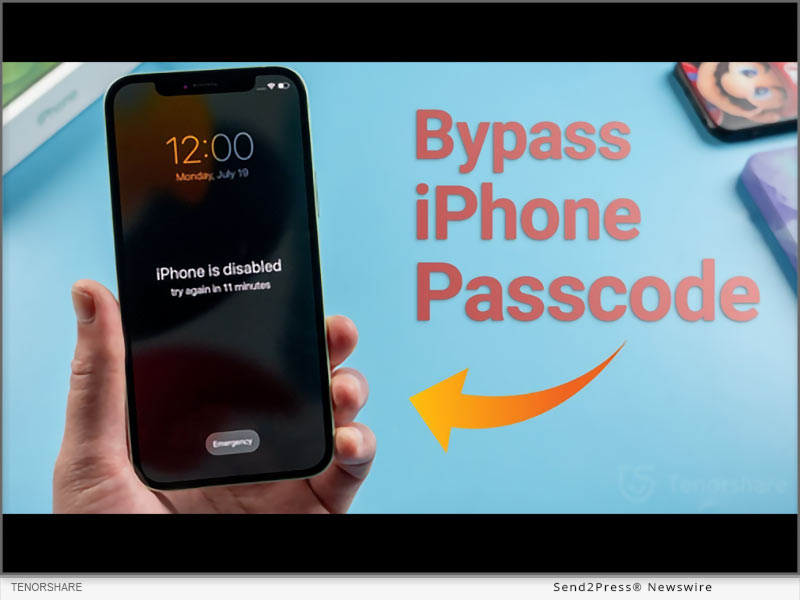
How to Remove Activation Lock Without Previous Owner If Apple iPhone Locked to Previous Owner in 2023

NEW YORK, N.Y. /ScoopCloud/ -- Have you encountered iPhone locked to previous owner but been unable to activate it because you don't know its iCloud login credentials? You may have no clue about how to remove activation lock without previous owner. Don't freak out since there's a perfect Activation Lock Removal solution from Tenorshare to remove activation lock without previous owner's login credentials.

VIDEO: https://www.youtube.com/watch?v=_auObr_Nk98

What an Activation Lock Is and Why It's Important?

"An iCloud activation lock is a built-in security feature in iOS devices activated after users turn on the Find My Device feature. While activation lock prevents unauthorized access, protects the owner's data, and requires an Apple ID and password to reset the device, some users claim it for iPhone locked to precious owner," says a Tenorshare Spokesman. "Luckily, with Tenorshare 4MeKey, you can remove iPhone locked to previous owner and bypass activation lock".

How to Remove Activation Lock Without Previous Owner on iPhone/iPad via iCloud Activation Unlocker?

If you've purchased a used iPhone, a common way to bypass activation lock for free is by contacting its previous owner. Here's what you can do:

* Contact the previous owner.

* Request to remove the device from their iCloud account.

While this method sounds simple, it has its limitations. Firstly, you may not have the previous owner's contact info if you've bought the iPhone from a third-party seller, or the owner might be unresponsive. Thankfully, Tenorshare iCloud Activation Unlocker is a safe and efficient tool to unlock your iPhone without the previous owner's help.

It covers a variety of scenarios, such as:

* Remove the activation lock without iCloud login credentials.

* Remove the iCloud account on your iPhone if you forgot the password or bought a locked device.

* Allows you to sign in with a new Apple ID and password after bypassing the activation lock.

* Disable the Find My iOS device feature without a password.

To bypass activation lock with 4MeKey, just connect your iOS device to your computer, and select "Start Jailbreak." Finally, your iCloud activation lock will be removed successfully.

How to Avoid Stuck on the Activation Lock Screen?

When buying a used iOS device, you can avoid the "not knowing the previous owner's iCloud login info" scenario by:

* Verifying the device is not locked to a previous owner's iCloud account.

* Researching the seller and requesting proof of ownership.

LEARN MORE:

https://www.tenorshare.com/products/4mekey-activation-unlocker.html

https://www.tenorshare.com/guide/remove-icloud-activation-lock.html

About Tenorshare

How to remove iCould activation lock without previous owner's login info is a question many users who've bought a used iPhone ask. However, with Tenorshare 4MeKey, removing the iCloud activation lock without the previous owner's login info is a breeze. Given its efficiency and reliability, 4MeKey is a testament to Tenorshare's commitment to providing exceptional solutions for smartphone users.

More information: https://www.tenorshare.com/

Facebook: https://www.facebook.com/TenorshareOfficial/

Twitter: https://twitter.com/Tenorshare_Inc

YouTube: https://www.youtube.com/user/TenorshareOfficial/videos

TikTok: https://www.tiktok.com/@tenorshare_tech_tips

News from Tenorshare Co. Ltd.

Have you encountered iPhone locked to previous owner but been unable to activate it because you don't know its iCloud login credentials? You may have no clue about how to remove activation lock without previous owner. Don't freak out since there's a perfect Activation Lock Removal solution from Tenorshare to remove activation lock without previous owner's login credentials.

Related link: https://www.tenorshare.com/

This version of news story was published on ScoopCloud™ (ScoopCloud.com) - part of and © the Neotrope® News Network - all rights reserved.
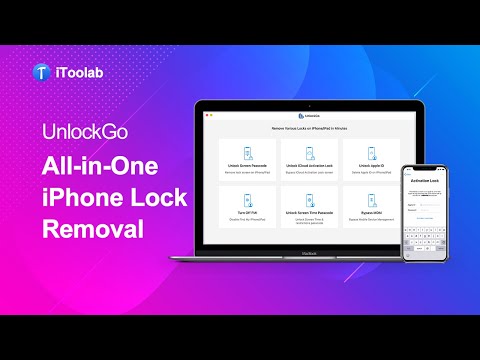
[Fast] Downgrade or Remove iOS 17 to 16 with Downgrader Tool 2023

NEW YORK, N.Y. /ScoopCloud/ -- iOS systems occasionally bring new software and system updates, making users excited to install them on their iOS devices. Sometimes, these updates come with technical problems. UltFone wishes to prevent users from undergoing these problems with its iPhone downgrade tool to downgrade iOS 17 with a single click without iTunes.

Things to Know Before Using iOS Downgrade Tool:

Downgrading iOS means re-installing an old OS on your iPhone/iPad and will wipe your device to the factory settings. So it would be better if you backup before downgrading with iTunes or iCloud or data management tools like UltFone iOS Data Manager, keeping your important data from loss.

Remove iOS 17 to iOS 16 from iPhone with iTunes:

It is the official way to downgrade iOS 17 to iOS 16 with iTunes by putting device in recovery mode. Here is how to use it: Choose the correct IPSW file at ipsw.me> Connect the device and boot into Recovery Mode>Click "Restore."

However, using iTunes to remove iOS 17 to iOS 16 has risks. You will need to select and download the IPSW file for your phone, and put your device into recovery mode manually, which may brick your iPhone or get your iPhone stuck in recovery mode, or arise other iOS issues.

There are lots of posts on Reddit that users don't know how to set phones to recovery mode or complain about iPhones stuck on the Apple logo or iPhone bricked in the process.

That's the reason why UltFone iOS Downgrade Tool comes,an easy and safe iOS downgrade tool to uninstall iOS 17 to iOS 16 in one click.

Downgrade iOS 17 to iOS 16 without iTunes for Windows and Mac [Free Download]:

Compared with iTunes, UltFone iOS Downgrade Tool can be the easiest iOS downgrader to downgrade iOS 17 to iOS 16 safely and automatically. You don't need to put device to recovery mode manually or select IPSW file, so no worries about any iPhone system issues.

Moreover, it is 100% working for downgrading iOS fast and without losing data.

Video guide: https://youtu.be/v6TCjZ01RnE

Quickly follow the below guide for iOS downgrading:

* Run the program and click on "iOS Upgrade/Downgrade" to start.

* Choose "Downgrade System" and click "Download."

* Once it's downloaded, click on "Initiating Downgrade" to start. It will roll back to a lower system within a few minutes.

Top Features of UltFone Downgrade Tool to Downgrade iOS 17 to iOS 16:

The UltFone iOS Downgrade Tool offers a plethora of incredible features that provide users with an enjoyable experience:

* Easiest iOS 17 Downgrader: The iOS downgrader tool requires no technical knowledge and downgrades iOS systems with just few clicks.

* Downgrade iOS 17 to iOS 16 Automatically:This iOS downgrader automatically removes iOS 17 in seconds.

* Safe and No jailbreak : Uninstall iOS without fear of losing important data and jailbreak with maximum data security.

* Wide compatibility: As a good alternative of iPSW downgrade tool, it is compatible with all iPhone and iPad models, including the latest iPhone 14 series and iOS/ iPadOS 16.

* Support to remove iOS 17 :Revert back to iOS 16 OFFICIAL.

* Fix any iOS 17/16 downgrade issue: Say goodbye to any iOS 17/16 downgrade issues, such as iPhone stuck on recovery mode or iOS update, etc.

About UltFone:

UltFone, a leading expert of mobile utility technologies and applications in the software industry, offers fully integrated solutions for data backup, data recovery, system repair etc.

YouTube: https://www.youtube.com/@UltFoneOfficial/videos

Facebook: https://www.facebook.com/ultfone/

News from UltFone

iOS systems occasionally bring new software and system updates, making users excited to install them on their iOS devices. Sometimes, these updates come with technical problems. UltFone wishes to prevent users from undergoing these problems with its iPhone downgrade tool to downgrade iOS 17 with a single click without iTunes.

Related link: https://www.ultfone.com/

This version of news story was published on ScoopCloud™ (ScoopCloud.com) - part of and © the Neotrope® News Network - all rights reserved.
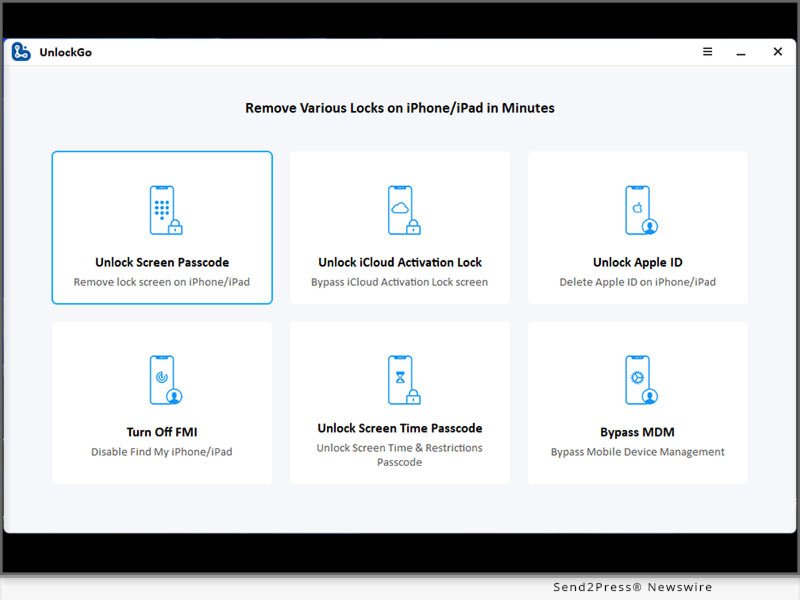
iOS 16.5 iCloud Bypass is Now Available on iToolab UnlockGo iOS

NEW YORK, N.Y. /ScoopCloud/ -- iToolab Co Ltd today released the new version of its iToolab UnlockGo iOS V5.6.0, allowing Apple users to bypass iCloud activation lock on iPhone/iPad/iPod touch running iOS 16.5. This awesome software is specially developed to help Apple users who forgot their iCloud account password or purchased a second-hand iDevice with iCloud activation lock.

"Lots of Apple users choose to buy a second-hand iPhone/iPad, but the previous owners always forgot to sign out their iCloud accounts," said iToolab CEO Mia Garcia. "Searching for a way to unlock an iCloud locked iPhone/iPad is troublesome and time-consuming. But we are here to help. iToolab UnlockGo iOS is a time-saving program to remove iPhone/iPad/iPod touch locks."

WHAT'S NEW IN ITOOLAB UNLOCKGO IOS V5.6.0

* Bypass iCloud Activation Lock on iOS 16.5 without password or the previous owner

This feature allows you to unlock an iCloud locked iPhone/iPad/iPod touch without password. Whether your device is running iOS 12.0 or 16.5, you'll regain full access to your device within several simple steps. It supports iPhone 5s to iPhone X, iPod touch 6-7. It can also remove iCloud Activation Lock on some iPad models.

Other Solutions Provided by iToolab UnlockGo iOS:

* Unlock all types of iPhone/iPad locks

* Delete Apple ID without password

* Bypass MDM lock screen without the username and password in a few minutes

* Remove Screen Time passcode without any data loss

* Turn off FMI without Apple ID

How to Bypass iCloud on iOS 16.5 on MacOS:

Step 1. Free download iToolab UnlockGo iOS from its official website and install it on your Mac.

Step 2. Launch the program. Choose "Unlock iCloud Activation Lock" from the home screen.

Step 3. Connect your iPhone to Mac with a USB cable. Follow the on-screen instructions to put it in DFU mode.

Step 4. The program will begin bypassing iCloud lock. The process will complete within 5 minutes.

Video guide: https://youtu.be/U65QTvDnIHM

Availability and Price:

* The new feature is available on iToolab UnlockGo iOS V5.6.0. For unregistered users, you can visit the official website of iToolab UnlockGo iOS and download the latest version to try. For registered users, you can enjoy a free lifetime update.

* iOS 16.5 iCloud bypass is currently available on MacOS, and will be supported on Windows OS soon.

* The program is sold with different license plans, including 1 Month Plan, 1 Year Plan, Lifetime Plan and Business Plan. The prices are $39.95, $49.95, $59.95, respectively. You can get a big discount from the official website right now.

More info: https://itoolab.com/buy/unlockgo-for-mac/

About iToolab:

iToolab is a Hong Kong-based leading iOS and Android solution provider with a vision to help smartphone users solve various technical issues. Over the years, the company has helped millions of users fix iOS issues and regain access to their iPhones and iPads. Currently, iToolab provides its services in more than 130 countries and has an extensive user base. The creative approach of the developers is the main reason for the high success rate of all iToolab products.

LEARN MORE: https://itoolab.com/

Facebook: https://www.facebook.com/itoolab

Twitter: https://twitter.com/IToolab

YouTube: https://www.youtube.com/@iToolab

News from IToolab Co Ltd

iToolab Co Ltd today released the new version of its iToolab UnlockGo iOS V5.6.0, allowing Apple users to bypass iCloud activation lock on iPhone/iPad/iPod touch running iOS 16.5. This awesome software is specially developed to help Apple users who forgot their iCloud account password or purchased a second-hand iDevice with iCloud activation lock.

Related link: https://itoolab.com/

This version of news story was published on ScoopCloud™ (ScoopCloud.com) - part of and © the Neotrope® News Network - all rights reserved.

How to Download Apple’s iOS 17 Beta Without Apple Developer?

NEW YORK, N.Y. /ScoopCloud/ -- When iOS 16.6 beta was released, it created quite a buzz, and people eagerly anticipate when is iOS 17 beta coming out and what are the new features. It is great news for iOS users because iOS 17 Beta is out today, says Tenorshare. To start, it's essential to learn how to download iOS 17 Beta and also how to fix iOS 17 Beta issues if they may arise. So, let's dive into the process without any delay!

Video Guide: https://youtu.be/gqSex8VDSqI

How to Download and Install iOS 17 Beta on iPhone?

If your software update failed and you're eager to know how to download iOS 17 Beta officially, below is how to update to iOS 17 Beta by enrolling Apple Developer Program. Keep in mind that you will need to pay an annual fee of $99 to acquire the iOS 17 beta profile for download.

* Access the Apple public beta website and register using your Apple ID.

* Afterward, log in with your Apple ID and select "Install Profile" on your iOS device.

* Restart your iPhone and navigate to "Settings"> "General"> "Software Update."

* In the Beta Update section, choose "iOS 17 Beta Software Profile." Tap Install, and voila! The update installation will commence. Please be patient during the installation process.

* Once installed, your iPhone will automatically restart, and you'll update to iOS 17 Beta.

How to Download iOS 17 Beta Without Apple Developer?

Seeking a budget-friendly alternative to Apple Developer for iOS 17 beta download? Look no further! With Tenorshare iOS Downgrade Software, you can download the iOS 17 beta without Apple developer account.

* Launch Tenorshare ReiBoot by connecting your iPhone. Then click on "iOS Upgrade/Downgrade."

* When prompted, select the Upgrade option.

* Click on "Download" to acquire the latest firmware package and patiently wait for the download to complete.

* The upgrade process will automatically initiate and typically takes a few minutes to finish.

iOS 17 Beta Tips & Tricks with Tenorshare ReiBoot

Swift: ReiBoot provides the fastest method for the iOS 17 beta download, but offers instructions on how to remove iOS 17 beta from iPhone or how to downgrade to iOS 16.

Comprehensive: Tenorshare ReiBoot can fix iOS 17 beta issues without losing data while coming across challenges like stability issues, poor performance, and other system-related problems.

User-friendly: Clear and concise iOS 17 beta download instructions, no technical expertise needed.

Budget-friendly: No need to invest in an expensive Apple Developer Profile.

Learn more:

* https://www.tenorshare.com/products/reiboot.html

* https://youtu.be/x2r8m3rxGAw

* https://www.tenorshare.com/ios-17/

* https://www.tenorshare.com/ios-17/ios-17-beta-download-and-install.html

* https://www.tenorshare.com/ios-17/ios-beta-not-showing-up-fixed.html

About Tenorshare:

While iOS 17 Beta offers thrilling features, it's frustrating if iOS 17 Beta Not Showing up or the software update failed. Luckily, Tenorshare ReiBoot is highly recommended for iOS 17 beta download and common Beta issues fixed. As a trusted smartphone software brand, Tenorshare always offers reliable tools to address iOS problems for iPhone users.

More information: https://www.tenorshare.com/

Facebook: https://www.facebook.com/TenorshareOfficial/

Twitter: https://twitter.com/Tenorshare_Inc

YouTube: https://www.youtube.com/user/TenorshareOfficial/videos

TikTok: https://www.tiktok.com/@tenorshare_tech_tips

News from Tenorshare Co. Ltd.

When iOS 16.6 beta was released, it created quite a buzz, and people eagerly anticipate when is iOS 17 beta coming out and what are the new features. It is great news for iOS users because iOS 17 Beta is out today, says Tenorshare. To start, it's essential to learn how to download iOS 17 Beta and also how to fix iOS 17 Beta issues if they may arise. So, let's dive into the process without any delay!

Related link: https://www.tenorshare.com/

This version of news story was published on ScoopCloud™ (ScoopCloud.com) - part of and © the Neotrope® News Network - all rights reserved.
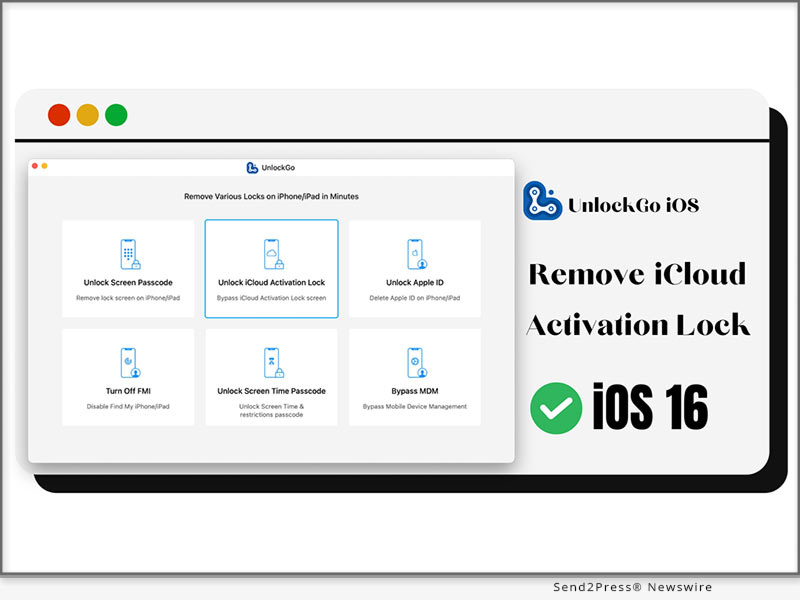
New Release: 4DDiG File Repair for Mac, Simplifies Video and Photo Repair for Mac Users

NEW YORK, N.Y. /ScoopCloud/ -- 4DDiG, an esteemed subsidiary of Tenorshare and a leading software provider, is thrilled to announce the highly anticipated release of the Mac version of their groundbreaking software, 4DDiG File Repair. This awesome software is specifically developed to fulfill the needs of Mac users seeking high-quality solutions for repairing digital media files. It allows them to effortlessly restore damaged photos and videos with a high success rate and simple operation.

"The release of 4DDiG File Repair for Mac represents a major milestone for us," said John Smith, Product Manager at 4DDiG. "We deeply understand the frustration that Mac users experience when they lose or damage their visual files. That's why we prioritize the success rate of file repair, offering a powerful software solution that users can trust to restore their valuable digital assets."

Key features of 4DDiG File Repair(Mac):

* Photo Repair Features: Photo Repair features can help users effortlessly restore their precious old photos and resolve issues such as the inability to open photos after data recovery. The software also supports a wide range of image formats, including jpg, jpeg, arw, cr2, and more. Another remarkable feature of Photo Repair is its ability to repair up to 3000 pictures at once.

* Video Repair Features: Many Mac users frequently encounter error codes indicating that videos cannot be played properly. Video Repair features provides an easy solution to this problem. Additionally, it also can repair corrupted, choppy, distorted, or fuzzy videos. It supports popular video formats like MP4, MOV, MKV, M4V, 3G2, and 3GP. The software works with various storage media and supports batch repair for multiple formats at once.

Compared to other products, 4DDiG File Repair not only offers a real-time preview of the repair results for free but also ensures high-quality restoration of images and videos.

Learn more: https://4ddig.tenorshare.com/video-repair.html

Repair damaged photos or videos effortlessly

With its user-friendly interface and advanced algorithms, Mac users can easily repair their digital media files. That's how to fix damaged videos or photos using 4DDiG File Repair on a Mac:

Step 1: Install and launch the 4DDiG File Repair on your Mac.

Step 2: To begin the repair process, select either the Photo Repair or Video Repair option from the software interface. Import the damaged videos or photos by tapping the "Add" button, and then click on "Repair".

Step 3: Once the repair is complete, you can preview the repaired videos or photos. Finally, click on "Export Selected" to save them to Finder.

Take advantage of the promotion by 4DDiG! Now, you can purchase 4DDiG File Repair for Mac at a discounted price of 30% off.

For more information, visit: https://4ddig.tenorshare.com/

Follow on Social:

Official Website: https://4ddig.tenorshare.com/

Facebook: https://www.facebook.com/4DDiG/

Twitter: https://twitter.com/Tenorshare4DDiG

YouTube: https://www.youtube.com/@Tenorshare4DDiGDataRecovery/featured

VIDEO: https://youtu.be/C_bABjvZP9w

News from Tenorshare Co. Ltd.

4DDiG, an esteemed subsidiary of Tenorshare and a leading software provider, is thrilled to announce the highly anticipated release of the Mac version of their groundbreaking software, 4DDiG File Repair. This awesome software is specifically developed to fulfill the needs of Mac users seeking high-quality solutions for repairing digital media files. It allows them to effortlessly restore damaged photos and videos with a high success rate and simple operation.

Related link: https://www.tenorshare.com/

This version of news story was published on ScoopCloud™ (ScoopCloud.com) - part of and © the Neotrope® News Network - all rights reserved.
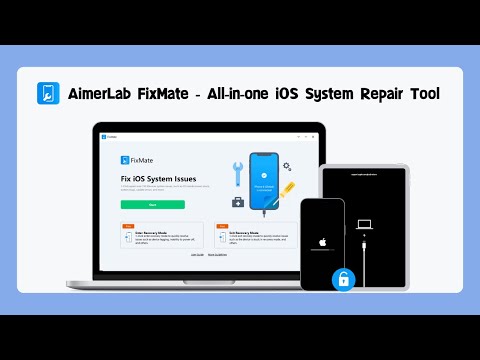
‘Security Lockout iPhone’ – How to Fix Security Lockout on Apple iPhone with Tenorshare 4uKey

NEW YORK, N.Y. /ScoopCloud/ -- "My iPhone says security lockout. How to get out of it?" Have you accidentally locked yourself out of your iPhone due to a security lockout? It's frustrating and stressful, especially if you have important things to do or need to make an important call. Don't panic since Tenorshare 4uKey is the answer you've been looking for to fix security lockout iPhone. It is specifically designed to remove passcodes from your iPhone, including security lockouts, and it works like a charm! So, let's get on with how to get out of a security lockout on iPhone with 4uKey!

VIDEO: https://www.youtube.com/watch?v=7eSMGkMswDs

What Does Security Lockout Mean on iPhone?

A security lockout on iPhone is a feature that prevents unauthorized access to your iPhone. If you enter the wrong passcode on your device too many times, an "iPhone available" message will appear. Later on, if you fail all the given attempts at entering a correct passcode, the security lockout screen will be displayed. If you are now thinking about how to unlock security lockout iPhone, unfortunately, you'll need to reset your device, meaning that you'll end up losing all your precious data.

What Makes Tenorshare 4uKey the Top Recommended Tool to Fix Security Lockout on iPhone?

If you're struggling with security lockout iPhone how to unlock without losing data, look no further. Tenorshare 4uKey is the top recommended tool due to its hassle-free solution for your iPhone security lockout problem. Its user-friendly interface and zero risk of data loss make it an attractive choice for those seeking a hassle-free solution. It uses advanced algorithms to bypass the passcode and give you access to your device within minutes. What's more, it is compatible with the latest iPhone 14.

Learn more: https://www.tenorshare.com/iphone-tips/how-to-reset-a-locked-iphone-in-security-lockout-mode.html

How Do I Unlock My iPhone From Security Lockout?

Now you know you won't be risking data loss, here's how to fix security lockout on iPhone with 4uKey.

* Download and install 4uKey on your computer.

* Connect your iPhone to your PC and open 4uKey to choose "Unlock iOS Screen."

* When prompted, download the matching firmware package and choose the path to save it. Next, to start unlocking the security lockout, select "Start Remove."

* Within a few minutes, 4uKey will remove the security lockout from your iPhone.

Learn more: https://www.tenorshare.net/products/4ukey-unlocker.html

About Tenorshare:

Tenorshare has offered award-winning and highly-rated solutions for 16 years that prioritize data security and system fixes for both iOS and Android users. And in honor of Tenorshare 16th anniversary, Tenorshare is offering a special promotion that includes a $200 Amazon gift card and up to 30% discount. If you're struggling with a security lockout on your iPhone, consider trying Tenorshare 4uKey for a hassle-free solution with big promotion!

More information: https://www.tenorshare.com/

Facebook: https://www.facebook.com/TenorshareOfficial/

Twitter: https://twitter.com/Tenorshare_Inc

YouTube: https://www.youtube.com/user/TenorshareOfficial/videos

TikTok: https://www.tiktok.com/@tenorshare_tech_tips

News from Tenorshare Co. Ltd.

"My iPhone says security lockout. How to get out of it?" Have you accidentally locked yourself out of your iPhone due to a security lockout? It's frustrating and stressful, especially if you have important things to do or need to make an important call. Don't panic since Tenorshare 4uKey is the answer you've been looking for to fix security lockout iPhone.

Related link: https://www.tenorshare.com/

This version of news story was published on ScoopCloud™ (ScoopCloud.com) - part of and © the Neotrope® News Network - all rights reserved.
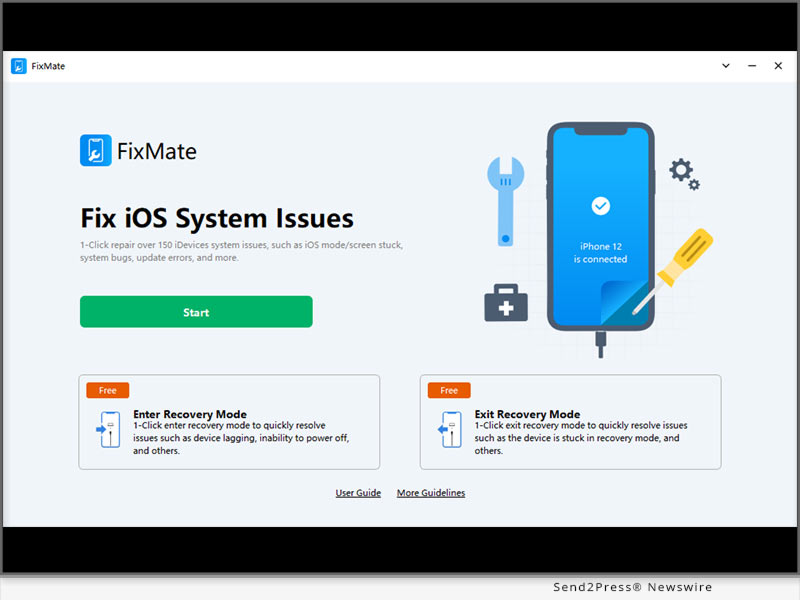
Best iPhone Data Recovery Killer App for 2023: iToolab RecoverGo iOS

NEW YORK, N.Y. /ScoopCloud/ -- Still looking for iPhone deleted photos recovery software? It goes without saying that the newly released iToolab RecoverGo iOS software is the best choice for you. It's a powerful tool for iPhone data recovery that features an easy-to-use interface and fast scanning speed. iToolab Co Ltd (iToolab) is an emerging technology leader in the industry that aims to solve the problems of smartphones.

"We've greatly improved the success rate of iPhone data recovery, compared to other tools. Please be assured that you won't lose your deleted iPhone files again. You can recover lost data without backup or from iTunes backup if available," said Mia Garcia, CEO at iToolab.

KEY FEATURES OF ITOOLAB RECOVERGO IOS V5.0.0:

1 - 90% Success Rate of iPhone Data Recovery

iToolab RecoverGo iOS makes you more productive when trying to find exactly what you lost even after 30 days. Because it is capable of scanning what data has left on the device effortlessly, in just a few minutes. Up to 90% chance of recovery. No need to bother searching for other alternatives.

2 - Recover Deleted Data from iPhone/iPad/iPod touch without Backup

This would be exciting for many of you who have been having trouble with accidentally deleted photos or videos. Even if you don't have a backup. iToolab RecoverGo iOS recovers data from your device directly.

3 - Best iTunes Backup Extractor and Restore from iTunes Backup

iToolab RecoverGo iOS will extract iTunes backup from your computer. This allows you to view your iTunes backup with details, going far beyond traditional iTunes backup recovery. And you can select the one you need to recover.

4 - A Wide Range Data Type of iPhone/iPad/iPod touch

* Photos
* Voice Memos
* Calendars
* Messages
* Videos
* Reminders
* Contacts
* Safari Bookmarks
* FaceTime
* Call History
* Safari History
* Third-party data
* Voice Mails
* Notes

PRICE:

1-Month Plan: $35.95

1-Year Plan: $39.95

Lifetime Plan: $49.95

10% OFF Coupon Code: ITOOLABINST10

More info: https://itoolab.com/buy/recovergo-ios-for-windows/

Device Compatibility:

Windows: Win 11/10/8.1/8/7

iPhone/iPad/iPod touch: All models

About iToolab:

iToolab is a Hong Kong-based leading iOS and Android solution provider with a vision to help smartphone users solve various technical issues. Over the years, the company has helped millions of users fix iOS issues and regain access to their iPhones and iPads. Currently, iToolab provides its services in more than 130 countries and has an extensive user base. The creative approach of the developers is the main reason for the high success rate of all iToolab products.

For more details, please visit:

Official Website:https://itoolab.com/

Facebook: https://www.facebook.com/itoolab

Twitter: https://twitter.com/IToolab

YouTube: https://www.youtube.com/@iToolab

News from IToolab Co Ltd

Still looking for iPhone deleted photos recovery software? It goes without saying that the newly released iToolab RecoverGo iOS software is the best choice for you. It's a powerful tool for iPhone data recovery that features an easy-to-use interface and fast scanning speed. iToolab Co Ltd (iToolab) is an emerging technology leader in the industry that aims to solve the problems of smartphones.

Related link: https://itoolab.com/

This version of news story was published on ScoopCloud™ (ScoopCloud.com) - part of and © the Neotrope® News Network - all rights reserved.

Three Steps to Recover Deleted Photos on a Mac Effortlessly

NEW YORK, N.Y. /ScoopCloud/ -- Do you know of any methods to easily and quickly recover deleted photos on Mac? In fact, many macOS users often ask questions about where are photos stored on Mac or how to recover lost photos on online Q&A forums. In fact, losing important photos can be a frustrating experience, but there's no need to worry. Tenorshare 4DDiG, a leading software provider, offers excellent photo recovery software that can help users effortlessly retrieve their important data.

Where are photos stored on Mac?

If you are wondering where photos are stored on Mac, check this: By default, photos on a Mac are usually stored in a library file that is typically located in the Pictures folder. The library file has the extension ".photoslibrary" and it contains all of your photos, videos, and other media that you import into the Photos app.

Alternatively, you can access the photo file location by following this path:

~/Pictures/Photos Library.photoslibrary/resources/derivatives/masters

"If you don't want to worry about how to recover deleted photos on Mac, you'd better backup your files or download a reliable data recovery software like 4DdiG," said a spokesman of Tenorshare 4DDiG. After understanding where photos are stored on Mac, Let's find an efficient way to recover lost photos.

How to recover deleted photos on Mac?

Many users believe that it is challenging to recover deleted photos on Mac, but that is not true. With a simple operation and advanced algorithm, 4DDiG data recovery can help users easily recover their deleted photos on Mac.

So, what are the surprising features of 4ddig?

* Support various storage devices

* Support various file types

* Support various data loss scenarios

* Built-in functions that can repair damaged photos and videos.

Follow the simple steps below and you can recover deleted photos on Mac in a short period of time:

* Lauch 4DDiG and Select the disk you want to recover deleted photos from

* Scan the disk or the trash bin and Preview the scaned photos

* Recover deleted photos and save it to a new partition

Can you believe that? Just for a moment, you don't have to worry about how to recover permanently deleted photos on Mac!

About 4DdiG:

It's never been a challenge for 4DDiG to recover deleted photos on Mac, because they always ensure that their software is top-notch and delivers the highest level of performance to their clients. Apart from photo data recovery software, they also provide other excellent software to make your life more convenient. Furthermore, users can purchase various software products at a discounted rate of 30%.

For more information: https://4ddig.tenorshare.com/mac-data-recovery.html

Follow Us:

Facebook: https://www.facebook.com/4DDiG/

Twitter: https://twitter.com/Tenorshare4DDiG

YouTube: https://www.youtube.com/@Tenorshare4DDiGDataRecovery/featured

https://www.youtube.com/watch?v=C_bABjvZP9w

News from Tenorshare Co. Ltd.

Do you know of any methods to easily and quickly recover deleted photos on Mac? In fact, many macOS users often ask questions about where are photos stored on Mac or how to recover lost photos on online Q&A forums. In fact, losing important photos can be a frustrating experience, but there's no need to worry. Tenorshare 4DDiG, a leading software provider, offers excellent photo recovery software that can help users effortlessly retrieve their important data.

Related link: https://www.tenorshare.com/

This version of news story was published on ScoopCloud™ (ScoopCloud.com) - part of and © the Neotrope® News Network - all rights reserved.

iOS 16 iCloud Bypass on iPhone and iPad with iToolab UnlockGo iOS

NEW YORK, N.Y. /ScoopCloud/ -- What's the best iOS 16 iCloud bypass unlock tool? iToolab UnlockGo iOS today supports to bypass iPhone locked to owner (iCloud Activation Lock) on iOS 16.3. This will be a lifesaver for those who're unable to activate iPhone.

VIDEO (YouTube): https://www.youtube.com/watch?v=oHDoIRIgxyU

The new version of iToolab UnlockGo V5.5.0 for Mac is newly released by iToolab Co Ltd (iToolab), which has been recognized by 345,298,789 users all over the world.

"Bypassing iPhone locked to owner in iOS 16 is great news for iPhone locked to iCloud. The life of the owner has never been easier. This is a major breakthrough so far," said Mia Garcia, CEO at iToolab.

KEY FEATURES OF ITOOLAB UNLOCKGO V5.5.0:

:: iPhone Locked to Owner Bypass iOS 16.3 on macOS

iToolab UnlockGo completely simplifies the process of removing iCloud Activation Lock without password if you have an iOS 16 and above device. You can now bypass iCloud locked iPhone/iPad on Mac.

:: Super Easy to Bypass iPhone Locked to Owner on iOS 16.3

Step 1. Download and launch UnlockGo iOS. Select"Unlock iCloud Activation Lock" feature.

Step 2. Connect your iPhone or iPad to Mac using a lightning to USB cable.

Step 3. Click the "Unlock Now" button to get rid of Activation Lock quickly.

:: Other Outstanding features of UnlockGo iOS

* Unlock Apple ID without password

* Remove Screen Time passcode without data loss

* Bypass MDM lock in a easier way

* Unlock screen lock including 4/6-digit passcode, Face ID and Touch ID

PRICE:

* 1-Month Plan: $35.95

* 1-Year Plan: $39.95

* Lifetime Plan: $49.95

* $10 OFF Coupon Code: XMAS10M

More info: https://itoolab.com/buy/unlockgo-for-windows

Device Compatibility:

* Windows: Win 11/10/8.1/8/7

* Mac: 13 (macOS Ventura), 12 (macOS Monterey), 11 (macOS Big Sur), 10.15 (macOS Catalina), 10.14 (macOS Mojave), Mac OS X 10.13 (High Sierra), 10.12 (macOS Sierra), and 10.11 (El Capitan)

* iOS Device: All iPhone and iPad Models

* iOS: iOS 12-16

About iToolab:

iToolab is a Hong Kong-based leading iOS and Android solution provider with a vision to help smartphone users solve various technical issues. Over the years, the company has helped millions of users fix iOS issues and regain access to their iPhones and iPads. Currently, iToolab provides its services in more than 130 countries and has an extensive user base. The creative approach of the developers is the main reason for the high success rate of all iToolab products.

For more details, please visit:

Official Website:https://itoolab.com/

Facebook: https://www.facebook.com/itoolab

Twitter:https://twitter.com/IToolab

YouTube: https://www.youtube.com/@iToolab

News from IToolab Co Ltd

What's the best iOS 16 iCloud bypass unlock tool? iToolab UnlockGo iOS today supports to bypass iPhone locked to owner (iCloud Activation Lock) on iOS 16.3. This will be a lifesaver for those who're unable to activate iPhone.

Related link: https://itoolab.com/

This version of news story was published on ScoopCloud™ (ScoopCloud.com) - part of and © the Neotrope® News Network - all rights reserved.
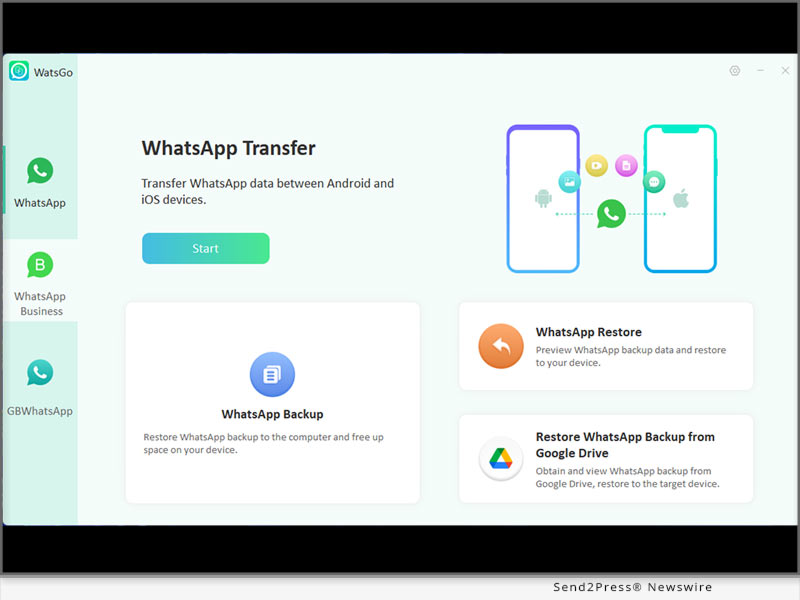
iPhone or iPad Locked to Owner Bypass? PassFab Activation Unlock for Windows Updated for iOS 16.3.1

NEW YORK, N.Y. /ScoopCloud/ -- PassFab, a leading software company, announced today that its well-known PassFab Activation Unlock software for Windows has been upgraded to support the latest iOS version 16.3.1, allowing users to bypass activation lock on iPhone or iPad.

VIDEO: https://www.youtube.com/embed/MaN7OT-cgrk

The Activation Unlock tool is designed to help users who have forgotten their Apple ID or passcode and are unable to access their devices. With this software, users can easily unlock their iPhone or iPad and regain access to their device without having to enter their Apple ID and password.

"We are thrilled to announce the update of our Activation Unlock tool to support the latest iOS version," said Mr. James, CEO of PassFab. "Our team has worked tirelessly to ensure that our software is compatible with the latest technology, and this update is a testament to that effort."

"PassFab is committed to providing the best user experience possible," said Mr. James. "Our Activation Unlock tool is trusted by millions of users worldwide, and we will continue to innovate and improve our software to ensure that our customers have access to the latest features and technologies."

KEY FEATURES OF PassFab Activation Unlock V4.2.0:

:: 1 - REMOVE ICLOUD ACTIVATION LOCK ON IPHONE OR IPAD, IOS 16.3.1 Supported

PassFab's Activation Unlock tool is compatible with all versions of Windows, including Windows 10, 8, 7, and XP. The software is available for download on the company's official website.

:: 2 - OTHER AVAILABLE PASSFAB ACTIVATION UNLOCK FEATURES

a. Unlock iCloud Activation Lock or turn off Find My iPhone/iPad without a password

b. Turn off the camera sound on iOS devices

c. Bypass activation lock on iPhone, iPad, or iPod touch

d. Compatible with Windows 11/10/8.1/8/7, MacOS 10.11-13

:: 3 - FOUR EASY STEPS TO REMOVE ICLOUD ACTIVATION LOCK ON IOS 16.3.1

Step 1: Download PassFab Activation Unlock and choose Remove iCloud Activation Lock.

Step 2: Connect your iDevice that has been locked by iCloud activation lock with a USB cable, and the software will detect it immediately.

Step 3: After connecting, the software will automatically download the jailbreak tool for you.

Step 4: After successfully jailbreaking the phone, select Start, and the software will remove the iCloud activation lock from your device.

:: 4 - PRICE AND AVAILABILITY:

1-Month Plan: $29.95

1-Year Plan: $39.95

Lifetime Plan: $49.95

More info: https://www.passfab.com/purchase/buy-activation-unlocker.html

How to Participate:

For more information on the PassFab Activation Unlock tool, visit the company's website: https://www.passfab.com/

About PassFab:

PassFab, which was founded in 2010, has been delivering top-of-the-line password recovery and management tools to its users all over the world for over a decade. With over ten years of industry expertise, the business has assisted millions of people worldwide in regaining access to their devices and accounts. Individuals, corporations, and agencies all across the world rely on PassFab's software.

Facebook: https://www.facebook.com/passfab/

Twitter: https://twitter.com/passfab

YouTube: https://www.youtube.com/passfab

Instagram: https://www.instagram.com/passfabsoftware/

News from PassFab

PassFab, a leading software company, announced today that its well-known PassFab Activation Unlock software for Windows has been upgraded to support the latest iOS version 16.3.1, allowing users to bypass activation lock on iPhone or iPad.

Related link: https://www.passfab.com/

This version of news story was published on ScoopCloud™ (ScoopCloud.com) - part of and © the Neotrope® News Network - all rights reserved.
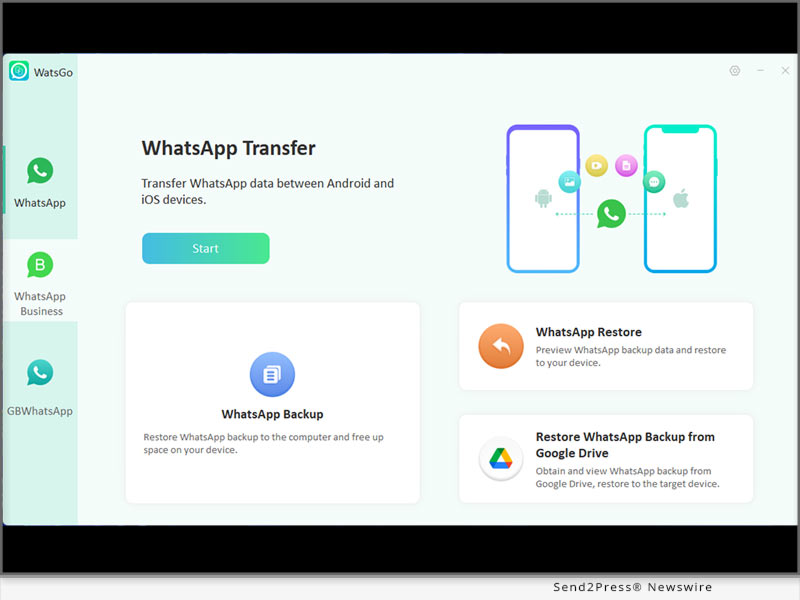
MocPOGO – The Highly Anticipated Location Changer for Games and Apps Is Released!

NEW YORK, N.Y. /ScoopCloud/ -- MocPOGO Studio, a software company focused on location changer, now releases the most powerful location spoofer for location-based games, social apps and dating apps. With MocPOGO V6.1.2, users can easily change GPS location on iOS or Android devices. For those who are keen on location-based games, MocPOGO is the best ever choice for changing locations. It supports teleport location in a click, simulates movement at a customized speed, supports GPS joystick and more practical functions. This will greatly enhance the fun of the game.

"For gamers, the changes are sure to enhance the gaming experience. For those who use social apps and dating apps, changing the location is sometimes a way to better protect their privacy and security. Our original intention in releasing MocPOGO was also to prevent our own location from being tracked," says a MocPOGO spokesperson.

FULL FEATURES OF MOCPOGO V6.1.2

* Change GPS location to anywhere in the world

No matter what location you want to teleport to, all you need to do is enter the place name or coordinates and you can teleport with one click.

* Simulate GPS movement with 3 modes

If you are a Pokémon player, this feature can definitely help you to have more fun to a great extent. Customized routes and walking speeds are more realistic to catch rare Pokémon without walking.

Two-Spot Mode: Move location from A to B at a customized speed.

Multi-Spot Mode: Set multiple locations to walk along the customized speed.

Jump Teleport Mode: Jump from A to B instantly and show you the cooldown timer.

* Support GPS Joystick

For more natural and efficient management of GPS movement directions, MocPOGO supports the use of GPS joysticks to control the character in Pokémon GO.

* Spoof location on multiple devices

If you want to change the positioning of multiple devices at the same time, MocPOGO can easily help you to do so.

* Other features

In addition to the features mentioned above, MocPOGO has more useful little features, such as showing cooldown timer to avoid game risks, importing GPX files, Wi-Fi connection, saving locations or routes, automatic backup of history, no jailbreak and root required.

* Easy to Use MocPOGO in 3 Steps

With just a few simple steps you can quickly change GPS location on Pokémon GO as well as on some other games and social software.

1 - Open MocPOGO and select your device system.

2 - Connect your device to the computer via Wi-Fi or USB cable.

3 - Choose a location on the map and click on "GO."

PRICING:

One month license, 1-5 devices it only takes $9.95.

Lifetime version is the best value: $69.95.

Information: https://mocpogo.com/buy/mocpogo-for-windows/

ABOUT MOCPOGO:

MocPOGO is a software company specializing in location change, created this powerful location changer after an in-depth study of users' location change needs. MocPOGO has helped more than 100,000 users in 100+ countries.

LEARN MORE: https://mocpogo.com/

News from MocPOGO Studio

MocPOGO Studio, a software company focused on location changer, now releases the most powerful location spoofer for location-based games, social apps and dating apps. With MocPOGO V6.1.2, users can easily change GPS location on iOS or Android devices.

Related link: https://mocpogo.com/

This version of news story was published on ScoopCloud™ (ScoopCloud.com) - part of and © the Neotrope® News Network - all rights reserved.
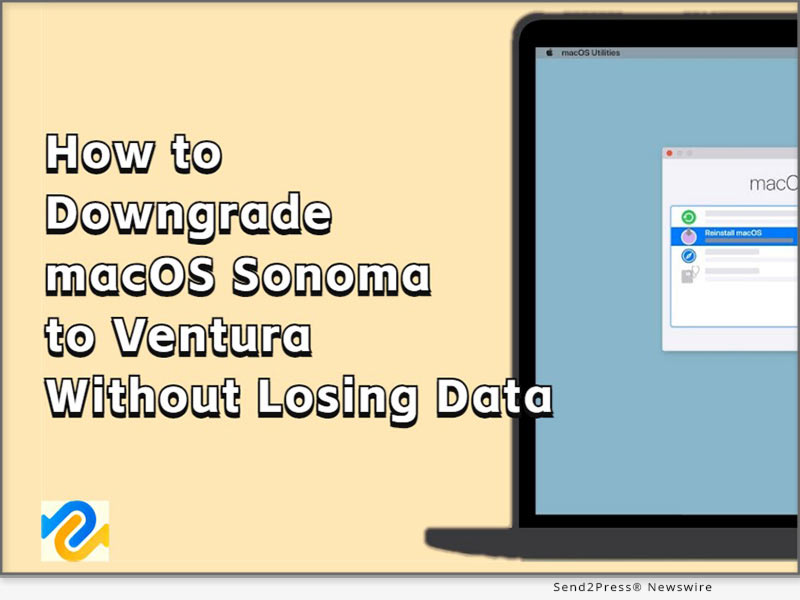
iPhone/iPad Locked to Owner? 2023 Best iCloud Bypass Tool for macOS|iOS 15.7

NEW YORK, N.Y. /ScoopCloud/ -- What's the best iCloud unlock service in the year of 2023? The most secure and trustworthy iPhone Activation Lock removal tool belongs to the killer iToolab UnlockGo iOS. If you don't have a clue how to remove iCloud Activation Lock on iOS 15/iOS 16, then UnlockGo is your best choice.

iToolab UnlockGo is developed by iToolab Co Ltd (iToolab), which has become very popular in recent years. It's known for unlocking various locks, especially iPhone/iPad Activation Lock. The latest version V5.4.0 now supports iOS 15.7 on macOS to bypass iCloud.

"I believe this will save your ass from a locked iPhone or iPad. A lot of users complain that when they buy a second hand iOS device, and they are trapped in iCloud lock for a long time. iToolab UnlockGo works perfectly on this issue," said Mia Garcia, CEO at iToolab.

KEY FEATURES OF ITOOLAB UNLOCKGO V5.4.0:

:: Remove iCloud Activation Lock without Password, iOS 15.7 Supported

If you ever wondered the most useful way to bypass iPhone locked to owner, now UnockGo bypasses iCloud on iOS 15.7 easily. This will be compatible with iOS 16 in the near future, just stay tuned with us! You can subscribe to our YouTube channel for the latest tips and news.

:: 3 Easy Steps to Remove iCloud Activation Lock on iOS 15.7

Step 1. Download and initiate UnlockGo iOS. Choose the "Unlock iCloud Activation Lock" feature.

Step 2. Connect your iPhone or iPad to the computer using a lightning to USB cable.

Step 3. Click the "Unlock Now" button to get past Activation Lock immediately.

:: Other Outstanding features of UnlockGo iOS

* Unlock Apple ID without password

* Remove Screen Time passcode without data loss

* Bypass MDM lock in a easier way

* Unlock screen lock including 4/6-digit passcode, Face ID and Touch ID

PRICE:

1-Month Plan: $35.95

1-Year Plan: $39.95

Lifetime Plan: $49.95

$10 OFF Coupon Code: XMAS10M

More info: https://itoolab.com/buy/unlockgo-for-windows

DEVICE COMPATIBILITY:

Windows: Win 11/10/8.1/8/7

Mac: 13 (macOS Ventura), 12 (macOS Monterey), 11 (macOS Big Sur), 10.15 (macOS Catalina), 10.14 (macOS Mojave), Mac OS X 10.13 (High Sierra), 10.12(macOS Sierra), and 10.11(El Capitan)

iOS Device: All iPhone and iPad Models

iOS: iOS 12-16

ABOUT ITOOLAB:

iToolab is a Hong Kong-based leading iOS and Android solution provider with a vision to help smartphone users solve various technical issues. Over the years, the company has helped millions of users fix iOS issues and regain access to their iPhones and iPads. Currently, iToolab provides its services in more than 130 countries and has an extensive user base. The creative approach of the developers is the main reason for the high success rate of all iToolab products.

For more details, please visit:

Official Website: https://itoolab.com/

Facebook: https://www.facebook.com/itoolab

Twitter:https://twitter.com/IToolab

YouTube: https://www.youtube.com/@iToolab

News from IToolab Co Ltd

What's the best iCloud unlock service in the year of 2023? The most secure and trustworthy iPhone Activation Lock removal tool belongs to the killer iToolab UnlockGo iOS. If you don't have a clue how to remove iCloud Activation Lock on iOS 15/iOS 16, then UnlockGo is your best choice.

Related link: https://itoolab.com/

This version of news story was published on ScoopCloud™ (ScoopCloud.com) - part of and © the Neotrope® News Network - all rights reserved.
Three Steps to Recover Lost Files After macOS Ventura Update

NEW YORK, N.Y. /ScoopCloud/ -- Following the release of the new macOS Ventura update, a number of Apple users have reported experiencing data loss. They are seeking a solution to the pressing issue of how to recover lost files after macOS Ventura update. Fortunately, Tenorshare 4DDiG, a leading software provider, announces that they offer a simple method to Apple users who have lost important files after macOS Ventura update.

"We understand how challenging it can be to recover lost files after macOS Ventura update and that's why we have developed 4DDiG data recovery software. With just three easy steps, you can understand how to easily recover lost files after macOS Ventura update," says a 4DDiG spokesperson.

Does macOS Ventura Update Delete Files?

In fact, users don't have to worry about how to recover lost files after macOS Ventura Update. In other words, users' files are usually safe when updating their Mac.

Nonetheless, it's crucial to remain vigilant as data loss can occur in certain situations:

* Downloading updates from untrusted sources

* Corruption of the hard drive during the update

* unexpected interruptions during the process

* a corrupted update file.

"It's always wise to back up important data before applying significant updates because unforeseen circumstances can arise," said Terrance, CEO of Tenorshare 4DDiG.

How to recover lost files after macOS Ventura update:

It is a formidable challenge to recover lost files after macOS Ventura update, with only a few reliable ways available. Moreover, when you are a computer novice, encountering this situation will be worse.

If you fall into this category, don't worry! 4DDiG is designed specifically for computer novices, with a user-friendly interface and straightforward operation procedure. Even if you have little experience with data recovery, you can easily navigate through the software and recover lost files in just a few clicks.

Additionally, with advanced and sophisticated algorithm, it also boasts a high success rate in data recovery.

Just follow three simple steps below and give it a try today:

* Install 4DDiG and Scan the partition where the data was lost

* Preview the files you want to restore in two views

* Recover it and Remember to save the data in the new partition

Congratulations! You have successfully recovered the lost files after macOS Ventura update in a short period of time.

About Tenorshare 4DdiG:

In addition to providing a straightforward approach to recover lost files after macOS Ventura, 4DDiG could also help user deal with many other thorny problems. As a top software provider in the industry, 4DDiG offers a range of excellent software solutions, including file repair and duplicate file removal, to name a few. Moreover, users can currently purchase 4DDiG with a 30% discount now.

For more information, visit: https://4ddig.tenorshare.com/mac-data-recovery.html

Follow Us on Social at:

Facebook: https://www.facebook.com/4DDiG/

Twitter: https://twitter.com/Tenorshare4DDiG

YouTube: https://www.youtube.com/@Tenorshare4DDiGDataRecovery/featured

News from Tenorshare Co. Ltd.

Following the release of the new macOS Ventura update, a number of Apple users have reported experiencing data loss. They are seeking a solution to the pressing issue of how to recover lost files after macOS Ventura update. Fortunately, Tenorshare 4DDiG, a leading software provider, announces that they offer a simple method to Apple users who have lost important files after macOS Ventura update.

Related link: https://www.tenorshare.com/

This version of news story was published on ScoopCloud™ (ScoopCloud.com) - part of and © the Neotrope® News Network - all rights reserved.

Dr.Buho releases BuhoCleaner 1.9.0 – the top-notch Mac Cleaner app optimized for macOS Ventura 13.3.1

LOS ANGELES, Calif. /ScoopCloud/ -- Dr.Buho Inc., a leading macOS productivity software company, today announced the official release of BuhoCleaner version 1.9.0, introducing the innovative Compact Mode in BuhoCleaner Menu, greatly improved File Shredder, more intelligent Duplicates feature and other exciting improvements. BuhoCleaner 1.9.0 by far is one of the very few Mac Cleaner apps that're fully optimized for the latest macOS Ventura 13.3.1. Best of all, BuhoCleaner (Single Plan) is in Spring Sale by offering 50% OFF discount for all Mac users with this coupon code: PR04SP23
What is BuhoCleaner:

With more than 550,000 overall downloads since 2020, BuhoCleaner takes the Mac disk cleaning experience to a whole new level with the remarkable capabilities to help users free up space, uninstall stubborn or bloated apps, remove old/large/duplicated files, manage startup items, clear system data, etc. The main purpose of designing BuhoCleaner is to keep a Mac running fast and light.

BuhoCleaner 1.9.0 introduced an array of new features like the Compact Mode for BuhoCleaner Menu app, which enable users to flexibly choose what Mac status is about to showing in the menu bar, like CPU Load/Temp, RAM, Network, etc. It would be greatly useful if users use a Mac with notch, which may limit the menubar display area.

"Our BuhoCleaner is designed for opening up more possibilities for Mac users who are suffered from endless Mac storage cleaning headaches," said Andy, the founder and CEO at Dr.Buho. "With a minimized interface and simplified workflow, BuhoCleaner managed to create a feeling that Mac disk cleaning could be easier than ever."

More Highlights in BuhoCleaner 1.9.0:

* Improved MicroSoft Office Uninstall Workflow - Optimized App Uninstall solution for the most recent version of Microsoft 365 for Mac app suite, including Word, Excel, PowerPoint, Outlook, OneNote, and OneDrive.

* Improved File Shredder - The completely rebuilt File Shredder feature comes with highly improved file scanning speed and more secure file erasing result.

* Redesigned Duplicates feature - BuhoCleaner 1.9.0 comes with the whole new redesigned UI/UX in Duplicates feature. Now the duplicated file scanning engine gets tremendous speedup thanks to the more powerful algorithm.

Price and Availability:

BuhoCleaner 1.9.0 is now compatible with macOS Ventura 13.3.1 (the latest release) and Apple M2-empowered Macs. In this spring season, BuhoCleaner is offering 50% discount for the Single Plan, customers can use this coupon code to get the offer: PR04SP23.

Take the offer here: https://www.drbuho.com/buhocleaner/buy

About Dr.Buho Inc.:

Dr.Buho Inc. is a leading software development company dedicated to building finely crafted macOS apps. It aims to bring easy-to-use Mac software to users around the world for further improving the experience with their Macs. Know more at https://www.drbuho.com/.

News from Dr.Buho Inc.

Dr.Buho Inc., a leading macOS productivity software company, today announced the official release of BuhoCleaner version 1.9.0, introducing the innovative Compact Mode in BuhoCleaner Menu, greatly improved File Shredder, more intelligent Duplicates feature and other exciting improvements. BuhoCleaner 1.9.0 by far is one of the very few Mac Cleaner apps that're fully optimized for the latest macOS Ventura 13.3.1.

Related link: https://www.drbuho.com/

This version of news story was published on ScoopCloud™ (ScoopCloud.com) - part of and © the Neotrope® News Network - all rights reserved.