Author Archives: Tenorshare Co. Ltd.

How to Backup Disabled and Locked Apple iPhone without iTunes

NEW YORK, N.Y. /ScoopCloud/ -- As the leading provider of software solutions for system maintenance and data management, Tenorshare is good at data backup from disabled iPhones without iTunes. It is excited that Tenorshare announces its Christmas and New Year Sales to invite customers to participate in the Treasure Hunt Game to earn discounts.

Video (YouTube): https://www.youtube.com/watch?v=iHlFMy_iuCQ

* Can I backup my iPhone if it's disabled without iTunes?

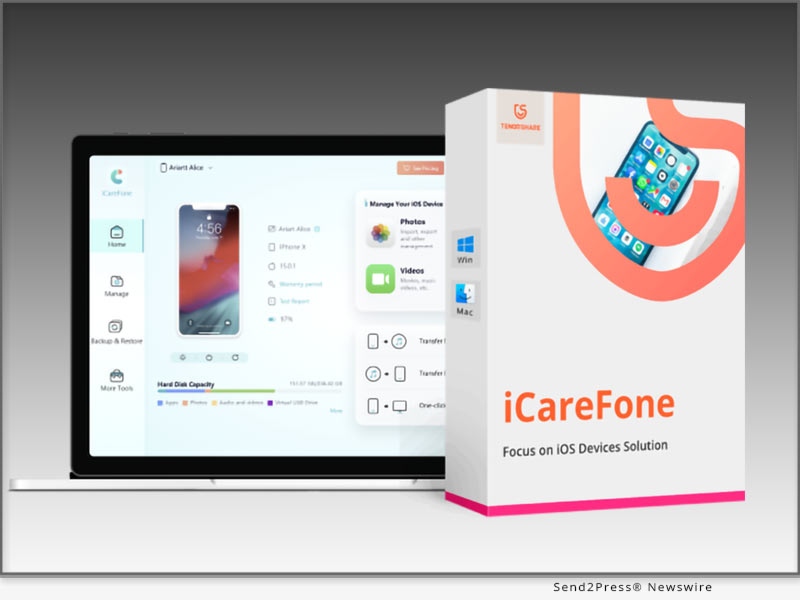
"iPhone is disabled" appears when you have tried to enter the wrong passcode after many attempts. Subsequently, questions come, "Can I backup a disabled iPhone without iTunes and how to backup a disabled iPhone or backup a locked iPhone?" "Absolutely yes, we can backup disabled, unavailable, or locked iPhone without iTunes!" said Tenorshare Spokesman, "If it is inconvenient and troublesome to restore backup with iTunes and using iTunes to backup iPhone without passcode fails to work after many wrong attempts, what you really need is Tenorshare iCareFone." Let's learn how to backup a disabled iPhone or backup locked iPhone without iTunes.

* How to Backup Disabled & Locked iPhone without iTunes?

It seems that iTunes is a savior to remove disabled iPhone passcode, but iTunes could not always recognize iPhones. As the reputable iTunes alternative, Tenorshare has won over users' confidence with its advanced technology. Whether the phone is disabled, locked, or unavailable, Tenorshare iCareFone can backup iPhone without passcode.

If iTunes is unable to identify your device, simply follow the steps outlined below to backup a disabled iPhone:

* First, install Tenorshare iCareFone on your computer and connect your disabled iPhone.

* Next, choose "Backup & Restore" to check the files you want to backup.

* Then, select the files you wish to restore and click the "Backup" button.

* Once the backup process is finished, just click "Restore to device" or "Export to PC" to save your data.

Warm Discounts for Warm Christmas

It is time to be merry and indulge in Tenorshare Christmas Treasure Hunt Game. With Tenorshare's new Christmas & New Year Sale, users can receive large discounts on a variety of software by playing Christmas Treasure Hunt Game. Don't miss out on $12 Save, 30% Off, $500 Amazon Cards, and More!

https://www.tenorshare.com/sales-promotion.html

https://www.tenorshare.com/products/icarefone.html

https://www.tenorshare.com/iphone-tips/2-easy-ways-to-backup-a-disabled-iphone.html

https://www.youtube.com/watch?v=wcDuC1ycs9g

https://www.youtube.com/watch?v=iHlFMy_iuCQ

About Tenorshare:

In addition to backup a disabled iPhone, Tenorshare can also assist to recover data from disabled iPhones, and unlock a disabled iPhone after backup. Based on these best-in-class software solutions for the iOS, Android, Windows, and Mac platforms, it is certain that Tenorshare is monitoring and modifying its software to meet its stated goal of "Better software, better life".

Instantly avail a huge discount on all software on Tenorshare Christmas and New Year Sale!

More information: https://www.tenorshare.com/

Facebook: https://www.facebook.com/TenorshareOfficial/

Twitter: https://twitter.com/Tenorshare_Inc

YouTube: https://www.youtube.com/user/TenorshareOfficial/videos

TikTok: https://www.tiktok.com/@tenorshare_tech_tips

Pinterest: https://www.pinterest.com/Tenorshare/
News from Tenorshare Co. Ltd.

As the leading provider of software solutions for system maintenance and data management, Tenorshare is good at data backup from disabled iPhones without iTunes. It is excited that Tenorshare announces its Christmas and New Year Sales to invite customers to participate in the Treasure Hunt Game to earn discounts.

Related link: https://www.tenorshare.com/

This version of news story was published on ScoopCloud™ (ScoopCloud.com) - part of and © the Neotrope® News Network - all rights reserved.


4DDiG Christmas Hot Sale on Data Solutions for Windows and Mac Users: Up to 70% OFF And 100% Win A Prize

NEW YORK, N.Y. /ScoopCloud/ -- Tenorshare 4DDiG, a renowned software provider, is launching a Christmas sale this year. 4DDiG is one of the leading new-generation solution providers for Windows and Mac users. The company offers software to restore and repair data, delete duplicate files, reset passwords, and resolve OS issues.

4DDiG Christmas Hot Sale: It will run from Dec 9, 2022, to Jan 4, 2023. The sale offers up to 70% OFF, with the discount differing on all 4DDiG products plus a chance for 100% Win a Prize. Moreover, this sale is a token of 4DDiG's appreciation for users who continue to support the company's development.

100% Win a Prize Rules

Users will get four opportunities to win a prize after picking up a sock randomly. The awards include Amazon and Starbuck Gift Cards, license keys, and a 65% OFF coupon code.

To pick up a sock, users can:

* Submitting an email to receive prize.

* Get two additional opportunities by sharing the "Christmas Sale" page on Facebook and Twitter.

* Get another chance at picking a sock by subscribing to the 4DDiG YouTube channel.

BEST SINGLES SALES

4DDiG Christmas sales offer different discount on different software:

4DDiG Data Recovery Software for Windows and Mac

An all-in-one data recovery solution for Windows and Mac users. Support data recovery from various devices including SD Cards, USBs, external hard drives. And it can recover over 1000+ different file types including photos, videos, document, etc. Now on Christmas sales, user can get 60% Off on this professional data recovery tool.

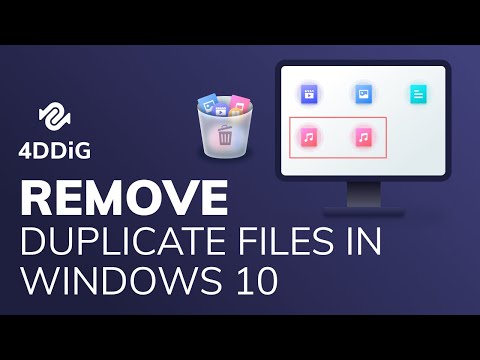
4DDiG Duplicate File Deleter for Windows and Mac

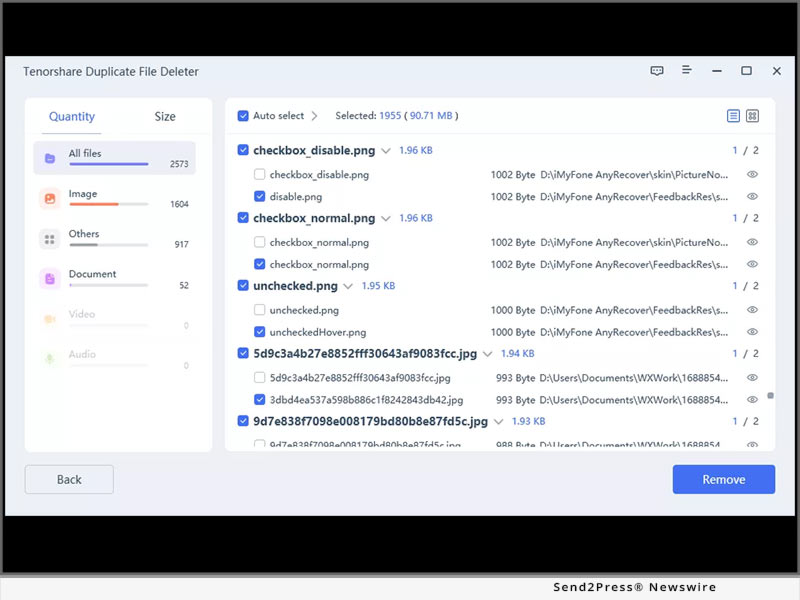
An accurate tool to find and delete duplicate Windows and Mac files which can help users to free up space in 3 easy clicks. Now you can get it with 70% OFF!

4DDiG File Repair

A powerful tool to repair any corrupt and damaged videos/photos in 3 clicks. Now you will get 60% OFF to get this professional photos/videos repair tool!

4DDiG Windows Boot Genius

Your ultimate windows boot up solution tools, which can auto repair Windows issues like Blue/Black screen, system crash in minutes. Users will get a 70% discount on this software.

40% OFF Coupon Code

Still, looking for more than the above-offered discount? 4DDiG also offers an XMAS 40% OFF Coupon Code for all users that apply to all 4DDiG products.

About 4DdiG:

4DDiG is one of the leading new-generation solution providers for Windows and Mac users. The company offers software to restore and repair data, delete duplicate files, reset passwords, and resolve OS issues. You can also get a massive discount on all software. So, don't miss out on the 4DDiG Hot Christmas Sale!

For more information, visit: https://4ddig.tenorshare.com/special-offers.html

Follow on Social:

Facebook: https://www.facebook.com/4DDiG/

Twitter: https://twitter.com/Tenorshare4DDiG

YouTube: https://www.youtube.com/channel/UCQZ9C1IzQB1bgMXmGw7s5bw

News from Tenorshare Co. Ltd.

Tenorshare 4DDiG, a renowned software provider, is launching a Christmas sale this year. 4DDiG is one of the leading new-generation solution providers for Windows and Mac users. The company offers software to restore and repair data, delete duplicate files, reset passwords, and resolve OS issues. 4DDiG Christmas Hot Sale: It will run from Dec 9, 2022, to Jan 4, 2023.

Related link: https://www.tenorshare.com/

This version of news story was published on ScoopCloud™ (ScoopCloud.com) - part of and © the Neotrope® News Network - all rights reserved.
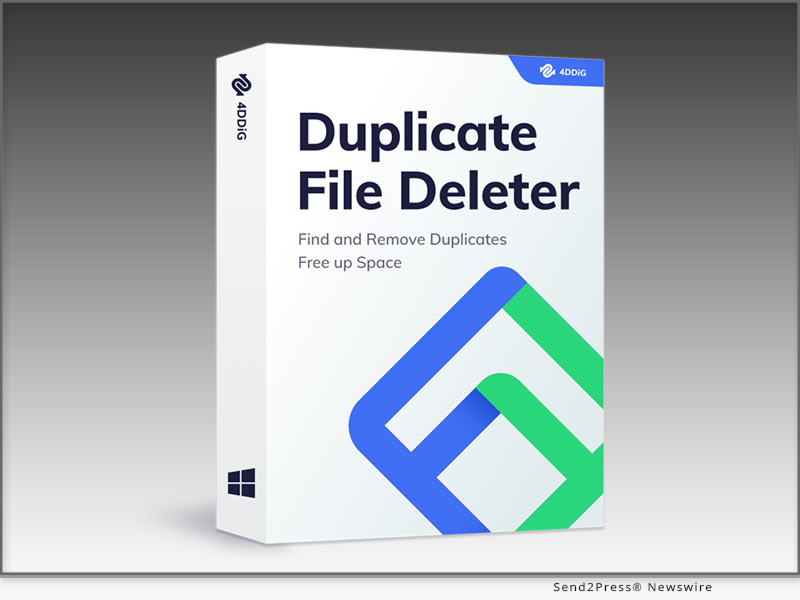
Tenorshare Announces Its Duplicate File Deleter Renamed to 4DDiG

NEW YORK, N.Y. /ScoopCloud/ -- Tenorshare has renamed its Duplicate File Deleter to 4DDiG. The changed name also ensures improved digging for duplicate files to provide high-quality deletion. This software promises to free up disk space, keep files well-organized and optimize disk performance more quickly and expertly than before. In addition, 4DDiG upgraded its Duplicate File Deleter's UI and algorithm, enhancing its ability to locate and delete duplicate files efficiently.

MAIN FEATURES

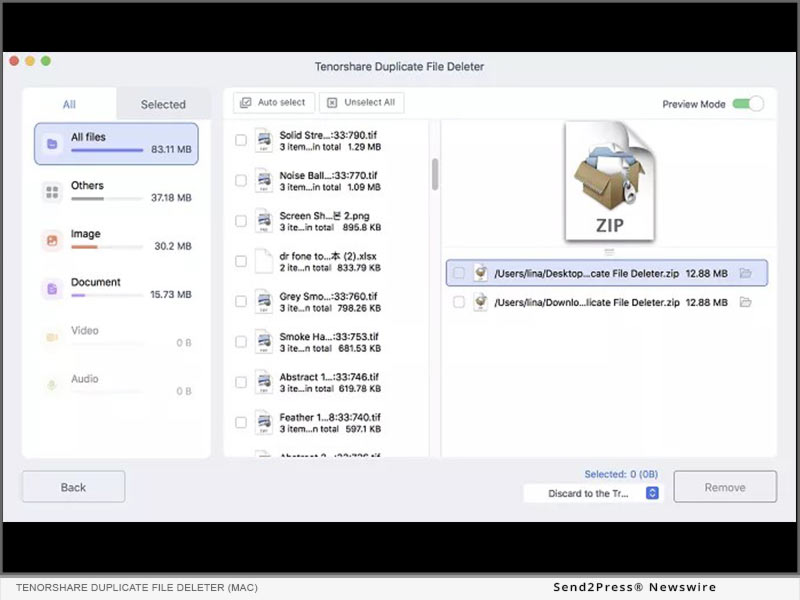
1 - The 4DDiG Duplicate File Deleter can locate duplicate files in Windows and Mac-based external and internal drives, USBs, digital cameras, and SD cards in mere seconds.

2 - It can find duplicate files, including videos, images, documents, and audio, and delete them quickly.

3 - It uses a smart MD5 Message-Digest Algorithm that compares not only file names but also their content to find duplicate files.

4 - Users can use 4DDiG's filters to set search criteria by excluding or including folders and files to search for duplicate data.

5 - Regardless of the volume of duplicate files, this software can free up tons of space by eliminating duplicate files to boost disk performance.

6 - An easy-to-use interface ensures safe duplicate file removal in three clicks without endangering users' personal data.

PRICE AND AVAILABILITY

* Free Version: This version can delete 15 duplicate files for free on Windows and Mac. Users can also preview and select the target files to delete.

* 1-Month License Individual: This version offers a 1-month license and free upgrades at $24.95 for deleting duplicate files on one system.

* 1-Year License Individual: This version offers a 1-year license and free upgrades at $39.95 for deleting duplicate files.

* Lifetime License Individual: This version offers a lifetime license and free upgrades at $49.95 for deleting duplicate files.

* Annual Business Plan: This version is for businesses and is billed annually at $55.95. It offers free technical assistance and one year of free upgrades. In addition, users can use it on 5PCs at once.

About 4DDiG Duplicate File Deleter:

Locating the right file from a cluttered system is time-consuming. But users can now get rid of these tiresome tasks by getting the 4DDiG Duplicate File Deleter. With its innovative algorithm and friendly UI, anyone can quickly locate and delete duplicate files and similar content.

Moreover, it can eliminate all types of files from Windows and Mac-based storage devices with high accuracy and without endangering personal data. So, download the 4DDiG Duplicate File Deleter from the 4DDiG Official site now and unlock its unique features.

For more details, visit: https://4ddig.tenorshare.com/duplicate-file-deleter.html

International versions:

4DDiG Duplicate File Deleter Español - https://4ddig.tenorshare.com/es/duplicate-file-deleter.html

4DDiG Duplicate File Deleter Français - https://4ddig.tenorshare.com/fr/duplicate-file-deleter.html

4DDiG Duplicate File Deleter 日本語 - https://4ddig.tenorshare.com/jp/duplicate-file-deleter.html

4DDiG Duplicate File Deleter Português - https://4ddig.tenorshare.com/br/duplicate-file-deleter.html

News from Tenorshare Co. Ltd.

Tenorshare has renamed its Duplicate File Deleter to 4DDiG. The changed name also ensures improved digging for duplicate files to provide high-quality deletion. This software promises to free up disk space, keep files well-organized and optimize disk performance more quickly and expertly than before.

Related link: https://www.tenorshare.com/

This version of news story was published on ScoopCloud™ (ScoopCloud.com) - part of and © the Neotrope® News Network - all rights reserved.
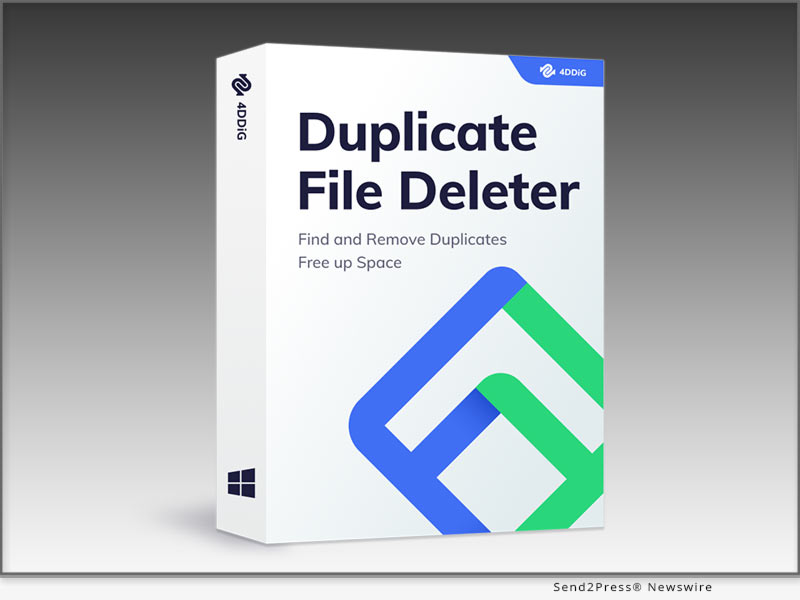
Tenorshare Announces its Windows Boot Genius Renamed as 4DDiG

NEW YORK, N.Y. /ScoopCloud/ -- Tenorshare has renamed its Windows Boot Genius as 4DDiG. This change also brings a one-stop solution to recover and erase data, manage and clone Windows partitions, and reset passwords at a much more affordable price.

4DDiG has also improved this software's auto repair and security function to repair systems from Blue/Black screens and crashes securely and in minutes.

MAIN FEATURES:

1. Forgotten your password or lost your product key? 4DDiG Windows Boot Genius can help reset the Windows Administrator password and product key.

2. It offers a "Data Recovery" feature to recover data from formatted drives, crashed systems, and lost partitions. 4DDiG Windows Boot Genius can even retrieve data from unbootable drives.

3. Users can use it to back up images, documents, audio, and videos and restore them later.

4. This software can help create, organize and manage Windows partitions and efficiently manage files and folders.

5. In addition, it can boot systems that won't start and auto-repair Windows, suffering from Welcome screen issues, Blue/Black screens, random reboots, and screen freezes.

6. It provides a "Disk Partition Cloning" feature to clone existing disks and restore the OS and files when users want to upgrade their existing disks. Users can also use the cloned disk to restore a corrupted OS.

7. If users are worried about their sensitive data being recovered by others, this tool can wipe it to make it irrecoverable.

PRICE AND AVAILABILITY:

1. 1-Month License: This subscription is available for one month at $18.95 with free upgrades for individuals.

2. 1-Year License: This subscription is available for one month at $35.95 with free upgrades for individuals.

3. Lifetime License: This subscription offers a lifetime of license for individuals at $64.95 with free upgrades for individuals.

4. Annual Business Plan: This plan is for businesses and is billed annually at $55.95. It comes with free technical assistance and one year of free upgrades. Users can use the software on 3PCs at once.

About 4DDiG Windows Boot Genius:

Worried about your system not booting properly or recovering data from an unbootable disk? 4DDiG Windows Boot Genius provides a one-in-all solution for resolving Windows issues, recovering data, managing partitions, and resetting passwords.

Whether you cannot find your Windows OS or start your system due to drive, SD card, USB, hardware, or memory problems, it can auto-repair the OS. Moreover, it is 100% safe and can clone partitions, backup, restore, and wipe sensitive data. Still doubtful? Grab the 4DDiG Windows Boot Genius from the 4DDiG official store and enjoy it.

For more details, visit: https://4ddig.tenorshare.com/windows-boot-genius.html

International versions:

4DDiG Windows Boot Genius Español - https://4ddig.tenorshare.com/es/windows-boot-genius.html

4DDiG Windows Boot Genius Français - https://4ddig.tenorshare.com/fr/windows-boot-genius.html

4DDiG Windows Boot Genius 日本語 - https://4ddig.tenorshare.com/jp/windows-boot-genius.html

4DDiG Windows Boot Genius Português - https://4ddig.tenorshare.com/br/windows-boot-genius.html

News from Tenorshare Co. Ltd.

Tenorshare has renamed its Windows Boot Genius as 4DDiG. This change also brings a one-stop solution to recover and erase data, manage and clone Windows partitions, and reset passwords at a much more affordable price. 4DDiG has also improved this software's auto repair and security function to repair systems from Blue/Black screens and crashes securely and in minutes.

Related link: https://www.tenorshare.com/

This version of news story was published on ScoopCloud™ (ScoopCloud.com) - part of and © the Neotrope® News Network - all rights reserved.

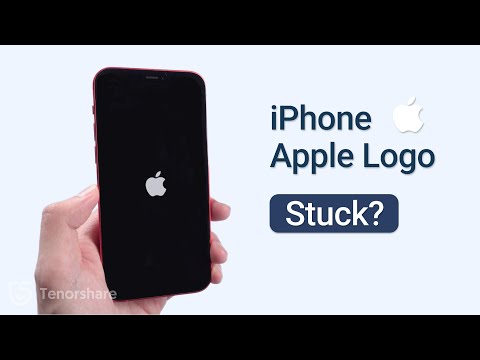
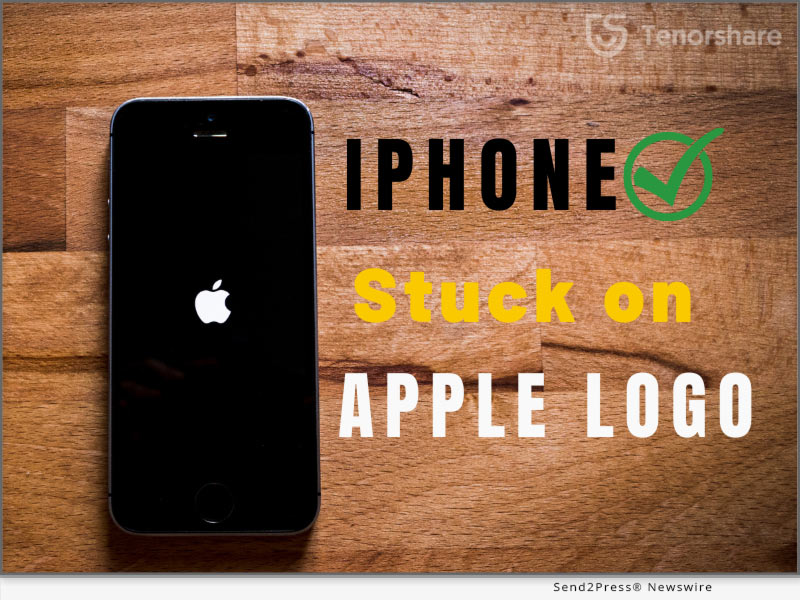
iPhone Stuck On The Apple Logo? Here is why and how to unfreeze it!

NEW YORK, N.Y. /ScoopCloud/ -- It is universal but terrible for most iPhone devices that iPhone stuck on Apple logo screen. If your iPhone is frozen on Apple screen and you are worried about what to do next to handle Apple logo, don't need to panic as Tenorshare is here to provide its expert repairing services with Tenorshare ReiBoot to unfreeze your frozen screen. What a coincidence that up to 70% off is offered for its iPhone repair software before December 9, 2022. Avail this discount if you are confused to repair your Apple logo screen.

Video Tutorial: https://www.youtube.com/watch?v=aYnIugz5cvI

What would cause my iPhone stuck on Apple Logo?

Many iPhone users complained that iPhone stays on Apple logo screen, but they didn't catch the root of Apple logo.

Restoring data from backup, transferring data, installing and updating the software, jailbreaking iPhone, and degrading version are possible reasons for a frozen iPhone screen.

"iPhone stuck on the Apple logo can be caused causally. Fortunately, it can be fixed by Tenorshare ReiBoot when your iPhone is stuck on the Apple logo," said Tenorshare's spokesperson. "When compared to the conventional methods for fixing iPhone Stuck on the Apple logo, Tenorshare ReiBoot has its magic to repair Apple logo in a hassle-free way."

How to Fix iPhone Stuck On Apple Logo Without Data Loss?

After figuring out the cause of the Apple logo, let's move forward toward its solution with the best repair software:

* Install the latest version of Tenorshare ReiBoot on your PC and click "START" on the main interface.

* Click on the "Standard repair" button. Then download the firmware package by clicking on "Download".

* For fixing Apple Logo Loop, click on "Start Standard Repair" after completing the download.

* Finally, the Apple logo stuck would be resolved to a normal state.

Additionally, Tenorshare ReiBoot can fix various iOS problems, such as device bugs, screen stuck, iPhone errors, and update problems, etc.

What are you waiting for Tenorshare Black Friday?

Hence, why not get your iPhone free again with Tenorsahre ReiBoot if your iPhone is stuck on Apple logo screen? Catch these mind-blowing Tenorshare Black Friday Amazing Deals for a better software experience to unfreeze iPhone. Once you join in Tenorshare Black-Friday Sales, you can enjoy up to 70% off, Amazon gift cards, discount vouchers, and more discounts. For more details, visit the link mentioned below:

https://www.tenorshare.com/sales-promotion.html

https://www.tenorshare.com/products/reiboot.html

https://www.tenorshare.com/iphone-fix/fix-iphone-stuck-on-apple-logo.html

About Tenorshare

Other than iPhone stuck on Apple screen, ReiBoot can resolve any iOS issues with expert repairing software like iOS Update Stuck, White Screen, Boot Loop Screen, Black Screen, Recovery Mode Stuck, and Won't Restore e.t.c. Just rest assured to unfreeze Apple logo without hassle with ReiBoot. And Tenorshare has established trustworthy relationships with its customers for years thanks to the best quality to solve all types of software problems.

More information: https://www.tenorshare.com/

Facebook: https://www.facebook.com/TenorshareOfficial/

Twitter: https://twitter.com/Tenorshare_Inc

YouTube: https://www.youtube.com/user/TenorshareOfficial/videos

TikTok: https://www.tiktok.com/@tenorshare_tech_tips

News from Tenorshare Co. Ltd.

It is universal but terrible for most iPhone devices that iPhone stuck on Apple logo screen. If your iPhone is frozen on Apple screen and you are worried about what to do next to handle Apple logo, don't need to panic as Tenorshare is here to provide its expert repairing services with Tenorshare ReiBoot to unfreeze your frozen screen.

Related link: https://www.tenorshare.com/

This version of news story was published on ScoopCloud™ (ScoopCloud.com) - part of and © the Neotrope® News Network - all rights reserved.

4DDiG Announces Release of 4DDiG Partition Manager to Migrate OS to SSD in 3 Easy Clicks

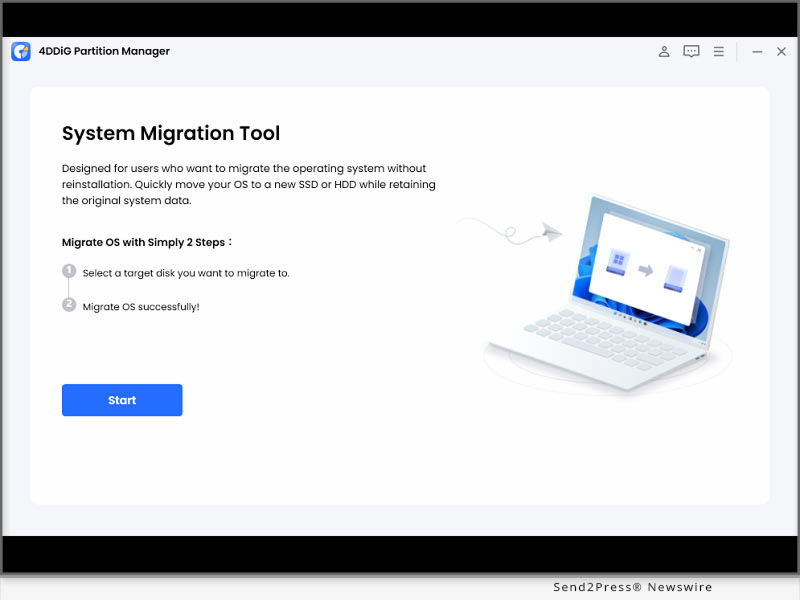
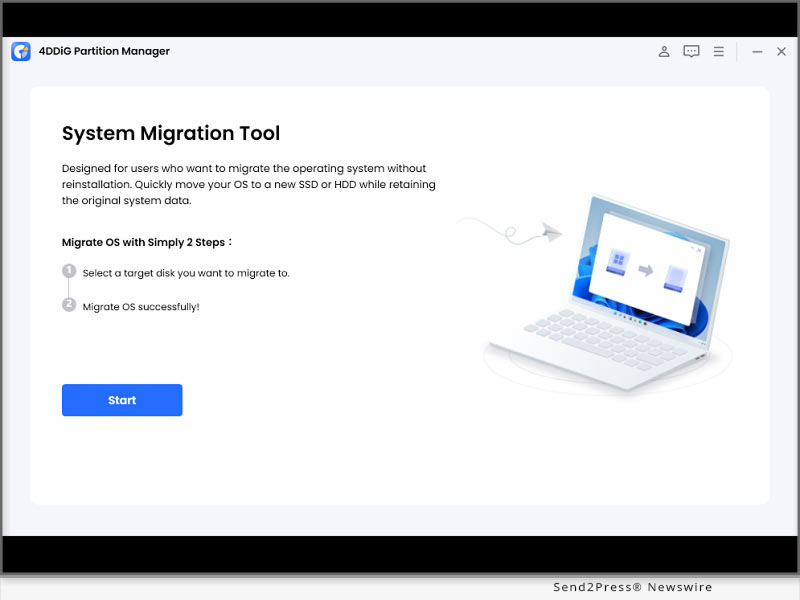
NEW YORK, N.Y. /ScoopCloud/ -- Tenorshare 4DDiG, a leading Windows and Mac solution provider, recently released an easy-to-use disk migration software for Windows users. The tool named 4DDiG Partition Manager provides a safe way to migrate Windows operating systems to an SSD disk from an OS disk without reinstalling. It can also migrate files, Windows accounts, and personalization preferences in 3 easy clicks.

FEATURES OF 4DDIG PARTITION MANAGER

The key features of the newly launched 4DDiG Partition Manager:

* One-Click Transfer Windows OS to SSD

You don't have to go through the hassle of reinstalling the operating system and software while transferring from an OS to an SSD disk with the 4DDiG Partition Manager. It also maintains 100% integrity and security of your files while transferring to the new disk.

* Upgrade to a Larger Disk

Running out of disk space? Fret not. 4DDiG Partition Manager can help you upgrade to a larger disk while keeping your app, OS settings, and preferences intact. Besides, it offers 2x the transfer speed of a traditional method.

* Backup Files and Clone Hard Disk to New PC

Is your hard disk failing? 4DDiG Partition Manager can effectively clone your entire hard disk to back up your data. You can clone OS, files, and programs to the new PC. This tool will save all your preferences and settings so you won't experience any data loss.

Other features

* Both beginners and professionals can use it.

* Supports 14 languages.

Price and Availability

4DDiG Partition Manager is compatible with Windows version 7 and higher and supports storage devices like computers, USBs, hard drives, and all file systems. It is available for individuals at $18.95 monthly, $29.95 annually, and $59.95 for lifetime subscriptions. For businesses, it is billed annually at $39.95.

Migrate OS to SSD with Three Easy Clicks

It's relatively simple to use 4DDiG Partition Manager. First, choose the target hard disk you want to migrate your OS to. Next, tap "Start" to begin migrating your OS. Wait for the 4DDiG tool to complete the transfer process.

About 4DDiG Partition Manager

4DDiG Partition Manager offers an easy solution for migrating OS, programs, and files to a new disk. It eliminates the need for reinstalling everything while also avoiding data loss by keeping the settings and preferences intact.

You can also use this tool to clone your OS for a new PC and to keep a backup. Buy 4DDiG Partition Manager today and get free technical support, lifetime updates, and a 30-day money-back guarantee.

For more information, visit https://4ddig.tenorshare.com/4ddig-partition-manager.html

Follow on Social:

Facebook: https://www.facebook.com/4DDiG/

Twitter: https://twitter.com/Tenorshare4DDiG

YouTube: https://www.youtube.com/channel/UCQZ9C1IzQB1bgMXmGw7s5bw

Pinterest: https://www.pinterest.com/4DDiG/

Quora Space: https://tenorshare4ddigdatarecovery.quora.com/

News from Tenorshare Co. Ltd.

Tenorshare 4DDiG, a leading Windows and Mac solution provider, recently released an easy-to-use disk migration software for Windows users. The tool named 4DDiG Partition Manager provides a safe way to migrate Windows operating systems to an SSD disk from an OS disk without reinstalling. It can also migrate files, Windows accounts, and personalization preferences in 3 easy clicks.

Related link: https://www.tenorshare.com/

This version of news story was published on ScoopCloud™ (ScoopCloud.com) - part of and © the Neotrope® News Network - all rights reserved.
How to Play Pokemon Go without Moving? Try Out Tenorshare iAnyGo, Now

NEW YORK, N.Y. /ScoopCloud/ -- Have you found it difficult to play Pokemon Go without moving? There are many limitations for every Pokemon Go trainer to walk around to capture Pokemon. Fortunately, Tenorshare iAnyGo has trick to change GPS location. To thank its clients on thanksgiving day, anyone can get an outstanding discount from Tenorshare Sale Promotion before Dec. 9, 2022.

Video: https://youtu.be/GwrqVLpzkFk

Could we Play Pokemon Go without Moving?

While Pokemon Go attracts more fans, its restrictions in Pokemon Go's guidelines stop users from playing."You must be eager to learn more about how to walk in Pokemon Go without walking." Said Tenorshare spokesperson, "To create a better gaming experience, Tenorshare just launched a fantastic solution for changing location, called Tenorshare iAnyGo, and it has been used to play Pokemon Go without restrictions during the COVID-19 pandemic.

How can I play Pokemon Go without moving on iOS?

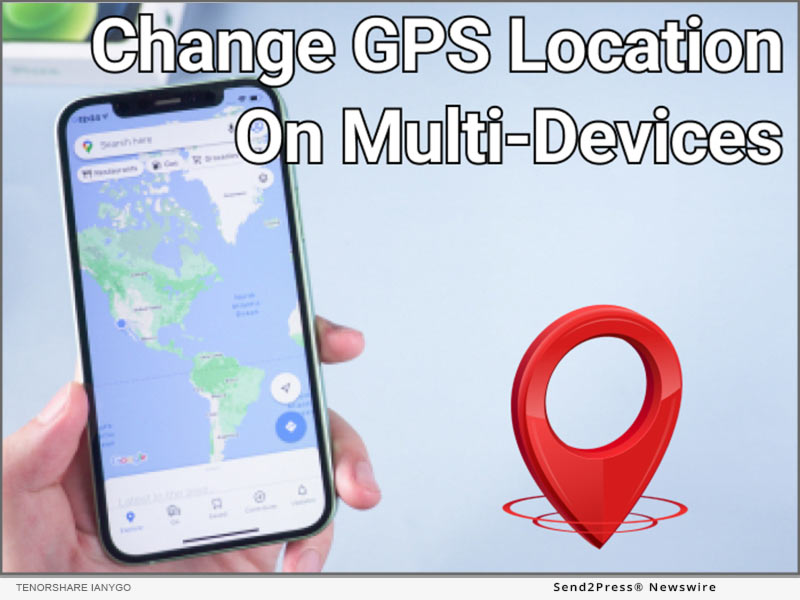
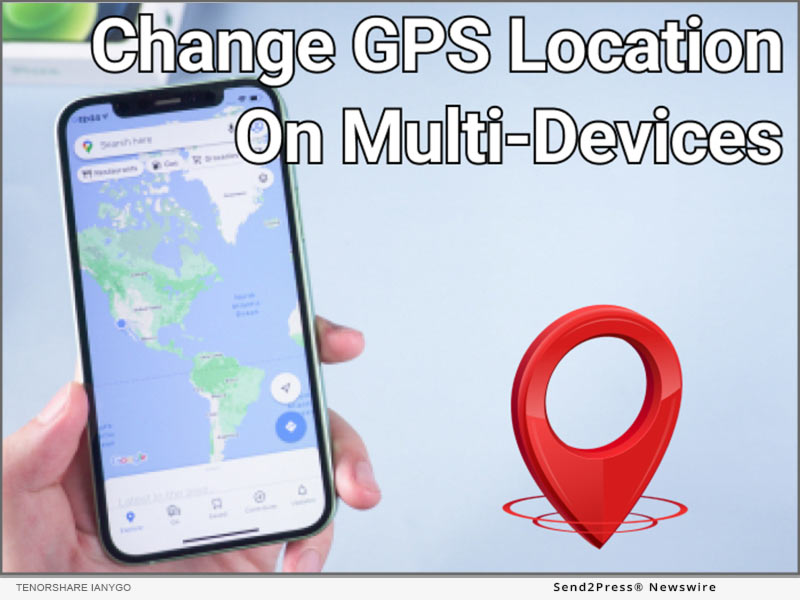
Pokemon Go is a game that requires a lot of movements. How to walk in Pokemon Go without walking is a common question among gamers. Tenorshare iAnyGo is a fantastic software for changing location, which offers you an ideal way to effortlessly change your location if you don't want to go outside but need to change your location.

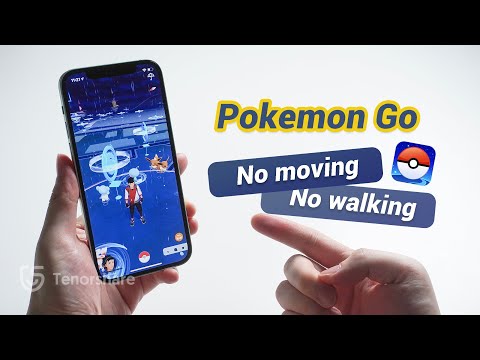
Just open iAnyGo by connecting your iPhone to your computer, and next choose "Change Location." Then locate the place you want to go by tapping "Modify Location." And drag the speed bar to set the number of movements and modify the movement speed.

Why do we recommend Tenorshare iAnyGo change GPS Location?

Available on both Android and iOS users - With "Fake GPS Location Spoofer," it is possible to play Pokemon Go while staying at home for Android users.

1-Click to change current location on iPhone - With a single click, you can change the location of Pokemon Go without walking, and all location-based applications on your iPhone will be updated to the fake location as well.

GPS joystick to control the direction - Tenorshare iAnyGo is capable of location simulation. To more naturally and effectively manage GPS movement direction, use a GPS joystick or keyboard.

Import GPX files to create your routes - It is possible to examine and begin a planned route on the map by importing GPX files of single and multiple pathways.

LEARN MORE:

https://www.tenorshare.com/products/ianygo-change-gps-location-iphone.html

https://www.tenorshare.com/sales-promotion.html

https://www.tenorshare.com/iphone-tips/how-to-play-pokemon-go-without-moving.html

https://www.youtube.com/watch?v=wpJsk3KwZIM

https://play.google.com/store/apps/details?id=com.incorporateapps.fakegps.fre&hl=en_GB

https://www.youtube.com/@ianygolocationchanger

About Tenorshare:

In addition to playing Pokemon Go walk without moving, Tenorshare as a leading international software brand has studied software-related problems deeply and is always providing high-quality support and professional solutions. Since excellent results from 2007, Tenorshare has gained the trust of over 10 million users. Hence, Tenorshare has launched Big Sale Promotion to thank your support and trust! Don't miss out to receive great discounts from Tenorshare!

More information: https://www.tenorshare.com/

Facebook: https://www.facebook.com/TenorshareOfficial/

Twitter: https://twitter.com/Tenorshare_Inc

YouTube: https://www.youtube.com/user/TenorshareOfficial/videos

News from Tenorshare Co. Ltd.

Have you found it difficult to play Pokemon Go without moving? There are many limitations for every Pokemon Go trainer to walk around to capture Pokemon. Fortunately, Tenorshare iAnyGo has trick to change GPS location. To thank its clients on thanksgiving day, anyone can get an outstanding discount from Tenorshare Sale Promotion before Dec. 9, 2022.

Related link: https://www.tenorshare.com/

This version of news story was published on ScoopCloud™ (ScoopCloud.com) - part of and © the Neotrope® News Network - all rights reserved.
GBWhatsApp Data Leak: How to Transfer Data from GBWhatsApp to WhatsApp with iCareFone Transfer

NEW YORK, N.Y. /ScoopCloud/ -- It is exciting that Tenorshare has launched a big deal to celebrate 2022 Black Friday for its iCareFone Transfer. There are three types of special discounts for users to get amazing offers during Tenorshare Black Friday Sales 2022, 100% win gift, Up to 70% off, and Buy one get one free. Tenorshare is aimed to be providing its services to solve smartphone problems easier and quicker. Recently, the GBWhatsApp data leak has become a nightmare for GBWhatsApp users.

BWhatsApp is one of the best applications for users and is widely used due to its multiple functions like availability of different languages, privacy, sharing of large files e.t.c. However, it's horrible for GBWhatsApp users to hear about the news that their data is going to be leaked. In this digital world, the risk of data leaks is something heart-wrenching for any individual. Even more tragic for GBWhatsApp users is that a troublesome problem "how to transfer data from GBWhatsApp to WhatsApp immediately" appears.

"If it is risks to keep data on GBWhatsApp, Tenorshare iCareFone Transfer must be a lifesaver to switch data from GBWhatsApp to WhatsApp," said the spokesman from Tenorshare. "Tenorshare is providing this software more affordable than ever before to prevent your privacy data from being at stake."

How to transfer Data from GBWhatsApp to WhatsApp with iCareFone Transfer?

GBWhatsApp data leak is the latest trending topic worldwide and each user is worried about their private data. Whether your data is accessed by anyone or not, it is urgent to switch data from GB WhatsApp to WhatsApp.

With Tenorshare iCareFone Transfer, you would easily secure your data again with simple steps:

* Please install the iCareFone Transfer on your system first.

* After connecting your device, select "GBWhatsApp"> choose "Back Up" > tap "Back Up Now" button,

* Follow the instructions shown on the screen and hit "Continue" to start the process.

* When the backup is finished click firstly on "Restore backup" and then "Restore the backup to WhatsApp."

* Then select the type of data you want to restore and then your GBWhatsApp data would be transferred safely.

Hence, if you encounter similar problems with GBWhatsApp Data Leak, give try Tenorshare iCareFone Transfer to transfer data from GBWhatsApp to WhatsApp.

And don't miss out on 2022 Tenorshare Black Friday Promotion to obtain amazing discounts from November 17, 2022, to December 9,2022: https://www.tenorshare.com/sales-promotion.html

LEARN MORE:

https://www.tenorshare.com/whatsapp-transfer-backup-restore.html

https://www.tenorshare.com/whatsapp/gbwhatsapp-data-leak.html

https://www.tenorshare.com/whatsapp-tips/how-to-transfer-gbwhatsapp-messages-to-whatsapp.html

About Tenorshare

Tenorshare has laid its foundation for more than one and half decades on providing better and more reliable service and gained the trust of 63 plus Million users for its quality services. Follow the link below to know more detailed information about GBWhatsApp data leak.

More information: https://www.tenorshare.com/

Facebook: https://www.facebook.com/TenorshareOfficial/

Twitter: https://twitter.com/Tenorshare_Inc

YouTube: https://www.youtube.com/user/TenorshareOfficial/videos

News from Tenorshare Co. Ltd.

It is exciting that Tenorshare has launched a big deal to celebrate 2022 Black Friday for its iCareFone Transfer. There are three types of special discounts for users to get amazing offers during Tenorshare Black Friday Sales 2022, 100% win gift, Up to 70% off, and Buy one get one free. Tenorshare is aimed to be providing its services to solve smartphone problems easier and quicker. Recently, the GBWhatsApp data leak has become a nightmare for GBWhatsApp users.

Related link: https://www.tenorshare.com/

This version of news story was published on ScoopCloud™ (ScoopCloud.com) - part of and © the Neotrope® News Network - all rights reserved.
How To Do Android Data Recovery without Root? Use the Best Android Data Recovery Software

NEW YORK, N.Y. /ScoopCloud/ -- Have you mistakenly deleted some photos from your unrooted Android phone? Since these photographs are meaningful to you, the fear of losing them drives you crazy and then you strive to retrieve them in any manner you can. There is no need to panic anymore because the best photo recovery software has been designed to help those who are seeking restoration from android phone to recover android data without root. That is UltData for Android, created by Tenorshare, which is good at providing quick and easy solutions worldwide for smartphone issues including Android data recovery without root.

Video Tutorial: https://www.youtube.com/watch?v=1BRZrwWVNSI

Is it available to do Android data recovery without root?

It must be very terrifying for anyone when data loss appears by accident. Nevertheless, with UltData for Android, it is absolutely yes that you can recover your data without rooting your system.

"No matter what reasons for Android data loss, you can use Tenorshare UltData for Android to recover lost files from unrooted android phones in a hassle-free way," said Tenorshare's spokesperson. "Not only is the best photo recovery app for android without root, UltData for Android can also recover many deleted types of data such as WhatsApp messages, WhatsApp backup from Google Drive, and lost WeChat messages."

How do I recover deleted photos on Android without root?

Tenorshare UltData for Android is recommended by millions of users to restore deleted data from unrooted Android phones. Let's dive into the detailed guide to recovering deleted photos:

* To run the recovery process, please download the best Android Data Recovery software on your system first.

* Next, select "Recover Lost Data" function by attaching your device to your system and enabling USB debugging.

* Click "Start" for scanning your lost data.

* After scanning the lost recovery files, you can select the file type you want to be recovered

* Finally, click "Recover" to restore the lost data. Then, the data will get back to normal.

How to recover permanently deleted photos on Android?

If your PC wasn't around, it is likely that you can do Android file recovery without root with the help of Tenorshare UltData App. It is a photo recovery app for android without root. It seems that everyone can simply retrieve lost data by selecting and scanning the required types of lost files by using the Tenorshare UltData App on their phone. Just as the scanning is done, you could preview and select files to recover.

To learn more, follow the links:

https://www.tenorshare.com/products/android-data-recovery.html

https://play.google.com/store/apps/details?id=com.tenorshare.recovery

https://www.tenorshare.com/android-data/recover-lost-files-from-unrooted-android-phone.html

https://www.youtube.com/watch?v=1BRZrwWVNSI

About Tenorshare:

It is the effort on dealing with smartphone problems for 15 years that there are more than 10 million users who are willing to trust Tenorshare. Whatever different smartphone issues you have, hurry up to find out the best solution from Tenorshare.

More information: https://www.tenorshare.com/

Facebook: https://www.facebook.com/TenorshareOfficial/

Twitter: https://twitter.com/Tenorshare_Inc

YouTube: https://www.youtube.com/user/TenorshareOfficial/videos

News from Tenorshare Co. Ltd.

Have you mistakenly deleted some photos from your unrooted Android phone? Since these photographs are meaningful to you, the fear of losing them drives you crazy and then you strive to retrieve them in any manner you can. That is UltData for Android, created by Tenorshare, which is good at providing quick and easy solutions worldwide for smartphone issues including Android data recovery without root.

Related link: https://www.tenorshare.com/

This version of news story was published on ScoopCloud™ (ScoopCloud.com) - part of and © the Neotrope® News Network - all rights reserved.
Corrupted or Damaged Videos and Photos Repair is Now Available in 4DDiG Mac 5.0

NEW YORK, N.Y. /ScoopCloud/ -- The Tenorshare 4DDiG Mac Data Recovery tool has launched a new Mac 5.0 version to repair videos and photos and restore them to their original condition. It can recover corrupted, damaged, or deleted files from Mac-based devices such as internal and external drives, SD cards, USBs, and digital cameras. Regardless of the file format, the latest Mac 5.0 version can also repair documents and audio files.

What's New in 4DDiG Mac 5.0?

People have certain feelings of attachment to photos and videos. But anything from a virus attack to a crashed system, failed file transfer, hardware failure, or power interruption can damage or corrupt them.

But it's easy to repair your photos or videos regardless of their condition with the new Mac 5.0 version of the 4DDiG tool in just three simple clicks.

1 - Repair Corrupted Photo Files

The 4DDiG Mac 5.0 can repair all types of corrupted, damaged, pixelated, blurry, or overexposed photos. You can repair up to 3000 pictures of various formats at once. This tool guarantees 100% secure and fast repair.

2 - Repair Corrupted MP4 & MOV Videos

The new 4DDiG Mac 5.0 version supports rapid repair of popular video formats, including MP4 and MOV. It can repair fuzzy, distorted, and grainy videos. In addition, it supports batch repair of various formats in one go from all Mac-based storage media.

3 - How to Repair Corrupted/Damaged Videos & Photos in 3 steps

It's very simple to use the 4DDiG Mac 5.0 version to repair corrupted or damaged videos and photos. Just download and install the tool and open its interface.

Choose Video or Photo Repair from the tool. Next, Add photos or videos for repair, and lastly, Export repaired videos or pictures to a safe place.

About 4DDiG Mac Data Recovery

4DDiG Mac Data Recovery software offers boisterous repair and recovery of your corrupted, broken, pixelated, blurry photos. In addition, it also comes equipped with video repairing features to restore unplayable, damaged, stuck or slow videos. This tool can repair and restore videos and photos of all types in just three clicks. You can try this new Mac 5.0 version from official 4DDiG website at a 40% off "Halloween on Sale." Grab this opportunity before it runs out!

Follow on Social:

More information: https://4ddig.tenorshare.com/mac-data-recovery.html

Facebook: https://www.facebook.com/4DDiG/

Twitter: https://twitter.com/Tenorshare4DDiG

YouTube: https://www.youtube.com/channel/UCQZ9C1IzQB1bgMXmGw7s5bw

Pinterest: https://www.pinterest.com/4DDiG/

Quora Space: https://tenorshare4ddigdatarecovery.quora.com/

News from Tenorshare Co. Ltd.

The Tenorshare 4DDiG Mac Data Recovery tool has launched a new Mac 5.0 version to repair videos and photos and restore them to their original condition. It can recover corrupted, damaged, or deleted files from Mac-based devices such as internal and external drives, SD cards, USBs, and digital cameras. Regardless of the file format, the latest Mac 5.0 version can also repair documents and audio files.

Related link: https://www.tenorshare.com/

This version of news story was published on ScoopCloud™ (ScoopCloud.com) - part of and © the Neotrope® News Network - all rights reserved.
How to Recover Deleted Files on Windows 11 with 4DDiG Windows Data Recovery

NEW YORK, N.Y. /ScoopCloud/ -- There is a brand new and exciting "Halloween on Sale" introduced by Tenorshare 4DDiG, the industry-leading data recovery solutions provider. Users can take advantage of a 40% discount on the 4DDiG Windows 11 data recovery software during this sale.

"Have you accidentally deleted files on Windows 11? Fret not. You can recover deleted files on Windows 11 in just three easy steps with 4DDiG Windows Data Recovery software," said Tenorshare's spokesperson. "On top of that, with 4DDiG, we make it possible to restore your precious data in its original format in an affordable way."

How to Recover Deleted Files on Windows 11?

The majority of Windows 11 users around the globe have found the 4DDiG Data Recovery tool is helpful for their cause. This all-inclusive software consists of a modern AI algorithm that scans deeply to instantly recover deleted files on Windows 11.

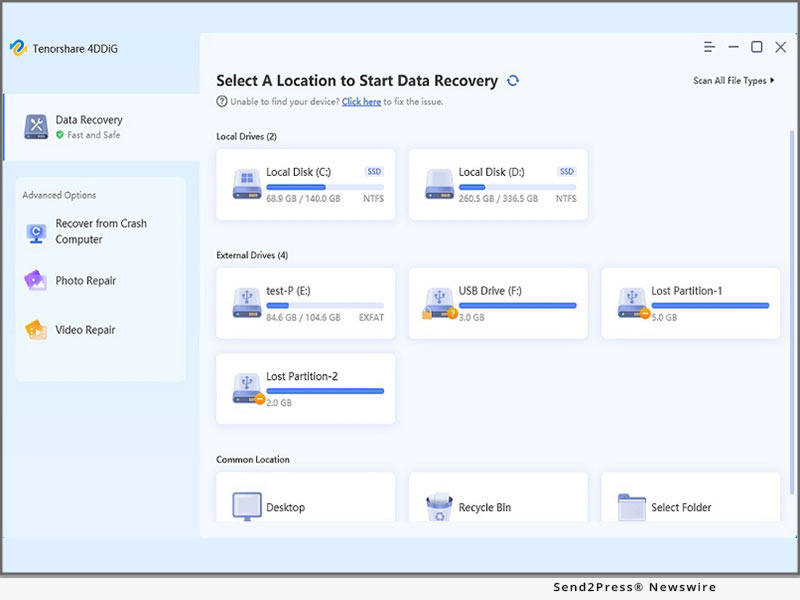
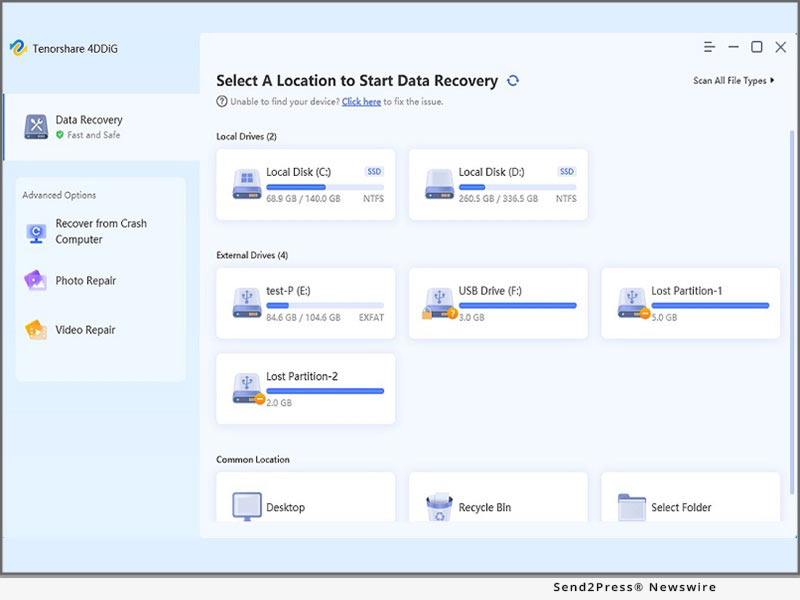
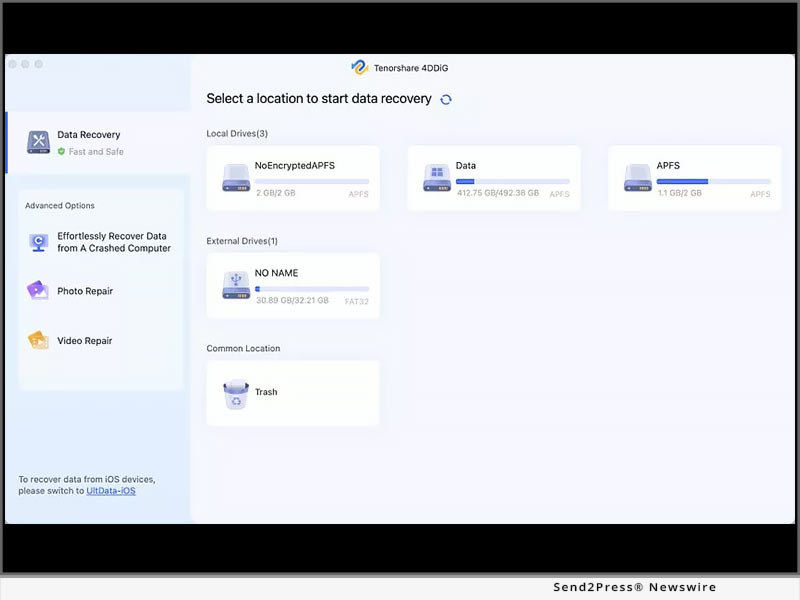
If you want to retrieve lost files from windows 11 or windows 10, no matter how you lost your files, by shift+delete, or after windows update, download and install 4DDiG on your device. Next, launch the tool to select the drive where you lost the data. Choose the Scan button, and the tool will start scanning for deleted files.

Once the scan is completed, you can preview files and choose Recover for the recovery process. Afterward, Export the recovered files in a safe place.

Features of 4DDiG Windows 11 Data Recovery

The numerous features of 4DDiG make it a highly professional Windows 11 data recovery tool. Let's explore them.

1 - Supports Various Devices Data Recovery

Regardless of your device, 4DDiG can effortlessly recover deleted files from Windows 11. Such as from external and internal devices, encrypted drives, SD cards, USBs, recycle bin, and digital cameras.

2 - Supports Over 1000+ File Types of Data Recovery

4DDiG can recover 1000+ formats, including documents, audio, video, and photo files. It is compatible with all Windows 11 supported file types.

3 - Supports Different Scenarios of Data Recovery

Besides retrieving deleted files on Windows 11, 4DDiG supports data recovery in different scenarios. It can recover files due to a virus attack, crashed system, formatting, corruption, or lost partition.

About 4DDiG Data Recovery

Tenorshare 4DDiG Data Recovery is an all-in-one solution for both beginners and professionals to repair and recover deleted files on Windows 11. No matter what data you've lost and how you've lost it, this tool supports all kinds of devices and file formats.

Anyone can recover deleted files on Windows 11 with our all-in-one Tenorshare 4DDiG Data Recovery solution at an affordable price. Quickly grab this tool from the official 4DDiG site and retrieve your valuable data at a high recovery rate.

LEARN MORE: https://4ddig.tenorshare.com/windows-data-recovery.html

Follow Us:

Facebook: https://www.facebook.com/4DDiG/

Twitter: https://twitter.com/Tenorshare4DDiG

MULTIMEDIA (YouTube): https://www.youtube.com/watch?v=VDs7IvyuXkE

News from Tenorshare Co. Ltd.

There is a brand new and exciting "Halloween on Sale" introduced by Tenorshare 4DDiG, the industry-leading data recovery solutions provider. Regardless of your device, 4DDiG can effortlessly recover deleted files from Windows 11. Such as from external and internal devices, encrypted drives, SD cards, USBs, recycle bin, and digital cameras.

Related link: https://www.tenorshare.com/

This version of news story was published on ScoopCloud™ (ScoopCloud.com) - part of and © the Neotrope® News Network - all rights reserved.

Samsung Phone Frozen – How to Fix Phone Stuck on Samsung Logo?

NEW YORK, N.Y. /ScoopCloud/ -- If you've tried everything but it's not working when your Samsung phone is not turning on and keeps showing Samsung logo screen, don't panic since Tenorshare will offer an easy solution to fix Samsung logo errors. Tenorshare, a leading international software company, has put a lot of effort into providing highly-related branded software products to fix smartphone issues for more than one-and-a-half decades. Particularly, Tenorshare has launched ReiBoot for Android to fix Samsung logo stuck problem.

Video Tutorial: https://www.youtube.com/watch?v=gAI4pgAuRT4&t

Why is my Samsung phone stuck on the startup screen?

It sounds like a nightmare when your phone appears with the Samsung logo stuck so you cannot access your apps and important files. It's a frequent issue with Samsung phones and caused numerous accounts. If you recently updated your firmware, installed a poor third-party application, and connected a faulty battery line and so on, the Samsung phone won't turn on.

"No matter what reasons caused Samsung stuck on logo, you can use Tenorshare ReiBoot for Android to get access to your Samsung smartphones in a hassle-free way," said Tenorshare's spokesperson. "With our all-new Halloween Sale Promotion offer, all users have a chance to get more affordable Android repair software to fix Samsung logo stuck with 30% off."

How to Fix the phone is stuck on logo-Try Out Tenorshare ReiBoot for Android:

Getting stuck on Samsung Logo is one of the most annoying issues for most Samsung users. Likely, it's not the end of your phone yet. Have you been worried about how to use this software? Tenorshare ReiBoot for Android is designed for a seamless user experience.

You can easily repair your Samsung logo stuck with the below guide.

* Download and launch ReiBoot for Android on your computer first.

* After connecting your Samsung device to pc, please click on "Repair Android System" >"Repair Now" button.

* Next, please fill out all of the phone information, and click on "Next" >"Repair Now"> "Continue" to proceed.

* Follow the on-screen instructions accordingly and wait for the repair process to complete. Once done, you will receive the message saying "The repair process is completed".

Happy Halloween! Get An Extra 30% OFF with Tenorshare:

Recently, the exciting new 'Halloween Sale' 30% off has been announced by Tenorshare to celebrate Halloween. If your smartphone is not turning on and keeps showing Samsung, which makes your life harder, please don't hesitate to fix your Samsung logo stuck issue with 30% off! Whether you're an Android user or an iOS user, you are welcome to check out a range of software to find a helpful tool to satisfy your needs on the Tenorshare Halloween Sale.

https://www.tenorshare.com/products/reiboot-for-android.html

https://www.tenorshare.com/store.html

https://www.tenorshare.com/android-data/fix-samsung-galaxy-stuck-at-samsung-logo-screen.html

https://www.youtube.com/watch?v=gAI4pgAuRT4&t

About Tenorshare:

Until now, Tenorshare software services have been trusted by more than 10 million users worldwide. Not only fix phone frozen Samsung via Tenorshare Android Repair software, but Tenorshare has a wide range of software to help you fix smartphone problems. All of software is easy for users to operate without advanced tech knowledge.

More information: https://www.tenorshare.com/

Facebook: https://www.facebook.com/TenorshareOfficial/

Twitter: https://twitter.com/Tenorshare_Inc

YouTube: https://www.youtube.com/user/TenorshareOfficial/videos

TikTok: https://www.tiktok.com/@tenorshare_tech_tips

News from Tenorshare Co. Ltd.

If you've tried everything but it's not working when your Samsung phone is not turning on and keeps showing Samsung logo screen, don't panic since Tenorshare will offer an easy solution to fix Samsung logo errors. Tenorshare, a leading international software company, has put a lot of effort into providing highly-related branded software products to fix smartphone issues for more than one-and-a-half decades.

Related link: https://www.tenorshare.com/

This version of news story was published on ScoopCloud™ (ScoopCloud.com) - part of and © the Neotrope® News Network - all rights reserved.
iPhone Unavailable? Bypass iPhone Unavailable Message via Tenorshare 4uKey

NEW YORK, N.Y. /ScoopCloud/ -- Tenorshare has launched a wonderful sale promotion for its iPhone Screen Unlocker countdown to Oct. 31, 2022. If you discover that your iPhone is unavailable by showing an iPhone unavailable message when you have forgotten the passcode and have tried failed passcode attempts over 5 times, you must be sure not to miss out on this sale promotion. Because making a fuss over iPhone unavailable or security lockout is no longer needed with the help of Tenorshare 4uKey.

Video Tutorial: https://www.youtube.com/watch?v=7eSMGkMswDs

What does iPhone Unavailable mean?

Your iPhone unavailable means that your iPhone is disabled, locked out phone, or can't be accessed. "It's not surprising for iPhone users that iPhone Unavailable would occur, no matter what reason causing your iPhone say iPhone unavailable on the lock screen. If you are desperate to know how iPhone unavailable fix, you can try Tenorshare 4uKey to bypass iPhone unavailable screen or security lockout," said the spokesperson of Tenorshare. "Tenorshare 4uKey is also compatible with the latest iOS 16.1, iPad OS 16.1, and iPhone 14 models."

How to Fix iPhone Unavailable Screen? Try Out Tenorshare 4uKey:

When you forget your iPhone password, the message "iPhone unavailable on screen" appears. Apart from using Tenorshare iPhone Unlocker to bypass iPhone unavailable screen, iPhone folks also can bypass iPhone unavailable with the help of "Erase iPhone" and iTunes or any other choices. However, these methods would erase the data, bring risks, be not working. Instead, Tenorshare 4uKey Unlocker can unlock all of your iOS device, including your iPhone, iPhone, and iPod with a high success rate and 100% safe. It is simple to use since specialized technical expertise isn't required. Connect the device to computer. To unlock the iPhone Unavailable screen, click "Start" and download Firmware Package. Once the removal process starts, the Phone Unavailable messages will no longer appear after a few minutes.

The Countdown to iOS 16 Sales Promotion has begun:

Now the iOS 16 sales promotion has entered the countdown stage. Without further ado, if you want to fix how to fix iPhone unavailable on Lock screen, please seize the 40% off from Tenorshare Sale Promotion before Oct 31, 2022.

https://www.tenorshare.com/sales-promotion.html

https://www.tenorshare.com/products/4ukey-unlocker.html

https://www.tenorshare.com/unlock-iphone/how-to-bypass-iphone-unavailable-screen.html

About Tenorshare:

Tenorshare is a high-performing software provider, intending to deliver highly regarded expert mobile solutions for the Android, iOS, Mac, and Windows systems. Tenorshare has 15 years of experience and is constantly polishing its software to meet the need of anybody having troubles with their smartphone around the world.

More information: https://www.tenorshare.com/

Facebook: https://www.facebook.com/TenorshareOfficial/

Twitter: https://twitter.com/Tenorshare_Inc

YouTube: https://www.youtube.com/user/TenorshareOfficial/videos

News from Tenorshare Co. Ltd.

Tenorshare has launched a wonderful sale promotion for its iPhone Screen Unlocker countdown to Oct 31, 2022. If you discover that your iPhone is unavailable by showing an iPhone unavailable message when you have forgotten the passcode and have tried failed passcode attempts over 5 times, you must be sure not to miss out on this sale promotion.

Related link: https://www.tenorshare.com/

This version of news story was published on ScoopCloud™ (ScoopCloud.com) - part of and © the Neotrope® News Network - all rights reserved.
New Release: 4DDiG File Repair – Make Videos and Photos Repairing Easier Than Ever

NEW YORK, N.Y. /ScoopCloud/ -- Tenorshare 4DDiG, a fast-growing software company providing simple and powerful digital creative solutions, has recently launched a new multipurpose software that allows users to repair any corrupted/damaged photos and videos across all platforms in just three steps.

"This software's release has long been overdue. We understand many of our users' pains as they need to repair corrupted videos/photos at a cheaper rate. And now we are glad to develop 4DDiG File Repair that will make video/photo repair easier for our users," said Mike Li, the CEO of 4DDiG.

4DDiG File Repair comes with a variety of photo/video repair features that are easy to master for an enjoyable experience:

* Photo repair features: Unlike other comparable applications, 4DDiG Photo Repair restores blurry, overexposed, or pixelated photos to their original sharpness and vibrancy with a higher success rate. It offers fast repair and supports multiple photo image file formats across different storage devices without complication. The uniqueness of 4DDiG Photo Repair is its capability to simultaneously repair up to 3000 images at a go from any device. With its image preview feature, users can preview fixed images before saving them, allowing for inconsistency checks.

* Video repair features: 4DDiG video repair is 100% safe and fast. It allows users to fix corrupted videos from mainstream camera brands and popular video formats across different storage devices at a higher success rate. It supports Windows PC and all storage media such as SD cards, USB flash drives, HDDs, etc. What makes 4DDiG video Repair exceptional is its capability to repair an unlimited number of video files in various formats in one go.

As made available on its website, 4DDiG File Repair can rapidly and effortlessly fix corrupted photos/videos using a three-step process:

Step 1: Download, install, and run the 4DDiG Repair tool on the computer.

Step 2: Select the Photo repair or video Repair option from the Software interface, tap the "Add button" to import the damaged videos/photos, and then click Start Repair.

Step 3: After repairing, choose videos/photos to preview and then click Export to save them to a safe location.

This new 4DDiG File Repair software is now available at 4DDiG File Repair, you can free download it and use it for your damaged/corrupted videos & photos repair.

For more information, visit: https://4ddig.tenorshare.com/video-repair.html

Follow on Social:

Facebook: https://www.facebook.com/4DDiG/

Twitter: https://twitter.com/Tenorshare4DDiG

YouTube: https://www.youtube.com/channel/UCQZ9C1IzQB1bgMXmGw7s5bw

Pinterest: https://www.pinterest.com/4DDiG/

Quora Space: https://tenorshare4ddigdatarecovery.quora.com/

News from Tenorshare Co. Ltd.

Tenorshare 4DDiG, a fast-growing software company providing simple and powerful digital creative solutions, has recently launched a new multipurpose software that allows users to repair any corrupted/damaged photos and videos across all platforms in just three steps.

Related link: https://www.tenorshare.com/

This version of news story was published on ScoopCloud™ (ScoopCloud.com) - part of and © the Neotrope® News Network - all rights reserved.
How to Unlock Huawei Phone Without Resetting – Tenorshare 4uKey for Android

NEW YORK, N.Y. /ScoopCloud/ -- There is a brand-new thrilling "Sale Promotion" introduced proudly by Tenorshare, the leading provider of software solutions for smartphone users. During this exciting new sale, running from September 15 to October 24, 2022, users can take a big discount on all software, including Tenorshare 4uKey for Android.

"Have you forgotten Huawei Password but you have no idea to solve the Huawei locked screen," said Tenorshare's spokesperson. "You can try Tenorshare 4uKey for Android to get access to your Huawei device without any hassle. Forgetting Huawei password is not out of the blue among Huawei users, instead, it's smack dab in the middle of the blue. With our all-new sales promotion offer, we are making these software more affordable than ever before."

Video Tutorial: https://www.youtube.com/watch?v=vajbXka4IMc&t

How to Unlock Huawei Phone without password?

The majority of Android users from global areas have downloaded and installed Tenorshare 4uKey for Android to bypass Android lock when they are anxious to search for how to unlock Huawei phone if they forgot the password. This all-inclusive software can easily unlock Android device from any type of screen lock, whether it is a fingerprint, pattern, pin, face lock, or password. If you want to unlock Huawei without password, there are just three steps to unlock your locked Android screen. After connecting the locked Android phone to your computer, choose the "Remove Screen Lock" feature> Confirm "Start" to start the removal process. Within minutes, you would find that the screen password of your Huawei phone has been removed successfully.

Efficient features of 4uKey for Android

Apart from removing Huawei screen lock, there are countless features has been hidden to explore. Let's examine its efficient features below.

Bypass Google Account Without Password: Tenorshare 4uKey for Android also stands out as the best FRP lock removal solution, helping bypass Google FRP lock if your Samsung is locked out.

Auto System Detection before Unlocking Android: Auto system detection has been used to determine whether your phone is prepared to carry out the upcoming planned operation.

Support almost all Android brands: It supports the removal of screen locks on almost all Android phone and tablet brands, including Samsung, LG, Motorola, and Mi phones. On top of this, it's available on both Windows and Mac platforms.

Get 40% off from Tenorshare Sale Promotion:

Anyone can bypass any Android screen locks by Tenorshare 4uKey for Android at a low cost during this fantastic sale promotion from Tenorshare.

For more details on how to unlock Huawei phone without resetting, take advantage of Tenorshare 4uKey for Android. Without further ado, quickly grab a 40% discount from Tenorshare Sale Promotion!

https://www.tenorshare.com/sales-promotion.html

https://www.tenorshare.com/products/android-password-reset-tool.html

https://www.tenorshare.com/purchase/buy-android-password-reset.html

https://www.tenorshare.com/unlock-android/unlock-huawei-phone-without-resetting.html

https://www.tenorshare.com/unlock-android/android-forgot-pattern-lock.html

About Tenorshare

Tenorshare is an international software company for the Android, iOS, Mac, and Windows operating systems, providing best-in-class and highly-rated software solutions to anyone encountering smartphone difficulties globally.

More information: https://www.tenorshare.com/

Facebook: https://www.facebook.com/TenorshareOfficial/

Twitter: https://twitter.com/Tenorshare_Inc

YouTube: https://www.youtube.com/user/TenorshareOfficial/videos

News from Tenorshare Co. Ltd.

There is a brand-new thrilling "Sale Promotion" introduced proudly by Tenorshare, the leading provider of software solutions for smartphone users. During this exciting new sale, running from September 15 to October 24, 2022, users can take a big discount on all software, including Tenorshare 4uKey for Android.

Related link: https://www.tenorshare.com/

This version of news story was published on ScoopCloud™ (ScoopCloud.com) - part of and © the Neotrope® News Network - all rights reserved.
Cannot Update from iOS 15.7 to iOS 16? Software Update Failed? Solved By Tenorshare ReiBoot!

NEW YORK, N.Y. /ScoopCloud/ -- If you recently have tried to update iOS 16 from iOS 15.7 but failed, Tenorshare, a prominent software provider, is ensuring that iOS customers don't experience any issues when updating to iOS 16. Tenorshare ReiBoot may let you update from iOS 15.7 to iOS 16 by fixing Software Updated Failed. Tenorshare ReiBoot makes it simple to update to iOS 16 without losing any data.

"With the launching of iOS 15.7 and iOS 16, You might be impatient to update to iOS 16. However, some iPhone owners unintentionally updated to iOS 15.7, and they are instances when their device fails to update to iOS 16. With Tenorshare ReiBoot, you can upgrade iOS 16 from iOS 15.7 to fix Software Update Failed without losing any data," said Tenorshare's CEO while introducing the advanced repairing feature.

How to Update to iOS 16 from iOS 15.7?

If you are eager to update iOS 16, quite a few users would download the iOS 16 profile from the Apple Software Program page first. But it would encounter Software Update Failed. iOS 16 update may be failed for a number of reasons. There is no need to be anxious because Tenorshare can solve "Cannot update to iOS 16" in the direction of Tenorshare ReiBoot. Here is how to upgrade from iOS 15.7 to iOS 16.

Step 1: Install Tenorshare ReiBoot on your computer first. Then connect your iPhone to your PC.

Step 2: Click "Start" and choose the "Standard Repair" mode.

Step 3: After a little wait, you will discover that the upgrade was successful. Tenorshare ReiBoot will immediately fetch the iOS 16 firmware for you. Data loss wouldn't occur during the entire process.

Video Tutorial: https://www.youtube.com/watch?v=rhZQdubmkYg

iOS 16 Tips & Tricks

If you're having trouble updating to iOS 16, ReiBoot is without a doubt the best option. Many typical iOS 16 issues may be resolved using Tenorshare ReiBoot without any data loss, such as can't update from iOS 15.7 to iOS 16. Tenorshare ReiBoot, the best tool for recovering an iOS system, can repair 150+ iOS system problems.

LEARN MORE

https://www.tenorshare.com/products/reiboot.html

https://www.tenorshare.com/ios-update.html

https://www.tenorshare.com/ios-update-problems.html

About Tenorshare

Tenorshare, a highly regarded, and award-winning software company, serves millions of customers worldwide with the most cutting-edge and feature-rich software solutions, including system repair, data recovery, password unlock, data transfer, and more.

More information: https://www.tenorshare.com/

Facebook: https://www.facebook.com/TenorshareOfficial/

Twitter: https://twitter.com/Tenorshare_Inc

YouTube: https://www.youtube.com/user/TenorshareOfficial/videos

News from Tenorshare Co. Ltd.

If you recently have tried to update iOS 16 from iOS 15.7 but failed, Tenorshare, a prominent software provider, is ensuring that iOS customers don't experience any issues when updating to iOS 16. Tenorshare ReiBoot may let you update from iOS 15.7 to iOS 16 by fixing Software Updated Failed. Tenorshare ReiBoot makes it simple to update to iOS 16 without losing any data.

Related link: https://www.tenorshare.com/

This version of news story was published on ScoopCloud™ (ScoopCloud.com) - part of and © the Neotrope® News Network - all rights reserved.
4DDiG Back-to-School Sale for 2022 Offers Up to 75% OFF on Everything

NEW YORK, N.Y. /ScoopCloud/ -- A huge back-to-school sale is here! Tenorshare 4DDiG presents the biggest back-to-school sale starting from Sep 7 to Oct 10, 2022, all users can get up to 75 percent off alongside some free gifts including a $100 Amazon Gift Card.

Back-to-School Promotional Offer One-Flip to Win

Just click to flip a card and 100% win a gift. Everyone has one free chance to get the free gift, and the gift include $100 Amazon Gift Card, Tenorshare 4DDiG 1-Month Free License, 4DDiG Duplicate File Deleter 1-Month Free License, and Large Discounts. Win a $100 Amazon Gift Card and Get up to 75% OFF Now!

Back-to-School Promotional Offer Two-Get 75% OFF

Besides free gifts, 4DDiG offers you up to 75% OFF discount on the best-selling software: 4DDiG data recovery software and 4DDiG Duplicate File Deleter.

Tenorshare 4DDiG Data recovery software is a powerful and versatile data recovery tool that can recover data from over 1000+ different file types, including photos, videos, documents, and so on. If you do lose data due to accidentally deleted, formatted, virus attack, computer crash, etc., now it's time to try the professional data recovery tool with a preferential price.

4DDiG Duplicate File Deleter software is an easy-to-use duplicates removal software that can locate duplicate files, free up disk space and help in file organization.

Back-to-School Promotional Offer Three-Two for One

In the buy-one-get-one-free offer, 4DDiG is giving a bundle pack of Tenorshare 4DDiG and 4DDiG Duplicate File Deleter at the price of one. To free up disk space and have a safe and easy way to recover data, upgrade the system with Tenorshare 4DDiG and Duplicate File Deleter, two first-class products. Tenorshare 4DDiG offers advanced decryption and data recovery features, making it the top choice for more than 20 million satisfied users. Duplicate File Deleter is used to remove duplicate files and similar images fast with 100% accuracy. Just choose between windows and Mac and click on buy now to reap the benefits of both software

Tenorshare 4DDiG Back-to-School Sales 2022 is the perfect chance to get hands-on with their world-class products and the opportunity to win excellent yet valuable gifts. So, head over to the 4DDiG Back-to-School Sales and enjoy the offers before they go out!

For more information, visit: https://4ddig.tenorshare.com/back-to-school-sales-2022.html

Follow on Social:

Facebook: https://www.facebook.com/4DDiG/

Twitter: https://twitter.com/Tenorshare4DDiG

YouTube: https://www.youtube.com/channel/UCQZ9C1IzQB1bgMXmGw7s5bw

Pinterest: https://www.pinterest.com/4DDiG/

Quora Space: https://tenorshare4ddigdatarecovery.quora.com/

News from Tenorshare Co. Ltd.

A huge back-to-school sale is here! Tenorshare 4DDiG presents the biggest back-to-school sale starting from Sep 7 to Oct 10, 2022, all users can get up to 75% off alongside some free gifts including a $100 Amazon Gift Card.

Related link: https://www.tenorshare.com/

This version of news story was published on ScoopCloud™ (ScoopCloud.com) - part of and © the Neotrope® News Network - all rights reserved.
Tenorshare Software is now fully compatible with the latest iPhone 14 models

NEW YORK, N.Y. /ScoopCloud/ -- Tenorshare is the top supplier of software solutions for iOS system maintenance and data management. Tenorshare's software solutions have been updated to be entirely compatible with the latest iPhone 14, iPhone 14 Plus, iPhone 14 Pro, and iPhone 14 Pro Max. After switching to Apple's latest iPhone 14, iOS users still enjoy a premium Tenorshare experience without experiencing any system incompatibilities.

"Tenorshare will run an in-depth test on all software every time a new iPhone is released. Now we make sure Tenorshare software is fully compatible with the latest iPhone 14 models. We will constantly adapt to technological and market changes and upgrade our software promptly to fulfill users' needs," said Tenorshare's CEO.

Tenorshare iCareFone

iCareFone makes it simple to manage and transfer data on iOS devices, including backing up iOS data to a computer, restoring iOS backup data to iPhone 14, transferring photos to a PC or Mac, checking if iPhone is original, transferring media files, and more. With iCareFone, you won't lose any iOS data when switching to iPhone 14.

Tenorshare iCareFone Transfer

Tenorshare iCareFone Transfer makes it effortless to transfer WhatsApp from Android to iPhone 14. You don't need to erase device data. You can also restore WhatsApp backup from Google Drive to iPhone 14. You can pick specific data types to transfer, such as WhatsApp videos, photos, files, audio, WhatsApp stickers. This will help you save storage space.

Tenorshare iCareFone for LINE

The dedicated LINE transfer software, iCareFone for LINE, can backup and restore LINE data and transfer LINE between Android and iPhone.

Tenorshare ReiBoot

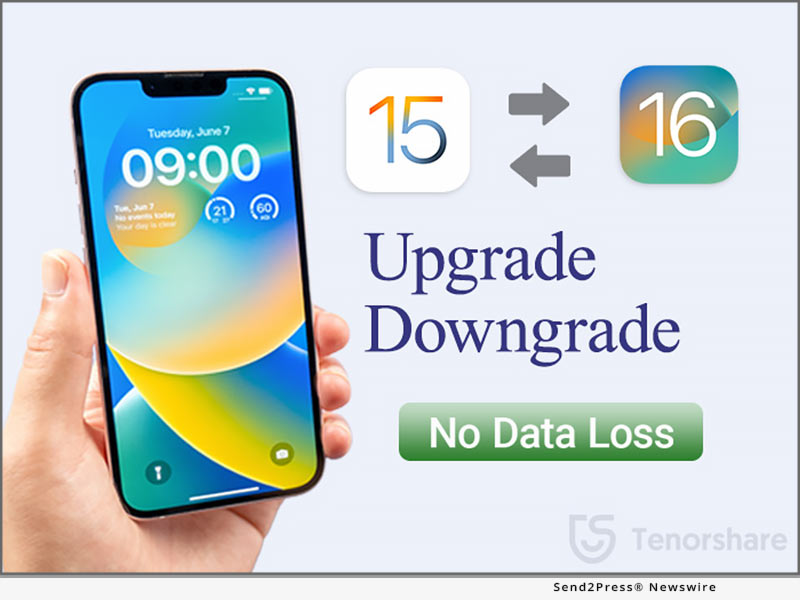
Tenoshare ReiBoot iOS system recovery enables you to fix various iOS 16 issues, like iPhone unable to update iOS 16, iOS 16 stuck on the Apple logo/update requested, etc. You can also downgrade iOS 16 to iOS 15 without losing data.

Tenorshare UltData

UltData is a specialized iPhone data recovery program that can recover deleted or lost data from iOS devices and supports 35+ data types.

Tenorshare 4uKey

4uKey is an iPhone unlocker for removing 4-digit/6-digit passcode, Face ID, Touch ID, MDM Profile, screen time passcode, and Apple ID from iPhone/iPad.

Tenorshare iAnyGo

iAnyGo offers a 1-click solution for changing iPhone location without jailbreak. You can play geo-restricted games, change direction with GPS joystick, and change location on social media.

Tenorshare 4uKey - Password Manager

4uKey - Password Manager makes it simple to locate, retrieve, see, export, and manage your passwords on iPhone/iPad.

Tenorshare 4uKey - iTunes Backup

4uKey iTunes Backup can decrypt, recover iTunes backup passwords, and remove screen time passcodes.

About Tenorshare

Tenorshare is an award-winning, highly-reputed, and widely-used software company known for developing best-in-class software solutions for iOS, Android, Windows, and Mac platforms. Tenorshare offers the most advanced and feature-rich software solutions that have served millions of users around the globe.

More information: https://www.tenorshare.com/

Facebook: https://www.facebook.com/TenorshareOfficial/

Twitter: https://twitter.com/Tenorshare_Inc

YouTube: https://www.youtube.com/user/TenorshareOfficial/videos

News from Tenorshare Co. Ltd.

Tenorshare is the top supplier of software solutions for iOS system maintenance and data management. Tenorshare's software solutions have been updated to be entirely compatible with the latest iPhone 14, iPhone 14 Plus, iPhone 14 Pro, and iPhone 14 Pro Max. After switching to Apple's latest iPhone 14, iOS users still enjoy a premium Tenorshare experience without experiencing any system incompatibilities.

Related link: https://www.tenorshare.com/

This version of news story was published on ScoopCloud™ (ScoopCloud.com) - part of and © the Neotrope® News Network - all rights reserved.

4DDiG Mac Data Recovery New V4.0 Is Here: What You Should Know

NEW YORK, N.Y. /ScoopCloud/ -- Tenorshare 4DDiG has recently released 4DDiG Mac Data Recovery V4.0, which features a brand-new user interface and significant improvements. Learn what has been added to 4DDiG Mac Data Recovery V4.0. 4DDiG is a powerful data recovery software that can recover lost data on both Mac and Windows devices. 4DDiG can also recover data that has been accidentally deleted, formatted, or attacked by a virus, among other things.

It supports nearly a thousand files and file systems, including FAT, NTFS, HFS X, HFS+, and many others. Furthermore, it enables users to recover data from any Mac-based device, including USB, digital camera, SD card, and so on.

* What's New in 4DDiG Mac Data Recovery Software V4.0?

"We launched the v4.0 of 4DDiG Mac Recovery software to make data recovery easier for macOS and Mac-based devices," said Mike Lee, CEO of 4DDiG, while discussing the V4.0 new features. "It is now possible to recover accidentally deleted data in three simple steps. Users can now recover data for thousands of file types and systems on the Mac. Users can recover their videos, photos, audio files, documents, and other archived files using this software."

* Brand-new User Interface

4DDiG has redesigned all pages and added help content in the software to provide users with a more beautiful and efficient user experience. Users can now simply download the free 4DDiG Mac data recovery software and begin data recovery by following the on-screen help content, even if they are new to data recovery.

* Optimize the Filtering Function

4DDiG has also improved the filtering function, making it easier for users to find data by using the filter. Users can easily search for and preview the files they want to recover using the optimized filtering function.

* Added In-product Feedback Function

To learn more about 4DDiG users, 4DDiG includes an in-product feedback function that allows users to contact us directly. So, if you have any issues or suggestions, please contact 4DDDiG directly through the program.

* Optimize the Scanning Algorithm

To find more files, 4DDiG has improved the scanning algorithm which allows 4DDiG to find more files users want and recover those files more efficiently.

Isn't the new 4.0 version quite appealing? Download it now for free and give it a shot.

About Tenorshare 4DDiG:

Founded in 2007, an international software company that creates high-level products and data recovery tools for Windows and Mac devices. It is trusted by more than 10 million users worldwide.

For more details, visit: https://4ddig.tenorshare.com/mac-data-recovery.html

Follow on Social Media:

Facebook: https://www.facebook.com/4DDiG/

Twitter: https://twitter.com/Tenorshare4DDiG

YouTube: https://www.youtube.com/channel/UCQZ9C1IzQB1bgMXmGw7s5bw

Pinterest: https://www.pinterest.com/4DDiG/

News from Tenorshare Co. Ltd.

Tenorshare 4DDiG has recently released 4DDiG Mac Data Recovery V4.0, which features a brand-new user interface and significant improvements. Learn what has been added to 4DDiG Mac Data Recovery V4.0. 4DDiG is a powerful data recovery software that can recover lost data on both Mac and Windows devices.

Related link: https://www.tenorshare.com/

This version of news story was published on ScoopCloud™ (ScoopCloud.com) - part of and © the Neotrope® News Network - all rights reserved.
How to Unlock an iOS 16 Lock Screen After Customizing the iOS 16 Lock Screen?

NEW YORK, N.Y. /ScoopCloud/ -- Apple iOS 16 is available to download for iPhone users. In its latest event, Apple rolled out a new iOS 16 lock screen that gives users a chance to design how lock screen looks. The customizable lock screen offers us to choose colors and fonts, and even add a row of widgets! However, Some users lose or forget the password to their iPhones after customizing iOS 16 lock screen. To help the users locked outside, Tenorshare 4uKey has developed unlock iPhone solution that provides the user regain access to their iPhones without any hassle.

"After updating to iOS 16, we can customize the lock screen in any way we like! It is exciting and amazing! But if we forgot the password, what to do after editing the lock screen on iPhone? It is an annoying problem for us. Tenorshare 4uKey can help you remove 4-digit/6-digit passcode, Touch ID and Face ID from iPhone. You will be able to get access to your iPhone within a few minutes. What Tenorshare offer is to make sure all iOS users remain free from any trouble after iOS 16 updates," said Tenorshare's CEO, while introducing the product.

How to unlock the iOS 16 lock screen via Tenorshare 4uKey?

How to unlock iOS 16 lock screen after customizing iOS 16 lock screen? Here are the steps you can use to unlock iPhone via Tenorshare 4uKey. First, Download and launch Tenorshare 4uKey software. Connect your iPhone device to your computer. Second, Click"Start" button to unlock iOS screen and download the firmware package. Third, start unlocking your iPhone by clicking on "Start Remove" button. You will get access to your iPhone with just a few taps.

Price and Availability:

Tenorshare 4uKey is available for macOS 12 Monterey now, and Windows 7/8/8.1/10/11. It supports all iPhone/iPad/iPod Touch with latest iOS versions. For Windows users, the price is $35.95 for a 1-month license now.

Click here to see the detailed information: https://www.tenorshare.com/products/4ukey-unlocker.html

About Tenorshare:

Tenorshare is an award-winning, highly-reputed, and widely-used software company known for developing best-in-class software solutions for iOS, Android, Windows, and Mac platforms. Some of the leading solutions offered by Tenorshare include data recovery, system repair, password recovery, data transfer, and similar others. Overall, Tenorshare offers the most advanced and feature-rich software solutions that have served millions of users around the globe.

More information: https://www.tenorshare.com/

Facebook: https://www.facebook.com/TenorshareOfficial/

Twitter: https://twitter.com/Tenorshare_Inc

YouTube: https://www.youtube.com/user/TenorshareOfficial/videos

News from Tenorshare Co. Ltd.

Apple iOS 16 is available to download for iPhone users. In its latest event, Apple rolled out a new iOS 16 lock screen that gives users a chance to design how lock screen looks. However, Some users lose or forget the password to their iPhones after customizing iOS 16 lock screen. To help the users locked outside, Tenorshare 4uKey has developed unlock iPhone solution that provides the user regain access to their iPhones without any hassle.

Related link: https://www.tenorshare.com/

This version of news story was published on ScoopCloud™ (ScoopCloud.com) - part of and © the Neotrope® News Network - all rights reserved.
Tenorshare Software Now Compatible with Apple iOS 16

NEW YORK, N.Y. /ScoopCloud/ -- Tenorshare, the leading provider of software solutions for iOS system repairs and data management, has updated all of its software solutions to become fully compatible with iOS 16. So, with the launch of Apple's new iOS 16, iOS users can still have a seamless premium experience of Tenorshare offerings without facing any system incompatibility.

"Every September, we always update Tenorshare software to meet users' needs. Tenorshare offers users the most cutting-edge software options to help them in repairing the most of system issues and offers excellent data management solutions. All the core Tenorshare software solutions that are now compatible with Apple's iOS 16 are as follows," said Tenorshare's CEO, while introducing the software update.

Tenorshare ReiBoot - Your Reliable iOS 16 System Repair Tool

ReiBoot iOS System Recovery can repair 150+ iOS system problems, such as stuck on Apple logo, recovery mode loop, screen won't turn on, and many more. It offers a simple click-based interface for instant repair with zero hassle.

Tenorshare 4uKey

4uKey is an iPhone unlocker for fixing disabled iPhones, such as removing 4-digit/6-digit passcode, Face ID, Touch ID, screen time passcode and Apple ID, etc.

Tenorshare UltData

UltData is a dedicated iPhone data recovery software that can recover deleted/lost data directly from iOS devices and supports 35+ data types recovery.

Tenorshare iAnyGo

iAnyGo offers a 1-click instant change of iPhone location to anywhere to help create a customized route, play geo-blocked games, and share virtual location on all location-based apps.

Tenorshare iCareFone

iCareFone helps to manage & transfer iOS devices' data easily, such as making data backups to computer, exporting photos to PC/Mac, transferring media files, restoring iOS backup data, and many more.

Tenorshare iCareFone Transfer

iCareFone Transfer offers a 1-click solution to transfer WhatsApp between Android and iOS without erasing data. It also supports backing up and restoring WhatsApp/WhatsApp Business data.

Tenorshare iCareFone for LINE

iCareFone for LINE is the dedicated LINE transfer software that transfers LINE between Android and iPhone and can also backup and restore LINE.

Tenorshare 4uKey - Password Manager

4uKey - Password Manager is an iOS password manager that makes it straightforward to manage, view, export, recover, and find all of your passwords securely on iPhone and iPad.

Tenorshare 4uKey - iTunes Backup

4uKey iTunes Backup helps to recover forgotten iTunes backup password safely. It can also disable iTunes backup encryption and remote screen time passcode.

About Tenorshare:

Tenorshare is an award-winning, highly-reputed, and widely-used software company known for developing best-in-class software solutions for iOS, Android, Windows, and Mac platforms. Some of the leading solutions offered by Tenorshare include data recovery, system repair, password recovery, data transfer, and similar others. Overall, Tenorshare offers the most advanced and feature-rich software solutions that have served millions of users around the globe.

More information: https://www.tenorshare.com/

Facebook: https://www.facebook.com/TenorshareOfficial/

Twitter: https://twitter.com/Tenorshare_Inc

YouTube: https://www.youtube.com/user/TenorshareOfficial/videos

News from Tenorshare Co. Ltd.

Tenorshare, the leading provider of software solutions for iOS system repairs and data management, has updated all of its software solutions to become fully compatible with iOS 16. So, with the launch of Apple's new iOS 16, iOS users can still have a seamless premium experience of Tenorshare offerings without facing any system incompatibility.

Related link: https://www.tenorshare.com/

This version of news story was published on ScoopCloud™ (ScoopCloud.com) - part of and © the Neotrope® News Network - all rights reserved.
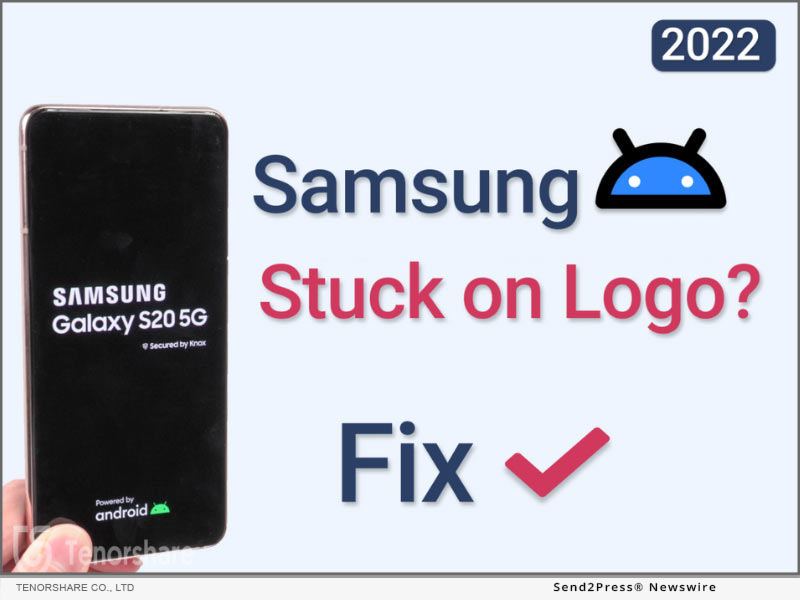
4DDiG Introduces Windows Boot Genius – Its New Multifunctional Windows Tool

NEW YORK, N.Y. /ScoopCloud/ -- Windows update is necessary, but sometimes it comes with a black screen, a system stuck in repair mode or an operating system breakdown. Here Tenorshare 4DDiG comes to the rescue with its newly launched Windows Boot Genius. No matter what OS problems, booting issues, or other computer problems arise, it provides users with all kinds of practical solutions.

Windows Boot Genius Features

Windows boot genius is the best Windows tool that can fix corrupted or damaged systems in multiple ways. Allow local and domain users to reset forgotten passwords, restore data from crashed hard drives, and move partitions and disks quickly. Here are some of its features:

Password & Key Recovery

It allow users reset forgotten Windows login passwords and recover lost product keys. Additionally, by cleaning invalid system registry keys and repairing corrupted files, this tool facilitates easy access to the computer!

Data Recovery

It can recover lost, damaged, or formatted digital photos, documents, and other important files with 3 steps.

Backup & Restore

Using a full-featured and user-friendly backup and restore option to back up the critical data or system, auto-recover lost files, etc.

Partition Management

Efficiently create, clone, format, delete and edit partitions in the hard drive for better data organization with its management feature.

Clone Partition & Disk

It also supports data wipe and file recovery, making it the master of all your partition needs.

Data Wipe

It can permanently erase the content of a hard drive which aim to protect users' privacy and prevent others from accessing confidential data.

How to Repair Windows with Windows Boot Genius

Booting from a CD or USB to repair a Windows can be tricky. However, Windows Boot Genius can help you repair it within 3 steps:

* Step 1: Launch Windows Boot Genius on your Windows and prepare a workable PC and a use to create a bootable disk.

* Step 2: After successfully make a bootable disk, connect the USB Flash drive to the computer and boot it from the bootable disk.

* Step 3: Then Windows Boot Genius will be launch automatically, follow the on-screen guide to repair Windows.

Windows Boot Genius is the most all-inclusive Windows utility in the market, covering everyday Windows actions, such as resetting passwords & product keys, data recovery, backup, and much more. It is designed with multiple functions and options to make it easy but also powerful for ordinary users and experts.

For more details, visit: https://4ddig.tenorshare.com/windows-boot-genius.html

Follow on Social Media at:

Facebook: https://www.facebook.com/4DDiG/

Twitter: https://twitter.com/Tenorshare4DDiG

YouTube: https://www.youtube.com/channel/UCQZ9C1IzQB1bgMXmGw7s5bw

Pinterest: https://www.pinterest.com/4DDiG/

News from Tenorshare Co. Ltd.

NEW YORK, N.Y., Sept. 6, 2022 (SEND2PRESS NEWSWIRE) -- Windows update is necessary, but sometimes it comes with a black screen, a system stuck in repair mode or an operating system breakdown. Here Tenorshare 4DDiG comes to the rescue with its newly launched Windows Boot Genius. No matter what OS problems, booting issues, or other computer problems arise, it provides users with all kinds of practical solutions.

Related link: https://www.tenorshare.com/

This version of news story was published on ScoopCloud™ (ScoopCloud.com) - part of and © the Neotrope® News Network - all rights reserved.
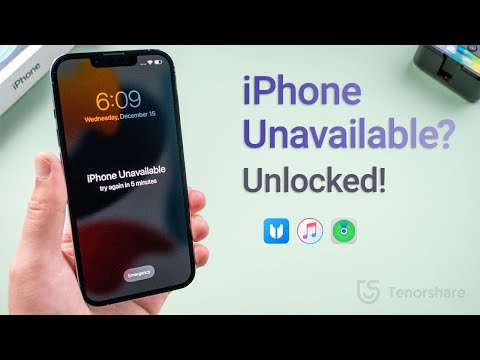
Tenorshare Announces Update for 4uKey for Android, an Efficient Tool Used for Bypassing Samsung FRP Lock

NEW YORK, N.Y. /ScoopCloud/ -- Tenorshare 4uKey for Android is used by millions of users worldwide on Windows and macOS. With the help of this software, users can remove all types of Android screen locks and bypass FRP on Samsung devices within a few minutes. This time Tenorshare 4uKey for Android is more powerful and efficient because the software now has offered a new solution to bypass Google lock on Samsung devices running Android 11/12 without a password, making the Samsung FRP bypass process become easier than before.

"With the latest update of 4uKey for Android, users can quickly bypass the Samsung FRP lock with minimal effort. Samsung users can quickly bypass the FRP lock of Android 11/12 devices with only three simple steps," said Tenorshare's CEO while introducing the new feature.

EFFICIENT FEATURES OF 4UKEY FOR ANDROID

Remove Any Android Screen Locks in Minutes

Tenorshare's 4uKey for Android makes sure that users can remove screen locks with one click. Using this software, they can remove Android passwords, patterns, finger locks, and face locks.

UPDATED FEATURE OF 4UKEY FOR ANDROID

With the latest update of 4uKey for Android, a simpler Samsung FRP bypass solution is provided, which allows users to bypass the Google account verification without the password in just a few minutes. This feature also works for the latest Samsung devices, including Galaxy S22.

Unlock Early Samsung Devices without Data Loss

With the help of this software, users can easily unlock Samsung devices without worrying about data loss. And this feature is only available for Windows users.

Price and Availability

Tenorshare 4uKey for Android is available for Mac 10.10 and later, and Windows 7/8/8.1/10/11. For Windows users, the price is $29.95 for a 1-month license now.

Learn more: https://www.tenorshare.com/products/android-password-reset-tool.html

About Tenorshare

Tenorshare is a highly-rated, award-winning software company that has developed many top-notch software products focused on Android, iOS, Windows, and Mac platforms. The leading software solutions of Tenorshare include data recovery, data transfer, system repair, password recovery, and many more. It is a premium service quality that today Tenorshare products and services are trusted and used by 10 million users across the world.

More information: https://www.tenorshare.com/

Facebook: https://www.facebook.com/TenorshareOfficial/

Twitter: https://twitter.com/Tenorshare_Inc

YouTube: https://www.youtube.com/user/TenorshareOfficial/videos

News from Tenorshare Co. Ltd.

Tenorshare 4uKey for Android is used by millions of users worldwide on Windows and macOS. With the help of this software, users can remove all types of Android screen locks and bypass FRP on Samsung devices within a few minutes. This time Tenorshare 4uKey for Android is more powerful and efficient because the software now has offered a new solution to bypass Google lock on Samsung devices running Android 11/12 without a password, making the Samsung FRP bypass process become easier than before.

Related link: https://www.tenorshare.com/

This version of news story was published on ScoopCloud™ (ScoopCloud.com) - part of and © the Neotrope® News Network - all rights reserved.
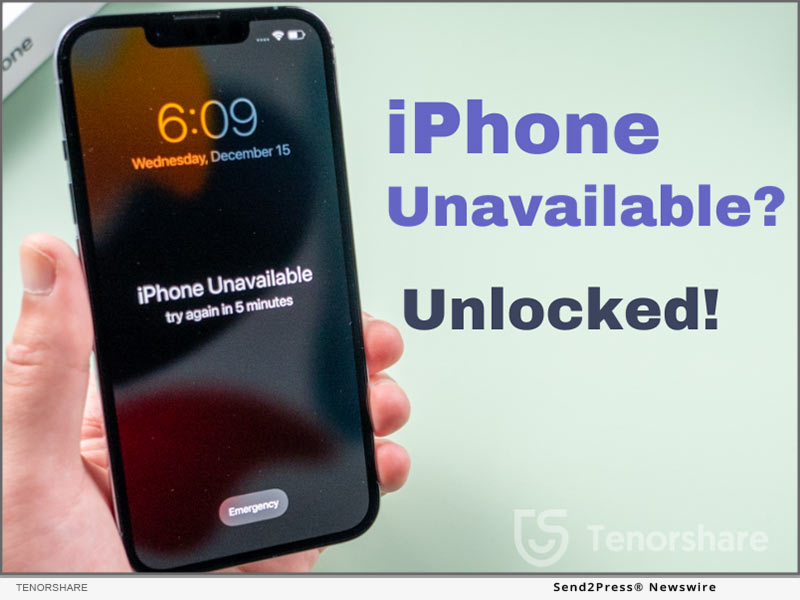
Tenorshare announces Surprising Giveaway Event of iPhone 14 and Other Valuable Prizes

NEW YORK, N.Y. /ScoopCloud/ -- Tenorshare, an award-winning international software company, has launched a "Win iPhone 14 by Charging" event starting from 24 August 2022 to 15 September 2022. In this event, participants can complete a few easy tasks to get a chance to win iPhone 14. Moreover, participants can also get other prizes, including Amazon gift cards, a 20% off coupon code, and a 1-month free Phone Mirror license.

"Tenorshare is working with a goal to not just provide state-of-the-art software solutions, but also develop a special bond with customers. That's the reason that company arranges different events to interact more with users. The Win iPhone 14 by Charging event is the latest giveaway event of Tenorshare where users can get a 100% chance to win an iPhone 14 or other valuable gift prizes," said Tenorshare's CEO, while introducing the new feature.

How to Participate

To participate in this event, visit the Tenorshare iPhone 14 giveaway page. There you will see a giant "Charge Now" button. Once you press it, the phone shown on the screen will get charged to some percentage, let's say 50%. Afterward, you will see a list of tasks that you can choose from and complete. Each task also shows how much battery percentage it will add once the task is completed. So, once you start completing the tasks, the battery percentage of the phone keeps increasing. This way, when the phone is 100% charged, you are all set to win iPhone 14 or other prizes.

Event Prizes

* One iPhone 14

* Six Amazon gift cards worth $50

* Ten Amazon gift cards worth $20

* 20% off coupon code

* 1-month free Phone Mirror license

Event Rules

* The battery power is obtained randomly in every task.

* You can pick any task to complete.

* You have only one fair chance.

Winners of the iPhone 14 and Amazon gift cards will be randomly picked from the people who share the iPhone 14 giveaway page on FaceBook or Twitter with hashtags #TenorshareIphone14, #TenorshareGiveaway, and #iPhone14Giveaway. Please note the shared post needs to be public during the event.

iPhone 14 and Amazon gift cards will be distributed to the winners after the end of the event. If you win a 20% off coupon code or 1-month free Phone Mirror license, you will be awarded the prize right away.

About Tenorshare

Tenorshare is a highly-rated, award-winning software company that has developed many top-notch software products focused on Android, iOS, Windows, and Mac platforms. The leading software solutions of Tenorshare include data recovery, data transfer, system repair, password recovery, and many more. It is a premium service quality that today Tenorshare products and services are trusted and used by 10 million users across the world.

More information: https://www.tenorshare.com/

Facebook: https://www.facebook.com/TenorshareOfficial/

Twitter: https://twitter.com/Tenorshare_Inc

YouTube: https://www.youtube.com/user/TenorshareOfficial/videos

News from Tenorshare Co. Ltd.

Tenorshare, an award-winning international software company, has launched a "Win iPhone 14 by Charging" event starting from 24 August 2022 to 15 September 2022. In this event, participants can complete a few easy tasks to get a chance to win iPhone 14. Moreover, participants can also get other prizes, including Amazon gift cards, a 20% off coupon code, and a 1-month free Phone Mirror license.

Related link: https://www.tenorshare.com/

This version of news story was published on ScoopCloud™ (ScoopCloud.com) - part of and © the Neotrope® News Network - all rights reserved.
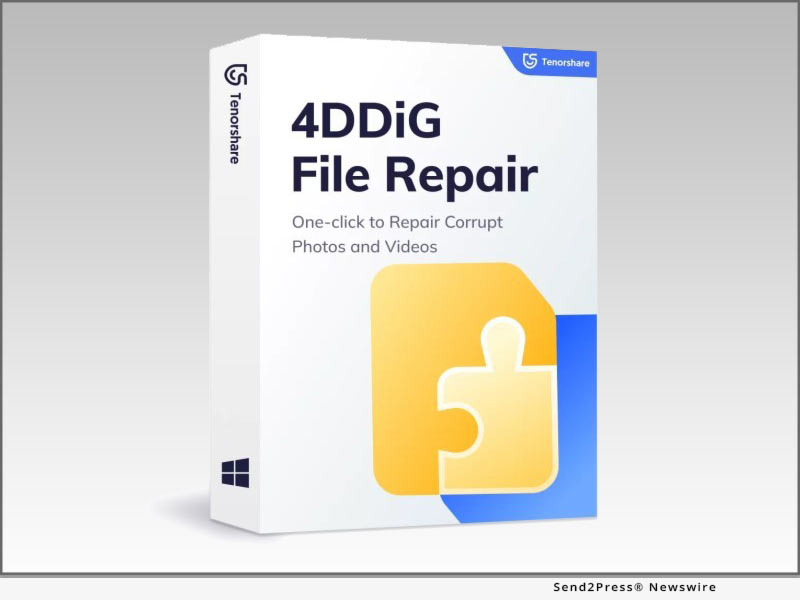
Tenorshare New Solution: Upgrade and Downgrade iOS 16 without Losing Data

NEW YORK, N.Y. /ScoopCloud/ -- Tenorshare, a reputable software company, is making sure that iOS users remain free from any trouble of upgrading and downgrading iOS 16. Tenorshare iCareFone can back up your iPhone before you update to iOS 16 Beta, while Tenorshare ReiBoot can remove iOS 16 Beta profile and let you go back to iOS 15.6. This way, you can easily upgrade and downgrade iOS 16 without losing data.

"For many users, the new iOS might not function smoothly as expected. In such cases, you intend to revert back to the previous version. So, if you don't like iOS 16 and want to downgrade to iOS 15.6, then you can do it easily with Tenorshare ReiBoot. Tenorshare ReiBoot launched Deep Downgrade function for those users who hope to downgrade iOS 16 Beta without losing data," said Tenorshare's CEO, while introducing the new feature.

How to Update to iOS 16 Now (Official Way):

To update to iOS 16 now, you should first make a backup of your iPhone with Tenorshare iCareFone. Download and install iCareFone on your PC/Mac. Select the "Backup & Restore" option, specify the data types to backup, and initiate the backup process.

Now on how to upgrade to iOS 16 Beta, you have to download the configuration profile from the Apple Beta Software Program page. Afterward, go to Settings > General > Software Update > Download and Install. This way, your iPhone will update to iOS 16.

How to Downgrade iOS 16 to 15 without iTunes or Finder (Quicker Way):

Before you uninstall iOS 16 Beta, make a backup of your iPhone with iTunes/Finder. So, connect your iPhone with the computer using a USB cable, open iTunes/Finder, select "Back up all of the data," and click the "Back Up Now" button.

After making a backup, you can downgrade to iOS 15 using the "Deep Downgrade" function of Tenorshare ReiBoot. So, launch the tool, click "Downgrade iOS," and select the "Deep Downgrade" option. The tool will first download the firmware package and then initiate the Deep Downgrade. You will go back to iOS 15.6 within a few minutes.

How to Restore Backup After You Revert to iOS 15:

Once you revert to iOS 15, you have to modify the iOS 16 backup file and restore it. So, open iTunes/iFinder, hold "COMMAND" and press ","; then from the pop-up window, click "Devices," right-click the backup you want to restore, and select "Show in Finder." Afterward, open the "Info.plist" file using any text editor and change the "Product Version" string with the "iOS 15.6"; and lastly, restore the backup from iTunes/iFinder as you do normally.

LEARN MORE:

https://www.tenorshare.com/products/icarefone.html

https://www.tenorshare.com/products/reiboot.html

https://www.tenorshare.com/ios-update.html

About Tenorshare:

Tenorshare is a highly-reputed and leading software provider with millions of users that use its tools and services related to data transfer, data recovery, system repair, unlocking phones, and many more.

More information: https://www.tenorshare.com/

Facebook: https://www.facebook.com/TenorshareOfficial/

YouTube: https://www.youtube.com/user/TenorshareOfficial/videos

Twitter: https://twitter.com/Tenorshare_Inc

News from Tenorshare Co. Ltd.

Tenorshare, a reputable software company, is making sure that iOS users remain free from any trouble of upgrading and downgrading iOS 16. Tenorshare iCareFone can back up your iPhone before you update to iOS 16 Beta, while Tenorshare ReiBoot can remove iOS 16 Beta profile and let you go back to iOS 15.6. This way, you can easily upgrade and downgrade iOS 16 without losing data.

Related link: https://www.tenorshare.com/

This version of news story was published on ScoopCloud™ (ScoopCloud.com) - part of and © the Neotrope® News Network - all rights reserved.
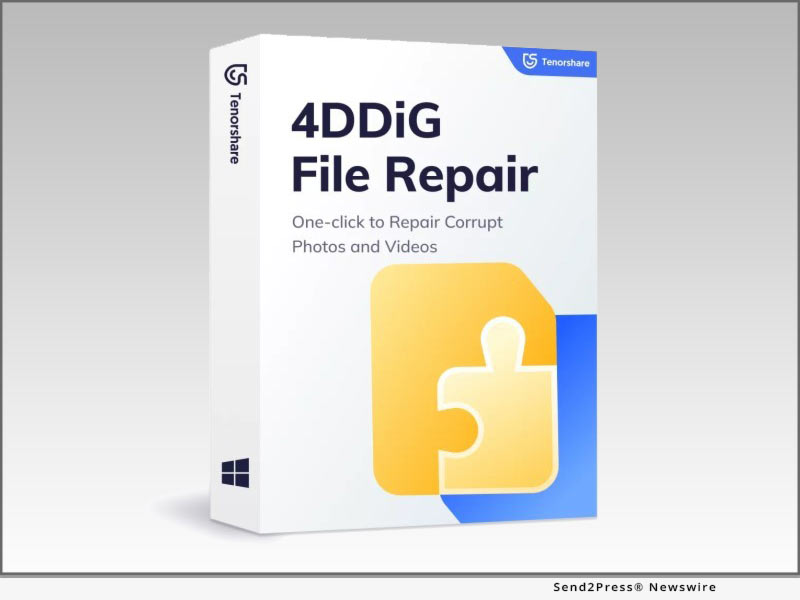
Tenorshare Phone Mirror: Play Android Games on PCs and Macs with Game Keyboard

NEW YORK, N.Y. /ScoopCloud/ -- Tenorshare Phone Mirror allows users to cast Android screen to PC/Mac in real time. As the number of mobile phone games is increasing daily, gamers wish to play these games on their PCs or Mac. Now, this feature of Tenorshare Phone Mirror has launched recently. All game lovers can play Android games using the game keyboard! You set key mapping and then you can use a mouse and keyboard to control the mobile games.

For some popular games - e.g., PUBG, Genshin Impact, Among Us, Free Fire, and Game for Peace - it has default key settings.

"Previously, Tenorshare provided you to mirror and control Android on the computer but did not offer a chance to play Android games using a game keyboard. To meet users' needs, we decide to launch a new feature of screen mirroring software! Now Tenorshare Phone Mirror can provide all users to play Android games on PC & Mac with game keyboard," said Tenorshare's CEO, while introducing the new feature.

Major Features of Tenorshare Phone Mirror

1. Allow you to play Android games with a game keyboard on a PC or Mac.

2. Mirror Android screen and display it on a bigger screen. You can also run Android Apps on Windows/Mac.

3. Using a mouse and keyboard, you can control your Android phone on the computer.

4. Multi-device mirroring & displaying Simultaneously (Up to 5 devices)

5. Record the Android screen or take screenshots directly from the computer.

6. 1-click to turn off the phone screen during screen mirroring, and reduce its battery consumption

Price and Availability:

Tenorshare Phone Mirror is available for macOS 10.13 and later, and Windows 7/8/8.1/10/11. It applies to most Android phones on the market, like Samsung, Xiaomi, Google, Huawei, Nokia, etc. It is available on Android 12/11/10/9/8/7/6. For Windows users, the price is $19.95 for a multi-device of 1-month license now.

Click here to see the detailed information: https://www.tenorshare.com/products/phone-mirror.html

VIDEO: https://youtu.be/hEH9hMqtjl8

About Tenorshare:

Tenorshare is a leading professional software provider with millions of users across Android, iOS, Windows, and Mac platforms. Tenorshare offers tools and services around data transfer, system repair, data recovery, unlocking phones, and similar other utilities.

More information: https://www.tenorshare.com/

Facebook: https://www.facebook.com/TenorshareOfficial/

Twitter: https://twitter.com/Tenorshare_Inc

YouTube: https://www.youtube.com/user/TenorshareOfficial/videos

News from Tenorshare Co. Ltd.

Tenorshare Phone Mirror allows users to cast Android screen to PC/Mac in real time. As the number of mobile phone games is increasing daily, gamers wish to play these games on their PCs or Mac. Now, this feature of Tenorshare Phone Mirror has launched recently. All game lovers can play Android games using the game keyboard! You set key mapping and then you can use a mouse and keyboard to control the mobile games.

Related link: https://www.tenorshare.com/

This version of news story was published on ScoopCloud™ (ScoopCloud.com) - part of and © the Neotrope® News Network - all rights reserved.
Tenorshare Duplicate File Deleter for Mac Now Available

NEW YORK, N.Y. /ScoopCloud/ -- As of now, Tenorshare has released its new tool - Tenorshare Duplicate File Deleter for Mac, which deals with Mac duplicated files & folders removal. As a Mac user, Mac itself won't cause duplicate files but adding new data repeatedly may. Now with Tenorshare Duplicate File Deleter for Mac, you can easily remove all the duplicate data in 3 steps for free!

Tenorshare CEO Mike Lee said, "After overcoming the difficulty of deleting duplicate files on the Windows side, we have succeeded in simply removing duplicate files on the Mac side. And we are pleased to announce the launch of Tenorshare Duplicate File Deleter today."

Within 3 Steps, Users Can Remove Dozens of Duplicates in A Second:

It is easy to remove one to two duplicate files because it is accountable, but what if you have dozens of duplicates that need to be removed and some of them even can't be found by yourself? Using Tenorshare Duplicate File Deleter, you can remove thousands of duplicates in a second.

Main Features of Tenorshare Duplicate File Deleter (Mac):
* High efficiency for finding duplicate files by searching both file names and contents
* Support various duplicate file types, including duplicate photos, duplicate videos, duplicate movies, duplicate documents, etc.
* Support external device duplicate files removal, including SD card, external hard drive, USB, and so on
* Save disk space and increase your PC performance.
* Allow users to select which files to include or exclude from searches based on users' needs
* User can remove 15 duplicate files from Mac for free
* User-friendly interface makes removing duplicate files easy

HOW TO REMOVE DUPLICATE FILES & FOLDER FROM MAC IN 3 STEPS FOR FREE:

Step 1: Choose a location that you want to remove duplicate files

After launching Tenorshare Duplicate File Deleter, choose or drop the desired folder to start scanning duplicate files.

Step 2: Wait for Duplicate Files Scanning

Now Tenorshare Duplicate Files Deleter will start to look for the duplicates in your chosen path. Once the scanning process is finished, you will see the duplicates on the right side of the interface. You can preview each of them to make sure which files you want to remove.

Step 3: Duplicate Files Removal

After previewing, simply choose the duplicate files that you want to remove from your Mac and click on "Remove", then all the duplicates will be removed in a second.

Now you have successfully removed dozens of duplicates in a minute. So easy isn't it?

Official Website: https://4ddig.tenorshare.com/duplicate-file-deleter.html

To know more about the new tool, follow the social media handles:

Facebook: https://www.facebook.com/4DDiG/

Twitter: https://twitter.com/Tenorshare4DDiG

YouTube: https://www.youtube.com/channel/UCQZ9C1IzQB1bgMXmGw7s5bw

News from Tenorshare Co. Ltd.

As of now, Tenorshare has released its new tool - Tenorshare Duplicate File Deleter for Mac, which deals with Mac duplicated files & folders removal. As a Mac user, Mac itself won't cause duplicate files but adding new data repeatedly may. Now with Tenorshare Duplicate File Deleter for Mac, you can easily remove all the duplicate data in 3 steps for free!

Related link: https://www.tenorshare.com/

This version of news story was published on ScoopCloud™ (ScoopCloud.com) - part of and © the Neotrope® News Network - all rights reserved.
Tenorshare Celebrates its 8th Anniversary with Big Discounts: Up to 40% Off

NEW YORK, N.Y. /ScoopCloud/ -- Tenorshare, a reputable software company, is celebrating its 8th anniversary. Tenorshare is bringing some big discounts, lucky draws, and gift cards for users. Starting from June 8 to July 7, 2022, everyone can grab the discount and Amazon gift cards.

Tenorshare has been in the software business for 8 years now and has served over 10 million customers. The company's success in such a short timeframe has made us give back to the users in the form of attractive discounts and appreciate their commitment and trust in the company. That's why we have decided to celebrate our 8th Anniversary with up to 40% discounts on products along with many other prizes.

Win Coupon Code

Tenorshare is giving everyone a chance to get up to a 40% off by trying the lucky machine displayed on the Tenorshare sales promotion page. The coupon code starts from $10 and goes up to 40% off. Everyone will get a coupon code after clicking ''GO" button in the lucky draw.

$8.8 Sales

Tenorshare is offering two of its widely used products at an $8.8 price tag, which includes Tenorshare iAnyGo (1-click iPhone location changer) and Phone Mirror (Android screen mirroring to Windows or Mac).

Best 3-in-1 Bundle

Tenorshare is offering two 3-in-1 Bundles at an extremely discounted rate. The first bundle costs $79.95 and includes iCareFone (manage, transfer and restore your iPhone data on the computer), iCareFone Transfer (transfer WhatsApp between Android and iPhone), and iCareFone for LINE (transfer LINE between Android and iPhone). The second bundle costs $64.95 and includes Tenorshare 4uKey (unlock iPhone/iPad without passcode), 4uKey - Password Manager (iOS password manager), and 4uKey - iTunes Backup (Restore iTunes backup passwords).

Win Gift Cards

Users who follow Tenorshare on Facebook and share its 8th-anniversary plans on their account can get a chance to win Amazon gift cards of $5, $10, and $20. Tenorshare will offer gift cards to 6 lucky winners.

How to get Discounts

To get big discounts and gift cards from Tenorshare 8th Anniversary promotion, visit here: https://www.tenorshare.com/sales-promotion.html

About Tenorshare:

Tenorshare is a leading professional software provider with millions of users across Android, iOS, Windows, and Mac platforms. Tenorshare offers tools and services around data transfer, system repair, data recovery, unlocking phones, and similar other utilities.

More information: https://www.tenorshare.com/

Facebook: https://www.facebook.com/TenorshareOfficial/

YouTube: https://www.youtube.com/user/TenorshareOfficial/videos

News from Tenorshare Co. Ltd.

Tenorshare, a reputable software company, is celebrating its 8th anniversary. Tenorshare is bringing some big discounts, lucky draws, and gift cards for users. Starting from June 8 to July 7, 2022, everyone can grab the discount and Amazon gift cards.

Related link: https://www.tenorshare.com/

This version of news story was published on ScoopCloud™ (ScoopCloud.com) - part of and © the Neotrope® News Network - all rights reserved.
Tenorshare Partners with Student Beans to Offer Exclusive Discount for Student

NEW YORK, N.Y. /ScoopCloud/ -- Tenorshare, a leading software company, has announced that it has launched a partnership with the English website Student Beans to offer 45% off on almost all products. Tenorshare encourages education and learning and the aim of the student discount program is to help students solve their iOS and Android phone issues at a lower price!

"We're so excited to launch this student discount program with Student Beans! Students just need to log in or sign up for a StudentBeans.com account and verify their identity. They will get a student discount code. And then, they can purchase what they need. They will save 45% off via using the student discount code," said Tenorshare's CEO, while introducing the student discount program.

Learn more: https://www.tenorshare.com/student-discount.html

Some popular products students are looking for:

1 - Tenorshare ReiBoot enables you to fix 150+ iOS/iPadOS system issues without losing data, like iPhone recovery mode, iPhone stuck on Apple logo, iPhone keeps turning on and off, iPad won't turn on, etc.

2 - Tenorshare UltData is able to directly recover deleted data from iPhone/iPad without backing up.

3 - Tenorshare iCareFone Transfer can easily transfer WhatsApp chats between Android and iPhone and restore WhatsApp backup from Google Drive to iPhone.

4 - Tenorshare iCareFone can help you effectively transfer, backup & restore your iOS15/iPadOS 15 data. Using iCareFone, you can also flexibly manage contacts, photos, videos, apps, books, and bookmarks.

5.Tenorshare UltData for Android can recover deleted photos, videos, and WhatsApp messages from Android phones without root.

Please note discount code only applies in the United States, the United Kingdom, Canada, and Australia. The discount code does not apply to Tenorshare iAnyGo or Tenorshare 4MeKey products.

About Tenorshare:

Tenorshare's focus is on the iOS, Android, Windows, and Mac platforms and core technology study. Tenorshare provides users with solutions for data management, data recovery, password recovery, system repair and other practical mobile phone and computer essentials. Today, Tenorshare's products and services are trusted by more than 10 million users worldwide. More information: https://www.tenorshare.com/

Facebook: https://www.facebook.com/TenorshareOfficial/

Twitter: https://twitter.com/Tenorshare_Inc

YouTube: https://www.youtube.com/user/TenorshareOfficial/videos

News from Tenorshare Co. Ltd.

Tenorshare, a leading software company, has announced that it has launched a partnership with the English website Student Beans to offer 45% off on almost all products. Tenorshare encourages education and learning and the aim of the student discount program is to help students solve their iOS and Android phone issues at a lower price!

Related link: https://www.tenorshare.com/

This version of news story was published on ScoopCloud™ (ScoopCloud.com) - part of and © the Neotrope® News Network - all rights reserved.
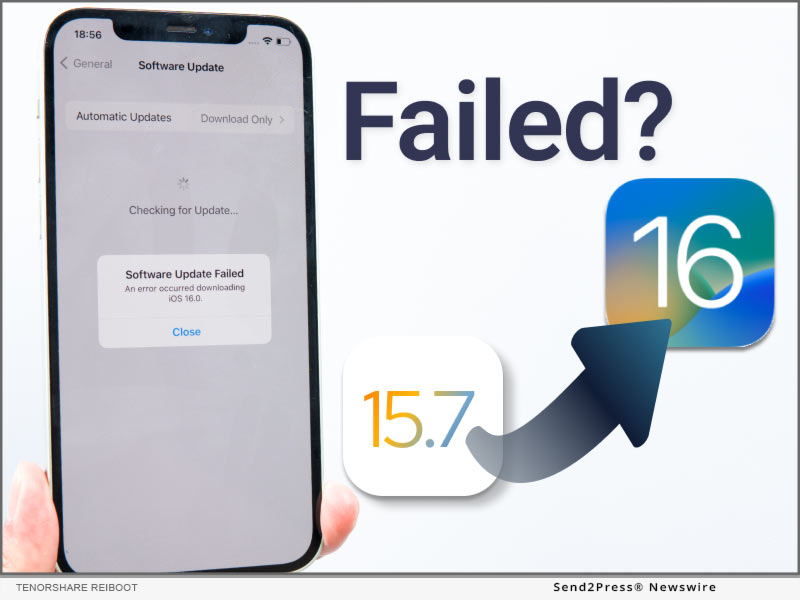
Tenorshare 4DDiG Rolls Out Its Brand-New Version 9.0 With 30% Off

NEW YORK, N.Y. /ScoopCloud/ -- Tenorshare 4DDiG is one of the world's most well-known data recovery software that has been developed to fulfill all recovery needs. With significant improvements in terms of user experience and comprehensive data recovery features, Tenorshare 4DDiG has upgraded to Windows 9.0 version. The new version of Tenorshare 4DDiG offers users the best data recovery solution with an upgraded interface and powerful functions that help them retrieve lost data successfully.

The latest upgrade of Tenorshare 4DDiG is for all kinds of file loss situations. It allows users to recover lost or deleted photos, documents, videos, and other files from a PC hard drive. It can even recover old, deleted files on the external hard drive and SD card. The new interface helps users find what they are looking for quickly and also saves time.

The software's interface is simple and easily understandable, even for beginners. Furthermore, with a completely new and intuitive interface, the recovery software supports all kinds of data loss circumstances, including emptied recycle bin, malware infection, hardware failure, deleted files by mistake, or other unknown reasons.

4DDiG 9.0 New Features:

1 - Brand new interface with easy-to-understand user operation tips

2 - Support reload the last scan results for efficient Scanning

3 - Any lost data type can be recovered, be like photos, music, document, etc. moreover, any file systems can be recovered, be like NTFS, FAT, APFS, HFS+, etc.

4 - 4DDiG 9.0 also supports data recovery from external & internal storage devices, such as external HDD, SD cards, USB, etc.

5 - 4DDiG 9.0 allowed users to free preview the scanned-out files

The upgradation has been completely overhauled for optimal performance and faster data recovery. In addition, the latest edition enhances the ability to handle more file types and supports different storage devices making it easier for people to use.

4DDiG means "for data dig." This software aims for deep scanning and digging the data works in both Windows and macOS systems. It is designed with an innovative algorithm and simple interface that offers users the best solution for all kinds of data loss problems more quickly and efficiently. So, head over to 4DDiG for a worry-free data recovery experience and also get the 30% OFF.

To know more about the new version, follow Tenorshare 4DDiG's social media handles:

Official Website: https://4ddig.tenorshare.com.html/

Facebook: https://www.facebook.com/4DDiG/

Twitter: https://twitter.com/Tenorshare4DDiG

YouTube: https://www.youtube.com/channel/UCQZ9C1IzQB1bgMXmGw7s5bw

News from Tenorshare Co. Ltd.

Tenorshare 4DDiG is one of the world's most well-known data recovery software that has been developed to fulfill all recovery needs. With significant improvements in terms of user experience and comprehensive data recovery features, Tenorshare 4DDiG has upgraded to Windows 9.0 version. The new version of Tenorshare 4DDiG offers users the best data recovery solution with an upgraded interface and powerful functions that help them retrieve lost data successfully.

Related link: https://www.tenorshare.com/

This version of news story was published on ScoopCloud™ (ScoopCloud.com) - part of and © the Neotrope® News Network - all rights reserved.

Celebrate World Backup Day 2022 with Tenorshare 4DDiG and Get Up To 30% OFF

NEW YORK, N.Y. /ScoopCloud/ -- World Backup Day, celebrated on March 31, is a day to remind you that you should regularly back up your files and documents. In a matter of seconds, you can lose all of your data and not be able to recover it. With today's technology, backing up your gadgets has never been easier and faster. However, accidents do happen, and now you will need a professional data recovery software to help - Tenorshare 4DDiG.

What's 4DDiG?

Tenorshare 4DDiG is a professional data recovery software for both Windows and Mac users. No matter whether you want to recover data from your local computer or external hard drive, 4DDiG will be your second to none choice to recover your lost data.

4DDiG Key Features:

1 -- Supports data recovery 1000+ file types, be like word, PPT. Excel, PDF, music, photos, and so on

2 -- It can recover data from SD card, Hard drive, USB, External hard drive, digital camera, PC, and so on

3 -- No technical needs, within 3 easy clicks, users can get they lost data back

4 -- 4DDiG can recover lost files due to accident deletion, formatting, corruption, and so on

4DDiG Special Offers:

1 -- Share your backup story with us on Facebook/Twitter/Instagram, then you can get the $10 coupon code!

2 -- To celebrate World Backup Day 2022, everyone can get 30% OFF to enjoy the professional data recovery tools

Conclusion:

Make sure you back up all of your devices on World Backup Day 2022, as the day was meant to be. Set a reminder to do it more frequently, rather than just once a year. Backing up your data gives you not only peace of mind but also the opportunity to review and reminisce over your saved images and memories from the past. But if you do lost data without backup, you can try Tenorshare 4DDiG data recovery software.

For more information, visit https://4ddig.tenorshare.com/world-backup-day-2022.html

Follow on Social:

Facebook: https://www.facebook.com/4DDiG/

Twitter: https://twitter.com/Tenorshare4DDiG

Instagram: https://www.instagram.com/tenorshare_4DDiG/

MULTIMEDIA:

VIDEO (YouTube): https://youtu.be/C_bABjvZP9w

News from Tenorshare Co. Ltd.

World Backup Day, celebrated on March 31, is a day to remind you that you should regularly back up your files and documents. In a matter of seconds, you can lose all of your data and not be able to recover it. With today's technology, backing up your gadgets has never been easier and faster. However, accidents do happen, and now you will need a professional data recovery software to help - Tenorshare 4DDiG.

Related link: https://www.tenorshare.com/

This version of news story was published on ScoopCloud™ (ScoopCloud.com) - part of and © the Neotrope® News Network - all rights reserved.

New Tenorshare iCareFone for LINE – Easily Transfer LINE from Android to iPhone

NEW YORK, N.Y. /ScoopCloud/ -- Tenorshare, a leading software company, has released a software called Tenorshare iCareFone for LINE. The software is used to transfer LINE between Android and iPhone, backup and restore LINE chat history on iPhone.

With Tenorshare iCareFone for LINE, everyone can easily and quickly transfer LINE from Android to iPhone using Google Drive.

"It is known that LINE still doesn't provide users with a solution to transfer LINE chats from Android to iPhone directly. If you have switched to an iPhone and have no idea how to transfer your LINE chat history from Android to iPhone. You should give iCareFone for LINE a shot. You will transfer LINE chats from Android to iPhone without any hassle. And it also offers an effective way to back up and restore LINE chat history on iPhone" said Tenorshare's CEO, while introducing the new software.

Major Features Of Tenorshare iCareFone for LINE:

1 - Transfer LINE from Android to iPhone and vice versa

2 - Back up LINE to a computer for free

3 - Preview and selectively export LINE backup to the computer

4 - Quickly restore LINE backup to iOS devices without losing any data

Price and Availability:

Tenorshare iCareFone for LINE is available for macOS 12 Monterey. It supports all iPhones with the latest iOS versions. For Windows users, the price is $19.95 for a 1-month license now. Click here to see the detailed information.

Information:

https://www.tenorshare.com/icarefone-line-transfer.html

About Tenorshare:

Tenorshare's focus is on the iOS, Android, Windows, and Mac platforms and core technology study. Tenorshare provides users with solutions for data management, data recovery, password recovery, system repair and other practical mobile phone and computer essentials. Today, Tenorshare's products and services are trusted by more than 10 million users worldwide. More information: https://www.tenorshare.com/

Facebook: https://www.facebook.com/TenorshareOfficial/

Twitter: https://twitter.com/Tenorshare_Inc

YouTube: https://www.youtube.com/user/TenorshareOfficial/videos

News from Tenorshare Co. Ltd.

Tenorshare, a leading software company, has released a software called Tenorshare iCareFone for LINE. The software is used to transfer LINE between Android and iPhone, backup and restore LINE chat history on iPhone.

Related link: https://www.tenorshare.com/

This version of news story was published on ScoopCloud™ (ScoopCloud.com) - part of and © the Neotrope® News Network - all rights reserved.
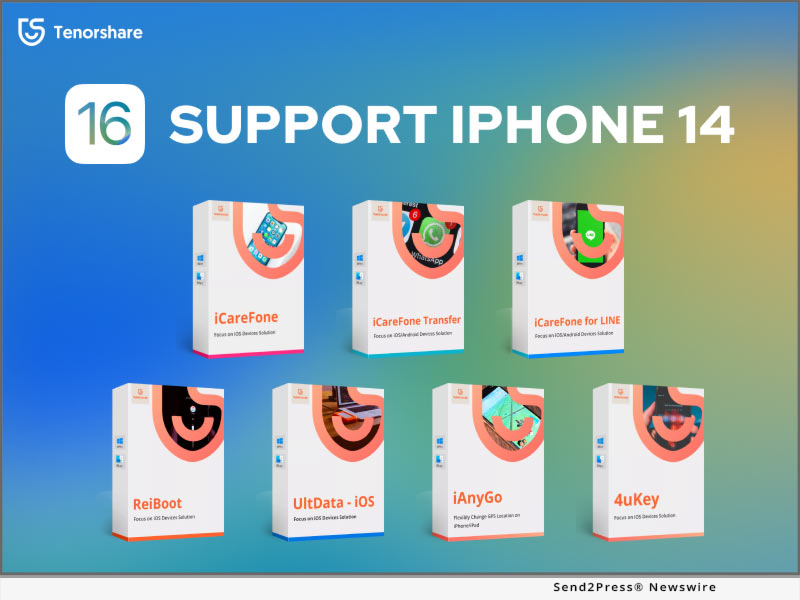
The Best Duplicate Files Finder and Remover for Windows in 2022

NEW YORK, N.Y. /ScoopCloud/ -- Tenorshare is proud to announce a new, advanced duplicate file deleting tool for Windows users - Tenorshare Duplicate File Deleter. For a very long time, Windows users have been dealing with problems when it comes to wasting storage space, something that can be challenging to handle. The main focus for the Tenorshare Duplicate File Deleter tool is to find and remove any duplicates with 100% accuracy. The app allows you to find and preview duplicates from your computer, but also external hard drives, USB, SD Cards, and many others.

You can easily free up disk space and boost performance while choosing the right search criteria according to your needs. You can easily organize your documents, videos, audio, and photos without any issues, while making sure there are no duplicates that waste any space on your computer. It's all thanks to this great duplicate file finder Windows 10 app!

Plan and pricing

As an exclusive deal, Tenorshare Duplicate File Deleter allows you to remove 15 files for free, so you can test it out for yourself and see how it works. The app is sold as a subscription service, and you can choose for how many months you want to buy it. A single month license costs $24.95, and a yearly license costs $39.95. If you want a lifetime license, it will cost you $49.95.

Each option has the same benefits, and it comes with free upgrades for the desired amount of time. There's also a business option that only offers yearly plans, ranging from $55.95 for 5 PCs to $299.95 for unlimited PCs. This allows you to choose the desired option for the best duplicate file finder today.

How to use the Duplicate File Deleter?

The way you find and remove Duplicate Files in Windows with Tenorshare Duplicate File Deleter is very simple and convenient, as you can see from the steps below.

* First, you have to download and install the Tenorshare Duplicate File Deleter app on your computer

* Once that is done, you can set the scan mode and you can start scanning, you can choose what kind of files to ignore and if there's any excluded path. For Duplicate files, you can choose the file types in the duplicate file finder.

* After initiating the scan, you can preview the duplicates that were found on the desired drive, and you can check/uncheck if you want to remove any of them.

The Tenorshare Duplicate File Deleter is an ideal tool if you want to identify and remove duplicates quickly. It's a reliable, professional and comprehensive duplicate file remover which is extremely accurate and very reliable. Give it a try right away, and you will be incredibly happy with the results and benefits!

For more information, visit https://4ddig.tenorshare.com/duplicate-file-deleter.html

Follow on Social:

Facebook: https://www.facebook.com/4DDiG/

Twitter: https://twitter.com/Tenorshare4DDiG

Instagram: https://www.instagram.com/tenorshare_4DDiG/

MULTIMEDIA:

VIDEO (YouTube): https://youtu.be/QE7_tu5lUYg

News from Tenorshare Co. Ltd.

Tenorshare is proud to announce a new, advanced duplicate file deleting tool for Windows users - Tenorshare Duplicate File Deleter. For a very long time, Windows users have been dealing with problems when it comes to wasting storage space, something that can be challenging to handle. The main focus for the Tenorshare Duplicate File Deleter tool is to find and remove any duplicates with 100% accuracy.

Related link: https://www.tenorshare.com/

This version of news story was published on ScoopCloud™ (ScoopCloud.com) - part of and © the Neotrope® News Network - all rights reserved.
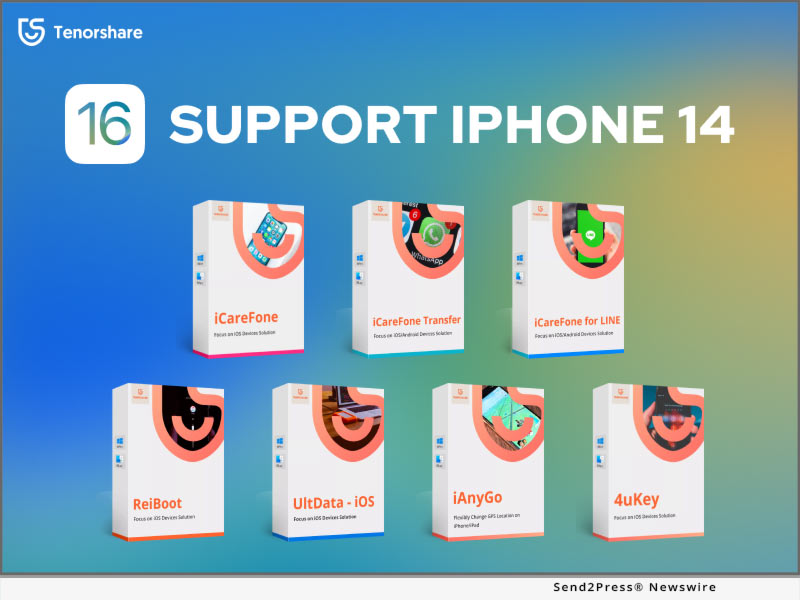
Tenorshare iAnyGo Updated to Change GPS Location on Different iOS Devices at the Same Time

NEW YORK, N.Y. /ScoopCloud/ -- Tenorshare, a leading software company, has updated iAnyGo to V3.0.0. The new version can help you change GPS location on different iOS devices at the same time. With Tenorshare iAnyGo 3.0.0, iPhone users can easily change multiple iPhone locations at the same time. You can change GPS location of up to 15 different iOS devices at the same time.

Many iPhone users wish to change multiple iPhone locations when there are multiple gamers. Some users have over one iPhone and wish to change multiple iPhone locations when they play Pokemon Go. That is why we update the software. What we do is to meet users' need," said Tenorshare's CEO, while introducing the new feature.

MAJOR FEATURES OF TENORSHARE IANYGO:

1 - One Click to change GPS location to anywhere on iPhone/iPad/iPod without jailbreak

2 - Simulate GPS movement along the paths you draw

3 - Using GPS joystick or keyboard to change the direction of movement

4 - Set the moving speed from 1m/s to 20m/s and times for your route

5 - Import GPX file to start a designed route

6 - The added cooldown timer can effectively prevent soft ban in Pokemon Go

Price and Availability:

Tenorshare iAnyGo is available for Mac 10.13 and later, and Windows 7/8/8.1/10/11. It supports all iPhone/iPad/iPod with latest iOS versions. For Windows users, the price is $19.95 for a multi-device plan of 1-month license now.

Click here to see the detailed information: https://www.tenorshare.com/products/ianygo-change-gps-location-iphone.html

About Tenorshare

Tenorshare's focus is on the iOS, Android, Windows, and Mac platforms and core technology study. Tenorshare provides users with solutions for data management, data recovery, password recovery, system repair and other practical mobile phone and computer essentials. Today, Tenorshare's products and services are trusted by more than 10 million users worldwide. More information: https://www.tenorshare.com/

Facebook: https://www.facebook.com/TenorshareOfficial/

Twitter: https://twitter.com/Tenorshare

YouTube: https://www.youtube.com/user/TenorshareOfficial/videos

News from Tenorshare Co. Ltd.

Tenorshare, a leading software company, has updated iAnyGo to V3.0.0. The new version can help you change GPS location on different iOS devices at the same time. With Tenorshare iAnyGo 3.0.0, iPhone users can easily change multiple iPhone locations at the same time.

Related link: https://www.tenorshare.com/

This version of news story was published on ScoopCloud™ (ScoopCloud.com) - part of and © the Neotrope® News Network - all rights reserved.
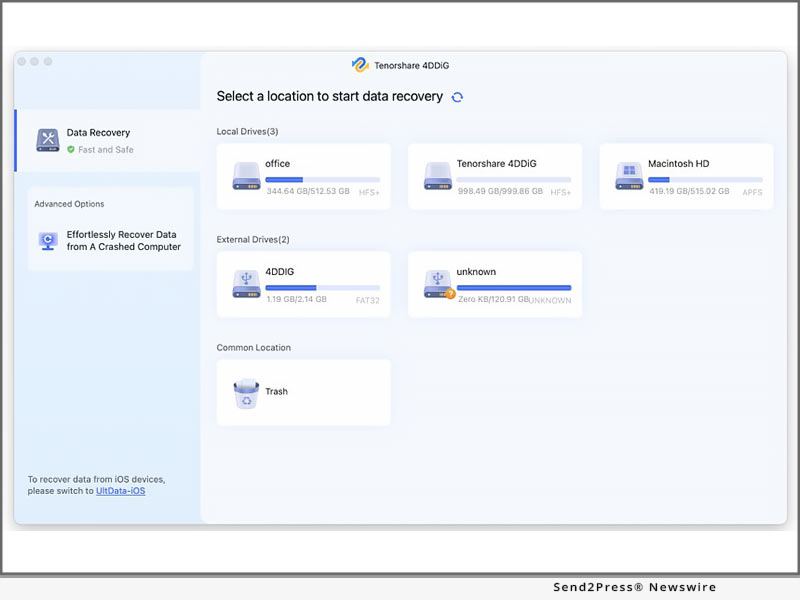
Tenorshare 4DDiG is Simply the Best Data Recovery Software of 2022

NEW YORK, N.Y. /ScoopCloud/ -- Data recovery software helps recover and repair files, stored media, databases, corrupted partitions, and get back the data safely, says Tenorshare. Which should also help in getting data recovered from the external or internal storage media like USB drives, hard disk drives (HDD), CDs, solid-state drives (SSD), and so on.

Tenorshare 4DDiG has been hailed as the best data recovery software for Mac and Windows. It supports more than 1000 plus data recovery types like photo, audio, video, and many more. It also helps to recover those files that might have been accidentally deleted without a backup and are present in fragments on the media storage.

TOP FEATURES OF 4DDIG

Have you accidentally erased a USB disk or a storage card without forgetting to save the items already there on the disc? or if you accidentally wiped files from your laptop? Tenorshare 4DDiG come in handy. It can recover over 1000+ different types of data, including photographs, formatted discs, and data lost due to smashed discs.

A number of the capabilities are covered in further depth farther down.

1 -- Deleted Files Recovery

Recover accidentally deleted or shifted important data, and perhaps an unintentionally emptied compost heap. Tenorshare 4DDiG for both Windows and mac is indeed a dependable and easy-to-use data recovery software that recovers your files in just a few clicks.

2 -- Formatted Drive Recovery

Files can be recovered from formatted partitions, storage devices, USB drives, and hard discs that have been damaged or destroyed. Tenorshare 4DDiG could restore all of the content lost in the instances stated above.
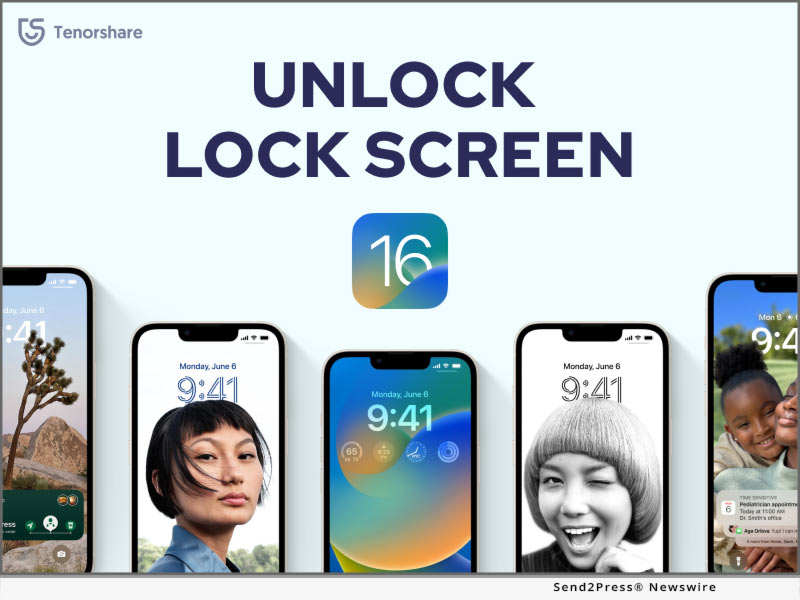
3 -- Lost Partition Recovery

Virus damage causes files to become corrupted or illegible. Alternatively, you can recover damaged data from the Raw hard disc. The files that were lost during the partitioning of the drives can be recovered. Tenorshare 4DDiG might also recover all of the data lost during the splitting of the discs.
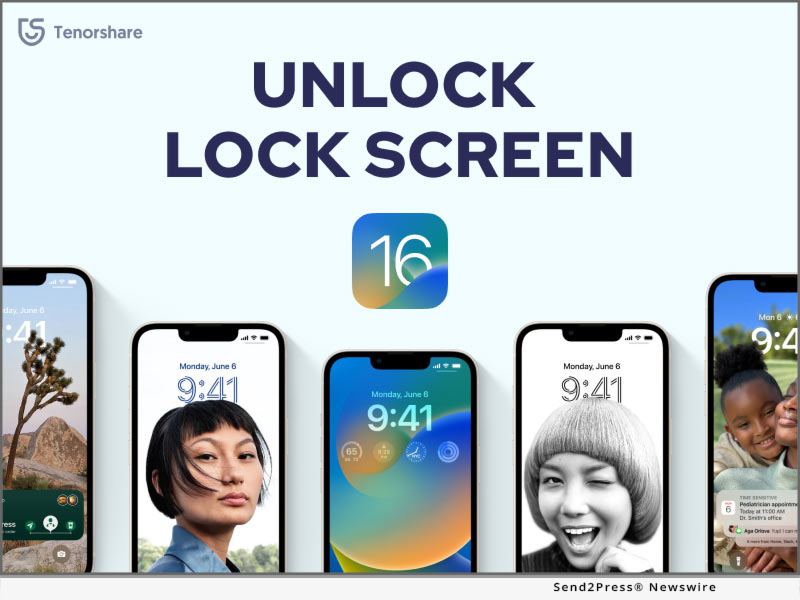
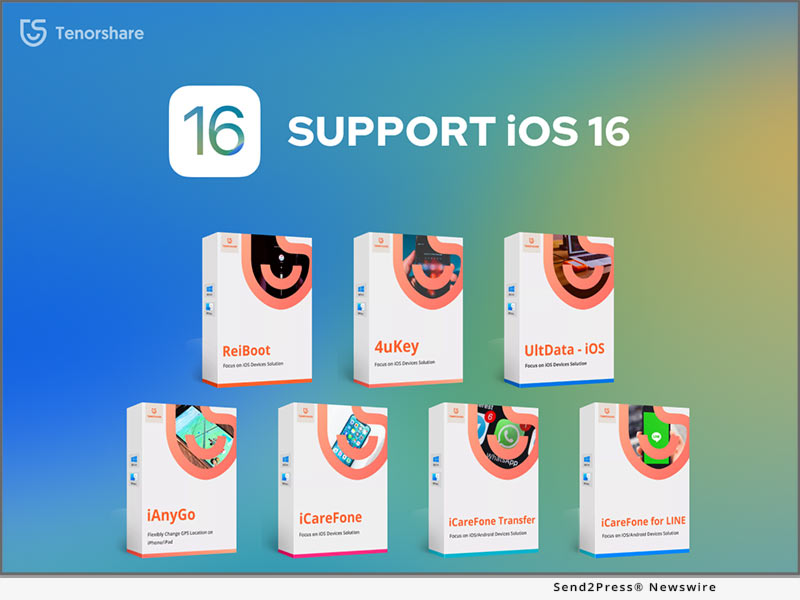
4 -- External Device Recovery

When you receive the "Permission is prohibited" message because of a bad partition or a lost partitioning table, you can recover your files. Tenorshare 4DDiG may also be used to recover data from external devices, you can simply recover it with just 3 easy clicks.

5 -- Crashed Computer Recovery

From period to period, customers reformat their Drive, SSD, Memory stick, hard disc, and Flash drive. Accidental deletion of all of your data can occur during reformat or as a result of the laptop, discs crashing owing to an undesirable infection, causing you to lose all of your material. Users will also be able to retrieve the program with the help of Tenorshare 4DDiG.

6 -- Raw File Recovery

Recovering deleted files like pictures, videos, audio files, and documents is very easy. The user might have deleted the files and then understood the importance of the deleted files. Raw files could easily be recovered using Tenorshare 4DDiG.

For more information, visit https://4DDiG.tenorshare.com/

Follow on Social:

Facebook: https://www.facebook.com/4DDiG/

Twitter: https://twitter.com/Tenorshare4DDiG

Instagram: https://www.instagram.com/tenorshare_4DDiG/

MULTIMEDIA:

VIDEO (YouTube): https://youtu.be/0WObHbFfw8k

News from Tenorshare Co. Ltd.

Data recovery software helps recover and repair files, stored media, databases, corrupted partitions, and get back the data safely, says Tenorshare. Which should also help in getting data recovered from the external or internal storage media like USB drives, hard disk drives (HDD), CDs, solid-state drives (SSD), and so on.

Related link: https://www.tenorshare.com/

This version of news story was published on ScoopCloud™ (ScoopCloud.com) - part of and © the Neotrope® News Network - all rights reserved.