Author Archives: Tenorshare Co. Ltd.

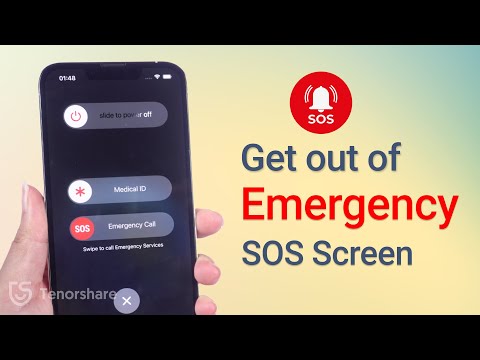
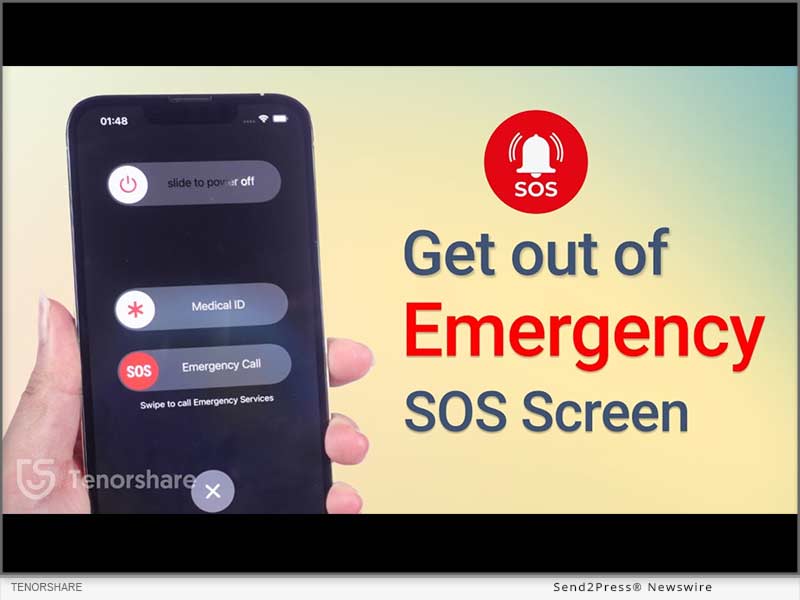
[2024] How to Fix an Apple iPhone Stuck in SOS Mode

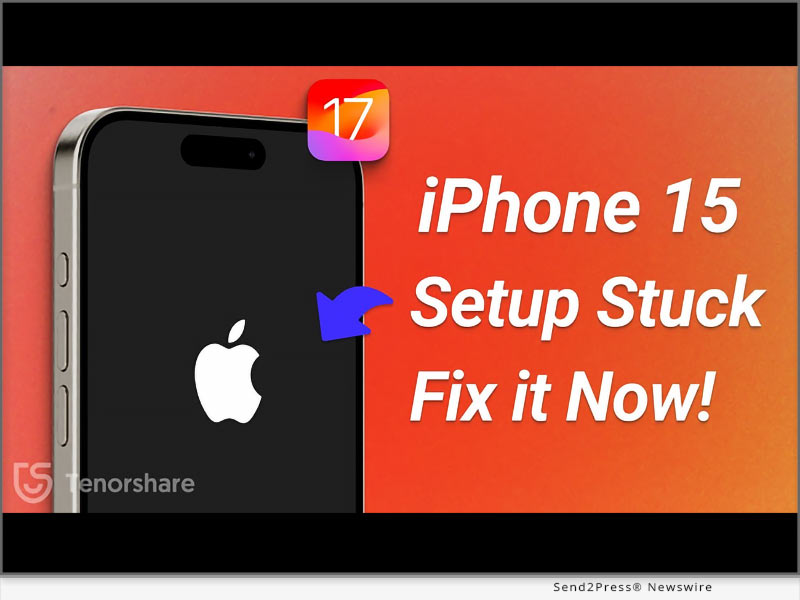
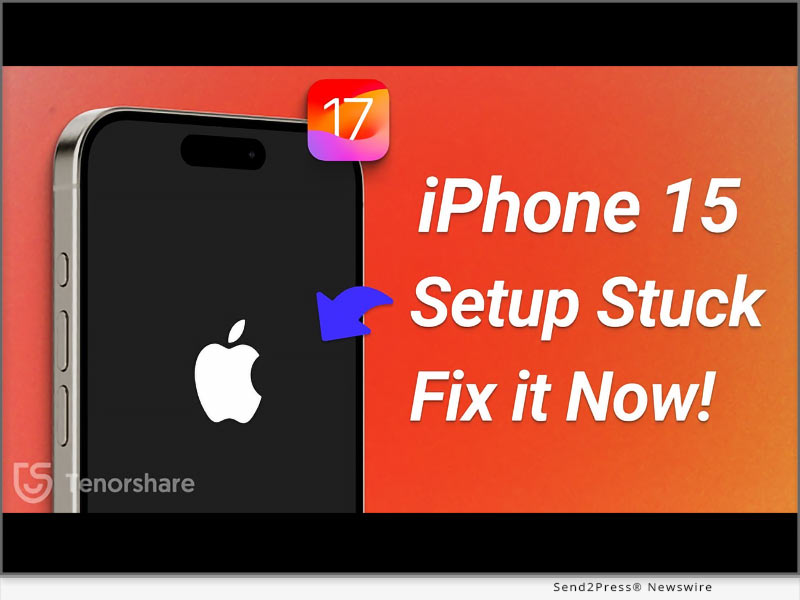
NEW YORK, N.Y. /ScoopCloud/ -- Why does my iPhone keep going into SOS mode? How to get out of it? The Emergency SOS mode on iPhones is quite useful for emergencies.. It can quickly call your emergency contacts and share your exact location. But the same mode can become a pain in the neck, leaving the iPhone stuck in SOS mode which prevents many users from accessing their phones, says Tenorshare.

"There are some fixes out there, that teach you how to get iPhone out of SOS mode. But most of them might make you lose your data. However, that's not the case with Tenorshare ReiBoot. First of all, it's automatic, so you don't have to do manual tweaking. Secondly, it can fix your iPhone stuck on SOS mode without wiping out your data," says a Tenorshare spokesperson.

So, how to turn off SOS on iPhone with Tenorshare ReiBoot? Let's find out!

Why Does My iPhone Say SOS Only?

There are many reasons why you are left with an iPhone stuck on Emergency SOS such as following:

1. You may have pressed wrong key combination while pressing Volume up, down, and power buttons.

2. Rooting or freshening the iPhone can sometimes cause this issue.

3. There's a glitch in your iPhone's system. https://www.youtube.com/watch?v=Jhm37Qy6dXU&t=6s

Full Guide to Fix iPhone Stuck on Emergency SOS Mode Without Data Loss

Whatever the reason might be behind your iPhone getting stuck in Emergency mode, ReiBoot iOS Repair tool can fix it. It's a powerful tool designed specifically to repair iOS issues. But there's more to this tool. Check out its bombastic key features:

* Fix 150+ iOS issues like black screen of death, stuck on SOS mode, recovery mode, Apple logo, or boot loop, etc without data loss.
* Fix error codes like 4013, 2008, 4000, 4005, 3014,2009.
* It can upgrade and downgrade iOS.
* Enables you to enter/exit Recovery or DFU mode with one click.
* Reset iPhone without passcode, iTunes, Apple ID, or iCloud.
* Compatible with older and latest iOS 17.

Here's how to get iPhone out of SOS mode with Tenorshare ReiBoot:

Step 1: Download, install, and open ReiBoot on your computer.

Step 2: Plug your iPhone into your computer, and hit "Start Repair" on the tool's interface.

Step 3: Download the firmware package and click "Standard Repair." Once it's finished fixing, your iPhone will reboot automatically without data loss.

Learn more at: https://www.tenorshare.com/products/reiboot.html

About Tenorshare

If you want to know how to fix SOS on iPhone without data loss, Tenorshare ReiBoot can help. It's a powerful system repair tool that can fix 150+ iOS issues including bailing you out of Emergency screen without wiping your data clean.

Moreover, Tenorshare isn't like other tech companies. They're pioneers in fixing smartphone problems and always coming up with new ideas. The company cares about customer satisfaction and making sure their products work well for their users. So, if you're stuck with a phone problem, you know whose solutions you need to use! Learn more at: https://www.tenorshare.com/
News from Tenorshare Co. Ltd.

Why does my iPhone keep going into SOS mode? How to get out of it? The Emergency SOS mode on iPhones is quite useful for emergencies.. It can quickly call your emergency contacts and share your exact location. But the same mode can become a pain in the neck, leaving the iPhone stuck in SOS mode which prevents many users from accessing their phones, says Tenorshare.

Related link: https://www.tenorshare.com/

This version of news story was published on ScoopCloud™ (ScoopCloud.com) - part of and © the Neotrope® News Network - all rights reserved.
4DDiG Email Repair v1.0.0 Released – Fix Corrupted PST/OST Files with Just One Click

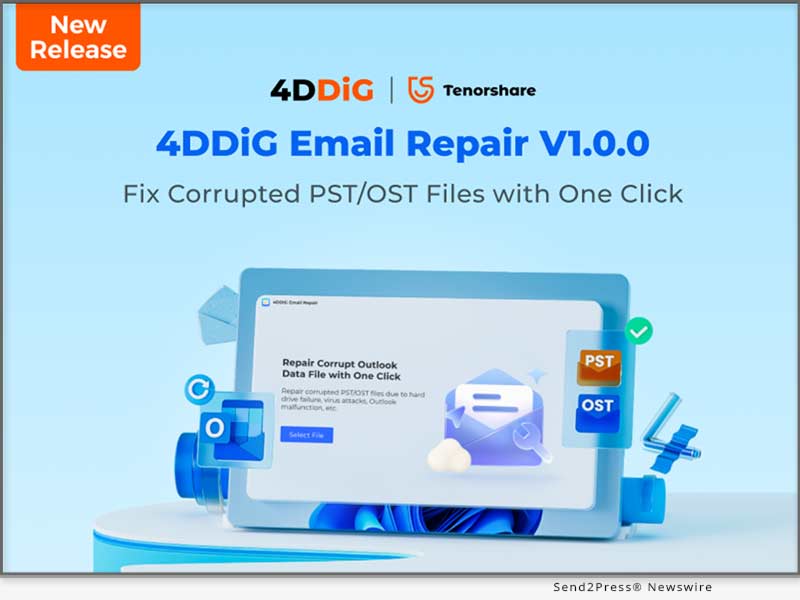
NEW YORK, N.Y. /ScoopCloud/ -- 4DDiG, a leading software solutions provider (and unit of Tenorshare), is thrilled to announce the release of its latest software, 4DDiG Email Repair v1.0.0. This user-friendly tool is desgined to scan and repair corrupted PST or OST files in Outlook. Moreover, it also helps Windows users resolve many common Outlook issues, such as difficulties accessing your mailbox or encountering Outlook error messages.

What can 4DDiG Email Repair do for you?

Easily Fix Corrupted PST/OST Files: Your PST/OST files may become corrupted due to various reasons, such as program crashes, hardware failure, virus attacks, and more. However, regardless of the cause of file corruption, 4DDiG Email Repair can effectively detect and fix them.

Restore Every Data From Outlook PST/OST File: Whether it's emails, attachments, calendar events, contacts, or folders, all your Outlook file data can be easily repaired and recovered.

Suitable for various problem scenarios: In addition to common corruption cases, this Outlook repair tool can also address a range of other issues, including but not limited to:

* Outlook fails to open or crashes unexpectedly.

* Outlook becomes unresponsive or freezes during use.

* Outlook cannot connect to the server.

* Attachments are missing in Outlook emails.

* Other common Outlook errors include 0x80040154, 0x8004210A, and more.

Why choose 4DDiG Email Repair?

Although there are many available email repair tools on the market, 4DDiG Email Repair is clearly the winner.

Impressive Success Rate and Scan Speed: The best part of 4DDiG Email Repair is its impressive success rate and fast scan speed. With advanced algorithms, your corrupted PST/OST files can be repaired in the blink of an eye.

Dual Scan Mode: No matter where damaged email files are located on the computer, this feature ensures their thorough detection.

Broad compatibility: This Outlook repair tool is not only compatible with all versions of Microsoft Outlook but also supports various PST file formats, including ANSI and UNICODE.

Full Preview: To ensure integrity, 4DDiG Email Repair allows you to preview repaired PST/OST files before saving them.

Compatibility and pricing

4DDiG Email Repair is now compatible with multiple versions of Windows, including Windows 11, 10, 8, and 7. There are three subscription plans available for you to choose from:

* $39.95 for one-month license

* $55.95 for one-year license

* $79.95 for a lifetime license

However, 4DDiG is currently running a special Spring Sale promotion, which means that you only need to pay 70% of the original price.

About 4DDiG

4DDiG is a software solutions provider with a decade of experience. Initially focusing on data recovery, the 4DDiG team has expanded its expertise into areas such as file repair, AI video enhancement, and disk management. 4DDiG's mission is is to create a world that is more convenient and innovative for all users.

For more information, visit: https://4ddig.tenorshare.com/email-repair.html

Follow on Social:

Facebook: https://www.facebook.com/4DDiG/

X/Twitter: https://twitter.com/Tenorshare4DDiG

YouTube: https://www.youtube.com/@Tenorshare4DDiGDataRecovery/featured

News from Tenorshare Co. Ltd.

4DDiG, a leading software solutions provider (and unit of Tenorshare), is thrilled to announce the release of its latest software, 4DDiG Email Repair v1.0.0. This user-friendly tool is desgined to scan and repair corrupted PST or OST files in Outlook. Moreover, it also helps Windows users resolve many common Outlook issues, such as difficulties accessing your mailbox or encountering Outlook error messages.

Related link: https://www.tenorshare.com/

This version of news story was published on ScoopCloud™ (ScoopCloud.com) - part of and © the Neotrope® News Network - all rights reserved.
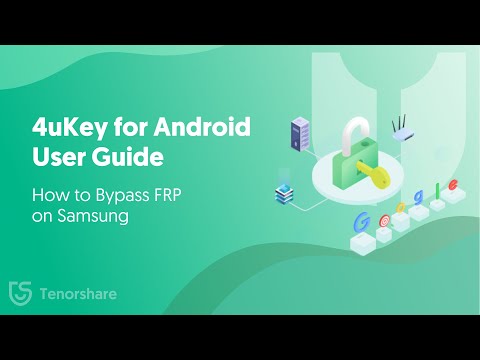
The Best Samsung FRP Bypass Tool Download for PC from Tenorshare

NEW YORK, N.Y. /ScoopCloud/ -- In various scenarios, the need for a Samsung FRP Bypass Tool becomes evident, says Tenorshare. Forgetting Google account credentials or encountering a lack of information when dealing with a pre-owned Samsung device are common situations. Additionally, after performing a factory reset and experiencing software issues, the Factory Reset Protection (FRP) lock may activate.

In the above mentioned situation, a reliable Samsung FRP Bypass tool is particularly important to bypass the FRP Lock in case you are locked out of your device.

Must-Know Tips About Samsung FRP Bypass Tool

Before using any FRP bypass tool for PC, it is important to keep the following in mind:

* Read online reviews, compare features, and verify the developer's reputation before investing when choosing FRP bypass tool Samsung.

* Download top Samsung FRP tools directly from the developer's website, avoiding third-party sources that might contain malware.

What is the Best and Top Samsung FRP Bypass Tool?

The best Samsung FRP bypass tool for PC is Tenorshare 4uKey for Android.

It is a safe, reliable, and easy Samsung FRP tool that seamlessly removes the FRP Lock from your Samsung device in minutes.

The best part about this FRP Samsung tool is its user-friendly interface, which makes it easy for beginners to bypass FRP lock on Samsung. Plus, when using it, you don't need the help of other apps like TalkBalk or Alliance Shield.

It is 100% secure and has a high success rate. You can rest assured that it does not come with any risky Samsung FRP bypass APK tools.

When you get this FRP bypass tool for PC free download, compatibility is not an issue, as it works with all Android versions, including 14, 13, 12, and earlier,

But that's not all! This FRP Samsung tool also helps remove all sorts of Android lock screens and factory resets early Samsung device without data loss.

And lastly, their tech support gives prompt responses.

How to Use Tenorshare 4uKey for Android Samsung FRP Bypass Tool?

Here are the steps for Samsung FRP tool download and use:

* The first step is the FRP bypass Samsung download from the official website for Tenorshare 4uKey for Android.

* Launch the tool, connect your Samsung device to your PC, and select "Remove Google Lock (FRP)" from the interface.

* Select the Android version your Samsung phone is running on and click "Remove Now."

* Follow the screen instruction and go to the welcome screen on your Samsung device

* It will take several minutes for the FRP Lock removal process to complete

And that's how you use this Samsung ADB Enable tool alternative to remove FRP Lock!

Video Guide: https://www.youtube.com/watch?v=iWukc7DnoiA

About Tenorshare

Tenorshare is a tech company specializing in software to help you regain lost data, manage your devices, recover passwords, and fix problems on your iOS, Android, Windows, and Mac gadgets.

Learn More: https://www.tenorshare.com/samsung/samsung-frp-tool.html

YouTube: https://www.youtube.com/@TenorshareOfficial

Facebook: https://www.facebook.com/TenorshareOfficial/

News from Tenorshare Co. Ltd.

In various scenarios, the need for a Samsung FRP Bypass Tool becomes evident, says Tenorshare. Forgetting Google account credentials or encountering a lack of information when dealing with a pre-owned Samsung device are common situations. Additionally, after performing a factory reset and experiencing software issues, the Factory Reset Protection (FRP) lock may activate.

Related link: https://www.tenorshare.com/

This version of news story was published on ScoopCloud™ (ScoopCloud.com) - part of and © the Neotrope® News Network - all rights reserved.
Join Pokemon Go Sinnoh Tour 2024 at Home – Tenorshare iAnyGo Spoofer 20% Off

NEW YORK, N.Y. /ScoopCloud/ -- The Pokemon Go community is abuzz with excitement as the Sinnoh Tour 2024 is set to unfold in the city of New York on February 2nd. However, recognizing the challenges many players face in attending live events, Tenorshare is proud to introduce the iAnyGo Spoofer, an innovative solution that enables players to participate in the Sinnoh Tour from the comfort of their homes, all without the need to physically move.

Time and Location:

The Pokemon Go Sinnoh Tour is scheduled to captivate players on February 2nd, 2024, in the bustling metropolis of New York. This much-anticipated event promises a day filled with thrilling challenges, rare Pokemon encounters, and the camaraderie that defines the Pokemon Go community.

"Tenorshare is excited to provide a solution that allows Pokemon Go enthusiasts to fully engage in the Sinnoh Tour from the comfort of their homes," says a Tenorshare spokesperson. "With iAnyGo, we aim to enhance the gaming experience by eliminating geographical limitations."

Join LA Pokemon Go Tour 2024 without Walking:

In response to the increasing demand for a convenient way to partake in the Sinnoh Tour, Tenorshare presents the Tenorshare iAnyGo Spoofer, a cutting-edge tool designed to redefine the Pokemon Go experience. With iAnyGo, players can seamlessly join the LA Pokemon Go Tour without leaving the comfort of their homes.

Features of iAnyGo:

1. One Click to Teleport: You can change your location instantly to anywhere in the world, capturing region-exclusive Pokémon effortlessly.

2. Single-Spot Movement: For a more engaging gaming experience, you can simulate movement at different speeds.

3. Multi- Spot Movement: Arrange routes through various areas and create thrilling journeys to hunt Pokémon.

4. Joystick: Use a Joystick to navigate accurately and catch elusive Pokémon

Pros and Cons of iAnyGo:

Pros:

* iOS 17 Compatibility: iAnyGo spoofer supports the latest iOS 17, ensuring players can enjoy the Sinnoh Tour on the most up-to-date operating system.

* No Jailbreak, No Root: Unlike many other location spoofers, iAnyGo does not require jailbreaking for iOS devices or rooting for Android devices, ensuring a hassle-free and secure experience.

* User-Friendly Interface: iAnyGo boasts a user-friendly interface, making it accessible to players of all technical backgrounds.

* Cost-Effective: With the exclusive 20% discount, iAnyGo provides an affordable solution for enhancing the Pokemon Go experience.

Cons:

* Dependency on External Software: iAnyGo relies on external software, and users need to ensure they are comfortable with third-party tools.

* Potential Violation of Terms of Service: While iAnyGo is designed to be compliant with app policies, there's a risk of violating Pokemon Go's terms of service, and users should exercise caution.

Enjoy Tenorshare iAnyGo Spoofer 20% Off! To make this groundbreaking technology even more accessible, Tenorshare is delighted to offer an exclusive iAnyGo 20% off. This limited-time offer allows players to enhance their Pokemon Go experience at an unbeatable price with the Best Pokemon Go Spoofer.

Learn more: https://www.tenorshare.com/products/ianygo-change-gps-location-iphone.html

About Tenorshare:

Tenorshare has established itself as a leading software provider, offering innovative solutions for a wide range of digital challenges. With a commitment to user satisfaction and cutting-edge technology, Tenorshare continues to be at the forefront of software development.

Contact Information:

For more information about Tenorshare iAnyGo and the Pokemon Go Sinnoh Tour 2024, please visit Tenorshare's official website: https://www.tenorshare.com/

Connect with us on social media:

* Facebook - https://www.facebook.com/TenorshareOfficial/

* X/Twitter - https://twitter.com/Tenorshare_Inc

* YouTube - https://www.youtube.com/user/TenorshareOfficial/videos

News from Tenorshare Co. Ltd.

The Pokemon Go community is abuzz with excitement as the Sinnoh Tour 2024 is set to unfold in the city of New York on February 2nd. However, recognizing the challenges many players face in attending live events, Tenorshare is proud to introduce the iAnyGo Spoofer, an innovative solution that enables players to participate in the Sinnoh Tour from the comfort of their homes, all without the need to physically move.

Related link: https://www.tenorshare.com/

This version of news story was published on ScoopCloud™ (ScoopCloud.com) - part of and © the Neotrope® News Network - all rights reserved.

The Best iPhone Unlock Software Tool Free Download for PC from Tenorshare

NEW YORK, N.Y. /ScoopCloud/ -- If you own an iPhone, you must know how frustrating it can be if you forget your lock screen passcode, says Tenorshare. Due to Apple's robust security features, it is almost impossible to access a locked iPhone without a passcode or Apple ID.

"How to unlock iPhone without passcode when I forgot it?" This is the most frequently asked question on Reddit.

However, we have iPhone unlock software to save the day!

Is There Any Software to Unlock iPhone?

There are several iOS unlocker tools available out there, but are they all reliable? That would be a no!

When choosing an iPhone passcode unlock tool, it is important to check out its user ratings and reviews. This will give you an idea whether it is safe, secure, and viable.

What is the Best iPhone Unlock Software?

If you are looking for the best iPhone unlock software, we suggest trying Tenorshare iPhone Unlock Tool - 4uKey.

It is iPhone unlock software for PC that is known for its safety and reliability.

Here are some features of Tenorshare 4uKey that set it apart from the rest:

* Unlocks All Types of Screen Locks: Tenorshare iPhone unlock software helps remove passcodes, touch IDs, and face IDs from iPhone.

* 100% Success Rate: This unlock tool iPhone unlocks your device with a 100% success rate within seconds, without jailbreaking it.

* Suitable for Newbies: The best part about Tenorshare iPhone unlock software is that it doesn't require any technical expertise or prior usafe experience and is ideal for beginners.

* Frequent Updates: This iPhone unlock software receives frequent updates for iOS, making it compatible with all new iPhone models. It supports both Windows and Mac.

* 24/7 Tech Support: And if you ever get stuck, Tenorshare's 24/7 customer support is there to help you out!

How to Unlock iPhone with Tenorshare 4uKey?

Here are the steps to use Tenorshare 4uKey:

* Step 1: The first step involves Tenorshare iPhone unlock software download from the official website.

* Step 2: Once downloaded, launch the software on your PC and select "iPhone Screen Unlock" from the interface.

* Step 3: Connect your iPhone to your PC, and click "Next" once the tool detects it.

* Step 4: Now, download the latest firmware for your device by clicking on the "Download" option.

* Step 5: Click "Start Remove" to remove the screen lock from your iPhone.

And that's how you remove a screen lock from your iPhone using Tenorshare 4uKey.

About Tenorshare

Tenorshare is a software development company that has been around since 2007. With a mission to make life easier, it offers technological solutions for iOS or Android devices. This includes data recovery, data transfer, and fixing multiple system issues. If you are locked out of your device, Tenorshare also has an iPhone unlock software to help you regain access to your device.

YouTube: https://www.youtube.com/@TenorshareOfficial/videos

Facebook: https://www.facebook.com/TenorshareOfficial/

RELATED LINKS:

https://www.tenorshare.com/products/4ukey-unlocker.html

https://www.tenorshare.com/iphone-tips/top-3-iphone-unlock-tools-free-download.html

VIDEO: https://youtu.be/O61W1nLUWFQ?si=Qx1u-7u2tdgCz2kx

News from Tenorshare Co. Ltd.

If you own an iPhone, you must know how frustrating it can be if you forget your lock screen passcode, says Tenorshare. Due to Apple's robust security features, it is almost impossible to access a locked iPhone without a passcode or Apple ID. If you are looking for the best iPhone unlock software, we suggest trying Tenorshare iPhone Unlock Tool - 4uKey.

Related link: https://www.tenorshare.com/

This version of news story was published on ScoopCloud™ (ScoopCloud.com) - part of and © the Neotrope® News Network - all rights reserved.

4DDiG Data Recovery V10 Released with Enhanced User Interface and Advanced Video Recovery Features

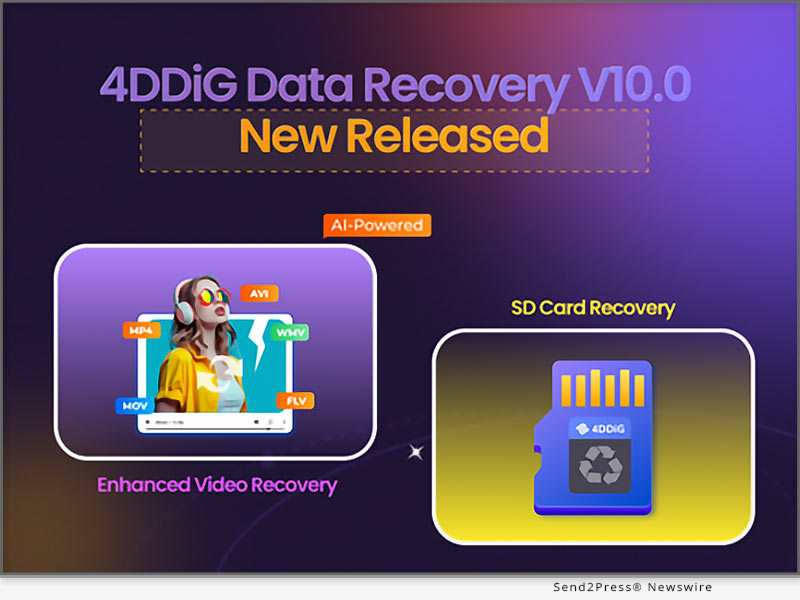
NEW YORK, N.Y. /ScoopCloud/ -- 4DDiG, a leading software provider with a decade of experience (a unit of Tenorshare), proudly unveils version 10.0 of its flagship product, 4DDiG Data Recovery. This latest release not only improves the user interface but also introduces the Enhanced Video Recovery feature, solidifying its position as the preferred solution for data loss.

WHAT'S NEW ABOUT 4DDIG DATA RECOVERY V10?

Here are some highlights of this update:

* Enhanced Video Recovery: Unlike conventional recovery tools, 4DDiG now can simultaneously attempt to repair both videos and photos during the recovery process. In other words, users don't have to worry about issues such as the inability to open or poor quality of digital media files after recovery. This is undoubtedly great news for photographers, videographers, content creators, and avid travel enthusiasts.

* Revamped Interface: Although it can actually recover lost data of various formats from over 2000 types of storage media, its interface now categorizes recovery options into two main sections: SD card and hard drive. The new design is aimed at helping users quickly locate the data they want to recover, thereby saving valuable time.

* Optimized UI: Among the numerous data recovery tools, 4DDiG has always been favored by users for its ease of use and high success rate. Therefore, the 4DDiG team further optimized the interaction design to provide users with a better experience. For instance, in situations where users are unsure about the location of data loss, a simple click on the "Select Scan Disk" option at the bottom streamlines the scanning process.

Why 4DDiG Data Recovery V10 is better?

4DDiG Data Recovery V10 covers almost all data loss scenarios, such as accidental deletion, automatic overwrite, device crashes, formatting, device power failures, and more. In addition, the introduction of new features has made this tool a more comprehensive data recovery solution at a lower cost.

"Whether you need to use videos from home surveillance and dashcams as evidence for unexpected events or just want to appreciate the beautiful scenery captured by DJI or GoPro, it is your most reliable assistant," says a spokesperson from 4DDiG.

Learn more: https://4ddig.tenorshare.com/windows-data-recovery.html

About 4DDiG:

Over the past decade, 4DDiG has been providing individuals and businesses with high-quality, diverse innovative solutions. Initially focusing on data recovery, the company later expanded its scope to include disk management, AI enhancement, Windows boot issue repair, file repair, and more. As a software industry leader, the innovative solutions provided by 4DDiG have been recognized by many renowned technology platforms such as MakeUseOf, TechRadar, XDA-Developers, and others.

For more information, please visit: https://4ddig.tenorshare.com/.

Follow on Social:

Facebook: https://www.facebook.com/4DDiG/

X/Twitter: https://twitter.com/Tenorshare4DDiG

YouTube: https://www.youtube.com/@Tenorshare4DDiGDataRecovery/featured

News from Tenorshare Co. Ltd.

4DDiG, a leading software provider with a decade of experience (a unit of Tenorshare), proudly unveils version 10.0 of its flagship product, 4DDiG Data Recovery. This latest release not only improves the user interface but also introduces the Enhanced Video Recovery feature, solidifying its position as the preferred solution for data loss.

Related link: https://www.tenorshare.com/

This version of news story was published on ScoopCloud™ (ScoopCloud.com) - part of and © the Neotrope® News Network - all rights reserved.

Tenorshare iCareFone iTransGo Updated to Transfer Data from Apple iOS to Android

NEW YORK, N.Y. /ScoopCloud/ -- After the Samsung Galaxy S24 Ultra launch, there's an increased demand to transfer data from iPhone to Samsung. To address this need, Tenorshare, a top Smartphone Solutions specialist, has just unveiled iTransGo. This cutting-edge software enables a trouble-free phone-to-phone transfer without resetting.

YouTube video: https://youtu.be/zNAI-WNVzbw

"Switching from iOS to Android can be problematic because of Apple's strict policies and the need for resetting. But now, with iTransGo, you can easily transfer data from iPhone to Android without resetting," says Tenorshare's CEO.

"Our continuous software updates aim to address these challenges and smoothly transfer files from iPhone to Android. Tenorshare's goal is to simplify the process of switching between iOS and Android."

WHAT FEATURES DOES TENORSHARE ICAREFONE ITRANSGO HAVE?

Transfer contacts from iPhone to Android and other data without resetting!

* Transfer messages from iPhone to Android and other data without setup.

* Transfer data from iPhone to Android without data loss.

* Supports 2000+ Android devices.

* Supports current Android 14 and iOS 17 devices.

* Choose data you wish to transfer.

* Merge transferred data on target device without overwriting.

* Privacy protected and secure.

* High success rate and quick transfer.

* No need for an internet connection.

How to Migrate iPhone Data to Android?

Now, let's come to the most important part: how to send pictures from iPhone to Android and other data with iTransGo. Here are the steps:

Step 1: Connect both your Android and iPhone devices to your computer.

Step 2: Follow the on-screen instructions to enable necessary permissions.

Step 3: Choose the data you need to transfer, and the tool will move it from iPhone to Android successfully.

Device Compatibility

* Android device brands - Samsung, Xiaomi, Huawei, OPPO, Motorola, Yiga, VIVO, Google, LG, Asus, Sony, Lenovo, HTC, Meizu.

* Android system - 5~14.

* iOS system - iOS14~17.

Price of Tenorshare iCareFone iTransGo

Individuals License:

* 1-Month - $19.95

* 1-Year - $39.95

* Lifetime - $49.95

Business Plan:

* 1-Year - $59.95

You also get a 20% discount coupon on iTransGo and all Tenorshare products for the New Year.

Learn more: https://www.tenorshare.com/purchase/buy-icarefone-itransgo.html

About Tenorshare

It can be problematic to transfer contacts from iPhone to Android and other data due to Apple's strict rules and the need to reset the phone. But with Tenorshare iCareFone iTransGo, you can seamlessly transfer calendar from iPhone to Android and other data after setup without any resetting or data loss. Tenorshare, the smartphone solution provider behind this tool, is dedicated to crafting innovative solutions to make life easier for Android and iPhone users.

More information: https://www.tenorshare.com/

Facebook: https://www.facebook.com/TenorshareOfficial/

X/Twitter: https://twitter.com/Tenorshare_Inc

YouTube: https://www.youtube.com/user/TenorshareOfficial/videos

TikTok: https://www.tiktok.com/@tenorshare_tech_tips

News from Tenorshare Co. Ltd.

After the Samsung Galaxy S24 Ultra launch, there's an increased demand to transfer data from iPhone to Samsung. To address this need, Tenorshare, a top Smartphone Solutions specialist, has just unveiled iTransGo. This cutting-edge software enables a trouble-free phone-to-phone transfer without resetting.

Related link: https://www.tenorshare.com/

This version of news story was published on ScoopCloud™ (ScoopCloud.com) - part of and © the Neotrope® News Network - all rights reserved.
iAnyGo iOS App Upgraded: Now iOS 17 Supported

NEW YORK, N.Y. /ScoopCloud/ -- Do you want to know how to change location on iOS 17 to play location-based games? The exciting news is that Tenorshare iAnyGo App just got a major update and now fully supports iOS 17.

"Besides the latest iAnyGo update, Tenorshare also launched the iAnyGo iOS App on January 2, 2024. The iOS 17 users will now be able to easily switch locations from their iPhones without their computer," says a Tenorshare spokesperson. So, how can the Tenorshare iAny Go iOS app fake GPS on iOS 17 without a computer? Let's find out!

VIDEO (YouTube): https://www.youtube.com/watch?v=v0I-CJDwZM0

Must Do Things Before Change Location

Before you use the Tenorshare iAnyGo app to iOS 17 spoof location, make sure to prep quickly. Without these preparations, you won't be able to change your location. Here's what you need to do:

1. CONFIGURE VPN

Step 1: Connect to the internet and launch the iAnyGo app.

Step 2: Press any location button on the map and tap the location modification button.

Step 3: Tap "One-click configuration." Hit "Start."

2. INSTALL RESOURCES

Step 1: Install iAnyGo desktop on your PC, launch it, and connect your iPhone to your computer.

Step 2: Press the toolbox icon in the upper-right corner and choose "Install Resources." Hit "Yes."

3. INSTALL IOS COMPONENTS

Launch the iAnyGo app on your iPhone, and let it download and install iOS components automatically.

How to Install iAnyGo iOS App?

To install the Tenorshare iAnyGo app on your iOS17 iPhone, follow the instructions below:

Step 1: Tap the download button on your iPhone or use the camera to scan the QR code.

Step 2: Follow the link/QR code to "Apple TestFlight" and click "View in App Store" to install "TestFlight."

Step 3: Press "Start Testing" to install iAnyGo and launch it.

How to Use iAnyGo iOS App to Change Location Without Computer?

Here's how to use the Location Changer app to change location on your iOS 17 device:

Step 1: Open iAnyGo on your iPhone, pick a spot on the map, or use the search bar to find where you want to go.

Step 2: Tap "Change Location" at the bottom, and your location will be changed successfully.

Price of Tenorshare iAnyGo iOS App

* 1 Quarter License: $39.99/Quarter, $0.44/ Day.

* 1 Month License: $14.99/Month, $0.50/Day.

* 1 Year License: $79.99/Year, $0.22/Day.

About Tenorshare:

If you're looking for a way to explore how to change location on iOS 17, the Tenorshare iAnyGo iOS app now supports this iOS version. There's no need for a computer. Simply change your location without jailbreak/root. With a superior track record since 2007, Tenorshare, serving ten million+ users worldwide, focuses on crafting repair, transfer, and recovery tools for various platforms.

More information: https://www.tenorshare.com/

Facebook: https://www.facebook.com/TenorshareOfficial/

X/Twitter: https://twitter.com/Tenorshare_Inc

YouTube: https://www.youtube.com/user/TenorshareOfficial/videos

TikTok: https://www.tiktok.com/@tenorshare_tech_tips

News from Tenorshare Co. Ltd.

Do you want to know how to change location on iOS 17 to play location-based games? The exciting news is that Tenorshare iAnyGo App just got a major update and now fully supports iOS 17.

Related link: https://www.tenorshare.com/

This version of news story was published on ScoopCloud™ (ScoopCloud.com) - part of and © the Neotrope® News Network - all rights reserved.
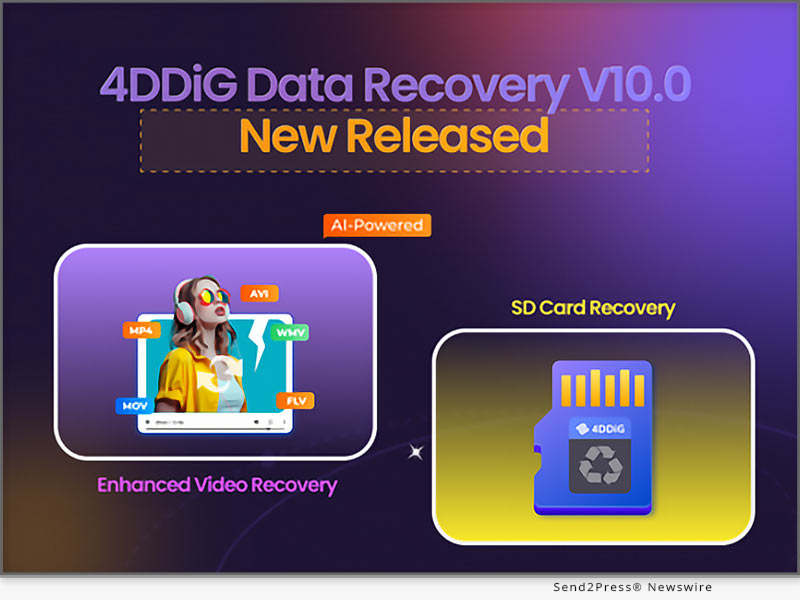
[Exclusive] UltData Unveils New Feature: Recover Your Deleted Instagram Data

NEW YORK, N.Y. /ScoopCloud/ -- How to recover deleted Instagram messages? It is a question that Instagram users have asked for a long time. As a solution to this problem, Tenorshare UltData has rolled out a new update to retrieve deleted Instagram messages, accounts, posts, photos, and stories.

"Instagram's lack of native recovery options has left many users stumbling in the dark with no option to see or recover deleted data. Luckily, Tenorshare UltData now offers a way out with its new update that allows you to see and recover Instagram data hassle-free," says a Tenorshare spokesperson. But how to see deleted messages on Instagram with UltData? Keep reading till the end!

Powerful Features to Meet User Demands

Tenorshare UltData is a powerful tool capable of recovering deleted Instagram messages, photos, videos, audio, and other precious data on your device. It's not just limited to Instagram; you can also retrieve data from WhatsApp, Viber, WeChat, LINE, and more.

Remarkably, UltData allows you to recover Instagram messages directly, even from years ago. It also lets you preview lost data on your phone, enabling selective recovery of deleted Instagram messages, especially after blocking someone.

How to Use UltData to Recover Deleted Instagram Messages

To learn how to recover deleted messages on Instagram with UltData, follow the steps below:

1. Download UltData on your PC, launch it, and choose "Recover Data from iOS Devices."

2. Connect your device to your computer and hit "Start Scan" on the tool to check for deleted Instagram data.

3. From the scan results, preview and tick the Instagram photos, messages, etc, you wish to recover and click "Recover."

Get started: https://www.tenorshare.com/products/iphone-data-recovery.html

Pricing:

Tenorshare UltData offers three types of subscriptions: $45.95 for 1 month, $49.95 for 1 Year, and $59.95 for Lifetime (for 1PC and 5 Mobile Devices).

Additional Features of Tenorshare UltData:

Tenorshare UltData offers a multitude of functions such as:

* Recover data directly from iCloud and iTunes backup and iOS devices.

* Selectively retrieve only the data you require.

* It provides three modes to recover all lost or deleted data without losing any.

* Recover data from 35+ data types, including photos, messages, and third-party apps.

* Repair 150+ iOS systems and network glitches.

* Allow a thorough preview of deleted photos, messages, videos, and more before recovery.

* Quickly back up and restore data on WhatsApp, LINE, Kik, WeChat, and Kik (Mac Only).

* Support the latest iOS 17, iPhone 15 series.

Learn more: https://www.tenorshare.com/data-recovery/how-to-recover-deleted-instagram-messages.html

About Tenorshare:

Tenorshare UltData's latest update stands out, allowing users to effortlessly see and retrieve deleted Instagram data directly from their devices. Tenorshare is a seasoned brand with a decade of expertise crafting smartphone and PC recovery and repair tools.

The company consistently updates its offerings to cater to the evolving needs of digital users. Learn how to recover deleted Instagram messages with UltData and experience a professional touch in reclaiming content.

Learn more: https://www.tenorshare.com/

Facebook: https://www.facebook.com/TenorshareOfficial/

Twitter: https://twitter.com/Tenorshare_Inc

YouTube: https://www.youtube.com/user/TenorshareOfficial/videos

TikTok: https://www.tiktok.com/@tenorshare_tech_tips

News from Tenorshare Co. Ltd.

How to recover deleted Instagram messages? It is a question that Instagram users have asked for a long time. As a solution to this problem, Tenorshare UltData has rolled out a new update to retrieve deleted Instagram messages, accounts, posts, photos, and stories.

Related link: https://www.tenorshare.com/

This version of news story was published on ScoopCloud™ (ScoopCloud.com) - part of and © the Neotrope® News Network - all rights reserved.
iAnyGo New Update: Now Supports WiFi Connection on iOS 17

NEW YORK, N.Y. /ScoopCloud/ -- Tenorshare iAnyGo just dropped a fresh update. It now supports WiFi connection on iOS 17 devices. "Now iOS 17 users can quickly jump into location-based gaming with iAnyGo by connecting their devices through WiFi. They can take advantage of this tool more swiftly than ever before," says a Tenorshare spokesperson.

But that's not all. Tenorshare iAnyGo offers a multitude of functions, all designed specifically to make gaming more enjoyable for iOS 17 users. So, what are those functions, and how does this tool work? Want to find out? Check out below!

WHAT FEATURES DOES TENORSHARE IANYGO HAVE?

1. Change GPS Location

Tenorshare iAnyGo is perfect for fun or security reasons if you're into spoofing locations on your mobile. You can easily fake your GPS location on iOS 17 with just one click. Moreover, if you've got a GPX file with a pre-planned route, bring it into iAnyGo, and you're good to go. This tool can spot various paths in your imported GPX file. Plus, if you have a favorite route, export it as a GPX file for quick and easy reuse later.

2. Multi-Spot Movement

If you are unsatisfied with the single-spot mode, iAnyGo location changer also offers a multi-spot mode. You can pick multiple spots on the map, tweak the speed, and decide how many laps you want to make. It's all in your hands.

3. Joystick Movement

iAnyGo has also rolled out a Joystick feature for total GPS control. Spin your direction 360 degrees while on the move - whether walking, cycling, or driving. Need for speed? You can adjust the speed to go as fast as 72 km/h.

How Does iAnyGo Work?

Here's how Tenorshare iAnyGo works to spoof the location:

1. Launch Tenorshare iAnyGo on your computer. Link up your iOS 17 device and computer through Wi-Fi.

2. Tap "Trust" on your iDevice if it asks to trust this computer.

3. Now, type in the address or GPS coordinates of your desired location, hit "Start to Modify," and you've changed the location successfully.

Price of Tenorshare iAnyGo

Tenorshare iAnyGo offers three pricing options. Here's the lowdown:

1. Monthly Plan - Just $9.95, snag it for five mobile devices or one PC.

2. Quarterly Plan - Priced at $19.95, get the goods for five devices or one PC.

3. Yearly Plan - For $39.95, it's yours to use on five mobile devices or 1 PC.

Moreover, purchase iAnyGo now and enter the discount code "ianygo20off" to enjoy a 20% discount.

About Tenorshare

Tenorshare iAnyGo has expanded its support to encompass WiFi connection on iOS 17 devices for seamless gaming. The credit goes to Tenorshare for consistently delivering top-notch smartphone tools. So, if you're not on the Tenorshare bandwagon yet, you're missing out on a better digital life!

More information: https://www.tenorshare.com/

Facebook: https://www.facebook.com/TenorshareOfficial/

Twitter: https://twitter.com/Tenorshare_Inc

YouTube: https://www.youtube.com/user/TenorshareOfficial/videos

TikTok: https://www.tiktok.com/@tenorshare_tech_tips

News from Tenorshare Co. Ltd.

Tenorshare iAnyGo just dropped a fresh update. It now supports WiFi connection on iOS 17 devices. "Now iOS 17 users can quickly jump into location-based gaming with iAnyGo by connecting their devices through WiFi. They can take advantage of this tool more swiftly than ever before," says a Tenorshare spokesperson.

Related link: https://www.tenorshare.com/

This version of news story was published on ScoopCloud™ (ScoopCloud.com) - part of and © the Neotrope® News Network - all rights reserved.
4DDiG Christmas Hot Sale 2023: Prices Drop to 9.90 USD, and Win Big with a Free iPad Pro

NEW YORK, N.Y. /ScoopCloud/ -- As the holiday season approaches, leading software provider 4DDiG is thrilled to announce its highly anticipated Christmas promotion. This event will run from December 11, 2023, to January 15, 2024, boasting the most substantial discounts and offers of the year. "Our Christmas promotion is more than just a seasonal event; it's a token of appreciation for our customers who have made 4DDiG what it is today," says Scott, Marketing Director of 4DDiG (a unit of Tenorshare).

Save Up to 40%

In the spirit of giving, 4DDiG is delighted to offer an expansive 30% discount on all its software products. Notably, three of their highly acclaimed programs-4DDiG Data Recovery, 4DDiG File Repair, and 4DDiG Duplicate File Deleter-come with an even more generous discount of up to 40%. Users can simply copy the discount code and apply it at checkout. This offer is particularly advantageous for those who are looking to make monthly purchases.

Start at $9.90:

4DDiG Partition Manager and Windows Boot Genius are now available at their lowest prices of the year, with monthly subscription costs of only $9.90 and $12.90, respectively. With this unbeatable price, users can not only enjoy a top-notch disk management experience but also address Windows startup-related issues effortlessly.

Learn more:

https://4ddig.tenorshare.com/4ddig-partition-manager.html

https://4ddig.tenorshare.com/windows-boot-genius.html

Buy 1 Get 1 Free:

In addition to individual software discounts, users can also take advantage of a "buy one, get one free" offer during the 4DDiG Christmas promotion. Wouldn't you like to enjoy the value of two software packages for just one price? Alternatively, you can choose to share these excellent software that has been gifted to you with your family, friends, or colleagues.

Free Entry for a Chance to Win an iPad Pro:

As the grand finale, 4DDiG is offering users the chance to win a brand new iPad Pro for free through a lucky draw.

Participants can earn up to five entries by completing simple tasks:

* Subscribe to 4DDiG's newsletter with your email address.

* Subscribe to 4DDiG's YouTube channel.

* Follow 4DDiG on Facebook or Twitter(X).

* Share this promotion on Twitter(X) with the hashtag #4DDiGChristmasSale and tag @Tenorshare4DDiG.

But that's not all! If luck doesn't favor you in winning the iPad Pro, fear not. their prize pool has more exciting rewards, including $200 Amazon e-Gift cards, exclusive 4DDiG software discount codes and more.

Rest assured, every draw guarantees a reward, making this promotion a win-win for everyone involved.

About 4DdiG:

4DDiG is a leading software provider with a decade of experience, dedicated to innovation and user satisfaction. Initially focusing on providing data recovery solutions, the company later expanded its scope to include AI enhancement, file repair, disk management, and duplicate file removal. So, don't miss out on this year's best promotion from 4DDiG!

For more information, please visit: https://4ddig.tenorshare.com/special-offers.html

Follow on Social:

Facebook: https://www.facebook.com/4DDiG/

X/Twitter: https://twitter.com/Tenorshare4DDiG

YouTube: https://www.youtube.com/@Tenorshare4DDiGDataRecovery/featured

News from Tenorshare Co. Ltd.

As the holiday season approaches, leading software provider 4DDiG is thrilled to announce its highly anticipated Christmas promotion. This event will run from December 11, 2023, to January 15, 2024, boasting the most substantial discounts and offers of the year. "Our Christmas promotion is more than just a seasonal event; it's a token of appreciation for our customers who have made 4DDiG what it is today," says Scott, Marketing Director of 4DDiG (a unit of Tenorshare).

Related link: https://www.tenorshare.com/

This version of news story was published on ScoopCloud™ (ScoopCloud.com) - part of and © the Neotrope® News Network - all rights reserved.

Tenorshare Christmas Spectacular 2023: Unwrap Unbelievable Discounts and Special Offers

NEW YORK, N.Y. /ScoopCloud/ -- Tenorshare, the digital device solutions experts, is hosting a festive Christmas campaign this season. The event will last from Christmas until Jan 15, 2024. Loved by millions globally, Tenorshare uses AI to redefine smartphone solutions and enhance the PC and smartphone experience.

"So, get in on the holiday fun with 100% grand gift wins and promos lined up for you this Christmas, and don't miss the chance to win a free iPad!" says a Tenorshare spokesperson.

Tenorshare offers iOS, Android, Windows, and Mac solutions for content management, data recovery, password retrieval, and system repair. So, dive into the festive spirit with Tenorshare's Christmas Campaign and unwrap the exciting discounts and prizes that await you!

Exciting Prizes Await in Tenorshare's Christmas Campaign

Tenorshare is offering three kinds of promotions in the Christmas Campaign. You get the chance to win a prize in a lucky draw, choose products with 20% off, or buy one and get one free offer.

1. 100% Win Gift

Visit the event page, hit the 100% Win Gift box, and you'll stand an equal chance to snag Christmas goodies. The prizes range from an iPad Pro X1 to a $200 Amazon Gift Card X3. An exclusive 30% discount coupon code and a 20% discount coupon code are also included in the price. Besides, you'll even get a $10 coupon just for participating in the event.

2. Up to 20% Off Super Sale

Tenorhshare is having a blasting Super Sale this Christmas, and there's 20% off on every product for Windows and Mac. Simply choose the up to 20% off box, copy the given 20% off coupon code, choose one of Tenorshare's products, and paste the code at checkout in the (Redeem Coupon Code box).

3. BUY 1 GET 1 FREE

Other than the Super Sale, enjoy buy one, get one free on four top smartphone solutions for both iOS and Android users. These are Tenorshare UltData, iCareFone, iAnyGo, and Phone Mirror.

* Tenorshare UltData can recover iPhone data in seconds and is compatible with iPhone 15 and iOS 17.

* Tenorhsare iCareFone can transfer files between iPhone and computer and manage iOS devices.

* Tenorshare iAnyGo can change location without jailbreak/root for GPS-based games.

* Tenorshare Phone Mirror can screen mirror your Android/iPhone on your PC or Mac.

How to Participate in Tenorshare's Christmas Campaign:

Want in on Tenorshare's Christmas fun? Just drop your email at the Tenorshare's event page for a shot at winning prizes. Boost your chances by following us on social media (YouTube, X, Facebook). Or share our page with the hashtag #tenorsharechristmassale and tag @TenorshareOfficial. Stay tuned - winners will be revealed, and prizes will be sent to the lucky emails once the campaign wraps up.

Learnv more: https://www.tenorshare.com/sales-promotion.html

About Tenorshare:

Join the festive sale with Tenorshare this Christmas by grabbing exciting prizes, incredible discounts, and special offers. Loved by millions globally, Tenorshare uses AI to redefine smartphone solutions and enhance the PC and smartphone experience. So, don't miss out - unwrap the joy of tech with Tenorshare solutions this holiday season!

More information: https://www.tenorshare.com/

Facebook: https://www.facebook.com/TenorshareOfficial/

Twitter: https://twitter.com/Tenorshare_Inc

YouTube: https://www.youtube.com/user/TenorshareOfficial/videos

TikTok: https://www.tiktok.com/@tenorshare_tech_tips

News from Tenorshare Co. Ltd.

Tenorshare, the digital device solutions experts, is hosting a festive Christmas campaign this season. The event will last from Christmas until Jan 15, 2024. Loved by millions globally, Tenorshare uses AI to redefine smartphone solutions and enhance the PC and smartphone experience.

Related link: https://www.tenorshare.com/

This version of news story was published on ScoopCloud™ (ScoopCloud.com) - part of and © the Neotrope® News Network - all rights reserved.

Three Steps to Bypass Vivo FRP Bypass

NEW YORK, N.Y. /ScoopCloud/ -- If you did a factory reset on your Vivo smartphone or forgot your Google password, you will be unable to access your device due to Factory Reset Protection (FRP). Many Vivo users face this problem and look for a simple, effective solution. "Tenorshare has introduced 4uKey for Android, a user-friendly tool that enables Vivo users to vivo FRP bypass without any hassle, supporting all Android models and versions," said a Tenorshare spokesperson.

VIDEO (YouTube): https://www.youtube.com/watch?v=S8ztXj_MrHs

Is it possible to Remove the Google FRP lock?

FRP (Factory Reset Protection) is a security feature designed to protect your device in case of unauthorized access. It can be bypassed using specialized tools like FRP Bypass unlocker.

Best Vivo FRP Bypass Tool-Tenorshare 4uKey for Android

Tenorshare 4uKey for Android is a powerful tool that can bypass FRP vivo on devices. It Can remove screen locks like PIN, pattern, password, fingerprint, and face lock, compatible with Android 5-14 and Windows 11/10/8.1/8/7, and macOS 14.

https://www.tenorshare.com/unlock-android/vivo-frp-bypass.html

1. Dedicated features of Tenorshare 4uKey for Android

Bypass FRP lock

Effectively Bypass vivo Google account without a password or Google account is easy.

Remove Android Password

Remove Android password, PIN, pattern lock, fingerprints, and face recognition. Also, remove screen lock on Vivo devices without data loss.

Wide Support & Compatibility

It supports Samsung, Xiaomi, Redmi, Vivo, OPPO, Realme, and Huawei FRP bypass and Compatible with 6000+ Android devices with a wide range of Android OS versions up to Android 14

No Technical Skills Required:

You don't need technical expertise to use this tool effectively To quickly bypass FRP Vivo.

2. How to use 4ukey for Android to bypass vivo FRP (step by step)

To perform FRP bypass vivo Google account using Tenorshare 4ukey For Android, follow these steps:

* Step 1: Connect your phone to the computer, and open 4uKey for Android.

* Step 2: Select "Remove Google Lock (FRP)" by choosing "Android version (11/12/13)" and pressing "Start."

* Step 3: Follow the on-screen instructions download the firmware package on your computer and click "Start Remove."

* Step 4: After the removal, you can set up your Vivo device as new.

Can we unlock Vivo Screen lock without a password?

If you have forgotten your Vivo screen lock password, you may wonder if you can unlock it without passcode. The answer is yes if you use Tenorshare 4uKey for Android. This tool can remove any type of screen lock on Vivo devices without password or Google account.

About Tenorshare 4ukey for Android:

Tenorshare 4uKey for Android is the ultimate solution for your Vivo unlock needs. It can bypass Vivo FRP lock and unlock your device without a password or Google account. It is developed by Tenorshare a leading provider of data recovery and password management solutions.

More information: https://www.tenorshare.com/

Facebook: https://www.facebook.com/TenorshareOfficial/

X/Twitter: https://twitter.com/Tenorshare_Inc

YouTube: https://www.youtube.com/user/TenorshareOfficial/videos

TikTok: https://www.tiktok.com/@tenorshare_tech_tips

News from Tenorshare Co. Ltd.

If you did a factory reset on your Vivo smartphone or forgot your Google password, you will be unable to access your device due to Factory Reset Protection (FRP). Many Vivo users face this problem and look for a simple, effective solution. "Tenorshare has introduced 4uKey for Android, a user-friendly tool that enables Vivo users to vivo FRP bypass without any hassle, supporting all Android models and versions," said a Tenorshare spokesperson.

Related link: https://www.tenorshare.com/

This version of news story was published on ScoopCloud™ (ScoopCloud.com) - part of and © the Neotrope® News Network - all rights reserved.

How to Unlock iPad Passcode If Forgotten in 2023

NEW YORK, N.Y. /ScoopCloud/ -- I forgot my iPad password and now I am locked out of iPad. How to unlock it? Countless iOS users ask this question often because they simply forgot their iPad password or bought a used iPad and don't know its passcode. If you are one of them, you might want to know how to unlock iPad without password. "Guess what? You'll be thrilled to learn that an iPhone Unlocker like Tenorshare 4ukey can bypass the iPad passcode to make it accessible again," says a Tenorshare spokesperson. So, how to unlock disabled iPad with this tool? Let's find out!

VIDEO (YouTube): https://www.youtube.com/watch?v=yvrWLicv0No

Unlocking Your Disabled iPad: Why Opt for a Third-Party Unlock Tool?

Opting for third-party unlock tools if you forgot iPad passcode as they have several advantages over traditional methods like iTunes, iCloud, and Apple ID, such as:

* Versatile - They can handle various iOS locks like Apple ID, screen lock, MDM, and Screen Time passcode, making them versatile for different lock issues.

* Requires No Tech Skills - They are user-friendly and perfect for those who aren't tech-savvy.

* Compatible - They are compatible with all iPad models and iPadOS versions, ensuring a reliable solution for any device.

* Professional Support - These tools often come with dedicated support teams.

How to Unlock an iPad if You Forgot the Passcode - With iPhone Unlocker

Need to unlock iPad without a passcode? Use an iPhone Unlocker. It automatically gets rid of the password, making your iPad accessible in no time.

Here are some standout features of this tool:

* Unlock Any iDevice without Touch ID or Face ID.

* Bypass Apple ID and MDM lock without the need for a password.

* Remove the Screen Time passcode without data loss.

* Compatible with the latest iPadOS 17.

Here's how to use Tenorshare 4uKey to unlock your disabled iPad without a passcode:

1. Download and install the tool on your PC, connect your disabled iPad to your computer, launch the software, and hit "Start."

2. Press "Next" and then "Download" to download the latest firmware. Afterward, click "Start Remove," and your iPad will be unlocked.

https://www.tenorshare.com/products/4ukey-unlocker.html

Can You Unlock an iPad Without the Passcode and Computer?

How to unlock iPad passcode without a computer? If you forgot iPad password and don't have a PC at hand, simply use Apple's "Erase iPad" feature to unlock your device. It appears at the bottom of the screen when you enter the wrong passcode many times. But you must have an iPad running on iPadOS 15.2 or later and know your Apple ID to use this method.

About Tenorshare:

Want to know how to unlock disabled iPad? In 2023, Tenorshare 4uKey is the go-to solution to unlock iDevices without passcodes, Apple ID, iTunes, or iCloud. Tenorshare, a leading smartphone solution provider, continues to enhance the iOS and Android user experience, ensuring hassle-free device access. https://www.tenorshare.com/

Facebook: https://www.facebook.com/TenorshareOfficial/

X/Twitter: https://twitter.com/Tenorshare_Inc

YouTube: https://www.youtube.com/user/TenorshareOfficial/videos

TikTok: https://www.tiktok.com/@tenorshare_tech_tips

News from Tenorshare Co. Ltd.

I forgot my iPad password and now I am locked out of iPad. How to unlock it? Countless iOS users ask this question often because they simply forgot their iPad password or bought a used iPad and don't know its passcode. If you are one of them, you might want to know how to unlock iPad without password. Tenorshare 4ukey can bypass the iPad passcode to make it accessible again.

Related link: https://www.tenorshare.com/

This version of news story was published on ScoopCloud™ (ScoopCloud.com) - part of and © the Neotrope® News Network - all rights reserved.
Simply Click to Change Your Location in Pokémon GO

NEW YORK, N.Y. /ScoopCloud/ -- Wondering how to change location in Pokémon GO, as this game relies on location to enable you to catch Pokémon in the actual world? If you want to play it from the comfort of your home without stepping outside then how to change location? "With unreliable GPS-changing methods, your Pokémon GO account can get a ban. However, switching up your location is actually a cakewalk with a Pokémon GO GPS hack called Tenorshare iAnyGo. With just one tap, you can fake your GPS on your iPhone and move wherever you want without taking a step," says a Tenorshare spokesperson.

But how to GPS hack Pokémon GO with this tool? Let's find out!

Can You Change Location in Pokémon GO?

Yes, you can. Even though we're all about the outdoor Pokemon adventure, we get it - life happens. Maybe it's snowing outside, and you don't want to leave your cozy couch or need to snag Pokemon from another city.

The good news is you can still play Pokémon GO without stepping out. Just spoof your location with a Pokémon GO location spoofer like Tenorshare iAnyGo. This app is trusted by more than a million users worldwide.

Super Easy Way to Spoof Pokemon Go Location

* Lots of Pokemon GO spoofer apps make you jailbreak your device and risk getting banned. But with Tenorshare iAnyGo, you can Pokémon GO spoof worry-free. No jailbreak, no account ban fears. Here are the highlights from iAnyGo:

* Change GPS location freely, no need for jailbreak/root.

* Use a GPS joystick for real-time control in games.

* Offer three virtual movement types with 360-degree direction flexibility.

* Display cooldown timer post-location spoofing to avoid account issues.

* Compatible with apps like Pokémon GO on iOS.

* Set GPS movement speed up to 108km/h.

* Import/Export GPX files for personalized routes.

* Automatic recording of searched addresses and times.

* Zoom in/out on the map for route planning.

* Manage the location of up to 15 devices.

* Supports iOS 17, Android 14 and older versions.

Here's how to spoof Pokémon GO iPhone with Tenorshare iAnyGo:

1. Install and open iAnyGo on your computer, and connect your iPhone to your PC.

2. Pick "Joystick movement" (it's the 4th option) on the main screen.

3. Adjust your speed by sliding the speed bar to your liking. You can pick walking, cycling, or driving speed.

4. Now, drag the middle button in a circle and let go. You're on the move at your chosen speed.

5. While on the go, spin the direction freely in 360 degrees as you please. That's how to spoof Pokémon GO.

About Tenorshare iAnyGo:

If you want to know how to change location in Pokémon GO, Tenorshare iAnyGo is your best bet. It can fake the GPS location without jailbreak, rooting, or the risk of an account ban. Join the millions who trust Tenorshare's products worldwide, enhancing digital lives on countless computers. Explore Pokémon GO without boundaries - Tenorshare makes it happen.

Learn more at: https://www.tenorshare.com/products/ianygo-change-gps-location-iphone.html

News from Tenorshare Co. Ltd.

Wondering how to change location in Pokémon GO, as this game relies on location to enable you to catch Pokémon in the actual world? If you want to play it from the comfort of your home without stepping outside then how to change location? With unreliable GPS-changing methods, your Pokémon GO account can get a ban. However, switching up your location is actually a cakewalk with a Pokémon GO GPS hack called Tenorshare iAnyGo.

Related link: https://www.tenorshare.com/

This version of news story was published on ScoopCloud™ (ScoopCloud.com) - part of and © the Neotrope® News Network - all rights reserved.
Top Ways for Huawei FRP Bypass in 2023 [Updated]

NEW YORK, N.Y. /ScoopCloud/ -- If you find yourself locked out by FRP on Huawei and are searching for effective solution how to unlock FRP lock Huawei. Many Huawei users face this problem when they reset their devices or forget their Google credentials. Fortunately, there is a solution that can help you bypass the FRP lock on Huawei with ease. "4uKey for Android is a reliable tool that helps Huawei users bypass Huawei FRP without hassle. It supports all Huawei models and Android versions and is user-friendly," says a Tenorshare spokesperson.

What is FRP lock on Huawei and Can you Bypass it?

FRP, or Factory Reset Protection, is a security feature that prevents unauthorized access to a device after a factory reset. It requires entering the previously set Google account and password. Bypass Huawei FRP can be a daunting challenge, but with the right tools, it becomes a manageable task.

How to Bypass Google Account on Huawei with FRP Bypass tool

Tenorshare 4ukey for Android is an efficient Huawei FRP bypass tool. It can unlock Huawei smartphones without requiring a Google account or password. There are clear instructions that guide you through each step.

1 - Features of Tenorshare 4ukey for Android

Google Account Bypass Without Password:

4uKey for Android excels as a top-notch FRP lock removal tool, allowing you to bypass Google FRP lock on locked-out Samsung devices

Safe and Secure

The 4ukey for Android is 100% virus-free and safe to use. It won't damage your device or data.

Wide Compatibility

The FRP bypass tool tool is compatible with over 6,000 Android devices. It supports a wide range of Android OS versions, up to Android 14.

2 - How to use 4ukey for Android to bypass FRP (step by step)

Step 1: Launch 4uKey for Android after connecting your phone to the PC.

Step 2: Choose "Android version (11/12/13)" under "Remove Google Lock (FRP)" and click "Start."

Step 3: Follow the directions on the screen and click "Start Remove."

Step 4: You may now reset your handset to factory settings after the removal.

Learn more:

https://www.tenorshare.com/products/android-password-reset-tool.html

https://www.tenorshare.com/unlock-android/huawei-frp-and-id-bypass-tool.html

Additional Tips: How to Bypass Huawei Screen Lock without Google Account?

If you want to bypass Google account Huawei without using your Google account, you can also use 4uKey for Android to do that. 4uKey for Android will unlock your Huawei device in minutes.

About Tenorshare:

Tenorshare is an international software company with over 10 years of experience in developing utility tools for iOS, Android, Windows, and Mac platforms. Its amazing product, 4uKey for Android, helps users unlock devices and bypass FRP lock.

More information: https://www.tenorshare.com/

Facebook: https://www.facebook.com/TenorshareOfficial/

X/Twitter: https://twitter.com/Tenorshare_Inc

YouTube: https://www.youtube.com/user/TenorshareOfficial/videos

TikTok: https://www.tiktok.com/@tenorshare_tech_tips

News from Tenorshare Co. Ltd.

If you find yourself locked out by FRP on Huawei and are searching for effective solution how to unlock FRP lock Huawei. Many Huawei users face this problem when they reset their devices or forget their Google credentials. "4uKey for Android is a reliable tool that helps Huawei users bypass Huawei FRP without hassle. It supports all Huawei models and Android versions and is user-friendly," says a Tenorshare spokesperson.

Related link: https://www.tenorshare.com/

This version of news story was published on ScoopCloud™ (ScoopCloud.com) - part of and © the Neotrope® News Network - all rights reserved.
iOS 17 Support: How to Play Pokemon GO Without Walking

NEW YORK, N.Y. /ScoopCloud/ -- Are you wondering how can I play Pokémon GO without walking, as you don't want to leave your couch? The game relies on your phone's GPS to find Pokémon and landmarks, but can you move in Pokémon GO without walking? "Yes, you can play Pokémon GO with a Pokémon GO walking hack like Tenorshare iAnyGo without moving a muscle. It's the number one location changer app that lets you create and customize routes, move around, and switch GPS locations without jailbreak or rooting," shared a spokesperson from Tenorshare.

So, how to Play Pokémon GO without walking with Tenorshare iAnyGo? Let's find out!

VIDEO (YouTube): https://www.youtube.com/watch?v=GwrqVLpzkFk&t=1s

Can You Play Pokémon GO Without Moving?

Is it possible to play Pokémon GO at home? If you want to know how to play Pokémon GO from home without moving, simply use a Pokémon Go spoofer . It can trick the game into believing you're on the move.

How to Play Pokémon GO Without Moving on iPhone [iOS 17 Support]?

If you're using an iPhone to play Pokémon GO, Tenorshare iAnyGo offers the following features to help you play the Pokémon GO without walking on iPhone:

* Swap GPS location for up to 15 devices easily without jailbreaking or rooting.

* Automatically save the address and time you've searched.

* Use a GPS joystick to control movement direction in games.

* Compatible with various location-based apps like Pokémon GO, Monster Hunter Now, etc.

Here's how to move in Pokémon GO without walking on iPhone with the help of Tenorshare iAnyGo:

1. Install the tool on your PC and connect your iPhone to your computer.

2. Choose "Joystick Movement" and press "Enter."

3. Set the moving speed, start the movement on the map, and change the direction with the right and left keys. Press pause to stop.

How to Play Pokémon GO Without Moving on Android?

So, how to play in Pokémon GO without walking on Android? You can use PoGoskill for Android to set virtual routes, auto-walk effortlessly, and fake your GPS without jailbreaking or rooting.

Moreover, its joystick feature allows for simulated GPS movement. PoGoskill is a reliable and safe GPS spoofer that works seamlessly with location-based games and other apps. Here's how to walk in Pokémon GO without leaving your couch with the help of PoGoskill:

1. Install and launch the app on your PC and connect your Android phone to your computer.

2. Open Pokémon GO, login, and tap "Logged in" to quickly activate the fake GPS or try other modes like joystick mode to enhance your game experience.

About Tenorshare:

If you want to know how to play Pokémon GO without walking, Tenorshare iAnyGo can help you. It lets you switch GPS locations, create custom routes, and control movement direction with a joystick - all without jailbreaking or rooting.

The Tenorshare brand focuses on "Better Software, Better Life," offering convenient device management and data recovery solutions to improve your life.

Learn more at: https://www.tenorshare.com/

Facebook: https://www.facebook.com/TenorshareOfficial/

X/Twitter: https://twitter.com/Tenorshare_Inc

YouTube: https://www.youtube.com/user/TenorshareOfficial/videos

TikTok: https://www.tiktok.com/@tenorshare_tech_tips

RELATED LINKS:

https://www.tenorshare.com/iphone-tips/how-to-play-pokemon-go-without-moving.html

https://www.tenorshare.com/products/ianygo-change-gps-location-iphone.html

https://www.pogoskill.com/

News from Tenorshare Co. Ltd.

Are you wondering how can I play Pokémon GO without walking, as you don't want to leave your couch? The game relies on your phone's GPS to find Pokémon and landmarks, but can you move in Pokémon GO without walking? Yes, you can play Pokémon GO with a Pokémon GO walking hack like Tenorshare iAnyGo without moving a muscle.

Related link: https://www.tenorshare.com/

This version of news story was published on ScoopCloud™ (ScoopCloud.com) - part of and © the Neotrope® News Network - all rights reserved.
Artificial Intelligence (A.I.) and Data Recovery: Tenorshare 4DDiG

NEW YORK, N.Y. /ScoopCloud/ -- Nowadays, the application of artificial intelligence (AI) technology is gaining widespread attention across various fields, especially in data recovery. Compared to traditional data recovery solutions, AI-powered data recovery not only achieves initial automation but also excels in terms of speed, accuracy, and adaptability. In this industry revolution, Tenorshare 4DDiG stands out as a distinguished representative of AI data recovery technology.

HOW IS AI BEING USED IN DATA RECOVERY?

Adapting to the New Era

With the advent of the big data era, traditional data recovery methods can no longer adapt to current changes. Conversely, AI data recovery not only efficiently analyzes vast amounts of data but also comprehensively handles various data formats, including text, images, and videos. This perfectly meets the new era's needs for data diversity, large capacity, and rapid analysis.

Preventing Potential Data Loss

Hardware failures are one of the most common reasons for data loss. However, by monitoring system behavior, artificial intelligence can send users warning messages in advance when a storage devices is on the verge of failure. In the near future, it can even automatically back up your files to cloud storage before any data loss occurs.

"4DDiG has astutely recognized the impact of these changes on the data recovery industry. Embracing the spirit of innovation, we have integrated Artificial Intelligence technology into 4DDiG data recovery," says the spokesperson of 4DDiG. "While AI in data recovery is still in its early stages of development, we are optimistic about the prospects it holds."

What's Different about 4DDiG Data Recovery?

Tenorshare 4DDiG ingeniously integrates cutting-edge AI technology, making data recovery more intelligent and efficient. Here are some of its key features:

* Impressive Success Rate: The most compelling advantage of Tenorshare 4DDiG is its high success rate. Through different algorithms, artificial intelligence can locate the exact sectors where lost or corrupted data resides in the blink of an eye.

* Broad Compatibility: 4DDiG is capable of recovering data from over 2000 storage devices, including PCs/laptops, external hard drives, USB flash drives, SD cards, digital cameras, etc.

* Applicable to Various Scenarios: Whether data loss occurs due to virus attacks, accidental deletion, or system crashes, 4DDiG will provide you with an excellent data recovery experience.

* Streamlined Data Recovery Process: Without the need for excessive manual intervention, 4DDiG has achieved preliminary automation in data recovery. Even if you're a computer novice, you can recover lost data in just three simple steps.

About 4DdiG:

4DDiG is introduced as a renowned software provider with a decade of experience, placing a strong focus on innovation and user satisfaction. Currently, 4DDiG is dedicated to the application of artificial intelligence, aiming to address the evolving needs of the digital landscape. In addition to 4DDiG data recovery, 4DDiG also offers a variety of solutions, including corrupted file repair, AI video/photo enhancement, disk management,Windows startup problem repair and more.

LEARN MORE: https://4ddig.tenorshare.com/

Follow on Social:

Facebook: https://www.facebook.com/4DDiG/

X/Twitter: https://twitter.com/Tenorshare4DDiG

YouTube: https://www.youtube.com/@Tenorshare4DDiGDataRecovery/featured

News from Tenorshare Co. Ltd.

Nowadays, the application of artificial intelligence (AI) technology is gaining widespread attention across various fields, especially in data recovery. Compared to traditional data recovery solutions, AI-powered data recovery not only achieves initial automation but also excels in terms of speed, accuracy, and adaptability.

Related link: https://www.tenorshare.com/

This version of news story was published on ScoopCloud™ (ScoopCloud.com) - part of and © the Neotrope® News Network - all rights reserved.

The Best Way to Transfer WhatsApp Business from Android to an iPhone

NEW YORK, N.Y. /ScoopCloud/ -- Have you switched from Android to iPhone but don't know how to transfer WhatsApp Business from Android to iPhone? If you're stuck in this tricky situation, it's because iOS and its security rules can be a bit of a headache. "But there's a simple solution to this dilemma. A tool like Tenorshare iCareFone Transfer can smoothly move WhatsApp Business from Android to iPhone, especially when other solutions fall short," says a Tenorshare spokesperson.

So, how does Tenorshare iCareFone Transfer work? Let's find out.

VIDEO: https://www.youtube.com/watch?v=6O0J1q5HOo4

Can You Transfer WhatsApp Business via Google Drive or iCloud?

Yes, you can use Google Drive or iCloud to move your WhatsApp chats. But it's crucial to know you can't transfer WhatsApp Business data from Android to iPhone. This is because the encryption methods differ for iCloud and Google Drive, making cross-platform transfers impossible using these built-in methods.

To make it work, you'd need to initially store backup files in your Google Drive or iCloud. However, consider using a dedicated application like iCareFone Transfer for a simpler, quick, and convenient solution.

Best Way to Transfer Whatsapp Business From Android to iPhone

The best way to transfer WhatsApp Business from Android to iPhone without losing data is through the Multi-directional Transfer tool. It can not only move WhatsApp chats from Android to iPhone but also other data like contacts, messages, files, etc.

Here are the fabulous features of this tool:

* Restore WhatsApp Backups - Google Drive to iPhone or iCloud to Android.
* One-Click WhatsApp Backup and Restore - Restore WhatsApp, WhatsApp Business, GBWhatsApp, Kik, and Viber from backup.
* Switch WhatsApp - Transfer GBWhatsApp to a new phone or move from GBWhatsApp to WhatsApp.
* Export Backups - Export WhatsApp, GBWhatsApp, and WhatsApp Business backups in HTML format.

Here's how to use iCareFone Transfer to transfer WhatsApp Business data from Android to iPhone:

* Download and install iCareFone Transfer on your PC.
* Connect both phones to your PC and choose "Transfer."
* Type in your country code and mobile number. Hit "Verify."
* The tool will move your WhatsApp Business data from Android to iPhone.

Learn more: https://www.tenorshare.com/whatsapp-transfer-backup-restore.html

Tenorshare BlackFriday Big Sales!

Tenorshare is holding a Black Friday sale, which will run until December 7th. You can score discounts on Tenorshare iCareFone Transfer and Android & data recovery and repair tools. Simply use the provided coupon during your purchase to enjoy the discounts. Plus, there's a lucky draw for a chance to win these tools and other prizes for free. So, don't miss out!

Learn more: https://www.tenorshare.com/sales-promotion.html

About Tenorshare:

If you've switched from Android to iPhone, transferring WhatsApp Business data from Android to iPhone seems impossible. However, Tenorshare iCareFone Transfer makes it seamless, ensuring a smooth transition without data loss.

Tenorshare brand also offers a Black Friday sale discount on this tool and other data recovery software for Android and iOS users. You also get a chance to snag these tools for free in a lucky draw. So, don't miss this opportunity if you've made the switch!

Learn more: https://www.tenorshare.com/

News from Tenorshare Co. Ltd.

Have you switched from Android to iPhone but don't know how to transfer WhatsApp Business from Android to iPhone? If you're stuck in this tricky situation, it's because iOS and its security rules can be a bit of a headache. A tool like Tenorshare iCareFone Transfer can smoothly move WhatsApp Business from Android to iPhone.

Related link: https://www.tenorshare.com/

This version of news story was published on ScoopCloud™ (ScoopCloud.com) - part of and © the Neotrope® News Network - all rights reserved.

Tenorshare AI Chat PDF Tool Launched: Your Best Chat PDF AI Choice

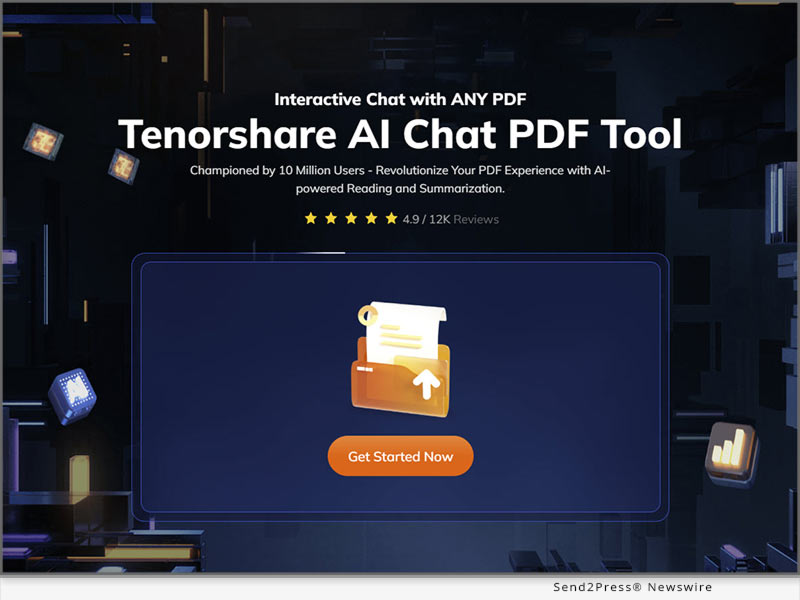
NEW YORK, N,Y, /ScoopCloud/ -- Are you tired of reading long PDFs? Not anymore, as Tenorshare has launched Chat PDF AI in October, 2023. It is a revolutionary tool that helps you read and summarize PDFs in a time-efficient way.

What is Tenorshare AI Chat PDF Tool?

Tenorshare Chat PDF is an AI-powered tool that has made reading lengthy PDFs a breeze! It works by summarizing PDFs and gives the main idea of the document without having to read the whole thing.

Additionally, it helps extract information from a particular section of a PDF without manual scrolling. Not to forget its AI chat feature that is supported by ChatGPT and enables you to get accurate answers to all your questions related to the PDF.

Some primary features of Tenorshare Chat PDF AI include:

* Creating concise summaries of PDFs

* Extracting key information from PDFs

* Answering questions related to the PDF

* Interpreting text for enhanced reading

Why Choose the Tenorshare AI Chat PDF Tool?

Chat PDF AI free is a web-based tool that enhances your PDF experience in a number of ways. Here are some reasons why choosing Tenorshare Chat PDF AI is worthwhile:

* It has a free version that allows you to upload 3 PDFs per day, with 30 pages each

* It is a web-based tool, so you don't have to download anything

* You can chat with PDF to extract relevant information from the document

* It helps summarize long articles

* It uses SSL encryption to keep your private information secure and protect the uploaded document from data leakage

* You can delete uploaded PDFs at anytime

How to Use Tenorshare AI Chat PDF Tool to Chat With Any PDF Document?

Tenorshare Chat PDF free is a user-friendly tool with a straightforward process. Here are the steps to use it:

Step 1:

Go to Tenorshare Chat PDF Online and upload the PDF file you want to summarize.

Step 2:

Log in to your account, or if you don't have one, create a new one.

Step 3:

Once you have logged in and your PDF has been uploaded, you can start a chat with Chat PDF AI. You can ask it to summarize the text, answer a question related to the PDF, retrieve information from within the document, etc.

And that's how you can make the most of the best chat PDF AI tool.

Learn more now at: https://ai.tenorshare.com/chat-pdf/

About Tenorshare:

Founded in 2007, Tenorshare is a software company that develops data recovery, device management, password recovery, and system repair software for iOS, Android, Windows, and Mac devices. Their products are used by over 10 million users worldwide.

Tenorshare's software is known for being easy to use and effective. It is also regularly updated to support the latest devices and operating systems.

In short, Tenorshare is a leading provider of software solutions for managing, recovering, and repairing mobile devices and computers.

Website: https://www.tenorshare.com/

YouTube: https://www.youtube.com/@TenorshareOfficial

Facebook: https://www.facebook.com/TenorshareOfficial/

News from Tenorshare Co. Ltd.

Are you tired of reading long PDFs? Not anymore, as Tenorshare has launched Chat PDF AI in October, 2023. It is a revolutionary tool that helps you read and summarize PDFs in a time-efficient way.

Related link: https://www.tenorshare.com/

This version of news story was published on ScoopCloud™ (ScoopCloud.com) - part of and © the Neotrope® News Network - all rights reserved.

How to Bypass Remote Management Lock on an iPhone or iPad

NEW YORK, N.Y. /ScoopCloud/ -- Have you ever encountered a situation where your iPhone or iPad is locked by a remote management iPhone? "A user of an iPhone/iPad can remove MDM from their device via the Settings menu, without requiring a computer. The problem is that many people buy second-hand devices or forget their MDM passwords," says a Tenorshare spokesperson.

But fear not! We have the solution to your problem. Tenorshare's 4uKey is here to unlock your device's true potential, and we'll show you how to bypass remote management on iPhone.

VIDEO (YouTube): https://www.youtube.com/watch?v=zv9CsTDp50Q

What is Remote Management Lock on iPhone/iPad?

Remote Management Lock, or Mobile Device Management (MDM), is a security feature commonly used by organizations to control and protect their devices. However, there are times when you may need to bypass it, like when you forget your MDM password or purchase a second-hand device with restrictions in place. In these situations, 4uKey iOS unlocker by Tenorshare comes to your rescue.

How to remove remote management from iPhone/iPad without password

1. Dedicated features of 4ukey

* Let users turn off Screen Time restrictions without losing any data.

* Remove MDM restrictions on iOS devices, so users can use them without logging in.

* Unlock Any iPhone/iPad without needing a passcode.

* Works perfectly with the latest iOS 17 and iPhone 15.

* It is compatible with Mac and Windows.

2. Steps to remove remote management iPad/iPhone

Step 1: Download 4uKey and open it on your computer. Click "Bypass MDM" on the main screen to start.

Step 2: Connect your iOS device to your computer with a USB cable and ensure that you trust the computer.

Step 3: After 4uKey recognizes your device, click "Start." Remember to turn off Find My iPhone before proceeding.

Step 4: In just seconds, 4uKey will successfully remove the MDM lock, and your device will restart. The best part? You won't lose any data.

More Than Bypass MDM - 4uKey Review

In addition to MDM bypass, 4uKey offers a range of powerful functions to enhance your iOS device experience:

Unlock iPhone: Remove iDevice password, whether it's a 4 or 6-digit PIN, Touch ID, or Face ID.

Factory Reset iPhone: 4uKey allows you to factory reset your iPhone without any data loss.

Bypass Screen Time Passcode: Easily remove the Screen Time passcode, regaining full control of your device.

Learn more: https://www.tenorshare.com/iphone-tips/how-to-bypass-remote-management-iphone-lock.html

About Tenorshare:

Tenorshare, the visionary behind 4uKey, is dedicated to delivering efficient and reliable smartphone solutions for both iOS and Android users. When in search of how to bypass MDM on iPhone/iPad, Tenorshare 4uKey emerges as the ultimate solution. With its robust features and user-friendly interface, it secures its position as the premier choice for MDM bypass, ensuring data security.

More information: https://www.tenorshare.com/

Facebook: https://www.facebook.com/TenorshareOfficial/

X/Twitter: https://twitter.com/Tenorshare_Inc

YouTube: https://www.youtube.com/user/TenorshareOfficial/videos

TikTok: https://www.tiktok.com/@tenorshare_tech_tips

News from Tenorshare Co. Ltd.

Have you ever encountered a situation where your iPhone or iPad is locked by a remote management iPhone? "A user of an iPhone/iPad can remove MDM from their device via the Settings menu, without requiring a computer. The problem is that many people buy second-hand devices or forget their MDM passwords," says a Tenorshare spokesperson.

Related link: https://www.tenorshare.com/

This version of news story was published on ScoopCloud™ (ScoopCloud.com) - part of and © the Neotrope® News Network - all rights reserved.

4DDiG Partition Manager 2.4.0: The Ultimate Solution for Your Partition Recovery and Repair

NEW YORK, N.Y. /ScoopCloud/ -- The loss of vital partitions can be a nightmare, especially for those who value their digital files. It can occur due to various reasons such as accidental deletions, formatting mishaps, virus attacks or system crashes. However, there is now a comprehensive and user-friendly solution that enables you to effortlessly recover deleted and lost partitions - 4DDiG Partition Manager. "As a leading software provider with a decade of experience, 4DDiG always puts user data security as its top priority," says the spokesperson of 4DdiG (a Tenorshare brand).

The spokesperson added, "That's why we introduced partition recovery functionality in 4DDiG Partition Manager version 2.4.0. Additionally, in order to meet the needs of more tech-savvy users, we also launched the partition repair feature."

Why you need to recover lost partitions?

The following scenarios can all potentially lead to partition loss, and each of them can have serious consequences for your data and system:

* Accidental Deletion: When attempting to create or manage partitions, you may accidentally delete the wrong one.

* Unintentional Disk Formatting: You may mistakenly formatted the target disk while using burning software.

* Disk Errors: When trying to access or open a disk drive connected to the computer, you may encounter a formatting prompt.

* Operating System Installation or Upgrade: During the reinstallation or upgrade of your operating system, if not done carefully, all existing partitions may be deleted.

How to recover lost/deleted partitions easily and quickly?

When it comes to lost partition recovery, 4DDiG Partition Manager stands out with its impressive success rate and simplicity. It can successfully recover deleted or formatted partitions in just three steps:

Step 1: Begin with installing and launching 4DDiG Partition Manager. Click on 'Partition Recovery' from the left navigation bar, and then choose 'Recover Partitions' or 'Restore Partitions' to initiate the lost partition recovery process.

Step 2: Select the disk where the partition(s) you want to recover is located and click "Quick Scan" to proceed.

Step 3: Now, choose the lost or deleted partition(s) and hit the "Start Recovery" button.

What else can 4DDiG Partition Manager do?

Beyond lost partition recovery, 4DDiG Partition Manager can now assist users in repairing corrupted partitions and EFI/MBR boot records. This feature is mainly designed the above scenarios:

Partition Repair:

* The partition is inaccessible or displayed as unallocated.

* The partition shows as 'Raw' in Disk Management.

* The partition space is shown as empty.

Boot Repair:

* The computer displays a BCD file corruption error during startup.

* The computer displays 'winload.exe' or 'winload.efi' errors during startup.

* Users encounter a blue screen issue after system migration or disk cloning.

Whether you are a home user seeking reliable data recovery or a professional technician in need of versatile partition management, 4DDiG Partition Manager 2.4.0 has you covered.

For more information, visit: https://4ddig.tenorshare.com/4ddig-partiton-manager.html

Official Website: https://4ddig.tenorshare.com/

Follow on Social:

Facebook: https://www.facebook.com/4DDiG/

X/Twitter: https://twitter.com/Tenorshare4DDiG

YouTube: https://www.youtube.com/@Tenorshare4DDiGDataRecovery/featured

News from Tenorshare Co. Ltd.

The loss of vital partitions can be a nightmare, especially for those who value their digital files. It can occur due to various reasons such as accidental deletions, formatting mishaps, virus attacks or system crashes. However, there is now a comprehensive and user-friendly solution that enables you to effortlessly recover deleted and lost partitions - 4DDiG Partition Manager. "As a leading software provider with a decade of experience, 4DDiG always puts user data security as its top priority," says the spokesperson of 4DdiG (a Tenorshare brand).

Related link: https://www.tenorshare.com/

This version of news story was published on ScoopCloud™ (ScoopCloud.com) - part of and © the Neotrope® News Network - all rights reserved.
How to Unlock an iPad without Apple ID-iOS17 Support

NEW YORK, N.Y. /ScoopCloud/ -- Many iPad users find themselves stuck in a situation where they want to know how to unlock iPad without Apple ID. However, unlocking any iOS device can be a real challenge because Apple has set up some strict security measures to keep your info safe from unauthorized users, says Tenorshare.

"People find themselves locked out of their iPads due to forgotten iPad passwords. Or because they've purchased a second-hand device and don't know the passcode of its previous owner. To solve this, Tenorshare offers 4uKey, an effective tool to unlock iPad without Apple ID," says a Tenorshare spokesperson.

So, are you curious to know how Tenorshare 4uKey works? Let's find out!

Can an iPad Be Unlocked Without an Apple ID?

Yes, you can unlock iPad without Apple ID, but it's not an easy process and will need the help of a third-party tool like Tenorshare 4uKey. The tool will reset your device, erasing all data because that's the only way to reaccess your iPad. Therefore, back it up before proceeding to factory reset iPad without Apple ID with Tenorshare 4uKey.

Best iOS Unlocker-Unlock iPad without Apple ID or Password

So, how to bypass iPad passcode without Apple ID? Well, you don't have to look further. 4uKey-iOS Unlocker offers the best solution to unlock your iOS 17 iPad without you being signed in with an Apple ID or password. Moreover, it provides an abundance of helpful functions and can remove a variety of iOS passcodes. This tool features:

* Bypass Any screen lock on iOS devices.

* Remove MDM lock and profile without password.

* Bypass Apple ID without a password.

* Remove Screen Time Lock from iPad/iPhone/iPod.

* Unlock disabled iOS devices.

Here's how to reset iPad without Apple ID password with Tenorshare 4uKey iOS Unlocker:

1 - Open Tenorshare 4uKey on your PC and connect your iPad to your computer.

2 - Click "Start," select a save location, and download the latest firmware package.

3 - Press "Start to Remove" to initiate the Apple ID or passcode removal process, and your iPad will be unlocked swiftly.

VIDEO (YouTube): https://www.youtube.com/watch?v=LFpb7jQKLEI

Can You Remove Activation Lock Without Previous Owner?

If you are looking to remove the iCloud activation lock without needing the previous owner, Tenorshare 4MeKey offers a reliable solution.

You can use this tool to bypass Apple ID or passcode from anywhere and anytime if you've bought a second-hand iPad. The tool also lets you sign in to the App Store with a new Apple ID and is compatible with the latest 16.6 iOS devices.

About Tenorshare:

When you're stuck with a forgotten Apple ID or a second-hand iPad, "how to unlock iPad without Apple ID" becomes a pressing question. But, with iOS 17 support, Tenorshare 4uKey offers the ultimate solution to regain access to your iPad, even without an Apple ID or password. The genius behind 4uKey, Tenorshare, is all about simplifying life for iOS and Android users.

Learn more: https://www.tenorshare.com/

RELATED LINKS:

https://www.tenorshare.com/ipad/is-it-possible-to-unlock-ipad-without-apple-id.html

https://www.tenorshare.com/products/4ukey-unlocker.html

https://www.tenorshare.com/products/4mekey-activation-unlocker.html

News from Tenorshare Co. Ltd.

Many iPad users find themselves stuck in a situation where they want to know how to unlock iPad without Apple ID. However, unlocking any iOS device can be a real challenge because Apple has set up some strict security measures to keep your info safe from unauthorized users, says Tenorshare.

Related link: https://www.tenorshare.com/

This version of news story was published on ScoopCloud™ (ScoopCloud.com) - part of and © the Neotrope® News Network - all rights reserved.
[Newest Solution] How to Import Passwords to iPhone 2023

NEW YORK, N.Y. /ScoopCloud/ -- After many iPhone users switch to a newer model, they often encounter difficulties importing their passwords to their iPhone. To address this issue, Tenorshare, a leading tech company, recommends using Tenorshare 4uKey - Password Manager.

"One of the recommended ways to import passwords to iPhone or just import Google passwords to iPhone is using Tenorshare 4uKey - Password Manager, a powerful and easy-to-use tool that can help you manage your passwords on iOS devices," said the spokesman of Tenorshare.

HOW TO MANUALLY IMPORT PASSWORDS TO IPHONE KEYCHAIN?

If you recall your passwords, you can input them directly whenever you need to log in. Alternatively, you have the option to manually add them to your iCloud Keychain for easy access.

If you prefer not to manually enter passwords one by one or need to import passwords from various platforms, a highly recommended solution to import passwords to iPhone is Tenorshare 4uKey - Password Manager.

BEST IOS PASSWORD MANAGER-4UKEY [FAST AND EASY]

1. List the dedicated features of 4uKey - Password Manager

* Import passwords to iPhone from a variety of sources, including Google Chrome, iCloud Keychain, keeper and other password managers.

* It features an easy-to-use interface, making it accessible to everyone.

* It works seamlessly with various platforms, making it versatile and user-friendly.

* All the passwords from other iOS devices and apps may be effortlessly transferred to an iPhone, and vice versa.

* It is compatible with all of the new iOS, including the iPhone 15.

* On a PC or a Mac, users may quickly access and manage their iPhone and iPad passwords.

Learn more: https://www.tenorshare.com/password-manage/import-passwords-to-iphone.html

2. How to import passwords to iPhone with 4uKey - Password Manager

Step 1: Download and install 4uKey - Password Manager on your computer.

Step 2: Connect iPhone to computer and click Import passwords on the left.

Step 3: Choose the import location and click Next.

Step 4: Create a CSV file of your custom passwords.

Step 5: Click Next and Import File, then select the CSV file.

Step 6: Click Import to Device to import saved passwords to your iPhone.

Step 7: Wait for the program to finish importing passwords.

Get started here: https://www.tenorshare.com/products/ios-password-manager.html

Tenorshare Unveils a New Look:

Tenorshare is excited to announce the launch of its newly redesigned website! The new website features a fresh look, streamlined navigation, and a focus on user experience.

To celebrate the website's new look, users can enjoy a 30% discount by entering the coupon code "tenorshare2023new" during checkout.

About Tenorshare:

Tenorshare simplifies technology for iOS, Android, Windows, and Mac, offering practical solutions for Data Management, recovery, password retrieval, and system issues. One of their star products is 4uKey - Password Manager, a handy tool that makes handling passwords on your iOS device a breeze. It's not just a brand; it's your go-to buddy for tech help.

More information: https://www.tenorshare.com/

Facebook: https://www.facebook.com/TenorshareOfficial/

X/Twitter: https://twitter.com/Tenorshare_Inc

YouTube: https://www.youtube.com/user/TenorshareOfficial/videos

TikTok: https://www.tiktok.com/@tenorshare_tech_tips

News from Tenorshare Co. Ltd.

After many iPhone users switch to a newer model, they often encounter difficulties importing their passwords to their iPhone. To address this issue, Tenorshare, a leading tech company, recommends using Tenorshare 4uKey - Password Manager.

Related link: https://www.tenorshare.com/

This version of news story was published on ScoopCloud™ (ScoopCloud.com) - part of and © the Neotrope® News Network - all rights reserved.
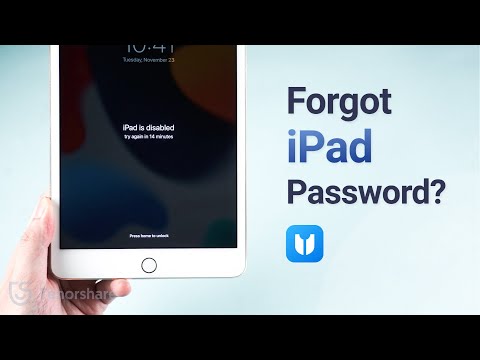
Discover the All-New Tenorshare Website Makeover with Enhanced User Experience

NEW YORK, N.Y. /ScoopCloud/ -- Tenorshare, a leader in digital device solutions, is excited to launch its redesigned website, vowing to deliver a groundbreaking user experience. Embracing the brand concept "Better Software, Better Life," the company is dedicated to crafting user-friendly, cross-device solutions for Android and iOS users worldwide. They offer a range of tools for iPhone and Android users, covering repair, unlocking, data transfer, and recovery, all designed to simplify your digital life.

VIDEO (YouTube): https://www.youtube.com/watch?v=J2iSSnz2CMM

What Does "Better Software, Better Life" Mean?

Having high-quality, efficient software in our daily lives makes everything smoother, more convenient, and enjoyable. Think of it as the digital equivalent of having well-made tools - it simplifies tasks and improves our overall experience.

As a Tenorshare spokesperson puts it, "With Tenorshare ReiBoot, you can conveniently resolve iOS and macOS system issues at home without data loss. This not only saves valuable time and effort but also enhances the overall quality of life, making it more convenient and effortless."

What Exciting Changes Does Tenorshare's Website Redesign Bring?

Tenorshare's redesigned website enhances the user experience with visual appeal and streamlined navigation. It optimizes layout and information architecture to simplify user interactions further and promote intuitive navigation.

Furthermore, the site integrates efficient and transparent UI and UX features for easy access to information on Tenorshare software solutions.

* Tenorshare ReiBoot

Tenorshare ReiBoot: As the No. 1 iOS system repair tool by Tenorshare, it can fix 150+ iOS issues at home. It can eliminate the iPhone's unresponsive and black screens, endless recovery mode cycles, and being stuck on the Apple logo. Moreover, To better serve our users, Tenorshare has implemented AI technology into Repair & Recovery software.

Learn more: https://www.tenorshare.com/products/reiboot.html

* Tenorshare 4uKey

Tenorshare 4uKey: It can remove iOS screen locks, MDM lock, profile, Face and Touch IDs, screen time passcode , and Apple ID without a password.

Learn more: https://www.tenorshare.com/products/4ukey-unlocker.html

* Tenorshare iAnyGo

Tenorshare iAnyGo: Not only can it change the GPS location to anywhere without jailbreak or root, but it also modifies movement direction with the GPS joystick. It works with all location-based apps, such as Pokemon GO, Monster Hunter Now, etc.

Learn more: https://www.tenorshare.com/products/ianygo-change-gps-location-iphone.html

* Tenorshare 4uKey For Android

Tenorshare 4uKey For Android: Easily get rid of Android password, PIN, pattern lock, fingerprints, and face ID on 3000+ Android devices with this tool. Plus, bypass FRP without a password or Google account and regain access to your device.

Learn more: https://www.tenorshare.com/products/android-password-reset-tool.html

LAUNCH PROMOTION:

The enhanced website helps users make informed choices about the software they want, allowing them to pick the right solution for their requirements.

What's more, you can get 30% off by entering coupon code "tenorshare2023new" during the launch.

About Tenorshare:

Tenorshare's mission centers on iOS, Android, Windows, and Mac technology. Since 2007, the company has been offering practical solutions for content management, data recovery, password retrieval, and system repair with users worldwide.

Their founding philosophy revolves around solving all your tech problems, and they're dedicated to addressing your mobile and computer needs.

More information: https://www.tenorshare.com/

SOCIAL SITES:

Facebook: https://www.facebook.com/TenorshareOfficial/

X/Twitter: https://twitter.com/Tenorshare_Inc

YouTube: https://www.youtube.com/user/TenorshareOfficial/videos

TikTok: https://www.tiktok.com/@tenorshare_tech_tips

News from Tenorshare Co. Ltd.

Tenorshare, a leader in digital device solutions, is excited to launch its redesigned website, vowing to deliver a groundbreaking user experience. Having high-quality, efficient software in our daily lives makes everything smoother, more convenient, and enjoyable.

Related link: https://www.tenorshare.com/

This version of news story was published on ScoopCloud™ (ScoopCloud.com) - part of and © the Neotrope® News Network - all rights reserved.
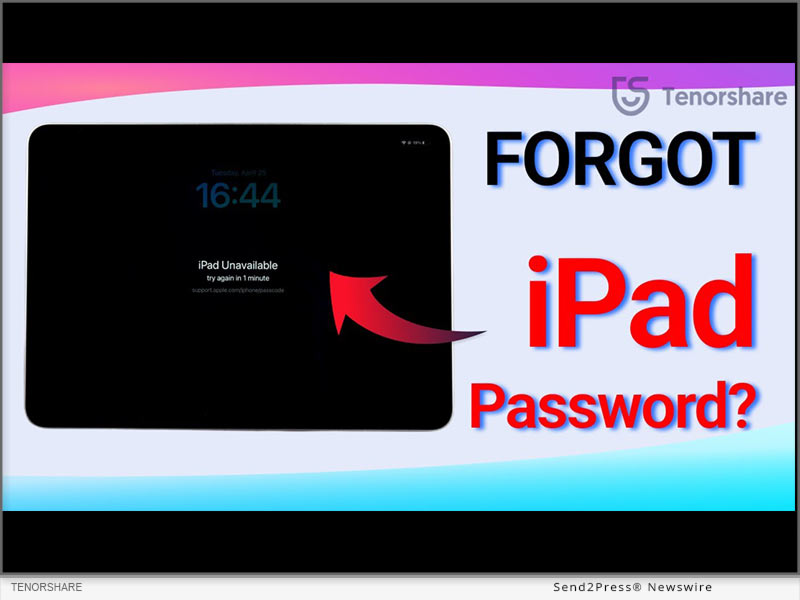
4DDiG File Repair for Mac 3.0.0 is an All-in-one Solution for Digital File Recovery and AI Enhancement

NEW YORK, N.Y. /ScoopCloud/ -- Leading software provider 4DdiG (a Tenorshare brand) is proud to announce the release of the latest version of its Mac file repair tool, 4DDiG File Repair for Mac 3.0.0. This version introduces exciting new features, including audio repair and document repair, providing Mac users with a more comprehensive solution.

What can 4DDiG File Repair for Mac do for you now?

4DDiG File Repair for Mac has been a trusted companion for Mac users, and now, with the launch of version 3.0.0, it's better than ever. Here are some of its key feature:

Document and Audio Repair (Latest Feature): The most notable aspect of this update is the introduction of new document and audio repair features. Whether you've encountered corrupted Office documents or problematic Adobe files, 4DDiG File Repair for Mac has got you covered.

Video and Photo Repair: Never worry about corrupted video and photo files again. 4DDiG File Repair for Mac 3.0.0 effortlessly restores these digital files to their original state with just a few clicks.

AI-Powered Enhancement and Colorization: 4DDiG File Repair for Mac not only repairs damaged files but also serves as a powerful AI enhancer. It can upscale low-quality videos to stunning 4K or 8K resolution and transform black and white photos into vibrant color.

Why 4DDiG File Repair for Mac Is Your Go-To Digital File Solution?

While there are many excellent options available on the market, 4DDiG File Repair for Mac stands out with its simplicity and versatility.

Cost-Effective Pricing: Compared to competitors, 4DDiG File Repair for Mac offers more features at a budget-friendly price point. Additionally, 4DDiG is running a promotion for the macOS Sonoma release. Participate in the draw for a chance to win a brand-new MacBook Air and Amazon e-gift cards.

Perfect Fusion of Repair and Enhancement: Whether you need to repair corrupted files or take your multimedia to the next level, 4DDiG File Repair for Mac is your all-in-one solution.

User-Friendly Interface: The software is designed to be user-friendly and intuitive, suitable for Mac users of all skill levels. Whether you're a novice or a pro, you'll find it easy to navigate.

Compatibility: It supports the T2 chip, M1, M1 Pro, M1 Max, and the newly released macOS Sonoma, ensuring seamless operation and stability.

About 4DdiG:

Over the past decade, 4DDiG has been on a mission to innovate and meet user demands, consistently delivering efficient solutions. This relentless focus on enhancing the overall user experience has established 4DDiG as a trusted and go-to brand for both individuals and businesses alike. Besides file repair, 4DDiG also provides a range of other solutions for Mac users, such as data recovery, addressing common Mac boot issues, and removing duplicate files.

For more information, visit: https://4ddig.tenorshare.com/file-repair.html

Official Website: https://4ddig.tenorshare.com/

Follow on Social:

Facebook: https://www.facebook.com/4DDiG/

X/Twitter: https://twitter.com/Tenorshare4DDiG

YouTube: https://www.youtube.com/@Tenorshare4DDiGDataRecovery/featured

News from Tenorshare Co. Ltd.

Leading software provider 4DdiG (a Tenorshare brand) is proud to announce the release of the latest version of its Mac file repair tool, 4DDiG File Repair for Mac 3.0.0. This version introduces exciting new features, including audio repair and document repair, providing Mac users with a more comprehensive solution.

Related link: https://www.tenorshare.com/

This version of news story was published on ScoopCloud™ (ScoopCloud.com) - part of and © the Neotrope® News Network - all rights reserved.
4DDiG announces macOS Sonoma Celebration: Win a MacBook Air and Amazon Gift Card

NEW YORK, N.Y. /ScoopCloud/ -- Recently, renowned software provider 4DDiG (a Tenorshare brand) is thrilled to announce an exciting promotion in celebration of the latest macOS Sonoma release. In this promotion, all participants have the chance to win exclusive prizes, including a new 15-inch MacBook Air, a total of $150 Amazon.com e-gift cards and 4DDiG software discount codes.

Why This MacOS Sonoma Promotion?

The motivation behind the macOS Sonoma event is twofold:

Expressing Gratitude: 4DDiG acknowledges its success is attributed to the unwavering support of its loyal user base. This promotion serves as a heartfelt expression of gratitude to all existing users for being an integral part of the 4DDiG community.

Extending a Warm Welcome: Additionally, this is also an opportunity to extend a warm welcome to new members of the 4DDiG family. New users of 4DDiG can experience the company's commitment to excellence and innovation firsthand through this event.

How to Win Their Exclusive Prizes?

Event Period: September 25 to October 31, 2023

PRIZES:

* One brand-new 15-inch MacBook Air.

* One $50 Amazon.com e-gift card.

* Five $20 Amazon.com e-gift cards.

* Several 4DDiG software discount codes.

No Barriers to Entry: Participating in the lottery is effortless, with your first entry requiring just a simple click.

Earn Extra Chances: Once you've used up your initial free entry, you can boost your chances of winning in three easy ways:

* Subscribe to 4DDiG's YouTube channel.

* Share this exciting event on your Twitter.

* Subscribe to the 4DDiG website's newsletter.

"Over the past decade, 4DDiG has been committed to providing our users with top-notch software solutions and engaging experiences," says the spokesperson of 4DDiG. "This lottery event is just one way for us to express our gratitude for your ongoing support. The more you participate, the greater your chances of winning our fantastic prizes."

Must-Have 4DDiG Products for Mac Users during the Promotion

If you're one of the lucky Mac users to win a discount code in this promotion, take this opportunity to explore and consider these noteworthy 4DDiG products:

* 4DDiG Mac Data Recovery: Recover data lost due to various reasons from your Mac or Mac-based devices, especially during macOS Sonoma upgrade.

* 4DDiG File Repair Mac: Seamlessly combine file repair with advanced video and photo enhancement features. It provides Mac users with a comprehensive solution to repair and enhance their digital files.

* 4DDiG Mac Boot Genius: Effortlessly reset SMC or NVRAM on Macs to resolve common Mac issues.

* 4DDiG Duplicate File Deleter for Mac: Boost your Mac's performance by efficiently removing duplicate files.

Furthermore, the discount codes are also apply to the Windows versions of these products as well.

For more information, please visit: https://4ddig.tenorshare.com/macos-sonoma-release-celebration.html

Follow on Social:

Official Website: https://4ddig.tenorshare.com/

Facebook: https://www.facebook.com/4DDiG/

X/Twitter: https://twitter.com/Tenorshare4DDiG

YouTube: https://www.youtube.com/@Tenorshare4DDiGDataRecovery/featured

News from Tenorshare Co. Ltd.

Recently, renowned software provider 4DDiG (a Tenorshare brand) is thrilled to announce an exciting promotion in celebration of the latest macOS Sonoma release. In this promotion, all participants have the chance to win exclusive prizes, including a new 15-inch MacBook Air, a total of $150 Amazon.com e-gift cards and 4DDiG software discount codes.

Related link: https://www.tenorshare.com/

This version of news story was published on ScoopCloud™ (ScoopCloud.com) - part of and © the Neotrope® News Network - all rights reserved.
How to Fix a New iPhone 15 Stuck on Apple Logo During Setup

NEW YORK, N.Y. /ScoopCloud/ -- The recent release of the iPhone 15 has been met with much excitement. However, some users encountered a frustrating issue: Many iOS users have reported that their iPhone 15 stuck on the Apple logo during setup and searching for how to fix it. Tenorshare spokesperson explains, "iPhone stuck on Apple logo during setup. Compared to traditional approaches for resolving the iPhone Stuck on the Apple logo, Tenorshare ReiBoot performs its magic, offering a hassle-free logo repair solution."

Why is My iPhone 15 stuck on Apple Logo?

Software Glitches: iOS software bugs can lead to the Apple logo issue during boot.

Incomplete Updates: Interrupted or incorrect iOS updates can result in instability and logo freezing.

Corrupted Files: Restoring or transferring corrupted files from backups can trigger this problem.

Jailbroken Device: Jailbreaking your iPhone might cause software issues, including boot loops.

How to Fix iPhone 15 stuck on the Apple logo Without Data Loss? [All iPhone Support]

To fix the iPhone 15 Stuck On Apple Logo during setup. Tenorshare ReiBoot is a professional iOS system recovery tool that offers a range of features to help fix these issues.

Dedicated features of ReiBoot:

* Fix 150+ iOS/iPadOS/tvOS System Problems, like Boot Loop, Apple Logo, Stuck, Update and more.

* Enter and exit recovery mode with a single click.

* Downgrade iOS to the previous version without iTunes/Finder.

* Repair iTunes backup and restore errors.

* Supports all iOS versions and iPhone models.

Steps to Use ReiBoot and Fix iPhone 15 Stuck on Apple Logo:

1 - Start by downloading and running Tenorshare ReiBoot on your PC and click "START".

2 - Now, click on the "Standard Repair" button. ReiBoot will then download the necessary firmware package for your device.

3 - Now click "Start Standard Repair" again and Enjoy your iPhone.

Get started here: https://www.tenorshare.com/products/reiboot.html

iPhone 15 Giveaway&iOS 17 Sales

Great news! Tenorshare is hosting iPhone 15 & iOS 17 Sales, offering discounts on Tenorshare ReiBoot and vital iOS 17 tools. Here's what you can enjoy:

$8 Off iOS 17 Tools: Get an exclusive $8 discount on essential iOS 17 tools like Tenorshare ReiBoot, UltData, iCareFone, 4uKey and more.

Buy One, Get One Free: Buy ReiBoot and receive the iCareFone absolutely free.

$5 Coupon Gift: Select any iOS 17 must-have tool, and receive a $5 Coupon Gift that you can use on any product in our lineup.

Discover more by visiting our Sales Promotion

https://www.tenorshare.com/sales-promotion.html

About Tenorshare:

Beyond fixing the iPhone is frozen on Apple logo, ReiBoot expertly handles various iOS issues-like update glitches, white and black screens, boot loops, and more. Trust ReiBoot to effortlessly resolve the Apple logo freeze. Tenorshare's consistent quality has fostered long-standing trust among its customers in addressing diverse software issues.

More information: https://www.tenorshare.com/

Facebook: https://www.facebook.com/TenorshareOfficial/

X/Twitter: https://twitter.com/Tenorshare_Inc

YouTube: https://www.youtube.com/user/TenorshareOfficial/videos

TikTok: https://www.tiktok.com/@tenorshare_tech_tips

News from Tenorshare Co. Ltd.

The recent release of the iPhone 15 has been met with much excitement. However, some users encountered a frustrating issue: Many iOS users have reported that their iPhone 15 stuck on the Apple logo during setup and searching for how to fix it. Tenorshare spokesperson explains, "iPhone stuck on Apple logo during setup. Compared to traditional approaches for resolving the iPhone Stuck on the Apple logo, Tenorshare ReiBoot performs its magic, offering a hassle-free logo repair solution."

Related link: https://www.tenorshare.com/

This version of news story was published on ScoopCloud™ (ScoopCloud.com) - part of and © the Neotrope® News Network - all rights reserved.
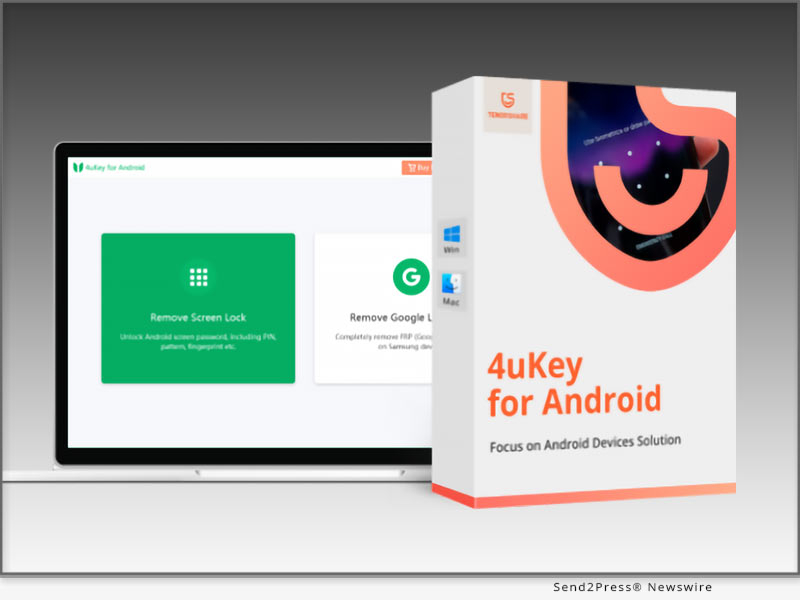
How to Transfer WhatsApp from Android to iPhone 15? Get iPhone 15 and iOS 17 Tools on Sale

NEW YORK, N.Y. /ScoopCloud/ -- Many Samsung, Huawei, and Android users are switching to iPhones 15 these days, drawn by the allure of Apple's latest offering. However, the tricky part comes when they try to transfer WhatsApp from Android to iPhone 15, says Tenorshare.

"Many Android users struggle to move their WhatsApp data when switching to the iPhone 15 for the go-to method and the Move to iOS Android app often falls short. It is unreliable with incomplete or failed transfers," says Tenorshare CEO, "instead, they can use Tenorshare iCareFone WhatsApp Transfer for a safe and simple WhatsApp transfer from Android to iPhone."

How to Move WhatsApp from Android to iPhone 15?

You can use iCareFone for WhatsApp transfer from Android to iPhone 15, and it doesn't require any Wi-Fi to move data. So, there are no failed or incomplete transfers. Neither does it cause loss of data. Here's what makes iCareFone WhatsApp Transfer an excellent Move to iOS alternative:

1 - Swift data transfer, no need for a factory reset.

2 - Effortless WhatsApp data transfer from Android to iPhone.

3 - Backup WhatsApp data to your computer and easily restore from there.

4 - Trusted by many due to a high success rate.

Transfer WhatsApp Data from Android to iPhone 15

You can transfer WhatsApp from Android to iPhone 15 without Move to iOS with the help of Tenorshare iCareFone WhatsApp Transfer. It can selectively move WhatsApp data. Follow below to transfer WhatsApp from Android to iPhone 15:

* Download the tool, connect both phones to your computer, and press "Transfer."

* Confirm your country's code and phone number on your iPhone by clicking "Verify."

* It will move WhatsApp from Android to iPhone successfully.

Get iPhone 15 & iOS 17 Sales:

The exciting news is that Tenorshare is holding iPhone 15 & iOS 17 Sales where you can get iCareFone Transfer and many iOS 17 must-have tools at a discount. Here's what the sales offer:

1 - Get $8 OFF on iOS 17 Must-Have Tools

You can now get $8 OFF on all iOS 17 must-have tools like Tenorshare ReiBoot, UltData, UltData WhatsApp Recovery, iCareFone, iCareFone WhatsApp Transfer, and 4uKey.

2 - Buy 1, Get 1 Free for ReiBoot & iCareFone

Now, you can buy one of these tools, and you'll get the other one free of cost.

3 - $5 Coupon Gift for All Products

You can choose one of these iOS 17 must-have tools to get a $5 Coupon Gift for all products.

Learn more: https://www.tenorshare.com/sales-promotion.html

About Tenorshare:

When tackling the transfer of WhatsApp messages from Android to iPhone 15, many face frustration with Move to iOS. Enter Tenorshare iCareFone WhatsApp Transfer, an excellent alternative to WhatsApp Android to iPhone transfer with none of the shortcomings. With a commitment to innovative solutions, Tenorshare helps you smoothly manage and resolve issues when switching between Android and iPhone.

Information: https://www.tenorshare.com/

Facebook: https://www.facebook.com/TenorshareOfficial/

Twitter: https://twitter.com/Tenorshare_Inc

YouTube: https://www.youtube.com/user/TenorshareOfficial/videos

TikTok: https://www.tiktok.com/@tenorshare_tech_tips

News from Tenorshare Co. Ltd.

Many Samsung, Huawei, and Android users are switching to iPhones 15 these days, drawn by the allure of Apple's latest offering. However, the tricky part comes when they try to transfer WhatsApp from Android to iPhone 15, says Tenorshare.

Related link: https://www.tenorshare.com/

This version of news story was published on ScoopCloud™ (ScoopCloud.com) - part of and © the Neotrope® News Network - all rights reserved.
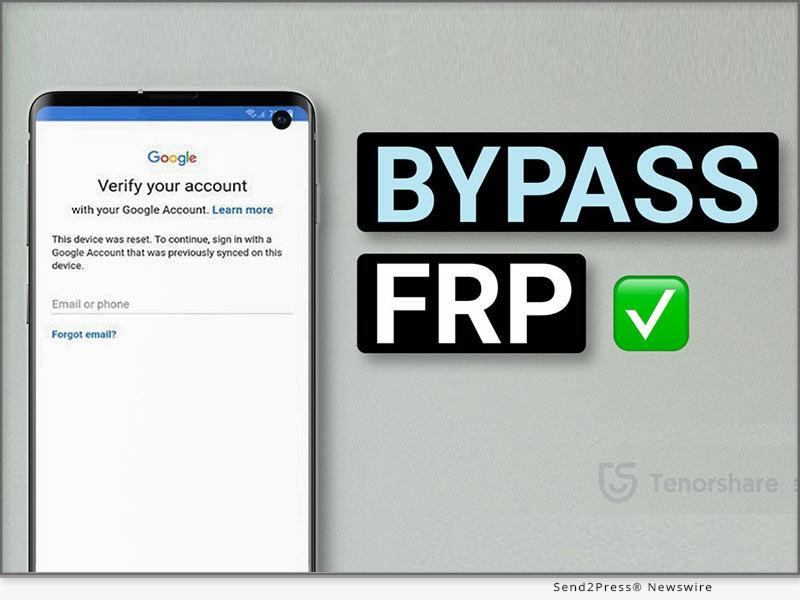
Is Tenorshare Software Fully Compatible and Updated for iPhone 15 Now? A Full List of Tenorshare Compatibility

NEW YORK, N.Y. /ScoopCloud/ -- When is iPhone 15 launching? The exciting news is that the iPhone 15 was launched at an Apple event on September 15, and many people are excited to grab one. Wondering if Tenorshare Software works with iPhone 15 series? Good news again: Tenorshare has updated its software to be fully compatible with iPhone 15.

"Whenever a new iPhone is launched, we test our software thoroughly to ensure compatibility. Right now, we've got everything set up to run perfectly with the new iPhone 15 models," says Tenorshare CEO. "Meanwhile, Tenorshare iOS 17& iPhone 15 Sale has been released to show that Tenorshare is committed to staying on top of tech and market shifts, and will keep updating our software to meet user demands."

What Products Are Compatible With iPhone 15? Products You Should Know!

* Tenorshare iCareFone

iCareFone transfer data from android to iPhonw 15. You can restore data, export photos, handle contacts, audio, and videos, and craft AI wallpapers. It can download region-restricted apps, smart backups, and seamless media transfers with iTunes. You can also access developer mode and diagnostics.

* Tenorshare iCareFone Transfer

iCareFone can help selectively transfer WhatsApp data between Android and iPhone 15 without reset. Moreover, it can restore backups from Google Drive to iPhone 15 and easily export backup data to HTML.

* Tenorshare iCareFone for LINE

iCareFone for LINE effortlessly transfers and restores LINE data between Android and iPhone. It is fully compatible with the iPhone 15 series.

* Tenorshare iCareFone iTransGo

iCareFone iTransGo can selectively transfer data from Android to iPhone 15 after setup after setup without resetting and overwriting.

* Tenorshare ReiBoot - iOS System Repair

Tenorshare ReiBoot simplifies various iOS 17 issues on iPhone with a one-click enter/exit recovery mode. It resolves problems like Apple logo screen hang-ups and iPhone 15 update issues. Plus, it can update or downgrade iPhone 15 to Beta iOS 17 without jailbreak.

* Tenorshare 4uKey

Tenorshare 4uKey unlocks disabled iOS devices without iTunes. It can also remove passcodes, Face ID, Touch ID, MDM Profile, screen time passcode, and Apple ID from iPhone 15.

* Tenorshare UltData

UltData is a handy iPhone data recovery tool that retrieves lost or deleted data from iOS devices, iTunes, and iCloud backups. It covers over 35 data types.

* Tenorshare iAnyGo

iAnyGo lets you change GPS location without root on iPhone in a single click with no jailbreak. It's perfect for gaming, GPS joystick adjustments, and social media location changes. You can also create custom routes by importing/exporting GPX files.

https://www.tenorshare.com/iphone-15/

https://www.tenorshare.com/sales-promotion.html

About Tenorshare: More Products You Would Like!

Don't worry if you face data transfer and recovery issues or a disabled or locked iPhone 15 screen. Tenorshare Software is now fully compatible and updated for iPhone 15. Rest easy with Tenorshare's comprehensive compatibility and support!

More information: https://www.tenorshare.com/

Facebook: https://www.facebook.com/TenorshareOfficial/

X (Twitter): https://twitter.com/Tenorshare_Inc

YouTube: https://www.youtube.com/user/TenorshareOfficial/videos

TikTok: https://www.tiktok.com/@tenorshare_tech_tips

News from Tenorshare Co. Ltd.

When is iPhone 15 launching? The exciting news is that the iPhone 15 was launched at an Apple event on September 15, and many people are excited to grab one. Wondering if Tenorshare Software works with iPhone 15 series? Good news again: Tenorshare has updated its software to be fully compatible with iPhone 15.

Related link: https://www.tenorshare.com/

This version of news story was published on ScoopCloud™ (ScoopCloud.com) - part of and © the Neotrope® News Network - all rights reserved.

How to Remove iOS 17 from iPhone? Downgrade iPhone from iOS 17 with Tenorshare ReiBoot

NEW YORK, N.Y. /ScoopCloud/ -- Apple has already rolled out iOS 17, packed with exciting features like a revamped Control Center and advanced privacy measures. However, many users have complained iOS 17 bugs, such as Apple Maps Offline not displaying, the disappearance of personalized Siri voices, iPhone Battery Drain and iPhone Overheating. To address these concerns, Tenorshare, a top software provider, has updated its solutions to remove iOS 17 or downgrade from iOS 17 if needed.

VIDEO: https://www.youtube.com/watch?v=TXjrbnfBaFc

"There are many issues associated with iOS 17, such as abnormal battery drain, app crashes, Face ID problems, installation and download glitches, etc. But Tenorshare ReiBoot can help remove/uninstall iOS 17 from iPhone within a few clicks," says a Tenorshare spokesperson. Let's find out how to remove iOS 17 from iPhone or downgrade iOS 17 with ReiBoot.

What Software can be chosen to Remove/Uninstall iOS 17 from iPhone?

Tenorshare ReiBoot truly simplifies the process of removing iOS 17 from your iPhone. Additionally, it can fix iOS 17 Updated problems, It can not only downgrade the iOS 17 version but also resolve other issues that go hand in hand with downgrading. Here are the key features of this Tenorshare ReiBoot:

* Easily downgrade from iOS 17 to iOS 16 without the need for iTunes.

* One-click solution to download and install iOS/iPadOS IPSW files, even without a Developer account.

* Fix any issues you might encounter during the iOS 17 downgrade, like being stuck on the Apple logo, unresponsive screen, or recovery mode loops.

* Fully compatible with the latest iOS 17 and all iPhone 15 models.

How to Downgrade from iOS 17 to iOS 16 Without iTunes & Data Loss?

You don't need iTunes if you want to learn how to downgrade from iOS 17 to iOS 16 without data loss. Tenorshare ReiBoot can remove the version and install the stable version of iOS. Here's how to go back to iOS 16 from 17 with this tool:

* Download and install Tenorshare ReiBoot on your computer, and connect your iPhone.

* Click "iOS Upgrade/Downgrade," select "Downgrade."

* Download the firmware, and ReiBoot will automatically downgrade iOS 17 to 16.

Learn more: https://www.tenorshare.com/products/reiboot.html

More iOS 17 Tips You Should Know!

To learn how to remove iOS 17 without a computer or how to uninstall iOS 17, you can find comprehensive information right through Tenorshare iOS 17 tips. You can also check for details regarding the latest iOS 17 features, tips, shortcuts, installation, jailbreak guidance, and troubleshooting common upgrade errors.

Learn more: https://www.tenorshare.com/ios-17/

About Tenorshare:

Are you looking to learn how to downgrade iOS 17 to 16? Tenorshare ReiBoot is your ultimate solution to remove/uninstall iOS 17 from your iPhone. It can help you revert to a stable iOS 16 without risking data loss. As a leading software provider, Tenorshare ensures compatibility with the latest innovations, making your transition to a stable iOS version seamless and worry-free.

Information: https://www.tenorshare.com/

Facebook: https://www.facebook.com/TenorshareOfficial/

Twitter: https://twitter.com/Tenorshare_Inc

YouTube: https://www.youtube.com/user/TenorshareOfficial/videos

TikTok: https://www.tiktok.com/@tenorshare_tech_tips

News from Tenorshare Co. Ltd.

Apple has already rolled out iOS 17, packed with exciting features like a revamped Control Center and advanced privacy measures. However, many users have complained iOS 17 bugs, such as Apple Maps Offline not displaying, the disappearance of personalized Siri voices, iPhone Battery Drain and iPhone Overheating. To address these concerns, Tenorshare, a top software provider, has updated its solutions to remove iOS 17 or downgrade from iOS 17 if needed.

Related link: https://www.tenorshare.com/

This version of news story was published on ScoopCloud™ (ScoopCloud.com) - part of and © the Neotrope® News Network - all rights reserved.
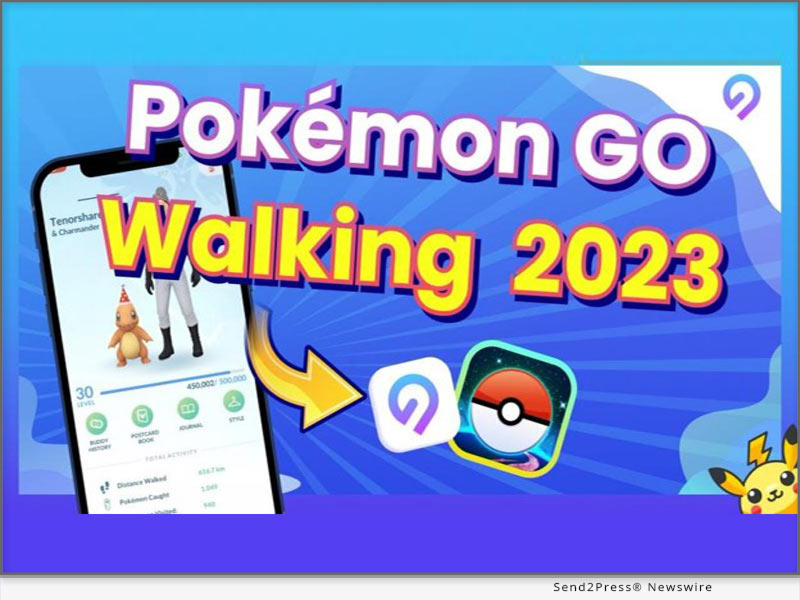
Worried About iOS 17 Compatibility? Tenorshare Software Is Now Compatible with iOS 17

NEW YORK, N.Y. /ScoopCloud/ -- Apple recently launched the latest iOS 17 with several new features. But users are concerned about iOS 17 compatibility, management, and repair. Tenorshare, as an updated smartphone solutions provider, offers a range of iOS 17 compatible solutions.

Tenorshare Has Updated All Its Software to Be Fully Compatible With iOS 17

"Does Tenorshare work with iOS 17? To answer this question, Tenorshare software has been updated to ensure full compatibility with iOS 17. Moreover, Tenorshare iOS 17 & iPhone 15 Sale has been launched," says Mike Lee, CEO of Tenorshare. These include ReiBoot, UltData, 4uKey, iCareFone, WhatsApp Transfer, and iAnyGo, aimed at assisting users in managing and resolving various iOS-related issues. Let's check out what more iOS 17 compatible products Tenorshare offers!

What Products Have Updated to Be Compatible With iOS 17?

* Tenorshare ReiBoot - Reliable iOS 17 System Repair Tool

ReiBoot fixes various iOS issues, updates iOS 17 Beta and downgrades it without jailbreaking. It also repairs macOS, resets iOS devices, and resolves iTunes errors.

* Tenorshare UltData - iPhone 15 Data Recovery Software

UltData can retrieve deleted data from iOS devices, iTunes backups, and iCloud. It works with 35+ file types and supports backup and restore of WhatsApp, LINE, Viber, WeChat, and Kik.

* Tenorshare 4uKey - Unlock Screen Lock/MDM/Screen Time

4uKey can remove the screen lock, passcodes, Touch ID, Face ID, and Screen Time passcodes from iOS devices. It can help bypass MDM screen and remove MDM profile.

* Tenorshare iAnyGo - Change GPS Location without Root

iAnyGo helps spoof your iOS or Android device location with one click and controls movement using a GPS joystick. It can create custom routes by importing/exporting GPX files, works with all location-based apps.

* Tenorshare iCareFone - Manage Your iOS Devices Easier Than Ever

iCareFone can manage content on your iOS device, download region-locked apps, and perform smart data backups for free. It can transfer media between your device and iTunes, and can restore backups anytime.

* Tenorshare iCareFone Transfer - Best WhatsApp Transfer/Backup/Restore

iCareFone Transfer can selectively move WhatsApp data between Android and iOS 17, including iOS 17 devices, without data loss. It can also restore WhatsApp backup from Google Drive and iCloud.

* Tenorshare 4MeKey - Remove iCloud Activation Lock Easily

4MeKey can bypass iCloud activation lock on iOS 17 without a password or Apple ID. After bypassing the activation lock, it can remove your iCloud account, Apple ID, Find My device, and sign in with a new Apple ID.

SPECIAL SALE OFFERS:

https://www.tenorshare.com/sales-promotion.html?linksource=header-iphone150912

About Tenorshare:

With the launch of iOS 17, concerns about compatible software for device management and issue resolution arise. Fortunately, Tenorshare offers a range of iOS 17-compatible software to address these concerns. As a dedicated smartphone solution provider, Tenorshare keeps its solutions up-to-date, ensuring iOS and Android users can seamlessly navigate the latest operating systems worry-free.

More information: https://www.tenorshare.com/

Facebook: https://www.facebook.com/TenorshareOfficial/

YouTube: https://www.youtube.com/user/TenorshareOfficial/videos

TikTok: https://www.tiktok.com/@tenorshare_tech_tips

X/Twitter: https://twitter.com/Tenorshare_Inc

News from Tenorshare Co. Ltd.

Apple recently launched the latest iOS 17 with several new features. But users are concerned about iOS 17 compatibility, management, and repair. Tenorshare, as an updated smartphone solutions provider, offers a range of iOS 17 compatible solutions.

Related link: https://www.tenorshare.com/

This version of news story was published on ScoopCloud™ (ScoopCloud.com) - part of and © the Neotrope® News Network - all rights reserved.

How to Fix an Apple iPhone Stuck on Restore Screen (iOS 17/16 Supported)?

NEW YORK, N.Y. /ScoopCloud/ -- Is your iPhone stuck on the restore screen? Yeah, we get it. It's a real headache, as anything you'll do to escape this situation can result in data loss. So, what can you do? "Users have their iPhones stuck on the iPhone support.apple.com/iPhone/restore screen due to software conflicts, incomplete updates, or corrupted firmware. "However, there's a solution to this problem. Tenorshare Reiboot offers a reliable way to fix iPhones stuck on the Restore screen by repairing the iOS system without data loss," says a Tenorshare spokesperson. Want to know how Tenorshare Reiboot works? Keep reading to learn more!

VIDEO: https://youtu.be/qgHj0riNboM

Why Is My iPhone Stuck on the Restore Screen?

Your iPhone may get stuck on the "support.apple.com/iphone/restore" screen due to issues with the device's firmware, iOS downgrade, incomplete updates, or hardware problems. But what does the support.apple.com/iPhone/restore mean?

The support.apple.com/iPhone/restore is a webpage where users can find guidance on restoring their iPhone 17/16 to its factory settings using iTunes or Finder. It's important to note that resetting your phone means erasing all data and device settings.

How to Fix iPhone Stuck on the Restore Screen Without Losing Data?

The optimal solution to getting rid of the stuck restore screen on iPhone is Tenorshare ReiBoot. It can help with any iOS issues you're facing, and that too with no data loss. Here's what you'll get with this iOS repair tool:

1 - Get rid of iPhone 17, 16, and iPhone 15 stuck on the restore screen with just one click at no cost.

2 - If restoring from iCloud takes forever, reinstall, upgrade, or downgrade iOS without losing data.

3 - Offers a 100% success rate.

Here are the steps to use ReiBoot to get rid of the restore screen on your iPhone:

* Link your iPhone to your PC.

* Open ReiBoot on the PC, select "iOS Upgrade/Downgrade," and opt for "Upgrade."

* Download the required firmware online, then initiate the iOS reinstallation.

More Than iPhone Stuck on Restore Screen - ReiBoot Review

* Tenorshare Reiboot offers more than just fixing iPhone restore screen issues. Here's what else it can do:

* Repair 150+ iOS problems like Apple logo freeze, unresponsive screen, recovery loop, etc.

* Update to the latest iOS 17 beta, including developer and public betas.

* Downgrade iOS 17 beta to earlier versions without the need for jailbreaking.

* Reset iOS devices without iTunes/Finder and repair the macOS system swiftly.

* Fix iPhone/iTunes errors like 4013/4005 conveniently.

* Compatible with all iOS versions and devices, including iOS 17/16 and iPhone 15/14 models.

LEARN MORE: https://www.tenorshare.com/tech-spec/reiboot-ios-system-repair.html

About Tenorshare

If your iPhone 16/17 is stuck on the restore screen, Tenorshare ReiBoot offers a simple and effective way to fix the "iPhone stuck on the restore screen" problem without data loss. Tenorshare, the brains behind this iOS repair tool, is dedicated to providing reliable solutions for iOS and iPhone users.

INFORMATION: https://www.tenorshare.com/

Facebook: https://www.facebook.com/TenorshareOfficial/

X/Twitter: https://twitter.com/Tenorshare_Inc

YouTube: https://www.youtube.com/user/TenorshareOfficial/videos

TikTok: https://www.tiktok.com/@tenorshare_tech_tips

News from Tenorshare Co. Ltd.

Is your iPhone stuck on the restore screen? Yeah, we get it. It's a real headache, as anything you'll do to escape this situation can result in data loss. So, what can you do? "Users have their iPhones stuck on the iPhone support.apple.com/iPhone/restore screen due to software conflicts, incomplete updates, or corrupted firmware. "However, there's a solution to this problem. Tenorshare Reiboot offers a reliable way to fix iPhones stuck on the Restore screen.

Related link: https://www.tenorshare.com/

This version of news story was published on ScoopCloud™ (ScoopCloud.com) - part of and © the Neotrope® News Network - all rights reserved.

How to Easily Recover Deleted Files on macOS Sonoma

NEW YORK, N.Y. /ScoopCloud/ -- When it comes to accidental deletions, Mac users have always felt kinda helpless. Even after updating to the macOS Sonoma, it's still the same old story. However, they didn't realize that 4DDiG Mac Data Recovery has been there all along, ready to help them effortlessly recover deleted files on macOS Sonoma. This data recovery software from the renowned software provider 4DDiG (a unit of Tenorshare) not only boasts an incredibly high success rate but also requires no technical knowledge from users.

Key Features of 4DDiG Data Reocovery Software

Whether you're looking to recover permanently deleted files on macOS Sonoma or external devices, it's got you covered.

Here are some impressive features of this tool:

* A impressively high success rate and 100% safety guarantee.

* Recover deleted files on macOS Sonoma within 3 steps without any technical knowledge.

* Support various Mac and Mac-based devices, including USB drives, SD cards, digital cameras, and more.

* Support any data loss scenario and fast scan feature.

* Support T2 chip, M1, M1 Pro, M1 Max and macOS Sonoma.

"Ensuring simplicity, success rates, and seamless compatibility were the paramount considerations during the development of this exceptional software," stated the spokesperson of 4DDiG.

3 Steps to Recover Deleted Files on macOS Sonoma

Can you imagine how effortless it is to recover deleted files on macOS Sonoma? Just 3 simple clicks, and you can get back your important data.

Step 1: Launch the Software and choose the location where you want to recover your deleted files.

Step 2: The software will conduct a thorough scan of the selected location to locate the deleted files. Once the scan is complete, you can preview the recoverable files in the scan results.

Step 3: After previewing the files, select the ones you wish to recover and click the "Recover" button.

Even if you want to recover deleted files after emptying the Trash on macOS Sonoma, this is entirely possible. Don't doubt the remarkable success rate of 4DDiG just because of its simple operation.

About 4DdiG:

With the cutting-edge technology of 4DDiG, you don't need to worry about how to recover permanently deleted files on macOS Sonoma. In the past decade, it has assisted countless Mac users in retrieving their precious files lost due to various reasons. Additionally, placing users at the forefront, 4DDiG goes the extra mile to enhance the lives of Mac users, offering not just top-notch data recovery solutions but also a range of exceptional software for added convenience.

For more information, visit:

https://4ddig.tenorshare.com/mac-data-recovery.html

Follow on Social:

Facebook: https://www.facebook.com/4DDiG/

X (Twitter): https://twitter.com/Tenorshare4DDiG

YouTube: https://www.youtube.com/@Tenorshare4DDiGDataRecovery/featured

News from Tenorshare Co. Ltd.

When it comes to accidental deletions, Mac users have always felt kinda helpless. Even after updating to the macOS Sonoma, it's still the same old story. However, they didn't realize that 4DDiG Mac Data Recovery has been there all along, ready to help them effortlessly recover deleted files on macOS Sonoma. This data recovery software from the renowned software provider 4DDiG (a unit of Tenorshare) not only boasts an incredibly high success rate but also requires no technical knowledge from users.

Related link: https://www.tenorshare.com/

This version of news story was published on ScoopCloud™ (ScoopCloud.com) - part of and © the Neotrope® News Network - all rights reserved.
How to Bypass iPhone Passcode If Forgotten in 2023? Fix it with Tenorshare 4uKey

NEW YORK, N.Y. /ScoopCloud/ -- "I forgot my iPhone passcode, and now it's disabled because I kept trying the wrong one. How to bypass my iPhone passcode?" This is a question that is quite common among iPhone users. So, you're not alone, says Tenorshare.

"Your iPhone might become disabled for various reasons. It might be due to forgetting the passcode, repeated incorrect password attempts, or issues with the touch screen's functionality. Luckily, iPhone users can now use Tenorshare 4uKey to bypass the iPhone passcode and regain access to their disabled iDevices within a few minutes," says a Tenorshare spokesperson, "Let's find out below to get into an iPhone without a password with 4uKey!"

Video: https://youtu.be/HIXmNjSffgM

Can You Bypass The Passcode On iPhone if You Forgot iPhone Passcode?

Yes, you can easily bypass a passcode on iPhone. There are quite a few ways to bypass passcode on iPhone, but they have limitations or conditions to unlock your iPhone passcode. Here they are:

* Bypass iPhone Passcode Via iCloud - Use the Find My iPhone feature on iCloud to erase the device and remove the passcode remotely. But this will delete all your phone data.

* Unlock iPhone Passcode through Siri - Bypass the passcode with Siri if your iPhone runs on an older iOS version.

* Bypass iPhone Passcode with iTunes - Restore your iPhone using iTunes. But this will delete all your phone data.

* Bypass iPhone Passcode via Recovery Mode - Put your iPhone into Recovery Mode and restore it using iTunes to remove the passcode. But this will delete all your phone data.

Recommend iPhone Passcode Bypasser Review!

Unlike other methods, Tenorshare iPhone Password Bypasser doesn't just perform an iPhone passcode bypass; it can also unlock a disabled iPhone and remove various other ID locks. Here's what 4uKey can do:

* Bypass 4-digit/6-digit passcodes, biometrics, and face IDs from iDevices.

* Remove Screen Time passcodes.

* Unlock disabled iDevices without needing iTunes or iCloud.
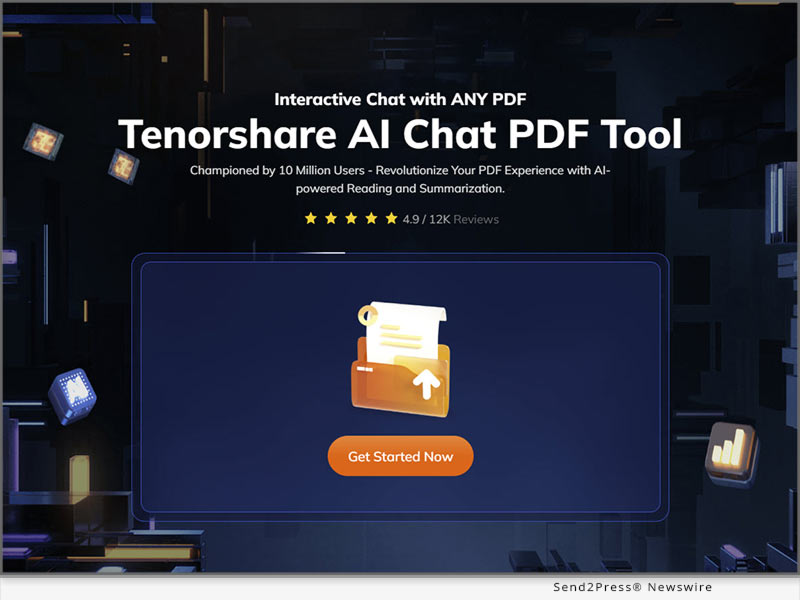
* Bypass MDMscreen and remove MDM profiles.
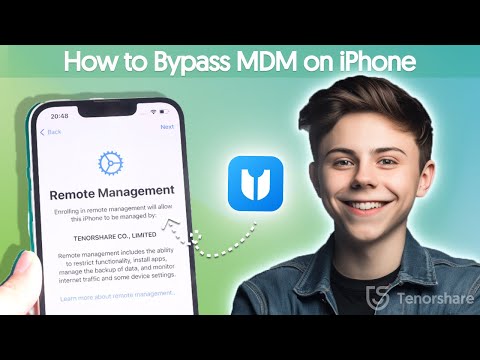
How to Bypass iPhone Passcode Without Losing Data?

Here's how to bypass the passcode on an iPhone with 4uKey without losing data:

* Connect your iPhone to your PC.

* Open 4uKey, press "Start" to unlock the screen.

* Download the firmware package and select "Start Remove" to bypass the iPhone passcode.

https://www.tenorshare.com/unlock-iphone/how-to-bypass-iphone-passcode.html

https://www.dealntech.com/how-to-bypass-iphone-passcode/

https://youtu.be/HIXmNjSffgM

https://www.tenorshare.com/products/4ukey-unlocker.html

About Tenorshare:

Tenorshare, the company behind 4uKey, is dedicated to offering reliable and quick smartphone solutions for both iOS and Android users. When faced with the predicament of "how to bypass an iPhone passcode," Tenorshare 4uKey stands out as a highly recommended solution. Its powerful features, and user-friendly interface, make it a top choice for bypassing iPhone passcodes while ensuring data safety and security.

More information: https://www.tenorshare.com/

Facebook: https://www.facebook.com/TenorshareOfficial/

Twitter/X: https://twitter.com/Tenorshare_Inc

YouTube: https://www.youtube.com/user/TenorshareOfficial/videos

TikTok: https://www.tiktok.com/@tenorshare_tech_tips

News from Tenorshare Co. Ltd.

"I forgot my iPhone passcode, and now it's disabled because I kept trying the wrong one. How to bypass my iPhone passcode?" This is a question that is quite common among iPhone users. So, you're not alone, says Tenorshare. Unlike other methods, Tenorshare iPhone Password Bypasser doesn't just perform an iPhone passcode bypass; it can also unlock a disabled iPhone.

Related link: https://www.tenorshare.com/

This version of news story was published on ScoopCloud™ (ScoopCloud.com) - part of and © the Neotrope® News Network - all rights reserved.