Tag Archives: Photography and Videography

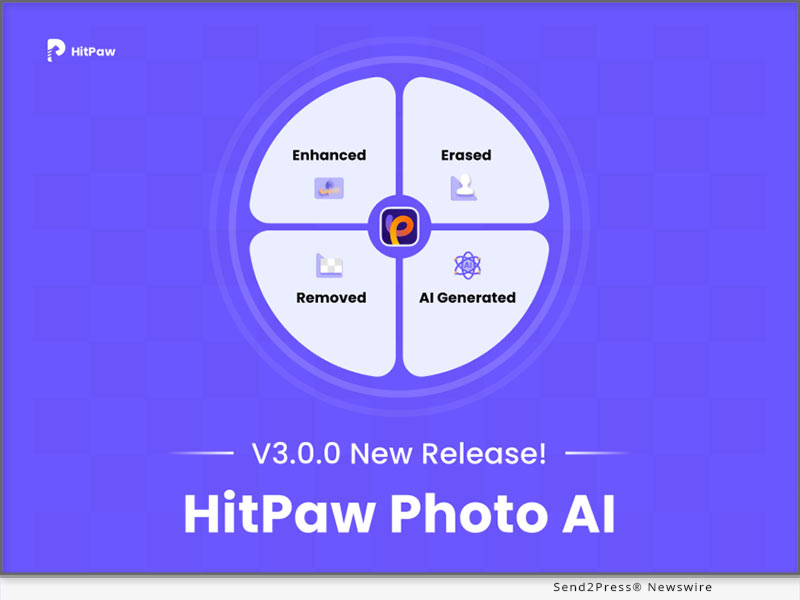
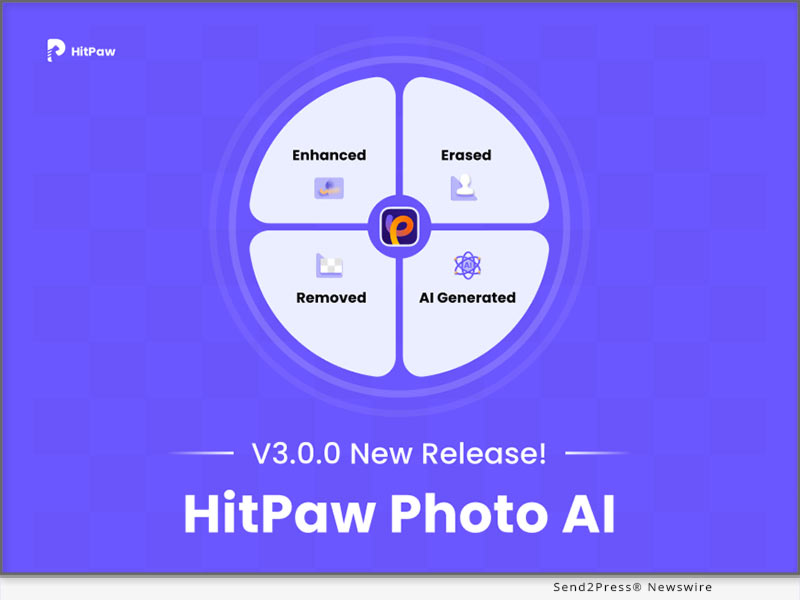
HitPaw Photo AI V3.0.0 Offers Enhanced Features for Photo Enhancer, AI Art Generation, and Object and Background Remover

NEW YORK, N.Y. /ScoopCloud/ -- HitPaw, a pioneering AI-powered multi-media provider, announces the highly anticipated release of HitPaw Photo AI V3.0.0, a Game-Changing Upgrade to HitPaw Photo Enhancer. This revolutionary upgrade represents a significant leap, offering users a comprehensive and user-friendly suite of AI solutions in photo editing technology.

Harnessing the power of AI-based technology, the new version caters to all user requirements by offering features to enhance photo quality, generate AI-generated photos to spur creativity, and remove objects and backgrounds from photos.

LET'S CHECK THE KEY FEATURES

* Diverse Enhancement Tools: Transform Your Photos

HitPaw Photo AI introduces a wide range of tools to enhance photo quality and restore old photos, including AI face modeling, denoise modeling, colorization, color calibration, scratch repair, low-light enhancement, and various editing functions for customization. All tools operate automatically with just one click, simplifying the editing process.

* Boundless Creative Potential: Transform Your Ideas into Art

HitPaw Photo AI empowers users to realize their artistic aspirations. By providing prompts for a photo and selecting desired styles and artists, Photo AI can bring these visions to life through image creation. Unleash your creativity and transform text into captivating works of art, allowing for endless expression and artistic exploration.

* Effortless Object Removal: Refine Your Photos

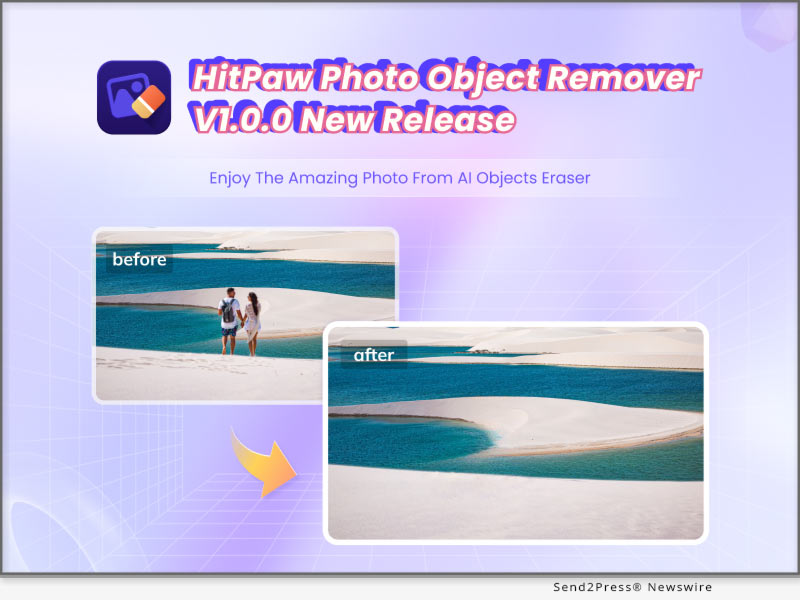
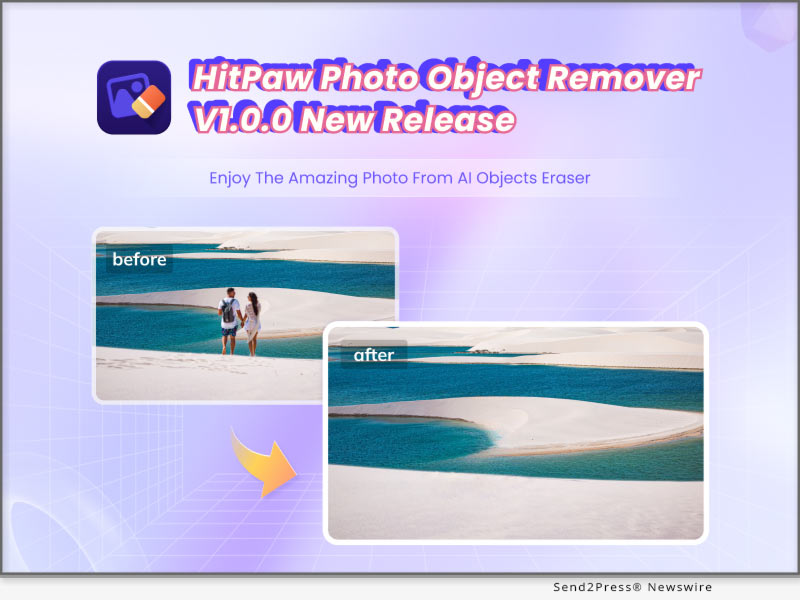
Another standout feature of HitPaw Photo AI is its object remover, which not only enables users to eliminate unwanted elements from their photos, but also facilitates automatic background removal. The AI processing significantly reduces editing time, while the eraser function seamlessly caters to portraits, aged or stained photos, and general images featuring unwanted elements such as strangers and watermarks.

Learn more: https://www.hitpaw.com/photo-ai.html

Compatibility and Price:

HitPaw Photo AI is now compatible with Windows 11/10/8/7 64-bit and above. The pricing starts from $29.99 USD for a month plan.

For more price checking and information, you can visit https://www.hitpaw.com/purchase/buy-hitpaw-photo-ai.html

About HitPaw:

HitPaw is an emerging software company specializing in video editing, screen recording, watermark removing, image editing, photo enhancing meme-making, etc. We help users turn their inspiration into reality so that we can generate more ideas to make the world full of more creativity.

To know more, you may visit https://www.hitpaw.com/about.html and https://www.hitpaw.com/

Our Social Media:

YouTube: https://www.youtube.com/channel/UCQwRggaotgiMcPbiCOsJeBA

Facebook: https://www.facebook.com/hitpawofficial

X (Twitter): https://twitter.com/HitPawofficial

Instagram: https://www.instagram.com/hitpawofficial/

Pinterest: https://www.pinterest.com/HitPawofficialwebsite/
News from HitPaw

HitPaw, a pioneering AI-powered multi-media provider, announces the highly anticipated release of HitPaw Photo AI V3.0.0, a Game-Changing Upgrade to HitPaw Photo Enhancer. This revolutionary upgrade represents a significant leap, offering users a comprehensive and user-friendly suite of AI solutions in photo editing technology.

Related link: https://www.hitpaw.com/

This version of news story was published on ScoopCloud™ (ScoopCloud.com) - part of and © the Neotrope® News Network - all rights reserved.


Forever Studios Announces the Launch of Its ‘Memories of America’ Campaign

BOCA RATON, Fla. /ScoopCloud/ -- Forever Studios is proud to announce the launch of its Memories of America campaign, a marketing initiative to provide the best memory preservation services for families across America. The new Gold Standard brand aims to offer industry leading analog photo and video media digitization, proprietary cloud storage and organization software, AI based old photo restoration and proofing platform, handcrafted photo art tributes with a dedicated concierge team.

Notable achievements include the first AI enhanced VHS tape transfer, 8mm film digitization and photo scanning services for analogue media with wide consumer availability: The Forever Studios "Gold Transfer," as well as their own proprietary full-featured cloud media preservation platform, known as the "Forever Cloud." The new software platform allows its customers the ability to digitize, enhance, share and create handcrafted tributes from their analog memories.

Forever Studios President Zachary Goldberg remarks: "I personally started this venture in 2007 because of my desire to preserve my own family memories in a simple and meaningful way. I had always dreamed that I would have the opportunity to help preserve family histories across America. With the launch of the Memories of America campaign, and our new Gold Standard brand, my team and I are excited to help families bring their personal memories back to life and ensure they are preserved for future generations."

About Forever Studios:

Founded in 2007 by Zachary Goldberg, Forever Studios is a Florida based company focused on helping families preserve their treasured memories across America. The company offers analog to digital transfers and photo enhancements with their proprietary Gold Standard service, cloud based photo and video digital storage and organization, and online photo keepsake design software.

The company proudly demonstrates a commitment to sustainability through various green business practices. Forever Studios also supports socially conscious efforts by hiring workers with disabilities and offering education programs and internships to students at local schools.

Learn more at: https://foreverstudios.com/

News from Forever Studios

Forever Studios is proud to announce the launch of its Memories of America campaign, a marketing initiative to provide the best memory preservation services for families across America. The new Gold Standard brand aims to offer industry leading analog photo and video media digitization, proprietary cloud storage and organization software, AI based old photo restoration and proofing platform, handcrafted photo art tributes with a dedicated concierge team.

Related link: https://foreverstudios.com/

This version of news story was published on ScoopCloud™ (ScoopCloud.com) - part of and © the Neotrope® News Network - all rights reserved.

FlexClip Empowers Creativity with an Array of New Editing Features

HONG KONG /ScoopCloud/ -- PearlMountain Limited's flagship video creation platform, FlexClip, announces the release of the new version, featuring the Speed Curve Controller, Rich Text Editing, Color Picker, Fast Cut Editing, and Cloud Resource Reuse for an outstanding creative video editing experience.

"I am thrilled to announce the latest FlexClip update, which brings a host of exciting new features designed to meet the diverse video creation demands of our users," says PearlMountain CEO and founder, Lin Xiao. "One of our remarkable enhancements is the Speed Curve Controller, a tool that improves flexibility and creativity in video creation. These new features are set to expand creative horizons and enrich the overall user experience."

Speed Curve Controller, typically reserved for desktop video editors, is now accessible to users of all skill levels with FlexClip. FlexClip offers six preset curve styles, including Montage, Hero Time, and Jump Cut, along with custom curve setting options. Whether for action highlights, slow-motion effects, syncing with music beats, or flashy transitions, users can use the speed curve feature to elevate their video content.

FlexClip also adds Rich Text Editing feature. Users can input in real-time and highlight part of the text to add personality and uniqueness. This feature boosts text content's flexibility and expressiveness, enabling creative and engaging storytelling.

What's more, FlexClip introduces a Color Picker for effortless color capture and application, enhancing personalization and creativity. Also, with the new Fast Cut Editing feature, users have the flexibility to adjust video duration down to 0.1 seconds for effects like quick cuts and music beat syncing. And users can now efficiently reuse cloud storage materials when creating new videos, saving time and effort with no need for repetitive uploads.

FlexClip's latest version represents continuous progress in video creation, offering users more powerful and diverse tools, expanding creative options, and boosting efficiency and flexibility in content creation.

For more information about FlexClip, please visit https://www.flexclip.com/ or on Facebook, Twitter and YouTube.

About FlexClip:

FlexClip is a browser-based video maker platform developed by PearlMountain Limited, providing one-stop video services that help novice and professionals create tutorials, video trailers, explainer videos, presentations, and social media videos with ease.

To date, FlexClip is used and loved by millions of people around the globe.

News from PearlMountain Limited

PearlMountain Limited's flagship video creation platform, FlexClip, announces the release of the new version, featuring the Speed Curve Controller, Rich Text Editing, Color Picker, Fast Cut Editing, and Cloud Resource Reuse for an outstanding creative video editing experience.

Related link: https://www.pearlmountainsoft.com/

This version of news story was published on ScoopCloud™ (ScoopCloud.com) - part of and © the Neotrope® News Network - all rights reserved.

HitPaw Video Enhancer V2.0.0 Released as Major Update! Your Ultimate Solution for Video Repair and Video Enhancement

NEW YORK, N.Y. /ScoopCloud/ -- HitPaw, a leading software company, has announced the release of HitPaw Video Enhancer Windows V2.0.0, which has provided major updates! This new version comes with advanced features that will enable you to create professional-looking videos with ease. Even for those who are new to video upscaling, HitPaw Video Enhancer V2.0.0 is the ultimate solution for blurry videos!

LET'S CHECK OUT THE NEW FEATURES

* Low-light Video Enhancement Model

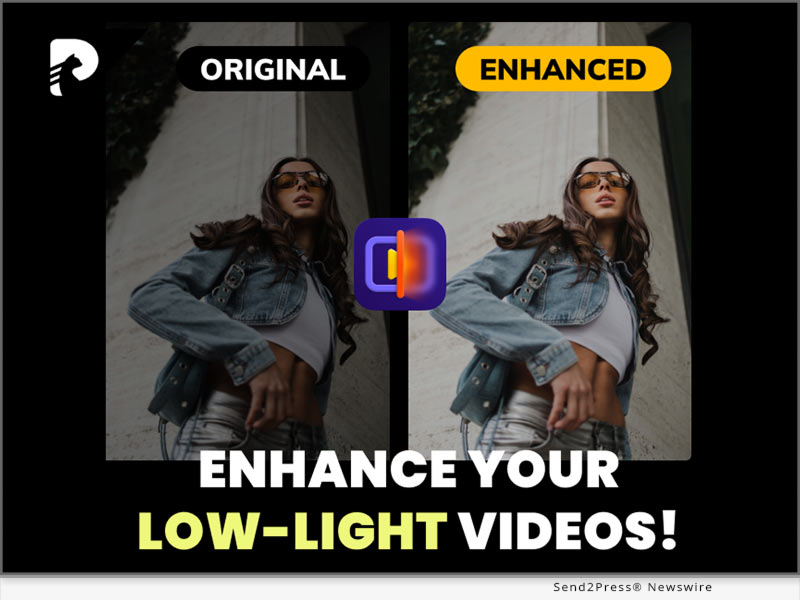
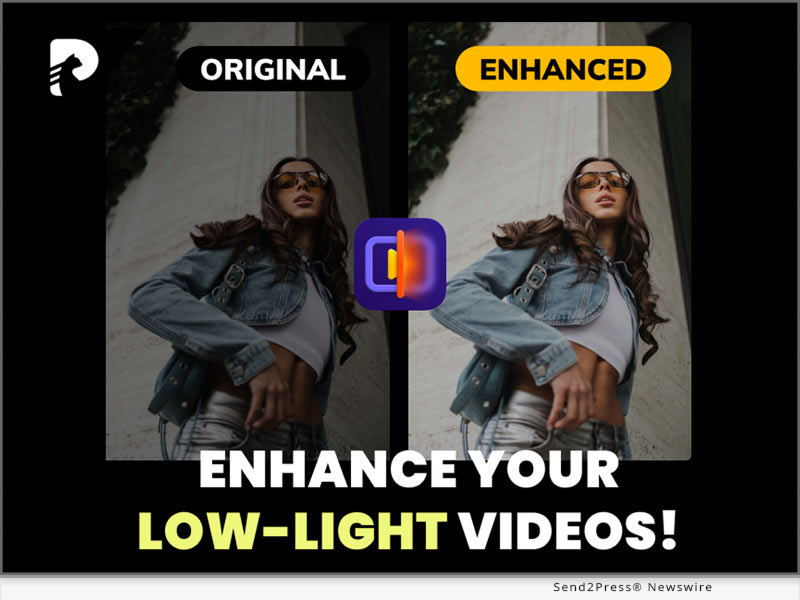
The latest version of HitPaw Video Enhancer for Windows comes with a AI Low-light Video Enhancement Model that allows users to enhance videos taken in low-light conditions. This feature is especially useful for those who love to take videos at night or in dark environments.

* Video Repair

In addition to the Low-light Video Enhancement Model, the new version of HitPaw Video Enhancer also includes a Video Repair function. This function allows users to repair videos that have been damaged or corrupted due to various reasons, such as file transfer errors or faulty USB cable.

* Video Editing

Furthermore, the new version also includes a Video Editing function. If you are not satisfies with the length of the videos in the process of post-editing, this feature allows cut the need-less part and only save and enhance the most important parts of the video.

* More Formats Supported

Along with the releasing of the new version, HitPaw Video Enhancer now supports exporting with more kinds of formats, including MP4, AVI, MOV, MKV, M4V and GIF, which will meet the needs of more of our users.

Compatibility and Price:

HitPaw Video Enhancer is compatible with both Windows 11/10 64-bit and MacOS 10.15 or later, making it accessible to a wide range of users. The new version of HitPaw Video Enhancer for Windows is now available for download on the HitPaw website. Users can try out the new features by downloading the free trial version, or purchase the full package starts from $42.99/month.

For more information, you can visit:

https://www.hitpaw.com/hitpaw-video-enhancer.html

https://www.hitpaw.com/purchase/buy-hitpaw-video-enhancer.html

https://www.hitpaw.com/purchase/buy-hitpaw-video-enhancer-mac.html

https://www.hitpaw.com/event/anniversary.html

About HitPaw:

HitPaw is an emerging software company specialized in multi-media solutions such as video/photo editing, video/photo enhancing, voice changing, screen recording, watermark removing, etc. We help users turn their inspiration into reality so that we can generate more ideas to make the world be full of more creativity.

To know more about HitPaw, you could visit:

https://www.hitpaw.com/

https://www.hitpaw.com/about.html

Our Social Media:

YouTube: https://www.youtube.com/channel/UCQwRggaotgiMcPbiCOsJeBA

TikTok: https://www.tiktok.com/@hitpaw

Facebook: https://www.facebook.com/HitPawofficial

X(Twitter): https://twitter.com/HitPawofficial

Instagram: https://www.instagram.com/HitPawofficial/

Pinterest: https://www.pinterest.com/HitPawofficialwebsite/

News from HitPaw

HitPaw, a leading software company, has announced the release of HitPaw Video Enhancer Windows V2.0.0, which has provided major updates! This new version comes with advanced features that will enable you to create professional-looking videos with ease. Even for those who are new to video upscaling, HitPaw Video Enhancer V2.0.0 is the ultimate solution for blurry videos!

Related link: https://www.hitpaw.com/

This version of news story was published on ScoopCloud™ (ScoopCloud.com) - part of and © the Neotrope® News Network - all rights reserved.
HitPaw Video Converter V3.2.0 Released: Upgrades and Optimizations Redefine its Multimedia Excellence

NEW YORK, N.Y. /ScoopCloud/ -- HitPaw, a leader in cutting-edge software technology, is excited to announce the launch of its latest software update, HitPaw Video Converter V3.2.0. Designed to meet a diverse range of user needs, HitPaw Video Converter V3.2.0 introduces several remarkable enhancements that are set to redefine the way videos and audios are managed and transformed.

LET'S CHECK OUT THIS NEW VERSION

* Amazon Music Converter

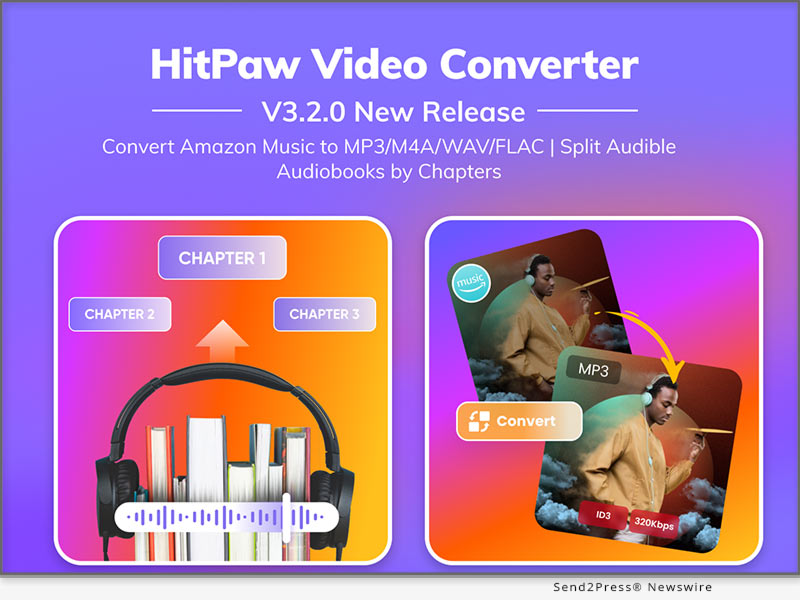
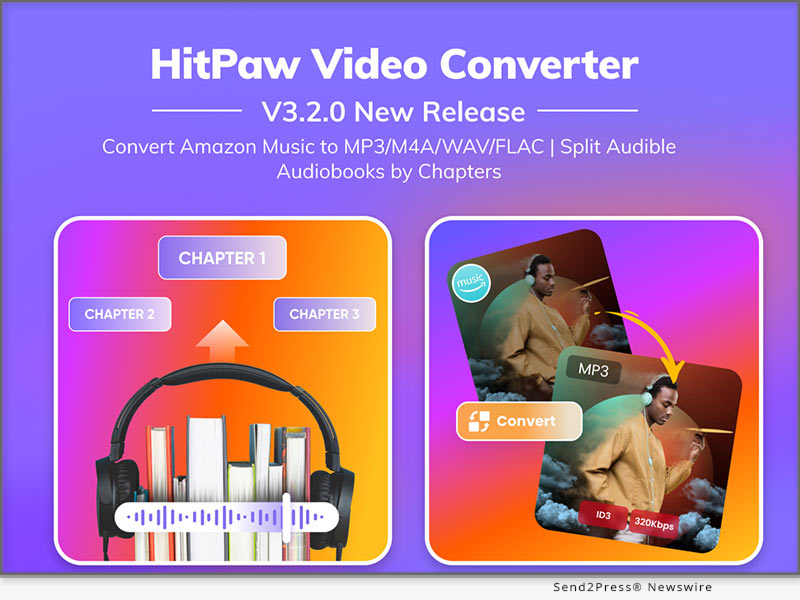
With Amazon Music Converter, you can effortlessly download and save HD/Ultra HD tracks, albums, playlists, artists, and podcasts from Amazon music to your local PC for offline listening permanently even if your subscription expires. It supports batch converting Amazon Music to lossless FLAC while preserving essential ID3 metadata. This breakthrough feature provides music enthusiasts with the freedom to enjoy their favorite tracks on any device and with any media player, offering a truly seamless and unrestricted musical experience.

* Audible Audiobook Splitting

The Audible Converter feature has received an exciting upgrade, allowing users to effortlessly split Audible audiobooks by chapters. This enhancement enhances the accessibility and organization of your audiobook collection, making it easier than ever to navigate your literary adventures.

* Enhanced Instagram Image Classification

This innovation has enhanced the categorization of Instagram image filtering, introducing additional filtering criteria such as a time dimension and video and image categorization dimensions. This enables users to conveniently select the Instagram content they want to view and download.

* Expanded Export Formats

The Format Conversion module has been extended to include new export formats, offering support for 2K (2560*1440) resolution in MP4, MOV, MKV, and AVI formats. Enhance the visual quality of your video content and adapt it to your specific requirements.

Compatibility and Price:

HitPaw Video Converter is now compatible with Windows 11/10/8/7 64-bit and macOS 10.13 and above. The pricing starts from $19.95 USD for a month plan.

For more price checking and information, you can visit https://www.hitpaw.com/video-converter.html

About HitPaw:

HitPaw is an emerging software company specializing in video editing, screen recording, watermark removing, image editing, photo enhancing meme-making, etc. We help users turn their inspiration into reality so that we can generate more ideas to make the world full of more creativity.

To know more, you may visit https://www.hitpaw.com/about.html and https://www.hitpaw.com/

Our Social Media

YouTube: https://www.youtube.com/channel/UCQwRggaotgiMcPbiCOsJeBA

Facebook: https://www.facebook.com/hitpawofficial

X/Twitter: https://twitter.com/HitPawofficial

Instagram: https://www.instagram.com/hitpawofficial/

Pinterest: https://www.pinterest.com/HitPawofficialwebsite/

News from HitPaw

HitPaw, a leader in cutting-edge software technology, is excited to announce the launch of its latest software update, HitPaw Video Converter V3.2.0. Designed to meet a diverse range of user needs, HitPaw Video Converter V3.2.0 introduces several remarkable enhancements that are set to redefine the way videos and audios are managed and transformed.

Related link: https://www.hitpaw.com/

This version of news story was published on ScoopCloud™ (ScoopCloud.com) - part of and © the Neotrope® News Network - all rights reserved.
Neotrope and Send2Press expand AI image optimization for its press release distribution services

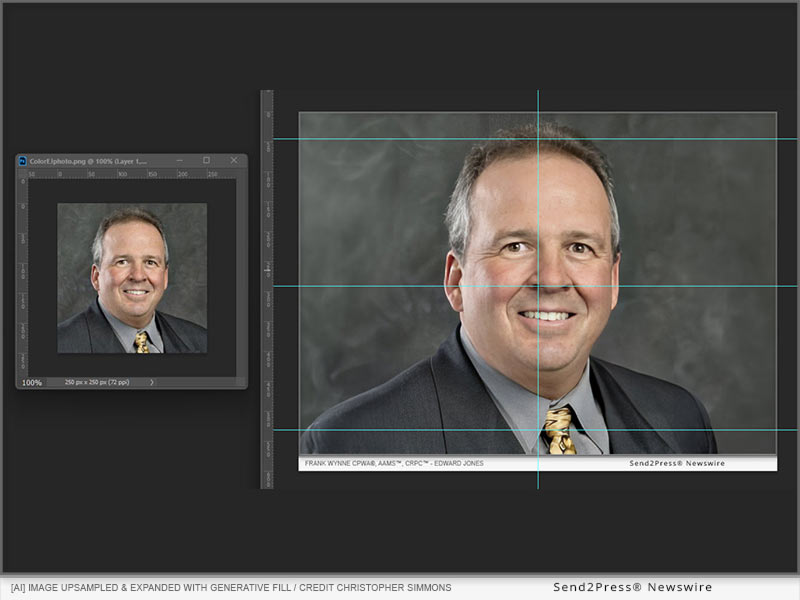
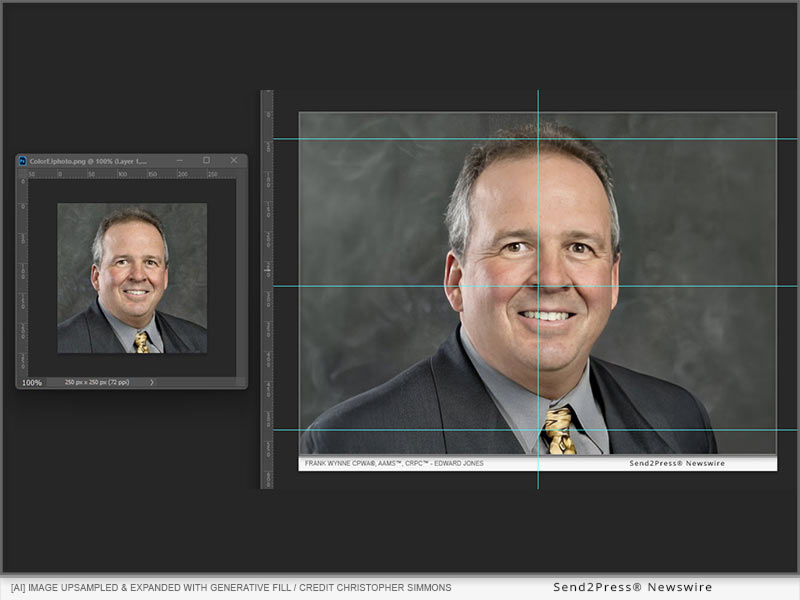
TEMECULA, Calif. /ScoopCloud/ -- Today, Neotrope®, a 40+ year old tech and marketing firm, and Send2Press® Newswire, a 24 year old online newswire service, announce updated use of AI tools for client image optimization, such as upscaling and generative fill to make news images better for social and syndication.

"For the past 24 years we have always helped clients improve their news images for press release dissemination direct-to-editors and online," says CEO and co-founder Christopher Laird Simmons.

"This has sometimes been simple stuff like whitening teeth a little in headshots, or fixing wide angle distortion, where folks on either side of a group image look like Agustus Gloop due to lens distortion. We've been pretty proud of taking this extra step - which nobody else in the newswire business does."

Simmons, an Adobe Photoshop guru since 1993, and professional photographer since a teenager (ahem, in the late 1970s), started using image AI tools like Topaz Gigapixel AI in 2019 to upscale client images; where sometimes an agency could get nothing from their client except a postage stamp image, perhaps from a LinkedIn account or email signature.

Recently adding modern tools like generative fill in Photoshop 2023, and Topaz Photo AI for improved upsampling, has been a huge step forward in correcting the overall image for elements such as missing shoulders, rooms, outdoor sets, chopped off hair, and more.

"Today, our basic web image size for press releases syndicated online and shared to news platforms and social, is an 800x600 pixel rectangle, and 3x4 inch 300 dpi image for media," says Simmons. "When clients have nothing other than a 250x250 pixel headshot, we can now easily upscample the image to usable size, but also use generative fill to add the missing elements for converting a vertical or square image to landscape rectangle. The time saving with AI is just astounding, and our clients are both appreciative and a bit 'freaked out.' It is rather trippy what is now possible."

Simmons concludes, "We like to say our press release newswire is more like a wedding cake business than a burger flipping business. With these updated tools the frosting keeps getting better!"

Basic image correction is free with all of Send2Press' PRO press release distribution packages on a non-pre-approval basis. Pre-approval and alternate versioning is available at added cost and delays distribution.

Send2Press, online since 2000*, offers best in class affordable press release distribution and writing. News appears on legitimate news portals, APnews website, AP syndication, AP newsrooms, social media and high visibility on Google News and other news channels and data platforms.

Send2Press, a service of Neotrope, was ranked best overall of the top 6 newswire services by Fit Small Business in 2020. Parent, Neotrope, was an Inc. 5000 listed company in 2009.

Neotrope®, a marketing, entertainment, and technology company, launched in 1983 by Christopher Laird Simmons and the late Dr. JL Simmons, is celebrating its 41st anniversary in Jan. 2024.

(*Verifiable via Archive.org for Send2Press homepage in the year 2000.)

About Send2Press:

Send2Press®, founded in 2000, offers affordable press release distribution, writing, and social media marketing. Send2Press was named "best overall" of the top six press release services in 2020 by Fit Small Business. Send2Press is a dba of Neotrope, founded in 1983 in California.

Send2Press was the first true newswire service to be entirely made up of public relations and marketing professionals (including PRSA members), ex-magazine staffers, and published authors. This provides a better boutique experience versus other services with only sales people and copy editors on staff.

Send2Press has consistently been ranked one of the top newswire services overall based on honesty and credibility, with exceptional ratings from customers on sites like Trustpilot.

Learn more about Send2Press® at: https://www.Send2Press.com/

Send2Press Newswire offers:

* Professional press release writing with accredited staff

* Local, regional, or national targeted press release distribution to both U.S. daily media and trade periodicals

* Social media sharing with custom tags and over 275,000 monthly impressions for our social channels

* National syndication via the AP, including the AP website, all U.S. AP newsrooms and online syndication to U.S. newspaper and broadcast sites, with free photo

* Placement on top-ranked business and finance sites including Digital Journal, eNewsChannels, Street Insider, BENZINGA, Apple News, and Google News, among others

* Placement in the Neotrope News Network, Go Media Network and selected international news platforms in Canada, Germany, India/Asia, and the Middle East

* Agency pricing for all™ with "pay as go" packages; no membership fees or subscriptions

View current plans and pricing at: https://www.send2press.com/services/price-list.shtml

View current client projects at: https://www.send2press.com/wire/

About Neotrope:

Since 1983 Neotrope® has delivered services to raise organization awareness including brand identity, marketing, public relations (PR), and social media services. Based in Temecula, California (wine country!), Neotrope is also an entertainment publishing company involved in books, music, software, sound design, video and more.

The company was co-founded by author, artist, journalist, musician and marketing/PR expert, Christopher Laird Simmons, and the late Dr. JL Simmons, PhD, a best-selling author and respected university professor.

The company has been a consistent leader in new technologies including direct marketing, digital design, ecommerce, multimedia, SEO and e-marketing for 40 years. Neotrope was an Inc. 5000 company in 2009, has a 25-year A+ rating with the BBB, and is a member of GS1. Neotrope.com

LEGAL NOTE: Send2Press® and Neotrope® are U.S. registered trademarks and service marks. Neotrope is a registered trademark in Europe. Direct-to-Editors™ is a trademark and service mark of Neotrope.

News from Neotrope

Today, Neotrope®, a 40+ year old tech and marketing firm, and Send2Press® Newswire, a 24 year old online newswire service, announce updated use of AI tools for client image optimization, such as upscaling and generative fill to make news images better for social and syndication.

Related link: https://neotrope.com

This version of news story was published on ScoopCloud™ (ScoopCloud.com) - part of and © the Neotrope® News Network - all rights reserved.
Gemoo Releases FocuSee, An Innovative Screen Recording App with Auto Editing to Help Non-Professionals Create Stunning Videos with Least Cost and Effort

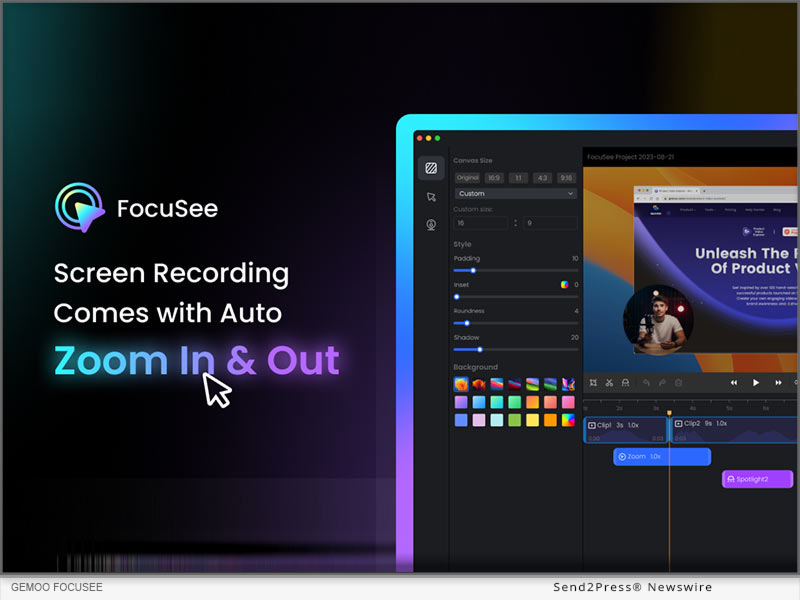
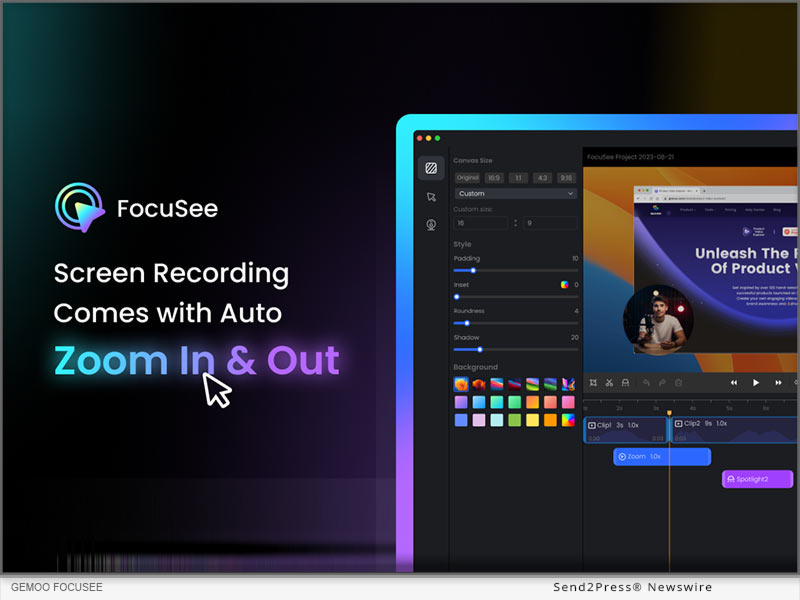
LOS ANGELES, Calif. /ScoopCloud/ -- Gemoo, an innovative startup team aiming to simplify the workflow of video creation, editing, and sharing, has launched FocuSee, a groundbreaking screen recording application with auto-editing features designed to empower users without video editing skills to craft stunning tutorial, promotional, sales, and demo videos in minutes.

"For too long, the high cost and time investment in professional video production has deterred startups like us and individuals from creating compelling video content," said Morgan Kung, founder of Gemoo. "Hiring a professional editor often costs hundreds of dollars per video, while creating a video by ourselves consumes precious hours. It's a burden for us. So we built FocuSee, hoping to make post-production easier, smoother, and as friendly as possible for non-professionals."

How FocuSee Works:

1 - Record the screen, with webcam and microphone as usual.

2 - FocuSee automatically adds dynamic pan and zoom effects, along with an appealing background around the video. As soon as users finish recording, a polished video is ready for sharing.

3 - Users can export the video as MP4 / GIF, share it via a link, or embed it anywhere using embed code.

4 - They can even add in-video quizzes, forms, and call-to-action buttons to generate leads or get feedback more efficiently. (Available for videos shared online)

FocuSee also supports personalized adjustments, allowing users to tailor the video to their specific needs:

* Highlight focal points with Spotlight feature, drawing audiences' attention to key elements.

* Choose from various screen and selfie layout options, including side-by-side, overlay, and screen-only modes.

* Select from 8 mouse cursor styles and 3 button click effects to match the video's style.

* Tailor the background, rounded corners, shadow, inset, and padding to achieve the best visual impact.

* Trim, cut, crop, speed up, or slow down specific portions. Make the video concise and clear.

* Choose from preset aspect ratios for different platforms, like YouTube, Twitter, TikTok, etc. All animations and effects will be automatically adjusted accordingly.

Try FocuSee Now: https://gemoo.com/focusee/

USE CASES OF FOCUSEE:

Demos & Tutorials

Craft engaging demos and tutorials that show details more clearly. Set in-video quizzes, forms, and call-to-action buttons to collect feedback, emails, and prompt action instantly.

Promo & Launch Videos

Record captivating promo or launch videos. Resize it for various social media platforms in a click. Export it as high-quality video or GIF to use on the landing page.

Pitch & Sales Videos

Elevate outreach success rate with compelling videos, featuring side-by-side displays of selfie and screen. Add a personal touch to build better connections and trust with recipients.

Compatibility and Price:

FocuSee works on both Windows and macOS, and is available from $19.99. Choose plan here: https://gemoo.com/focusee/pricing.htm

About Gemoo:

Gemoo is an innovative team on a mission to let everyone enjoy a fun, creative, and limitless experience of video creating, editing, and sharing. Learn more at: https://gemoo.com/

News from Gemoo

Gemoo, an innovative startup team aiming to simplify the workflow of video creation, editing, and sharing, has launched FocuSee, a groundbreaking screen recording application with auto-editing features designed to empower users without video editing skills to craft stunning tutorial, promotional, sales, and demo videos in minutes.

Related link: https://gemoo.com/

This version of news story was published on ScoopCloud™ (ScoopCloud.com) - part of and © the Neotrope® News Network - all rights reserved.
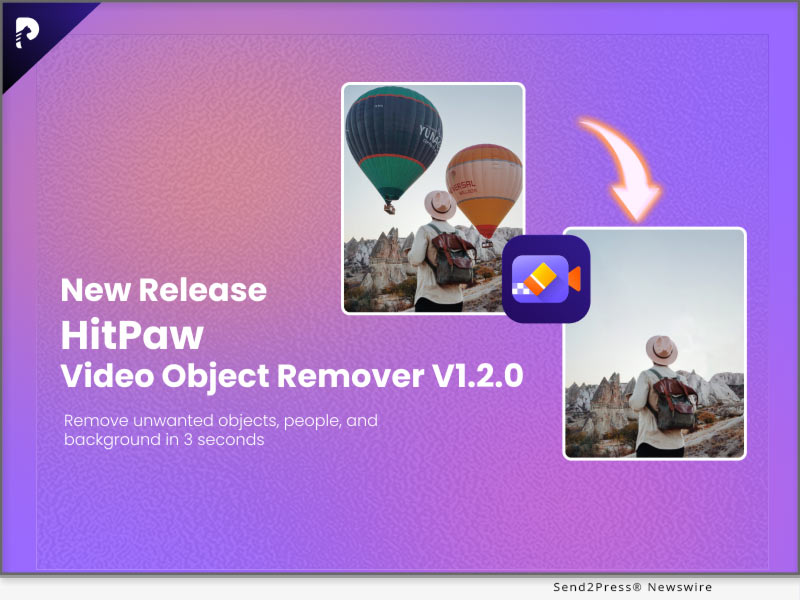
HitPaw Video Object Remover V2.0.0 announced: A Revolutionary Upgrade for Seamless Video Editing

NEW YORK, N.Y. /ScoopCloud/ -- HitPaw is thrilled to announce the release of HitPaw Video Object Remover (Win) V2.0.0, a game-changing update that elevates the world of video editing to new heights. These updates are designed to enhance the user experience, making HitPaw Video Object Remover (Win) V2.0.0 the ultimate tool for video editors of all levels.

WHAT'S NEW:

* Enhanced AI Model

We've supercharged our AI model for object removal, delivering even more precise and impressive results. Say goodbye to unwanted elements in your videos effortlessly.

* Improved Tracking and Removal

We've fine-tuned our tracking and removal capabilities to ensure a smoother and more effective editing process. Your videos will look flawless and professional.

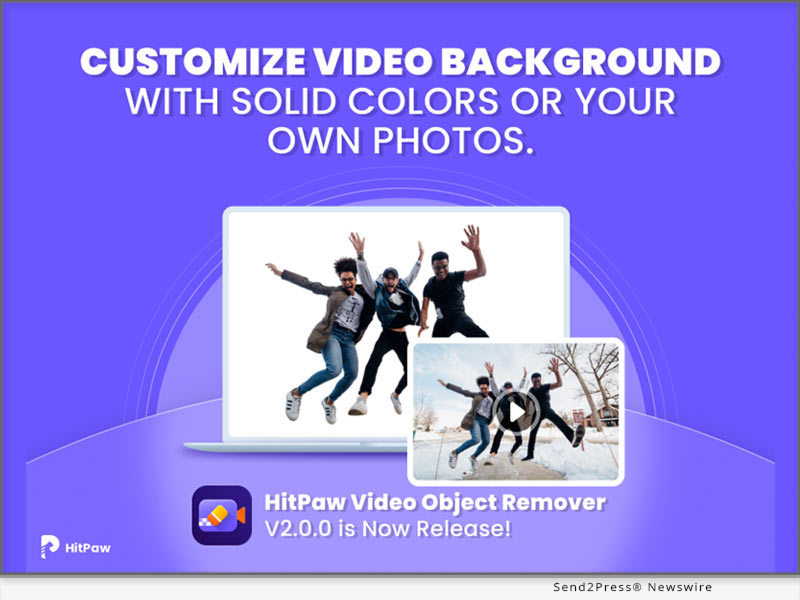
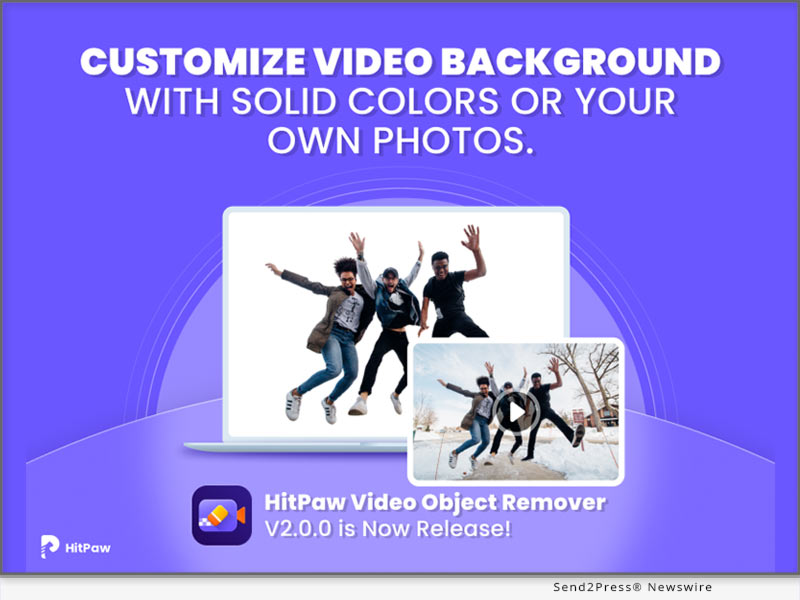
* Custom Background Upload

The star feature of this update is the ability to upload your own images for background replacement. Now, you have the freedom to replace video backgrounds with your favorite pictures, unleashing your creativity.

* Generic Picture Background

In addition to custom uploads, we provide a selection of generic picture backgrounds for replacement. It's never been easier to give your videos a fresh look.

Learn more: https://www.hitpaw.com/hitpaw-object-remover.html

Compatibility and Price:

HitPaw Video Object Remover is now compatible with Windows 11/10 64-bit and macOS 10.15 and above. The pricing starts from $39.99 USD for a month plan.

For more price checking and information, you can visit https://www.hitpaw.com/purchase/buy-hitpaw-object-remover.html

About HitPaw:

HitPaw is a leading software provider dedicated to simplifying the world of multimedia editing. Our innovative tools empower creators to bring their ideas to life, whether through video editing, photo enhancement, or more. With user-friendly interfaces and cutting-edge technology, HitPaw software is designed for both beginners and professionals.

To know more, you may visit https://www.hitpaw.com/

Our Social Media

YouTube: https://www.youtube.com/channel/UCQwRggaotgiMcPbiCOsJeBA

Facebook: https://www.facebook.com/hitpawofficial

X/Twitter: https://twitter.com/HitPawofficial

Instagram: https://www.instagram.com/hitpawofficial/

Pinterest: https://www.pinterest.com/HitPawofficialwebsite/

News from HitPaw

HitPaw is thrilled to announce the release of HitPaw Video Object Remover (Win) V2.0.0, a game-changing update that elevates the world of video editing to new heights. These updates are designed to enhance the user experience, making HitPaw Video Object Remover (Win) V2.0.0 the ultimate tool for video editors of all levels.

Related link: https://www.hitpaw.com/

This version of news story was published on ScoopCloud™ (ScoopCloud.com) - part of and © the Neotrope® News Network - all rights reserved.
Glynns Thomas Portraits Adds New Studio Location in Downtown Sacramento

SACRAMENTO, Calif. /ScoopCloud/ -- Glynns Thomas Portraits, a leading provider of professional headshot and brand photography services, is excited to announce the opening of its second studio location at 717 K Street in Sacramento, CA. This strategic expansion positions them in the vibrant heart of downtown Sacramento, directly across from the Downtown Commons (DOCO) and the world-renowned Golden 1 Center.

"Adding this second studio location is an exciting milestone for our company," Glynns Thomas, founder and lead photographer, says. "We're thrilled to bring our unique approach to professional headshots to this vibrant urban setting, just steps away from the energy and excitement of the Golden 1 Center. This expansion allows us to better serve the diverse needs of our clients and to provide a convenient, top-notch photography experience."

Glynns Thomas Portraits has earned a stellar reputation for delivering high-quality corporate headshots and executive portraits that help individuals and businesses present their best professional image. Whether clients are seeking individual headshots, team headshots, or editorial/media kit images for executives, the new location offers modern and professional looks alike.

Just like their El Dorado Hills Studio, the new studio at 717 K Street has state-of-the-art photography equipment in a comfortable and welcoming environment. The space is designed to make clients feel comfortable and relaxed during their headshot sessions.

Additionally, Glynns Thomas Portraits will continue to offer on-location photography services throughout California which provides even more client flexibility and convenience.

About Glynns Thomas Portraits LLC:

Glynns Thomas Portraits specializes in creating professional headshots that present its clients as first-rate, welcoming experts. Founded by Glynns Thomas, a former corporate-marketer-turned-photographer, she understands what makes a top-class corporate headshot.

MORE INFORMATION:

Website: https://www.glynnsthomas.com

High-resolution images and interviews with Glynns Thomas are available upon request.

News from Glynns Thomas Portraits LLC

Glynns Thomas Portraits, a leading provider of professional headshot and brand photography services, is excited to announce the opening of its second studio location at 717 K Street in Sacramento, CA. This strategic expansion positions them in the vibrant heart of downtown Sacramento, directly across from the Downtown Commons (DOCO) and the world-renowned Golden 1 Center.

Related link: https://www.glynnsthomas.com/

This version of news story was published on ScoopCloud™ (ScoopCloud.com) - part of and © the Neotrope® News Network - all rights reserved.
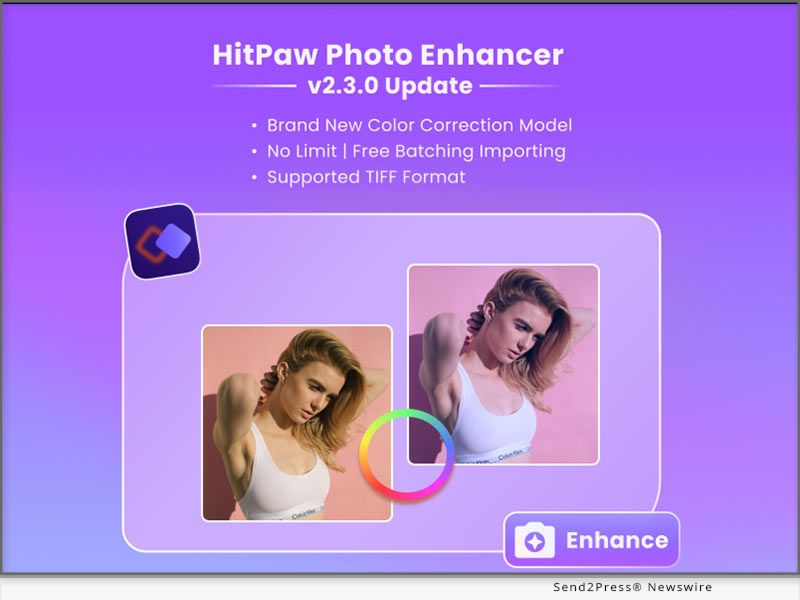
HitPaw Photo Enhancer v2.6.0 Update Revolutionizes Photo Editing with New Enhancer Features for Stunning Results

NEW YORK, N.Y. /ScoopCloud/ -- HitPaw, a trailblazing force in software innovation, is thrilled to announce the latest release of the HitPaw Photo Enhancer. Packed with cutting-edge features, this enhancement tool takes photo editing to a whole new level, allowing users to bring their creative visions to life like never before.

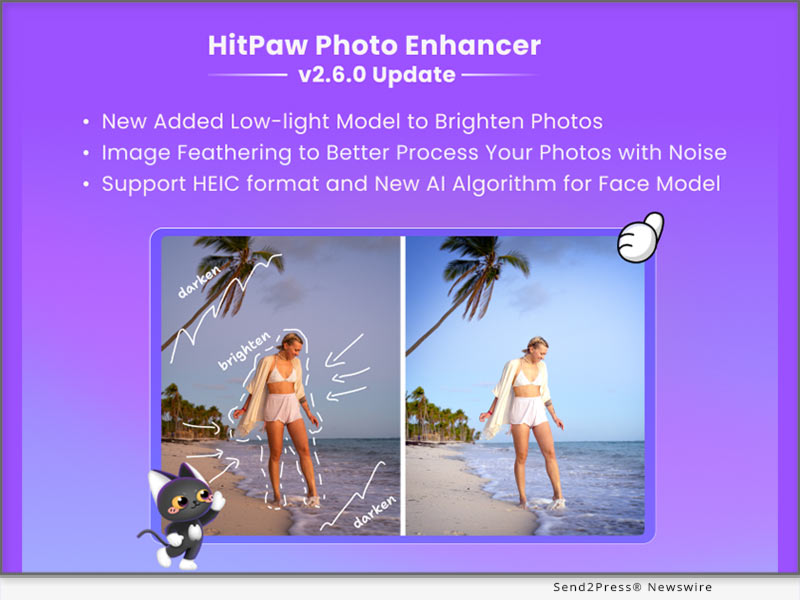
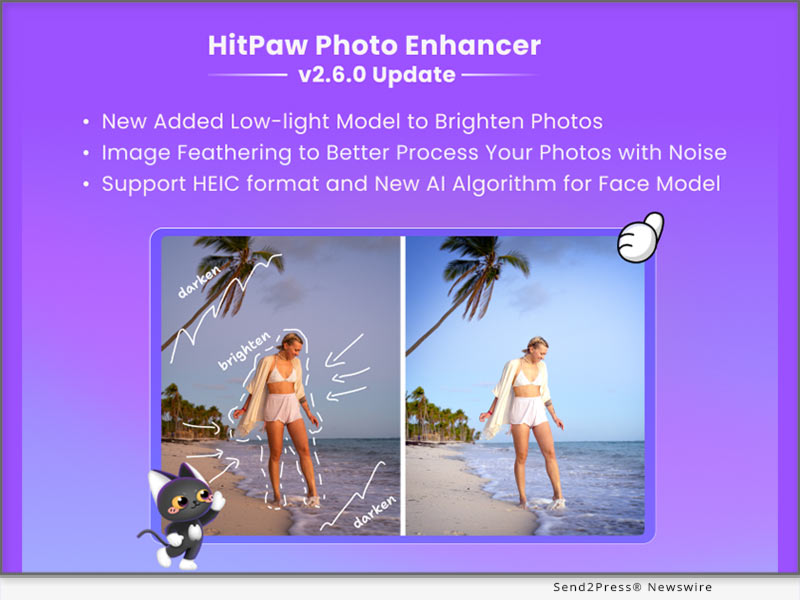
In this update, HitPaw releases the low-light model, image feathering, new AI algorithm for face model and support for HEIC format, continuing to empower our users with powerful, user-friendly features.

LET'S CHECK OUT THE NEW FEATURES:

* Illuminate Your Photos: Introducing the Low-light Model

Capturing moments in low-light conditions has never been easier. The newly added Low-light Model utilizes advanced AI technology to enhance and brighten photos taken in challenging lighting environments. Preserve details and colors in dimly lit settings, ensuring your memories shine.

* Unparalleled Image Processing: Image Feathering for Noise Reduction

HitPaw Photo Enhancer now offers Image Feathering, a powerful tool for processing noisy images. This feature effectively reduces noise while maintaining image sharpness, resulting in cleaner, more professional-looking photos.

* HEIC Format Support and New AI Algorithm for Face Model

To cater to modern image formats, HitPaw Photo Enhancer now supports HEIC format, making it easier to work with images from Apple devices. Additionally, a new AI algorithm for the Face Model further improves facial detail preservation, ensuring your portraits are flawless and true to life.

Learn more: https://www.hitpaw.com/photo-enhancer.html

Compatibility and Price:

HitPaw Photo Enhancer is now compatible with Windows 11/10/8/7 64-bit and macOS 10.15 and above. The pricing starts from $17.99 USD for a month plan.

For more price checking and information, you can visit https://www.hitpaw.com/purchase/buy-hitpaw-photo-enhancer.html.

About HitPaw:

HitPaw is an emerging software company specializing in video editing, screen recording, watermark removing, image editing, photo enhancing meme-making, etc. We help users turn their inspiration into reality so that we can generate more ideas to make the world full of more creativity.

To know more, you may visit https://www.hitpaw.com/about.html and https://www.hitpaw.com/

Our Social Media

YouTube: https://www.youtube.com/channel/UCQwRggaotgiMcPbiCOsJeBA

Facebook: https://www.facebook.com/hitpawofficial

X/Twitter: https://twitter.com/HitPawofficial

Instagram: https://www.instagram.com/hitpawofficial/

Pinterest: https://www.pinterest.com/HitPawofficialwebsite/

News from HitPaw

HitPaw, a trailblazing force in software innovation, is thrilled to announce the latest release of the HitPaw Photo Enhancer. Packed with cutting-edge features, this enhancement tool takes photo editing to a whole new level, allowing users to bring their creative visions to life like never before.

Related link: https://www.hitpaw.com/

This version of news story was published on ScoopCloud™ (ScoopCloud.com) - part of and © the Neotrope® News Network - all rights reserved.
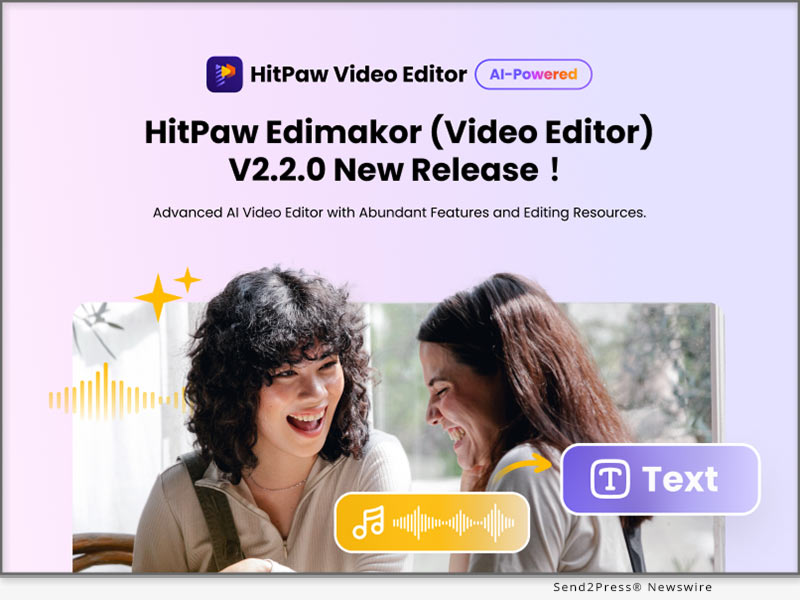
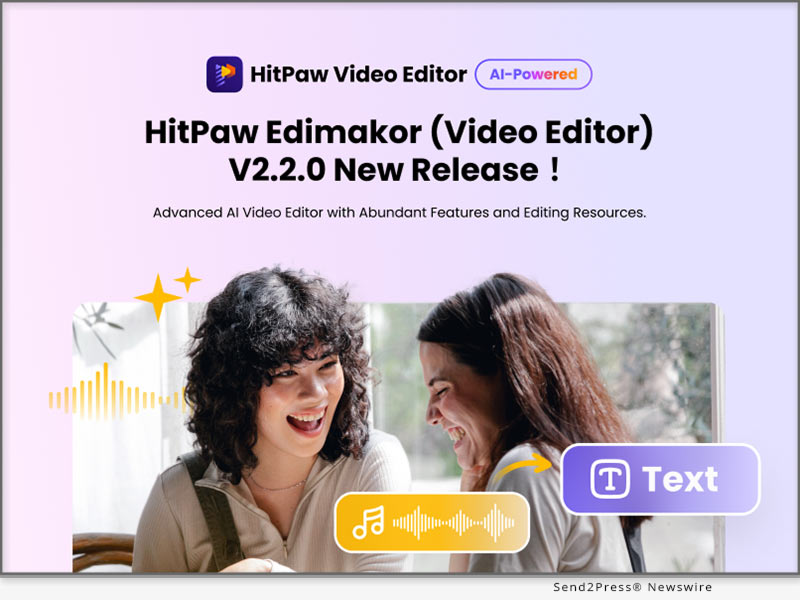
HitPaw Edimakor V2.2.0 Released: The Best Option for Top-Notch Video Editing!

NEW YORK, N.Y. /ScoopCloud/ -- An innovative software firm, HitPaw, is thrilled to announce the release of HitPaw Edimakor V2.2.0, which offers unrivaled benefits. Everyone can simply make professional-quality videos with this excellent software. It is a robust and easy-to-use video editing program that offers users a wealth of options for creating cutting-edge videos. With its outstanding features, HitPaw Edimakor is destined to revolutionize the video editing sector.

In this new version, HitPaw Edimakor updates a few new features and capabilities, such as subtitle maker, audio visualizer, audio recording and more abundant resources for creating stunning videos and bringing better user experience!

LET'S CHECK OUT THE NEW FEATURES:

1 - Auto Subtitle Maker

The sophisticated AI-powered auto subtitle maker of HitPaw Edimakor creates precise subtitles for your videos automatically. Say goodbye to the laborious process of manually transcribing and syncing subtitles. You can add subtitles to your videos using HitPaw Edimakor, making them more accessible and interesting for a larger audience.

2 - Audio Visualizer

Bring your videos to life with the dynamic audio visualizer feature. HitPaw Edimakor allows users to create captivating visual representations of audio, syncing the visuals with sounds and rhythms. From music videos to promotional content, the audio visualizer is bound to add a visually stunning element that captivates viewers and enhances the overall video experience.

3 - Audio Recording

HitPaw Edimakor simplifies the video editing process by offering built-in the audio recording capability. You can now record voiceovers, add narration, or capture audio directly within the software. This feature eliminates the need for external recording tools, streamlining the editing workflow and saving much time for you.

4 - Abundant Resources for Video Editing

HitPaw Edimakor provides users with a vast library of resources, including preset animations, text styles and dynamic effects, etc. Whether you are a beginner or a seasoned professional, these resources empower you to unleash your creativity and produce outstanding videos with ease.

Compatibility and Price:

HitPaw Edimakor V2.2.0 is compatible with the Windows system (The Mac version is coming soon). It costs you $29.95 to subscribe for a one-month plan, $39.95 for a one-year plan, and $59.95 for a lifetime plan. Download the software and fill out a questionnaire, and you will get a coupon for 30% off!

For more information about the price, you can visit: https://www.hitpaw.com/purchase/buy-hitpaw-video-editor.html

About HitPaw:

HitPaw is a burgeoning technology company that aims to provide its customers with an all-in-one solution for editing videos and photos. The company's mission is to simplify the video editing process and make video editing accessible to every user. It continues to make progress in providing better user experience in the video editing industry.

To learn more about us, you can visit:

https://www.hitpaw.com/ and https://www.hitpaw.com/about.html

Follow our social media:

YouTube: https://www.youtube.com/channel/UCQwRggaotgiMcPbiCOsJeBA

Facebook: https://www.facebook.com/hitpawofficial

X/Twitter: https://twitter.com/HitPawofficial

Instagram: https://www.instagram.com/hitpawofficial/

Pinterest: https://www.pinterest.com/HitPawofficialwebsite/

News from HitPaw

An innovative software firm, HitPaw, is thrilled to announce the release of HitPaw Edimakor V2.2.0, which offers unrivaled benefits. Everyone can simply make professional-quality videos with this excellent software. It is a robust and easy-to-use video editing program that offers users a wealth of options for creating cutting-edge videos. With its outstanding features, HitPaw Edimakor is destined to revolutionize the video editing sector.

Related link: https://www.hitpaw.com/

This version of news story was published on ScoopCloud™ (ScoopCloud.com) - part of and © the Neotrope® News Network - all rights reserved.
HitPaw Video Converter V3.1.0 Update Unveils Exciting New AI Features to Unleash Your Creativity

NEW YORK, N.Y. /ScoopCloud/ -- HitPaw, a pioneer in software technology, is thrilled to announce the launch of its latest software version, HitPaw Video Converter V3.1.0. Packed with innovative features, this release empowers users to take their video processing and editing capabilities to a whole new level. Catering to a wide range of needs, HitPaw Video Converter V3.1.0 introduces several remarkable enhancements that will revolutionize the way videos are manipulated.

LET'S CHECK OUT THIS NEW VERSION

* TIDAL Music Converter
With Tidal Music Converter, you can effortlessly transform your TIDAL music into common formats such as MP3, FLAC, WAV, and M4A while preserving essential ID3 metadata. This breakthrough feature provides music enthusiasts with the freedom to enjoy their favorite tracks on any device and with any media player, offering a truly seamless and unrestricted musical experience.

* AI Art Generator
Simply describe your desired image, and watch as the AI crafts stunning visuals that perfectly align with your artistic intent. With the AI Art Generator, users can now infuse their contents with artistic flair. From abstract to realistic, and everything in between, the AI covers an array of artistic styles to match your creative intentions.

* Speech To Text
HitPaw Video Converter V3.1.0 now introduces a game-changing feature that converts speech to text. This innovation not only simplifies the creation of accessible content, but also elevates user engagement to a whole new level. Now, you can effortlessly convert video and audio to text, as well as seamlessly synchronize subtitles with the video timeline.

* Video Stabilization
Building on the foundation of the current AI technology, HitPaw Video Converter unveils an innovative video stabilization capability. This feature ensures impeccable playback quality, even for videos plagued by shakiness.

* Screen Recorder
The new version boasts enhanced recording capabilities with the addition of screen recording, webcam recording, and microphone recording functions. Users can effortlessly capture and integrate various elements into their video projects.


Compatibility and Price
HitPaw Video Converter is now compatible with Windows 11/10/8/7 64-bit and macOS 10.13 and above. The pricing starts from $19.95 USD for a month plan.

For more price checking and information, you can visit https://www.hitpaw.com/video-converter.html

About HitPaw
HitPaw is an emerging software company specializing in video editing, screen recording, watermark removing, image editing, photo enhancing meme-making, etc. We help users turn their inspiration into reality so that we can generate more ideas to make the world full of more creativity.

To know more, you may visit https://www.hitpaw.com/about.html and https://www.hitpaw.com/

Our Social Media
YouTube: https://www.youtube.com/channel/UCQwRggaotgiMcPbiCOsJeBA

Facebook: https://www.facebook.com/hitpawofficial

Twitter: https://twitter.com/HitPawofficial

Instagram: https://www.instagram.com/hitpawofficial/

Pinterest: https://www.pinterest.com/HitPawofficialwebsite/

News from HitPaw

HitPaw, a pioneer in software technology, is thrilled to announce the launch of its latest software version, HitPaw Video Converter V3.1.0. Packed with innovative features, this release empowers users to take their video processing and editing capabilities to a whole new level.

Related link: https://www.hitpaw.com/

This version of news story was published on ScoopCloud™ (ScoopCloud.com) - part of and © the Neotrope® News Network - all rights reserved.
HitPaw Video Enhancer V1.8.0 Released: Major Update Provided! The Ultimate Solution for Video Enhancing

NEW YORK, N.Y. /ScoopCloud/ -- HitPaw, a leading software company, has announced the release of HitPaw Video Enhancer V1.8.0, and has provided major updates! This new version comes with advanced features that will enable you to create professional-looking videos with ease, make your videos more vibrant and appealing!

LET'S CHECK OUT THE NEW FEATURES:

* Model Download

One of the most exciting additions to the new version is the model download function. You can choose to download the video enhancement model you want. This greatly reduces the memory size of the product, making it faster when downloading and installing the product. This means users can now access more templates and effects to make their videos more engaging and visually appealing.

* Preview Duration

The latest version has upgraded the preview duration from 45 frames (about 3 seconds) to up to 75 frames(5 seconds)! This will make your preview experience better for viewing the enhanced video effect even you are using the free version.

* Frame Interpolation Model

Another impressive feature in the new version is the Frame Interpolation Model. This feature helps you to add extra frames between existing frames, making motion blur videos smoother.

* Video Stabilize Model

The Video Stabilize Model is another exciting addition to HitPaw Video Enhancer V1.8.0. This feature helps you to stabilize shaky footage, making it smoother and more professional-looking. With this feature, you do not need to worry about shaky footage shot in any situation.

Compatibility and Price

HitPaw Video Enhancer is compatible with both Windows 11/10 64-bit and MacOS 10.15 or later, making it accessible to a wide range of users.

HitPaw Video Enhancer V1.8.0 is easy to use, even for those who are new to video upscaling. You can also try out the new features for free during the trial period before deciding to purchase the software. With its advanced features and ease of use, HitPaw Video Enhancer V1.8.0 is the ultimate solution for blurry videos.

For more information, you can visit:

https://www.hitpaw.com/hitpaw-video-enhancer.html

https://www.hitpaw.com/purchase/buy-hitpaw-video-enhancer.html

https://www.hitpaw.com/purchase/buy-hitpaw-video-enhancer-mac.html

https://www.hitpaw.com/event/anniversary.html

About HitPaw

HitPaw is an emerging software company specialized in multi-media solutions such as video/photo editing, video/photo enhancing, voice changing, screen recording, watermark removing, etc. We help users turn their inspiration into reality so that we can generate more ideas to make the world be full of more creativity.

To know more about HitPaw, you could visit:

https://www.hitpaw.com/

https://www.hitpaw.com/about.html

Our Social Media

YouTube: https://www.youtube.com/channel/UCQwRggaotgiMcPbiCOsJeBA

TikTok: https://www.tiktok.com/@hitpaw

Facebook: https://www.facebook.com/HitPawofficial

X(Twitter): https://twitter.com/HitPawofficial

Instagram: https://www.instagram.com/HitPawofficial/

Pinterest: https://www.pinterest.com/HitPawofficialwebsite/

News from HitPaw

HitPaw, a leading software company, has announced the release of HitPaw Video Enhancer V1.8.0, and has provided major updates! This new version comes with advanced features that will enable you to create professional-looking videos with ease, make your videos more vibrant and appealing!

Related link: https://www.hitpaw.com/

This version of news story was published on ScoopCloud™ (ScoopCloud.com) - part of and © the Neotrope® News Network - all rights reserved.
Launching a new way to convert subtitles to audio using text-to-speech AI voice generators, Narakeet makes it simple to tailor videos to global audiences

WOKING, U.K. /ScoopCloud/ -- Aiming to make text to speech technology available to everyone, Narakeet today unveiled a way to seamlessly convert video subtitles into audio using state-of-the-art text to speech AI. This innovative solution emerges in response to the increasing demand for video content tailored to global audiences.

By swiftly converting written subtitles into lifelike audio narration, content creators can now effortlessly bridge language barriers. A typical use case is to provide audio tracks in different languages for videos. Instead of forcing the audience to read subtitles in a local language, video producers can engage their audiences more effectively using native audio.

Until now, providing audio tracks in multiple languages was a laborious task. Even with automated voice generators, someone would need to record lots of small sound snippets and manually synchronize them to the original visuals using video editing software. Narakeet's latest offering allows companies to localize video content by automatically synchronizing AI voice output to subtitle and closed caption timestamps, saving significant time and effort.

"Working together with clients from various industries, from religious organizations wanting to reach global audiences, to large enterprises that need to offer internal training videos to their workforce in multiple languages, we have been developing and testing this solution over the last few months. It's very exciting to be able to open it to the general public," said Gojko Adzic, founder of Narakeet.

"Instead of wasting hours on aligning audio with video, this new tool makes it trivially easy to produce alternative language soundtracks. Just upload a translated subtitle file with original timestamps, choose one of our 600 realistic voice generators in 90 languages, and get a perfectly synchronized audio track in minutes."

According to a recent report by Valuates, "The global AI Voice Generator market is expected to grow from $2.4 billion in 2023 to $7.2 billion by 2029." Making text to speech technology easily accessible to mass market consumers will be a key factor for that growth.

"Realistic text to speech technology is now easily available online, but more complex usage scenarios often require programming skills and technical knowledge beyond the reach of the usual consumer," said Adzic. "We are putting all that power in the hands of regular people, who don't have the time or skills to build their own processing systems."

The Narakeet subtitle audio generator supports both commonly used standards for subtitle files, SRT and WebVTT. It is available as an online tool for individual users, and as a developer API for companies that want to automate alternative audio track recordings for hundreds or thousands of videos.

For more information on the Narakeet subtitle audio generator, see: https://www.narakeet.com/docs/how-to/convert-subtitles-to-audio.html

For company information, visit: https://www.narakeet.com/

For images and press resources, see https://www.narakeet.com/docs/press/

Related video (YouTube): https://youtu.be/R10yrn_Nwl8

RELATED LINK/CITATION:

https://reports.valuates.com/request/sample/QYRE-Auto-33Y14030/Global_AI_Voice_Generator_Market_Research_Report_2023

News from Narakeet

Aiming to make text to speech technology available to everyone, Narakeet today unveiled a way to seamlessly convert video subtitles into audio using state-of-the-art text to speech AI. This innovative solution emerges in response to the increasing demand for video content tailored to global audiences.

Related link: https://www.narakeet.com/

This version of news story was published on ScoopCloud™ (ScoopCloud.com) - part of and © the Neotrope® News Network - all rights reserved.

HitPaw Releases Cutting-Edge Photo Enhancer v2.5.0, Ushering in a New Era of Image Enhancement

NEW YORK, N.Y. /ScoopCloud/ -- HitPaw, a leading software company, proudly presents its latest innovation - the HitPaw Photo Enhancer. Packed with state-of-the-art features, this powerful tool elevates photo editing to new heights.

In this update, HitPaw releases the the combination of face model & scratch repair model, customizable editing options, and improved efficiency, empowering users to transcend their creative boundaries.

LET'S CHECK OUT THE NEW FEATURES:

* Unparalleled Old Photo Restoration: Introducing Face Model & Scratch Repair

Preserve precious memories with utmost precision using the new Face Model and Scratch Repair features. The enhanced restoration effect breathes life into old photos, ensuring unmatched clarity and accuracy in facial details, while the Scratch Repair function flawlessly erases imperfections, rejuvenating cherished memories like never before.

* Infinite Creative Control: Enhanced Editing Function for Customization

HitPaw Photo Enhancer introduces a suite of powerful editing functions, enabling users to crop, rotate, and customize photo ratios effortlessly. Unleash your creativity and craft visuals that align with your artistic vision, turning ordinary images into captivating works of art.

* Tailored Precision: Custom DPI Export for Various Applications

HitPaw Photo Enhancer now allows users to export photos with adjustable DPI settings, ranging from 72 to 300. This customizable feature ensures each image is tailored to its intended purpose, guaranteeing impeccable results for web usage or high-quality prints.

* Streamlined Efficiency: Improved Model Processing and User Interaction

Experience unmatched efficiency with HitPaw's enhanced model processing. The seamless user interface provides intuitive navigation, catering to users of all skill levels. Enjoy fast-paced editing without compromising the impeccable quality that HitPaw is renowned for.

Compatibility and Price:

HitPaw Photo Enhancer is now compatible with Windows 11/10/8/7 64-bit and macOS 10.15 and above. The pricing starts from $17.99 USD for a month plan.

For more price checking and information, you can visit https://www.hitpaw.com/purchase/buy-hitpaw-photo-enhancer.html.

About HitPaw:

HitPaw is an emerging software company specializing in video editing, screen recording, watermark removing, image editing, photo enhancing meme-making, etc. We help users turn their inspiration into reality so that we can generate more ideas to make the world full of more creativity.

To know more, you may visit https://www.hitpaw.com/about.html and https://www.hitpaw.com/

Our Social Media

YouTube: https://www.youtube.com/channel/UCQwRggaotgiMcPbiCOsJeBA

Facebook: https://www.facebook.com/hitpawofficial

X (Twitter): https://twitter.com/HitPawofficial

Instagram: https://www.instagram.com/hitpawofficial/

Pinterest: https://www.pinterest.com/HitPawofficialwebsite/

News from HitPaw

HitPaw, a leading software company, proudly presents its latest innovation - the HitPaw Photo Enhancer. Packed with state-of-the-art features, this powerful tool elevates photo editing to new heights.

Related link: https://www.hitpaw.com/

This version of news story was published on ScoopCloud™ (ScoopCloud.com) - part of and © the Neotrope® News Network - all rights reserved.

HitPaw Introduces its Online AI Video Translator: Breaking Language Barriers in Video Content Creation

NEW YORK, N.Y. /ScoopCloud/ -- HitPaw, a leading technology company specializing in video editing solutions, is thrilled to announce the launch of its groundbreaking Online AI Video Translator. This cutting-edge tool empowers content creators, businesses, educators, and global audiences by effortlessly translating video content into multiple languages, breaking language barriers, and fostering seamless communication worldwide.

Language Barriers, No More!

In an increasingly interconnected world, language barriers have become a significant challenge for content creators and businesses seeking to reach wider audiences. HitPaw's Online AI Video Translator is set to revolutionize the video translation landscape, offering a user-friendly platform to effortlessly translate video content from one language to another.

Intelligent AI-Powered Technology

At the heart of the Online AI Video Translator is an advanced AI-powered technology that guarantees accurate and natural translations. This state-of-the-art translation engine has been meticulously trained on vast multilingual datasets, enabling it to comprehend context, dialects, and subtleties within the source language, and provide linguistically coherent translations in the target language.

Unparalleled Ease of Use

HitPaw understands the value of simplicity, and the Online AI Video Translator exemplifies this philosophy. With its intuitive user interface, users can easily upload their videos, select the source and target languages, and initiate the translation process within minutes. The tool is designed to be accessible for all, regardless of their technical expertise or experience in video editing.

Key Features:

* Real-Time Video Translation: Experience instantaneous translation results, making video content accessible to audiences around the world without any delay.

* Multi-Language Support: Translate video content from and into a wide array of languages, catering to diverse audiences with varying linguistic preferences.

* Natural and Fluent Translations: The AI-driven translator ensures that translated videos retain a natural flow, maintaining the original intent and context.

* Customizable Subtitles and Captions: Personalize subtitles and captions to align with your video's style and aesthetics for a seamless viewing experience.

* Privacy and Security: HitPaw prioritizes user privacy, ensuring that uploaded videos are treated with utmost confidentiality and not stored on the platform.

Join to Translate Videos Today!

For more information or to participate in the event, visit: https://online.hitpaw.com/video-translator.html

About HitPaw:

HitPaw is an emerging software company specialized in video editing, screen recording, watermark removing, image editing, photo enhancing, etc. We help users turn their inspiration into reality so that we can generate more ideas to make the world be full of more creativity.

To know more, you may visit: https://www.hitpaw.com/about.html and https://online.hitpaw.com/

Our Social Media:

YouTube: https://www.youtube.com/channel/UCQwRggaotgiMcPbiCOsJeBA

Facebook: https://www.facebook.com/hitpawofficia l

Twitter/X: https://twitter.com/HitPawofficial

Instagram: https://www.instagram.com/hitpawofficial/

Pinterest: https://www.pinterest.com/hitpawcom/

Threads: https://www.threads.net/@hitpawofficial

News from HitPaw

HitPaw, a leading technology company specializing in video editing solutions, is thrilled to announce the launch of its groundbreaking Online AI Video Translator. This cutting-edge tool empowers content creators, businesses, educators, and global audiences by effortlessly translating video content into multiple languages, breaking language barriers, and fostering seamless communication worldwide.

Related link: https://www.hitpaw.com/

This version of news story was published on ScoopCloud™ (ScoopCloud.com) - part of and © the Neotrope® News Network - all rights reserved.
HitPaw Video Object Remover Mac V1.2.1 is The Ultimate Solution for Mac Users to Create Seamless Videos

NEW YORK, N.Y. /ScoopCloud/ -- HitPaw, a leading software technology company, has announced the release of Mac version of the Video Object Remover - the HitPaw Video Object Remover Mac V1.2.1. This powerful video editing tool is designed specifically for Mac users running macOS 10.15 and above, with enhanced compatibility for macOS 12 and above systems.

In this new version, ported the selection module of the AI object removal model in the Windows version and can recognize the selection intelligently. In the Mac version, we have added the business package for users to choose in addition to the personal package.

LET'S CHECK OUT THIS NEW VERSIONS:

1 - The selection module of the AI object removal model

The limit on the number of selections created is no longer limited to one, now multiple selections can be created. This new feature offers more control and precision in removing objects and recognition in the background, allowing users to create stunning results. Gone are the days of tedious manual selection - effortlessly handling multiple objects you want to remove at the same time and saving valuable time and effort.

2 - The AI background removal models

HitPaw has also improved the AI background removal models of Video Object Remover Mac V1.2.1. The export function of the background removal model has been optimized for transparent video export, now you can see the effect of background removal by exporting transparent video directly, no need to change the player to verify.

3 - The preview playback function

HitPaw Video Object Remover Mac V1.2.1 now allows users to preview the entire video with the applied object removal effects in real-time. Witness the magic unfold as unwanted elements disappear seamlessly from your footage, ensuring you achieve the desired outcome before finalizing the edit.

4 - Wide Language Support

HitPaw Video Object Remover Mac V1.2.0 breaks barriers by supporting 17 languages, including English, Spanish, French, German, Chinese, Japanese, and many more. Users from different linguistic backgrounds can now enjoy a seamless video editing experience.

Compatibility and Price:

HitPaw Video Object Remover V1.2.0 is optimized for macOS 10.15 and above, with added support for macOS 12 and above systems, ensuring Mac users can harness its full potential across a range of devices.

Its pricing starts from $49.99 per month, $69.99 per year, and $109.99 for the lifetime. And in business license, users can choose 5 Macs for 139.95 USD and 10 Macs for 269.95 USD.

For more information checking, you can visit:

https://www.hitpaw.com/hitpaw-object-remover.html

About HitPaw:

HitPaw is an emerging software company specializing in video editing, screen recording, watermark removing, image editing, photo-enhancing meme-making, etc. We help users turn their inspiration into reality so that we can generate more ideas to make the world full of more creativity.

To know more, you may visit https://www.hitpaw.com/

Our Social Media:

YouTube: https://www.youtube.com/channel/UCQwRggaotgiMcPbiCOsJeBA

Facebook: https://www.facebook.com/hitpawofficial

Twitter: https://twitter.com/HitPawofficial

Instagram: https://www.instagram.com/hitpawofficial/

Pinterest: https://www.pinterest.com/HitPawofficialwebsite/

News from HitPaw

HitPaw, a leading software technology company, has announced the release of Mac version of the Video Object Remover - the HitPaw Video Object Remover Mac V1.2.1. This powerful video editing tool is designed specifically for Mac users running macOS 10.15 and above, with enhanced compatibility for macOS 12 and above systems.

Related link: https://www.hitpaw.com/

This version of news story was published on ScoopCloud™ (ScoopCloud.com) - part of and © the Neotrope® News Network - all rights reserved.
HitPaw Video Editor V2.0.0 Released: The Ultimate Solution for Editing Professional and High-quality Videos

NEW YORK, N.Y. /ScoopCloud/ -- HitPaw, a cutting-edge software company, is excited to announce the launch of HitPaw Video Editor V2.0.0 with unprecedented advantages. This outstanding software, designed for users of all skill levels, enables everyone to create professional-quality videos easily. It is a powerful and user-friendly video editing tool that provides users with lots of features for making newfangled videos. HitPaw Video Editor is bound to redefine the video editing industry with its exceptional capabilities.

In this update, some new features and functions in HitPaw Video Editor V2.0.0 will be introduced, including screen recording, photo enhancement, voice changes, stickers, and exporting videos for multiple social media platforms.

LET'S CHECK OUT THE NEW FEATURES:

* Interesting stickers and effects

The new version of HitPaw Video Editor provides users with more than 50 stickers and effects. Everyone is allowed to add a playful and humorous element to the video with them. Without any doubt, the interesting stickers and effects are bound to help you edit your video creatively.

* Exporting videos for multiple social media platforms

Different social media platforms require various specifications for your video. You may worry that your video will be compressed on different platforms. Here is the good news! Before you export the video, there will be different suggestions for you according to the chosen platform. You can rest assured to upload your video without compression to different platforms.

* Brand new function of screen recording

With the new function of screen recording, you can record any kind of video, such as online meetings, online live-streaming, and computer games. No longer will you miss the important messages and exciting moments. You can capture every activity happening on your computer screen without any hassle.

* AI-powered photo enhancer and voice changer

Do you still feel annoyed at the blurry photos? With photo enhancement, you can easily transform blurry pictures into high-definition ones by adjusting various parameters of them. Do you want to make your voice sound more appealing? Using the voice changer of HitPaw Video Editor, you can change your voice as a male, female, or child with a single click, adding much more fun to your videos.

Compatibility and Price:

HitPaw Video Editor is compatible with Windows and MacOS. It costs $29.95 to subscribe for one-month plan, $39.95 for one-year plan, and $59.95 for lifetime plan.

More information: https://www.hitpaw.com/purchase/buy-hitpaw-video-editor.html

About HitPaw:

HitPaw is a burgeoning technology company that aims to provide its customers with an all-in-one solution for editing videos and photos. The company's mission is to simplify the video editing process and make video editing accessible to every user, in spite of their technical expertise or budget. With a proven record of success, HitPaw continues to make progress in providing better user experiences in the video editing industry.

INFORMATION:

https://www.hitpaw.com/

https://www.hitpaw.com/about.html

Social media:

YouTube: https://www.youtube.com/@hitpaw

Facebook: https://www.facebook.com/hitpawofficial

Twitter: https://twitter.com/HitPawofficial

Instagram: https://www.instagram.com/hitpawofficial/

Pinterest: https://www.pinterest.com/HitPawofficialwebsite/

News from HitPaw

HitPaw, a cutting-edge software company, is excited to announce the launch of HitPaw Video Editor V2.0.0 with unprecedented advantages. This outstanding software, designed for users of all skill levels, enables everyone to create professional-quality videos easily. It is a powerful and user-friendly video editing tool that provides users with lots of features for making newfangled videos.

Related link: https://www.hitpaw.com/

This version of news story was published on ScoopCloud™ (ScoopCloud.com) - part of and © the Neotrope® News Network - all rights reserved.
HitPaw Video Enhancer V1.7.0 Released: Major Update with New Enhance Model Added

NEW YORK, N.Y. /ScoopCloud/ -- HitPaw Video Enhancer has released the new version of Windows V1.7.0, and has provided major updates! Have a glance of the update piont below and try to make your videos more vibrant and appealing!

Color Enhancement Model Added

A new Color Enhancement Model is added under the General Denoise Model, Animation Model and Face Model. It is designed to enhance the colors of videos by adjusting the brightness, contrast, and saturation levels. You can choose to enhance the videos via the specific model along with the color enhancement choice.

Deinterlace Automatically

The Automatic Deinterlace feature is another exciting addition to the HitPaw Video Enhancer. It automatically detects interlaced video footage and removes the interlacing artifacts to produce smooth and clear video output.

More Choices with Export Format And Bit rate

With the latest update, you have been provided with more choices when it comes to export format and bit rate. You can now choose from a wide range of exporting formats like MKV, M4V and AVI and bit rates from 512 kbps to 30,000 kbps to suit your specific needs.

More Choices with Preview

Apart from the previous preview form, now you can compare the Before & After by choosing from multiple effects! You can either choose to compare the processing effect with Dual Screen Comparison, or with Sliding Comparison or Overlap Comparison.

Simplified the Initial Interface

Finally, the initial interface of HitPaw Video Enhancer has been simplified to make it easier for you to navigate and use the software. The new interface is intuitive and user-friendly, allowing you to start enhancing your videos right away, and making your user experience more enjoyable.

Compatibility and Price

HitPaw Video Enhancer is now compatible with Windows 11/10 64-bit and MacOS 10.15 or later. The Windows Version pricing starts from $42.99 per month.

For more information, you can visit:

https://www.hitpaw.com/hitpaw-video-enhancer.html

https://www.hitpaw.com/purchase/buy-hitpaw-video-enhancer.html

https://www.hitpaw.com/purchase/buy-hitpaw-video-enhancer-mac.html

About HitPaw:

HitPaw is an emerging software company specialized in multi-media solutions such as video/photo editing, video/photo enhancing, screen recording, watermark removing, etc. We help users turn their inspiration into reality so that we can generate more ideas to make the world be full of more creativity.

To know more, you may visit:

https://www.hitpaw.com/

https://www.hitpaw.com/about.html

Our Social Media:

YouTube: https://www.youtube.com/channel/UCQwRggaotgiMcPbiCOsJeBA

TikTok: https://www.tiktok.com/@hitpaw

Facebook: https://www.facebook.com/HitPawofficial

Twitter: https://twitter.com/HitPawofficial

Instagram: https://www.instagram.com/HitPawofficial/

Pinterest: https://www.pinterest.com/HitPawofficialwebsite/

News from HitPaw

HitPaw Video Enhancer has released the new version of Windows V1.7.0, and has provided major updates! Have a glance of the update piont below and try to make your videos more vibrant and appealing! A new Color Enhancement Model is added under the General Denoise Model, Animation Model and Face Model.

Related link: https://www.hitpaw.com/

This version of news story was published on ScoopCloud™ (ScoopCloud.com) - part of and © the Neotrope® News Network - all rights reserved.
HitPaw Introduces its Groundbreaking Photo Enhancer v2.4.0 with Exciting New Scratch Repair Model

NEW YORK, N.Y. /ScoopCloud/ -- HitPaw, a leading provider of innovative digital solutions, is thrilled to announce the launch of HitPaw Photo Enhancer V2.4.0, revolutionizing the way users restore and enhance their cherished memories.

In this update, HitPaw is addressing a new AI model to restore your old photo and fix scratches in photos, improve the quality of fast mode and support separately download AI models, empowering users to restore and enhance their old photos effortlessly while maintaining the highest quality results.

LET'S CHECK OUT THE NEW FEATURES:

* Newly Added Scratch Repair Model to Restore Your Old Photos

The newly added Scratch Repair Model is a game-changer, allowing users to effortlessly restore old photos with scratches and imperfections. With advanced artificial intelligence, this powerful feature analyzes and repairs damaged areas, preserving the authenticity and beauty of precious moments.

* Enable Users to Download the AI Model Separately

In response to user feedback, HitPaw now enables users to download the AI model separately, providing greater flexibility and customization options. This allows users to choose the specific models they need, optimizing storage and enhancing overall performance.

* Improve the Fast mode of General Model's Photo Enhancing Quality

Moreover, the Fast mode of the General Model has undergone significant improvements in photo enhancing quality. Users can now enjoy faster processing times without compromising the integrity of their images. Experience enhanced details, improved colors, and stunning clarity in your photos, all in record time.

The advanced photo enhancer, featuring the Scratch Repair Model, customizable AI model downloads, and improved Fast mode, is now available for download on HitPaw website. Users can explore these features and benefit from a limited-time promotional offer. For more information and to transform your photo editing experience, visit HitPaw website today.

Compatibility and Price:

HitPaw Photo Enhancer is now compatible with Windows 11/10/8/7 64-bit and macOS 10.15 and above. The pricing starts from $17.99 USD for a month plan.

For more price checking and information, you can visit https://www.hitpaw.com/purchase/buy-hitpaw-photo-enhancer.html.

About HitPaw:

HitPaw is an emerging software company specializing in video editing, screen recording, watermark removing, image editing, photo enhancing meme-making, etc. We help users turn their inspiration into reality so that we can generate more ideas to make the world full of more creativity.

To know more, you may visit https://www.hitpaw.com/about.html and https://www.hitpaw.com/

Our Social Media:

YouTube: https://www.youtube.com/channel/UCQwRggaotgiMcPbiCOsJeBA

Facebook: https://www.facebook.com/hitpawofficial

Twitter: https://twitter.com/HitPawofficial

Instagram: https://www.instagram.com/hitpawofficial/

Pinterest: https://www.pinterest.com/HitPawofficialwebsite/

News from HitPaw

HitPaw, a leading provider of innovative digital solutions, is thrilled to announce the launch of HitPaw Photo Enhancer V2.4.0, revolutionizing the way users restore and enhance their cherished memories.

Related link: https://www.hitpaw.com/

This version of news story was published on ScoopCloud™ (ScoopCloud.com) - part of and © the Neotrope® News Network - all rights reserved.

HitPaw Releases HitPaw Video Converter V3.0, a Cutting-Edge Multimedia Tool

NEW YORK, N.Y. /ScoopCloud/ -- HitPaw, a leading provider in the multimedia tool industry, is delighted to announce the highly anticipated release of HitPaw Video Converter V3.0. This latest version showcases an array of impressive features meticulously designed to enhance user efficiency and create more possibility.

Key Features of HitPaw Video Converter V3.0:

* High-Quality DVD Burner:

HitPaw Video Converter V3.0 introduces a state-of-the-art DVD burning feature. Users can now effortlessly convert and burn their multimedia files onto DVDs, enabling them to create customized disc collections of their favorite videos with unparalleled ease and efficiency.

* Fast Audible Converter:

With the new Audible Converter feature, which empowers users to seamlessly convert aax/aa files into mp3 and m4b formats. This functionality enables users to enjoy their favorite audiobooks on a wide range of devices, enhancing their listening experience.

* YouTube Live Downloader:

HitPaw Video Converter V3.0 introduces a powerful YouTube Live Downloader, allowing users to save YouTube live streaming videos to MP4, providing users with the flexibility to enjoy their favorite live content offline at their convenience.

Compatibility and Price:

HitPaw Video Converter is now compatible with Windows including Win11/10/8/7 and Mac OS Ventura. Its pricing starts from $19.95 per month, $39.95 per year, and $79.95 for the lifetime.

For more information checking, you can visit: https://www.hitpaw.com/purchase/buy-hitpaw-video-converter.html

About HitPaw:

HitPaw is an emerging software company specialized in files compressing, video editing, screen recording, watermark removing, image editing, photo enhancing, etc. We help users turn their inspiration into reality so that we can generate more ideas to make the world be full of more creativity.

To know more, you may visit: https://www.hitpaw.com/about.html and https://www.hitpaw.com/

Our Social Media:

YouTube: https://www.youtube.com/channel/UCQwRggaotgiMcPbiCOsJeBA

Facebook: https://www.facebook.com/hitpawofficial

Twitter: https://twitter.com/HitPawofficial

Instagram: https://www.instagram.com/hitpawofficial/

Pinterest: https://www.pinterest.com/HitPawofficialwebsite/

News from HitPaw

HitPaw, a leading provider in the multimedia tool industry, is delighted to announce the highly anticipated release of HitPaw Video Converter V3.0. This latest version showcases an array of impressive features meticulously designed to enhance user efficiency and create more possibility.

Related link: https://www.hitpaw.com/

This version of news story was published on ScoopCloud™ (ScoopCloud.com) - part of and © the Neotrope® News Network - all rights reserved.

HitPaw Announces Online Video Compressor: Efficient Video Storage Helper

NEW YORK, N.Y. /ScoopCloud/ -- HitPaw, a famous software developer focused on photo and video solutions, is about to announce the new version of online video compressor. With its help, you can better improve your storage and won't worry about the video quality lost.

HitPaw Online Video Compressor is an effective online tool that gives you a hand to compress your large video without loss. It supports a wide range of video formats and ensures efficient processing while maintaining the integrity of your videos.

HERE ARE SOME OF ITS AMAZING FEATURES:

1 - Lossless Compression

HitPaw Online Video Compressor is a online tool that can help you compress your large video without damage your experience. Is that not attractive? You just need to wait for minutes, then the compression will be done ad you wish.

2 - Batch Process

HitPaw Online Video Compressor supports to handle more video files to compress, which can save you much precious time, I guess. And you have the right to choose the resolution that you prefer instead of being limited to the functions and effects.

3 - Compress to Any Platform

HitPaw Online Video Compressor can easily compress video size to the recommended video size for sharing to Discord, Whatsapp, Snapchat and other platforms. It gives you a more simple download way to finish it. After click "download," you can see the progress on your computer. What's more, it won't take you too long.

Other features:
* Simple and Straightforward
* Supports various Input Formats
* Allows you to change video resolution
* HitPaw Online also provides an audio compressor and an image compressor

Compatibility and Price:

Compatibility: HitPaw Online Video Compressor works well both on PC and Mobile now.

Price: Starts from $3.99 for per week, $7.99 for per month and $47.99 for per year.

Want to know more information about HitPaw Online Video Compressor, visit: https://online.hitpaw.com/purchase/buy-hitpaw-online-video-compressor.html

About HitPaw:

HitPaw is an emerging software company specialized in video editing, screen recording, watermark removing, image editing, photo enhancing meme-making, etc. We help users turn their inspiration into reality so that we can generate more ideas to make the world be full of more creativity.

To know more, you may visit https://www.hitpaw.com/about.html and https://online.hitpaw.com/.

Our Social Media:

YouTube: https://www.youtube.com/channel/UCQwRggaotgiMcPbiCOsJeBA

Facebook: https://www.facebook.com/hitpawofficial

Twitter: https://twitter.com/hitpawofficial

Instagram: https://www.instagram.com/hitpawofficial/

Pinterest: https://www.pinterest.com/hitpawcom/

News from HitPaw

HitPaw, a famous software developer focused on photo and video solutions, is about to announce the new version of online video compressor. With its help, you can better improve your storage and won't worry about the video quality lost.

Related link: https://www.hitpaw.com/

This version of news story was published on ScoopCloud™ (ScoopCloud.com) - part of and © the Neotrope® News Network - all rights reserved.
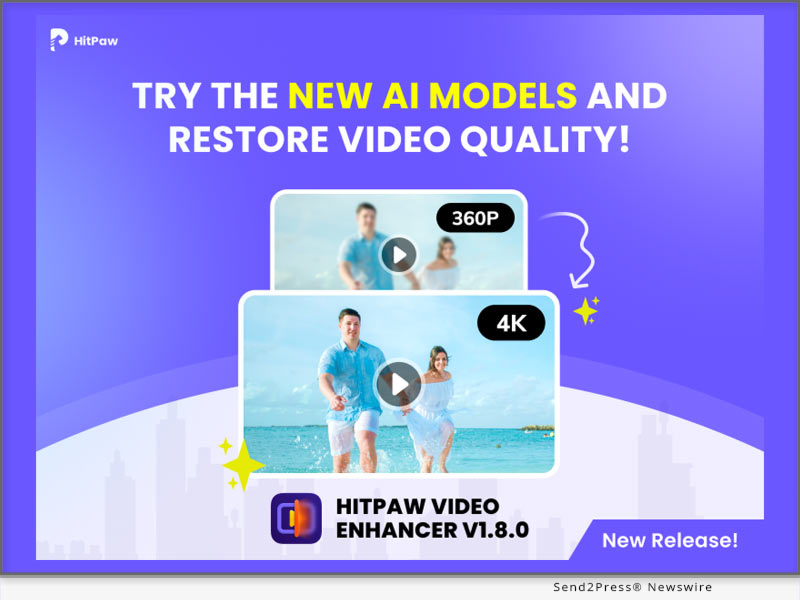
HitPaw Video Object Remover V1.2.0 Released with Enhanced Features for Seamless Object Removal and Enhanced User Experience

NEW YORK, N.Y. /ScoopCloud/ -- HitPaw, a leading software technology company, has announced the release of its latest version of the Video Object Remover - the HitPaw Video Object Remover V1.2.0. This upgraded version comes with enhanced features that make the application more efficient and reliable.

In this update, HitPaw optimizes selection module for the AI object removal model. The selection process has been fine tuned to offer users more accurate and reliable results, ensuring that even intricate objects can be seamlessly eliminated from videos with minimal effort.

LET'S CHECK OUT THE NEW FEATURES:

1 - Optimize the selection module of the AI object removal model

Opening the limit on the number of selections created is no longer limited to one, now multiple selections can be created and multiple objects removed. This new feature offers more control and precision in removing objects and recognition in the background, allowing users to create stunning results. Gone are the days of tedious manual selection - effortlessly handling multiple objects you want to remove at the same time and saving valuable time and effort.

2 - Optimize the preview playback function

To meet the needs of users, HitPaw Video Object Remover optimizes the preview to support full video preview and also single frame removal effect preview. Users can have clear perceived benefits and better-personalized choices for them.

3 - Optimize the export function

The export function has also undergone optimization in HitPaw Video Object Remover V1.2.0. Users can now export their edited videos seamlessly, maintaining the original video quality while ensuring efficient file compression for easy sharing and storage. supporting MP4\MKV\AVI\MOV format, and you can easily change the video format when removing objects from the video. This streamlined export process enhances user convenience and saves valuable time.

4 - Optimize the export video of AI background removal models

HitPaw has also improved the AI background removal models of Video Object Remover V1.2.0. The export function of the background removal model has been optimized for transparent video export, now you can see the effort of background removal by exporting transparent video directly, no need to change the player to verify.

Compatibility and Price:

HitPaw Video Object Remover is now compatible with Windows including Win11/10/7 64-bit and guaranteed to run Win8, Vista 64-bit system. Its pricing starts from $39.99 per month, $59.99 per year, and $99.99 for the lifetime.

For more information checking, you can visit: https://www.hitpaw.com/purchase/buy-hitpaw-object-remover.html

About HitPaw:

HitPaw is an emerging software company specializing in video editing, screen recording, watermark removing, image editing, photo enhancing meme-making, etc. We help users turn their inspiration into reality so that we can generate more ideas to make the world full of more creativity.

To know more, you may visit https://www.hitpaw.com/about.html and https://www.hitpaw.com/

Our Social Media:

YouTube: https://www.youtube.com/watch?v=7LhUvA0Q0SM

Facebook: https://www.facebook.com/hitpawofficial

Twitter: https://twitter.com/HitPawofficial

Instagram: https://www.instagram.com/hitpawofficial/

Pinterest: https://www.pinterest.com/HitPawofficialwebsite/

News from HitPaw

HitPaw, a leading software technology company, has announced the release of its latest version of the Video Object Remover - the HitPaw Video Object Remover V1.2.0. This upgraded version comes with enhanced features that make the application more efficient and reliable.

Related link: https://www.hitpaw.com/

This version of news story was published on ScoopCloud™ (ScoopCloud.com) - part of and © the Neotrope® News Network - all rights reserved.
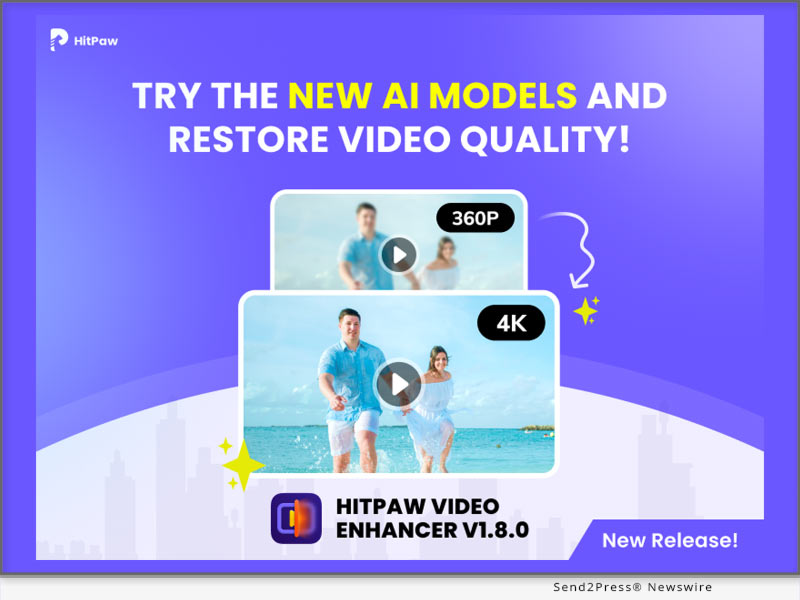
VideoSolo Screen Recorder – The Ultimate Solution for Capturing and Recording Videos

NEW YORK, N.Y. /ScoopCloud/ -- In today's digital age, the need for capturing and recording videos has become increasingly important. Whether you're a content creator, educator, gamer, or professional, having a reliable screen recording software is essential. VideoSolo Screen Recorder from Emodest Technology Limited emerges as a powerful tool that provides an exceptional video recording experience with its wide range of features and user-friendly interface.

Overview of VideoSolo Screen Recorder

VideoSolo Screen Recorder is a cutting-edge software designed to record videos from your screen effortlessly. It allows users to capture high-quality videos in various formats and resolutions, making it suitable for diverse needs. With its intuitive interface and customizable settings, VideoSolo Screen Recorder stands out from the competition as an efficient and versatile solution.

BENEFITS OF USING VIDEOSOLO SCREEN RECORDER

High-quality video recording: VideoSolo Screen Recorder offers an array of options to ensure high-quality video captures. It enables users to record videos in different formats, including MP4, AVI, FLV, and more. Additionally, the software allows recording audio from system sound or external sources, providing users with comprehensive audio recording capabilities.

Easy-to-use interface: VideoSolo Screen Recorder boasts a user-friendly interface that simplifies the recording process. Its intuitive controls and settings make it accessible for users of all levels of expertise. Whether you're a beginner or an advanced user, you can easily navigate through the software and start recording without any hassle. The interface is designed to be straightforward and visually appealing, ensuring a seamless recording experience.

Versatility and flexibility: VideoSolo Screen Recorder offers versatile recording options to suit various needs. Users can choose to record the full screen, specific windows, or selected areas of their screen. This flexibility allows for targeted and precise recordings. Moreover, the software provides the ability to schedule and automate recordings, saving time and effort for users who require regular screen capturing.

Editing and sharing options: VideoSolo Screen Recorder goes beyond just capturing videos; it also provides editing and sharing functionalities. Users can trim, crop, and enhance their recorded videos directly within the software, eliminating the need for third-party editing tools. Furthermore, the software offers seamless integration with popular social media platforms, allowing users to easily share their recordings with a wider audience.

How to Use VideoSolo Screen Recorder

Using VideoSolo Screen Recorder is a breeze, even for those new to screen recording software. Here is a step-by-step guide to get you started:

Installation and setup:

* Visit the official VideoSolo website at https://videosolo.net/screen-recorder/ and download the software.

For Windows: https://videosolo.net/best-screen-recorder-windows-10/

For MAC: https://videosolo.net/best-screen-recording-software-mac/

* Follow the on-screen instructions to install VideoSolo Screen Recorder on your computer.

* Once installed, launch the software and familiarize yourself with the user interface.

Recording options and settings:

* Select the desired recording area by choosing between full screen, specific windows, or custom regions.

* Adjust the audio settings to capture system sound, microphone input, or both.

* Explore the various output formats and resolutions available to suit your needs.

* Customize additional settings such as hotkeys, frame rates, and cursor effects to enhance your recordings.

Start recording:

* Click the "Record" button or use the designated hotkey to begin your recording.

* During the recording, you can pause, resume, or stop the process as needed.

* Take advantage of the editing tools provided by VideoSolo Screen Recorder to enhance your video for Zoom Meeting , Use our guide : https://videosolo.net/record-zoom-meeting/.

Save and share your recordings:

* Once you're satisfied with your recording, save it to your preferred location on your computer.

* If you wish to share the recording, VideoSolo Screen Recorder allows you to directly upload your videos to popular social media platforms like YouTube, Facebook, and Vimeo.

Use Cases and Applications

VideoSolo Screen Recorder caters to a wide range of use cases and applications, including:

Recording online tutorials and educational videos:

Whether you're an online educator or a student, VideoSolo Screen Recorder is an invaluable tool for creating instructional videos, online courses, and tutorials. Capture your screen, demonstrate software or concepts, and deliver engaging educational content.

Creating software demonstrations and walkthroughs:

Developers and software trainers can utilize VideoSolo Screen Recorder to showcase their products and guide users through step-by-step tutorials. Record software demonstrations, highlight key features, and provide comprehensive instructions for your audience.

Capturing gameplay and streaming sessions:

Gamers can leverage the power of VideoSolo Screen Recorder to capture their gameplay, create gaming highlights, and share their gaming experiences with others. Whether you're a professional streamer or an avid gamer, the software ensures smooth and high-quality video recordings.

Recording video conferences and webinars:

VideoSolo Screen Recorder is an excellent companion for professionals participating in video conferences, webinars, or online meetings. Capture important discussions, presentations, or training sessions, and revisit them later for reference or sharing.

Comparison with Other Screen Recording Software

VideoSolo Screen Recorder stands out among its competitors due to its exceptional features and usability. When compared to other screen recording software options, VideoSolo Screen Recorder offers several advantages:

* Superior video quality: VideoSolo Screen Recorder ensures high-quality video captures with various formats and resolutions, providing users with crisp and clear recordings.

* Intuitive interface: The user-friendly interface of VideoSolo Screen Recorder makes it accessible to users of all levels of expertise. Its straightforward controls and settings simplify the recording process.

* Customizable recording options: Users have the flexibility to choose the recording area, whether it's the full screen, specific windows, or custom regions. This level of customization allows for precise and targeted recordings.

* Automation and scheduling: VideoSolo Screen Recorder allows users to schedule and automate recordings, making it convenient for those who require regular screen capturing without manual intervention.

* Integrated editing and sharing features: With built-in editing tools, users can trim, crop, and enhance their recordings within VideoSolo Screen Recorder itself. Additionally, seamless integration with popular social media platforms enables easy sharing of captured videos.

Testimonials and Reviews

Here are a few testimonials from satisfied VideoSolo Screen Recorder users:

* "VideoSolo Screen Recorder has revolutionized my online teaching experience. The ability to capture my screen effortlessly and share educational content with my students has made a significant impact on their learning." - Emily, Online Educator

* "As a software developer, I've tried several screen recording tools, but VideoSolo Screen Recorder surpasses them all. The quality of the recordings is exceptional, and the intuitive interface makes it a pleasure to use." - Mark, Software Developer

* "VideoSolo Screen Recorder is my go-to solution for recording gameplay and streaming sessions. It captures every detail without affecting the performance, allowing me to share my gaming experiences with my audience seamlessly." - Sarah, Gaming Streamer

Pricing and Availability

VideoSolo Screen Recorder is available for both Windows and Mac operating systems. To explore the pricing options and check for any available discounts or offers, visit the official VideoSolo Screen Recorder website at https://videosolo.net/screen-recorder/.

Conclusion

In conclusion, VideoSolo Screen Recorder is a versatile and powerful software that caters to the needs of content creators, educators, gamers, and professionals alike. With its high-quality video recording capabilities, user-friendly interface, and customizable features, it provides an exceptional screen recording experience. Whether you're recording tutorials, software demonstrations, gameplay, or video conferences, VideoSolo Screen Recorder is the ultimate solution for capturing and recording videos with ease.

Learn more: https://videosolo.net/

MULTIMEDIA:

Videos on YouTube: https://www.youtube.com/@videosolo809

News from Emodest Technology Limited

In today's digital age, the need for capturing and recording videos has become increasingly important. Whether you're a content creator, educator, gamer, or professional, having a reliable screen recording software is essential. VideoSolo Screen Recorder from Emodest Technology Limited emerges as a powerful tool that provides an exceptional video recording experience with its wide range of features and user-friendly interface.

Related link: https://videosolo.net/

This version of news story was published on ScoopCloud™ (ScoopCloud.com) - part of and © the Neotrope® News Network - all rights reserved.

HitPaw Launches Revolutionary Photo Enhancer v2.3.0 with Advanced Features for Faster, High-Quality Results

NEW YORK, N.Y. /ScoopCloud/ -- HitPaw, a leading provider of cutting-edge digital solutions, is thrilled to announce the release of the latest HitPaw Photo Enhancer, packed with innovative features to elevate the image editing experience.

In this update, HitPaw is addressing color correction, workflow efficiency, format compatibility, and optimatization for interaction, empowering the users to elevate their creativity and achieve exceptional results.

LET'S CHECK OUT THE NEW FEATURES:

* Newly Added Model to Correct Color in Image

The newly added model is a game-changer, designed to correct color imperfections in images with unparalleled precision. Whether it's adjusting white balance or fine-tuning hues, this advanced feature ensures vibrant and accurate color representation, resulting in stunning visuals.

* Free Batching Importing Photos Without Any Limits

To empower users with seamless workflow management, the enhancer now offers free batching, enabling unlimited importing of photos in one go. Gone are the days of tedious manual selection - effortlessly enhance and transform multiple images simultaneously, saving valuable time and effort.

* Supported More Formats Including TIFF

In response to user demand, HitPaw Photo Enhancer has expanded the supported formats to JPG, PNG, WebP and TIFF. Now photographers, designers, and artists can effortlessly work with a wider range of file types, ensuring compatibility and convenience.

* Optimize the Interaction for Batch Processing and Guide

The latest release also optimizes the interaction for batch processing, providing a user-friendly interface and intuitive guidance. Users can easily navigate through the batch processing workflow, effortlessly applying enhancements to multiple images while benefiting from helpful prompts and suggestions.

Compatibility and Price:

HitPaw Photo Enhancer is now compatible with macOS 10.15 and above. The pricing starts from $17.99 USD for a month plan.

For more price checking and information, you can visit https://www.hitpaw.com/purchase/buy-hitpaw-photo-enhancer.html.

About HitPaw:

HitPaw is an emerging software company specializing in video editing, screen recording, watermark removing, image editing, photo enhancing meme-making, etc. We help users turn their inspiration into reality so that we can generate more ideas to make the world full of more creativity.

To know more, you may visit https://www.hitpaw.com/about.html and https://www.hitpaw.com/

Our Social Media:

YouTube: https://www.youtube.com/channel/UCQwRggaotgiMcPbiCOsJeBA

Facebook: https://www.facebook.com/hitpawofficial

Twitter: https://twitter.com/HitPawofficial

Instagram: https://www.instagram.com/hitpawofficial/

Pinterest: https://www.pinterest.com/HitPawofficialwebsite/

News from HitPaw

HitPaw, a leading provider of cutting-edge digital solutions, is thrilled to announce the release of the latest HitPaw Photo Enhancer, packed with innovative features to elevate the image editing experience.

Related link: https://www.hitpaw.com/

This version of news story was published on ScoopCloud™ (ScoopCloud.com) - part of and © the Neotrope® News Network - all rights reserved.

New Release: 4DDiG File Repair for Mac, Simplifies Video and Photo Repair for Mac Users

NEW YORK, N.Y. /ScoopCloud/ -- 4DDiG, an esteemed subsidiary of Tenorshare and a leading software provider, is thrilled to announce the highly anticipated release of the Mac version of their groundbreaking software, 4DDiG File Repair. This awesome software is specifically developed to fulfill the needs of Mac users seeking high-quality solutions for repairing digital media files. It allows them to effortlessly restore damaged photos and videos with a high success rate and simple operation.

"The release of 4DDiG File Repair for Mac represents a major milestone for us," said John Smith, Product Manager at 4DDiG. "We deeply understand the frustration that Mac users experience when they lose or damage their visual files. That's why we prioritize the success rate of file repair, offering a powerful software solution that users can trust to restore their valuable digital assets."

Key features of 4DDiG File Repair(Mac):

* Photo Repair Features: Photo Repair features can help users effortlessly restore their precious old photos and resolve issues such as the inability to open photos after data recovery. The software also supports a wide range of image formats, including jpg, jpeg, arw, cr2, and more. Another remarkable feature of Photo Repair is its ability to repair up to 3000 pictures at once.

* Video Repair Features: Many Mac users frequently encounter error codes indicating that videos cannot be played properly. Video Repair features provides an easy solution to this problem. Additionally, it also can repair corrupted, choppy, distorted, or fuzzy videos. It supports popular video formats like MP4, MOV, MKV, M4V, 3G2, and 3GP. The software works with various storage media and supports batch repair for multiple formats at once.

Compared to other products, 4DDiG File Repair not only offers a real-time preview of the repair results for free but also ensures high-quality restoration of images and videos.

Learn more: https://4ddig.tenorshare.com/video-repair.html

Repair damaged photos or videos effortlessly

With its user-friendly interface and advanced algorithms, Mac users can easily repair their digital media files. That's how to fix damaged videos or photos using 4DDiG File Repair on a Mac:

Step 1: Install and launch the 4DDiG File Repair on your Mac.

Step 2: To begin the repair process, select either the Photo Repair or Video Repair option from the software interface. Import the damaged videos or photos by tapping the "Add" button, and then click on "Repair".

Step 3: Once the repair is complete, you can preview the repaired videos or photos. Finally, click on "Export Selected" to save them to Finder.

Take advantage of the promotion by 4DDiG! Now, you can purchase 4DDiG File Repair for Mac at a discounted price of 30% off.

For more information, visit: https://4ddig.tenorshare.com/

Follow on Social:

Official Website: https://4ddig.tenorshare.com/

Facebook: https://www.facebook.com/4DDiG/

Twitter: https://twitter.com/Tenorshare4DDiG

YouTube: https://www.youtube.com/@Tenorshare4DDiGDataRecovery/featured

VIDEO: https://youtu.be/C_bABjvZP9w

News from Tenorshare Co. Ltd.

4DDiG, an esteemed subsidiary of Tenorshare and a leading software provider, is thrilled to announce the highly anticipated release of the Mac version of their groundbreaking software, 4DDiG File Repair. This awesome software is specifically developed to fulfill the needs of Mac users seeking high-quality solutions for repairing digital media files. It allows them to effortlessly restore damaged photos and videos with a high success rate and simple operation.

Related link: https://www.tenorshare.com/

This version of news story was published on ScoopCloud™ (ScoopCloud.com) - part of and © the Neotrope® News Network - all rights reserved.
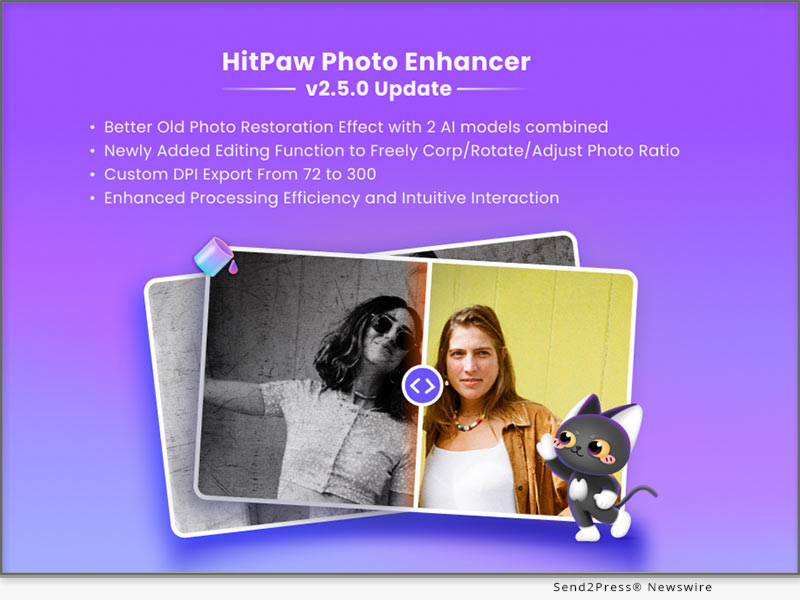
New HitPaw Online AI Video Enhancer Released: Upscale Videos Up to 1080P/4K/8K

NEW YORK, N.Y. /ScoopCloud/ -- HitPaw, a prominent multimedia tools developer, has just launched its latest product, HitPaw Online AI Video Enhancer. With its intuitive interface, impressive AI models, and powerful effect, this tool provides users with everything they need to upscale their videos.

HitPaw Online AI Video Enhancer is an online-based tool designed to enhance video quality with trained AI. No need to download or install any program, this amazing tool enables you to upscale videos as easy as 1-2-3. We also provide stunning results up to 1080P/4K/8K without requiring any prior experience or technical skills.

NOW LET'S CHECK SOME OF ITS OUTSTANDING FEATURES!

* Impressive AI Models for Any Occasion

HitPaw Online AI Video Enhancer offers 4 advanced AI models, including the general denoise model, animation model, face model, and colorize model. It caters to almost all kinds of videos. You may enjoy high-quality video enhancement solutions for different scenarios with this amazing tool.

* Intuitive Interface with Powerful Effect

With the user-friendly interface of HitPaw Online AI Video Enhancer, you can be an expert in enhancing videos with just a few clicks. This cutting-edge video enhancer offers an online solution so that you may enhance your video without downloading any program. Its impressive and stunning effects by upscaling videos up to 1080P/4K/8K will not let you down.

* 100% Safe Processing & Privacy Protection

100% safe connection to ensure your uploaded file can only be viewed and edited by yourself. You may check and download your original file and enhanced file in the history tab of your personal account center. Don't worry, your file will be deleted automatically after 24 hours. If you want to track your file back after 24 hours, you may also check the email we sent you after the process.

If you're looking for a reliable online video enhancer, HitPaw Online AI Video Enhancer is definitely your best choice!

Compatibility and Price:

Compatibility: HitPaw Online AI Video Enhancer works well on PC now (use Chrome for better experience).

Price: Starts from only $8.99 for per week. For more price and information checking, you may visit: https://online.hitpaw.com/purchase/buy-hitpaw-online-video-enhancer.html

About HitPaw:

HitPaw is an emerging software company specialized in video editing, screen recording, watermark removing, image editing, photo enhancing meme-making, etc. We help users turn their inspiration into reality so that we can generate more ideas to make the world be full of more creativity.

To know more, you may visit https://www.hitpaw.com/about.html and https://online.hitpaw.com/.

Our Social Media:

YouTube: https://www.youtube.com/channel/UCQwRggaotgiMcPbiCOsJeBA

Facebook: https://www.facebook.com/hitpawofficial

Twitter: https://twitter.com/hitpawofficial

Instagram: https://www.instagram.com/hitpawofficial/

Pinterest: https://www.pinterest.com/hitpawcom/

News from HitPaw

HitPaw, a prominent multimedia tools developer, has just launched its latest product, HitPaw Online AI Video Enhancer. With its intuitive interface, impressive AI models, and powerful effect, this tool provides users with everything they need to upscale their videos.

Related link: https://www.hitpaw.com/

This version of news story was published on ScoopCloud™ (ScoopCloud.com) - part of and © the Neotrope® News Network - all rights reserved.
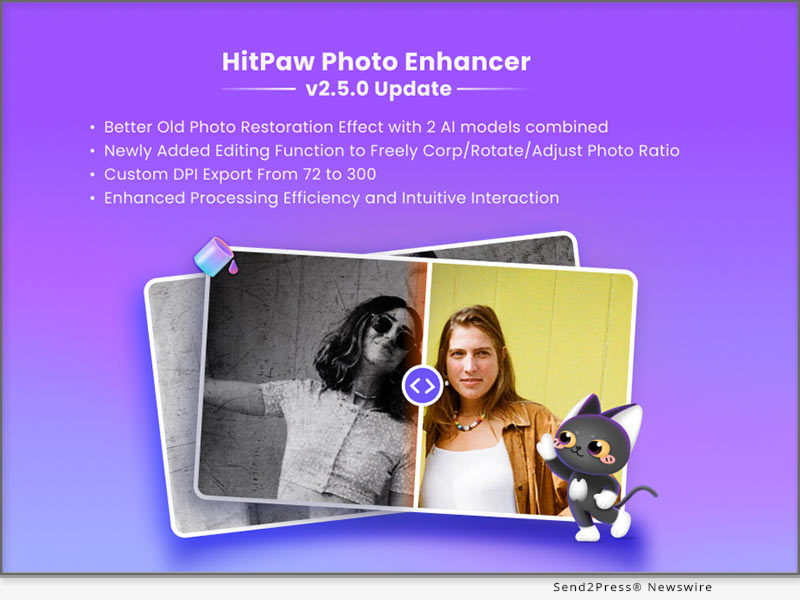
HitPaw Photo Enhancer v2.2.0 Released with New Features Providing More Control and Advanced Enhancements for Your Photos

NEW YORK, N.Y. /ScoopCloud/ -- HitPaw, a leading software company, has announced the release of HitPaw Photo Enhancer v2.2.0, which includes a range of new features designed to take your photo editing experience to the next level.

In this update, it provides more control and advanced enhancements for our users. The new features are greatly improved the quality of enhanced portraits. And you can freely select your output format.

LET'S CHECK OUT THE NEW FEATURES:

* Face Detection for Multiple Faces

With HitPaw Photo Enhancer v2.2.0, users can now detect multiple faces in a single photo and choose to enhance one or all of them in detail. This new feature provides more control and precision when it comes to enhancing facial features in group photos, allowing users to create stunning portraits.

* Newly Added Codeformer Algorithm

In addition to the face detection feature, HitPaw Photo Enhancer v2.2.0 also includes the Codeformer algorithm, which brings advanced face enhancement capabilities to the software. This algorithm improves the clarity and detail of facial features, resulting in more lifelike and natural-looking photos.

* Customized Output Format

Another notable feature of HitPaw Photo Enhancer v2.2.0 is the ability to customize the output format of enhanced photos. Users can now select from a range of output formats, including JPEG, PNG, ensuring that their enhanced photos are compatible with a variety of devices and applications.

* Improved Processing Efficiency

HitPaw has also improved the processing efficiency of Photo Enhancer v2.2.0, making it faster and more reliable than ever before. With this new version, users can enjoy lightning-fast performance without sacrificing quality.

Compatibility and Price:

HitPaw Photo Enhancer is now compatible with macOS 10.15 and above. The pricing starts from $17.99 USD for a month plan.

For more price checking and information, you can visit https://www.hitpaw.com/purchase/buy-hitpaw-photo-enhancer.html.

About HitPaw:

HitPaw is an emerging software company specializing in video editing, screen recording, watermark removing, image editing, photo enhancing meme-making, etc. We help users turn their inspiration into reality so that we can generate more ideas to make the world full of more creativity.

To know more, you may visit https://www.hitpaw.com/about.html and https://www.hitpaw.com/

Our Social Media:

YouTube: https://www.youtube.com/channel/UCQwRggaotgiMcPbiCOsJeBA

Facebook: https://www.facebook.com/hitpawofficial

Twitter: https://twitter.com/HitPawofficial

Instagram: https://www.instagram.com/hitpawofficial/

Pinterest: https://www.pinterest.com/HitPawofficialwebsite/

News from HitPaw

HitPaw, a leading software company, has announced the release of HitPaw Photo Enhancer v2.2.0, which includes a range of new features designed to take your photo editing experience to the next level. In this update, it provides more control and advanced enhancements for our users.

Related link: https://www.hitpaw.com/

This version of news story was published on ScoopCloud™ (ScoopCloud.com) - part of and © the Neotrope® News Network - all rights reserved.

HitPaw Photo Object Remover V1.0.0 Released: Erase Your Photos Like Magic

NEW YORK, N.Y. /ScoopCloud/ -- HitPaw, a company aiming to develop the best digital creation solution, today releases the brand new photo object remove software - HitPaw Photo Object Remover. HitPaw Photo Object Remover is an AI-powered tool to locate the objects/people that need to be removed, and offers a new method to remove unwanted objects from batch images.

HitPaw Photo Object Remover offerserfect functions, including objects removing and photo retouching via neural networks. You can simply drag & drop the photo that needs to be retouched to HitPaw Photo Object Remover, and choose whether to use the brush to paint out, or create selection boxes to the area that need to be removed, the AI remove tool will do the rest. And another point worth to mentioned is that, for the purchased version, there is No Limit of the photos you uploaded and manipulated.

HitPaw Photo Object Remover uses machine learning to retouch photos such as:

* Portrait Photo

You can use HitPaw Photo Object Remover to remove objects from portrait photo. If you are not satisfied with the little pimples that you got recently, or there are fine lines around your eyes, even if you have the cute but sometimes annoying freckles on the cheeks, try this magical tool to brush them away flawlessly.

* General Photo

Using HitPaw Photo Object Remover to remove objects from general photos is also possible. We have all faced the situation that our traveling photos contains strange tourists or passengers, from now on there will be no worries with this issue anymore. You can also try to remove texts, watermarks using this magical tool. With the help of HitPaw Photo Object Remover, you will be definitely save a lot of time editing images!

* Old Photo

Suddenly want to take out old photos for nostalgia? Try HitPaw Photo Object Remover for removing stains, grains and creases, make your memories brand-new again!

Compatibility and Price:

HitPaw Photo Object Remover is now compatible with Windows 11/10 (64-bit OS). Its pricing starts from $17.99 for a monthly plan. Mac version will also come out soon. For more price checking and information, you can visit: https://www.hitpaw.com/purchase/buy-hitpaw-photo-object-remover.html

About HitPaw:

HitPaw is an emerging software company specialized in multi-media solutions such as video editing, screen recording, watermark removing, image editing and meme-making, video enhancing, etc. We help users turn their inspiration into reality so that we can generate more ideas to make the world full of more creativity.

To know more, you may visit https://www.hitpaw.com/about.html and https://www.hitpaw.com/

Our Social Media:

YouTube: https://www.youtube.com/channel/UCQwRggaotgiMcPbiCOsJeBA

Facebook: https://www.facebook.com/hitpawofficial/

Twitter: https://twitter.com/HitPawofficial

Instagram: https://www.instagram.com/HitPawofficial/

Pinterest: https://www.pinterest.com/hitpawvideoeditor/

News from HitPaw

HitPaw, a company aiming to develop the best digital creation solution, today releases the brand new photo object remove software - HitPaw Photo Object Remover. HitPaw Photo Object Remover is an AI-powered tool to locate the objects/people that need to be removed, and offers a new method to remove unwanted objects from batch images.

Related link: https://www.hitpaw.com/

This version of news story was published on ScoopCloud™ (ScoopCloud.com) - part of and © the Neotrope® News Network - all rights reserved.

California Cannabis Corridor video, hosted by Vista City Council Member, takes viewers on tour of city’s successful recreational and medical cannabis industry

VISTA, Calif. /ScoopCloud/ -- A new GuideMe.Tours video premieres April 15 that takes a "behind-the-doors" look at five of Vista, California's successful cannabis dispensaries and the positive impact the new industry is making in the North County town. The California Cannabis Corridor™ is an informative and heartfelt look at how dispensary community is making an impact on peoples' lives.

The film features Vista Council Member Joe Green as the host and tour guide. A trailer for the film is available today at http://CCCTheMovie.com/.

Green was elected in 2016 and championed the citizens' initiative Measure Z which was passed by Vista voters in 2018 to allow legal cannabis dispensaries. Green believes the film is an important step towards dispelling any remaining myths about the safe and legal operation of cannabis dispensaries.

"Each of our 11 dispensaries is helping to revitalize several areas of our community, and are providing safe, reliable access to medical and recreational cannabis in comfortable and friendly environments. The industry has evolved into treating everything from insomnia, PTSD and other mental health conditions to relief from aching joints and gluten intolerance," says Green.

Prior to legalizing cannabis in 2018, the City of Vista spent more than $1 million per year combatting 21 illegal retail dispensaries. "Measure Z has been 100 percent effective in removing the illegal cannabis trade from our city while becoming a tremendous community benefit contrary to sceptics' concerns," adds Green.

The city estimates the dispensaries will generate $9 million in tax revenues in the 2023-24 fiscal year which will support programs for homeless relief, health clinics, community events and new parks.

The film captures Green's passionate personality as he interviews dispensary operators from Off The Charts, Tradecraft Farms, Coastal Cannabis, Wellgreens and Hello Cannabis.

About the production:

California Cannabis Corridor™ is produced in collaboration with A Different Day Radio, Star Fox Media and HPC.Media under the GuideMe.Tours collaborative. GuideMe.Tours produces video and audio podcast tours, including Vista's Pioneer Beer Trail and Visiting Downtown Vista. Learn more at: https://guideme.tours/

News from GuideMe.Tours

A new GuideMe.Tours video premieres April 15 that takes a "behind-the-doors" look at five of Vista, California's successful cannabis dispensaries and the positive impact the new industry is making in the North County town. The California Cannabis Corridor™ is an informative and heartfelt look at how dispensary community is making an impact on peoples' lives.

Related link: https://guideme.tours/

This version of news story was published on ScoopCloud™ (ScoopCloud.com) - part of and © the Neotrope® News Network - all rights reserved.
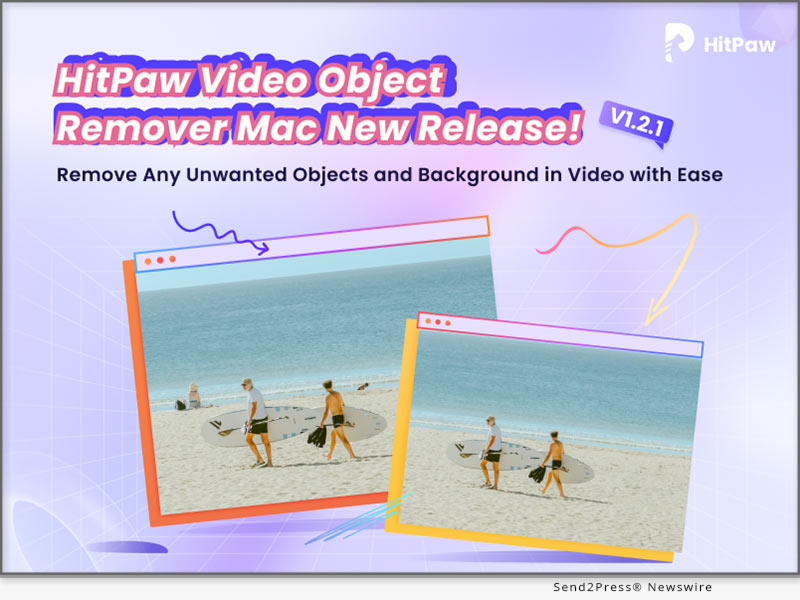
HitPaw Launches Online AI Photo Enhancer: Unblur Images in Seconds with AI

NEW YORK, N.Y. /ScoopCloud/ -- HitPaw, the leading software developer for video and photo editing solutions, is thrilled to announce the release of its latest product - HitPaw Online AI Photo Enhancer. With it, unblurring photos or upscaling images up to 8X online will no longer be a problem.

HitPaw Online AI Photo Enhancer is a powerful online tool that lets you enhance your photos with just a few clicks. It uses advanced algorithms to improve the quality of your photos, making them sharper, clearer, and more vibrant.

Here are some of its amazing features:

* Enhance Images Instantly

HitPaw Online AI Photo Enhancer is an online tool that uses advanced artificial intelligence algorithms to enhance digital images instantly. You just need to upload the image you want to enhance, and it will automatically process it and present you the result within minutes!

* Upscale Up to 8X Losslessly

HitPaw Online AI Photo Enhancer allows you to increase the resolution and size of the original image while maintaining its quality and reducing the loss of details. Besides, it provides 4 choices: 1X, 2X, 4X, 8X, and you can choose any of them as desired.

* 100% Safe Enhancement

HitPaw Online will never collect the users data and your uploaded images will be automatically deleted after 48h, so you don't have to worry about the security issue. Besides, it also provides a free version, featuring frontend processing. It puts data processing and validation in the client-side browser rather than on the server-side. That means you can enhance images 100% safely!

Other features:

1) Simple and Straightforward

2) Output image format: JPG, PNG, TIFF

3) Magnification: 1X, 2X, 4X, 8X

Featured by frequently update, please keep following HitPaw Online AI Photo Enhancer to enjoy more advanced features.

Compatibility and Price:

Compatibility: HitPaw Online AI Photo Enhancer works well on Chrome on PC now.

Price: Starts from $5.99 for per week, $15.99 for per month and $99.99 for per year.

For more information checking, you can visit: https://online.hitpaw.com/purchase/buy-hitpaw-online-photo-enhancer.html

About HitPaw:

HitPaw is an emerging software company specialized in video editing, screen recording, watermark removing, image editing, photo enhancing meme-making, etc. We help users turn their inspiration into reality so that we can generate more ideas to make the world be full of more creativity.

To know more, you may visit https://www.hitpaw.com/about.html and https://online.hitpaw.com/.

Our Social Media:

YouTube: https://www.youtube.com/channel/UCQwRggaotgiMcPbiCOsJeBA

Facebook: https://www.facebook.com/hitpawofficial

Twitter: https://twitter.com/hitpawofficial

Instagram: https://www.instagram.com/hitpawofficial/

Pinterest: https://www.pinterest.com/hitpawcom/

News from HitPaw

HitPaw, the leading software developer for video and photo editing solutions, is thrilled to announce the release of its latest product - HitPaw Online AI Photo Enhancer. With it, unblurring photos or upscaling images up to 8X online will no longer be a problem.

Related link: https://www.hitpaw.com/

This version of news story was published on ScoopCloud™ (ScoopCloud.com) - part of and © the Neotrope® News Network - all rights reserved.
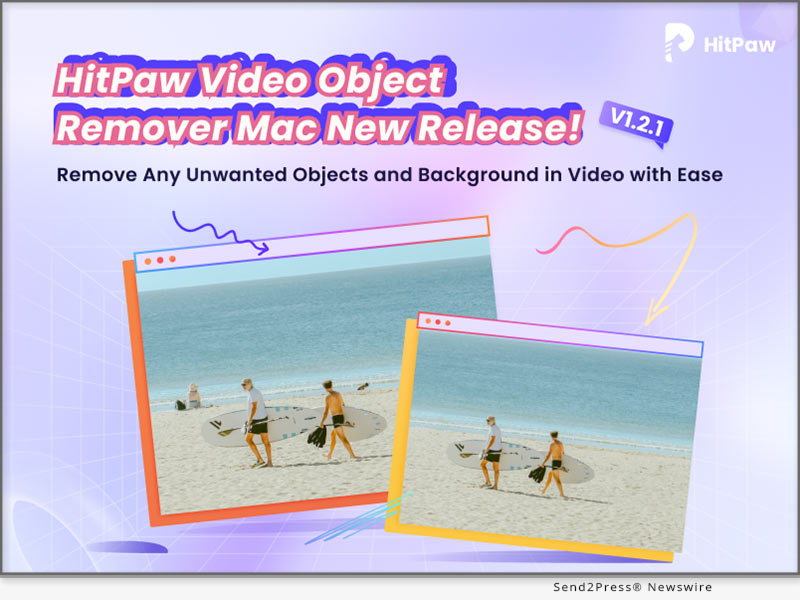
HitPaw Video Converter V2.8 Introduces Revolutionary Features for an Enhanced User Experience

NEW YORK, N.Y. /ScoopCloud/ -- HitPaw, a leading provider of multimedia tool industry, is proud to announce the release of HitPaw Video Converter V2.8.0. This new version comes packed with amazing features that are designed to help users improve the efficiency, and provide the best 3D and music experience.

Highlight features of HitPaw Video Converter V2.8.0:

* Pro-Level 2D to 3D Converter

With this feature, users can convert their regular 2D videos into stunning 3D masterpieces with 3 models, including Red/Blue model, Top and Bottom model, and Side by Side model. The latest version of HitPaw Video Converter brings more possibility to those who want to add depth and dimension to their videos and bring their content to life.

* Brilliant Deezer Music Converter

HitPaw Video Converter now allows users to convert their favorite Deezer music songs, playlists, and even the podcast into MP3, WAV, M4A, and FLAC that are compatible with various devices. With this feature, users can enjoy the fun of music anytime, anywhere without limitation.

* Fantastic AI Background Remover

HitPaw Video Converter brings a fantastic tool that advanced Artificial Intelligence algorithms to remove backgrounds from images quickly and effortlessly. AI Background Remover can transform images into works of art, banners, visual presentations, product catalogs, and graphics by quickly creating a translucent background.

Compatibility and Price:

HitPaw Video Converter is now compatible with Windows including Win11/10/8/7 and Mac OS Ventura. Its pricing starts from $19.95 per month, $39.95 per year, and $79.95 for the lifetime.

For more information checking, you can visit: https://www.hitpaw.com/purchase/buy-hitpaw-video-converter.html

About HitPaw:

HitPaw is an emerging software company specialized in files compressing, video editing, screen recording, watermark removing, image editing, photo enhancing, etc. We help users turn their inspiration into reality so that we can generate more ideas to make the world be full of more creativity. To know more, you may visit https://www.hitpaw.com/about.html

Our Social Media:

YouTube: https://www.youtube.com/channel/UCQwRggaotgiMcPbiCOsJeBA

Facebook: https://www.facebook.com/hitpawofficial

Twitter: https://twitter.com/HitPawofficial

Instagram: https://www.instagram.com/hitpawofficial/

Pinterest: https://www.pinterest.com/HitPawofficialwebsite/

Related Links: https://www.hitpaw.com/

News from HitPaw

HitPaw, a leading provider of multimedia tool industry, is proud to announce the release of HitPaw Video Converter V2.8.0. This new version comes packed with amazing features that are designed to help users improve the efficiency, and provide the best 3D and music experience.

Related link: https://www.hitpaw.com/

This version of news story was published on ScoopCloud™ (ScoopCloud.com) - part of and © the Neotrope® News Network - all rights reserved.
HitPaw Photo Enhancer New Version Released, Adds Enhancing Features for Portraits and Boost Processing Efficiency

NEW YORK, N.Y. /ScoopCloud/ -- HitPaw, the leading provider of innovative digital solutions, announced the launch of its latest update v2.1.0 of HitPaw Photo Enhancer with new features that streamline the image processing experience for photographers and enthusiasts.

In this update, new photo processing modes are added to the general and face models. And the user can easily preview the different enhancing effects brought by these modes.

LET'S CHECK OUT THE NEW FEATURES:

* Newly Added Soft Enhancing Features for Face Model

Here comes the soft mode when you're enhancing the portraits. This feature allows you to beautify your face in an oriental way and make your skin smoother. Also, it can easily remove blemishes and other flaws.

* Fast Processing Mode Developed for General Model

This update boasts a fast mode that significantly speeds up the general model, delivering quick and efficient results.With this new feature, users can faster enhance large batches of images, allowing them to work more effectively.

* Multiple Previewing Results to Compare and Export

The multiple previewing results option is another innovative feature that enables users to compare different image processing modes and export their preferred result. With this feature, photographers can save time and choose the best enhancement option that suits their preferences.

* Notification & Processing Setting Improved

The notification and processing settings have also been improved in this latest release. When you're enhancing large pictures, it'll remind you to use the faster way to process. Additionally, our software can ensure your batch work not be interrupted by hibernation.

Compatibility and Price:

HitPaw Photo Enhancer is now compatible with Win 10 and MacOS 10.15 and above. The pricing starts from $17.99 USD for a month plan.

For more price checking and information, you can visit https://www.hitpaw.com/purchase/buy-hitpaw-photo-enhancer.html.

About HitPaw:

HitPaw is an emerging software company specializing in video editing, screen recording, watermark removing, image editing, photo enhancing meme-making, etc. We help users turn their inspiration into reality so that we can generate more ideas to make the world full of more creativity.

To know more, you may visit:

https://www.hitpaw.com/about.html

https://www.hitpaw.com/

Our Social Media:

YouTube: https://www.youtube.com/channel/UCQwRggaotgiMcPbiCOsJeBA

Facebook: https://www.facebook.com/hitpawofficial

Twitter: https://twitter.com/HitPawofficial

Instagram: https://www.instagram.com/hitpawofficial/

Pinterest: https://www.pinterest.com/HitPawofficialwebsite/

News from HitPaw

HitPaw, the leading provider of innovative digital solutions, announced the launch of its latest update v2.1.0 of HitPaw Photo Enhancer with new features that streamline the image processing experience for photographers and enthusiasts.

Related link: https://www.hitpaw.com/

This version of news story was published on ScoopCloud™ (ScoopCloud.com) - part of and © the Neotrope® News Network - all rights reserved.
HitPaw Video Enhancer V1.5.0 Update Released: Enhance Video More Efficiently

NEW YORK, N.Y. /ScoopCloud/ -- HitPaw recently released HitPaw Video Enhancer V1.5.0. The latest version of HitPaw Video Enhancer will make the process of enhancing videos smoother. One of the new features is that once the program accidentally crashes, you can continue the process directly after restarting the program. It is also worth mentioning that after this update, you can save the preview record when you using the program.

In addition to the above, the latest version also fixes some known issues. So this latest version will definitely amaze you.

Let's find out the exciting features of the Update for HitPaw Video Enhancer:

* Automatically Recover Progress

No matter what software we use, we always encounter such problems, the program may crash whether it is because of network fluctuation or hardware problems. We can't avoid such problems, but we can provide the best experience when you try our AI video enhancer tool. HitPaw Video Enhancer supports restoring your original video enhancement process after the program crashes so that you can continue enhancing directly from where you left off.

* Choose Actions After The Video Enhancement

Sometimes you will need the enhancement task finished automatically by HitPaw Video Enhancer and you have other things to be busy at. Don't want to waste any more electricity? Here's the solution, the latest version of HitPaw Video Enhancer enables you to choose actions. After your video-enhancing task is automatically completed, we provide the below options for you to choose from: shut down the computer, hibernate the computer, exit the program, or do nothing.

* Freely Choose CPU & GPU

If your computer has equipped with multiple graphics cards, the previous versions of HitPaw Video Enhancer will select the most suitable one to run the video enhancing task automatically. With the release of this new version, you can now choose whether to run the task with CPU or GPU to get the most effective results your wish.

Compatibility and Price

HitPaw Video Enhancer is now compatible with Windows for 11/10 64-bit and MacOS Monterey. The Windows Version pricing starts from $42.99 per month, $99.99 per year, and $349.99 for the lifetime.

For more information checking, you can visit:

https://www.hitpaw.com/hitpaw-video-enhancer.html

https://www.hitpaw.com/purchase/buy-hitpaw-video-enhancer.html

About HitPaw

HitPaw is an emerging software company specialized in files compressing, video editing, screen recording, watermark removing, image editing, photo enhancing, etc. We help users turn their inspiration into reality so that we can generate more ideas to make the world be full of more creativity.

To know more, you may visit:

https://www.hitpaw.com/about.html

https://www.hitpaw.com/

Our Social Media

YouTube: https://www.youtube.com/channel/UCQwRggaotgiMcPbiCOsJeBA

Facebook: https://www.facebook.com/hitpawofficial

Twitter: https://twitter.com/HitPawofficial

Instagram: https://www.instagram.com/hitpawofficial/

Pinterest: https://www.pinterest.com/HitPawofficialwebsite/

News from HitPaw

HitPaw recently released HitPaw Video Enhancer V1.5.0. The latest version of HitPaw Video Enhancer will make the process of enhancing videos smoother. One of the new features is that once the program accidentally crashes, you can continue the process directly after restarting the program. It is also worth mentioning that after this update, you can save the preview record when you using the program.

Related link: https://www.hitpaw.com/

This version of news story was published on ScoopCloud™ (ScoopCloud.com) - part of and © the Neotrope® News Network - all rights reserved.
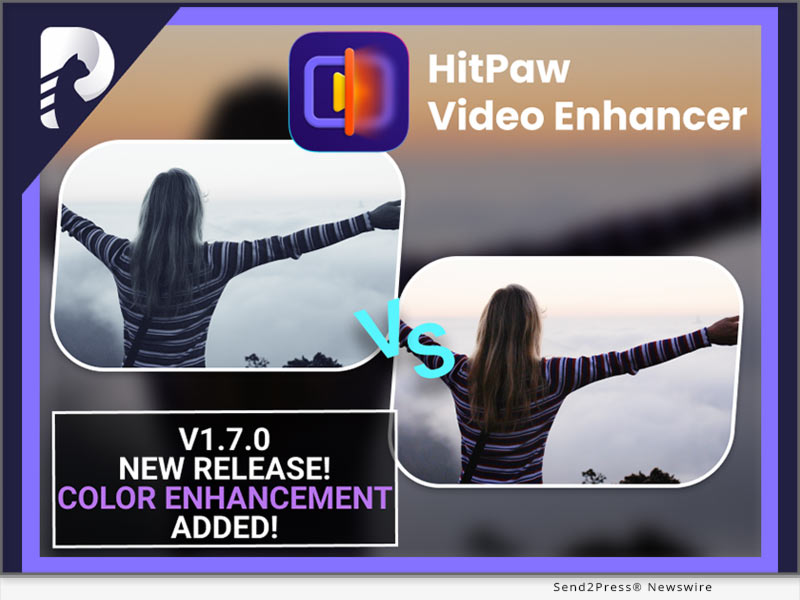
HitPaw Photo Enhancer V2.0.2 released, offering great update for improved efficiency and optimized functions

NEW YORK, N.Y. /ScoopCloud/ -- HitPaw has newly released HitPaw Photo Enhancer V2.0.2 with the improved with processing efficiency more accurate processing time. HitPaw provides lossless enhancement while you're able to keep your photo's information such as photo shooting location, exposure and so on. And there's more features of batch enhancing and notification has been optimized.
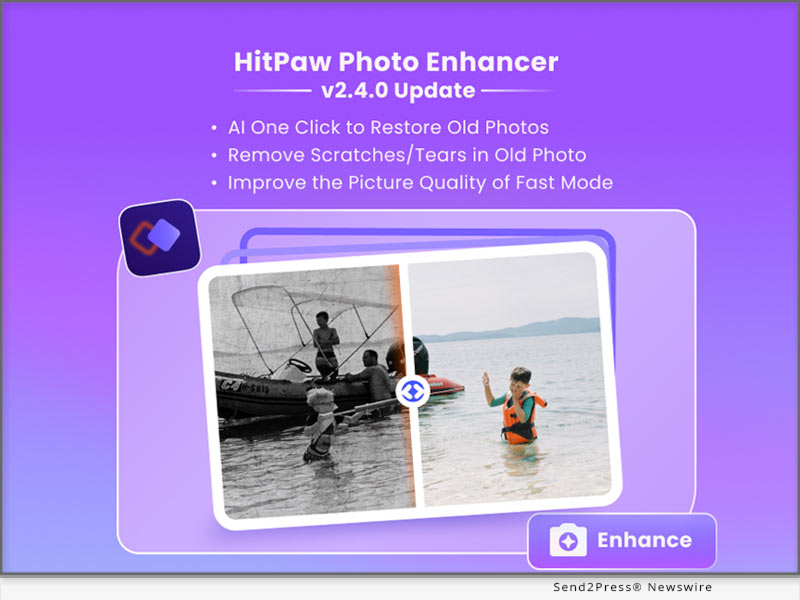
LET'S CHECK OUT THE NEW FEATURES:

* Improved Enhancing Efficiency and Estimated Time

Efficiency comes first for the batching enhancing work, and HitPaw keeps training our AI to be more accurate and fast. In this update, HitPaw Photo Enhancer now increase the image processing efficiency when scanning and provides more specific processing time for you.

* Optimized Batch Enhancing Option

Batch enhancing function now becomes more powerful and intellectual. The AI model and photo size you set would be automatically applied to all photos uploaded. What's more, you can freely preview the batch enhanced image in full size perfectly inside the software.
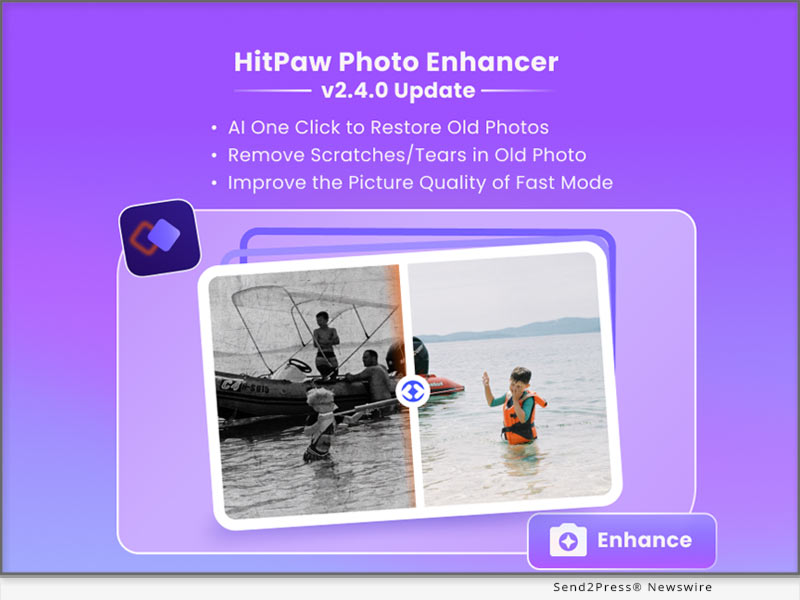

* Keep The EXIF Data If You Need

HitPaw Photo Enhancer will provide a option for you whether to remain EXIF data, the the original information of photos. The EXIF Information includes figures such as exposure, ISO, shutter, GPS locations, and so on.

* Better Notification for User Interaction

Sometimes you might forget to select the AI model when you're about to making your photo clear or your destination disk is out of memory. HitPaw now has better notifications to avoid such needless waiting to save your time.

Compatibility and Price:

HitPaw Photo Enhancer is now compatible with Win 11/10/8/7 and macOS 10.15 and above. The pricing starts from $17.99 USD for a month plan.

For more price checking and information, you can visit: https://www.hitpaw.com/purchase/buy-hitpaw-photo-enhancer.html

About HitPaw:

HitPaw is an emerging software company specialized in video editing, screen recording, watermark removing, image editing, photo enhancing meme-making, etc. We help users turn their inspiration into reality so that we can generate more ideas to make the world be full of more creativity.

To know more, you may visit https://www.hitpaw.com/about.html and https://www.hitpaw.com/

Our Social Media:

YouTube: https://www.youtube.com/channel/UCQwRggaotgiMcPbiCOsJeBA

Facebook: https://www.facebook.com/hitpawofficial

Twitter: https://twitter.com/HitPawofficial

Instagram: https://www.instagram.com/hitpawofficial/

Pinterest: https://www.pinterest.com/HitPawofficialwebsite/

News from HitPaw

HitPaw has newly released HitPaw Photo Enhancer V2.0.2 with the improved with processing efficiency more accurate processing time. HitPaw provides lossless enhancement while you're able to keep your photo's information such as photo shooting location, exposure and so on. And there's more features of batch enhancing and notification has been optimized.

Related link: https://www.hitpaw.com/

This version of news story was published on ScoopCloud™ (ScoopCloud.com) - part of and © the Neotrope® News Network - all rights reserved.